



Steam Deck vs. Switch 2: The 2026 Handheld Showdown

Eneba Hub contains affiliate links, which means we may earn a small commission if you make a purchase through them—at no extra cost to you. Learn more

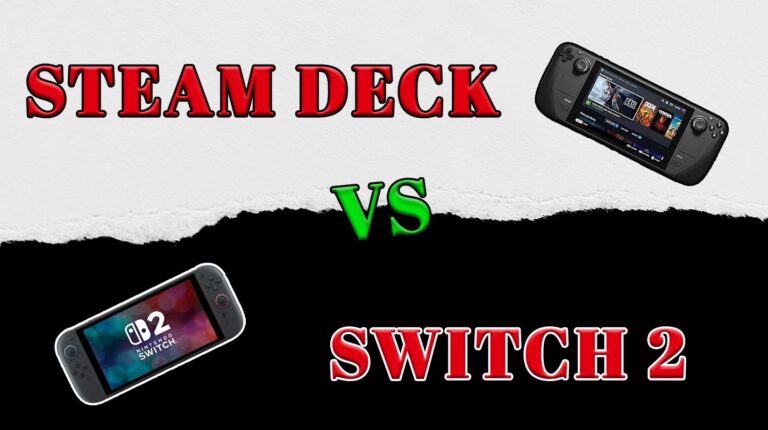
Steam Deck vs. Switch 2 is the fight handheld gaming’s been building toward. Two beasts, same goal – real power in your hands, no desk required.
The Steam Deck runs like a portable rig: full PC access, mod freedom, and enough muscle to handle heavy hitters anywhere. The Switch 2 takes the opposite path – closed, curated, built for instant fun. You get Nintendo’s world-class exclusives and, with the new hardware, big third-party games finally running like they should.
Both promise portable power, but in totally different ways. Let’s see which one actually fits how you play.
Jump to:
Steam Deck vs. Switch 2: Specs and Performance
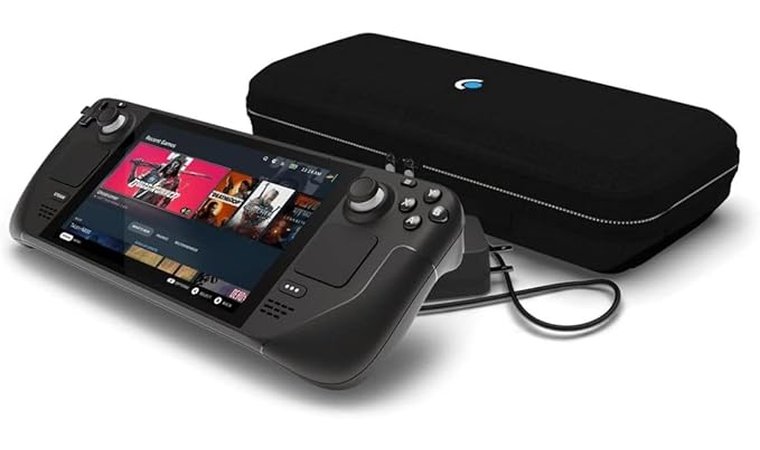
The Steam Deck still leads in raw horsepower. Its AMD APU, higher power draw, and flexible OS make it the better performer in demanding PC titles – even if you need to tweak settings to get there.
Switch 2 closes the gap with a new NVIDIA chip built for efficiency and features like DLSS and higher handheld refresh rates. It’s not a powerhouse, but it’s smartly balanced, which is enough muscle to handle modern games without torching battery life.
Check the key hardware differences below to see how their specs compare.
| Specs | Steam Deck | Nintendo Switch 2 |
|---|---|---|
| Processor/GPU | Official: Custom AMD APU combining a 4-core/8-thread Zen 2 CPU and RDNA 2 GPU (8 CUs). | Official: Custom NVIDIA processor (details not published). Reported: “T239 ‘Drake’,” 8-core ARM Cortex-A78C CPU with Ampere GPU (~1,536 CUDA cores). |
| Memory (RAM) | Official: 16 GB LPDDR5 | Press-confirmed (Nintendo doesn’t list RAM): 12 GB LPDDR5X |
| Internal Storage | Official: 64 GB eMMC/256 GB NVMe SSD/512 GB NVMe SSD | Official: 256 GB UFS (version unspecified) |
| Expandable Storage | Official: microSD (UHS-I) slot | Official: microSD Express only (up to 2 TB cards); older microSD work for captures only |
| Display | Official: 7″ 1280×800 IPS LCD, 60 Hz, ~400 nits brightness | Official: 7.9″ 1920×1080 LCD, HDR, VRR up to 120 Hz (handheld); dock up to 4K/60 |
| Battery/Power | Official: 40 Wh (official for the LCD version) | Official: 5,220 mAh |
| Battery Life (estimate) | Official: ~2-8 hours, depending on load and settings | Official: ~2-6.5 hours, depending on usage |
| Connectivity | Official: Wi-Fi 5, Bluetooth 5.0, USB-C | Official: Wi-Fi 6, Bluetooth (version not stated), USB-C |
| Operating System/Ecosystem | Official: SteamOS 3 (Linux-based) | Official: Nintendo Switch system software |
If you want raw muscle, go Deck. It’s louder, bulkier, and burns through battery, but nothing else this size runs modern PC games so cleanly. You can mod, tweak, and push it till it screams (that’s half the fun).
Switch 2 is the opposite vibe. Light, quiet, and simple to use. DLSS smooths things out, and most games run great right out of the box. Pick Deck if you like control. Pick Switch 2 if you just want to play.
Valve Steam Deck [Ultimate Portable Rig for Power Users]
| Specs | Details |
| Chipset | Custom AMD Van Gogh APU (Zen 2 CPU + RDNA 2 GPU) |
| GPU | 8 RDNA 2 compute units, up to 1.6 GHz |
| Display | 7″ IPS LCD touchscreen, 1280×800, 60 Hz, ~400 nits |
| RAM | 16 GB LPDDR5 (5500 MT/s) |
| Battery | 40 Wh Li-ion, estimated 2-8 hours |
| OS | SteamOS 3 |
| Connectivity | Wi-Fi 5, Bluetooth 5.0, USB-C (DisplayPort 1.4 Alt-mode + charging) |
The first time I picked up the Steam Deck, it felt like holding a small gaming PC that forgot it wasn’t supposed to be portable. It’s chunky, sure, but the grips are molded perfectly. Your hands sink right in, and the weight feels balanced once you start playing. After a few minutes, that size stops mattering.
The controls are stellar. The thumbsticks have great resistance, the triggers feel premium, and the touchpads actually make sense for mouse-heavy games. I spent a week testing some great Steam Deck games – from Hades and Dead Cells to Cyberpunk 2077 and Elden Ring, and the Deck held up like a champ. Smaller titles barely touch the fan, while heavy hitters make it hum, but it never felt like it was struggling.
What I liked most is the freedom. You can install emulators, mods, or entire launchers. It’s basically your own mini PC with joysticks. Switching to Desktop Mode feels weirdly empowering, like breaking through console walls. But it’s not plug-and-play: you’ll sometimes tweak settings or troubleshoot Proton compatibility. Still, that’s part of the Deck’s charm – it rewards players who like to mess under the hood.
Battery life depends on what you’re playing. Hollow Knight can go for hours; Cyberpunk will drain it faster than a boss fight gone wrong. But for something this open-ended, it’s a fair trade.
| Pros | Cons |
| ✅ Feels solid and ergonomic despite the bulk ✅ Great thumbsticks, triggers, and touchpads ✅ Runs modern PC games surprisingly well ✅ Full access to mods, emulators, and custom launchers ✅ Desktop Mode makes it a flexible mini-PC | ❌ Battery life dips fast with demanding games ❌ SteamOS takes a little getting used to ❌ Occasional tweaks needed for smooth performance |
Final Verdict: The Steam Deck is a premium toy for tinkerers. It’s not the most convenient handheld, but you can make it truly your own. You’ll be adjusting, testing, and optimizing – and loving every minute of it. If you enjoy the idea of running Baldur’s Gate 3 or Elden Ring from your couch without sacrificing real PC control, this is the tool to do it.
Switch 2 [Top Pick for Plug-and-Play Gamers]
| Specs | Details |
| Chipset | Custom NVIDIA processor (official wording) |
| GPU | NVIDIA GPU (DLSS-capable, architecture details not listed on Nintendo’s site) |
| Display | 7.9″ LCD touchscreen, 1920×1080, HDR10, VRR up to 120 Hz (handheld) |
| RAM | 12 GB LPDDR5X (reported/press-confirmed, not printed on Nintendo’s spec page) |
| Battery | 5,220 mAh, estimated ~2-6.5 hours, ~3h charge in Sleep mode |
| OS | Nintendo Switch system software |
| Connectivity | Wi-Fi 6, Bluetooth, USB-C, HDMI via dock up to 4K/60 (1080p/1440p up to 120 fps, HDR10) |
Switch 2 keeps the hybrid magic and fixes the stuff that aged. It’s lighter, quieter, and it just works. Pop it out of the dock, pick a game, play. The 1080p handheld screen is the big upgrade you feel every minute. Text is crisp, UI is clean, and art pops without cranking brightness. Motion is smoother, too, so side-scrollers and racers feel buttery in handheld.
Which great Switch 2 games did I play during my testing, I hear you ask. It was my usual Nintendo loop: Mario Kart 8 Deluxe on the couch, Tears of the Kingdom on a train, Super Mario Bros. Wonder before bed. No juggling settings. No fiddling. It boots, it plays, it sleeps, it wakes. Third-party ports look cleaner thanks to smart upscaling, and battery behavior is predictable. You know when you’ve got a long session versus a quick hit.
Ergonomics are improved. The system sits comfortably for long stretches, and the new Joy-Con rails feel more secure. The dock is finally a set-and-forget box for living-room play; big-screen output looks sharp and stable. This is the “don’t think, just play” handheld, and that’s the point. If the Deck is for control freaks, Switch 2 is for frictionless fun.
| Pros | Cons |
| ✅ Effortless pick-up-and-play (no settings dance) ✅ 1080p handheld screen makes UI and text crystal-clear ✅ Smoother motion in handheld; games feel polished ✅ First-party library is unmatched for families and co-op ✅ Docked play looks clean on a big TV ✅ Sleep/wake and suspend are instant and reliable | ❌ Closed ecosystem (no real modding or tinkering) ❌ 256 GB fills fast with digital buys (microSD expansion has caveats, so plan your storage) ❌ Raw power trails the Deck |
Final Verdict: Switch 2 nails the “just play” promise. It’s the easy pick for families, couch co-op, and anyone who wants Nintendo’s best with sharper handheld visuals and a cleaner docked experience. If you value simplicity and polish over tinkering, this is the one to buy.
Steam Deck vs. Switch 2: Game Library
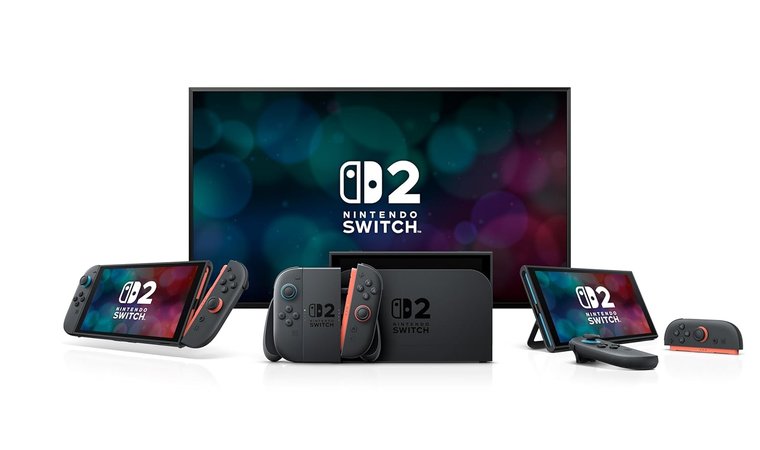
The Deck and Switch 2 couldn’t be further apart once you look past the specs. Both are killer handhelds, but they play to completely different crowds.
Nintendo Switch 2
This is Nintendo’s playground, and you’re just visiting. The Switch 2 runs a closed, curated ecosystem built around the eShop. Everything’s polished, stable, and unmistakably Nintendo.
What you get:
- Mario Kart, Zelda, Splatoon – the icons, perfected
- A steady stream of indies and carefully selected third-party ports
- Instant local co-op and family-friendly fun that still defines the platform
Nintendo’s biggest strength is quality control. Games are optimized for the hardware, rarely need patches, and load instantly. But it comes at a price: you’re limited to what Nintendo approves.
AAA multiplatform games often arrive late or with visual cutbacks, and there’s zero space for modding or customization. The payoff is consistency – everything runs like it should, and you never worry about drivers, shaders, or compatibility.
Steam Deck
The Deck is the opposite vibe – a handheld built for freedom. Your Steam library comes with you, along with every launcher or emulator you care to install. It’s as open-ended as PC gaming gets, just smaller.
What you can do:
- Carry your entire PC collection anywhere (no rebuying)
- Run Epic, GOG, Battle.net, or even Game Pass through workarounds
- Load up emulators for older consoles, from SNES to PS3
- Mod, tweak, and personalize performance profiles for every game.
It’s not curated – it’s yours. You can run Baldur’s Gate 3, Hades II, or that weird indie demo from 2014, all on the same screen. The trade-off? Occasional setup and Proton quirks. But for tinkerers, that’s half the fun.
Final Verdict
The Steam Deck wins for gamers who want control, freedom, and access to their full library. The Switch 2 rules for players who just want to play – seamless, consistent, and unmistakably Nintendo.
Steam Deck vs. Switch 2: Design and Portability
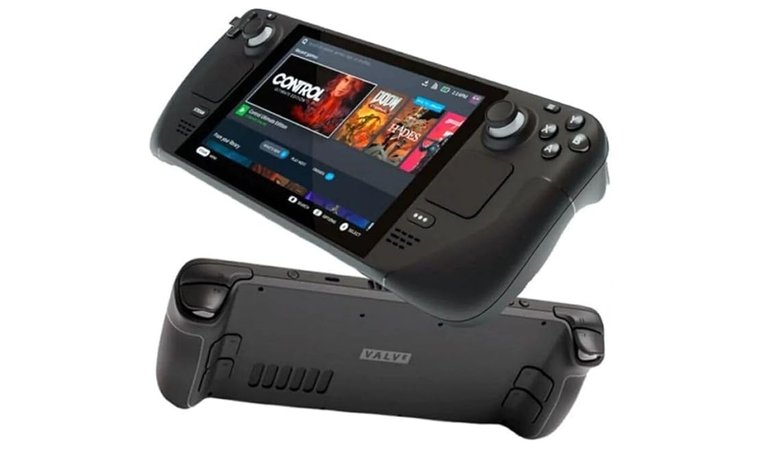
These two handhelds feel like they were designed for different species of gamer. The Switch 2 is sleek, feather-light, and built for motion. The Steam Deck is big, grippy, and built for comfort. They both get portability right, but in totally opposite ways.
Nintendo Switch 2
The Switch 2 slides into a bag like it was made for travel. Under a pound, slim profile, no wasted space. Pull it out, snap off the Joy-Cons, and you’ve got instant local co-op anywhere. The built-in kickstand is a lifesaver for tabletop play, and the dock setup is refreshingly simple – drop it in, and you’re gaming on the TV within seconds.
That flexibility is classic Nintendo. It’s a console that fits family gaming, couch sessions, or long trips without fuss. You don’t think about setup; you just play.
Steam Deck
Our impressive handheld PC goes the other direction – comfort over compactness. It’s heavier and bulkier, but once you grip it, you get why. The handles are sculpted perfectly for long sessions, and full-size analog sticks, triggers, and trackpads make PC games feel natural on a handheld.
After hours of Baldur’s Gate 3 and Elden Ring, the difference is real – no wrist ache, no finger cramp. The back buttons add extra control layers, and the trackpads let you handle mouse-heavy games without breaking immersion. It doesn’t feel like a “console”; it feels like a small PC that happens to fit in your hands.
Final Verdict
The Switch 2 slips easily into any backpack and barely draws attention. The Steam Deck needs more space, more care, and ideally a seat tray or desk. Think of it as portable, but not pocketable.
The Switch 2 wins for everyday portability and quick setup anywhere. The Steam Deck trades travel ease for serious comfort and control, which is ideal for long hauls, not coffee breaks.
Steam Deck vs. Switch 2: Display
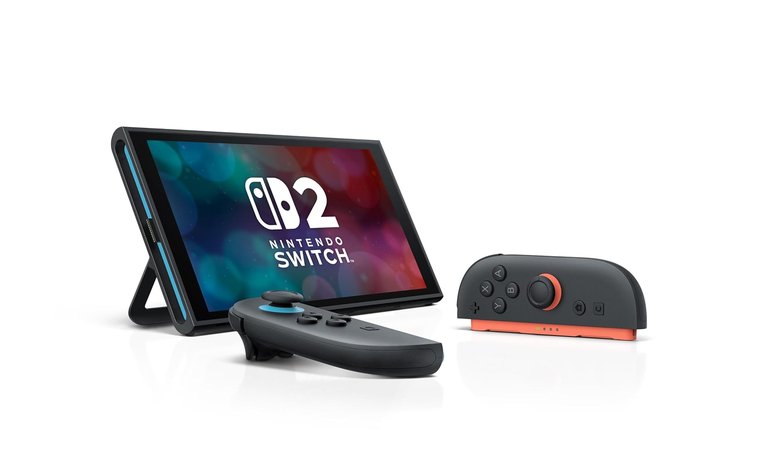
Screens are where handhelds live or die. They decide whether you squint, soak in the details, or forget you’re gaming on a portable at all. And in the Deck vs. Switch 2 matchup, the display story says a lot about each device’s priorities.
Steam Deck (LCD)
Valve stuck with a 7-inch 1280×800 IPS LCD, running at 60 Hz with around 400 nits of brightness. It’s not flashy, but it’s consistent. Colors are balanced, motion stays smooth, and the matte finish helps with reflections. Indoors, it looks great – indie art styles like Hades and Dead Cells pop cleanly, and even darker titles like Elden Ring stay readable.
You don’t get HDR or ultra-bright output here, but you do get reliable uniformity and solid viewing angles. For players mostly gaming at home or on flights, it’s a dependable screen that never distracts from the experience. It also works best with a reliable Steam Deck screen protector.
Nintendo Switch 2
The Switch 2 goes for a bigger, sharper 7.9-inch LCD at 1920×1080 with HDR and VRR up to 120 Hz support in handheld mode. It’s crisp. Text and UI look razor-sharp, and brightness is strong enough to handle direct sunlight, which is a big upgrade over the original model’s 720p panel.
In motion, games like Mario Kart 8 Deluxe and Splatoon 3 feel smoother, and the image clarity makes colorful Nintendo worlds really pop.
Final Verdict
The Steam Deck (LCD) keeps things practical – good color accuracy, steady motion, and minimal glare for indoor play. The Switch 2 pushes visual sharpness and outdoor brightness, delivering a noticeably cleaner image on the go.
So, I’d say the Switch 2 wins the display round with higher resolution, brighter output, and smoother motion. The Deck LCD holds its own for comfort and consistency, but it’s built for function, not flash.
Steam Deck vs. Switch 2: Game Performance and Frame Rates
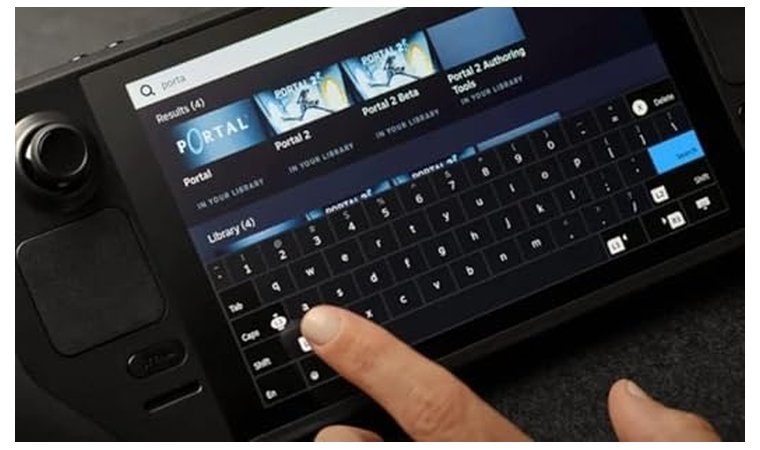
You can feel the difference the moment you hit “Play.” Both systems run modern games smoothly for their own ecosystems, but they go about it in totally different ways.
Nintendo Switch 2
Nintendo confirmed that Switch 2 uses a custom NVIDIA processor with a next-generation architecture (1080p handheld, HDR10, VRR up to 120 Hz on the handheld display, and up to 4K output in TV mode).
There’s no DLSS on a global spec line, but I saw some first-party store pages (games like Hogwarts Legacy, for example), which explicitly mention DLSS support. That’s the big leap over the original. It’s built to keep Nintendo’s own games running at steady, consistent frame rates with minimal loading times.
First-party titles like Mario Kart and Tears of the Kingdom 2-era releases hit smooth 60 FPS in handheld mode and scale up in docked play with up to 4K output (game-dependent). Everything feels tight and polished, even if you don’t get control over the visuals.
But this is still Nintendo’s world: there are no performance or graphics settings to tweak. Each game is locked to the resolution and frame rate the developer chose. The trade-off is predictability – every title runs as intended, with no sliders to break it.
Steam Deck
Valve’s approach is the complete opposite. The Deck gives you PC-level control over how games run. You can cap frame rates at 30, 40, or 60 FPS, balance visuals against battery life, and even fine-tune TDP limits if you want to stretch a session.
Big games like Cyberpunk 2077 and Baldur’s Gate 3 generally hover around 30-40 FPS on medium settings. You can also run them at 60, but you’ll see dips in some demanding areas. 40 is the sweet spot for me. And because it’s a PC under the hood, you can update drivers, install mods, or use external storage to keep things snappy.
That flexibility is the Deck’s advantage – you decide how it runs, not the developer.
Final Verdict
The Switch 2 focuses on consistent, polished performance out of the box – no tweaking required. The Steam Deck wins for players who want control: adjustable frame caps, full settings menus, and the freedom to optimize every game exactly how they like it.
Steam Deck vs. Switch 2: Battery Life
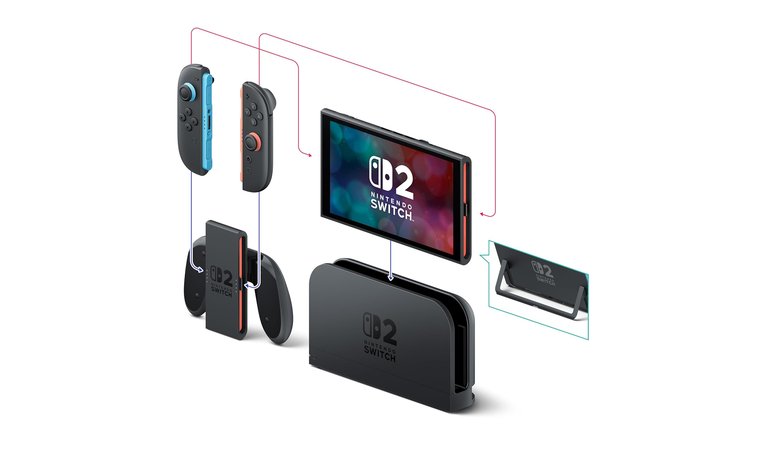
Battery life changes how (and where) you actually play. Here’s the simple truth based on official numbers only:
Nintendo Switch 2
Nintendo rates the Switch 2 at ~2-6.5 hours, depending on what you’re doing. That’s the “grab it, go anywhere” profile: predictable endurance, no menus to fiddle with, and the same behavior every time you boot a game. You don’t tune anything; Nintendo sets targets and the system sticks to them.
What it means for you:
- Consistent runtime that’s easy to plan around
- No power/performance sliders to manage
- Great for travel days and family sessions
Steam Deck
Valve lists ~2-8 hours. The range is wider because the Deck is a portable PC at heart. SteamOS gives you performance tools, so you decide how far a charge goes: cap frame rate, adjust per-game performance profiles, and scale settings to trade visuals for time.
What it means for you:
- You can squeeze more hours by dialing things back
- Or push visuals and accept shorter sessions
- Best when you like to tune for the game in front of you
Final Verdict
Both are solid on the go, but they behave differently. Switch 2 is steady and hands-off: charge it, play, repeat. Steam Deck can last longer under lighter loads, but only if you’re willing to tweak.
If you want predictable battery life, go Switch 2. If you want control (and don’t mind adjusting settings), the Deck lets you stretch a session or juice performance on demand.
Call it a draw with different vibes: Switch 2 for set-and-forget endurance, Steam Deck for tunable battery life that can outlast it with the right settings.
Steam Deck vs. Switch 2: Software and Features
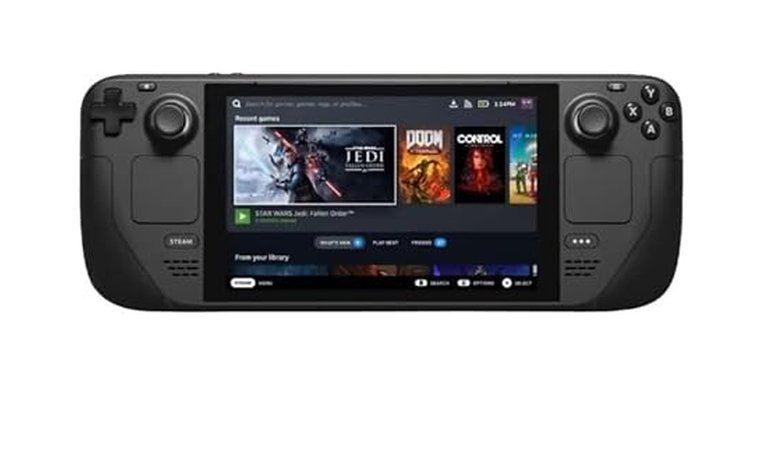
It’s not just the silicon. Day-to-day feel comes from the software – and here (yet again), these two live on different planets.
Nintendo Switch 2
Nintendo keeps it simple and tight. The UI is clean, fast, and built around the eShop and quick launch. Handheld is 1080p with HDR10 and VRR (up to 120 Hz), and TV mode supports up to 4K output (actual frame rate and features vary by game).
Built-ins that matter:
- Parental Controls via a free smartphone app: Set play-time limits, age ratings, and (for Switch 2) manage GameChat permissions.
- Nintendo Switch Online: Cloud saves for compatible games and online features. (Not every title supports cloud saves).
- GameChat: native voice/video chat with a built-in mic and optional USB-C camera; parental controls tie in directly.
The trade-off
It’s a curated, closed system: you install software from Nintendo’s store, not by sideloading. In return you get stability and zero-fuss setup – turn it on and play.
Steam Deck
The Deck is a portable PC with a console-style shell. It runs SteamOS 3, a Valve-built OS with Gaming Mode for the couch and a full Desktop Mode when you want to throw a solid gaming mouse and apps into the mix.
What you can do:
- Per-game performance controls (frame-rate limiting, power/clock options), performance overlay, and other tuning from the Quick Access tools.
- Install launchers and apps in Desktop Mode (it’s Linux under the hood), then launch games from Gaming Mode.
- Benefit from ongoing OS updates – Valve regularly ships SteamOS upgrades with new features and fixes.
The trade-off
It’s flexible but hands-on: you’ll tune settings if you want the perfect balance of visuals, battery, and smoothness.
Final Verdict
Switch 2 is the set-and-forget option: polished UI, parental controls, NSO cloud saves (where supported), and integrated GameChat – no tinkering required.
Steam Deck is for control freaks (the good kind): SteamOS gives you desktop flexibility, per-game tuning, and steady updates to keep features moving forward.
Steam Deck vs. Switch 2: Backward Compatibility
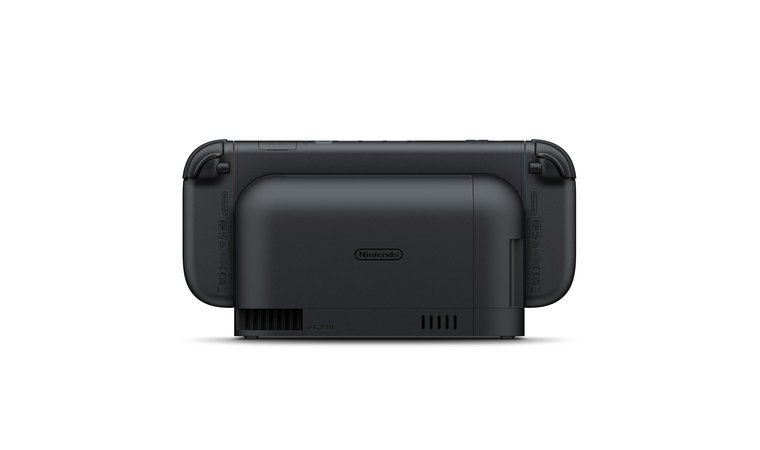
Backward compatibility decides how much of your gaming history survives the upgrade. It’s the feature that determines whether your old favorites still have a home or collect dust. The Switch 2 and Steam Deck handle that in totally different ways: Nintendo keeps it controlled and curated, while Valve lets you bring everything you’ve ever owned.
Nintendo Switch 2
Nintendo says Switch 2 can play compatible physical and digital Nintendo Switch games. Key word: compatible. The hardware is different, so some titles aren’t supported or may have limitations, and a few accessories (e.g., Ring Fit’s setup) may require original Joy-Cons.
Digital stuff can move over with System Transfer – your purchased Switch eShop titles and save data can be transferred to Switch 2 under your Nintendo Account.
What this means for you:
- Your Switch purchases and saves can come with you (via System Transfer).
- Most carts and eShop games work, but not all; always check the game’s page.
- Nintendo’s classic libraries (NES, SNES, N64, GBA, etc.) live behind a Nintendo Switch Online subscription (Expansion Pack adds more).
Steam Deck
Deck “backward compatibility” is basically your PC history. Log in and your entire Steam library appears; titles are labeled Verified/Playable/Unsupported for Deck, and you don’t rebuy anything you already own.
What this means for you:
- Your old purchases (even from years ago) are there on day one.
- Beyond Steam, Desktop Mode lets you install other launchers; many players also set up emulators (within local laws/rights).
- No subscription is required to access your already-owned PC games; it’s just your library.
Final Verdict
For Nintendo fans, Switch 2 is the safe hop forward: bring your compatible carts and digital buys, transfer saves, and keep playing (just verify each title).
For PC players, Steam Deck carries your whole Steam catalog with clear compatibility labels – and the flexibility to add other launchers or (legally) emulate classics.
Steam Deck vs. Switch: Audio Quality
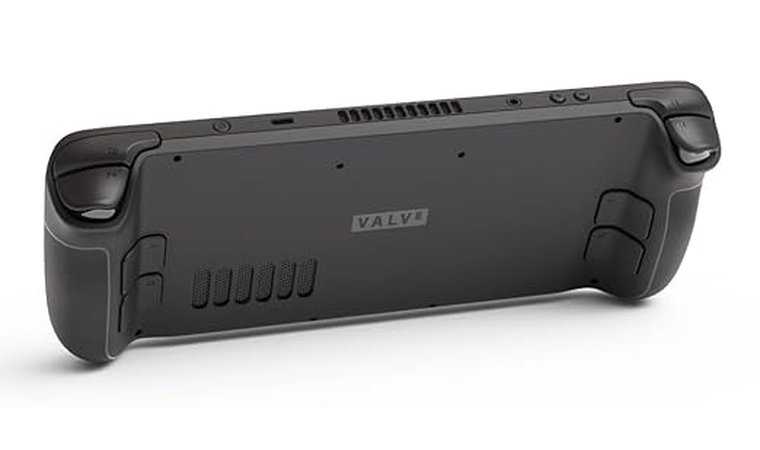
Audio can make or break handheld play. Both systems have speakers, Bluetooth, and a 3.5 mm jack, but they approach sound differently.
Nintendo Switch 2
Nintendo keeps it clean and simple. Stereo speakers with an independent enclosure aim for clear output, and the system supports a surround-sound effect for speakers/headphones (via update).
You also get a built-in mic for GameChat and a 3.5 mm CTIA jack for wired headsets. Bluetooth audio is supported, with a few official caveats: only one audio device at a time, no Bluetooth mics, and some headsets may exhibit lag.
What it means in use:
- Clear, reliable audio for Nintendo’s first-party library
- Easy voice chat with the built-in mic (GameChat)
- Bluetooth works, but manage expectations on latency and pairing limits
- Bluetooth pauses during local wireless (e.g., local multiplayer)
Steam Deck
Valve goes for a fuller “PC-style” setup: stereo speakers with embedded DSP, dual mics, 3.5 mm jack, and digital multichannel output over USB-C/BT for external gear. In practice, the Deck lets you pair whatever you like – wired or wireless – and fine-tune game audio alongside your usual performance tweaks.
What it means in use:
- Punchy onboard speakers for a handheld (DSP helps clarity)
- Simple path to external DACs/AV receivers via USB-C/BT
- Easy to dial in per-game audio with the same Quick Access habits you already use
Final Verdict
If you want no-fuss sound, Switch 2 delivers clear stereo, built-in voice chat, and straightforward wired/Bluetooth options – just remember the BT limitations.
If you want flexibility, Steam Deck plays nicer with varied headsets and external audio setups, and its DSP-backed speakers hold up well for a handheld.
Steam Deck vs. Switch: Price and Value
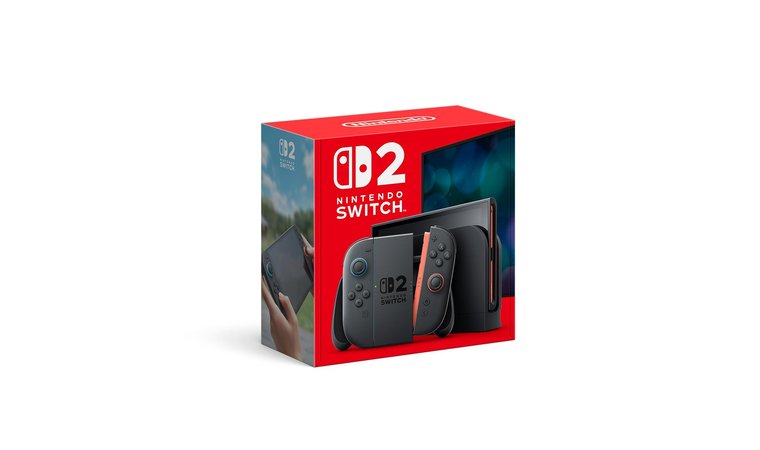
Price matters, but so does what you get for it. The Switch 2 comes ready to play with everything in the box. The Deck gives you more long-term flexibility and game deals that add up over time.
Nintendo Switch 2:
- MSRP: $449.99
- Included in the box: Console + Joy-Cons (L/R) + Dock + HDMI + USB-C Charging Cable + AC Adapter + Grip + Straps
- Value is anchored in exclusive first-party titles, local multiplayer ease, and the long life of Nintendo games.
Steam Deck:
- MSRP: $399 for 256 GB LCD model
- Higher tiers with OLED and more storage cost more (512 GB at $549, 1 TB at $649).
- Value is driven by your existing Steam library, constant sales, and games you already own – no repurchase required.
Final Verdict: For turnkey family gaming with no fuss, Switch 2 is the smart pick. For long-term savings and game flexibility, Steam Deck (LCD) is the stronger value.
Steam Deck vs. Switch: Pros & Cons
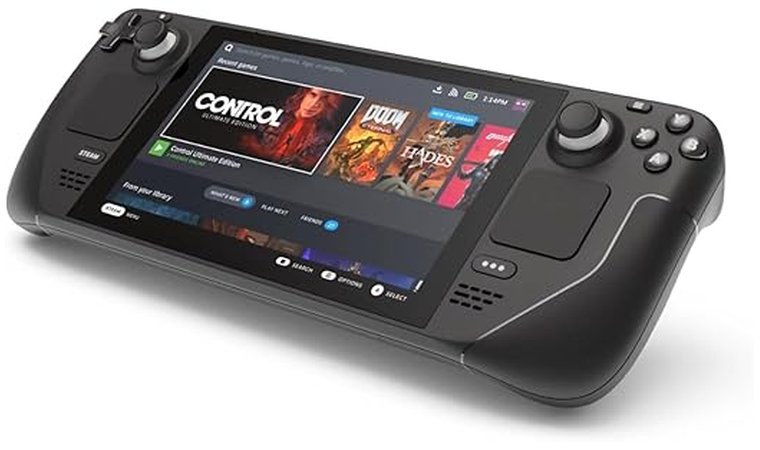
Both handhelds are great, but for totally different reasons. The Switch 2 nails the easy, “pick-up-and-play” lifestyle, while the Deck leans into raw control and PC power. Think of it as comfort food versus custom meal prep – both satisfying, but made for different players.
Nintendo Switch 2
Nintendo’s magic still works. The console is light, beginner-friendly, and perfect for local multiplayer. Its hybrid design and curated library make it one of the most approachable gaming systems ever built.
Pros:
- Simple setup and family-friendly design
- Generous backward compatibility with supported Switch games
- Exclusive first-party hits (Mario, Zelda, Splatoon)
- Local co-op right out of the box (Joy-Cons split easily)
- Stable performance and polished software experience
Cons:
- Limited to Nintendo’s approved library – no mods or ports outside its ecosystem
- No graphics or performance settings to tweak
- Online services are still behind modern standards
- No OLED version
Steam Deck
Valve built this one for tinkerers. It’s heavier but far more flexible – open software, real PC performance, and endless customization. You can run modern AAA games, emulate classics, or boot into Desktop Mode and treat it like a mini-PC.
Pros:
- Runs PC titles at medium-high settings with real control options
- Open platform: mods, launchers, emulators, even Windows install
- Custom performance tuning (FPS, TDP, resolution, etc.)
- Excellent build quality and input layout
Cons:
- Heavier and less portable than Switch 2
- Battery life depends on settings and game load
- Occasional tweaks needed before everything runs perfectly
Final Verdict on Steam Deck vs. Switch 2
There’s no clear winner here. The Steam Deck and Switch 2 aim at totally different players. One’s built for convenience and family gaming; the other’s for performance and control. It really comes down to how you like to play.
Pick the Nintendo Switch 2 if you:
- Want instant gaming – no setup, no tweaking, just power on and play
- Care about Nintendo exclusives like Zelda, Mario, and Splatoon that don’t exist anywhere else.
- Prefer lighter hardware and better battery life for travel or couch sessions
- Play a lot of local co-op with family or friends using the included Joy-Cons
- Want a stable, curated ecosystem where everything just works
Pick the Steam Deck if you:
- Want PC-level freedom – mods, emulators, and full control over settings
- Already own a Steam library and don’t want to rebuy games
- Like tweaking performance, adjusting frame caps, and customizing every experience
- Value raw power and versatility over plug-and-play simplicity
- Don’t mind a little extra weight and setup time for the payoff of better graphics and control
Whatever you end up picking, I hope my guide helped and happy gaming!
FAQs
Both are great, but they are for different players. Go for the Switch 2 if you love Nintendo titles and plug-and-play gaming. Pick the Steam Deck if you prefer performance and control.
The Switch 2 upgrades nearly everything: a sharper 1080p LCD screen, faster custom NVIDIA chip with DLSS and HDR, and smoother gameplay up to 120 Hz. It still supports Switch games and Joy-Cons but adds better performance, visuals, and battery efficiency while keeping the hybrid dock-and-play design players love.
Yes, the Switch OLED is worth it if you primarily play games in handheld mode, as the improved screen and longer battery life make a big difference. If you mostly play docked on your TV, the base Switch or Switch 2 might make more sense.
The Steam Deck is better for PC gamers who want to play games from their Steam library and change the graphics settings. The Switch is better for families and fans of Nintendo games. Neither one is better than the other. It all depends on what games you want to play and how much control you need over your device.
No, the Steam Deck can’t run all Switch 2 games. It can run all games that are ported to PC, but if you want to play Nintendo exclusives, you’ll have to get Switch 2.
Yes, the Steam Deck is worth it if you have a large Steam library you want to play portably or if you want access to games not available on Switch. If you’re happy with Nintendo exclusives and don’t need PC gaming on the go, the Switch alone may be enough.
The lifespan of Switch 2 is several years with proper care, as Nintendo typically supports consoles for 5-7 years after release. And as the newest Nintendo handheld, the Switch 2 will receive full first-party support for years to come. The device will remain relevant and fully playable throughout its lifecycle.
The Steam Deck is a portable gaming PC that runs SteamOS and lets you play games from your Steam library anywhere. In desktop mode, it also works as a full Linux PC, so you can browse the web, install apps, and connect things like a keyboard and mouse.
No, you don’t need a PC to use a Steam Deck since it is functionally a portable PC itself.. You only need a Steam account and games in your library. The Deck works as a standalone device. You can buy games, download them, and play without ever connecting to another computer.











