



Best Wi-Fi Routers for Large Homes: 10 Top Expert Picks

Eneba Hub contains affiliate links, which means we may earn a small commission if you make a purchase through them—at no extra cost to you. Learn more


Recent update
This list is regularly updated to match what’s trending and in-demand among gamers.
The best Wi-Fi router for large home coverage solves more than slow speeds. Every large home needs a wireless router that eliminates dead zones, stabilizes connections, and keeps every room online without compromise. In large homes, thick walls, multiple floors, and dozens of connected devices quickly expose weak hardware that simply cannot keep up.
A large home demands more than impressive numbers on paper. It requires consistent coverage, smart traffic handling, and stability that holds when everyone is online at once. This guide focuses on Wi-Fi routers for large homes built to perform under real pressure, prioritizing coverage and reliability over marketing promises so your network stops being the bottleneck.
Jump to:
Our Top Picks for Wi-Fi Routers for Large Homes
After reviewing performance data and real-world reliability, three routers clearly stand out. These are not popularity picks. They are the options that continue to perform when the best router for large houses demands push networks to their limits.
- TP-Link AXE5400 – The top pick for the best Wi-Fi router for large home use. The 6 GHz band prevents congestion before it starts, making it the most balanced choice for busy households juggling streaming, gaming, and work simultaneously.
- TP-Link Dual-Band AX3000 – Delivers solid Wi-Fi 6 performance across large spaces at a practical price, proving reliable coverage doesn’t require premium costs.
- NETGEAR Orbi 970 Mesh System – Wi-Fi 7 quad-band architecture conquers massive homes and complex layouts where dead zones simply aren’t acceptable.
Each of these routers excels for different reasons, but they all meet the same standard. They scale, remain stable, and remove Wi-Fi as a daily frustration. Keep scrolling for a closer look at every best Wi-Fi router for large homes option on this list, including the strengths and tradeoffs that separate them.
Best Wi-Fi Router for Large Homes: 10 Expert Picks
Large homes push Wi-Fi harder than most routers can handle. Multiple floors, solid walls, and constant demand require hardware built for scale. This list focuses on routers that deliver strong coverage and reliable control throughout the home, with the final picks representing the best routers for large house needs today.
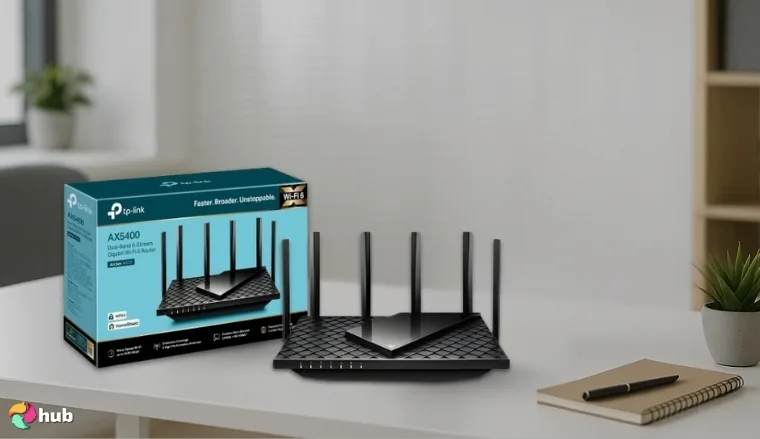
1. TP-Link AXE5400 [Best Overall Wi-Fi Router for Large Homes]
| Specs | Details |
|---|---|
| Wi-Fi standard | Wi-Fi 6E (802.11ax) |
| Maximum speed | AXE5400 speed class |
| Bands | Tri-band (2.4 GHz, 5 GHz, 6 GHz) |
| Coverage area | Not explicitly stated on Amazon |
| Number of supported devices | Not explicitly stated on Amazon |
| Ports | Gigabit Ethernet ports |
| VPN protocol support | VPN Client/Server support |
| Security features | WPA3, HomeShield |
The TP-Link AXE5400 arrives with big promises and shiny specs, and the usual “best Wi-Fi routers for large home” label tends to fall apart once real people start living on the network. That does not happen here. This router behaves like a calm, competent operations head that does not panic when everyone logs in at once.
The TP-Link AXE5400 delivers cutting-edge Wi-Fi 6E performance with extensive coverage and practical features at a reasonable price compared to overpriced alternatives that offer marginal improvements.
Wi-Fi 6E is not a gimmick. The dedicated 6 GHz band gives the network clean air to breathe. Streaming 4K video, running video calls, and handling online gaming simultaneously stay manageable without the usual complaints. Latency remains predictable, which matters more than raw speed once a house fills up with devices.
Coverage is another area where this router quietly outperforms. The beamforming actually directs the signal where it is needed rather than broadcasting it aimlessly. Far rooms and home offices maintain strong connections, which is usually the first place routers give up. The tri-band setup also helps with traffic separation, so smart home devices do not fight with laptops and consoles.
| PROS | CONS |
|---|---|
| ✅ Dedicated 6 GHz band reduces congestion in high-traffic households ✅ OneMesh support enables seamless whole-home coverage when paired with a compatible TP-Link OneMesh extender ✅ Manages 50-plus devices without noticeable slowdown ✅ Gaming-focused QoS helps stabilize latency during peak usage ✅ 2.5 Gbps WAN port prepares the network for faster plans | ❌ Costs more than standard Wi-Fi 6 routers, but the added longevity justifies the spend |
Gaming performance is especially strong. QoS allows priority reservation for gaming traffic, which keeps ping stable even during heavy downloads. VPN support is usable without turning the network sluggish, which is rare at this price point.
The 2.5 Gbps WAN port is future-ready and removes the need to upgrade again when faster plans arrive. Setup through the Tether app takes minutes, not a troubleshooting session.
Final Verdict: The TP-Link AXE5400 is the best choice for large homes that need reliable whole-house coverage, the latest Wi-Fi technology, and excellent multi-device performance.
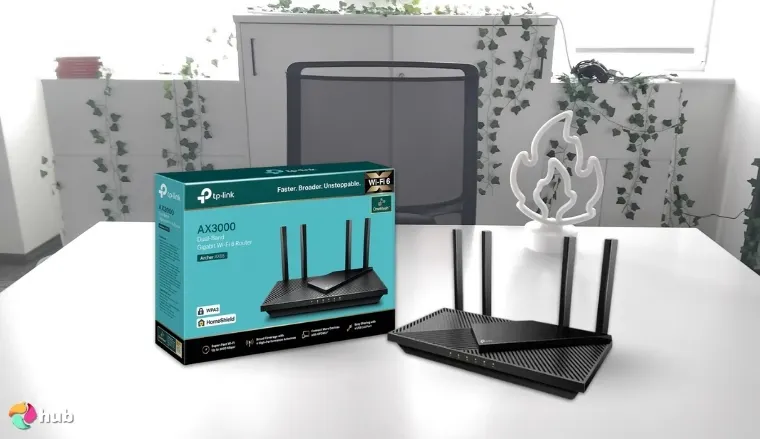
2. TP-Link Dual-Band AX3000 [Best Budget Wi-Fi Router for Large Homes]
| Specs | Details |
|---|---|
| Wi-Fi standard | Wi-Fi 6 (802.11ax) |
| Maximum speed | AX3000 speed class |
| Bands | Dual-band (2.4 GHz, 5 GHz) |
| Coverage area | Not explicitly stated on Amazon |
| Number of supported devices | Not explicitly stated on Amazon |
| Ports | 1 Gigabit WAN, 4 Gigabit LAN |
| VPN protocol support | VPN server and client support |
| Security features | WPA3, HomeShield |
The TP-Link Dual-Band AX3000 exists for a very specific reason. Not every search for the best Wi-Fi router for large homes needs to end with premium bands, futuristic ports, or features that sit unused in a settings menu. Many households simply need their Wi-Fi to stop falling apart the moment multiple people go online.
This router fits the profile of a growing household that upgraded its internet speed but never upgraded its network structure. Think streaming in the living room, video calls in a home office, gaming in a bedroom, and smart devices quietly running in the background. Older routers choke in this scenario because they handle devices sequentially. The AX3000 does not.
Wi-Fi 6 changes how traffic flows. OFDMA and MU-MIMO allow the router to communicate with multiple devices simultaneously, which reduces waiting time and prevents small tasks from blocking bigger ones. In practical terms, this means video calls stay clear even when someone else starts a download, and streaming quality does not collapse during peak usage hours.
The TP-Link AX3000 delivers exceptional value as the best Wi-Fi router for large homes, combining modern Wi-Fi 6 technology, strong long-range performance, and reliable multi-device handling at a price point that makes whole-home coverage accessible to budget-conscious shoppers.
Signal stability is where this router quietly performs well. External antennas and beamforming help focus coverage toward active areas of the home rather than spreading it thin. Bedrooms, home offices, and common areas maintain usable performance without constant reconnecting or manual adjustments.
| PROS | CONS |
|---|---|
| ✅ Accessible entry point into Wi-Fi 6 for large homes ✅ OFDMA and MU-MIMO improve efficiency when many devices are connected ✅ Gaming QoS helps prevent lag during busy hours ✅ Four Gigabit LAN ports support wired connections | ❌ No multi-gig support, though Gigabit speeds cover most use cases |
The absence of a 6 GHz band is intentional at this price point. Instead, the AX3000 relies on a strong and stable 5 GHz band that handles gaming and streaming reliably. QoS adds another layer of control by prioritizing latency-sensitive traffic, which helps reduce lag during online play.
Final Verdict: The TP-Link AX3000 is the best budget wireless router for large homes that want dependable Wi-Fi 6 performance without paying for premium extras they will not use.
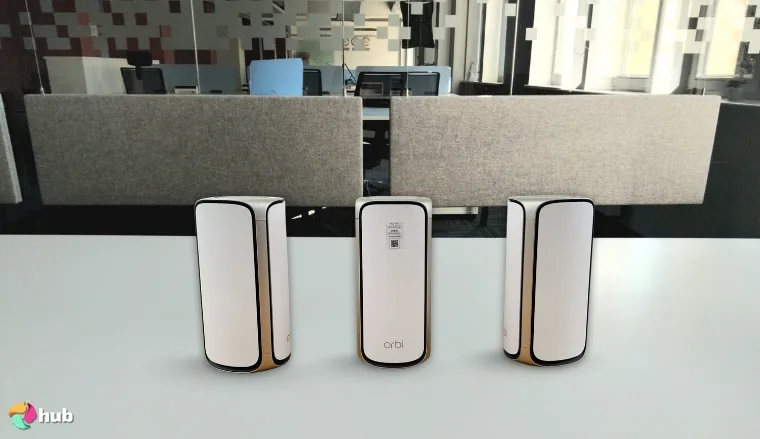
3. NETGEAR Orbi 970 Mesh System [Best Wi-Fi Mesh System for Large Homes]
| Specs | Details |
|---|---|
| Wi-Fi standard | Wi-Fi 7 (802.11be) |
| Maximum speed | Up to 27 Gbps aggregate |
| Bands | Quad-band |
| Coverage area | Up to 10,000 sq. ft. (router plus two satellites) |
| Number of supported devices | Up to 200 devices |
| Ports | 10 Gbps internet port, multiple multi-gig LAN ports |
| VPN protocol support | Built-in VPN support |
| Security features | NETGEAR Armor (subscription required after trial) |
The NETGEAR Orbi 970 Mesh Systemis is not designed for casual fixes. It exists for anyone who has given up on finding the best Wi-Fi router for large homes and needs a system that actually delivers. This is the system people move to after extenders, upgrades, and compromises stop working.
A common scenario in large multi-floor homes is cycling through two or more routers before finding one that actually holds up. Coverage looks fine on paper, but consistency is the real problem. Rooms show a signal, then drop during calls or gaming sessions. The Orbi 970 changes that dynamic immediately.
The NETGEAR Orbi 970‘s Wi-Fi 7 quad-band architecture with dedicated backhaul eliminates congestion across 10,000 sq. ft., supporting 200+ devices without compromise. When dead zones aren’t acceptable, this system solves the problem.
The quad-band architecture is what sets this system apart. It separates traffic across multiple 5 GHz and 6 GHz channels, which prevents heavy usage from piling onto a single lane. Traffic flow is noticeably cleaner when backhaul is isolated and user devices are not competing with each other. Streaming, work calls, gaming, and smart home automation can all run simultaneously without intervention.
Coverage up to 10,000 square feet is realistic when satellites are placed correctly. Moving between floors, devices switch nodes without drops or hesitation. That seamless handoff matters when calls cannot afford interruptions. Dedicated backhaul channels keep mesh communication efficient instead of stealing bandwidth from users.
| PROS | CONS |
|---|---|
| ✅ Wi-Fi 7 quad-band architecture handles extreme demand ✅ Up to 10,000 sq. ft. coverage suits large estates ✅ Dedicated backhaul preserves speed across the mesh ✅ Supports over 200 devices consistently ✅ Multi-gig ports enable enterprise-grade wired performance ✅ Built-in security adds protection without complexity | ❌ Premium pricing limits appeal, but performance clearly targets a different tier |
The hardware ports match the ambition. A 10 Gbps WAN and multiple 2.5 Gbps LAN ports support high-speed fiber, wired gaming rigs, and NAS setups without bottlenecks. Built-in VPN support and NETGEAR Armor add security without turning performance into a tradeoff.
Setup through the Orbi app is structured and controlled, guiding placement and optimization instead of leaving performance to guesswork.
Final Verdict: The NETGEAR Orbi 970 is the ultimate best router for large house layouts requiring uncompromising whole-house coverage, blazing speeds, and support for dozens of devices simultaneously.
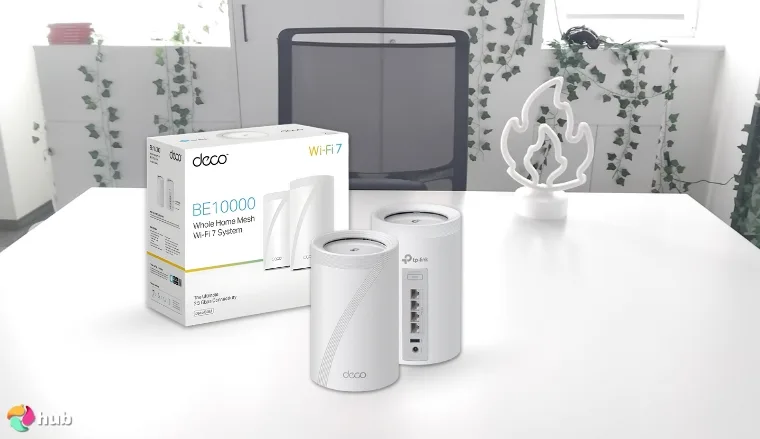
4. TP-Link Deco BE63 [Best Wi-Fi 7 Router for Large Homes]
| Specs | Details |
|---|---|
| Wi-Fi standard | Wi-Fi 7 (802.11be) |
| Maximum speed | BE10000 speed class |
| Bands | Tri-band (2.4 GHz, 5 GHz, 6 GHz) |
| Coverage area | Up to 7,600 sq. ft. (3-pack system) |
| Number of supported devices | Up to 200 devices (varies by source) |
| Ports | 4 x 2.5 Gbps Ethernet ports per unit |
| VPN protocol support | VPN Client/Server support |
| Security features | WPA3, HomeShield |
The TP-Link Deco 7 BE63 is built for households searching for the best Wi-Fi router for large home performance beyond what traditional mesh can offer, without stepping into enterprise pricing. This system makes sense for large homes where Wi-Fi issues show up during peak hours, not just at the edges.
A typical upgrade scenario involves a home that has gradually added demand – a work-from-home office, a gaming room, more devices running simultaneously. The existing mesh handles basic browsing fine, but struggles once video calls, cloud uploads, and gaming run in parallel. The Deco BE63 was chosen specifically for its best Wi-Fi 7 router credentials and its ability to keep traffic moving under load.
The TP-Link Deco 7 BE63 delivers cutting-edge Wi-Fi 7 performance with 320 MHz channels and true mesh networking at a more accessible price point than competing flagship systems, which also makes next-generation connectivity achievable for large homes.
What stands out immediately is how Wi-Fi 7 is applied. The wider 320 MHz channels allow more data to move at once, which reduces congestion when multiple users are active. Combined with Multi Link Operation, devices can shift across bands dynamically instead of getting stuck on a crowded channel. In practice, this translated into fewer slowdowns during calls and more consistent gaming sessions.
Coverage up to 7,600 square feet is realistic when nodes are placed correctly. Devices roam between units smoothly without drops, and the dedicated 6 GHz backhaul keeps node communication separate from user traffic. That separation prevents the usual speed penalty many mesh systems introduce.
| PROS | CONS |
|---|---|
| ✅ Wi-Fi 7 with 320 MHz channels boosts real-world throughput ✅ Seamless mesh coverage up to 7,600 sq. ft. ✅ Multi-Link Operation improves stability under load ✅ Multi-gig ports support modern fiber connections ✅ Handles large device counts smoothly | ❌ Advanced benefits depend on Wi-Fi 7 compatible devices |
The hardware ports reinforce the system’s long-term value. A 10 Gbps WAN port and multiple 2.5 Gbps LAN ports support modern fiber plans, wired PCs, and home servers without creating bottlenecks. Security features and parental controls add oversight without complicating management.
Final Verdict: The TP-Link Deco 7 BE63 is the best Wi-Fi router for large homes wanting to future-proof their network with Wi-Fi 7’s ultra-wide channels and seamless whole-home mesh coverage.
5. GL.iNet GL-XE3000 (Puli AX) [Best Long-Range Router with Advanced Security]

| Specs | Details |
|---|---|
| Wi-Fi standard | Wi-Fi 6 (802.11ax) |
| Maximum speed | AX3000 speed class |
| Bands | Dual-band (2.4 GHz, 5 GHz) |
| Coverage area | Not explicitly stated on Amazon |
| Number of supported devices | Not explicitly stated on Amazon |
| Ports | 1 x 2.5 Gbps WAN, 1 x Gigabit LAN |
| VPN protocol support | WireGuard, OpenVPN, OpenConnect, Shadowsocks |
| Security features | WPA3, AdGuard Home, DNS encryption |
The GL.iNet GL-XE3000 is designed for large homes where Wi-Fi is expected to behave consistently, not occasionally. It suits environments where performance needs to remain predictable throughout the day, regardless of how many devices connect or where they are used. This router prioritizes control, allowing the network to stay organized instead of reactive.
What immediately separates it from typical Wi-Fi 6 routers is how security is embedded into the system. Network-level VPN handling removes the need for individual device apps, which is exactly what most people look for in a top VPN router. Smart TVs, consoles, and IoT devices benefit instantly, while AdGuard Home blocks ads and trackers across the entire network, improving both performance and browsing quality without extra effort.
As the best wireless router for large home security needs, the GL.iNet GL-XE3000 uniquely combines extended Wi-Fi 6 coverage with professional-grade VPN integration and privacy features, making it perfect for large homes where security is as important as signal strength.
Coverage is well-suited for larger spaces where signal consistency matters more than headline range figures. The router is designed to maintain usable performance across rooms and into nearby outdoor areas, which is especially useful for homes with patios, garages, or detached workspaces. In that sense, it delivers the kind of practical reach people often look for when comparing top outdoor Wi-Fi extenders, while keeping everything managed through a single, centralized router. High-gain antennas and beamforming help direct the signal toward active devices instead of dispersing it evenly, improving reliability where it is actually needed.
For gaming and heavy-use households, performance under encryption is where many routers fail. This one does not. The processor is strong enough to handle VPN traffic without turning latency into a problem. QoS keeps priority traffic steady, and the 2.5 Gbps WAN port ensures faster internet plans are not wasted at the router level.
| PROS | CONS |
|---|---|
| ✅ Long-range coverage optimized for maintaining stable connections across wider layouts and nearby outdoor areas ✅ Network-wide VPN protects all connected devices ✅ Built-in ad and tracker blocking improves privacy ✅ Stable performance even with VPN enabled ✅ 2.5 Gbps WAN port avoids speed bottlenecks | ❌ Interface is more technical, though defaults work well immediately |
The interface is powerful and unapologetically technical. It exposes firewall rules, VLANs, and traffic controls instead of hiding them behind simplified presets. This router assumes the user wants visibility and control, not hand-holding.
Final Verdict: The GL.iNet GL-XE3000 is the best wireless router for large home setups where extended coverage and network-wide privacy protection are equally important priorities.
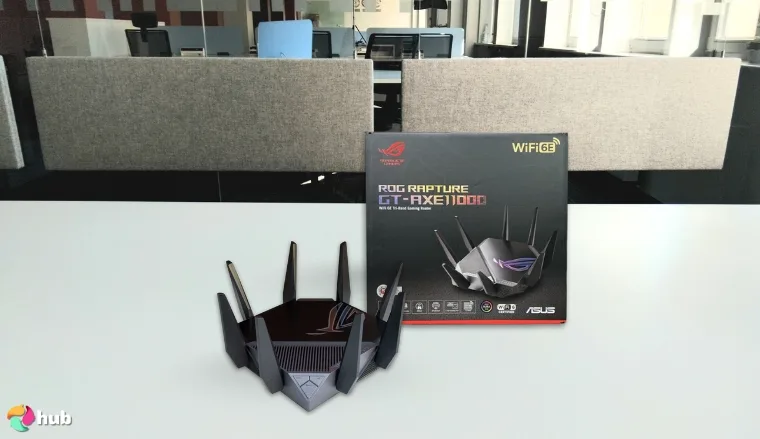
6. ASUS ROG Rapture GT-AXE11000 [Best Gaming Router for Large Homes]
| Specs | Details |
|---|---|
| Wi-Fi standard | Wi-Fi 6E (802.11ax) |
| Maximum speed | AXE11000 speed class |
| Bands | Tri-band (2.4 GHz, 5 GHz, 6 GHz) |
| Coverage area | Not explicitly stated on Amazon |
| Number of supported devices | Not explicitly stated on Amazon |
| Ports | 1 x 2.5 Gbps WAN, multiple Gigabit LAN ports |
| VPN protocol support | VPN Fusion |
| Security features | WPA3, AiProtection Pro |
The ASUS ROG Rapture GT AXE11000 treats gaming traffic as a first-class workload. It is built to maintain low latency and consistent performance even when the rest of the network is busy, which is exactly why it is often mentioned among the best gaming routers for competitive and multi-device households.
The tri-band Wi-Fi 6E setup is the real advantage here. The dedicated 6 GHz band gives gaming devices a cleaner lane, which reduces interference from streaming and background downloads. That matters in large homes where distance and device volume usually punish performance. Eight external antennas push coverage reliably across floors, so gaming setups do not get relegated to the router room.
The ASUS ROG Rapture GT-AXE11000 isolates gaming traffic via a dedicated 6 GHz band, Gaming Port, and Adaptive QoS. VPN Fusion routes other devices through a VPN without affecting gaming latency – delivering the control serious gamers need.
What stands out most is how focused the gaming features are. Game Boost prioritizes gaming packets automatically, while Adaptive QoS manages the rest of the household traffic so it does not sabotage gameplay. The dedicated Gaming Port is a blunt but effective solution. Plug in a console or PC, and it bypasses the usual traffic hierarchy entirely.
VPN Fusion is another smart inclusion. It keeps gaming traffic on a low-latency connection while routing other devices through a VPN, a feature set that puts this firmly in top ASUS router territory for households juggling gaming, streaming, and privacy at the same time. The processor has more than enough headroom to keep performance smooth.
| PROS | CONS |
|---|---|
| ✅ Dedicated 6 GHz band isolates gaming traffic ✅ Gaming Port reduces latency for wired setups ✅ Adaptive QoS prioritizes gameplay automatically ✅ VPN Fusion enables flexible routing per device ✅ Strong coverage across large homes | ❌ Gaming-focused design may feel excessive for non-gamers |
The ROG dashboard is direct and data-heavy. You can see what is happening in real time and adjust priorities without guesswork.
Final Verdict: The ASUS ROG Rapture GT-AXE11000 is the best Wi-Fi router for large homes where gaming performance is non-negotiable.
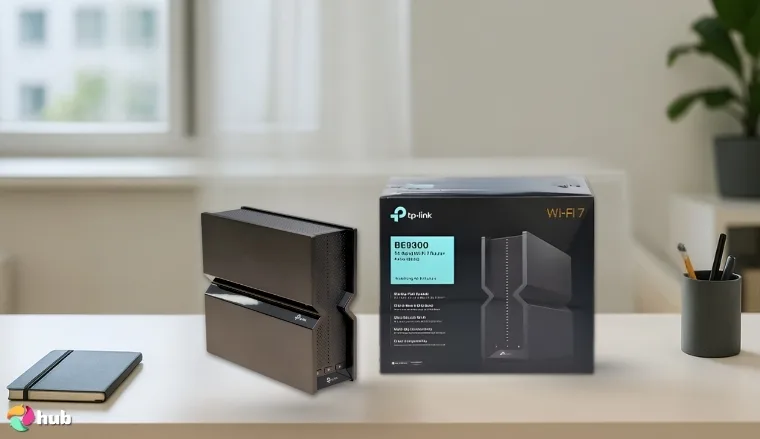
7. TP-Link Tri-Band BE9300 [Best Multi-Device Wi-Fi Router for Large Homes]
| Specs | Details |
|---|---|
| Wi-Fi standard | Wi-Fi 7 (802.11be) |
| Maximum speed | BE9300 speed class |
| Bands | Tri-band (2.4 GHz, 5 GHz, 6 GHz) |
| Coverage area | Up to 2,000 sq. ft. |
| Number of supported devices | Not explicitly stated on Amazon |
| Ports | Multiple 2.5 Gbps Ethernet ports |
| VPN protocol support | VPN Client/Server support |
| Security features | HomeShield (subscription required for Pro) |
The TP-Link Tri-Band BE9300 exists for households that have hit a specific breaking point in their search for the best Wi-Fi router for large home use – realizing the problem is no longer about raw speed. The house is full most of the day – work calls upstairs, streaming in the living room, gaming in the bedrooms, and smart devices running quietly in the background. The network does not fail outright. It just stays overwhelmed.
What changed with this router was how traffic was handled. Instead of devices fighting for attention, everything felt more organized. Video calls stopped stuttering when someone started a download. Streaming stayed consistent even during peak hours. The router behaved like infrastructure rather than a gadget.
The TP-Link BE9300 stands out as the best router for large house device management, leveraging Wi-Fi 7’s tri-band architecture and Multi-Link Operation to handle extreme device counts that overwhelm older routers.
The BE9300 fits large homes that have gradually added more users and devices without rethinking their network. It does not rely on headline numbers to impress. It focuses on keeping traffic flowing predictably across rooms and floors. For households that have outgrown ordinary Wi-Fi without noticing it, this router functions as a structural upgrade rather than a quick fix.
| PROS | CONS |
|---|---|
| ✅ Supports over 200 devices without congestion ✅ Wi-Fi 7 tri-band structure balances traffic effectively ✅ Multi-Link Operation improves stability during peak use ✅ Multi-gig ports support demanding wired setups ✅ Reliable coverage for large households | ❌ Maximum gains require Wi-Fi 7-capable devices |
The setup through the Tether app is straightforward and controlled. You get visibility, parental tools, and security without turning network management into a second job.
Final Verdict: The TP-Link BE9300 is the best router for large house setups that need structure, scale, and fewer network-related arguments.
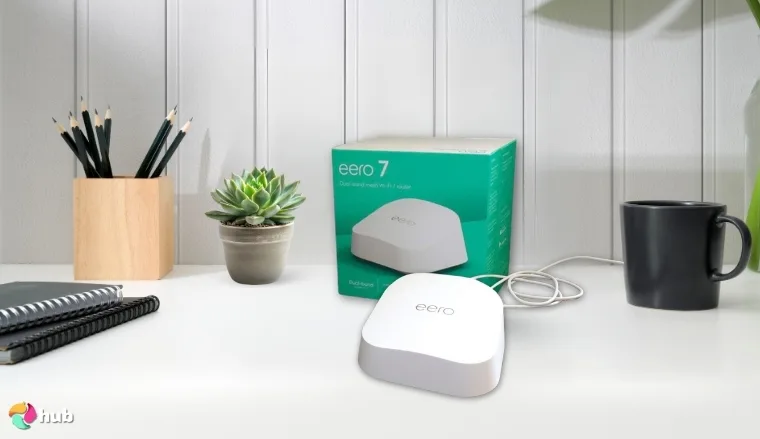
8. Amazon eero 7 [Intelligent Whole-Home Router Powered by AI]
| Specs | Details |
|---|---|
| Wi-Fi standard | Wi-Fi 7 (802.11be) |
| Maximum speed | Supports internet plans up to 2.5 Gbps |
| Bands | Tri-band |
| Coverage area | Up to 2,000 sq. ft. per unit |
| Number of supported devices | Not explicitly stated on Amazon |
| Ports | 2 x 2.5 Gbps Ethernet ports |
| VPN protocol support | Available via eero Plus subscription |
| Security features | eero Secure (subscription based) |
The Amazon eero 7 redefines what the best Wi-Fi router for large home automation looks like, built for people who do not want to manage their Wi-Fi like a side project. This router assumes your household is busy, unpredictable, and not interested in manual tuning. Instead of asking you to decide priorities, it quietly observes how your network behaves and adjusts on its own.
What makes the eero 7 different is its AI-driven traffic management. The system continuously evaluates which devices need stability and when. That matters in large homes where work calls, streaming, gaming, and smart devices all overlap. Rather than forcing everything through static rules, the tri-band Wi-Fi 7 setup dynamically balances traffic across 2.4 GHz, 5 GHz, and 6 GHz bands to keep performance steady as usage shifts. This hands-off approach is exactly why setups like the eero 7 often appear in discussions around the best router for streaming, especially in homes where multiple streams run alongside work calls and background downloads.
The Amazon eero 7 stands out as the best Wi-Fi router for large homes that want hands-off performance, using AI to automatically optimize network performance based on actual usage patterns and eliminating manual configuration while maintaining excellent speeds.
The mesh design is deliberately flexible. Each unit covers up to 2,000 square feet, and additional nodes expand coverage without rethinking the network. Devices move between rooms without disconnects because the system adjusts signal strength and band selection automatically. This is especially useful in homes where layouts are awkward or walls are uncooperative.
| PROS | CONS |
|---|---|
| ✅ AI-driven optimization adapts automatically to usage patterns ✅ Tri-band Wi-Fi 7 balances traffic intelligently ✅ Mesh expansion scales easily for large homes ✅ Learns device behavior and adjusts priorities ✅ Simple setup minimizes manual management | ❌ Advanced features require a subscription, though core performance remains strong |
Security features like threat scanning and content filtering are integrated cleanly, with advanced tools available through a subscription if you want deeper control.
Final Verdict: The Amazon eero 7 is the best Wi-Fi router for large homes that want reliable performance through automation rather than manual control.
9. GL.iNet GL-BE9300 (Flint 3) [High-Capacity Wi-Fi Router for Large Homes]
| Specs | Details |
|---|---|
| Wi-Fi standard | Wi-Fi 7 (802.11be) |
| Maximum speed | Up to 9 Gbps |
| Bands | Tri-band (2.4 GHz, 5 GHz, 6 GHz) |
| Coverage area | Up to 2,000 sq. ft. |
| Number of supported devices | Not explicitly stated on Amazon |
| Ports | 5 x 2.5 Gbps Ethernet ports |
| VPN protocol support | WireGuard, OpenVPN |
| Security features | WPA3, AdGuard Home |
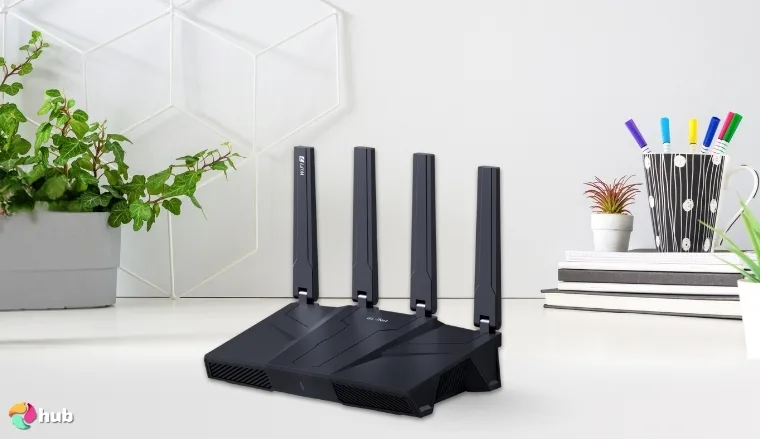
The GL.iNet GL BE9300 is built for households that have outgrown consumer networking shortcuts and need the best router for large house performance without enterprise pricing. This router prioritizes stability, capacity, and control as a pristine Wi-Fi router – delivering performance that stays predictable when everything is online at once. It functions as infrastructure for large homes where performance must stay predictable when everything is online at once.
Wi-Fi 7 works hard here. 4K QAM pushes more data through each transmission, keeping throughput steady and reducing retransmissions during interference. In practice, streams remain smooth, calls stay clear, and downloads stop destabilizing the network at peak hours. Coverage reaching 2,000 square feet suits wide layouts and multi-floor homes.
The GL.iNet GL-BE9300 combines Wi-Fi 7 stability with dual 10 Gbps ports, network-level VPN, and advanced QoS – delivering infrastructure-grade reliability for tech-heavy large homes.
What separates this router is its wired flexibility and security depth. Two 10 Gbps ports support multi-gig internet or aggregation, while three 2.5 Gbps ports handle demanding wired devices. Network-level VPN support protects every device without collapsing performance, which matters when privacy is non-negotiable.
| PROS | CONS |
|---|---|
| ✅ Ultra stable Wi-Fi 7 performance under heavy load ✅ Wide 2,000 sq. ft. coverage suits large properties ✅ Dual 10 Gbps ports enable serious wired throughput ✅ Strong VPN handling protects privacy at scale ✅ Advanced controls suit power users | ❌ Configuration depth may overwhelm beginners |
Gaming performance relies on consistency rather than gimmicks. QoS allows deliberate bandwidth control, and Wi-Fi 7 modulation reduces effective latency under load. The interface is detailed and assumes you want visibility rather than simplification.
Final Verdict: The GL.iNet GL-BE9300 is the best wireless router for large home environments needing ultra-stable Wi-Fi 7 performance combined with professional-grade networking features and privacy tools.
10. ASUS RT-AX1800S [Best Entry Level Wi-Fi Router for Large Homes]
| Specs | Details |
|---|---|
| Wi-Fi standard | Wi-Fi 6 (802.11ax) |
| Maximum speed | AX1800 speed class |
| Bands | Dual-band (2.4 GHz, 5 GHz) |
| Coverage area | Not explicitly stated on Amazon |
| Number of supported devices | Not explicitly stated on Amazon |
| Ports | 1 Gigabit WAN, 4 Gigabit LAN |
| VPN protocol support | Built-in VPN server support |
| Security features | AiProtection Lite |
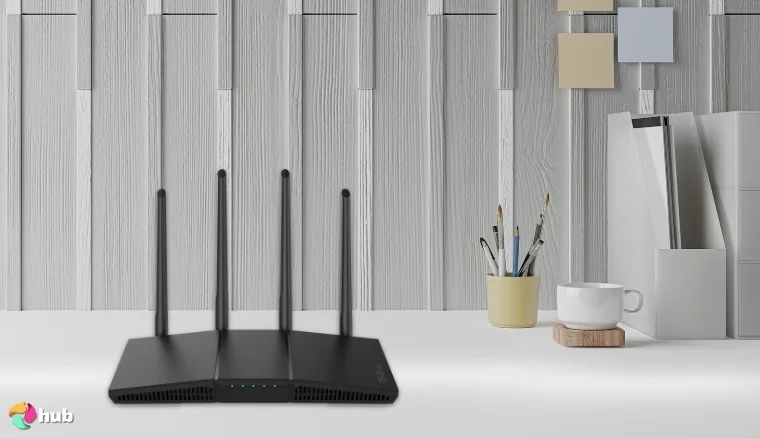
The ASUS RT-AX1800S is the best Wi-Fi router for large home buyers who finally admit their current setup is holding the house back. Not broken enough to justify panic spending, but outdated enough to cause daily friction. This is a corrective upgrade, not a flex.
I think of it as the router someone installs after too many small annoyances pile up. Buffering during family movie nights. Video calls drop when another device connects. Everything technically works, but nothing works well together. The RT-AX1800S cleans that up without asking the household to relearn networking.
The ASUS RT-AX1800S proves that the best wireless router for large home use does not have to be expensive, bringing Wi-Fi 6 technology and pre-configured VPN security to large homes at an accessible price point.
Wi-Fi 6 is doing the heavy lifting here. Even at the entry level, it manages traffic more efficiently than older hardware. Phones, laptops, and TVs stop competing so aggressively for airtime. Coverage up to 2,000 square feet fits smaller large homes comfortably and gives breathing room for apartments or houses planning to extend later with mesh or extenders.
What genuinely stands out is the built-in VPN support. WireGuard and OpenVPN come pre-configured, which removes the usual friction and excuses. Smart TVs and IoT devices benefit without extra steps. That is a rare choice at this price level and shows practical thinking.
| PROS | CONS |
|---|---|
| ✅ Affordable upgrade to Wi-Fi 6 ✅ Built-in VPN simplifies network-wide privacy ✅ Stable performance for streaming and browsing ✅ Compact design fits smaller spaces ✅ Easy app-based setup | ❌ Coverage is limited compared to higher-tier routers, but it works well as a starting point |
Gaming performance is realistic. This router does not pretend to be something it is not. Casual and moderate play stays stable, downloads no longer hijack bandwidth mid-session, and QoS does enough to keep things civil. VPN usage adds some latency, but it remains predictable.
Final Verdict: The ASUS RT-AX1800S is a sensible entry-level pick and a solid best Wi-Fi router for large home buyers on a budget.
How to Pick the Best Wi-Fi Router for a Large Home
Finding the best Wi-Fi router for large home layouts means understanding demands that smaller spaces never expose. Thick walls absorb signal, floors create barriers, and distance alone can turn a strong router into a weak one by the time the signal reaches a far room. Choosing the right router means understanding what the home actually needs, not just what looks impressive on a spec sheet.
Choose Between Single Router and Mesh Systems
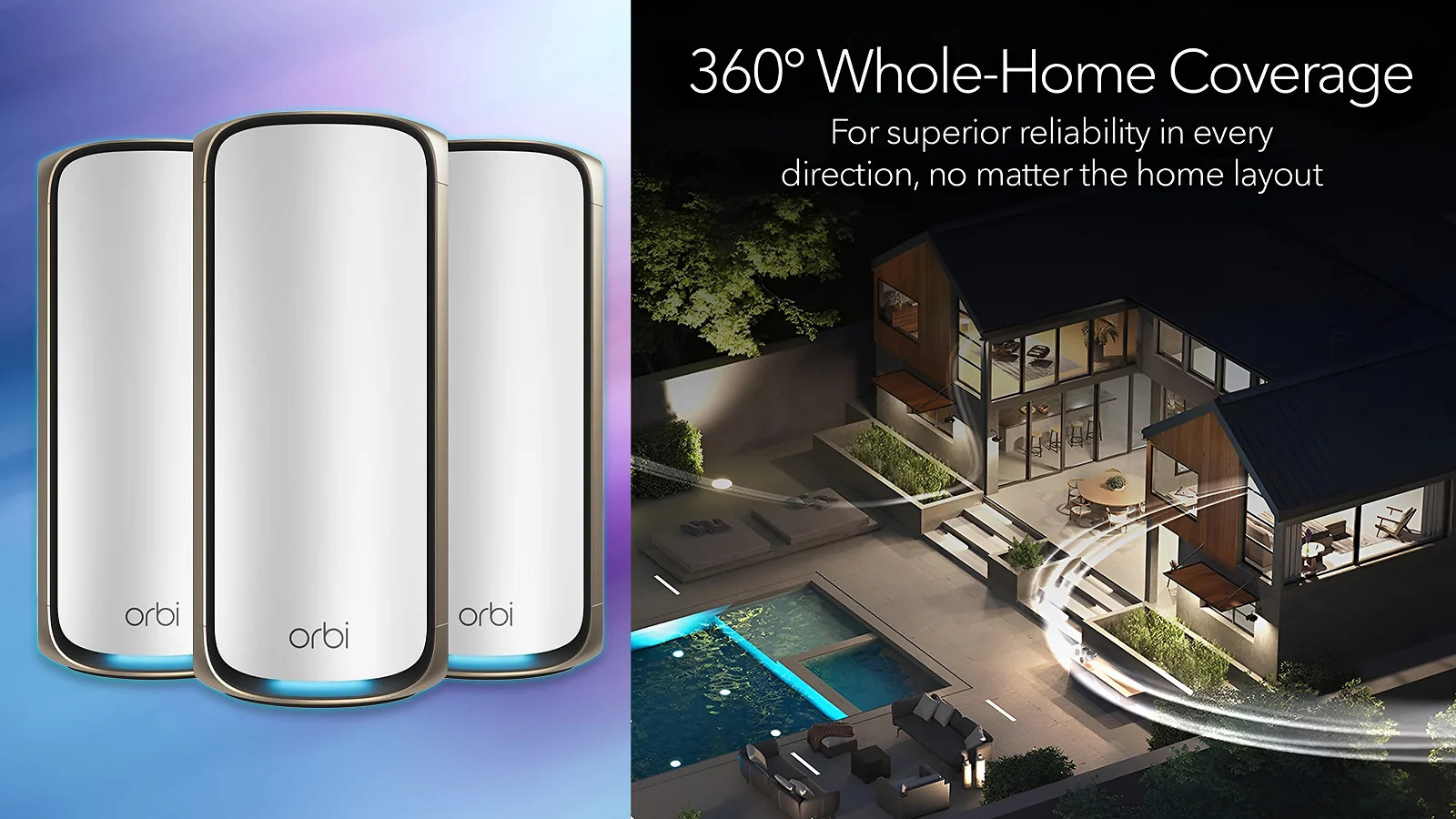
A single router can be the best router for large house layouts that are open and obstacle-free. Once a home exceeds 3,000 sq. ft., spans multiple floors, or has thick concrete or brick walls, a mesh system becomes the more reliable choice. Mesh systems use multiple nodes to blanket the home with consistent coverage, eliminating the dead zones a single router cannot reach. Exploring the best mesh Wi-Fi systems is a good starting point for homes that need whole-home coverage.
Check Wi-Fi Standards and Bands
Wi-Fi 6, 6E, and 7 are the standards worth considering when choosing the best wireless router for large home use today. Older standards struggle with the device counts and traffic demands modern households generate. Tri-band and quad-band routers distribute traffic more efficiently, reserving dedicated bands for backhaul or high-priority devices. The 6 GHz band in Wi-Fi 6E and 7 routers adds a cleaner, less congested lane for demanding tasks like streaming and gaming.
Prioritize Coverage Area and Antenna Design
Advertised coverage figures are a starting point, not a guarantee, and the best Wi-Fi router for large home coverage should be evaluated on real-world performance rather than headline numbers. Real-world performance depends on wall materials, layout, and interference. Look for routers with high-gain antennas and beamforming, which focus the signal toward active devices rather than broadcasting it in all directions. For mesh systems, check the per-unit coverage and total system coverage separately. Homes that need signal in garages, patios, or outbuildings may also benefit from a dedicated Wi-Fi extender to fill gaps without replacing the entire setup.
Consider Number of Connected Devices
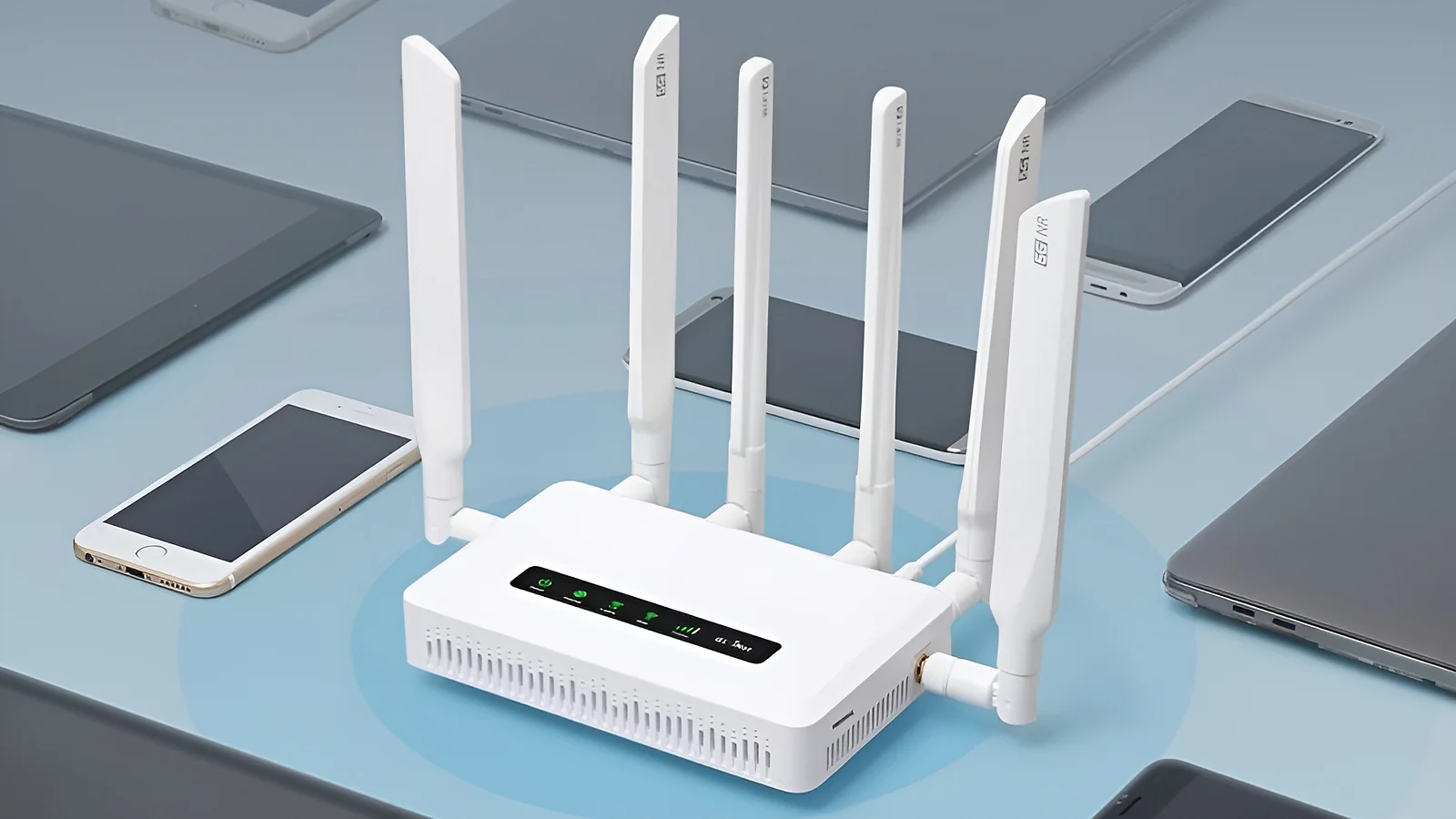
Most households searching for the best Wi-Fi routers for large homes underestimate how many devices are connected at once. Phones, laptops, TVs, consoles, smart speakers, and IoT devices add up quickly. Wi-Fi 6 and newer routers handle high device counts more efficiently through OFDMA and MU-MIMO technology, which allow simultaneous communication with multiple devices instead of handling them one at a time.
Look at Wired Backhaul and Ethernet Ports
Ethernet ports matter more than many buyers expect. Wired backhaul between mesh nodes dramatically improves stability and speed compared to wireless backhaul. Multi-gig WAN ports future-proof the router for faster internet plans, while additional LAN ports support wired gaming rigs, NAS devices, and smart home hubs without creating bottlenecks.
Check Security and Software Features
A router is the gateway to every device on the network, and the best Wi-Fi router for large homes should protect all of them equally. Look for WPA3 encryption, automatic firmware updates, and built-in threat protection. Parental controls, QoS settings, and VPN support add practical value for households that need traffic management and privacy without third-party tools.
Quick Buyer Guidance
Choosing the best Wi-Fi router for a large home comes down to four decisions. First, assess coverage needs – homes over 3,000 sq. ft. or with multiple floors will almost always benefit from a mesh system. Second, count connected devices – households with 30 or more devices need Wi-Fi 6 or newer to avoid congestion. Third, match the Wi-Fi standard to the budget – Wi-Fi 6 covers most needs reliably, while Wi-Fi 6E and 7 add future-proofing for demanding households. Fourth, consider wired backhaul if stability is a priority. Get these four decisions right and the router will perform well for years without needing to be replaced.
My Overall Verdict on the Best Routers for Large Homes
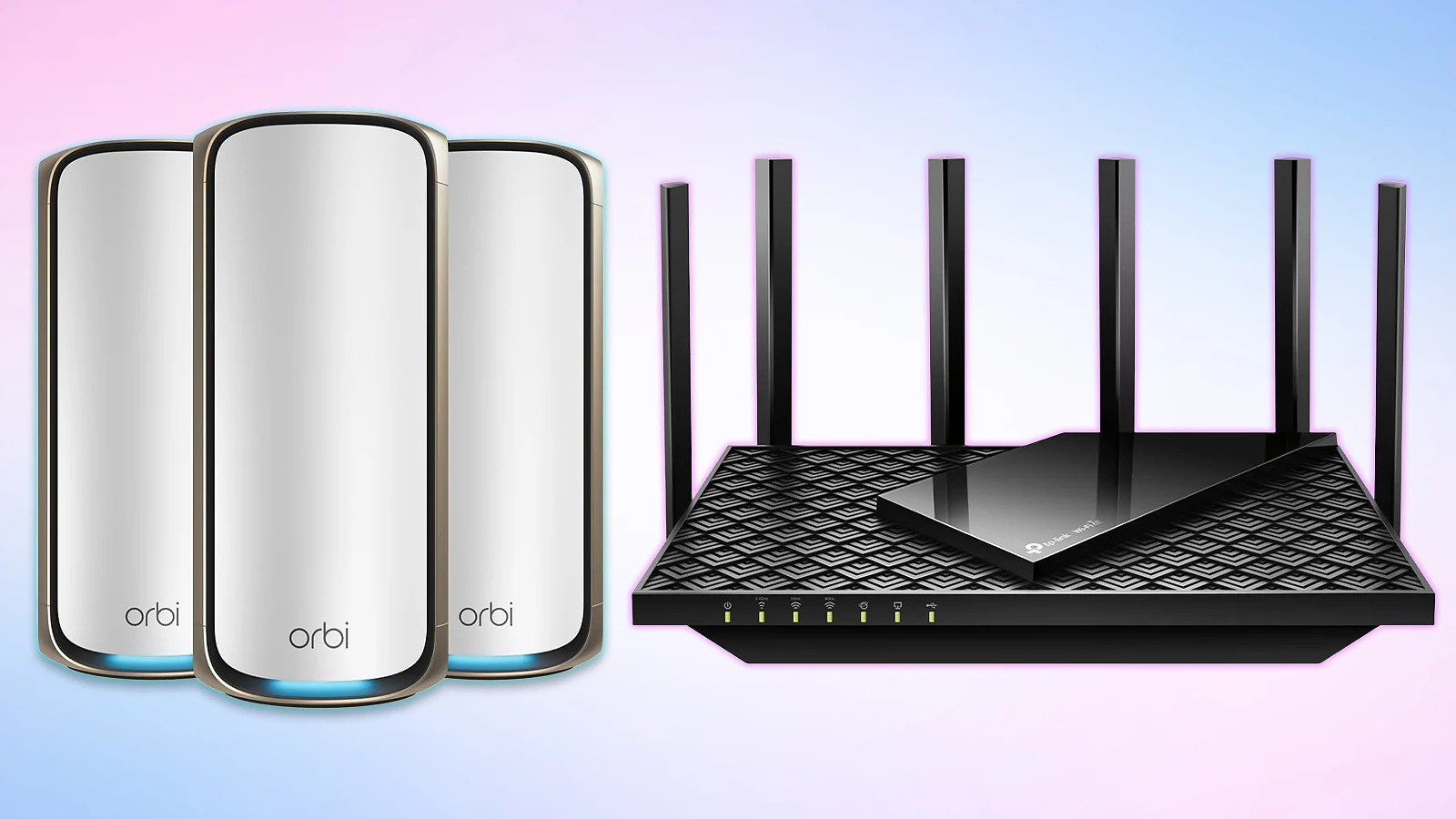
Not every large home needs the same solution. Finding the best Wi-Fi router for large homes comes down to how the home is used, how many devices are connected, and how much complexity is acceptable.
- If you’re a typical family searching for the best Wi-Fi router for large home reliability without overthinking it, get the TP-Link AXE5400. It delivers fast, stable Wi-Fi 6E performance with access to the 6 GHz band, helping reduce congestion in busy households. Setup is straightforward, everyday performance is consistent, and it handles multiple users and devices smoothly without constant tuning.
- If you refuse to spend more than necessary but still want modern technology, the TP-Link Dual-Band AX3000 gives you solid Wi-Fi 6 at a price that won’t make you question your life choices. It handles everything most households throw at it without the premium price tag.
- If you have a massive property and money isn’t your primary concern, the NETGEAR Orbi 970 Mesh System is the best Wi-Fi router for large home estates, covering up to 10,000 square feet with cutting-edge Wi-Fi 7 technology. Yes, it costs more than your monthly car payment, but you’ll never worry about dead zones again.
- If you’re a serious gamer who needs both coverage and performance, go with the ASUS ROG Rapture GT-AXE11000. The dedicated gaming features, ultra-low latency, and expansive coverage justify the investment when competitive play matters.
Any of these routers will outperform aging hardware and eliminate the daily frustrations that come with it. The differences come down to scale, budget, and how demanding the household actually is. The best Wi-Fi router for large homes is the one that matches how the home actually lives – start with the right fit, and the network will stop being the problem.
FAQs
The TP-Link AXE5400 is the best Wi-Fi router for large homes and the top pick for most households. It delivers Wi-Fi 6E performance and seamless coverage, handles 50+ devices without breaking a sweat, and includes features like QoS prioritization and VPN support at a reasonable price point.
The NETGEAR Orbi 970 Mesh System is the best Wi-Fi router for a 10,000-square-foot house. It has a router plus two satellite setup. Wi-Fi 7 technology and quad-band architecture ensure strong, consistent speeds throughout massive properties without dead zones.
Several Wi-Fi routers for large homes work well at 6,000 square feet. The NETGEAR Orbi 970 easily handles this size, while the TP-Link Deco BE63 mesh system (3-pack) covers 7,600 sq. ft.
The best wireless router for large home use cannot cover 500 feet to a separate building on its own. You need a point-to-point wireless bridge system with directional outdoor antennas on both buildings with a clear line of sight.
Concrete, brick, and metal block Wi-Fi signals the most, which is exactly why choosing the best router for large house construction types matters. Thick exterior walls, metal studs, large appliances, and fish tanks severely degrade signals.












