


13 Best Laptops for Students – Good for Every Budget and Major in 2026

Eneba Hub contains affiliate links, which means we may earn a small commission if you make a purchase through them—at no extra cost to you. Learn more


The most important back-to-school choice parents or college students will have to make is choosing the best laptop. Having the best laptop for students is nowadays a need for learning in the academic world, rather than just a luxury. It’s a perfectly reasonable investment for a student’s long-term effectiveness, performance, and academic achievement.
However, your laptop has to survive the following few years of education. Hence, price, performance, portability, and battery life are all important. We look past simple specs to show you what truly matters for different academic paths.
Jump to:
Our Top Picks For Student Laptops
Here are our top three choices if you are in a hurry and want recommendations now. These models provide great value and meet the requirements of the best laptops for college across many categories:
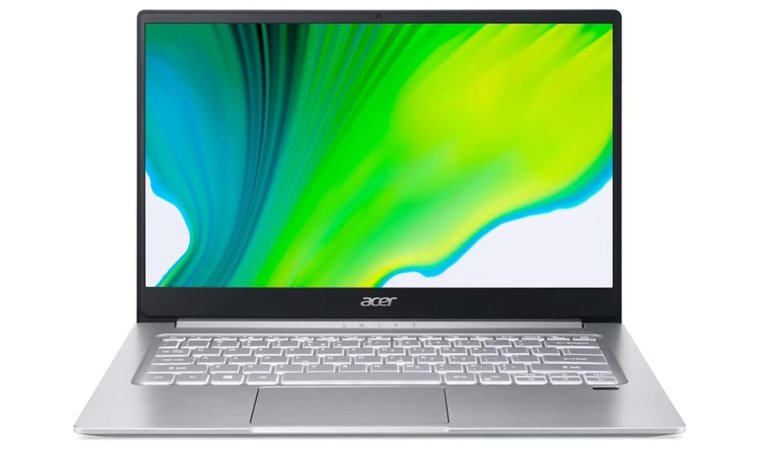
- Acer Swift 3 (2017) – It offers a great blend of pace and cost. Its lightweight design can withstand everyday wear and tear in a backpack, and it is fast enough to handle heavy web research and all your study apps. It clearly demonstrates you don’t have to go over your spending for a dependable, strong study partner.
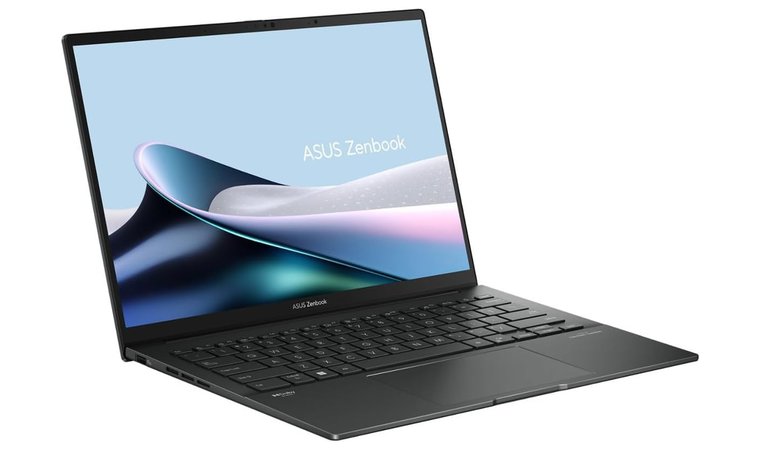
- ASUS ZenBook 14 (2024) – This is the best pick here, thanks to three highlights: great battery life, durable metal construction, and a killer OLED display. If you need a laptop that’s small and light for intensive apps, or just something you can spend an entire afternoon streaming on, this one is an ideal fit.
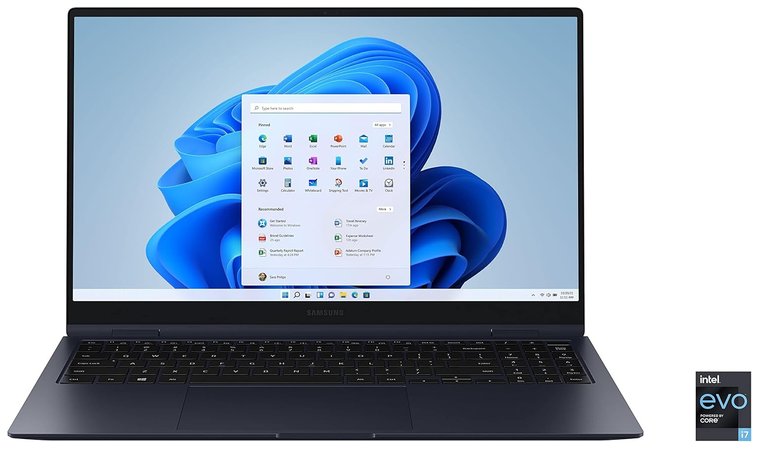
- Samsung Galaxy Book Pro 360 (2021) – This laptop is a fantastic choice thanks to its AMOLED display, premium feel, and the S Pen included in the box. If your ideal machine is super thin and great for work, but also easily flips into a versatile tablet for quick notes or sketching, this one’s unbeatable.
When recommending laptops, we focus on what truly enhances your everyday experience. An exceptional battery life to keep you powered through long days, a sleek design that stands out wherever you go, and ample processing power to handle it all.
13 Best Laptops for Students in 2025
Finding the ideal student laptop is all about a perfect balance of power, portability, and price. Here are the 13 best laptops for students in 2025 that deliver all three.
1. Acer Swift 3 [Best Budget Laptop]
Our Score:
| Specs | Details |
|---|---|
| CPU | Intel Core i5/i7 (11th Gen or newer) |
| GPU | Integrated Intel Iris Xe Graphics |
| RAM | 8GB or 16GB LPDDR4X |
| Display | 14-inch, FHD (1920 × 1080) IPS |
| Storage | 512GB PCIe NVMe SSD |
| Battery | Up to 10+ hours battery life (depending on configuration) |
| Weight | 2.65 – 2.8 lbs (1.2 – 1.3 kg) |
The Acer Swift 3 is an affordable ultraportable Windows laptop. It’s the best budget laptop for students who need performance without the weight. Featuring a fast Solid State Drive (SSD) and an Intel Core i5 or i7 processor, this device ensures that lag is never an issue. Regardless of whether you’re working on a big group project or balancing thirty browser tabs, the processing power is enough for every activity.
The entirely metal build lends it a high-end vibe that its price doesn’t imply. This also gives it the required durability for a gadget always carried in a bag. Approved as a premier budget option for high school and college students, this light laptop is enough to make you forget it exists, yet strong enough to manage all your academic assignments. From essays and presentations to research tasks and spreadsheets, it gets the job done with ease.
| Pros | Cons |
|---|---|
| ✅ Compact and very light, easy to carry across campus all day ✅ Well-balanced price-to-spec ratio delivers excellent performance for the cost ✅ Handles productivity apps, web browsing, and light multitasking with ease ✅ Provides enough endurance to get through long lecture days without a charger ✅ Often includes a backlit keyboard and a fingerprint reader for quick, secure login ✅ An all-metal chassis offers better longevity than an all-plastic alternative ✅ Quick SSD ensures rapid boot-up times and file loading | ❌ Slightly less vibrant screen colors than on premium displays, though it is perfectly sharp and bright enough for all academic work |
Final Verdict: The Acer Swift 3 is a well-balanced and cheap laptop for college students that feels luxurious and performs well.
2. ASUS ZenBook 14 [Best Midrange Option]
Our Score:
| Specs | Details |
|---|---|
| CPU | Intel Core Ultra 5/7 (or similar) |
| GPU | Integrated Intel Arc Graphics |
| RAM | 16GB LPDDR5X (Onboard) |
| Display | 14-inch, 2.8K or FHD+ OLED Display |
| Storage | 512GB or 1TB PCIe 4.0 SSD |
| Battery | Solid battery life (varies by SKU/Generation) |
| Weight | 2.82 lbs (1.28 kg) |
The ASUS ZenBook 14 is the best premium laptop for college students. This machine performs far better than its usual price range. The visually appealing OLED display (on most recent models) is its best feature as it makes text look really sharp and streaming video really pop, which is just perfect for late-night study as well as leisure time.
The slim, all-metal frame provides a luxury appearance and simple mobility. Modern processors easily handle creative projects and taxing spreadsheets. For business and college students, this computer is a great choice.
| Pros | Cons |
|---|---|
| ✅ Deep blacks and vibrant colors make reading and media consumption a pleasure. ✅ Slim, durable metal chassis that is elegant and highly portable for busy college life. ✅ Strong connectivity, including USB-C (Thunderbolt) and HDMI, is helpful for external monitors. ✅ Provides a great typing experience for long papers and note-taking in lectures. ✅ Designed for high endurance, easily allowing for all-day use away from a power outlet. ✅ Easily handles multi-tab browsing, productivity apps, and light content creation. ✅ Can quickly top up the battery during short breaks between classes. | ❌ The premium price point might strain a tight student budget, but the feature set offers substantial investment value. |
Final Verdict: Though inexpensive, the ZenBook 14 is a Windows machine that feels and functions like a flagship. This is the perfect laptop for college students who prefer design and screen quality.
3. Samsung Galaxy Book Pro 360 [Best Premium Option]
Our Score:
| Specs | Details |
|---|---|
| CPU | Intel Core i7 (Intel Evo certified) |
| GPU | Integrated Intel Iris Xe Graphics |
| RAM | 16GB LPDDR4X |
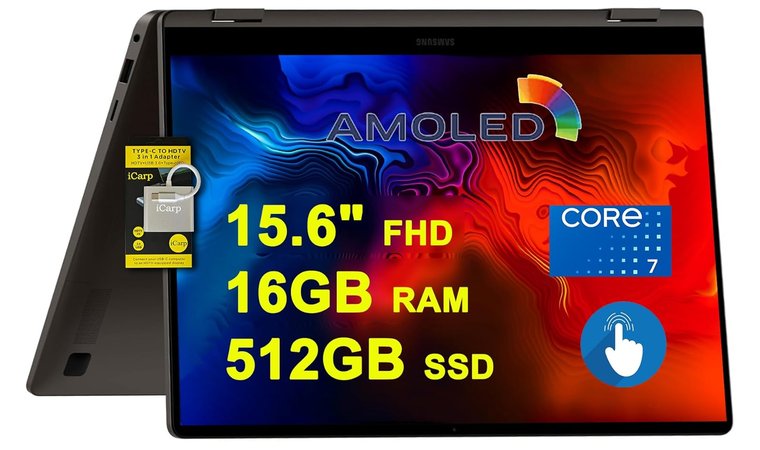
| Display | 15.6-inch FHD (1920 × 1080) AMOLED Touchscreen |
| Storage | 512GB NVMe SSD |
| Battery | Exceptional battery life (Up to 20+ hours) |
| Weight | ~3.06 lbs (~1.39 kg) |
Designed for students who want a top-tier experience like Apple’s but inside the Windows world, the Samsung Galaxy Book Pro 360 is a portable and visual powerhouse. For a convertible laptop, it is unbelievably small and light. It even has the same CPU performance as the expensive models.
Its stunning AMOLED display makes consuming media and reading an absolute joy. This is the best digital note-taking tool for students when combined with the S Pen.
| Pros | Cons |
|---|---|
| ✅ Offers incredible color accuracy, deep blacks, and a visually arresting experience for any content. ✅ Ultra-thin and surprisingly light for a 15.6-inch convertible, making it easy to carry. ✅ Excellent for free-form note-taking and detailed creative work in a simple, integrated package. ✅ Provides some of the best longevity on the market, minimizing power anxiety during long days. ✅ Ensures fast wake-up times and responsive performance for fluid multitasking. ✅ Features Thunderbolt 4 ports and excellent integration with Samsung’s Galaxy ecosystem. ✅ High-quality webcam and audio make video calls and online lectures clear and professional. | ❌ The premium price is a significant investment for a student, but the class-leading thinness, quality, and feature set justify the cost over the device’s lifetime. |
Final Verdict: For a student seeking a 2-in-1 notebook with outstanding visual quality, long-lasting battery life, and high-quality design, the Galaxy Book Pro 360 provides a flagship Windows experience.
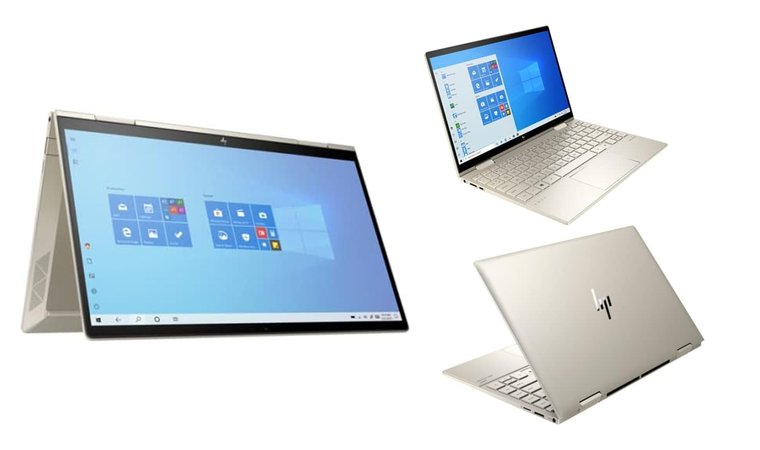
4. HP Envy x360 13 [Best Compact 2-in-1]
Our Score:
| Specs | Details |
|---|---|
| CPU | Intel Core i5/i7 or AMD Ryzen 5/7 (Latest Generations) |
| GPU | Integrated Intel Iris Xe or AMD Radeon Graphics |
| RAM | 8GB or 16GB DDR4/LPDDR5 |
| Display | 13.3-inch, FHD (1920 × 1080) Touchscreen |
| Storage | 512GB NVMe SSD |
| Battery | Excellent, long-lasting battery life |
| Weight | 2.87 lbs (1.3 kg) |
Arguably the finest small 2-in-1 laptop for students, the HP Envy x360 13 combines premium design elements with excellent portability and usability. It’s perfect for the small workspaces of coffee shops or lecture halls, especially when paired with the best-rated VPN for protecting data. Unlike most laptops, this model has a premium-feeling aluminum design and quick touch/pen support in a compact 13-inch form factor.
It provides extended battery life and excellent performance for challenging research projects or multitasking. Additionally, light gaming is possible on the laptop due to its strong processing power.
| Pros | Cons |
|---|---|
| ✅ Full aluminum chassis provides a high-end feel and superior durability compared to plastic models. ✅ Lightweight and compact, making it incredibly easy to carry everywhere. ✅ 360° hinge and responsive touchscreen/pen support are ideal for digital note-taking and on-screen reading. ✅ Modern internals ensure smooth multitasking and handling of demanding apps. ✅ It can comfortably last through a full day of classes, minimizing the need for the charger. ✅ Often includes a physical webcam shutter and a dedicated microphone mute button for security. ✅ Features a built-in fingerprint reader for secure, rapid access. | ❌ The 13.3-inch screen can feel a little small for students who frequently use dual monitors, but it’s a necessary trade-off for its superior, lightweight portability. |
Final Verdict: The HP Envy x360 13 offers an exceptional 2-in-1 experience. This small, portable, and excellent laptop is perfect for note-taking and studying. If you’re interested in more versatile 2-in-1 laptops, explore our top recommendations for the best HP laptops.
5. SAMSUNG Galaxy Book4 360 [Best for Media & Design]
Our Score:
| Specs | Details |
|---|---|
| CPU | Intel Core Ultra 5/7 (or 13th Gen i7) |
| GPU | Integrated Intel Arc/Iris Xe Graphics |
| RAM | 16GB LPDDR5 |
| Display | 15.6-inch, FHD (1920 × 1080) AMOLED Touchscreen |
| Storage | 512GB NVMe SSD |
| Battery | All-day battery life (up to 15+ hours) |
| Weight | 3.17 lbs (1.44 kg) |
The SAMSUNG Galaxy Book4 360 is for students who value a stylish, flexible device. For watching Netflix, consuming media content, and complex graphic work, this laptop shines with its optional AMOLED touchscreen’s absolutely amazing visuals.
On specific variants, its slim, light convertible form goes well with the S Pen, turning it into a high-quality laptop for class that offers a combination of great looks and superb utility.
| Pros | Cons |
|---|---|
| ✅ Delivers perfect blacks and incredible contrast, making text sharp and media pop. ✅ Excellent tool for high-precision note-taking, drawing, and annotating PDFs right on the screen. ✅ Easily flips into tablet mode for reading and is impressively thin and light for its size. ✅ Designed for maximum endurance, it can comfortably last through the longest days of lectures and study. ✅ Seamless integration with other Samsung Galaxy devices (phones, tablets, earbuds). ✅ Optimized for remote learning, video calls, and streaming content. ✅ Features Thunderbolt 4 and USB-C for blazing-fast data transfer and charging. | ❌ The ultra-thin design means that port selection is limited to USB-C and essential connections, though these ports are modern and incredibly fast (Thunderbolt). |
Final Verdict: The Galaxy Book4 360 is an excellent option for the student looking for a premium, flexible, and stunning 2-in-1 laptop with fantastic battery life and a sharp display. It’s also among the best business laptops.
6. Acer Chromebook Spin 713 [Best Chromebook for Students]
Our Score:
| Specs | Details |
|---|---|
| CPU | Intel Core i5/i7 (Various Generations) |
| GPU | Integrated Intel Graphics |
| RAM | 8GB or 16GB LPDDR4X |
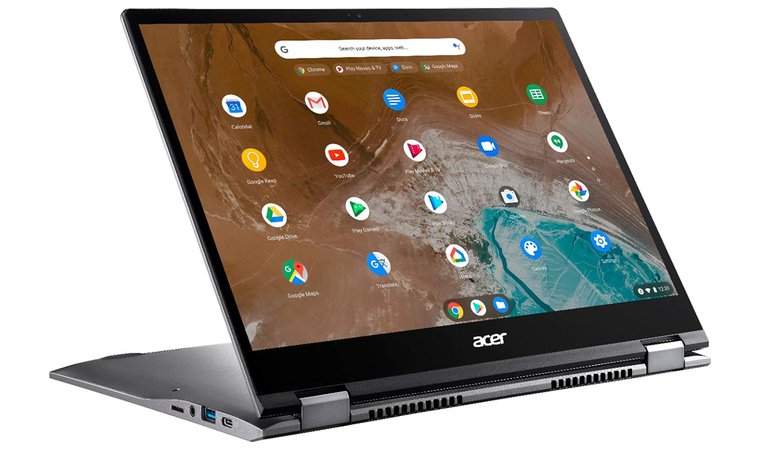
| Display | 13.5-inch, 2256 × 1504 (3:2) Touchscreen |
| Storage | 128GB or 256GB SSD (eMMC/NVMe) |
| Battery | Excellent, all-day battery life |
| Weight | ~3.02 lbs (~1.37 kg) |
Offering speed and flexibility in a strong, attractive design, the Acer Chromebook Spin 713 is the finest high-end Chromebook for students. Its main characteristic is the tall 3:2 VertiView screen, which is perfect for reading documents and writing, offering much more vertical screen space than a regular 16:9 screen.
Chrome OS is ideal for students who use the web frequently because it boots up quickly and requires no maintenance, unlike most laptops.
| Pros | Cons |
|---|---|
| ✅ Taller 3:2 display provides more vertical space for reading and editing documents. ✅ Boots instantly and performs quickly with web-based applications. ✅ It can fold into a tablet for convenient textbook reading or note-taking. ✅ Automatic updates and backups make it maintenance-free and secure. ✅ Long battery life is suitable for all-day study sessions. ✅ Durable aluminum body and Gorilla Glass screen provide a premium feel. ✅ Supports millions of Android apps via the Google Play Store. | ❌ Runs on Chrome OS, so students who need specialized Windows-only software may need an alternative. |
Final Verdict: For students living in the cloud, the Chromebook Spin 713 is an excellent option since it has great speed, is easy to use, and has the best screen in its class for all their online learning needs.
7. Dell Inspiron 14 5440 [Best All-rounder]
Our Score:
| Specs | Details |
|---|---|
| CPU | Intel Core i5/i7 (Latest Gen) |
| GPU | Integrated Intel Graphics |
| RAM | 8GB or 16GB LPDDR5 |
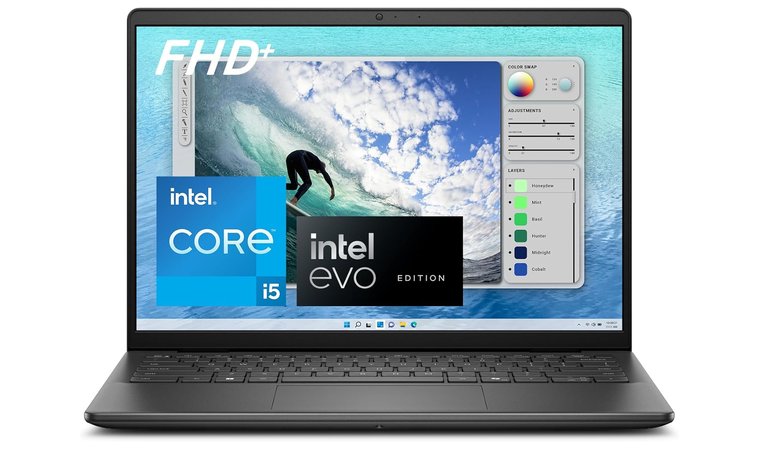
| Display | 14.0-inch, FHD (1920 × 1080) Anti-Glare |
| Storage | 256GB or 512GB SSD |
| Battery | Battery life lasts all day |
| Weight | 3.4 lbs (1.54 kg) |
Earning its spot as a top recommendation, the Dell Inspiron 14 5440 is the traditional, dependable workhorse of the student world. For students who need a solid, larger screen for writing long papers and researching without a very high budget, this laptop is a great choice.
Dell’s build quality assures it can withstand the daily use on campus, and its wide selection of connectors means you can connect external displays. Strong Windows versatility and performance that work for most course demands are offered.
| Pros | Cons |
|---|---|
| ✅ The 14-inch screen size is comfortable for detailed reading and managing multiple windows. ✅ The chassis is sturdy and reliable, easily shrugging off bumps in a backpack. ✅ Includes essential modern ports, such as USB-C and HDMI, for connecting to external monitors and peripherals. ✅ Modern processors and fast LPDDR5 RAM handle heavy browser use and productivity apps smoothly. ✅ Dell offers strong performance and a quality warranty for a reasonable student budget. ✅ Responsive keys are ideal for typing essays and taking extensive lecture notes. ✅ Allows for easy typing in low-light environments. | ❌ It’s a bit heavier than the ultra-premium 14-inch laptops on this list, but the added size contributes to a more robust, stable typing feel. |
Final Verdict: The Dell Inspiron 14 5440 offers good build quality and performance. Therefore, it’s perfect for those seeking to complete four years of college without any laptop issues. Explore our recommendations if you’re searching for the best Dell laptops.
8. ASUS VivoBook S14 [Best Stylish Budget Option]
Our Score:
| Specs | Details |
|---|---|
| CPU | Intel Core i5/i7 (13th Gen or similar) |
| GPU | Integrated Intel Iris Xe Graphics |
| RAM | 16GB DDR5 (Onboard) |
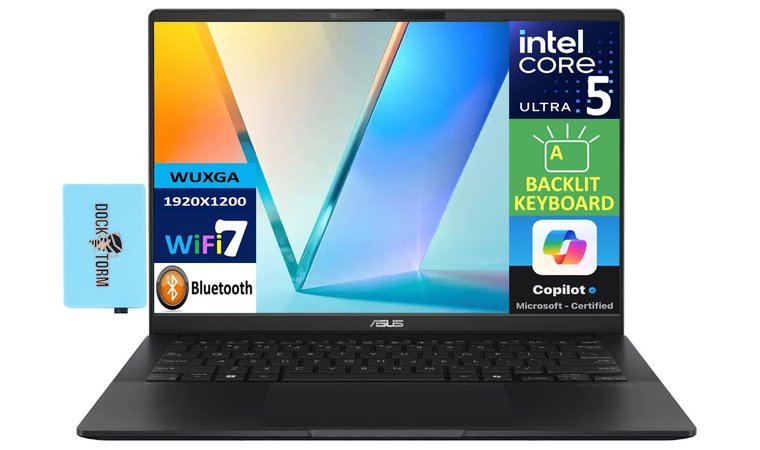
| Display | 14.0-inch, FHD (1920 × 1080) or OLED display |
| Storage | 512GB or 1TB PCIe 4.0 SSD |
| Battery | Good battery life (all-day performance) |
| Weight | 3.3 lbs (1.5 kg) |
The cheap laptop for students wishing to make a statement without breaking the bank is the ASUS VivoBook S14. Recognized for its elegant, often vivid design choices, it stands out on campus while offering good, dependable performance.
It works perfectly whether you need creative work or midrange performance for school assignments, and its thin and light chassis won’t weigh you down. This makes it ideal for younger students, as it perfectly fuses practicality and style.
| Pros | Cons |
|---|---|
| ✅ Available in eye-catching colors and a sleek metal chassis that sets it apart from typical student laptops. ✅ Easily handles demanding student tasks such as coding, video conferencing, and photo or video editing. ✅ The keyboard is comfortable and responsive for long study and writing sessions. ✅ Quick boot times and rapid file loading thanks to the PCIe 4.0 SSD. ✅ Thin and relatively light, making it easy to carry around campus all day. ✅ Select configurations include a stunning OLED display for better color accuracy and media viewing. ✅ Often includes Thunderbolt 4 (USB-C) for future-proof connectivity and charging. | ❌ The trackpad might not be as responsive or large as those found on much more expensive rivals, but it still performs well for everyday tasks. |
Final Verdict: The ASUS VivoBook S14 offers the perfect mix. If you want a stylish, cheap laptop with excellent performance and the newest features without overspending, this is the best choice.
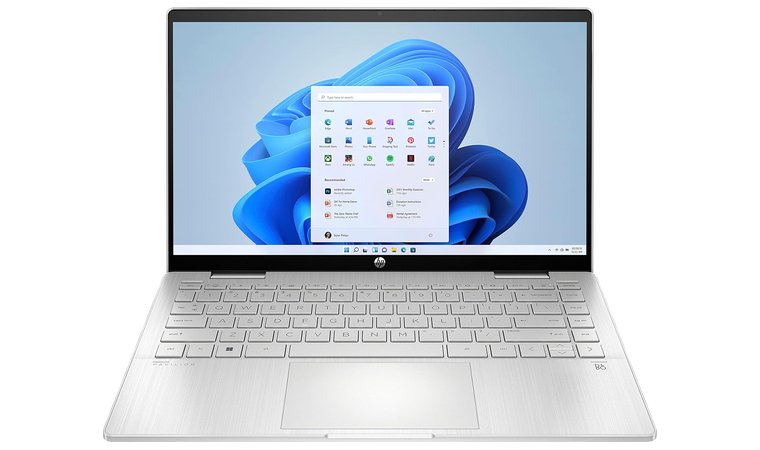
9. HP Pavilion x360 [Best Convertible Option]
Our Score:
| Specs | Details |
|---|---|
| CPU | Intel Core i3/i5 (13th Gen or newer) |
| GPU | Integrated Intel Iris Xe Graphics |
| RAM | 8GB or 16GB DDR4/DDR5 |
| Display | 14-inch, FHD (1920 × 1080) Touchscreen |
| Storage | 512GB PCIe NVMe SSD |
| Battery | Up to 8 hours battery life (mixed use) |
| Weight | 3.35 lbs (1.52 kg) |
College students looking for a device that functions like a tablet will find the HP Pavilion x360 a convertible 2-in-1. Its dependable 360-degree hinge enables rapid flipping from a standard laptop to a tablet for studying and note-taking.
| Pros | Cons |
|---|---|
| ✅ The 2-in-1 convertible design is ideal for note-taking, sketching, and traditional typing. ✅ Native touchscreen support is fantastic for annotating course PDFs and making quick sketches. ✅ Provides a premium feature (2-in-1) at a mainstream, student-friendly cost. ✅ Decent speakers and an adequate webcam make it capable for remote learning or group video calls. ✅ Available in various sizes and specifications, allowing buyers to select a budget or midrange model. ✅ The convertible mechanism is sturdy, offering peace of mind for daily use and frequent adjustments. ✅ Helps immensely with late-night study sessions in dimly lit dorm rooms or libraries. | ❌ Slightly heavier than some non-convertible 14-inch rivals, but that’s a small price to pay for the exceptional flexibility it offers. |
Final Verdict: For individuals who really require a balance of form, usability, and price, the HP Pavilion x360 is a perfect choice. From writing papers to drawing and annotating, it does everything.
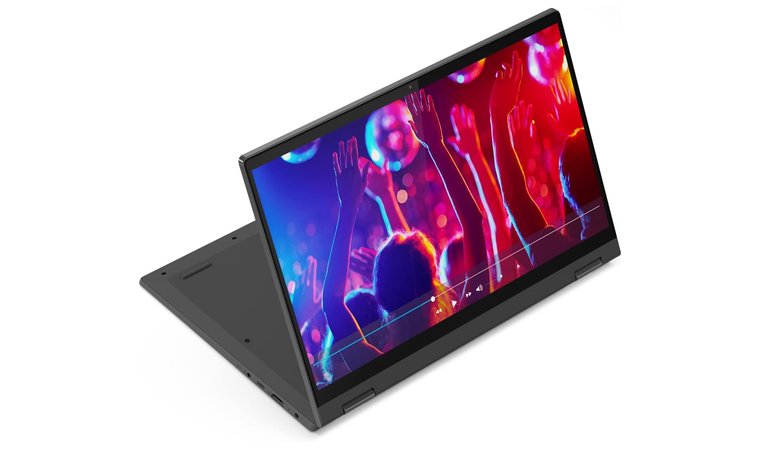
10. Lenovo IdeaPad Flex 5 [Best Value 2-in-1]
Our Score:
| Specs | Details |
|---|---|
| CPU | AMD Ryzen 5/7 or Intel Core i3/i5 (Various Generations) |
| GPU | Integrated AMD Radeon or Intel Iris Xe Graphics |
| RAM | 8GB or 16GB DDR4/LPDDR4X |
| Display | 14-inch or 16-inch, FHD (1920 × 1080) Touchscreen |
| Storage | 256GB or 512GB SSD |
| Battery | Good battery life for all-day study sessions |
| Weight | 3.3 lbs (1.5 kg) |
Often praised for its comfortable keyboard and overall value, the Lenovo IdeaPad Flex 5 is yet another formidable player in the 2-in-1 market. Normally paired with AMD processors such as AMD Ryzen, recognized for amazing performance-per-dollar, this high-performance laptop is an excellent choice for college students.
The convertible design is defined by dependable hinge mechanisms and pen support, which ensures comfort during extended periods of manual note-taking or media consumption, thereby earning its ranking among the top trustworthy student laptops.
| Pros | Cons |
|---|---|
| ✅ Lenovo’s reputation for comfortable typing makes writing long papers significantly easier. ✅ Often ships with powerful AMD Ryzen chips that provide top-tier performance at a student-friendly price. ✅ Full 2-in-1 capability with solid pen support for annotating and sketching. ✅ Delivers great speed without sacrificing all-day battery life for study sessions. ✅ Includes a necessary selection of ports for standard student peripherals and accessories. ✅ The mechanism for converting to tablet mode is reliable and built to last. | ❌ Build quality is primarily plastic, which is not as premium as some metal rivals, but this keeps the price low and the device durable for student life. |
Final Verdict: College students seeking a comfortable, responsive 2-in-1 experience alongside great performance and value of an AMD-driven machine, the IdeaPad Flex 5 is the go-to laptop.
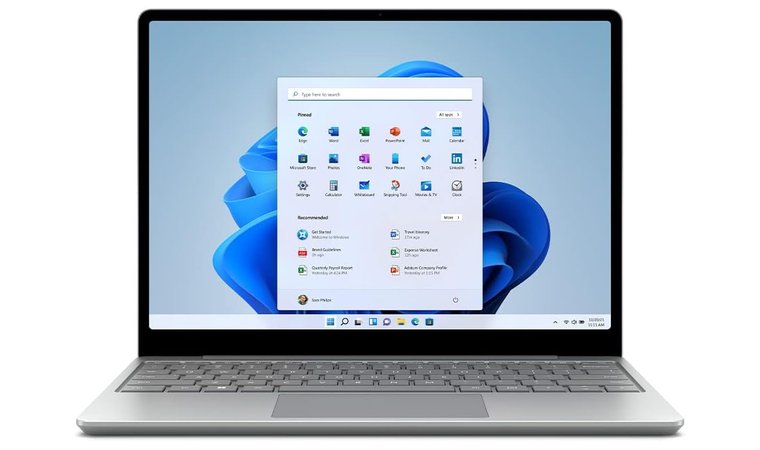
11. Microsoft Surface Laptop Go 2 [Best Ultra-portable]
Our Score:
| Specs | Details |
|---|---|
| CPU | Intel Core i5 (11th Gen or newer) |
| GPU | Integrated Intel Iris Xe Graphics |
| RAM | 8GB LPDDR4X |
| Display | 12.4-inch, 1536 × 1024 PixelSense Touchscreen |
| Storage | 256GB SSD (config dependent) |
| Battery | Up to 13.5 hours battery life (manufacturer claim) |
| Weight | 2.48 lbs (1.12 kg) |
The Microsoft Surface Laptop Go 2 is considered a great pick for college students and high school kids. This portable and light laptop fits easily into any backpack with its compact size. It also provides a stylish, premium Microsoft experience.
Its crisp, bright PixelSense touchscreen and comfortable keyboard make it ideal for fast typing and research. These features make it the best business laptop.
| Pros | Cons |
|---|---|
| ✅ Very lightweight and compact, the best option for students constantly moving between classes. ✅ Features a solid construction that feels great, unlike many other budget laptops. ✅ Offers a simple, distraction-free Windows OS environment that is easy for new users to navigate. ✅ Comfortable and responsive for long periods of typing, essential for note-taking in class. ✅ The PixelSense display is great for viewing documents and is responsive to touch input. ✅ Features a power button with a fingerprint reader (on select models) for quick and secure access. | ❌ Some configurations may come with less RAM, but the performance is still snappy for typical student workloads and browsing. |
Final Verdict: Those seeking a thin and light laptop for online courses, typing, and reading, the Laptop Go 2 is an ultraportable Windows laptop with a comfortable keyboard. It’s available at an affordable price.
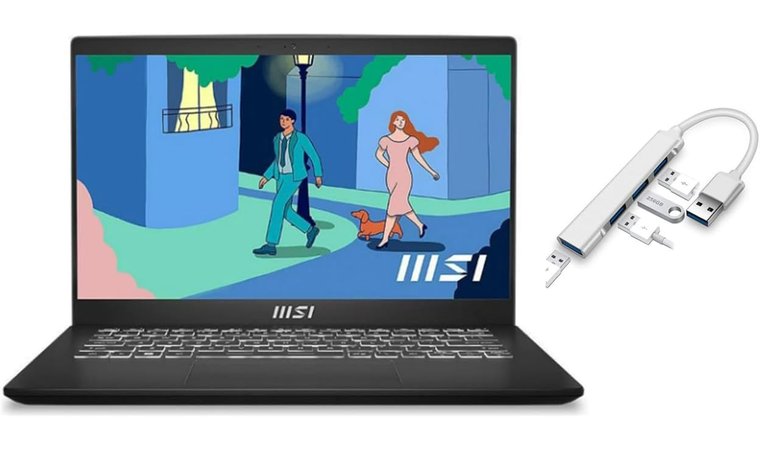
12. MSI Modern 14 [Best Lightweight Workhorse]
Our Score:
| Specs | Details |
|---|---|
| CPU | Intel Core i5/i7 (Various Generations) |
| GPU | Integrated Intel Iris Xe Graphics |
| RAM | 8GB or 16GB DDR4 (Often upgradable) |
| Display | 14.0-inch FHD (1920 × 1080) |
| Storage | 512GB NVMe SSD |
| Battery | Reliable battery life |
| Weight | ~2.87 lbs (~1.3 kg) |
The MSI Modern 14 is a sleek, business-styled laptop that offers students an outstanding balance of performance and value. It stands out by providing competitive CPU performance in a lightweight, professional chassis, which makes it suitable for both academic tasks and potential internships.
It’s a wise, long-term choice for students looking for a trustworthy college laptop because it’s well-built, offers quick storage and long battery life, and features components that can often be upgraded. This delivers an impressive performance and is therefore considered the right laptop choice for many students.
| Pros | Cons |
|---|---|
| ✅ Easy to carry and highly portable, making it excellent for campus mobility. ✅ Handles simultaneous spreadsheets, presentations, and research tabs smoothly. ✅ Ensures speedy boot-up times and fast loading of large applications and files. ✅ Has a clean and professional look suitable for formal presentations and job interviews. ✅ Opens 180°, which is useful for collaborating with peers on group work. ✅ Offers essential connectivity options, including USB-A and USB-C ports. ✅ Allows comfortable typing at night with its backlit keyboard. | ❌ The chassis can feel slightly less rigid than some all-metal rivals when twisting the screen, but it’s still highly durable and perfectly reliable for daily student use. |
Final Verdict: Look no further than the MSI Modern 14 for a dependable, high-performance, lightweight laptop that looks fantastic and handles heavy multitasking.
13. Lenovo IdeaPad 3 [Best Starter Laptop]
Our Score:
| Specs | Details |
|---|---|
| CPU | Intel Core i3/i5 or AMD Ryzen 3/5 (Various Generations) |
| GPU | Integrated Intel UHD/Iris Xe or AMD Radeon Graphics |
| RAM | 8GB DDR4 (Often upgradable) |
| Display | 15.6-inch, FHD (1920 × 1080) Anti-Glare |
| Storage | 256GB or 512GB SSD (Often upgradable) |
| Battery | Dependable battery life for general use |
| Weight | 3.75 lbs (1.7 kg) |
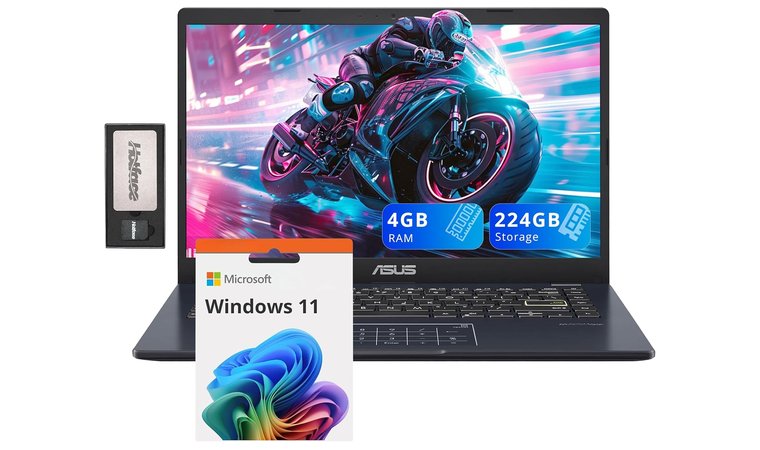
The Lenovo IdeaPad 3 is among the best laptops for college students because it is compact and offers a simple, reliable Windows experience. This computer is for students on a limited budget who want to do basic things like write papers, browse the web, and attend lectures online.
On several models, it frequently offers big-screen options and upgradable components (RAM and SSD) that offer impressive performance at a budget-friendly rate.
| Pros | Cons |
|---|---|
| ✅ One of the most affordable full-featured Windows laptops available, perfect for the tightest student budgets. ✅ Handles all core student tasks (writing, browsing, streaming) smoothly and reliably. ✅ The standard 15.6-inch size provides ample workspace for spreadsheets and research. ✅ Many configurations allow easy addition of more RAM or a larger SSD later. ✅ Lenovo’s decent keyboards are reliably comfortable for extended typing sessions. ✅ Features a physical webcam shutter for security and peace of mind during remote learning. ✅ A no-frills, dependable laptop that focuses entirely on function. | ❌ The chassis is mostly plastic and slightly heavier than premium ultraportables, but the sturdy design offers a comfortable typing experience on a larger footprint. |
Final Verdict: The Lenovo IdeaPad 3 is the most affordable option, thanks to ongoing laptop deals. This machine has all the power and screen size you need for basic school or college tasks. If you’re looking for other Lenovo laptops with great value, check out our guide to the best options available.
Key Features to Consider When Picking the Best Laptop for Students
Getting a laptop for college goes beyond a basic tech purchase, and that’s because it’s something you’ll depend on for years. To choose the right option, you are required to strike the ideal balance between price, portability, battery life, and solid performance.
You should also know that the best laptop is not always the fastest one. It’s the one that can keep your multitasking from dragging down. It has to survive continuous lectures or casual PC gaming. It must also fit easily into your backpack.
You need it to be affordable enough so checking your bank account doesn’t make you wince.
Core Components: CPU and GPU
The component that keeps everything running is the processor, or CPU, such as a Qualcomm Snapdragon X series. If you save too much money here, you will only get annoyed by lag and slow loading times.
A better CPU will enable many college students to play games and handle video editing capabilities. To play the most demanding games, you’ll need a powerful system. Check out our picks for the best gaming PCs and gaming laptops for top performance and long battery life.
Usually, the finest balance between price and performance is an Intel Core Ultra 5 or AMD Ryzen 5. This enables you to manage several tabs, spreadsheets, apps, and play a few demanding games.
However, if you’re looking for the best gaming laptop, you’ll have to look for one with a high-end, integrated graphics card. An Intel Core i3 or Ryzen 3 will still be able to handle simple activities if your budget is low, but multitasking will not be as fluid.
Most college computers include dedicated graphics like Intel Iris Xe. For light gaming, daily use, minor video editing, and streaming, this works well. It’s not the perfect choice if you require advanced video editing or are looking for the best gaming laptop.
Display Essentials
The screen matters because you’ll be looking at it all day. A 14-inch display is usually the perfect size. It’s big enough to work on but easy to carry. You must get at least Full HD (1920×1080) resolution. Anything less makes your documents look fuzzy.
If you read or write a lot, look for a 16:10 or 3:2 screen, as this is a taller shape than the standard 16:9. The taller screen shows more of the page, which means you scroll much less. It’s a simple feature that really boosts how much work you get done.
RAM and Storage
Your laptop’s memory and storage determine how effectively it handles large files and multitasks. For most students, 8GB of RAM is the least you can tolerate. It serves simple chores, including basic browsing and note-taking.
However, you will struggle if you run too much at once. 16GB is a significantly better option if you can pay for it. More RAM makes the laptop last longer before it feels outdated and keeps everything running smoothly.
An SSD is usually the best choice for storage. Compared to an ancient hard drive, the speed difference is enormous. Also, SSDs make your computer start in seconds. The most basic size you should think about is a 256GB SSD. Still, 512GB or 1TB is safer. When saving media, programs, or large group projects to your device, you will appreciate the extra space.
Connectivity
A decent college laptop should connect to everything easily so that you won’t need a bunch of adapters. For rapid charging and fast transfers, look for at least one USB-C or Thunderbolt port.
Double-check whether it has a regular USB-A connector. For flash drives and accessories like a mouse, this remains the most often used plug. USB ports and an SD card reader are essential to every user.
Connecting to classroom projectors or external displays in your room is possible if the laptop has an HDMI port. Ultimately, confirm the Wi-Fi enables Wi-Fi 6E or Wi-Fi 7. Faster speeds are needed in college campuses, which often get really busy. Therefore, you need a more reliable connection for your internet activities.
My Overall Verdict on the Best Laptops for Students
If I could choose the best laptops for students, I’d go with these top three picks:
- Best Budget Option → Acer Swift 3
The Acer Swift 3 offers excellent performance for an affordable price. With 16GB of RAM and a quick SSD, it’s perfect for daily tasks, extended study sessions, and multitasking without compromising speed. - Best Midrange Choice → ASUS ZenBook 14
Ideal for work and fun, this slim, premium laptop features excellent performance and a stunning OLED display. This is an excellent choice for students seeking style and performance on a limited budget. - Best Premium Laptop → Samsung Galaxy Book Pro 360
The Samsung Galaxy Book Pro 360 offers premium performance, a stunning AMOLED display, and excellent battery life. Its 2-in-1 design makes it versatile for both work and play, perfect for students seeking style and power in a portable package.
FAQs
The Acer Swift 3 is a top pick for students, offering great performance, long battery life, and a lightweight design. It’s perfect for everyday tasks and portability.
Yes, the MacBook Air (M-Series) is excellent among Apple’s laptops. It offers unmatched battery life, silent operation, and reliable performance, making it perfect for students who need a low-maintenance machine.
The best laptop for engineering students is MSI Modern 14. Other than that, they should look for at least 16GB of RAM and a laptop with a dedicated GPU. These components are necessary for smoothly running demanding software such as CAD and simulation tools.
The best laptop for high school students is the Microsoft Surface Laptop Go 2. It’s lightweight, durable, and feels premium, offering enough speed for all high school assignments without requiring an excessive budget.
The best laptop brands for most students are Dell, ASUS, and Acer. These brands provide a variety of reliable laptops with top-notch features and performance, catering to different budgets and student needs.
The best laptop for a non-tech person is a MacBook Air or a high-quality Chromebook. They offer operating systems that are simple, very fast, and require minimal technical maintenance or troubleshooting.
A university student needs 8+ hours of battery life, a 256GB or larger SSD, and at least 8GB of RAM to handle heavy research and constant multitasking.
Yes, they are suitable for college if your work is web-based mainly (using Google Docs, email, and online portals). They are fast and secure, but you must first confirm that your courses don’t require Windows-only software.











