



9 Best HP Laptops in 2026 – A Simple Guide for SMART Buying

Eneba Hub contains affiliate links, which means we may earn a small commission if you make a purchase through them—at no extra cost to you. Learn more


Recent update
This list is regularly updated to match what’s trending and in-demand among gamers.
This year’s best HP laptop picks show how far the brand has come. Hewlett Packard, has been making top-of-the-line laptops for decades. But their latest lineup feels noticeably refined. Pavilion, Envy, and Spectre (some of HP’s longest-running series) are being phased out.
In their place, HP has introduced two new families: OmniBook for everyday users and EliteBook for business and pro workflows. And instead of chasing trends and throwing in useless extras, the company has dialed in performance.
The result is a faster experience with less heat and more battery life. It’s a clear shift in the right direction. So, if you’re in the market for a new laptop, now’s a great time to check out what HP has to offer.
Jump to:
Our Top Picks for HP Laptops
Not all laptops have to do everything. Some need to be fast, while others just need to keep up when you’re juggling five things at once. I’ve spent plenty of time with HP laptops, and it’s easy to see why the brand still holds its ground. Based on performance and overall usability, these three HP laptops rise to the top:
- HP 15.6″ FHD Intel 4-Core Processor Laptop – A standout choice for most users. If you want a laptop that works right out of the box without fuss, this is it.
- HP 255 G10 Laptop – An affordable laptop without feeling cheap. With AMD Ryzen power and loaded with the perfect balance of storage and RAM, the HP 255 G10 is an excellent choice for students or anyone handling day-to-day tasks.
- HP Spectre x360 AI Powered 2-in-1 Laptop – Hands down, this laptop is a multitasker’s dream. It handles everything from design tools to spreadsheets without lag, so you’re not stuck waiting on your laptop to catch up.
If nothing up top grabs your attention, don’t worry. You’re not out of options! There’s more to see, and HP‘s range has a lot to offer. This list doesn’t end here, and the next few picks might be exactly what you’ve been looking for.
9 Best HP Laptops of 2025 for Gaming, Work, and Study
You can read all the specs you want, but unless you’ve actually used the thing, it’s hard to know if it’ll keep up. I’ve spent time with these HP laptops and narrowed down the ones that didn’t just look good on paper but also kept up when it counted.
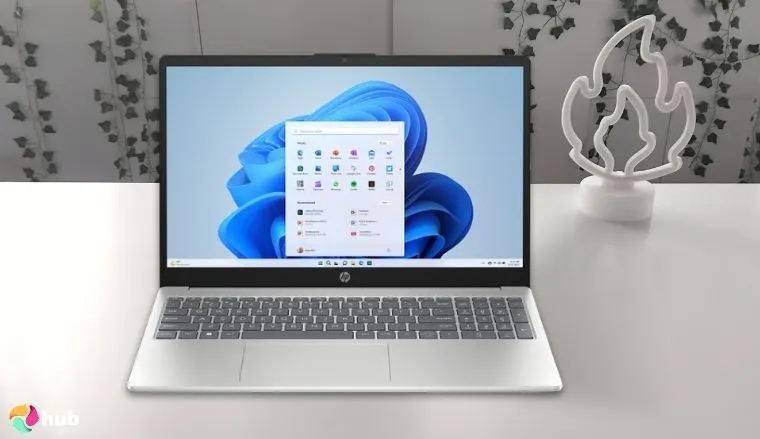
1. HP 15.6″ FHD Intel 4-Core Processor Laptop [Best HP Laptop Overall]
| Specs | Details |
|---|---|
| CPU | Intel Core i5-1334U (13th Gen, 10-Core) |
| GPU | Integrated Intel® Iris® Xᵉ Graphics (80 Execution Units, up to 1.25 GHz) |
| RAM | 8GB DDR4 |
| Display | 15.6″ Full HD (1920 x 1080), anti-glare |
| Storage | 1 TB PCIe NVMe M.2 SSD |
| Battery | 3-cell, 41 Wh Li-ion polymer; supports fast charging (50% in ~45 minutes) |
| Weight | Approx. 1.59 kg (3.5 lbs) |
The HP 15.6″ FHD laptop is the best HP laptop for users who want reliable performance without paying for extras they won’t use. It’s powered by an Intel Core i3-1115G4, 8GB of RAM, and a 256GB SSD. That setup gives you quick response times and smooth everyday use.
Besides, it has a 15.6-inch Full HD screen that stays clear without tiring your eyes. Its design is practical and user-friendly. The laptop is light enough to carry and stays quiet during long hours of use. You also get the ports you actually need, like USB-A, HDMI, and a headphone jack. The keyboard is comfortable, and the overall build feels balanced for daily tasks.
Switch to High Performance mode in Windows for faster multitasking and better responsiveness.
Another mention-worthy feature of the HP 15.6″ FHD laptop is its battery performance. Its battery holds up well during regular use, so you won’t be reaching for the charger too often. It also powers back up quickly, which helps when you’re short on time. For anyone looking for a simple, capable machine that doesn’t slow down or overheat, this model checks all the boxes.
After a month of daily use, here’s my final take on the HP 15.6″ FHD laptop. Is it good for casual gaming? Absolutely – it handles lighter titles smoothly, but don’t expect it to run demanding AAA games without compromises. For everyday tasks, streaming, and work, it stays responsive and reliable.
| Pros | Cons |
|---|---|
| ✅ Clear Full HD display ✅ Decent battery life ✅ Quiet operation during long use ✅ Pre-installed Windows makes setup quick ✅ The charger is compact and easy to pack | ❌ Not ideal for heavy gaming but casual gamers can still enjoy light gaming |
Final Verdict: The HP 15.6″ FHD laptop delivers reliable everyday performance with a responsive Intel Core i5 processor, ample 8GB RAM, and fast 1TB SSD storage, making it perfect for work, study, and light gaming.
Its clear Full HD display, long-lasting battery, and lightweight design provide a practical, hassle-free experience for users who want a capable laptop without unnecessary extras.
What do users say?
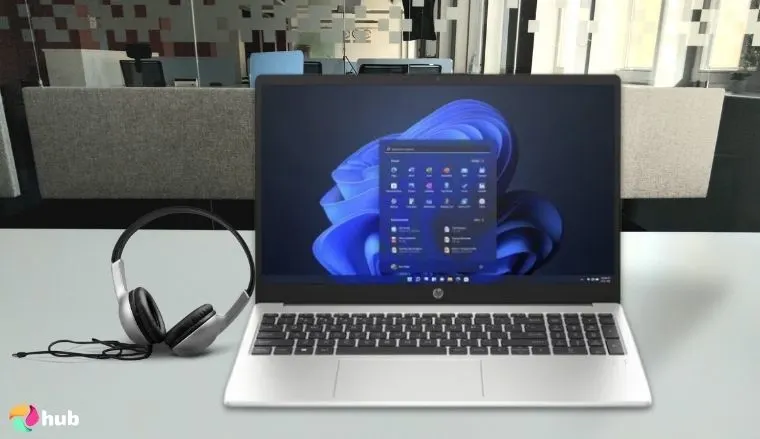
2. HP 255 G10 Laptop [Best Budget HP Laptop]
| Specs | Details |
|---|---|
| CPU | AMD Ryzen™ 3 7330U or AMD Ryzen™ 5 7530U |
| GPU | Integrated AMD Radeon™ Graphics (Vega 6 or Vega 7, depending on CPU) |
| RAM | 4GB, 8GB, or 16GB DDR4; dual-channel supported |
| Display | 15.6-inch HD or Full HD – Anti-glare, narrow bezel, 250 nits |
| Storage | 256GB or 512GB SSD – Some models go up to 1TB |
| Battery | 3-cell, 41Wh Li-ionFast charge: ~50% in 45 mins |
| Weight | Approx. 1.52 kg (3.3 lbs), varies by configuration |
The HP 255 G10 is a solid budget pick that covers the basics without cutting too many corners. This laptop runs on an AMD Ryzen 5 7520U chip with 8GB RAM and a 256GB SSD. This gives a smooth start-up and steady multitasking for everyday use. Its battery life is decent for a budget machine as well. You can expect several hours of use on a full charge.
And if you are running late, plug it in for a few minutes and you’ll get enough charge to keep going. Its fast-charge feature gives you a quick top-up. So, if you’re after a reliable entry-level laptop that doesn’t feel sluggish or cheap, the HP 255 G10 is a practical choice. But if you plan to use it for streaming or light gaming, consider pairing it with a good budget gaming monitor to boost your setup without spending much more.
Keep the SSD running smoothly by leaving 10–20% of storage free at all times.
Budget laptops usually come with some limitations, but this one avoids the worst of them. It’s built well, runs quietly, and doesn’t feel outdated. With multiple configurations available well under the $1000 mark, it’s a dependable option that fits tighter budgets without feeling too limited.
Is the HP 255 G10 good for casual gaming or streaming? Here’s what I found after two months of use: it handles lighter games and video playback smoothly, but more demanding titles will quickly push it to its limits. For everyday tasks like browsing, office work, and video calls, it stays responsive, and the battery continues to hold up for several hours. Fast-charge makes topping up quick when you’re on the go, and overall, this budget HP laptop proves dependable over time.
| Pros | Cons |
|---|---|
| ✅ RAM slot available for upgrade ✅ Comes with Windows 11 Pro ✅ The webcam is decent for basic calls ✅ Fast charging support ✅ Build quality feels dependable | ❌No backlight on keyboard, but it doesn’t affect the aesthetics |
Final Verdict: The HP 255 G10 offers excellent value for a budget laptop, delivering smooth everyday performance with its AMD Ryzen processor, responsive RAM, and fast SSD storage.
Its dependable build, decent battery life, and fast-charge support make it a practical choice for students, professionals, or anyone seeking an affordable, reliable laptop without unnecessary extras.
What do users say?
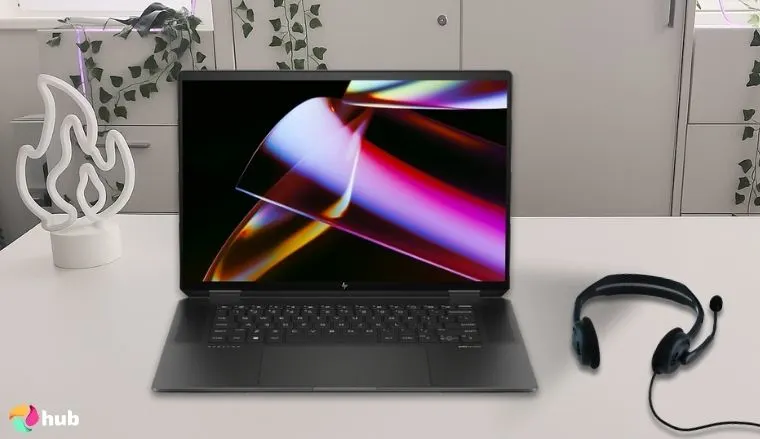
3. HP Spectre x360 AI Powered 2-in-1 Laptop [Best HP Laptop for Multitasking]
| Specs | Details |
|---|---|
| CPU | Intel Core Ultra 7 155H (up to 4.8 GHz, 16 cores) |
| GPU | Integrated Intel® Arc™ Graphics (8 Xe-Cores, AI-enhanced) |
| RAM | 16GB or 32GB LPDDR5x (non-upgradeable) |
| Display | 14″ or 16″ 2.8K OLED touchscreen, variable refresh (48–120 Hz), Gorilla Glass, 500 nits HDR |
| Storage | 512 GB, 1 TB, or 2 TB PCIe Gen 4 NVMe M.2 SSD |
| Battery | Up to 13–17 hours – Fast charging (50% in ~30–45 mins) |
| Weight | Approx. 1.45 kg (14″) or 1.95 kg (16″) |
The HP Spectre x360 stands out for users who juggle multiple tasks throughout the day. You can throw a lot at it, and it’ll still respond quickly without choking. With Intel’s Core Ultra 7 155H under the hood, featuring 16 cores and 22 threads, it delivers high-octane performance.
It has built-in Intel Arc Graphics and stunning AI enhancements that help with faster media processing. And you noticed “2-in-1” in its name for a reason; it’s designed to adapt. You can quickly flip it into tablet mode for sketching or use the 2.8K OLED touchscreen for content creation. The hinge feels extra solid.
Use HP Command Center to optimize AI performance modes for battery life, cooling, or speed.
It also gets bright enough for clear viewing, reaching up to 500 nits. Color accuracy is solid too, with full DCI-P3 coverage. You get fast LPDDR5x RAM and storage options up to 2TB as well.
Is the HP Spectre x360 good for multitasking? After a few months, here’s my take: it handles multiple apps and creative work without slowing down, the 2-in-1 design actually comes in handy, and the battery lasts all day with fast charging to top up quickly.
| Pros | Cons |
|---|---|
| ✅ Strong CPU with excellent multitasking support ✅ Great battery life with fast charging ✅ High-speed RAM and SSD options ✅ Solid 2-in-1 build with tablet flexibility ✅ AI enhancements improve real-time performance | ❌ RAM is non-upgradeable but the built-in LPDDR5x RAM can handle any task you throw at it |
Final Verdict: The HP Spectre x360 excels at multitasking, thanks to its powerful Intel Core Ultra 7 155H processor, AI-enhanced Intel Arc graphics, and fast LPDDR5x RAM.
Its versatile 2-in-1 design, stunning 2.8K OLED touchscreen, and long battery life make it an ideal choice for professionals, creatives, and anyone who needs a responsive laptop for heavy daily workloads.
What do users say?
4. HP Omen 16 [Best HP Laptop for Gaming]
| Specs | Details |
|---|---|
| CPU | Intel Core i9-14900HX (24-Core) |
| GPU | NVIDIA GeForce RTX 4080 (12GB) |
| RAM | Up to 32 GB DDR5-5600 MHz, 2 upgradeable slots |
| Display | 16″ WQXGA (2560 x 1600) IPS or OLED, up to 240Hz refresh rate, 3ms response time, 400 nits brightness, G-SYNC support |
| Storage | Up to 2 TB PCIe Gen 4 NVMe SSD |
| Battery | Up to 8 hours |
| Weight | Approx. 5.4 lbs (2.45 kg) |
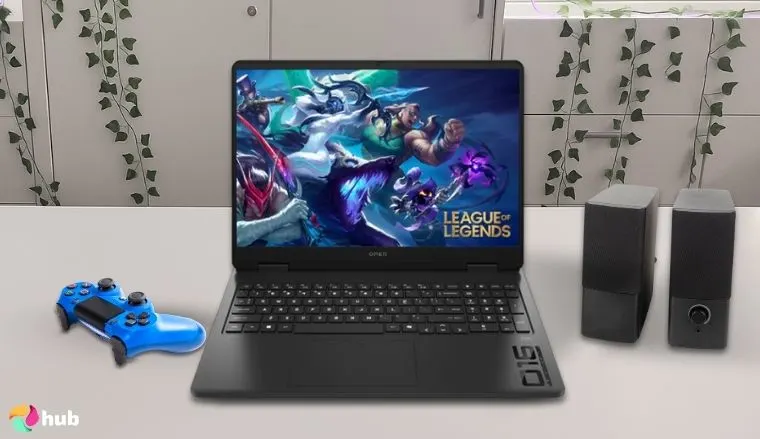
When talking about the best HP gaming laptops, the HP Omen 16 deserves a top spot. Built for smooth and high-end gaming, it comes with an Intel Core i7-14650HX and can be upgraded to the i9-13900HX, depending on your needs. Paired with NVIDIA’s RTX 4060 or 4070, this machine handles AAA titles without stuttering. Load times are short, and frame drops aren’t something you’ll run into often.
The laptop stays cool even during long sessions. HP has improved the thermal setup, so the fans stay quiet unless you’re really pushing it. The screen is sharp and fast, with a 165Hz refresh rate that makes everything feel snappy. You also get solid port variety, which helps if you’re plugging in extra gear.
Enable Performance Mode in OMEN Gaming Hub for maximum FPS and stable thermals during intense gaming.
Besides, what makes this budget gaming laptop worth it is how stable it feels during play. Even with graphics settings turned up, gameplay stays consistent. No weird lag spikes or overheating issues occur. The high-res 16.1-inch QHD display gives you plenty of room to spot enemies and enjoy rich game detail without distractions.
Is the HP Omen 16 good for gaming? After a month of testing, here’s my take: it handles modern AAA titles smoothly, stays cool even under long sessions, and the 165Hz display keeps gameplay crisp. Battery dips under heavy play, but fast charging gets you back in action quickly. As of now, this is one of the best HP gaming laptops you can buy
| Pros | Cons |
|---|---|
| ✅ Handles modern games smoothly ✅ Strong cooling under load ✅ 165Hz display feels responsive ✅ Roomy keyboard with good travel ✅ Quick boot and load times | ❌ Battery life drops during play but the laptop doesn’t take much time to charge back |
Final Verdict: The HP Omen 16 is built for serious gamers, combining the power of an Intel Core i9-14900HX processor with an NVIDIA GeForce RTX 4080 GPU for smooth, high-FPS performance in demanding AAA titles.
With its fast 240Hz display, efficient cooling system, and upgradeable RAM and storage, it’s the best HP laptop for gaming enthusiasts who want top-tier performance and reliability.
What do users say?
5. HP EliteBook 860 G11 [Best HP Laptop for Business]
| Specs | Details |
|---|---|
| CPU | Intel Core Ultra 7 165H (16-Core) |
| GPU | Intel Arc Graphics |
| RAM | 16GB DDR5 |
| Display | 16″ WUXGA (1920 x 1200), IPS |
| Storage | 512GB SSD |
| Battery | Up to 19 hours |
| Weight | Approx. 3.8 lbs |
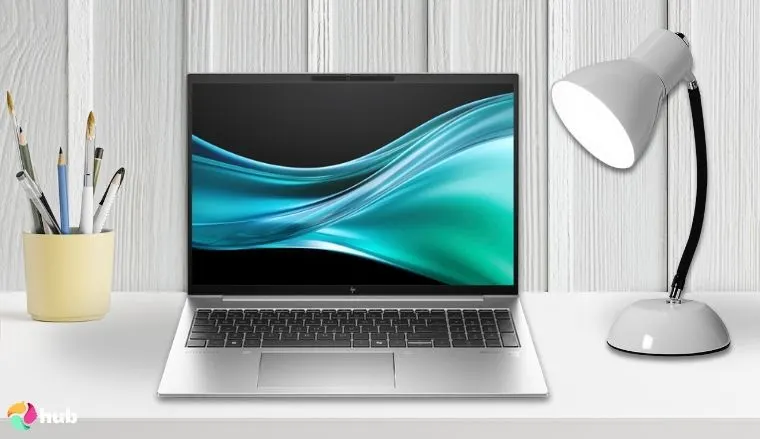
The HP EliteBook 860 G11 is among HP‘s higher-end models and is built solely with business users in mind. Powered by an Intel Core Ultra processor, it comes with up to 32GB of RAM and fast SSD options. That means it can handle multitasking without lag, even with multiple windows and video calls running at once.
Security isn’t an afterthought here. You’ve got biometric access, noise filtering for cleaner calls, a shutter for the webcam, HP Wolf Security, and tools IT admins can manage from anywhere. Its build quality feels premium without being flashy. No wonder; it’s widely recommended on tech forums as one of HP‘s best business laptops.
Use HP Wolf Security settings to enhance data protection when working on public or shared networks.
If you’re upgrading from older consumer laptops or entry-level models, you will see a clear difference in superior performance. Thinking about after-hours use as well? A great gaming TV can round things out.
Is the HP EliteBook 860 G11 good for business use? After a few months, here’s what I think: it handles multitasking, video calls, and multiple windows effortlessly, the long battery easily lasts a full workday, and security features give real peace of mind. For business users, this HP laptop stays reliable over time.
If you’re upgrading from older consumer laptops or entry-level models, you will see a clear difference in performance. Thinking about after-hours use as well? A great gaming TV can round things out.
| Pros | Cons |
|---|---|
| ✅ Intel Core Ultra CPU handles office work fast ✅ Long battery life supports full-day use ✅ Crisp, 16-inch screen great for multitasking ✅ Durable, travel-friendly design ✅ Runs Windows 11 Pro smoothly ✅ Built with business models in mind | ❌ Might be a bit expensive for some, but it is worth it for its features and performance |
Final Verdict: The HP EliteBook 860 G11 is a premium business laptop that balances power, portability, and professional-grade security.
With its Intel Core Ultra 7 processor, long battery life, and robust safety features like HP Wolf Security, it’s the ideal choice for professionals who need reliable performance and peace of mind in a sleek, travel-friendly design.
What do users say?
6. HP ZBook Studio Mobile Workstation [Best HP Laptop Workstation]
| Specs | Details |
|---|---|
| CPU | Intel Core Ultra 7 165H (16-Core) |
| GPU | Intel Arc Graphics |
| RAM | 16GB DDR5 |
| Display | 16″ WUXGA (1920 x 1200), IPS |
| Storage | 512GB SSD |
| Battery | Up to 19 hours |
| Weight | Approx. 3.8 lbs |
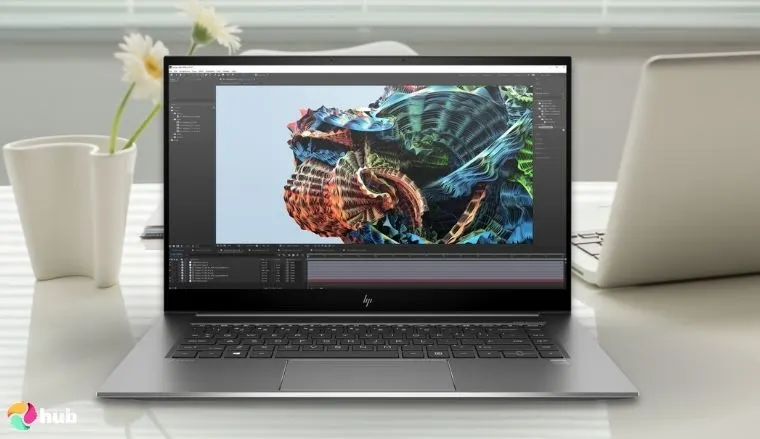
If you work with complex software like 3D modeling tools or CAD programs, the HP ZBook Studio is one of HP’s best laptops you can get. It’s packed with serious hardware: an Intel Core Ultra 9 processor, RTX 4070 graphics, 64GB RAM, and a fast 2TB SSD. So, there’s no lag or stutter when rendering heavy files or switching between resource-hungry apps.
It has a 16-inch 4K touch display that gives sharp detail and accurate color, which makes it a smart choice for creative work and visual workflows. The screen is also easy to rely on for professional results. And despite the high specs, the battery life holds up surprisingly well. The laptop doesn’t heat up too fast, even during extended sessions.
Activate the discrete GPU in BIOS or performance settings for smoother rendering and 3D workloads.
The ZBook Studio also scores points for its build. It’s sturdy without being bulky, and at under 4 pounds, it’s easier to carry than most workstations in this class. Designed for professionals who treat computing power as a non-negotiable requirement, this laptop represents precision engineering. And if you get this Windows laptop, you will no longer need a desktop PC for heavy tasks.
So, is the HP ZBook Studio good for heavy workstation tasks? After three months of use, here’s my take: it handles 3D modeling, CAD, and other demanding software without lag, the 4K display stays accurate, and the chassis remains solid while staying surprisingly portable. The battery holds up decently, and fast charging keeps you productive on the go.
| Pros | Cons |
|---|---|
| ✅ Quiet fans even during large renders ✅ Premium speakers with strong clarity ✅ Supports multiple external displays ✅ Ports include Thunderbolt, USB-C, HDMI ✅ Strong chassis with a pro finish | ❌ Battery life is a bit low, but quick charging speed compensates for it |
Final Verdict: The HP ZBook Studio is a powerhouse mobile workstation built for professionals who need desktop-level performance on the go.
With its Intel Core Ultra 9 processor, RTX 4070 graphics, 4K display, and lightweight yet durable design, it’s the best HP laptop for demanding tasks like 3D modeling, CAD, and creative workflows.
What do users say?
7. HP OmniBook Snapdragon [Best HP Laptop for Long Battery Life]
| Specs | Details |
|---|---|
| CPU | Snapdragon X Elite (12-Core) |
| GPU | Qualcomm Adreno Graphics |
| RAM | 16GB LPDDR5x |
| Display | 14″ 2.2K (2240 x 1400), IPS Touch |
| Storage | 1TB SSD |
| Battery | Up to 34 hours |
| Weight | Approx. 2.97 lbs |
Always on the move and need a portable laptop that doesn’t beg for a charger halfway through the day? The HP OmniBook Snapdragon is a brilliant choice for a few reasons.
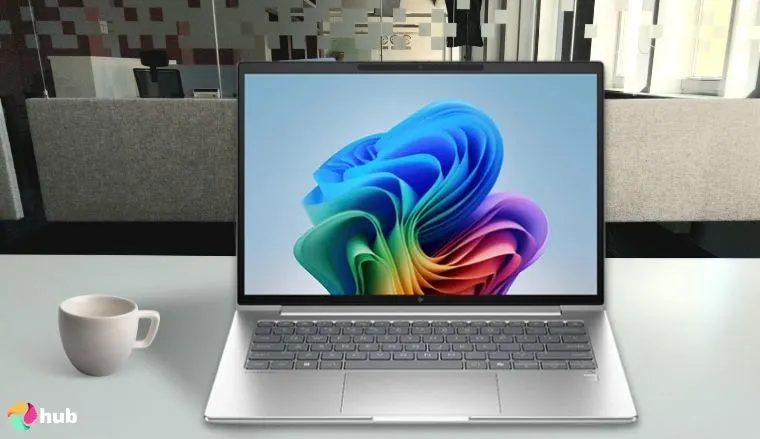
The first thing is that it runs on a Snapdragon X Elite chip, which sips power while keeping things snappy. Paired with 16GB RAM and 1TB SSD, it’s made for everyday multitasking without the weight of bulkier Windows laptops. HP recently reworked its lineup, replacing older names like HP Pavilion and Envy with the new OmniBook label for its everyday laptops.
Keep Windows updated to ensure optimal performance and compatibility with Snapdragon’s AI-enhanced features.
And the HP OmniBook Snapdragon is a proper upgrade in battery-friendly performance. It claims up to 34 hours, and in lighter use, it gets impressively close. So, you can work through the day without the constant need to scout for outlets.
This top HP laptop is also fanless, which means silent operation during long sessions. Its 14-inch 2.2K touchscreen brings good detail and color balance. The screen also supports touch input, and it’s responsive without feeling overly sensitive, which helps when you’re zooming in on small details without a mouse. And all of this fits into a lightweight frame that’s easy to slip into a backpack.
HP recently reworked its lineup, replacing older names like HP Pavilion and Envy with the new OmniBook label for its everyday laptops. And the HP OmniBook Snapdragon is a proper upgrade in battery-friendly performance.
| Pros | Cons |
|---|---|
| ✅ Lightweight and compact design ✅ Good build quality ✅ Instant-on from sleep mode ✅ Great standby power for long pauses ✅ ARM-based chip offers solid app compatibility | ❌ Not the best for gaming, but it is ideal for regular everyday use |
Final Verdict: The HP OmniBook Snapdragon is the ultimate choice for long-lasting battery life, delivering up to 34 hours of use on a single charge in a slim, lightweight frame.
With its efficient Snapdragon X Elite processor, fanless silent design, and responsive 14-inch 2.2K touchscreen, it’s perfect for travelers, students, and professionals who need all-day productivity without worrying about power.
What do users say?
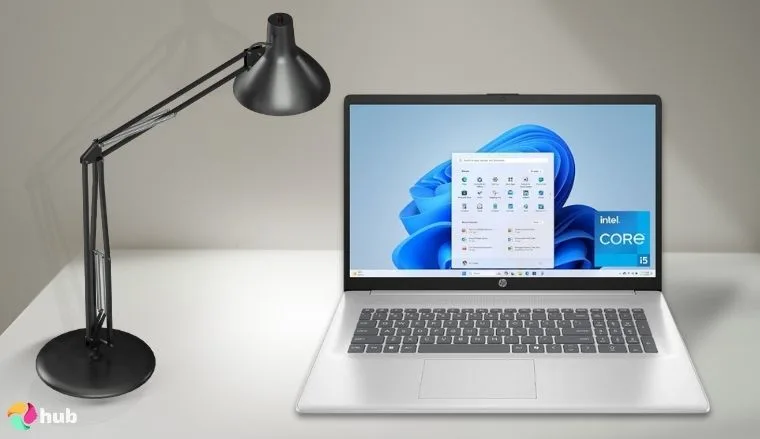
8. HP Display i5 1334U Graphics 17-cn3399nr [Best HP Laptop for a Large Screen]
| Specs | Details |
|---|---|
| CPU | Intel Core i5-1334U (10-Core) |
| GPU | Intel Iris Xe Graphics |
| RAM | 16GB DDR4 |
| Display | 17.3″ Full HD (1920 x 1080), IPS |
| Storage | 512GB SSD |
| Battery | Up to 8 hours |
| Weight | Approx. 4.6 lbs |
If you want a laptop that gives you more room to work, the HP 17-cn3399nr is worth a serious look. Its 17.3-inch Full HD display gives you a wide view that’s great for multitasking. You don’t need to constantly switch between tabs or resize windows; there’s enough space to keep everything visible.
The display uses an IPS panel, which means better viewing angles and more accurate colors. You don’t have to sit dead center to see everything clearly. The screen holds up well from different angles. That makes a big difference in comfort when you’re sharing your screen or using it for longer sessions.
Keep brightness around 70% to preserve battery life and reduce screen flicker fatigue.
Inside, the laptop runs on an Intel Core i5-1334U processor with 16GB of RAM.. That combo handles daily tasks or running office apps without slowdown. You also get a 512GB SSD for quick storage access. It lasts about 8 hours and comes with the ports most people still use.
Is the HP 17-cn3399nr’s large screen worth it? After two months of use, here’s my take: the 17.3-inch IPS display makes multitasking effortless, colors stay accurate from different angles, and long sessions don’t strain your eyes. For anyone who values screen real estate, this laptop delivers.
| Pros | Cons |
|---|---|
| ✅ Well-built hinge with stable lid ✅ Responsive touchpad ✅ Spill-resistant keyboard ✅ Quiet performance during everyday tasks | ❌ A bit heavy, but you won’t feel the weight that much |
Final Verdict: The HP 17-cn3399nr is the best choice for users who want a spacious laptop, featuring a large 17.3-inch Full HD IPS display that makes multitasking and long work sessions more comfortable.
Powered by an Intel Core i5-1334U processor, 16GB RAM, and fast SSD storage, it balances performance with screen real estate, making it ideal for productivity, streaming, and everyday use.
What do users say?
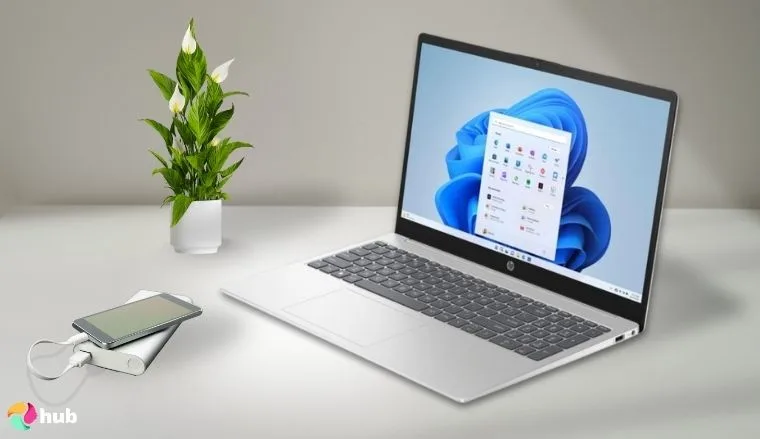
9. HP Display Graphics Windows 15-fc0502nr [Best HP Laptop for Students]
| Specs | Details |
|---|---|
| CPU | AMD Ryzen 7 5825U (8-Core) |
| GPU | AMD Radeon Graphics |
| RAM | 8GB DDR4 |
| Display | 15.6″ Full HD (1920 x 1080), anti-glare |
| Storage | 512GB SSD |
| Battery | Up to 9 hours |
| Weight | Approx. 3.5 lbs |
Students need a laptop that keeps up without slowing them down. And this HP laptop does just that. It runs on an AMD Ryzen 7 processor and 16GB of RAM, which means it opens apps quickly and handles general academic work without hiccups. The laptop comes with a 512GB SSD, so you won’t have to worry about space right away.
512GB is great for keeping class materials in one place. Plus, if your coursework involves apps like MATLAB or Photoshop, you won’t run out of space. The laptop also has a Full HD 15.6-inch display and reaches up to 366 nits of brightness. This makes it clear enough for reading notes and easy on the eyes during long writing sessions.
Use Windows Graphics Settings to assign a high-performance GPU to demanding apps for smoother visuals.
Most students look for a laptop that has a keyboard they can rely on for everyday typing. HP has built 15-fc0502nr with a full-size keyboard that’s comfortable for long typing sessions. And what actually makes it student-friendly is its price. You’re getting solid performance without spending a lot. It covers the basics well and doesn’t cut corners where it matters most.
Is the HP 15-fc0502nr really the best laptop for students? After six months of use, here’s my take: it handles apps and coursework smoothly, stays lightweight for carrying between classes, and gives solid performance without breaking the bank. For students, this laptop hits all the right notes.
| Pros | Cons |
|---|---|
| ✅ Anti-glare Full HD display ✅ Decent built-in Radeon graphics ✅ Runs cool under pressure ✅ Lightweight and easy to carry ✅ Long battery for daily use | ❌ Build quality might not be like a premium laptop, but it is still durable if taken care of |
Final Verdict: The HP 15-fc0502nr is a dependable and affordable laptop that hits the sweet spot for students. With its AMD Ryzen 7 processor, solid 512GB SSD, and lightweight design, it handles academic tasks, note-taking, and light creative work without slowing down.
Add in the comfortable full-size keyboard and long battery life, and this HP laptop proves to be a smart, budget-friendly companion for student life.
What do users say?
Key Specs for Picking The Best HP Laptop
Buying a laptop shouldn’t feel like solving a puzzle. This section keeps it simple. So, you can find the HP laptop that actually fits your needs without digging through endless jargon.
1. Processor (CPU)
Your processor helps stop slowdowns when you’re juggling tasks. If you’re just browsing or doing light work, entry-level chips like Ryzen 3 or Core i3 are enough. But when you have a couple of browser windows open, the pace slows down. Throw some office tasks or light editing in the mix, and those entry-level chips will begin to buckle.
That’s when you’ll find yourself needing something more powerful. If you’re dealing with more heavy-duty tasks like video editing, design, or large Excel files, more muscle is required. And mid-range chips such as Intel Core i5, i7, or AMD Ryzen 5 and 7 are better suited to handle that.
This year’s lineup includes Intel Core Ultra and Ryzen AI. They keep you cooler. They are more efficient. And they bring in handy AI-based features. If you’re going to be using your laptop for some time, these newer alternatives are worth considering.
2. Memory (RAM)
RAM affects how many programs or tabs your laptop can run at the same time without slowing down. If you’re just surfing the web or doing some writing, 8GB is more than enough. It can also handle video playback without trouble. Most people pick it as a baseline.
Still, if you multitask a lot or keep several programs open, 8GB might slow you down. Right now, 16GB is the safer bet for most people. It gives you more freedom to multitask without freezing up. You can work on documents and edit photos with no trouble. Even with a bunch of tabs open, the system stays smooth.
Yet, for more high-end tasks like video editing in 4K, you’ll want more headroom. 32GB handles that, along with 3D work or complex coding setups. It gives you better performance and helps avoid crashes when you’ve got a lot going on.
3. Storage (SSD)
You might have a large hard drive, but if it’s a traditional one, it can slow everything down. SSDs fix that. You’ll feel the difference. SSDs cut down load times by a lot. They boot your laptop in seconds and make programs feel snappy.
The average SSD size most new laptops ship with is 256GB, which works if you mostly use cloud storage or don’t install too many large apps. If you’re not relying on cloud storage and need room for projects or downloads, 1TB is a safer bet.
4. Graphics (GPU)
Many HP laptops also offer slots for storage expansion. So, you’re not stuck if your space fills up. And because SSDs don’t have moving parts, they’re also more durable and energy-efficient, which helps with battery life.
Many people think that graphics are only relevant in top PC games. Well, the truth is, your GPU is not just for gaming. Your graphics card helps with more than you think. It supports video playback, animations, and heavier design tasks too.
If you’re using something like Intel Iris Xe or AMD Radeon built into the processor, that’s fine for light tasks. These options also keep the laptop thin and quiet, and they don’t consume much power. But if you’re working with heavy visual projects or want higher frame rates in games, you’ll want something stronger.
A dedicated GPU like NVIDIA GeForce RTX or AMD Radeon RX gives you that extra boost. These chips can be found in some of the best gaming laptops under $1500 and help you get smoother frame rates during demanding tasks. They also cut down export times when you’re working on large files. Some of the newest features, such as AI filters or smart effects, also depend on that added graphics oomph.
5. Display
Your screen is what you look at all day, so it makes a bigger impact than you might think. Most laptops still come with Full HD (1920×1080) displays. It looks clear and handles web use or document work just fine. Plus, it helps keep prices and power use down.
But when you’re dealing with detailed visuals, basic resolution might not cut it. Higher-end panels such as QHD and above (like 2.8K, or 4K screens) can give you more clarity and room to move. The color on OLED screens pops more, and the dark areas look truly black.
It’s also great for tasks like photo editing or just enjoying a movie. But if you play fast-paced games or just prefer a smoother feel, look for displays with 120Hz refresh rates or higher because they respond faster and feel easier on the eyes.
6. Ports & Connectivity
Ports might seem like a small thing, but they save you from a lot of hassle. You have various options like HDMI, USB-A, USB-C, and Thunderbolt 4. USB-A is useful for older devices. USB-C handles power and newer add-ons.
Thunderbolt 4, available on select models, is great if you use fast drives or extra monitors. Then comes HDMI, which is useful if you often plug into a TV or a second screen. Depending on how you work, extras like a headphone jack, microSD card reader, or Ethernet port might come in handy too.
Wireless tech matters just as much. Wi-Fi 6 means better speed and signal stability, while Bluetooth 5.2 helps with smoother connections to mice, earbuds, and other devices. Having the right mix means less need for dongles and fewer slowdowns as you switch between tasks.
FAQs
What is the best HP laptop?
The best HP laptop is HP 15.6″ FHD laptop. It is powered by Intel Core i3-1115G4 and 8 GB RAM which gives you smooth performance for longer periods of time. Besides, with its long-lasting battery pack, you won’t be reaching out for the charger any time soon.
Which HP laptop is premium?
The HP laptop that’s premium is in the HP Spectre and EliteBook lineups. All of them are HP’s high-end options. Their design feels durable and well-made, and performance stays sharp under pressure. They’re also packed with tools that support professional workflows.
Which series of HP is best?
The series of HP that is the best depends on your usage and budget. Spectre is great for premium users. Envy hits the mid-range sweet spot. Pavilion is good for everyday tasks. Each series fits a different type of user.
How long do HP laptops last?
HP laptops last 4 to 6 years with regular care. Business and premium models tend to hold up longer than entry-level ones.
Which HP laptop has the best battery?
The HP Elite Dragonfly G4 has the best battery. This HP laptop model is not heavy, so you can take it anywhere. Its long battery helps when you’re away from a plug for hours.












