9 Best Gaming Mouse Options to Wreck Lobbies in 2025

Eneba Hub contains affiliate links, which means we may earn a small commission if you make a purchase through them—at no extra cost to you. Learn more



Recent update
This list is regularly updated to match what’s trending and in-demand among gamers.
Looking for the best gaming mouse? You’re in the right spot! I’ve spent hours digging into specs and chatting with pro gamers to figure out which mice truly shine. Trust me, not all gaming mice are created equal – I’ve sifted through the hype to bring you the real champs. Whether you’re sniping in FPS marathons or clicking through RPG quests, the right mouse can make or break your game.
In this guide, you’ll find the top picks that balance precision, comfort, and value, so you can level up without second-guessing your gear. From lightning-fast optical sensors to ergonomic designs that feel like an extension of your hand, I’m breaking down what makes these mice the best of the best. Stick with me to snag the perfect gaming mouse for your new victories – because you deserve a tool as sharp as your skills! Ready to click into action? Let’s roll!
Jump to:
Our Top Picks for Gaming Mice
Alright, gamers, let’s talk about the real MVPs of your setup – the gaming mice that can turn a close call into a clutch win! I’ve rounded up the best gaming mice that dominate their categories, whether you’re after the best overall gaming mouse, a budget-friendly steal, or a precision beast for your FPS or MMO marathons.
These picks pack the perfect mix of speed, comfort, and killer features like high-DPI sensors and customizable buttons – everything you need to level up your game. Here’s the lineup:
- Logitech G703 – Wireless connection meets a HERO 25K sensor for unbeatable comfort and precision – your all-around gaming champ.
- Redragon M612 – Affordable vibes with 8000 DPI and customizable buttons, proving you don’t need big bucks for big plays.
- Logitech G502 X Plus – A feature-packed, big-hand-friendly powerhouse with the HERO 25K sensor, LIGHTFORCE switches, 13 buttons, and long battery life for customizable control.
Want the full scoop on these clicky heroes and more? Scroll down for the juicy details on all our top gaming mice – you won’t want to miss it!
9 Best Gaming Mouse Picks for the Precision and Speed You Need
It’s time to snag a mouse that’ll make your gaming sessions epic! From all-around champs to budget heroes and FPS beasts, these seven great models truly deliver.
Let’s click into it!
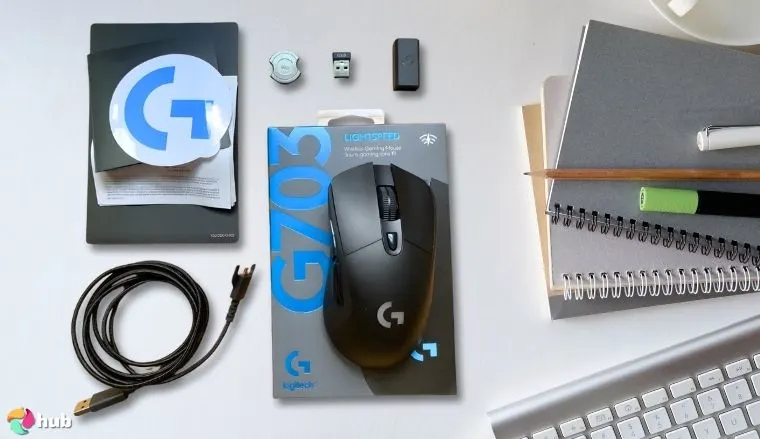
1. Logitech G703 [Best Gaming Mouse Overall]
| Specs | Details |
|---|---|
| Sensor | HERO 25K, 25,600 DPI |
| Weight | 95g (optional 10g weight) |
| Buttons | 6 programmable |
| Connectivity | Wireless (Lightspeed) |
| Battery Life | Up to 35 hours (with RGB) |
| Dimensions | 124 x 68 x 43 mm |
| Extras | RGB lighting, Powerplay compatible |
Hey gamers, meet the Logitech G703, the best Logitech gaming mouse that’s a dream for Valorant sharpshooters and Stardew Valley farmers alike! I honestly felt a rush when I nailed my first flawless headshot in Valorant using this mouse. It just clicked with my movements.
Its lightweight 95g design glides effortlessly, perfect for quick flicks in Apex Legends or precise clicks in Civilization VI. The HERO 25K sensor delivers pinpoint accuracy up to 25,600 DPI, ensuring every headshot or cursor move feels spot-on, no matter your game. Trying to micro-manage my city in Civilization VI, I actually felt joy seeing the cursor respond instantly to every tiny adjustment. It made the game feel smoother than ever. With Logitech’s Lightspeed 2.4GHz wireless, you get lag-free performance that rivals wired mice, and the 35-hour battery (60 without RGB) keeps you gaming through weekend marathons.
The six programmable buttons let you map macros for World of Warcraft or Fortnite builds, customizable via Logitech G HUB software, which also tweaks DPI and RGB lighting for that cool setup glow. The ergonomic shape with rubberized grips fits snugly, reducing strain during long Overwatch sessions, and an optional 10g weight lets you tweak the feel. It’s Powerplay compatible, so with a compatible mat, you can charge wirelessly while playing – talk about convenience!
The Logitech G703 mixes wireless freedom, pinpoint accuracy, and comfort, making it a top pick for both casual and competitive gamers.
The only hiccup? The scroll wheel can feel a tad loose for some, but it’s a minor quirk in an otherwise slick package. For casual or competitive PC gamers, the G703 is a wireless champ that blends comfort and precision.
| Pros | Cons |
|---|---|
| ✅ HERO 25K sensor tracks flawlessly for any game ✅ Wireless freedom with zero lag via Lightspeed tech ✅ Cozy shape for long, happy sessions ✅ RGB brings playful style to your setup ✅ Long battery life keeps you gaming all night ✅ Six buttons customize your every click ✅ Powerplay compatibility for endless power | ❌ Battery dips with RGB on (just tweak it to stretch playtime!) |
Final Verdict: The Logitech G703 shines as the best Logitech mouse with its precision and comfort for every genre and use.
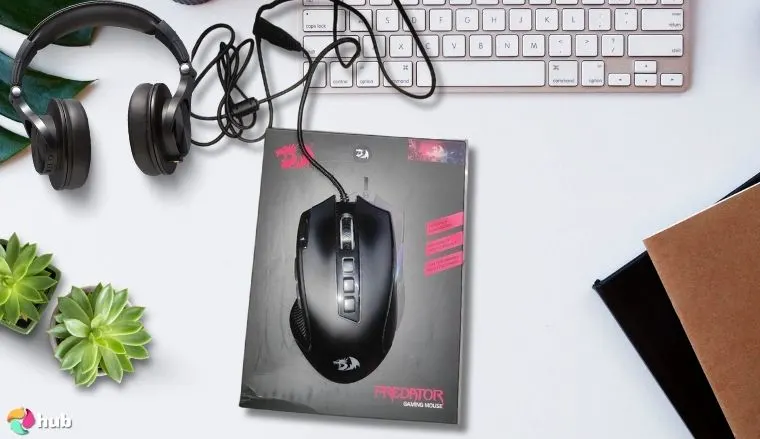
2. Redragon M612 [Best Budget Gaming Mouse]
| Specs | Details |
|---|---|
| Sensor | Optical, 8000 DPI |
| Weight | 141g |
| Buttons | 11 programmable |
| Connectivity | Wired (USB) |
| Cable Length | 1.8m |
| Dimensions | 125 x 64 x 41 mm |
| Extras | RGB lighting, 5 backlit modes |
Looking for a killer mouse without breaking the bank? The Redragon M612 is the best budget gaming mouse, delivering bang-for-your-buck performance for DOOM Eternal or The Witcher 3! I loved how precise my aim felt in CS2. For $25, I didn’t expect this level of control.
Priced at around $25, this wired gem packs a punch with its 8,000 DPI optical sensor, offering solid precision for landing critical hits or navigating sprawling RPG worlds. The 1,000 Hz polling rate ensures snappy response times, so your clicks register instantly during fast-paced Counter-Strike 2 matches. Definitely your best mouse for CS2!
With nine programmable buttons, you can map complex commands or shortcuts, customizable via Redragon’s intuitive software, which also lets you tweak DPI (five profiles) and RGB lighting for a vibrant setup that pops. The 1.8m braided USB cable is durable and gives you plenty of desk reach, while Teflon feet make the mouse glide smoothly across any pad.
At 125g, it’s a bit heavier than premium mice, but the ergonomic shape with textured grips keeps your hand comfy during long sessions, perfect for casual or competitive play. The scroll wheel’s tactile feedback is great for weapon swaps, though it can feel slightly stiff at first – a small quirk for such a steal. It was so fun customizing my macros and mapping out combos without worrying I’ll mess it up.
You’re not giving up quality just because you’re on a budget. The Redragon M612 packs customizable buttons and a decent sensor for the price of a large fries combo. If you’re ballin’ on a budget but still want solid aim, this mouse is your new ride-or-die.
Whether you’re a beginner or a budget-conscious pro, the M612’s sturdy build, customizable features, and reliable tracking make it a no-brainer for elevating your PC gaming setup without emptying your wallet.
| Pros | Cons |
|---|---|
| ✅ 8000 DPI sensor gives solid tracking for cheap ✅ 11 buttons let you rule with custom macros ✅ RGB lighting adds flair without extra cost ✅ Braided cable’s durable for endless play ✅ Comfy grip makes long sessions a breeze ✅ Crazy affordable for the features you get | ❌ Wired-only might not suit cord-haters |
Final Verdict: The Redragon M612 is the best budget gaming mouse, packing precision and customization into an unbeatable price.
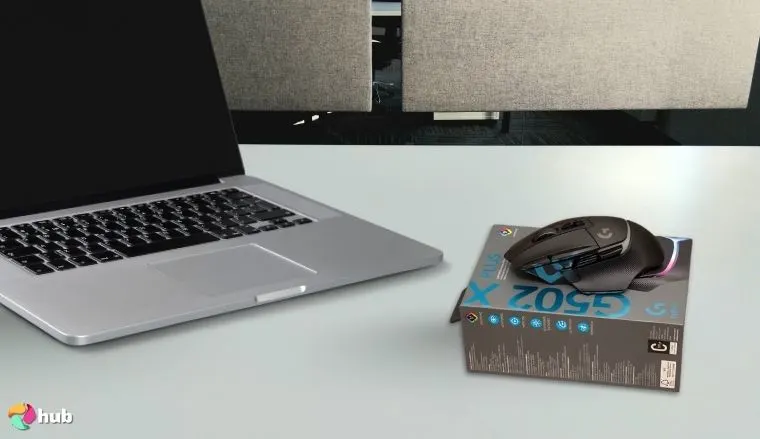
3. Logitech G502 X Plus [Best Gaming Mouse for Big Hands]
| Specs | Details |
|---|---|
| Sensor | Logitech HERO 25K optical sensor, 100–25,600 DPI |
| Weight | ~106 g |
| Buttons | 13 programmable |
| Connectivity | Wireless (2.4GHz) or USB-C Wired |
| Battery Life | Up to ~130 hours (RGB off), ~37 hours (RGB on) |
| Dimensions | 131.4 × 79.2 × 41.1 mm |
| Extras | LIGHTSYNC 8‑zone RGB, dual‑mode scroll wheel |
Finding the best gaming mouse for big hands can feel like a grind: most gaming mice out there are just too… cramped. That’s where the Logitech G502 X Plus steps in. It’s packed with features and actually feels designed for big-handed gamers who need more room without sacrificing competitive performance. It was such a relief knowing I’ll have zero cramped fingers after my testing circuit.
Right off the bat, what sets this mouse apart is its LIGHTFORCE hybrid switches. They fuse the speed of optical switches with the snappy feedback of mechanical ones. Every shot or panic-click just hits right. Combine that with a HERO 25K sensor, and you’ve got tracking accuracy dialed in for everything from first-person shooters to MOBAs.
Customization? Off the charts. With 13 programmable buttons and removable weight tuning, it’s a dream for FPS and MMO setups. Prefer a heavier feel for sniper flicks? Add weights. Want that lightweight wireless gaming mouse vibe for faster pacing? Keep it lean. It’s a versatile gaming mouse disguised as a precision tool.
Big hands, big plays. The G502 X Plus is basically a throne for your palm. With that wide ergonomic shell, adjustable weight, and Logitech’s HERO 25K sensor, it’s made for those who like to clutch with room to spare. No finger cramps, no missed flicks.
Battery life’s no joke either. Logitech promises up to 130 hours with RGB off, and I’ve seen folks squeeze out weeks of use without charging. Plus, LIGHTSYNC RGB adds that cherry on top, so you can sync it to your gameplay, music, or whatever vibe you’re on.
This one is all about control, comfort, plus customization, all wrapped in an ergonomic shape that supports your palm like it was sculpted for it.
| Pros | Cons |
|---|---|
| ✅ Big, ergonomic shell with ideal palm grip support ✅ LIGHTFORCE switches offer both tactile feel and ultra-fast actuation ✅ 13 programmable buttons make it perfect for MMO/MOBA setups ✅ Adjustable weight system; rare in wireless mice ✅ HERO 25K sensor gives pinpoint precision ✅ Long-lasting battery life (up to 130 hours) ✅ Lightspeed wireless connection is fast and reliable | ❌ Might feel bulky if you’re switching from smaller mice, but that’s the trade-off for comfort and customizability |
Final Verdict: The Logitech G502 X Plus is the best FPS mouse that adapts to how you play. From button mashing to pixel-perfect sniping, it keeps up without breaking a sweat.
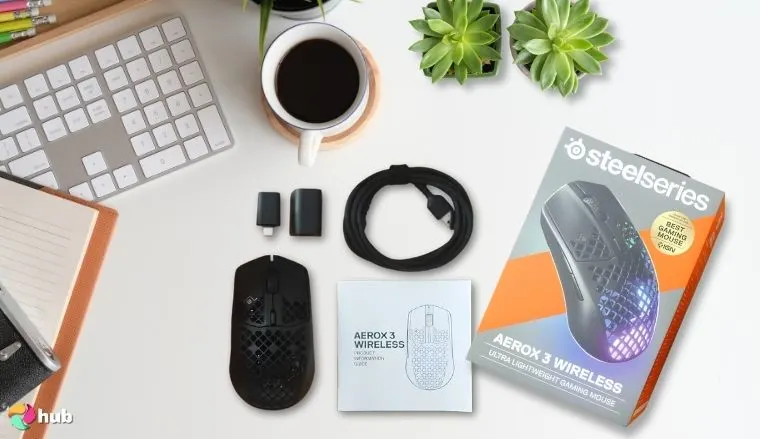
4. SteelSeries Aerox 3 [Best Wireless Gaming Mouse]
| Specs | Details |
|---|---|
| Sensor | TrueMove Air, 18,000 DPI |
| Weight | 68g |
| Buttons | 6 programmable |
| Connectivity | Wireless (2.4GHz or Bluetooth) |
| Battery Life | Up to 200 hours (Bluetooth) |
| Dimensions | 120.55 x 67.03 x 37.98 mm |
| Extras | IP54 water resistance, RGB |
Say hi to the SteelSeries Aerox 3 as the wireless gaming mouse that’ll set your gaming free! This featherlight 68g champ glides like a breeze, powered by a TrueMove Air sensor that tracks your moves with 18,000 DPI of silky precision – perfect for snappy shooters or chill adventures. I couldn’t believe how effortless flick shots felt. It honestly made me feel like my aim had leveled up overnight. The dual wireless setup (2.4GHz for gaming, Bluetooth for casual use) gives you options, and that insane 200-hour battery life on Bluetooth (or 80 hours on 2.4GHz) means you’re good for days of play. Spill your energy drink? No sweat – it’s IP54 water-resistant!
The honeycomb design isn’t just cool to look at – it keeps weight down while letting RGB shine through, customizable via SteelSeries Engine for some desk dazzle. It’s still a pain when it catches a ton of dust and grime, though, and needs constant cleaning.
Super lightweight and built like a speed demon, the Aerox 3 proves that wireless doesn’t mean laggy. Its water-resistant honeycomb shell, solid battery life, and low-latency performance make it the go-to for gamers who want freedom without sacrificing reaction time.
Six programmable buttons let you map your faves – think quick scopes or potion chugs – and the PTFE feet make every swipe smooth as butter. It’s the best wireless gaming mouse because it blends freedom, speed, and durability into one slick package. Whether you’re gaming at home or on the go, the Aerox 3 is your untethered ticket to victory!
| Pros | Cons |
|---|---|
| ✅ 68g weight makes it a dream to flick and glide ✅ TrueMove Air sensor tracks with flawless precision ✅ 200-hour battery life powers endless sessions ✅ Dual wireless (2.4GHz + Bluetooth) fits any vibe ✅ Water-resistant build shrugs off spills ✅ RGB adds a fun twist to the gaming experience ✅ PTFE feet ensure ultra-smooth movement | ❌ No wired fallback if you’re battery-shy, but it lasts forever! |
Final Verdict: The SteelSeries Aerox 3 is the best wireless gaming mouse, offering lightweight freedom and a marathon battery for lag-free wins.
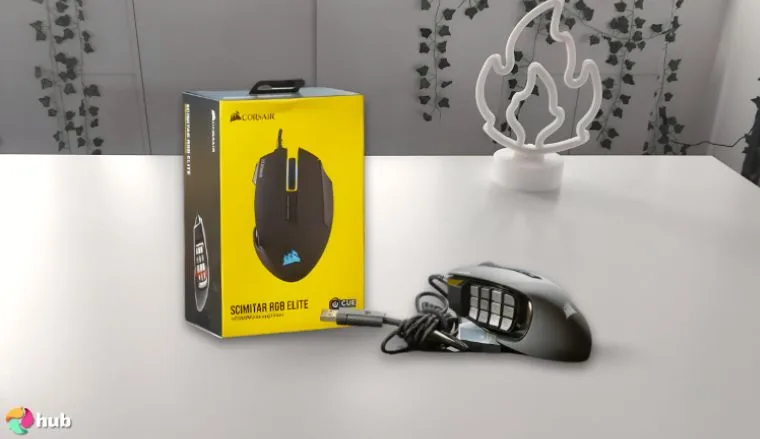
5. Corsair SCIMITAR RGB ELITE [Best MMO Mouse]
| Specs | Details |
|---|---|
| Sensor | PixArt PMW3391, 18,000 DPI |
| Weight | 122g |
| Buttons | 17 programmable |
| Connectivity | Wired (USB) |
| Cable Length | 1.8m braided |
| Dimensions | 119.4 x 77.4 x 42.4 mm |
| Extras | Adjustable side panel, RGB |
MMO fans, meet your new raid boss: the Corsair SCIMITAR RGB ELITE! This wired beast rocks 17 programmable buttons – yes, 17! – making it the best MMO mouse for juggling spells, skills, and hotbars like a pro. The adjustable side panel slides to fit your thumb just right, and the PixArt PMW3391 sensor delivers 18,000 DPI of pinpoint accuracy – perfect for targeting foes or looting treasure. It felt amazing to be able to easily manage complex macros without fumbling. It actually made my guild raids feel smoother than ever. At 122g, it’s got a solid feel that steadies your hand through epic battles.
The RGB is a four-zone party, tweakable via Corsair’s iCUE software, which also lets you map those thumb buttons to your heart’s content – think instant heals or multi-step macros.
12 side buttons. That’s it. That’s the tweet. The SCIMITAR RGB ELITE turns your thumb into a hotkey god. MMO fans, MOBA players, or spreadsheet warriors who live on macros, this one’s built for you. Plus, that RGB? Banger.
The braided 1.8m cable’s tough as nails, and the comfy grip keeps you locked in during those marathon guild runs. It’s not the lightest mouse out there, but that heft pairs with durability to make it a tank for MMO grinders. If you live for vast worlds and complex keybinds, the SCIMITAR RGB ELITE is your command center for total domination!
| Pros | Cons |
|---|---|
| ✅ 17 responsive buttons handle all your MMO chaos like a champ ✅ 18,000 DPI sensor keeps every click razor-sharp ✅ Adjustable side panel fits your thumb perfectly ✅ RGB in four zones adds epic flair ✅ Durable braided cable stands up to heavy use ✅ Comfy design powers through long raids ✅ iCUE software makes customization a breeze | ❌ Might feel hefty for some, though it’s only 122g |
Final Verdict: The SCIMITAR RGB ELITE is the best Corsair mouse, loaded with 17 buttons to conquer any quest with ease.
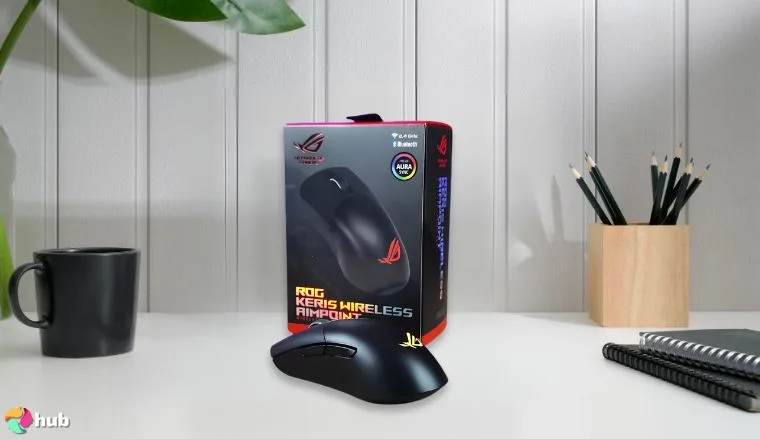
6. Asus ROG Keris Wireless AimPoint [Best Gaming Mouse for Small Hands]
| Specs | Details |
|---|---|
| Sensor | ROG AimPoint optical sensor, 100–36,000 DPI |
| Weight | ~75 g (mouse only, without cable or dongle) |
| Buttons | 5 programmable |
| Connectivity | 2.4 GHz RF wireless (ROG SpeedNova), Bluetooth 5.1 (up to 3 devices), wired USB‑C mode |
| Battery Life | Up to ~119 hours (wireless RF, RGB on), ~86 hours with default lighting; 370 mAh battery |
| Dimensions | 118 × 62 × 39 mm |
| Extras | 100% PTFE feet, Aura Sync RGB |
Smaller hands deserve serious firepower, too. And the Asus ROG Keris Wireless AimPoint proves that a compact form doesn’t mean compromise. This is easily one of the best gaming mouse for small hands out there if you want ultra-lightweight precision packed into a frame that actually fits. Even though I prefer larger mice, this one felt natural in my hand, and I was so happy to finally find a compact mouse that fits.
Let’s talk sensor: 36,000 DPI might sound like overkill, but it translates to blistering tracking accuracy, especially handy for fast-paced shooters or when you need pixel-perfect aim.
And with ROG SpeedNova wireless tech, input lag is practically non-existent. I’ve seen this thing go toe-to-toe with much pricier mice from brands like Razer or Logitech, and it holds up like a champ.
At just 75g, it glides effortlessly across any mouse pad, ideal for fingertip grips or claw-style players. You also get tri-mode connectivity, so you’re covered no matter if you prefer going wired or want to flex that wireless connection on the go.
Finally, a mouse that doesn’t feel like holding a brick. The ROG Keris AimPoint gives you that esports-grade precision in a sleek, compact frame that fits smaller hands like a glove. You still get ultra-light design and click switches that feel chef’s kiss.
Customization’s another strong suit. It features hot-swappable switches, so if you’re picky about click feel or worried about longevity, you’ve got options. Even the included paracord cable is a win. It’s light, flexible, and has zero drag. I did get a little annoyed testing the 5 programmable buttons. Sometimes I wanted one more macro for complex setups, but honestly, for most games, it was perfect.
For anyone who’s tired of normal mouse options being too bulky or heavy, the Keris Wireless AimPoint feels like it was actually built with you in mind.
| Pros | Cons |
|---|---|
| ✅ Compact, ergonomic shell ideal for small hands ✅ 36,000 DPI sensor gives insane precision ✅ Tri-mode support (2.4GHz, Bluetooth, wired) = max flexibility ✅ Hot-swappable switches let you personalize click feel ✅ Ultra-lightweight build at just 75g ✅ PTFE feet + paracord cable = smooth, drag-free movement ✅ Excellent battery life (up to 119 hours) | ❌ Only 5 programmable buttons: might feel limited for MMO players, but perfect for clean layouts and simpler loadouts |
Final Verdict: The ROG Keris Wireless AimPoint is the best gaming mouse for small hands: it’s lightweight and accurate, plus it’s packed with just the right extra features without going overboard.
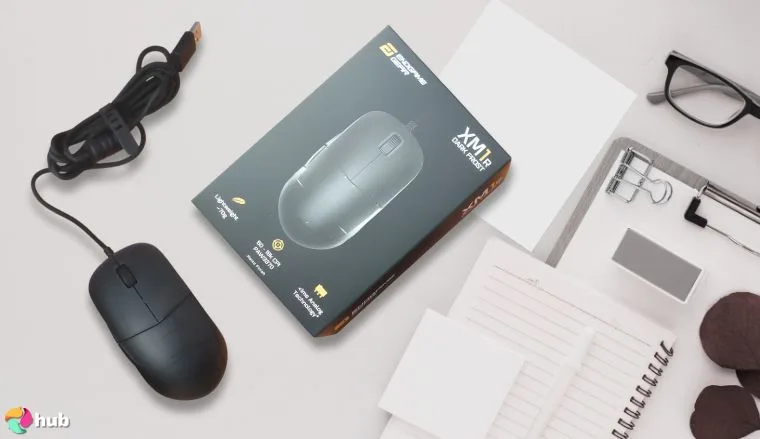
7. ENDGAME GEAR XM1r [Best Wired Gaming Mouse]
| Specs | Details |
|---|---|
| Sensor | PixArt PAW3370, 19,000 DPI |
| Weight | 70g |
| Buttons | 6 programmable |
| Connectivity | Wired (USB) |
| Cable Length | 1.8m Flex Cord 2 |
| Dimensions | 122.14 x 65.81 x 38.26 mm |
| Extras | Kailh GM 8.0 switches, PTFE feet |
This lightweight 70g beast rocks a PixArt PAW3370 sensor with 19,000 DPI, tracking your every flick with pro-level precision – perfect for FPS frags or RTS sweeps. The Kailh GM 8.0 switches give every click a crisp, snappy feel, and the Flex Cord 2 is so light and bendy you’ll barely notice it’s there. I actually smiled the first time I pulled off a flick shot with zero resistance from the cable (felt unreal). At this weight, it’s a dream for fast moves, and those PTFE feet glide like you’re on ice – smooth and effortless.
The XM1r’s ergonomic shape fits like a glove, keeping you comfy without extra fluff. Six programmable buttons let you set up your shortcuts – think instant headshots or quick builds – via easy software tweaks.
The XM1r is a dream for low-latency purists. With a pro-grade sensor, ultra-responsive switches, and a paracord cable that feels wireless, this is wired gaming done right. It’s like a katana: sharp and deadly.
No RGB bling, but that keeps it focused on raw performance, and the matte finish feels grippy and sleek. It’s the best wired gaming mouse because it delivers no-lag speed and durability in a featherlight package – plug in and dominate!
| Pros | Cons |
|---|---|
| ✅ 19,000 DPI sensor tracks like a laser ✅ 70g weight makes flicks lightning-fast ✅ Kailh switches feel snappy and satisfying ✅ Flex Cord 2 is practically invisible in play ✅ PTFE feet glide smoother than ever ✅ Ergonomic design fits your hand perfectly ✅ No-lag wired connection keeps you sharp | ❌ No RGB might dull the sparkle |
Final Verdict: The ENDGAME GEAR XM1r is the best wired gaming mouse, blending lightweight speed with crisp precision for unbeatable control.
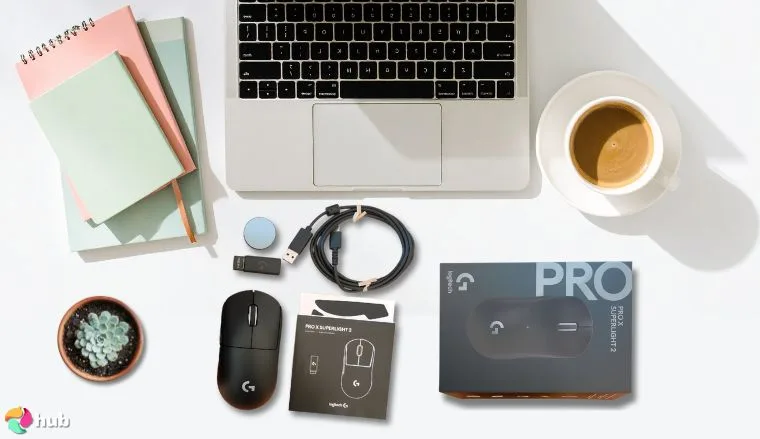
8. Logitech G Pro x Superlight [Best FPS Mouse]
| Feature | Details |
| Sensor | HERO 25K, 25,600 DPI |
| Weight | 63g |
| Buttons | 5 programmable |
| Connectivity | Wireless (Lightspeed) |
| Battery Life | Up to 70 hours |
| Dimensions | 125 x 63.5 x 40 mm |
| Extras | PTFE feet, minimalist design |
FPS warriors, bow down to the Logitech G Pro X Superlight – the lightweight wireless gaming mouse built for headshot glory! Weighing a featherlight 63g, this wireless beast glides across your pad, letting you snap to targets with surgical precision in fast-paced shooters. I was honestly blown away at how effortlessly it handled rapid sprays – my usual misclicks vanished.
The HERO 25K sensor delivers flawless tracking up to 25,600 DPI, ensuring every flick and aim feels spot-on, whether you’re clutching in Halo Infinite or dominating leaderboards. Logitech’s Lightspeed 2.4GHz wireless tech offers zero-lag performance, rivaling wired mice, and the 70-hour battery keeps you gaming through weekend tournaments without a recharge.
The five programmable buttons are customizable via Logitech G HUB, letting you map quick actions like grenade tosses or melee attacks, with a minimalist design that avoids accidental clicks. The PTFE feet provide buttery-smooth movement, and the ergonomic shape fits most grip styles, keeping your hand comfy during marathon sessions. It’s Powerplay compatible, so with a compatible mat, you can charge wirelessly while playing – perfect for uninterrupted play.
No RGB might bum out aesthetic fans, but the focus on performance over flash is a small trade-off for FPS purists. Built for competitive PC gamers, the G Pro x Superlight’s ultralight design and pinpoint accuracy make it a must-have for crushing opponents.
| Pros | Cons |
|---|---|
| ✅ Light weight makes aiming lightning-fast ✅ HERO 25K sensor nails every pixel-perfect shot ✅ Lightspeed wireless keeps you lag-free ✅ 70-hour battery outlasts your longest streaks ✅ PTFE feet glide like a champ ✅ Minimalist design boosts focus, not fuss ✅ Five buttons nail FPS essentials | ❌ No RGB might disappoint glow fans ❌ Fewer buttons than MMO mice |
Final Verdict: The Logitech G Pro X Superlight is the best FPS mouse, offering ultralight speed and precision for every clutch shot.
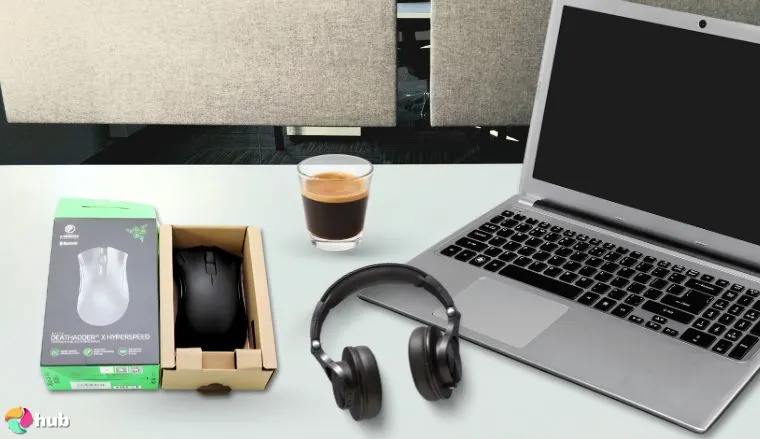
9. Razer DeathAdder V2 X [Best Ergonomic Gaming Mouse]
| Feature | Details |
| Sensor | Razer 5G Optical, 14,000 DPI |
| Weight | 103g (with a single AA battery) |
| Buttons | 7 programmable |
| Connectivity | Wireless (2.4GHz or Bluetooth) |
| Battery Life | Up to 235 hours (Bluetooth) |
| Dimensions | 127 x 61.7 x 42.7 mm |
| Extras | Hybrid battery (AA/AAA), RGB-free |
Meet the Razer DeathAdder V2 X, a budget wireless mouse that’ll cradle your hand like a cloud! This beauty’s Razer 5G optical sensor dishes out 14,000 DPI of smooth, precise tracking – perfect for competitive gaming or just vibing through your favorite titles. At 103g with its AA battery, it’s got a comfy weight that feels just right, and the dual wireless setup (2.4GHz for gaming, Bluetooth for chill) gives you flexibility. Plus, that 235-hour battery life on Bluetooth (or 120 hours on 2.4GHz) keeps you in the game for ages – swap in an AAA if you’re out of juice!
I was looking forward to testing this one and was genuinely impessed at how well it felt in my hand. After my time with it, I placed it in the “mice-I-didn’t-have-to-struggle-with” category.
The iconic curved design of this Razer mouse is a hand-hugger, built to keep you comfy during marathon sessions – no cramps, just clutch plays. Seven programmable buttons let you tweak your setup via Razer Synapse – map a quick reload or a sneaky ult with ease. No RGB here, but that keeps the focus on pure performance and great battery life. It’s the best ergonomic gaming mouse because it blends comfort and control into a package that feels like it was made just for you!
| Pros | Cons |
|---|---|
| ✅ 14,000 DPI sensor tracks with silky accuracy ✅ Ergonomic shape keeps your hand happy all day ✅ Dual wireless (2.4GHz + Bluetooth) adds versatility ✅ 235-hour battery life is a marathon dream ✅ Seven buttons customize your every move ✅ Hybrid battery option (AA/AAA) saves the day ✅ Lightweight feel at 103g glides effortlessly | ❌ No RGB might miss some flash ❌ Slightly heavier than ultralight mice |
Final Verdict: I consider this ergonomic model to be the best Razer mouse, offering hand-loving comfort and precision for endless play.
How To Choose the Best Mouse?
Your gaming mouse isn’t just a tool – it’s your partner in crime, the difference between a glorious victory and a rage-quit defeat. Picking the right one can turbocharge your performance, keep your hand happy during marathon sessions, and match your unique gaming vibe. It’s all about the nitty-gritty: resolution (DPI), refresh rate (polling), and response time. These are the gears that make your moves snappy, your aim true, and your gameplay smooth as butter.
Whether you’re blasting through fast-paced shooters, commanding armies, or exploring vast worlds, this guide’s got your back. Let’s break down the must-knows to snag a mouse that’s your perfect gaming sidekick!
1. Find an Accurate Sensor
The sensor is the heart of your mouse, and it’s a showdown between optical and laser!
- Optical sensors are the speed demons – super precise and lightning-fast, making them a dream for first-person shooters. They shine on standard mouse pads, tracking your every flick with razor-sharp accuracy – ideal for those clutch headshots.
- Laser sensors, on the other hand, are the all-terrain champs. They work on tricky surfaces like glass or uneven desks, thanks to their great tracking accuracy, but that extra sensitivity can sometimes make them a smidge less precise than optical ones.
For most gamers, optical is the go-to – it’s reliable and nails the speed you need. But if you’re gaming on a shiny table or need max DPI, laser’s got your back – just know it might take a tweak or two to dial in.
2. Think About the DPI
DPI – dots per inch – is your mouse’s sensitivity dial. It’s how many pixels your cursor moves per inch of real-world wiggle. Higher DPI means your cursor zips faster – great for big screens or quick sweeps – but it’s not a “more is better” deal. Too high, and you’re overshooting targets; too low, and you’re slugging along. The magic? Adjustable DPI! It lets you flip between settings on the fly – low for sniping, high for spinning around in chaos.
- Low DPI (400-800): Precision for FPS or detailed work – slow and steady wins the aim game.
- Mid DPI (800-1600): Sweet spot for most – versatile for shooters, RPGs, or RTS.
- High DPI (3000+): Speedy for big moves or multi-monitor setups, but takes finesse.
Your playstyle rules here. Love fast-paced FPS games? Stick to 800-1600 DPI for control. RTS or MOBA fan? Crank it up for fast map zips. Test a range – 400 to 4000 DPI – and see what clicks. Adjustable DPI mice let you adapt to any game, so you’re never stuck in one gear.
3. Look at the Polling Rate
Polling rate is how often your mouse pings your PC – think of it as its chat speed. Measured in Hz, it’s the refresh rate of your clicks and moves. A 1000Hz polling rate (1ms) means it updates 1000 times a second – super smooth tracking for dodging bullets or chasing foes. Lower rates, like 500Hz (2ms) or 250Hz (4ms), are slower but still fine for chill vibes.
- High Polling (1000Hz): Lightning-fast data, silky motion – must-have for fast-paced games.
- Mid Polling (500Hz): Solid for most – smooth enough without maxing out.
- Low Polling (250Hz): Casual gaming’s fine, but don’t expect esports-ready zip.
For competitive gaming, 1000Hz is king – every millisecond counts in a firefight. Casual gamers can roll with 500Hz and save some CPU juice. Check your mouse’s specs – most modern ones hit 1000Hz, but tweakable rates give you extra control.
4. Pay Attention to Ergonomics and Design
Comfort’s non-negotiable – your hand’s gonna thank you after hours of play! An ergonomic gaming mouse can cut fatigue and keep you sharp. Shapes vary – curved for palm grips, flat for claws, narrow for fingertips – so it’s all about what fits you. Weight’s a biggie too – light mice (60-80g) zip for speed, heavier ones (100g+) steady your aim.
- Palm Grip: Full-hand rest, cozy for big hands – think Razer DeathAdder vibes.
- Claw Grip: Arched fingers, quick clicks – great for twitchy play.
- Fingertip Grip: Light touch, fast flicks – small hands or speedy styles love it.
Adjustable weights are gold – add or ditch grams to nail your feel. Your gaming setup needs a mouse that’s an extension of you, not a chore. Test grips in-store if you can, or eyeball dimensions online – comfort’s your long-game MVP!
5. Check the Number of Buttons and Customization Options
Buttons are your cheat codes – more means faster moves! Basic mice rock 5-6 buttons – left, right, scroll wheel, and a couple extras – perfect for shooters or solo adventures. But for MMOs, MOBAs, or macro lovers, 12-17 buttons turn you into a one-hand wizard. Programmable buttons are the real deal – map them to your liking with software.
- Few Buttons (5-6): Simple, sleek – FPS or casual gamers thrive here.
- Mid-Range (7-11): Versatile – covers most genres with room to grow.
- Button Bonanza (12+): MMO/MOBA heaven – complex combos at your fingertips.
Customization’s key – tweak sensitivity, rebind keys, or sync with a gaming keyboard for macro madness. Match thumb buttons to your game – FPS needs speed, MMOs need options. More isn’t always better – pick what you’ll use!
6. Decide Between Wired and Wireless
Wired and wireless mice – it’s the classic showdown! Wired mice are latency champs – no delay, just pure, instant clicks, making them a go-to for competitive play. Wireless mice bring freedom – no cords tangling your desk – and top models like Logitech’s Lightspeed or Razer’s Hyperspeed shrink input lag to near-zero.
- Wired Mice: Zero latency, no charging, lighter builds – plug and slay.
- Wireless Mice: Clean setup, portability – modern tech rivals wired speed.
- Trade-offs: Wired’s tethered; wireless needs juice (but lasts hours!).
Competitive? Wired’s the best mouse for precision. Casual or on-the-go? Wireless mice rock – check battery life (50+ hours is what you want). With tech this advanced, both options excel – it’s all about your personal preference.
7. Examine the Durability
A mouse that lasts is a mouse that wins – especially if you’re a click-happy fiend! Durability’s about build – high-quality plastic, metal accents, or rubber grips take a beating and keep ticking. Switches matter too – look for 50M+ click ratings (like Kailh or Omron) for longevity.
- Materials: Tough plastic or metal bases resist wear.
- Grips: Rubber or textured sides stay grippy, not slippery.
- Switches: High durability means years of clicks without fade.
Frequent gamers need tanks – check reviews for build quality. A solid mouse shrugs off desk slams and sweaty palms, keeping you in the game longer.
8. Don’t Forget the Mouse Pad
Your mouse needs a dance floor – a slick gaming mouse pad boosts its groove! Cloth pads give control – slow, precise moves for sniping. Hard pads bring speed – fast glides for big sweeps. Size matters too – big for low DPI, small for tight desks.
- Cloth: Grippy, comfy – FPS or precision lovers’ pick.
- Hard: Slick, speedy – great for fast-paced chaos.
- Hybrid: Best of both – versatile for all styles.
Pair your sensor with the right pad – optical sensor loves cloth, laser is chill anywhere. It’s the unsung hero of your setup!
9. Other Considerations
- RGB: Flashy fun – RGB adds vibe to late-night grinds. Not a must, but it’s a mood-lifter. Skip it if you’re all business – saves battery too!
- Price: Mice start at $20 – budget picks like Redragon shine, while $50-100 gets you premium (Logitech, Razer). Set a cap and hunt value – great gear doesn’t need to break the bank.
- Brand: Trust the big dogs – Logitech, Razer, SteelSeries, Corsair. They’ve got quality builds, solid software, and killer support. Newbies can surprise, but vets rarely flop.
FAQs
What is the best gaming mouse?
The Logitech G703 stands out as the best mouse overall, with its accurate sensor, wireless Lightspeed tech, and comfy design – perfect for precision and long sessions across any game genre you love.
How to lock the mouse to one monitor when gaming?
Switch your game to fullscreen mode to lock the mouse to one screen, or use tools like DisplayFusion or Cursor Lock to trap it – keeps your aim steady without drifting to that second monitor.
Why does my mouse keep going to my second monitor while gaming?
Your mouse drifts because the game’s in windowed or borderless mode – switch to fullscreen to confine it, or adjust multi-monitor settings so it stays put during intense PC gaming moments.
How to hold a mouse for gaming?
Use a palm grip for comfort, claw grip for quick clicks, or fingertip grip for speedy flicks – choose your grip style based on hand size and game pace, tweaking for max control and zero strain.
What to look for in a gaming mouse?
Focus on DPI for sensitivity, polling rate for responsiveness, ergonomics for comfort, button count for shortcuts, and wired or wireless versions – match these to your gaming style.
How to clean a gaming mouse?
Unplug it, then wipe with a microfiber cloth dampened with isopropyl alcohol; use compressed air or a small brush to clear dust from crevices – keeps it smooth and grime-free for peak play.
What is a good DPI for a gaming mouse?
A DPI of 800-1600 is ideal for most gamers, balancing precision for shooters and speed for sweeping moves – adjustable DPI lets you tweak it to fit your playstyle perfectly.
How long should a gaming mouse last?
With care, a gaming mouse lasts 3-5 years; high-end models with 50M+ click switches – like Logitech or Razer – can stretch longer, enduring heavy use if you keep it clean and gentle.