



Best Razer Mouse: Top 7 to Boost Your Game in 2026

Eneba Hub contains affiliate links, which means we may earn a small commission if you make a purchase through them—at no extra cost to you. Learn more

Finding the perfect gaming mouse can be challenging, but it’s worth it. The right Razer mouse can improve your gameplay and give you a meaningful in-game edge. Razer mice are highly popular among gamers as they are known to provide the precision and speed needed for competitive play. Whether you’re into first-person shooters, MOBAs, or battle royales, having the right tool in your hand makes a huge difference when every millisecond counts.
I’ve spent countless hours researching best Razer mice and gathering expertise from PC gamers who know their gear. One thing is obvious – not all Razer mice ranked the same. Some are built for speed, others for comfort, and some are jam-packed with customization options. Your choice should reflect your playstyle and gaming priorities.
So, which one will be your next gaming companion? From ergonomic designs, lightweight builds and customizable buttons to the best Razer mouse for FPS or MMO play, my list below covers it all
In this guide, I’ll break down the top Razer mice that could unlock your gaming potential and improve comfort. Ready to geek out on gaming gear? Let’s find you the ultimate Razer gaming mouse!
Jump to:
Our Top Picks for Razer Mice
Choosing the right Razer mouse isn’t easy, so I’ve narrowed down the best options for various gaming styles and preferences. Here are my top picks:
- Razer DeathAdder V3 Pro – Best overall for its exceptional performance and ergonomic design.
- Razer DeathAdder Essential – Best budget Razer mouse, offering great value without compromising quality.
- Razer Naga V2 Pro – Best for MMO players with its customizable buttons and versatility.
But don’t decide just yet. Scroll down to explore the complete list and in-depth reviews – including key features and technical specs.
Best Razer Mouse? 7 Choices for Every Gamer
Razer’s lineup delivers precision, speed, and comfort for playing games – from competitive FPS players to MMO strategists.
Whether you need ultra-lightweight agility, customizable controls, or other fancy features, there’s a Razer mouse that will suit your gaming goals.
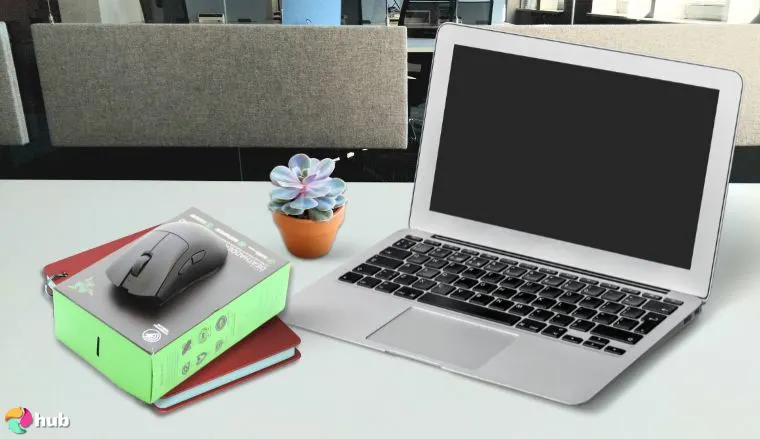
1. Razer DeathAdder V3 Pro [Best Gaming Mouse]
| Specifications | Details |
|---|---|
| Sensor | Focus Pro 30K |
| Weight | 63g |
| Connectivity | Wireless |
| DPI | Up to 30,000 |
| Battery Life | 90 hours |
The Razer DeathAdder V3 Pro is the best Razer mouse for gaming, combining ergonomic design with top-tier performance. Its Focus Pro 30K sensor ensures precise tracking, while the lightweight 63g build enhances manoeuvrability, making quick movements in FPS and RPG games feel incredibly smooth, like you’re leveling up your gear in real time. I was honestly surprised at how featherlight it feels. It’s one of those mice that disappears in your hand in the best way.
The mouse is so responsive and comfortable that it quickly feels like an extension of your hand, giving you that split-second advantage gamers dream about. This will get you through a marathon session of Call of Duty, with zero fatigue. No stiffness, no strain – just pure performance. I didn’t expect the wireless to feel this snappy. It’s as if I was still plugged in.
Beyond speed and accuracy, the ergonomic shape is designed for long gaming sessions, providing a natural grip that feels effortless. The textured matte surface ensures a secure hold, even in intense moments. And with Razer’s HyperSpeed Wireless, latency is non-existent – so every shot, flick, and reaction is as fast as your reflexes.
The DeathAdder V3 Pro doesn’t just deliver in performance – it excels in build quality and user experience. Whether you’re competing at a high level or casually gaming with friends, this mouse adapts seamlessly to your style.
The battery life is impressive too, ensuring you can stay wireless for hours without needing to recharge mid-session. With onboard memory and customizable DPI settings, it offers flexibility right out of the box. It’s the kind of mouse that makes a difference not just in-game, but in how comfortable and confident you feel while playing.
| Pros | Cons |
|---|---|
| ✅ Ergonomic design for comfort ✅ High-precision sensor ✅ Low input lag for competitive gaming ✅ Lightweight for easy handling ✅ Long battery life ✅ Customizable buttons | ❌ Limited color options |
Final Verdict: Probably the best gaming mouse made by Razer, the DeathAdder V3 Pro delivers exceptional performance, precision, and comfort, making it a must-have for serious gamers despite its premium price tag.
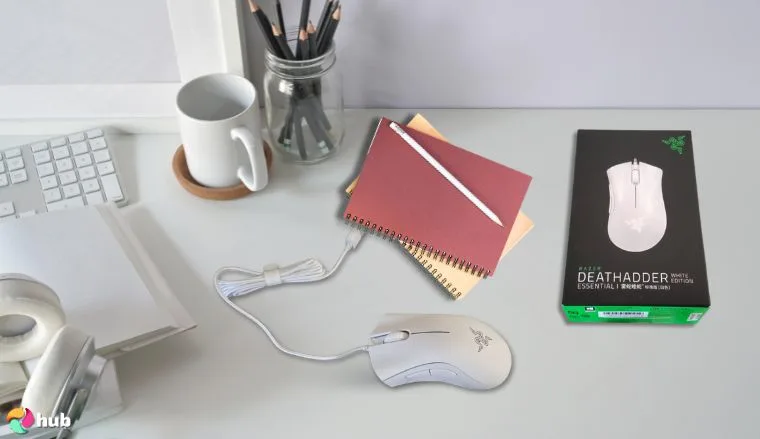
2. Razer DeathAdder Essential [Best Budget Option]
| Specifications | Details |
|---|---|
| Sensor | Optical |
| Weight | 96g |
| Connectivity | Wired |
| DPI | Up to 6,400 |
| Buttons | 5 |
The Razer DeathAdder is the cheapest Razer wireless mouse with a serious bite. Its 6,400 DPI optical sensor handles tracking smoothly and accurately, making it a solid choice for casual and competitive gamers alike. Plus, the ergonomic design ensures comfort during long sessions, so you’re not sacrificing usability for affordability. I didn’t expect a budget pick to feel this reliable. DeathAdder Essential punches well above its price tag.
What makes this mouse truly stand out in the budget category is how consistent and reliable it feels in everyday gaming scenarios. Whether you’re exploring vast RPG landscapes or lining up headshots in fast-paced shooters, the DeathAdder Essential keeps up without a hitch. It’s plug-and-play, with no steep learning curve or complicated software required – just solid performance right out of the box.
The classic shape, a staple in the DeathAdder lineup, is especially great for gamers who prefer a palm grip. Its tactile scroll wheel and responsive clicks make it feel far more expensive than it is. If you’re building a budget setup or simply want a dependable backup mouse, this is a no-brainer. It’s proof that you don’t have to compromise on quality when you’re watching your wallet. I was genuinely impressed by how premium the clicks felt for something in this price range.
For anyone looking to dive into PC gaming without splurging, the DeathAdder Essential is the best budget Razer mouse and an excellent entry point.
| Pros | Cons |
|---|---|
| ✅ Affordable price ✅ Ergonomic design ✅ Reliable performance ✅ Durable build ✅ Easy to use | ❌ Wired connectivity |
Final Verdict: A high-quality, budget-friendly gaming mouse for those who want reliable performance without extra frills.
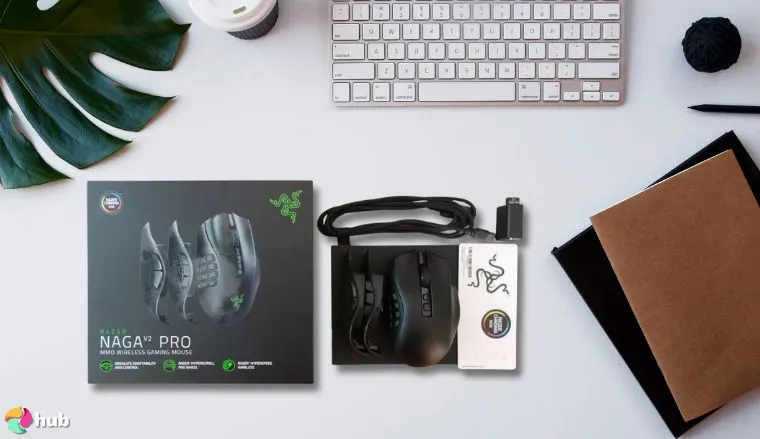
3. Razer Naga V2 Pro [Best for MMO Players]
| Specifications | Details |
|---|---|
| Sensor | Focus Pro 30K |
| Weight | 117g |
| Connectivity | Wireless |
| DPI | Up to 30,000 |
| Buttons | 12 |
MMO game players, meet your new best friend. The Naga V2 Pro is the best Razer mouse for MMO. With 12 programmable buttons, it transforms complex ability rotations into effortless, lightning-fast commands. I loved how quickly it turned my clunky spell rotations into smooth, almost muscle-memory moves.
Whether you’re deep in a raid or grinding through quests in an excellent MMORPG game, this mouse turns strategy into second nature. For games like World of Warcraft you can seamlessly manage all your abilities and cooldowns without ever lifting your hand off the mouse – a total game-changer.
The button layout is intuitive, designed to minimize misclicks and maximize efficiency. You can assign macros, spells, or shortcuts to each button with ease using Razer’s Synapse software, making it ideal for high-level play and multitasking. The tactile feedback helps you stay in rhythm during even the most chaotic encounters. I found the side buttons surprisingly easy to master, with almost zero fumbling.
Beyond its customizable buttons, the Naga V2 Pro offers wireless freedom without compromising precision. Razer’s HyperSpeed Wireless ensures low-latency, ultra-responsive gameplay, while the Focus Pro 30K sensor delivers pinpoint accuracy. The swappable side plates provide flexibility, making it just as effective for MOBAs and other genres.
This mouse is the closest thing to a digital Swiss Army knife – powerful, versatile, and built for serious gamers who need every advantage.
| Pros | Cons |
|---|---|
| ✅ Highly customizable ✅ Ergonomic design ✅ High-precision sensor ✅ Long battery life ✅ Versatile button layout | ❌ Heavier than other models |
Final Verdict: Perfect for MMO players seeking a customizable and comfortable gaming experience.
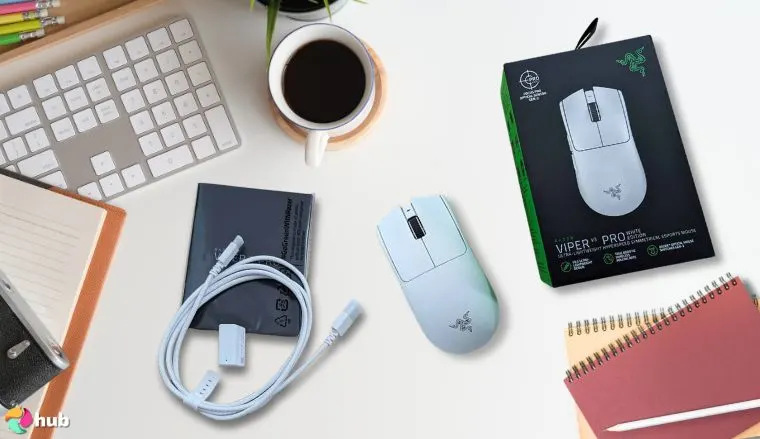
4. Razer Viper V3 Pro [Best Razer Wireless Mouse]
| Specifications | Details |
|---|---|
| Sensor | Focus Pro 30K |
| Weight | 69g |
| Connectivity | Wireless |
| DPI | Up to 30,000 |
| Battery Life | 70 hours |
Cut the cord without cutting performance. The Razer Viper V3 Pro shatters the myth that wireless gaming mice can’t keep up, delivering a rock-solid connection and an impressive 70-hour battery life. I also didn’t expect it to be this light. It’s like it practically glides on its own.
Designed for speed and precision, its ultralight build makes every flick, swipe, and micro-adjustment feel effortless – almost like it’s reading your mind. For esports fans and competitive gamers, this is a weapon of choice.
Its shape is engineered for maximum control, whether you’re locking in a sniper shot or darting across the screen in a high-speed duel. The textured grip and balanced weight distribution make it feel like a natural extension of your hand, reducing fatigue during long sessions. I didn’t experience any cramping, even after hours of arena matches.
What sets the Viper V3 Pro apart is how it turns wireless from a compromise into an advantage. With Razer’s HyperSpeed Wireless, you get low-latency, tournament-grade responsiveness that feels just as fast as a wired connection. No input lag, no interruptions – just pure, unfiltered performance.
Combine that with Razer’s Focus Pro 30K optical sensor and customizable DPI settings, and you’ve got a mouse that adapts perfectly to your playstyle. From casual matches to competitive tournaments, the Viper V3 Pro is ready to perform at the highest level. It also handled my mid-match DPI shifts like a pro.
| Pros | Cons |
|---|---|
| ✅ Lightweight and agile ✅ High-precision sensor ✅ Long battery life ✅ Ambidextrous design ✅ Low latency | ❌ Limited button customization |
Final Verdict: A game-changing wireless mouse that shatters wireless performance limitations with its precision, lightweight design, and rock-solid connection.
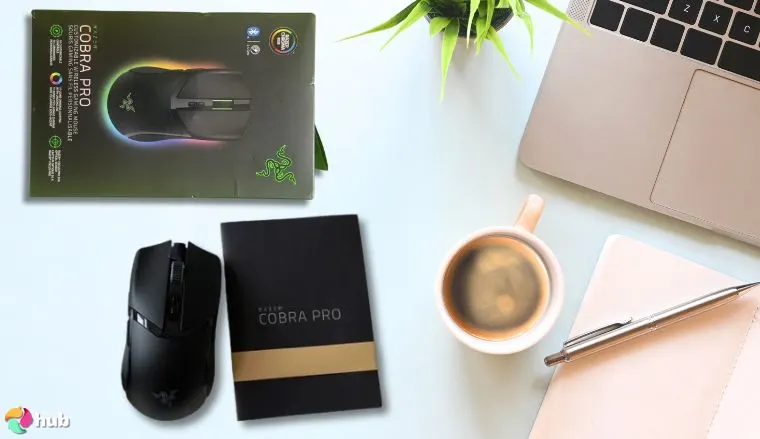
5. Razer Cobra Pro [Best Razer Mouse for FPS Players]
| Specifications | Details |
|---|---|
| Sensor | Focus Pro 30K |
| Weight | 58g |
| Connectivity | Wired/Wireless |
| DPI | Up to 30,000 |
| Buttons | 8 |
Designed for pure speed, the Razer Cobra Pro is the sniper rifle of gaming mice – and probably the best mouse for FPS money can buy. I was blown away by how light 58 grams feels. It makes every flick and swipe feel instantaneous. Whether you’re tracking enemies or landing pixel-perfect headshots, this mouse will offer precision that feels like an extension of your reflexes.
For FPS games, where milliseconds mean the difference between victory and defeat, the Cobra Pro delivers. Its Focus Pro 30K sensor ensures flawless tracking, while Razer’s HyperSpeed Wireless provides lag-free, tournament-grade responsiveness. No delays, no compromises – just pure, unfiltered speed.
What really sets the Cobra Pro apart is its refined shape and tactile feel. It fits naturally in the hand, allowing for aggressive plays and rapid repositions without causing fatigue. The buttons are crisp and responsive, delivering satisfying feedback with each click. I noticed the advantage instantly, especially in high-stakes matches where every movement counts.
Customization also plays a key role. With Razer Synapse software, you can fine-tune your DPI settings, reassign buttons, and save profiles directly to the mouse. Whether you’re sniping in Valorant or strafing in Apex Legends, the Cobra Pro adapts to your gameplay and style with ease.
Built for speed, tuned for control, and engineered for excellence – the Cobra Pro doesn’t just meet the demands of FPS gaming; it redefines them. I walked away feeling like every millisecond mattered more, and I had an actual edge over the competition.
| Pros | Cons |
|---|---|
| ✅ Lightweight and fast ✅ High-precision sensor ✅ Versatile connectivity ✅ Customizable buttons ✅ Durable build | ❌ Limited ergonomic features |
Final Verdict: This lightning-quick mouse offers impressive accuracy and speed, making it ideal for FPS players.
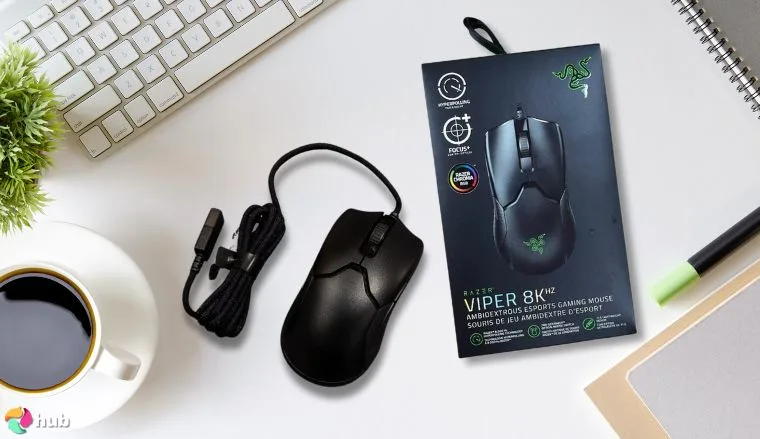
6. Razer Viper 8K Hz [Best Wired Performance]
| Specifications | Details |
|---|---|
| Sensor | Focus Pro 30K |
| Weight | 71g |
| Connectivity | Wired |
| DPI | Up to 20,000 |
| Polling Rate | 8,000 Hz |
Technology meets obsession in the Razer Viper 8K Hz, a mouse that redefines responsiveness with its insane 8,000 Hz polling rate. I couldn’t believe how instantly every movement translated on-screen. It’s like the mouse predicts your next move. Everything is captured with surgical precision, eliminating input lag and ensuring that what you do instantly translates on-screen.
This is the perfect mouse for a high-stakes Rainbow Six Siege tournament – shots will register faster, movements will feel sharper, and reactions will be seamless. I saw a noticeable difference during fast-paced matches.
When milliseconds separate victory from defeat, this kind of speed is a game-changer, making the Viper 8K one of the best wired gaming mice going.
The Viper 8K doesn’t just rely on speed – it’s also incredibly lightweight, making quick flicks and rapid adjustments feel effortless. Paired with Razer’s Focus+ Optical Sensor, it offers pinpoint accuracy for headshots, tracking, and fast-paced plays. The tactile switches are built for durability and consistency, ideal for players who demand precision under pressure.
Customizable settings through Razer Synapse let you tailor the mouse to your exact preferences, from DPI profiles to button remapping. Whether you’re training for ranked matches or competing on stage, the Viper 8K gives you the split-second edge that sets elite players apart.
| Pros | Cons |
|---|---|
| ✅ Ultra-fast response time ✅ High-precision sensor ✅ Lightweight design ✅ Ambidextrous build ✅ Durable | ❌ Limited button customization |
Final Verdict: The Razer Viper 8K Hz is the ultimate choice for gamers seeking the best wired Razer mouse out there.
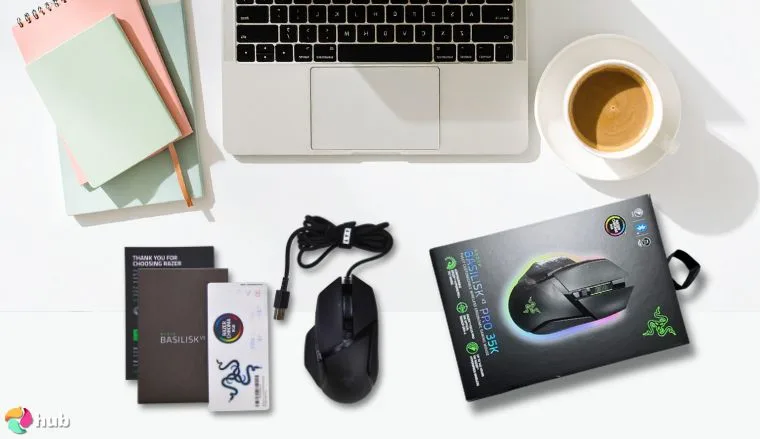
7. Razer Basilisk V3 [Best for Ergonomic Design]
| Specifications | Details |
|---|---|
| Sensor | Focus Pro 30K |
| Weight | 101g |
| Connectivity | Wired |
| DPI | Up to 26,000 |
| Buttons | 11 |
Comfort meets performance in the Razer Basilisk V3, a mouse designed to fit like a glove. I was surprised at how quickly it felt like a natural extension of my hand. Long gaming sessions stop feeling like a test of endurance and become pure, effortless control. With 11 customizable buttons, your gameplay adapts to your unique style, making every command faster, smoother, and more intuitive.
Whether you’re reloading in a fast-paced shooter or navigating intricate menus in an RPG, the flexibility of the Basilisk V3 ensures that your commands are always within easy reach. The buttons are responsive and ergonomic, reducing the risk of strain while providing precise feedback.
Who says ergonomic gaming mice can’t be exciting? The Basilisk V3 proves that comfort and high performance aren’t mutually exclusive. With a precise Focus+ 26K DPI sensor and Razer HyperScroll Tilt Wheel, it offers both speed and precision – whether you’re executing complex macros or flicking to your next target. The high DPI settings ensure that even the slightest movement is captured, providing unparalleled accuracy during competitive gaming sessions.
The customizable RGB lighting adds a personal touch, allowing you to match the mouse with your gaming setup or even create effects based on in-game events. The ergonomic shape, combined with Razer’s lightweight design, helps maintain comfort over long hours, giving you the edge in every session. Whether you’re casually gaming or going for the next big win, the Basilisk V3 adapts to you.
| Pros | Cons |
|---|---|
| ✅ Ergonomic design ✅ High-precision sensor ✅ Customizable buttons ✅ Durable build ✅ Versatile for different games | ❌ Heavier than other models |
Final Verdict: The Basilisk V3 is the best Razer mouse for comfort that doesn’t make you sacrifice performance.
How a Razer Mouse Can Improve Your Gameplay: A Guide to DPI, Sensors, and Ergonomics
Razer mice do more than move a cursor – they sharpen your gameplay. The first time I swapped my old office mouse for a Razer, it felt like my aim had been wearing ankle weights before. Suddenly, flick shots were smoother, macros fired off without a hiccup, and my hand didn’t feel like it went ten rounds with a brick by the end of the night.
In this guide, I’ll break down what actually matters when choosing the best Razer mouse for your gaming sessions: DPI, sensors, ergonomics, and how each one affects your game.
DPI: More Than Just Big Numbers
You’ve seen it plastered everywhere – “up to 30,000 DPI!” as if that number alone makes your mouse esports-ready. Truth is, DPI (dots per inch) isn’t a bragging rights stat. It’s about how much movement your cursor gets from how little you move your hand.
A higher DPI lets you whip across screens with tiny flicks, which is great for fast-paced shooters if you’ve got the control for it. Lower DPI, on the other hand, gives you fine-grain control for sniping or detailed work.
Personally, I hover around 1600–2400 DPI for most games, but I drop it when I’m lining up pixel-perfect headshots in CS2. If you’re looking to fine-tune that, check out the best mouse for CS2. Some Razer models there absolutely shine.
The key takeaway? Don’t chase the highest number. Get a Razer mouse with adjustable DPI, find your sweet spot, and lock it in.
Usage and Gaming Style
Different gaming styles require different mouse features. FPS players benefit from lightweight mice for quick movements, while MMO players need programmable buttons for managing abilities.
For instance, if you’re an FPS enthusiast, a mouse like the Razer Cobra Pro, known for its speed and precision, might be ideal. On the other hand, MMO players might prefer the Razer Naga V2 Pro for its extensive button customization, allowing for complex command sequences.
Remember, your gaming setup isn’t complete without a comfortable and functional gaming mouse pad, which can further enhance your control and precision.
Shape and Ergonomics
If your hand feels like it’s been cramping up after a long gaming session, it’s not always your grip. Sometimes, it’s your mouse. Razer does a great job of offering different shapes for claw, palm, and fingertip grips.
I’ve been through that phase of forcing my hand to adapt to a “pro gamer” mouse that just didn’t fit. Don’t. Find the shape that matches your natural grip, and you’ll game longer without your wrist sending hate mail.Also, don’t skip the surface. A great gaming mouse pad can make even a mid-tier Razer feel like it just leveled up. Smooth glide, better tracking – it matters more than you think.
Wired or Wireless
Razer’s wireless tech has come a long way. Lag? Practically nonexistent these days. I was skeptical until I tested one for competitive shooters, and honestly, I didn’t feel a difference – except for how much cleaner my desk looked.
If you’re a cable loyalist, cool. If not, Razer Cobra Pro is waiting for you at the #1 spot in my guide to the best wireless gaming mice out there.
Programmable Buttons and Customization
Programmable buttons improve efficiency in gaming, especially for MMO and RTS games. A programmable MMO mouse allows you to customize commands and macros, enhancing your gameplay and productivity.
The Razer Naga V2 Pro, with its 12 programmable buttons, is a prime example of how customization can elevate your gaming experience. Consider what commands you frequently use in your games and how programmable buttons can streamline your actions.
Weight and Build Quality
Mouse weight affects control and precision. Lightweight models are ideal for fast-paced FPS titles, while heavier models suit MMO or strategy games requiring precision clicks.
Ensure the build quality is durable for long-lasting performance. The Razer Cobra Pro, at just 58 grams, is perfect for those who need quick reflexes, while the Razer Naga V2 Pro offers a more substantial feel for those who prefer a bit more heft.
Sensor Performance
This is where Razer’s bragging rights actually hold weight. Their Focus+ sensors are some of the most reliable I’ve tested. They track consistently, even during frantic swipes, and the lift-off distance is usually spot-on out of the box.
A good sensor isn’t about “does it work?” it’s about “does it ever let you down?” I’ve tested plenty of great wireless gaming mice that claimed esports-level precision but jittered under pressure. Models like Razer Cobra Pro rarely make that mistake.
If you’re into MMOs or macros, some Razer mice also pair that sensor with extra programmable buttons. Those things can save you from finger gymnastics mid-raid. For more on that, see the best MMO mouse picks I tested recently (spoiler alert! Razer Naga V2 Hyperspeed is my #1, care to guess why?).
Budget or Premium
You don’t have to drop triple digits to get a decent Razer mouse. Some of their entry-level models punch way above their price, especially when paired with a good mouse pad. Razer DeathAdder V3 Essential is my #1 pick for the best budget gaming mouse overall.
But if you’re serious about FPS or want those little quality-of-life perks (low latency wireless, ultra-light shell, on-board profiles), it’s worth looking at their premium stuff.
How to Fine-Tune Your Razer Mouse Settings
Even the best Razer mouse won’t feel right out of the box until you dial it in. Here are the essentials:
- Start with DPI – Too high and you’ll overshoot every shot, too low and you’ll feel like you’re dragging a brick. Play around in Synapse until you find that sweet spot for your game.
- Tweak your polling rate too – 1,000 Hz feels snappy for most, but competitive shooters might benefit from pushing it higher.
- Set up custom profiles for different games – nothing worse than swapping from CS2 to an MMO and realizing your thumb buttons do nothing.
Wrapping It Up
At the end of the day, a Razer mouse won’t magically turn you into an esports prodigy, but it can give you an edge that a clunky office mouse never will. The right sensor means your flicks land where they should, the right shape keeps your hand steady deep into a session, and the right buttons cut out wasted movement. I’ve put these mice through their paces, and the difference isn’t subtle. It’s night and day when you’re used to something cheap and mushy. If you’re already looking at the best Razer mouse lineup, you’re halfway there: now it’s about finding the one that fits how you actually play.
FAQs
What is the best Razer mouse?
The best Razer mouse depends on your specific gaming needs. If you’re looking for an all-around performer, the Razer DeathAdder V3 Pro is highly recommended for its ergonomic design, comfortable grip, and high-precision Focus Pro 30K sensor. It’s perfect for both casual and competitive gamers, providing exceptional accuracy and comfort for extended gaming sessions.
What is the fastest Razer mouse?
The fastest Razer mouse is the Razer Viper 8K Hz, which boasts an incredibly high 8,000 Hz polling rate. This means it offers ultra-fast response times and minimal input lag, making it ideal for competitive gaming where every millisecond counts. Whether you’re playing first-person shooters or fast-paced strategy games, the Viper 8K Hz will give you the edge you need.
How to reset Razer mouse?
To reset a Razer mouse, simply unplug it from your computer. Then, press and hold the left, right, and scroll wheel buttons simultaneously for about 10 seconds. After releasing the buttons, plug the mouse back in, and it will be restored to its default settings. This can help resolve issues or return the mouse to its factory settings.
Why does my Razer mouse keep disconnecting?
If your Razer mouse keeps disconnecting, the issue may be related to outdated drivers, problems with your USB ports, or a faulty cable. First, ensure that your drivers are up-to-date. Try connecting the mouse to a different USB port to rule out port issues. Lastly, inspect the cable for any visible damage that could be causing the disconnections.
How to change Razer mouse DPI?
To change the DPI on a Razer mouse, you will need the Razer Synapse software. Open the software on your computer, select the mouse from the device list, and navigate to the DPI settings section. You can adjust the DPI levels according to your preference, and some Razer mice even allow you to configure multiple DPI settings for different gaming scenarios.
How to update Razer mouse?
To update a Razer mouse, first open the Razer Synapse software and ensure your mouse is connected. Go to the “Settings” or “Device” section and check for available firmware updates. If an update is available, follow the on-screen instructions to install it. Keeping your firmware updated helps improve performance and resolve any potential issues with the mouse.











