



Best Wireless Gaming Mouse in 2026: 7 Top Picks for Smooth Gaming

Eneba Hub contains affiliate links, which means we may earn a small commission if you make a purchase through them—at no extra cost to you. Learn more


Gamer or not, you’re looking for the best wireless gaming mouse that your money can buy but are stuck and don’t know your options. It’s time to step outside of the confusion box because I’ll be presenting you the best wireless gaming mice. Wherever you’re living in the world, be it the United States or somewhere else, you need great hardware for a great set up. And that’s what I’m here for: to point you in the right direction.
We’ll be looking at great mice that offer wireless technology, incredible responsiveness, strong battery power, and more. If your mouse pad is feeling empty, don’t skip this one and read it until the end. I’ll get into all the technical details. After extensive research, testing, and analyzing user feedback, I’ve rounded up the most high-performing wireless gaming mice in 2026 (and some at a good price).
The size of the mouse you choose can make all the difference, especially when comfort and usability are major concerns. In the competitive world of gaming, the race factor of how quickly a mouse can respond truly matters. Brands constantly advertise their latest tech, but not all of them live up to the hype. This guide exists to cut through the noise and deliver what truly works.
Jump to:
Our Top Picks for Wireless Gaming Mouse
These are the top wireless gaming mice in 2026. Expect premium sensor performance, top-tier connectivity, and designs tailored for all types of gamers.
- Razer Cobra Pro – The ultimate wireless option with exceptional precision and battery power.
- HyperX Pulsefire Haste – Budget-friendly and ultra-lightweight for competitive players.
- Logitech G PRO X – Best for FPS gamers with unparalleled responsiveness and speed.
There’s a lot more mice on this list, so keep reading to see the full breakdown of all products.
Best Wireless Gaming Mouse? Here Are My 7 Favorites
Here’s the full list with everything you need to know. I’ve reviewed specifications (all the relevant ones), experience, and I’ve dug into the details of standout features. After you’re done reading, you’ll know exactly how each product stands out from the rest. I’ve given you plenty of alternative choices too.
1. Razer Cobra Pro [Best Overall Wireless Gaming Mouse]
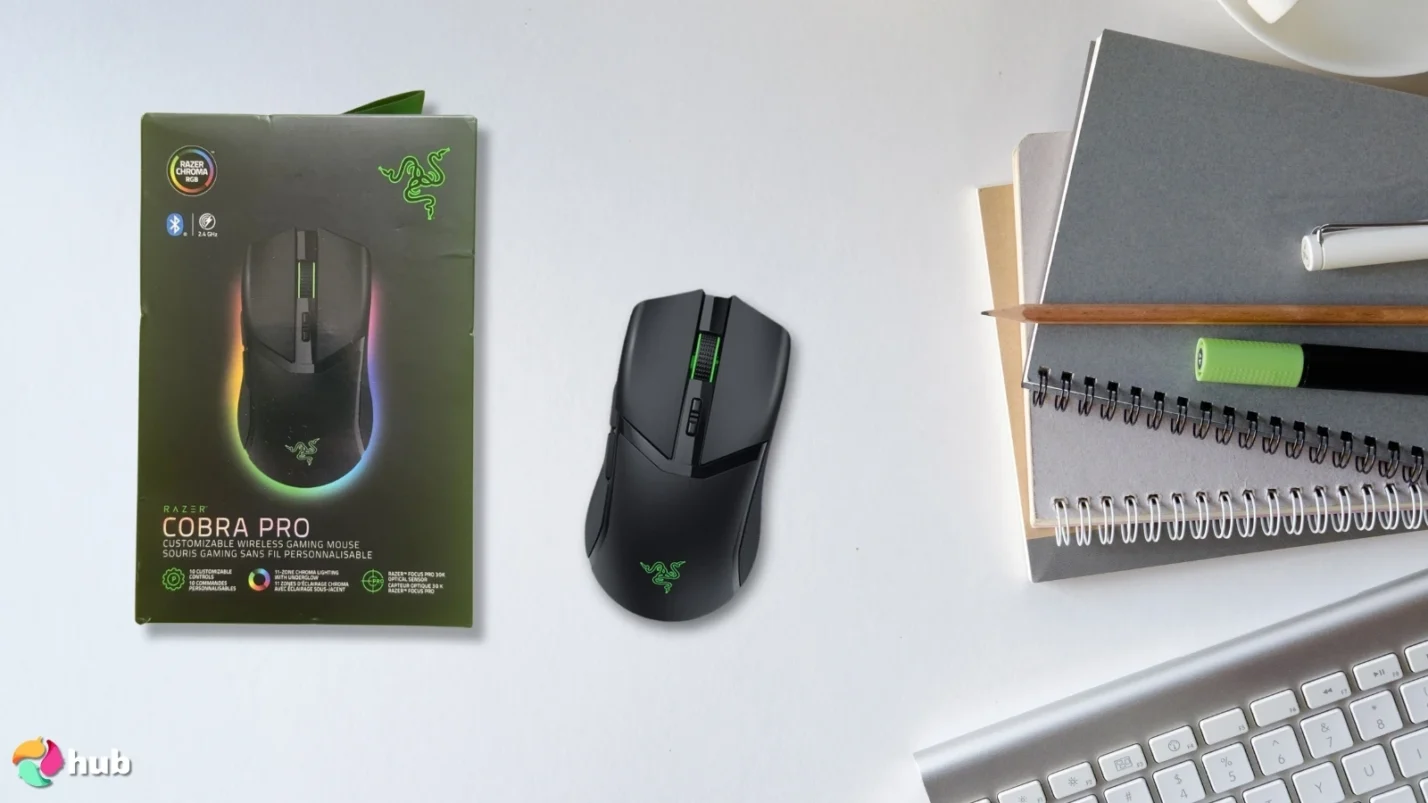
| Specs | Details |
|---|---|
| Sensor Type | Razer Focus Pro 30K Optical |
| DPI Range | 100–30,000 |
| Connectivity | Wireless (HyperSpeed 2.4GHz / Bluetooth) |
| Battery Life | Up to 100 hours |
| Programmable Buttons | 10 buttons |
| Polling Rate | 1000 Hz (1ms response) |
| Weight | ~77 grams (2.72 oz) |
| RGB Lighting | Yes |
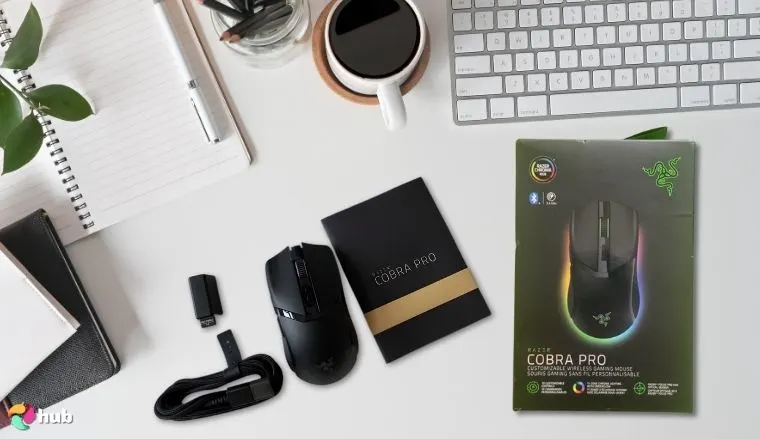
The Razer Cobra Pro emerges as number one. It’s the best overall choice among wireless gaming mice and an especially smart choice for pro gamers who are serious about competitive gaming. If your top priorities are comfort and performance, this wireless mouse delivers impressively in all the needed areas.
Comfort is achieved through its well-developed design and feel, amongst other elements. Performance lies in different factors like its sensor and responsiveness, so what exactly makes it so special? The sensor performance is nothing short of remarkable, thanks to the Razer Focus Pro 30K optical sensor. It delivers pinpoint accuracy and exceptional responsiveness, which is critical in intense FPS matches or precise MOBA plays.
Coupled with low latency wireless technology (Razer HyperSpeed 2.4GHz), you’ll experience seamless, lag-free gaming. What else could you possibly ask for? But hold on, because there’s more. What makes the Cobra Pro a truly great gaming mouse is its versatility. It gives you a robust suite of 10 programmable buttons. This is perfect for customizing complex macros and commands for different gaming scenarios.
Additionally, its form factor is ergonomically designed for long hours of gameplay. This helps decrease any feeling of discomfort that comes up when you’ve been playing too hard. One area this exceptional Razer gaming mouse excels over a cheaper mouse is its impressive battery life, which can last up to 100 hours per charge. If you want to have uninterrupted game time and want to spend less time charging your mouse, this mouse is your muse.
Lastly, it also includes customizable RGB lighting, if you care about aesthetics. It’s a top-notch versatile product that leaves you satisfied on all fronts. It’s a dynamo of a mouse and possibly has everything you’re looking for.
Alternative Option: Consider buying the HyperX Pulsefire Haste if you’re looking for a cheaper option. It’s lightweight and has comparable capabilities to the Razer Cobra Pro.
| Pros | Cons |
|---|---|
| ✅ Superior sensor accuracy with Razer Focus Pro 30K ✅ Excellent 100-hour battery life ✅ Ergonomic shape for comfort during extended use ✅ Ultra-low latency HyperSpeed wireless connection ✅ Highly customizable with programmable buttons | ❌ Premium pricing compared to budget options, though not surprising for a quality gaming mouse |
Final Verdict: Razer Cobra Pro is a premium build mouse that gives you exceptional sensor precision and a very long battery life. It’s an ideal mouse for pro gamers.
2. HyperX Pulsefire Haste [Best Wireless Budget Gaming Mouse]
| Specs | Details |
|---|---|
| Sensor Type | Pixart PAW3335 Optical |
| DPI Range | 200–16,000 |
| Connectivity | Wireless (2.4GHz Lightspeed / Bluetooth) |
| Battery Life | Up to 100 hours |
| Programmable Buttons | 6 buttons |
| Polling Rate | 1000 Hz (1ms response) |
| Weight | ~62 grams (2.19 oz) |
| RGB Lighting | Yes |
The HyperX Pulsefire Haste might be the best budget gaming mouse you can get your hands on. Put it to the test, and it can confidently give you unbeatable value and high-quality features that you’d normally only find in pricier alternatives. So, what makes this product a winner? A few things stand out given its cheaper price tag.
This wireless gaming mouse is ultra-lightweight. It weighs about 2.19 oz (62 grams), so it’s perfect for quick gaming. Quick maneuvers and flick-shots are crucial in competitive gaming, so if you’re a serious player, this mouse could be your airy assistant. Plus, even though its build is light, it retains a great build quality. It doesn’t feel cheap at all. The lightweight feature will most definitely help you in other areas as well, like comfort and portability.
Its Pixart PAW3335 optical sensor delivers reliable accuracy and responsiveness. This is vital for maintaining consistent performance in-game. Unlike most wireless mice in the budget category, this mouse offers both a Bluetooth connection and a robust 2.4GHz lightspeed wireless option. You’ll have all the flexibility you need without compromising connection quality.
Another standout feature is the tactile, precise scroll wheel. It’s ideal for weapon switching and precise navigation. Additionally, with an impressive battery endurance of up to 100 hours per charge, you can game longer without frequent interruptions.
Alternative Option: For those wanting premium sensor tech and more buttons, the Razer Cobra Pro is a recommended upgrade.
| Pros | Cons |
|---|---|
| ✅ Extremely lightweight for agile gameplay ✅ Reliable Pixart optical sensor ✅ Dual connectivity (Bluetooth and 2.4GHz Lightspeed) ✅ Excellent battery longevity ✅ High build quality for its price range | ❌ Limited programmable buttons RGB lighting options are basic, though it will soon become a favorite for its stylish design |
Final Verdict: HyperX Pulsefire Haste is the best pick for buyers who want a competitive-grade mouse for a cheaper price.
3. Logitech G PRO X [Best Wireless Mouse for FPS Gamers]
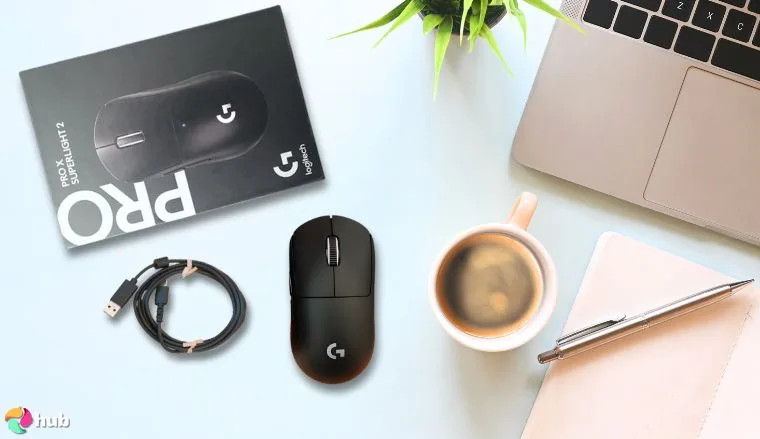
| Specs | Details |
|---|---|
| Sensor Type | HERO 25K Optical |
| DPI Range | 100–25,600 |
| Connectivity | Wireless (Lightspeed 2.4GHz) |
| Battery Life | Up to 70 hours |
| Programmable Buttons | 5 buttons |
| Polling Rate | 1000 Hz (1ms response) |
| Weight | ~63 grams (2.22 oz) |
| RGB Lighting | Yes |
The Logitech G Pro X easily earns its spot as the best FPS mouse in the market (or at least one of them). It is the perfect fit for those who need a mouse for demanding tasks. It will give you top-tier precision and speed for competitive gaming. This mouse genuinely delivers exceptional performance and is noticeably more responsive when compared to cheaper options. So, how does it stand out in performance?
Firstly, let’s look at its sensor. The HERO 25K sensor is renowned for its precise tracking and remarkable consistency during intense matches. When you test it in FPS games like CS:GO and Valorant, the G PRO X will be impressively accurate. It gives you pinpoint accuracy sans input delays and jitters. And of course, for truly optimal gaming, the mouse is free from annoying cables. It gives you freedom with low-latency wireless connectivity.
Another standout feature is the ergonomic shape, carefully designed to accommodate various grip styles. It’s built to be versatile, flexible, and comfortable. You’ll still feel comfortable even after long sessions of gaming. Its ultra-lightweight build (63 grams) adds agility without sacrificing durability. This is exactly what FPS gamers need for lightning-fast reactions.
The tactile side buttons are positioned thoughtfully, making weapon swaps quick and natural. Plus, the battery impressively sustains up to 70 hours of gameplay. Lastly, it features a subtle but attractive RGB lighting. You get aesthetics without too much distraction. With ample power, comfort, lightweightedness, and responsiveness for long gaming marathons, the Logitech G Pro X is a must-try mouse.
Alternative Option: The ASUS ROG Spatha X is an alternative for MMO gamers who want extensive button customization.
| Pros | Cons |
|---|---|
| ✅ Extremely responsive sensor for precise aiming ✅ Ultra-lightweight build ✅ Reliable Lightspeed wireless connection ✅ Long-lasting battery with up to 70 hours of power ✅ Comfortable shape tailored for FPS gaming | ❌ Premium price compared to some competitors, but the quality makes it worth it |
Final Verdict: The Logitech G Pro X is ideal for serious FPS players because it offers accuracy, responsiveness, and comfortable ergonomics.
4. ASUS ROG Spatha X [Best Wireless Gaming Mouse for MMO Players]
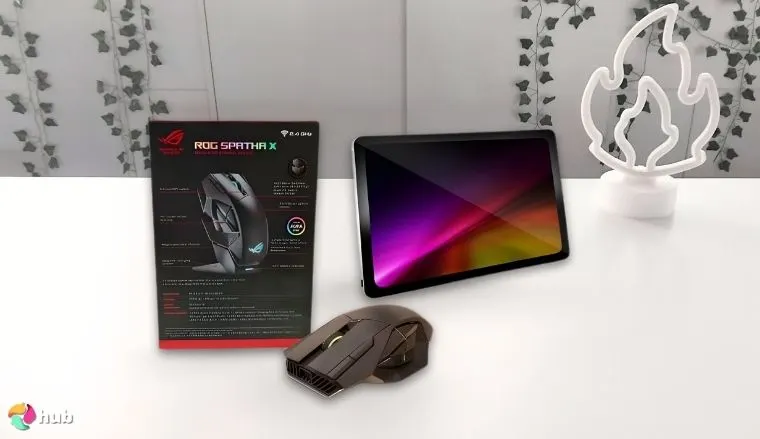
| Specs | Details |
|---|---|
| Sensor Type | PAW3370 Optical Sensor |
| DPI Range | 100–19,000 |
| Connectivity | Wireless (2.4GHz RF/Bluetooth) |
| Battery Life | Up to 67 hours |
| Programmable Buttons | 12 buttons |
| Polling Rate | 1000 Hz (1ms response) |
| Weight | ~168 grams (5.93 oz) |
| RGB Lighting | Yes |
If you’re looking for a reliable MMO mouse, then ASUS ROG Spatha X is probably one of the top choices in the market. If you’re searching for the ideal mouse that has macro capabilities and high-level customization, then the Spatha X is your best bet. Simpler mice pale in comparison to this mouse’s robust design and superior button layout. It really elevates MMO gameplay with its perks.
It has 12 programmable buttons and conveniently placed side buttons. It lets you execute complex abilities and macros without breaking a sweat. For titles like World of Warcraft or Final Fantasy XIV, this mouse’s button versatility can streamline your gameplay by allowing for smoother rotations and quicker responses. The buttons are very responsive with tactile feedback.
And if that’s not enough, sensor precision is exceptional. It has the PAW3370 optical sensor for reliable accuracy. Tracking always feels precise and point, even during fast cursor movements. It’s excellent for action-heavy encounters or detailed UI interactions. You won’t have to worry about jitters or delays and you can fully immerse yourself in smooth gameplay.
The mouse’s solid wireless connectivity (2.4GHz or Bluetooth) makes sure you’ve got stable performance without noticeable latency or interference. No wires, no problems. Plus, the hefty weight (168 grams) and ergonomic shape give you enough comfort (even when you haven’t gone outside for 3 days). Additionally, ASUS offers customizable RGB lighting and magnetic charging. It gives more power without charging cables frequently. The battery lasts 67 hours.
Alternative Option: FPS enthusiasts who need lighter mice should consider the Logitech G PRO X for increased agility.
| Pros | Cons |
|---|---|
| ✅ Extensive programmable features ideal for MMO gameplay ✅ Reliable wireless connectivity ✅ Highly ergonomic shape Magnetic charging provides convenient power management ✅ Exceptional sensor accuracy and tracking capability | ❌ Premium price point, but the quality makes up for it |
Final Verdict: ASUS ROG Spatha X is a high-performing MMO wireless mouse. It blends precise sensor performance with 12 programmable buttons. It has great ergonomics for added comfort.
5. Razer DeathAdder V3 Pro [Best Wireless Gaming Mouse for Bigger Hands]
| Specs | Details |
|---|---|
| Sensor Type | Focus Pro 30K Optical Sensor |
| DPI Range | 100–30,000 |
| Connectivity | Wireless (Razer HyperSpeed) |
| Battery Life | Up to 90 hours |
| Programmable Buttons | 5 buttons |
| Polling Rate | 1000 Hz (1ms response) |
| Weight | ~63 grams (2.22 oz) |
| RGB Lighting | No |
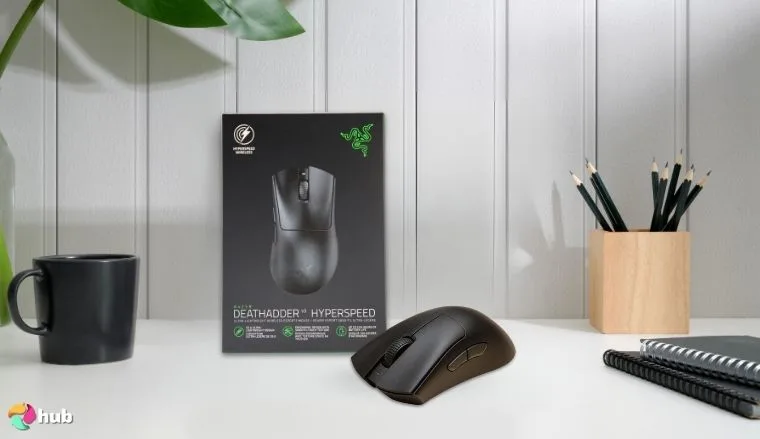
If you’ve got larger hands and you’re after a wireless gaming mouse that truly feels like it belongs in your grip, the Razer DeathAdder V3 Pro deserves your attention. You’ll quickly see that this one will immediately stand out for its comfortable shape and ergonomic design. It’s like the thing was made specifically for palm grip users. When I compared it to other models on the market, it genuinely feels like it’s been built with bigger hands in mind.
The real power of this mouse comes from the Focus Pro 30K Optical Sensor. The sensor delivers smooth and precise tracking, even at high speed. This level of performance feels almost unreal. Especially when you’re deep into a match of a fast-paced shooter or MOBA where reaction time matters, the mouse works great. It’s like the thing was made to excel when you need it most. And while many wireless mice struggle to match the reliability of a cable, this one nails it. The connection feels rock-solid, delivering the same responsiveness you’d expect from a wired device.
Battery life is another area where the Razer DeathAdder V3 Pro excels. With up to 90 hours of battery juice, it allows for extended play without the constant hassle of recharging. Plus, the wireless connectivity here feels just as reliable as any wired setup, so you can game without worrying about input lag or missed clicks.The mouse’s features make it a pretty good investment if you prioritize performance and comfort in your desktop setup.
Ultimately, while it’s on the pricey side, the quality and consistency it provides are more than worth it.
Alternative Option: If you prefer something a bit smaller and lighter, consider trying out the Logitech G705 as a great alternative.
| Pros | Cons |
|---|---|
| ✅ Ergonomic design ideal for larger hands ✅ Powerful Focus Pro 30K sensor with precise tracking ✅ Up to 90 hours of battery juice ✅ Fast and reliable wireless connection ✅ Premium build quality | ❌ Limited programmable buttons, but it’s all good if that’s not your thing |
Final Verdict: The Razer DeathAdder V3 Pro offers outstanding performance and ergonomic design, ideal for gamers with larger hands. For a smaller, lightweight alternative, consider the Logitech G705.
6. Logitech G705 [Best Wireless Gaming Mouse for Small Hands]
| Specs | Details |
|---|---|
| Sensor Type | Logitech Optical Sensor |
| DPI Range | 200–8,200 |
| Connectivity | Wireless (Lightspeed & Bluetooth) |
| Battery Life | Up to 40 hours (RGB on) |
| Programmable Buttons | 6 buttons |
| Polling Rate | 1000 Hz (1ms response) |
| Weight | ~85 grams (2.99 oz) |
| RGB Lighting | Yes |
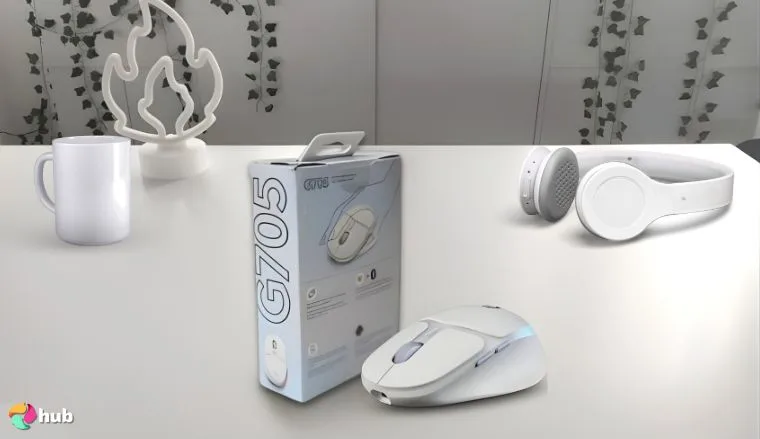
The Logitech G705 stands out as a top wireless gaming mouse for players with smaller (I like to say cuter) hands. This mouse has a compact shape and ergonomic design that will feel great to the touch. Its wireless connectivity makes sure you’ve got a reliable connection. It won’t matter if you’re a competitive gamer or a casual PC user. For its speed, you can thank Lightspeed Wireless and Bluetooth.
The mouse’s performance is particularly impressive considering it’s so small. It gives you a swift touch with a responsive sensor that works great for most games and genres. You can test it out yourself on multiple titles and see for yourself (if you end up buying it). Its tracking and speed are on par with larger mice. The battery’s decent but slightly lacking, only lasting up to 40 hours compared to more enduring ones. However, it’s still sturdy. You’ve got RGB lighting on it too.
Logitech’s G705 is also a pretty good option when you consider its features and price. It’s not built solely for hardcore FPS players but offers enough power and flexibility to satisfy most gamers’ needs. It’s a compact, reliable, and well-designed wireless mouse that proves great things can come in small packages.
Alternative Option: If you need something more suited to large hands, the Razer DeathAdder V3 Pro is a fantastic alternative.
| Pros | Cons |
|---|---|
| ✅ Ergonomic design optimized for smaller hands ✅ Dual connectivity (Lightspeed and Bluetooth) ✅ Reliable, responsive tracking ✅ Affordable price for its quality | ❌ Limited battery power compared to higher-end models, but this will invite you to take healthy breaks in between intense gaming sessions |
Final Verdict: The Logitech G705 is perfectly crafted for gamers with smaller hands. It delivers excellent performance through compact shape, a responsive sensor, and solid wireless connectivity.
7. Glorious Model O [Best Lightweight Wireless Gaming Mouse]
| Specs | Details |
|---|---|
| Sensor Type | BAMF Optical Sensor |
| DPI Range | 100–19,000 |
| Connectivity | Wireless (2.4GHz) & Wired (USB-C) |
| Battery Life | Up to 71 hours |
| Programmable Buttons | 6 buttons |
| Polling Rate | 1000 Hz (1ms response) |
| Weight | ~69 grams (2.43 oz) |
| RGB Lighting | Yes |
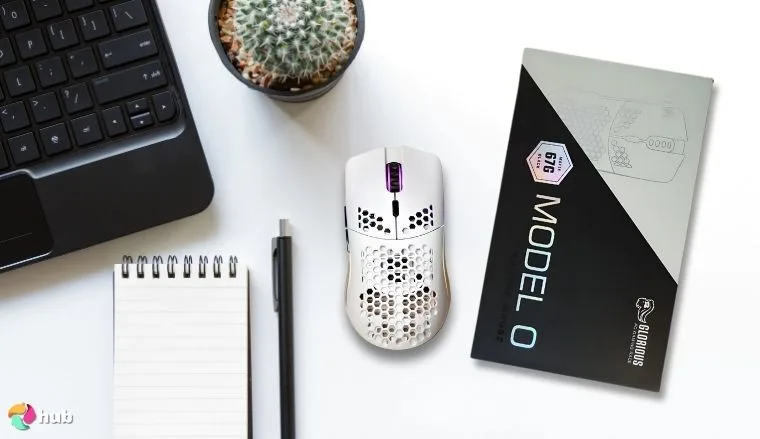
If you’re on the hunt for a gaming mouse that mixes speed, precision, and solid performance, then the Glorious Model O should be on your radar. It’s easily one of the most popular choices for competitive gaming and gamers. It’s got an ultra-lightweight design and build, weighing in at 69 grams. This mouse will feel like an extension of your hand (now you have bragging rights as a Cyborg). It will help you respond quickly with precision in the heat of the moment.
What really makes this mouse work great is the BAMF Optical Sensor, designed for precise tracking and ultra-fast speed. If you’re someone who enjoys fast-paced FPS titles, this mouse’s responsiveness will feel like a game-changer. Its power efficiency is just as impressive, with up to 71 hours of battery life on a single charge. Plus, the dual wireless technology and wired (USB-C cable) options make sure you’re never left without a reliable connection.
Its symmetrical shape offers exceptional comfort. The lighting is a nice touch and adds a stylish flair to your desktop setup. While the Glorious Model O might not reach the insane DPI levels of some higher-end models, its features and performance remain impressive. This is especially true when considering its price. The side buttons are responsive and well-placed too.
For those looking for an ergonomic gaming mouse, the Glorious Model O offers remarkable comfort and precision.
Alternative Option: For those looking for a better value, the HyperX Pulsefire Haste is a fantastic budget-friendly alternative.
| Pros | Cons |
|---|---|
| ✅ Ultra-lightweight design for fast movements ✅ Excellent tracking with BAMF Optical Sensor ✅ Dual connectivity (2.4GHz wireless and USB-C) ✅ Impressive battery life of up to 71 hours ✅ Affordable price for its high-quality | ❌ Limited programmable buttons compared to high-end models |
Final Verdict: The Glorious Model O strikes the perfect balance between speed, precision, and comfort, making it the ideal wireless mouse for gamers who prefer ultra-lightweight designs.
I hope this list has given you a fresh set of potential options for a top gaming mouse. Don’t forget to re-check the specs to zero in on your perfect match. Keep scrolling down for a buyer’s guide that will help you understand which features you might need.
Things to Consider When Picking a Wireless Gaming Mouse
Having to choose the right gaming mouse can be difficult if you don’t know what to look out for, but picking out the perfect one will maximize your gaming experience (no matter the genre of game).
1. Sensor Performance
The heart of any gaming mouse is its sensor.
- Optical Sensors: The most common and reliable option. It offers accurate tracking without acceleration issues.
- Laser Sensors: Can work on a wider range of surfaces but may have slight acceleration. This makes them less ideal for FPS games.
- Top Sensor Models: Razer Focus Pro 30K, Pixart PAW3395, and HERO 25K.
2. DPI (Sensitivity) and Customization
DPI, or Dots Per Inch, determines how sensitive a gaming mouse is to movement. The higher the DPI, the faster the cursor moves across the screen.
- Low DPI (400–1600): Best for precise aiming in FPS games.
- Mid DPI (1600–8000): Ideal for general gaming and multitasking.
- High DPI (8000–30,000): Great for ultra-fast movements, especially in MOBA or strategy games.
- Customizable Profiles: Many gaming mice allow you to switch between DPI levels on-the-fly.
3. Polling Rate
The best gaming peripherals usually have high Hertz as it is correlated with their performance and speed.
- 1000Hz (1ms): Standard for most wireless gaming mice, providing smooth and accurate tracking.
- 2000Hz–8000Hz: Available on select high-end models for enhanced responsiveness, though it’s only noticeable on high-refresh-rate displays.
For most gamers, a 1000Hz polling rate is more than enough for precise performance.
4. Ergonomics and Comfort
The shape, weight, and grip style of a mouse can affect your overall experience. On that note, check out this list of the best gaming mouse pads in the market. Your setup wouldn’t be complete without it.
Grip Styles:
- Palm Grip: Best for larger mice, provides full-hand support.
- Claw Grip: Ideal for smaller mice, offering better control over rapid clicks.
- Fingertip Grip: Works best with lightweight mice for swift movements.
Weight Considerations:
- Ultra-light Mice (under 70 grams): Great for fast-paced FPS gaming.
- Mid-weight Mice (70–100 grams): Balanced choice for most games.
- Heavy Mice (over 100 grams): Suitable for steady, precise control in MMOs or RTS games.
5. Battery Endurance and Charging
A long-lasting battery is essential for uninterrupted gameplay.
Battery Life Ranges:
- Entry-Level Models: Up to 40 hours.
- Mid-Range Models: 70–100 hours per charge.
- High-End Models: 100+ hours with efficient power-saving modes.
Charging Options:
- USB-C: Faster charging times, more common in newer models.
- Wireless Charging: Available with premium models using charging docks or pads.
6. Number of Buttons and Customization
The number of programmable buttons can make a difference, especially for MMO players and productivity enthusiasts.
- Standard Mice: Usually have 2–6 programmable buttons.
- MMO Mice: Often features 10–20 programmable buttons, ideal for macros and shortcuts.
- Customization Software: Manufacturers like Razer, Logitech, and Corsair offer software that allows you to program buttons, adjust DPI, and configure RGB lighting.
7. Connectivity and Latency
Connectivity options can impact both convenience and performance.
- 2.4GHz Wireless: Most reliable for high-speed, low-latency connections.
- Bluetooth: More versatile but has slightly higher latency, making it better for general use than competitive gaming.
- Dual Connectivity: Some mice offer both 2.4GHz and Bluetooth options for flexibility.
If you prioritize responsiveness, choose a mouse with top-tier wireless technology like Razer HyperSpeed or Logitech’s Lightspeed Wireless.
FAQs
What is the best wireless gaming mouse?
The best wireless gaming mouse depends on your preferences, but the Razer Cobra Pro is a top choice for most users. It gives you excellent sensor performance, low latency, and customizable features.
Are wireless mice good for gaming?
Yes, wireless mice are great for gaming as the absence of a cord usually decreases restriction of movement. And with the advancements in wireless technology, you’ve got great options like the Logitech G Pro X that has near-zero latency and very solid connections.
How to connect a wireless gaming mouse?
Plug the USB receiver into your PC or laptop’s USB port. Alternatively, you can use Bluetooth by enabling the mouse’s Bluetooth mode and pairing it through your device’s settings.
How to connect a Logitech wireless gaming mouse?
To connect a Logitech’s mouse, plug in the USB receiver or use Bluetooth if supported. For Bluetooth connections, turn on the mouse, enable pairing mode, and select it from your device’s Bluetooth settings. For Logitech G Hub software, customize settings, button mapping, and DPI levels once connected.
What is DPI on a mouse?
DPI, or Dots Per Inch, measures the sensitivity of a mouse. A higher DPI means the cursor moves faster across the screen with less physical movement.











