



Projector vs TV: The Ultimate Comparison for Gamers

Eneba Hub contains affiliate links, which means we may earn a small commission if you make a purchase through them—at no extra cost to you. Learn more

Choosing between a projector vs TV determines how you’ll experience Elden Ring’s sprawling landscapes or Call of Duty’s intense firefights for years to come.
TVs dominate living rooms through familiarity and convenience, while projectors promise cinema-scale gaming that transforms entire walls into displays. Neither technology categorically wins, though. The right choice depends on your space, budget, and gaming priorities.
I’ve tested both technologies extensively across various room configurations and gaming scenarios. This comparison cuts through marketing claims to deliver verified specifications that actually matter for your setup.
Jump to:
Projector vs TV Quick Comparison
| Category | TV | Projector |
|---|---|---|
| Screen size | 55-85 inches typical | 80-300+ inches possible |
| Brightness | 600-800 nits typical | 500-4,000 lumens |
| Price (quality equivalent) | $400-1,500 | $800-3,000 |
| Lifespan | 40,000-100,000 hours | Lamp: 2,000-5,000 hours; LED/Laser: 20,000-30,000 hours |
| Gaming input lag | 5-20ms for top-tier gaming TVs | 4-16ms for specialized low-latency models |
| Installation | Wall mount or stand | Ceiling/shelf mount + screen recommended |
| Ambient light performance | Excellent | Poor to good (depends on lumens) |
| Room flexibility | Limited by screen size | Adjustable image size |
Display Size: Where Projectors Dominate
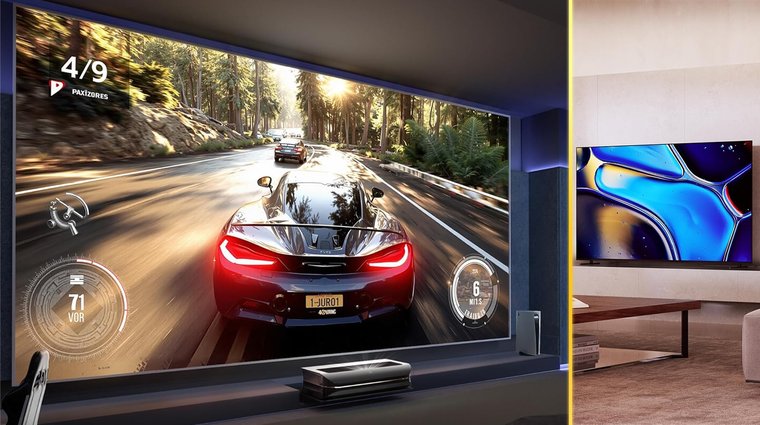
Screen size differences between projector vs TV become immediately obvious. A massive 85-inch TV costs $900-2,000 and represents the practical upper limit for most households. Projectors casually display 100-150 inch images, and the best projectors can push to 300 inches with proper throw distance.
This size advantage fundamentally changes gaming immersion. Playing Horizon Forbidden West on a 120-inch projection fills your peripheral vision completely, creating presence impossible on even the largest TVs. Racing games like Gran Turismo 7 benefit enormously. Larger displays make it easier to judge racing lines and spot approaching corners.
Budget gaming projectors deliver 80-100 inch images for $500-1,000, matching 65-inch TV screen size costs while providing significantly more display area. Premium laser projectors at $2,500-4,000 compete price-wise with 85-inch high-end TVs while offering double the screen dimensions.
TVs counter with installation simplicity. They arrive ready for any TV stand or wall mount without throw distance calculations or screen considerations. For apartments, small rooms, or spaces where you sit close to the display (under 7 feet), TVs make more practical sense. Projectors need distance—typically 8-12 feet for standard throw models.
Projectors easily outsize TVs, delivering 100-150 inches and even pushing 300 with the right setup, while big TVs cap out around 85 inches. That extra size transforms immersion, especially for cinematic games and racers. Budget projectors already outperform similarly priced TVs in screen area, though TVs still win for simplicity and small-room setups where throw distance becomes an issue.
Brightness Battle: TVs Win in Lit Rooms
Brightness specifications reveal stark differences in projector vs TV performance. Modern OLED TVs achieve 1,000-2,000 nits peak brightness with 250-300 nits full screen. LED and mini-LED TVs push higher – premium models hit 2,000-3,500+ nits peak and maintain 600+ nits across the entire screen.
Projectors measure brightness in lumens, not nits, making direct comparison tricky. Good budget projectors output 500-1,500 lumens. Mid-range home theater models deliver 1,500-2,500 lumens. Bright room and gaming projectors produce 3,000-4,000 lumens. Ultra-short throw laser projectors can hit 4,000-5,000 lumens.
As rough conversion: a projector needs approximately 1,000-1,500 lumens to match a TV’s daytime visibility on a 100-inch screen. Double that for bright rooms with windows. This explains why most projector enthusiasts prefer dedicated dark rooms or use ambient light rejecting (ALR) screens that cost $500-2,000 extra.
TVs excel in any lighting condition. Watch The Last of Us during bright afternoons without closing curtains or dimming lights. Projectors struggle here – even 4,000-lumen models look washed out against direct sunlight. If you’re considering the best projector for home theater, you’ll want to make sure you’re watching in darker conditions for optimal performance. Evening and night viewing favors both technologies equally, though TVs still maintain better contrast in partially lit rooms.
For gaming specifically, brightness affects HDR content significantly. HDR peak brightness highlights in games like Cyberpunk 2077 or Forza Horizon 5 pop more dramatically on bright TVs, creating stronger visual impact during explosive scenes or vibrant sunsets.
TVs simply beat projectors in bright rooms. Modern OLED and mini-LED sets push huge peak brightness levels that stay visible even during daytime viewing, while most projectors need controlled lighting or expensive ALR screens to look their best. HDR gaming especially favors bright TVs – highlights in games like Cyberpunk or Forza just pop more when your display can actually hit those peaks.
Picture Quality: Different Strengths

OLED TVs deliver perfect blacks through pixel-level control – individual pixels turn completely off for absolute darkness. This creates infinite contrast ratios impossible for projectors. Watching Resident Evil Village’s dark corridors or Alan Wake 2’s shadowy forests reveals OLED’s advantage.
Even the best 4K projectors can’t produce true black – their “black” is absence of light against a screen. Even premium projectors with 500,000:1 contrast show slightly gray blacks. However, human eyes adapt well, and high-contrast projectors create compelling immersive images.
High-end OLED and QLED TVs cover 95-110% of DCI-P3 color space. Premium laser projectors match this, while budget LCD projectors lag behind. LED and mini-LED TVs offer excellent motion handling. DLP projectors also handle motion well, while LCD projectors can show slight blur.
OLED TVs absolutely crush projectors when it comes to pure black levels and contrast. Each pixel can shut off completely, so horror games and dark scenes look unreal. Projectors can’t hit true black and usually show a dark gray, even at the high end. Color performance narrows the gap (premium laser projectors rival top TVs), while cheaper LCD projectors fall behind. Motion handling is strong on OLED/QLED TVs and DLP projectors, so fast action generally looks clean on both sides.
Gaming Performance: Input Lag Comparison
Input lag determines how quickly your controller actions appear on-screen, which is critical for competitive gaming, especially in popular fighting games or anything that demands quick actions. Modern gaming TVs achieve 5-15ms input lag in game mode, with premium OLEDs hitting sub-10ms figures. These response times feel instantaneous during Counter-Strike 2 or Street Fighter 6 sessions.
Standard projectors traditionally suffered 40-50ms+ input lag, creating noticeable delays between button presses and on-screen actions. Gaming projectors changed this – dedicated models now achieve 4ms at 1080p 240Hz and 16ms at 4K 60Hz, matching or beating TV performance.
| Gaming Projector Performance | Input Lag |
|---|---|
| 1080p 240Hz | 4-8ms |
| 1440p 120Hz | 8-12ms |
| 4K 60Hz | 16-20ms |
| 4K 120Hz | 16-20ms (select models) |
The BenQ X3100i, Optoma UHZ55, and ViewSonic X2-4K exemplify gaming projectors with lag comparable to TVs. Standard home theater projectors remain unsuitable for competitive gaming but work fine for single-player adventures where milliseconds don’t determine victory.
Refresh rates also matter. PS5 and Xbox Series X output 4K 120Hz for supported games. Gaming TVs universally support this. Gaming projectors typically handle 4K 60Hz natively, jumping to 120Hz or 240Hz only at 1080p resolution. True 4K 120Hz gaming projectors exist but cost $3,000+ and represent cutting-edge technology.
For esports titles like Valorant, Apex Legends, or Rocket League, gaming TVs maintain slight advantages through higher refresh rates and lower input lag. For story-driven games like Baldur’s Gate 3, Final Fantasy VII Rebirth, or God of War Ragnarök, gaming projectors deliver immersive experiences that outweigh marginal performance differences.
Gaming lag used to favor TVs by a mile, but modern gaming projectors have mostly closed the gap. Today’s gaming TVs hit around 5-15ms (even lower on high-end OLED), while dedicated gaming projectors can reach 4-16ms, depending on resolution and refresh rate. You still get better high-refresh support on TVs (4K 120Hz is standard there), but projectors trade pure responsiveness for massive, cinematic gameplay. Competitive players love TVs; single-player fans love the immersion projectors can dish out.
Lifespan and Maintenance Costs
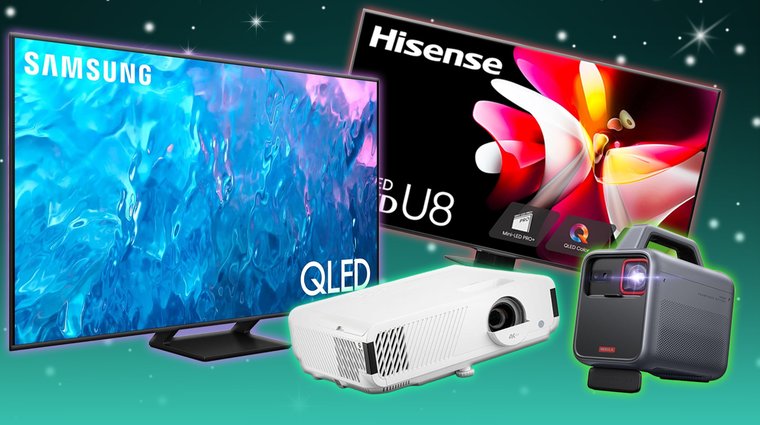
Lifespan calculations reveal major differences in projector vs good gaming TVs long-term costs. LED and OLED TVs last 40,000-100,000 hours before brightness drops to 50% of original output. At 8 hours daily viewing, that’s 13-34 years of use. TVs essentially outlive their technological relevance – you’ll upgrade for features before the panel fails.
Projector lifespan depends on light source technology:
| Projector Type | Lifespan | Years (4hrs/day) | Replacement Cost |
|---|---|---|---|
| Traditional lamp | 2,000-5,000 hours | 1.5-3.5 years | $150-400 per lamp |
| LED light source | 20,000-30,000 hours | 14-20 years | Not replaceable |
| Laser light source | 20,000-30,000 hours | 14-20 years | Not replaceable |
Traditional lamp projectors require bulb replacements every 2-4 years depending on usage, adding $150-400 per replacement to ownership costs. Over 10 years, that’s $400-1,600 in lamp expenses. LED and laser projectors eliminate replacement costs but cost more upfront – expect to pay $1,500-3,000 for quality models versus $500-1,200 for lamp-based alternatives.
Modern LED and laser projectors match TV lifespan economics. A $2,000 laser projector lasting 25,000 hours competes favorably with a $1,500 TV lasting 60,000 hours when considering the projector’s significantly larger screen size.
TVs require virtually no maintenance beyond occasional dusting. Projectors need filter cleaning every 3-6 months and lens care to maintain image quality.
Projectors and TVs age very differently. TVs basically last forever (40,000-100,000 hours) and rarely need anything more than dusting. Lamp projectors need bulb swaps every few years, and those replacements add real cost over time. LED and laser projectors last much longer without bulb changes, but you pay more upfront. In the long run, modern laser models match TV lifespan pretty closely, especially when you factor in that huge screen size.
Installation and Room Requirements
TVs win installation convenience overwhelmingly. Unbox, mount or place on stand, plug in, done. Setup takes 30 minutes with no technical knowledge required.
Projectors demand more planning:
- Throw Distance: Standard throw models need 10-15 feet for 100-inch images. Good short throw projectors reduce this to 4-6 feet. Ultra-short throw projectors sit inches from walls.
- Mounting: Ceiling mounting requires drilling but provides cleanest installations. Shelf mounting works but limits flexibility.
- Screens: Blank walls function adequately but dedicated screens improve quality. Budget screens cost $100-300, ALR screens run $500-2,000.
- Light Control: Blackout curtains become essential for daytime viewing. TVs need no room modifications.
TVs are effortless – plug in and start playing. Projectors take planning: you need the right throw distance (anywhere from inches to 15 feet), proper mounting, and ideally a screen instead of a bare wall. Short-throw and UST models help, but daytime viewing still demands light control like blackout curtains.
Cost Analysis: Initial and Long-Term
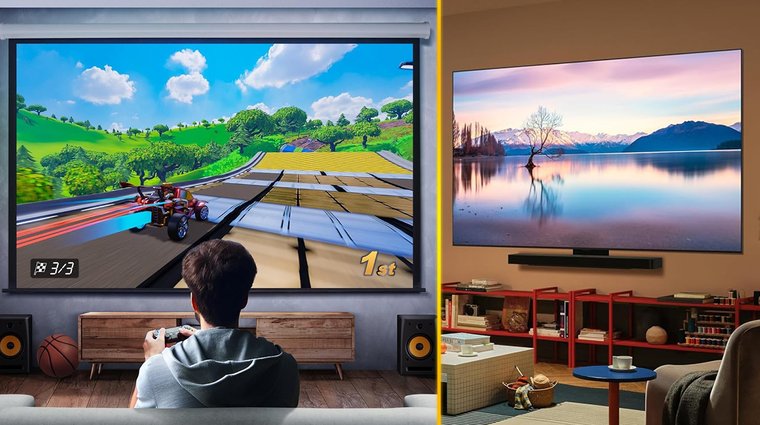
Initial purchase prices vary widely:
TVs:
- 65-inch budget LED: $300-600
- 65-inch mid-range QLED/Mini-LED: $600-1,200
- 65-inch premium OLED: $1,200-2,000
- 75-inch mid-range: $700-1,200
- 85-inch budget to mid-range: $900-1,700
Projectors:
- Budget 1080p: $300-600
- Mid-range 4K: $800-1,500
- Gaming 4K laser: $1,500-2,500
- Premium UST laser: $2,500-4,000
Direct size comparisons favor projectors. A $1,000 projector delivers 120-inch images competing with hypothetical 120-inch TVs costing $10,000+. However, fair comparison considers picture quality too – a $1,500 OLED TV’s image quality surpasses most $1,000 projectors despite smaller size.
Long-term costs tip toward TVs for traditional lamp projectors due to bulb replacements. LED/laser projectors and TVs have comparable lifetime costs when accounting for performance per dollar of screen area.
Don’t forget accessories. TVs need nothing beyond the box. Projectors often require $200-1,000 in additional purchases (screen, mount, cables) for optimal setups. Some users bypass these extra costs entirely by selecting versatile hardware that functions without a dedicated theater room. A top portable projector allows you to project a massive image directly onto a white wall and requires no additional investment in mounts or screens.
Which Should You Choose?
Choose a TV if you:
- Watch during daytime with ambient light
- Sit closer than 8 feet from your display
- Want zero-maintenance operation
- Need perfect blacks for dark content
- Play competitive multiplayer games
- Prefer simple plug-and-play setup
- Live in an apartment or frequently move
Choose a projector if you:
- Have dedicated dark room or light control
- Sit 8-12+ feet from your display
- Prioritize massive screen size above all
- Primarily play story-driven single-player games
- Own your space and can install permanently
- Want true cinematic gaming experience
- Have budget for gaming-specific models ($1,500+)
For most situations, TVs remain the practical choice. They work anywhere, anytime, with any content. Projectors serve enthusiasts pursuing specific experiences – immersive gaming in dedicated spaces where screen size transforms gameplay fundamentally.
Projector vs TV: Pick Your Perfect Gaming Screen
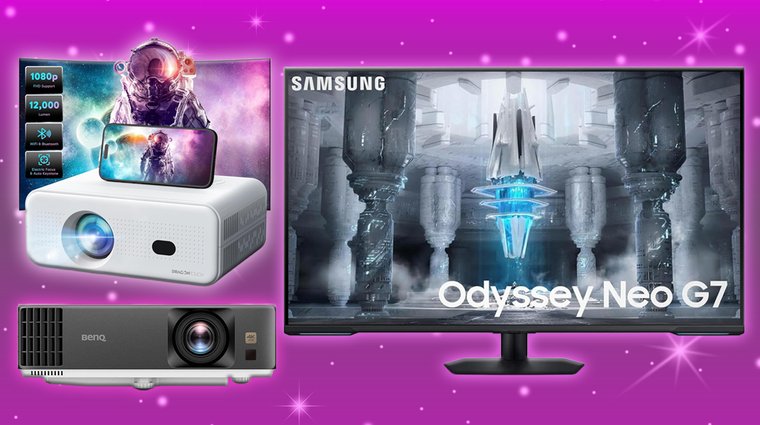
The projector vs TV debate lacks a universal winner. TVs deliver consistent, reliable performance across all conditions. Projectors create unmatched immersion when properly configured.
For serious gaming setups, consider hybrid approaches. Use a 65-inch OLED TV for competitive multiplayer and HDR showcase titles. Add a gaming projector for epic single-player adventures where massive screens enhance storytelling. When you’re building your gaming library, check out the best regions for cheap Steam games to maximize your entertainment value across both displays.
FAQs
Gaming projectors with 4-16ms input lag match TV performance for most games. They excel at immersive single-player experiences through massive screen sizes but TVs remain better for competitive gaming in lit rooms. Choose projectors for size, TVs for versatility.
TVs work perfectly in any lighting condition, require no installation complexity, need zero maintenance, and deliver superior image quality per dollar spent. They’re ideal for smaller rooms, daytime viewing, and situations where convenience matters more than screen size.
LED/laser projectors last 20,000-30,000 hours (14-20 years at 4 hours daily). LED TVs last 40,000-100,000 hours (27-68 years). Traditional lamp projectors require bulb replacement every 2,000-5,000 hours. Modern projectors and TVs have comparable practical lifespans.
100-inch projectors cost $800-2,000 while 85-inch TVs (the practical maximum) cost $900-2,000+. Projectors provide more screen area per dollar but require additional accessories ($200-1,000). TVs offer better picture quality at equivalent price points despite smaller sizes.
Yes, projectors work during the day but require 3,000-4,000+ lumens for acceptable brightness with ambient light. Budget projectors under 2,000 lumens need darkness or significant light control. TVs perform identically whether daytime or nighttime with no light control requirements.











