Settling The Score: Mac vs PC for Gamers and Professionals in 2025

Eneba Hub contains affiliate links, which means we may earn a small commission if you make a purchase through them—at no extra cost to you. Learn more

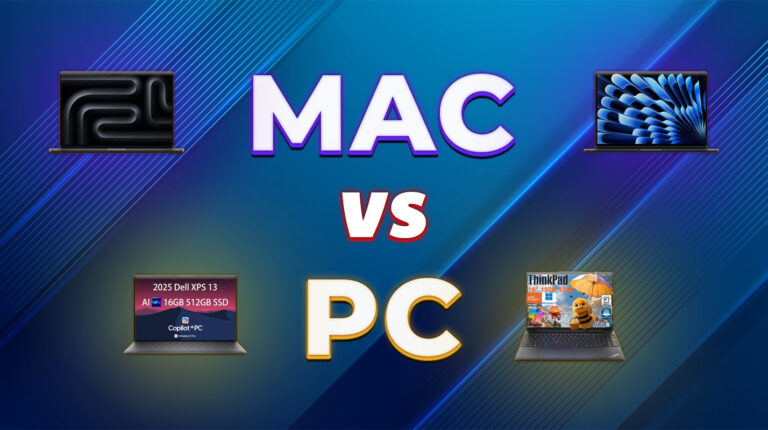
One of the oldest and most prominent debates in the computer market is this: Mac vs PC. It’s a contest with a lot of nuance behind it, wading into the waters without doing your research is a terribly unwise decision.
And even if one is better than the other based on certain factors, that doesn’t automatically mean it’s better for you.
That’s why I’m here to help. To assist you in making smart shopping decisions when it comes to your new computer, we’ll compare and contrast the Mac and PC across several fields to illustrate their strengths – and hopefully, you’ll find the right computer along the way.
Jump to:
Mac vs PC: User Experience & Interface
Let’s begin the contest by judging both Mac and PC in terms of user experience and interface – a computer’s no good if you can’t easily use it, after all:
- Ease of use. When it comes to ease of use, macOS is extremely intuitive and boasts seamless integration with a lot of its parts. The Windows interface, while not as intuitive, does offer more power in the long run.
- Accessibility. Both macOS and Windows have easily-accessible tools (especially if you know where to look). Both operating systems also come with a bevy of options to tweak your experience.
- Aesthetics. Both operating systems look good, but macOS generally offers a smoother and more polished experience. Windows is still solid, but it’s just a smidge behind how nice a Mac feels.
- Power and functionality. Windows takes the win here, but as with aesthetics, Mac isn’t too far behind. The key here is experience – the longer you stick with an operating system, the more proficient you’ll become with it.
With that said, I believe that there’s no clear winner when it comes to user experience and interface. Instead, it’s a matter of getting used to the specific features that both Mac and Windows PCs offer.
Mac vs PC: Hardware & Ecosystem
Next, let’s tackle the question of hardware, and by extension, ecosystem. This means we’ll be taking a look at not just the internal components and what options you have with those, but also how well Mac and PC get along with external devices.
Let’s break it down into a few key points:
- Architecture. Mac computers solder all their parts onto a single board – motherboard, CPU, GPU, and RAM.
This is called an Apple silicon setup. PCs, on the other hand, are insular and modular: each piece is separate from the others and does its own thing.
- Power. Macs offer standardized, all-in-one designs that are strong due to uniformity.
However, Macs can’t compete with PCs in terms of raw strength. Not only is the Apple silicon design restrictive, but it also means that PCs have a much easier time upgrading their components.
- Part Customization. Once again, the Apple silicon architecture has problems playing nice with external devices.
Assuming your Mac can be modified at all, this is restricted to Apple’s own products. For PCs, though, there’s no shortage of hardware options – just be sure they’re compatible with each other.
- Ecosystem. Thanks to Apple silicon, Macs are restricted to almost exclusively Apple products for peripherals and external devices.
PCs, on the other hand, have no such qualms: there’s a broad range of accessories and swappable components, ranging from new internals to speakers, headsets, Android connectivity, and even gorgeous ASUS monitors or other display devices.
In this regard, PCs win, no questions asked. It’s the modular nature of PCs that gives them the clear advantage in this contest – if a PC user needs an upgrade, all they need to do is swap parts, and they’ve got a wider range of parts to select from than a Mac user.
Mac vs PC: Performance and Optimization
Hardware is one thing, but actual software performance and system optimization is another.
Let’s break down the points here:
- Performance. Both Mac and PC are tailored to suit heavy programs, but PC modularity ultimately wins out – PC users can switch underperforming components, while Mac users will need to get a whole new device.
- Optimization Requirements. Macs, thanks to their all-in-one design, have smooth performance off the bat.
PCs require a little more work to optimize, but this boosts their already formidable strength.
- Ease of Optimization. Mac is easier to optimize due to its more user-friendly nature, but PCs tend to have more robust options.
Note that both Mac and PC have built-in and third-party apps to help you get them running just the way you like.
- Multitasking. It’s very hard to judge this as diverges in architecture make things tricky, but both Mac and PC perform well in this regard.
As with performance, in general, Macs are smoother, PCs are stronger.
With all that said, there’s no clear winner when it comes to performance, as both Macs and PCs offer different things in this field. This means that you’ll need to ask yourself if you value smoother or stronger performance.
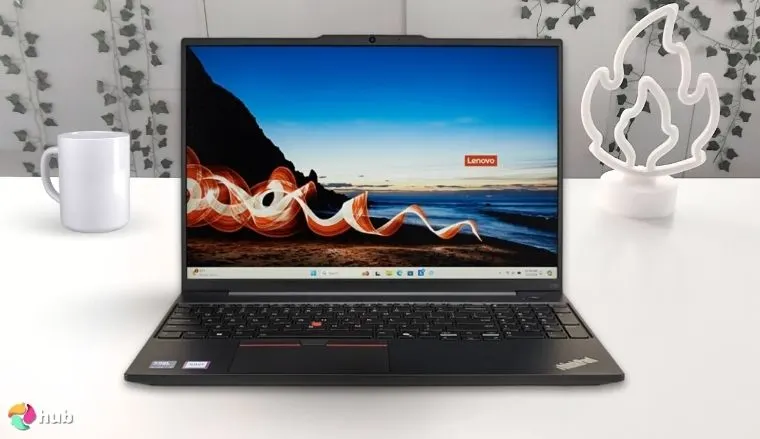
Lenovo ThinkPad E16 Gen 2 [Best PC for Performance]
| Specs | Details |
|---|---|
| CPU | AMD Ryzen 7 7735HS; most models use Intel Core Ultra 7 125U/155U |
| GPU | Integrated |
| RAM | 8GB, 12GB, 32GB, 64GB |
| Storage | 1TB |
| Display | FHD+ |
| Refresh Rate | Unspecified, likely 60Hz |
| Battery | 57Wh |
| Weight | 1.76kg/3.90lbs |
| Screen Size | 16’’ |
| Connectivity | Bluetooth, Wi-Fi, 2x USB-A 3.2, 1x USB-C, 1x HDMI 2.1, 1x 3.5mm combo jack, 1x RJ45 Ethernet slot |
If you’re looking for a laptop that offers reliable, high-end performance no matter the conditions, look no further than the Lenovo Thinkpad E16 Gen 2.
PC modularity is in full effect here, as this top-tier Lenovo laptop has a variety of CPUs to choose from – either this bundle’s AMD Ryzen 7 7735HS or the AI-powered Intel Core Ultra 7 with AI capabilities. Power Windows users will definitely want the latter, as the AI-assisted productivity features do make a difference.
As mentioned, PC modularity is in full effect for this laptop. Lenovo sells a lot of versions of this machine, so do your homework and assess if you really need an AI-powered CPU and all that RAM.
Graphics-wise, the Lenovo Thinkpad E16 Gen 2 only comes with integrated graphics. While PCs are modular, laptops are less so, and there’s not much you can do about this. However, GPUs are only really important for games or visually demanding work, so if you’re just going to use this laptop for business tasks, the GPU won’t matter.
For RAM, this laptop can go up to 64 gigs, though I’d argue that that’s way overkill for a business laptop. 16GB is plenty for a pure work laptop, and heavy loads should work fine with 32GB. It’s your choice, but remember that you can always add more RAM down the line. Another win for PC modularity.
Last, but definitely not least, is the MIL-STD 810H certification, allowing Lenovo to stay competitive in the Lenovo vs Dell race. This certification means that the Lenovo Thinkpad E16 Gen 2 has undergone harsh tests to examine its heat, humidity, shock, and altitude tests – each of which it has passed with flying colors, making this laptop an ideal partner for demanding personal workloads no matter where you go.
| Pros | Cons |
|---|---|
| ✅ Solid, no-nonsense work laptop ✅ PC design means CPU and RAM are customizable ✅ Military-grade build quality ✅ RJ45 port allows you to use Ethernet if internet stability is a must ✅ Not too pricey | ❌ RJ45 port makes the form factor a little big, though I’d argue the extra ethernet stability is worth it |
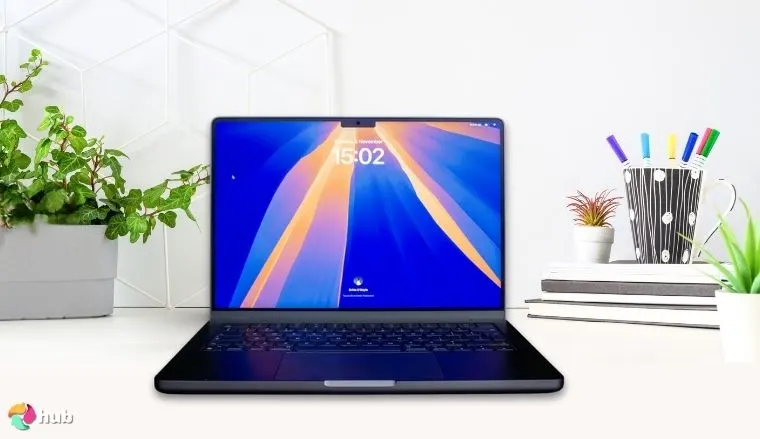
Apple MacBook Pro 2024 [Best Mac for Performance]
| Specs | Details |
|---|---|
| CPU | Apple M4 Pro/Apple M4 Max |
| GPU | Apple M4 Pro/Apple M4 Max |
| RAM | 24GB, 32GB, 48GB (Unified) |
| Storage | 512GB, 1TB |
| Display | 3456×2234 |
| Refresh Rate | 120Hz (adaptive) |
| Battery | 100Wh |
| Weight | 2.14kg/4.7lbs |
| Screen Size | 16’’ |
| Connectivity | Bluetooth, Wi-Fi, 3x Thunderbolt 5, 1x SDXC card slot, 1x HDMI, 1x 3.5mm combo jack |
As Apple itself states, “with MacBook Pro, nothing can stop you”. Nowhere is this better exemplified than in the 2024 MacBook, which is the definitive portable workstation for the most demanding creative and computational tasks.
It’s very easy to fall into the trap of “overkill specs = good”. Assess your needs very carefully before settling on a purchase.
Apple’s line of chips has undergone leaps and bounds in the past few years, culminating in the latest version of their chip, the M4, in 2024. This chip offers significant improvements in almost every aspect of a Mac (remember Apple silicon), and when pushed to its utmost limits, the results are nothing short of stellar.
The 2024 MacBook is one such example. This laptop offers uncompromising performance that meets or exceeds desktop computers, thanks to its M4 Pro or Max chip. To put it into perspective, an M4 Max chip at full power has a 16-core CPU and 40-core GPU, making it a true industry leader.
RAM-wise, this MacBook bundle comes with 24, 32, or 48GB of RAM. Even for unified memory, this is massive – but do keep in mind that the Apple silicon architecture means that you will need a stronger chip for higher amounts of RAM. For reference, an M4 Max version of this MacBook has a cap of 128GB.
Make no mistake: this MacBook is a behemoth when it comes to pure performance. If you need a single, powerful computer to serve as the heart of your business, this is likely it.
| Pros | Cons |
|---|---|
| ✅ Matchless power and speed ✅ Massive unified memory capacity ✅ Handles multitasking and heavy loads with ease ✅ Apple Intelligence is nice to have ✅ Surprisingly long battery | ❌ Very pricey, but you get what you pay for |
Mac vs PC: Productivity & Creative Work
When it comes to productivity and creative work, the contest of Mac against PC is more nuanced. Here are the points you need to consider:
- General Productivity. Neither Mac nor PC has a notable edge over the other when it comes to general productivity tasks.
- Ease of Use. In this regard, Macs handily take the win. Thanks to the integrated setup afforded by Apple silicon, Macs are ready to rumble out of the box. And while PCs are stronger, they do require more setup.
- Compactness. Macs take the win – there’s no need to look for more components like good gaming monitors for high-fidelity graphics when your Mac comes with these accessories (and more) right out of the box. And while PCs can compete, again, you’ll need to set up; what’s more, you’ll need to not only buy separate devices, but set those up too.
- Portability. This one’s a close fight as while Mac used to lead the way when it comes to portable machines (especially for artists), PCs have rapidly caught up. Neither has a clear advantage over the other in this regard, so no points.
- Productivity apps. Both Macs and Windows PCs have a lot of software options to choose from for creative work or everyday tasks. They both also have lots of first-party apps and third-party solutions, such as Microsoft Office or any Adobe software.
For these reasons, I can say that Mac edges out the win in terms of productivity and especially creative work due to its ease of use and design. However, I will add that experienced Windows and Mac users may find little to no difference in terms of creative work regardless of which of the two they choose.
Lastly, I should add that in terms of general work, great gaming laptops can perform just as well, if not outdo dedicated work laptops.
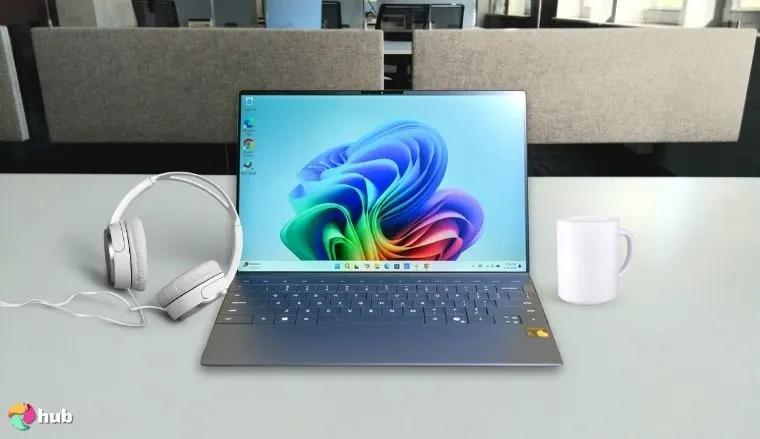
Dell XPS 13 9345 (2025) [Best Windows Laptop for Productivity]
| Specs | Details |
|---|---|
| CPU | Snapdragon X Plus |
| GPU | Qualcomm Adreno |
| RAM | 16GB |
| Storage | 512GB, 1TB, 2TB |
| Display | FHD+ |
| Refresh Rate | 120Hz |
| Battery | 55Wh |
| Weight | 1.17kg/2.60lbs |
| Screen Size | 13’’ |
| Connectivity | Bluetooth, Wi-Fi, 2x USB-C 4 with DisplayPort and Power Delivery |
As demonstrated by the Dell XPS 13 9345 (2025), Windows PCs aren’t necessarily bad for art; in fact, they’re gaining traction and are starting to catch up to Apple’s premium products. This computer features that Mac users tend to value more, and is one of the best Dell laptops for productivity.
In terms of raw power, the Dell XPS 13 9345 (2025) shows its chops with an AI-assisted 8-core Snapdragon X Plus CPU and some pretty decent visuals via its integrated Qualcomm Adreno graphics card. RAM sits at a staunch 16GB, while you can select a drive size of 512GB to 2TB – I’ll always advocate for more space.
While this laptop packs a respectable CPU/GPU combo, bear in mind that these specs fare poorly when it comes to PC gaming.
While this is already a great setup, what seals the deal for the Dell XPS 13 9345 (2025) is the computing power afforded by its CPU. The Snapdragon X Plus boasts a respectable 45 TOPS (trillions of operations per second) with its NPU, which will make everyday productivity tasks a breeze.
On the creative side, the Dell XPS 13 9345 (2025) has a slim frame that weighs just 1.17kg/2.60lbs. While not as handy-dandy as an equivalent Mac, the ultra-portability that this laptop’s form factor and weight offer are a huge plus.
Factor in the stunning 120Hz InfinityEdge display, and you’ve got a partner with power enough to spare and a spectacular display too – though you can always hook up to a great Dell monitor if you need a bigger screen.
The icing on the Dell XPS 13 9345 (2025) is its multi-day battery. This laptop may only have a capacity of 50Wh, but its power output is highly efficient. This means that even on a light charge, the Dell XPS 13 9345 (2025) will continue delivering its cutting-edge efficiency.
| Pros | Cons |
|---|---|
| ✅ Copilot+ CPU offers both future proofing and superb performance ✅ Light yet sturdy form factor makes it perfect for mobile professionals ✅ Extremely efficient power use, leading to much longer use times than expected ✅ InfinityEdge upgrades display quality by quite a bit ✅ Comes with built-in antivirus software | ❌ Integrated graphics aren’t a good choice for gamers and artists, though it will suffice for work |
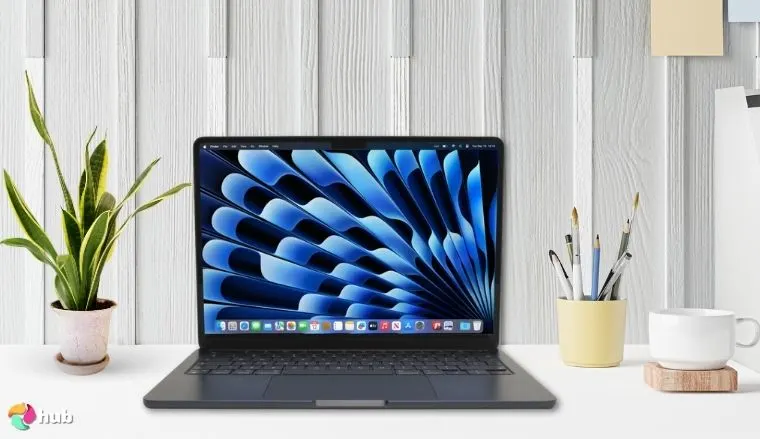
MacBook Air 13-inch (2025) [Best Mac Laptop for Productivity]
| Specs | Details |
|---|---|
| CPU | Apple M4 |
| GPU | Apple M4 |
| RAM | 16GB, 24GB (Unified) |
| Storage | 256GB, 512GB |
| Display | 2560×1664 |
| Refresh Rate | 60Hz |
| Battery | 53.8Wh |
| Weight | 1.24kg/2.73lbs |
| Screen Size | 13.6’’ |
| Connectivity | Bluetooth, Wi-Fi, 2x Thunderbolt 4 USB-C, 1x 3.5mm combo jack, 1x MagSafe 3 chagrin port |
As the name suggests, the MacBook Air is a light and breezy device; I’d even go so far as to call it the quintessential ultra-portable Mac.
The crux of this computer is the blazing-fast Apple M4 Chip. According to Apple, this chip boasts up to 50% more CPU and 4x more GPU capabilities compared to the previous M3 chip. The M4 Chip also comes with AI capabilities for exceptional everyday performance and speed that’s hard to beat.
The M4 chip continues the Apple Silicon trend of being both a system on a chip (SoC) and system in a package (SiP). This means that everything on the MacBook Air runs on a single system, and as we discussed, makes it run smoother at the cost of everything being on just one board.
If you plan to do heavy work on this laptop, it’s a good idea to go for the 24GB version off the bat – especially since this is a Mac.
Lastly, for space, you can choose between 256 or 512GB. I’ll always advocate for getting more space as it’s better to have it and not need it.
Next is the 13.6’’ screen, which has a brilliant Liquid Retina display with a high dot pitch and thus pixel density. Apple’s tagline for this is “love at every sight”, and it’s hard to disagree – though if you need a bigger screen, you can always hook to a great gaming TV or another large display.
The form factor completes the package. Despite the lightning fast M4 chip, amazing visuals, and great battery longevity, this laptop remains light and portable, making it the perfect companion for both students and professionals.
| Pros | Cons |
|---|---|
| ✅ Beefy computer despite what appearances may suggest ✅ Utilizes Apple’s new M4 chip ✅ Apple Intelligence improves user-friendliness ✅ Great display ✅ Not too pricey | ❌ Refresh rate is stuck at 60Hz, so it’s not good at gaming – though this laptop is fantastic for work |
Mac vs PC: Gaming
Now let’s talk about gaming, perhaps one of the key factors in the debate.
While you can game on both, consider the following:
- Modularity. I’ve touched on this many times, and it is the biggest factor when it comes to choosing Mac or PC. Running the best games on PC is a cinch, as you can always swap and upgrade components if they aren’t up to snuff.
There’s also a ton of hardware configurations out there, from new CPUs and graphics cards to new storage drives.
- Compatibility. Most games are first written for PC, then ported over to Mac, if at all.
Why worry about Mac compatibility when you can just use a computer that can run a broad range of titles, from indies to the best PC games?
- Performance. Since games are largely written for PC, they’ll be using tried and tested methods to streamline their games (especially modern AAAs) and make them run better – not to mention the powerful hardware that PCs come with.
- Library size. Releasing on Mac incurs extra costs for developers and publishers – not only will they have to rewrite code to make the game run properly for Mac, but they’ll also reach a smaller market.
Most computers are PCs, after all.
For the record: I’m firmly in the PC camp here, and it’s not even a close contest. Whether it’s a great budget gaming laptop or a gaming monster, PCs almost always outperform Macs.
However, these reasons don’t mean that you can’t game on a Mac. While gaming on PCs or Windows laptops does confer a significant advantage, Macs can still run a lot of games.
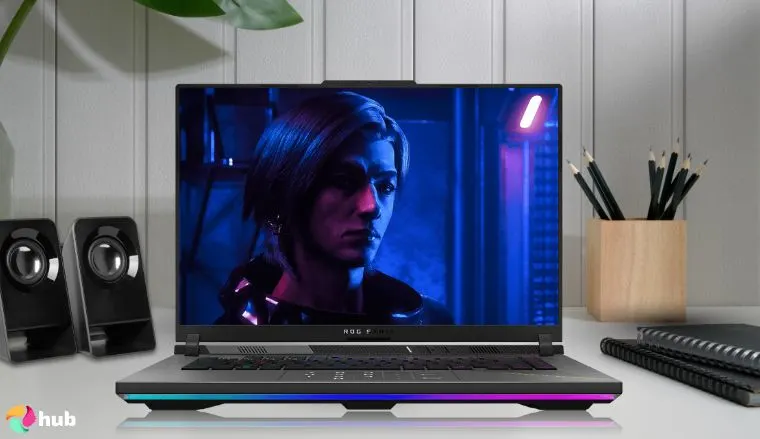
ASUS ROG Strix G16 (2025) [Best PC for High-End Gaming Experience]
| Specs | Details |
|---|---|
| CPU | Intel Core i9-12900H |
| GPU | NVIDIA GeForce RTX 3070 Ti |
| RAM | 16GB |
| Storage | 1TB |
| Display | FHD+ |
| Refresh Rate | 165Hz |
| Battery | 90Wh |
| Weight | ~2.5kg/5.51lbs |
| Screen Size | 16’’ |
| Connectivity | Wi-Fi 7, Bluetooth, 3x USB-A 3.2 ports, 1x USB-C 3.2, 1x Thunderbolt 4, 1x HDMI 2.1, 1x 3.5mm combo audio jack |
One of the most prominent names when it comes to PC gaming packages is the ROG line of laptops that ASUS offers. Each one of these machines is a monster when it comes to gaming, and all of them are contenders when it comes to the title of best ASUS gaming laptop.
If this model is out of your budget, fret not: there are a lot of ASUS ROG laptops available with lower specs and a more affordable price range.
This updated version of the ROG Strix G16 comes with a 12th-gen Intel Core i9-12900H and an Nvidia GeForce RTX 3070 Ti, both of which are great. As this is a PC, however, there are multiple configurations for its CPU and GPU, which allow you to fine-tune how much power the laptop comes with – as well as play around with its price point.
For RAM, this formidable gaming powerhouse comes with 16GB, which can be bumped up to 64GB. 1TB of storage space is a good start, but you’ll want to upgrade this as modern games as well as the operating system, eat up a lot of space.
To deliver its unparalleled high-end gaming experience, the ROG Strix G16 comes with several of ASUS’ cooling innovations: a vapor chamber for wide-reaching heat dispersal, an advanced Tri-Fan aeration system, and liquid metal cooling.
While the ROG Strix G16 is first and foremost a gaming laptop, do bear in mind that its specs are incredibly formidable. This allows it to pull double duty as a computer for heavy work, such as video editing.
| Pros | Cons |
|---|---|
| ✅ Excellent performance while not being too pricey ✅ Powerful specs allow this laptop to pull double duty for work and play ✅ Utilizes cooling innovations to maximize heat dispersal ✅ Stylish yet tough build quality ✅ RGB keyboard can be set to per-key lighting | ❌ Bulky and heavy – that’s the price to pay for beefy hardware |
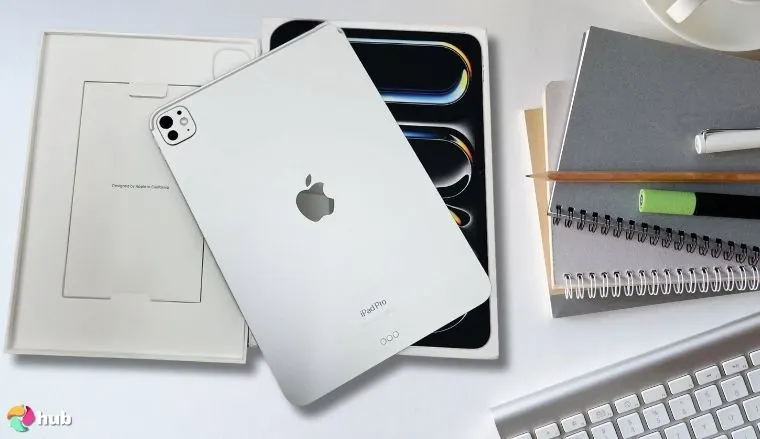
iPad Pro 11-Inch (M4) [Best Apple Tablet for Casual Gaming]
| Specs | Details |
|---|---|
| CPU | Apple M4 |
| GPU | Apple M4 |
| RAM | 8GB (Unified) |
| Storage | 256GB, 512GB , 1TB, 2TB |
| Display | Ultra Retina XDR display, |
| Refresh Rate | 120Hz (adaptive) |
| Battery | 31.29Wh |
| Weight | 0.44kg/0.98lbs |
| Screen Size | 11’’ |
| Connectivity | Bluetooth, Wi-Fi 6E, 5G, Cellular (for specific models), 1x Thunderbolt 4, 1x USB 4, 1x USB 3, 1x DisplayPort |
While PC gaming isn’t as good on a Mac, casual gaming tells another story. iPads haven’t just dominated the casual gaming market, they redefined it, and nowhere is this more evident than the iPad Pro 11-inch (M4).
As with the MacBook Air 2025, this iPad utilizes the Apple M4 Chip. We’ve said a lot about this chip already (particularly its Pro and Max editions), but even its base form is roughly 30% better performance than its predecessors. I should add, however, that while it’s plenty powerful for mobile gaming, this chip won’t offer the same level of performance as the best gaming PCs.
Bear in mind that all this performance makes the iPad Pro 11-inch (M4) pricey. It’s wise to list down the reasons why you’d need such a strong mobile device before committing to a purchase.
RAM-wise, the iPad Pro 11-inch (M4) has a memory of 8GB, but keep in mind that this is unified. As with other Apple devices, a stronger M4 chip means a higher RAM cap, so if you need the bigger RAM, go for it.
Apple products are also very aesthetic, and this one’s no exception. The iPad Pro 11-inch (M4) completes the package with a tough yet handsome shell (silver or space black), both of which complement its 11’’ screen. Said screen features an Ultra Retina XDR display as well as ProMotion technology for adaptive refresh rate, which is quite gorgeous.
All this power might give off the impression that the iPad Pro 11-inch (M4) is bulky, but no. All of its specs rest easily within an ultra-thin, portable frame that weighs just 0.44kg/0.98lbs. This means that the iPad Pro 11-inch (M4) isn’t just a super-powerful mobile device, it’s also one that you can take anywhere.
| Pros | Cons |
|---|---|
| ✅ Leverages Apple’s new M4 chip for peerless performance ✅ Very easy to use ✅ Adaptive refresh rates via ProMotion keep visuals clear and crisp ✅ Ultra thin and light design ✅ Stylish finish | ❌ Restricted to mobile gaming except for streaming – though it’s excellent in this regard |
Mac vs PC: Software & App Availability (General)
As mentioned earlier, PCs have a lot more games available to them. The same goes for software: programs and apps are usually developed for PC first, then ported over to Mac.
To better illustrate software availability, let’s break things down:
- General software availability. It’s not just games: software in general is more available on PC. Since most desktop computers and laptops are PCs, it makes sense to write software primarily for PCs. That said, Mac equivalents and ports do exist.
- Specialized apps. Here’s where it gets tricky. While common software exists for both PC and Mac, more specialized tools might be a problem. And again, writing programs for Mac can be troublesome for some developers especially since most people are going to be on PC anyway.
- Web browsers. Both PC and Mac support a wide variety of web browsers. While both operating systems have their exclusive browsers (Edge for Windows PCs, Safari for Mac computers), third-party browsers such as Chrome, Firefox, Opera, and Brave will run fine on both PC and Mac.
- Software libraries. Finding software for either computer system is easy. Not only can you hit up the internet and look for third-party apps, but you can also visit either the App Store or the Microsoft Store for one-stop shop solutions.
All this means that PCs take the win in software and app availability.
In a nutshell, unlike games, software compatibility is rarely an issue in this debate. Barring some very specialized software, most productivity apps are made with both operating systems in mind – and if you can’t find a port, you’ll likely find a substitute that runs just as well.
Mac vs PC: Security and Privacy
No computer, whether it’s the newest MacBook, iPad, or top-tier Lenovo gaming laptop, is complete without security.
While both Mac and PC have lots of safety options to choose from – antivirus software, built-in security features, and more – there are a few key differences when it comes to the safety of your files and private data:
- Visibility. While PCs have the advantage in software, being such a big market has its downsides, too.
Since more people use Windows PCs instead of Macs, Mac has enhanced security simply by virtue of having a smaller market share. If I was writing malware, I’d want it to hit as many computers as possible.
- Built-in security features. Both PC and Mac offer robust security features that come prepackaged with their operating systems.
PCs have the reliable Windows Defender, while Mac systems come with Xprotect. While these systems are good safeguards, ultimately, it’s your job to mitigate security threats with safe practices.
- Secondary security features. You should always have multiple layers of security measures, and thankfully, both operating systems come with these. Mac’s Gatekeeper verifies an app’s signatures and ensures you have the correct software on your computer.
Windows PCs, on the other hand, don’t have a dedicated program like Mac. However, the Microsoft Store has some security measures.
- Data privacy. Hands down, Mac offers its users more privacy. Windows is seen as the more aggressive of the two, and you don’t need to look far for proof – ads on your PC are all you need to see.
Note that you can tweak the user data collection settings for both Mac and PC.
With all that said, when it comes to security and privacy, Mac computers are better.
But while Macs are better, be smart: don’t click weird links, verify that your files come from a safe place, read up on the newest security measures, get enhanced security if you’re handling sensitive data, and always update your antivirus software.
Mac vs PC: Support and Maintenance
Whether you’re a Windows PC hardliner or a Mac user, the point stands – all computers break down with time.
Let’s go over how easy it is to fix up both Macs and PCs:
- Customer support. Both Mac and Windows offer customer support either online or via phone. This won’t always solve your problem, but it’s a good place to start.
- Secondary support. Both sides also have a wealth of secondary solutions, whether it’s videos on Youtube or posts on Reddit.
- Desktop repairs. PC modularity handily wins again. If something in your PC breaks, open the case and replace the part. If something in your Mac breaks, it’s a toss-up whether it can be repaired (Apple silicon makes single part repairs much harder) or if you’ll have to buy a new device.
- Laptop repairs. PCs are still ahead. While even the best HP gaming laptop or ASUS ROG setup isn’t as modular as a desktop PC, they’re still more repair-friendly than a Mac laptop.
- OS repair. Neither is particularly better here: Macs have a factory reset option, while Windows PCs can repair or remove their operating system. Both also have separate ways to start up in case your boot drive fails
- System maintenance. Macs edge out PCs just a bit, thanks to Apple silicon’s seamless integration. In general, however, system maintenance for either isn’t troublesome.
All this to say that PCs are better than Macs when it comes to support and maintenance.
If you’re going to say, “again with the modularity”, then yes. Modularity is the PC’s greatest strength, and because of the insular nature of its parts, replacing or repairing the offending part is easy.
Mac vs PC: Innovation and Future Outlook
Lastly, let’s talk about innovations and the future direction for both Mac and PC. Whether you’re using a laptop or desktop computer, you’ll want to know if your machine is ready for the future.
- AI. Both Mac and PC are taking strides to integrate AI into their computing. Mac uses Apple Intelligence to boost its user experience.
PCs are the same, but also integrate AI directly into hardware – as demonstrated by the Nvidia RTX series of graphics cards and AMD Ryzen AI CPUs, among others.
- Innovation. There’s no clear winner either when it comes to innovation.
Apple continually strives to make every new iteration of the iPad better than the previous generation; on the PC side, both hardware manufacturers and Windows relentlessly study how to make both parts and operating systems lighter, sleeker, and more effective.
- Future direction. Once again, it’s hard to choose a clear winner. Both Mac and PC have cast their eyes to distant horizons, and you can rest assured they’ll take every opportunity to outdo the other for a bigger market share.
Because both Mac and PC seek to continually improve the services they offer, there’s no clear winner when it comes to who wins in innovation and future direction.
Rest assured, however, that their competition means that (hopefully), customers win in the end.
Final Verdict
It’s time to tally the scores, but let’s quickly go over them again:
- PCs win in the fields of hardware options, gaming, software availability, and support and maintenance.
- Macs win in the fields of productivity and security measures.
- Both are tied in terms of user experience, performance, and innovation.
This gives us 4 points for PCs and 2 points for Macs. Therefore, if we’re just using a point basis, I can say that PCs are better than Macs.
But as you’ve seen over the course of this article, there are very different use cases for both PCs and Macs, and so we can’t definitively say that one is clearly superior to the other.
Ultimately, this means that whether you should get a PC or a Mac is dependent on both your needs and your personal choice. The right computer is always the one that is right for you.
FAQs
Which is better: Mac vs PC?
Whether a Mac or PC is better for you depends on what you want. If you want a gaming and general-purpose machine with swappable hardware, go PC.
If you want an all-in-one, high-quality device that’s great for artists, software development, and office work, a Mac is the way to go.
Which is better, macOS or Windows?
The macOS or Windows debate is similar to the Mac vs PC debate.
The macOS operating system is user-friendly and sees great use among those looking for smooth, seamless experiences. Windows, on the other hand, is seen as more customizable.
Why should you buy a PC instead of a Mac?
You should buy a PC instead of a Mac if you’ll be using your computer primarily for gaming. Thanks to easy compatibility and modular upgrades, PCs are the clear winner here.
Why do people use Macs?
People use Macs for their high quality, reliability, and all-in-one nature. Mac users appreciate the ease of use and power that it offers. Mac standardization means that they see great use in office or work environments.
What lasts longer, Mac or Windows?
In terms of lifespan, Macs tend to last longer than Windows PCs due to their standardized design. Keep in mind, however, that PCs are easier to repair if a part goes bad.