


11 Best Wi-Fi Routers 2026: Fast, Reliable Picks for Every Home


I started searching for the best Wi-Fi router because I wanted a stable speed in every corner of my place, and I learned how much a strong router can change daily life. A smooth connection keeps video calls steady, and gaming feels quicker.
Readers who plan to upgrade can expect simple guidance, clear explanations, and honest insights that help them pick a router that fits their space, their speed needs, and their budget.
Let me take you through the models that stood out for steady performance, wide coverage, and good value, so you can choose a router that makes your home or office setup easier.
Jump to:
Our Top Picks for Wi-Fi Routers
A few of the best WiFi routers stand out right away because they balance speed, coverage, and steady day-to-day performance without costing more than needed. These three models give strong value for different types of homes and internet plans, which is why they rise to the top.
- TP-Link 9300 – A great option for anyone who needs wide coverage and fast performance in busy households with many devices.
- TP-Link Archer AX21 – An affordable choice that brings stable speeds, easy setup, and smooth streaming for apartments or smaller homes.
- NETGEAR Nighthawk RS700S – A powerful pick that handles fast fiber plans, offers strong signal strength, and keeps latency low for gaming and remote work.
Each of these best Wi-Fi routers fits a slightly different need, so readers can match their space and speed expectations with confidence. Keep scrolling to see the full list and find the model that fits your home or office best.
11 Best Wi-Fi Routers for Home and Office Use: 2025 Guide
A strong router can lift speed, expand coverage, and keep every device steady during work, streaming, and gaming. This list highlights models that bring real value for small apartments, large homes, and busy offices. By the end, you will know which one stands out as the best Wi-Fi router.
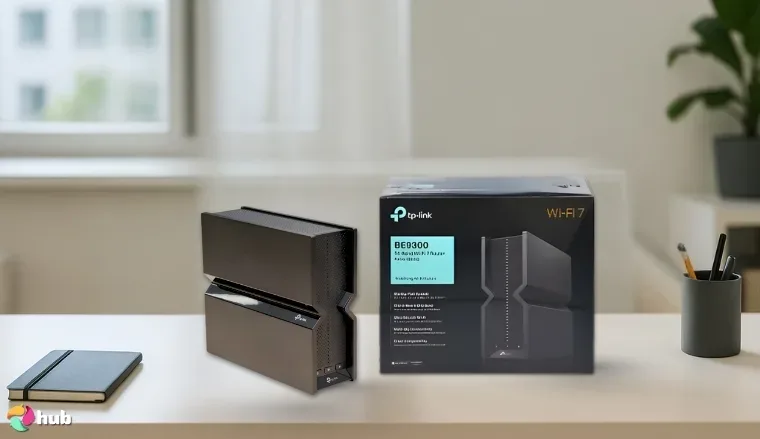
1. TP-Link 9300 [Best Overall Wi-Fi Router]
| Specs | Details |
|---|---|
| Wi-Fi standard | Wi-Fi 7 (802.11be) |
| Maximum speed | Up to 5760 Mbps (6 GHz), 2880 Mbps (5 GHz), 574 Mbps (2.4 GHz) |
| Bands | Tri-band |
| Coverage area | Large homes with multi-room layouts |
| Number of supported devices | High device capacity with Multi-Link Operation |
| Ports | One 2.5G WAN, two 2.5G LAN, Ethernet |
| Special features | EasyMesh support, TP-Link HomeShield, Beamforming |
The TP-Link 9300 earns its place as a top router for streaming because it has a balanced mix of speed, range, and device capacity suited for large homes and high-bandwidth use. Its Wi-Fi 7 support lifts performance on every band, and the multi-gig speeds handle heavy streaming, gaming, AR, VR, and cloud tasks with ease. Strong antenna design improves stability across wide layouts, giving buyers dependable coverage and steady speeds in multiple rooms.
Pair the TP-Link 9300 with a Wi-Fi 7 device to unlock the full benefit of its multi-link features. Older devices still run well, yet a new phone or laptop unlocks the maximum speed the router can bring.
TP-Link 9300 also includes EasyMesh, which makes it simple to extend coverage without a complicated setup. Its 2.5G WAN and LAN ports help users handle fiber plans easily, and its HomeShield security tools support safer browsing and smart-home protection. The interface stays simple, and the setup process only takes a few minutes on the app.
| Pros | Cons |
|---|---|
| ✅ Strong Wi-Fi 7 performance that raises speed in busy homes ✅ Reliable long-range coverage that stays steady in multi-room layouts ✅ Multi-Link Operation that improves device strength ✅ EasyMesh support that helps users expand coverage ✅ Simple management through the app | ❌ Premium price that reflects the high-end hardware, yet buyers gain long-term value |
Final Verdict: This router offers the most complete mix of power and stability for large households. It remains the strongest pick for buyers who want the best balance of speed and coverage.
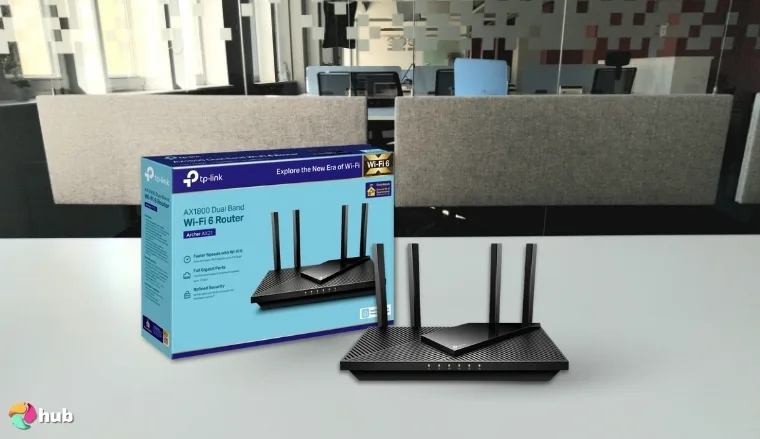
2. TP-Link Archer AX21 [Best Budget Wi-Fi Router]
| Specs | Details |
|---|---|
| Wi-Fi standard | Wi-Fi 6 (802.11ax) |
| Maximum speed | Up to 1200 Mbps (5 GHz) and 574 Mbps (2.4 GHz) |
| Bands | Dual-band |
| Coverage area | Small homes and apartments |
| Number of supported devices | Strong multi-device support with OFDMA |
| Ports | Ethernet LAN ports |
| Special Features | Beamforming, VPN Server Support |
The TP-Link Archer AX21 earns its place as the best budget Wi-Fi router because it provides fast Wi-Fi 6 speeds, stable coverage, and an easy setup process at a price many buyers can manage. The dual-band design raises everyday performance, and the router focuses its strength on common household tasks such as streaming, browsing, and light gaming.
Connect your busiest devices to the 5 GHz band on the Archer AX21 to unlock faster speeds and smoother performance during streaming or gaming.
The TP-Link Archer AX21 also stands out for its OFDMA multi-device support, which makes it a solid choice for small households with multiple connected users. Its beamforming technology helps direct signal strength where it’s needed most, reducing dead zones. With built-in VPN server support and reliable Ethernet LAN ports, it offers both flexibility and wired backup, features rarely seen at this price point.
| Pros | Cons |
|---|---|
| ✅ Wi-Fi 6 speeds that raise performance in everyday use ✅ Beamforming antennas that strengthen coverage ✅ OFDMA support that handles multiple devices well ✅ VPN server support for added flexibility ✅ Easy setup through the Tether app | ❌ Dual-band design lacks a 6 GHz band, yet it still offers excellent value at this price |
Final Verdict: This router offers strong speeds and stable coverage at a price that fits most budgets. It remains the top choice for buyers who want Wi-Fi 6 performance in a simple, affordable package.
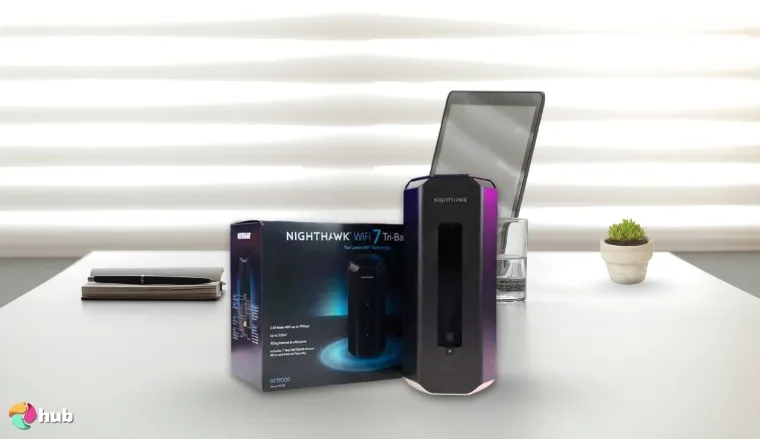
3. NETGEAR Nighthawk RS700S [Best Mesh Wi-Fi System]
| Specs | Details |
|---|---|
| Wi-Fi standard | Wi-Fi 7 (802.11be) |
| Maximum speed | Up to 19 Gbps combined speeds |
| Bands | Tri-band |
| Coverage area | Up to 3,500 sq. ft. per unit |
| Number of supported devices | High device capacity with advanced Wi-Fi 7 chips |
| Ports | 10 Gig WAN, 4 × 1 Gig LAN |
| Special Features | NETGEAR Armor, 360° antenna design |
The NETGEAR Nighthawk RS700S stands out as the best mesh Wi-Fi system because it uses cutting-edge Wi-Fi 7 technology and a strong multi-gig backhaul to create seamless coverage in large homes. Each unit spreads strong signals across long distances, and the antenna design supports 360-degree strength.
Place each RS700S unit in open areas to maximize the benefit of its 360-degree antenna pattern, which strengthens mesh coverage across wide layouts.
The router also supports a 10 Gig WAN port, which prepares buyers for fast fiber plans. Its Broadcom Wi-Fi 7 chips raise throughput and reduce delays during AR or VR sessions, 4K or 8K streaming, and online gaming. NETGEAR Armor adds extra online protection, and the security tools help users keep their network safe at home or in a busy household with many smart devices.
| Pros | Cons |
|---|---|
| ✅ Wi-Fi 7 performance that boosts speed and reduces delays ✅ Strong mesh coverage that supports large homes ✅ 10 Gig WAN port for next-generation internet plans ✅ 360° antenna design that spreads signals evenly ✅ NETGEAR Armour adds a valuable security tool | ❌ Higher price than entry-level models, yet its mesh strength brings excellent long-term value |
Final Verdict: This system offers some of the strongest mesh performance available, and it fits buyers who want fast, stable Wi-Fi in every part of their home.
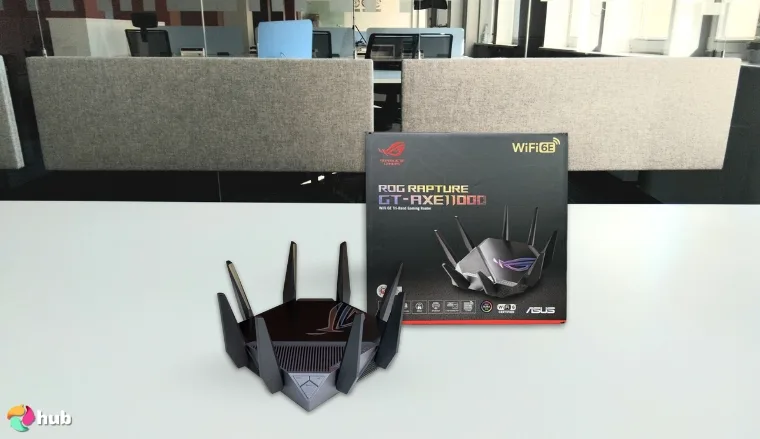
4. ASUS ROG Rapture GT-AXE11000 [Best Wi-Fi 6E Router]
| Specs | Details |
|---|---|
| Wi-Fi standard | Wi-Fi 6E (802.11ax) |
| Maximum speed | Up to 11,000 Mbps combined speeds |
| Bands | Tri-band with 6 GHz support |
| Coverage area | Large homes and gaming setups |
| Number of supported devices | High-capacity device handling |
| Ports | 2.5G LAN/WAN, Ethernet |
| Special Features | Triple-Level Game Acceleration, Quad-Core CPU |
The ASUS ROG Rapture GT-AXE11000 ranks as the best Wi-Fi 6E router because it unlocks the full power of the 6 GHz band, which brings ultra-low latency and clear, interference-free channels. Its wide bandwidth raises performance during 4K and 8K streaming, VR sessions, and next-generation gaming.
Connect your fastest devices to the 6 GHz band to take full advantage of the router’s lowest latency and cleanest channels.
The router’s 2.5G LAN/WAN port boosts wired performance and gets your network ready for multi-gig internet plans. Its quad-core CPU and triple-level game acceleration work together to reduce lag and maintain stable throughput, especially during intense streaming or gaming sessions. Combined with Wi-Fi 6E and the open 6 GHz band, it delivers a responsive, high-speed experience for households running demanding applications.
| Pros | Cons |
|---|---|
| ✅ 6 GHz band provides ultra-low latency for VR and next-gen gaming ✅ Up to 11,000 Mbps combined speeds for demanding tasks ✅ Quad-core CPU boosts stability under heavy load ✅ 2.5G LAN/WAN port supports faster wired connections ✅ Strong performance across all bands for large homes | ❌ Large body requires more desk space, yet the design improves antenna performance |
Final Verdict: The ASUS ROG Rapture GT-AXE11000 is built for serious users who demand ultra-fast speeds, low latency, and wide coverage across multiple devices.
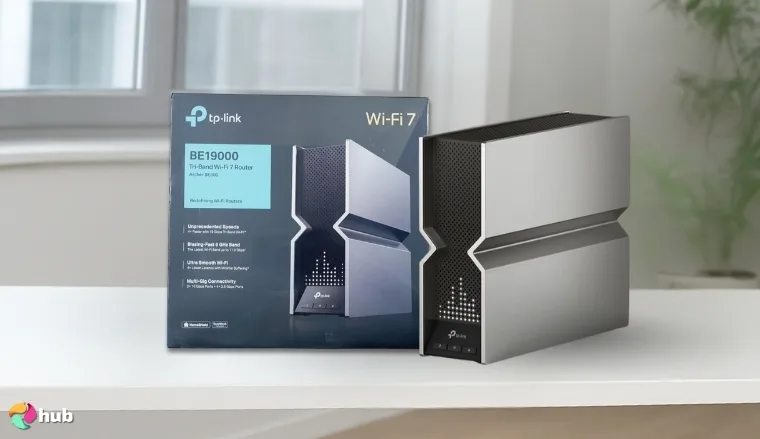
5. TP-Link Archer BE19000 Tri‑Band Wi‑Fi 7 Router [Best Wi-Fi Router for Streaming]
| Specs | Details |
|---|---|
| Wi-Fi standard | Wi-Fi 7 (802.11be) |
| Maximum speed | Up to 11,520 Mbps (6 GHz), 5,760 Mbps (5 GHz), 1,376 Mbps (2.4 GHz) |
| Bands | Tri-band |
| Coverage area | Large homes and multi-room layouts |
| Number of supported devices | High device capacity with Multi-Link Operation |
| Ports | Dual 10G WAN/LAN, four 2.5G ports, USB 3.0 |
| Special Features | EasyMesh, HomeShield Security, Beamforming |
The TP-Link Archer BE19000 earns its position as the best Wi-Fi router for streaming because it gives smooth 4K and 8K playback across several screens without interruption. Its tri-band Wi-Fi 7 design raises bandwidth across the entire home, and the wider 320 MHz channels support heavy streaming loads during busy hours.
Connect smart TVs and streaming boxes to the 6 GHz band when possible to unlock the cleanest channels and the highest streaming stability.
TP-Link Archer BE19000 also includes dual 10G WAN/LAN ports, which prepare users for next-generation fiber plans and offer faster wired connections for home theaters. Its EasyMesh compatibility helps expand coverage without gaps, and the HomeShield suite improves protection for families with many connected devices. The 2.5G ports support fast local transfers, and the USB 3.0 port adds flexibility for media sharing across the network.
| Pros | Cons |
|---|---|
| ✅ Handles smooth 4K and 8K streaming across multiple devices. ✅ Supports ultra-fast Wi-Fi 7 with tri-band and 320 MHz channels. ✅ Dual 10G and 2.5G ports ensure future-proof wired performance. ✅ EasyMesh expands coverage in large homes with no dead zones. ✅ HomeShield adds strong parental controls and network security. | ❌ Higher price, but worth it for top-tier streaming performance. |
Final Verdict: This router provides powerful bandwidth, smooth playback, and smart-home stability, making it ideal for homes that rely on heavy streaming.
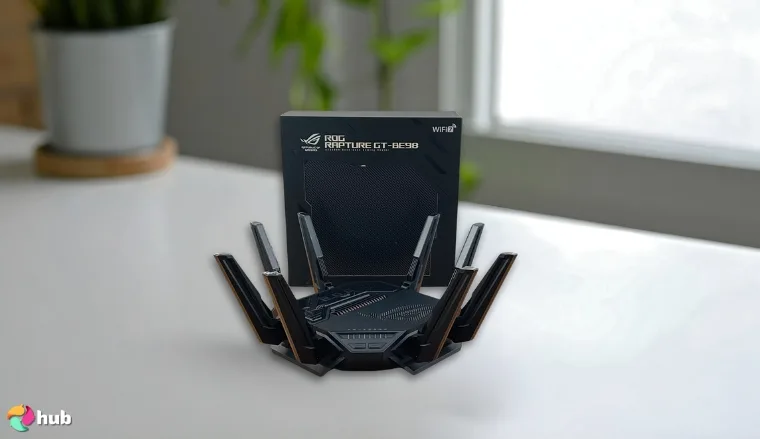
6. ASUS ROG Rapture GT-BE98 PRO [Best Wi-Fi Router for Gaming]
| Specs | Details |
|---|---|
| Wi-Fi standard | Wi-Fi 7 (802.11be) |
| Maximum speed | Up to 30 Gbps combined speeds |
| Bands | Quad-band |
| Coverage area | Large gaming rooms and multi-device homes |
| Number of supported devices | High capacity with Multi-Link Operation |
| Ports | Dual 10G ports, quad 2.5G ports |
| Special Features | Triple-Level Game Acceleration, Dual-Feeding Antennas |
The ASUS ROG Rapture GT-BE98 PRO stands out as the best gaming router because it provides ultra-low latency, high throughput, and stable multi-band performance. Its quad-band Wi-Fi 7 design provides major bandwidth headroom, while the 320 MHz 6 GHz channels support instant response in competitive play. Multi-Link Operation further improves stability by linking multiple bands for smoother traffic flow.
Connect your gaming PC or console to one of the dual 10G ports to unlock the most stable and responsive wired performance available.
ASUS ROG Rapture GT-BE98 PRO also uses dual-feeding antennas that improve signal strength across long distances, which helps gamers maintain stable performance even in large rooms. Its Triple-Level Game Acceleration optimizes routing between the device and the game server.
| Pros | Cons |
|---|---|
| ✅ Quad-band Wi-Fi 7 raises performance during intense gaming ✅ Up to 30 Gbps combined speeds for next-gen gaming tasks ✅ Dual 10G ports support elite wired performance ✅ Multi-Link Operation improves stability under pressure ✅ Dual-feeding antennas strengthen long-range signal quality | ❌ Premium price suits high-end setups, yet the performance returns strong value |
Final Verdict: ASUS ROG Rapture GT-BE98 PRO offers top-tier gaming strength with unmatched speed, excellent optimization tools, and responsive wired and wireless performance.
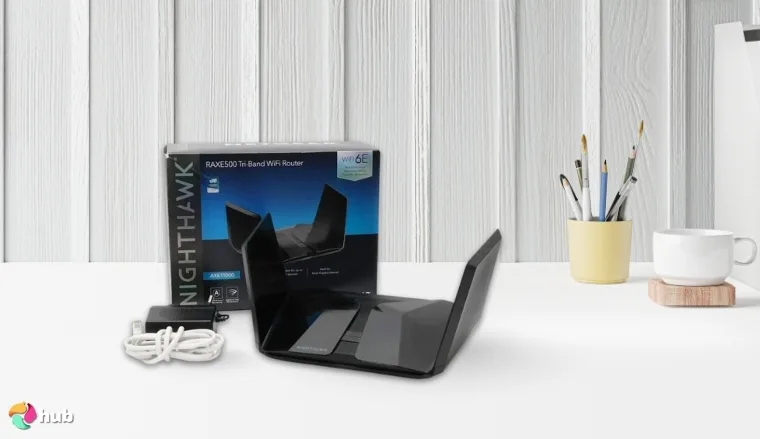
7. NETGEAR Nighthawk RAXE500 [Best Wi-Fi Router for Large Houses]
| Specs | Details |
|---|---|
| Wi-Fi standard | Wi-Fi 6E (802.11ax) |
| Maximum speed | Up to 10.8 Gbps combined speeds |
| Bands | Tri-band with 6 GHz support |
| Coverage area | Up to 3,500 sq. ft. |
| Number of supported devices | Up to 60 devices |
| Ports | 4 × 1G LAN, 1 × 2.5G LAN/WAN |
| Special Features | NETGEAR Armor, OFDMA, Beamforming |
The NETGEAR Nighthawk RAXE500 earns its title as the best Wi-Fi router for large houses because it brings far-reaching tri-band Wi-Fi 6E coverage that keeps multi-floor homes connected without drops or dead zones. Its dedicated 6 GHz band raises performance in busy environments, and the strong antenna layout improves signal reach across walls and long distances.
Place the RAXE500 in a central, open position to maximize its beamforming strength and maintain the highest signal quality across floors.
NETGEAR Nighthawk RAXE500 also supports up to 60 devices, which fits large homes with many smartphones, TVs, laptops, and IoT accessories. Its 2.5G port prepares buyers for high-speed internet plans, and NETGEAR Armor adds helpful protection for every connected device. The Nighthawk app keeps setup simple, and users can manage controls and security easily. It also pairs well with the best Wi-Fi extenders for gaming, which helps players maintain strong performance in distant rooms.
| Pros | Cons |
|---|---|
| ✅ Wide 3,500 sq. ft. coverage for large homes ✅ Tri-band Wi-Fi 6E improves speed and reliability ✅ Strong beamforming strengthens long-range performance ✅ 2.5G port supports fast wired connections ✅ NETGEAR Armor increases network protection | ❌ Premium price, yet the range and stability justify the cost |
Final Verdict: This best wireless router offers strong long-range coverage and fast tri-band Wi-Fi 6E performance, which makes it ideal for big homes with heavy daily use.
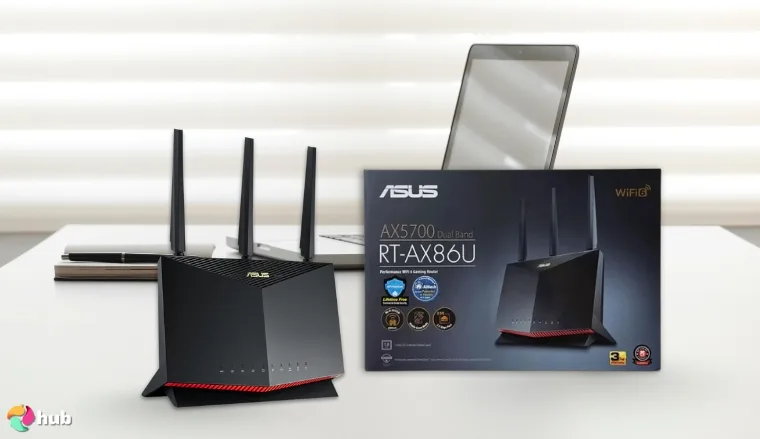
8. ASUS RT-BE86U BE6800 [Best VPN Wi-Fi Router]
| Specs | Details |
|---|---|
| Wi-Fi standard | Wi-Fi 7 (802.11be) |
| Maximum speed | Up to 6,800 Mbps |
| Bands | Dual-band |
| Coverage area | Medium to large homes |
| Number of supported devices | High-capacity device handling |
| Ports | 10G WAN/LAN, 2.5G WAN/LAN |
| Special Features | Built-in VPN, Guest Network Pro, Multi-Link Operation |
Strong VPN performance sets the ASUS RT-BE86U BE6800 apart, and its powerful quad-core CPU with built-in VPN acceleration creates fast, encrypted connections without slowing the network. As a top Wi-Fi 7 router, it supports demanding privacy tasks such as remote work, cloud access, and secure file transfers. Wider channels raise throughput, and Multi-Link Operation improves link stability for users who need consistent performance across devices.
Set up multiple VPN profiles through the router interface to switch between work and personal privacy needs without changing settings on each device.
Extra value comes from its Versatile WAN options, which include 10G and 2.5G ports along with support for 4G LTE and 5G mobile tethering. As a top VPN router, it also benefits from Guest Network Pro, which creates up to five isolated SSIDs to help families and small offices separate IoT devices or manage different user groups safely. Gamers curious about console privacy can also check out our guide on how to get a VPN on PS5.
| Pros | Cons |
|---|---|
| ✅ Built-in VPN acceleration improves encrypted speeds ✅ 10G and 2.5G WAN/LAN ports support fast wired connections ✅ Powerful quad-core CPU strengthens multitasking ✅ Guest Network Pro boosts network segmentation ✅ Multi-Link Operation improves overall reliability | ❌ Dual-band design lacks a third band, yet VPN users still gain excellent stability |
Final Verdict: Buyers gain fast, encrypted connections, strong processing power, and flexible WAN options, which make this router a standout choice for privacy and remote work.
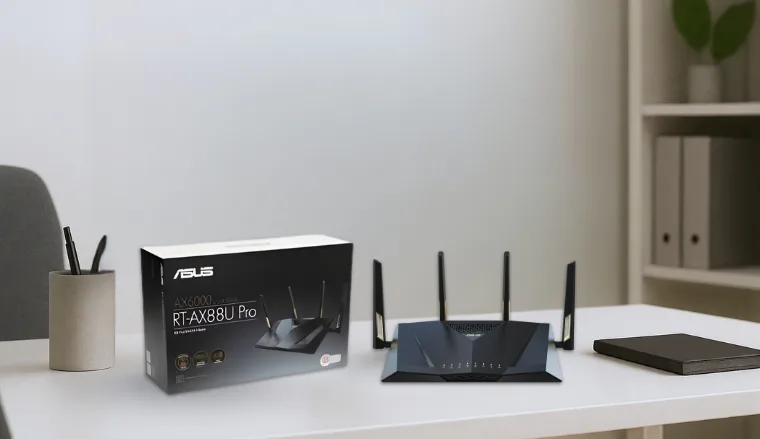
9. ASUS RT-AX88U Pro [Best Wi-Fi 6 Router]
| Specs | Details |
|---|---|
| Wi-Fi standard | Wi-Fi 6 (802.11ax) |
| Maximum speed | Up to 6000 Mbps |
| Bands | Dual-Band |
| Coverage area | Medium to large homes |
| Number of supported devices | 30–40 devices |
| Ports | Dual 2.5G ports, multiple Gigabit LAN |
| Special Features | RangeBoost Plus, AiProtection Pro |
A strong mix of speed, stability, and device capacity places the ASUS RT-AX88U Pro at the top of the Wi-Fi 6 category. Its dual 2.5G ports handle high-bandwidth traffic with ease, while the upgraded quad-core CPU keeps all network processes responsive.
Activate ASUS RangeBoost Plus to extend coverage into low-signal spots and strengthen performance across floors or long hallways.
Dual-band optimization avoids congestion and improves consistency during streaming, gaming, and cloud backups. As a top ASUS router, it also benefits from AiProtection Pro, which adds enterprise-grade security and protects connected devices without slowing the network.
| Pros | Cons |
|---|---|
| ✅ Wi-Fi 6 support improves stability and device efficiency ✅ Dual 2.5G ports boost wired performance for gaming or NAS setups ✅ Quad-core CPU keeps multitasking smooth across the network ✅ RangeBoost Plus strengthens coverage in distant rooms ✅ AiProtection Pro increases long-term network safety | ❌ Higher price, yet the long-term stability and strong security justify the investment |
Final Verdict: The ASUS RT-AX88U Pro suits buyers who want elite Wi-Fi 6 performance with strong range, powerful wired options, and reliable long-term stability.
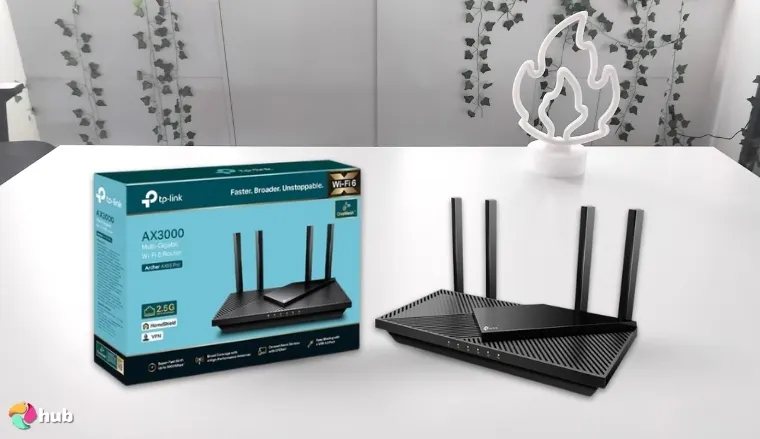
10. TP-Link Archer AX55 Pro [Best Wi-Fi Router for DSL and Internet Plans]
| Specs | Details |
|---|---|
| Wi-Fi standard | Wi-Fi 6 (802.11ax) |
| Maximum speed | Up to 2402 Mbps (5 GHz) + 574 Mbps (2.4 GHz) |
| Bands | Dual-Band |
| Coverage area | Medium to large homes |
| Number of supported devices | 30+ devices |
| Ports | 2× 2.5 Gbps WAN/LAN, 1× 1 Gbps LAN, USB 3.0 |
| Special Features | OFDMA, MU-MIMO, Beamforming, WPA3 |
Well-balanced hardware positions the TP-Link Archer AX55 Pro as a standout choice for DSL and lower-tier cable or fiber plans. Its dual-band Wi-Fi 6 design increases efficiency, while the 2× 2.5 Gbps ports create flexibility for mixed setups that rely on modems, mesh nodes, or wired devices.
Connect your DSL modem directly into one of the 2.5 Gbps ports to stabilize peak speeds on busy evenings.
A powerful chipset runs OFDMA and MU-MIMO smoothly, which helps the router distribute bandwidth evenly to streaming devices, gaming consoles, and smart-home accessories. TP-Link’s HomeShield suite also adds value with parental controls and IoT protection that reduce security risks for families and remote workers.
| Pros | Cons |
|---|---|
| ✅ 2.5 Gbps ports improve flexibility for DSL and cable setups ✅ Stable Wi-Fi 6 throughput supports smooth 4K streaming ✅ Beamforming antennas strengthen home coverage ✅ MU-MIMO + OFDMA improve multi-device performance ✅ EasyMesh support prepares the network for expansion | ❌ No Wi-Fi 6E support, yet Wi-Fi 6 still fits |
Final Verdict: The TP-Link Archer AX55 Pro suits users who need a stable, efficient Wi-Fi 6 router that performs well with DSL and mid-tier plans.
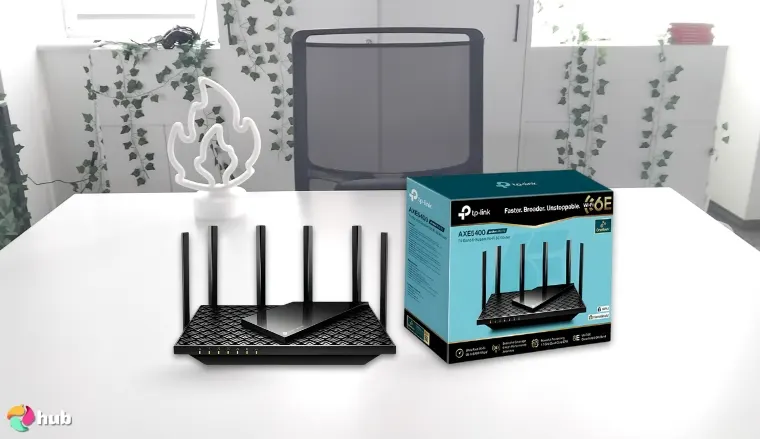
11. TP-Link Archer AX73 [Best Wi-Fi Router for Cable ISPs (Spectrum, COX, Xfinity, etc.)]
| Specs | Details |
|---|---|
| Wi-Fi standard | Wi-Fi 6 (802.11ax) |
| Maximum speed | Up to 5400 Mbps |
| Bands | Dual-Band (2.4 GHz + 5 GHz) |
| Coverage area | Medium to large homes |
| Number of supported devices | 30+ simultaneous connections |
| Ports | 1× Gigabit WAN, 4× Gigabit LAN, 1× USB 3.0 |
| Special Features | Beamforming, MU-MIMO, OFDMA, HomeShield Security |
A strong mix of speed and reliability positions the TP-Link Archer AX73 as the best fit for major US cable ISPs. Its optimized Wi-Fi 6 architecture offers low-latency connections, stable throughput, and smooth performance across smart TVs, gaming consoles, and everyday devices. It also pairs well with the best Wi-Fi extender for Xfinity, which gives households extra flexibility when expanding coverage.
Pair this router with an approved DOCSIS 3.1 modem to unlock its full speed potential on cable plans.
Owners gain flexible device bandwidth thanks to MU-MIMO and OFDMA, while the 6 high-gain antennas push coverage deep into multi-room layouts. The USB 3.0 port adds convenient local storage access, and HomeShield keeps every connected device protected with router-level security tools.
The TP-Link Archer AX73 is a high-performance dual-band router built for cable users who need fast, reliable Wi-Fi 6 speeds across multiple rooms. It supports over 30 devices with low latency, thanks to MU-MIMO and OFDMA, while six antennas and beamforming boost signal strength throughout the home.
| Pros | Cons |
|---|---|
| ✅ 5400 Mbps Wi-Fi 6 speed supports 8K streaming and fast downloads ✅ MU-MIMO + OFDMA increase efficiency with many devices ✅ USB 3.0 port allows media sharing and local backups ✅ HomeShield security boosts overall network protection | ❌ No multi-gig WAN, although Gigabit still suits most cable plans |
Final Verdict: The TP-Link Archer AX73 suits households that want reliable Wi-Fi 6 speeds and full compatibility with major US cable providers. Its strong range, consistent throughput, and security features make it a dependable long-term upgrade.
What are Wi-Fi 5, Wi-Fi 6, Wi-Fi 6E, and Wi-Fi 7?
Wi-Fi standards evolve as new devices demand faster speeds, lower latency, and smoother multi-device performance. Each generation unlocks improvements that shape how well your network handles streaming, gaming, smart-home devices, and work tasks. Understanding the differences helps you decide which standard fits your lifestyle, especially if you’re also pairing your home setup with the best router for a large house to maximize coverage and overall performance.
| Feature | Wi-Fi 5 | Wi-Fi 6 | Wi-Fi 6E | Wi-Fi 7 |
|---|---|---|---|---|
| Max Speeds | ~3.5 Gbps | ~9.6 Gbps | ~10+ Gbps | 30–40+ Gbps |
| Bands Supported | 2.4 GHz, 5 GHz | 2.4 GHz, 5 GHz | 2.4 GHz, 5 GHz, 6 GHz | 2.4 GHz, 5 GHz, 6 GHz |
| Latency | Moderate | Low | Very Low | Ultra-Low |
| Device Handling | Good | High efficiency (OFDMA) | Higher with additional spectrum | Highest with Multi-Link Operation |
| Key Benefits | Stable performance | Faster speeds & better multitasking | Wider channels, less congestion | Extreme throughput & next-gen responsiveness |
| Use Cases | Browsing, HD streaming | 4K streaming, gaming, work | 8K, VR, low-latency tasks | High-end gaming, AR/VR, multi-gig homes |
Every top router for streaming fits a specific type of user, and understanding those differences makes the buying decision much easier. Here’s which Wi-Fi version aligns best with real-world needs, household sizes, and the way you use your devices every day:
- Choose Wi-Fi 5 → If your priority is affordability and you mainly browse, stream HD content, or use older devices.
- Choose Wi-Fi 6 → If your home runs dozens of devices and you want reliable speeds without paying for the latest tech. Great with WiFi routers like TP-Link Archer AX55 Pro or ASUS RT-AX88U Pro.
- Choose Wi-Fi 6E → If you want access to the clean 6 GHz band for VR, low-latency gaming, or 8K streaming. Works well with routers like NETGEAR RAXE500.
- Choose Wi-Fi 7 → If you want the fastest wireless speeds available, multi-gig performance, and future-proofing for advanced tasks such as AR/VR or multi-room cloud gaming using the best router for large house setups.
Pick the right Wi‑Fi version and your network stays fast, stable, and ready for everything you do, streaming, gaming, or working across multiple rooms.
My Overall Verdict
A strong Wi-Fi setup works best when it fits your home size, device count, and performance needs. Buyers searching for the best Wi-Fi router should start with the model that aligns with their daily network demands.
- For most households wanting the strongest all-around performance: TP-Link 9300 provides fast speeds, strong coverage, and excellent stability, giving most homes the best mix of power and value.
- For multi-device families: ASUS RT-AX88U Pro handles heavy Wi-Fi 6 loads smoothly across several rooms.
- For large houses: NETGEAR RAXE500 spreads fast, consistent Wi-Fi 6E coverage across multiple floors and dense smart-home setups.
- For next-gen users: TP-Link Archer BE19000 unlocks top-tier Wi-Fi 7 speeds with ultra-low latency.
- For tight budgets: TP-Link Archer AX21 remains one of the most dependable, affordable Wi-Fi 6 options.
Start with your real needs, speed, coverage, or future upgrades, and match them to the right router. The best Wi‑Fi setup isn’t about specs – it’s about what keeps your network smooth every day.
FAQs
The best Wi-Fi router is the TP-Link 9300 because it offers the strongest mix of speed, coverage, and reliability. Larger homes benefit from Wi-Fi 6E or Wi-Fi 7 models, while smaller spaces perform well with affordable Wi-Fi 6 routers.
The difference between dual-band routers and tri-band routers is that the dual-band ones broadcast on 2.4 GHz and 5 GHz, while tri-band routers add a second 5 GHz or 6 GHz band. The extra band reduces congestion and improves performance in busy homes with many devices.
You need at least one WAN port for your modem and several LAN ports for wired devices like PCs, TVs, and consoles. Look for 2.5G ports if you use gigabit or multi-gig internet. More ports offer better flexibility, especially when running multiple wired devices.
A standalone router is better for apartments or small homes. A mesh system is better for large houses or multi-floor properties because it uses multiple nodes to eliminate dead zones. Choose mesh if you want seamless roaming and consistent speed throughout the entire home.
You should sleep at least several feet away from your bed. Most people place routers in common areas for better coverage, which naturally keeps them at a distance. This improves sleep comfort and optimizes Wi-Fi performance throughout the home.











