7 Best Tablets for Roblox in 2026

Eneba Hub contains affiliate links, which means we may earn a small commission if you make a purchase through them—at no extra cost to you. Learn more


Recent update
This list is regularly updated to match what’s trending and in-demand among gamers.
Finding the best tablet for Roblox isn’t as simple as picking the cheapest option. Roblox runs on PlayStation, Xbox, Windows, Mac, Android, and iPadOS, but not every tablet handles it smoothly. You need a fast processor, a solid graphics chip, enough RAM, and storage for constant updates.
I tested 7 tablets to see how they handled Roblox, checking speed, gameplay smoothness, loading times, and battery life. This guide covers options for every budget, including affordable picks for kids and high-performance tablets for serious players.
Jump to:
Our Top Picks for Roblox Tablets
There are plenty of tablets that can run Roblox, but a few truly stand out from the rest. We picked these based on how smoothly they run the game, loading speed, graphics quality, battery life, and overall value for the price.
Each one was tested to see how well it handles Roblox’s latest updates, even during busy, action-packed moments. No matter if you’re looking for a budget-friendly option or a high-end device, these tablets will give you a fun and lag-free Roblox experience.
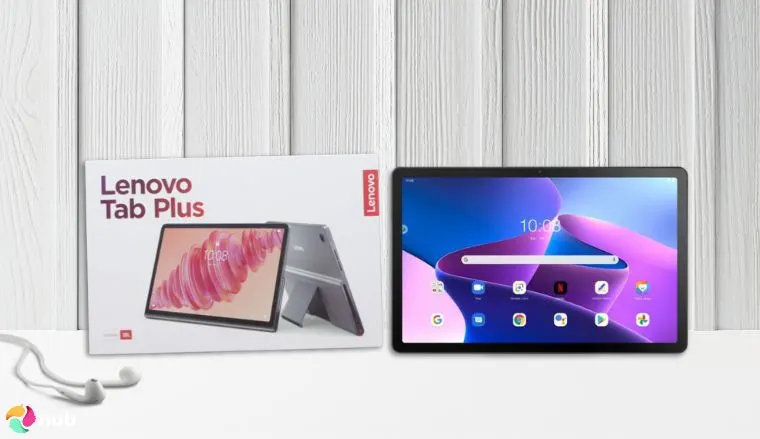
- Lenovo Tab Plus – great if you want to play Roblox, watch movies, stream music, or multitask between apps. Seriously, this tablet is good at a so many things. And, the new version has more memory and faster speeds, so Roblox runs even smoother now.
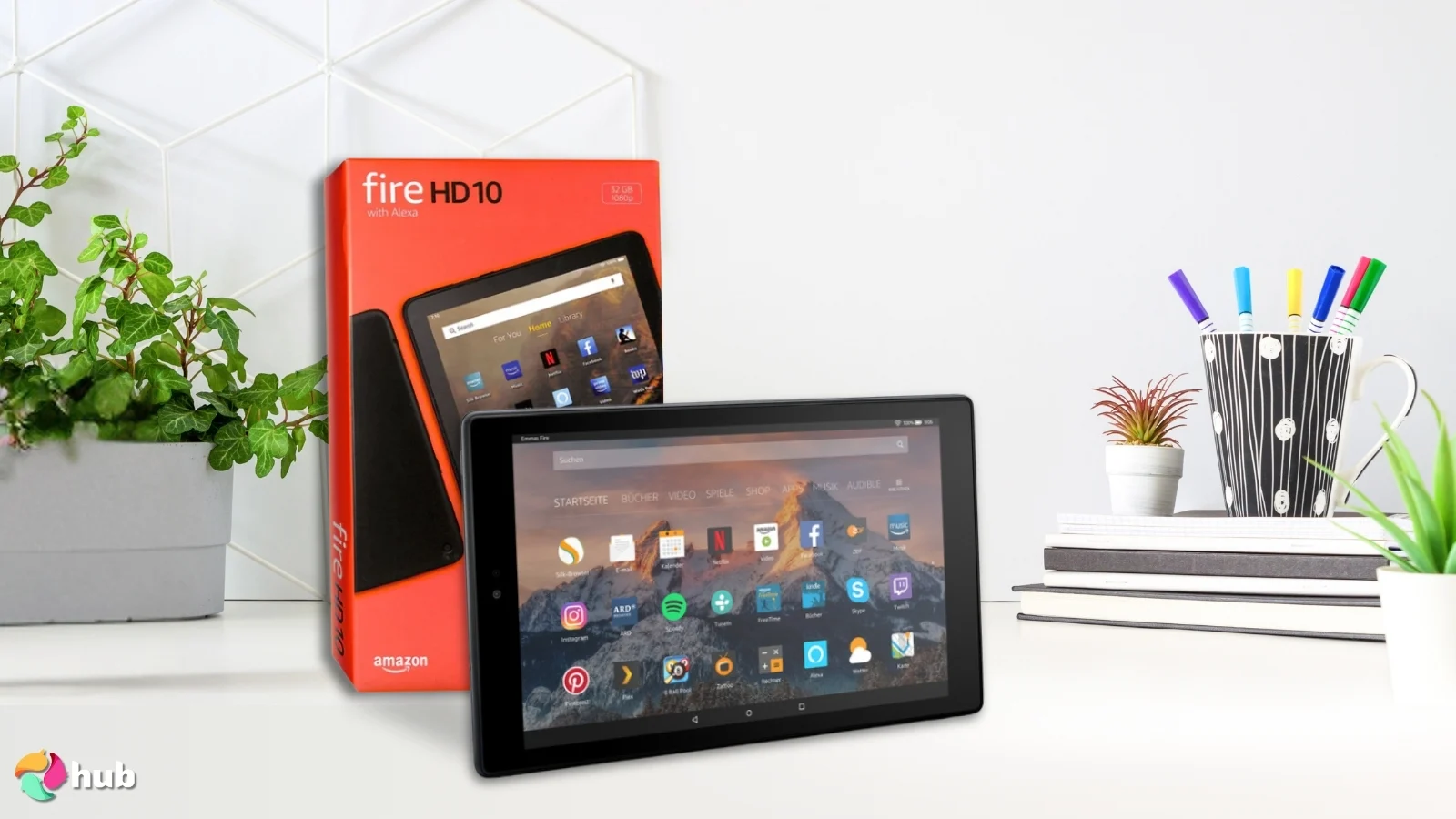
- Amazon Fire HD 10 (13th Generation) – the best budget tablet for Roblox, now 25% faster than its predecessor. Solid Roblox performance, a 13-hour battery, and durable aluminosilicate glass make it a smart pick without breaking the bank.
- Apple iPad Mini (A17 Pro) – if you’re going all-in for a tablet, you may as well go for an iPad, especially with the A17 Pro chip.
While these are the cream of the crop, there are plenty more than just these short write-ups!
7 Best Tablets for Roblox Reviews
This list of 7 of the best Roblox tablets boils down to a few factors: budget, specs, display/audio, and battery life.
They may seem pretty obvious, but those are really the only main considerations you need for a Roblox tablet. All of these tablets offer great performance for their cost, provide ample audio/video capabilities, and have a good battery life. There’s also a bit of something for everyone here, whether you’re looking for a premium tablet or need one that isn’t too pricey.
1. Lenovo Tab Plus [Best Overall Tablet for Roblox]
| Specs | Details |
|---|---|
| Processor | MediaTek Dimensity 9000 |
| Operating System | Android 12L or Later |
| GPU | Mali-G57 MC2 |
| RAM | 8GB |
| Storage Capacity | 256GB integrated, up to 1TB expandable storage |
| Battery Capacity | 8600mAh |
| Resolution | 11.5’’/2000×1200 |
| Weight | 1.43lbs/0.65kg |
Let’s start with the specs. The Lenovo Tab Plus is one of the best tablets for Roblox because it has great features and won’t cost too much. It has a MediaTek Dimensity 9000 made for gaming, so it can handle fast action and detailed graphics without slowing down.
With 8GB of RAM, the tablet can run many apps and games at the same time without lag or freezing, even during busy moments in Roblox. The 256GB of storage gives you plenty of space to save Roblox updates and other games, so you won’t run out of room.
If you need more space, you can always add an SD card to store more games and files easily. All these features work together to give you a smooth and fun Roblox experience while you explore, build, or battle.
While this tablet grants an amazing gaming experience, where it really shines is its audio and display. The 8 JBL speakers produce clear, rich sound that makes games and videos more immersive. The display is bright and sharp, showing vibrant colors that bring Roblox worlds to life.
All this is backed by a surprisingly long battery life, so you can play for hours without needing to recharge. Plus, the built-in kickstand helps you prop up the tablet at a comfortable angle for gaming or watching, and it also balances out the extra weight from the speakers, making it easier to hold or use on a table.
| Pros | Cons |
|---|---|
| ✅ Well-rounded specs at a reasonable price ✅ Superb audio performance backed by 8 JBL speakers ✅ Very long battery life ✅ Integrated kickstand is super handy ✅ Comes with security updates until 2028 | ❌ Speaker bump makes this one a bit bulky |
Final Verdict: The Lenovo Tab Plus is an excellent tablet for its price range. Whether it’s for playing Roblox, other online games, or for media, this tablet won’t disappoint!
2. Amazon Fire HD 10 (13th Generation) [Best Budget Tablet for Roblox]
| Specs | Details |
|---|---|
| Processor | MediaTek MT8186A (Octa-Core: 2x Cortex-A76 @ 2.05GHz, 6x Cortex-A55 @ 2.0GHz) |
| Operating System | Fire OS 8 |
| GPU | ARM Mali-G52 MC2 @ 1GHz |
| RAM | 3GB |
| Storage Capacity | 32/64GB integrated, up to 1TB expandable storage |
| Battery Capacity | ~6500mAh (13-hour battery life) |
| Resolution | 10.1”/1920×1200 |
| Weight | 0.96lbs/0.434kg |
The Amazon Fire HD 10 (13th Gen) is the best budget tablet for Roblox – it’s 25% faster than its predecessor, and you’ll notice the difference. Load times are tighter and gameplay stays stable even in busier worlds. The MT8186A chip pairs two faster Cortex-A76 cores with six efficient A55 cores, giving it a meaningful edge over older budget tablets for everyday gaming use.
With 3GB of RAM, it handles Roblox comfortably for most experiences. It won’t push the highest graphics settings, but for casual and mid-complexity Roblox worlds, it holds up well. Storage starts at 32GB and expands up to 1TB via microSD, so running out of room isn’t a real concern.
The 10.1″ Full HD display is bright and sharp enough for Roblox to look good, and the dual stereo speakers with a 3.5mm jack mean you’re not stuck using headphones. If you’re looking for the best tablet for Roblox on a tight budget, the aluminosilicate glass is also rated 2.7x more durable than previous-generation budget tablets – a genuine plus for a device that’ll likely take some knocks.
Can You Play Roblox on Amazon Fire Tablets?
Yes, but there’s a catch. Fire tablets run Fire OS, not standard Android, so Google Play Store isn’t pre-installed. You’ll need to sideload it or use a third-party store like Aptoide to get Roblox. Once installed, it runs smoothly on the Fire HD 10. Load times can be slightly longer than on standard Android tablets, but gameplay stays stable for most experiences.
The 13-hour battery life is genuinely solid for a budget tablet, and the lightweight build at under 1lb makes it easy to hold during long sessions. Just keep expectations realistic – this is a budget device, and heavier or more graphically complex Roblox games will perform better on a step up.
| Pros | Cons |
|---|---|
| ✅ Very affordable ✅ 25% faster than previous gen ✅ 13-hour battery life ✅ Durable aluminosilicate glass screen ✅ Up to 1TB expandable storage | ❌ 3GB RAM limits heavier games ❌ No Google Play pre-installed ❌ Lock screen ads unless removed |
Final Verdict: The 13th gen Fire HD 10 is the strongest budget pick for Roblox. The faster chip, long battery, and durable build make it a smart buy for casual players who don’t want to spend much.
3. Apple iPad Mini (A17 Pro) [Best Portable Tablet for Roblox]
| Specs | Details |
|---|---|
| Processor | Apple hexa-core CPU |
| Operating System | iPad OS 18 |
| GPU | Apple 5-core GPU |
| RAM | 8GB |
| Storage Capacity | 128/256/512GB, depending on model |
| Battery Capacity | 5078mAh |
| Resolution | 8.3’’/2266×1488 |
| Weight | 0.65lbs/0.29kg (very slightly more for Wi-Fi + Cellular models) |
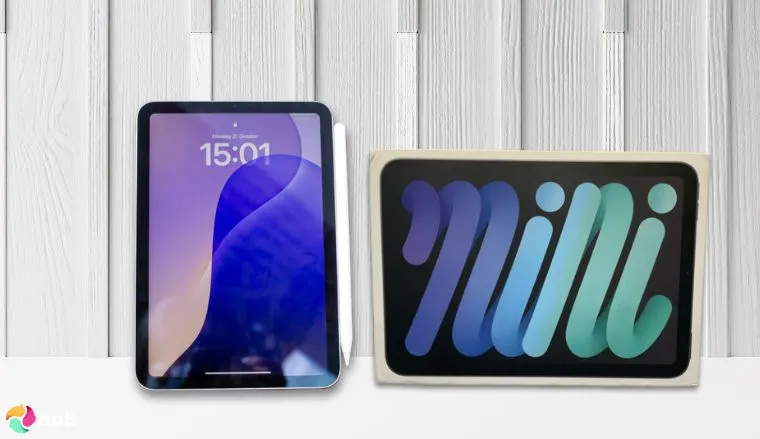
It should come as absolutely no surprise that Apple’s iPads are one of the last words when it comes not just to the best tablets for Roblox, but also for high end tablets.
The iPad Mini with the A17 Pro chip offers strong performance in a small size. Its 6-core CPU and 5-core GPU can handle most mobile games smoothly, including more demanding titles, so you can enjoy consistent frame rates without slowdowns. With 8GB of RAM, multitasking, like switching between a game and a chat app, feels quick and responsive.
The 8.3-inch Liquid Retina display shows stunning visuals and bright colors, which helps games look more detailed and immersive. Stereo speakers in each corner give balanced sound, making it easier to hear in-game effects and dialogue without headphones. Apple has also added software to reduce “jelly scrolling,” which helps keep fast-moving scenes smoother when reading text or panning across game maps.
Its small size makes it easy to carry, so you can take your games anywhere, be it a quick match at a café or a long session on a trip. Despite all this, the Apple iPad Mini A17 Pro is neither large nor heavy. At just 0.65lbs, this tablet is one of the best choices when it comes to powerful gaming on the go.
| Pros | Cons |
|---|---|
| ✅ Incredibly meaty specs ✅ Small, light, and very portable ✅ Great internal storage capabilities ✅ Visually stunning liquid retina display with adjustments for jelly scrolling ✅ Has Apple Intelligence | ❌ Overkill if you’re just going to use it to play Roblox |
Final Verdict: If you want a high-end iPad for gaming, the Apple iPad Mini A17 is a great choice. Its A17 Pro chip runs even the most demanding games smoothly, and the 8.3-inch Liquid Retina display with stereo speakers makes games look sharp and sound clear.
4. Google Pixel Tablet [Best Long-Lasting Tablet for Roblox]
| Specs | Details |
|---|---|
| Processor | Google Tensor G2 (Octa-core: 2x 2.85GHz Cortex-X1, 2x 2.35GHz Cortex-A76, 4x 1.80GHz Cortex-A55) |
| Operating System | Android 13 (upgradable to Android 16) |
| GPU | Mali-G710 MP7 |
| RAM | 8GB |
| Storage Capacity | 128/256GB, depending on model |
| Battery Capacity | 7020mAh (~27Wh) |
| Resolution | 10.95”/2560×1600 |
| Weight | 1.09lbs/0.493kg |
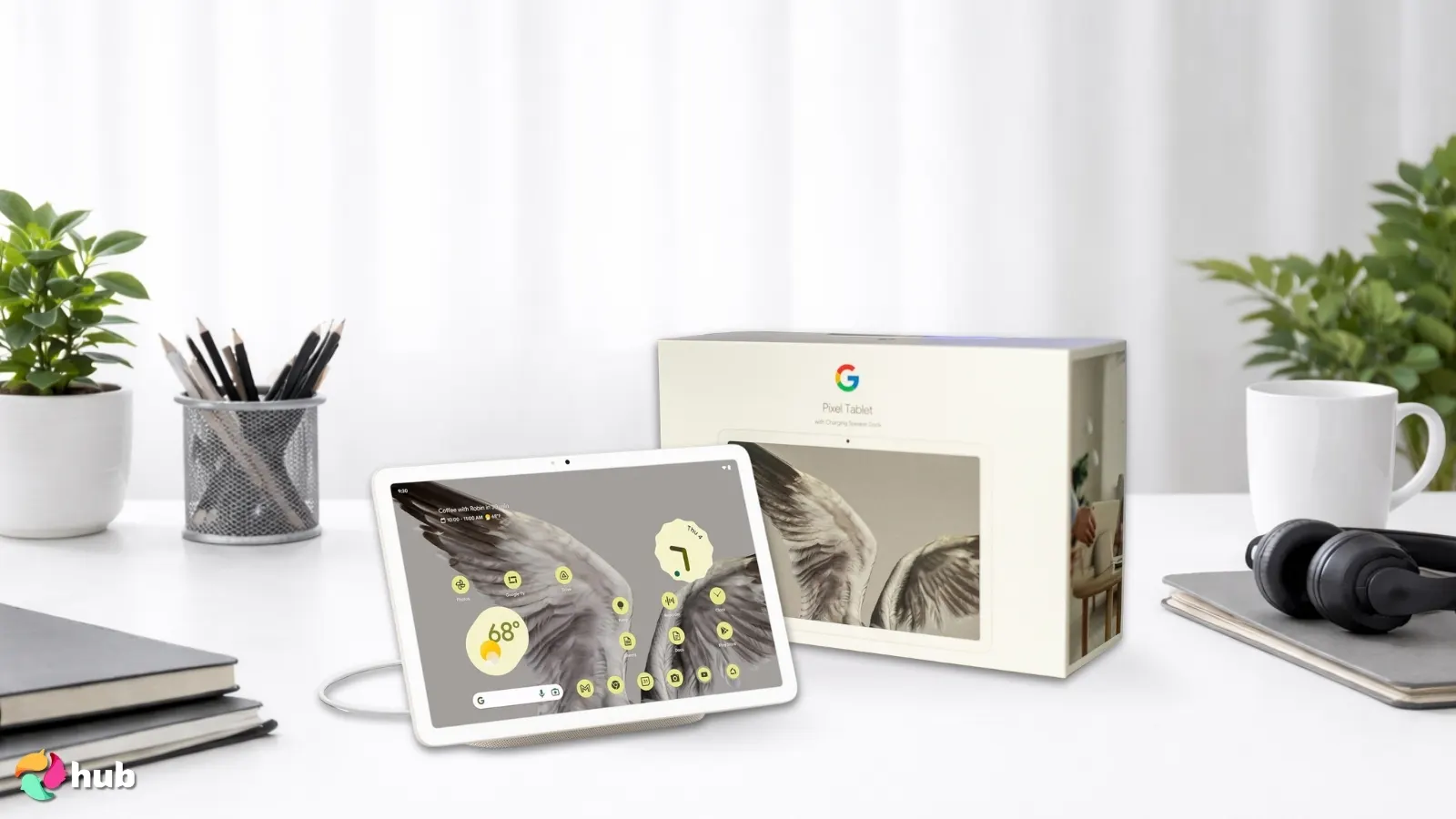
Google didn’t just watch while the mobile market grew – it jumped in with the Pixel phones and eventually the Google Pixel Tablet. It’s not a gaming laptop or as cutting-edge as Apple‘s iPads, but it’s a solid pick for the best tablet for Roblox for casual and mobile-friendly gaming, especially if long battery life is your priority.
Powered by the Tensor G2 chip with 8GB of RAM and the Mali-G710 MP7 GPU, it keeps Roblox running at a steady 50–60 FPS even in moderately demanding worlds. The 10.95″ 2560×1600 display is sharp and bright, making everything from Roblox‘s colourful worlds to YouTube look great between sessions.
Battery life is one of the biggest reasons it makes our best tablet for Roblox list. The 7020mAh cell lasts up to 10–12 hours on lighter titles like Roblox and around 7–8 hours for more demanding games. Google‘s adaptive battery settings help squeeze every last bit out of it, making it ideal for long gaming sessions without hunting for an outlet.
The optional charging speaker dock – sold separately – gives the audio a serious boost, turning the Pixel Tablet into a capable media hub when you’re not gaming. Without the dock, the built-in speakers are decent but not exceptional. The screen is locked at 60Hz, which is fine for Roblox but may feel slow if you’re used to higher refresh rate displays.
Android 13 out of the box with upgrade support up to Android 16, plus 5 years of security updates, means this tablet will stay relevant and secure for years to come.
| Pros | Cons |
|---|---|
| ✅ Tough, long-lasting battery ✅ Generous internal storage ✅ Comes with Gemini ✅ Sharp 2560×1600 display ✅ 5 years of security updates | ❌ Only 60Hz refresh rate ❌ Dock sold separately ❌ Heavier than some competitors |
Final Verdict: If your budget can stretch to it, the Google Pixel Tablet is the best tablet for Roblox for long sessions – great battery, a sharp display, and clean Android make it a well-rounded pick.
5. Lenovo Idea Tab Pro [Best Tablet for Roblox for Extended Gaming Sessions]
| Specs | Details |
|---|---|
| Processor | MediaTek Dimensity 8300 (Octa-Core: 1x Cortex-A715 @ 3.35GHz, 3x Cortex-A715 @ 3.2GHz, 4x Cortex-A510 @ 2.0GHz) |
| Operating System | Android 14 (upgradable to Android 16) |
| GPU | ARM Mali-G615 MC6 |
| RAM | 8GB LPDDR5X |
| Storage Capacity | 128GB UFS 4.0, up to 1TB expandable storage |
| Battery Capacity | 10200mAh |
| Resolution | 12.7”/2944×1840 (3K) |
| Weight | 1.37lbs/0.620kg |
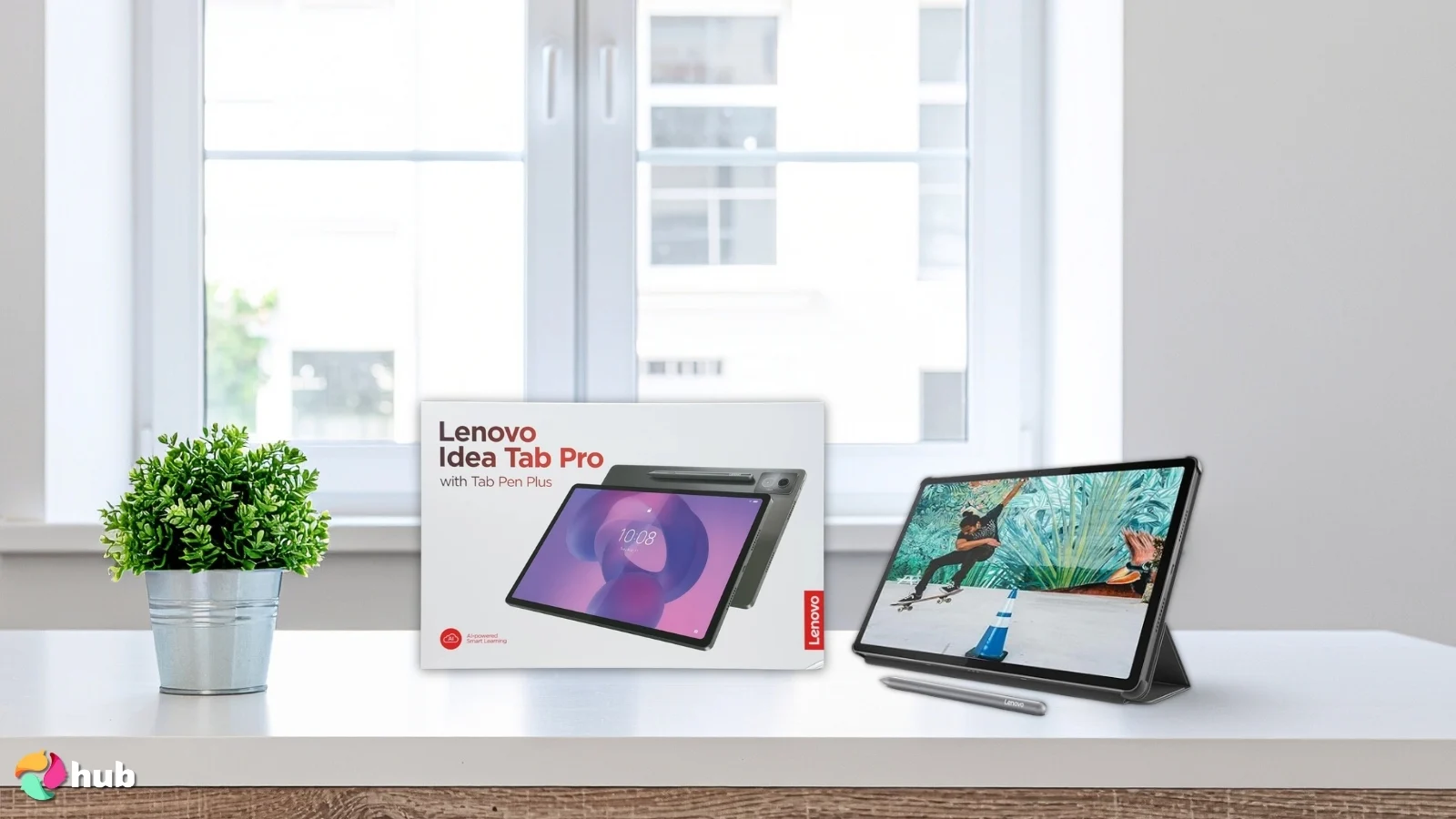
If you’re looking for the best tablet for Roblox for long, uninterrupted gaming sessions, the Lenovo Idea Tab Pro is a serious contender. The 10,200mAh battery paired with 45W fast charging means you can game for hours without sweating the battery bar – and when you do need to top up, it charges fast.
The MediaTek Dimensity 8300 chip is a step up from the older Dimensity 7050 in its predecessor, built on a 4nm process and scoring over 1,400,000 points in AnTuTu v10. It handles Roblox without breaking a sweat and has headroom for far more demanding titles, too. The Mali-G615 MC6 GPU keeps frame rates smooth even during busy, action-packed Roblox worlds, which shows it can handle more demanding games beyond Roblox.
The 12.7″ 3K display at 144Hz is one of the sharpest and smoothest screens on this list – 2944×1840 resolution makes Roblox worlds look sharp and detailed, and the 144Hz refresh rate means scrolling and movement feel buttery smooth. Quad JBL Dolby Atmos speakers round out the media experience with genuinely impressive sound for a tablet.
Google Gemini is baked in, and the included Tab Pen Plus and Folio Case add real value straight out of the box – no extra purchases needed. Wi-Fi 6E keeps online Roblox sessions stable and fast.
The only real caveat: at 1.37 lbs, it’s one of the heavier tablets on this list, so extended handheld sessions might get tiring. Propping it up with the included folio case largely solves that.
| Pros | Cons |
|---|---|
| ✅ Massive 10,200mAh battery with 45W fast charging ✅ 144Hz 3K display – sharpest screen on this list ✅ Dimensity 8300 – powerful 4nm chip ✅ Pen and folio case included in the box ✅ Quad JBL Dolby Atmos speakers | ❌ Heavier than most tablets on this list ❌ 60fps cap on some Roblox experiences |
Final Verdict: The Lenovo Idea Tab Pro is the best tablet for Roblox if marathon sessions are your thing. A monster battery, a stunning 3K 144Hz display, and a capable chip make it one of the most well-rounded picks on this list.
6. Samsung Galaxy Tab A9+ [Best Mid-Range Tablet for Roblox]
| Specs | Details |
|---|---|
| Processor | Octa-core (2x Kryo 660 Gold@2.2GHz, 6x Kryo 660 Silver@1.8GHz) |
| Operating System | Android 13 (upgradable to 14), One UI 6.1 |
| GPU | Adreno 619 |
| RAM | 4GB/8GB |
| Storage Capacity | 64GB-128GB, up to 1TB expandable storage |
| Battery Capacity | 7040mAh |
| Resolution | 11’’/1920×1200 |
| Weight | 1.32lbs/0.6kg |
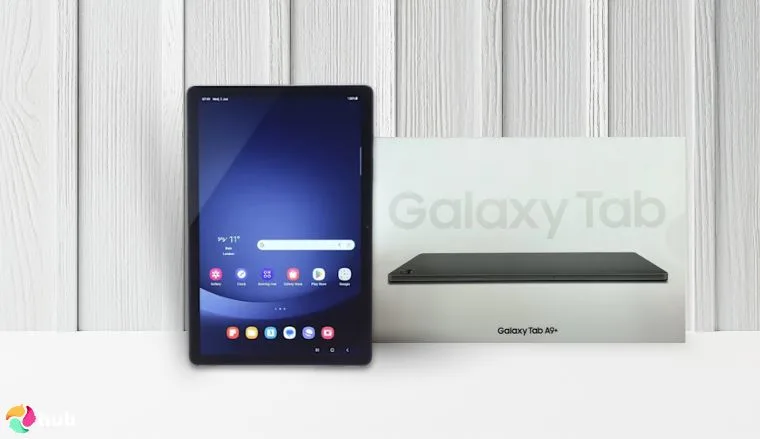
The Galaxy Tab A9+ sits in the mid-range budget tier. It’s more powerful than cheap entry-level tablets, while still being very cost-effective. It offers smooth performance for everyday tasks, streaming, and light gaming without the high price tag.
Despite its relatively low cost, this tablet punches way above its weight class. Kryo CPUs give the Galaxy A9+ a small but noticeable edge in games, and the choice between 4 or 8GB of RAM is welcome. Do note that some users have remarked that the 4GB version is noticeably laggier than the 8GB one – so get the 8GB one if you’re looking to just invest once in a tablet.
This tablet does great in games, but it’s also fantastic when it comes to media or reading. It’s got a surprisingly vibrant display – not top notch, but for a tablet in this price range, it’s excellent. Quad Dolby Atmos Speakers complete the media experience with rich, immersive sound, and finally, 128GB of storage space means you can load this tablet up with a ton of movies, music, and books to read!
| Pros | Cons |
|---|---|
| ✅ Superb performance for its price tag ✅ Fantastic display with amazing graphics ✅ Very rich sound ✅ Comes in both 4/8GB RAM and 64/128GB storage variants ✅ More storage via microSD | ❌ The screen might be a little small for hardcore gamers |
Final Verdict: Whether you’re looking for a good gaming tablet or a decent media tablet, Samsung’s Galaxy Tab A9+ is a fantastic all-rounder.
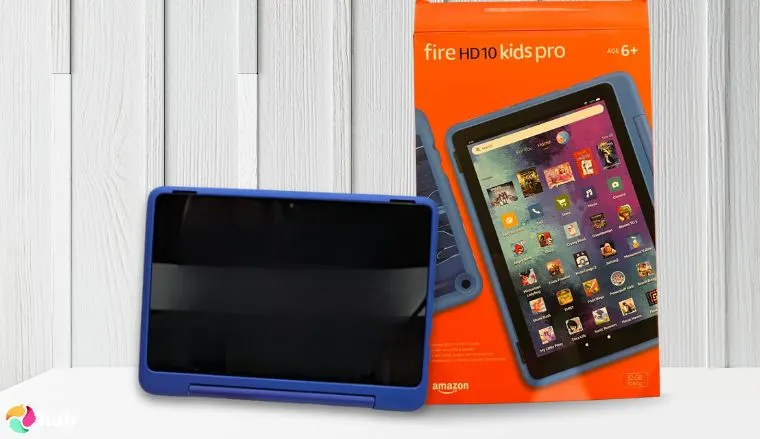
7. Amazon Fire HD 10 Kids Pro [Best Kid-Friendly Tablet for Roblox]
| Specs | Details |
|---|---|
| Processor | Octa-Core (2x A76@2.05GHz, 6x A55@2.0GHz) |
| Operating System | Fire OS |
| GPU | Unspecified, but likely Mali-G52 MP2 |
| RAM | 3GB |
| Storage Capacity | 32B integrated, up to 1TB expandable storage |
| Battery Capacity | Unspecified, but likely 6500mAh |
| Resolution | 10.1’’/1920×1200 |
| Weight | 1.45lbs/0.66kg |
Finally, we come to this great gaming tablet that’s made just for kids. If the name seems familiar, that’s not you seeing things – this is virtually the same tablet as the 13th gen Amazon Fire HD 10 that’s number two on this list.
This Amazon Fire tablet is almost the same as the Fire HD 10, so you get the same speed and smooth performance. It has 32GB of storage for games, videos, and school apps, and you can add more with a microSD card. The screen and graphics are smooth and colorful, making it great for both learning and play, and it should last through long trips without running out of power.
Unlike the Fire HD 10, though, this is a kids-focused gaming tablet, and so it comes with some important extra features. The first of these is a sleek, tough case that protects the tablet. Next are the parental controls, which allow for easy monitoring for even non tech-savvy parents. Third are the subscriptions; by default, the Amazon Fire HD 10 Kids comes with a year-long subscription to Amazon Kids+ for kid-friendly games, books, and videos. Last, but definitely not least, is the 2-year full replacement warranty, which says a lot about Amazon’s confidence in this gaming tablet!
| Pros | Cons |
|---|---|
| ✅ Just as good as the original Amazon Fire HD 10 ✅ Comes pre-loaded with a one-year subscription to Amazon Kids+ ✅ Parental controls pre-installed ✅ Stylish yet sturdy protective case ✅ Has a 2-year full replacement warranty | ❌ Easy to confuse with the 3-7 years old version; make sure you’re picking the right model! |
Final Verdict: If you’re looking for a tablet for a kid to play Roblox, Amazon’s Fire HD 10 Kids Pro is a clear winner for both adults and children.
Can You Play Roblox on a Tablet? System Requirements Explained
Yes, most modern tablets can run Roblox smoothly. However, older or budget tablets might struggle with performance if they don’t meet the minimum specs.
System Requirements:
| Component | Minimum Requirement | Recommended |
|---|---|---|
| Processor | 1.6GHz+ | 2.0GHz+ Octa-core |
| RAM | 1GB | 4GB+ |
| Storage | 500MB-1GB (with cache) | 32GB device, 64GB+ ideal |
| Operating System | Android 8.0+ / iOS 13+ | Android 13+ / iOS 15+ |
| Graphics | OpenGL ES 3.0 (Android) / Integrated | Gaming-focused GPU |
| Internet | 4-8 Mb/s | Wi-Fi recommended |
Android tablets need Android 8.0 or newer with OpenGL ES 3.0 support. Fire tablets work but require Google Play Store installation. Most tablets from 2019 onwards meet these requirements.
iOS tablets need iOS 13 or iPadOS 13 minimum. Compatible devices include iPad Air 2, iPad mini 4, iPad (5th gen), and newer models. Older models like iPad 3 or 4 won’t run Roblox.
Tablets with Tegra 2 chips or processors older than ARMv7 can’t run Roblox at all. Devices with under 2GB RAM will lag severely or crash during gameplay, so check your tablet’s specs before downloading.
Roblox Tablet Buyer’s Guide
While the selection of gaming tablets above provides plenty of excellent choices, you may also want to do your own research. In that case, here’s what you need to know to get the best gaming tablet for Roblox!
1. CPU and GPU Performance
Whether it’s Roblox, online gaming, or intensive offline games, a good gaming experience requires both a powerful CPU and GPU.
The CPU is the tablet’s “brain” that processes data. Key factors include the processor model (ARM Cortex, Snapdragon, or Apple A/M-series), number of cores (hexa-core, octa-core), and clock speed measured in gigahertz (GHz). Roblox requires at least 1.6GHz; a speed most modern tablets easily clear. Higher clock speeds mean better performance but drain the battery faster.
The GPU handles graphics rendering. Stronger GPUs deliver smoother gameplay with less lag. While Roblox isn’t graphically demanding, a better GPU helps if you plan to play other intensive games.
2. Display
Next are the visuals. There are two key considerations here: screen size (and resolution) and refresh rate.
Screen size refers to how physically large a tablet’s screen is, while resolution refers to how sharp images on the screen will be. This one depends entirely on how you play your games – people with bigger hands might want a bigger screen size (around 10 inches), while players who want better screen quality will want higher resolutions, like 1920×1200. Note that higher resolutions will push the tablet’s GPU to work harder.
Refresh rate refers to how often a screen redraws itself to show what’s happening. For slower-paced games like Roblox, 60-90Hz should be more than enough.
3. RAM and Storage
If the CPU is the tablet’s brain, RAM is its short-term memory. How much RAM a tablet has determines how well it can keep tasks in memory, meaning that games like Roblox will perform much better, and the tablet can handle multiple apps with seamless multitasking. Now, Roblox only requires 1GB of RAM, but more RAM is always better.
Storage is also measured in GB. Storage space represents how much data a device can store. The more storage space a device has, the more things you can put on it. Note that storage space doesn’t directly impact performance!
How Much Storage Does Roblox Need?
Roblox itself is lightweight. The initial download is around 220-240MB on iOS and 110-170MB on Android, so it installs quickly on most tablets.
You’ll need extra room for updates, cache, and game data. Plan for 500MB to 1GB total so Roblox can update smoothly and save your gameplay without storage warnings.
For tablets, 32GB is the bare minimum, but 64GB or higher is way better. This gives you space for Roblox, other games, apps, and media without constantly managing storage.
4. Battery Life and Connectivity
Battery life is an important factor for any mobile device. Take a look both at the battery capacity (measured in milliampere-hours, or mAh) and the wattage of the charging cable. A higher mAh means the tablet can hold more power – but the harder you push a tablet, the faster this will drain.
Cables, on the other hand, have a wattage rate that determines the flow of energy from charger to tablet. Higher is better, though of course, it’s always more expensive. I also recommend sticking to chargers from the same brand as your tablet.
Connectivity is virtually a non-issue as all tablets can connect to both Wi-Fi and Bluetooth. Many tablets can also connect to cellular networks via a SIM card – if this is important to you, double-check with the manufacturer.
5. Audio
Most tablets have standard speakers built into them, so you’ll always have sound for movies and online gaming. However, some tablets, like the Lenovo Tab Plus, go the extra mile with their speakers, which, in some cases, can almost match a dedicated setup.
Shopping for tablets with exceptional audio will require you to take a good look at the quantity, type, and brands of the included speakers. Keep in mind that more speakers means more weight and size!
6. Portability and Durability
Last, but not least, are considerations of portability and durability.
The smaller a tablet is, the easier it is to carry around – but the smaller the screen will be. Make sure to carefully consider what your acceptable screen size/resolution is!
Most tablets are very durable, but accidents do happen. If you’re worried about dropping your tablet, you can look into getting protective cases for these devices. Some, like the Amazon Fire HD 10 Kids Pro, also come with warranties, so you may want to look into that as well.
My Overall Verdict on the Best Tablets for Roblox
Picking the best tablet for Roblox comes down to budget, battery, and how seriously you play. Here’s the quick breakdown:
- Best all-rounder → Lenovo Tab Plus. Great specs, 8 JBL speakers, and a price that doesn’t hurt.
- Best for tight budgets → Amazon Fire HD 10 (13th Generation). Fast, durable, and 13-hour battery — the best budget tablet for Roblox.
- Best for gaming on the go → Apple iPad Mini (A17 Pro). Tiny, powerful, and handles anything you throw at it.
- Best for battery life → Google Pixel Tablet. Up to 12 hours of gameplay and clean Android with long-term update support.
- Best for marathon sessions → Lenovo Idea Tab Pro. 10,200mAh battery, 144Hz 3K display, and a 4nm chip — the best tablet for Roblox if you never want to stop playing.
- Best mid-range pick → Samsung Galaxy Tab A9+. Punches above its price with solid performance and Dolby Atmos sound.
- Best for kids → Amazon Fire HD 10 Kids Pro. Tough case, parental controls, and a 2-year warranty straight out of the box.
Whatever your budget or playstyle, there’s a tablet on this list that’ll keep your Roblox sessions smooth and lag-free.
FAQs
The best tablet for Roblox overall is the Lenovo Tab Plus. It balances price and performance perfectly, with a gaming-grade processor, 8 JBL speakers, and enough power to keep Roblox running smoothly without overspending.
To update Roblox on an Amazon Kids tablet, you’ll need to first make sure that Roblox isn’t blocked in the parent dashboard app. If it isn’t blocked, you should be able to update the app by running it or visiting the Google Play Store or Apple App Store. If that doesn’t work, try reinstalling the app – but be sure to have the account’s login credentials ready!
Normally, you can’t make a game on Roblox on a mobile device, since it requires the Roblox Studio app, which is on PC only. There are limited unofficial workarounds, but Roblox Studio is officially only available on PC.
If Roblox isn’t working on your tablet, it’s probably due to not meeting the minimum specs, a failed update, or corrupted files. The first can only be solved by getting a better tablet, while the latter two can be fixed by re-updating Roblox or reinstalling it. Be sure to have your account details on hand before uninstalling!
Playing Roblox on a tablet is simple. Just download it from either the Google Play Store or App Store. Once you’ve downloaded Roblox, launch it from your tablet and let it update. After updating, you should be able to play Roblox!