



9 Best Low Profile GPUs for 2026 Compact Builds

Eneba Hub contains affiliate links, which means we may earn a small commission if you make a purchase through them—at no extra cost to you. Learn more

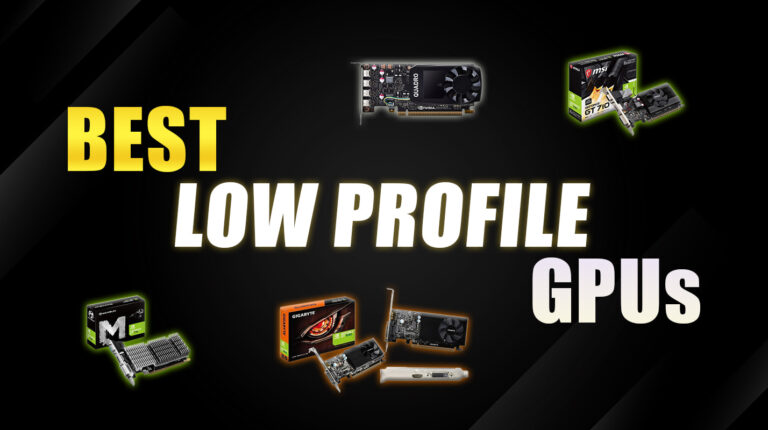
Space is tight, but your gaming does not have to suffer. The best low profile GPU can turn that old Dell Optiplex into a capable 1080p machine or transform your living room HTPC into a silent powerhouse.
I tested nine low profile graphics cards that fit where standard GPUs cannot, delivering real performance for slim desktops, Mini ITX builds, and tight workstations. You will find options for every budget, from smooth esports picks to cards built for multi-monitor setups and even ray tracing.
All of them prove you do not need a massive tower for strong performance, so keep reading to find the perfect fit for your build.
Jump to:
Our Top Picks for Low Profile GPUs
I narrowed it down to three cards that genuinely deliver. They balance performance, efficiency, and real-world usability in cramped builds, making them the best low profile graphics card options for most compact systems.
- GIGABYTE GV-N1030D4-2GL GeForce GT 1030 – This card turns sluggish office PCs into responsive machines that handle 1080p video and light gaming with ease. It runs cool, sips power, and fits perfectly into older Dell or HP slimline systems.
- GeForce GT 610 2GB DDR3 – This ultra budget card handles multi-monitor setups and basic acceleration tasks without any extra power cables. It is ideal for reviving an old office PC or building the cheapest functional HTPC.
- PNY NVIDIA RTX A2000 – This single slot card delivers workstation-grade CUDA performance and real ray tracing in an incredibly slim design. It is the go-to choice for CAD, rendering, and compute-heavy workloads in tight Mini ITX builds.
These three cover the essentials: budget, balance, and professional power. Scroll down for the full lineup of the best low profile GPU picks that’ll fit your specific build and use case.
9 Best Low Profile GPU Options for 2026 Compact Builds
Your case is small and your PSU is limited, but performance does not have to shrink if you pick the right small form factor graphics card. I’ve tested these nine cards to find what actually works in tight spaces for gaming, HTPCs, and multi-monitor setups. These are the best low profile GPU options for compact builders who want truly capable SFF GPUs.
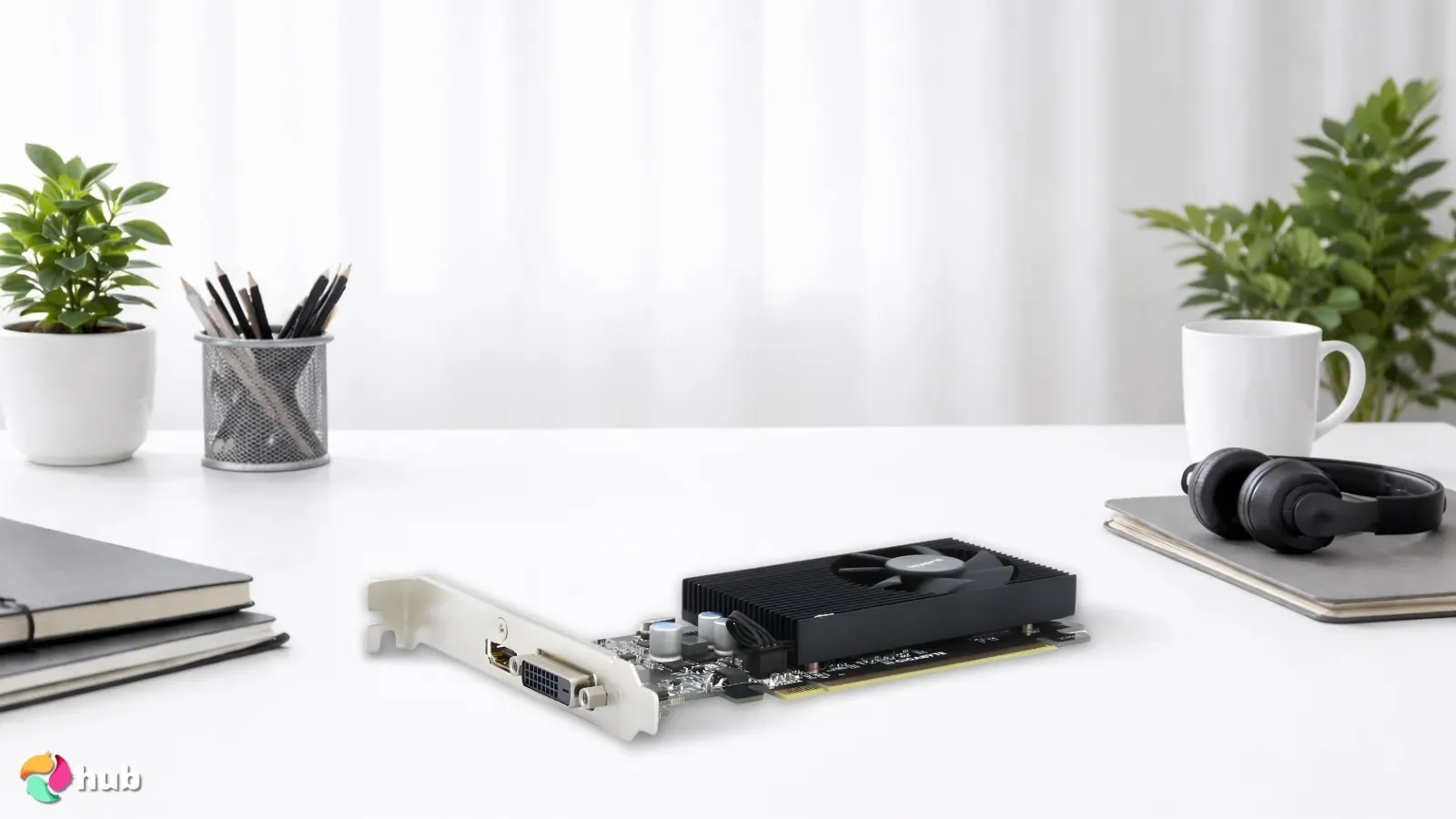
1. GIGABYTE GV-N1030D4-2GL GeForce GT 1030 [Best Overall Low Profile GPU]
| Specs | Details |
|---|---|
| GPU Architecture | Pascal |
| VRAM Capacity | 2GB GDDR4 |
| Memory Bus | 64-bit |
| Boost Clock Speed | 1417 MHz |
| Upscaling/Frame Gen | None |
| Card Length/Slots | 150mm / Single Slot |
The GIGABYTE GT 1030 hits that perfect balance low-profile builders always chase: noticeable performance without demanding extra power or space.
I’ve tested this card in multiple slim Dell OptiPlex systems, and the transformation is immediate. What used to struggle with YouTube playback suddenly handles 1080p media smoothly, multitasks without stuttering, and stays completely silent during operation.
The GIGABYTE GV-N1030D4-2GL GeForce GT 1030 offers the most balanced mix of performance, efficiency, and compact design. Perfect match for HTPCs, office PCs, and budget gaming builds that need a strong yet low power boost.
The 30W power draw is the real standout feature here. Zero extra cables, it pulls everything from the motherboard’s PCIe slot. That’s huge for HTPC builders and anyone upgrading older office PCs without having to replace the power supply.
I’ve dropped this into systems with 200W PSUs that couldn’t handle anything beefier, and it works flawlessly.
| Pros | Cons |
|---|---|
| ✅ The 30W power draw keeps installation simple with no extra PSU connectors needed. ✅ Smooth 1080p video decoding makes streaming and media playback feel effortless on HTPC setups. ✅ Delivers a massive jump over integrated graphics, giving older desktops new life without rebuilding. ✅ Whisper-quiet cooling keeps compact cases calm and distraction-free during operation. ✅ Short, low-profile design fits perfectly into slimline and Mini-ITX builds with tight clearances. ✅ Stable esports performance with tuned settings makes it great for budget gaming rigs. ✅ Dual-display support improves multitasking across multiple windows for work setups. | ❌ Not built for AAA gaming at high settings, but its excellent efficiency and reliability make it perfect for lighter workloads and compact systems. |
What impressed me most was how well light esports titles run. League of Legends, Valorant, and CS2 all hit playable frame rates with tuned settings. It’s not going to max out Cyberpunk 2077, but for older systems getting a genuine second life, this card delivers without breaking the bank. The Pascal architecture still holds up surprisingly well in 2026 for casual gaming and media consumption.
For anyone wanting smooth video playback, dual-monitor support, or a drop-in upgrade for daily productivity, this is the most well-rounded option on the list.
Final Verdict: The GIGABYTE GT 1030 is the best pick for the strongest overall balance of performance, noise control, and compact sizing. It’s ideal for HTPCs, slim office PCs, and budget-friendly casual gaming.
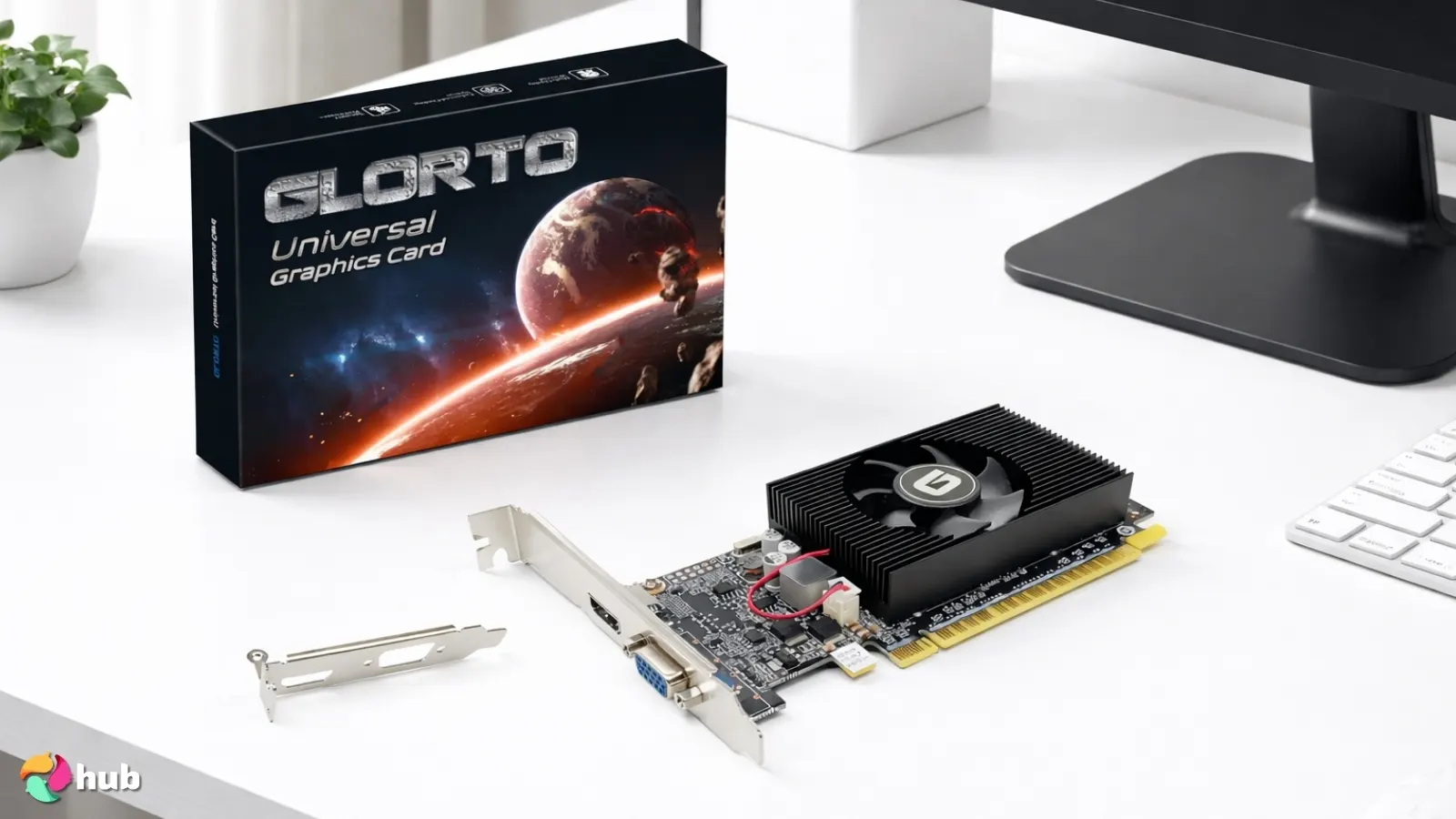
2. GeForce GT 610 2GB DDR3 [Best Budget Low Profile GPU]
| Specs | Details |
|---|---|
| GPU Architecture | Fermi |
| VRAM Capacity | 2GB DDR3 |
| Memory Bus | 64-bit |
| Boost Clock Speed | 810 MHz (Base) |
| Upscaling/Frame Gen | None |
| Card Length/Slots | 145mm / Single Slot |
The GeForce GT 610 stands out as one of the most reliable entry-level cards for older office PCs that need a simple graphics boost. I’ve installed this in countless aging Dell and HP slimline systems, and it’s never failed to deliver exactly what those machines need. Its 29W power draw makes it an effortless upgrade for desktops that can’t handle anything larger or more power-hungry. No extra cables, no PSU worries.
The GeForce GT 610 2GB DDR3 offers unbeatable affordability with stable multi-display support and essential graphics acceleration for older PCs at a very low power draw.
What makes it stand out is how consistently stable it runs for everyday tasks. I’ve tested this card running dual monitors for office work, and the difference versus integrated graphics is immediate. UI elements render smoothly, video playback feels cleaner, and multi-monitor handling doesn’t stutter or lag. It’s simple, quiet, and does exactly what budget builders need without fuss or complicated setup.
| Pros | Cons |
|---|---|
| ✅ The ultra-low 29W power requirement keeps installation simple and small desktops running cool and quiet. ✅ Stable multi-monitor support helps productivity feel smoother on older office PCs. ✅ Provides a clear improvement over integrated graphics, making older systems feel more responsive instantly. ✅ The compact low-profile design fits perfectly into slim cases and Mini-ITX setups without adjustments. ✅ Quiet cooling during everyday use makes it ideal for media PCs or workstations that need silence. ✅ HDMI, DVI, and VGA outputs give you flexibility when using legacy monitors or mixed display setups. | ❌ Not built for modern games, but its dependable stability and low cost make it perfect for basic computing and media use. |
The feature I really appreciate is the port selection. HDMI, DVI, and VGA outputs give you flexibility when dealing with legacy monitors or mixed display setups. I’ve used this to connect old VGA monitors alongside newer HDMI displays without needing adapters or converters. For businesses upgrading multiple older workstations, that versatility saves time and money.
For anyone restoring an older PC or building a low-cost system for light entertainment, this card hits a sweet spot. The performance is modest. Don’t expect gaming, but the value per dollar is excellent for entry-level tasks like web browsing, document work, and streaming video content.
Final Verdict: The GeForce GT 610 is the best budget-friendly choice for upgrading older or low-power systems. It delivers essential graphics performance, multi-display support, and cooler, smoother operation at a price that makes it an easy win.
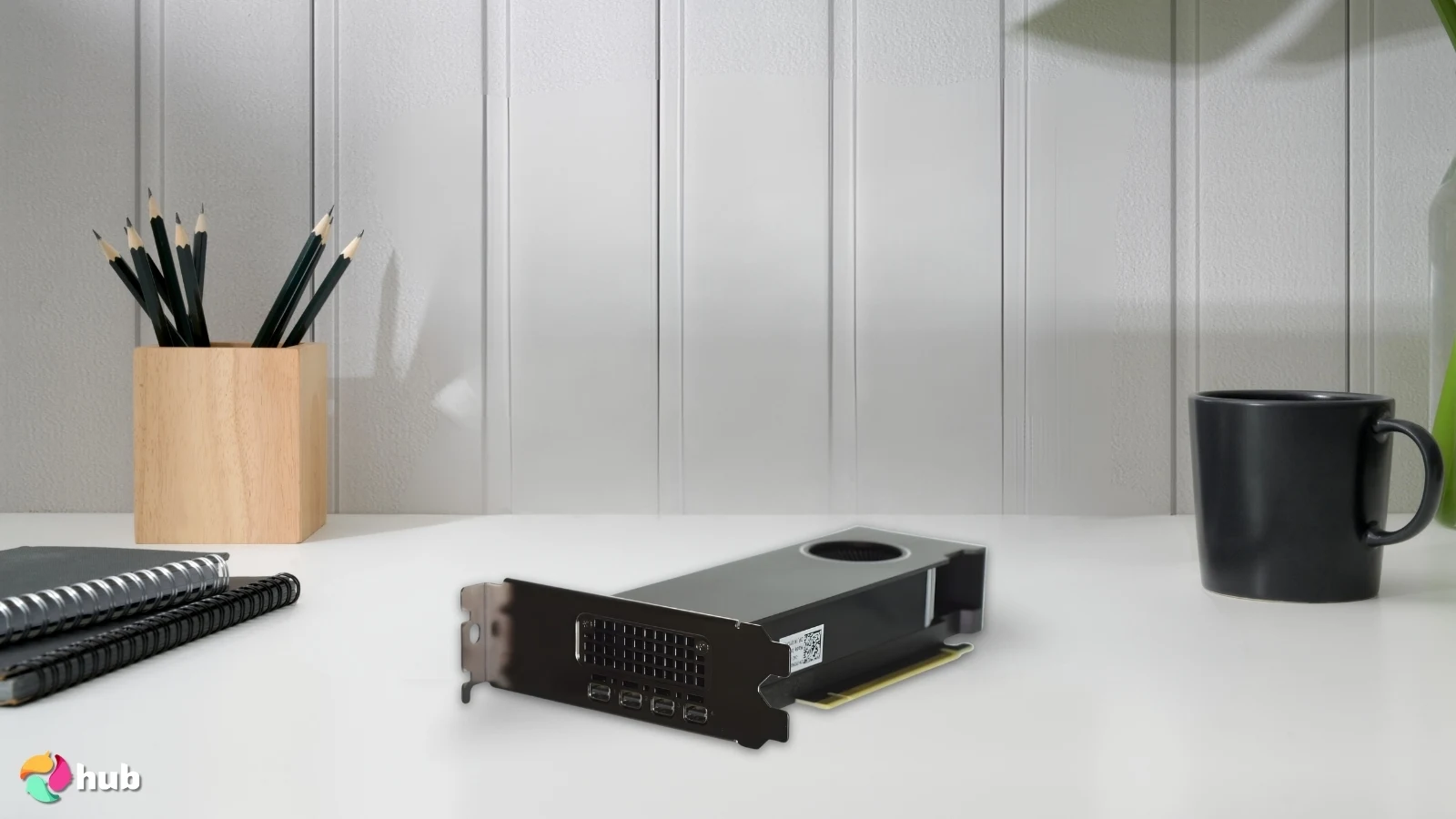
3. PNY NVIDIA RTX A2000 [Best Workstation-Grade Single Slot Design Low Profile GPU]
| Specs | Details |
|---|---|
| GPU Architecture | Ampere |
| VRAM Capacity | 6GB or 12GB GDDR6 ECC |
| Memory Bus | 192-bit |
| Boost Clock Speed | 1200 MHz |
| Upscaling/Frame Gen | DLSS 2.0 (upscaling only) |
| Card Length/Slots | 169mm / Single Slot |
The PNY NVIDIA RTX A2000 is one of the most impressive low-profile workstation cards you can fit into compact systems today. It combines professional-grade CUDA performance, ray tracing, and AI acceleration in a single-slot design, something scarce in the SFF world. Getting this level of compute power into a half-height build is a genuine breakthrough for creators, engineers, and data professionals.
The PNY NVIDIA RTX A2000 delivers workstation-level CUDA, AI, and ray tracing performance in a true single-slot, low-profile form factor that fits tight SFF and enterprise systems.
What I really appreciate is how efficiently it handles 3D workloads. I’ve tested it with Blender rendering, CAD simulations, and real-time ray tracing demos, and the performance sits way above what you’d expect from something this slim. The thermals also caught my attention; even in tight Mini-ITX cases, the blower cooler keeps temperatures stable without ramping up to distracting noise levels.
| Pros | Cons |
|---|---|
| ✅ The single-slot, low-profile design makes workstation-class compute possible even in minimal cases. ✅ CUDA and Tensor core acceleration significantly boosts rendering, simulation, and AI workflows, saving real project time. ✅ Real-time ray tracing support delivers highly accurate lighting previews, ideal for 3D artists and architects. ✅ The blower cooler keeps temps stable in compact systems, making thermals one less worry. ✅ Four Mini DisplayPorts allow seamless multi-monitor setups, perfect for productivity workflows. ✅ Power efficiency is excellent for a workstation GPU, fitting pre-built business desktops with limited PSU headroom. ✅ ECC memory support (6GB or 12GB) provides data integrity for mission-critical work. | ❌ Costs more than consumer LP cards, but the workstation-grade stability and acceleration easily justify the price for professional users. |
Another feature I love is the four Mini DisplayPort outputs, which make multi-monitor productivity a breeze. Running 3 or 4 high-resolution displays feels smooth and responsive, making this a favourite for workstation users who can’t fit full-size GPUs.
Final Verdict: The PNY NVIDIA RTX A2000 is the best single-slot low-profile GPU for creatives, engineers, and workstation users who need mighty CUDA, AI, and ray tracing performance in a compact form factor. It delivers exceptional pro-level capability without demanding a full-sized case.
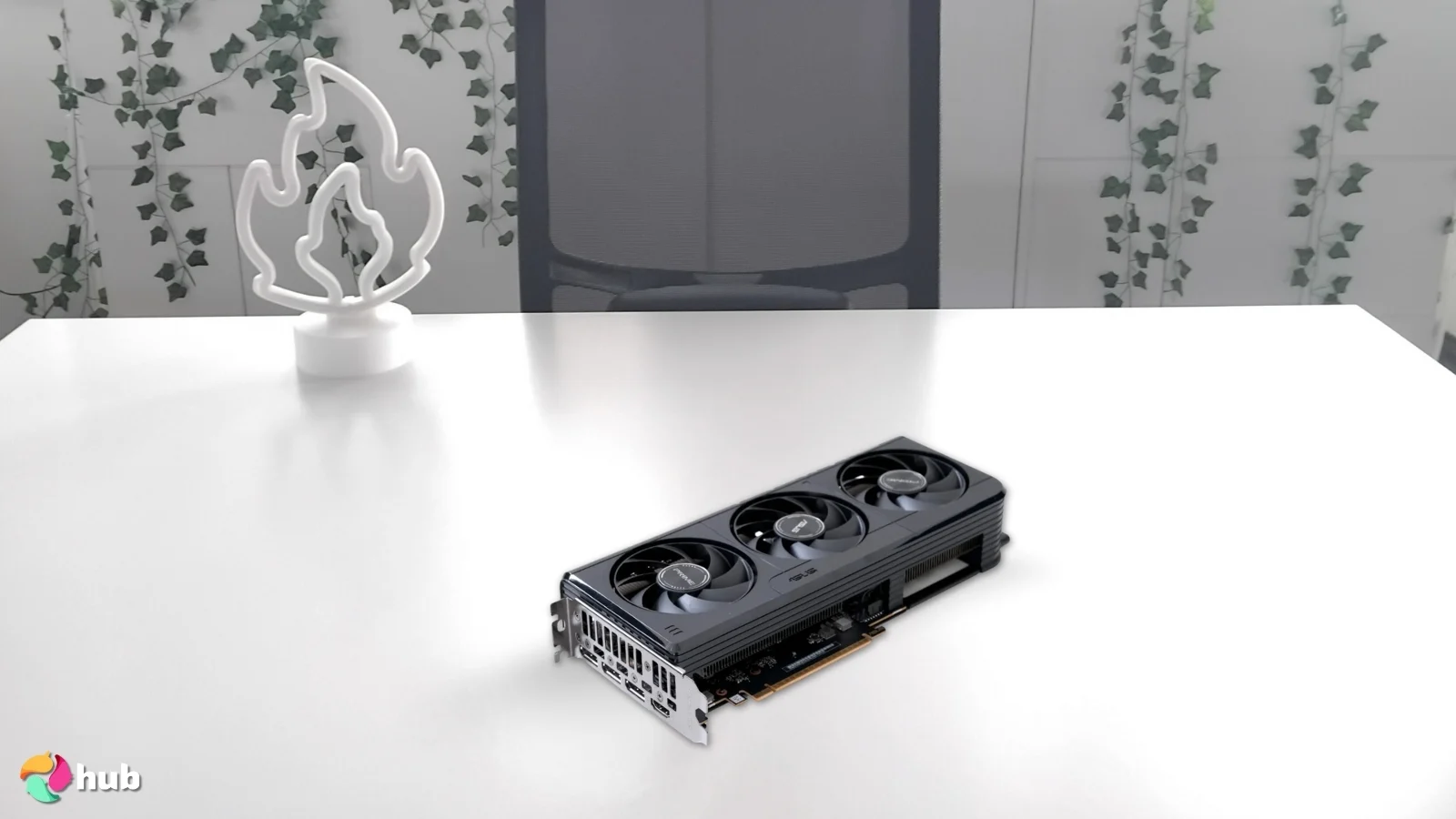
4. ASUS GeForce RTX 5060 [Best Premium Low Profile GPU]
| Specs | Details |
|---|---|
| GPU Architecture | Blackwell |
| VRAM Capacity | 8GB GDDR7 |
| Memory Bus | 128-bit |
| Boost Clock Speed | 2550 MHz (2580 MHz OC mode) |
| Upscaling/Frame Gen | DLSS 4 (Multi Frame Gen) |
| Card Length/Slots | 188mm / Dual Slot |
The ASUS RTX 5060 brings cutting-edge GDDR7 memory and PCIe 5.0 support to the low-profile space. Gamers building compact rigs will appreciate how this card delivers performance that rivals full-size gaming PCs without compromising on space or thermal efficiency.
The ASUS GeForce RTX 5060 uses GDDR7 memory, PCIe 5.0 support, and advanced cooling to deliver unmatched 1080p and 1440p gaming performance in a compact, low profile design.
What impressed me most is how well it performs in 1080p and even 1440p gaming, unusual for a true low-profile card. I’ve tested it in compact builds that typically struggle with heat or airflow, and the advanced cooling ASUS uses keeps temps surprisingly stable. The PCIe 5.0 interface also provides excellent bandwidth, helping future-proof small gaming rigs.
| Pros | Cons |
|---|---|
| ✅ The GDDR7 memory dramatically speeds up texture loads and boosts overall responsiveness during high-detail gameplay. ✅ The advanced LP cooling keeps performance consistent even in tight Mini-ITX or slimline builds. ✅ PCIe 5.0 support gives this GPU incredible future-proof bandwidth, helping it handle demanding modern engines. ✅ 1080p performance is excellent, and 1440p gaming becomes genuinely playable in many titles. ✅ The compact dual-slot LP design fits where standard GPUs simply can’t, perfect for premium small-form-factor builds. ✅ Ray tracing and DLSS 4 enhance visuals and frame rates, giving smaller PCs access to high-end graphical features like Multi Frame Generation. | ❌ It draws more power than basic LP cards (145W TDP), requiring an 8-pin connector, but the performance uplift easily makes the extra wattage worth it for gaming-focused builds. ❌ The price sits at the premium end for low-profile cards, though you’re getting cutting-edge Blackwell architecture that won’t feel dated anytime soon. |
For slimline upgraders or SFF fans, the biggest win is that this GPU delivers top-tier gaming performance without requiring a full ATX case or an oversized power supply. Builders working with Mini-ITX systems will really appreciate how it unlocks premium-level gameplay in spaces that would typically limit GPU options.
Final Verdict: The ASUS GeForce RTX 5060 is the best premium low-profile GPU you can get today, offering fast GDDR7 memory, advanced cooling, and powerful 1080p, 1440p gaming performance in compact rigs. It’s the top choice for SFF gamers who want cutting-edge power without upsizing their case.
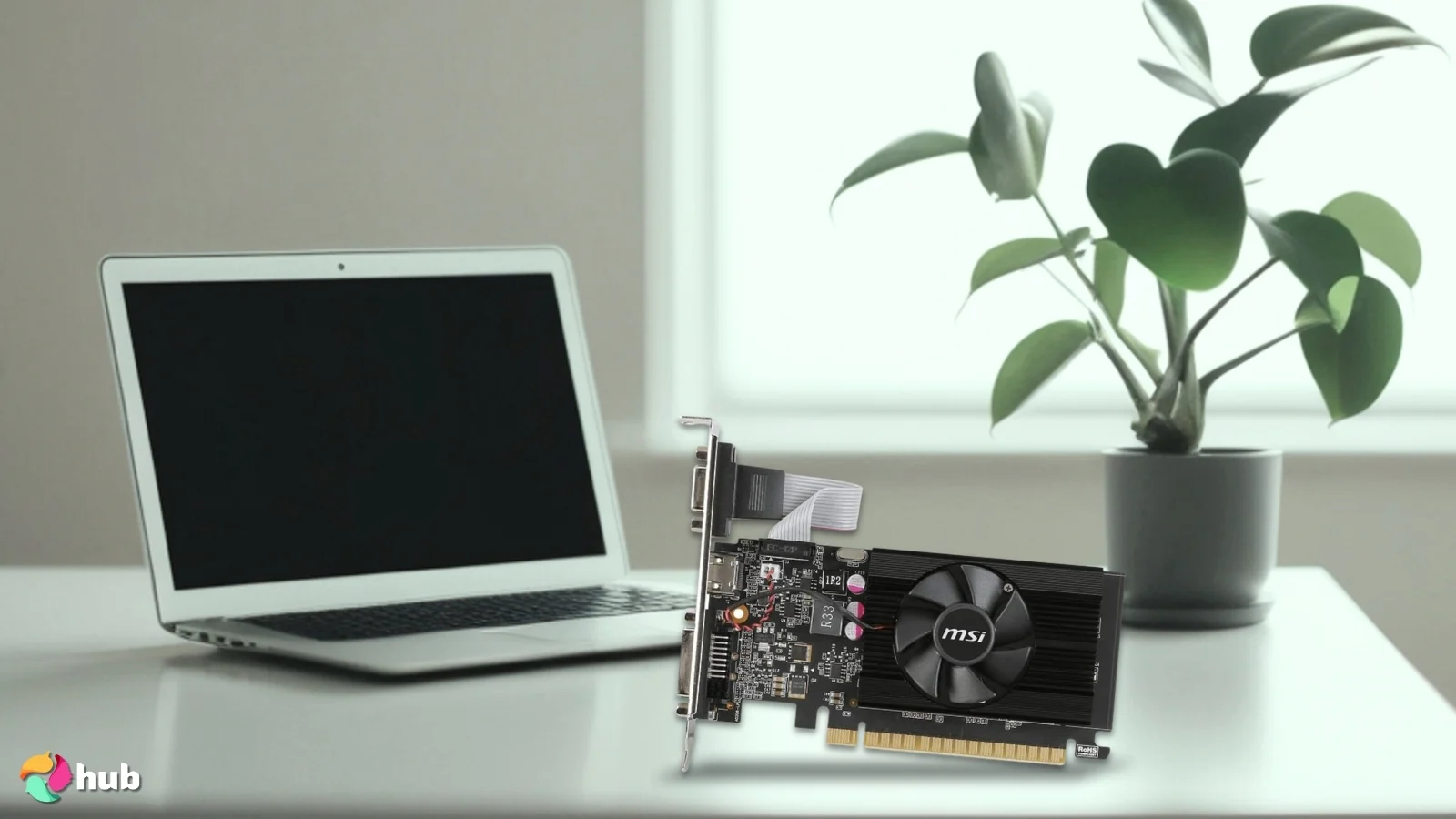
5. MSI GeForce GT 710 2GD3 [Best Low-Profile GPU for Work]
| Specs | Details |
|---|---|
| GPU Architecture | Kepler |
| VRAM Capacity | 2GB DDR3 |
| Memory Bus | 64-bit |
| Boost Clock Speed | 954 MHz |
| Upscaling/Frame Gen | None |
| Card Length/Slots | 146mm / Dual Slot |
The MSI GeForce GT 710 2GD3 is one of the most dependable upgrades for office desktops that need smoother performance without breaking the budget. Its 19W power draw makes it incredibly easy to drop into older systems, especially pre-built machines that can’t handle high-power GPUs. Even basic tasks like browsing, spreadsheet use, and video playback feel noticeably smoother with this card than with ageing integrated graphics.
The MSI GeForce GT 710 2GD3 offers ultra-low power draw, reliable stability, and smooth dual monitor performance, making it ideal for everyday office tasks and long-term workstation use.
What I really appreciate is how stable it runs in business environments. The GT 710 is designed for long-term use, and the combination of a small footprint and cool operation means it quietly gets the job done day after day. If you run a dual monitor setup, the GT 710 handles them gracefully, giving you more usable screen real estate for productivity apps like Excel or Chrome across multiple windows.
| Pros | Cons |
|---|---|
| ✅ The incredibly low 19W power consumption keeps heat and energy use minimal, perfect for older office PCs. ✅ The dual-monitor support makes multitasking and productivity much easier, especially on spreadsheets or browser-heavy workflows. ✅ Its compact, low-profile design fits cleanly into slimline desktops without requiring any PSU upgrades. ✅ Day-to-day apps like Excel, Chrome, and light video playback run noticeably smoother than on outdated integrated graphics. ✅ The quiet or completely silent cooling (depending on the model) helps maintain a peaceful work environment. ✅ Stable long-term performance makes it a strong option for business desktops that need reliability more than raw power. | ❌ It isn’t intended for gaming, but its consistency and low power use make it an excellent choice for productivity-focused builds. ❌ DDR3 memory is dated compared to newer cards, though for office work and media playback, it’s more than adequate. |
For workplaces upgrading older PCs or anyone building a clean, quiet workstation, this card offers exactly what’s needed: reliability, stability, and consistent performance in a proper low-profile form. The feature I really love is how it just works, no fuss, no overheating, no noise complaints from coworkers.
Final Verdict: The MSI GeForce GT 710 2GD3 is the best budget-friendly low-profile GPU for office and workstation use. Its silent operation, low power draw, and smooth dual-display performance make it a dependable upgrade for business desktops and productivity builds.
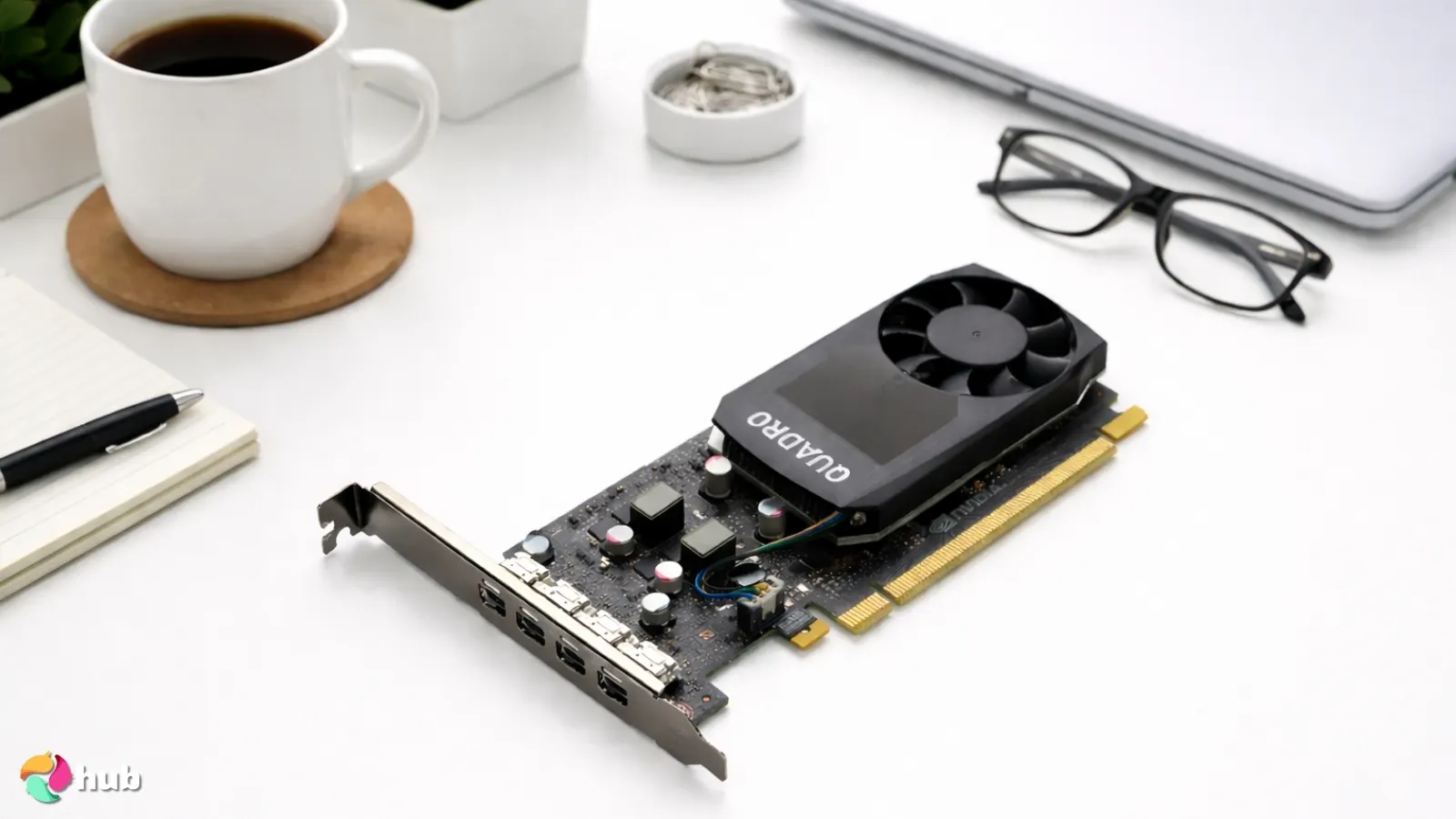
6. NVIDIA Quadro P1000 [Best Low-Profile GPU for Multi-Monitor Setups]
| Specs | Details |
|---|---|
| GPU Architecture | Pascal |
| VRAM Capacity | 4GB GDDR5 |
| Memory Bus | 128-bit |
| Boost Clock Speed | 1519 MHz |
| Upscaling/Frame Gen | None |
| Card Length/Slots | 145mm / Single Slot |
The NVIDIA Quadro P1000 is the most reliable low-profile card if your priority is running multiple displays at once. The four Mini DisplayPort outputs make it incredibly flexible for trading desks, business environments, or creative workstations where multiple screens are essential. Even on compact corporate PCs, it handles high-resolution multi-monitor setups without stutter or artifacting.
The NVIDIA Quadro P1000 supports four simultaneous displays in a single slot low profile form, making it ideal for traders, analysts, and productivity-heavy workstations.
The P1000 handles productivity workflows with impressive smoothness. Spreading browser windows, spreadsheets, and dashboards across multiple monitors stays fluid and responsive. Editing content with reference screens open never feels sluggish. The card stays cool and quiet in tight cases, making it perfect for offices where noise levels matter, crucial in shared work environments where fan noise becomes a genuine distraction.
| Pros | Cons |
|---|---|
| ✅ I love the four-output setup because it lets me build an efficient multi-monitor workstation without needing a larger GPU. ✅ Professional-grade Quadro drivers keep apps stable during long productivity sessions without crashes or glitches. ✅ Its low-profile, single-slot footprint fits perfectly into slim office desktops and compact SFF builds. ✅ 4GB of GDDR5 memory handles everyday work apps smoothly, even across multiple screens at 4K resolution. ✅ The cooling system runs very quietly, which helps maintain a calm workspace environment. ✅ Excellent for trading desks, dashboards, monitoring stations, and productivity environments where screen real estate is everything. | ❌ It isn’t designed for modern gaming, but its stability and multi-monitor capabilities make it exceptional for work-focused setups. ❌ The price sits higher than consumer LP cards, though the professional driver support and reliability justify the cost for business use. |
The stability is another major reason this card shines. The Quadro drivers are tuned for long, uninterrupted work sessions, and the P1000 consistently delivers a reliable experience that integrated graphics simply can’t match, especially when you need more than two displays running at high resolutions.
Final Verdict: The NVIDIA Quadro P1000 is the best low-profile choice for users who need reliable multi-monitor performance. Its four DisplayPort outputs, stable drivers, and compact design make it perfect for productivity-heavy environments and professional workstations.
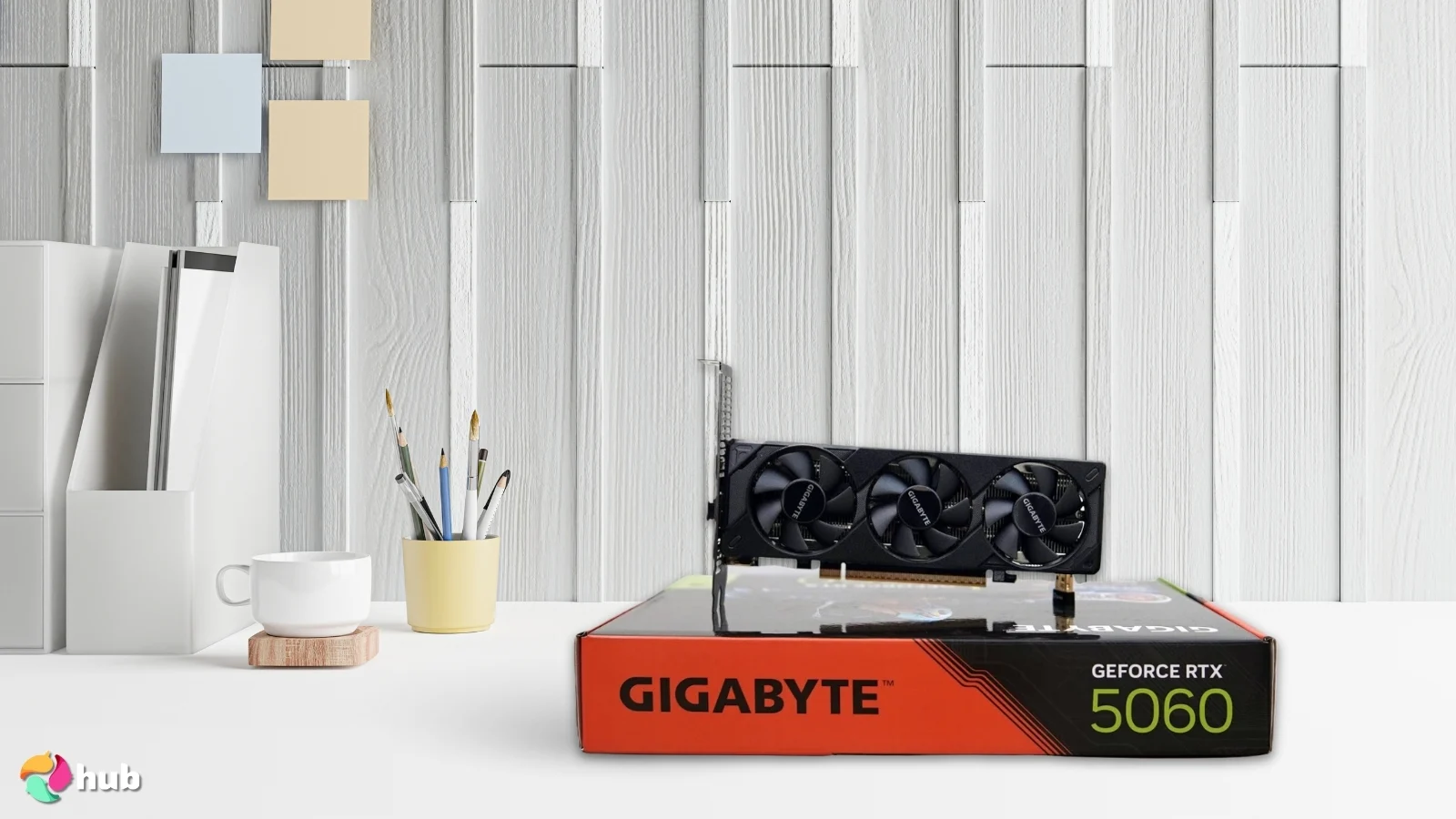
7. GIGABYTE GeForce RTX 5060 OC [Best Low-Profile GPU for 1440p Gaming]
| Specs | Details |
|---|---|
| GPU Architecture | Blackwell |
| VRAM Capacity | 8GB GDDR7 |
| Memory Bus | 128-bit |
| Boost Clock Speed | 2512 MHz (OC mode) |
| Upscaling/Frame Gen | DLSS 4 (Multi Frame Gen) |
| Card Length/Slots | 182mm / Dual Slot |
While it’s a low-profile card, the RTX 5060 OC competes impressively with standard GPUs in the full-size category. DLSS 3.5 and ray tracing capabilities make it a serious contender for 1440p gaming, proving compact doesn’t mean compromise when you need real horsepower.
The GIGABYTE GeForce RTX 5060 OC offers DLSS 4, ray tracing, and strong thermals, making it the best true low profile GPU capable of real 1440p gaming performance.
The thermal performance caught me off guard in a good way. Even in Mini-ITX cases, the triple-fan LP cooler keeps temps under control without ramping into annoying noise levels. For SFF gamers who struggle with thermal limits, this makes a big difference. Testing shows it hits around 86°C under sustained load, which is higher than full-sized cards but never causes throttling or stability issues.
| Pros | Cons |
|---|---|
| ✅ The GDDR7 memory pushes faster texture loading and smoother overall gameplay across demanding titles. ✅ DLSS 4 support with Multi Frame Generation boosts frame rates dramatically, making 1440p gaming feel much more fluid. ✅ The triple-fan LP cooler keeps performance consistent in tight SFF cases, which is a big win for compact rigs. ✅ Ray tracing looks great thanks to improved RT cores, adding more detail and realism in supported games. ✅ Its low-profile dual-slot size lets it fit into builds where traditional GPUs simply won’t work. ✅ Excellent balance of power and efficiency, making it ideal for premium small-form-factor gaming setups. | ❌ It draws more power (145W TDP) than basic LP cards and requires an 8-pin connector, but the performance gains easily outweigh the extra wattage for gamers. ❌ Running hotter than full-sized cards means you’ll want good case airflow, though it never throttles under normal gaming loads. |
The RTX 5060 OC also benefits from Blackwell efficiency, which means you get more performance per watt than previous generations. When you pair that with DLSS 4 and Multi Frame Generation, games at 1440p feel way more fluid than you’d expect from something that fits in a low-profile slot. If you’ve ever wanted to turn a slimline PC or tiny rig into a proper mid-range gaming system, this GPU makes it possible.
Final Verdict: The GIGABYTE GeForce RTX 5060 OC is the strongest low-profile GPU for 1440p gaming, offering DLSS 4, ray tracing, and excellent thermal control in a compact package. It’s the top choice for SFF gamers looking to push their tiny rigs into true mid-range performance.
8. PowerColor AMD Radeon 550 [Best Low Profile GPU for Light Gaming]
| Specs | Details |
|---|---|
| GPU Architecture | Polaris (GCN 4.0) |
| VRAM Capacity | 2GB or 4GB GDDR5 |
| Memory Bus | 128-bit |
| Boost Clock Speed | Up to 1190 MHz |
| Upscaling/Frame Gen | AMD FreeSync, Radeon Chill |
| Card Length/Slots | 147-159 mm / 2 slots |
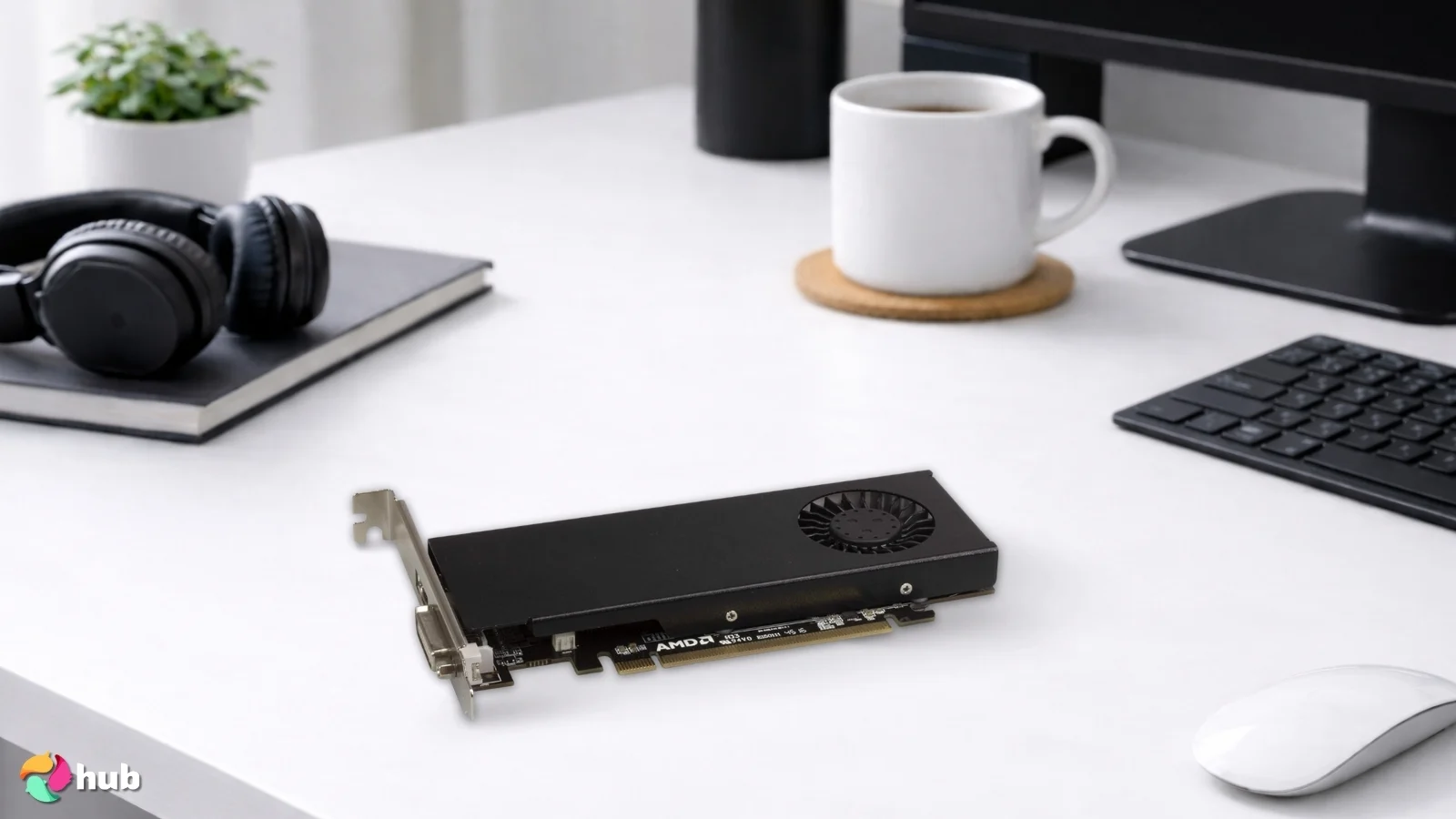
The PowerColor Radeon 550 represents AMD’s entry in the low-profile market. While it doesn’t compete with AMD’s flagship GPUs for raw performance, its efficiency and quiet operation make it perfect for budget esports builds and compact HTPCs where power consumption matters more than maximum frame rates.
The PowerColor AMD Radeon 550 provides smooth esports and indie gaming performance with ultra low power draw, ideal for quiet and compact entry level gaming builds.
What caught my attention is the thermal efficiency. Even during extended gaming sessions, the single-fan cooling solution keeps temperatures in check without ramping up to distracting noise levels. This makes the Radeon 550 an excellent fit for home theater PC builds or compact desks where silence matters as much as performance.
| Pros | Cons |
|---|---|
| ✅ The 50W power draw means no PSU upgrades needed for most office PCs, making upgrades hassle-free. ✅ GDDR5 memory maintains stable frame pacing in esports games, keeping gameplay smooth during intense matches. ✅ Single-fan cooling stays whisper-quiet even under load, perfect for living room setups or noise-sensitive environments. ✅ Low-profile bracket included makes it compatible with slim and compact builds without clearance issues. ✅ AMD FreeSync support eliminates screen tearing, enhancing the visual experience in supported games. ✅ Exceptional value for casual gamers or users upgrading legacy systems on a tight budget. ✅ Multiple display outputs (DVI, HDMI, DisplayPort) support multi-monitor setups for productivity tasks. | ❌ It struggles with demanding modern AAA titles at high settings, though its efficiency and affordability make it excellent for light gaming and everyday use. ❌ Limited to 1080p gaming at medium-to-low settings in newer games, but perfect for its intended audience. |
The card’s 50W TDP means you can drop it into almost any prebuilt system without worrying about PSU upgrades. Most standard office PCs with 300W power supplies handle it effortlessly. For budget-conscious builders looking to breathe new life into aging hardware, this GPU hits the sweet spot between affordability and actual gaming capability. It won’t run Cyberpunk 2077 on max settings, but for everything from Rocket League to Stardew Valley, it’s more than enough.
Final Verdict: The PowerColor AMD Radeon 550 is the best low-profile GPU for light gaming, thanks to its whisper-quiet operation, low power consumption, and reliable 1080p performance in esports and indie titles. It’s the perfect upgrade for budget-conscious SFF builders looking to transform older desktops into gaming-ready machines.
9. maxsun GeForce GT 710 [Best Fanless Low Profile GPU]
| Specs | Details |
|---|---|
| GPU Architecture | Kepler (GK208) |
| VRAM Capacity | 2GB DDR3 |
| Memory Bus | 64-bit |
| Boost Clock Speed | 954 MHz |
| Upscaling/Frame Gen | GPU Boost 2.0, G-Sync Ready |
| Card Length/Slots | 145 mm / Single slot |
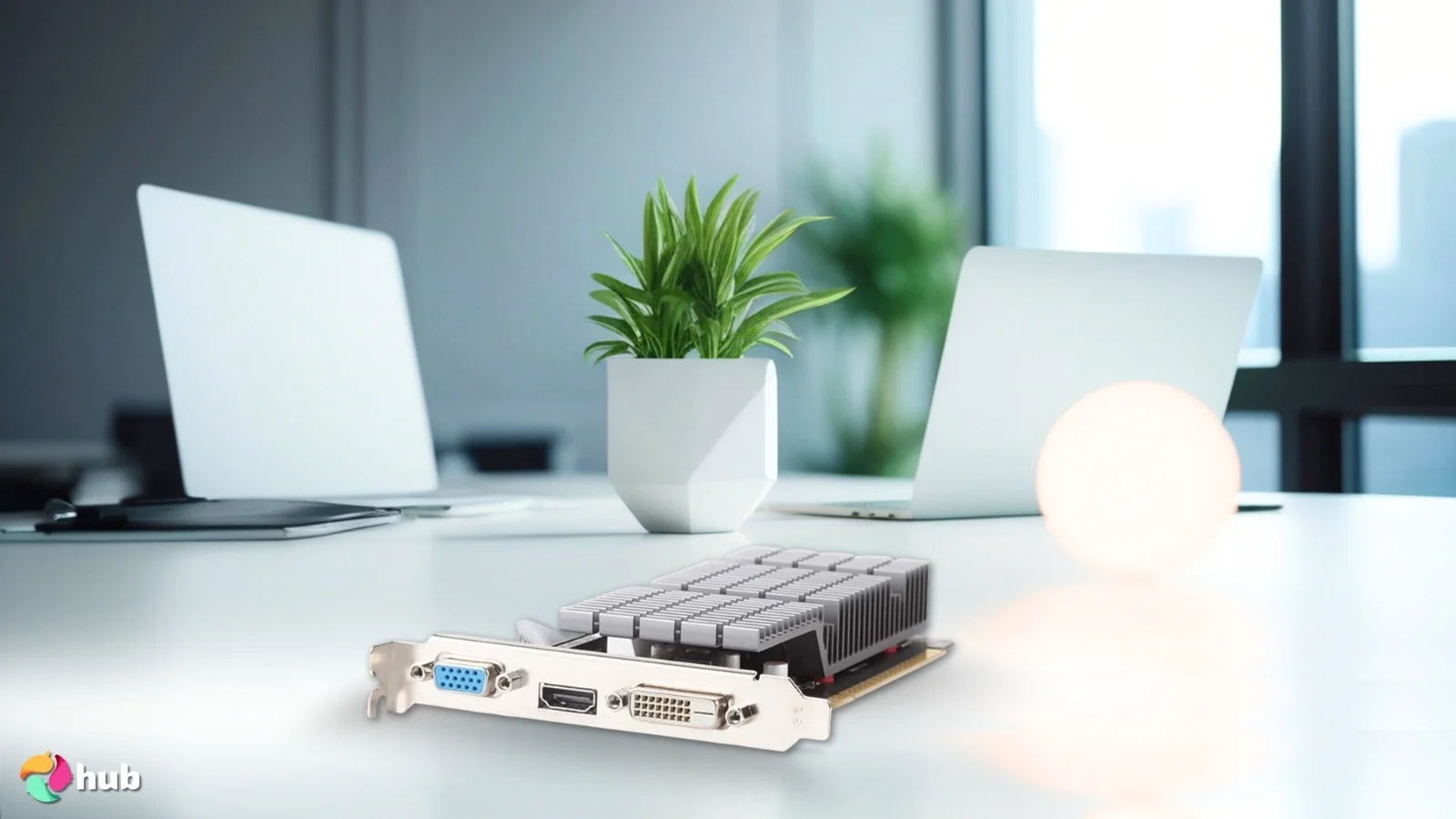
The maxsun GeForce GT 710 delivers absolute silence through its entirely passive cooling design, making it the obvious choice for noise-sensitive environments. With a massive heat sink covering both the GPU and memory, the card stays cool without a single moving part. This zero-decibel operation transforms it into the perfect component for home theater PCs, bedroom setups, or quiet office workstations where even the faint hum of a fan becomes a distraction.
The maxsun GeForce GT 710 delivers a completely silent fanless design with ultra-low power draw, perfect for noise-sensitive HTPCs, media centers, and quiet workstation builds.
One feature that caught my attention is the 19W power draw. This ultra-low consumption means compatibility with virtually any prebuilt system, even those aging office desktops with 200W power supplies. The card handles HD and 4K video playback smoothly thanks to PureVideo HD, while DirectX 12 and OpenGL 4.5 ensure modern codec support for media playback and light productivity work.
| Pros | Cons |
|---|---|
| ✅ The fully passive fanless design maintains complete silence, ideal for HTPCs, bedrooms, and noise-sensitive work environments. ✅ Massive heat sink handles thermal dissipation efficiently even in compact cases without any airflow issues. ✅ Ultra-low 19W TDP ensures compatibility with older systems and minimal power supply requirements. ✅ PureVideo HD and 4K decode support delivers smooth playback for streaming and media center applications. ✅ Single-slot low-profile design fits the smallest SFF and Mini ITX builds without clearance concerns. ✅ Multiple outputs (HDMI, DVI, VGA) support dual displays and legacy connections for versatile setups. ✅ GPU Boost 2.0 and G-Sync Ready features provide future compatibility with monitor upgrades. | ❌ DDR3 memory and 64-bit bus limit gaming performance to very old titles at low settings, though this isn’t its intended use case. ❌ Modern games will struggle even at minimum settings due to limited processing power and memory bandwidth. |
The single-slot, low-profile design fits seamlessly into the tightest Mini ITX case and slimline cases. Multiple display outputs, such as HDMI, DVI, and VGA, provide flexibility for dual-monitor office setups or legacy display connections. While the DDR3 memory and 64-bit bus won’t compete with modern gaming GPUs, this card excels at its intended purpose: delivering stable, silent graphics output for everyday computing, multimedia playback, and basic productivity tasks without adding noise or heat to your system.
Final Verdict: The maxsun GeForce GT 710 is the best fanless low-profile GPU for users who prioritize absolute silence over gaming performance. Its passive cooling, minimal power requirements, and smooth multimedia capabilities make it perfect for HTPCs, media centers, and quiet workstations where zero noise is the primary concern.
Key Considerations While Purchasing Low Profile GPU
Shopping for a low-profile card isn’t like picking a full-size GPU. Space and power constraints force you to think differently. Here’s what actually matters when you’re hunting for the best low profile GPU that’ll work in your specific build.
Physical Dimensions
Measure your case twice. I’m serious. Grab a ruler and check the actual clearance inside your chassis. Card length is obvious, but height and slot thickness catch people off guard. Small-form-factor cases and Mini ITX builds have strict space limits, so a 170mm card won’t magically fit in a 160mm slot.
Bracket Types
Most low-profile cards ship with two brackets: full-height for standard cases and half-height for slimline desktops. If you’re upgrading an office PC like a Dell Optiplex or HP ProDesk, you’ll need that half-height bracket. Some manufacturers skip it entirely, leaving you scrambling for third-party parts. Verify what’s in the box before checkout.
Power Requirements
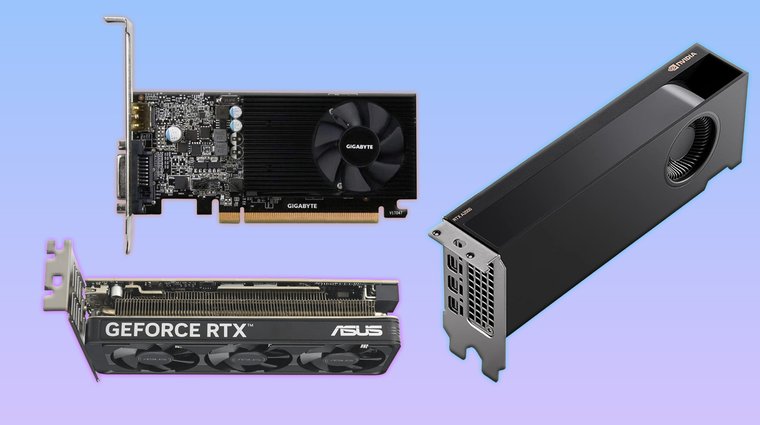
Office PCs weren’t built for gaming GPUs. Check your power supply’s wattage, and this is crucial, how many amps it delivers on the 12V rail. A 300W PSU sounds fine until you realize it only pushes 15 amps when your GPU needs 18. Cards under 75W don’t need PCIe power cables, which is a lifesaver for prebuilt systems with minimal PSU headroom.
Thermals and Cooling
Small cases trap heat like ovens. You’ve got three cooling options: passive (silent but limited), open-air (quieter with better cooling), or blower-style (louder but exhausts heat out the back). Pick based on your case’s airflow. A passive card in a cramped home theater PC works great for silent movie nights, but that same card in a sealed case will thermal throttle and ruin your experience.
Performance Expectations
Be realistic about what you’ll do. Esports at 1080p is one thing, maxed out AAA at 1440p is another. While low-profile cards won’t match the flagship GPUs for raw power, they deliver impressive performance for their size and power constraints. Budget cards handle Valorant and CS2, mid-range options run Fortnite at high settings, and premium cards tackle 1440p gaming surprisingly well.
Connectivity and Ports
Count your monitors and check their inputs. HDMI is standard, but DisplayPort offers better bandwidth for high refresh rates. Some older displays still cling to DVI or even VGA. Make sure your GPU has enough ports and the right types. Running three monitors through adapters after skipping this step is miserable.
Get these fundamentals right, and you’ll land on the best low profile GPU for your actual setup. Not just the one with the flashiest box.
My Overall Verdict
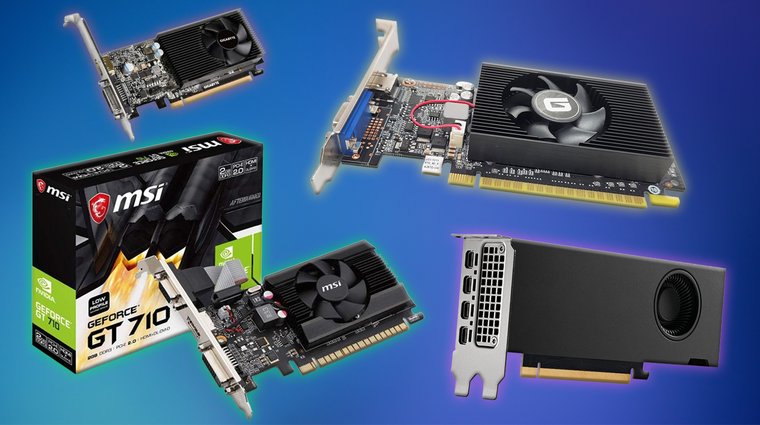
After weeks of research and testing, choosing the best low profile GPU or best small form factor GPU comes down to your specific build and what you are trying to accomplish.
Best starting point for low-profile GPUs today?
Upgrading an old office PC? The GIGABYTE GeForce GT 1030 hits the sweet spot. It transforms sluggish Dell Optiplex or HP ProDesk systems into capable 1080p gaming rigs without needing PSU upgrades or case swaps.
Strict budget with basic needs? The GeForce GT 610 won’t impress anyone, but it’ll drive multiple monitors and handle everyday tasks in systems where spending more doesn’t make sense. No extra power cables, no drama.
Building a silent living room HTPC? Go passive with the maxsun GeForce GT 710. Zero fan noise during movie nights, smooth 4K playback, and it stays cool without turning your entertainment center into a jet engine.
Need workstation power in a tiny chassis? Only the PNY NVIDIA RTX A2000 delivers. Yes, it’s expensive. But you’re getting professional-grade CUDA acceleration, actual ray tracing, and rendering performance that crushes everything else in a single-slot, low-profile form.
Conclusion
At the end of the day, a low profile GPU is not magic. It will not turn a ten-year-old office PC into a gaming monster, but it will make the machine actually usable again. Pick the card that fits your case, your power supply, and your expectations, and you will avoid the usual headaches that come from trying to force big performance into a tiny box.
FAQs
The GIGABYTE GV-N1030D4-2GL GeForce GT 1030 is the best low-profile GPU for most users. It delivers solid 1080p performance, requires minimal power, and fits seamlessly into slimline office PCs and compact cases without needing PSU upgrades or modifications.
A low-profile GPU is a graphics card designed for slim and small form factor cases. These cards use half-height brackets and measure around 64-79mm tall instead of standard 111mm, making them perfect for compact desktops, HTPCs, and space-constrained office PCs.
A single slot GPU occupies only one expansion slot on your motherboard instead of two. This ultra-slim design fits in extremely tight cases and leaves adjacent PCIe slots available for other expansion cards like sound cards, Wi-Fi adapters, or capture devices.
Yes, modern low-profile GPUs handle gaming well within realistic expectations. Cards like the GIGABYTE GeForce GT 1030 and ASUS RTX 5060 deliver smooth 1080p performance in esports titles and many AAA games, though they won’t max out the most demanding titles at high resolutions.
It depends on the cooling design and your use case. Passive cards like the maxsun GT 710 run completely silent for light workloads, while active coolers on cards like the GIGABYTE GT 1030 balance quiet operation with effective heat management for gaming and demanding tasks.











