



Best Laptops for Travel: Road-Ready Options for Productivity



The best laptops for travel are extremely lightweight and easy to fit into your bags. They offer stunning performance that allows you to edit documents and even photos on the go.
It can be difficult to find a laptop that fits all of these criteria. You want options that are fast and reliable without using too much battery life, as well as screens that are large enough to work on.
No matter your price point or performance needs, there’s a laptop here that can help you get the job done. Our full list includes plenty of options for on-the-go productivity.
Jump to:
Our Top Picks for Best Laptops for Travel
The full list of the best laptops for travel includes a range of prices and performance levels. My top choices have standout performance for people who need to work on the go.
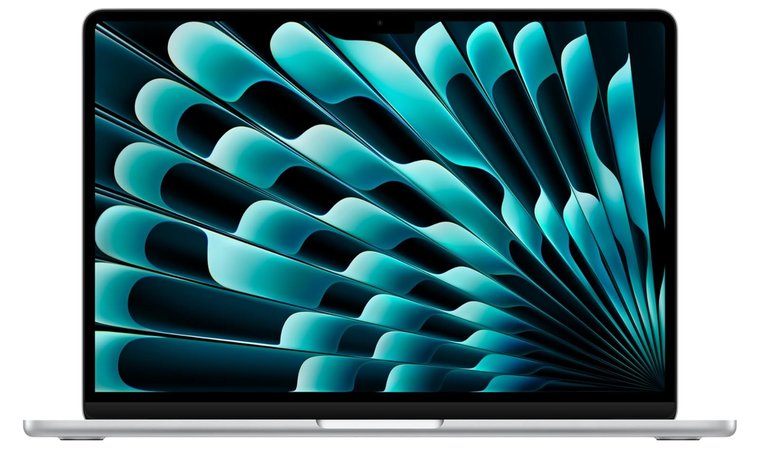
- Apple MacBook Air 13 (2008) – The MacBook Air is the ultimate all-around laptop for travelers. It’s ultra-thin and powerful enough for creative and professional work on the go, with a battery life of about 18 hours.
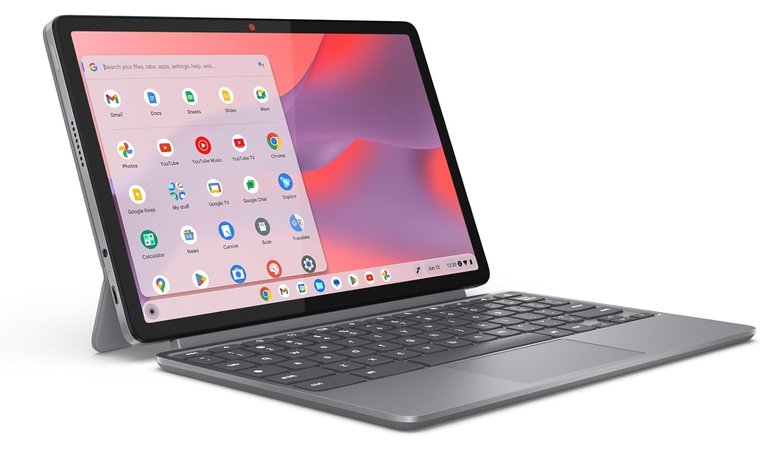
- Lenovo Chromebook Duet 5 (2021) – A great budget-friendly travel companion. The detachable 2-in-1 is perfect for notes, and it lasts all day on a single charge.
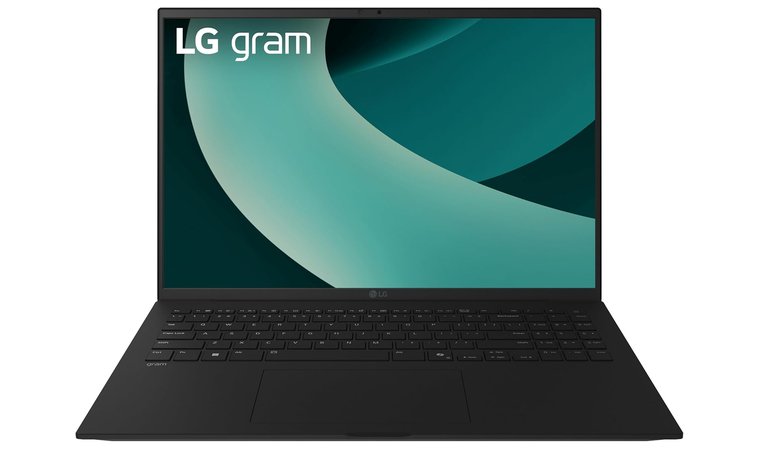
- LG gram 16(2021) – For frequent flyers who want a large display without the weight. It’s one of the lightest laptops in its class despite its 16-inch screen and impressive battery life.
Keep scrolling to see the full lineup. My list of best laptops for travel includes budget-friendly laptops and powerful business laptops, so there are options for every type of traveler.
Best Laptops for Travel: Performance Meets Portability
Each of the laptops below is a top pick in its category. I’ve selected options that balance performance and price with portability and the unique needs of travelers. The best laptops for travel can help you keep striving for success, no matter where you have to go.
These models stand out for their combination of lightweight design, durability, and long-lasting battery life. Many feature fast SSDs, brilliant high-resolution displays, and efficient processors that make multitasking effortless. No matter if you’re heading to meetings, working remotely, or creating on the move, these laptops deliver dependable performance wherever you are.
1. Apple MacBook Air 13 [Best Overall Laptop for Travel]
| Specs | Details |
|---|---|
| CPU | Apple M4 |
| GPU | Up to 10-core |
| RAM | 16 GB |
| Storage | 512 GB SSD |
| Display | 13.6-inch Liquid Retina Display |
| Refresh Rate | 60Hz |
| Battery | Up to 18 Hours |
| Weight | 2.73 lbs |
| Connectivity | Thunderbolt 4 Port (x2), USB 4, MagSafe 3 charging port, headphone jack, Wi-Fi 6E, Bluetooth 5.3, and up to 2 external displays |
The MacBook Air remains the gold standard for travel laptops. Its slim profile and class-leading battery life make it the perfect travel companion. You’ll be able to work or study from anywhere without worrying about bringing a charger or carrying around a heavy laptop.
The latest M-series chip efficiently handles multiple tasks with ease, even when it comes to video editing and streaming at the same time. All the while, the laptop will stay cool and silent.
The Apple MacBook Air is the most balanced travel laptop overall. It’s a high-performing workhorse that is extremely light and comfortable without sacrificing durability.
It has amazing real-world performance for work and play. The bright, high-PPI Retina display makes reading slides and PDFs simple, while the lightning-fast NVMe SSD storage makes waiting a thing of the past. If you need to do any type of editing or work away from home, you need a MacBook Air.
Of course, one of the biggest selling points of any MacBook is the Apple ecosystem. You can effortlessly move files and links between your iPhone, iPad, and MacBook, so your productivity carries over between devices with no additional effort.
| Pros | Cons |
|---|---|
| ✅ Ultraportable laptop for easy carrying ✅ Exceptional battery life for full travel days ✅ The M-series chip is made for speed and power efficiency ✅ The Liquid Retina display has excellent colour and detail ✅ Excellent build quality with Apple‘s famed reliability ✅ MacOS integrates MacBook Air with the iPhone and iPad ecosystem | ❌ Pricier than many Windows alternatives, but it makes up for it in performance |
Final Verdict: If you want a premium, worry-free travel experience, the Apple MacBook Air is still the best choice.
What do users say?
2. Lenovo Chromebook Duet 5 [Best Budget Laptop for Travel]
| Specs | Details |
|---|---|
| CPU | MediaTek Kompanio 828 |
| GPU | Integrated (ARM Mali-G57 MC3 GPU) |
| RAM | Up to 8 GB |
| Storage | UP to 128 GB SSD |
| Display | 10.95″ WUXGA IPS Touchscreen |
| Refresh Rate | 60 Hz |
| Battery | Up to 12 Hours |
| Weight | 1.1 lbs |
| Connectivity | Ethernet, USB-C (x 2), Bluetooth 5.1 or above, Wi-Fi 6, Headphone/Microphone Combo Jack |
For those who want simplicity and portability without spending too much, the Lenovo Chromebook Duet 5 is a standout. Its detachable 2-in-1 form factor makes it ideal for travel. You can use it as a laptop for typing, or detach the keyboard to watch shows or take notes in tablet mode.
Unlike some of the other 2-in-1 laptops on the market, this model comes with the compatible Lenovo USI Pen 2. This means you don’t have to purchase a separate pen or stylus to take notes or edit photos on the go.
The Lenovo Chromebook Duet 5 is the perfect low-maintenance travel device. It’s affordable, reliable, and portable enough for light productivity, even on longer flights.
The 13-inch OLED touchscreen is vivid and crisp, perfect for media and light productivity tasks. ChromeOS boots up instantly and automatically updates anything you use, so you won’t have to wait on a progress bar to get started. Plus, it syncs your documents to the cloud immediately, so you can continue working from anywhere.
| Pros | Cons |
|---|---|
| ✅ Compact and lightweight ✅ Detachable keyboard and kickstand for flexible use ✅ Excellent battery life for long flights and work days ✅ Bright, colorful OLED touchscreen for movies and presentations ✅ Instant-on ChromeOS with built-in security and updates ✅ Affordable option with minimal setup or upkeep | ❌ Modest storage capacity, but most work is saved to the cloud anyway |
Final Verdict: The Chromebook Duet 5 is a great laptop for students and writers. Casual travelers who want a simple, lightweight laptop that lasts all day will love that they can easily slip it into their carry-on bag.
What do users say?
3. LG gram 16 [Best Lightweight and Durable Laptop for Frequent Travelers]
| Specs | Details |
|---|---|
| CPU | Intel Core Ultra 7 |
| GPU | Integrated (Intel Arc) |
| RAM | 16 GB |
| Storage | 1 TB SSD |
| Display | 16″ Anti-Glare IPS Screen |
| Refresh Rate | 60 Hz |
| Battery | Up to 23.5 Hours |
| Weight | 2.7 lbs |
| Connectivity | Bluetooth 5.3, Wi-Fi 7, DisplayPort, HDMI, USB 3.2 (x2), and USB Type C (x2) |
The LG gram 16 redefines what a large-screen travel laptop can be. Despite its generous display, it weighs less than many of its 13-inch competitors. You’ll have a more expansive workspace without the bulk of many larger laptops. The magnesium-alloy chassis is incredibly light but strong, so it’s perfect for withstanding frequent travel.
As far as specs go, it uses a powerful Intel Core Ultra 7 CPU. The laptop comes with Copilot and gram‘s Hybrid AI, which work together to help you reach the peak of productivity. It’s also the only laptop here that has passed 7 military-grade durability tests, so you know it’s durable enough for travel.
The LG gram 6 has a rare combination of features. A large screen and long battery life, all with featherlight portability, make it perfect for digital nomads and business travelers.
The 16:10 display provides vertical space for documents and video editing, making this a good choice for those who need to use multiple programs at the same time. The Intel Core Ultra chip has smooth, power-efficient performance, while the battery provides long battery life for productivity without interruptions.
| Pros | Cons |
|---|---|
| ✅ Large 16-inch display in an ultra-light form factor ✅ Magnesium-alloy build allows for extra durability without added weight ✅ Excellent battery life for long-haul travel ✅ Powerful processor with energy-efficient performance ✅ Quiet operation with reliable thermals | ❌ Pricier than many Windows alternatives, but it makes up for it in performance |
Final Verdict: If you want desktop-like comfort in a laptop (with barely any added weight to your travel bag), the LG gram 16 is a solid choice.
What do users say?
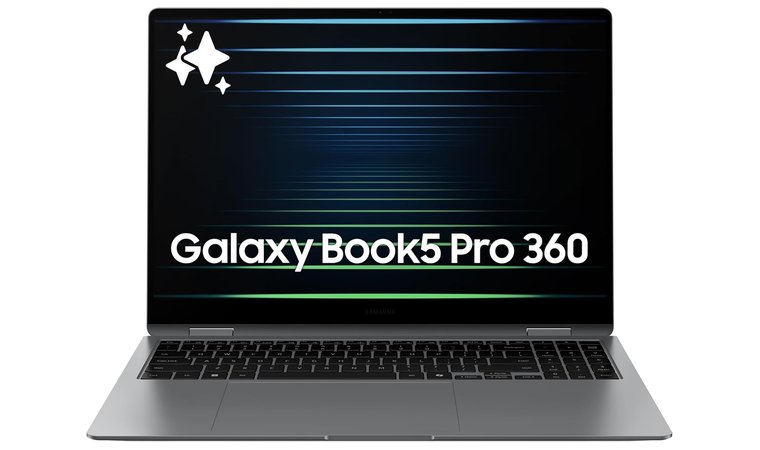
4. Samsung Galaxy Book5 Pro 360 [Best Premium Laptop for Travel Creators]
| Specs | Details |
|---|---|
| CPU | Intel Core 7 Ultra |
| GPU | Integrated (Intel Arc 140V GPU (8GB) |
| RAM | 16 GB |
| Storage | 1 TB |
| Display | 16″ Dynamic AMOLED 2X Display |
| Refresh Rate | 120 Hz |
| Battery | Up to 25 Hours |
| Weight | 3.73 lbs |
| Connectivity | Bluetooth 5.4, Wi-Fi 7, HDMI 2.1, USB-A (x1), Thunderbolt 4 (x2), Headphone/Microphone combo jack, microSD slot |
The Galaxy Book5 Pro 360 from Samsung brings a creator’s toolkit wherever they need to go. Its vivid AMOLED touchscreen and S-pen support make it one of the top laptops for photo editing, even on the go.
One of the features that sets this laptop apart from the others is the S Pen, which uses multi-touch gestures, pressure, and tilt sensitivity for more functionality than other styluses. The touchscreen is responsive and smooth, so using it is a dream. Whether you’re browsing the web or securing your data with one of the VPNs for an encrypted internet connection, this device has you covered.
The Samsung Galaxy Book5 Pro 360 is the best premium travel laptop for creators who value color accuracy and pen input. It’s a flexible option that is perfect for most creatives.
The flexible 2-in-1 design is great for note-taking and sketching on long flights, but you can also use it to edit photos and finalized designs. It’s lightweight enough to use comfortably, with excellent wireless connectivity that syncs smoothly with Galaxy phones and tablets.
| Pros | Cons |
|---|---|
| ✅ Stunning AMOLED touchscreen for vibrant visuals ✅ S-Pen support for creative work and notes ✅ Lightweight, convertible laptop with excellent battery life ✅ Seamless integration with the Samsung ecosystem ✅ Premium build and fast charging | ❌ Premium pricing, but the quality and features make the cost worth it. |
Final Verdict: The Samsung Galaxy Book5 Pro 360 is ideal for digital artists and designers who want luxury hardware with real creative versatility.
What do users say?
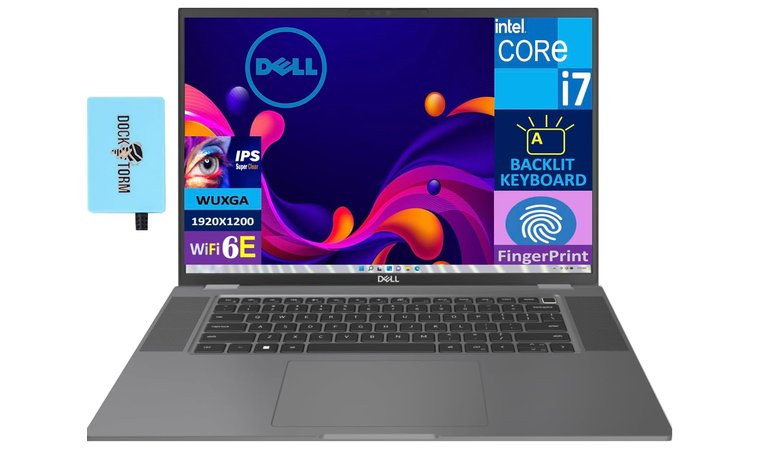
5. Dell Latitude 7640 [Best Business Laptop for Travel]
| Specs | Details |
|---|---|
| CPU | Intel i7-1365U |
| GPU | Integrated (Intel Iris Xe) |
| RAM | 32 GB |
| Storage | 1 TB SSD |
| Display | 16″ IPS WUXGA Display |
| Refresh Rate | 60 Hz |
| Battery | Up to 10.5 Hours |
| Weight | 4 lbs |
| Connectivity | WiFi 6E, Bluetooth, USB-A (x2), Thunderbolt 4 (x2), HDMI 2.0, Headphone/microphone combo jack |
The Dell Latitude 7640 is a business laptop that is engineered for professionals. If you need reliability and security wherever work takes you, this laptop can handle it. The durable chassis and business-class specs are impressive enough, but it also has enterprise security features that are essential for travel days.
Traveling for business can be stressful, which is why you need a laptop that has everything you need, including top VPN for protecting data. With the right blend of power, reliability, and strong security, this laptop is ideal for professionals who need the perfect solution. It helps you work smarter, not harder.
The Dell Latitude 7640 is built for business, which means it’s dependable and secure. It focuses on features that matter for productivity on the road.
The larger screen has more real estate for getting things done, and the processor can handle multiple applications and work windows at once. It’s hard to ignore how perfect this laptop is for working out of coffee shops and on long flights.
| Pros | Cons |
|---|---|
| ✅ Enterprise-grade build with MIL-STD-tested durability ✅ High-resolution 16-inch display with slim bezels ✅ Strong performance for multitasking and presentations ✅ Excellent keyboard and touchpad for all-day typing ✅ Thunderbolt 4 and multiple ports for docking flexibility ✅ Enhanced security and manageability features | ❌ Slightly heavier than other ultrabooks, but it’s still light enough for travel |
Final Verdict: If your travel days still require you to make video calls and deadlines, the Dell Latitude 7640 won’t let you down.
What do users say?
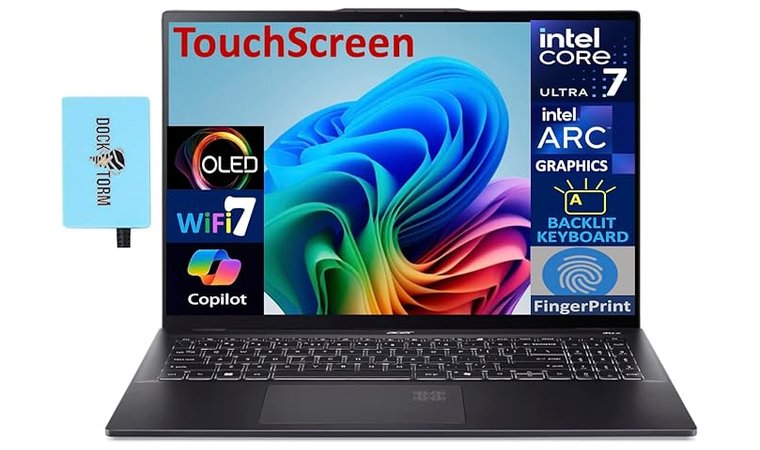
6. Acer Swift 16 [Best Laptop for Travel Productivity]
| Specs | Details |
|---|---|
| CPU | Up to Intel Core Ultra 9 |
| GPU | Integrated Graphics (Intel Arc) |
| RAM | Up to 32 GB |
| Storage | Up to 2 TB SSD |
| Display | 16.0″ OLED 2.8k Touchscreen |
| Refresh Rate | 90 Hz |
| Battery | Up to 29 Hours |
| Weight | 3.35 lbs |
| Connectivity | Wi-Fi 7, Bluetooth 5.4, USB-A 3.2 (x2), HDMI, Thunderbolt 4 (x2), Headphone/Microphone Combo Jack |
Working from home doesn’t mean you have to stay at home if you use the Acer Swift 16. This is one of the best laptops for working from home when ‘home’ is a coffee shop, library, or hotel.
This laptop has an extremely powerful processor and smooth integrated graphics. You can choose up to 2 TB for your SSD and up to 32 GB for RAM, so you’ll have as much functionality as you need at your fingertips.
The Acer Swift 16 is the ideal productivity partner. It’s fast and efficient, with a durable build for professionals who move often.
This laptop’s refined balance of power and portability makes it a standout option. The Intel Evo certification means that it is immediately responsive and has a premium build quality, perfect for accompanying you all over the city.
| Pros | Cons |
|---|---|
| ✅ Intel EVO design for strong performance and quick wake-up times ✅ Gorgeous OLED touch screen with sharp detail for work and streaming ✅ Lightweight yet powerful for multitasking ✅ Ideal battery life for remote work ✅ Sleek, professional design with solid connectivity | ❌ OLED display can draw more power at high brightness, but this is avoidable with lower brightness settings |
Final Verdict: For travelers who prioritize speed and responsiveness, the Swift 16 has you covered on all fronts.
What do users say?
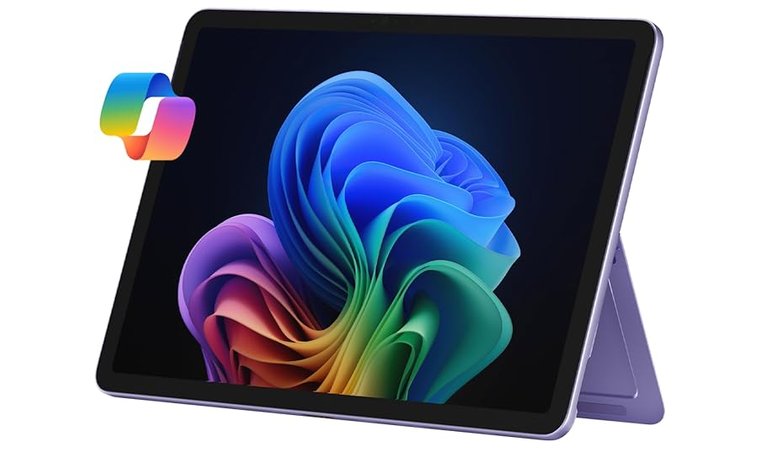
7. Microsoft Surface Pro [Best Detachable Tablet-Style Laptop for Travel]
| Specs | Details |
|---|---|
| CPU | Qualcomm Snapdragon X Plus |
| GPU | Integrated Graphics (Qualcomm Adreno) |
| RAM | 16 GB |
| Storage | Up to 512 GB SSD |
| Display | 12″ PixelSense LCD Touchscreen |
| Refresh Rate | 90 Hz |
| Battery | Up to 16 Hours |
| Weight | 1.5 lbs |
| Connectivity | Wi-Fi, Bluetooth, USB Type C (x2) |
The Microsoft Surface Pro is a tablet, but it’s also one of the best Microsoft laptops we’ve seen. That’s because of the way it converts, changing easily from a mobile device to a serious laptop as soon as the keyboard is attached.
The Microsoft Surface Pro‘s detachable design and flexibility make it the best convertible option for travelers who value mobility.
The pen support helps you make quick notes and sketches, while the detachable keyboard gives flexible usage on cramped planes and small tables. This Surface laptop is the best of both worlds for creative and professional use, without choosing one over the other.
The ability to take quick notes and then convert to a laptop for editing and review makes the Microsoft Surface Pro one of the best laptops for students on my list. It’s easier to take it around campus and gives the functionality you need for studying.
| Pros | Cons |
|---|---|
| ✅ Super-portable laptop-tablet combo ✅ Excellent touch screen with available pen input ✅ Fast wake and standby for fast access ✅ Extremely lightweight and compact ✅ Great webcam for calls and video meetings ✅ The most advanced Surface laptop yet | ❌ Keyboard and pen sold separately, but they are premium products |
Final Verdict: The Surface Pro is perfect for those who want a capable laptop, but also need a tablet for creative work on the go.
What do users say?
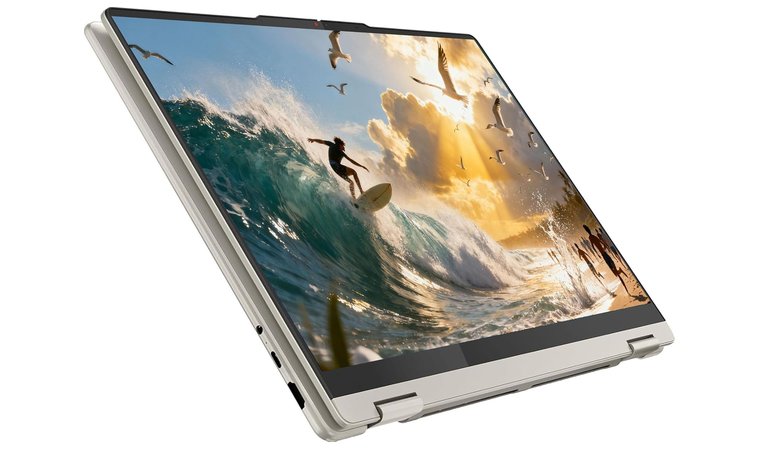
8. Lenovo Yoga 7 [Best Convertible Laptop for Travel]
| Specs | Details |
|---|---|
| CPU | AMD Ryzen AI 5 340 |
| GPU | AMD Radeon 840M |
| RAM | 16 GB |
| Storage | Up to 1TB SSD |
| Display | 16″ PureSight WUXGA LCD Display |
| Refresh Rate | 60 Hz |
| Battery | Up to 15 Hours |
| Weight | 3.96 lbs |
| Connectivity | Bluetooth 5.4, HDMI 2.1, USB-C (x2), USB-A (x1), Headphone/Microphone Combo Jack, MicroSD Card Reader, Wi-Fi 7 |
The Lenovo Yoga 7 combines flexibility with solid battery life and a durable build. Together, these components create a dependable, durable travel laptop that can easily perform any of your tasks. The 2-in-1 design with pen support is great for students, and the processing power is ideal for professionals of any type.
Presentations and collaborative design efforts are lag-free with this laptop. The Yoga pen (sold separately) is extremely responsive, and the way the laptop swivels for easier notetaking makes it perfect for students and writers.
The Lenovo Yoga 7 has a great blend of value and flexibility, with some powerful specs that make it perfect for on-the-go use without compromise.
One of the areas where this laptop may stand out above the others is its live streaming capabilities. The AMD Ryzen CPU and GPU are newer hardware that can absolutely make this one of the best laptops for live streaming, if that’s what you need it for.
| Pros | Cons |
|---|---|
| ✅ 360° hinge for laptop or tablet mode ✅ Responsive touch screen with pen compatibility ✅ Long-lasting battery for extended use ✅ AMD Ryzen CPU and Radeon GPU discrete graphics ✅ Good range of ports for connectivity | ❌ Slightly heavier than pure tablets, but that’s because of the upgraded components like the AMD Ryzen CPU |
Final Verdict: If you want one device that does it all, the Lenovo Yoga 7 is an excellent companion. It’s highly praised for its ability to do just about anything you need it to.
What do users say?
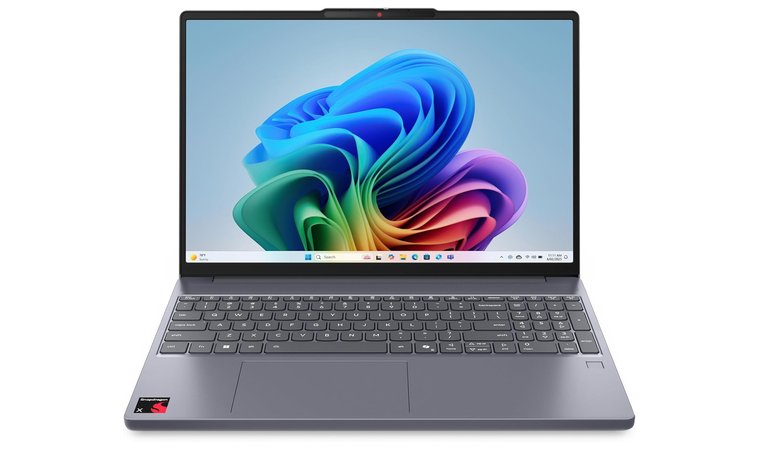
9. Lenovo IdeaPad Slim 3X [Best Affordable Travel Laptop with Long Battery Life]
| Specs | Details |
|---|---|
| CPU | Qualcomm Snapdragon X |
| GPU | Integrated Graphics (UMA) |
| RAM | 16 GB |
| Storage | Up to 1 TB SSD |
| Display | 15.3″ WUXGA 16:10 Display |
| Refresh Rate | 60 Hz |
| Battery | Up to 7 Hours |
| Weight | 5.5 lbs |
| Connectivity | Bluetooth 5.4, Wi-Fi 7, USB-A (x2), USB-C (x1), HDMI 1.4 (x1), SD Card Reader, Headphone/Microphone Combo Jack |
All-day performance and a wall-friendly price make the Lenovo IdeaPad Slim 3X the best Lenovo laptop for travel. The efficient Qualcomm Snapdragon X processor offers a ton of performance, while the 16:10 display gives you enough space to work and view multiple documents.
This larger screen is ideal for users who need to have multiple windows open simultaneously. More room means managing multiple tabs and documents, which makes this one of the best laptops for writing on my list.
The Lenovo IdeaPad Slim 3X is affordable and travel-ready, perfect for remote students or casual travelers who still need a reliable option.
It’s perfect for day-to-day productivity, and the battery lasts long enough for travel days. If you’re spending longer away from home, you can use the versatile port selection to connect to hotel TVs and projector units.
| Pros | Cons |
|---|---|
| ✅ Large yet portable 15.3-inch 16:10 display ✅ Long-lasting and efficient performance ✅ Strong battery life ✅ Affordability for the power it offers ✅ Solid connectivity options for docking and displays | ❌ Less premium chassis than other models, but it’s lighter as a result |
Final Verdict: The IdeaPad Slim 3X is ideal for travelers who need battery life and portability without a premium price tag.
What do users say?
10. HP Pavilion [Best Mid-Range Everyday Travel Laptop]
| Specs | Details |
|---|---|
| CPU | Intel Core i5-1235U |
| GPU | Integrated Intel UHD Graphics |
| RAM | 32 GB |
| Storage | 1 TB SSD |
| Display | 15.6″ HD Touch IPS Anti-Glare Display |
| Refresh Rate | 60 Hz |
| Battery | Up to 7 Hours |
| Weight | 3.52 lbs |
| Connectivity | USB-A 3.2 (x1), USB-A 2.0 (x2), USB-C (x1), HDMI, Headphone/Microphone Combo Jack, Bluetooth 5.3, and Wi-Fi 6 |
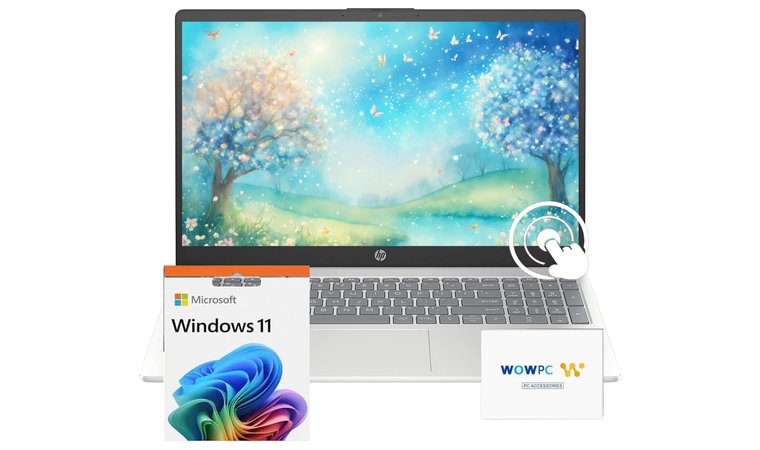
This dependable mid-range HP Pavilion performs extremely well and keeps your work portable. It’s slim enough to slide into your travel bag, with a lightweight design that won’t weigh you down. At the same time, the powerful Intel Core i5 processor helps you multitask with ease, even when you’re on a train or a plane.
This HP Pavilion laptop is affordable and capable. It’s easy to travel with and has enough power to keep you productive on the go.
The ports are practical for multiple applications, and the full-sized keyboard keeps you typing smoothly. Meetings and collaborative documents are easy with the HP Pavilion. You have up to 7 hours of battery life to get the job done, and enough power to take on most tasks without slowing the laptop down at all.
I especially enjoyed the 15.6″ touchscreen, which is large enough to be useful without being too big to carry with you. The anti-glare screen stays clear and readable even in bright, natural light, so you can use it anywhere.
| Pros | Cons |
|---|---|
| ✅ Fast Intel processor for multitasking ✅ Balance of price and performance ✅ Long battery life for on-the-go use ✅ Slim, lightweight design with full-size keyboard ✅ Wi-Fi 6 for strong connectivity in shared networks | ❌ Display isn’t as bright as premium models, but the battery will last longer as a result |
Final Verdict: The HP Pavilion is a solid everyday laptop that you can travel with. Plus, it won’t stretch your budget.
What do users say?
11. Acer Aspire 3 Spin 14 [Best Budget 2-in-1 Laptop for Travel]
| Specs | Details |
|---|---|
| CPU | Intel Core i3-N305 |
| GPU | Integrated Intel UHD Graphics |
| RAM | 8 GB |
| Storage | Up to 256 GB |
| Display | 14″ WUXGA IPS Touchscreen |
| Refresh Rate | 60 Hz |
| Battery | Up to 6 Hours |
| Weight | 3.3 lbs |
| Connectivity | Bluetooth 5.1 or above, HDMI, USB-C (x1), USB-A (x2), Wi-Fi |
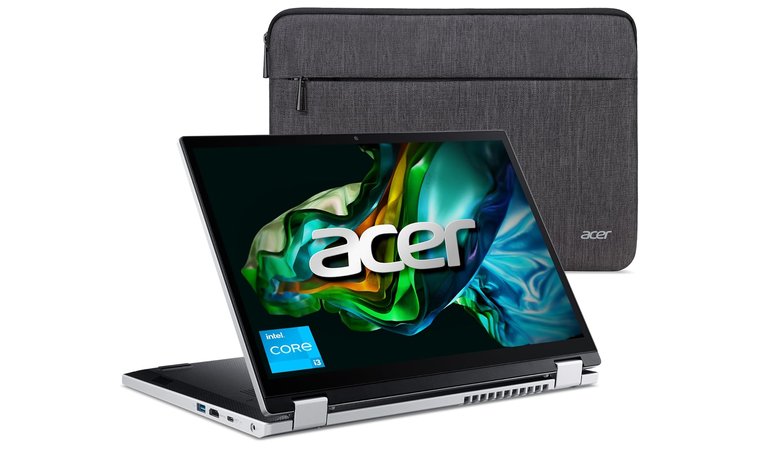
The Acer Aspire 3 Spin 14 is extremely affordable. You don’t have to spend more than you want to get a laptop that matches a lightweight design with flexible, workflow-friendly hardware. It’s simple to carry with you on trips, with a full HD touch screen that is easy to read in most conditions.
Despite its small size, the Acer Aspire 3 Spin 14 is surprisingly powerful. It has up to a 256 GB SSD drive, which is faster and has a longer lifespan than traditional hard drives. Its 8 GB of RAM is the newest, fastest LPDDR5. It uses less power than other types of RAM.
The Acer Aspire 3 Spin 14 is extremely flexible at its budget price point, with pen support and extremely stable battery life for whatever tasks you need.
The battery life is reliable, making it an ideal budget laptop for everyday tasks. As long as you aren’t working with a lot of heavy programs, this is one of the top laptops for 2025.
| Pros | Cons |
|---|---|
| ✅ Affordable convertible design ✅ Responsive touch screen with stylus support ✅ Extremely lightweight and easy to travel with ✅ USB-C charging for fast, easy power on the road ✅ Reliable battery life for a full day of work | ❌ Entry-level performance, but affordable in a pinch |
Final Verdict: The Aspire 3 Spin 14 is ideal for travelers who don’t have much to spend, but still need to get things done when they are away from home.
What do users say?
12. HP OmniBook 5 [Best Thin and Light Laptop for Travel]
| Specs | Details |
|---|---|
| CPU | Qualcomm Snapdragon X Plus |
| GPU | Integrated Qualcomm Adreno GPU |
| RAM | 16 GB |
| Storage | 256 GB SSD |
| Display | 14″ 2K OLED |
| Refresh Rate | 60 Hz |
| Battery | Up to 34 Hours |
| Weight | 2.84 lbs |
| Connectivity | Bluetooth 5.3, Wi-Fi 6E, Headphone/Microphone Combo Jack, USB-A (x1), USB-C (x2) |
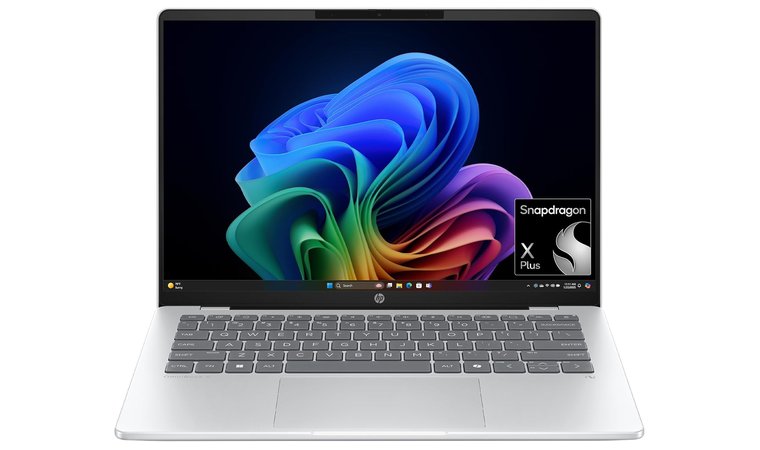
The HP OmniBook 5 is designed for mobile professionals, with next-generation performance in a lightweight design. The 2.8K OLED display has brilliant visuals for all of your documents, while the Snapdragon X Plus chip drastically increases performance over prior models.
In addition to better performance than previous models, this laptop has a few mobile-friendly features that make it stand out. Among them is HP Fast Charge, which takes your battery up to 50% charge in just 30 minutes. When you have limited time in one location, you can still get the most out of this laptop.
The HP OmniBook 5 represents the best when it comes to travel laptops. It’s slim and lightweight, with strong security that is powered by next-gen efficiency.
It’s lightweight, with all-day battery life and multiple ports for productivity anywhere. Enterprise-grade security makes this the best HP laptop for professionals on the go, especially if you need Copilot+ or other AI tools.
| Pros | Cons |
|---|---|
| ✅ Ultra-thin and light design ideal for commuting ✅ Efficient fanless operation for silent use ✅ Brilliant 2.8k OLED Display for photo editing ✅ Excellent battery endurance for long travel days ✅ Strong security | ❌ More expensive than some options, but the hardware is better |
Final Verdict: Travelers who want premium performance and lasting battery life will love the way the OmniBook 5 performs.
What do users say?
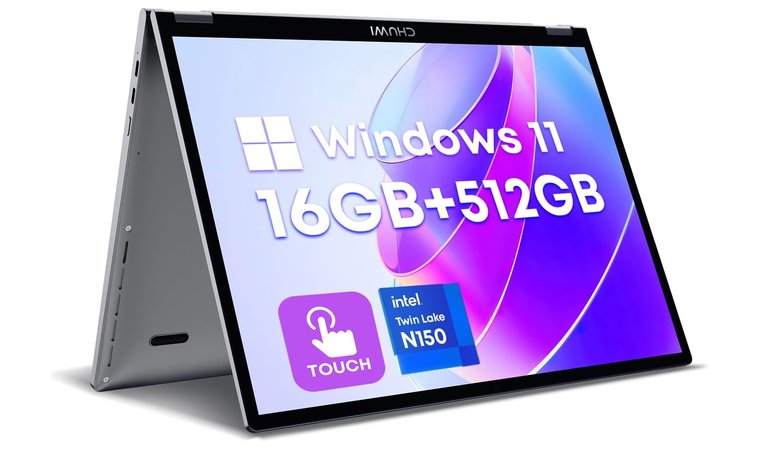
13. CHUWI MiniBook [Best Budget Ultraportable for Travel]
| Specs | Details |
|---|---|
| CPU | Intel N150 |
| GPU | Integrated Intel Graphics |
| RAM | Up to 16 GB |
| Storage | 512 GB SSD |
| Display | 10.51″ FHD+ 2K Touchscreen |
| Refresh Rate | 50 Hz |
| Battery | Up to 6 Hours |
| Weight | 1.96 lbs |
| Connectivity | Bluetooth 5.2, Wi-Fi 6, 3.5mm Audio, USB Type C (x2) |
Travelers who want an ultra-compact, low-cost laptop that just covers the most essential functions will love the CHUWI MiniBook. Its compact 13.3″ footprint fits easily into the smallest carry-on bags, and it’s extremely lightweight for its size.
It’s easily one of the smallest laptops here. Its screen measures just 10.51″, so you won’t get much room for multiple tabs or windows. This also makes it extremely compact. You can work quickly away from home without moving a larger machine around.
The CHUWI MiniBook offers unbeatable portability and practicality for a lighter workload.
It’s quiet, too, with low-noise designs that help with working in quiet spaces like cafes and crowded flights. Though it doesn’t perform high-level tasks well, it’s a low-cost travel companion for emails and streaming. Its basic design makes it one of the best laptops for travel, specifically for those who don’t want to pay for performance they won’t use.
| Pros | Cons |
|---|---|
| ✅ Ultra-portable design fits in any bag ✅ Excellent value for basic computing needs ✅ Great for basic document editing and emails ✅ Affordable entry point for light travelers ✅ 16:10 aspect ratio for greater viewing space | ❌ Not suited for heavy multitasking, but fine for a light workload |
Final Verdict: The CHUWI MiniBook is a great low-cost option for travelers who don’t need too much functionality to be productive.
What do users say?
What Makes a Laptop Good for Travel?
Choosing the right travel laptop isn’t all about performance. You need to discover what your perfect balance of portability and reliability looks like to keep up with your life on the move. The best travel laptops are designed to be lightweight and versatile, so you can keep up from anywhere — especially when paired with essential travel tools like a VPN for China. To be completely safe, it’s important to learn about VPN kill switch.
| Feature | Ideal for Travel |
|---|---|
| Weight | Under 4 lbs |
| Battery Life | 10+ Hours |
| Display Size | 13″ to 16″ |
| Durability | Metal chassis or MIL-STD-tested |
| Connectivity | Wi-Fi 6E/7, USB-C, Thunderbolt 4 |
| Security | Fingerprint or facial login |
| Performance | Power-efficient CPUs (Intel Core Ultra, Apple’s M-Series, Snapdragon X) |
- Portability and Weight: A sub-4-pound design makes all the difference when carrying your laptop around, considering you’re probably already dealing with your luggage.
- Battery life: Look for models that can last at least 10 hours on a single charge. This is essential for longer flights and days without access to an easy outlet.
- Durability and Build Quality: Frequent travelers need laptops that can handle being knocked around in their bags. Metal chassis and MIL-STD-tested designs offer better protection for your hardware than plastic shells.
- Display and Brightness: A 13″ to 16″ screen with over 300 nits of brightness makes it easy to read in bright or outdoor settings. If you frequently watch media or produce designs, choose an OLED display or a high-resolution panel.
- Connectivity: Modern travel laptops should include Wi-Fi 6E or 7 for the most reliable internet, as well as multiple USB-C ports. Thunderbolt 4 is great for charging and accessories, too.
- Performance Efficiency: Choose processors built for balance instead of brute force. Smooth performance is better for long-term battery performance, especially for travel laptops.
- Security and Convenience: Features like fingerprint login, webcam shutters, and instant wake add some privacy and speed when you’re working away from home.
FAQs
The Apple MacBook Air 13 is the best laptop for travel. This laptop is heavy on performance and productivity, but feels remarkably light in your travel bag. It won’t weigh you down.
The best lightweight laptop for travel is the LG gram 16. This laptop is extremely lightweight and easy to carry with you, but you won’t have to compromise any power while you’re traveling.
The best 2-in-1 travel laptop is the Microsoft Surface Pro. It’s fully detachable, so you can work how you need to with the space you have. Cramped airplane trays can become a full workspace with this laptop.
Laptops between 13″ and 16″ are good for travel. This size gives you enough screen real estate to manage documents without any trouble, but it isn’t large enough that it takes up too much room in your travel bag.
The Dell Latitude 7460 has enterprise security and high-level performance features. You can join meetings and collaborate on documents without lagging or stuttering, no matter where you are.
The best laptop for gaming on the go is the Lenovo Yoga 7. It has a lot of features that boost gameplay, with a powerful processor and a respectable GPU that can handle light gaming on the go.











