



Can You Use a VPN on PS5? Your Complete Setup & Methods Guide Before You Try in 2026

Eneba Hub contains affiliate links, which means we may earn a small commission if you make a purchase through them—at no extra cost to you. Learn more


Recent update
This article receives frequent updates to ensure you're provided with the most up-to-date and accurate information on using a VPN on your PS5.
Can you use a VPN on PS5? Yes, you can, but it’s not as plug-and-play as it is on a PC. There’s no VPN app you can just download on the console, so the setup happens indirectly, usually through your router or by sharing a VPN connection from another device.
Learning how to use a VPN on PS5 opens up better privacy and access. A PS5 VPN hides your real IP, adds an extra layer of privacy, and can even protect you from DDoS attacks if you play online or stream.
In this guide, I’ll answer the question “can you use a VPN on PS5?”, explain how each setup works, and show you which method makes the most sense depending on what you’re using and how much effort you’re willing to put in.
Jump to:
Can You Use a VPN on PS5 the Easy Way? Four Proven Methods Compared Side by Side
So, can you use a VPN on PS5? Yes, and there are several ways to do it. The four methods below cover the most common setups, from full VPN protection to lightweight region switching. You’ll learn how to use VPN on PS5 and plenty of other useful things, including how to set up VPN on PS5.
| Method | When it makes sense | What it’s good at | Downsides |
|---|---|---|---|
| Router VPN setup | You want a permanent setup | Covers every device on your network, stays on all the time | Needs a VPN-compatible router, setup takes time, router hardware affects speed |
| Smart DNS | You only want region access for streaming | Quick setup, no noticeable speed hit | No encryption, no IP masking, no DDoS protection |
| PC or Mac connection sharing | You want full VPN features without router changes | Full encryption, easy server switching | Your computer has to stay on |
| VPN-enabled mobile hotspot | You want to test things fast | Easiest way to get started | Slower, less stable, heavy data use |
From here, we’ll slow things down and go method by method with clear instructions on how to get a VPN on PS5, so you can get connected without any headaches.
How To Use a VPN on PS5? Step-by-Step Instructions for Every Setup Method
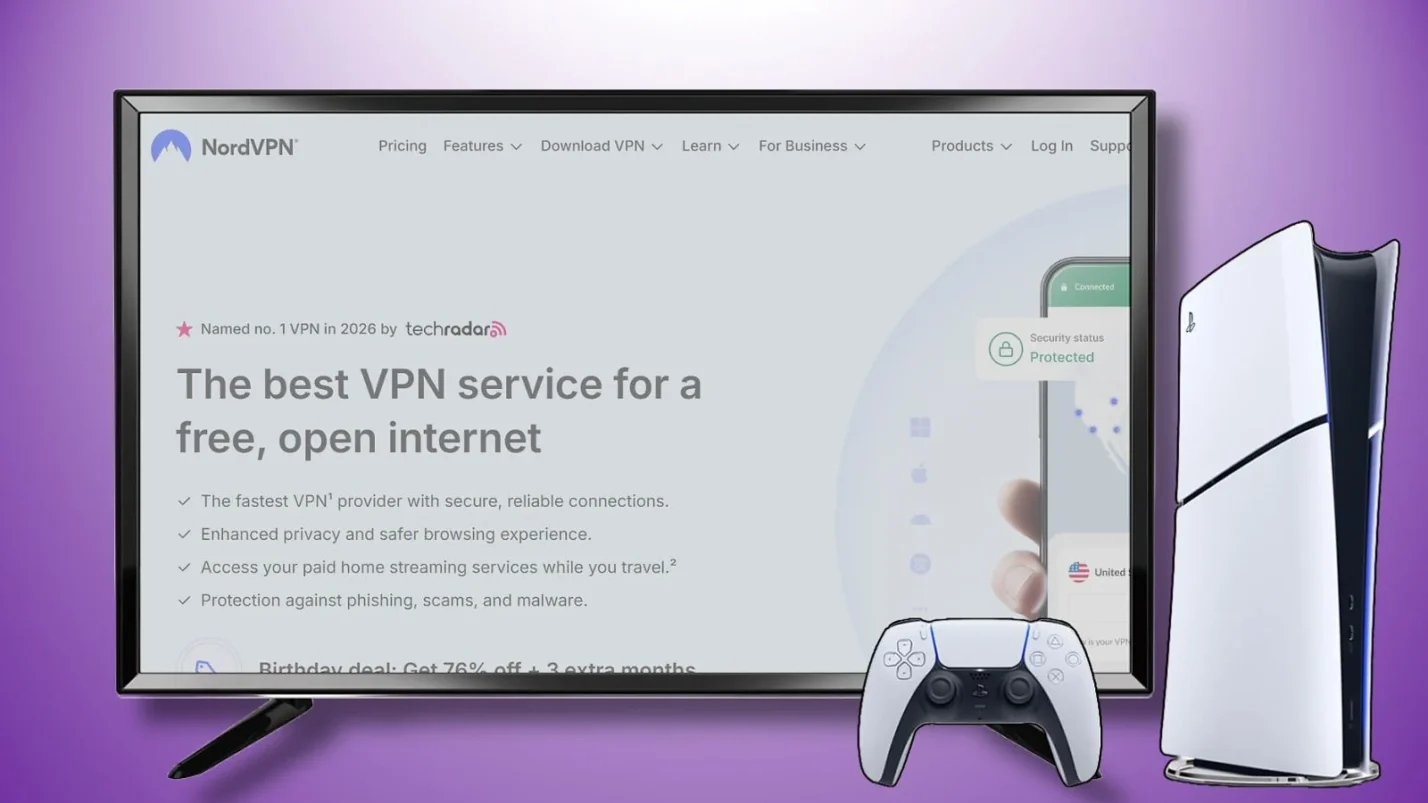
Can you use a VPN on PS5 in a flexible way? Yes – there are multiple setups, and the right one depends on whether you prefer an always-on VPN or a quick toggle-on option for certain situations.
Here’s a practical walkthrough covering how to get VPN on PS5, how to use VPN on PS5, and even how to use VPN on PS5 without PC. And if you want the bigger picture before you start, I also have a full guide on how to set up a VPN.
Method 1: Set Up a VPN on PlayStation 5 via Your Router
If you’re looking at how to get VPN on PS5 with an “always-on” setup, this is it. You set the VPN up on your router, and your PS5 (plus everything else on your Wi-Fi) gets covered automatically. It’s also handy if you have more gadgets than your plan allows, unless you already use one of the top VPNs for multiple devices.
A router-level VPN on PlayStation 5 covers every device on your network. Just keep in mind: your router has to support VPN connections, and setup takes a bit of time. If you’re not sure what counts as a compatible router for your PS5 VPN, check my guide on what is a VPN router.
Here’s how to set up VPN on PS5 via your router:
- Check your router. Make sure it supports VPN client connections.
- Open the router settings. Log in to your router’s admin panel with its local IP address and admin credentials.
- Find the VPN section. Look for VPN or VPN client settings. The exact menu depends on the router firmware.
- Add your VPN details. Enter the server address and login details from your VPN provider.
- Connect and apply. Choose a server location and enable the VPN connection on the router.
- Test the connection. Run a network test on your PS5 to make sure everything works (Settings > Network > Test Internet Connection).
That’s how to use VPN on PS5 through your router – set it and forget it.
If the PS5 won’t connect, restart the router. If that doesn’t help, try a different server or check for a router firmware update.
Method 2: Set Up a VPN on PlayStation 5 via Smart DNS
Can you use a VPN on PS5 for streaming without full encryption? Smart DNS is one of the fastest ways to get your PS5 VPN running for streaming and one of the simplest ways to learn how to use a VPN on PS5, especially if you care more about access than security.
Since you can’t easily change your PS5 region using a VPN, Smart DNS is a cleaner workaround for getting more movies and shows from different regions. Plus, it is another option for how to use VPN on PS5 without PC.
It’s also fast because it doesn’t encrypt anything. That means no privacy benefits, but fewer slowdowns as well. And unlike router setups, you can learn how to change DNS on PS5 in minutes.
Here’s how to set up VPN on PS5 using Smart DNS:
- Turn on Smart DNS for your account. Open your VPN provider’s website and log in to your dashboard. Find Smart DNS and enable it.
- Copy the DNS addresses. Your provider will show a Primary DNS and a Secondary DNS. Copy both.
- Open network settings on your PS5. Go to Settings > Network > Settings > Set Up Internet Connection. Select your current connection.
- Choose your connection type. Pick Wi-Fi if your PS5 is on wireless. Pick LAN if you use an Ethernet cable.
- Switch DNS to Manual. When you see DNS Settings, choose Manual.
- Enter the Smart DNS addresses. Paste the Primary DNS into the first field. Paste the Secondary DNS into the second field.
- Save and test. Finish the setup and run the connection test. If streaming still shows the wrong region, restart the PS5 and try again.
That’s how to change DNS on PS5 – just two fields and you’re done. Now you know how to use VPN on PS5 with Smart DNS.
Smart DNS can leak your IP address, so it gives you zero protection against DDoS attacks. Keep this in mind while learning how to change DNS on PS5, especially if you’re streaming your gameplay or game competitively.
Method 3: Set Up a VPN on PlayStation 5 via PC or Mac (Connection Sharing)
Can you use a VPN on PS5 through your computer? Think of this method as borrowing your computer’s VPN. Turn the VPN on your PC or Mac, share that internet connection, and the PS5 gets VPN protection without any router changes. So if you’re wondering how to use VPN on PS5 without PC, this is not the way.
This is a flexible way to learn how to use a VPN on PS5 without touching your router. It’s simple for quick sessions, especially with an Ethernet cable. The downside is that your computer can’t go to sleep, so it’s not the most convenient way to use a PS5 VPN if you play every day. Below, you’ll find out how to set up VPN on PS5 through your computer.
For Windows:
- Open your VPN app on the PC and connect to the server you want to use.
- Plug the PS5 into the PC with an Ethernet cable, or prepare to share the connection over Wi-Fi.
- Press Windows key + R, type ncpa.cpl, and press Enter.
- Find the VPN connection in the list, right-click it, and open Properties. Go to the Sharing tab and enable connection sharing.
- Select the network adapter your PS5 will use, either Ethernet or Wi-Fi.
- On the PS5, go to Settings > Network > Set Up Internet Connection and choose LAN or Wi-Fi.
- Run a network test on the PS5 to make sure everything connects properly.
For macOS:
- Open the VPN app on your Mac and connect to a server.
- Go to System Settings > General > Sharing (or System Preferences > Sharing on older versions).
- Enable Internet Sharing, choose your VPN connection as the source, and select Ethernet or Wi-Fi as the output.
- Plug the PS5 into your Mac with an Ethernet cable or connect to the Mac’s hotspot.
- Run a network test on the PS5 to confirm traffic goes through the VPN.
Once you know the answer to “can you get a VPN on PS5?” and you’re ready to choose a provider, check my full guide on the best VPNs for Mac for some high-quality options. With a solid provider, you’ll get your VPN on PlayStation 5 in just a few clicks.
Method 4: Set Up a VPN on PlayStation 5 via a VPN-Enabled Hotspot (Optional)
Can you use VPN on PS5 through your phone alone? Yes – it’s the easiest way to learn how to use VPN on PS5 without PC, even if it’s mainly a quick-fix approach rather than the cleanest solution. You run the VPN on your phone, turn on your hotspot, then connect the PS5 to it. No router setup, no PC sharing.
This method is fine for testing how to use a VPN on PS5 or for short sessions, but I wouldn’t rely on it long term. Your speed depends on mobile signal, the connection can be less stable, and your data can disappear fast, especially if you stream or download.
So, if you’re wondering how to use VPN on PS5 without PC, here’s how to set up VPN on PS5 using your phone’s hotspot:
- Install a VPN on your phone. Download your VPN app on iOS or Android and log in. I recommend going with NordVPN since it had the best results on all my tests for mobile devices.
- Connect to a VPN server. Pick a location and make sure the VPN is active.
- Turn on your mobile hotspot. On your phone, enable Personal Hotspot (iOS) or Hotspot & Tethering (Android).
- Check hotspot name and password. You’ll need both to connect from the PS5.
- Connect PS5 to the hotspot. On the PS5, go to Settings > Network > Settings > Set Up Internet Connection, choose Wi-Fi, and select your phone’s hotspot.
- Enter the password. Type in the hotspot password and complete the setup.
- Test the connection. Run a network test to confirm the PS5 is online through the VPN.
That’s how to get VPN on PS5 using nothing but your phone. Once your hotspot is running through a VPN, your PS5 connection follows. While not ideal for daily use, this PS5 VPN setup works in a pinch.
Why Use a VPN on PlayStation 5? Key Benefits for Gaming, Streaming, and Privacy

Can you use a VPN on PS5? Yep. But do you actually need one?
Understanding how to use VPN on PS5 starts with knowing why it matters. If you play online, stream, or just don’t love the idea of your IP being out there, learning how to get VPN on PS5 is honestly worth it. A PS5 VPN is basically a private tunnel for your connection: it hides your real IP address and scrambles your traffic so it’s harder for random people and your ISP to mess with what you’re doing.
Can you get a VPN on PS5 that actually makes a difference? Absolutely. Here’s what using a VPN on PlayStation 5 actually helps with:
1. DDoS protection
First, the annoying one: DDoS. That’s when someone floods your connection with junk traffic to boot you offline mid-game. That raises the question: can you use VPN on PS5 to stay protected? Yes. A good VPN for DDoS protection helps because other players can’t see your real IP, so you’re much harder to target.
2. Fewer slowdowns from ISP throttling
Some internet providers slow down gaming traffic during peak hours, even if your plan is supposedly “fast.” So it’s fair to wonder: can you get a VPN on PS5 to bypass that? Yes – with a PS5 VPN, your traffic is encrypted, so your ISP can’t easily tell you’re gaming and selectively throttle it.
3. More streaming options
Can you use VPN on PS5 for better streaming libraries? Yes, with the right provider. A solid streaming VPN can help you access different regional libraries on platforms like Netflix, Disney+, or Crunchyroll. One heads up: streaming platforms will do their best to block VPNs, so results can vary, and not every PS5 VPN is good at bypassing those blocks.
4. Better privacy and security
When people ask “can you use a VPN on PS5,” this is usually their main concern. Without a PS5 VPN, your real IP is basically the online “home address” for your connection. You don’t want it floating around. The best gaming VPNs keep your IP hidden and add a layer of security, which is especially nice if you play with strangers or join random parties.
Can You Use a VPN on PS5 Effectively? How To Choose the Best VPN for PS5

Not every VPN on PlayStation 5 delivers the same experience. I have tried a bunch, and the difference is real. The right one feels invisible in a good way, while the wrong one turns every match into a lag simulator. So, let’s go from “can you use a VPN on PS5” to “how to pick the right one.”
Wondering how to get VPN on PS5 without choosing the wrong service? Here’s what to look for when choosing a PS5 VPN.
1. Look for fast servers with low latency
For gaming, the key number is ping, also called latency. Learning how to set up VPN on PS5 means nothing if you get abysmal speeds. Aim for under 50 ms total for most online games, and if you play competitive shooters, under 30 ms is the sweet spot. A VPN will add a little extra, but the good ones usually add around 10 to 20 ms, which is barely noticeable.
Wondering how to get VPN on PS5 without sacrificing speed? Look for PS5 VPN providers with fast servers, modern protocols like WireGuard, and high capacity hardware, often listed as 10 Gbps servers. If you want a shortlist, check my guide to the fastest VPNs for gaming.
2. Pick a PS5 VPN with plenty of servers
When figuring out how to get VPN on PS5, don’t overlook the provider’s server count and coverage. A bigger network gives you more nearby servers and fewer crowded ones at peak hours. As a baseline, any PS5 VPN should offer 3,000+ servers across 50+ countries. More is not automatically better, but “tiny network” is a red flag for speed and stability.
3. Choose a VPN With Smart DNS for easy setup
Any “can you use a VPN on PS5” search will quickly show you that you can’t do it directly. So, setting up a PS5 VPN can get annoying fast. Smart DNS is the shortcut for streaming, since you just have to learn how to change DNS on PS5, and you’re done.
It’s not encryption, though, so treat it as a streaming tool, not a security suite.
4. Look for strong security features
“Can you use a VPN on PS5?” is a great question to ask and explore, but you should also think of your privacy and online safety. Don’t just pick a PS5 VPN that says “secure” and call it a day. Look for these features:
- Encryption: Usually AES 256 or ChaCha20 ciphers. Both are strong.
- Kill switch: Cuts the internet if the VPN drops, so your IP doesn’t leak.
- Leak protection: DNS and IPv6 leak protection stops your real network info from slipping out.
- No-logs policy: Means your PS5 VPN won’t store or share what you do online.
If you want a deeper explanation, this is exactly the stuff covered in how to choose the best VPN for privacy. Don’t just ask “can you use a VPN on PS5?” You should also learn how to use VPN on PS5 safely.
5. Go for easy installation and setup guides
Since PS5 needs router setup or connection sharing, your VPN should have step-by-step guides for routers and PlayStation, plus live chat that can actually help. Good guides make learning how to set up VPN on PS5 much faster. A PS5 VPN with clear documentation saves you hours of troubleshooting. Bonus points if they support popular router firmware and provide easy configuration files.
Figuring out can you use a VPN on PS5 will be much quicker and easier with proper help and instructions.
6. Avoid free VPNs
Can you use VPN on PS5 with a free service? Technically yes, but it’s not worth it. Learning how to set up VPN on PS5 with free VPNs will guarantee a slow, crowded, and limited experience. Data caps and weak server networks are a bad match for online play, and some free services make money by collecting and selling usage data.
So, can you use a VPN on PS5 for free and still expect premium features? The honest answer is no. With PS5, “free” tends to come with slower speeds and more frustration.
7. Stick with a top-rated PS5 VPN for smooth play
Answering how to get VPN on PS5 can become unnecessarily difficult with low-quality VPNs. Others already have the right features, good speeds, and clear guides, so you’re not guessing your way through menus.
If you want a reliable VPN on PlayStation 5 that you almost never can make a mistake with, these two work great for most people:
- NordVPN is one of the easiest to recommend for PS5. Speeds stay strong, the server network is huge, and Smart DNS support makes console setup far less painful than full router tinkering.
- ExpressVPN is another excellent PS5-friendly option if you want something simple and reliable. Its MediaStreamer Smart DNS feature is specifically designed for devices like PlayStation 5 that don’t support VPN apps directly, so setup is usually quick and beginner-friendly.
Both providers make it easy to learn how to use a VPN on PS5.
If you don’t need any protection, and you’re just wondering how to change DNS on PS5, NordVPN and ExpressVPN will get you there in a few clicks. But I’d also recommend learning how to set up VPN on PS5 because it’s a much better deal overall with added security.
Can You Use a VPN on PS5? Final Thoughts on Setup, Speed, and the Best Providers
Can you use a VPN on PS5? Absolutely. And now that you know how to get VPN on PS5, pick the method that fits your setup. Router setup, Smart DNS, connection sharing, or a hotspot – different paths, same result.
Once you learn how to use VPN on PS5, the benefits speak for themselves. Your real IP stays off the radar, and it’s a lot tougher for anyone to target your connection during matches. Finally, can you use a VPN on PS5 sometimes doesn’t matter as much as if you even need one. If you do, make sure to go with a reputable PS5 VPN.
A well-chosen PS5 VPN makes the whole process painless. Go for fast servers, low latency, Smart DNS support, and guides that don’t feel like a puzzle. A free VPN on PlayStation 5 will usually crumble, so stick with proven options like NordVPN or ExpressVPN if you want this to run smoothly.
So, your “can you use a VPN on PS5?” question is answered: a VPN on PlayStation 5 is one of the smartest upgrades you can make for your setup. Pick the setup your network (and your patience) can handle, follow the steps, and your PS5 will be on a great VPN without turning your house into a networking lab.
FAQs
Yes, but you have to use it indirectly since the console doesn’t support VPN apps natively. How to set up VPN on PS5 comes down to using one of these methods: VPN router, shared connection, DNS, or mobile hotspot. Each can help you get your VPN on PlayStation 5, and the best choice depends on your specific needs.
No, a VPN on PlayStation 5 won’t speed it up directly, but it can reduce ISP throttling if your provider slows gaming traffic. VPNs add 10–20 ms of latency due to encryption, so expect speeds close to normal rather than dramatic improvements.
How to use VPN on PS5 without PC starts with setting up the VPN on PlayStation 5 through your router for full encryption, or using Smart DNS by entering DNS addresses in PS5’s network settingsetwork settings. Alternatively, create a VPN-enabled hotspot using your smartphone – no PC or router configuration needed.
Not recommended. Free VPNs have severe limitations – slow speeds that make gaming impossible, restrictive data caps, limited servers, and weak security. They may also sell your browsing data. Invest in a quality paid service for reliable gaming.
NordVPN and ExpressVPN are top choices, offering excellent speeds, Smart DNS support, and detailed PlayStation setup guides. Both provide DDoS protection and low latency, ideal for competitive gaming.
Log into your roNo. Sony’s PlayStation doesn’t support native VPN apps, so you can’t download one from the PlayStation Store. Instead, use router setup, Smart DNS, PC connection sharing, or a VPN-enabled mobile hotspot to route your PS5‘s traffic through a VPN.
To change DNS on PS5, go to Settings > Network > Settings > Set Up Internet Connection. Select your connection, choose Manual for DNS Settings, and enter the Primary and Secondary DNS addresses from your VPN provider. Learning how to change DNS on PS5 takes under two minutes.
Log into your router’s admin panel (typically 192.168.1.1), find the VPN client section, and enter your VPN provider’s server details. Once it’s set up, you’ll have VPN on PlayStation 5 automatically. Check your provider’s site for router-specific guides.
Yes, a VPN itself is a legal tool, and Sony doesn’t ban VPN usage outright. How to use VPN on PS5 is a much more important question. Using a VPN for privacy, security, or general network routing is fine. Using it to break laws or violate PlayStation’s terms, like committing fraud or abusing regional pricing systems, is where you can run into trouble.