Best VPN for Streaming: 10 Proven Tools for Any Catalog in 2026

Eneba Hub contains affiliate links, which means we may earn a small commission if you make a purchase through them—at no extra cost to you. Learn more


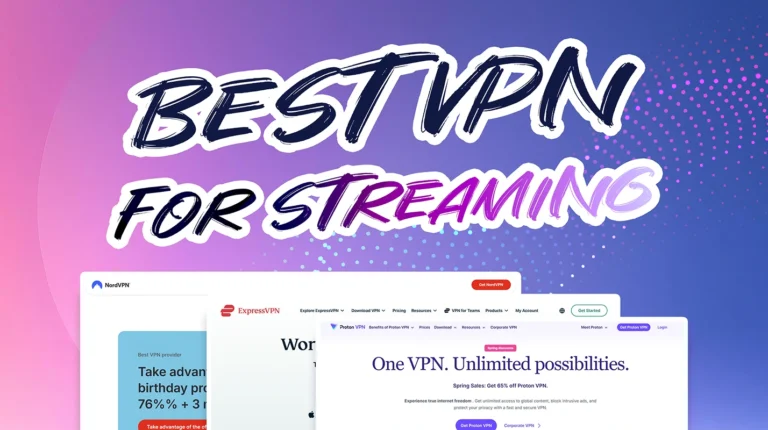
The best VPN for streaming keeps your night sessions smooth. No missing shows, lag spikes, or throttling from your ISP, pretending it’s doing you a favor. Just pure, uninterrupted access to every library out there.
I’ve tested dozens across Netflix, Hulu, Disney+, and BBC iPlayer – on TVs, phones, and laptops – to see which ones actually deliver fast, stable, HD streams without breaking connections. Most don’t. A few do it perfectly.
In this guide, I’ll walk you through the 10 VPNs that nailed every test I threw at them. The ones that unlock everything and keep your streams fast, sharp, and private.
Jump to:
Our Top Picks for Best VPN for Streaming
Some VPNs claim to stream everything, then choke the moment you hit play. These three didn’t. During my tests, they were fast, clean, and reliable, no matter which catalog I tried to access.
- NordVPN – The benchmark for streaming speed. Its NordLynx protocol keeps 4K video steady, even on distant servers, and SmartPlay handles unblocking without menus or trial and error. Pick your region, launch your show, and it just loads.
- ExpressVPN – The smoothest all-rounder for global access. Lightway keeps streams stable, and its app jumps between servers in seconds. From Netflix US to BBC iPlayer, it handled everything without timeout errors or slowdowns. The interface is so simple you forget it’s even running, which is exactly how it should be.
- Proton VPN – If you value online privacy without sacrificing smooth, high-quality streaming, it’s an excellent choice. It combines strong security features with reliable performance, making it one of the top VPNs available.
Some VPNs talk a big game about streaming, then immediately fall apart when you try to load an overseas catalog. These three genuinely held up during my testing, whether I was checking US libraries, hunting for the best VPN for BBC iPlayer, or trying to find the best VPN for Netflix UK without endless server switching. Below, I’ll break down all 10 VPNs I tested for speed, streaming quality, and overall reliability.
Best VPN for Streaming: 10 Fast Options for Every Show
Here’s how to read these reviews: quick verdict, unblocking performance, 4K stability, real speeds, app polish on TVs and phones, and any extras that actually help – Smart DNS, simultaneous devices, live chat, refunds. Scan the pros, hit the verdict, pick your match. Meet my picks for the best VPN for streaming.
1. NordVPN [Best Overall VPN for Streaming]
| Feature | Details |
|---|---|
| Servers | 9,000+ servers in 100+ countries |
| Speed | Around 300 Mbps average (313 Mbps benchmark) |
| Simultaneous connections | Up to 10 |
| Protocols | NordLynx (built on WireGuard), OpenVPN, NordWhisper (for restricted networks) |
| Security | AES-256 encryption, kill switch, Threat Protection, dark web monitoring, MFA, Double VPN |
| Privacy | Audited no-logs policy, RAM-only servers, based in Panama |
| Streaming | Works with Netflix, Hulu, BBC iPlayer, Disney+, Prime Video, and regional catalogs |
| Starting price | $2.99/mo (2-year plan) |
NordVPN is the heavy hitter for streaming. Its SmartPlay feature instantly unlocks major platforms (Netflix US, Japan, BBC iPlayer, and more) without any setup. For anyone traveling and wanting to stay connected, VPN for China travel is a must – it keeps you secure and allows access to your favorite content no matter where you are. NordLynx keeps 4K streams running steady even on distant servers, and switching regions took mere seconds for me. The app picks the fastest server automatically, so you don’t need to guess which location actually works.
Use Meshnet to share your connection with friends abroad. It’s like hosting a private movie night where everyone watches from the same “virtual” location. Also, stick with NordLynx for smoothest HD performance; it beats OpenVPN by a mile in streaming stability.
NordVPN’s privacy setup is airtight. RAM-only servers wipe data on every reboot, Threat Protection kills ads and trackers mid-stream, and its no-logs claims have been repeatedly audited. If you want one VPN that keeps your connection private and your streams unblocked, this is the safest all-round choice. It’s also #1 on my list of the best VPNs for Mac.
| Pros | Cons |
|---|---|
| ✅ Unblocked every major streaming platform during my tests ✅ 4K-ready speeds and stable long-distance performance ✅ SmartPlay works automatically with no manual setup ✅ Meshnet adds creative streaming and sharing options ✅ Proven privacy with multiple audits | ❌ Browser-based login can get tedious ❌ No split tunneling on some platforms |
Final Verdict: It’s the most complete pick for streaming. Fast, secure, and reliable across every platform, from Netflix to regional channels. Testing it was a smooth experience overall, thanks to how reliably its features performed.
2. ExpressVPN [Premium Choice for Consistent 4K Streaming]

| Feature | Details |
|---|---|
| Servers | 3,000+ servers in 105 countries |
| Speed | Around 267 Mbps average (313 Mbps benchmark) |
| Simultaneous connections | Up to 14 |
| Protocols | Lightway, OpenVPN, IKEv2 |
| Security | AES-256, “Network Lock” kill switch, DNS leak protection, TrustedServer |
| Privacy | RAM-only servers, audited no-logs claims, based in the British Virgin Islands |
| Streaming | Works with Netflix, Hulu, Prime Video, BBC iPlayer, Disney+, and regional services |
| Starting price | $3.49/mo (28-month plan) |
ExpressVPN is one of the smoothest VPNs for streaming. It connects fast, switches regions in seconds, and rarely hits a service it can’t unblock. During my tests, I only had problems accessing Crunchyroll, of all things.
Lightway (its custom protocol) is built for speed and stability, keeping 4K streams running without the usual dips or pauses. It adapts fast when networks shift, so even sketchy hotel Wi-Fi or throttled home connections stay steady. Lightway also makes it one of the fastest VPNs for gaming.
Use the built-in speed test before choosing a server. It ranks them by real-time performance, so you can pick the best route for Netflix or BBC iPlayer. For stubborn platforms, try a nearby country instead of the obvious US server; ExpressVPN’s routing logic is sometimes faster that way.
Every ExpressVPN server runs on volatile RAM, wiping data after each reboot. Network Lock instantly cuts traffic if the VPN drops, which keeps your IP address hidden even mid-stream. It’s simple, effective, and never clutters your screen with menus or errors. For anyone searching how to set up VPN for streaming, ExpressVPN makes the whole process refreshingly straightforward with clean apps and a near-instant setup. Combined with reliable access, steady speeds, and top-tier privacy, it’s one of the easiest streaming VPNs to live with.
| Pros | Cons |
|---|---|
| ✅ Lightway protocol keeps 4K streams smooth ✅ Unblocks nearly every major streaming platform ✅ RAM-only servers and audited no-logs policy ✅ Intuitive app with built-in speed tester ✅ Fast region switching and stable connections | ❌ Smaller server network than NordVPN ❌ Pricey compared to budget rivals |
Final Verdict: It’s one of the most consistent streaming VPNs I’ve tested. Every region works, every platform loads fast, and you never need to tweak a thing. Just connect and stream – that’s ExpressVPN’s magic.
3. Proton VPN [Best Privacy VPN for Streaming]
| Feature | Details |
|---|---|
| Servers | 15,000+ servers in 120+ countries |
| Speed | Around 248 Mbps average (313 Mbps benchmark) |
| Simultaneous connections | Up to 10 |
| Protocols | WireGuard, OpenVPN, IKEv2, Stealth (for censorship and restricted networks) |
| Security | AES-256, kill switch, DNS & IPv6 leak protection, Secure Core, forward secrecy |
| Privacy | Based in Switzerland, audited no-logs policy (4th independent audit) |
| Streaming | Works with Netflix, Hulu, BBC iPlayer, Prime Video, Disney+ (on Plus/Unlimited servers) |
| Starting price | $2.99/mo (2-year plan) |
If you care about online privacy but still want flawless streaming, Proton VPN is one of the best VPNs out there. Its premium servers are optimized for high-speed playback, and can unlock Netflix, BBC iPlayer, and Prime Video. The service also supports tons of regional channels, and offers handy links on the official website. Proton VPN’s strong UK server coverage and reliable unblocking performance also make it a serious contender for the best VPN for Netflix UK.
If you want extra security in restrictive countries, you can use Secure Core servers, which is Proton‘s version of multi-hop. However, these are not optimized for streaming, and you’ll probably have to tinker a bit before finding the right configuration for your streaming needs – though Proton VPN still ranks among the best VPN for Genshin Impact thanks to its stable performance and strong privacy backbone.
If your network blocks VPNs (public Wi-Fi, dorms, or a strict internet service provider), toggle Stealth before connecting. It masks your VPN traffic as normal HTTPS, letting you slip past filters and keep streaming without interruptions. Stick to Plus servers for best performance; they’re the only ones that keep 4K stable.
Proton’s speeds hold up well thanks to WireGuard, and the interface gives you full control without feeling bloated. You can check server loads, toggle Secure Core, or jump between regions in a click. It’s open-source too, so anyone can verify its code, which is a rarity in this space. And if you have any concerns about your safety online, see which VPN for cybersecurity needs fits you the best.
| Pros | Cons |
|---|---|
| ✅ Excellent privacy with Swiss jurisdiction and independent audits ✅ Stealth protocol beats censorship and VPN detection ✅ Plus servers handle Netflix and BBC iPlayer in 4K ✅ Transparent, open-source apps with real-time server load info ✅ Secure Core adds another privacy layer without breaking speed | ❌ Secure Core servers prioritize privacy over speed – not suitable for streaming ❌ App interface can feel overly technical for casual users |
Final Verdict: Proton VPN is the go-to for privacy-first streamers. You get Swiss-grade security, transparent audits, and servers built to unblock global libraries without leaking data. Perfect for users who want total privacy and stable streaming access.
4. CyberGhost [Best for Dedicated Streaming Servers]
| Feature | Details |
|---|---|
| Servers | 11,000+ servers in 100 countries |
| Speed | Around 213 Mbps average (313 Mbps benchmark) |
| Simultaneous connections | Up to 7 |
| Protocols | WireGuard, OpenVPN, IKEv2 |
| Security | AES-256 encryption, automatic kill switch, DNS leak protection, NoSpy servers |
| Privacy | No-logs policy, independent audit, Romania jurisdiction |
| Streaming | Dedicated “For Streaming” servers for Netflix, Hulu, BBC iPlayer, Prime Video, Disney+ |
| Starting price | $2.03/mo (2-year plan) |
CyberGhost belongs on any list of best VPNs for streaming for one simple reason – no other VPN makes getting started quite this painless. You open the app, click the For Streaming tab, and pick the platform you want – Netflix US, BBC iPlayer, Prime Video, or even local European catalogs. In my testing, CyberGhost genuinely felt like the best VPN for BBC iPlayer because the dedicated iPlayer server worked almost instantly without any tweaking.
Each server in that list is tested daily to confirm it still works, so you’re never stuck playing roulette with blocked regions or slow nodes. During my testing circuits, I only had some issues when I connected to crowded servers on purpose, but you can avoid that by simply paying attention to your VPN client.
Always use CyberGhost’s For Streaming servers and clear your browser cache before visiting your streaming platform. It helps bypass leftover region data that can trigger errors or limit catalogs.
Speeds stay consistent on WireGuard, even when streaming in 4K, and the kill switch catches every disconnect. Romania’s privacy laws keep your data out of foreign jurisdictions, and their NoSpy servers add another layer of security for those who like to keep things airtight. And yes, CyberGhost also has NoSpy servers optimized for streaming.
| Pros | Cons |
|---|---|
| ✅ Dedicated servers optimized for specific streaming platforms ✅ Consistent 4K playback on WireGuard protocol ✅ Strong privacy with audited no-logs policy and NoSpy servers ✅ Simple, beginner-friendly app layout ✅ Broad global coverage for local and international catalogs | ❌ Can be slower on crowded nodes ❌ Not ideal for latency-sensitive gaming |
Final Verdict: It’s the easiest VPN for streaming newcomers. Pick your service, connect, and watch. No setup, guesswork, or failed logins. Perfect if you want smooth access without learning what a protocol even is.
5. Private Internet Access (PIA) [Best for High-Bandwidth Streaming]
| Feature | Details |
|---|---|
| Servers | 35,000+ servers in 90+ countries |
| Speed | Around 265 Mbps average (313 Mbps benchmark) |
| Simultaneous connections | Unlimited |
| Protocols | WireGuard, OpenVPN, IKEv2 |
| Security | AES-256, kill switch, leak protection, port forwarding, advanced encryption & obfuscation options, antivirus, email breach monitor, PIA MACE ad blocker |
| Privacy | RAM-only servers, audited and court-tested no-logs policy, open-source clients |
| Streaming | Works with Netflix, Hulu, BBC iPlayer, Prime Video, Disney+ (on selected servers) |
| Starting price | $1.85/mo (2-year plan + 4 months) |
PIA is built for users who stream a lot – across multiple screens, platforms, and countries. Its huge server fleet means less congestion and more consistent bandwidth, especially on WireGuard. Unlimited simultaneous connections also make it one of the top-tier VPNs for multiple devices.
You can pick servers optimized for media or create your own routing setup if you like fine-tuning. Once connected, streams stay stable and HD quality rarely drops, even during prime-time hours. Apart from “regular” geo-unblocking targets, I also had great success with regional channels like Raiplay, Sling TV, ESPN, German TV, and many more. So, if you want a bulletproof no-lag VPN, PIA is a great choice.
Use split tunneling to keep downloads or updates off the VPN while streaming. It gives you more bandwidth and less buffering. And if Netflix blocks one region, switch ports or toggle obfuscation in settings; it often fixes the issue instantly.
PIA’s transparency is also part of the appeal. Every client is open source, the no-logs policy has held up in court, and the encryption settings let you customize security for speed or strength. You can go full stealth mode or stay simple. Either way, your streams stay smooth and private.
| Pros | Cons |
|---|---|
| ✅ Massive server network for consistent streaming speeds ✅ Unlimited devices for whole-house access ✅ Split tunneling to prioritize streaming bandwidth ✅ Proven no-logs policy and open-source apps ✅ Advanced port and obfuscation settings for tricky regions | ❌ Performance varies across regions, which is normal since speeds depend on distance ❌ Interface could overwhelm beginners right off the bat, but it’s easy to pick up |
Final Verdict: It’s the best VPN for heavy streamers who want control and speed. Huge network, reliable unblocking, and full-customization options make it ideal for marathon viewing sessions – from Netflix binges to live sports abroad.
6. Surfshark [Best Value Streaming VPN]
| Feature | Details |
|---|---|
| Servers | 4,500+ servers in 100 countries |
| Speed | Around 307 Mbps average (313 Mbps benchmark) |
| Simultaneous connections | Unlimited |
| Protocols | WireGuard, OpenVPN, IKEv2 |
| Security | AES-256, kill switch, DNS leak protection, CleanWeb ad & tracker blocking, MultiHop, obfuscation |
| Privacy | RAM-only servers, audited architecture, no-logs policy |
| Streaming | Works with Netflix, Hulu, Disney+, Prime Video, BBC iPlayer, and more |
| Starting price | $1.99/mo (2-year plan) |
Surfshark is the best pick when you want full-speed streaming on every screen in the house. It’s fast, light, and runs the same way across TVs, laptops, and phones. Unlimited connections mean you can stream on all of them at once – no juggling accounts or signing out devices.
WireGuard keeps 4K playback steady, and Smart DNS unblocks shows on consoles and smart TVs that can’t install VPN apps directly. Just note that DNS services don’t encrypt your traffic, so you get unblocking, but no extra security. Surfshark is also one of the best gaming VPNs and my personal favorite for long game nights on multiple devices.
Turn on CleanWeb before you start streaming. It kills pre-roll ads and malicious trackers on sketchy streaming sites. For platforms like Netflix or Prime, use WireGuard with the “Fastest Server” option – it finds the best route automatically and avoids the overloaded nodes that cause random buffering.
Surfshark’s speeds stay high, even on distant servers, and its unblocking power easily matches bigger players, which is great if you’re looking for the best VPN for COD. MultiHop adds an extra layer of privacy, if you like staying invisible while you stream, and the app’s quick-connect logic is genuinely smart.
| Pros | Cons |
|---|---|
| ✅ Unlimited devices for true multi-screen streaming ✅ WireGuard keeps UHD video running smooth ✅ CleanWeb filters out ads and trackers system-wide ✅ Smart DNS for TVs and consoles ✅ Excellent global coverage for regional libraries | ❌ Support quality can vary between agents ❌ Different features available across various macOS versions |
Final Verdict: It’s the most flexible option for binge-watchers with multiple screens. Strong speeds, full streaming access, and no connection limits make it the best VPN for streaming, enjoyable for families, shared homes, or anyone who hates choosing which device gets the VPN.
7. VeePN [Best Entry-Level VPN for Streaming]
| Feature | Details |
|---|---|
| Servers | 2,600+ servers in 80+ countries |
| Speed | Around 180 Mbps average (313 Mbps benchmark) |
| Simultaneous connections | Up to 20, depending on the plan |
| Protocols | WireGuard, OpenVPN, IKEv2 |
| Security | AES-256 encryption, kill switch, Double VPN, NetGuard ad blocker |
| Privacy | Claims RAM-only servers, no-logs policy (unaudited), based in Panama |
| Streaming | Works with Netflix, Hulu, BBC iPlayer, Disney+, Prime Video |
| Starting price | $1.99/mo (2-year plan) |
VeePN punches above its price point for streaming. I tested it across Netflix US, UK, and Japan libraries, plus Disney+, Hulu, and BBC iPlayer. All worked without issues during my testing window, though streaming VPN access can change as platforms update their detection. So, if you’re looking for a cheap but solid VPN for BBC iPlayer, Netflix, and other platforms, this is one of the best tools.
Speeds held steady enough for HD streaming on most servers. 4K was hit or miss, depending on server load and distance. US servers delivered the most consistent performance, while some European locations struggled during peak hours. If you’re primarily after US content libraries, VeePN handles it well.
The 20-device limit means you can stream on your TV, laptop, tablet, and phone simultaneously without juggling connections. For households sharing a subscription, this covers most setups without hitting the cap. Note that the cheapest plan covers only 5 devices, though.
Always manually select WireGuard in settings before streaming – VeePN‘s auto protocol often picks slower options and causes unnecessary buffering. If a platform won’t load, swap to a different server in the same country rather than changing regions.
WireGuard protocol delivered the best streaming speeds in my tests. The app defaults to automatic protocol selection, which sometimes picks slower options. Manually selecting WireGuard in settings improved buffer times noticeably.
Panama jurisdiction and claimed no-logs policy mean VeePN isn’t keeping records of what you watch. NetGuard blocks ads on websites, though it won’t touch ads baked into streaming platforms themselves.
| Pros | Cons |
|---|---|
| ✅ Unblocks major streaming platforms ✅ Extremely affordable long-term pricing ✅ Up to 20 simultaneous connections ✅ WireGuard for faster streaming speeds ✅ Works with Netflix, Disney+, Hulu, BBC iPlayer, and other streaming platforms | ❌ No independent security audits ❌ Smaller server network than premium competitors |
Final Verdict: Ideal for streaming newcomers. The major platforms unlock, HD stays stable, and setup takes minutes. Not built for 4K power users – but as a first VPN for streaming, it earns its place.
8. IPVanish [Best VPN for Secure Streaming]
| Feature | Details |
|---|---|
| Servers | 3,100+ servers in 145+ locations |
| Speed | Around 210 Mbps average (313 Mbps benchmark) |
| Simultaneous connections | Unlimited |
| Protocols | WireGuard, OpenVPN, IKEv2 |
| Security | AES-256, kill switch, leak protection, Double Hop, Threat Protection |
| Privacy | Audited no-logs policy, entirely owned VPN server network, transparency reports |
| Streaming | Works with Netflix, Hulu, BBC iPlayer, Amazon Prime Video, Disney+ (on selected servers) |
| Starting price | $2.19/mo (2-year plan) |
IPVanish is the “lock it down and press play” option. WireGuard keeps UHD streams steady, and unlimited devices means every screen at home can run it at once. Also, this VPN supports good tunnels, which translate to better download speeds and stability. There’s a reason WireGuard is my top protocol for gaming, torrenting, and other bandwidth-heavy activities.
It doesn’t shout about specific catalogs, but with the right endpoint it holds up for Netflix-style services and live sports without weird mid-show stalls. I tested it with Netflix, Hulu, BBC iPlayer, Prime Video, and Disney+, and it unblocked all of them, no problem. I did run into some trouble trying to unblock international Netflix libraries like Germany or France, for example.
If a platform throws an error, switch to a nearby city (not the default “most popular” one), clear cookies, and reconnect with WireGuard. For stubborn sites, try OpenVPN TCP – slower on paper, but it can slip past picky filters.
A strict no-logs stance was verified by an independent audit in April 2025, backing up the privacy side while you binge.
The official website is packed with useful content, from blogs, FAQs, and guides, to free tools like Dark Web Scanner, IP/Link/QR Code/Speed checker, and even a password manager. So, if you don’t know how to set up a VPN, you’ll find plenty of answers there. It’s an ideal pick if you want to access all the best streaming libraries and fiddle with some free goodies.
| Pros | Cons |
|---|---|
| ✅ Unlimited devices for whole-home streaming ✅ WireGuard delivers stable 4K playback ✅ Split tunneling to keep non-stream traffic off the tunnel ✅ Solid security setup ✅ No-logs policy validated by an external audit (2025) | ❌ US jurisdiction isn’t everyone’s favorite, but IPVanish is doing its very best to offset potential dangers ❌ Unblocking can be hit-or-miss in certain regions |
Final Verdict: You get a privacy-first setup with unlimited screens and dependable 4K performance – a secure, practical pick for households that stream a lot and want less fuss with more protection.
9. PrivateVPN [Best Budget Streaming VPN]
| Feature | Details |
|---|---|
| Servers | Unspecified # of servers in 60+ countries and 200+ server locations |
| Speed | Around 176 Mbps average (313 Mbps benchmark) |
| Simultaneous connections | Up to 10 |
| Protocols | WireGuard, OpenVPN, L2TP, IPsec |
| Security | AES-256 encryption, kill switch, leak protection, dedicated IP option |
| Privacy | Sweden-based, no-logs policy (not yet independently audited) |
| Streaming | Capable of unblocking major platforms (Netflix, Hulu, BBC iPlayer) when using dedicated IP or tuned server |
| Starting price | $2.48/mo (12 months + 24 months) |
PrivateVPN fills the “budget but legit” niche for streamers who don’t want to pay high subscription fees but still want good access to region-locked catalogs.
With 200+ server locations across 63 countries, you get decent coverage at a fraction of the cost of premium rivals. Despite the smaller network, it managed to unblock Netflix US, BBC iPlayer and other big services during my testing.
When you hit a geo-error (“this content isn’t available in your region”), log into PrivateVPN, switch to a dedicated-IP server location (many are labelled in the app), then clear your browser cookies and reconnect. That combo often bypasses tougher restrictions that shared servers struggle with.
The problem is, PrivateVPN doesn’t disclose its server count. When VPN providers keep that info under wraps, we know it’s in the hundreds probably. So, the danger of server crowding and congestion is very real. I didn’t experience any major lag spikes or speed drops during testing, but I’m leaving this info here nonetheless.
Even though the raw server count is probably modest, PrivateVPN keeps the essentials for streaming: unlimited bandwidth, ten simultaneous devices, and solid security layering. For households that stream but don’t want to overspend, it’s a smart value pick.
| Pros | Cons |
|---|---|
| ✅ Low cost for full-function VPN with streaming support ✅ 10 simultaneous connections allow full family/household usage ✅ Good unblocking performance on dedicated servers ✅ Good security setup | ❌ Undisclosed # of VPN servers ❌ No public independent audit of no-logs policy yet |
Final Verdict: It’s the best budget streaming VPN I found. It gives you real access to global catalogs, full device support, and strong security without the premium price. Ideal for smart-TV setups, shared households, or anyone who streams a lot but wants to spend less.
10. Windscribe [Best Freemium Streaming VPN]

| Feature | Details |
|---|---|
| Servers | An undisclosed number of servers in around 70 countries |
| Speed | Around 198 Mbps average (313 Mbps benchmark); often congested on free nodes |
| Simultaneous connections | Unlimited |
| Protocols | WireGuard, OpenVPN, IKEv2, Stealth, WStunnel |
| Security | AES-256, built-in firewall (blocks leaks), DNS leak protection, MAC address spoofing, R.O.B.E.R.T blocks ads, trackers, and malware |
| Privacy | No-logs policy, RAM-only servers (after infrastructure overhaul), open-source client |
| Streaming | Works on many streaming sites when using paid/strong servers; free tier has limitations |
| Starting price | $5.75/mo (1-year plan) |
Windscribe is the smart pick if you’re watching your budget but still want access to global streaming libraries. Unlimited device support means your TV, laptop, phone can all stream simultaneously.
On paid servers (not crowded ones), I found it unblocked major platforms and streamed smoothly. I mainly tested it with Netflix, and was able to unblock the US catalog, but also some regional versions like Canada, Brazil, Australia, Japan, and more. I had better results after unlocking the higher free-data allowance, but paid servers were still more reliable for streaming.
Windscribe has an “Unblock Streaming” toggle in the client, so make sure you keep that on. Otherwise, you won’t be able to stream anything. Also, make sure to configure the built-in firewall (Windscribe’s kill switch) to prevent accidental IP address leaks.
The free tier is generous and great for casual watchers – just keep the data cap and slower nodes in mind. If you’re a heavy streamer, the free plan won’t get you far, even if you hit the full 15 GB of data.
| Pros | Cons |
|---|---|
| ✅ Totally free tier with up to 15 GB/month usage ✅ Unlimited simultaneous connections ✅ Strong privacy tools ✅ Wide location coverage for regional catalogs | ❌ Free servers often congested (expect slowdowns) ❌ Paid plan required for reliably unblocking every major catalog |
Final Verdict: For streamers who want decent global access without paying premium rates, Windscribe strikes a solid balance. Unlimited screens, a decent free tier, and the freedom to upgrade only if you’re bingeing hard. It won’t win the “top speed” trophy, but for value it’s hard to beat.
Streaming Service Compatibility: Which VPNs Work with Netflix, Disney+, and More
So, do VPNs work for streaming? The short answer is yes, but not all of them perform equally well across every platform. The best VPN for streaming will reliably unlock Netflix, Disney+, BBC iPlayer, Hulu, and Prime Video without constant reconnects, proxy errors, or buffering. Some VPNs excel at unblocking everything; others need the right server or a bit of tinkering. Here’s how all 10 of our picks stack up across the major platforms.
| VPN | Netflix | Disney+ | BBC iPlayer | Hulu | Prime Video | Crunchyroll |
|---|---|---|---|---|---|---|
| NordVPN | Reliable | Reliable | Reliable (UK servers) | Reliable | Reliable | Usually works |
| ExpressVPN | Reliable | Reliable | Reliable | Reliable | Reliable | Usually works |
| Proton VPN | Reliable (Plus servers) | Reliable (Plus servers) | Reliable (Plus servers) | Reliable (Plus servers) | Reliable (Plus servers) | Usually works (Plus) |
| CyberGhost | Usually works (dedicated servers) | Usually works | Usually works (UK servers) | Usually works | Usually works | Works in most cases |
| Private Internet Access (PIA) | Works with server choice | Works with server choice | Works with server choice | Works with server choice | Works with server choice | Works in some regions |
| Surfshark | Reliable | Reliable | Reliable (UK servers) | Reliable | Reliable | Usually works |
| VeePN | Works with server choice | Works with server choice | Works with server choice | Works with server choice | Works with server choice | Limited reliability |
| IPVanish | Works in some cases | Works in some cases | Works with server choice | Works in most cases | Works in most cases | Limited reliability |
| PrivateVPN | Usually works | Usually works | Usually works (UK servers) | Usually works | Usually works | Works in some cases |
| Windscribe | Works on paid servers | Works on paid servers | Works on paid UK servers | Works on paid servers | Works on paid servers | Limited reliability |
The NordVPN vs ExpressVPN streaming battle is very close, with both delivering the strongest overall reliability across all six platforms. But the gap closes quickly – Proton VPN, CyberGhost, PIA, and Surfshark all delivered stronger results than their positions might suggest. Budget picks like PrivateVPN and Windscribe can genuinely surprise you with the right server choice. If you’re still asking “do VPNs work for streaming?” – every entry in this table answers with a yes. It’s just a matter of finding your best VPN for streaming.
How To Choose the Best VPN for Streaming: Speed, Privacy, and Everything in Between
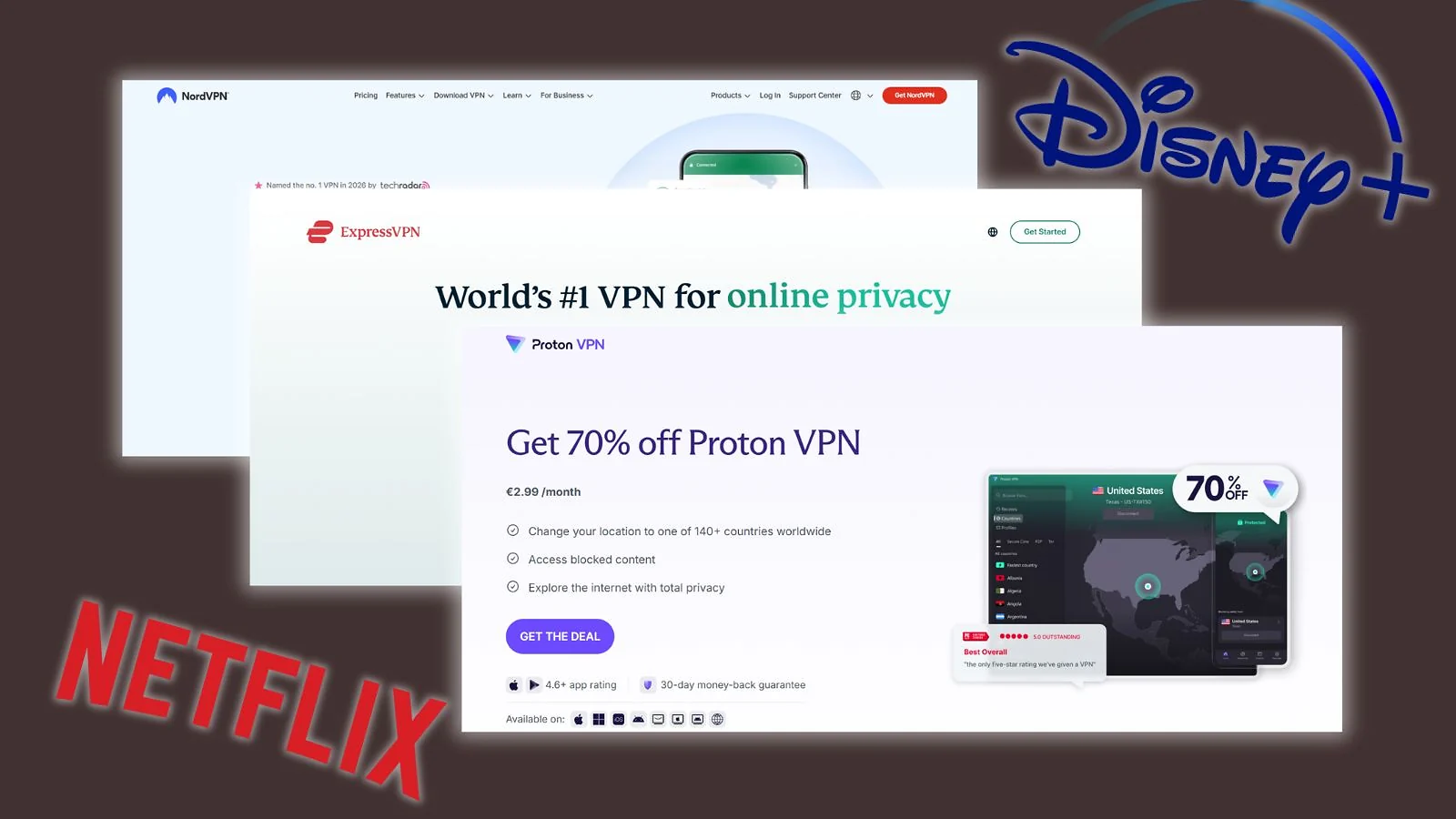
Knowing how to choose VPN for streaming means ignoring the marketing fluff and zeroing in on what actually affects your experience. Here’s what to evaluate before you commit to a subscription.
1. Speed and Protocol
This is the big one. Slow VPNs kill streams. Look for services that support WireGuard (or its derivatives like NordVPN’s NordLynx or ExpressVPN’s Lightway) – these are the fastest, most modern protocols available. You want at least 25 Mbps for reliable HD and 50+ Mbps for 4K. The best VPN for streaming should barely dent your base connection speed.
2. Unblocking Ability
A VPN that can’t get past Netflix’s proxy detection is useless for streaming. Check that the VPN specifically lists your target platforms – Netflix, Disney+, BBC iPlayer, Hulu, Prime Video – and, ideally, has dedicated or regularly tested streaming servers. Features like NordVPN’s SmartPlay or CyberGhost’s “For Streaming” tab make this nearly effortless.
3. Server Count and Locations
More servers in more countries means more catalogs to access and less congestion on individual nodes, which translates directly to faster, more stable streams. If you want content from a specific country, confirm the VPN actually has servers there.
4. Simultaneous Connections
Planning to stream on your TV, laptop, and phone at the same time? Count your devices. Some VPNs cap you at 6–10 connections; others like Surfshark, IPVanish, and Windscribe offer unlimited. For shared households, this is a surprisingly important part of figuring out how to choose VPN for streaming without running into annoying device limits later.
5. Smart DNS Support
Smart TVs, gaming consoles, and streaming boxes often can’t run a VPN app natively. A built-in Smart DNS feature lets you bypass geo-restrictions on these devices without installing anything. NordVPN, ExpressVPN, and Surfshark all include this.
6. Privacy and Logging Policy
If you’re wondering how to choose VPN for streaming, don’t focus only on unblocking platforms and streaming speeds. A trustworthy no-logs policy and RAM-only servers are just as important, since all your traffic passes through the VPN provider’s network.
7. Price vs. Value
NordVPN and Proton VPN start at under $3/month on long-term plans. ExpressVPN costs more but delivers premium reliability. Budget picks like PIA and CyberGhost punch well above their price point. Just avoid “free” VPNs – they’re almost always too slow, too limited, or too risky for serious streaming use.
How to Set Up a VPN for Streaming (It’s Easier Than You Think)
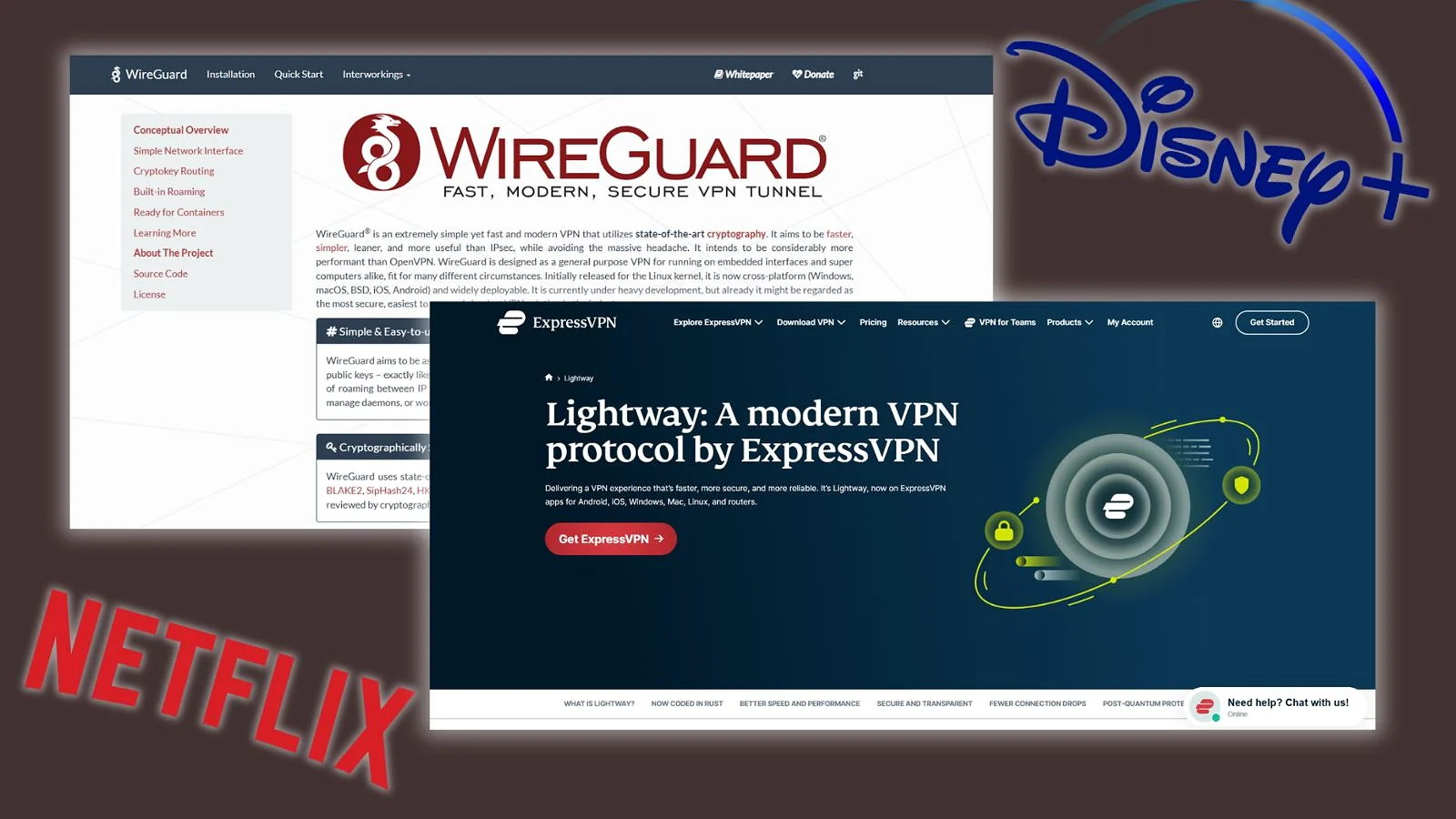
Setting up a VPN for streaming takes under five minutes. Here’s how to set up VPN for streaming from scratch:
- Choose and subscribe. Pick a VPN from our list above and sign up on its official website.
- Download and install. Get the app for your device (Windows, macOS, Android, iOS) and log in.
- Pick the right server. Don’t use Quick Connect. For Netflix US or Hulu: US server. For BBC iPlayer: UK server. If one fails, try another in the same country.
- Set your protocol. Go to Settings → Protocol and select WireGuard (or NordLynx on NordVPN, Lightway on ExpressVPN) for the fastest, most stable streams.
- Connect and stream. Hit connect, open your streaming app, and play. If you hit a proxy error, clear cookies and try a different server in the same country.
On smart TVs or consoles that don’t support VPN apps, use your VPN’s Smart DNS feature instead – or install the VPN at router level to cover every device on your network automatically. After learning how to set up VPN for streaming, the hardest part is honestly deciding what to watch first.
My Final Verdict
After testing dozens of services across real platforms and real use cases, here’s my honest breakdown of the best VPN for streaming by category. Each pick earns its spot for a specific reason, so find the one that matches how you actually stream.
- Best overall → NordVPN. Fastest speeds, automatic unblocking via SmartPlay, airtight privacy. The default choice for most people.
- Best for 4K consistency → ExpressVPN. Lightway keeps high-bitrate streams rock-solid. Pay more, worry less.
- Best for privacy → Proton VPN. Swiss jurisdiction, open-source, independently audited. Streaming without compromise.
- Best for hassle-free streaming→ CyberGhost. Pick a platform from the “For Streaming” tab, connect, done. No guesswork, no manual setup.
- Best for heavy streamers → Private Internet Access. Unlimited devices, 35,000+ servers, split tunneling. Built for households that stream everything, everywhere, at once.
After extensive testing, it’s easy to see why the NordVPN vs ExpressVPN streaming comparison dominates discussions around the best VPN for streaming. NordVPN comes out ahead as the better all-rounder, while ExpressVPN is perfect for smooth and effortless streaming. Proton VPN focuses on privacy, CyberGhost makes streaming simple, and PIA is built for heavy multi-device use. If you just want the safest recommendation overall, though, NordVPN is still the easiest one to recommend.
FAQs
NordVPN is the best streaming VPN. It’s the most complete service with its fast NordLynx protocol, SmartPlay auto-unblocking, steady 4K, and audited privacy. Other streaming VPNs like ExpressVPN and ProtonVPN are close, but Nord hits the best mix of speed, reliability, and access.
Yes – the best VPNs reliably unblock Netflix, Hulu, BBC iPlayer, Disney+, and dozens of regional catalogs. The key is choosing a provider that actively maintains its streaming servers, since platforms regularly update their VPN detection.
Yes. It can dodge ISP throttling, route you through cleaner paths, and stabilize 4K. Use WireGuard/NordLynx, pick a nearby low-load server, and clear cookies before launching your app.
Generally, using a VPN for streaming is not illegal in most countries. Some countries and restrictive regimes could ban VPNs, though, and impose fines or even jail time for illegal streaming or geo-unblocking. So, always check your local legislation to make sure.
Netflix won’t ban your account for using a VPN – at worst, it will throw a proxy error and ask you to disconnect. Simply switch to a different server or use a VPN with dedicated streaming servers like NordVPN or ExpressVPN, and you’ll be back to watching in seconds.