



7 Best Scissor Switch Keyboards for Quiet Performance in 2026

Eneba Hub contains affiliate links, which means we may earn a small commission if you make a purchase through them—at no extra cost to you. Learn more

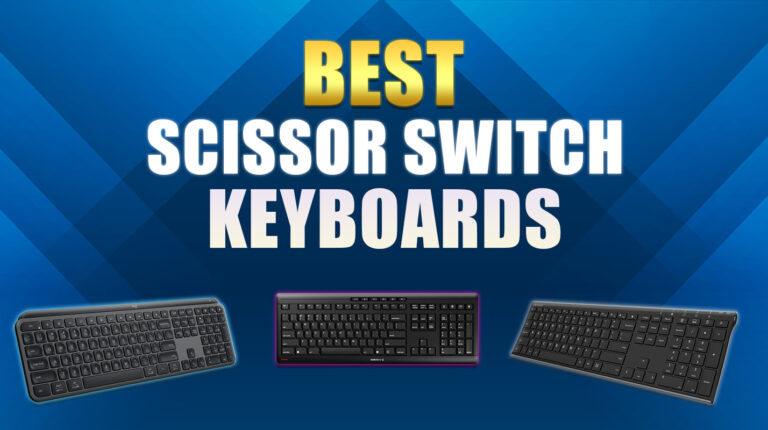
The best scissor switch keyboards strike a nice balance between the ease of use of membrane keyboards and the responsiveness of mechanical ones. They’ve got their own unique appeal, too, with their small, slim profiles and extremely quiet typing.
If you’re shopping for a scissor switch keyboard to complete your setup, or are looking to upgrade your old, mushy membrane board, you’re in luck. In this list, I’ll run through some fantastic picks for scissor switch keyboards, each of which has something distinct to offer.
Jump to:
Our Top Picks for Scissor Switch Keyboards
All the scissor switch keyboards on this list are great, and they all offer a nice mix of performance, silence, connectivity, and compatibility. That said, some of them are a cut above the rest:
- Logitech MX Keys S – This great all-around keyboard has it all: a low profile, circular caps, backlights, and nifty construction. Whether you’re looking for something nicer to type on or want to do some gaming on the side, this’ll likely do.
- Arteck HW192 – If all you’re looking for is scissor switch performance at a low cost, this keyboard has you covered. And while its price is low, “cheap” doesn’t mean “poorly made” in this case.
- Keychron B6 Pro – As if regular scissor switch keyboards weren’t thin enough, this one’s positively tiny profile makes it even better for people looking for small keyboards. On top of all that, it’s also quite inexpensive.
But if these don’t do it for you, don’t worry. There are tons of keyboards here, and I’m sure you’ll find the right scissor switch keyboard for you somewhere here.
7 Best Scissor Switch Keyboards for Work and Play
The main appeal of scissor switch keyboards is just how quiet they are. You’ve probably already experienced them without realizing it whenever you use a laptop keyboard. And if it’s that level of silent performance that you’re looking for, then this list of the best scissor switch keyboards is sure to have something that’ll catch your eye.
1. Logitech MX Keys S [Best Overall Scissor Switch Keyboard]
| Specs | Details |
|---|---|
| Battery Life | 1500mAH |
| Backlighting | Yes |
| Layout | Full |
| Compatibility | Separate model available for Mac |
| Connectivity | Wireless |
| Dimensions & Weight | 18’’L x 6’’W x 1.5’’H, 810g (28oz) |
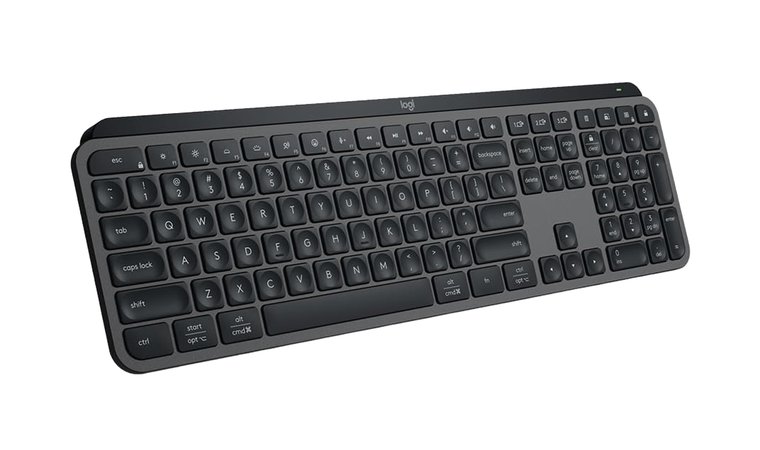
First up on this list is the Logitech MX Keys S, a wireless scissor switch keyboard that prides itself on a fluid typing experience. Let’s dive into the nitty-gritty. The MX Keys S is a premium low-profile scissor switch keyboard, and it certainly looks and feels the part. It comes in both suave black and pristine white, and despite its small frame, it’s very sturdy and comes with a backlight.
Typing-wise, the MX Keys S has everything you’d ever want. Its laptop-like profile and spherical keys offer consistent and seamless performance, while the ergonomic design (especially its angle) promotes a comfortable typing experience, no matter how long you need to work on your documents. Oh, and it comes with programmable macros too, via the Logi Options+ app.
It’s very hard to find fault with the Logitech MX Keys S. With its ergonomic design and quiet typing, this scissor switch keyboard not only helps you get work done fast, but also offers a comfortable typing experience.
When it comes to connectivity, this scissor switch keyboard delivers. It can connect to pretty much any USB-capable device via the Logi Bolt receiver, which is pretty much an exclusive dongle. However, it’s important to note that the MX Keys S cannot be used in wired mode, which adds some latency, especially if you like to play frantic FPS games.
| Pros | Cons |
|---|---|
| ✅ Solid build with an ergonomic design ✅ Quiet typing ✅ Spherical dish keys are a nice plus ✅ Good connectivity ✅ Decent battery life | ❌ Wireless only; USB-C port is purely for charging, though the decent battery life makes up for it |
Lastly, this keyboard comes with a decent battery life. It’s advertised as 10 days on the, though naturally, this is in ideal conditions. On the plus side, it can be used while it’s being recharged, though again, an optional wired mode would’ve been nice too.
My Verdict: The Logitech MX Keys S is a great catch-all keyboard, whether you plan to use it for work or play.
2. Arteck HW192 [Best Budget Scissor Switch Keyboard]
| Specs | Details |
|---|---|
| Battery Life | Unspecified max capacity, 6 months on 1 full charge, assuming 2 hours daily use |
| Backlighting | No |
| Layout | Full |
| Compatibility | No function keys for Mac |
| Connectivity | Wireless |
| Dimensions & Weight | 16.9’’ L x 4.9’’W x 0.6’’H, ~422g (14.09oz) |
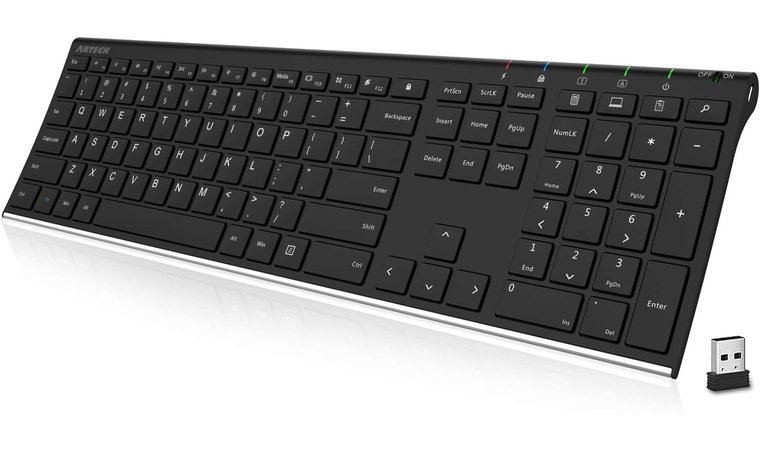
At first glance, the Arteck HW192 doesn’t have too much going for it. Sure, it’s solid, but pretty basic, and it even lacks a backlight. Then again, that’s the whole point of this scissor switch keyboard.
What really sells this scissor switch keyboard is its price. At just under $40, the Arteck HW192 is a fantastic entry point for anyone who isn’t 100% sold on the scissor switch mechanism just yet. This makes it perfect for anyone who’s looking for an upgrade, or for settling the debate between the best switches for gaming.
Even for a budget scissor switch keyboard, the Arteck HW192 is surprisingly reliable. It’s also a great springboard for people getting into scissor switch or mechanical keyboards.
Let’s go over its specs real quick. The HW192 has a notably small profile, at just 16.9 x 4.9 x 0.6 inches, and a very light weight to go along with it. It does come with a stylish and functional stainless steel backplate, all of which makes it light and slim but plenty tough. It’s also very ergonomic, though note that it’s not as thoroughly designed as more expensive models.
| Pros | Cons |
|---|---|
| ✅ Very hard to beat when it comes to a price-quality ratio ✅ Sturdy stainless steel build that’s flat and slim ✅ Quiet typing ✅ Comfortable and slightly ergonomic ✅ Decent battery life; 6 months on full charge assuming 2-hour use per day | ❌ No backlight, though that’s not a problem if you’re accustomed to working without one |
The small frame and scissor switches also make for some very quiet typing. Again, it’s not as fancy as the Logitech MX Keys S or some of the other great keyboards on this list, but it does an admirable job for its price, and if it’s just clean, quiet typing you want at a low cost, this one’s a clear winner.
My Verdict: While it may lack the finer points of more expensive keyboards, when it comes to a mix of price and quality, you really can’t go wrong with the Arteck HW192.
3. Keychron B6 Pro [Best Ultra-Thin Scissor Switch Keyboard]
| Specs | Details |
|---|---|
| Battery life | 800mAH |
| Backlighting | No |
| Layout | Full |
| Compatibility | Compatible with all |
| Connectivity | Wired, wireless |
| Dimensions & Weight | 16.89’’ L x 5.11’’W, 1.37lbs (623g) |
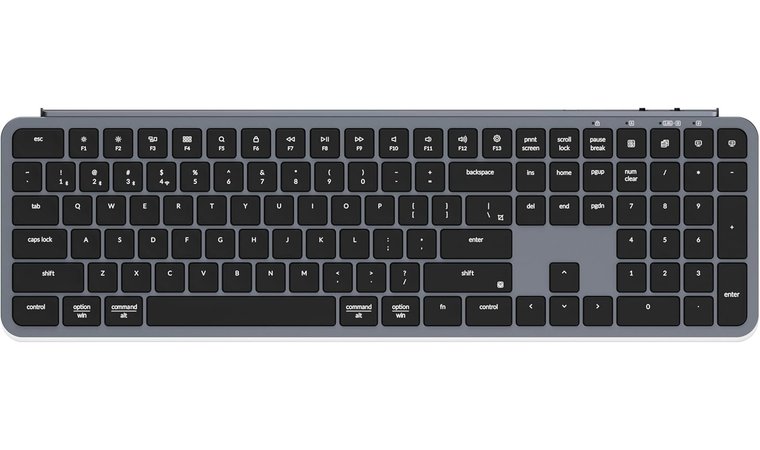
If size is the name of the game, it’s hard to do better than the Keychron B6 Pro, which takes the very concept of “lightweight” and shows the other keyboards how it’s done. This keyboard is small and light, but no less sturdy and functional than its kin.
The Keychron B6 Pro is, bar none, one of the slimmest scissor switch keyboards you can get. If that’s your main criterion for buying a keyboard, this one’s a clear winner.
This keyboard blends the best of many worlds, with a light typing feeling coupled with a tactile switch type. That’s a lot of words to say that typing on the Keychron B6 Pro feels amazingly airy and responsive, all of which adds to its modern, ultra-light appeal.
On top of this, the Keychron B6 boasts incredible connectivity and compatibility. With three connection modes (2.4 GHz, Bluetooth 5.2, and wired mode) as well as macro commands that work on Windows, Mac, or Linux. All of this goes to say that while this isn’t the best gaming keyboard out there, it’s a fantastic choice for anyone looking for a flexible and powerful one.
| Pros | Cons |
|---|---|
| ✅ Incredibly form factor; they’re not kidding when they say ultra-thin. ✅ Lots of connectivity options ✅ Not too expensive ✅ Programmable macros ✅ Decent battery life | ❌ No backlight, but that makes it more affordable |
Lastly, I should point out that the Keychron B6 Pro isn’t very expensive at all; it’s just a little bit pricier than the budget Arteck HW192. While the Arteck is still the best scissor keyboard in terms of sheer budget value, those who know that they definitely want a scissor switch keyboard might be better served by going straight for the Keychron B6 Pro.
My Verdict: There’s low-profile scissor switch keyboards, and then there’s the Keychron B6 Pro. Few boards, if any, can beat the ultra-thin design and price point of this keyboard.
4. CLVX 1 [Best Innovative & Smart Scissor Switch Keyboard]
| Specs | Details |
|---|---|
| Battery life | 1900mAH |
| Backlighting | Per-key RGB |
| Layout | Full |
| Compatibility | Separate model available for Mac |
| Connectivity | Wired, Bluetooth 5.1 (3 channels) |
| Dimensions & Weight | 17.2″L x 5.12″W x 0.49″H, ~1.41lbs (640g) |
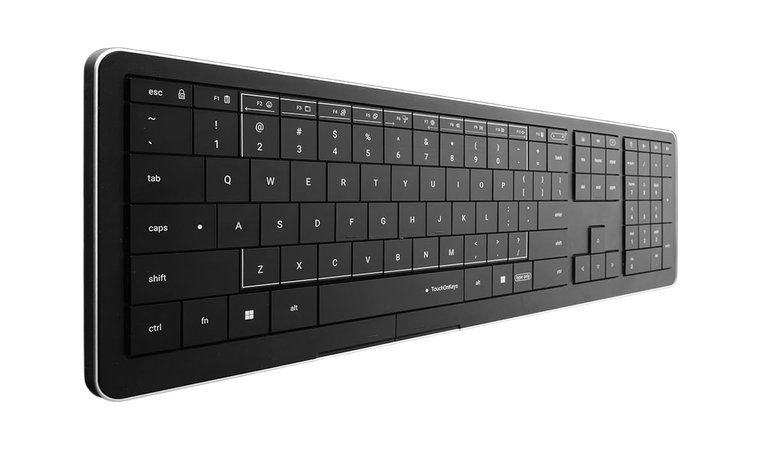
The Arteck HW192 and the Keychron B6 Pro are fine keyboards, but a bit basic. If what you really want is a premium scissor switch keyboard and don’t want to make the leap into more modern magnetic switch keyboards just yet, then the CLVX 1 is probably the right choice.
The CLVX 1 isn’t just a flashy new toy for your setup, but it’s also a robust, highly advanced keyboard perfect for anyone who needs top-tier performance.
From the get-go, the CLVX 1 looks and feels like a premium device. An ultra-slim profile combined with an aluminum chassis gives the CLVX 1 a futuristic appeal, and customizable per-key RGB lighting completes the look. And while wireless may be the way of the future, the CLVX 1 also comes with a USB-C connection port for when you need raw performance.
The CLVX 1 isn’t an “all style, no substance” keyboard, however. Its low-profile scissor switches are engineered for precise and noiseless typing. A powerful integrated touchpad, on the other hand, supports Windows and Linux gestures that let you use the keyboard without a mouse for faster, next-gen productivity. Yes, you heard that right.
| Pros | Cons |
|---|---|
| ✅ Ultra-slim profile and aluminum chassis make it look and feel super modern ✅ Low profile and scissor switches make for a smooth typing experience ✅ Fantastic touchpad options ✅ Per-key RGB ✅ Wired mode is always a big plus in my book | ❌ Kind of pricey, but you do get what you pay for |
On top of that, this keyboard also uses AI. No, not to automate your drudgery, but to help tune the keyboard to your typing style, leading to fewer accidental keypresses and better touchpad use. Said AI can also be tweaked manually, allowing you to really make the CLVX 1 your own.
My Verdict: The CLVX 1 is an amazing keyboard that’s ultra stylish, very modern, and yet powerful enough to satisfy even the most demanding needs.
5. Logitech Signature Slim K950 [Best Wireless Scissor Switch Keyboard]
| Specs | Details |
|---|---|
| Battery life | Unspecified max capacity, listed as 36 months based on usage conditions |
| Backlighting | No |
| Layout | Full |
| Compatibility | Compatible with all |
| Connectivity | Wireless |
| Dimensions & Weight | ~17.08’’L x 5.31’’W x 0.91’’H, ~1.51lbs (685g) |
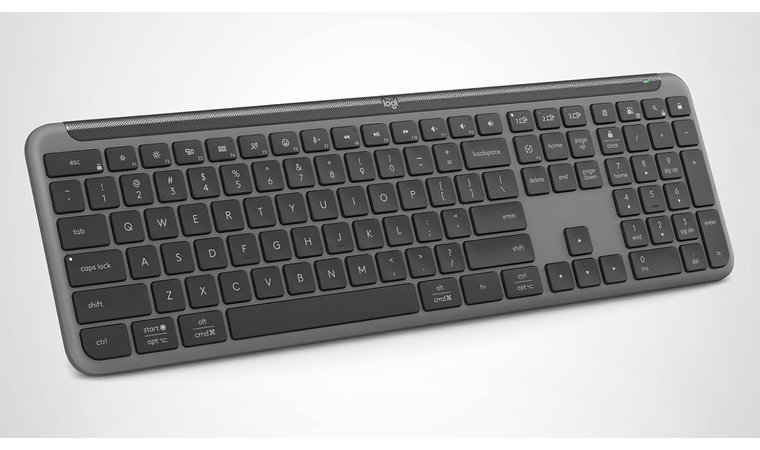
Sometimes, all you need is a work keyboard capable of seamlessly connecting with all of your devices. And if you’ve ever found yourself stuck in a situation where you wish you had just one keyboard to control all your stuff, then the Logitech Signature Slim K950 is likely the keyboard you’ll love.
Yes, there are better scissor switch keyboards when it comes to raw performance, but the Logitech Signature Slim K950’s sheer ease of use makes it a very clear winner.
This keyboard has all the hallmarks of scissor switch keyboards: a slim profile, a sleek design, and quiet and responsive typing with its very fluid keys. A plastic and aluminum chassis completes the look. As with other scissor switch boards, the switches are hard to remove (even if you know how to remove keyboard switches) so strive to keep your station clean.
As I said earlier, Logitech Signature Slim K950’s main claim to fame is its ability to seamlessly switch between multiple devices, and it does this with a simple button press. No muss, no fuss, just raw multitasking power across three connected devices. And while this might sound simple, I assure you that this function is a godsend for hybrid workers.
| Pros | Cons |
|---|---|
| ✅ Easy, seamless connectivity across multiple devices ✅ Compatible with Mac off the bat ✅ Minimalist design ✅ Quiet typing ✅ Customizable keys via Logi Options+ app | ❌ No wired mode means this keyboard makes a poor choice for gaming on the side, though its flexibility makes it excellent at work |
Finally, the Signature Slim K950 also comes with programmable macros via buttons above its numpad, as well as more customization options via the Logi Options+ app. Not super fancy, but definitely handy.
My Verdict: Logitech touts this keyboard as making “work life magic”, and that about sums it up. While it’s nothing fancy, the Logitech Signature Slim K950 is nonetheless very effective when it comes to multitasking and working on multiple devices.
6. Cherry Stream Wireless [Best Quiet Scissor Switch Keyboard]
| Specs | Details |
|---|---|
| Battery life | Unspecified max capacity, 6 months life |
| Backlighting | No |
| Layout | Full |
| Compatibility | No Mac support for this model |
| Connectivity | Wireless |
| Dimensions & Weight | 18.2″L x 6.39″W x 0.91″H, unspecified weight |
Scissor switch keyboards are inherently quiet by design, but some are even better at it than others. While you could search up how to lube keyboard switches to minimize noise, you could also just invest in a Cherry Stream Wireless keyboard, bar none, one of the quietest scissor switch keyboards money can buy.
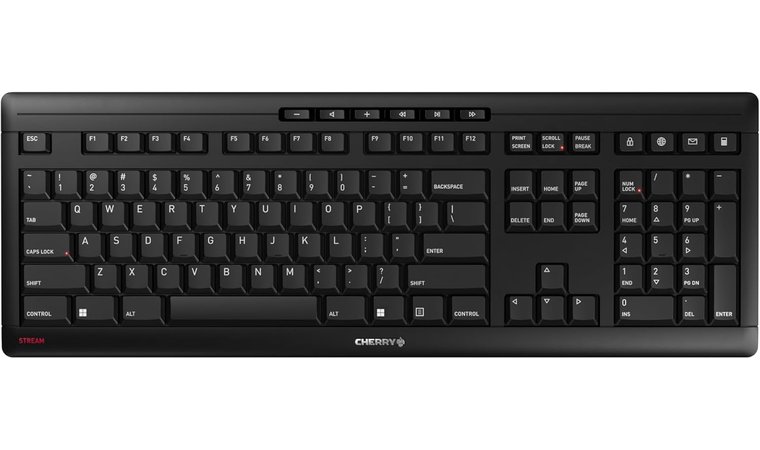
It’s not just quiet; the Cherry Stream Wireless is a basic but great keyboard with fluid typing, a low profile, sturdy construction, and more. The lack of features also means that the Cherry Stream Wireless is quite affordable.
The Cherry Stream Wireless sets itself apart from other scissor switch keyboards via its signature SX scissor mechanism, allowing for whisper-quiet keystrokes and pinpoint precision when it comes to actuation. This, in turn, means that the Cherry Stream Wireless isn’t just quiet, but its responsiveness is a real treat.
While it is admittedly a basic (but sound) keyboard, the Cherry Stream Wireless does have some tricks up its sleeve. Three handy LED indicators on the caps lock, scroll lock, and num lock keys help you spot when they’ve been accidentally toggled, and it also comes with extra buttons for office and media functionality.
| Pros | Cons |
|---|---|
| ✅ SX scissor switches are virtually noiseless ✅ Minimalist but pleasing design ✅ Great price point ✅ Has dedicated office and media keys ✅ Explicitly has AES-128 encryption for added security | ❌ No Mac support for this model, though Cherry does have other excellent keyboards that offer Mac functionality |
Those handling sensitive information will also be pleased to know that yes, the Cherry Stream Wireless keyboard explicitly comes with AES-128 encryption for its keystrokes. While I’d argue that you should go wired if you’re accessing precious data, the extra security is nonetheless welcome.
My Verdict: The Cherry Stream Wireless might not come with the bells and whistles of top-of-the-line models, but it’s a solid and reliable workhorse of a keyboard.
7. Kensington KB515 EQ [Best Wired Scissor Switch Keyboard]
| Specs | Details |
|---|---|
| Battery life | N/A (wired) |
| Backlighting | No |
| Layout | Full |
| Compatibility | Full, but requires Kensington Konnect software for full Mac functionality |
| Connectivity | Wired |
| Dimensions & Weight | 16.98’’L x 4.92’’W x 0.77″H, unspecified weight |
I don’t know about you, but I’m a big fan of keeping my devices wired. From ethernet cables to keyboards, there’s a certain surety that comes from having a direct physical connection. And while many of the keyboards on this list are wireless, I’d like to direct your attention to the Kensington KB515 EQ, a fantastic wired scissor switch keyboard.
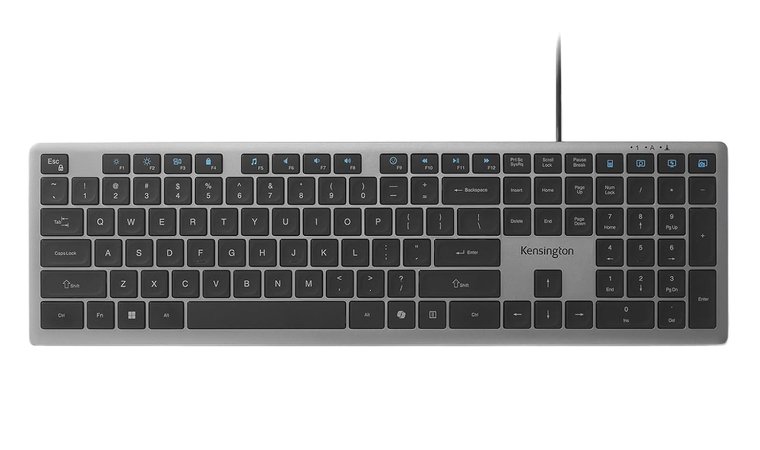
As with many of the keyboards on this list, the KB515 EQ shines in its simplicity. This reliable, full-size keyboard comes with quiet yet responsive scissor switches and a reliable USB-C connection. Basic, sure, but when all you want is wired plug-and-play without any hassles, it’s perfect.
The Kensington KB515 EQ’s combination of hassle-free connectivity, sound performance, and an affordable price point make it a simple yet incredibly reliable partner for any home or office setup.
Windows users are in for a special treat with this keyboard, as it comes with a dedicated Copilot key that’ll allow you to instantly summon assistance. Mac users, on the other hand, will need to use the Kensington Konnect software to get full mileage out of this board. It’s worth noting that said software also allows for programmable macros.
| Pros | Cons |
|---|---|
| ✅ Wired design improves reliability and minimizes hassle ✅ 42% recycled plastic composition in frame ✅ Low price ✅ Programmable hotkeys that can be tweaked via Kensington Konnect software ✅ Copilot key is a nice plus for those who use AI | ❌ Extra hoops needed for full Mac functionality though this shouldn’t be a problem once set up |
Lastly, the Kensington KB515 EQ doesn’t just have a small, low-profile design, but also uses 42% recycled plastic in its construction. A drop in the ocean it might be, but every bit helps.
My Verdict: Simple yet efficient. The Kensington KB515 EQ scissor switch keyboard might not be super fancy, but its reliable performance makes it an excellent choice.
What to Consider When Choosing a Keyboard with Scissor Switches?
Even with this list of great scissor switch keyboards at your hands, you might also want to do a bit of research on your own. In that case, here are some key features you should examine before committing to a purchase.
1. Typing Feel and Key Travel
Compared to other keyboards, scissor switch keyboards espouse a medium between a membrane keyboard’s softness and a mechanical keyboard’s precision. A scissor switch has a shallow, precise feeling that you most often get when using a laptop keyboard. By design, scissor switches are inherently small, but some go one step beyond with a low-profile build.
While scissor switches aren’t as honed as mechanical keyboards, they are a very clear upgrade over regular membrane ones. The most important difference here is that they tend to be smaller and flatter, with a smaller actuation force (the amount of pressure you need to trigger a button) and a nicer feel than mushy membrane keys.
Note that typing feel can only really be examined by trying out a keyboard on your own, and not all scissor switch keyboards are made equal.
2. Noise Level
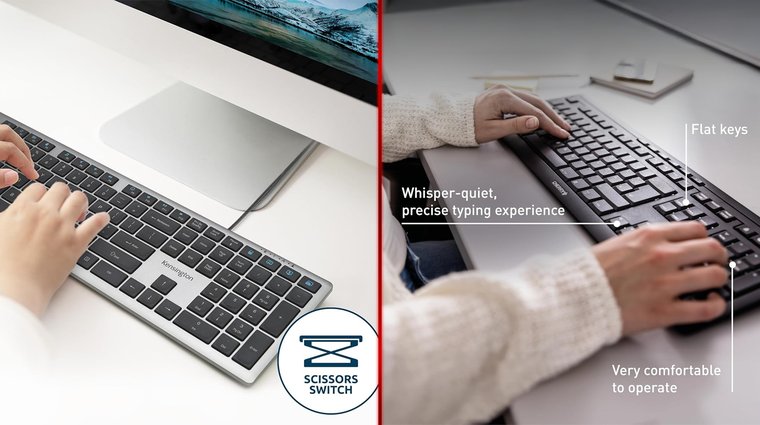
Scissor switch keyboards are notable for being very quiet. Due to their architecture, they’re about as loud as membrane keyboards (read: virtually silent) while offering much better performance. This makes scissor switch keyboards the primary choice for people who are looking for better performance without the clicky, clacky noise of mechanical keyboards.
While every scissor switch keyboard is pretty quiet, some models go above and beyond when it comes to the sound department. Keyboards such as the Cherry Stream or Kensington KB515 offer a “whisper-quiet” experience, and these are specially made to be even more silent than the very slightly louder slim mechanical scissor switch keyboards.
As with typing feel, it’s often better to experience a keyboard’s noise levels in person.
3. Build Quality & Material
As hardware, keyboards must be durable. Most keyboards are made of a combination of plastic and metal, which are both cheap and reasonably sturdy. However, if you foresee a lot of outdoor or on-the-go use, or want to hedge your bets against accidentally dropping your keyboard, it’s wise to look for hardier keyboards.
When shopping for tough keyboards, be on the lookout for those that specifically state that they have a reinforced chassis or, better yet, metal backplates, such as the Arteck HW192. These keyboards aren’t just especially sturdy, but also tend to offer a heavier, chunkier experience that’s hard to put into words.
4. Layout & Size
The layout and size of your keyboard is another thing to consider. Depending on your needs and budget, you can choose between a full, a tenkeyless, or a compact keyboard.
A full keyboard is exactly what it sounds like: it’s got everything, from QWERTY to a right-hand number pad. Tenkeyless boards are the next step in downsizing; these keyboards notably lack the number pad. Compact keyboards come in numbers, like 96 or 60, which indicate how compressed and how small they are.
There’s no objectively superior version between these three: it all depends on how you use your keyboard.
5. Compatibility and OS Shortcuts
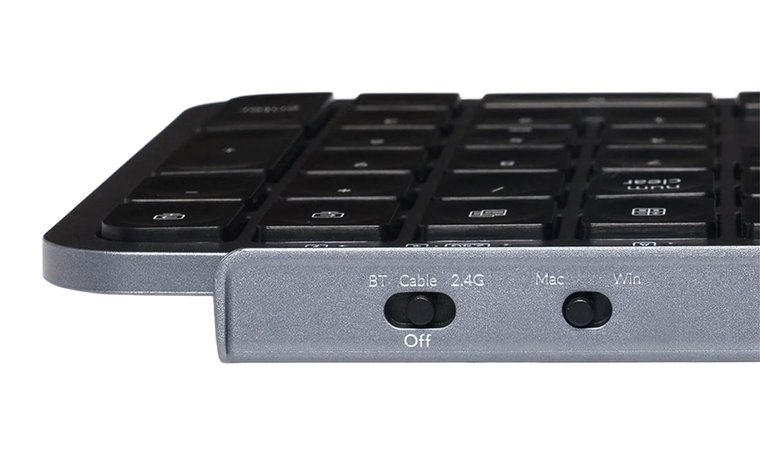
Most keyboards are standardized and use a USB-C port, either for connection or for their wireless dongles, meaning that you can use pretty much any USB-C keyboard with any device. However, If you’re using a Mac, keep in mind that Mac keyboards have Command and Option buttons rather than Alt and Windows.
This means that while a Mac can technically use any keyboard, those that aren’t specially made for Mac will have reduced functionality. This architecture also means that OS-specific shortcuts will not be available for Mac lest the Command button is present.
While some keyboards are designed specifically to work for any OS, such as the Keychron B6 Pro, it’s always a smart idea to check the product’s images to see if they have Mac buttons. If they don’t, you can check if the same model is available for Mac.
My Overall Verdict on the Best Scissor Switch Keyboard
Even with these great picks for scissor switch keyboards, you might be looking for a bottom line. In that case, let me help you make up your mind by boiling things down to the basics.
Best starting point for scissor switch keyboards?
- For Those Looking for a Great All-Rounder → Logitech MX Keys S. This all-around great scissor switch keyboard is a great mid-price pick for virtually everyone.
- For Budget Buyers and First Timers → Arteck HW192. Cheap, sure, but in this case, cheap doesn’t mean flimsy, and the Arteck HW192’s low price tag makes it a great entry point for someone trying out scissor switches for the first time.
- For Work → Logitech Signature Slim K950, CLVX 1. These keyboards offer a lot of functionality, perfect for keeping productive with zero hassle.
But while these are recommendations, you can’t really go wrong with any scissor switch keyboard on this list.
FAQs
The best scissor switch keyboard depends entirely on your needs. However, many people swear by the Logitech MX Keys S, as it’s reliable, feels nice to type with, quiet, and has backlights, if you need them.
A scissor switch on a keyboard refers to how the keycaps interact with the board and read your inputs. Scissor switches use an interlocked mechanism that looks like a pair of scissors, hence the name. When you press the button, the mechanism lowers itself and hits the membrane, registering a keypress.
Yes, scissor switch keys are good. Because of how they interact with the membrane beneath, they’re more satisfying to use than traditional membrane keyboards.
Scissor switch keyboards are renowned for their quiet typing, thanks to their unique switch type. They’re a great choice for people who are looking to upgrade their membrane keyboards but don’t like the clackyness of mechanical ones. Lastly, they tend to be small, perfect for a minimalist setup.
Thanks to their more intricate design, scissor switches are much more difficult to remove from a keyboard, compared to membrane keycaps or mechanical switches. This makes cleaning scissor switch keyboards difficult, so try your best not to get your board dirty in the first place.











