How to Lube Keyboard Switches for a Smoother Typing Experience



Learning how to lube keyboard switches transforms your mechanical keyboard from scratchy and loud to buttery smooth. The difference is night and day. Most people don’t realize that even expensive keyboards ship with unlubed or poorly lubed switches straight from the factory. This leaves a massive opportunity for improvement that takes just a few hours of work.
This guide walks you through every step of the process, from selecting the right lubricant to reassembling your switches. The process might seem intimidating at first, but it’s surprisingly straightforward once you understand the basics. Even if you’ve never opened a switch before, you’ll be able to follow along and achieve professional results.
Jump to:
Why You Need to Know How to Lube Keyboard Switches
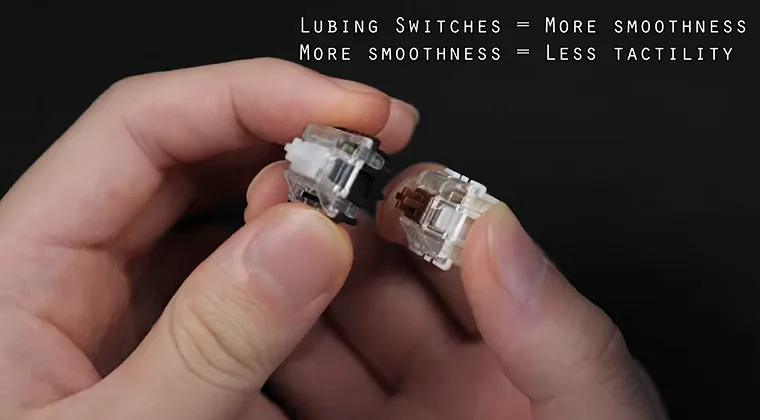
When you press an unlubed switch, the stem scrapes against the housing walls with every keystroke. That friction creates a scratchy feeling and produces a higher-pitched, hollow sound that many find unpleasant. Lubing keyboard switches eliminates this friction. The lubricant creates a microscopic layer between moving parts, allowing the stem to glide smoothly up and down. The result is a quieter, more refined typing experience.
I noticed the improvement immediately after lubing my first keyboard. Keys that once felt gritty now pressed down effortlessly. The spring ping disappeared entirely, replaced by a deeper, more satisfying thock sound. Most manufacturers skip proper lubrication during production. They either leave switches completely dry or apply such a thin layer that it wears off within weeks. That’s why even premium keyboards benefit from manual lubing.
Essential Tools and Materials for Lubing Switches
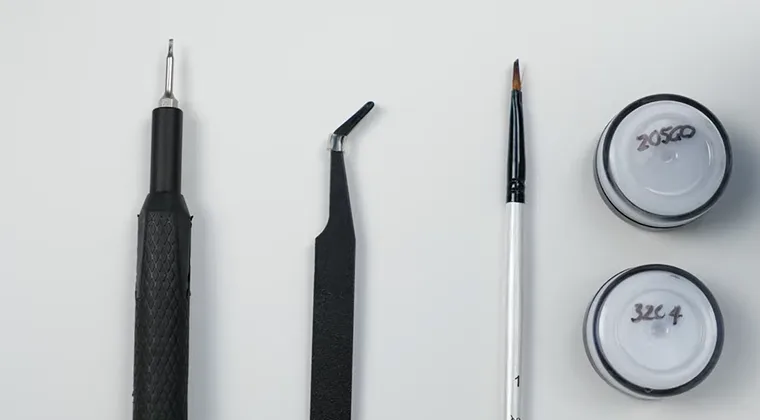
Before you start, gather everything you’ll need. Having the right tools makes the process significantly faster and helps you avoid damaging delicate switch components.
You’ll need a switch opener to separate the top and bottom housings. Metal openers work better than plastic ones since they provide more stability and don’t wear down as quickly.
Get a fine-tipped brush for applying lubricant. A size 00 or 000 paintbrush works perfectly. The small bristles let you apply thin, even coats without over-lubing.
For removing switches, a switch puller is essential if your keyboard is hot-swappable. If your board requires desoldering, you’ll also need a soldering iron and solder sucker. Hot-swappable designs have become increasingly popular, and you’ll find them featured in our guide to the best wireless gaming keyboards for convenient switch modifications.
Pick up some small containers to organize switch parts during disassembly. I use silicone mats with compartments to keep springs, stems, and housings separated.
Most importantly, choose the right keyboard lubricant. Krytox 205g0 is the community standard for linear switches because of its perfect consistency. For tactile switches, Tribosys 3203 provides a thinner application that preserves the tactile bump.
Never use petroleum-based products like Vaseline. These break down plastic over time and will ruin your switches permanently.
Step-by-Step Guide: How to Lubricate Keyboard Switches
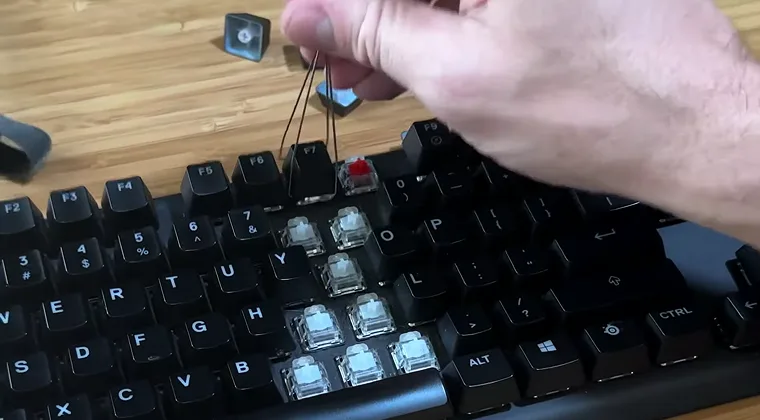
Start by unplugging your keyboard completely. Safety first when working with electronics, even though we’re not dealing with high voltage. Remove all keycaps using a keycap puller. Work slowly and pull straight up to avoid bending the stems. Place the keycaps somewhere safe where they won’t get dusty.
If you have a hot-swappable keyboard, use your switch puller to remove each switch. Grip the switch firmly on both sides and pull straight up with steady pressure. For soldered boards, you’ll need to desolder each switch from the PCB.
Place your first switch in the opener and press down on the stem. The top housing should separate with a satisfying click. If it doesn’t, double-check that you’re using the opener correctly for your switch type. Separate the components carefully. You should have four parts: top housing, stem, spring, and bottom housing. Keep them organized so you don’t mix up switches.
Applying Lube to the Bottom Housing
The bottom housing sees the most friction, so this is where proper lubrication makes the biggest difference. Dip your brush lightly in the lube and wipe off any excess on the container’s edge. Apply a thin coat to the two rails where the stem makes contact. These vertical tracks guide the stem as it moves, so they need consistent coverage. Brush in smooth, even strokes until you see a barely visible sheen.
Lube the cylindrical chamber where the spring sits. This reduces spring ping and creates a more consistent sound profile across all your switches. Avoid the metal leaf at the bottom of the housing. Getting lube on these contact points can cause switches to malfunction or become unresponsive. If you accidentally touch them, clean them immediately with isopropyl alcohol. Regular maintenance like this pairs well with proper cleaning routines covered in our how to clean a keyboard guide.
Lubricating the Stem and Spring
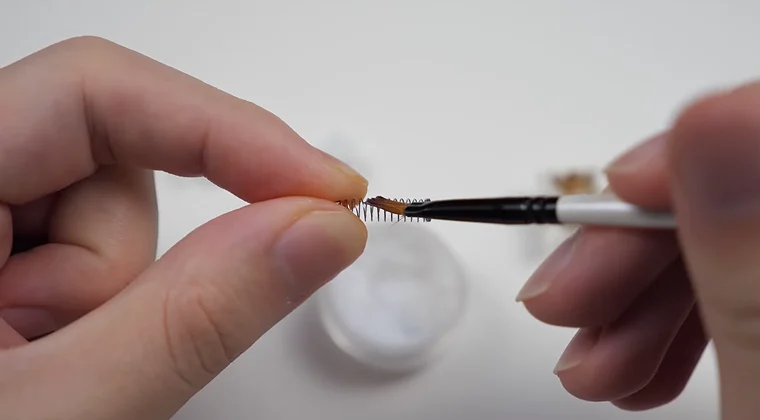
The stem requires a delicate touch. Too much lube here makes keys feel mushy and can eliminate the satisfying feedback that makes mechanical keyboards special.
Apply lube to all four rails on the stem’s exterior. These surfaces slide against the housing, so they benefit from lubrication. Use your brush to spread an even, thin layer.
The bottom of the stem where it contacts the spring also needs a small amount. Just a light coating here prevents spring crunch when the switch bottoms out.
For tactile switches, avoid lubing the stem legs. These create the tactile bump, and lubricant dampens that sensation. Linear switches don’t have this concern since they’re designed for smooth travel.
Springs can be lubed individually or bag-lubed for speed. Individual lubing gives better results but takes much longer. For bag-lubing, place all your springs in a ziplock bag, add a few drops of lube, and shake vigorously.
Finishing the Upper Housing
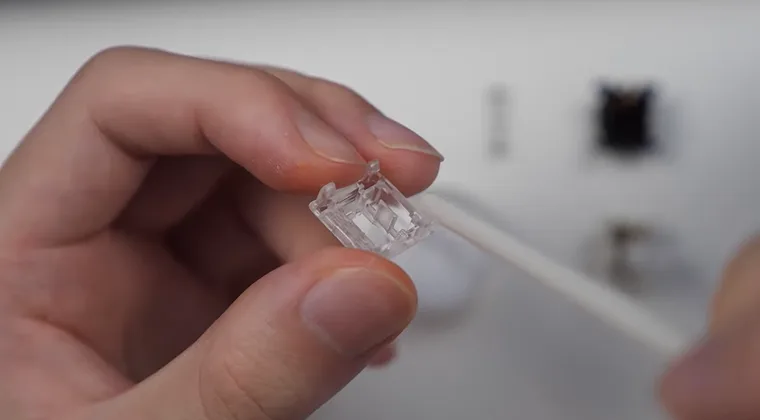
The upper housing is the quickest part to lube. Apply lubricant only where the stem rails contact the housing walls. You don’t need to coat the entire interior. Focus on the four surfaces that touch the stem as it travels up and down. A thin layer on each side is sufficient.
Some keyboard enthusiasts skip lubing the upper housing entirely. I’ve found it does make a difference, though not as dramatic as the bottom housing and stem. The choice is yours based on how much time you want to invest. Premium options like those in our best Keychron keyboards roundup often come with better factory lubing, but manual application still improves the experience.
Reassembling and Testing Your Switches

Put the spring back into the bottom housing first. Then insert the stem, making sure the legs point toward the metal leaf. The stem should sit naturally in the spring without forcing it. Snap the top housing back on carefully. You’ll hear a click when it’s properly seated. Test the switch by pressing the stem a few times. It should move smoothly without any binding.
If the switch feels mushy or doesn’t actuate properly, you’ve applied too much lube. Disassemble it again and remove excess lubricant with a clean brush or cotton swab. Install the lubed switches back into your keyboard. For hot-swappable boards, press them firmly into the sockets until you hear them click into place. Soldered boards require resoldering each switch to the PCB.
After installing all switches, test every key before replacing the keycaps. I use online keyboard testers to verify that each switch registers properly. Finding issues now saves you from having to disassemble everything later.
How to Lube Switches Without Desoldering
Not everyone has soldering equipment or wants to risk damaging their PCB. The push-stem method offers a compromise that provides about 70% of the benefits with much less effort. Remove your keycaps as usual. Cut a thin strip of plastic from a drinking straw, about 3 inches long and a quarter-inch wide. Apply a small amount of lube to one end of the strip.
Press down on the switch stem to create a gap between it and the housing. Slide the lubed plastic strip into this gap, working it around all four sides of the stem. Press the stem several times to distribute the lubricant. Repeat this process for each switch on your keyboard. The method works best on linear switches and provides noticeable improvements in smoothness.
This technique won’t lube the spring or housing as thoroughly as full disassembly. But it’s perfect for people who want better performance without the time investment of complete switch disassembly.
Common Mistakes When Lubing Keyboard Switches
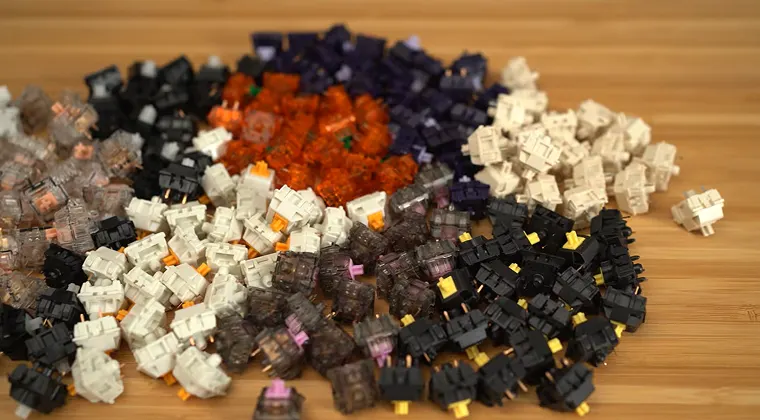
The most frequent error is applying too much lubricant. More isn’t better with switch lube. A thin, barely visible coating outperforms thick globs every time. When you over-lube switches, keys feel sluggish and lose their distinct mechanical character. They start resembling membrane keyboards, which defeats the entire purpose of using a mechanical board.
Another mistake is lubing clicky switches. The click mechanism relies on precise plastic-on-plastic contact. Lubricant dampens this interaction and converts clicky switches into mushy tactile switches. Some people lube the contact leaves in the bottom housing. This causes intermittent key failures since the lube interferes with electrical conductivity. Always avoid these metal components.
Rushing through the process leads to inconsistent results. Some switches end up perfectly lubed while others feel completely different. Take your time with each switch to ensure uniform performance across your entire keyboard. If you’re upgrading your setup, exploring options in our best mechanical keyboards guide helps you find boards worth the lubing effort.
Choosing the Right Keyboard for Easy Maintenance
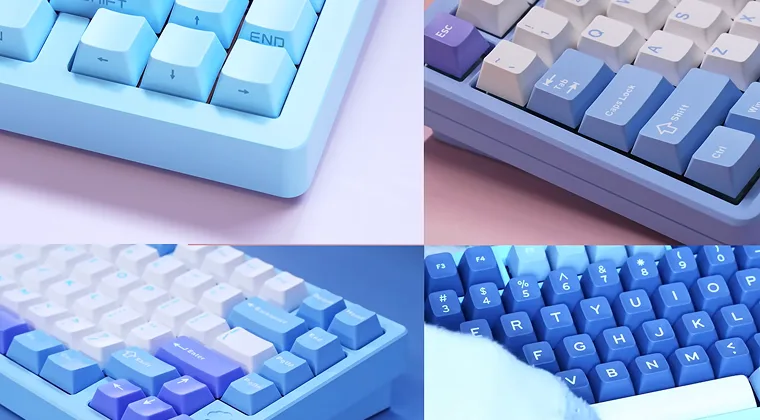
Hot-swappable keyboards make the lubing process infinitely easier. You can remove and replace switches in seconds without any soldering knowledge.
Many modern mechanical keyboards come with this feature. Compact layouts require less time to lube since they have fewer switches. The best 60% keyboards offer this advantage while maintaining full functionality in a space-saving design.
Premium brands like Keychron have embraced hot-swappable designs across their entire lineup. These boards combine excellent build quality with user-friendly maintenance options that make switch modifications straightforward.
Take Your Gaming Setup to the Next Level
Now that you know how to lube keyboard switches, your mechanical keyboard will provide years of smooth, satisfying keystrokes. The improved sound and feel make every gaming session more enjoyable.
Speaking of gaming, having the right games makes all the difference in your setup. Browse through Eneba’s extensive game library to find the latest releases and classics at unbeatable prices. No matter if you’re into competitive shooters that benefit from your newly lubed keyboard or immersive RPGs, you’ll find deals on thousands of titles.
Don’t forget to maintain your keyboard regularly. Clean it every few months and consider re-lubing if you notice switches starting to feel scratchy again. With proper care, your lubed keyboard will perform like new for years to come.
FAQs
You should lube keyboard switches every 6 to 12 months depending on usage. Heavy users who type or game several hours daily may need to re-lube every 6 months, while moderate users can wait up to a year before switches start feeling scratchy again.
Yes, you can lube keyboard switches without desoldering using the push-stem method. Apply lubricant to a thin plastic strip, press down the switch stem, and slide the strip around the stem to distribute lube, though this method is less effective than full disassembly.
The best lube for keyboard switches is Krytox 205g0 for linear switches and Tribosys 3203 for tactile switches. These specialized lubricants have the perfect viscosity to reduce friction without making switches feel mushy, and they last for months under regular use.
No, you should not lube clicky keyboard switches. Lubing clicky switches dampens the click mechanism and converts them into quieter tactile switches, eliminating the crisp clicking sound that defines their character and ruins their intended feel.
You should apply a thin, barely visible layer of lube to keyboard switches. Use just enough to create a slight sheen on the stem rails and housing. Too much lube makes switches feel mushy and sluggish, similar to membrane keyboards.