



The Best Laptops for Working from Home in 2026



The best laptops for working from home are the ones that make your day feel effortless. You know, no lag during meetings, no dying battery halfway through a project, and no eye strain after hours of screen time.
With so many options out there, finding that perfect balance of power, comfort, and portability can get tricky. That’s where this guide comes in. We’ve rounded up the top picks for every kind of remote worker, so you can skip the guesswork and get a laptop that actually makes working from home feel good.
Jump to:
Our Top Laptop Picks to Make Working from Home Easier
Choosing the best laptop for working from home in 2025 means finding a balance between power, reliability, and comfort. With so many new models hitting the market, it helps to start with a few proven options that deliver strong performance and solid value. Below are three standout picks that make remote work easier, faster, and a lot more enjoyable.
- BLUEING Laptop Computer – A balanced everyday performer with reliable processing power, smooth multitasking, and a lightweight design that fits perfectly into any home office setup.
- UOWAMOU IPS-FHD Laptop – Crisp visuals, solid speed, and impressive portability make this one a great choice for users who want performance on the go without breaking the bank.
- Zrasu Laptop – With dependable battery life and responsive performance, this laptop handles work tasks, meetings, and streaming with ease throughout the day.
Each of these models stands out as a best laptop 2025 contender, offering the right blend of speed, design, and durability. From compact ultrabooks to reliable all-rounders, they’re ideal choices for anyone searching for the best laptop for home use.
Up next, we’ll take a closer look at the rest of our top picks and explore what makes them great companions for remote work, including options that qualify as the best laptop for business.
13 Best Laptops for Remote Work That Keep Up With You
Finding the right setup can make all the difference when you’re working remotely. These good laptops for work offer the ideal balance of speed, comfort, and reliability.
In this section, we’ll explore the best laptops for working from home, designed to keep your workflow smooth and your focus sharp.
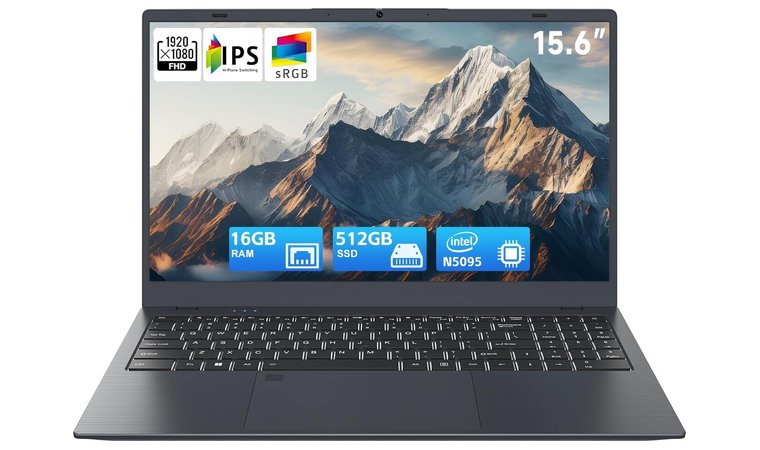
1. BLUEING Laptop Computer [Power Your Home Office Setup]
| Specs | Details |
|---|---|
| CPU | Intel Celeron N5095 (4-core, up to 2.90 GHz) |
| GPU | Integrated Intel UHD Graphics (450 MHz base) |
| RAM | 16 GB LPDDR4 |
| Display | 15.6″ Full HD (1920 × 1080) IPS |
| Storage | 512 GB NVMe SSD (expandable up to 2TB) |
| Battery | N/A |
| Weight | 1.60 kg |
If you’re hunting for a laptop that handles your home office grind and gives you flexibility for casual gaming, the BLUEING strikes the perfect balance. The quad-core Intel Celeron N5095 chip powers Word, Excel, Zoom calls, and multiple browser tabs without hiccups, making it one of the top laptops of 2025 for home and casual use.
The 15.6″ Full HD display keeps documents and video meetings looking sharp, and it pairs easily with an external monitor and keyboard for a dual-screen setup.
Portability is another win: at around ~1.6 kg and slim enough to toss in a bag, it’s easy to shift between rooms or work on the go. The 16 GB RAM and 512 GB NVMe SSD combo is generous for this price range, and the SSD can be upgraded later if storage needs grow.
Extras like the backlit keyboard and fingerprint reader feel premium and gamer-friendly without overcomplicating the experience. It won’t replace a high-end gaming rig, so triple-A titles or 4K video editing are out of scope, and the 0.3 MP webcam is basic but functional for video calls.
For its target purpose – affordable, reliable, portable home-office computing with upgrade potential – it delivers everything you need.
| Pros | Cons |
|---|---|
| ✅Strong RAM + SSD combo for smooth multitasking and fast boot-ups. ✅Full HD screen gives clear visuals for work or meetings. ✅Expandable storage gives future-proof flexibility. ✅Backlit keyboard + fingerprint reader make it more comfortable and secure. ✅USB-C (with PD charging) and HDMI output support dual-screen home setups. | ❌Battery life is not specified, so you might want to plan for plugging in for extended sessions. |
My Verdict: The BLUEING is a lightweight, everyday laptop that handles work, video calls, and dual-screen setups without draining your wallet, making it a smart choice for the home-office gamer crowd looking for a good gaming laptop on a budget.
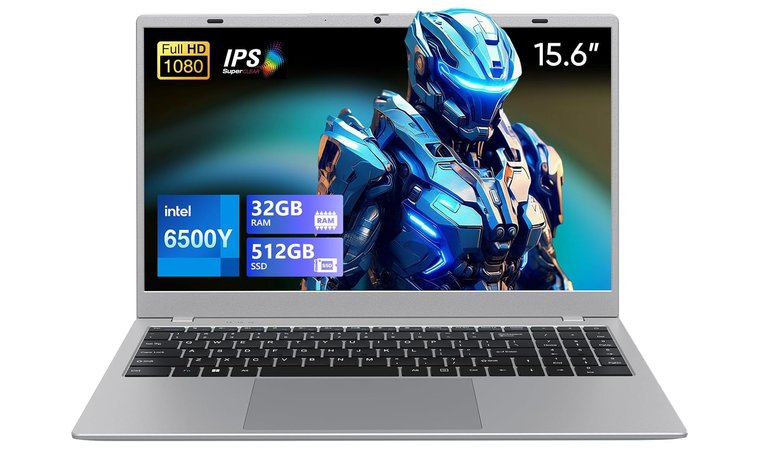
2. UOWAMOU IPS-FHD-Laptop [Sharp Productivity Display]
| Specs | Details |
|---|---|
| CPU | Intel Pentium Dual Core 6500Y (3.40 GHz) |
| GPU | Integrated Intel UHD Graphics |
| RAM | 32 GB |
| Display | 15.6″ Full HD (1920 × 1080) IPS with slim bezels |
| Storage | 512GB SSD |
| Battery | Estimated ~5-8 hours of typical use |
| Weight | ~2.15 kg |
The UOWAMOU IPS-FHD laptop handles home-office tasks with ease and keeps your workflow smooth. With 32 GB of RAM and a 512GB SSD, multitasking feels effortless, from office apps and video calls to multiple browser tabs.
Thanks to its Intel 6500Y processor, this reliable laptop earns its spot as a top laptop for programming, even capable of handling light virtual machines alongside coding projects and basic tasks.
The 15.6-inch Full HD display offers impressive display quality, delivering crisp text and balanced colors, and the matte finish reduces glare during long work sessions. Lightweight and slim, it’s easy to move around the house or set up in different rooms, giving you a flexible home-office setup.
Connectivity is simple and versatile. Multiple USB ports, HDMI, and a microSD slot let you add an external monitor, keyboard, or mouse for a dual-screen setup. Wi-Fi 5 and Bluetooth 5.0 keep video calls and online collaboration steady. The upgradeable SSD adds future-proofing, letting you expand storage if your files grow.
Every detail makes this laptop feel reliable and practical for daily home-office life, from quick performance to flexible setup options. For fans of the solid performance and user-friendly design found in a top ASUS laptop, the UOWAMOU IPS-FHD hits the mark.
| Pros | Cons |
|---|---|
| ✅Large RAM makes switching between apps and browser tabs very smooth. ✅Full HD display with slim bezels helps make the most of the screen space. ✅Good port selection and WiFi/BT for connecting external monitors or setups. ✅Upgradeable storage/RAM gives longer lifespan for the machine. ✅Bigger storage (512 GB) means less worrying about space for files and apps. | ❌Slightly heavier than the ultra-light models, so a bit more effort when moving between rooms. |
My Verdict: The UOWAMOU IPS-FHD Laptop is a lightweight, fast, and versatile choice for home-office setups, keeping work flowing smoothly and efficiently.
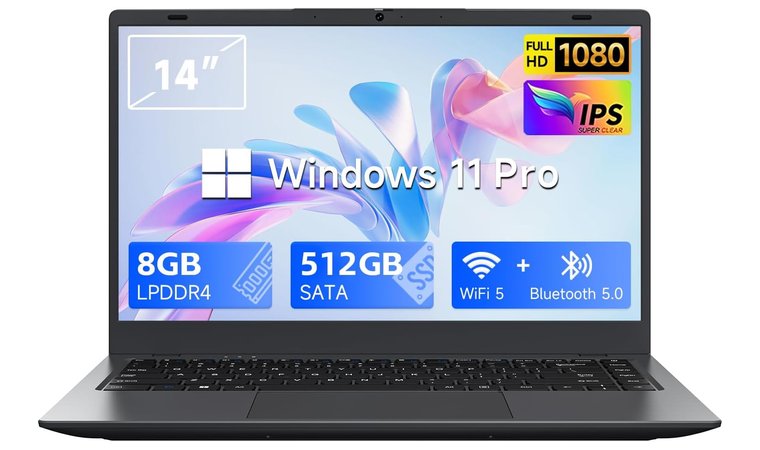
3. Zrasu Laptop [Lightweight Laptop for Remote Work Efficiency]
| Specs | Details |
|---|---|
| CPU | Intel Celeron N4020 (dual-core, up to ~2.6 GHz) |
| GPU | Integrated Intel UHD Graphics |
| RAM | 8 GB LPDDR4 |
| Display | 14″ Full HD (1920 × 1080) IPS |
| Storage | 512 GB SSD |
| Battery | Approx. 4–6 hours of usage quoted |
| Weight | 1.70 kg |
The Zrasu laptop is a solid starter choice for anyone setting up a home office on a budget. It features a Full HD 1920×1080 IPS display, 8 GB of RAM, and a 512 GB SSD for smooth multitasking across emails, documents, and video meetings. With Windows 11 Pro as the operating system, boot times are quick and switching between apps feels effortless, especially when paired with a secure VPN and kill switch for VPN for protecting work data online.
Its compact design is another plus. At around 1.70 kg, it’s a portable laptop easy to carry or store neatly when not in use, perfect for small desks or shared spaces. It also includes multiple ports, including HDMI, USB‑3.2, USB‑2.0, microSD, and RJ45 (Gigabit Ethernet), so connecting a second monitor, keyboard, or mouse for a dual-screen setup is simple.
Connectivity is reliable too, with dual-band Wi-Fi 5 and Bluetooth 5.0 keeping video calls and online collaboration steady. The SSD is user-upgradeable, which gives you an easy path to more storage if your files or media library grow.
All of this combines to make the Zrasu feel practical and flexible for everyday home-office use: a solid contender for the best laptop for high school students looking for reliability without extra fluff.
The Intel Celeron N4020 processor keeps things simple and efficient. While it’s not aimed at heavy workloads, it’s more than enough for standard productivity tasks, light multitasking, and frequent remote meetings.
If you like the dependable performance and straightforward design you often see in the top Lenovo laptops, the Zrasu delivers a similar experience at a budget-friendly price. Battery life sits around four hours under typical usage, so it’s easy to plan your work sessions around a plug-in when needed.
| Pros | Cons |
|---|---|
| ✅Compact and lightweight chassis makes it easy to move around the home. ✅Full HD display gives better clarity for documents, web calls, and multitasking. ✅Generous 512 GB SSD gives storage headroom for files and media. ✅Gigabit Ethernet + HDMI + USB ports support external monitor and wired connections. ✅Upgradeable storage panel adds future flexibility. ✅WiFi 5 + Bluetooth 5.0 ensure good connectivity for remote work. | ❌Battery life is modest compared to premium models; you may need to stay near a charger. |
My Verdict: The Zrasu is a compact, capable, and budget-friendly option for working from home, offering smooth everyday performance, easy dual-screen setups, and upgrade potential that makes it a reliable laptop for any remote-work routine.
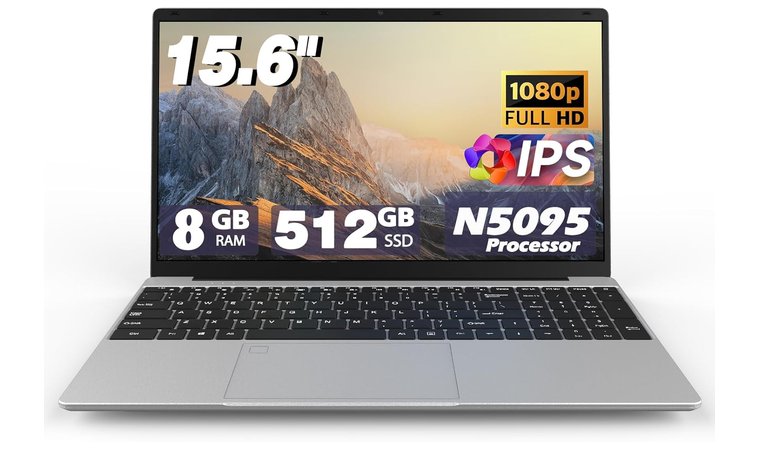
4. XYPLOXZ Laptop Computers [Sleek, Efficient Home Office Laptop]
| Specs | Details |
|---|---|
| CPU | Intel Celeron N5095 (4 cores, up to ~2.9 GHz) |
| GPU | Integrated Intel UHD Graphics |
| RAM | 8 GB DDR4 |
| Display | 15.6″ Full HD (1920 × 1080) IPS |
| Storage | 512 GB SSD (or 256 GB in base) |
| Battery | Real-world quoted 3–5 hours of usage |
| Weight | ~2.17 kg |
The XYPLOXZ laptop hits that sweet middle ground of affordability and functionality that remote workers are looking for.
Powered by an Intel N5095 quad-core processor (up to ~2.9GHz), 8 GB of RAM, and a 512GB SSD, this laptop runs typical workloads like documents, spreadsheets, browser tabs, and video calls with ease. It’s a practical choice for anyone looking for the best laptop for engineering students who need reliable performance on a budget.
The Full HD 15.6″ IPS display gives you enough real estate to lay out windows and stay productive, and the backlit keyboard + fingerprint reader add comfort and convenience while you power through everyday tasks.
If you like the solid build and reliable connectivity of a top Dell laptop, the XYPLOXZ delivers a similar feel. It runs smoothly on a stable operating system and includes USB 3.0 ports, HDMI output, and a microSD slot for quick external setups. Its compact design (~2 kg / 14 × 9.5 in) lets you move it easily or tuck it away without taking up desk space.
Battery life is listed around 3–5 hours under typical loads, so you’ll want to keep the charger nearby during heavier sessions. Service parts and upgrade options look reasonable too, which means a lower total cost of ownership compared to many ultrabooks.
| Pros | Cons |
|---|---|
| ✅Larger 15.6″ screen gives more workspace for documents and multitasking. ✅Backlit keyboard and fingerprint reader add comfort and security. ✅Full HD IPS panel with slim bezels enhances the display area without a huge size. ✅8 GB RAM option makes multitasking smoother. ✅Good port selection for external accessories and monitors. ✅Balanced performance for everyday office tasks at a budget price. | ❌Battery life is shorter than premium ultrabooks, so plan plug-in time accordingly. |
My Verdict: The XYPLOXZ laptop is a solid all‑rounder for working from home: comfortable keyboard, reliable performance, good connectivity, and enough flexibility to grow with you, all without aiming for a premium price.
5. VIGSENUP [Compact Laptop Built for Office and Study]
| Specs | Details |
|---|---|
| CPU | 3.4 GHz Intel N95 Quad Core |
| GPU | Integrated |
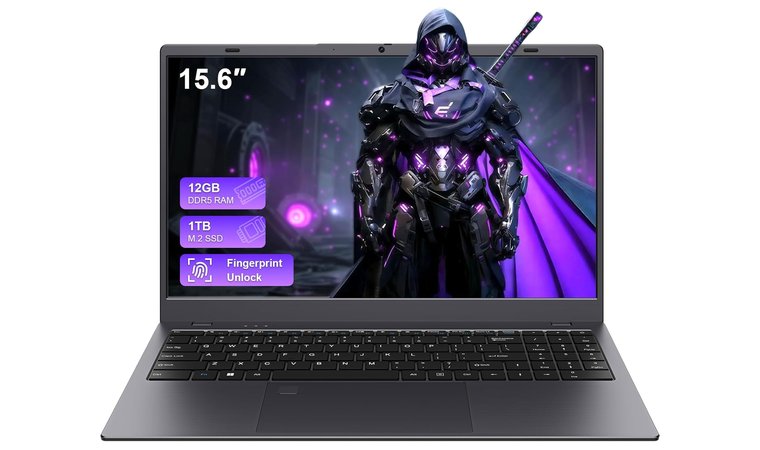
| RAM | 12 GB DDR5 |
| Display | 15.6″ Full HD (1920×1080) IPS |
| Storage | 1 TB SSD |
| Battery | 1 × 12V battery included |
| Weight | 2.21 kg |
The VIGSENUP laptop delivers a strong mix of productivity features and ease of use that make it a smart pick for working from home. With 12 GB of LPDDR5 RAM and a 1 TB SSD, performance stays snappy while your document-heavy days and browser-tab overload don’t grind the system to a halt. A responsive system like this makes it significantly easier to manage the daily requirements of the best work from home jobs.
The Full HD 15.6″ display paired with a matte finish helps tackle glare and keeps your eyes fresh during long sessions in a bright room, a detail that makes it one of the best laptops for students who study for hours or work in shared spaces.
Moving the machine from room to room is hassle-free thanks to its relatively lightweight form and compact footprint (14.05 × 9.17 inches), which makes it easier to stow away at the end of the day.
Connectivity is solid too: USB-C PD, HDMI, TF card slot, headphone jack, and a fingerprint reader all tucked in. These ports let you connect multiple peripherals straightforwardly when you want to ramp up your setup.
One small note: while the webcam and mic cover video calls well, if you run high-stakes livestreams or professional video setups, you might bump into limitations. On the flip side, the upgrade-friendly SSD and ample base specs make this machine feel like it keeps pace with evolving home-office demands.
| Pros | Cons |
|---|---|
| ✅1 TB SSD offers ample space for apps and files ✅12 GB RAM handles multitasking smoothly ✅Large Full HD display enhances workspace visibility ✅Includes USB-C and HDMI for flexible connectivity ✅Fingerprint reader adds quick, secure access ✅170° hinge allows comfortable viewing angles | ❌Battery life not specified, so likely average endurance |
My Verdict: The VIGSENUP laptop is a dependable, flexible choice for remote work: light enough to move, strong enough to multitask, and equipped with the essentials to grow into a more serious home-office hub.
6. N-one Laptop [Portable Work Laptop for Professionals]
| Specs | Details |
|---|---|
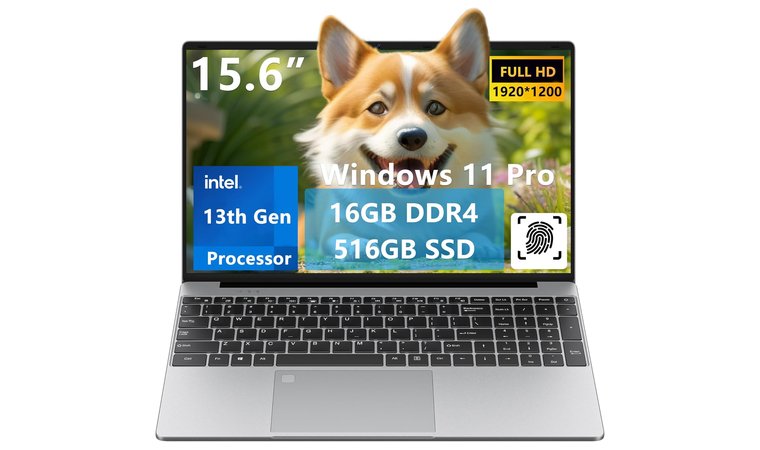
| CPU | 3.6 GHz Intel 13th Gen N150 Processor |
| GPU | Intel Graphics / Integrated |
| RAM | 16 GB DDR4 |
| Display | 15.6″, Full HD (1920×1080) |
| Storage | 512 GB SSD |
| Battery | Average Battery Life (4 Hours) |
| Weight | 2.50 kg |
The N‑one “Nbook Lite” laptop hits the sweet spot for a second/home-office machine: compact, capable, and low-fuss. It’s not the most powerful, but it comes surprisingly close to what you’d expect from the top laptops for AutoCAD when handling light design work or 2D drafting on the go.
Running on an Intel N150 processor up to 3.6 GHz, paired with 16 GB RAM and a 512 GB SSD, it gives you plenty of punch for Docs, Zoom calls, browser tabs, and everyday multitasking.
What stands out is how light and mobile it is: just ~1.7 kg and built with a flat-hinge design that lays nearly 180°, so you can angle it perfectly for long video calls or wider viewing setups. The Full HD IPS screen (1920×1080) keeps things sharp and clear whether you’re writing reports or sharing your screen in a remote meeting.
Ports and connectivity are well-covered: USB ports, HDMI output, WiFi 5, and Bluetooth 5.1 mean hooking up an external monitor or USB dock is painless. That flexibility makes this model well-suited for turning a spare corner of your house into a functional workstation without taking up the whole room.
Everyday users appreciate the thoughtful extras too: fingerprint reader for easy sign-in, illuminated keyboard, and Windows 11 Pro as the pre-installed operating system. Battery life is moderate (~4 hours listed), so you’ll want to keep the charger handy for longer stretches.
| Pros | Cons |
|---|---|
| ✅512 GB SSD gives fast boots and app loads ✅DDR4 memory (listing shows DDR4; title examples list 16 GB) for reliable multitasking ✅Full HD 15.6″ panel for comfortable screen real estate ✅Keyboard with backlighting and fingerprint reader for convenience and security ✅USB-C/USB-A and HDMI ports for docking and external monitors ✅Clear, listed average battery life helps set expectations | ❌Average battery life is around 4 hours, so better for plugged-in or short-session use |
My Verdict: The N-one Nbook Lite delivers impressive value: it’s light, slick, and designed to slot seamlessly into your home-office setup, ideal for note-taking, remote meetings, and a flexible workspace that doesn’t hog your space.
7. BiTECOOL N5095 Quad-Core [Affordable Multitasking Made Easy]
| Specs | Details |
|---|---|
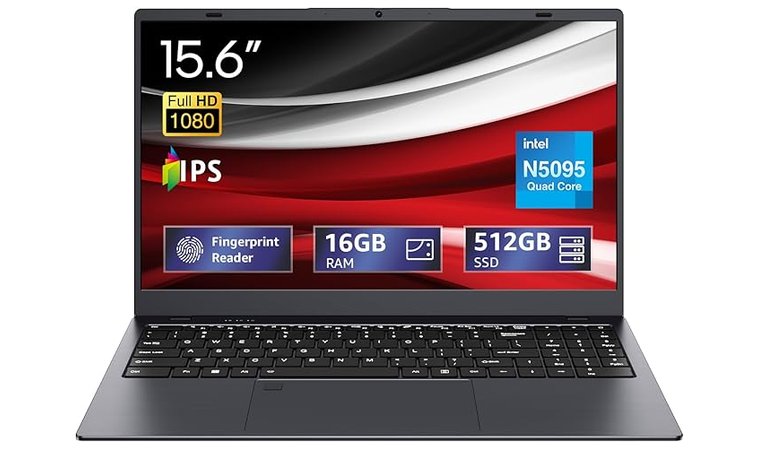
| CPU | Intel Celeron N5095 |
| GPU | Integrated Intel UHD Graphics |
| RAM | 16 GB LPDDR4 |
| Display | 15.6″ Full HD (1920×1080) IPS |
| Storage | 512 GB SSD |
| Battery | 1 non-removable battery |
| Weight | 2.16 kg |
The BiTECOOL N5095 Quad-Core feels like the clever multitasker of the bunch: light, capable, and built for anyone who wants to get things done without the fan noise of a jet engine.
Under the hood, it runs on Intel’s Jasper Lake N5095 processor (up to ~2.9 GHz), a reliable quad-core setup that keeps spreadsheets, docs, and web browsing running smoothly. This version comes with 16 GB RAM and fast SSD storage, so everyday workflows stay snappy.
The 15.6″ Full HD IPS display deserves some credit, too. It’s crisp, anti-glare, and easy on the eyes during long work calls or creative sprints.
Speaking of creative work, while this isn’t a workstation-class device, its steady performance actually puts it close to the best laptops for SolidWorks in its price tier, especially for students or designers who just need to preview models or make light edits on the go.
Mobility is another highlight: the slim frame (around 1.5 kg) slides easily into a backpack, and the sturdy hinge holds up well for note-taking marathons or extended video calls. Connectivity also feels well thought out, with HDMI and USB-C ports making dual-screen setups a breeze.
Everyday productivity? Covered. The SSD ensures fast boots, quiet operation, and smooth app switching. You won’t be editing 3D renders or gaming for hours, but for remote workers, students, and creative tinkering, the BiTECOOL keeps up without breaking a sweat (or your budget).
| Pros | Cons |
|---|---|
| ✅Full HD 15.6″ display offers crisp visuals for work or entertainment ✅512 GB SSD delivers fast boot times and plenty of file storage ✅Quad-core Intel CPU handles daily office tasks smoothly ✅Lightweight 2.15 kg design makes it easy to move between rooms ✅Pre-installed Windows 11 Pro adds business-grade security and features ✅USB 2.0 + 3.0 ports, Wi-Fi ac, and Bluetooth keep connectivity simple ✅Sleek gray finish and slim chassis give it a modern, professional look | ❌Battery life isn’t clearly specified, so expect average endurance for its class rather than all-day unplugged use |
My Verdict: For someone after a lightweight, full-HD, upgrade-friendly laptop made for remote meetings, note-taking, and flexible home-office setups, the BiTECOOL N5095 Quad-Core laptop delivers solid value and smart performance.
8. HP 255 G10 Laptop [Reliable Business Laptop for Home Office]
| Specs | Details |
|---|---|
| CPU | AMD Ryzen 3 7330U (4-core) |
| GPU | Integrated AMD Graphics |
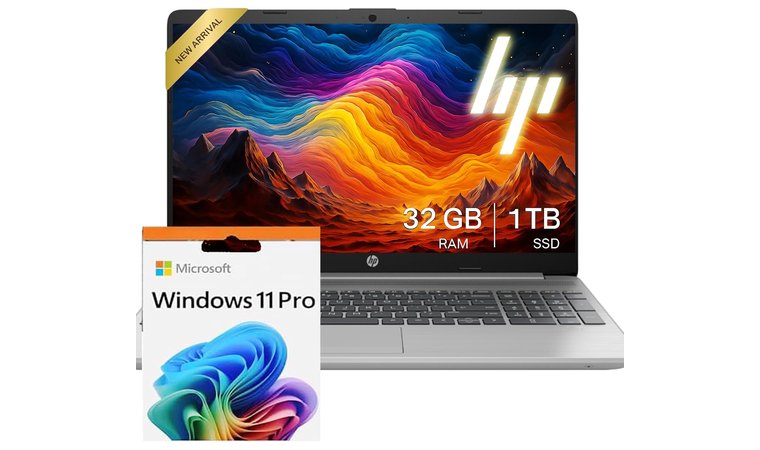
| RAM | 32 GB DDR4 |
| Display | 15.6″ Full HD (1920×1080), IPS, anti-glare, micro-edge, 250 nits |
| Storage | 1 TB SSD |
| Battery | HP Long Life 3-cell, 41 Wh Li-ion polymer |
| Weight | 1.52 kg |
The HP 255 G10 brings business-grade reliability to your home office without the usual price spike. This configuration pairs an AMD Ryzen 5 7530U (4-core, up to ~4.5 GHz) with 32 GB RAM and a 1 TB NVMe SSD, so you get solid multitasking power for long work sessions.
The 15.6″ Full HD, anti-glare IPS display keeps visuals crisp and reflections low. This is handy when you’re sketching layouts, marking up plans, or reviewing detailed PDFs.
It’s not a workstation powerhouse, but for architecture students and pros who prioritise clarity and portability over heavy GPU workloads, the HP 255 G10 comfortably belongs in conversations about the best laptops for architecture.
Connectivity is sensible and complete: USB-C, USB-A, HDMI, headphone jack, and optional Ethernet let you build a proper desk setup or hook up to client presentations without juggling dongles.
The spill-resistant full-size keyboard (with numpad) feels solid for long typing sessions, and HP’s business-grade chassis gives you the durability studios appreciate, which keeps this model near the top of any best HP laptop shortlist.
Windows 11 Pro comes pre-installed as the operating system, adding the security and polish you’d expect from a business-ready laptop. Combined with its lightweight design and durable build, the HP 255 G10 is built for on-the-go productivity: powerful enough for daily design reviews, document work, and client presentations without locking you to a desk.
| Pros | Cons |
|---|---|
| ✅Strong 32 GB RAM + 1 TB SSD for heavy multitasking and big file storage ✅Anti-glare 15.6″ FHD panel for comfortable long sessions ✅Business-style ports (USB-C, USB-A, HDMI, Wi-Fi 6) for reliable docking and wired setups ✅Ryzen 3 7330U gives good efficiency and steady everyday performance ✅Windows 11 Pro on board for business features and security | ❌Limited display brightness and colour gamut (250 nits / 45% NTSC) can hinder visibility and vibrant visuals in bright rooms or colour-sensitive tasks |
My Verdict: If you’re creating a reliable dual-monitor home workstation, typing away on documents all day, or want a machine with serious port options and business-class build, the HP 255 G10 offers value and performance that’ll make your home-office time smoother and more dependable.
9. CGZZ [Budget-Friendly Laptop That Handles Daily Work]
| Specs | Details |
|---|---|
| CPU | N95 4-Core |
| GPU | Integrated |
| RAM | 16 GB |
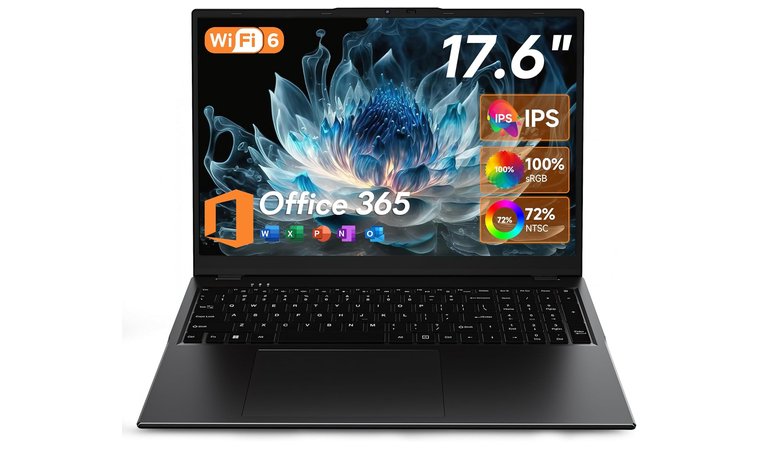
| Display | 17.6″ (1920×1200) Full HD |
| Storage | 640 GB |
| Battery | 7000mAh long-lasting battery |
| Weight | 2.19 kg |
Mixing simplicity with functionality, the CGZZ laptop is a solid pick for everyday work. With 16 GB of RAM and 640 GB of storage, you’ve got enough room for files, web browsing, video calls, and documents without dealing with constant slowdowns or space issues.
Its thin, lightweight build makes it easy to move from room to room (or tuck away when the workday ends), perfect for those whose home office doubles as a living space.
Ports and connectivity are right where you need them: with HDMI and USB-A, you can add an extra monitor or connect multiple peripherals quickly and painlessly. That versatility even extends to light 3D or design tools – for students or beginners exploring software like Fusion 360, this machine offers a comfortable on-ramp, earning it a mention among a great laptop for Fusion 360 in the entry-level bracket.
The basic webcam and mic setup covers standard meetings just fine, and you can always upgrade with a dedicated headset or external camera later for cleaner calls.
Because it sits in the budget/entry category, you’re getting real value: a solid home-office workhorse, a shared family device, or a starter laptop for remote workers or designers. The trade-off is fewer premium extras like ultra-bright screens or top-tier build materials, but for productivity, note-taking, and learning new tools, the CGZZ keeps it simple and smooth.
| Pros | Cons |
|---|---|
| ✅Large 640 GB storage gives plenty of space for files and apps ✅Full HD display ensures clearer text and visuals ✅4-core CPU structure likely handles everyday apps smoothly ✅Entry-level price makes it an economical pick for home-office use ✅Integrated graphics keep the design simple and efficient | ❌The standard battery may not last as long as higher-end models |
My Verdict: The CGZZ laptop is a practical, affordable choice for home-office use: lightweight, capable, and ready to plug into a simple dual-monitor or accessory setup when you’re ready to step up your workflow.
10. HP Essential Laptop [Practical Laptop for Home Office Tasks]
| Specs | Details |
|---|---|
| CPU | Intel Core i3-N305 (up to ~3.8 GHz) |
| GPU | Intel UHD Graphics (integrated) |
| RAM | 16 GB DDR4 |
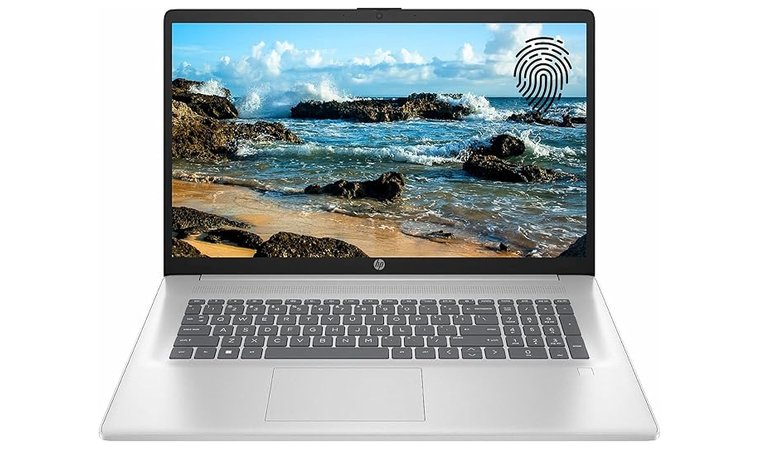
| Display | 17.3″ Full HD (1920×1080) |
| Storage | 512 GB SSD |
| Battery | Up to 8 hours |
| Weight | ~2 kg |
The HP Essential laptop brings together sensible specs and smart design for your everyday work-from-home sessions. Under the hood, a 12th-gen Intel Core i3-N305 processor teams up with 16 GB RAM and a 512 GB SSD in this model, so you’ve got enough muscle for running office apps, juggling web browsing, and video calls without major slowdown.
The 17.3″ Full HD anti-glare display is a standout here: big enough to spread out windows and doc-work, and the anti-glare finish makes it easier on the eyes in well-lit rooms. It’s built with connectivity and practicality in mind: HDMI for an external monitor, multiple USB ports, a fingerprint reader for quick log-ins, and Wi-Fi 6 + Bluetooth for strong wireless link-ups.
At this price point, you’re getting a full-size display and ample storage that doesn’t feel like you sacrificed for budget. Its chassis and build quality follow HP’s business-oriented heritage, so you’ll feel confident it’ll cope with daily tasks and desk-surfing between rooms or setups.
Because it’s large, it isn’t ultra-portable for a tight space, and if your priority is super-light travel gear, it might feel a little big. But for a dedicated home-office machine where comfort, screen size, and reliability matter, it hits the right notes.
| Pros | Cons |
|---|---|
| ✅Intel Core i3-N305 gives solid performance for everyday productivity ✅16 GB RAM and SSD give smooth app launches and multitasking ✅17.3″ Full HD display offers a roomy workspace on a budget ✅Up to 8 hours of battery life gives good unplugged time in many scenarios ✅Lightweight build makes it portable ✅Trusted HP brand with consistent support and design | ❌Limited upgrade options and modest graphics performance |
My Verdict: The HP Essential laptop is a strong choice for working from home: a roomy display, solid specs, and a trusted build make it a dependable companion for all-day typing, calls, screen-splits, and multitasking without feeling like you overpaid.
11. Machenike Laptop [High-Performance Laptop for Work and Play]
| Specs | Details |
|---|---|
| CPU | Intel N100 |
| GPU | Integrated graphics |
| RAM | 16 GB DDR5 |
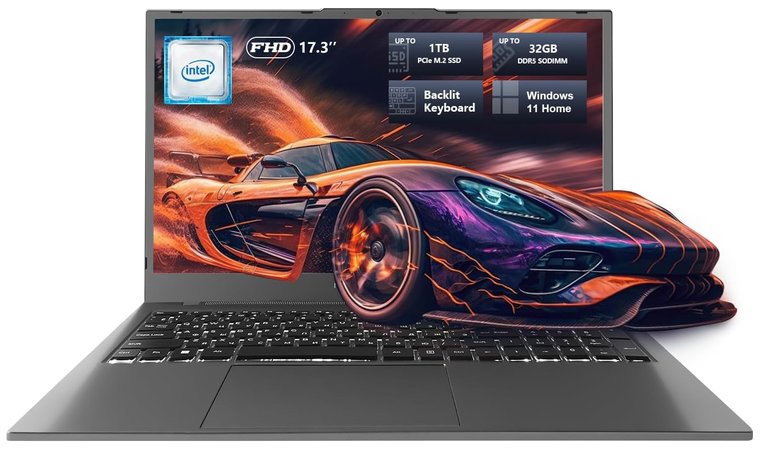
| Display | 17.3″ Full HD (1920×1080) with 120 Hz refresh rate |
| Storage | 512 GB SSD |
| Battery | N/A |
| Weight | 2.6 kg |
The Machenike laptop stands out as one of the few home-office machines that doesn’t compromise power for portability. It’s built for people who mix classic productivity with more demanding tasks. Think editing videos, running virtual machines, or working with graphics-heavy tools.
With its Intel processor, 16 GB DDR5 RAM, and 512 GB SSD, it’s fast, reliable, and responsive even with multiple apps open. The laptop’s 17.3″ Full HD display with a 120 Hz refresh rate gives you tons of workspace and a crisp, smooth experience for multitasking, web browsing, or the occasional stream between meetings.
Windows 11 Home comes pre-installed as the operating system, adding a familiar interface and productivity tools right out of the box, perfect for users who want power and convenience without setup hassles.
The Machenike’s gaming-brand roots show in its cooling system and sturdy build. It stays quiet and stable under heavy workloads, from long calls, file rendering. That same cooling DNA comes from the brand’s performance rigs often featured in the best gaming PC lineups, which explains why this laptop feels so stable even outside pure gaming use. Professional creators often prioritize this kind of thermal efficiency when shopping for a top laptop for rendering heavy visual effects and 3D projects.
The backlit keyboard and numeric pad make typing comfortable, even in low light, and the trackpad feels precise enough for quick edits or navigation. Connectivity is also on point, with plenty of USB ports, HDMI, and wireless options for setting up a full home-office desk.
Battery life is decent, but not the focus; it’s designed to stay plugged in most of the day, delivering consistent performance instead of portability. It’s also a bit heavier than the typical thin-and-light laptop, but that’s the tradeoff for the power it packs.
| Pros | Cons |
|---|---|
| ✅ 17.3″ FHD 120 Hz screen offers a wide workspace and smooth visuals ✅ 16 GB DDR5 RAM and SSD ensure fast multitasking and quick boots ✅ Solid cooling and sturdy build handle long work sessions easily ✅ Backlit full keyboard with numpad adds comfort for heavy typing ✅ Plenty of ports for monitors and peripherals ✅ Great value and upgrade potential for its specs | ❌Slightly bulky and heavier than ultra-portable models, so less ideal if you’re constantly moving from the desk to the couch |
My Verdict: The Machenike laptop is a smart choice for anyone who wants a capable, desktop-grade workhorse for their home office. It’s built to handle serious workloads without losing comfort or style.
12. HP Ultral Light Laptop [Slim Laptop for Mobile Work]
| Specs | Details |
|---|---|
| CPU | Intel Quad-Core N4120 |
| GPU | Intel UHD Graphics 600 |
| RAM | 8 GB |
| Display | 14″ (or similar) Full HD / HD |
| Storage | 192 GB |
| Battery | Lithium Polymer (11 hours) |
| Weight | 1.46 kg |
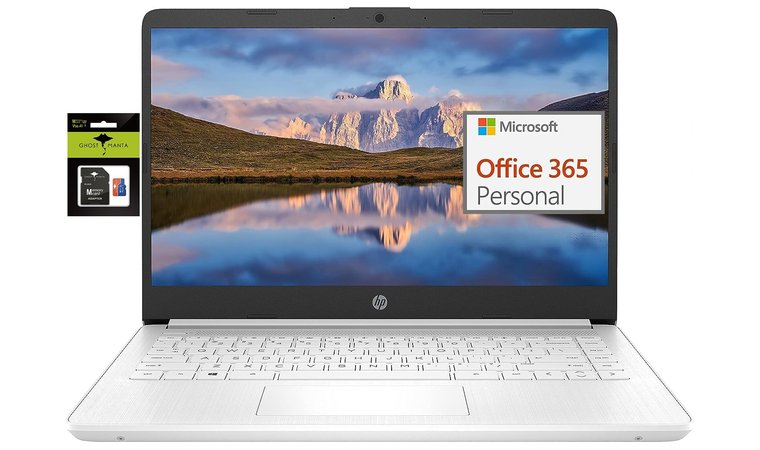
The HP Ultral Light laptop nails the portability game. At just about ~1.46 kg and roughly 0.7″ thick, it’s easy to move between rooms, set up at a standing desk, or tuck away when the day’s done.
The 14″ display has minimal bezels, which means you get more screen without bulking up the footprint. With 8 GB RAM and 192 GB storage (64 GB eMMC + 128 GB microSD) in the base variant, it’s well-equipped for browsing, documents, video calls, and daily productivity.
On connectivity, you’ll find USB-C plus USB-A ports and HDMI, so setting up an external monitor or USB dock is straightforward if you run a dual-screen setup. The thin-and-light build doesn’t sacrifice daily comfort: the keyboard is full-sized enough for longer typing sessions, and the anti-glare display rewrite on vendor sites means fewer eye fatigue issues in bright rooms.
Battery life is listed around 11 hours, which gives you the breathing room and a decent battery life to handle a full day of remote work without being tethered to the plug.
Of course, it’s not a high-end workstation, but that’s okay: it’s a portable laptop designed for focus, mobility, and simplicity. If your day is full of meetings, docs, browser tabs and needing to shift locations, this is a very sensible pick.
| Pros | Cons |
|---|---|
| ✅Super lightweight and easy to carry around the house. ✅Slim bezels give you more screen space without extra bulk. ✅Comfortable keyboard makes long typing sessions easier. ✅USB-C, HDMI, and USB-A ports support clean dual-screen setups. ✅Long battery life keeps you unplugged through the workday. ✅Solid build quality feels premium and reliable. | ❌Not ideal for heavy workloads, but perfect for everyday office tasks. |
My Verdict: The HP Ultral Light laptop is an excellent remote-work companion: ultra-portable, comfortable to type on, easy to dock and expand, and built to support your home-office lifestyle. Plus, with Microsoft Office included free for one year, you’re ready to work right out of the box.
13. Auusda FHD Traditional Laptop [Full HD Laptop for Productivity]
| Specs | Details |
|---|---|
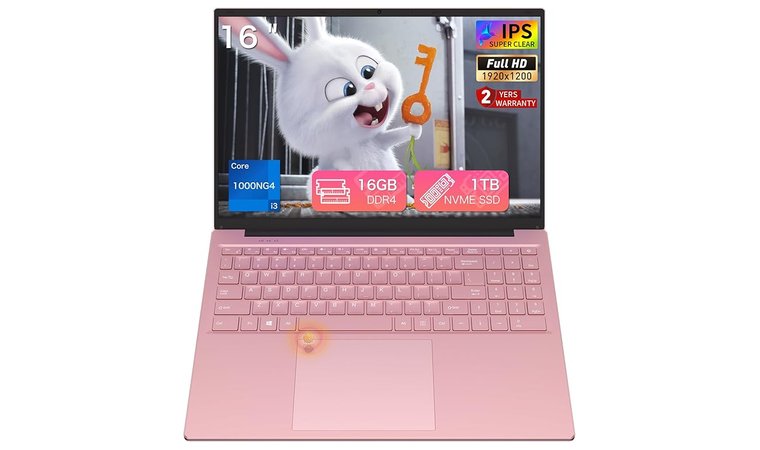
| CPU | Core i3-1000NG4 (up to 3.2GHz) |
| GPU | Iris Plus Graphics G4 48EUs (integrated) |
| RAM | 16 GB DDR4 (upgradeable) |
| Display | 16″ Full HD (1920×1200) IPS, ultra-narrow bezels |
| Storage | 1 TB SSD (upgradeable to 8 TB) |
| Battery | 5000mAh/57Wh capacity for extended use |
| Weight | 1.7 kg |
The Auusda laptop nails what you want in a flexible home-office machine: lightweight and easy to carry, with the screen space of a full-size chassis. It comes with a 16″ Full HD IPS display and ultra-narrow bezels. This model even includes a 180° hinge that lets you tilt or lay it flat for the perfect angle, whether you’re typing, presenting, or bingeing on something during lunch.
Inside, it packs an i3 Processor (3.2 GHz Turbo), 16 GB of RAM (upgradeable to 32 GB), and a 1 TB NVMe SSD (upgradeable to 8 TB). Translation? You’ve got plenty of headroom for browser tabs, spreadsheets, video calls, and even some light creative work without running into slowdowns.
At roughly 1.7 kg, this thing is easy to move, and its 14 × 9.65 × 0.72 in frame slides under a desk riser or into a backpack with no hassle. It’s a solid balance between portable and practical.
Connectivity hits all the right notes: dual-band WiFi, Bluetooth 5.0, USB ports, HDMI, and a MicroSD slot: everything you need for a clean workstation setup or quick plug-and-play expansion.
One small caveat: while it’s a great everyday performer, premium ultrabooks still have it beat on weight and battery endurance. But if you want an affordable, full-featured laptop that fits both work and home life, the Auusda punches well above its price tag.
| Pros | Cons |
|---|---|
| ✅Fast 16 GB RAM + 1 TB NVMe SSD combo handles multitasking and large files with ease ✅Sharp, vibrant 16” Full HD IPS screen ✅Lightweight and easy to carry ✅Battery lasts through a full workday ✅Backlit keyboard for late-night typing ✅Multiple ports keep devices connected | ❌Handles creative work fine, but it’s not the best gaming laptop |
My Verdict: The Auusda laptop is a great pick for home-office users who want a roomy display, responsive storage, solid build, and easy mobility, all wrapped up in a competent, upgrade-friendly bundle.
Key Features to Look for When Choosing a Laptop for Working from Home
Working from home demands a laptop that fits your workflow and lifestyle. From processing power to portability, choosing the right specs can make a big difference in comfort, productivity, and work-life balance. Here’s a quick guide to the key features that matter most when picking your next work-from-home laptop.
1. Processor & RAM
The processor and RAM shape how smoothly your workday runs. For light tasks like Google Docs or Zoom, an Intel Core i5 or AMD Ryzen 5 with 8 GB of RAM is enough. If you handle heavier workloads, go for an Intel Core i7 or Ryzen 7 with 16 GB of RAM. The newer Intel Core Ultra processors add better AI performance and efficiency for creators on the go.
AMD chips usually deliver better integrated graphics, while Intel processors often shine in battery efficiency: perfect for long remote sessions. Don’t forget to check the operating system too, since each OS handles multitasking and software compatibility differently. In short, the stronger your CPU and the more RAM you have, the easier it is to multitask without slowdowns.
2. Display Quality
A good display can define your remote work experience. Full HD (1080p) is the baseline for clear visuals, while 4K screens are ideal for designers and creators who need extra detail and sharpness.
Larger screens, around 15–17 inches, give you more space to multitask, but smaller 13–14-inch laptops are easier to move around. Color accuracy is key if your job involves visuals: look for IPS panels with high sRGB coverage to ensure true-to-life tones.
If you spend hours in front of the screen, a bright, crisp display helps reduce eye strain and keeps your workspace comfortable, no matter if you’re editing videos, analyzing data, or simply reading emails all day.
3. Portability
Portability can make or break your work-from-home setup, especially if your “office” changes from room to room or you like working in cafés.
A lightweight, slim laptop makes it easy to stay productive wherever you go, without lugging around unnecessary bulk. Models under 1.3 kg are ideal for mobility, yet many mobile workstations still pack powerful processors and full-day batteries.
Look for durable builds made of aluminum or magnesium alloy, as they balance sturdiness with comfort. Compact laptops with smaller screens (around 13–14 inches) also tend to slip easily into backpacks and have a cleaner, clutter-free footprint on your desk.
And don’t underestimate convenience features like fast charging or a USB-C power port: they make setting up your workspace quick and cable-free. The goal is simple: find a laptop that feels light in your bag but heavy on performance.
4. Battery Life
Battery life can make all the difference when you’re working remotely. The last thing you want is your laptop dying in the middle of a meeting or while traveling. Look for models that last at least 8 hours on a single charge; more if you’re frequently on the move.
Ultrabooks and laptops with energy-efficient processors, like Intel’s U-series or AMD Ryzen 5/7, tend to deliver the best balance between performance and endurance. Features like adaptive brightness, battery optimization modes, and SSD storage can also help you stretch every charge.
If your workdays are long, fast-charging support is another big plus – it can get you back to 50% in under an hour. To keep your battery healthy, avoid running it down completely and unplug occasionally to prevent overcharging. A reliable battery means one less thing to worry about, letting you stay focused on your work wherever you are.
FAQs
The best laptop combines performance, portability, and battery life. Models like the Dell XPS 13 or MacBook Air (M3) are excellent choices for most professionals.
Yes! Gaming laptops like the ASUS TUF or Machenike offer strong CPUs, GPUs, and cooling systems, ideal if you use heavy apps or edit videos.
Look for options like the Acer Aspire 3 or HP Essential: both deliver solid performance for under $500.
Absolutely. MacBooks are known for reliability, long battery life, and crisp displays, making them great for productivity and creative work.
A 14–15.6-inch screen strikes the right balance between visibility and portability.
The HP Spectre x360 is a strong all-rounder, offering versatility, premium design, and dependable performance. If you prefer Lenovo laptops, the Lenovo Yoga 7i is especially appealing for its balance of portability, build quality, and everyday power.











