



13 Best Laptops for Rendering – From Student to Pro

Eneba Hub contains affiliate links, which means we may earn a small commission if you make a purchase through them—at no extra cost to you. Learn more

The best laptop for rendering cuts your render times in half and keeps viewport navigation smooth when rotating complex 3D models. The wrong machine leaves you staring at loading screens while deadlines slip away.
I’ve researched laptops built for students and professionals alike, who work with AutoCAD, SolidWorks, Fusion 360, and Blender, across every budget. You’ll find affordable machines for students and high-end workstation laptops for creative professionals. Each laptop strikes a balance between CPU power, dedicated graphics cards, ample RAM, and display quality to handle a specific use case.
Let me walk you through my top picks before diving into the complete list.
Jump to:
Our Top Laptop Picks for Rendering
These three laptops stood out during my research for solving specific rendering challenges. The first combines portability and real-time rendering capability for client presentations, while the second maximizes performance per dollar. The third strikes the sweet spot between power and weight for traveling professionals.
- HP Envy x360 (2024) – The convertible design gives you the best laptop for rendering when flexibility matters most. The touchscreen flips into tablet mode, easing your way to present to your clients. Its lightweight build and long battery life make it perfect for creative professionals moving between locations while handling rendering tasks.
- Clevo (2020) – This bare-bones specialist provides exceptional value as a laptop for AutoCAD and rendering work. The large screen provides extensive workspace, while massive upgrade capacity lets you scale components as your projects grow. Ideal for those prioritizing more power over brand names.
- MSI Thin 15 B13VE (2023) – This machine ranks among the best laptops for rendering by packing a powerful GPU into a slim, portable chassis. The high refresh rate display keeps viewport navigation responsive, making it ideal for mid-level rendering workloads without sacrificing portability.
The complete list below covers ten additional laptops, each bringing unique strengths for different rendering workflows and budgets.
13 Best Laptops for Rendering Worth Buying
These 13 laptops cover everything from budget-friendly options with integrated graphics to powerhouses featuring high-end GPU configurations.
Each machine handles creative applications like AutoCAD, Blender, and SolidWorks differently, giving you choices as a student starting out or a professional running complex rendering workflows with the best laptop for rendering.
1. HP Envy x360 [Best 2-in-1 Convertible for Light Rendering]
| Specs | Details |
|---|---|
| CPU | AMD Ryzen 5 8640HS |
| GPU | Integrated AMD Radeon Graphics |
| RAM | 16GB LPDDR5-6400 MHz RAM |
| Display | 14″ WUXGA (1920×1200) IPS, Touchscreen |
| Storage | 1TB PCIe NVMe M.2 SSD |
| Battery | 59 Wh Li-ion polymer battery |
| Weight | 3.08 lb (1.3 kg) |
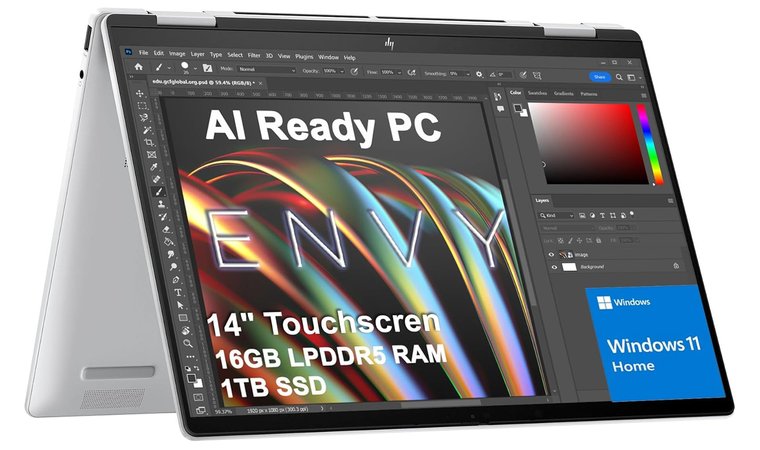
HP Envy x360 stands out as the best laptop for rendering thanks to its 2-in-1 convertible design, transforming laptop-to-tablet in just a second. This flexibility proves valuable during presentations and concept sketching sessions, as you can simply flip the screen and hand it over for direct interaction.
One of my favourite things about this machine is the 3.08-pound weight. That lightness means carrying it daily between locations doesn’t become a burden, while providing reliable performance for lighter rendering work.
Versatile 2-in-1 convertible design is ideal for rendering professionals needing flexibility to sketch, present, and work on lighter 3D projects while maintaining exceptional portability.
The Ryzen 5 8640HS processor handles viewport navigation in resource-intensive software smoothly. The integrated Radeon Graphics manages creative work and moderate CAD assemblies without struggling.
| Pros | Cons |
|---|---|
| ✅ Convertible design flips into tablet mode for presentations and stylus sketching ✅ Ultra-light 3.08 lb build makes daily transport effortless ✅ Touchscreen interaction adds natural navigation for viewport work ✅ AMD Ryzen processor offers excellent performance for lighter rendering tasks ✅ Compact 14-inch form factor balances portability with usable screen space | ❌ Integrated graphics fall behind dedicated video cards in the rendering process, though the versatility compensates well |
The 14-inch touchscreen display with 1920×1200 resolution provides enough workspace for modeling tools and responds accurately, making viewport navigation feel natural compared to trackpad-only laptops.
Final Verdict: HP Envy x360 excels as the best laptop for rendering when versatility and portability matter more than maximum GPU power. Suitable for lighter creative workflows.
2. Clevo [Best Value Desktop Replacement for Power Users]
| Specs | Details |
|---|---|
| CPU | Intel Core i7-10875H |
| GPU | NVIDIA GeForce RTX 2070 (Max-Q), 8GB GDDR6 |
| RAM | 8GB DDR4 SO-DIMM RAM |
| Display | 17.3″ FHD 144Hz Display |
| Storage | 256GB SSD |
| Battery | 73 Wh battery |
| Weight | 5.07 lb (2.3 kg) |
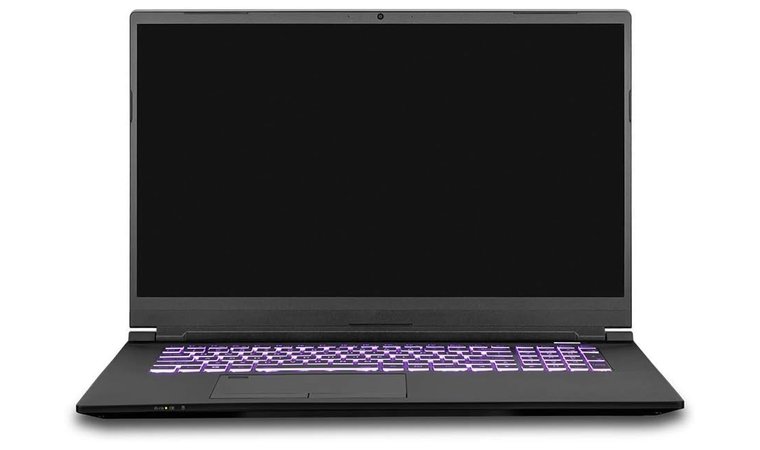
Clevo represents exceptional value in the market of laptops for AutoCAD, offering bare-bones chassis from a specialist manufacturer prioritizing raw performance. The Intel Core i7-10875H processor packs enough cores with strong multi-thread performance for complex rendering workloads.
Paired with the NVIDIA GeForce RTX 2070 (Max-Q) GPU, this combination crushes GPU-intensive tasks in Blender, KeyShot, and V-Ray. It also supports ray tracing, which accelerates my preview renders significantly compared to previous generation GPU architectures.
Best value proposition for rendering enthusiasts wanting maximum performance per dollar, who aren’t afraid to configure their own workstation replacement.
The high TGP GPU option allows the RTX 2070 to run at maximum performance rather than throttled speeds found in ultra-thin laptops.The 17.3-inch 144Hz display provides excellent screen real estate for complex timeline layouts and detailed viewport work.
| Pros | Cons |
|---|---|
| ✅ Bare-bones design provides exceptional performance-to-price ratio ✅ Desktop-class mobile GPU provide amazing rendering acceleration ✅ Massive upgrade potentials with multiple SSD bays and high RAM ceilings ✅ Large 17.3″ display offers ample workspace for rendering software interfaces ✅ High TGP GPU configuration maintains maximum performance without throttling | ❌ Base 8GB RAM needs immediate upgrade for serious work, though low starting price makes this minor |
What I appreciate about this machine is the massive upgrade potential. Multiple SSD bays accommodate storage expansion as project libraries grow larger. RAM ceilings reach 32GB or higher, depending on configuration, making future-proofing straightforward and affordable.
Final Verdict: Clevo is the best laptop for rendering for value-focused professionals comfortable selecting high-spec components themselves.
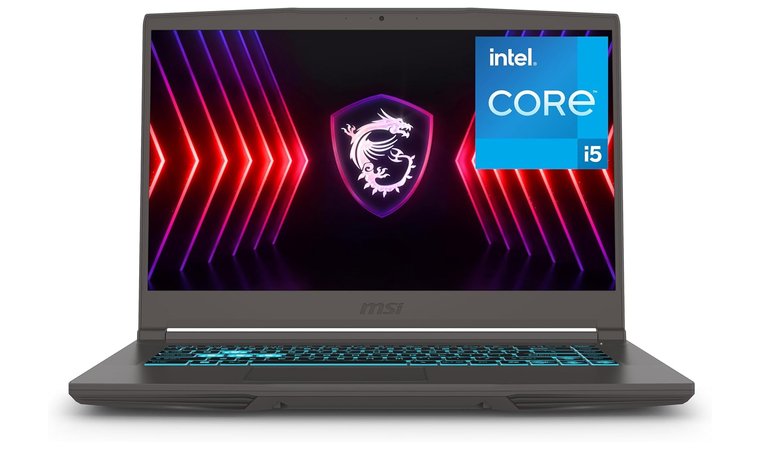
3. MSI Thin 15 B13VE [Best Portable RTX Performance for Students]
| Specs | Details |
|---|---|
| CPU | Intel Core i5-13420H |
| GPU | NVIDIA GeForce RTX 4050, 6GB GDDR6 |
| RAM | 16GB DDR4-3200 MHz RAM |
| Display | 15.6″ FHD IPS 144Hz Display |
| Storage | 512GB SSD |
| Battery | 52.4 Wh battery |
| Weight | 4.18 lb (1.86 kg) |
The MSI Thin 15 B13VE shines among the best laptops for SolidWorks students and mid-level professionals. This machine packs an NVIDIA RTX 4050 GPU into a slim chassis, providing genuine rendering performance without the typical bulky build.
Intel Core i5-13420H processor brings 13th-generation efficiency and performance cores, providing solid performance for both single-threaded and multi-threaded rendering.
Outstanding mid-range option combining dedicated RTX GPU with 13th-gen Intel processing power in a portable package.
The 144Hz display proves particularly valuable, as it translates to noticeably smoother viewport navigation. The 16GB RAM handles moderate rendering workloads, though upgrading to 32GB benefits particularly more complex scenes.
| Pros | Cons |
|---|---|
| ✅ Dedicated RTX 4050 GPU accelerates rendering with ray-tracing support ✅ 144Hz display eliminates viewport lag ✅ 13th-gen Intel processor balances single-thread CAD with multi-thread rendering capability ✅ Matte finish resists fingerprints and feels premium ✅ Portable 4.18 lb weight makes daily transport manageable | ❌ Battery drains quickly during rendering, but the faster rendering times balance it out |
The port selection includes USB-C and HDMI for external monitors or high-capacity external storage for render farm integration. The relatively lightweight 4.18-pound design makes this genuinely portable for professionals splitting time between office and client site.
Final Verdict: The MSI Thin 15 B13VE represents the best laptop for rendering for students and mid-level professionals seeking dedicated GPU acceleration in a portable package.
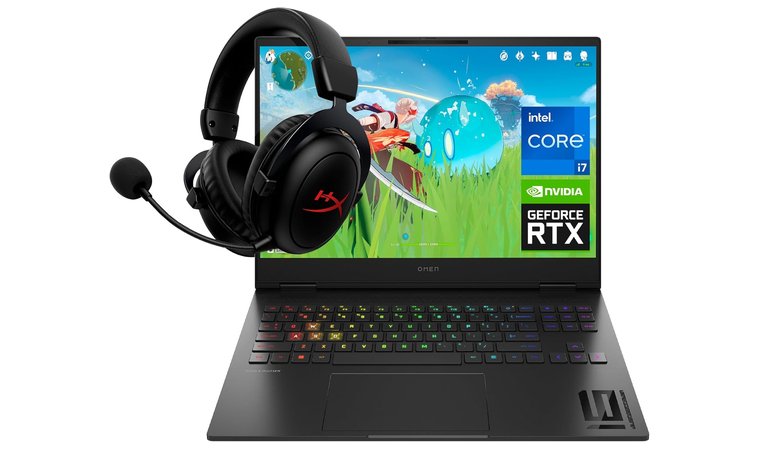
4. HP OMEN Transcend 16 [Best High-Performance Gaming Laptop for Rendering]
| Specs | Details |
|---|---|
| CPU | Intel Core i7-13700HX |
| GPU | NVIDIA GeForce RTX 4070, 8GB |
| RAM | 16GB DDR5-4800 MHz RAM |
| Display | 16” WQXGA (2560×1600) 240Hz Display |
| Storage | 512 GB SSD |
| Battery | 70 Wh Li-ion polymer battery |
| Weight | 4.62 lb (2.09 kg) |
HP OMEN Transcend 16 joins one of the best laptops for AutoCAD with its Intel Core i7-13700HX processor, providing 16 cores that crush complex workloads. I applaud the undervolting options through Omen software, letting you fine-tune power delivery for optimal rendering efficiency and battery life.
NVIDIA RTX 4070 GPU accelerates rendering in Octane, Redshift, and V-Ray confidently. The fans rarely become intrusive, which matters during client calls or collaborative sessions.
HP OMEN Transcend 16 offers desktop-level CPU and GPU performance with exceptional display color accuracy.
The 16-inch WQXGA display with a 240Hz refresh rate stands out immediately. The screen gets incredibly bright around 500 nits, making it usable in well-lit environments. Color accuracy impresses for a non-Mini-LED panel.
| Pros | Cons |
|---|---|
| ✅ Intel i7-13700HX provides workstation-class performance ✅ RTX 4070 GPU provides exceptional speeds with ample 8GB VRAM ✅ Bright 500-nit display ✅ 240Hz refresh rate creates smooth viewport interaction ✅ Excellent keyboard and trackpad enhance usability | ❌ Thin chassis struggles with thermal management during extended rendering, but Omen software lets you undervolt the machine for a cooler system |
USB-C ports positioned on the left side keep cables away from mouse movement. However, the thin chassis struggles to cool the powerful processor under sustained loads. Extended rendering sessions benefit from good ventilation.
Final Verdict: HP OMEN Transcend 16 is the best laptop for rendering for professionals refusing to compromise, offering mobile workstation-grade capabilities.
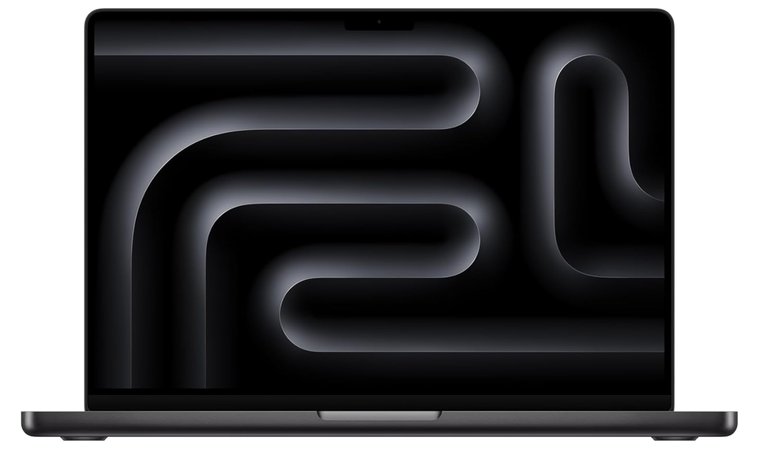
5. Apple 2024 MacBook Pro [Best Silent Laptop for macOS Creatives]
| Specs | Details |
|---|---|
| CPU | Apple M4 Pro chip |
| GPU | 10-core Integrated GPU |
| RAM | 24GB Unified Memory |
| Display | 14.2” Liquid Retina XDR Display |
| Storage | 512 GB SSD |
| Battery | 72.4 Wh Li-ion polymer battery |
| Weight | 3.4 lb (1.55 kg) |
The Apple 2024 MacBook Pro stands among the best laptops for rendering thanks to the M4 Pro chip. The 10-core CPU and 10-core GPU handle intensive tasks effortlessly.
What amazes me is the battery life. A full day of rendering, editing, and multitasking doesn’t require charging once. The M4 chip’s efficiency, paired with macOS, creates incredible reliability for long workdays without outlet hunting.
Silent, efficient rendering powerhouse for macOS creative workflows with unmatched color accuracy and battery life.
The Liquid Retina XDR display grabs attention immediately with breathtaking colors. Even under heavy rendering loads, the MacBook Pro stays whisper-quiet with no fan noise or overheating.
| Pros | Cons |
|---|---|
| ✅ M4 Pro unified architecture brings unified performance, handling complex graphics effortlessly ✅ Liquid Retina XDR display shows breathtaking color accuracy ✅ Whisper-quiet operation even during heavy rendering ✅ Unified memory architecture accelerates data access between CPU and GPU tasks ✅ Astonishing battery life lasts full workdays unplugged | ❌ macOS ecosystem limits compatibility with Windows-only rendering software, though alternatives exist |
At 3.4 pounds, it’s surprisingly light for its power level. The seamless integration with iPhone and iPad makes file transfers and task continuity effortless across devices.
Final Verdict: Apple 2024 MacBook Pro is the best laptop for programming and rendering for macOS professionals, prioritizing silent operation and optimized performance.
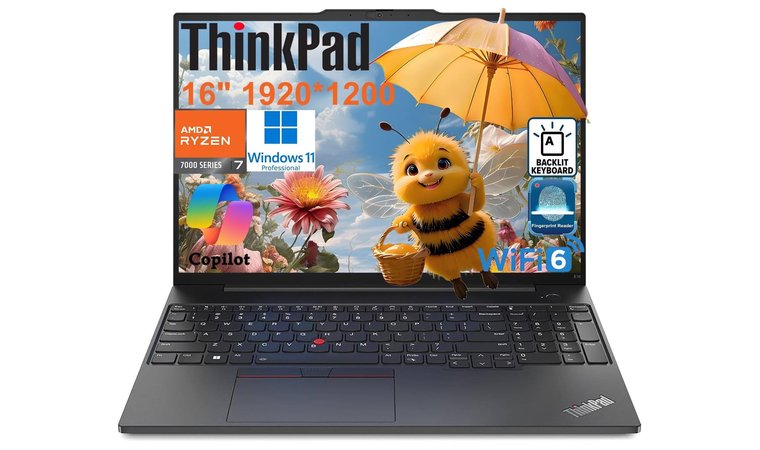
6. Lenovo ThinkPad E16 Gen 2 [Most Reliable Business Laptop for CAD Work]
| Specs | Details |
|---|---|
| CPU | AMD Ryzen 7 7735HS |
| GPU | Radeon 680M Graphics |
| RAM | 32GB DDR5 RAM |
| Display | 16″ WUXGA (1920×1200) IPS Display |
| Storage | 1TB SSD M.2 PCIe NVMe |
| Battery | 57 Wh battery |
| Weight | 3.9 lb (1.76 kg) |
Lenovo ThinkPad E16 Gen 2 brings business-grade reliability to rendering workflows, making it one of the better laptops for AutoCAD. This machine runs quickly and quietly for both home and business needs.
The 16-inch display provides substantial workspace for arranging modeling tools and timeline panels comfortably. The screen size reduces constant window switching while remaining portable at 3.9 pounds.
A reliable business-grade laptop for CAD and moderate rendering with excellent upgradability, making it a strong option for the best laptop for architecture.
The generous 32GB DDR5 RAM configuration immediately stands out, enabling smooth multitasking during render previews and accommodating larger scene complexity. The AMD Ryzen 7 7735HS processor with integrated Radeon 680M Graphics manages CAD work and moderate rendering tasks confidently.
| Pros | Cons |
|---|---|
| ✅ Business-grade reliability runs quickly and quietly ✅ 32GB RAM handles demanding applications without upgrades ✅ Large 16-inch display provides ample workspace ✅ Upgradeable RAM and storage provide long-term scalability ✅ AMD Ryzen processor brings efficient performance | ❌ Integrated graphics limit GPU rendering speeds versus dedicated GPUs, though excellent for CAD-focused workflows |
The upgradeable RAM and storage make scaling straightforward as project demands grow. ThinkPad’s build quality survives years of professional use with solid construction and reliable hinges.
Final Verdict: For professionals who value reliability and easy upgrades over raw GPU power, the Lenovo ThinkPad E16 Gen 2 is an excellent fit. Its durable build, expandable storage, and steady CAD performance also make this Lenovo laptop the best laptop for students who need long-term dependability.
7. NIMO 17.3″ [Best Large Display Desktop Replacement]
| Specs | Details |
|---|---|
| CPU | AMD Ryzen 7 8745HS |
| GPU | Radeon 780M Graphics |
| RAM | 32GB DDR5 RAM |
| Display | 17.3″ FHD IPS Display |
| Storagesz≈ | 1TB SSD |
| Battery | 75 Wh battery |
| Weight | 4.6 lb (2.08 kg) |
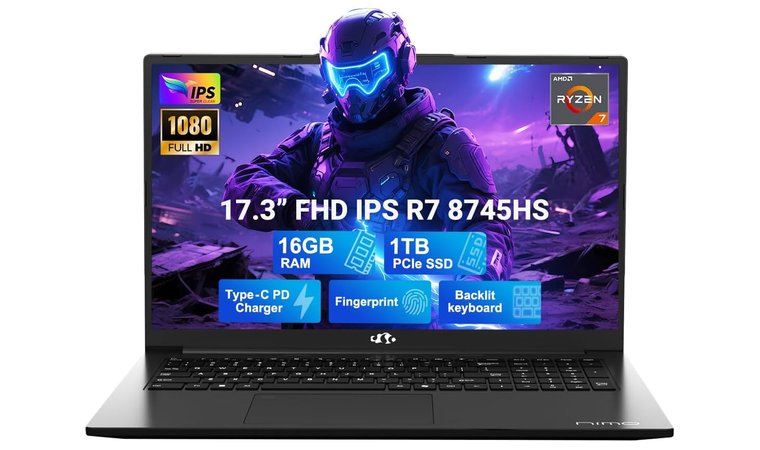
The NIMO 17.3″ laptop addresses professionals who prioritize maximum screen display for complex 3D modeling and editing workflows. That huge 17.3-inch display offers extensive workspace, fundamentally changing how you interact with rendering software.
A perfect desktop replacement with maximum screen workspace, making it the best laptop for 3D printing design and complex modeling tasks.
The AMD Ryzen 7 8745HS processor with 32GB DDR5 RAM handles complex scenes and memory-intensive creative applications smoothly. AMD Radeon 780M integrated graphics, on the other hand, handles viewport performance impressively well in Blender, SketchUp, and AutoCAD.
| Pros | Cons |
|---|---|
| ✅ Massive 17.3-inch display offers a desktop-like workspace with sharp resolution ✅ Radeon 780M integrated graphics provides strong performance for CAD applications ✅ Enhanced thermal design sustains performance during extended sessions ✅ 32GB RAM and 1TB storage handle large projects comfortably ✅ Expandable memory and storage scale with increasing rendering demands | ❌ Larger form factor reduces portability, though intentional for screen size priority |
The enhanced thermal design deserves attention. Larger chassis provide more cooling volume, translating to better sustained performance during extended rendering sessions. The 75 Wh battery provides decent runtime for less demanding tasks.
Final Verdict: For professionals who want maximum screen space and desktop-replacement power, the NIMO 17.3″ stands out as one of the best choices, especially if you need a laptop for 3D printing design review and complex modeling workflows.
8. Microsoft Surface Pro [Most Portable 2-in-1 for On-Site Work]
| Specs | Details |
|---|---|
| CPU | Snapdragon X Elite (12 Core) |
| GPU | Qualcomm Adreno GPU |
| RAM | 16GB LPDDR5x RAM |
| Display | 13″ PixelSense OLED Touchscreen Display |
| Storage | 512 GB SSD |
| Battery | 53 Wh battery |
| Weight | 1.97 lb (895 g) |
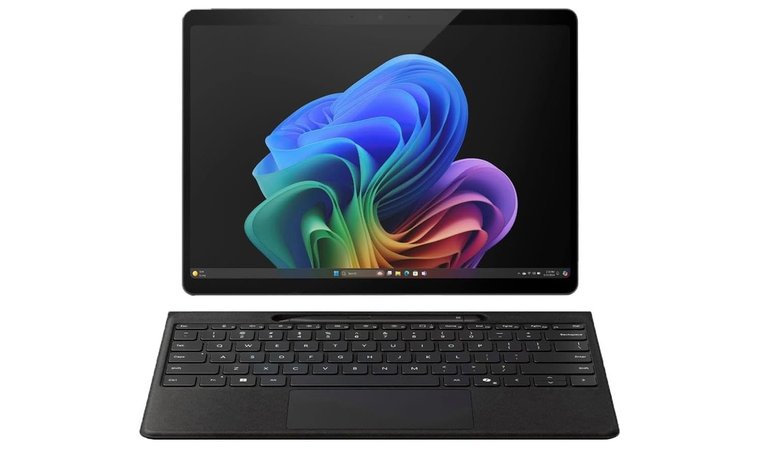
The Microsoft Surface Pro redefines portability as one of the best laptops for CAD by weighing just 1.97 pounds.
The detachable design transforms this from laptop to tablet instantly. The built-in kickstand takes some adjustment initially, but being able to sketch directly on renders or flip it around during client presentations changes how you interact with projects.
Ultra-portable 2-in-1 tablet for rendering previews and on-site modeling with exceptional battery life.
Battery life stands as the highlight as well, easily surpassing expectations for a device this powerful. The Snapdragon X Elite processor stays cool and quiet regardless of workload, with zero noticeable fan noise during operation.
| Pros | Cons |
|---|---|
| ✅ Detachable design offers genuine tablet flexibility ✅ Ultra light at 1.97 lbs makes transport effortless ✅ High-quality OLED display offers excellent color fidelity ✅ Battery life lasts ridiculously long during moderate use ✅ Touchscreen and pen support enable natural interaction for concept development | ❌ ARM architecture limits compatibility with some plugins, though major applications increasingly offer ARM support |
The ARM-based architecture does come with growing pains, with some older software requiring emulation or won’t run at all. For professionals invested in modern, ARM-compatible creative applications, this becomes less of an issue.
Final Verdict: The Microsoft Surface Pro offers rare versatility for on-the-go modeling and render previews, making it a strong pick for mobile creators and one of the best laptop for high school students needing power in a compact form.
9. GIGABYTE – Gaming A16 [Best GPU Performance for Fast Rendering]
| Specs | Details |
|---|---|
| CPU | Intel Core i7-13620H |
| GPU | NVIDIA GeForce RTX 5070, 8GB GDDR7 |
| RAM | 32GB DDR5 RAM |
| Display | 16” IPS WUXGA (1920×1200) 165Hz Display |
| Storage | 1TB SSD |
| Battery | 76 Wh Li-ion polymer battery |
| Weight | 4.85 lb (2.2 kg) |
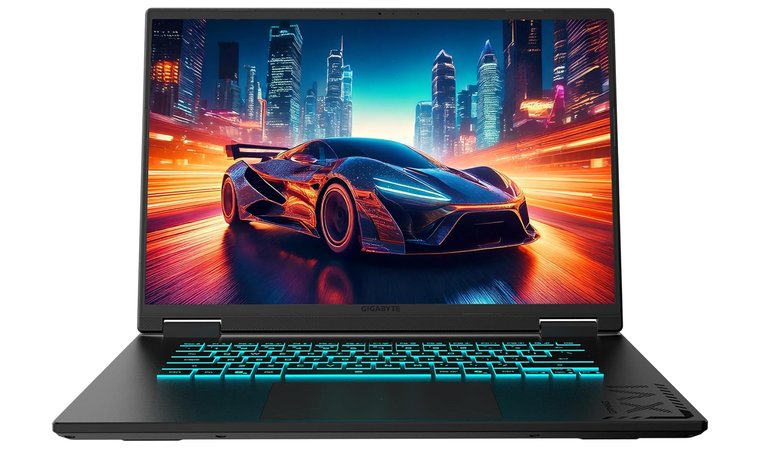
The GIGABYTE Gaming A16 provides workstation-grade GPU performance in a portable, affordable package, making it outstanding for the best laptop for AutoCAD and demanding rendering workflows.
The Intel Core i7-13620H processor provides solid 10-core performance handling both single-threaded CAD operations and multi-threaded rendering effectively.
Workstation-level GPU power, strong 10-core performance, and a smooth 165Hz display in a portable package, making it an exceptional value for demanding CAD and rendering tasks.
However, the real star is the NVIDIA GeForce RTX 5070 GPU with 8GB GDDR7 memory. That level of GPU horsepower translates directly into faster rendering times in Blender, KeyShot, and V-Ray.
| Pros | Cons |
|---|---|
| ✅ RTX 5070 GPU crushes rendering with GDDR7 memory ✅ High TGP configuration sustains full GPU performance during extended rendering sessions ✅ 165Hz display keeps viewport interaction responsive ✅ 32GB RAM eliminates memory constraints for complex scenes ✅ Additional SSD expansion slot simplifies storage upgrades | ❌ Gaming aesthetic may not suit all professional environments, though performance justifies the design |
The 16-inch 165Hz display offers ample screen real estate with high refresh rates, creating remarkably smooth viewport interaction when manipulating complex 3D models. Battery life runs 5-7 hours during normal use, but requires staying plugged in for serious rendering work as the RTX 5070 draws significant power when active.
Final Verdict: The GIGABYTE Gaming A16 is the best laptop for CAD and rendering, and arguably one of the best laptops of 2025 overall for professionals who want workstation-level GPU performance without paying workstation prices.
10. WVX Laptop [Best Budget Laptop with 32GB RAM]
| Specs | Details |
|---|---|
| CPU | AMD Ryzen 9 6900HX |
| GPU | Radeon 680M Graphics |
| RAM | 32 GB RAM |
| Display | 16” FHD Display |
| Storage | 512 GB SSD |
| Battery | 58 Wh battery |
| Weight | 5.89 lb (2.67 kg) |
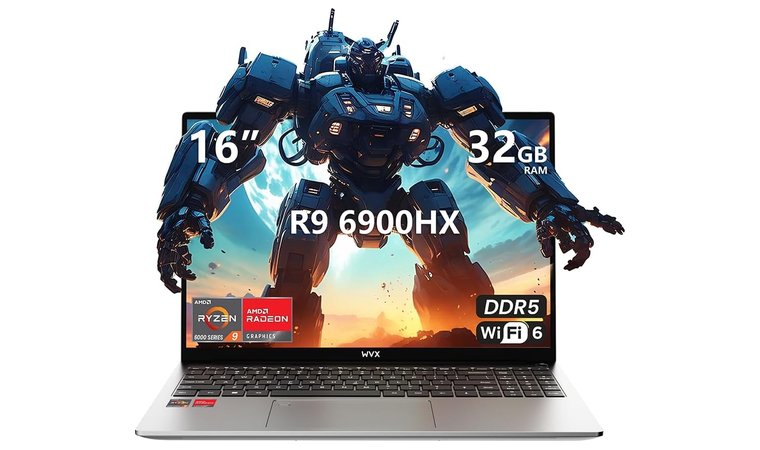
The WVX Laptop targets budget-conscious professionals and students needing capable performance without premium workstation pricing.
The AMD Ryzen 9 6900HX processor handles both CAD operations and moderate rendering with solid efficiency. Paired with 32GB RAM–substantially more generous than typical budget laptops–this machine accommodates reasonably complex scenes and enables smooth multitasking during render preview workflows.
A budget-friendly entry machine with 32GB RAM, making it the best laptop for engineering students who need strong performance without high cost.
Windows 11 Pro comes pre-installed rather than the limited versions found on competing budget laptops. The thin profile and moderate weight make occasional transport manageable, though the short power adapter cord requires staying close to outlets.
| Pros | Cons |
|---|---|
| ✅ Budget-friendly pricing makes capable rendering performance accessible to students ✅ 32GB of fast DDR5 RAM crushes competitors at this price point ✅ Windows 11 Pro included instead of limited versions ✅ Upgradeable RAM and storage allow scaling capacity ✅ Ryzen 9 processor provides strong multi-core performance | ❌ Integrated graphics provide adequate viewport performance but lack GPU rendering acceleration for final quality renders |
The upgradeable design allows expanding both RAM and storage as rendering demands grow. Initial quality impressions exceed expectations for this price bracket, making it ideal for budget-conscious professionals starting their rendering journey.
Final Verdict: The WVX Laptop serves as one of the best laptops for rendering when budget constraints demand maximum specs per dollar.
11. MSI Stealth 16 AI [Best Premium Laptop for Enterprise-Scale Projects]
| Specs | Details |
|---|---|
| CPU | Intel Core Ultra 9 185H |
| GPU | NVIDIA GeForce RTX 4070, 8GB GDDR6 |
| RAM | 64GB RAM |
| Display | 16″ FHD+ IPS 165 Hz Display |
| Storage | 1TB PCIe SSD |
| Battery | 99.9 Wh battery |
| Weight | 4.39 lb (1.99 kg) |
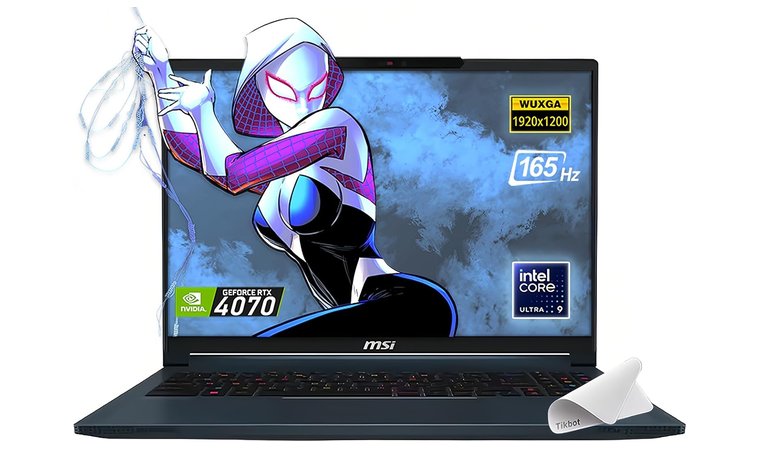
The MSI Stealth 16 AI represents premium mobile workstation performance in a surprisingly portable package. Intel Core Ultra processor brings dedicated AI acceleration cores alongside traditional performance cores. Paired with the NVIDIA GeForce RTX 4070 GPU, it provides genuine workstation-level GPU acceleration.
Premium choice combining massive 64GB RAM with RTX 4070 GPU and Intel Core Ultra processor, perfect for professionals handling enterprise-scale assemblies.
What genuinely distinguishes the laptop is the massive 64GB RAM configuration. This substantial memory eliminates virtually all memory-related bottlenecks and accommodates truly massive scenes with high-resolution textures and detailed simulation caches.
| Pros | Cons |
|---|---|
| ✅ RTX 4070 GPU with optimized cooling sustains full performance during extended sessions ✅ Massive 64GB RAM eliminates memory bottlenecks for massive scenes ✅ Intel Core Ultra processor with AI acceleration provides fast processing performance ✅ Thunderbolt 4 support enables flexible connectivity for external GPUs and storage ✅ 99.9 Wh battery maximizes unplugged working time | ❌ Premium pricing reflects professional specifications, though the combination justifies investment for demanding professionals |
The lightweight aluminum build with efficient cooling enables sustained rendering performance without throttling. The massive 99.9 Wh battery represents maximum airline carry-on capacity, providing genuinely useful runtime.
Final Verdict: If you’re looking for the absolute premium performance from a workstation laptop, MSI Stealth 16 AI is your best bet, offering enterprise-scale RAM and workstation GPU acceleration in a remarkably portable package.
12. HP ZBook Studio G8 [Best ISV-Certified Mobile Workstation]
| Specs | Details |
|---|---|
| CPU | Intel Core i7-11850H vPro |
| GPU | NVIDIA T1200 4GB GDDR6 |
| RAM | 32GB DDR4 RAM |
| Display | 15.6″ FHD IPS Display |
| Storage | 1TB SSD |
| Battery | 83 Wh battery |
| Weight | 3.9 lb (1.76 kg) |
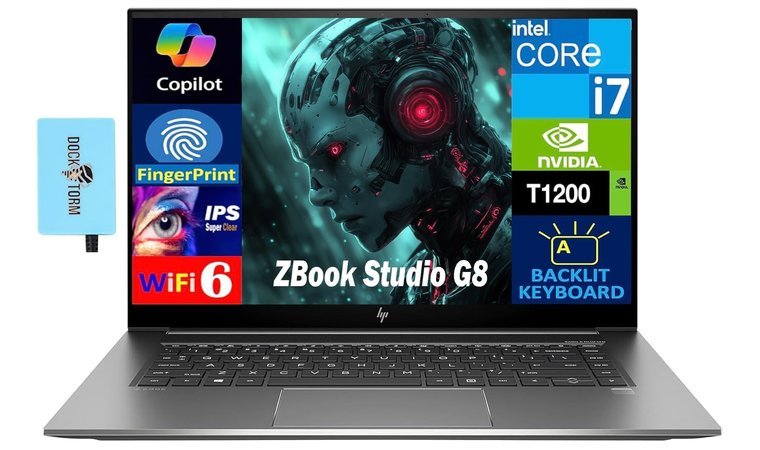
The HP ZBook Studio G8 brings legitimate mobile workstation credentials to rendering workflows. It features ISV certifications, providing optimized performance, and stability in professional applications like AutoCAD, SolidWorks, and Revit.
The certification means this HP laptop has specifically tested and optimized drivers for professional rendering software, reducing compatibility issues and stability problems that sometimes plague consumer laptops.
Best certified mobile workstation for professionals requiring ISV certification, professional GPU drivers, and enterprise IT compatibility for corporate CAD and rendering environments.
The Intel Core i7-11850H vPro processor provides 8-core performance with enterprise management features. The NVIDIA T1200 represents professional GPU technology optimized for CAD and rendering workloads, certified drivers, and consistent performance over raw benchmark scores.
| Pros | Cons |
|---|---|
| ✅ ISV certifications guarantee compatibility with professional applications ✅ NVIDIA T1200 GPU provides certified drivers and consistent rendering behavior ✅ Enterprise-grade build quality with vPro management features ✅ Comprehensive I/O including Thunderbolt 4 and SD card reader ✅ 32GB RAM and 1TB SSD handle demanding projects out of the box | ❌ Professional workstation pricing exceeds consumer laptops, though stability and support justify the premium |
Thunderbolt 4 allows fast docking and quick access to external drives, while the SD card slot makes importing photos simple. The 83 Wh battery, 32GB RAM, and 1TB SSD keep demanding projects running smoothly without slowdowns.
Final Verdict: For professionals in corporate environments requiring ISV-certified performance and enterprise IT compatibility, the HP ZBook Studio G8 is the clear choice.
13. HP Victus 15 [Best Gaming Laptop for Fusion 360]
| Specs | Details |
|---|---|
| CPU | AMD Ryzen 5 7535HS |
| GPU | Radeon RX 6550M Graphics |
| RAM | 16GB DDR5 RAM |
| Display | 15.6″ FHD IPS 144Hz Display |
| Storage | 512GB SSD |
| Battery | 52.5 Wh battery |
| Weight | 5.06 lb (2.29 kg) |
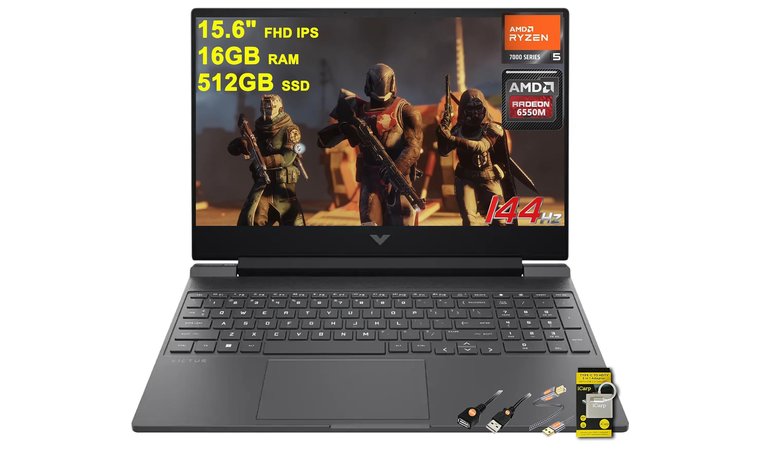
The HP Victus 15 demonstrates that capable rendering performance doesn’t require premium pricing. This gaming laptop brings dedicated GPU acceleration and solid processing power at a price point accessible to students and budget-conscious professionals.
The AMD Ryzen 5 7535HS processor offers 6 cores that handle viewport navigation and background tasks smoothly in CAD tools and cloud-based platforms like Fusion 360.
The discrete AMD Radeon RX 6550M GPU with 4GB VRAM pushes architectural and product rendering forward without flagship pricing. It also supports modern APIs that Fusion 360 relies on for responsive performance.
The Victus 15 is a practical and affordable option for users searching for the best laptop for Fusion 360, combining dedicated GPU acceleration with affordable pricing perfect for students learning rendering fundamentals.
The 15.6-inch 144Hz display eliminates that frustrating viewport stutter plaguing 60Hz screens. Smooth camera movements and responsive model rotations reduce eye fatigue during marathon modeling sessions. The IPS panel offers solid color reproduction for initial render reviews.
| Pros | Cons |
|---|---|
| ✅ Dedicated Radeon GPU accelerates rendering without workstation costs ✅ Gaming-grade specs translate directly into creative performance ✅ 144Hz display creates smooth viewport interaction when manipulating 3D models ✅ Dual-fan cooling sustains performance during rendering batches ✅ Budget pricing makes dedicated graphics accessible | ❌ 16GB RAM limits maximum scene complexity versus 32GB+ systems, though adequate for learning |
Dual-fan cooling with reasonable TGP settings maintains GPU performance during rendering without constant thermal throttling. The system stays stable through multi-hour batches, though keeping it well-ventilated helps during the summer months.
Final Verdict: The HP Victus 15 offers fast rendering, smooth viewport performance, and dependable thermal stability, proving budget buyers can still get real creative productivity without paying workstation prices.
Key Features to Look for When Choosing a Laptop for Rendering
Picking the right laptop for 3D modeling and rendering means understanding which specs actually impact your workflow. These five factors separate laptops that handle rendering smoothly from machines that leave you staring at progress bars. Focus on these key features when shopping for your best laptop for rendering.
CPU & GPU Performance
The CPU and GPU decide how fast the rendering process runs and how smooth your viewport feels. A powerful CPU with 8 or more cores offers excellent performance for heavy calculations, while strong single-core speed keeps the interface responsive during 3D rendering.
The GPU has an even bigger impact. A high-end GPU, such as a NVIDIA RTX card, speeds up engines like Blender, V-Ray, and Octane. Professional NVIDIA Quadro or RTX A-series cards add stability for CAD apps but cost more than a gaming laptop with similar power.
Integrated graphics can handle light tasks, but a dedicated graphics card is essential when choosing the best computer for CAD, especially if you’re considering an ASUS laptop.
Memory (RAM) & Storage
RAM determines how large and complex your scenes can grow before performance tanks. A gaming laptop with 16GB is the minimum for basic CAD, but 32GB is far better for rendering, video editing, and large files. Big assemblies, high-poly models, and heavy textures all need more memory.
Fast NVMe SSDs cut load times for project files, textures, and asset libraries. 1TB is ideal for ongoing projects, with external drives for storage. DDR5 and dual-channel memory improve speed over DDR4. On the Mac version, unified memory helps the right laptop stay responsive.
Display Quality
A good screen is essential for design projects, such as graphic design and 3d modeling, because it shows how your renders and textures actually appear. A big screen helps productivity. 15.6 inches is the minimum, while large screens like 16 or 17 inches give more room for tools and timelines.
A high-resolution display, such as WQXGA or 4K, reveals finer detail, which becomes even more important when working with a powerful GPU. Color accuracy matters too. Aim for 100% sRGB or wider gamuts for color-critical tasks.
IPS panels offer consistent colors at different angles, and high refresh rates keep viewport movement smooth. Support for external displays adds extra workspace, similar to a gaming pc setup.
Portability & Build Quality
Weight and build quality affect how well the right laptop holds up over years of travel and daily work. Gaming models often weigh 5–7 pounds, while mobile workstations stay around 3–5 pounds for better portability.
Lighter options like the MacBook Pro offer a sleek design suited for creative tasks or CAD work, though they can be less cost-effective to upgrade. Durable materials matter too. Aluminum and magnesium alloys provide stronger protection and resist flex better than plastic.
Battery Life
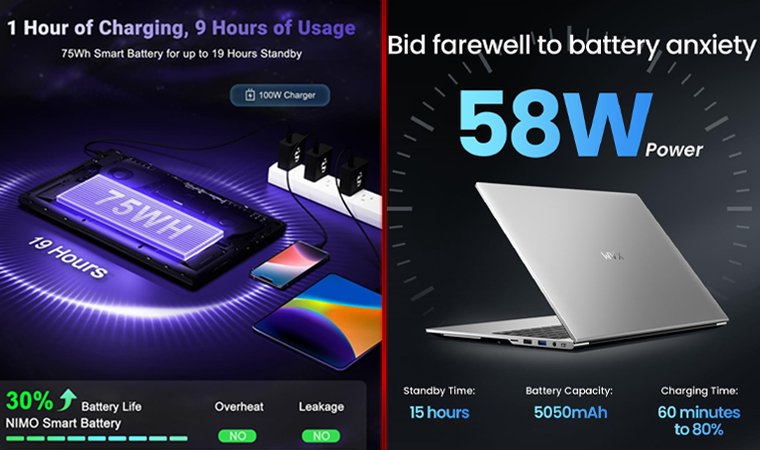
Rendering tasks draw directly from the battery and drain it much faster than normal workloads, especially when a high-end GPU like an NVIDIA RTX 5070 is active.
Many laptops with strong graphics performance, such as Dell laptops, lose power quickly unless they pair efficient processors with a strong cooling system to maintain optimal performance. A gaming laptop can work too, but only if it balances power with solid battery efficiency.
For professionals who work remotely or travel often, aim for at least 8 hours of real use so the laptop can handle long sessions without constant recharging.
FAQs
The best laptop for rendering is the HP Envy x360, offering a 2-in-1 convertible design that gives flexibility to review renders, sketch ideas, or present on the go.
To choose a laptop for CAD and 3D modeling, focus on CPU core count (8+ cores), a dedicated GPU with 4GB+ VRAM, 16GB+ RAM, and a high-resolution display. This mix keeps complex models responsive and reduces rendering slowdowns.
16GB is fine for basic CAD work and lighter rendering tasks, but more RAM is generally recommended if you handle larger scenes or high-poly models. These demanding workflows can push 16GB to its limits quickly.
The best laptop for AutoCAD is the Lenovo ThinkPad E16 Gen 2, thanks to its smooth performance, business-grade build quality, and 32GB RAM that handles complex assemblies without breaking your budget.
Extremely important. A dedicated GPU cuts render times in GPU-accelerated engines like Octane, V-Ray, and Redshift.
Yes, you can use a MacBook for AutoCAD or 3D modeling, but with limitations. AutoCAD runs on macOS natively, though the Windows version offers more features.
The WVX Laptop is an affordable option that performs well for 3D rendering. With its Ryzen 9 AMD processor and 32GB RAM, it makes a powerful mobile workstation without the premium price.
The best laptop for 3d modeling is the MSI Stealth 16 AI, pairing 64GB RAM with an RTX 4070 GPU to handle heavy scenes and real-time rendering without slowdown.
Most content creators use the Apple MacBook Pro. It runs resource-intensive software smoothly, offers one of the most color-accurate displays in its class, and maintains a sleek design that fits professional creative workflows.