



13 Best Laptops for Teachers You Can Trust for a Full School Day


The best laptop for teachers is not a shiny prize; it is a work tool that survives long school days without creating extra problems. Too many “bargain” models fail where it matters: weak batteries, dim screens, and hinges that wobble the moment you start a lesson. Teachers need something better.
A strong teaching laptop should last all day, stay quiet during grading, show crisp slides in bright classrooms, and plug into projectors without a bag full of adapters. Webcam clarity, reliable mics, and lightweight builds matter more than flashy specs. This guide narrows the options to real picks for real classrooms and real budgets.
Jump to:
Our Top Picks for Best Laptops for Teachers
Choosing a laptop as a teacher isn’t about raw power – it’s about something that boots fast, survives a backpack, and doesn’t crash right as you start a lesson. Here are the three that actually make a teacher’s day easier instead of adding tech drama.
- Lenovo ThinkPad T14 (2020) – The best overall because it does the boring stuff brilliantly, quiet fans, a rock-solid keyboard, and ports that still play nice with last decade’s projectors.
- Acer Aspire 5 Slim (2023) – The budget pick that behaves like a grown-up laptop, not a compromise. You get snappy performance for LMS, slides, and video calls, a readable 15.6-inch display, and Wi-Fi 6 that does not choke on crowded school networks.
- Dell XPS 16 (2024) – The high-end choice for teachers who also create – think slide design that pops on a 3.5K OLED and hardware acceleration that keeps edits and screen shares smooth. It looks premium, stays composed under load.
Keep scrolling to see the full list, detailed specs, pros and cons, and the best use cases for each pick so you can match a laptop to your teaching style. By the end, you’ll know exactly which one fits your classroom, workload, and budget without needing a tech degree.
Best Laptops for Teachers: Reliable, Classroom-Ready Picks
Here is the core list of the best laptops for teachers, based on what classrooms actually need. The right laptop stays cool when you juggle 20 tabs, has long battery life, and does not force a charger hunt during parent calls.
These picks cover every style of teaching: the MacBook fan who lives in online teaching, the Windows user who still needs HDMI for the old projector, and the budget-conscious teacher who wants power without a cheap laptop meltdown. If you spend half your day in laptop mode and the other half recording online lessons, these are the laptops that won’t fall apart by mid-semester. Keep going to see which one fits your classroom reality.
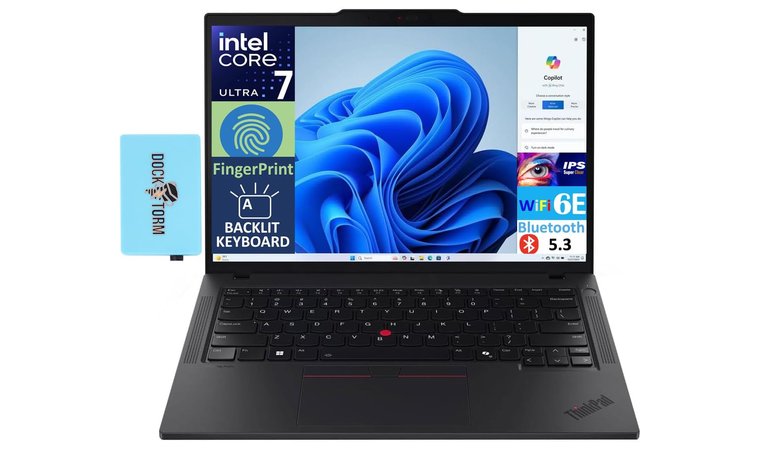
1. Lenovo ThinkPad T14 [Best Overall Laptop for Teachers in 2025]
| Specs | Details |
|---|---|
| CPU | Core i7 |
| GPU | Integrated Intel® Arc™ Graphics |
| RAM | 32 GB DDR5 SO-DIMM |
| Storage | 1 TB PCIe NVMe SSD |
| Display | 14.0″ IPS WUXGA (1920 × 1200) |
| Refresh rate | 60 Hz |
| Ports | 2 × Thunderbolt 4, HDMI, USB 3.2 Type-A, RJ-45 (Ethernet), Headphone/Mic combo jack |
| Connectivity | Wi-Fi 6E (AX211), Bluetooth 5.3 |
| Battery | 4-Cell 52.5 Whr Battery |
| Weight | 5.2 pounds (~2.36 kg) |
The ThinkPad T14 hits the sweet spot for classrooms and remote lessons. The keyboard feel is outstanding, which matters when you are grading for hours. The 16:10 panel gives more vertical room for slides and documents. Battery life is dependable, and Rapid Charge gets you back to useful in a lunch break. The chassis meets MIL standard tests, so it can survive bag drops and busy halls.
In my experience, the quiet fans and reliable wake from sleep make a bigger difference than raw benchmarks during lessons, parent calls, and grading marathons.
Another thing I noticed is how the trackpad and TrackPoint stay precise even with dozens of tabs open, which keeps navigation quick during live demos. If you want a laptop that is fast, durable, quiet, and easy to plug into any projector, this is the safest all-around pick.
| PROS | CONS |
|---|---|
| ✅ Excellent keyboard improves speed and comfort during long grading sessions ✅ Durable build that handles daily travel and shared classrooms ✅ 16:10 display makes lesson planning and split view easier ✅ Strong port selection reduces dongle headaches in older classrooms ✅ Rapid Charge saves the day between classes ✅ Privacy shutter and clear 1080p webcam support secure parent calls | ❌ Integrated graphics limit heavy video editing, though it handles teaching tools well ❌ Higher price than budget laptops, but total cost of ownership is better over time |
Final Verdict
The ThinkPad T14 is the best overall laptop for teachers who value reliability, battery stamina, and a pro-grade keyboard. It balances performance, price, and portability in a way that fits real school days, not spec sheets.
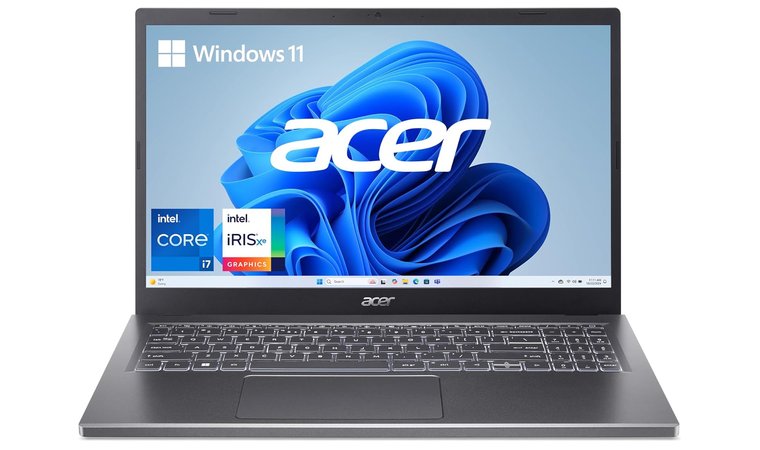
2. Acer Aspire 5 Slim [Best Budget Laptop for Teachers]
| Specs | Details |
|---|---|
| CPU | Intel Core i7-1355U |
| GPU | Intel Iris Xe Graphics |
| RAM | 16 GB LPDDR5 |
| Storage | 512 GB PCIe Gen4 SSD |
| Display | 15.6″ FHD (1920×1080) IPS Touch display |
| Refresh Rate | 60 Hz |
| Ports | USB-C (USB4/Thunderbolt 4 up to 40 Gbps, Power Delivery) 2 × USB 3.2 Gen 1 HDMI 2.1 Headphone/Speaker line-out Kensington Lock slot DC-in |
| Connectivity | Wi Fi 6E, Bluetooth 5.1 or above |
| Weight | 3.88 pounds (1.76 kg) |
The Acer Aspire 5 Slim is the best budget laptop for teachers because it delivers practical performance at a price most teachers can actually justify. You get a recent Intel Core i7 CPU, which handles slides, grading, and video calls without stutter, plus integrated Iris Xe graphics that can manage light creative work. Battery life is decent for a mid-range Windows laptop in this price class, and the 15.6-inch 1080p display gives you comfortable space for lecture notes and student records.
It provides real, reliable performance at a price teachers can actually afford. It handles everyday workloads smoothly, has the ports classrooms still rely on, and offers better multitasking power than most budget laptops.
What stood out to me is that you are not stuck with “basic Chromebook power” here. You get real multitasking headroom without jumping into premium pricing. This is the budget pick for teachers who need a work laptop, not a toy.
| PROS | CONS |
|---|---|
| ✅ Strong performance for the price, handles multitasking and browser tabs without lag ✅ Full 1080p IPS screen makes long grading blocks easier on the eyes ✅ Wi Fi 6 keeps Zoom lessons and LMS portals stable on busy school networks ✅ HDMI, USB-C, and Ethernet make classroom projector setup simple ✅ Backlit keyboard plus numpad supports late-night grading and spreadsheet work ✅ Upgradable storage and RAM extend lifespan | ❌ Webcam is only 1080p, though still fine for one-to-one or parent calls ❌ Battery is workable, not all day, so keep the charger in the bag |
Final Verdict
The Acer Aspire 5 Slim is a smart buy for budget-conscious teachers who still need real Windows performance, classroom-ready ports, and enough power to handle slides, grading platforms, and recorded lessons without slowdown.
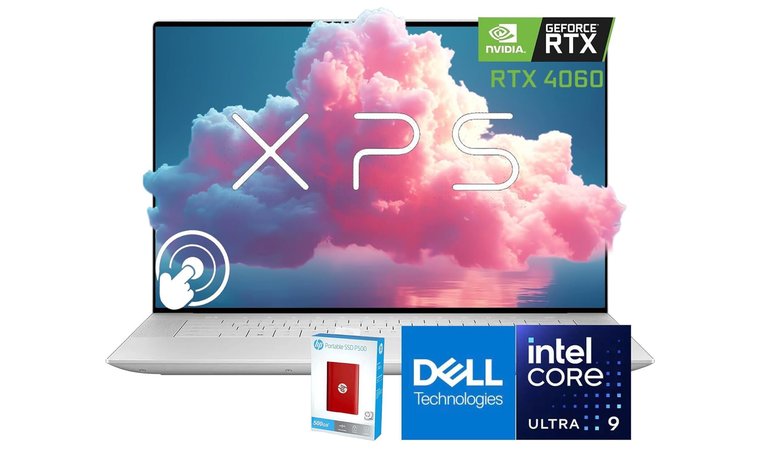
3. Dell XPS 16 [Best High-End Laptop for Teachers in 2025]
| Specs | Details |
|---|---|
| CPU | Intel Core Ultra 7 155H |
| GPU | NVIDIA GeForce RTX 4050 (6GB GDDR6) |
| RAM | 16 GB, 32 GB, or 64 GB LPDDR5x (onboard) |
| Storage | 512 GB, 1 TB, 2 TB, or 4 TB NVMe SSD |
| Display | 16.3″ UHD+ (3840 × 2400) OLED touchscreen |
| Refresh Rate | 48-90 Hz (Variable) |
| Ports | 3x USB-C (Thunderbolt 4/USB4), microSD, audio; no HDMI or USB-A |
| Connectivity | Intel® Killer™ Wi-Fi 7 (or 6E), Bluetooth 5.4 |
| Battery | 99.5 Wh |
| Weight | Starting at 2.20 kg (4.8 lbs) for OLED model |
The Dell XPS 16 is the best high-end Dell laptop for teachers who want a premium build, sharp visuals, and real headroom for creative work. The 3.5K OLED panel is a standout for slide design and video critique, and the RTX 4050 adds hardware acceleration for editing, AI tools, and smooth screen sharing.
This model pairs a premium OLED display with RTX acceleration in a clean, rigid chassis. It serves teachers who split time between classroom work, content creation, and heavy multitasking without feeling bulky.
The first time I tested it, the contrast was so sharp that I stopped zooming in on tiny text during grading. It’s actually readable at smaller sizes, which saves your eyes during long writing blocks. Thermals stay composed, the fan curve is polite, and the keyboard feels crisp for marathon feedback sessions.
| PROS | CONS |
|---|---|
| ✅ UHD+ 3840×2400 OLED boosts clarity for slides, grading, and media reviews ✅ RTX 4050 speeds creative apps and AI-assisted tools ✅ Strong CPU plus fast SSD keeps big projects responsive ✅ Excellent keyboard and trackpad for long writing days ✅ Solid battery with fast charge supports back-to-back classes ✅ Premium chassis and minimal bezels look professional | ❌ Mostly USB-C ports, though adapters solve legacy projector needs ❌ Price is premium, but long service life offsets total cost |
If you present often, the color accuracy and instant wake make live demos feel professional instead of “please hold while Windows thinks about it.” It leans toward USB-C, so you’ll want a simple adapter if your classroom is still married to HDMI. But if you teach online, record videos, or juggle multiple windows, its extended battery life and efficient performance make it a great laptop that feels built for real classrooms, not spec sheets.
Final Verdict
The Dell XPS 16 is the high-end choice for educators who want top-tier visuals, quiet power, and room to grow into creative or research-heavy workloads.
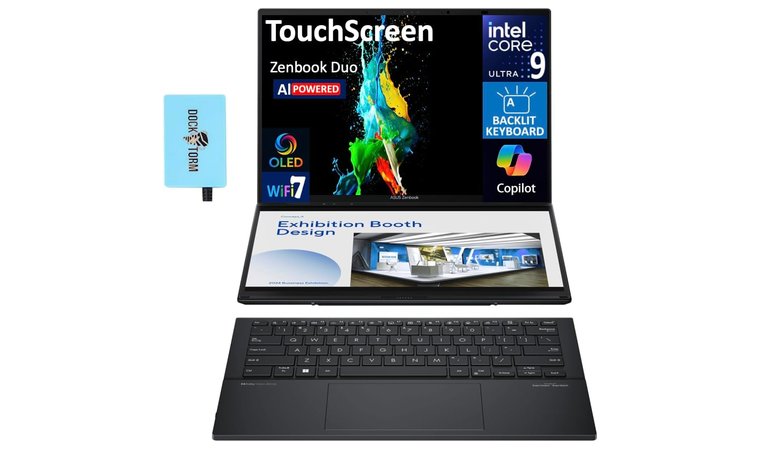
4. Asus Zenbook DUO [Best Laptop for Online Teaching in 2025]
| Specs | Details |
| CPU | Intel Core Ultra 9 185H or Intel Core Ultra 7 155H |
| GPU | Intel Arc Graphics (Integrated) |
| RAM | 16 GB or 32 GB LPDDR5x (onboard) |
| Storage | 512 GB, 1 TB, or 2 TB PCIe 4.0 NVMe SSD |
| Display | Dual 14″ 3K (2880 × 1800) OLED 120Hz touchscreens (Main + Secondary ScreenPad) |
| Refresh Rate | 120 Hz |
| Ports | 2x USB-C (Thunderbolt 4), 1x USB-A 3.2 Gen 1, HDMI 2.1, 3.5mm audio combo |
| Connectivity | Wi-Fi 6E, Bluetooth 5.3 |
| Battery | 75 Wh |
| Weight | Starting at 1.65 kg (3.64 lbs), varies by configuration |
Asus Zenbook DUO is the one I reach for when I am juggling live chat, slides, and five “Miss, the link?” messages at once. I park content on the main OLED, keep attendance and timers on the lower screen, and my stress level drops. During a real parent session, I flipped to the rubric notes below while screen sharing up top, and nothing hiccupped. Teachers comparing models by price and screen setup can browse Asus laptops for options that balance portability, power, and classroom-friendly features.
Dual screens do the real work. Main display for teaching, second display for classroom logistics, so you spend less time alt-tabbing and more time teaching.
Intel Ultra 9 plus LPDDR5X kept OBS and breakout rooms smooth, and the hinge did not wobble when I tapped through tools. HDMI and dual TB4 played nicely with our cranky projector, and the 75 Wh battery comfortably covered two back-to-back classes.
| PROS | CONS |
|---|---|
| ✅ Dual display reduces window juggling during live lessons ✅ 3K 120 Hz OLED improves clarity for slides and handwriting demos ✅ Ultra 9 CPU, LPDDR5X RAM, and NVMe storage deliver efficient performance for live streaming and recordings ✅ Wi-Fi 7 and TB4 ports make hybrid classrooms and docking straightforward ✅ Active pen in the box supports quick markups and whiteboarding | ❌ Heavier than a single-screen ultrabook, though still backpack-friendly ❌ Battery dips faster when both panels run bright, but quick USB-C charging helps between periods |
Final Verdict
If your classes live on Zoom or Teams and your browser looks like a city skyline, the Asus Zenbook DUO is a great laptop that actually calms the chaos. It is the rare teaching machine that treats multitasking as a feature, not a fight.
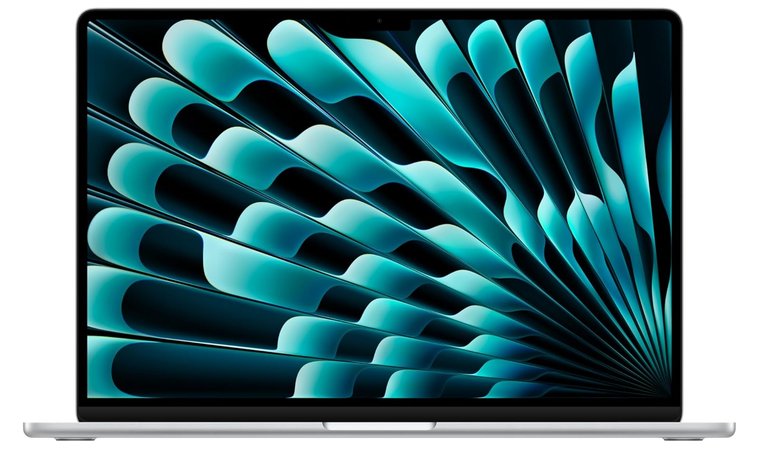
5. Apple MacBook Air M4 [Best MacBook for Teachers in 2025]
| Specs | Details |
| CPU | Apple M4 chip (10-core CPU with 4 performance cores + 6 efficiency cores) |
| GPU | Apple M4 integrated GPU (8-core or 10-core, depending on model) |
| RAM | 16 GB, 24 GB, or 32 GB unified memory |
| Storage | 256 GB, 512 GB, 1 TB, or 2 TB SSD |
| Display | 13.6″ Liquid Retina (2560 × 1664) or 15.3″ Liquid Retina (2880 × 1864) |
| Refresh Rate | 60 Hz |
| Ports | 2× Thunderbolt 4/USB-C, MagSafe 3, 3.5 mm headphone jack |
| Connectivity | Wi-Fi 6E, Bluetooth 5.3 |
| Battery | Up to 18 hours video playback |
| Weight | Starting at 1.24 kg (2.73 lbs) for 13″ model; 1.51 kg (3.33 lbs) for 15″ model |
The MacBook Air M4 nails the teacher checklist with instant wake, excellent battery life, and a fanless chassis that stays silent during live lessons. Its M4 chip delivers top-tier performance for slides, video calls, and multi-app workflows while staying cool and portable for campus days. What really stood out to me was how quickly it exported lesson recordings and screen captures, which keeps feedback loops short and makes teaching online feel smoother instead of sluggish. Teachers comparing performance and portability across the Apple lineup can review MacBooks that suit both work and study needs.
This is the light MacBook Air that still feels pro. You get industry-leading efficiency, silent operation, and battery stamina that survives a full schedule with room for after-school grading.
The Liquid Retina panel is bright and color accurate for media classes, and the 12MP webcam produces clean video even in mixed classroom lighting. For teachers who want a powerful laptop that behaves like a quiet assistant, not a noisy distraction, this is a great laptop to carry all day without thinking about chargers or fan noise.
| PROS | CONS |
|---|---|
| ✅ MacBook Air M4 power keeps video calls, grading, and exports fast ✅ Fanless design stays silent during parent meetings and recordings ✅ Long battery life supports full teaching days away from outlets ✅ Sharp Liquid Retina panel improves readability and color fidelity ✅ 12MP webcam with ISP gives a clear image in mixed lighting | ❌ Limited native ports, though simple USB-C hubs cover HDMI and SD |
Final Verdict
The MacBook Air M4 is the right pick for teachers who want silent speed, premium display quality, and a dependable all-day battery in a light package.
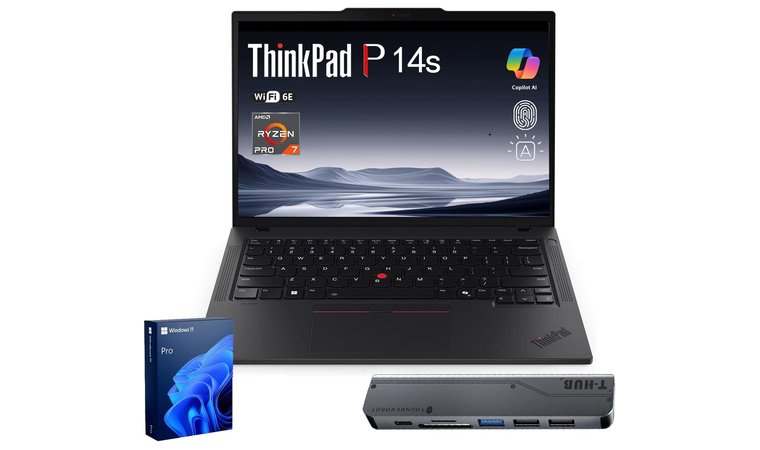
6. Lenovo ThinkPad P14s [Best High-Performance Laptop for Teachers in 2025]
| Specs | Details |
| CPU | Up to Intel Core i7 (13th Gen) or AMD Ryzen PRO Series (depending on configuration) |
| GPU | Integrated graphics (Intel Iris Xe or AMD Radeon PRO integrated) |
| RAM | Up to 64 GB LPDDR5x (onboard/soldered) |
| Storage | Up to 2 TB PCIe NVMe SSD |
| Display | 14″ (16 :10 aspect ratio) IPS or optional 4K UHD panel (3840 × 2160) |
| Refresh Rate | Standard 60 Hz (depending on panel) |
| Ports | USB-C/Thunderbolt 4, USB-A, HDMI, audio combo jack, optional Ethernet via USB-C dock |
| Connectivity | Wi-Fi 6E, Bluetooth 5.x, optional WWAN |
| Battery | Up to approx. 15 hours (varies by configuration) |
| Weight | Starting around ~1.3 kg (2.9 lbs), depending on build and display |
The ThinkPad P14s is the high-performance teacher’s laptop that does not blink at heavy workloads. Its carbon fiber build keeps weight down while Intel Core Ultra processors deliver quick runtimes for Python notebooks, data viz, and multi-app grading sessions, especially when connected securely using a VPN for protecting data. In long grading marathons, the keyboard stays consistent and responsive, which matters when you are typing feedback for hours in a physical classroom or during online classes.
You get workstation leaning stability in a portable chassis. The combination of a tough lid, Rapid Charge, and Core Ultra efficiency means faster feedback cycles and fewer classroom hiccups when you juggle LMS, spreadsheets, and video calls.
The 16:10 display adds extra vertical room for slides and code, and the port layout makes projector days simple without a dongle hunt. If you like workstation stability without carrying something as bulky as gaming laptops, this is the practical middle ground. Teachers comparing durable builds and long-life keyboards can explore Lenovo laptops that balance classroom reliability with professional-grade performance.
| PROS | CONS |
|---|---|
| ✅ Core Ultra CPUs keep Jupyter, spreadsheets, and dozens of tabs responsive ✅ Carbon fiber hybrid lid improves durability without extra weight ✅ 16:10 panel adds room for code cells, slides, and rubrics ✅ Full port mix with HDMI and Thunderbolt simplifies classroom setup ✅ Excellent ThinkPad keyboard reduces fatigue during long grading sessions ✅ Rapid Charge recovers useful battery in a short break ✅ Privacy shutter and clear mics support secure parent meetings | ❌ Integrated graphics are not for heavy 4K video edits, though teaching tools run smoothly ❌ Pricing sits above budget tiers, offset by longevity and serviceability |
Final Verdict
The Lenovo ThinkPad P14s is for educators who push heavier workflows and want pro-grade reliability. It balances speed, build quality, and battery in a package that stays calm on busy school days.
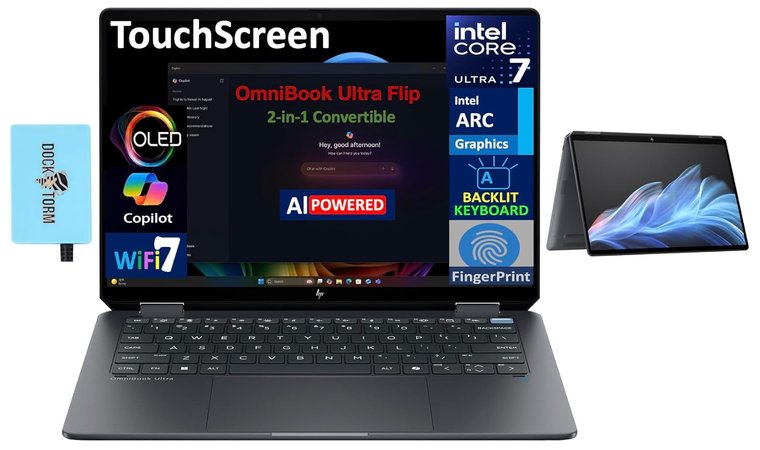
7. HP Spectre x360 [Best Lightweight Laptop for Teachers in 2025]
| Specs | Details |
|---|---|
| CPU | Intel Core Ultra 5 125H or Core Ultra 7 155H (H-series) |
| GPU | Integrated Intel Arc Graphics |
| RAM | 16 GB or 32 GB LPDDR5x-7467 MHz (onboard/soldered) |
| Storage | 512 GB up to 2 TB PCIe Gen4 NVMe M.2 SSD |
| Display | 14-inch 2.8K (2880 x 1800) OLED Multitouch, 16:10 Aspect Ratio |
| Refresh Rate | 48-120 Hz Variable Refresh Rate (VRR) |
| Ports | 2x Thunderbolt 4 (USB-C 40Gbps), 1x USB-A (10Gbps), 1x Headphone/mic combo |
| Connectivity | Wi-Fi 7 BE200 and Bluetooth 5.4 (Highest option) |
| Battery | 4-cell, 68 Wh Li-ion polymer (Supports HP Fast Charge) |
| Weight | Starting at 1.44 kg (3.19 lbs) |
I ran this like a real school day, slides in laptop mode, PDF markups in tablet mode. The hinge stays firm, palm rejection is dependable, and the 2.8K OLED keeps text crisp at lower brightness, so eyes do not burn out by last period. Teachers comparing lightweight 2-in-1 models for classroom use can consider HP laptops known for reliable hinges, sharp displays, and strong pen support.
Crisp OLED, quiet speed, and a hinge that invites real pen work. It checks the classroom boxes without creating new ones.
Core Ultra with fast LPDDR5x keeps Meet or Teams, LMS, and a crowd of tabs moving without drama. The 5 MP IR camera delivers cleaner video than the usual 1080p fare, and face login is instant. Two TB4 ports handle docking, USB A saves old flash drives, and the bundled HDMI expander kept me projector-ready.
| PROS | CONS |
|---|---|
| ✅ 2.8K OLED touch improves slide clarity and reduces eye strain during long grading blocks. ✅ Core Ultra performance feels smooth with many tabs, screen sharing, and video calls. ✅ 2x TB4 plus USB-A keep dongles to a minimum while supporting modern docks. ✅ Active-pen support makes whiteboarding and PDF markup feel natural. ✅ 5 MP IR webcam delivers sharper video quality for parent calls and virtual lessons. | ❌ No built-in HDMI on many 14-inch SKUs, though HP often bundles an expander, and TB4 adapters work reliably. ❌ Memory is soldered, so choose 16 GB or 32 GB at purchase to avoid regrets. |
Final Verdict
If you want a premium 2-in-1 that looks sharp, runs quietly, and survives a full teaching day, the HP Spectre x360 is the pick. The OLED screen and pen workflow make teaching and grading calmer, while the Core Ultra platform and TB4 ports keep your setup future-friendly.
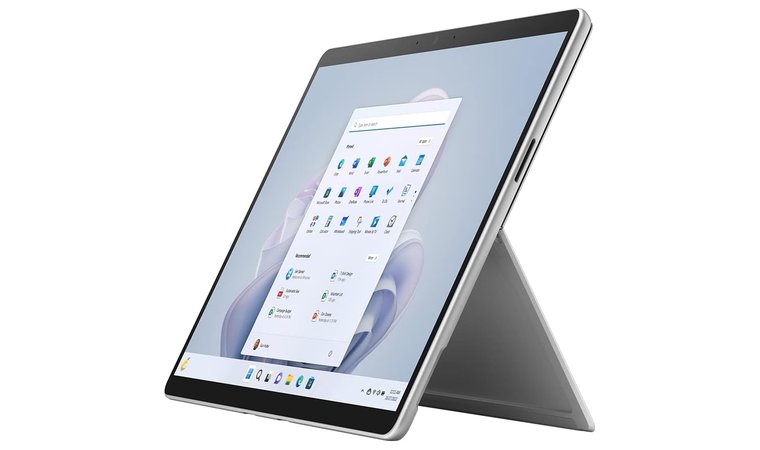
8. Microsoft Surface Pro 9 [Top Laptop for Teachers for Hybrid Portability in 2025]
| Specs | Details |
|---|---|
| CPU | Snapdragon X Plus (10-Core) or Snapdragon X Elite (12-Core), with 45 TOPS NPU |
| GPU | Intel Iris Xe Graphics (Intel models) or Adreno 8CX Gen 3 (SQ³ model) |
| RAM | Integrated Qualcomm Adreno GPU |
| Storage | 16 GB or 32 GB LPDDR5x (onboard) |
| Display | Removable Gen 4 SSD: 256 GB, 512 GB, or 1 TB |
| Refresh Rate | Dynamic Refresh Rate up to 120 Hz |
| Ports | 2x USB-C / USB4 (DisplayPort 1.4a supported), Surface Connect port, Surface Pro Keyboard port |
| Connectivity | Wi-Fi 7, Bluetooth 5.4, optional 5G on select models |
| Battery | Up to 14 hours (local video playback, Wi-Fi models) |
| Weight | 895 g (1.97 lbs) (tablet only) |
The Surface Pro 9 offers hybrid portability for teachers who bounce between rooms and switch from typing to handwriting without slowing down. Tablet plus laptop flexibility, the built-in kickstand, and the detachable keyboard make in-class demos, reading, and quick note-taking feel natural. The 120 Hz display deserves credit here because ink strokes stay fluid and responsive, which makes live PDF markup and grading feel closer to real pen and paper.
This is the most portable teaching setup that still feels like a real computer. It shifts from lecture to tablet whiteboard to parent call in seconds and packs easily for a full schedule.
The Studio webcam and mics produce clear video for remote lessons, and the Intel models with Thunderbolt 4 dock easily to projectors and classroom hubs. If you need mobile data, the SQ3 variant adds 5G for attendance on the move. Buyers should match the configuration to their workflow: Intel for maximum app compatibility, SQ3 for always-connected use.
| PROS | CONS |
|---|---|
| ✅ 2-in-1 design with kickstand and keyboard streamlines teaching modes ✅ 120 Hz touch display and pen support make annotations smooth and accurate ✅ High-quality webcam and mics improve hybrid and remote classes ✅ Intel models with Thunderbolt 4 simplify docking and projector use ✅ Light tablet body reduces fatigue when moving between classrooms ✅ Strong battery on many SKUs supports back-to-back periods | ❌ Keyboard and pen are add-ons, though bundles often discount both ❌ SQ3 app compatibility varies; best to confirm your teaching apps first ❌ There is no headphone jack. |
Teachers setting up hybrid or home-based classrooms can compare laptops for working from home that prioritise quiet thermals, stable connectivity, and ergonomic builds for long sessions.Final Verdict
The Microsoft Surface Pro 9 is the portable classroom companion for teachers who need quick notes, clean annotations, and reliable video calls, all in a lightweight setup that adapts to any room.
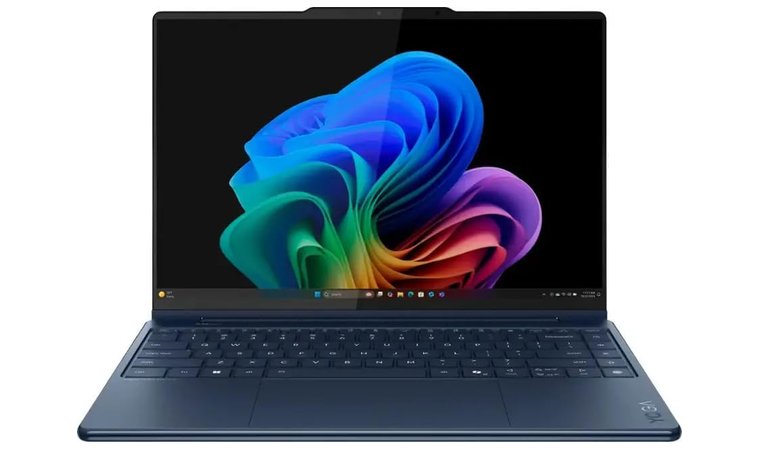
9. Lenovo Yoga 9i (14″) [Best 2-in-1 Convertible Laptop for Teachers in 2025]
| Specs | Details |
|---|---|
| CPU | Intel Core Ultra 7 155H (or up to Ultra 7 258V) with integrated NPU |
| GPU | Integrated Intel Arc Graphics |
| RAM | 16 GB or 32 GB LPDDR5x-7467 (soldered) |
| Storage | Up to 1 TB PCIe 4.0 NVMe SSD |
| Display | 14-inch PureSight OLED Touchscreen, 2.8K (2880 x 1800) or 4K (3840 x 2400), 16:10, VESA Certified DisplayHDR True Black 500 |
| Refresh Rate | Up to 120 Hz (for 2.8K resolution) or 60 Hz (for 4K resolution) |
| Ports | 2x Thunderbolt 4 (USB4), 1x USB-C (USB 3.2 Gen 2, Full Function), 1x USB-A 3.2 Gen 1 (Always On), 3.5 mm audio jack |
| Connectivity | Wi-Fi 6E 2x2AX, Bluetooth 5.3 |
| Battery | 75 Whr (with Rapid Charge technology) |
| Weight | Starting at 1.32 kg (2.91 lbs) |
The Yoga 9i (14″) earns the 2-in-1 slot because it handles lecture days and grading nights without fuss. The bright, high contrast OLED keeps slides crisp in tough lighting, and the 360 hinge plus active pen make annotations feel natural in tablet or tent mode. The rotating soundbar follows the screen as you flip, so instructions stay clear whether you are presenting or recording.
It’s the rare 2-in-1 that actually enhances a teacher’s workflow instead of complicating it, thanks to its bright OLED display, flexible hinge, and excellent pen experience. Its rotating soundbar, strong battery life, and polished build make it a reliable companion for lectures, grading, and hybrid teaching.
The keyboard is comfortable for long feedback sessions, and the battery – plus Rapid Charge – reliably covers back-to-back periods. There is no native HDMI, but dual TB4 and USB-C keep projector hookups simple with a compact adapter.
| PROS | CONS |
|---|---|
| ✅ 2.8K OLED delivers crisp slides at lower brightness for less eye strain ✅ 360 hinge and active pen support notes, grading marks, and quick sketches ✅ Rotating Bowers and Wilkins soundbar keeps voice clarity strong in any posture ✅ Comfortable keyboard reduces fatigue during essay feedback ✅ All-day battery with Rapid Charge fits real school schedules ✅ Solid metal build feels premium yet classroom-ready | ❌ No built-in HDMI, though a small USB-C adapter covers legacy projectors ❌ Glossy OLED can reflect bright lights, manageable with modest room lighting |
Final Verdict
The Lenovo Yoga 9i (14″) is a polished convertible for teachers who want bright visuals, clear audio, and pen-friendly flexibility in a light, durable package. It is an easy fit for whiteboarding, slide work, and hybrid lessons without adding tech drama.
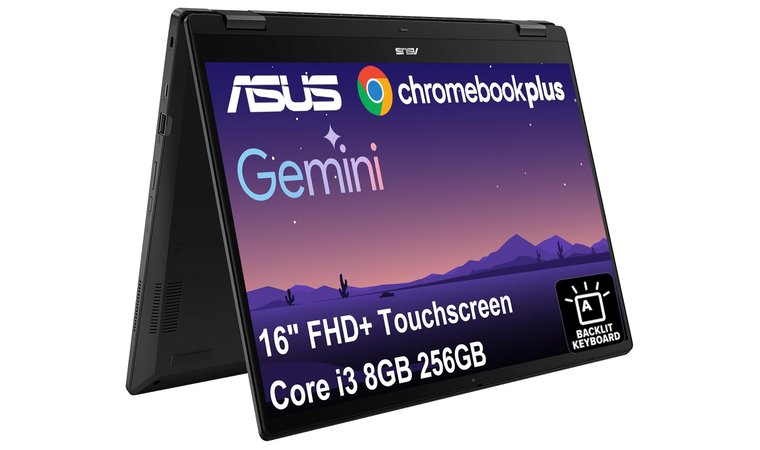
10. ASUS Chromebook Flip CX5 [Best Chromebook for Teachers in 2025]
| Specs | Details |
|---|---|
| CPU | Up to Intel Core Ultra 7 155U processor (includes Intel AI Boost NPU) |
| GPU | Integrated Intel Graphics |
| RAM | Up to 16 GB LPDDR5X (on board, 6400 MHz) |
| Storage | Up to 512 GB M.2 NVMe PCIe 4.0 SSD (also available in 128GB/256GB options) |
| Display | 14.0-inch WQXGA (2560 x 1600) 16:10, Wide View, Anti-glare or Touch screen (up to 500 nits, 100% DCI-P3) |
| Refresh Rate | Standard 60 Hz (not specified, but typical for this class) |
| Ports | 2x Thunderbolt 4 (supports display/power delivery), 2x USB 3.2 Gen 2 Type-A, 1x HDMI 2.1, 1x 3.5mm Combo Audio Jack, Micro SD card reader |
| Connectivity | Wi-Fi 6E (802.11ax), Bluetooth 5.4 (or 5.2 on some configurations) |
| Battery | 63 WHrs, 3-cell Li-ion |
| Weight | Starting from 1.30 kg (2.87 lbs) |
The Chromebook Flip CX5 earns the Chromebook crown by keeping classroom work quick and simple. It is a full-featured ChromeOS convertible with a bright screen for slides and a fast wake that gets you teaching as soon as the bell rings. For a quick side-by-side of ecosystems, check this comparison of Chromebook vs MacBook.
It provides the simplest, most hassle-free teaching experience ChromeOS can offer, with fast wake, strong battery life, and classroom-ready ports. Its flexible 2-in-1 design, stable hinge, and USI pen support make it a reliable tool for lesson prep, presentations, and quick on-screen feedback.
In trial runs, the hinge stayed rock steady in tent mode, which makes on-screen whiteboarding feel precise instead of fussy. Strong I O with HDMI and dual USB-C keeps projector days painless. On select models, USI pen support is handy for marking PDFs and giving quick formative feedback. If you want a Chromebook that behaves like a real teaching tool, this is the one.
| PROS | CONS |
|---|---|
| ✅ Fast wake and resume keep you ready when class starts ✅ 2-in-1 design supports tablet notes, tent presentations, and laptop typing ✅ HDMI plus dual USB-C simplify projector and second screen setups ✅ 1080p webcam and noise reduction help in hybrid sessions ✅ USI pen support enables quick markups and feedback ✅ Easy fleet management and built-in security suit school IT needs ✅ Competitive pricing lowers total cost for teachers and schools | ❌ Android app performance varies by app; web-first tools work best ❌ Heavier than some ultrabooks, though stable for presentation modes |
Final Verdict
The ASUS Chromebook Flip CX5 is a practical, affordable convertible that handles lesson prep, classroom interaction, and hybrid teaching with minimal fuss.
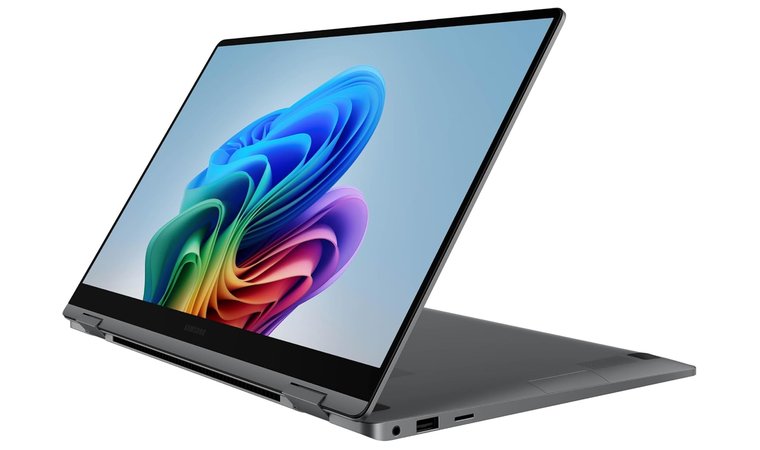
11. Samsung Galaxy Book5 360 [Best Convertible Laptop for Teachers in 2025]
| Specs | Details |
|---|---|
| CPU | Up to Intel Core Ultra 7 155H processor (includes Intel AI Boost NPU) |
| GPU | Integrated Intel Arc Graphics |
| RAM | 16 GB or 32 GB LPDDR5X (on board) |
| Storage | 512 GB up to 1 TB M.2 PCIe Gen4 NVMe SSD (expandable via microSD) |
| Display | 16-inch 3K (2880 x 1800) Dynamic AMOLED 2X Touchscreen, 16:10 aspect ratio |
| Refresh Rate | 120 Hz Adaptive Refresh Rate |
| Ports | 2x Thunderbolt 4, 1x USB 3.2 Gen 2 Type-A, 1x HDMI 2.1 |
| Connectivity | Wi-Fi 6E (802.11ax) or Wi-Fi 7 (802.11be) on newer models, Bluetooth v5.3 |
| Battery | 76 Wh (up to 21 hours of video playback) |
| Weight | 1.66 kg (3.66 lb) |
Samsung’s Galaxy Book5 360 feels purpose-built for teachers who already live in the Galaxy world. The 15.6-inch FHD AMOLED panel is easy on the eyes in bright rooms, and the 2-in-1 form flips into a tent or tablet when you want to annotate PDFs without blocking the projector. Weight is around 3.22 lb, which is impressively manageable for a 15-inch convertible, and the CNC aluminum chassis does not feel flimsy in a backpack.
A light 15-inch AMOLED convertible with teacher-friendly ergonomics and tight Galaxy ecosystem perks. You get a big, readable canvas, fast wake, and smooth device handoffs without juggling dongles or cloud links.
Real class work is where it earns its keep. The Core Ultra 7 plus integrated Arc graphics handle slides, screen sharing, and a week’s worth of tabs without protest, while Windows 11 Pro and the dedicated Copilot key shave seconds off repetitive tasks. If you already use a Galaxy phone or Tab, Multi-control and Quick Share make handoffs painless, so pulling a clip from your phone and dropping it into tomorrow’s slide deck takes seconds.
| PROS | CONS |
|---|---|
| ✅ AMOLED touchscreen improves slide clarity and reduces eye strain in bright classrooms. ✅ Convertible design supports laptop, tent, and tablet for live whiteboarding and quick markup. ✅ Core Ultra 7 delivers smooth multitasking for LMS, video calls, and screen sharing. ✅ Windows 11 Pro with a dedicated Copilot key speeds routine tasks and searches. ✅ Fingerprint reader and backlit keyboard are practical for shared rooms and late grading. | ❌ FHD resolution is fine for teaching, though creators may prefer 2.8K or 3.5K panels for pixel-dense work. ❌ Exact port mix varies by seller and may require a small USB-C adapter for legacy HDMI setups. |
Final Verdict
If you want a big, bright canvas in a light 2-in-1 that plays perfectly with your Galaxy phone and Tab, the Samsung Galaxy Book5 360 is a smart, low-drama choice for campus life. It balances portability, display quality, and everyday teaching performance without fuss.
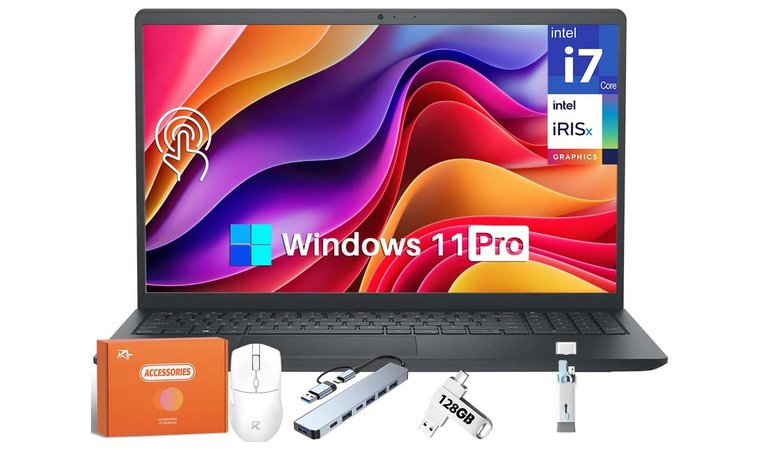
12. Dell Inspiron 15 [Best High Brightness Laptop for Teachers in 2025]
| Specs | Details |
|---|---|
| CPU | 13th Gen Intel Core i7-1355U (10 Cores, 12 Threads, up to 5.00 GHz) |
| GPU | Intel Iris Xe integrated graphics |
| RAM | 16 GB or 32 GB DDR4 (configurations use 3200 MHz on some builds) |
| Storage | 512 GB or 1 TB PCIe NVMe SSD (configurations up to 2 TB SSD exist) |
| Display | 15.6-inch FHD (1920×1080), WVA Anti-Glare Display, Touchscreen (optional), 250 nits brightness |
| Refresh Rate | 120 Hz (common configuration on FHD models) or 60 Hz |
| Connectivity | Wi-Fi 6 (802.11ax), Bluetooth v5.3 |
| Ports | 1x SD card reader, 1x USB 2.0, 1x Headset jack, 1x Power jack, 1x HDMI 1.4 (max resolution 1920×1080 @60Hz), 1x USB 3.2 Gen 1 Type-A, 1x USB 3.2 Gen 1 Type-C (Full Function, not always Thunderbolt) |
| Battery | 4-cell, 54 Wh (with ExpressCharge support) |
| Weight | Starts at 1.62 kg (3.57 lbs) |
If you want a straightforward 15-inch Windows machine that plays nicely with projectors and LMS tabs, the Dell Inspiron 15 is the sensible pick. The i7-1355U plus 32 GB RAM gives you the headroom to run Slides, a dozen browser tabs, Teams or Zoom, and a grading sheet without the “please wait” spin. The FHD touch panel is bright enough for classroom lighting, and the anti-glare keeps reflections from swallowing your slides.
Reliable real-world performance, a practical port selection, and a price that does not punish school budgets. It is a work tool first, which is exactly what most classrooms need.
In fact, I once ran a mock lesson with screen share, breakout rooms, and a few media clips. Performance stayed calm, and the fan noise never hijacked the room. The port mix is teacher-friendly: HDMI for older projectors, Type-C for modern docks, and an SD slot for quick media transfers. Wi-Fi 6 and Windows 11 Pro security make hybrid days less chaotic. Teachers comparing classroom-ready devices can review Dell laptops for models that balance clear displays, strong thermals, and practical connectivity.
| PROS | CONS |
|---|---|
| ✅ i7-1355U and 32 GB RAM keep video calls, slides, and grading responsive ✅ FHD anti-glare touchscreen is easy to read under bright lights ✅ HDMI plus USB-C and USB-A reduce adapter hunting on projector days ✅ Wi-Fi 6 and Windows 11 Pro features support secure, stable hybrid teaching ✅ SD card reader speeds up moving photos or clips into lessons | ❌ Integrated Iris Xe graphics are fine for teaching, but not meant for heavy 4K video edits ❌ Speakers are serviceable for calls, external speakers are better for larger rooms |
Final Verdict
Dell Inspiron 15 is the practical 15-inch laptop that gets teachers through a long day without fuss. Solid performance, classroom-ready ports, and a clear touchscreen make it a dependable choice for lectures, grading, and parent calls.
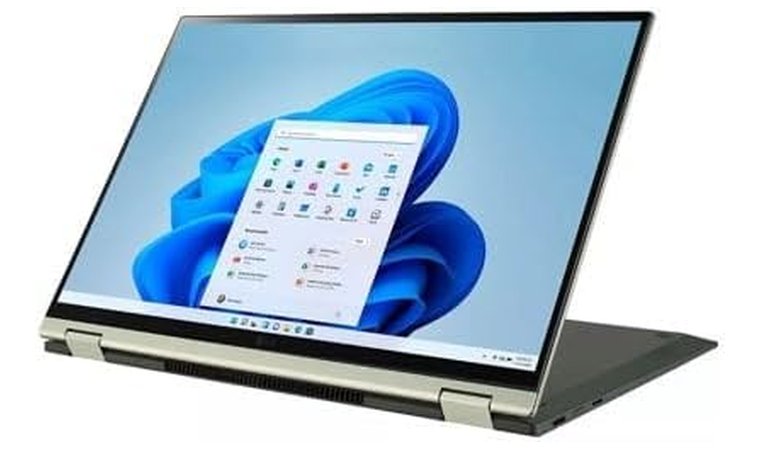
13. LG Gram 2-in-1 [Best Ultra Light Laptop for Teachers in 2025]
| Specs | Details |
|---|---|
| CPU | 12th Gen Intel Core i5-1240P (Intel Evo Platform), 12 Cores (4P+8E), up to 4.4 GHz |
| GPU | Intel Iris Xe integrated graphics |
| RAM | 16 GB LPDDR5 5200 MHz (Soldered/Onboard) |
| Storage | 512 GB PCIe 4.0 NVMe SSD (Dual SSD slots for expansion) |
| Display | 16.0-inch WQXGA (2560 x 1600), 16:10 Aspect Ratio, IPS Touchscreen, DCI-P3 99% Color Gamut, Corning Gorilla Glass 7 |
| Refresh Rate | Standard 60 Hz |
| Ports | 2x USB Type-C (USB 4 Gen 3×2, Thunderbolt 4 support, Power Delivery), 1x USB 3.2 Gen 2×1 Type-A, 1x HDMI, 1x microSD card reader, 1x Headphone Out |
| Connectivity | Intel Wi-Fi 6E (802.11ax), Bluetooth 5.1 |
| Battery | 80 Wh Li-Ion, supports fast charge (up to ~18.5 hours video playback estimate) |
| Weight | Approximately 1.48 kg (3.26 lbs) |
The LG Gram 2-in-1 is the rare big-screen convertible that does not punish you for wanting a 16-inch canvas. The first time I carried it across campus, I double-checked my bag because it felt like I had forgotten the charger. The 16:10 IPS touch panel gives you real estate for split-screen grading and slide edits, and the 360 hinge moves cleanly into a tent or tablet when you want quick whiteboarding or signatures. Battery anxiety is low with the 80 Wh pack, and quick top-ups during lunch keep you covered through after-school meetings.
Ultra light without feeling fragile, reliable battery stamina, and practical ports. It is a daily runner that disappears in your bag and shows up ready for projector duty.
It is not trying to be a creator workstation, and that is fine. Integrated Iris Xe graphics are perfectly fine for teaching tools, online teaching, and light media work, but they are not built for heavy 4K edits.
| PROS | CONS |
|---|---|
| ✅ Ultra-light chassis reduces fatigue during campus walks yet feels durable thanks to MIL-STD testing. ✅ Long 80 Wh battery supports back-to-back periods with fast charge for quick top-ups. ✅ 16:10 display improves readability for slides and grading ✅ Thunderbolt 4 plus USB-A and microSD keep adapters to a minimum in older classrooms. ✅ Full HD IR webcam improves clarity and quick logins for parent calls and online teaching. ✅ Pen included on many SKUs for fast annotations and feedback. | ❌ Integrated graphics are fine for teaching tools but not ideal for heavy 4K video edits. ❌ Flex is minimal for the weight, but the lid can feel lighter than thicker convertibles. |
Final Verdict
If you want a full-size canvas in a bag-friendly convertible, the LG Gram 2-in-1 is the one that actually survives the school day. Big screen, small weight, strong battery, and classroom-ready ports add up to a calm, capable teaching laptop.
What Laptop Should Teachers Get?
The best laptop for a teacher depends on teaching style, workload, and budget. If your day mixes in-class presentations, quick grading, and the odd recorded lesson, you need a balanced machine that feels invisible until you push it. Aim for a device that stays cool, lasts all day, and plugs into any classroom without a fight. In my experience, that simple checklist prevents 90 percent of headaches.
- Performance: Look for a modern processor like Intel Core i5 or Ryzen 5 as a baseline, with i7 or Ryzen 7 if you handle heavy spreadsheets, video, or multiple monitors. 8 GB RAM works for light use, but 16 GB is the sweet spot for multitasking across LMS, Slides, and video calls. Integrated graphics are fine for most teachers; a modest GPU helps if you edit video often. Those comparing performance tiers and classroom-ready models can start with best laptops 2025 for a balanced mix of speed, battery, and build quality.
- Display: A 14 to 16-inch Full HD or OLED screen keeps text sharp during long prep blocks. The 16:10 aspect ratio gives more vertical space for slides and rubrics. One thing I noticed moving from 1080p to a 2.8K OLED is less eye strain at lower brightness.
- Battery Life: Target 10 hours or more. Real-world all-day battery matters more than a lab number. Fast charge is a quiet lifesaver between periods.
- Portability: Under 1.5 kg feels right for walking between rooms. A sturdy chassis and reliable hinge matter when your laptop lives in a backpack or a shared cart.
- Operating System: Windows offers the broadest app and port support for mixed AV setups. macOS on a MacBook Air is the easiest to live with if you value battery, silence, and iPhone integration. ChromeOS on an ASUS Chromebook Flip CX5 is simple, secure, and great for web-first schools with Google Workspace.
- Connectivity: HDMI or easy USB-C to HDMI output keeps projector days smooth. Thunderbolt or modern USB-C helps with docks. Wi Fi 6 or 6E avoids dropouts on crowded school networks.
- Budget: Excellent teacher laptops live in the 500 to 1,500 dollar range. At the lower end, prioritise CPU, RAM, and battery. At the higher end, you can add an OLED panel, a lighter build, and a better webcam. Teachers managing tight classroom budgets can compare laptops for students that offer strong battery life and reliable everyday performance without overspending.
If you lecture often and annotate live, a 2-n-1 like HP Spectre x360 or Lenovo Yoga 9i makes whiteboarding feel natural. If you want a classic typing-first machine with the best keyboard and ports, a ThinkPad T14 is hard to beat. For pure portability and silence, the MacBook Air remains my personal favorite because it wakes instantly, runs cool, and survives a full schedule without babysitting the charger.
FAQs
Lenovo ThinkPad T14 is the best laptop for teachers in 2025. It tops the chart because of its extended battery life, excellent keyboard, and dependable performance during real classroom work and remote lessons.
You need at least an Intel Core i5 or Ryzen 5, 16 GB RAM, and fast SSD storage for smooth multitasking across LMS, slides, and video calls. A 14-16-inch Full HD or OLED display and 10-plus hours of battery make long school days easier.
You can sometimes claim a laptop as a teacher if your local tax rules allow work-related equipment deductions. Save receipts and check your country’s guidance or ask a tax professional for precise eligibility.
A teacher needs 16 GB RAM for reliable multitasking, with 8 GB acceptable only for very light use. Stepping up to 16 GB reduces slowdowns with multiple browser tabs, video calls, and grading tools open.
Lenovo ThinkPad T14 is better because it offers stronger build quality, a superior keyboard, and reliable ports that work with most classroom projectors. HP still offers great touch and 2-in-1 options, but the ThinkPad T14 is more dependable for everyday teaching.











