



Best Laptop for Photography in 2026: 13 Perfect Picks for Every Photographer

Eneba Hub contains affiliate links, which means we may earn a small commission if you make a purchase through them—at no extra cost to you. Learn more


I’ve spent years editing photos in coffee shops, studios, and airports, and one thing became clear early on: the laptop you use shapes your entire workflow. Choosing the best laptop for photography is about more than knowing and selecting a few key specs.
You need a machine with a color-accurate display, fast storage for large RAW files, and enough power to handle Lightroom or Photoshop without lag. In this guide, you’ll find reliable, high-performance laptops that suit every type of photographer, from students to professionals. Each option was selected with real photo editing needs in mind, whether you work from home or on the go.
Jump to:
Our Top Laptop Picks for Photography and Photo Editing
The right laptop can completely transform how you edit and manage your photography work. After testing and comparing a wide range of options, three models clearly stood out for their mix of power, display quality, and overall editing experience.
- Alienware x17 R2 (2020) – This machine stands out with its exceptional performance, powerful GPU, and 4K UHD display that handles heavy photo editing with ease.
- Acer Swift Edge (2020) – Ultralight yet surprisingly capable, the Swift Edge offers a stunning 4K OLED display with wide color coverage, which makes it ideal for photographers who prioritize mobility without sacrificing visual precision.
- Acer TravelMate P4 (2024) – With solid color accuracy, a dependable build, and strong battery life, this laptop proves you don’t need to spend a fortune for reliable everyday photo editing.
Scroll down to see the complete breakdown of all 13 laptops, including detailed pros, cons, and who each one is best for.
Best Laptop for Photography – 13 Powerful, Precise, and Portable Machines
This lineup features 13 carefully selected laptops built to meet the demands of modern photographers. If you need top-tier color accuracy, long battery life, or smooth performance in Lightroom, these picks deliver. Below is the full list of the best laptops for photography right now.
1. Alienware x17 R2 [Best for Desktop-Level Photo Editing Power]
| Specs | Details |
|---|---|
| CPU | Intel Core i9-12900H (14 cores) |
| GPU | NVIDIA GeForce RTX 3070 Ti (8 GB) |
| RAM | 64 GB DDR5 |
| Storage | 2 TB PCIe NVMe SSD |
| Display | 17.3″ FHD (1920×1080) IPS, 480Hz |
| Refresh Rate | 480Hz |
| Battery | 12V battery included |
| Weight | Approx. 1 lb (listed) |
| Connectivity | Thunderbolt 4, USB-A/C, HDMI 2.1, Mini DisplayPort, microSD, RJ45, Wi-Fi 6E, Bluetooth |
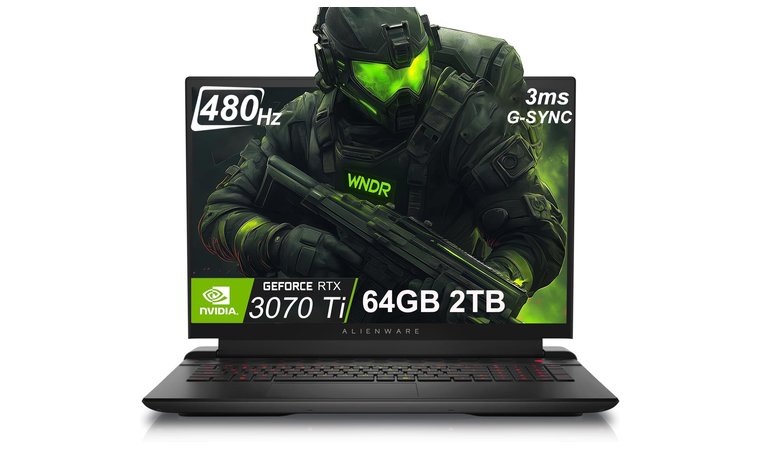
The Alienware x17 R2 is a powerhouse laptop built for professional photo editors who want near-desktop performance in a mobile format. It runs on a high-performance Intel Core i9 CPU paired with an RTX 3070 Ti GPU, which accelerates GPU-based filters and speeds up batch processing. The 17.3-inch IPS display runs at 480Hz and offers great clarity and smoothness for photo previews, though it’s primarily FHD rather than 4K.
Combined with 64 GB of DDR5 RAM and 2 TB of SSD storage, it handles large RAW workflows and software like Lightroom, Capture One, and Photoshop with ease. A big advantage is its cooling system, which keeps performance consistent even during longer export or retouching sessions.
| Pros | Cons |
|---|---|
| ✅Large 17.3″ display is great for detail-focused editing ✅RTX 3070 Ti GPU handles GPU-accelerated filters well ✅64 GB of DDR5 RAM allows seamless multitasking ✅2 TB SSD gives you room for large RAW libraries ✅480Hz refresh rate ensures responsive, smooth visuals ✅Effective cooling system keeps temps in check | ❌Heavier and bulkier than most laptops, but built for sustained performance |
Final Verdict: The Alienware x17 R2 is an ideal choice for photographers who need high-speed editing, smooth multitasking, and reliable GPU power for complex visual work. It’s especially useful for those working on demanding projects that involve large files or heavy export cycles.
2. Acer Swift Edge [Best Lightweight Laptop with OLED Display for Photo Editing]
| Specs | Details |
|---|---|
| CPU | AMD Ryzen 7 8840U |
| GPU | AMD Radeon 780M (Integrated) |
| RAM | 16 GB LPDDR5 |
| Storage | 1 TB PCIe Gen 4 SSD |
| Display | 16” 3.2K OLED (3200 x 2000), 120Hz |
| Refresh Rate | 120Hz |
| Battery | Up to 8 hours |
| Weight | 2.71 lbs (1.23 kg) |
| Connectivity | USB 3.2 Gen 2, USB-C, HDMI 2.1, microSD, Wi-Fi 6E, Bluetooth 5.3 |
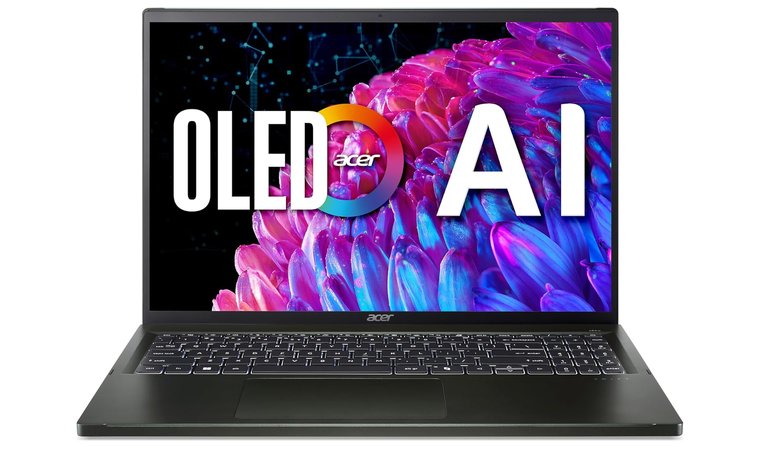
The Acer Swift Edge stands out as an ultra-portable option that still delivers professional-grade visual performance. Its 16-inch 3.2K OLED panel supports 100% DCI-P3 color, allowing photographers to preview work with deep blacks and vibrant highlights.
The Ryzen 7 CPU handles everyday editing tasks quickly, and the 1TB SSD provides fast access to large RAW libraries. Despite its thin frame, the laptop includes key ports like HDMI, USB-C, and microSD, which makes file transfers and external monitor use simple. The metal chassis feels sturdy and looks professional, making it a strong choice for client-facing environments.
| Pros | Cons |
|---|---|
| ✅ 3.2K OLED display with 100% DCI-P3 ensures accurate, vivid previews ✅ Lightweight 2.71 lb build makes it easy to carry on shoots ✅ Ryzen 7 processor delivers solid speed for most editing workflows ✅ 1TB SSD provides fast file loading and export times ✅ Metal chassis adds durability and a sleek, premium look ✅ Includes HDMI, USB-C, and microSD for easy device connections | ❌ Integrated GPU limits acceleration for filters, but Lightroom and Photoshop still run smoothly |
Final Verdict: The Acer Swift Edge gives photographers a travel-friendly laptop with a professional screen and smooth performance. It works best for users who prioritize accurate visuals and portability over high-end GPU power.
3. Acer TravelMate P4 [Best Budget Business-Class Laptop for On-the-Go Photo Work]
| Specs | Details |
|---|---|
| CPU | AMD Ryzen 5 PRO 6650U (6 cores, up to 4.5GHz) |
| GPU | AMD Radeon 660M (Integrated) |
| RAM | 16 GB DDR5 |
| Storage | 1 TB PCIe NVMe SSD |
| Display | 14” WUXGA (1920 x 1200), 60Hz |
| Refresh Rate | 60Hz |
| Battery | 56 WHr, up to 10 hours (est.) |
| Weight | 3.26 lbs (1.48 kg) |
| Connectivity | USB 3.2 Type-C, USB-A, HDMI, RJ-45, microSD, Wi-Fi 6, Bluetooth 5.1 |
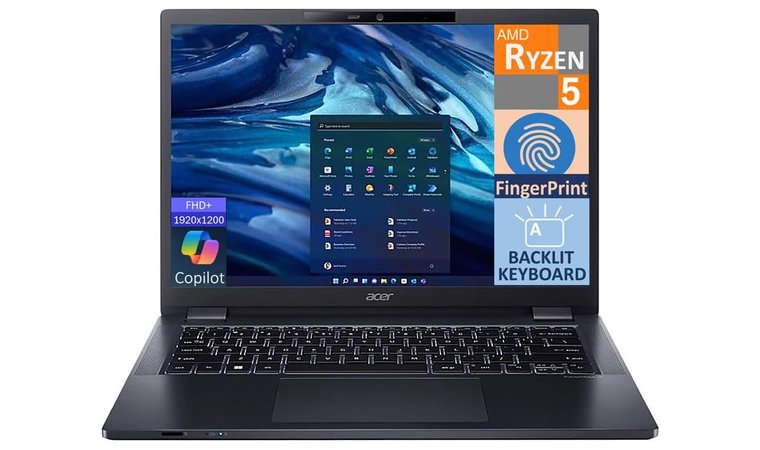
The Acer TravelMate P4 is a dependable choice for photographers who need a practical, portable laptop for culling, previewing, and managing files in the field. With a Ryzen 5 PRO CPU and 16 GB of RAM, it runs Lightroom and similar tools without lag during general editing.
Its 14-inch WUXGA display offers solid clarity and extra vertical resolution, which helps when organizing photo libraries or working on web-based portfolios. The design feels business-ready and includes useful I/O options like HDMI, Ethernet, and a microSD slot, which comes in handy when reviewing shoots on location. It also features Windows 11 Pro and enterprise-level security tools, making it ideal for freelance photographers managing client data.
| Pros | Cons |
|---|---|
| ✅ Compact 14″ screen with 16:10 aspect ratio improves vertical workspace ✅ Ryzen 5 PRO CPU handles photo organizing and general edits efficiently ✅ 1TB NVMe SSD loads large folders and files quickly ✅ Full set of ports including HDMI, microSD, and Ethernet for tethered setups ✅ Durable chassis and fingerprint reader add security and travel-readiness ✅ Long battery life supports full-day editing without being tied to a charger | ❌ Integrated graphics limit performance for advanced editing, but run everyday tools smoothly |
Final Verdict: The Acer TravelMate P4 is a smart pick for photographers who want a solid, no-nonsense laptop for everyday work. It covers the essentials with strong build quality, thoughtful features, and reliable performance in a portable form.
4. Lenovo ThinkPad X1 Yoga Gen 10 [Best 2-in-1 Convertible for Creative Flexibility and Touch Input]
| Specs | Details |
|---|---|
| CPU | Intel Core Ultra 7 258V (up to 4.8GHz) |
| GPU | Intel Arc Integrated Graphics 140V |
| RAM | 32 GB LPDDR5X |
| Storage | 2 TB PCIe 4.0 NVMe SSD |
| Display | 14” WUXGA (1920 x 1200), IPS, Touch, 100% sRGB, 500 nits |
| Refresh Rate | 60Hz |
| Battery | 3-cell (est. ~8–10 hours) |
| Weight | 2.48 lbs (1.12 kg) |
| Connectivity | Thunderbolt, USB-C, USB-A, HDMI, Wi-Fi 6E, Bluetooth |
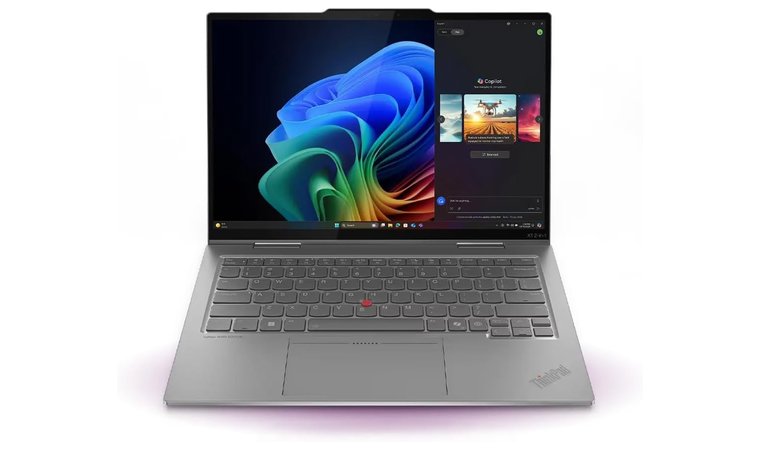
The Lenovo ThinkPad X1 Yoga Gen 10 combines performance, portability, and creative flexibility in a well-built 2-in-1 form factor. Its 14-inch touchscreen supports pen input, which makes it easy to sketch, annotate client feedback, or perform localized photo edits directly on the screen. The display hits 100% sRGB with 500 nits brightness, offering excellent clarity and accuracy in well-lit environments.
Powered by the new Intel Core Ultra 7 processor and 32 GB of fast RAM, this machine handles multi-layer editing, batch processing, and large catalogs without stutter as the best laptop today. The 2TB SSD provides quick access to large project folders, and the build quality lives up to ThinkPad’s reputation for durability and usability. You also get useful ports like Thunderbolt and HDMI for attaching color-calibrated monitors or high-speed external drives.
| Pros | Cons |
|---|---|
| ✅ 14″ 2-in-1 touchscreen with pen support helps with markup and direct editing ✅ 100% sRGB color coverage and 500 nits brightness ensure display accuracy ✅ Lightweight, durable design with premium materials and anti-reflective screen ✅ Intel Core Ultra processor handles editing software with ease ✅ 2 TB SSD gives photographers space for full projects and RAW backups ✅ Thunderbolt and USB-C allow easy connection to external storage and displays | ❌ Integrated GPU limits advanced GPU features, but performance remains strong for general editing tasks |
Final Verdict: The ThinkPad X1 Yoga Gen 10 suits photographers who want power and flexibility in one portable machine. It works well for editing on the go, presenting work to clients, or integrating pen-based tasks into your photo workflow.
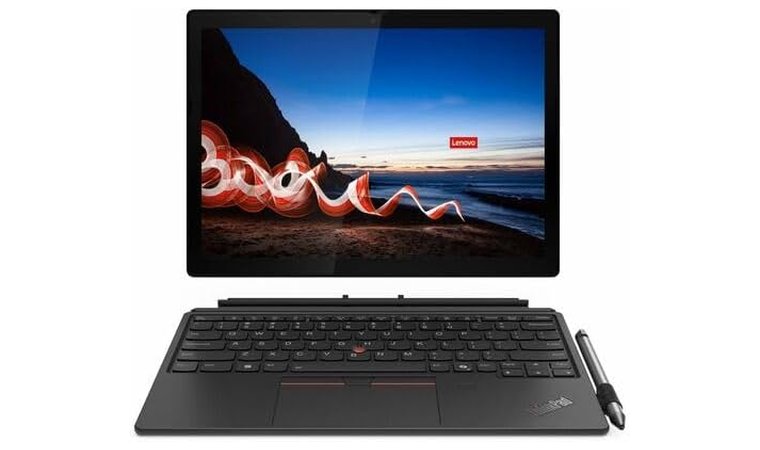
5. Lenovo ThinkPad X12 Detachable (Gen 2) [Best Detachable for Client Review and On-the-Go Proofing]
| Specs | Details |
|---|---|
| CPU | Intel Core i7 |
| GPU | Integrated Intel Graphics |
| RAM | 32 GB LPDDR5X |
| Storage | 2 TB SSD (M.2 PCIe) |
| Display | 14” WUXGA (1920 x 1200), IPS, 100% sRGB, Touch |
| Refresh Rate | 60Hz |
| Battery | Integrated Li-Polymer 57Wh |
| Weight | Approx. 2.41 lbs (1.09 kg) |
| Connectivity | USB-C, 2× Thunderbolt 4, HDMI 2.1, USB-A, Wi-Fi 6E, Bluetooth 5.3 |
This top Lenovo laptop delivers true portability without compromising usability. Its 14-inch touchscreen reaches 100% sRGB and includes an anti-reflective coating, which makes it suitable for reviewing photos outdoors or in bright studios.
The 2-in-1 design lets you detach the keyboard for fast image previews or use the stylus to mark client feedback directly on the screen. Intel’s Core i7 processor, paired with 32 GB of LPDDR5X RAM and a 2 TB SSD, ensures quick file handling and responsive editing. Thunderbolt 4, HDMI, and USB-C ports make it easy to connect calibrated monitors and fast external drives during on-location work.
| Pros | Cons |
|---|---|
| ✅ Detachable form switches quickly between laptop and tablet modes ✅ 100% sRGB touchscreen gives clear, color-accurate previews ✅ Pen input allows quick annotations and light touch-up work ✅ 32 GB RAM and 2 TB SSD support smooth editing and large catalog storage ✅ Compact and lightweight build suits mobile workflows ✅ Thunderbolt 4 and HDMI ports support professional external setups | ❌ Integrated GPU doesn’t support advanced filters, but runs Lightroom and similar tools smoothly |
Final Verdict: The ThinkPad X12 Detachable Gen 2 works best as a mobile companion for photographers who meet clients, review on-location work, or travel frequently. It combines portability, color accuracy, and input flexibility in a highly practical format.
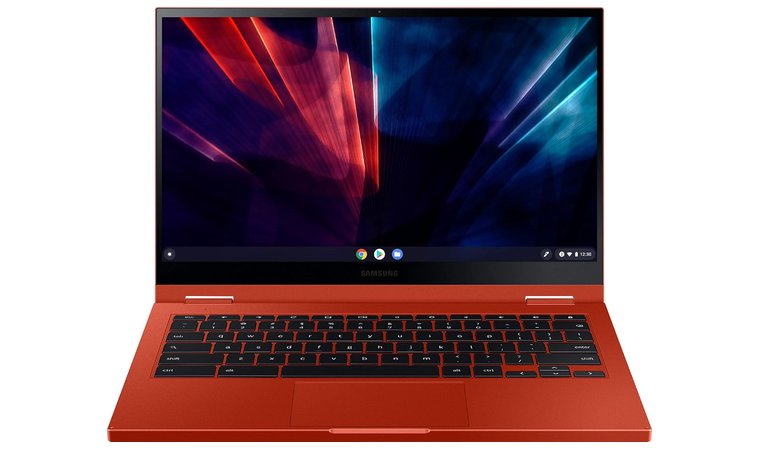
6. Samsung Galaxy Chromebook 2 [Best Chromebook for Cloud-Based Photo Workflows]
| Specs | Details |
|---|---|
| CPU | Intel Core i3 (2.1GHz) |
| GPU | Intel UHD Graphics (Integrated) |
| RAM | 8 GB LPDDR3 |
| Storage | 128 GB SSD |
| Display | 13.3” Full HD (1920 x 1080), 16:9 |
| Refresh Rate | 60Hz |
| Battery | Up to 13 hours |
| Weight | 3.65 lbs (1.65 kg) |
| Connectivity | USB-C, USB-A, Wi-Fi 6, Bluetooth 5.0 |
The Samsung Galaxy Chromebook 2 provides a sleek and efficient solution for photographers who rely on cloud platforms like Google Drive, Lightroom Web, or Adobe Express. Its 13.3″ Full HD screen displays images with sharp clarity, while the lightweight chassis and 13-hour battery keep you mobile throughout the day.
Chrome OS boots instantly and syncs with your existing cloud libraries, which speeds up culling and reviewing images during shoots. With Wi-Fi 6 support and a surprisingly good webcam, this best laptop for students, also works well for video calls with clients or portfolio presentations on the fly.
| Pros | Cons |
|---|---|
| ✅ 13.3″ FHD display offers clear previews for image review ✅ 13-hour battery keeps you productive through travel days ✅ Chrome OS boots quickly and integrates with cloud photo tools ✅ Wi-Fi 6 ensures fast syncing with cloud libraries and backups ✅ Durable build with a stylish, ultra-thin form factor ✅ Lightweight enough to carry all day without strain | ❌ Only 128 GB of local storage, but ideal for cloud-focused workflows |
Final Verdict: The Galaxy Chromebook 2 works best for photographers who manage their work in the cloud. It’s lightweight, fast, and perfect for client previews, light touch-ups, or reviewing images while traveling.
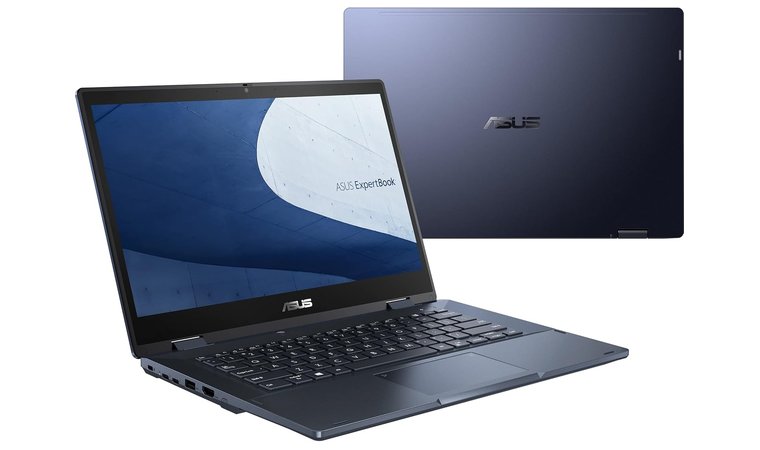
7. ASUS ExpertBook B3 Flip [Best Convertible Laptop for Fieldwork and Stylus-Based Editing]
| Specs | Details |
|---|---|
| CPU | Intel Core i7-1165G7 (4.7GHz) |
| GPU | Intel Iris Xe (Integrated) |
| RAM | 16 GB DDR4 |
| Storage | 512 GB SSD |
| Display | 14” Full HD (1920 x 1080), TUV-certified |
| Refresh Rate | 60Hz |
| Battery | 1 Lithium Ion (included) |
| Weight | 3.55 lbs (1.61 kg) |
| Connectivity | HDMI, RJ45, USB-A, USB-C, Thunderbolt 4, Wi-Fi 6, Bluetooth |
The ASUS ExpertBook B3 Flip delivers solid performance and flexible use for photographers working in fast-paced or mobile environments. Its 14-inch touchscreen rotates 360°, allowing you to switch between editing, presenting, or marking up photos with a stylus. The Intel Core i7 processor handles photo culling, RAW viewing, and multitasking without delays.
The build feels sturdy and includes features like a privacy shutter, fingerprint login, and AI noise-canceling microphones, which make it a smart pick as a top laptop for programming. Photographers who move between shoots and need a pen-friendly, presentation-ready machine will appreciate its all-in-one practicality.
| Pros | Cons |
|---|---|
| ✅ 360° convertible screen works well for proofing, presenting, and light retouching ✅ Intel Core i7 processor runs editing tools smoothly ✅ Built-in stylus support enables quick markup and retouching ✅ 13 MP world-facing camera helps capture location references or project notes ✅ Includes Thunderbolt 4, HDMI, RJ45 for full workstation setup ✅ AI audio and privacy tools enhance collaboration and remote work | ❌ Heavier than other 14″ laptops, but adds business-grade durability and ports |
Final Verdict: The ExpertBook B3 Flip offers real-world versatility for field photographers and creative professionals. Its durable design, pen input, and strong specs make it ideal for mobile editing, reviews, and client sessions.
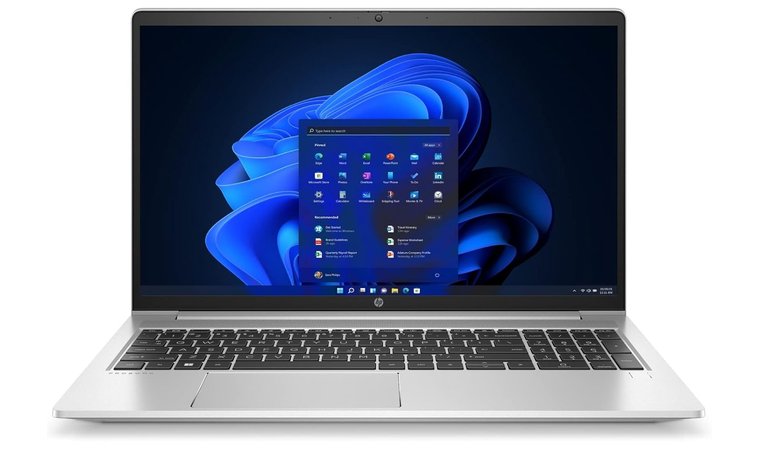
8. HP ProBook 450 G9 [Best 15.6″ Photo Editing Laptop for Business and Budget Reliability]
| Specs | Details |
|---|---|
| CPU | Intel Core i7 (1.7GHz) |
| GPU | Intel Iris Xe Graphics (Integrated) |
| RAM | 16 GB DDR4 |
| Storage | 512 GB SSD |
| Display | 15.6” Full HD (1920 x 1080), Anti-Glare |
| Refresh Rate | 60Hz |
| Battery | Not specified |
| Weight | 5.35 lbs (2.43 kg) |
| Connectivity | USB-A, USB-C, HDMI, RJ-45, Wi-Fi 6, Bluetooth |
The HP ProBook 450 G9 offers a dependable option for photographers who need a larger screen and steady performance without stretching the budget. Its 15.6” Full HD display makes cataloging, reviewing, and basic photo editing more comfortable, especially when you prefer more workspace on screen. Powered by an Intel Core i7 processor and 16 GB RAM, the laptop handles most photo editing software with ease.
The 512 GB SSD allows fast access to RAW files and active projects, while the full-size keyboard supports longer editing sessions. Business users will appreciate the ProBook’s upgradeable internals, sturdy build, and port selection that makes it easy to connect card readers or external displays.
| Pros | Cons |
|---|---|
| ✅ 15.6″ FHD screen offers more space for photo editing layouts ✅ Core i7 CPU ensures responsive performance for editing software ✅ 16 GB RAM handles multitasking across multiple editing tools ✅ 512 GB SSD loads files quickly and improves workflow speed ✅ Includes HDMI, RJ-45, and USB-C ports for better peripheral support | ❌ Heavier than average laptops, but includes durable construction and full I/O |
Final Verdict: The HP ProBook 450 G9 delivers what photographers need from a photo editing laptop: screen space, smooth performance, and dependable build quality. It works best for those who value practicality, upgrade options, and comfort in a business-ready package.
9. Dell Vostro 5620 [Best 16” Photo Editing Laptop for Workspace and Affordability]
| Specs | Details |
|---|---|
| CPU | 2.1 GHz (model not specified) |
| GPU | Integrated (6 GB RAM allocated) |
| RAM | 64 GB DDR4 |
| Storage | Not listed |
| Display | 16” Full HD (1920 x 1080) |
| Refresh Rate | 60Hz (assumed) |
| Battery | Not listed |
| Weight | 4.21 lbs (1.91 kg) |
| Connectivity | Bluetooth, Ethernet, USB, Wi-Fi |
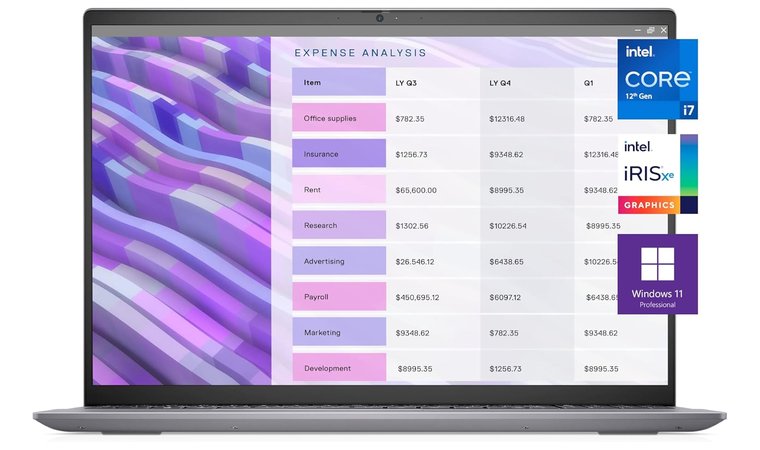
The Dell Vostro 5620 stands out for creatives who want more screen space without investing in a bulky or premium-class machine. The 16-inch Full HD display gives you a wider canvas for editing palettes, toolbars, and image previews, which makes it easier to work efficiently in apps like Lightroom and Photoshop.
With 64 GB of DDR4 RAM, this laptop runs photo editing software smoothly – even when juggling large files and multi-layer projects. Its reliable, business-oriented build supports long working hours and offers easy servicing if needed. The port setup supports basic peripherals like card readers and external drives, making it a practical fit for everyday editing needs.
| Pros | Cons |
|---|---|
| ✅ 16” FHD screen gives extra room for palettes and image previews ✅ 64 GB RAM handles demanding photo editing software workflows with ease ✅ Supports multitasking across several editing tools ✅ Includes Ethernet, Wi-Fi, USB, and Bluetooth for easy peripheral use ✅ Strong performance makes it a capable, budget-friendly photo editing laptop ✅ Ideal for users who want more screen real estate without a bulky chassis | ❌ On the heavier side for a mid-range system, but still lighter than full workstations |
Final Verdict: The Dell Vostro 5620 provides a balanced setup for those who value screen space, reliability, and RAM-heavy workflows. It works well as a larger, affordable option for serious photo editing without stepping into workstation pricing.
10. MSI Summit E16 Flip [Best Convertible for Hybrid Photo & Video Editing]
| Specs | Details |
|---|---|
| CPU | Intel Core Ultra 7-155H (3.8–4.8GHz) |
| GPU | Dedicated |
| RAM | 32 GB DDR4 |
| Storage | 1TB NVMe SSD |
| Display | 16″ WQXGA (2560 x 1600), 16:10 Touchscreen |
| Refresh Rate | 165Hz |
| Battery | Up to 10 hours |
| Weight | 8.6 lbs (3.9 kg) |
| Connectivity | Thunderbolt 4, USB 3.2 Gen2, HDMI 2.1, Wi-Fi 6 |
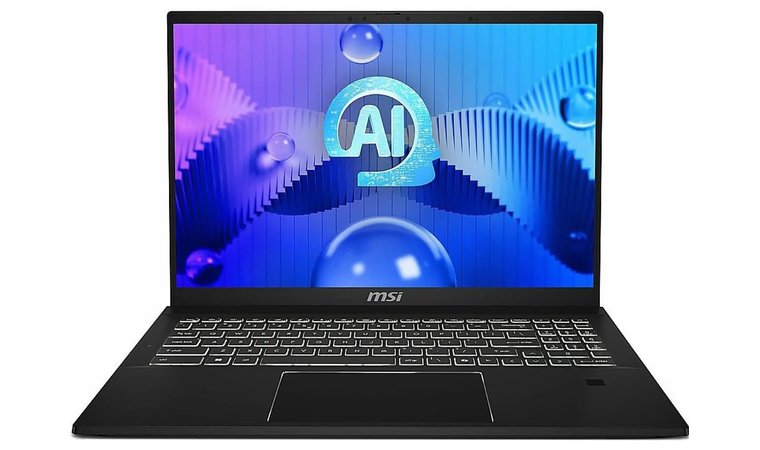
The MSI Summit E16 Flip brings unmatched versatility to photo and video editing. Its 16-inch QHD+ display offers sharp resolution and 100% DCI-P3 color accuracy, making it ideal for retouching and detailed previews. With pen input and convertible flexibility, you can sketch, annotate, or present your work without switching devices. The Intel Core Ultra 7 and 32 GB RAM deliver snappy performance across Lightroom, Photoshop, and DaVinci Resolve.
The sturdy yet premium chassis keeps thermals under control, while the high refresh rate ensures smooth visuals when scrubbing timelines or zooming into high-res stills. This makes the Summit E16 Flip one of the best laptops for photographers that also works seamlessly in live demo or client-facing setups.
| Pros | Cons |
|---|---|
| ✅ 16″ QHD+ touchscreen with 100% DCI-P3 for precise color workflows ✅ Supports pen input for markups and real-time retouching ✅ 165Hz refresh rate improves preview smoothness ✅ Ultra-powerful Intel Ultra 7 with 32 GB RAM for large catalogs ✅ 1TB NVMe SSD ensures fast load/save for RAW and PSD files ✅ Versatile I/O with Thunderbolt 4, HDMI 2.1, and Wi-Fi 6 ✅ Premium chassis with excellent thermal control under pressure | ❌ Heavier 2-in-1 form factor, but offers unmatched editing flexibility |
Final Verdict: The MSI Summit E16 Flip offers high-end power with presentation-ready flexibility. Its color-accurate touchscreen and strong hardware make it a creator’s dream for editing, retouching, and showing off your work in real-time.
11. Acer Chromebook Plus 514 [Best Lightweight Chromebook for On-Site Photo Editing]
| Specs | Details |
|---|---|
| CPU | Intel Core i3-N305 |
| GPU | Intel UHD Graphics (Integrated) |
| RAM | 8 GB LPDDR5 |
| Storage | 128 GB SSD |
| Display | 14″ Full HD 1920 x 1080 IPS Touch Display |
| Refresh Rate | 60Hz |
| Battery | Up to 10 hours |
| Weight | 1.4 kg |
| Connectivity | USB-C, USB-A, HDMI, microSD, Wi-Fi 6, Bluetooth 5.0 |
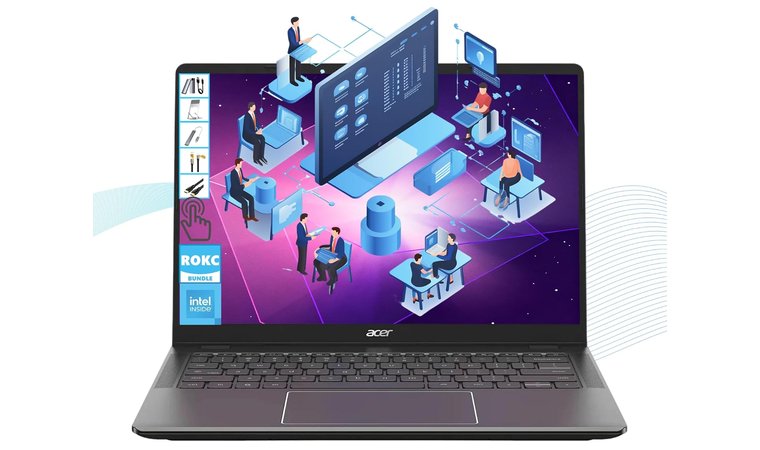
The Acer Chromebook Plus 514 delivers a practical balance of portability, display quality, and speed, which makes it one of the most efficient laptops for photo editing on the go. Its 14-inch Full HD+ display offers vibrant color reproduction and clarity ideal for quick previews and adjustments.
The Intel Core i3 processor keeps your photo editing tasks responsive and fast, handling cloud-based tools like Lightroom Web or Adobe Express with ease. The solid-state drive loads images instantly, while the integrated UHD graphics handle basic photo and video editing smoothly.
Its durable aluminum design stays lightweight, perfect for carrying to shoots or client meetings. The 10-hour battery life ensures long days of uninterrupted work, while multiple ports, including microSD and USB-C, make it easy to offload files or connect external drives. This Chromebook performs consistently in fieldwork and travel photography setups where speed and dependability matter.
| Pros | Cons |
|---|---|
| ✅ Bright, color-accurate FHD+ display helps check tones and detail ✅ Responsive Intel Core i3 CPU keeps editing workflows fast ✅ Long 10-hour battery life supports full-day use ✅ Lightweight yet durable aluminum chassis ✅ Multiple ports (USB-C, HDMI, SD) simplify storage transfer ✅ Ideal for photo editing tasks and quick video editing on the go | ❌ Chrome OS limits access to full desktop software, but cloud tools run smoothly |
Final Verdict: The Acer Chromebook Plus 514 offers sharp visuals, solid speed, and excellent portability. Its combination of performance and endurance makes it a standout option for the best laptop for photographers who value reliability and flexibility in a lightweight, travel-friendly setup.
12. ASUS Chromebook Flip CX5 [Best ChromeOS Laptop for Touch-Enabled Photo Editing Workflows]
| Specs | Details |
|---|---|
| CPU | Intel Core i3-1215U (6 cores, up to 4.4GHz) |
| GPU | Intel UHD Graphics (Integrated) |
| RAM | 8 GB DDR4 @ 3200 MHz |
| Storage | 256 GB SSD |
| Display | 16″ FHD+ (1920 × 1200) IPS Touchscreen, 16:10 |
| Refresh Rate | 60Hz |
| Battery | Up to 10 hours |
| Weight | 4.77 lbs (2.16 kg) |
| Connectivity | 2× USB-C 3.2, 1× USB-A 3.2, HDMI, microSD, Wi-Fi 6, Bluetooth 5 |
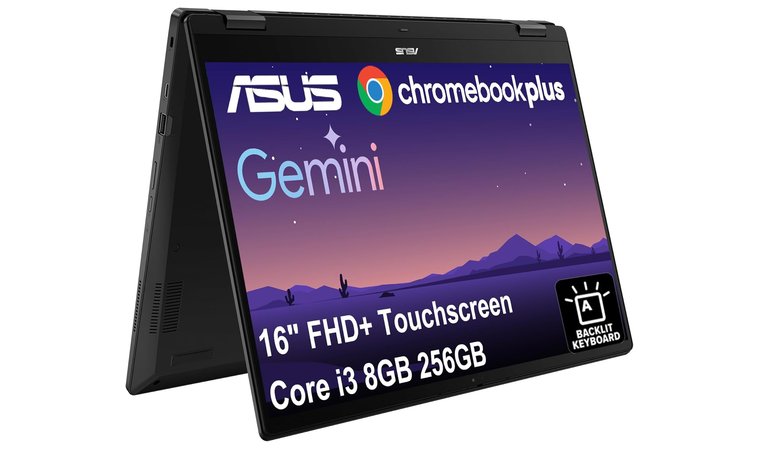
The ASUS Chromebook Flip CX5 is an excellent pick as the best computer for photographers seeking a versatile 2-in-1 machine that blends speed, flexibility, and cloud-first design. Its 16-inch color-rich touchscreen offers a larger canvas than typical Chromebooks, with a 16:10 aspect ratio ideal for photo editing tasks like reviewing composition or checking basic tones. Powered by a 6-core Intel Core i3 chip and integrated UHD graphics, this #1 ASUS laptop runs web-based and Android photo apps with minimal lag.
Its 10-hour battery life and rugged MIL-STD 810H build ensure you stay productive on the go, while USB-C, HDMI, and microSD support let you connect to displays and external storage without dongles. The flip design and touch interface on this top laptop for game development unlock creative options, making this one of the best photo editing laptops under ChromeOS.
| Pros | Cons |
|---|---|
| ✅ 16” FHD+ IPS touchscreen makes photo review and markup more precise and immersive ✅ 2-in-1 hinge with stylus support (on many SKUs) enables quick annotations or edits ✅ 256GB SSD allows room for local RAW storage and cached files ✅ 10-hour battery life handles long shoots, edits, or travel without frequent charging ✅ Fast Wi-Fi 6 and multiple USB ports support card readers and drives for seamless workflow | ❌ Slightly heavier than standard laptops, but sturdy and reliable for desk or field use |
Final Verdict: The ASUS Chromebook Flip CX5 stands out as the best photo editing laptop for ChromeOS fans. Its spacious display, stylus-ready design, and flexible ports make it perfect for photo and video editing on cloud tools. Ideal for photo editing professionals who want a dependable second machine or touch-enabled workflow tool.
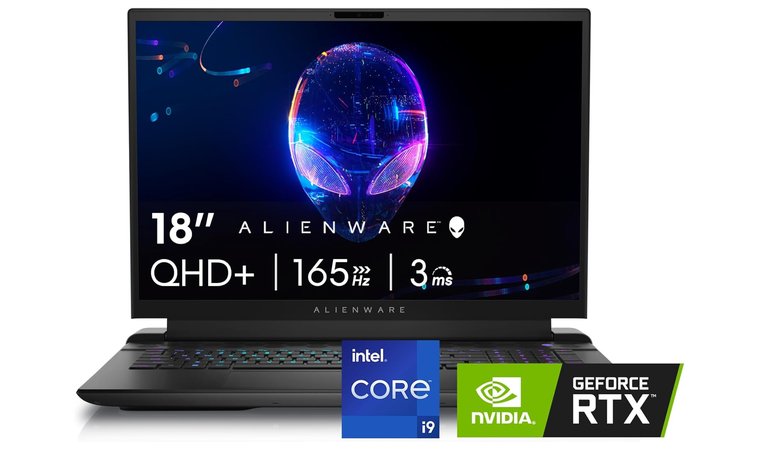
13. Alienware M18 R2 [Best Desktop Replacement Laptop for High-End Photo Editing]
| Specs | Details |
|---|---|
| CPU | Intel Core i9-14900HX (5.8GHz, 24 threads) |
| GPU | NVIDIA GeForce RTX 4080 (12 GB GDDR6) |
| RAM | 32 GB DDR5 (5600 MHz) |
| Storage | 1 TB SSD |
| Display | 18″ QHD+ (2560 × 1600), 16:10 |
| Refresh Rate | 165Hz |
| Battery | Up to 7 hours |
| Weight | 9.32 lbs (4.23 kg) |
| Connectivity | USB-C, USB-A, HDMI, Bluetooth, Wi-Fi 6 |
The Alienware M18 R2 is a top pick for the best gaming laptop and is built for photo editing professionals who demand top-tier horsepower. With an 18-inch QHD+ display and RTX 4080 GPU, it handles photo editing, image previews, RAW rendering, and AI filters with zero lag. Regardless of whether you’re exporting thousands of shots or working across multiple 4K layers, this machine keeps up.
Its massive screen quality gives you a better view of gradients, shadows, and color balance. Behind that is an i9-14900HX and 32 GB DDR5 RAM, ideal for most photo editing tasks. It even supports up to 9TB total storage and features excellent cooling to avoid throttling during long export sessions. Perfect for studios, advanced hobbyists, or traveling photographers who want to leave the desktop behind.
| Pros | Cons |
|---|---|
| ✅ RTX 4080 GPU and i9 CPU power through editing and rendering workflows ✅ 18″ QHD+ display with 100% DCI-P3 for perfect screen quality ✅ 1TB SSD loads RAW files instantly and offers room for large libraries ✅ Multiple USB, Thunderbolt, and HDMI ports make connecting card readers easy ✅ Up to 9TB expansion options for long-term use ✅ Fast DDR5 RAM enables real-time previews, even in Lightroom or Photoshop | ❌ Large and heavy for travel, but unbeatable when performance matters |
Final Verdict: The Alienware M18 R2 stands out as the best laptop for photo editing on a budget for users who want maximum power in a portable form. Its massive display and elite specs make it a desktop replacement tailored for image-heavy, professional photo workflows.
Key Features to Look for in the Best Photography Laptops
When choosing a laptop for photography, every component matters, from the screen’s precision to the internal processing power that drives your workflow. The best laptops for photo editing deliver accurate visuals, fast response times, and enough storage for large RAW files. A true photography laptop should combine a high-quality IPS display, a powerful CPU and GPU, and durable portability. Below are the essential features that separate great laptops from average ones.
Display Quality and Color Accuracy
A photographer’s display determines how every detail appears on screen. Accurate color reproduction defines professional work, ensuring the final image looks the same across devices and prints. Look for an IPS panel with wide color gamut coverage, ideally 100% sRGB or close to AdobeRGB, to maintain consistent tone and contrast. A higher resolution, such as 2K or 4K, enhances image quality and helps identify imperfections during image editing.
Matte screens reduce glare during outdoor shoots, while a bright 400-nit display ensures visibility in all lighting conditions. Pairing the laptop with an external monitor calibrated for editing allows even finer control during photo editing applications. Precision-focused screens transform simple adjustments into accurate results that mirror real-world colors and details.
Performance: CPU, GPU, and RAM
Performance drives every editing workflow. Fast processors and dedicated GPUs shorten export times and speed up edits in demanding tools like Lightroom or Photoshop. For consistent performance, choose at least an Intel i5 or AMD Ryzen 5, though Intel i7 or Ryzen 7 chips deliver superior processing power for advanced retouching and multitasking, and if you are teaching, these are the best laptops for teachers.
RAM directly influences how smoothly you can open and switch between large photo files. A minimum of 8GB works for casual users, while 16GB or more supports professionals editing in multiple layers. GPUs such as NVIDIA RTX or Intel Arc Graphics RAM enhance rendering speed and accelerate filter-heavy effects. A well-balanced CPU-GPU-RAM setup ensures no lag, no freezing, and smooth editing of photos even under pressure.
Storage Options for Photo Editing
Storage determines how efficiently a laptop handles your growing portfolio. SSDs outperform HDDs in every way – faster boot times, quicker file transfers, and instant access to high-resolution images. For beginners, a 256GB SSD is enough for working files, but professionals should target 512GB or 1TB for storing RAW libraries and completed edits.
Fast NVMe SSDs also enhance photo editing applications, reducing delays when importing or exporting. Many photographers prefer dual-drive setups: an internal SSD for projects and an external drive for backups. This setup keeps active workspaces clean and boosts laptop responsiveness. Ample, fast storage keeps you focused on creativity instead of waiting for files to load.
Battery Life for Long Editing Sessions
Battery endurance defines flexibility. A laptop with at least 8 hours of battery life lets photographers edit anywhere, from studios to remote locations. Long battery life also ensures uninterrupted client work during travel, without scrambling for outlets.
Modern laptops with efficient processors, like Intel Evo or Apple M-series, maintain high performance without draining the battery too fast. For heavy workloads such as batch processing or image editing, some systems optimize power dynamically to balance performance and longevity. A high-capacity battery paired with a fast charger keeps you productive through full-day shoots. True mobility means creating freely, not being tethered to a wall socket.
Portability and Build Quality
Photographers and students move constantly, so the best laptop for high school students must stay lightweight yet tough. A solid build ensures reliability during travel, where gear often faces tight spaces and unpredictable handling. Models made with aluminum or carbon fiber provide strong protection without unnecessary bulk.
Slim, under-4-pound designs make field work easier, while spill-resistant keyboards and MIL-STD-rated durability add reassurance. Sturdy hinges support flexible positions for editing previews, especially when using an external monitor. Build quality directly impacts long-term dependability – a well-built laptop survives travel, time, and workload. Photo editors who invest in durable, portable machines gain confidence knowing their creative tools won’t fail mid-project.
My Overall Verdict
If you’re shopping for a photo-editing laptop, these three models deliver standout performance for different needs, from desktop-level power to lightweight portability. Below are the top choices and what makes each one shine:
- Alienware x17 R2: Powered by an Intel Core i9 and RTX 3070 Ti, it handles GPU-heavy photo editing with ease. The massive 17.3” 480Hz FHD display delivers ultra-smooth clarity and accurate previews, ideal for Lightroom and Capture One.
- Acer Swift Edge: Lightweight at just 2.7 lbs, it’s built for creators who edit on the move. The 16” 3.2K OLED screen covers 100% DCI-P3 color, allowing vivid previews with deep contrast and color precision.
- Acer TravelMate P4: Budget-friendly but powerful, with a Ryzen 5 PRO CPU and 16 GB RAM for smooth Lightroom performance. The 14” WUXGA display offers extra screen height for better workspace layouts during editing.
For creators managing both photography and videography, finding the best laptop for photo and video editing is essential to maximize creative output. The best laptop for video and photo editing should balance GPU acceleration, high refresh rates, and color-accurate displays to handle demanding multi-media workflows.
When prioritizing your purchase, the best laptop for Lightroom will typically feature a strong CPU-GPU combination with at least 16GB of RAM and vibrant color accuracy. Ultimately, selecting the best computers for photographers means investing in machines that combine performance, portability, and display precision to support your unique creative vision.
FAQs
The best laptop for photography right now is the Alienware x17 R2, our top pick. It delivers outstanding image quality, powerful processing power, and a large color-accurate display – perfect for intensive photo editing applications.
You need around 16GB of RAM for photo editing. It allows smooth multitasking, large RAW file handling, and efficient performance in apps like Photoshop and Lightroom.
A 4K display isn’t necessary for photo editing, but it helps with sharper previews and precise color work. A Full HD IPS screen with good color accuracy is still great for most image editing workflows.
You can use a Chromebook for basic photo editing in cloud apps like Adobe Express, but it’s not ideal for advanced tasks in full desktop software like Lightroom Classic.
The difference between OLED and IPS displays for photo editing is that OLED have better contrast and deep blacks, but IPS screens offer more consistent color accuracy across viewing angles, making IPS more reliable for professional photo editors.
When buying a laptop for photography, you should look for a color-accurate IPS display, a fast processor, at least 16GB of RAM, SSD storage, and good battery life. These features ensure smooth editing, accurate previews, and portability.
The best laptop for Photoshop and Lightroom is Alienware X17 R2 because it combines a fast CPU, dedicated GPU, 16GB or more of RAM, and a high-quality display. The MacBook Pro M2 and Dell XPS 15 stand out.











