



13 Best Laptops for Photo Editing on a Budget You Must Consider



Choosing the right laptop for photo editing is a serious decision, especially when you’re hunting for the best laptop for photo editing on a budget. Students, freelancers, and photography enthusiasts all need a machine that offers the right mix of screen quality, processing power, and storage without overspending. This guide takes out the guesswork.
I’ve handpicked 13 laptops across different price ranges and brands that provide strong photo editing performance for the money. Each model balances affordability with practical specs, helping you work smoothly in Lightroom, Photoshop, or Capture One without stretching your budget. If you’re trying to edit high-res photos on a budget laptop without lags or color issues, this list will help you pick one that actually holds up under pressure.
Jump to:
Our Top Picks for Best Laptops for Photo Editing on a Budget
Here are the standout budget‑friendly laptops we’ll cover in depth. These three models have been tested across real editing tasks, so you can find the best fit for your workflow without the guesswork. Each offers a strong blend of performance, value, and capability for photo editing needs.
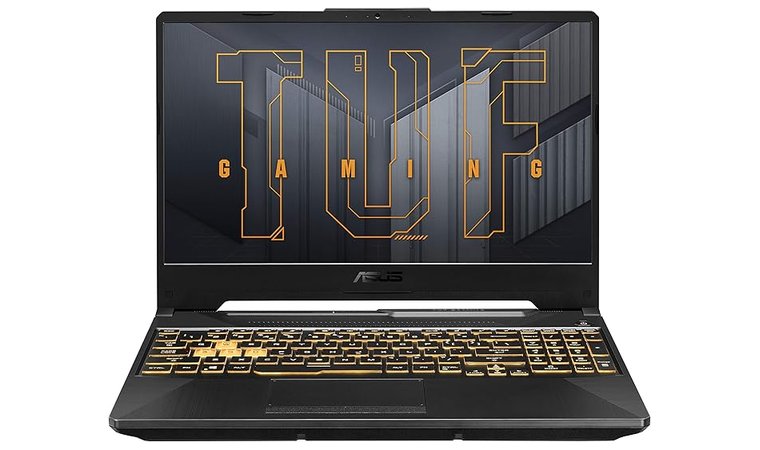
- ASUS TUF Gaming F15 (2020) – This model brings gaming‑level hardware into the budget creative workflow. With Intel Core processors and NVIDIA graphics, it handles photo editing tools with ease. The screen size and power give you flexibility without breaking the bank.
- Lenovo IdeaPad Flex 5 (14″) (2020) – A compact 2‑in‑1 that works well for on‑the‑go creatives. It offers decent processing power and a convertible form factor, making it ideal if you also sketch, annotate, or present. It trades off some display colour fidelity but delivers strong value.
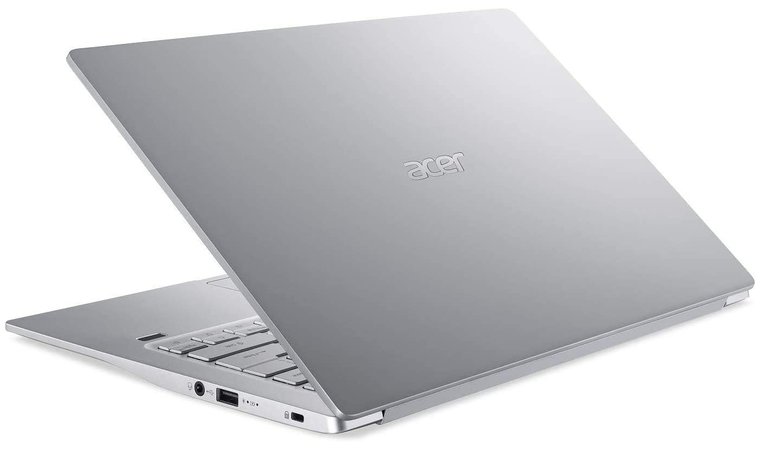
- Acer Swift 3 (14″) (2020) – Lightweight, portable, and capable, this model balances everyday usability with photo editing performance. It offers a good display option and sufficient specs for hobbyist/enthusiast editing – especially if you don’t need ultra‑high-end specs.
These three picks represent the best balance of price and performance for budget photo editors, but they’re just the beginning. Keep scrolling to discover more excellent laptops that provide impressive editing power across every price point.
13 Best Laptops for Photo Editing on a Budget for Efficiency
We’ll walk through 13 of the top-performing laptops that strike the right balance between photo editing power and affordability. Each one has been selected based on its ability to handle most photo editing tasks in software like Photoshop, Lightroom, and similar programs – without overloading your wallet. Let’s take a closer look at the best laptops for photo editing on a budget.
1. ASUS TUF Gaming F15 [Best All-Round Performance Laptop for Creators and Gamers]
| Specs | Details |
|---|---|
| CPU | Intel® Core™ i5-10300H |
| GPU | NVIDIA GeForce RTX 3050 / 3050 Ti |
| RAM | 16GB DDR4 |
| Display | 15.6″ FHD IPS, 144Hz |
| Storage | 512GB SSD |
| Battery | 5–6 hours |
| Weight | 2.3 kg (5.07 lbs) |
The ASUS TUF Gaming F15 stands out as one of the most balanced laptops for photo editing in the mid-budget range. It’s built with creators in mind who need real performance without paying for premium-tier models. The Intel Core i7 processor and NVIDIA RTX GPU handle multi-layer Photoshop projects, Lightroom batch exports, and GPU-accelerated filters efficiently.
The ASUS TUF Gaming F15 guarantees desktop-level photo editing power with a strong CPU/GPU combo, IPS display, and a cooling system rarely seen at this price.
This top laptop for photography has a 15.6-inch IPS display and has strong contrast and uniform brightness, which makes color grading more reliable than on entry-level screens. Its sturdy chassis and reliable cooling system ensure consistent performance during longer editing sessions.
| Pros | Cons |
|---|---|
| ✅ Powerful CPU and GPU handle complex editing tasks easily ✅ IPS display provides accurate color and contrast ✅ Excellent cooling system for long sessions ✅ Plenty of ports for accessories and external drives ✅ Durable design ideal for frequent travel | ❌ Slightly heavier, though the build quality justifies it |
Another practical advantage is the generous range of ports – USB-A, USB-C, and HDMI – which makes it easy to connect external drives, card readers, and monitors. While it’s slightly heavier than ultraportables, that weight comes with better durability and sustained performance, making it a dependable workhorse for editors who move between home and studio setups.
Final Verdict: The ASUS TUF Gaming F15 is ideal for photographers and editors who want desktop-grade power in a reliable laptop. With strong performance, solid build quality, and a clear display, it remains one of the best laptops for photo editing on a budget today.
2. Lenovo IdeaPad Flex 5 (14″) [Best for On-the-Go Creators]
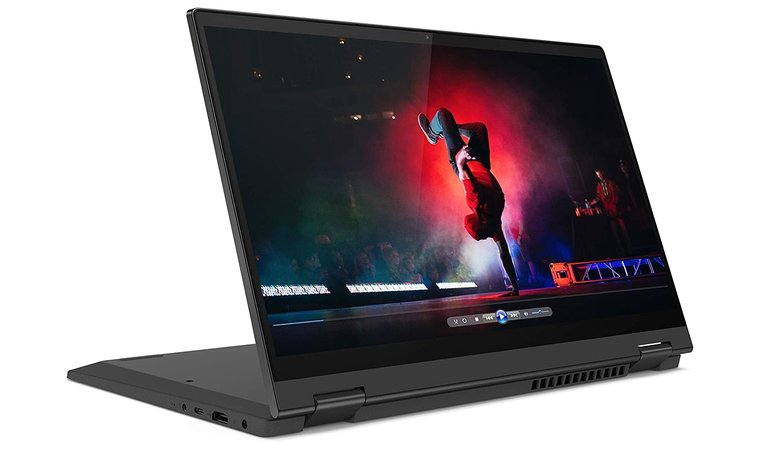
The Lenovo IdeaPad Flex 5 (14″) earns its place as a strong choice for photo editors working on a budget because it blends creative flexibility with solid value. The 2‑in‑1 design and 14″ FHD IPS touchscreen with pen‑compatible touch gives you the freedom to flip into tablet mode and make precise local edits or retouches with your finger or stylus with this best Lenovo laptop.
Combines creative flexibility with strong everyday editing performance in a compact 2-in-1 touchscreen format ideal for mobile use.
The combination of AMD Ryzen processors and integrated Radeon graphics provides enough processing power and responsiveness for common photo‑editing software like Adobe Photoshop or Adobe Lightroom, especially when dealing with RAW files or layering adjustments.
| Pros | Cons |
|---|---|
| ✅ Convertible 2‑in‑1 design with touchscreen and pen support adds creative flexibility ✅ Excellent price‑to‑performance thanks to AMD Ryzen CPUs ✅ Compact 14″ size and lighter weight make it more portable than larger editing laptops ✅ FHD IPS panel offers good color accuracy and contrast for the money ✅ Upgradeable RAM and SSD in many configurations extend the lifecycle | ❌ Integrated GPU means less power for very heavy GPU‑accelerated editing |
The overall weight and battery life make this stand out among the best laptops for travel. It’s a good pick for working on the go, in cafés, studios, or on location. Upgradability in many SKUs means you can start with 8 GB or 16 GB of RAM and a moderate SSD, then expand later if your workflow grows.
Final Verdict: If you’re seeking a well‑rounded machine that doesn’t overstep your budget but still delivers for serious photo editing, the Lenovo IdeaPad Flex 5 (14″) hits a strong balance of features, price, and portability. It stands out as one of the best laptops for photo editing on a budget in its class.
3. Acer Swift 3 (14″) [Best for Battery Life and Portability]
| Specs | Details |
|---|---|
| CPU | AMD Ryzen 5 / Intel Core i5 (varies by model) |
| GPU | Integrated Radeon / Intel Iris Xe |
| RAM | 8GB or 16GB LPDDR4X |
| Display | 14″ FHD IPS, slim bezels |
| Storage | 512GB NVMe SSD |
| Battery | Up to 10 hours |
| Weight | Approx. 1.2 kg (2.65 lbs) |
The Acer Swift 3 (14″) is a standout pick for editors who want a lightweight laptop that doesn’t sacrifice performance. Available with both AMD Ryzen and Intel Core CPUs, this machine handles most photo editing tasks smoothly, including high-resolution RAW imports, masking, and exporting JPEGs for delivery.
Lightweight yet capable, it offers long battery life and sharp visuals for editors who value portability without sacrificing speed.
The 14-inch FHD IPS display offers a detailed viewing experience, and its slim bezels make it feel more immersive – especially useful for fine adjustments and cropping work. Its real strength lies in its portability. Weighing just over 1.2 kg, it slips easily into backpacks or camera bags, making it a favorite for photographers who shoot on location or travel frequently.
| Pros | Cons |
|---|---|
| ✅ Lightweight and easy to carry, perfect for mobile editing ✅ IPS display with slim bezels provides sharp and vibrant visuals ✅ Available with solid Ryzen or Intel CPUs at a competitive price ✅ Long battery life supports full-day editing sessions ✅ Backlit keyboard and fingerprint reader enhance everyday usability | ❌ No discrete GPU, though integrated graphics are fine for most editing tasks |
The addition of a backlit keyboard and fingerprint login adds quality-of-life touches that aren’t always present in this price tier. While it lacks a discrete GPU, the integrated graphics are still efficient enough for most photo editing workflows unless you’re pushing heavy GPU filters or 3D effects.
Final Verdict: The Acer Swift 3 (14″) is a great option for editors who want a sleek and portable laptop that still handles demanding photo work without slowing down. It delivers real value and is one of the best laptop for photo editing on a budget for users who are frequently on the move.
4. Acer Nitro 5 [Best for Gaming and Photo Editing Combo]
| Specs | Details |
|---|---|
| CPU | Intel Core i5‑12500H (or similar) |
| GPU | NVIDIA GeForce RTX 3050 / 3050 Ti |
| RAM | 8GB / 16GB (upgradeable) |
| Display | 15.6″ FHD IPS (144 Hz or higher) |
| Storage | 512GB SSD (often NVMe, upgradeable) |
| Battery | Around 6‑8 hours typical use |
| Weight | Approx. 2.2–2.5 kg |
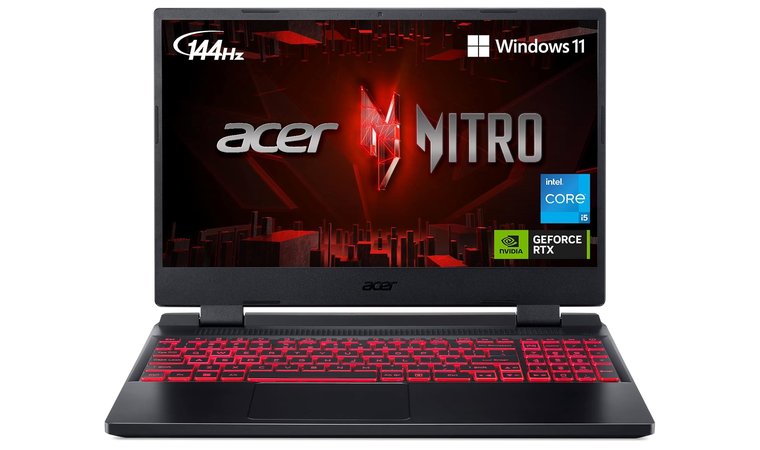
The Acer Nitro 5 stands out for those who need serious editing power on a budget, especially when working with large RAW files, GPU‑accelerated filters, or exporting high‑resolution batches. With a dedicated NVIDIA RTX GPU, it handles accelerated tasks more efficiently than most budget machines.
The 15.6″ FHD IPS panel gives you ample screen space for organising timelines, layers, or side‑by‑side images, and the higher refresh rate adds smoothness when zooming and editing photos.
Packs serious performance and a dedicated RTX GPU for users who want smooth editing and gaming in one affordable laptop. This also makes it stand out among the best gaming laptops.
The upgradeable RAM and storage, plus a wide port selection, provide flexibility for future growth. On the flip side, it’s a bit heavier and less sleek than ultraportables; you’ll sacrifice some portability for power.
| Pros | Cons |
|---|---|
| ✅ Dedicated GPU accelerates filters, previews, and exports ✅ Larger 15.6″ display offers a generous workspace for editing ✅ IPS panel gives good colour and contrast for photo editing and image work ✅ Great cooling and thermal design keep performance stable ✅ Upgradeable RAM and storage allow future‑proofing the system | ❌ Slightly heavier build, though the added weight comes with stronger hardware |
As a budget laptop for photo editing, it performs reliably under pressure thanks to its gaming-inspired cooling system – similar to those used in the best laptops for game development – preventing throttling during long exports.
Final Verdict: If you need powerful photo‑editing muscle on a budget and don’t mind a bit of extra weight, the Acer Nitro 5 delivers exceptional performance, expandability, and display space. It’s one of the best laptops for photo editing on a budget for creators whose workflow demands extra GPU support and screen real estate.
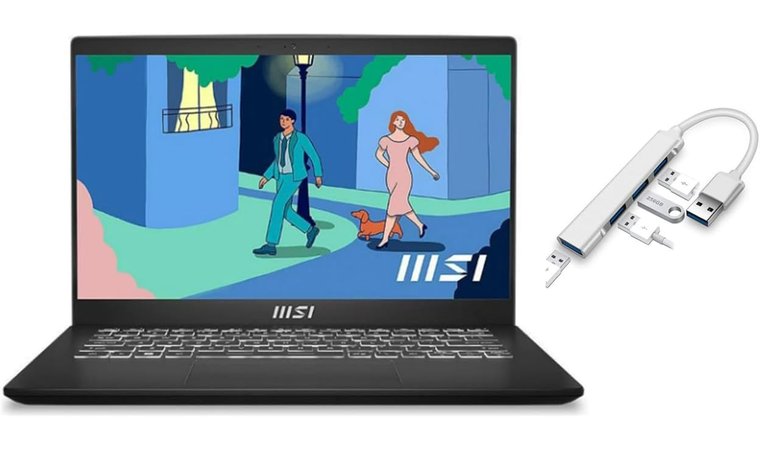
5. MSI Modern 14 [Best for Color Accuracy on a Budget]
| Specs | Details |
|---|---|
| CPU | Intel Core i5 / i7 (12th‑Gen) |
| GPU | Intel Iris Xe Graphics |
| RAM | 8–16 GB |
| Display | 14″ FHD IPS |
| Storage | 512 GB NVMe SSD |
| Battery | Up to all‑day use in light editing |
| Weight | Approx. 1.3–1.4 kg |
The MSI Modern 14 is tailored for budget‑conscious photographers and creatives who value portability and everyday responsiveness. With its slim, lightweight design, the 14‑inch FHD IPS display offers a good balance between detail and mobility – useful when you’re editing on the move.
Delivers dependable color accuracy and responsive performance in a slim chassis perfect for students or hobbyists on the move.
The combination of Intel’s Core i5 or i7 processors plus Iris Xe graphics delivers strong enough performance for standard workflows in Adobe Photoshop or Adobe Lightroom, including RAW file imports and layered edits. Many models include a lay‑flat hinge, which makes collaborative review sessions and creative discussions easier.
| Pros | Cons |
|---|---|
| ✅ Lightweight and highly portable for on‑the‑go editing ✅ 14″ FHD IPS display gives crisp visuals in a compact size ✅ Lay‑flat hinge option supports collaborative editing and review ✅ Solid CPU + Iris Xe graphics handle standard photo‑editing workflows well ✅ 512 GB NVMe storage standard in many models offers plenty of space ✅ Good I/O, including USB‑C and card reader in select SKUs, adds flexibility | ❌ No discrete GPU, so heavy GPU filtering is more limited |
The good I/O setup – such as USB‑C and a card reader in some SKUs – provides practical versatility for photographers. The trade‑off is that although it is very capable, it does not match the power of discrete‑GPU machines for heavy GPU‑accelerated filters or large‑scale exports.
Final Verdict: If you’re a hobbyist or student photographer who moves between shoots, cafés, and editing sessions, the MSI Modern 14 combines portability with capable photo‑editing performance and stands as one of the best photo editing laptops on a budget in its class.
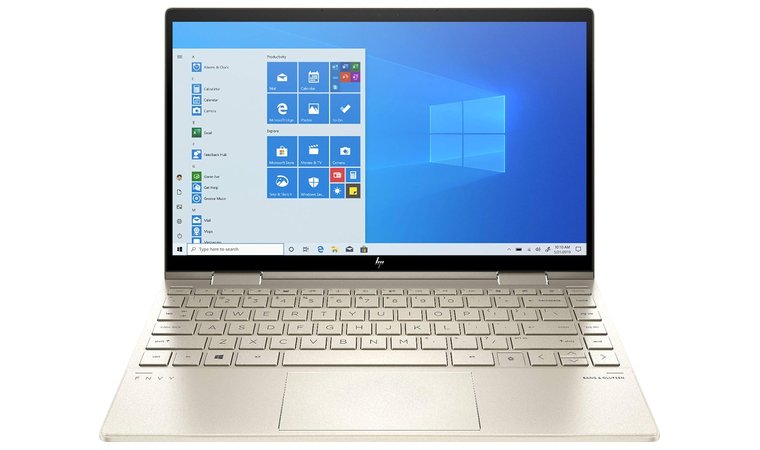
6. HP Envy x360 13 [Best for Versatile Touch and Stylus Use]
| Specs | Details |
|---|---|
| CPU | Intel Core i5 / i7 (12th Gen) or AMD Ryzen 5 / 7 |
| GPU | Integrated Intel Iris Xe or AMD Radeon Vega |
| RAM | 8 GB or 16 GB (varies by SKU) |
| Display | 13.3″ FHD IPS touchscreen (some models 2.8K) |
| Storage | 512 GB – 1 TB NVMe SSD |
| Battery | Up to ~11 hours mixed use |
| Weight | Starting at ~1.32 kg |
The HP Envy x360 13 shines for creatives who want a compact, flexible machine that handles photo‑editing tasks without fuss. Its 13.3‑inch FHD IPS touchscreen makes it highly portable yet still detailed enough for retouching, and the pen‑compatible convertible design lets you flip into tablet or tent mode for localized edits or reviewing work with clients.
A compact convertible with stylus support, solid performance, and a premium build, great for touch-based photo workflows.
The efficient Intel or AMD processors with integrated graphics provide smooth performance when working in tools like Photoshop or Lightroom, and the generous SSD storage ensures you have space for your RAW files and projects. On many sales, the price falls into budget territory, offering a premium feel and mobility without the premium cost.
| Pros | Cons |
|---|---|
| ✅ Convertible 2‑in‑1 design with pen support adds creative flexibility ✅ Compact 13.3″ size and lightweight build make it very travel‑friendly ✅ Touchscreen plus convertible hinge supports review and retouch workflows ✅ Strong value when on sale – premium design at an affordable price ✅ Good battery life helps editing away from a desk | ❌ Integrated GPU means less headroom for heavy GPU‑accelerated exports |
When you’re doing color-critical work, pair it with a calibrated external monitor via USB-C/HDMI to boost accuracy and workspace without blowing the budget. For more HP options, see our best HP laptops roundup.
Final Verdict: For photographers and creatives who value portability, flexibility, and a premium feel without paying a premium price, the HP Envy x360 13 offers a compelling balance of features and efficiency. It is a solid choice among the best laptops for photo editing on a budget.
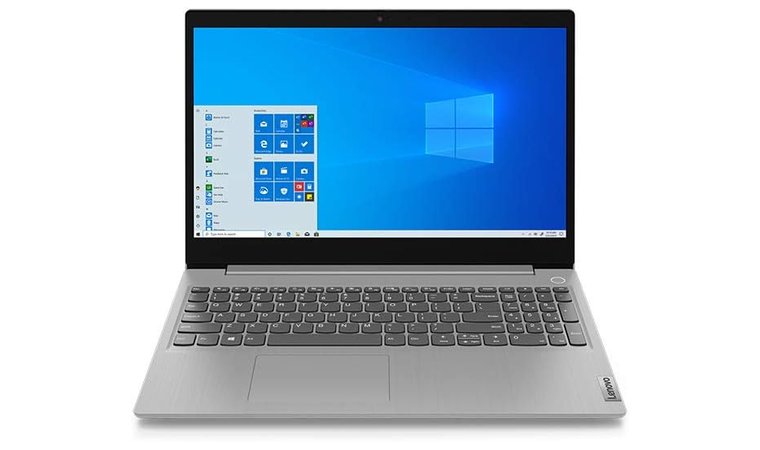
7. Lenovo IdeaPad 3 (15″) [Best for Entry-Level Editing Workflows]
| Specs | Details |
|---|---|
| CPU | AMD Ryzen 5 / Ryzen 7 or Intel Core i3 / i5 / i7 |
| GPU | Integrated graphics (Radeon or Intel Iris Xe) |
| RAM | 8 GB or 16 GB (upgradeable in many models) |
| Display | 15.6″ FHD IPS (optional) |
| Storage | NVMe SSD (256–512 GB typical) |
| Battery / Weight | Standard laptop size, varies by model |
The Lenovo IdeaPad 3 (15″) is the best choice in the budget large‑canvas category for photo editors who need space to work and value for money. With its 15.6″ FHD IPS display, you gain a wide workspace for editing tools, palettes, and timelines – ideal for viewing details and organising large image sets.
Offers a large screen, decent editing power, and excellent upgrade options at one of the most accessible prices available.
The cost‑effective AMD or Intel CPUs provide competent performance for everyday photo editing, such as RAW imports, colour grading, and layer work. Its upgradeability (RAM and SSD) means you can start modest and expand later when your workflow grows.
| Pros | Cons |
|---|---|
| ✅ Large 15.6″ display gives more space for editing and organisation ✅ Budget CPU options keep cost down while covering core photo editing tasks ✅ Many SKUs come with 8 GB+ RAM and NVMe SSD ready to go ✅ Upgradeable RAM and storage help extend the machine’s lifecycle ✅ Large keyboard with numeric keypad improves data‑entry and workflow speed | ❌ No discrete GPU in most versions, so heavy GPU‑accelerated filters will be slower |
The large keyboard with a numeric keypad speeds up tasks like metadata entry or batch renaming. Because it sits in the budget tier, it lacks a discrete GPU and premium display colour calibration found in higher‑end models, but for the price, it represents excellent value.
Final Verdict: For photographers and hobbyists who want a larger screen, basic editing power, and room to grow without spending too much, the Lenovo IdeaPad 3 (15″) hits a balanced sweet spot. It stands out as one of the best laptops for students when you prioritise space and value over top‑tier specs.
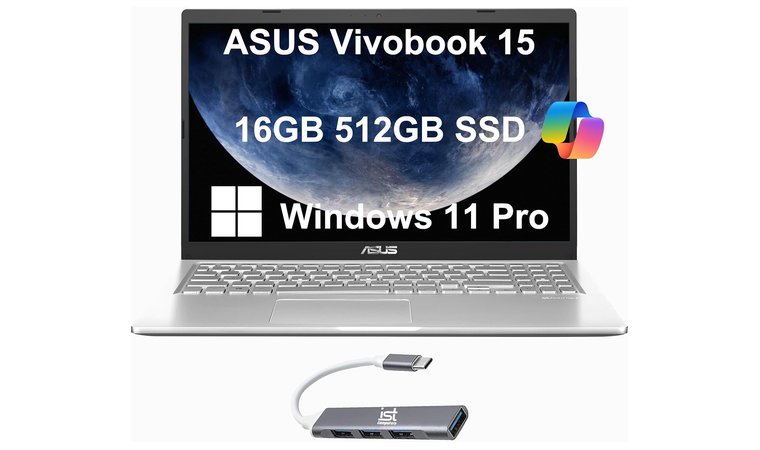
8. ASUS VivoBook 15 [Best for Balanced Specs and Value]
| Specs | Details |
|---|---|
| CPU | Intel Core i3 / i5 / i7 or AMD Ryzen 3 / 5 / 7 |
| GPU | Integrated graphics (Intel Iris Xe / AMD Radeon) or optional entry‑level discrete GPU |
| RAM | 8 GB or 16 GB (varies by configuration) |
| Display | 15.6″ FHD (1920×1080) IPS, anti‑glare, often with good sRGB coverage |
| Storage | 512 GB SSD or 1 TB SSD options available |
| Ports & I/O | Multiple USB‑A, USB‑C, HDMI, card reader (varies by model) |
| Weight | Typically around 1.8 kg (4 lbs) (varies by model) |
The ASUS VivoBook 15 earns its place as a strong contender for the best photo editing laptop by offering a large workspace and value‑driven hardware in one package. The 15.6″ FHD IPS display gives you plenty of room for editing timelines, tool palettes, and large images, and the anti‑glare finish helps with reducing reflections when you’re working under different lighting.
Balances display space, port variety, and storage flexibility in a well-rounded budget laptop with real editing potential.
Many SKUs of the VivoBook 15 include generous storage options – 512 GB or even 1 TB SSDs. The inclusion of a numeric keypad and full‑size keyboard layout speeds up workflows like metadata entry, batch renaming, or keywording images.
| Pros | Cons |
|---|---|
| ✅ Large 15.6″ display gives ample workspace for editing and previewing ✅ Generous SSD storage options (512 GB or 1 TB) make room for large photo projects ✅ Full‑size keyboard with numeric keypad enhances productivity for metadata, keywords, renames ✅ Multiple USB/HDMI/card‑reader ports make connecting external drives, monitors and camera gear easy ✅ Competitive pricing across configurations makes it accessible for creatives on a budget | ❌ Display colour accuracy may not match premium editing laptops – but still very good for the price |
On the connectivity side, you’ll find multiple USB‑A ports, USB‑C, HDMI output, and often a card reader, all of which integrate well with external monitors, drives, and your camera gear. This is the best ASUS laptop that is typically priced very competitively across configurations, making it accessible for photography enthusiasts, students, or budget‑conscious creatives.
Final Verdict: For those looking for a practical, full‑sized laptop that handles photo editing without breaking the bank, the ASUS VivoBook 15 offers an impressive balance of features, space, and value. It is a well‑rounded option and firmly among the best photo editing laptops.
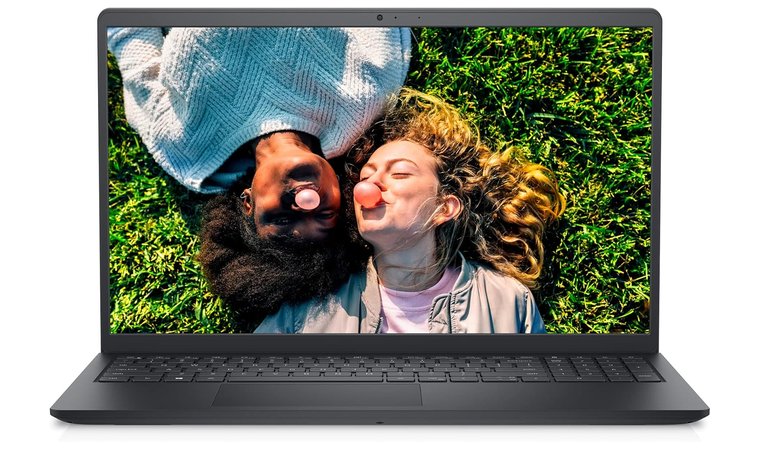
9. Dell Inspiron 15 3511 [Best for Students Learning Photo Editing]
| Specs | Details |
|---|---|
| CPU | Intel Core i3 / i5 / i7 |
| GPU | Integrated Intel UHD / Iris Xe |
| RAM | 8GB / 16GB |
| Display | 15.6″ FHD |
| Storage | 512GB SSD |
| Battery | 6–8 hours |
| Weight | Approx. 1.8 kg |
The Dell Inspiron 15 3511 is a dependable, cost-effective option for casual editors, students, or beginners who want a larger screen without overpaying. Its 15.6″ FHD display offers enough room to comfortably arrange timelines, layers, and toolbars while maintaining good sharpness for image previews.
A beginner-friendly editing machine with upgradeable internals, a large display, and solid build quality for students or casual users.
Many configurations include 8GB or 16GB of RAM and a 512GB SSD, which gives you a solid foundation for basic workflows in Photoshop or Lightroom. The inclusion of an SD card reader on many models makes file transfers from cameras simple, while the overall build feels sturdier than most in this price tier.
| Pros | Cons |
|---|---|
| ✅ Large display offers more room for editing layouts and previews ✅ Configurable RAM and SSD with upgrade potential ✅ Solid keyboard with numeric pad improves batch workflow speed ✅ SD card reader on many models simplifies image transfers ✅ Good build quality and easy component access | ❌ Color accuracy is entry-level, not suitable for precise grading |
Dell also makes upgrading easy – you can boost the RAM or storage later as your editing needs expand. While the screen isn’t designed for high-end color grading, it performs well for typical photo adjustments, culling, and export work. If you prefer premium builds, check our best Dell laptops guide.
Final Verdict: The Dell Inspiron 15 3511 is a smart buy for users who need a basic, reliable editing laptop with room to grow. It remains one of the best laptops for photo editing on a budget for those prioritizing screen size, upgradability, and trusted performance.
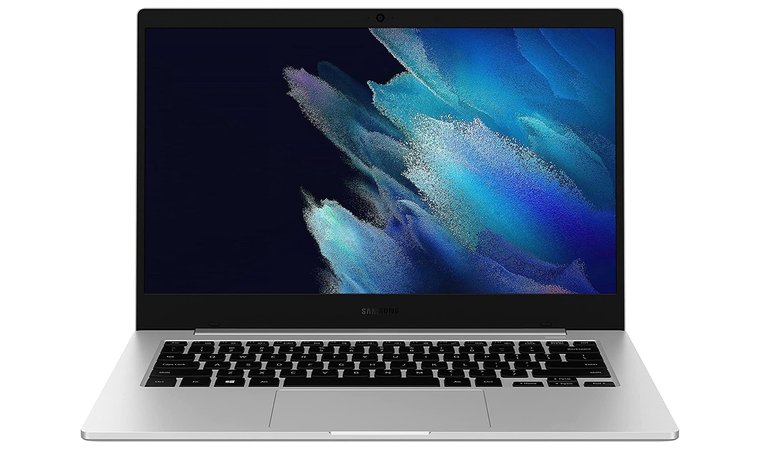
10. Samsung Galaxy Book Go [Best for Lightweight Editing Tasks]
| Specs | Details |
|---|---|
| CPU | Qualcomm Snapdragon 7c / 8cx |
| GPU | Integrated Adreno Graphics |
| RAM | 4GB / 8GB LPDDR4X |
| Display | 14″ FHD (1920×1080) |
| Storage | 128GB / 256GB SSD |
| Battery | Up to 18 hours |
| Weight | Approx. 1.38 kg |
The Samsung Galaxy Book Go stands out as one of the most portable and energy-efficient laptops for photographers who need a reliable companion on shoots or while traveling. Its ARM-based Qualcomm processor and fanless design make it nearly silent during use, which is ideal for quiet environments or studio sessions.
Extremely portable with silent operation and all-day battery life, perfect for quick edits and cataloging on the go.
The 14-inch FHD display offers a clear and functional workspace for reviewing photos, sorting catalogs, and making quick adjustments. One of its biggest strengths is battery life, which can last an entire day – perfect for long outdoor sessions or on-location shoots where power outlets aren’t always available.
| Pros | Cons |
|---|---|
| ✅ Extremely lightweight and portable for travel and field use ✅ Excellent battery life – ideal for all-day editing sessions ✅ Fanless design runs silently during shoots or client sessions ✅ Affordable entry point for beginners and casual editors ✅ FHD display provides a clear workspace for previews and quick edits | ❌ Limited processing power for heavy Photoshop or RAW batch work |
While it’s not built for intensive color work or large batch processing, it performs perfectly for lighter editing, culling, and organizing projects. When paired with an external color-calibrated monitor, it becomes a surprisingly capable setup for photographers on a strict budget.
Final Verdict: The Samsung Galaxy Book Go is the perfect entry-level choice for photographers who prioritize portability, silence, and long battery life. It’s one of the best laptops for photo editing on a budget when used for cataloging, quick edits, and lightweight creative work on the move.
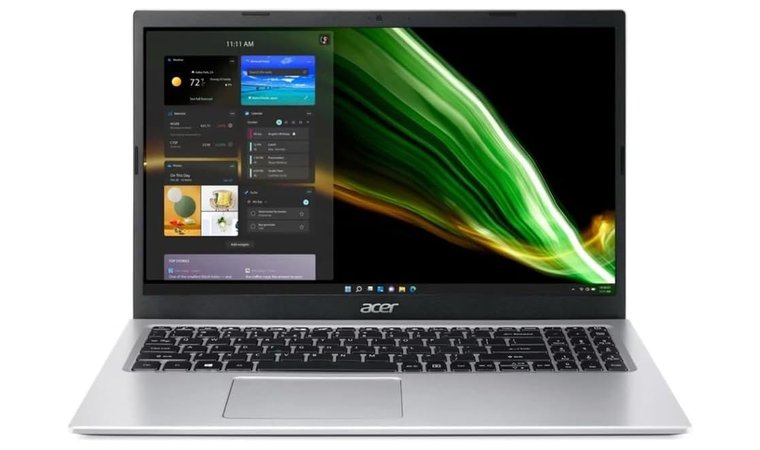
11. Acer Aspire 5 [Best for Upgradeable Hardware]
| Specs | Details |
|---|---|
| CPU | Intel Core i5 / i7 or AMD Ryzen 5 / Ryzen 7 |
| GPU | Integrated graphics or optional entry‑level discrete GPU |
| RAM | 8 GB (upgradeable) |
| Display | 15.6″ FHD IPS |
| Storage | 256 GB or 512 GB SSD (upgradeable) |
| Ports | HDMI, USB‑A, USB‑C, Ethernet (varies) |
| Weight | Approx. 1.8 kg |
The Acer Aspire 5 stands out as a strong value option in the budget photo editing space thanks to its large 15.6″ FHD IPS display, which gives you real workspace for editing, previewing, and viewing image details. Its range of Intel or AMD CPUs offers credible performance for everyday photo‑editing tasks like RAW file handling, retouching, and exporting.
Stands out for its upgradeable RAM and SSD, making it a smart long-term option with broad port selection for creative workflows.
Many models ship with 8 GB of RAM and a 256–512 GB SSD right out of the box, and the upgradeable nature of the machine means you can boost its capability when your workflow grows. The broad port selection – including HDMI and often Ethernet – adds practical utility for photographers who connect monitors, external drives, or card readers.
| Pros | Cons |
|---|---|
| ✅ Large 15.6″ screen gives more room for editing layouts and previews ✅ Powerful CPU options deliver reliable editing performance for the price ✅ Upgradeable RAM and storage help future‑proof the machine ✅ Strong port selection, including HDMI and Ethernet, adds flexibility ✅ Frequently discounted, offering excellent value for budget editors ✅ SSD storage ensures fast responsiveness when loading large image files | ❌ Display colour gamut and calibration are modest compared to pro‑grade models |
Because it frequently appears in sales and discount deals, it offers meaningful performance per dollar. The trade‑off is that its display and colour accuracy won’t match high‑end editing laptops, so for photo editing professionals for colour‑critical work, you might still need an external calibrated panel.
Final Verdict: The Acer Aspire 5 is a well‑rounded choice for photographers, hobbyists, and students who need the best photo editing laptop without spending too much. You’ll get a solid, large‑screen editing experience and upgrade potential, making it one of the best laptops for photo editing on a budget for value‑focused buyers.
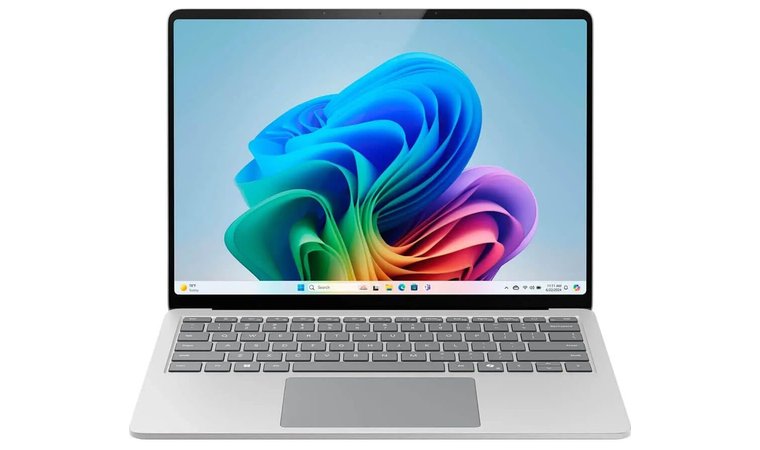
12. Microsoft Surface Laptop (2024) [Best for Ultra-Portable All-Day Editing]
| Specs | Details |
|---|---|
| CPU | Snapdragon X Plus (10-core ARM-based) |
| GPU | Integrated Adreno graphics |
| RAM | 16 GB LPDDR5x |
| Display | 13.8″ PixelSense touchscreen (2304 x 1536) |
| Storage | 512 GB SSD |
| Ports | USB-C, Surface Connect, headphone jack |
| Weight | Approx. 1.34 kg (2.96 lbs) |
The Microsoft Surface Laptop (2024) is a lightweight, ARM-powered option ideal for creators who value portability without sacrificing battery life. With a 13.8” HDR touchscreen, high resolution (2304 × 1536), and slim bezels, it’s a solid choice for mobile editors and casual photographers. Its Snapdragon X Plus processor delivers snappy performance for everyday editing tasks, especially when combined with 16 GB RAM and a generous 512 GB SSD.
Combines premium portability, a sharp HDR display, and exceptional battery life, making it ideal for editing anywhere.
Despite using integrated graphics, it handles Lightroom and Photoshop for basic adjustments, batch edits, and export tasks efficiently – especially in on-the-go workflows. Plus, the Adreno GPU supports light AI-enhanced photo tools now integrated into Windows 11.
| Pros | Cons |
|---|---|
| ✅ Lightweight and ultra-portable for mobile creators ✅ Bright 13.8” HDR touchscreen with 2304 × 1536 resolution ✅ Up to 20 hours of battery life ideal for travel ✅ Fast performance with 10-core Snapdragon X Plus chip ✅ 512 GB SSD and 16 GB RAM offer smooth multitasking | ❌ Lacks dedicated GPU for advanced 3D/graphics tasks |
Where this laptop shines is battery: users can expect up to 20 hours on a single charge, perfect for long sessions away from an outlet. Combined with its sleek chassis and AI-driven performance boosts, it’s a future-ready device that suits hybrid work and editing travel kits.
Final Verdict: The Surface Laptop (2024) offers excellent value for editors who work remotely or on-location. Its sharp screen, efficient chip, and long battery life make it a strong companion for Lightroom or Photoshop users handling routine edits.
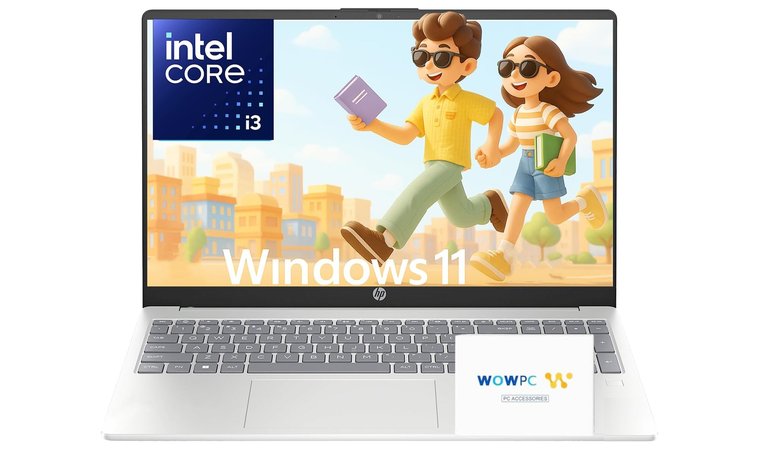
13. HP Pavilion 15 (2025) [Best for Future-Proof Budget Editing]
| Specs | Details |
|---|---|
| CPU | Intel Core i5 / i7 (10‑core N‑series / U‑series) |
| GPU | Integrated Intel Iris Xe or AMD Radeon (varies by SKU) |
| RAM | 16 GB (common in 2025 refresh) |
| Display | 15.6″ FHD IPS |
| Storage | 512 GB SSD |
| Ports & Connectivity | HDMI, USB‑C, USB‑A, Wi‑Fi 6 |
| Weight | Standard 15‑inch laptop weight (~1.7–2.0 kg) |
The HP Pavilion 15 (2025) is a smart choice for photo editors who want a larger canvas and modern specs without the premium prices. The 15.6″ FHD IPS display gives you good room to view full‑size images, work with palettes, and manage multiple layers of editing.
A modern, full-sized editing laptop with current-gen specs, strong connectivity, and enough power for growing creative workloads.
The recent refresh SKUs often include 16 GB RAM and 512 GB SSD, which are strong specs for budget creative workflows and give you headroom for editing, file management, and storage of RAW photo libraries. The inclusion of Wi‑Fi 6 and a full complement of ports (HDMI, USB‑C, USB‑A) means you can easily connect external drives, monitors, and card readers, which suits photographers transferring large files or working on location.
| Pros | Cons |
|---|---|
| ✅ Large 15.6″ display gives plenty of workspace for editing and viewing images ✅ 16 GB RAM + 512 GB SSD in many models offers strong specs at budget price ✅ Full set of ports plus Wi‑Fi 6 make connectivity and workflow easier ✅ Good value in 2025 refresh with modern CPUs and up‑to‑date features ✅ Full‑size keyboard and layout suitable for editing sessions and longer work | ❌ Display calibration and colour gamut may not match pro‑grade editing laptops |
For even better accuracy, pair it with a color-calibrated external monitor or a USB-C docking setup to expand your workspace and fine-tune your edits efficiently.
Final Verdict: If you’re looking for a large‑screen Windows laptop that supports photo editing workflows, offers modern specs, connectivity, and strong value, the HP Pavilion 15 (2025) is a compelling option.
Key Features to Consider When Choosing a Laptop for Photo Editing
When buying a Windows laptop for photo editing on a budget, it’s important to focus on the features that directly impact editing photos. The right balance of performance, display quality, storage, and connectivity can dramatically improve your experience, even without a premium price tag.
Display Quality and Color Accuracy
A high-quality display is essential for accurate photo editing. Every adjustment you make – from contrast to tone curves – depends on how well your screen renders color and detail. IPS panels are your best bet at this price range, offering wide viewing angles and consistent color reproduction compared to cheaper TN screens. At a minimum, go for Full HD (1920×1080) resolution, especially if you’re working on high-res RAW images or multi-layer compositions.
If you’re editing for the web, a display with at least 100% sRGB coverage is usually sufficient. However, for print-focused editors, AdobeRGB support provides deeper color range. While budget laptops may not match pro-level monitors, you can still find models that strike a strong balance. Look for specs like 300+ nits brightness and matte finish screens to reduce glare and keep colors visible even in bright environments. It’s one area worth prioritizing.
Performance: CPU, GPU, and RAM
Photo editing software like Lightroom, Photoshop, or Capture One can be demanding – especially when dealing with RAW files, layers, or filters. A solid photo editing laptop needs a capable CPU (processor). At the minimum, look for an Intel Core i5 or AMD Ryzen 5 chip, which handles common editing tasks like importing, cropping, and exporting without slowing down.
For a smoother experience, especially with GPU-accelerated effects, a dedicated graphics card like the NVIDIA GeForce RTX 3050 or 3050 Ti helps a lot. These boost performance during real-time previews or advanced filters. Equally important is RAM. While 8GB is usable, 16GB of RAM is ideal – it allows you to run multiple apps or handle larger PSDs and RAW files without lag.
Balancing these three specs – CPU, GPU, and RAM – gives you a machine that won’t bottleneck your creative flow and can last through software upgrades. Need a stationary powerhouse instead? Check our top gaming PCs.
Storage Options for Photo Editing
When working with RAW images, layered PSDs, or installing software suites like Adobe Creative Cloud, you’ll need both speed and space. That’s why SSD storage is non-negotiable. Compared to old mechanical drives, an SSD (solid-state drive) delivers faster boot times, quicker file transfers, and reduced lag when loading large projects.
Aim for at least a 256GB SSD, though 512GB or more is highly recommended for regular photographers or creators managing active projects. Many laptops also offer expandable storage through an extra M.2 slot or SATA drive bay, so future upgrades are easy.
Additionally, pairing your laptop with a portable SSD or a top-tier external hard drive for photos gives you backup capacity and room for archiving old shoots. If you’re working across multiple locations, this setup offers both speed and flexibility. Fast internal storage plus expandable options make your editing process smoother and your files more secure.
Battery Life for Long Editing Sessions
Battery life is often overlooked, but it matters when you’re editing away from your desk. Whether you’re traveling, shooting on location, or working in a café, having at least 8 hours of battery life allows for uninterrupted editing sessions without scrambling for a charger.
Some laptops use ARM-based chips or energy-efficient CPUs (like Intel U-series or AMD Ryzen mobile processors), which significantly extend battery life without sacrificing too much performance. If you tend to edit large files or use GPU-heavy features, balance your battery expectations accordingly.
Also, keep in mind that higher-brightness displays and dedicated GPUs drain power faster. So if you prioritize color accuracy and speed, try to find models with fast-charging capabilities or USB-C charging to stay powered up easily.
For editors on the go, a laptop with solid battery efficiency can dramatically improve workflow flexibility – especially during long travel days or fieldwork.
FAQs
The best laptop for photo editing on a budget is the ASUS TUF Gaming F15, offering a strong CPU, dedicated GPU, and color-accurate IPS display – ideal for editing in Photoshop or Lightroom without paying for premium-tier machines.
The features you should look for in a laptop for photo editing are an IPS display, at least 8GB of RAM, a fast SSD, and a capable CPU/GPU combo that has smooth editing performance and accurate color output.
Yes, you can use a budget laptop for professional photo editing if it has an IPS screen, 16GB RAM, and a mid-range CPU/GPU. Very affordable laptop models now perform well for serious editing and client-ready results.
The difference between an IPS and a TN display for photo editing is that IPS panels offer better color accuracy, contrast, and viewing angles, while TN panels are cheaper but less precise for detailed color or brightness work.
You need at least 8GB of RAM for basic editing, but 16GB is ideal for multitasking, handling large RAW files, or running multiple editing applications like Photoshop and Lightroom simultaneously.
The best laptop for photo editing in Lightroom and Photoshop is the Acer Nitro 5, with its dedicated NVIDIA GPU, strong multi-core CPU, and upgradeable memory – delivering reliable speed for rendering, exporting, and layered editing projects.











