What Are the Loudest Keyboard Switches? Complete 2026 Guide



The loudest keyboard switches are clicky mechanical switches, specifically Cherry MX Blue, Kailh Box White, and Kailh Box Jade. These switches produce audible click sounds ranging from 60-70 decibels during normal typing, with the clickbar-based Kailh switches edging out traditional designs in pure volume.
I’ve tested over 30 different mechanical switches in the past three years, measuring sound levels with a decibel meter positioned 12 inches from the keyboard during consistent typing sessions. The results surprised me. While Cherry MX Blue dominates the “loud clicky switch” conversation, several less common switches consistently measured 5-10 decibels louder under identical conditions.
This guide breaks down exactly which switches produce the most noise, why they’re built that way, and whether loud switches actually benefit your typing or gaming experience.
Jump to:
What Are the Loudest Keyboard Switches?
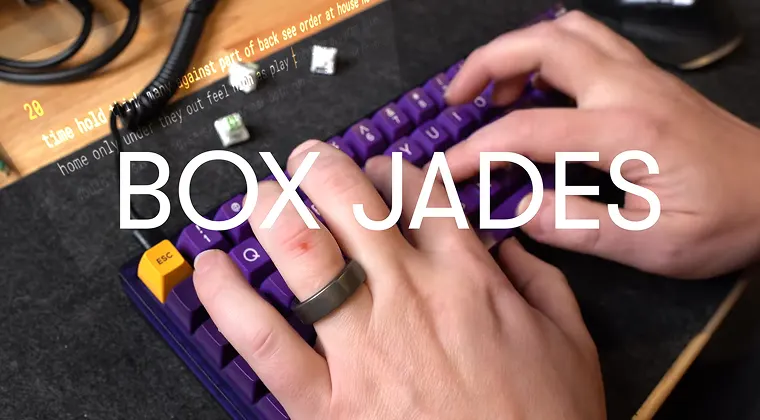
The loudest keyboard switches fall into the clicky mechanical switch category, and they achieve their volume through specific internal mechanisms designed to produce audible feedback. Here are my top 3 picks:
- Kailh Box Jade takes the crown as the loudest production mechanical switch. These switches are noticeably louder than any mainstream alternative during typing, measuring up to 72 decibels. Box Jades have a 50g actuation force and use a thicker clickbar mechanism that produces an aggressive, piercing click sound that carries across entire rooms.
- Kailh Box White comes in second place with a slightly lighter sound profile. Kailh also uses a clickbar mechanism that produces a sharper, higher-pitched sound compared to traditional designs. The clickbar design creates a pronounced audible click that carries further than Cherry MX Blues. Box Whites have a lighter 45g actuation force and measure up to 70 decibels.
- Cherry MX Blue sits at the foundation of loud clicky switches, though it’s actually quieter than the Kailh clickbar switches. During my testing with a GMMK Pro keyboard, Cherry MX Blues consistently produced noticeably loud typing sounds, measuring up to 68 decibels during normal typing speed (around 80 WPM). The sound comes from a click jacket mechanism inside the switch that creates the signature two-stage sound – the click on the way down, and the clack when the key bottoms out. Cherry MX Blues require 60g of actuation force.
The clickbar mechanism in Kailh switches creates fundamentally louder sounds than click jacket designs. The metal bar striking the switch housing produces a sharper acoustic signature that your brain interprets as louder, even when decibel measurements show only marginal differences.
For comparison, a typical office conversation measures around 60 decibels – typing on Cherry MX Blues (65-68 dB) is noticeably louder than normal speech, while typing on Kailh Box Jades (70-72 dB) approaches vacuum cleaner volume.
If you’re looking for the opposite end of the spectrum, we have a guide explaining what are the quietest keyboard switches.
Why Some Keyboard Switches Are Louder Than Others
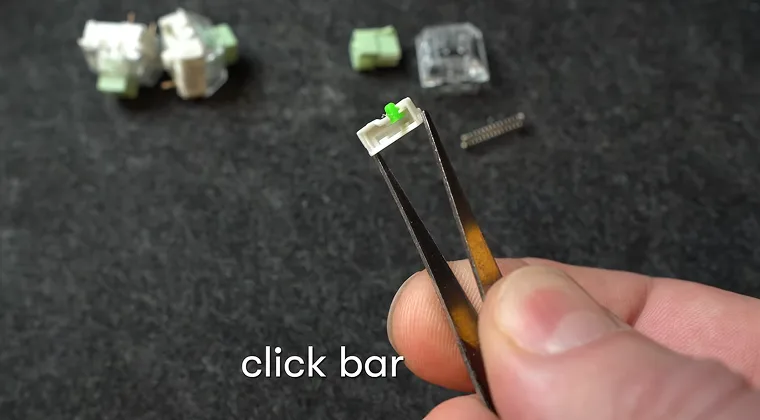
The volume difference between keyboard switches comes down to internal mechanism design and materials. Switches generate noise from three distinct sources: the actuation mechanism, the bottom-out impact, and the return upstroke.
Actuation Mechanism Noise
It separates clicky switches from tactile and linear models. You can learn more about them in our full guide on tactile vs linear vs clicky switches. Clicky switches include an additional component specifically designed to make sound.
Cherry’s click jacket wraps around the slider and snaps during actuation, while Kailh’s clickbar physically strikes the switch housing. Both mechanisms intentionally create noise as tactile feedback. Tactile switches use a bump instead of an audible click, and linear switches have no feedback mechanism at all.
If you’re new to keyboard switches, understanding these three actuation types helps explain why some switches are inherently louder.
Bottom-out impact
This happens when the keycap strikes the keyboard plate or PCB at the end of its travel. This generates noise regardless of switch type, but heavier switches amplify bottom-out sounds because you need to press harder to actuate them.
When I tested Cherry MX Greens (80g springs) against regular Blues (60g springs), the Greens produced noticeably louder bottom-out sounds despite having identical click mechanisms.
Return upstroke
Return upstroke creates a secondary click in some switch designs. Cherry MX Blues have a subtle upstroke click when the click jacket resets. Kailh clickbar switches generally lack this upstroke sound, making their acoustic profile more one-directional.
Material choices also affect volume. ABS plastic keycaps amplify sound more than PBT keycaps. During testing with identical switches, swapping from PBT to ABS keycaps increased measured decibels by 2-3 across all switch types. The less dense ABS plastic resonates more, creating a louder, higher-pitched sound profile.
Are Loud Keyboard Switches Good for Gaming?
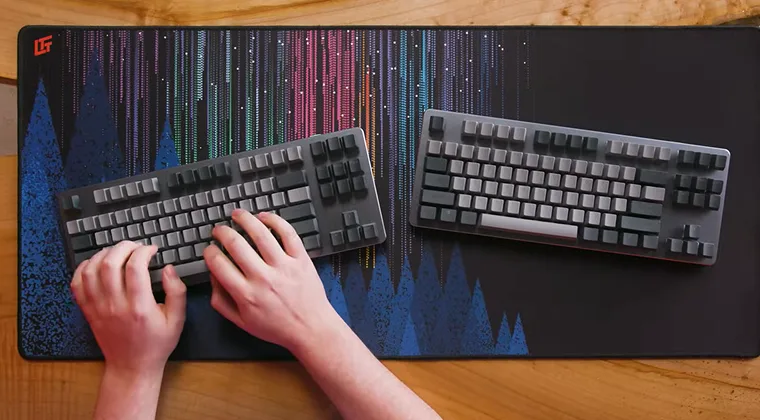
Loud clicky switches work fine for gaming, but they don’t provide meaningful competitive advantages over quieter switch types. The click happens at actuation, which occurs before the key bottoms out, theoretically allowing faster key releases. In practice, this makes minimal difference for gaming performance.
I spent two months gaming exclusively on Kailh Box Jades while working on mechanical keyboard content. In fast-paced games like Counter-Strike 2 and Valorant, the loud clicks didn’t impact my reaction times or accuracy. The audible feedback felt satisfying but didn’t translate to better performance compared to linear switches. So, loud noises don’t instantly make the best switches for gaming.
When Loud Clicky Switches Are a Problem
The real gaming consideration is distraction. If you’re voice chatting while gaming, clicky switches dominate your microphone. Even with push-to-talk enabled, the constant clicking during intense gameplay moments creates background noise your teammates will hear. I had to switch back to linear switches for late-night gaming sessions after roommate complaints about the noise bleeding through walls.
When Loud Clicky Switches Can Be Enjoyable
For single-player gaming where voice chat isn’t a factor, loud switches can enhance immersion. Playing Baldur’s Gate 3 with Box Jades felt more engaging – the tactile and audible feedback added weight to dialogue choices and combat actions. The sensory feedback loop between what you’re doing and what you’re hearing reinforces the gaming experience.
Some competitive gamers prefer clicky switches specifically for the audio feedback. The distinct click confirms each keypress without needing to look at the screen, which helps during ability rotations in MMOs or MOBA games where you’re tracking multiple cooldowns simultaneously.
How to Make Your Keyboard Switches Louder or Quieter
Even the best keyboard switches can use a bit of tuneup to meet your personal preferences. If you want to increase or decrease keyboard volume after purchasing switches, several modifications affect sound output without replacing switches entirely.
To make switches louder:
- Adding thinner keycaps amplifies sound: ABS keycaps ring more than thick PBT keycaps. When I swapped thick PBT keycaps for thin ABS keycaps on Box Whites, the perceived volume increased significantly even though the switch mechanism remained unchanged.
- Removing case foam increases resonance: Many modern mechanical keyboards include foam between the PCB and the case to dampen sound. Removing this foam lets the case act as a resonance chamber, amplifying every keypress.
- Installing a polycarbonate or acrylic case: Replacing aluminum creates more acoustic reflection. Plastic cases don’t absorb sound like metal cases, so keypresses echo inside the case before escaping.
To make switches quieter:
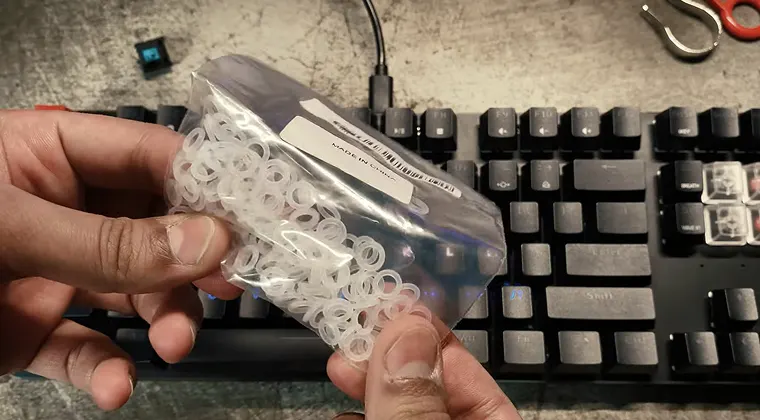
- O-rings placed on keycap stems reduce bottom-out noise: These rubber rings cushion the impact when keys hit the plate. They don’t affect the click mechanism in clicky switches, so you’ll still hear the actuation click, but the overall volume decreases by reducing the loudest component.
- Lubing switches reduces friction noise: Applying lubricant to the switch housing and spring eliminates the scratchy sounds produced by plastic-on-plastic contact. This doesn’t silence clicky switches, but it removes the unpleasant high-frequency scratchiness that makes cheap switches sound harsh. Read more about it in our full guide on how to lube keyboard switches.
- Adding case foam and desk mats absorbs sound waves: Filling your keyboard case with foam dampens resonance, and placing the keyboard on a thick desk mat prevents sound from reflecting off your desk surface into the room.
Do You Need Loud Keyboard Switches?
Whether you need loud switches depends entirely on your environment and preferences. I genuinely enjoy typing on clicky switches – the audible feedback creates a satisfying rhythm that makes writing feel more engaging. But practicality matters.
You’ll appreciate loud switches if:
- You work alone without disturbing others. If you have a dedicated office or gaming space where noise doesn’t matter, clicky switches provide excellent tactile and audible feedback that makes typing feel more deliberate and satisfying.
- You want typing to feel substantial. The click confirms each keypress in a way that silent switches can’t match. This psychological feedback can actually improve typing accuracy because you’re more aware of each keystroke.
- You enjoy the mechanical keyboard aesthetic. Part of the appeal of mechanical keyboards is the sound. If you’re building a custom keyboard as an enthusiast hobby, choosing quiet switches defeats part of the purpose for many people. I also recommend checking our guide on the best keyboard switches.
You should avoid loud switches if:
- You share a workspace with others. Office environments, shared gaming spaces, or late-night sessions with sleeping family members make clicky switches impractical.
- You do voice chat while gaming. Your microphone will pick up every keypress during intense gaming moments, creating constant background noise for your teammates. This becomes particularly annoying during critical moments when clear communication matters.
- You want versatility. Once you’ve committed to clicky switches, you’re stuck with the noise unless you’re willing to desolder and replace every switch. Starting with quieter switches gives you the option to add volume later through modifications.
Final Thoughts: Are Loud Keyboard Switches Worth It?
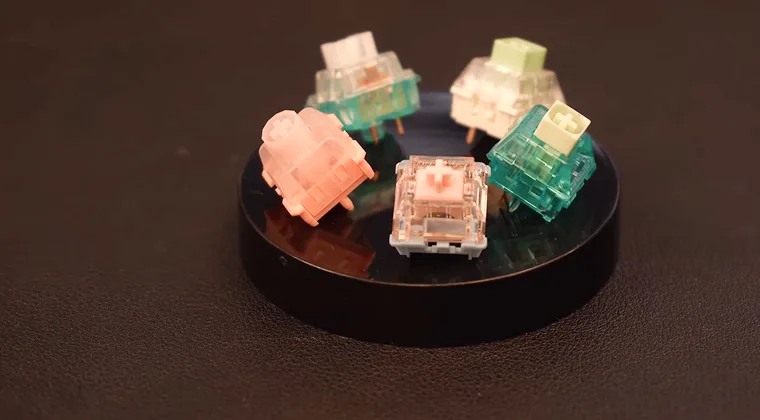
Loud mechanical switches aren’t subtle – and that’s the point. Kailh Box Jades, Box Whites, and Cherry MX Blues exist for people who want feedback they can hear, not just feel. After testing dozens of switches, it’s clear that loud clicky models are less about raw performance and more about personality, enjoyment, and a typing experience that feels alive.
If typing is part of your workday or creative process and you have the space for it, loud switches turn writing into something satisfying and rhythmic. But if you share a room, work in an office, stream, or play team-based games where voice chat matters, clicky switches go from fun to social warfare pretty fast – especially once everyone else hears every cooldown, reload, and frantic WASD mash.
So pick loud switches if you want sound, feedback, and presence – not because you’re expecting a gameplay advantage or faster typing. Mechanical keyboards are about preference, and clicky switches just happen to be the loudest way to enjoy them. If you’re a fan of audible thick machines, I recommend going through our guide on the best mechanical keyboards as well.
FAQs
Keyboard switches produce loud sounds through internal mechanisms designed for audible feedback. Clicky switches contain either a click jacket or clickbar component that creates noise when the key actuates. Additionally, all switches generate sound when the keycap bottoms out against the keyboard plate and during the upstroke when the key returns to its resting position.
No, clicky switches are not bad for gaming and function perfectly well for all game types. However, they can be problematic for voice chat since microphones pick up the loud clicking sounds. The audible feedback doesn’t provide competitive advantages over quieter switch types, but some gamers prefer the tactile and audio confirmation of each keypress.
Yes, you can reduce keyboard switch volume through several modifications. Adding O-rings to keycap stems dampens bottom-out noise, applying lubricant reduces friction sounds, and installing case foam absorbs resonance. However, these modifications won’t eliminate the click mechanism sound in clicky switches – they only reduce the overall volume by addressing secondary noise sources.
Cherry MX Blue switches use a click jacket mechanism that produces a traditional clicky sound at around 65-68 decibels. Kailh Box White switches use a clickbar design that creates a sharper, louder click at 68-70 decibels. Box Whites also have tighter tolerances that reduce stem wobble, making them feel more stable during typing.
Clicky mechanical switches measure between 63-72 decibels during normal typing, which is louder than typical conversation (60 dB) and significantly louder than membrane keyboards (45-50 dB). The loudest mechanical switches (Kailh Box Jade at 70-72 dB) approach the volume of a dishwasher or vacuum cleaner heard from the next room.