Tactile vs Linear vs Clicky Switches: Complete Guide


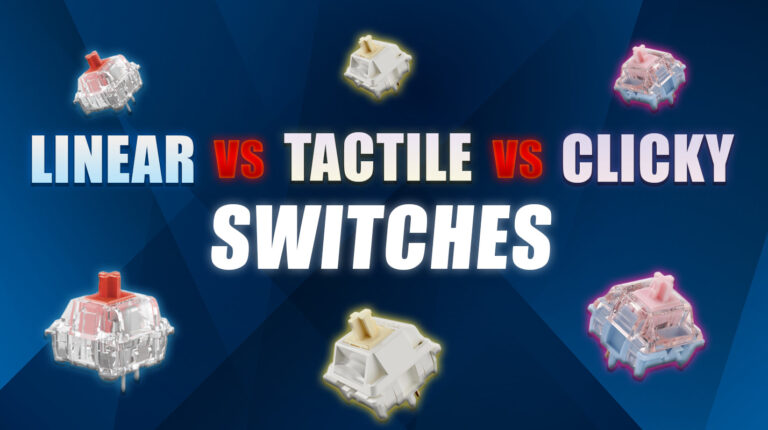
Choosing the right keyboard switch can completely change how you experience gaming, typing, or everyday computer use. Mechanical keyboard switches come in three main types: linear, tactile, and clicky – each offering a distinct feel, sound profile, and performance characteristic.
Linear switches glide smoothly without resistance, tactile switches provide a noticeable bump at actuation, and clicky switches provide both a bump and an audible click for maximum feedback. Understanding these differences matters because the wrong switch type can lead to typing fatigue, slower response times in games, or even workplace complaints about noise.
I’ve tested quite a few mechanical keyboards over the past few years, comparing everything from budget boards to custom builds, and the switch type consistently proves to be the most critical factor in user satisfaction. This guide will break down tactile vs linear vs clicky switches, explain their pros and cons, and help you confidently choose the switch that matches your preferences and environment.
Jump to:
Tactile vs Linear vs Clicky Switches
The fundamental difference between these switches lies in their actuation feedback. Linear switches offer a smooth, uninterrupted keystroke from top to bottom with no tactile bump or sound. Tactile switches include a noticeable bump at the actuation point but remain relatively quiet. Clicky switches combine a tactile bump with an audible click, delivering maximum sensory feedback.
Your choice depends on whether you prioritize speed and silence (linear), balanced feedback (tactile), or pronounced confirmation (clicky). The ideal switch also varies based on your environment – an open office demands quieter switches, while a private gaming setup allows for louder, more expressive options.
1. Linear Switches
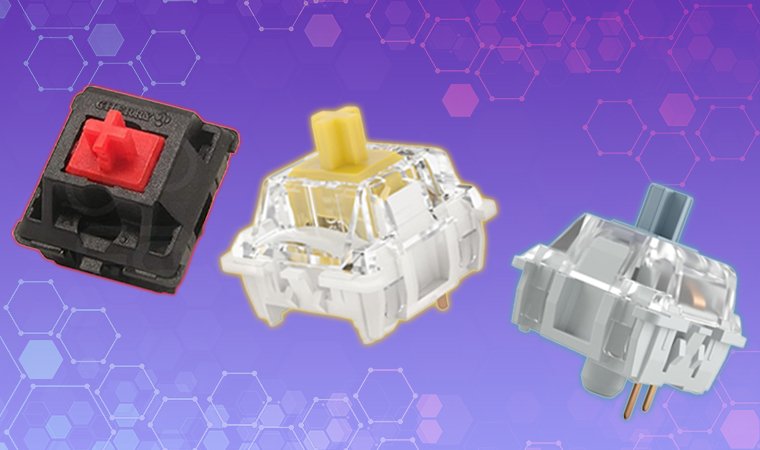
Linear switches give a completely smooth keystroke with no tactile bump or audible click. When you press the key, it travels straight down without any resistance change or feedback until it bottoms out. This consistent actuation makes linear switches extremely popular among competitive gamers who value speed and predictability. Common examples include Cherry MX Red, Gateron Yellow, and Kailh Speed Silver, each offering slightly different actuation forces and travel distances.
The main advantage of linear switches is their smooth, quiet operation combined with rapid-fire capability for gaming. However, they provide less feedback, which can lead to accidental key presses during typing since you don’t feel when actuation occurs. Linear switches excel in fast-paced gaming scenarios where milliseconds matter, but they require a learning curve for accurate typing.
2. Tactile Switches

Tactile switches feature a noticeable bump at the actuation point without producing an audible click. This bump provides physical feedback that confirms you’ve activated the key, helping improve typing accuracy while maintaining moderate noise levels. Popular tactile switches include Cherry MX Brown, Holy Panda, and Durock T1, with each offering different bump characteristics and actuation forces. The advantages of tactile switches include excellent feedback for typing accuracy, versatility for both gaming and productivity, and quieter operation compared to clicky switches.
The downsides are that they’re not as silent as linear switches and don’t provide the crisp, definitive feedback that clicky switches offer. Tactile switches work best for users who want confirmation without noise, making them ideal for mixed-use keyboards in shared spaces or for those who split time between gaming and typing-heavy tasks.
3. Clicky Switches
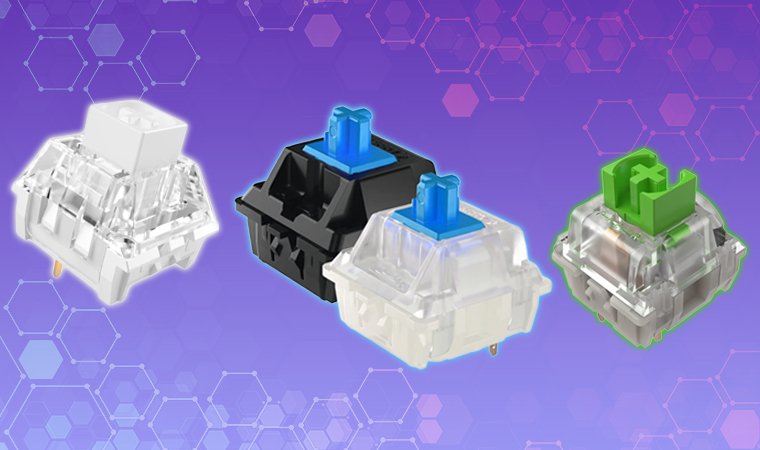
Clicky switches provide both a tactile bump and a distinct audible click at the actuation point. This dual feedback creates a satisfying, typewriter-like experience that many enthusiasts love. The clicking sound comes from a specialized mechanism inside the switch that produces an audible “click” separate from the sound of the key bottoming out. Popular clicky switches include Cherry MX Blue, Razer Green, and Kailh Box White, each with slightly different click mechanisms and sound profiles.
The major advantages are exceptional feedback, high typing satisfaction, and improved accuracy since you both feel and hear every keystroke. However, clicky switches are notably loud, potentially disruptive in quiet environments or during voice calls, and may annoy coworkers or housemates. Clicky switches are perfect for enthusiasts who prioritize tactile and auditory feedback over silence, especially in private workspaces.
4. Comparison Table: Linear vs Tactile vs Clicky
Understanding tactile vs linear vs clicky switches becomes clearer when you compare their characteristics side by side. The table below breaks down the key differences:
| Switch Type | Feel | Sound Level | Best Use Case | Key Pros | Key Cons |
|---|---|---|---|---|---|
| Linear | Smooth, no bump | Quiet | Fast-paced gaming, streaming | Consistent actuation, minimal noise | Less feedback, potential accidental presses |
| Tactile | Noticeable bump | Moderate | Typing, mixed use, office work | Good feedback, versatile, quieter | Not silent, less pronounced than clicky |
| Clicky | Bump + click | Loud | Typing, programming, home use | Maximum feedback, satisfying | Very loud, not office-friendly |
Each switch type serves different user needs. Linear switches prioritize speed and silence, making them ideal for competitive gamers and content creators who need clean audio. Tactile switches balance feedback with noise control, perfect for productivity-focused users who share workspaces. Clicky switches maximize sensory confirmation, appealing to typing enthusiasts and programmers who work alone and value that classic mechanical keyboard experience.
Requirements for Choosing a Switch Type
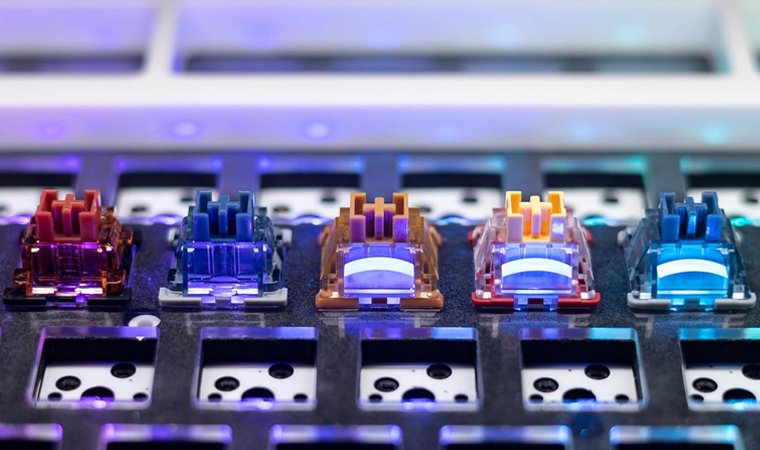
Several factors should influence your decision when comparing linear switches vs tactile vs clicky options. Noise tolerance ranks as the primary consideration – if you work in a shared office or stream content, loud clicky switches will cause problems, while linear or tactile switches maintain peace. Feedback preference matters equally: do you need to feel or hear actuation confirmation, or do you prefer smooth, uninterrupted keystrokes?
Your primary activity also plays a role – gaming typically favors linear switches for rapid key presses, while typing and programming often benefit from tactile or clicky feedback that improves accuracy. Travel distance and actuation force affect fatigue levels, with lighter switches (40-45g) suiting gaming and heavier switches (55-65g) reducing typing errors. Users aiming for faster response times and improved ergonomics should review the best low-profile switches to find options that significantly reduce overall travel distance and wrist strain.
Finally, consider switch compatibility with your keyboard – hot-swappable boards let you experiment freely, while soldered switches require commitment to your choice. When I upgraded to hot-swappable keyboards two years ago, I tested eight different switch types across three months before finding my ideal combination of Gateron Yellows for gaming and Boba U4Ts for work.
Why Switch Type Matters
Choosing the correct switch type significantly impacts your daily computing experience. The right switches enhance typing speed, accuracy, and overall satisfaction while reducing hand fatigue during marathon gaming sessions or long workdays. Mismatched switches can cause physical discomfort, slower performance, and even workplace friction if your keyboard disrupts others.
Sound level compatibility with your environment prevents complaints from family, roommates, or colleagues. Making an informed decision also prevents buyer’s remorse – mechanical keyboards represent a significant investment, and replacing switches (especially on soldered boards) can be expensive and time-consuming.
Different activities benefit from specific switch characteristics:
- Gaming – Linear switches provide fast, consistent actuation without bumps slowing down rapid key presses during competitive play.
- Typing – Tactile switches offer confirmed feedback with quieter operation, ideal for long writing sessions and office productivity.
- Programming – Clicky switches deliver responsive, accurate, satisfying feedback that helps during extended coding marathons.
- Office Work – Tactile switches balance low-noise operation with enough feedback to maintain productivity without disturbing coworkers.
- Streaming – Linear switches produce minimal keystroke noise, ensuring clean audio quality during broadcasts and recordings.
Understanding these relationships helps you align your keyboard choice with how you actually use your computer. If you’re building or upgrading your setup, exploring our guides to the best mechanical keyboards can help you find boards that match your preferred switch type.
Best Strategies to Pick the Right Switch
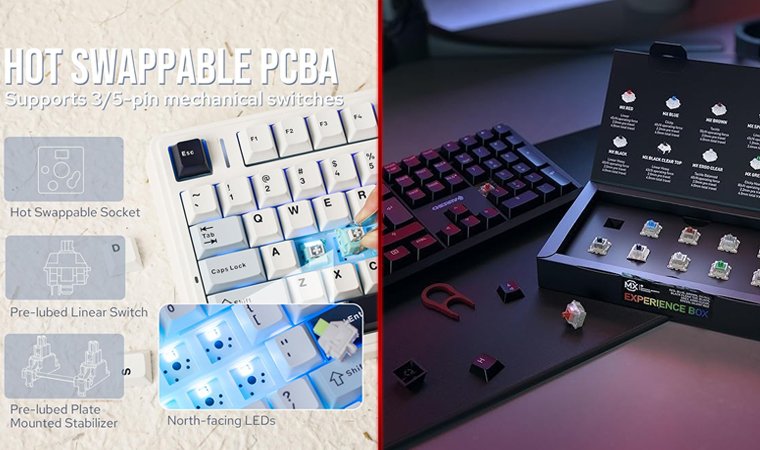
Testing switches before committing to a full keyboard represents the smartest approach to finding your perfect match. Purchase a switch tester kit containing sample switches of all three types – these inexpensive tools (typically $15-30) let you feel the difference between linear, tactile, and clicky switches without buying multiple keyboards. Watch typing sound tests on YouTube to understand how each switch sounds in real-world use, since videos capture audio characteristics better than text descriptions. Read reviews and join keyboard communities like r/MechanicalKeyboards or Deskthority, where enthusiasts share detailed experiences with specific switch models.
Consider buying hot-swappable keyboards that let you change switches without soldering – brands like Keychron, GMMK, and Epomaker offer excellent options. This flexibility means you can start with one switch type and swap to another if your preferences change. I started with Cherry MX Browns thinking I wanted tactile feedback, but after three months discovered that Gateron Yellows felt better for my gaming-heavy usage pattern.
Try a hot-swappable keyboard that lets you swap between linear, tactile, and clicky switches without soldering. It’s the easiest way to find your favorite feel and even create custom layouts with different switches for gaming (WASD with linear) and typing (everything else with tactile).
Think long-term when making your decision. Consider comfort during extended sessions, whether noise levels might change (moving from private space to shared office), and potential for future modding. Lubed linear switches feel dramatically smoother than stock, while tactile switches can be customized with different springs and films. For budget-conscious buyers, check out our best budget gaming keyboards that offer quality switches without premium prices.
Find Your Perfect Switch Type
Understanding keyboard switches linear vs tactile vs clicky differences empowers you to make confident keyboard purchases that match your actual needs. Linear switches offer smooth, quiet operation perfect for gaming and streaming. Tactile switches provide balanced feedback suitable for typing and mixed use. Clicky switches deliver maximum sensory confirmation ideal for typing enthusiasts and programmers. Your environment, primary activities, and personal preferences should guide your choice more than any universal recommendation.
Take time to test different switches before committing, consider your workspace noise tolerance, and think about whether you prioritize speed, feedback, or satisfaction. The mechanical keyboard community continues growing because finding the right switch creates a genuinely better computing experience.
Browse the best mechanical keyboards at Eneba to find quality boards featuring your preferred switch type, and don’t hesitate to experiment with different options through switch testers or hot-swappable keyboards. No matter if you choose linear smoothness, tactile feedback, or clicky satisfaction, the right switches will transform how you interact with your computer every single day.
FAQs
Linear switches provide smooth keystrokes without feedback bumps. Tactile switches offer a noticeable bump at actuation, while clicky switches add an audible click for maximum sensory confirmation.
Linear switches are best for gaming due to their smooth, consistent actuation without bumps. They enable faster key presses and reduce fatigue during extended competitive play sessions.
Yes, clicky switches are too loud for most office environments since they produce distinct clicks with every keystroke. Tactile or linear switches offer quieter alternatives that won’t disturb coworkers.
Tactile switches often feel better for typing because they provide physical feedback at actuation, improving accuracy. The noticeable bump helps confirm keystrokes without excessive noise.
You can swap switches only on keyboards with hot-swappable sockets that allow removal without soldering. Traditional mechanical keyboards require desoldering and resoldering to change switch types.