What Are the Quietest Keyboard Switches? Complete 2026 Guide


What are the quietest keyboard switches that actually deliver on their promise of silence? I’ve spent countless hours testing different silent mechanical switches to find the best options for both gaming and work. The mechanical keyboard market has transformed dramatically, with silent switches becoming a priority for gamers, office workers, and anyone sharing their space with others.
The key to finding the quietest keyboard switches lies in understanding how they work. Silent switches incorporate rubber or silicone dampeners that absorb impact when keys bottom out and return to rest. This creates a whisper-quiet typing experience, typically operating at around 40-45 decibels compared to 60-70 decibels for regular switches.
No matter if you’re a night owl gamer worried about waking roommates or an office worker in an open-plan workspace, this guide will help you navigate the world of silent keyboard switches and find your perfect match.
Jump to:
What Makes a Keyboard Switch Quiet?
The quietest mechanical keyboard switches achieve silence through dampening pads made from rubber, silicone, or TPU materials. These pads absorb impact when you press keys down and when they return to rest.
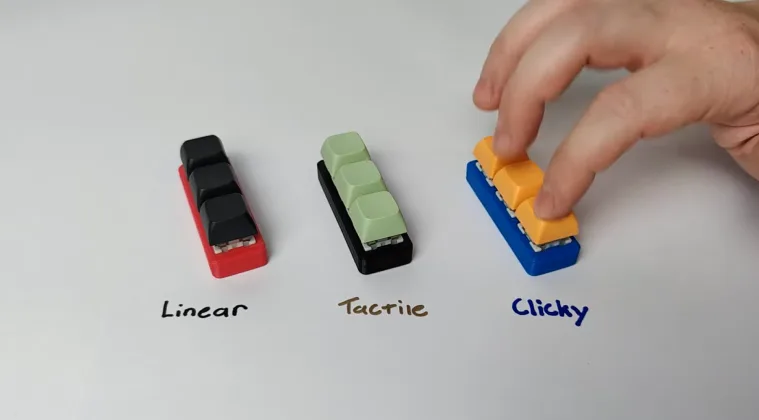
Linear switches tend to be naturally quieter than tactile or clicky variants because they lack bump mechanisms. The housing material also plays a role, with nylon housings producing more muted sounds compared to polycarbonate.
Factory lubrication reduces friction between moving parts, eliminating scratchy sounds. The actuation force matters, too – lighter switches around 40-45 grams require less pressure, resulting in quieter typing.
Top Silent Linear Switches for Maximum Quietness
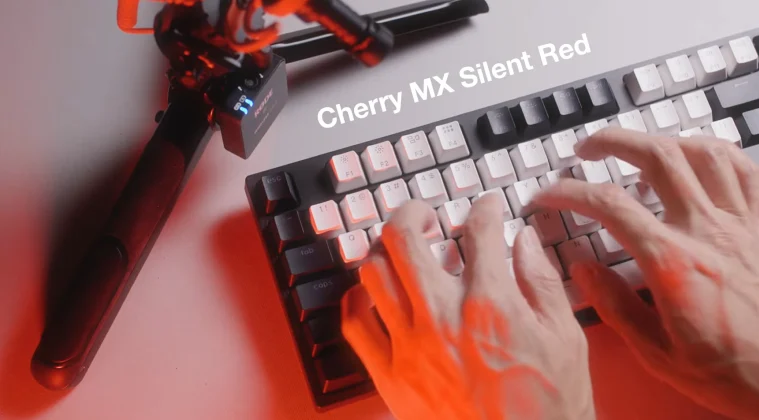
Silent linear switches represent the quietest mechanical keyboard switches available today. These provide smooth keystrokes without tactile bumps, making them ideal for gamers and typists who prioritize silence. Cherry MX Silent Red switches set the gold standard. With 45-gram actuation force and built-in rubber dampeners, these reduce noise by approximately 30 decibels. The 100 million keystroke lifespan ensures reliability.
Gateron Silent Red and Silent Black switches offer budget-friendly alternatives. Silent Red matches Cherry‘s 45-gram actuation, while Silent Black requires 60 grams. Both feature cushioned muffler pads that eliminate clacking sounds.
ZealPC Healios switches occupy the premium tier with 67-gram actuation and specialized silencing bumpers. Factory lubrication provides buttery-smooth keystrokes straight from the box. Akko Fairy switches deserve mention as an outstanding budget option at $0.31 per switch. They use silicone dampening and come factory-lubed with a muted, lower-pitched sound signature.
Best Silent Tactile Switches That Balance Feedback and Quietness
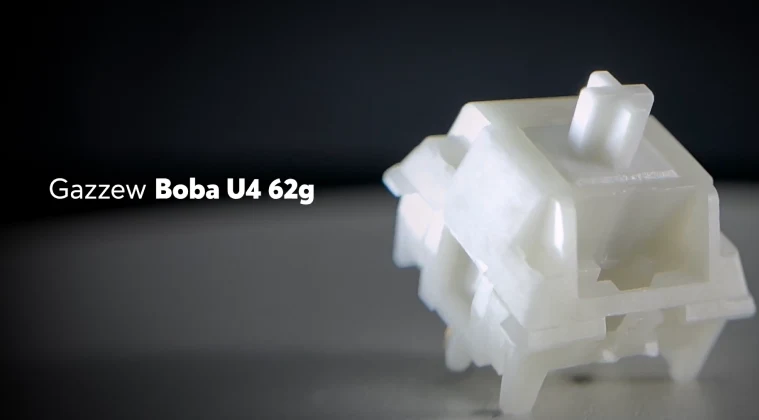
Silent tactile switches provide satisfying bumps while maintaining library-quiet operation. These appeal to typists who need tactile confirmation without noise. Gazzew Boba U4 switches earned their reputation as some of the quietest switches available. The 62-gram tactile bump comes with silicone dampeners that absorb sound at both bottom-out and return phases.
ZealPC Zilent V2 switches represent the tactile counterpart to Healios. Available in multiple spring weights from 62 to 78 grams, these feature rubber silencers and reinforced stems. Expect premium prices around $1.30 per switch. Akko Penguin switches provide sharp tactile feedback with integrated silence. The P-shaped bump feels snappy, while silicone dampens sound. At $0.35 per switch, these offer exceptional value.
TTC Bluish White Silent V2 switches feature a rounded tactile bump. The dampening pad and silicone ring produce sound comparable to membrane keyboards, ideal for ultra-quiet office builds. Outemu Cream Yellow switches offer budget-conscious builders a solid, silent tactile option. The tactile bump sits at the top of the keystroke with sharp feedback while keeping volume low.
Low-Profile Silent Switches for Compact Keyboards
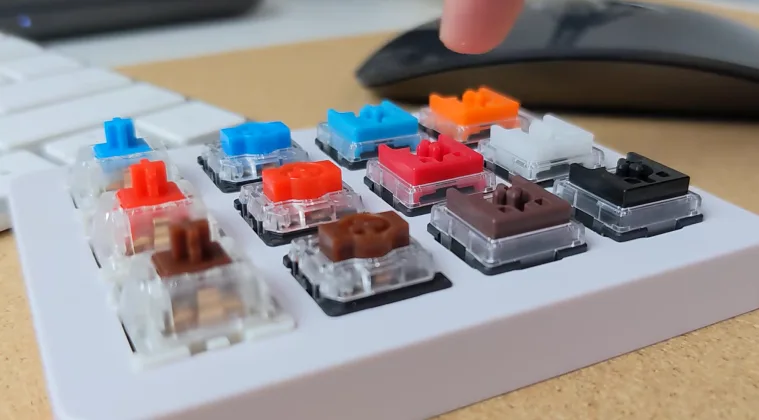
Low-profile silent switches cater to users wanting thinner keyboards without sacrificing quietness. These typically feature 3.0mm total travel compared to 4.0mm for standard switches.
Keychron Low Profile Silent switches combine transparency for RGB lighting with a cushioned stem design. The 40-gram actuation force provides responsive typing without heavy keypresses. Kailh Deep Sea Silent Mini switches come in White Silent linear and Brown Tactile variants. With 43-45 gram operating force and 1.3mm pre-travel, these provide comfortable, quiet operation.
Gateron KS-33 Low Profile Silent switches feature pre-lubed structures with 3.0mm total travel. The dual-rail structure reduces stem wobble, while transparent housing supports SMD LED lighting. Cherry MX Low Profile switches maintain Cherry quality in a reduced height. Red and Silver variants both offer quiet operation, with Silver providing shorter 1.0mm actuation for gaming.
How to Choose the Right Silent Switches for Your Needs
Selecting what are the quietest keyboard switches for your situation depends on several factors beyond noise level.
- Linear versus tactile represents the fundamental choice. Linear switches like Cherry MX Silent Red provide the absolute quietest experience. Tactile switches like Boba U4 add physical feedback for typing accuracy.
- Actuation force affects both comfort and noise. Lighter switches, around 40-45 grams, feel effortless but can cause accidental presses. Heavier switches in the 60-67 gram range reduce mistakes. I’ve found 55-62 gram switches offer the sweet spot.
- Consider your environment. Office workers can use silent tactiles, while late-night gamers need absolute silence from premium linear switches. Libraries and recording studios demand options like ZealPC Healios.
- Budget matters too. Entry-level options like Akko Fairy cost $0.30-0.40 per switch. Mid-range choices like Cherry MX Silent run $0.50-0.75. Premium ZealPC options cost $1.00-1.30 per switch.
Hot-swappable keyboards give you the flexibility to try different switches without soldering. Consider buying switch testers with 5-10 different silent switches before committing to full sets. Many of our top-rated mechanical keyboards now come with hot-swap functionality built in
Comparing Silent Switches to Standard Mechanical Switches
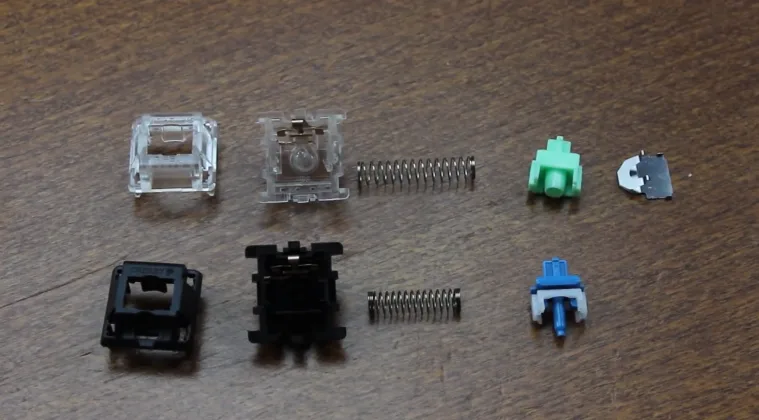
Understanding what the quietest keyboard switches are requires comparing them to standard options. Regular Cherry MX Red switches produce approximately 60-65 decibels. Silent variants reduce this to 40-45 decibels. The dampening technology makes dramatic differences. Standard switches create noise at two points: bottom-out and return. Silent switches use rubber pads that absorb impact at both points.
Feel differences exist beyond noise. Some users report that silent switches feel slightly mushier because dampening pads compress upon impact. However, modern switches from ZealPC and Gazzew have minimized this effect. Durability remains comparable. Silent switches maintain the same lifespan ratings as standard counterparts, typically 50-100 million keystrokes. Dampening materials hold up well over time.
Gaming performance is where silent switches truly shine. Reduced noise lets you focus on gameplay, and linear silent switches provide the smooth, consistent actuation gamers need.
Maintaining Your Silent Keyboard Switches

Proper maintenance keeps the quietest keyboard switches performing optimally for years.
Lubrication plays a crucial role. Factory-lubed switches need minimal intervention, but hand-lubing can further reduce sound. Use thin lubricants like Krytox 205g0 on stem rails and avoid over-lubing.
Cleaning should happen every 6-12 months for heavy users. Remove keycaps and use compressed air to blow out dust. Avoid removing switch tops unless necessary, as this can disturb dampening materials.
Keycaps significantly impact overall keyboard sound. Thick PBT keycaps absorb more sound than thin ABS keycaps, complementing your silent switches.
Case modifications enhance silence. Adding foam between the PCB and the case bottom dampens vibrations. Silicone dampening mats absorb resonance. These work synergistically with silent switches.
Silent Switches for Different Use Cases

What are the quietest keyboard switches for your specific application? Different scenarios demand different characteristics.
Gaming requires fast actuation. Linear silent switches like Cherry MX Silent Red or Gateron Silent Red excel with smooth, predictable travel. The 45-gram actuation provides quick response without fatigue. These switches pair perfectly with high-performance gaming keyboards designed for competitive play.
Office work benefits from silent tactile switches. Akko Penguin or Boba U4 provide clear tactile bumps that help reduce typos while maintaining professional quiet.
Content creation demands absolute silence. Video editors and streamers need ZealPC Healios or TTC Frozen Silent switches to avoid keyboard noise in recordings.
Late-night use demands maximum quietness. Linear switches with robust dampening, like ZealPC Healios, create minimal disturbance. Pair these with thick PBT keycaps and case foam.
Student housing requires consideration for others. Budget-friendly options like Outemu Cream Yellow or Gateron Silent switches provide solid noise reduction without breaking budgets. Pairing these switches with affordable budget gaming keyboards creates a complete setup that stays quiet and affordable.
What to Consider Before Buying Silent Switches
Before investing in one the quietest keyboard switches options here, evaluate several practical considerations.
- Compatibility matters more than many realize. Most silent switches use standard MX-style stems, but low-profile variants require specific keyboard support. Verify your keyboard accepts the switch type.
- Switch quantity adds up quickly. Full-size keyboards need 104+ switches, tenkeyless boards require 87, and 60% keyboards use 61 switches. Budget accordingly.
- Testing before buying saves disappointment. Order switch testers containing 5-10 different silent switches to physically compare them. The $15-25 investment prevents purchasing switches you’ll dislike. Return policies protect your purchase. Some vendors offer return windows for unused switches, while others prohibit returns. Buy from retailers with clear policies when possible.
- Community reviews provide real-world insights. Check Reddit communities, YouTube sound tests, and keyboard forums for user experiences with specific silent switches.
Upgrading Your Current Keyboard to Silent Switches
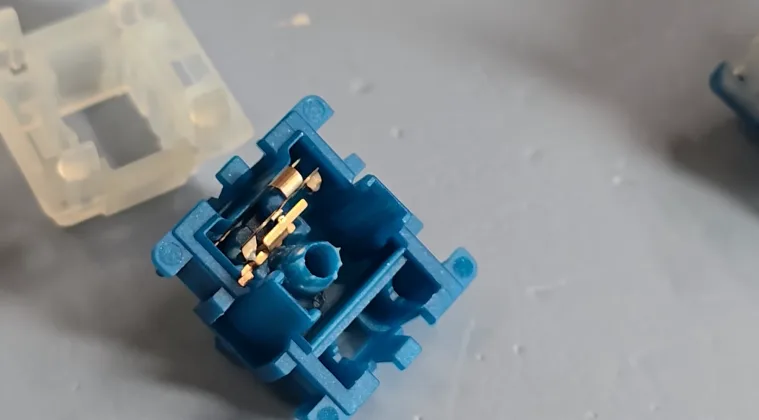
Transforming your existing mechanical keyboard with what are the quietest keyboard switches is possible through switch replacement. Hot-swappable keyboards make upgrading straightforward. Simply remove keycaps, pull existing switches with a switch puller, and press new silent switches into place. The process takes 15-30 minutes.
Soldered keyboards demand more expertise. Replacing switches requires desoldering existing switches and soldering new ones. This takes 2-4 hours for full keyboards and carries the risk of PCB damage. Switch opener tools facilitate modifications. These devices let you open switch housings to apply lubricant without desoldering. This works for keyboards you want to keep but make quieter.
Stabilizer tuning significantly impacts overall keyboard quietness. Lube stabilizers with thick grease and use the band-aid mod to reduce rattle for optimal silence. Many modern wireless gaming keyboards now feature hot-swappable designs that make it easy to customize switches for a quieter typing experience.
FAQs
The quietest keyboard switches for gaming are linear silent switches, specifically Cherry MX Silent Red, Gateron Silent Red, or ZealPC Healios. These switches provide smooth actuation without tactile bumps, reducing noise to 40-45 decibels while maintaining the fast response times gamers need.
Yes, silent mechanical switches can be as quiet or quieter than membrane keyboards. Premium options like Boba U4 or ZealPC Healios produce sound levels around 40 decibels, comparable to quality membrane keyboards, while maintaining superior feel and durability.
High-quality silent switches like Boba U4 or Cherry MX Silent series feel nearly identical to regular switches. Budget options may feel slightly softer due to dampening pads, but modern engineering has minimized this effect compared to early silent switch designs.
You can reduce noise from regular switches by adding O-rings under keycaps, lubricating the switches, and installing foam in your keyboard case. However, these modifications won’t achieve the same quietness as purpose-built silent switches with integrated dampening.
Silent linear switches like Cherry MX Silent Red provide smooth, bump-free keystrokes and represent the absolute quietest option. Silent tactile switches like Boba U4 add a physical bump for typing feedback while remaining quiet through dampening, though slightly louder than linear variants.