



Dell vs HP Laptops: What Experts Recommend in 2026

Eneba Hub contains affiliate links, which means we may earn a small commission if you make a purchase through them—at no extra cost to you. Learn more


Recent update
This list is regularly updated to match what’s trending and in-demand among gamers.
Dell vs HP laptop is one of the biggest debates for customers. It can be difficult to choose between them. The purpose of our article is to compare these companies based on the devices they offer.
I’ll look at the range of Dell vs HP laptops on the market and compare their product lines in categories like productivity, gaming, design, durability, and support.
If you’ve ever been torn between a Dell vs HP laptop, this guide can help you make a decision based on your needs in 2025.
Jump to:
Dell vs HP: Laptop Product Ranges
Dell and HP laptops come in a range of options, all with different audiences and uses. They both have luxury options, durable workhorse models, professional-grade laptops, and even some of the best gaming laptops for a range of budgets.
Dell has the XPS line for premium use, the Inspiron series for users on a budget, and Alienware for gaming.
On the other hand, HP features the Spectre for its premium line, the Pavilion line for budget shoppers, and the Omen for high-end gaming features. I’ll guide you through all of these ranges to help you decide.
Dell Product Groups
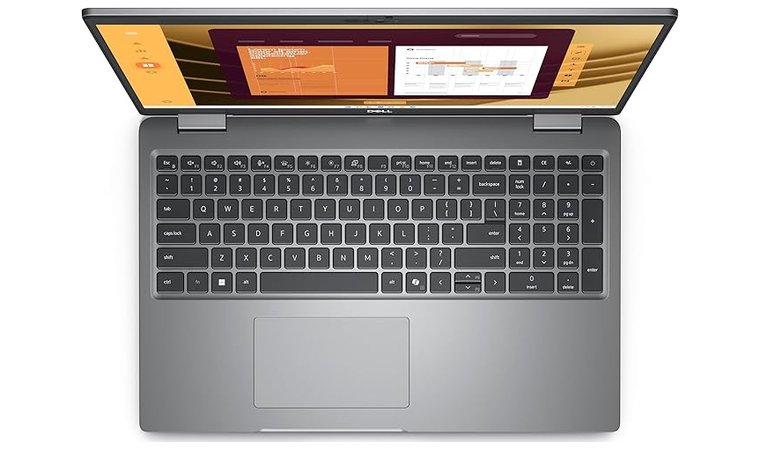
Dell has 6 main product lines for their customers. Each is tailored to a particular use and performs differently based on how you use it. Consider choosing a Dell laptop based on its intended use for best results.
- XPS is Dell’s higher-end laptop line. These models occupy a unique space on Dell’s roster, coming in somewhere between a professional–grade laptop and a budget–friendly option. These models are known for great performance and a comfortable, high–end design.
- Inspiron, on the other hand, is the budget-friendly line. These mainstream laptops are versatile and function well on their lower–end hardware, perfect for students and those who only want to scroll the internet.
- Latitude business laptops are well known for being secure and durable. This is the ideal laptop for running a tech business or coding at a higher level. If you don’t want to upgrade to the professional line, Latitude works just fine for most tasks.
- Precision is a professional-grade workstation certified to work at the highest possible level. These computers get the best chips and hardware configurations for true professional power.
- Alienware laptops are distinctive high-end gaming machines that perform just as well as a desktop for most modern games. They usually include the latest GPUs and offer the best processing power of the current gaming generation.
- Dell G-Series is a more modest gaming line that combines performance and value. This is a more common, mainstream gaming laptop that performs well on most games but lacks powerful features like ray tracing.
If you want specific model recommendations, check our best Dell laptops guide for the strongest picks across XPS, Inspiron, Latitude, and more.
HP Product Groups
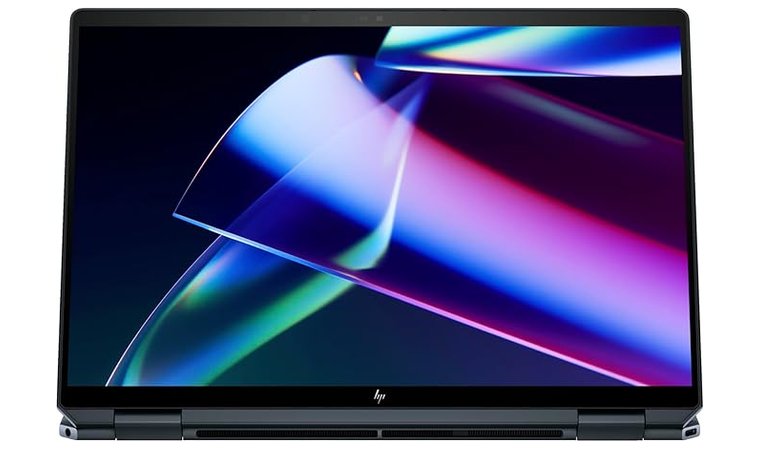
HP has 8 product lines that cover a wider range of use. Most tailor their products to a very specific consumer base.
- Spectre is made for creators and premium use, with high performance and unique designs that stand out.
- Envy laptops are high-end consumer models that perform well for your everyday tasks. While these models aren’t going to run the latest games or render video particularly well, they will get standard tasks done well.
- Pavilion is the mainstream laptop line. These models can be used for most everyday tasks and are especially suitable for users on tighter budgets.
- Omen competes with Dell’s Alienware line as the distinctive high-end gaming option from HP. This laptop runs extremely cool and performs well on even the most recent modern games. The gamer aesthetics are a nice bonus.
- Victus makes some of the best budget gaming laptops on the market, especially for mainstream consumers who don’t play graphics-heavy games.
- EliteBook is the midline business line for HP. These laptops are secure and feel premium, with every aspect of their build remaining sleek and professional.
- ProBook is the business laptop line for value shoppers. These laptops are powerful but may not pull off the same level of computing as other business models.
- ZBook is HP’s most powerful business laptop. The design and performance are about as premium as you can get. They use the most powerful components on the market to make your workday go smoothly.
For a curated list of standout models across these families, take a look at our best HP laptops guide.
Dell vs HP: Productivity
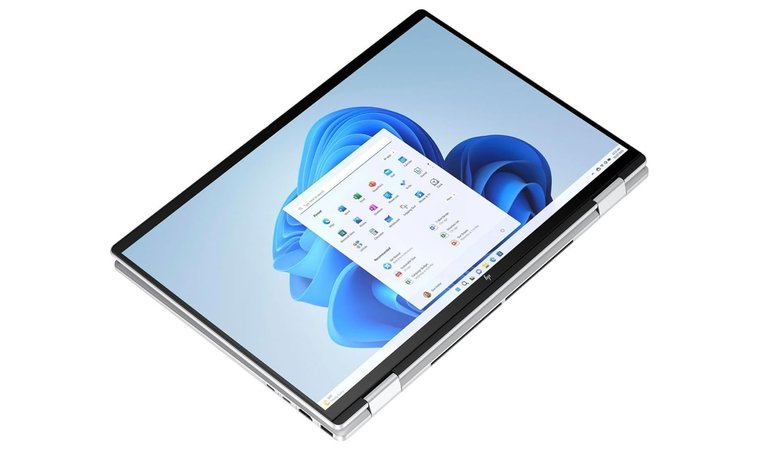
Most of the laptops included in the Dell vs HP debate are great for productivity. While all of these laptops can be used for productivity, narrowing down the choices can help you achieve the specific results you’re looking for. Both companies have some product lines specifically for productivity.
Dell’s Inspiron and XPS lines are their most productive laptops.
- Inspiron is a budget solution that is still comfortable to use and features long battery life, but may not provide the same level of responsiveness. Inspiron laptops can run slowly and may not be suitable for content creation unless you use web browsers for most of your productivity applications.
- The XPS line features comfortable keyboards, responsive trackpads, and display options that make it easy to see all of your windows at once. The batteries in these models don’t last as long, but they can handle any light content creation or web browsing you need.
HP’s productivity lines are the Spectre and the Pavilion. They are often compared to Lenovo’s productivity laptops (sparking familiar Lenovo vs HP debates).
- Spectre is a line of 2-in-1 Laptops that double as tablets for total control when it comes to image editing and portability. They can handle most daily tasks with ease, as long as you aren’t editing videos professionally.
- Pavilion, the budget line, is great for longer battery life and light web browsing. It may be able to handle some office applications, but most Pavilion models can’t handle the heavy lifting like the Spectre line.
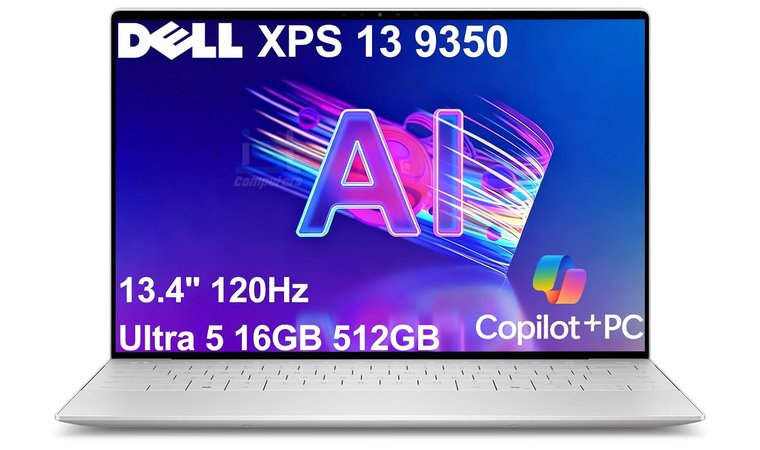
Dell XPS 13 9350 Laptop [Best Compact Dell Laptop for Portability]
| Specs | Details |
|---|---|
| CPU | Intel Core i7-6500U (varies by configuration) |
| GPU | Integrated Intel HD Graphics 520 |
| RAM | 8 GB or 16 GB LPDDR3 (soldered) |
| Storage | 256 GB – 512 GB PCIe SSD |
| Display | 13.3” InfinityEdge QHD+ Touch (3200 x 1800) or FHD (1920 x 1080) |
| Refresh Rate | 60 Hz |
| Battery | Up to ~11 hours (varies by screen type) |
| Weight | 2.7 lbs (1.22 kg) |
| Connectivity | Wi-Fi, Bluetooth, Thunderbolt 3, USB 3.0, SD card reader, 3.5mm combo jack |
The Dell XPS 13 9350 is one of the most portable and well-balanced ultrabooks Dell has ever released. It remains a favorite for teachers, students, and professionals who want a premium machine that never slows them down. The lightweight aluminum-and-carbon-fiber design feels great in the hand, and the ultra-thin InfinityEdge display still looks modern today.
What stands out most is how effortlessly it handles everyday work – documents, slides, research tabs, and video calls – without ever feeling bulky or fussy. If you spend a lot of time moving between classrooms, coffee shops, and home, this is the kind of laptop that disappears into your bag until you need it.
| Pros | Cons |
|---|---|
| ✅ Premium, lightweight build makes travel and daily carry effortless ✅ InfinityEdge display still looks sharp and modern, especially the QHD+ touchscreen model ✅ Fast SSD and responsive performance for everyday productivity ✅ Excellent keyboard and trackpad for long work sessions ✅ Thunderbolt 3 support allows fast external drives or docking stations ✅ Quiet and cool operation during typical workloads | ❌ Not built for gaming or heavy creative apps, but perfect for productivity and school work ❌ Older generation CPU, though still smooth for everyday tasks |
Despite its small size, the XPS 13 9350 handles everyday work confidently and stays easy to carry from class to class.
Final Verdict
The Dell XPS 13 9350 remains a compact productivity powerhouse – perfect for anyone who wants a lightweight, reliable laptop for writing, research, and everyday work. Its premium build, sharp display, and smooth performance make it a great choice for students, teachers, and professionals who value portability without sacrificing quality.
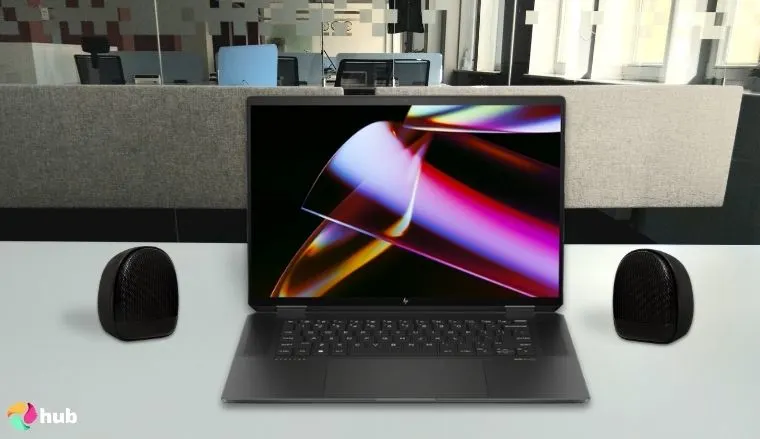
HP Spectre x360 AI-Powered 2-in-1 Laptop [Best HP Laptop for Productivity]
| Specs | Details |
|---|---|
| CPU | Intel Ultra 7 155H |
| GPU | Intel Arc Integrated Graphics |
| RAM | 32 GB (OnBoard LPDDR5X) |
| Storage | 2 TB SSD |
| Display | 14.0” OLED 2.8k (2880 x 1800) Touchscreen |
| Refresh Rate | 120Hz |
| Battery | 68 WHrs, 13 hours average life |
| Weight | 3.15lb (1.43 kg) |
| Connectivity | Wi–Fi 6E, Bluetooth 5.3, USB 3.1 Type A (x 1), Thunderbolt 4 (x 2), Headphone / microphone combo jack |
In the Dell vs HP productivity race, the HP Spectre x360 might just be winning. It has a large 2 TB SSD and 32 GB of RAM for fast processing and near-unlimited storage space. If you’re just keeping track of documents and images, you won’t need to extend your storage anytime soon.
| Pros | Cons |
|---|---|
| ✅ Comes with a Bluetooth pen and USB hub, so you won’t have to buy extra accessories ✅ Touchscreen allows you greater control over your productivity ✅ 2-in-1 laptop doubles as a tablet when you need more flexibility ✅ Backlit keyboard for working in areas with low light ✅ Large 2 TB SSD storage for all your creative projects ✅ 32 GB of RAM handles any task quickly and effortlessly | ❌ The price is a little rich, but the extra features (including the upgraded components) are well worth the additional cost. |
The battery can last up to 13 hours with normal use, but switching between laptop mode and the touchscreen tablet mode cuts this lifespan in half. Still, it’s reliable – for all that it offers, I’m surprised the battery lasts as long as it does. This model also comes with a Bluetooth pen for easy management of the Touchscreen and a USB hub for additional ports.
Final Verdict:
The HP Spectre x360 is fast, flexible, and built for big projects. With lots of storage, strong memory, and a touchscreen that doubles as a tablet, it’s a great pick if you want one laptop that can do it all. The price is high, but the features make it worth it.
Dell vs HP: Gaming Performance
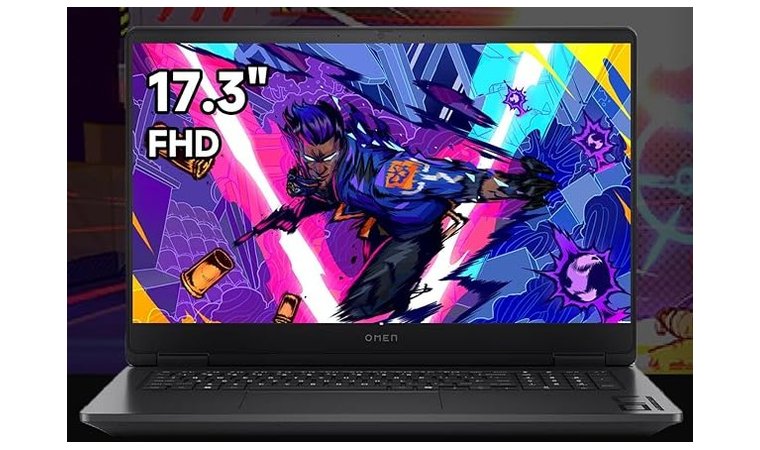
Gaming laptops are hard to pull off, but both Dell and the best HP gaming laptops do a solid job of replacing your desktop gaming rig. Both companies use NVIDIA’s GeForce line of GPUs for raw graphics power. Both use RTX cards in the 40 and 50 series (4080s and 5070s, for example) to produce immersive graphical worlds.
Processing power is just as important as your GPU. Dell’s Alienware line uses Intel Core i9 chipsets, while HP uses AMD Ryzen 9 processors. Don’t worry about small displays, either. Both use larger screens for their gaming lines, but they also include multiple ports to connect your gaming laptop to your favorite gaming TV. Their native displays average 144Hz refresh rates.
Dell’s Alienware line is distinctive and popular, with more raw performance and increased upgrade potential over HP’s gaming laptops. They often feature more impressive GPUs, faster CPU processing, and more storage and memory.
HP’s OMEN line is ranked competitively among gamers, but upgraded options are usually not available at the same level as the Alienware line.
One of the biggest factors separating the gaming capabilities of these laptops deals with temperature control for longer sessions.
- The Alienware’s Cryo-Chamber structure uses larger fans to increase airflow without overheating. This structure is located at the bottom of the laptop and includes a clear glass cover.
- The OMEN’s Tempest Cooling Pro system uses self–cleaning fan technology, advanced thermal paste, and dynamic adjustment to avoid heating your components.
Check out this list of the best Dell gaming laptops for more powerful, well-cooled Alienware options that can handle marathon sessions.
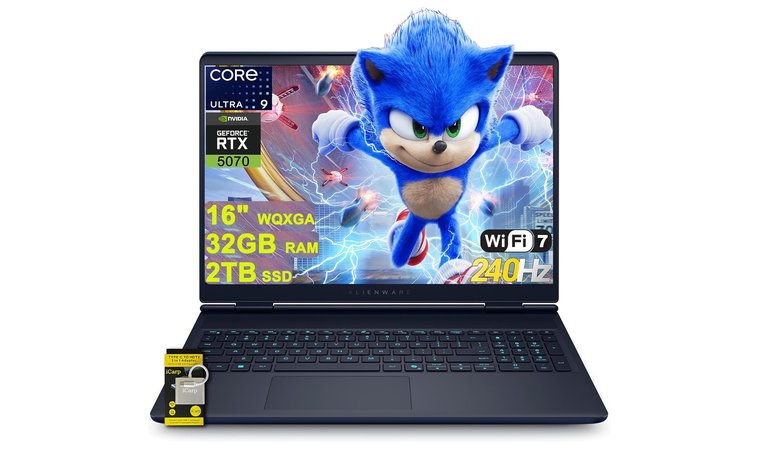
Dell Alienware 16X Aurora [Best Compact Alienware Gaming Laptop]
| Specs | Details |
|---|---|
| CPU | Intel Core i9-14900HX (24-core) |
| GPU | NVIDIA GeForce RTX 4080 12GB GDDR6 |
| RAM | 32 GB DDR5 (Dual-channel) |
| Storage | 1 TB NVMe SSD |
| Display | 16″ QHD+ (2560 x 1600) |
| Refresh Rate | 240Hz |
| Battery | 90 WHrs |
| Weight | ~6.2 lb (2.8 kg) |
| Connectivity | Wi-Fi 6E, Bluetooth, USB-C (x1), Thunderbolt 4 (x1), USB-A (x2), HDMI 2.1, SD Card Slot, Ethernet Port, 3.5 mm Audio |
The Dell Alienware 16X Aurora takes the raw power of the M-series but packs it into a more portable 16-inch form factor. Its high-refresh 240Hz display and RTX 4080 GPU make it perfect for competitive gaming, letting you stay locked in when every frame counts. The Legend 3 design keeps everything sleek while intelligent cooling guarantees that performance stays stable during long play sessions.
Even with its smaller footprint, the 16X Aurora still provides cornerstone Alienware strengths: premium build quality, aggressive aesthetics, and thermal engineering that outperforms most compact gaming laptops.
| Pros | Cons |
|---|---|
| ✅ 240Hz QHD+ display for ultra-smooth gaming in competitive titles ✅ RTX 4080 + Core i9 combo provides desktop-level performance ✅ Sleeker, more portable build compared to 17–18″ Alienware models ✅ Strong thermal design maintains high FPS under heavy load ✅ High-quality keyboard with excellent travel and comfort | ❌ Still heavier than non-gaming 16″ laptops, but justified by its power |
You also get fast DDR5 RAM, upgradeable SSD storage, and great I/O for multiple monitors or VR setups. The powerful cooling system ensures quiet, stable performance – even during ranked grinds, marathons, or hardware-intensive titles.
Final Verdict:
The Alienware 16X Aurora is the ideal choice for gamers who want top-tier performance in a more compact package. If you want a portable gaming powerhouse with desktop-like strength, this is the one to get.
HP OMEN 17.3 RTX 5070 AI Pro Gaming Laptop [Best HP Laptop for Gaming]
| Specs | Details |
|---|---|
| CPU | AMD Ryzen AI 9 365 |
| GPU | NVIDIA GeForce RTX 5070 8GB GDDR6 |
| RAM | 32 GB Installed, up to 64 GB Available |
| Storage | 1 TB SSD (up to 4 TB expandable) |
| Display | 17.3” FHD (1920 x 1080) |
| Refresh Rate | 144 Hz |
| Battery | 83 Whr with Fast Charge and approximately 3 hours of battery life |
| Weight | 6.51lb (2.95 kg) |
| Connectivity | WiFi, Bluetooth, USB–A (x3), USB–C (x1), HDMI (x1), RJ–45 (x1), Headphone / microphone combo jack |
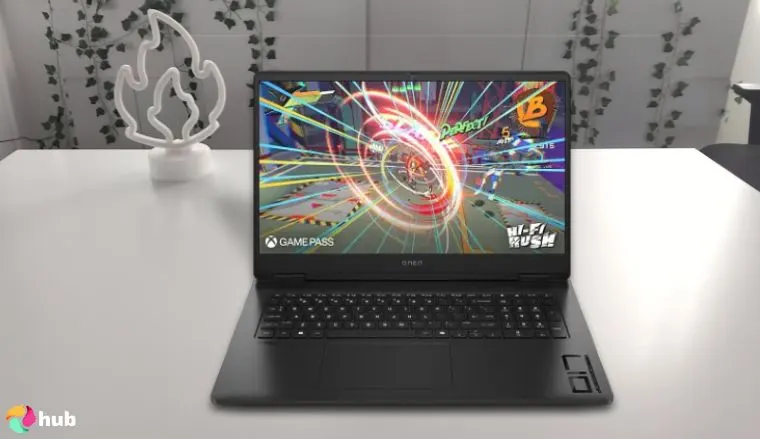
The HP Omen has a surprisingly attractive form factor. The high-quality chassis stands out from the rest of HP’s product line, and for good reason. This laptop features some seriously impressive graphics powered by NVIDIA’s GeForce RTX 5070.
The 17.3” 1080 display gives you plenty of real estate to soak in the scenery. For cooling, it uses HP’s proprietary Tempest Cooling PRO architecture to accommodate longer gaming sessions. For a broader comparison of HP’s gaming-line capabilities, see our guide to best HP gaming laptops.
| Pros | Cons |
|---|---|
| ✅ Multiple options for different storage and RAM levels ✅ Comes in bundles with additional accessories, such as a portable SSD ✅ Latest-generation graphics card and strong processing power ✅ Expandable memory allows for greater customization and flexibility ✅ Large 1080p screen with a quick 144 Hz refresh rate ✅ Surprisingly lightweight design | ❌ Comes with a 1 TB drive, but there are plenty of ways to expand your storage (or choose an option with more storage from the beginning) |
The best open-world games look like a dream on this laptop, and this bundle also comes with a portable SSD and a copy of Windows 11 Pro.
Final Verdict:
The HP Omen 17.3 is a great pick for gamers who want speed, power, and a big screen. With its RTX 5070 graphics and Ryzen AI 9 chip, it can handle the latest games with ease. You can also upgrade memory and storage, so it’s ready to last. The battery isn’t very strong, but that’s normal for gaming laptops. Overall, it’s one of the best HP laptops for gaming.
Dell vs HP: Design and User Experience
Dell and HP both have years of design innovation working for them. Their laptops are modern, with sleek, clean designs that continue to evolve as technology does. Dell tends to use higher-quality build materials, though. Most of their high-end laptops use carbon fiber instead of plastic when they can to improve quality.
While laptops meant for home use are usually pretty slim, it’s the weight of each laptop that becomes a concern if you mean to take your work with you.
- Dell’s laptops, including the XPS 13, are a little more portable. They are similar to Lenovo laptops when it comes to portability (a detail that is worth mentioning if you are considering Lenovo vs Dell).
- HP’s models tend to be a little bulkier and weigh more, making them less ideal for portability.
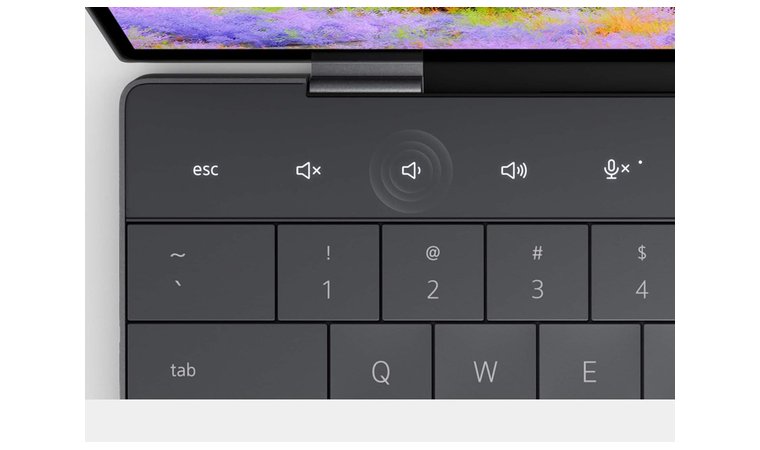
Dell’s keyboards tend to be flat and recessed for easy access, while HP favors chiclet-style keys in its laptops. This is largely a matter of personal preference, but it can be a big factor for those who use their laptops often.
Both laptops have user-friendly software preinstalled, but HP laptops come with more programs that you might not use. This can lead to storage concerns. It’s a relatively small thing when you consider everything else these laptops do well, though.
When considering these two giants’ design and user experience, it’s also worth noting the importance of an external display. While both brands offer sleek and portable laptops, connecting them to a top gaming monitor can enhance multitasking capabilities and provide a more immersive viewing experience.
Overall, both Dell and HP use design elements that work well for the overall aesthetics of their products. This aesthetic may vary from one product line to another.
Dell XPS 13 [Best Dell Laptop for Design]
| Specs | Details |
|---|---|
| CPU | Snapdragon X Elite |
| GPU | Qualcomm Adreno GPU |
| RAM | 32 GB (LPDDR6X) |
| Storage | 1 TB SSD |
| Display | 13.4” FHD+ (1920 x 1200), non–touch |
| Refresh Rate | 30–120 Hz |
| Battery | 55 Whrs, 18 hours |
| Weight | 2.6lb (1.18 kg) |
| Connectivity | Wi–Fi, Bluetooth, Thunderbolt 3 (x2) |
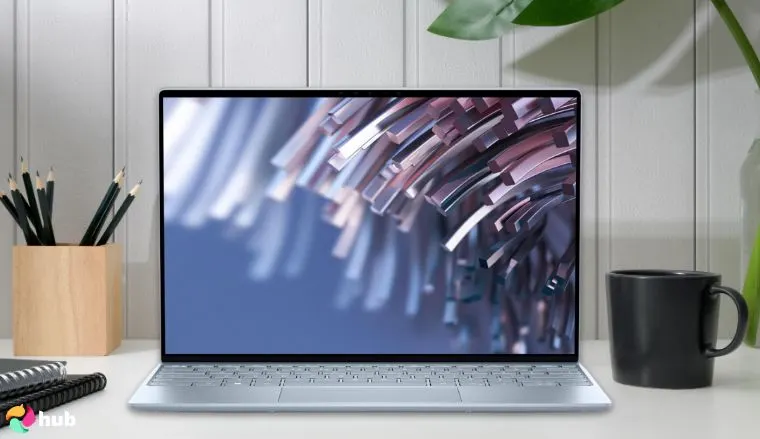
When you want a laptop that looks as great as it performs, the Dell XPS 13 should be your top choice. This laptop’s thin display bezels and modern, clean design push the limits of what a laptop can look like.
This is especially true when it comes to the backlit keyboard, with some recessed keys pushed right to the edge of the bottom clamshell chassis. It looks great, but it also gives you access to a comfortable, full keyboard on a more portable laptop.
| Pros | Cons |
|---|---|
| ✅ Thin display bezels on the 13.4” Display ✅ Sleek keyboard design that pushes keys right to the edge of the laptop ✅ Copilot+XPS integration for better speed and responsive optimization ✅ Flawless multitasking via Windows 11 Pro software suite ✅ An upgraded SSD gives you plenty of space for your applications ✅ High–quality chassis design that looks modern and feels clean | ❌ No HDMI or DisplayPort, but the Thunderbolt 3 ports allow for DisplayPort connectivity when using an adapter |
This laptop was made for form and function. It comes with an upgraded SSD for better storage capabilities, and the Copilot+PC integrated software allows for AI optimization in every task.
It’s slim and lightweight enough to take anywhere, but I always need more monitor space. Thankfully, you can turn this laptop into a full workstation with the two Thunderbolt ports on either side of the chassis. Hook up your favorite Dell monitors for more immersive browsing.
Final Verdict:
The Dell XPS 13 is one of the best choices if you want a laptop that looks modern and runs fast. It’s slim, light, and built with a clean design that feels premium. While it doesn’t have HDMI, the Thunderbolt ports make it easy to connect extra screens and turn it into a full workstation. If you want style, speed, and portability in one device, this laptop is hard to beat.
HP ZBook Firefly G11 [Best HP Laptop for Mobility & Reliability]
| Specs | Details |
|---|---|
| CPU | Intel Core Ultra 7 155U |
| GPU | Integrated Intel Graphics |
| RAM | 32 GB LPDDR5x (soldered) |
| Storage | 1 TB PCIe NVMe SSD |
| Display | 14” WUXGA (1920 × 1200) Anti-glare |
| Refresh Rate | 60Hz |
| Battery | 51 Whr (HP Fast Charge supported) |
| Weight | 2.98 lb (1.35 kg) |
| Connectivity | Wi-Fi, Bluetooth, Thunderbolt 4 (x2), USB-A (x2), HDMI 2.1 (x1), SmartCard reader, Audio jack |
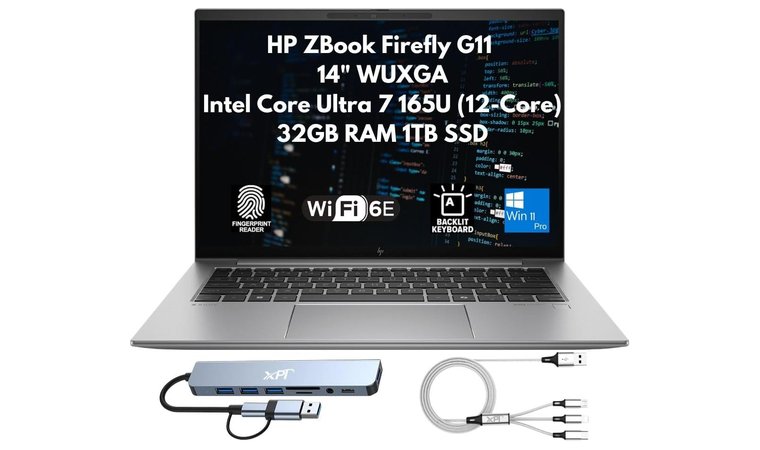
The HP ZBook Firefly G11 is an excellent choice for professionals, educators, and students who need workstation reliability in an ultra-light package. Its durable build, fast Core Ultra CPU, and professional-grade components make multitasking effortless – no matter if you’re working in design apps, video calls, or handling multiple documents at once.
The anti-glare WUXGA display provides clean visuals indoors or outdoors, and the slim frame makes it ideal for carrying between classes, offices, or job sites.
| Pros | Cons |
|---|---|
| ✅ Lightweight, durable chassis makes it perfect for travel and hybrid work ✅ Core Ultra performance handles multitasking and creative workflows with ease ✅ Professional security features like SmartCard and fingerprint login ✅ Anti-glare WUXGA display improves visibility in bright rooms ✅ Strong port selection including HDMI 2.1 and dual Thunderbolt 4 ✅ HP Fast Charge gets you back to 50% quickly | ❌ RAM is soldered, so you cannot upgrade later |
With excellent battery life, an efficient cooling system, and enterprise-level security, the ZBook Firefly G11 is built to stay reliable under pressure. Its lightweight frame belies its power, making it a dependable mobile workstation for serious productivity.
Final Verdict:
The HP ZBook Firefly G11 is the perfect pick for students, teachers, and professionals who want a lightweight workstation without sacrificing performance or reliability. With strong security, fast components, and a travel-friendly build, it’s an ideal companion for productivity on the move.
Dell vs HP: Durability and Build Quality
A laptop is an investment, so of course, you want it to last. Dell and HP include a lot of durability features in their laptops, but these features can vary based on individual product lines. Business lines like the Dell Latitude and HP EliteBook tend to be more physically robust. They often feature higher-quality materials and a stronger hinge.
However, Dell’s Latitude models have a reputation for long-lasting durability that the HP EliteBook line doesn’t quite match. They use carbon fiber in their business models, which leads to a more rigid and protective chassis.
Both companies take security seriously, so your software and personal information are protected, as well as your device. HP’s Wolf Security Suite and features like fingerprint scanners keep your data locked down. Dell’s comprehensive security software can be purchased when you buy your business laptop and can include touch readers and contact smartcard readers.
While there are plenty of models from both companies that have boosted durability features, Dell’s standard chassis upgrades make them a little more durable for travel. Dell laptops also have a reputation for running for longer without major issues, but this can also depend on how the laptop is used.
If you are looking for military-grade laptops that can withstand just about anything, Dell and HP feature rugged laptop lines that are suited for more rigorous use in a variety of conditions. Their rugged lines are tested for extreme conditions, so you’re better off looking there for extreme durability.
Dell Latitude 5500 [Best Durable Dell Laptop]
| Specs | Details |
|---|---|
| CPU | Intel Ultra 5–125U |
| GPU | Intel Shared Integrated Graphics |
| RAM | 32 GB DDR5 |
| Storage | 1 TB SSD |
| Display | 15.6” IPS LCD (1920 x 1080) |
| Refresh Rate | 60 Hz |
| Battery | 54 WHr, 11 hours of battery life |
| Weight | 4lb (1.81 kg) |
| Connectivity | Wi–Fi, Bluetooth, RJ–45, HDMI (x 1), Thunderbolt 4 (x 2), Micro SD Reader, Microphone / Headphone Combo Jack |
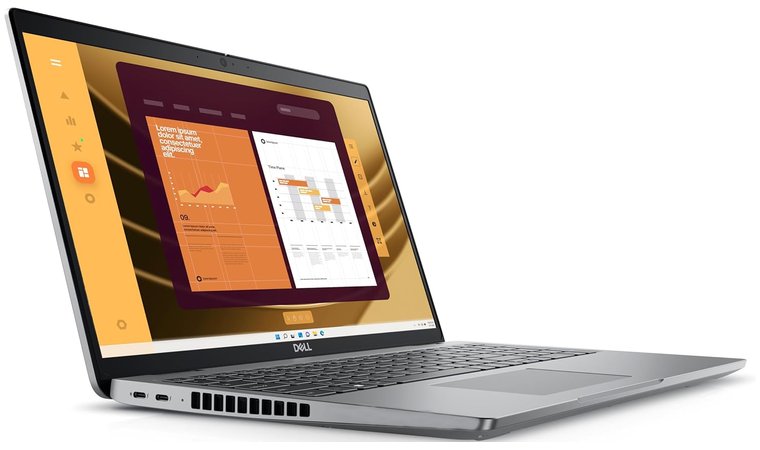
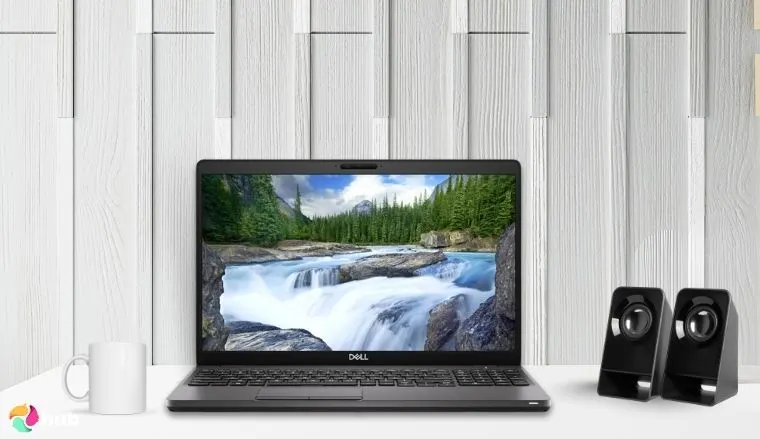
The powerful, durable Dell Latitude 5500 makes running your business easy, no matter where you are. You can take a Zoom call in your beach hut or edit photos at the coffee shop without running into any issues, including a dead battery.
This laptop uses AI acceleration on multiple applications, including Zoom, photo editing software, and AI assistants, to reduce power consumption while they are in use.
| Pros | Cons |
|---|---|
| ✅ AI-powered threat detection and security features for your business ✅ Professional video calls with effective AI noise reduction features ✅ Up to 11 hours of battery life during normal use ✅ Vivid 15.6” display with anti-glare coating, so you can work anywhere ✅ Perfect for light editing, daily tasks, and AI-driven productivity ✅ Solid build quality that can withstand constant travel | ❌ No ethernet port, but the strong WiFi capabilities and secure features make public WiFi risk-free. |
You don’t have to worry about security risks while you work, either. This laptop uses all of Dell’s enhanced security features, including SafeID, SafeBIOS, Fingerprint reading, Onlooker Detection, privacy shutters, and more. It doesn’t matter how you work or where you do it; this laptop is solid, secure, and makes it easy to get the job done.
These features are also powered by sustainable materials, including recycled plastic, carbon fiber, and 50% recycled cobalt batteries for the eco–conscious user.
Final Verdict:
The Dell Latitude 5500 is a strong and reliable laptop for work. It’s built to last, keeps your data safe, and handles everyday tasks with ease. The battery lasts long, the screen is clear, and its solid design makes it perfect for people who travel or work from different places.
HP ZBook Firefly G11 [Best HP Laptop for Mobility & Creative Work]
| Specs | Details |
|---|---|
| CPU | Intel Core Ultra 7 155U |
| GPU | Integrated Intel Graphics |
| RAM | 32 GB LPDDR5x |
| Storage | 1 TB PCIe NVMe SSD |
| Display | 14” WUXGA (1920 x 1200) Anti-glare |
| Refresh Rate | 60Hz |
| Battery | 51 Whr, up to 12 hours |
| Weight | 2.98 lb (1.35 kg) |
| Connectivity | Wi-Fi, Bluetooth, Thunderbolt 4 (x2), USB-A (x2), HDMI 2.1 (x1), SmartCard reader, Audio jack |
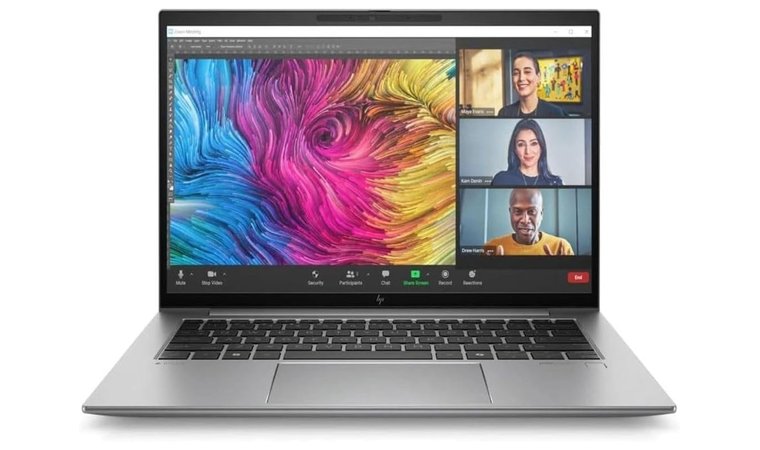
The HP ZBook Firefly G11 proves that a lightweight mobile workstation can still provide professional-grade reliability. With its durable chassis, fast Core Ultra processor, and workstation-class build quality, it’s built for teachers, creators, and professionals who need dependable performance everywhere they go.
The anti-glare WUXGA display keeps visuals sharp indoors or outdoors, making it a great companion for travel or hybrid work.
Professionals who need a tough, portable laptop will appreciate how the Firefly G11 balances durability with mobility. It’s light enough to carry all day, powerful enough to handle demanding workloads, and equipped with enterprise-level security to keep your data safe no matter where you’re working.
| Pros | Cons |
|---|---|
| ✅ Durable, lightweight chassis ideal for travel and daily mobility ✅ Core Ultra processor provides smooth multitasking and creative performance ✅ Anti-glare 14” display improves visibility in bright rooms ✅ Excellent port selection with HDMI 2.1 and dual Thunderbolt 4 ✅ Strong security suite including fingerprint login and SmartCard support ✅ Fast 1 TB SSD and 32 GB RAM for heavy professional workloads | ❌ RAM is soldered and cannot be upgraded later |
Security, portability, and professional performance come together seamlessly in this workstation-grade laptop. If you’re presenting, editing, or jumping between multiple apps, the Firefly G11 stays fast and dependable throughout the day.
Final Verdict:
The HP ZBook Firefly G11 is an excellent choice for professionals and students who need a lightweight yet powerful workstation. Its durable design, enterprise-grade security, and strong performance make it perfect for hybrid work, travel, and creative tasks without compromise.
Dell vs HP: Support and Service
Support and service are important factors to consider when deciding if you want a Dell or HP laptop. Each company supports its laptops with a standard warranty, but there are additional service features that you can purchase for expanded or in–depth device support.
When you purchase a Dell laptop, you’ll have access to their basic support service. This includes:
- Hardware troubleshooting and diagnosis during business hours
- On-site repair after diagnosis, but the reliability and accessibility of this feature may vary
- SupportAssist PC monitoring software
There are two additional tiers available at the consumer level for an additional cost, which can vary.
- Dell Care Plus features 24/7 hardware and software support, 1–2 business-day onsite repair, backup help, and SupportAssist features like health monitoring and AI algorithms that alert you if your hardware or software might fail.
- Dell Care Premium has all of the features of Dell Care Plus, but also includes parental control help, accident repair, antivirus and malware protection, and remote optimization.
Additionally, Dell’s business customers have access to the Basic warranty, ProSupport for additional services, and the ProSupport Plus plan for ultimate protection and support.
HP laptops also come with a range of upgradable services. All HP laptops come with a basic 1–year warranty that covers limited support, defects, and workmanship issues. Customers can choose to purchase a Care Pack or Post Warranty Plan for additional protection, but these are only available when you purchase your device.
HP’s Care Pack is a subscription service that protects your device as long as you are subscribed. Features include:
- Accidental Damage Protection Services
- Advanced data protection, including LoJack, a service that locks your data if you report your laptop is stolen
- 24/7 Customer Support
- Upgraded onsite repair
- Pick-up and return services for damaged laptops and repair
Dell vs HP: Innovation and Special Features
Dell and HP both innovate often to stay relevant, especially in a sea of other tech brands. Tech is such a highly competitive field, but Dell consistently comes out on top when it comes to its customer service innovations and high-quality materials.
While Dell makes strides in customer service and product range options, HP’s cornerstone is its 2–in–1 notebook development. A surprising number of the laptops in their product line use touchscreen technology and allow your laptop to turn into a high–performing tablet whenever you need more flexibility. These screens are often smoother, clearer, and provide a much simpler user experience than non-touch displays.
On the other hand, Dell’s laptops are easier to customize. When you purchase a Dell laptop from Dell’s storefront, most laptops come with multiple configuration options. You can choose the processor, GPU, RAM, and storage that best fit your needs. While HP also has customization options, they have far fewer configurations available at checkout.
Booth brands are leaning towards AI models that help diagnose issues and deal with customer support issues early. Some models integrate AI assistant keys into their keyboards for easier access to popular programs like Microsoft’s CoPilot. AI is also used within both brands to improve the look of webcams, provide better facial and fingerprint recognition, and clarify audio for meetings and remote work.
At the same time, each company has perfected its proprietary cooling features to keep its gaming laptops cooler for long sessions.
- Dell’s gaming laptops, especially the Alienware line, prioritize airflow for cooling with larger fans and better power management.
- HP uses a blend of techniques to deal with heat, including better airflow, sensors to regulate fan speed automatically, and advanced thermal paste formulas.
Dell vs HP: Value and Price Range
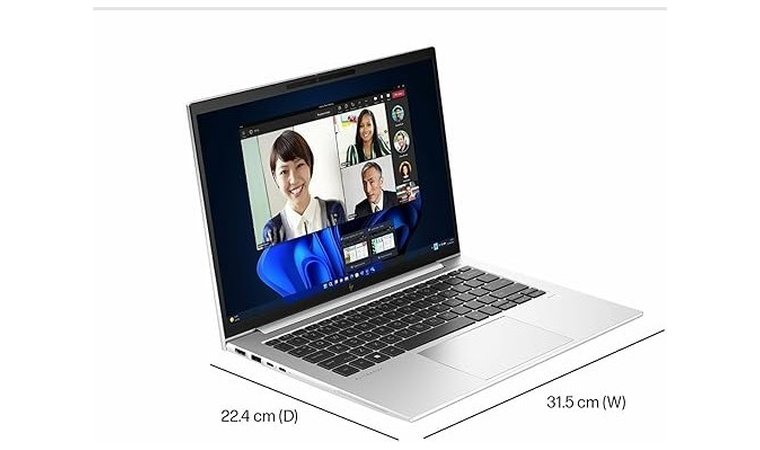
The HP vs Dell debate often focuses on prices and value, so I’d be remiss not to include these factors. HP has a reputation for offering a wider range of budget-friendly options. The best HP laptops are comparable in price to some of Dell’s best options.
It’s important to keep in mind that both Dell and HP allow some degree of customization at purchase. Through their respective storefronts, you can select different configurations to suit your needs. HP allows you to select individual components, but Dell offers the build-your-own option for better customization.
First, I’ll take a look at the baseline prices for their budget options. Dell’s Inspiron laptops and HP’s Pavilion laptops are budget models that offer comparable performance. They start at around the same price, with both coming in at less than $1,000. Of course, price can vary greatly depending on your customization options.
While their budget options are comparable, the best gaming laptops from both companies vary significantly. The top-performing gaming laptop from Dell, the Alienware 18 Area-51 Gaming Laptop, is almost twice the price of the highest-performing HP Omen.
Some additional context is important, though.
- Dell’s Alienware line features carbon fiber materials and other high-quality construction features. It also has a more recognizable brand name, aggressive branding, and its most expensive model includes an 8 TB SD, 64 GB of RAM, and an 18–inch display.
- HP’s Omen line uses durable builds, but many don’t include the same high–quality construction as Alienware. They are more lightweight as a result. The most expensive Omen includes a 4 TB SSD, 32 GB of RAM, and a 16-inch display.
The takeaway here is that Dell offers more expansive high-end options and better build quality, but HP’s more budget-centric pricing model isn’t a huge downgrade.
Final Verdict
Ultimately, the answer to the Dell vs HP question is up to you.
- For productivity, I think HP has a better product lineup. Their 2-in-1 laptops add another level to your workflow.
- However, gamers may want to save a bit more to get an Alienware. This line rivals some of the best gaming PCs when it comes to hardware and performance, even if you do end up paying a little more.
- HP wins out for me when it comes to design and user experience. It’s hard to beat the form factor and performance of some of their midline, budget, and low-end business models.
- If you need a durable, secure laptop that you can take anywhere, Dell’s business lines are a bit better. They use carbon fiber and other high-end materials to create a premium experience for high levels of productivity.
It’s an even spread for me. I wouldn’t stick with just one of these brands for all use cases, and I wouldn’t recommend that you do either. Some of the best Lenovo laptops might even outperform these options across categories! When choosing between Dell vs HP, your needs are the biggest deciding factor. The same goes with Lenovo vs Dell laptop so check it out as well.
FAQs
Dell and HP laptops both have their advantages when it comes to specific uses. For example, I’d want an HP Spectre for work and an Alienware laptop for gaming, so the choice depends on how you want to use it.
I’ve often heard that HP is more reliable than Dell, but this will depend on the model you choose and how you use your laptop. While HP has more product line options, for instance, Dell’s laptops usually come with more upgrade options for the price.
Dell and HP both offer options that are focused on durability and long-term use. While the Dell Latitude might outlast HP’s Spectre line, the HP EliteBook will probably have a longer lifespan than the Dell XPS. This greatly depends on the model you choose from each brand.
This depends on what you can spend and your course of study. Dell laptops are usually more expensive, so students on a budget might want to choose an HP. If you need a laptop that can run high-level creative programming, Dell may provide more processing power (depending on the model).
The battery in each HP vs Dell laptop is different. The average battery life can change based on how you use your laptop. For example, a gaming laptop will have shorter battery life than a lightweight 2-in-1. Your activity and the programs you run will affect battery life, too.












