



Lenovo vs Dell Laptops Comparison 2026: Which Laptop Should You Choose?

Eneba Hub contains affiliate links, which means we may earn a small commission if you make a purchase through them—at no extra cost to you. Learn more


Recent update
This list is regularly updated to match what’s trending and in-demand among gamers.
The Lenovo vs Dell debate is more relevant than ever, especially with both brands pushing out high-performance machines for professionals, students, and gamers alike.
Lenovo is known for its rugged ThinkPads, flexible Yoga 2-in-1s, and business-first approach, offering great keyboards, battery life, and enterprise-level features.
Dell, on the other hand, shines with the sleek and powerful XPS lineup, and its Alienware division continues to impress serious gamers.
If you’re shopping for a new laptop this year, this guide will help you cut through the noise and focus on what truly matters based on your specific use case and priorities.
Jump to:
Lenovo vs Dell: Productivity
When it comes to productivity, both Lenovo and Dell boast workhorse engines, but they appeal to somewhat different audiences.
After years of putting both through their paces, we’ve noted some differences that could make or break your decision, depending on where and how you work.
Lenovo products, especially the ThinkPad and Yoga brands, are productivity beasts:
- Processing Speed: Business users have the choice of Intel Core i5/i7 and AMD Ryzen Pro, offering a balance of speed and power efficiency.
- RAM & Storage: ThinkPads tend to support up to 64GB RAM and dual SSD options, perfect for data-intensive tasks.
- Port Options: More than enough USB-A, USB-C, HDMI, and even Ethernet ports for docking stations.
- Keyboard Experience: Lenovo keyboards are the best in the industry (deep key travel, responsive, and comfortable for fingers, even for hours of typing).
- Enterprise Features: ThinkShutter webcam shields, vPro support, and strong encryption tools make these systems feel boardroom-ready.
From our experience, if you write, code, or present for a living, Lenovo simply makes it easier to remain in the zone.
The Latitude and XPS lines from Dell also appeal to creative professionals and hybrid workers for these reasons:
- Performance: XPS laptops utilize high-performance CPUs and NVIDIA GPUs, ideal for content creators, graphic designers, and editors.
- Display Quality: UltraSharp 4K monitors that come close to pixel perfection, nearly flawlessly. If you want to explore the top UltraSharp displays, don’t miss our roundup of the best Dell monitors for work, design, and entertainment.
- Build & Portability: Thin aluminum constructions and extended battery life make Dell perfect for individuals constantly in transit.
- Security & IT Management: Dell offers secure BIOS-level security and enterprise system integration.
If you design or do multimedia, the edge-to-edge displays and processing power of Dell are hard to beat.
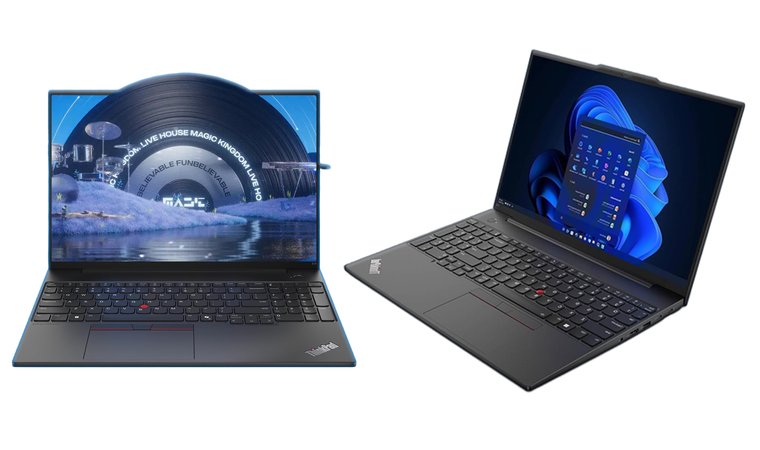
Lenovo ThinkPad E16 Gen 2 [Best Lenovo Laptop for Business Value]
| Specs | Details |
|---|---|
| Processor | Intel Core i7-13700H (14-core) |
| RAM | 16GB DDR5 |
| Storage | 512GB PCIe SSD (upgradeable) |
| Display | 16” WUXGA (1920 × 1200), Anti-glare |
| Graphics | Integrated Intel Iris Xe |
| Battery Life | Up to ~10–12 hours (varies by workload) |
| Weight | ~3.9 lbs (1.77 kg) |
| Security Features | Fingerprint reader, TPM 2.0, privacy shutter |
| Ports | Thunderbolt 4, USB-C, USB-A, HDMI 2.1, Ethernet |
| Operating System | Windows 11 Pro |
If you want a reliable business laptop with outstanding value and proven ThinkPad durability, the Lenovo ThinkPad E16 Gen 2 is the model I recommend. It brings the signature ThinkPad experience – great keyboard, strong security, and sturdy build quality – at a more accessible price point than the premium X1 series.
Through real-world use, I’ve found the E16 Gen 2 to be ideal for professionals, students, and office users who want fast performance and a spacious 16-inch display without overspending.
The ThinkPad E16 Gen 2 provides exceptional business performance at a mid-range price, offering strong processing power, a comfortable keyboard, and long-term durability. It’s an excellent fit for users who want the ThinkPad experience without the premium cost of the X1 or T-series.
The 16-inch WUXGA screen gives you generous space for spreadsheets, documents, and multitasking – perfect for productivity work. The anti-glare coating helps keep the display readable under bright office lighting, and the integrated Iris Xe graphics handle everyday tasks with ease.
One thing Lenovo continues to excel at is keyboard quality, and the E16 Gen 2 is no exception. The keys feel precise and responsive, making long typing sessions noticeably more comfortable. The robust port selection – including HDMI 2.1 and full-size Ethernet – means you don’t need extra adapters for common workplace setups.
Security is also well-handled with a fingerprint reader, webcam privacy shutter, and enterprise-grade TPM 2.0 encryption built in.
| Pros | Cons |
|---|---|
| ✅ 14-core Intel i7 provides strong multitasking performance ✅ Excellent ThinkPad keyboard ideal for business productivity ✅ Durable chassis with military-grade reliability ✅ Large 16” display perfect for multitasking and office work ✅ Strong port selection including HDMI 2.1 and Ethernet ✅ Upgradeable storage and RAM for longer lifespan | ❌ Heavier than ultrabooks, though the larger screen and ports make up for it ❌ Display is not OLED, but the anti-glare WUXGA panel is sharp and bright |
The E16 Gen 2 offers the classic ThinkPad experience – reliable, secure, and efficient – without the higher price tag of flagship models. Its performance, keyboard quality, and spacious display make it easy to stay productive throughout the day.
Final Verdict: The Lenovo ThinkPad E16 Gen 2 is a dependable workhorse for professionals and students who want strong performance and business-grade durability at a fair price. It’s built to last, easy to upgrade, and comfortable to use, making it one of Lenovo’s best value laptops in the business lineup.
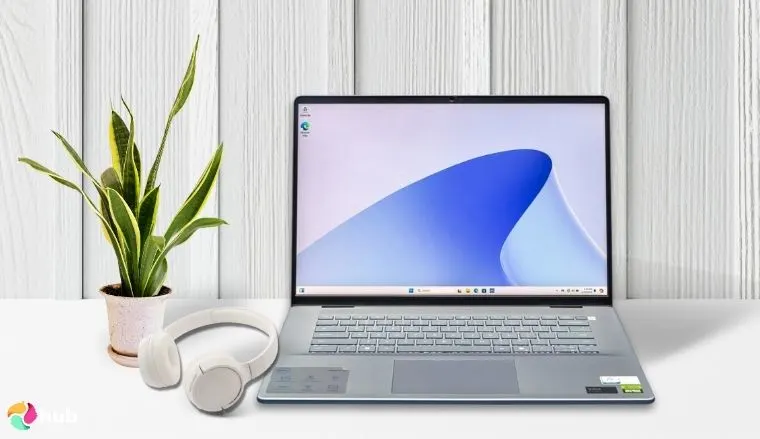
Dell Inspiron 16 Plus Laptop [Best Dell Laptop for Productivity]
| Specs | Details |
|---|---|
| Processor | Intel Core i7-13700H |
| RAM | 64GB DDR5 |
| Storage | 1TB PCIe NVMe SSD |
| Display | 16″ 2.5K (2560 x 1600) WQXGA IPS |
| Graphics | NVIDIA GeForce RTX 4060 |
| Battery Life | Up to 10 hours |
| Weight | 4.94 lbs (2.24 kg) |
| Ports | Micro-SD card slot, Headset Jack, 2 x USB 3.2 Gen 1 Type-A, Lock slot, Power jack, HDMI 1.4, USB 3.2 Gen 2 Type-C |
| Security Features | Fingerprint reader, TPM 2.0 |
| Operating System | Windows 11 Home |
When I reviewed the Dell Inspiron 16 Plus, what stood out immediately was its balance of performance and usability. It’s powerful enough for creative workloads like photo editing or light video work, yet still approachable and efficient for students or home office users.
The 3K display is a clear highlight and offers a crisp and color-accurate experience that brings both content and productivity apps to life.
The Dell Inspiron 16 Plus strikes the right balance between power, display quality, and everyday usability. It’s a top pick for professionals and students who need reliable performance without stepping into the ultra-premium price range.
Drawing from my experience, the large screen paired with 100% sRGB coverage makes multitasking easier and visually pleasing. The generous 32GB of RAM and fast SSD mean it doesn’t flinch under pressure, even with multiple apps or browser tabs running.
If you’re attending online classes, editing a batch of RAW images, or casually streaming content, the Inspiron 16 Plus delivers consistent performance.
For those looking for more gaming horsepower, Dell also has standout offerings in that space. Check out our picks for the best Dell gaming laptop to find the right balance of performance, cooling, and value.
| Pros | Cons |
|---|---|
| ✅ Spacious 16″ 3K display provides excellent clarity and color accuracy ✅ 32GB DDR5 RAM and 1TB SSD offer strong multitasking and storage capacity ✅ Thunderbolt 4 and HDMI 2.1 ensure broad connectivity for accessories ✅ Comfortable keyboard and large touchpad enhance user experience ✅ Premium build quality with minimalist, modern design ✅ Ideal for students, content creators, and everyday multitasking | ❌ Integrated graphics limit gaming but work well for everyday tasks. |
Final Verdict: The Dell Inspiron 16 Plus is a strong, reliable laptop with a big, clear screen. Its 32GB RAM and fast SSD make it great for multitasking. The keyboard and touchpad are comfy for long work sessions. It’s perfect for students or anyone who needs a good everyday laptop.
What do users think?
Lenovo vs Dell: Gaming Performance
When it comes to quality laptops for gaming, both Lenovo laptops and Dell laptops have carved out strong reputations in the market. Each laptop manufacturer takes a slightly different approach to performance, cooling, and gamer-centric features.
Graphics & Raw Power
- Dell’s gaming laptops, especially the Alienware line, are built for enthusiasts. They typically offer NVIDIA GeForce RTX 4080/4090 options and powerful Intel Core or AMD Ryzen processors, perfect for those who want to push frame rates in the best PC games.
- Lenovo’s Legion series, on the other hand, balances high performance and price, often using the same GPUs but with more modest CPU configurations. Still, they’re among the best Lenovo laptops for gamers who also value versatility.
Cooling, Software & Build
- Dell’s Cryo-Tech cooling is robust and helps maintain performance during extended gaming sessions.
- Lenovo counters with its Coldfront system and supports gamers through the Lenovo Vantage software.
- Both brands offer customizable keyboard lighting, macros, and gaming hubs, but Alienware’s Command Center offers slightly more control.
- When it comes to build quality, Dell’s Alienware machines feel more premium, while Lenovo strikes a practical balance suited for both gaming and business laptops.
Displays & Design
- Dell’s high-end models feature refresh rates up to 480Hz for ultra-fluid gameplay.
- Lenovo caps around 240Hz but excels in color accuracy, ideal if your new laptop pulls double duty as a business or creative workstation.
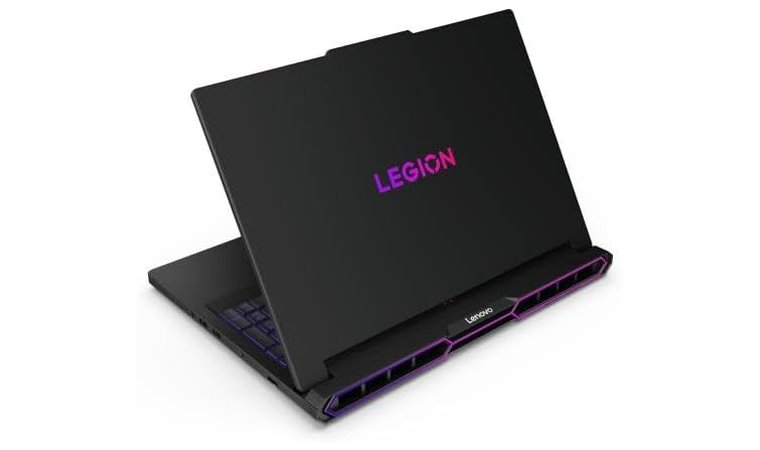
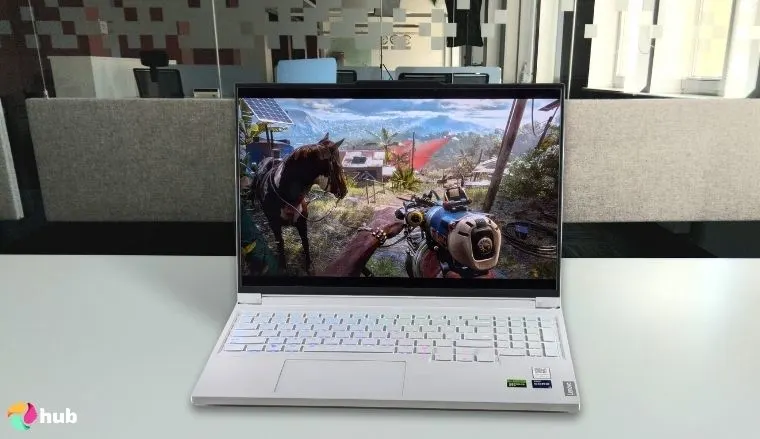
Lenovo Legion Pro 7i Gen 10 [Best Lenovo Laptop for Gaming]
| Specs | Details |
|---|---|
| Processor | Intel Core Ultra 9 |
| RAM | 32GB DDR5 |
| Storage | 2TB PCIe Gen4 SSD |
| Display | 16″ WQXGA (2560 x 1600), 240Hz, 500 nits |
| Graphics | NVIDIA GeForce RTX 5090 |
| Battery Life | Up to 8 hours (hybrid mode) |
| Weight | 6.17 lbs (2.8 kg) |
| Ports | 3x USB-A, 2x USB-C, HDMI 2.1, Ethernet, Audio |
| Cooling System | Legion ColdFront 5.0 with Vapor Chamber |
| Keyboard | 4-Zone RGB Backlit |
The Lenovo Legion Pro 7i Gen 10 is a high-performance model built for those who want to dominate competitive titles without compromise.
From my research and experience with Lenovo’s Legion series, this latest model raises the bar with one of the most powerful hardware configurations available on the market today.
We picked the Lenovo Legion Pro 7i Gen 10 because it hits the sweet spot for serious gamers, offering lightning-fast performance, smooth high-refresh-rate visuals, and cooling that keeps up when the action heats up. It’s built to dominate without breaking a sweat. If you’d like to see how it stacks up against other Lenovo gaming machines, take a look at our full guide to the best Lenovo gaming laptop models.
Its Intel Core Ultra 9 and RTX 5090 combo that practically steamrolls through AAA games, which allows you to max out settings without sacrificing frame rates. What I really like is the 16-inch WQXGA display with a 240Hz refresh rate, smooth gameplay, razor-sharp visuals, and no screen tearing even during fast-paced action.
The 4-zone RGB keyboard adds to the immersion and offers plenty of customization options for your ideal setup.
Another standout feature is the advanced cooling system. The Legion ColdFront 5.0 tech, including a full vapor chamber, means you can game longer without throttling or distracting fan noise. While it’s not exactly lightweight, this laptop is more of a desktop replacement for gamers who demand top-tier specs on the go.
Of course, if you’re shopping with a tighter budget, there are also excellent choices in the best budget gaming laptop category that offer great value without going all-in on premium specs.
| Pros | Cons |
|---|---|
| ✅ RTX 5090 GPU delivers ultra-high performance for AAA and esports titles ✅ 240Hz WQXGA display offers buttery-smooth visuals and fast response ✅ Legion ColdFront 5.0 cooling enables sustained peak performance ✅ Generous 32GB DDR5 RAM and 2TB SSD – future-ready for years ✅ Per-key RGB lighting and tactile keyboard enhance gaming immersion ✅ Excellent port variety for multi-monitor or peripheral setups | ❌ Heavier than average, but expected for its class and power |
Final Verdict: The Lenovo Legion Pro 7i Gen 10 is a beast for gamers. The RTX 5090 and Intel Core Ultra 9 make games smooth, and the 240Hz screen keeps fast action clear.
Cooling works well, and the keyboard lights are fun. It’s a bit heavy, but it’s worth it for top performance.
What do users think?
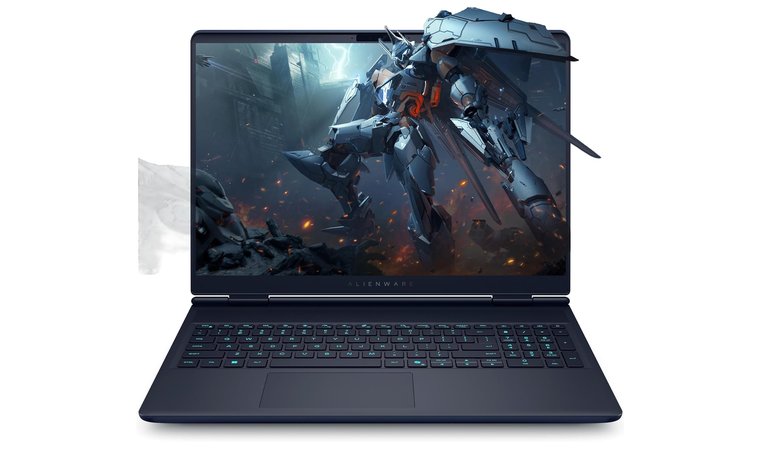
Dell Alienware 16X Aurora [Best Compact Alienware Gaming Laptop]
| Specs | Details |
|---|---|
| Processor | Intel Core i9-14900HX (24-core) |
| RAM | 32GB DDR5 |
| Storage | 1TB PCIe Gen4 SSD |
| Display | 16″ QHD+ (2560 × 1600), 240Hz, 100% DCI-P3 |
| Graphics | NVIDIA GeForce RTX 4080 (12GB GDDR6) |
| Battery Life | Up to ~6–7 hours (hybrid mode) |
| Weight | ~6.2 lbs (2.8 kg) |
| Ports | Thunderbolt 4, USB-C, USB-A, HDMI 2.1, Ethernet, Audio |
| Cooling System | Advanced Alienware Cryo-tech with quad-fan airflow |
| Keyboard | Alienware low-profile RGB keyboard (optional CherryMX) |
If you want a portable gaming machine that still provides desktop-class performance, the Alienware 16X Aurora strikes that balance beautifully. It’s the more compact sibling to the M18, offering the same high-end experience but in a lighter form factor that’s easier to carry and game on anywhere.
Powered by the Intel Core i9-14900HX and an RTX 4080, this laptop absolutely tears through modern AAA games at high FPS, even at QHD+. No matter if you’re pushing competitive shooters or playing the latest cinematic adventures, the 16X Aurora stays fast and responsive.
The Alienware 16X Aurora hits the perfect middle ground: elite-tier performance packed into a sleeker, more portable body. You get high refresh rates, stunning visuals, and powerful cooling – all without the bulk of an 18-inch system.
The 240Hz QHD+ display is one of my favorite parts of this model. It’s incredibly smooth, accurate, and bright, making motion feel smooth and gameplay ultra-responsive. The Legend 3.0 design keeps the laptop looking sharp and futuristic while improving airflow with its redesigned cooling layout.
| Pros | Cons |
|---|---|
| ✅ RTX 4080 + i9-14900HX provide near-desktop performance ✅ 240Hz QHD+ display is ultra-smooth and perfect for competitive gaming ✅ Sleeker and more portable than larger Alienware models ✅ Strong Cryo-tech cooling maintains high FPS under load ✅ Premium build with great RGB and signature Alienware design ✅ Excellent keyboard and upgradeable SSD storage | ❌ Still heavier than non-gaming 16” laptops, but the power justifies the weight |
Despite being smaller, it still feels premium: solid chassis, excellent port selection, upgradeable storage, and a keyboard that’s comfortable no matter if you’re grinding ranked or typing essays. It’s the ideal choice if you want Alienware performance without lugging around a huge machine.
Final Verdict:
The Dell Alienware 16X Aurora is an outstanding choice for gamers who want high-end performance in a more compact package. Its 240Hz display, RTX 4080 graphics, and strong cooling system make it a true powerhouse. It’s still a bit heavy, but if you want desktop-like strength with better portability than the 18-inch models, this is the one to get.
What do users think?
Lenovo vs Dell: Design and User Experience
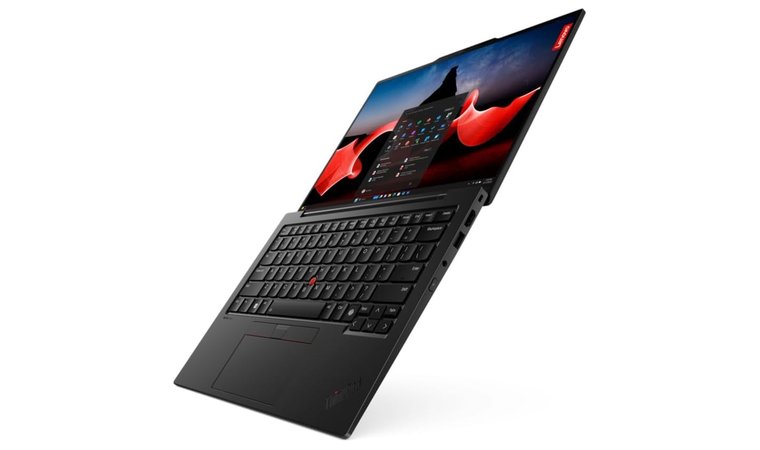
Lenovo and Dell take very different approaches to how their laptops look and feel, and that really shows once you get your hands on them.
Lenovo tends to keep things practical, but that doesn’t mean boring.
- The ThinkPad line has a no-nonsense, all-business feel. It’s the kind of laptop you see in boardrooms and startup offices alike (tough, reliable, and a little old school in its design).
- The Yoga series flips the script with flexible hinges, lightweight builds, and sleek designs that work perfectly for students, creatives, or anyone who wants a laptop that can also moonlight as a tablet.
Dell, on the other hand, leans into boldness and beauty.
- XPS laptops look like they belong in a design studio. With ultra-thin bezels, premium aluminum builds, and a minimalist vibe, they’re made to impress.
- If you’re into gaming, Alienware doesn’t hold back. These machines have glowing lights, sharp angles, and futuristic aesthetics that practically shout power.
Build and Comfort
Both brands use high-end materials, but their goals are different. Lenovo often incorporates carbon fiber or magnesium alloy for a lightweight yet sturdy feel, perfect for tossing in a backpack or working on the go. Dell’s aluminum builds give a more solid, premium impression that’s great for desk setups and long work sessions. And if gaming is your priority, don’t miss our curated list of the best gaming PCs to complete your setup.
Display Quality and Everyday Experience
Both Lenovo and Dell offer stunning displays, but Dell’s XPS screens are truly immersive. Thanks to the InfinityEdge design, you get virtually no bezels, making everything from spreadsheets to Netflix look amazing. Lenovo’s newer 16:10 displays on its Yoga and ThinkPad lines give you more vertical space – great for writers, coders, and multitaskers.
If you’re leaning toward a gaming setup, Dell’s Alienware laptops pair especially well with external monitors. Check out our guide to the best gaming TVs if you’re thinking of taking your visuals to the next level.
Lenovo IdeaPad Slim 3X [Best Lenovo Laptop for Design]

| Specs | Details |
|---|---|
| Processor | Qualcomm Snapdragon 8c Gen 2 |
| RAM | 8GB LPDDR4X |
| Storage | 128GB UFS 2.2 |
| Display | 14″ FHD (1920 x 1080), IPS, Anti-glare |
| Graphics | Integrated Qualcomm Adreno GPU |
| Battery Life | Up to 13.5 hours |
| Weight | 2.82 lbs (1.28 kg) |
| OS | Windows 11 Home |
| Build | Ultra-thin, sleek, minimalist chassis |
| Connectivity | Wi-Fi 6, Bluetooth 5.1 |
Looking for a laptop that looks as good as it runs? The Lenovo IdeaPad Slim 3X is all about effortless design, portability, and reliable performance for daily tasks.
Its ultra-thin profile and smooth matte finish give it a premium vibe, even at a budget-friendly price point, perfect for students, creatives, and professionals who prioritize style without overpaying.
The Lenovo IdeaPad Slim 3X is a design-forward laptop that’s built for light everyday use, with long battery life, a beautiful screen, and a travel-friendly size. If you care about clean aesthetics and portable functionality, this laptop delivers great value in a stylish package.
Powered by the Snapdragon 8c Gen 2 processor and paired with 8GB RAM, this device handles everyday apps like browsing, video streaming, online classes, and productivity tools with no fuss. The battery life is a real highlight, easily lasting all day for most users, while the Full HD IPS display makes video calls, docs, and light entertainment pop with clarity.
This is a budget-friendly option with premium design cues, ideal for anyone who values portability and style as much as performance.
| Pros | Cons |
|---|---|
| ✅ Sleek, modern design with ultra-slim profile and lightweight build ✅ Excellent battery life, perfect for on-the-go work and study ✅ FHD anti-glare display reduces eye strain ✅ Seamless performance for web browsing, streaming, and productivity apps ✅ Built-in Windows 11 Home experience optimized for Snapdragon | ❌ 128GB storage is limited for large media files but it works well for daily use and can be expanded. |
Final Verdict: The Lenovo IdeaPad Slim 3X is a stylish, lightweight laptop that’s perfect for everyday use. It’s easy to carry, has long battery life, and handles browsing, streaming, and schoolwork without any problems. The small storage is a downside, but overall it’s a great, affordable choice for anyone who wants a laptop that looks as good as it works.
What do users think?
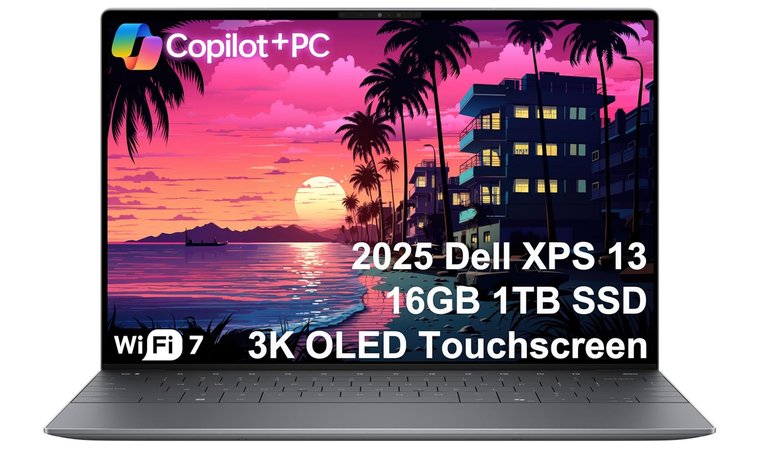
Dell XPS 13 9345 AI Laptop [Best Ultra-Portable Dell Laptop With OLED]
| Specs | Details |
|---|---|
| Processor | Snapdragon X Elite (Copilot+ PC) |
| RAM | 16GB LPDDR5x |
| Storage | 1TB PCIe SSD |
| Display | 13.4″ 3K (2880 x 1800) OLED Touchscreen |
| Graphics | Qualcomm Adreno GPU |
| Battery Life | Up to 27 hours |
| Weight | 2.6 lbs (1.17 kg) |
| OS | Windows 11 Pro |
| Build | CNC-machined aluminum, Gorilla Glass |
| Connectivity | Wi-Fi 7, Bluetooth 5.3, 2 x Thunderbolt-class USB-C (USB4) |
| Features | IR webcam + fingerprint reader, Copilot+ AI integration |
If you want a stunning OLED display, marathon battery life, and next-gen AI performance all in a feather-light chassis, the Dell XPS 13 9345 AI Laptop is the standout choice. The 3K OLED touchscreen looks gorgeous for work and entertainment, and the Snapdragon X Elite chip brings instant-on responsiveness, silent operation, and impressive efficiency.
The XPS 13 9345 AI edition provides elite portability with one of the best OLED panels you’ll find on a 13-inch laptop. Its Snapdragon X Elite processor, Copilot+ features, and 27-hour battery life make it an exceptionally forward-looking machine for travelers, remote workers, and creatives on the move.
Despite its ultra-thin design, performance stays snappy thanks to the fast LPDDR5x memory, instant wake, and hardware-accelerated AI tools built into Windows 11 Pro. And with Wi-Fi 7, a precision keyboard, and a premium aluminum chassis, this laptop feels every bit as high-end as it looks.
Whether you’re working remotely, attending online meetings, or watching ultra-crisp video on its FHD+ screen, this laptop is an ideal companion. And if you’re looking to elevate your full setup, pairing it with one of the best gaming monitors can give you even more screen space without compromising style.
| Pros | Cons |
|---|---|
| ✅ Brilliant 3K OLED touchscreen with deep blacks and punchy colors solve the issue ✅ Snapdragon X Elite chip delivers fast, efficient performance ✅ Up to 27-hour battery life – exceptional for an OLED laptop ✅ Ultra-light, premium aluminum design for easy travel ✅ Wi-Fi 7 for faster, more stable wireless connections ✅ Copilot+ AI tools enhance productivity and multitasking ✅ IR webcam + fingerprint reader for secure, seamless login | ❌ Only USB-C ports, but adapters/docks ❌ Not ideal for heavy AAA gaming |
This XPS model blends future-forward AI hardware with premium materials and a stunning OLED display – perfect for professionals who need long battery life and top-tier portability without giving up performance.
Final Verdict: The Dell XPS 13 9345 AI Laptop is an ultra-portable powerhouse built for modern productivity. The 3K OLED screen is gorgeous, the Snapdragon X Elite chip keeps everything smooth and efficient, and the battery life is exceptional. If you want a premium travel-friendly laptop with cutting-edge AI features, this is one of Dell’s best options.
What do users think?
Lenovo vs Dell: Durability and Build Quality
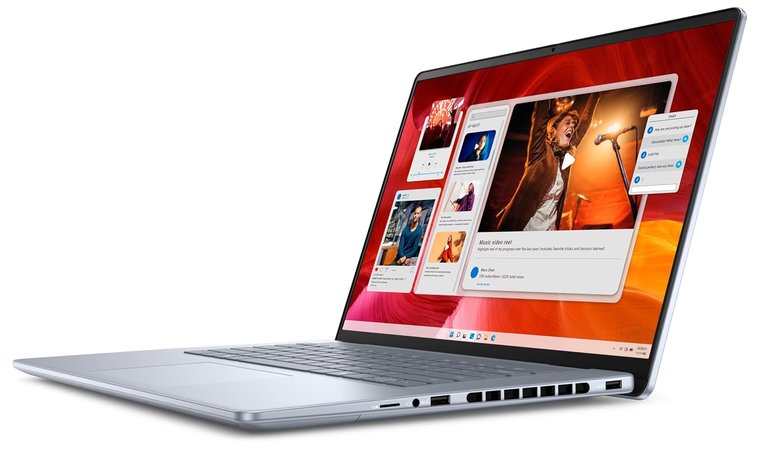
Let’s face it. Not all laptops are built to handle the daily grind. If you’re commuting with it in your backpack, opening it 20 times a day in meetings, or just clumsy with your coffee, durability matters.
Lenovo and Dell are both known for reliable machines, but they take different paths to get there.
1. Chassis Materials
The Lenovo ThinkPad lineup is built like a “workhorse”. Most models use carbon fiber-reinforced plastic or magnesium alloy, materials chosen more for resilience than for flash. These are laptops you can drop (not that you should) and still trust to power on.
The Dell XPS series, on the other hand, is like a high-end sports car. It uses CNC-machined aluminum and a glass-fiber composite palm rest that feels silky smooth. It looks incredible on a desk, but the slick finish can pick up scratches if you’re not careful, tossing it into a bag with keys or chargers.
2. Hinges
ThinkPad hinges are legendary. Lenovo puts them through tens of thousands of open-close cycles during testing. Many models fold flat to 180 degrees, and Yoga versions go full 360. The motion is firm, confidence-inspiring, and unlikely to loosen up over time.
Dell XPS hinges feel premium. Smooth, silent, and just stiff enough. But they’re built for elegance, not abuse. Frequent flipping or rough handling might wear them out faster compared to the industrial feel of Lenovo’s mechanisms.
3. Flex and Rigidity
Open a ThinkPad, press on the keyboard deck, and you’ll feel nothing. No flex, no give. Even the display lid on business models resists twisting, thanks to that magnesium frame.
XPS laptops are thin and feel solid in hand, but under pressure, you might notice a slight flex on the lid or keyboard. Not a dealbreaker, but something to consider if you’re heavy-handed.
Lenovo vs Dell: Support and Service
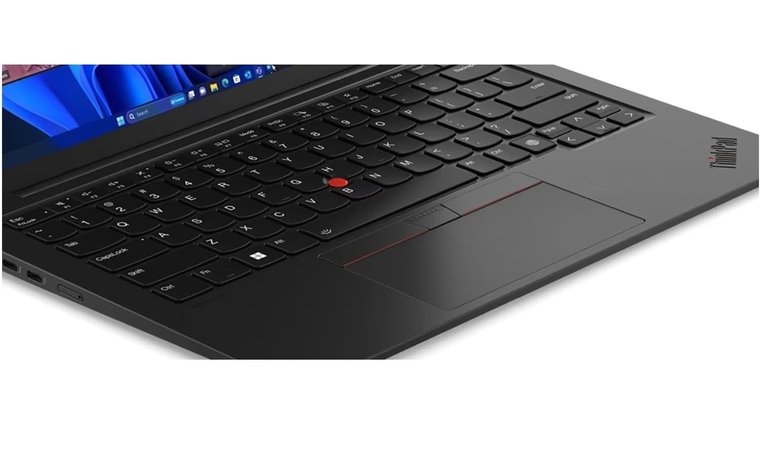
Customer service can make all the difference after the sale. When comparing Lenovo and Dell, each brand brings unique strengths to the table.
1. Warranty and Plans
Lenovo provides a standard one-year warranty, with options to extend up to five years. Their Premier Support offers faster issue resolution, 24/7 access to advanced technicians, and business-focused features, especially for ThinkPad models.
Dell includes more generous options like Premium Support Plus, which covers accidental damage, automated diagnostics, and priority service.
2. Tech Support Experience
Lenovo has improved its online resources, but support can vary by region. Some users report helpful assistance, while others face long waits.
In contrast, Dell often earns high marks for knowledgeable agents and faster resolution, especially for XPS and Latitude owners.
3. On-Site and Business Service
Both brands offer on-site repairs for business laptops, but Dell stands out for its consistency and speed, particularly with enterprise customers.
Lenovo ThinkPads benefit from solid on-site service under Premier Support, though availability can be less predictable.
4. User Feedback
Dell generally ranks higher for support satisfaction. Their premium users enjoy responsive help and fewer headaches. Lenovo earns praise for business-class service but receives mixed reviews from everyday consumers.
If you rely on your laptop for both productivity and leisure, such as enjoying some of the best open-world games, reliable support matters more than ever.
Lenovo vs Dell: Innovation and Special Features
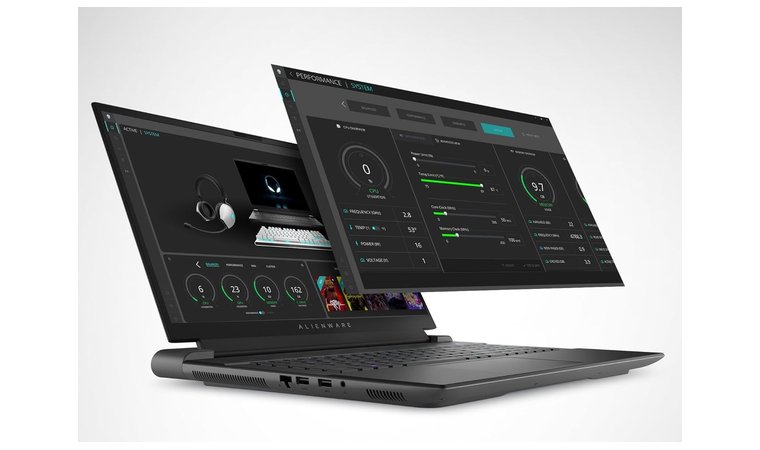
Both Lenovo and Dell are known for pushing boundaries, but they do it in different ways.
Lenovo’s Innovation Edge
Lenovo tends to go bold with design and form factor:
- Yoga 9i Gen 10 Aura Edition – A true standout in the 2-in-1 world, this machine packs a vibrant 14-inch OLED screen, Intel Lunar Lake or Arrow Lake chips, and up to 64 GB of RAM. It’s slim, powerful, and clearly made for modern hybrid work.
- ThinkPad T14s 2-in-1 – Combines military-grade durability with eco-conscious materials like 55 percent recycled aluminum. The 360-degree dual-hinge makes it as flexible as your workday.
- Foldable Innovation – Lenovo led the pack with the ThinkPad X1 Fold and has teased rollable screen technology, perfect for those dreaming of compact, shapeshifting devices.
- AI Features and Software – From predictive repair services to immersive VR with ThinkReality VRX, Lenovo is deep into AI-powered smart features that actually matter.
Dell’s Refined Approach
Dell’s take on innovation is a bit more subtle but no less impressive:
- XPS 2-in-1 Series – Known for their precision design, Dell’s XPS convertibles offer seamless tablet transitions, stylus support, and Evo-certified performance, all wrapped in premium aluminum.
- Dell Optimizer – This AI-based tool quietly boosts your laptop’s performance by learning how you work, optimizing power, and keeping your most-used apps running smoothly.
- Cooling and Power – Dell often relies on vapor chamber cooling and smart battery management, especially in thin and light performance machines.
Lenovo vs Dell: Value and Price Range
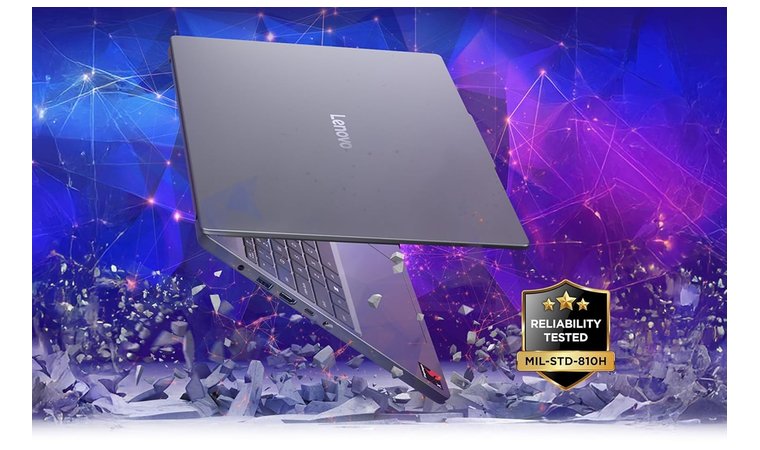
When it comes to buying a computer, price matters just as much as performance. After comparing Lenovo and Dell side by side, and even looking at a few models from other brands like HP, I’ve come to some clear conclusions that can help you make an informed decision.
1. Lenovo’s Pricing Strategy
Lenovo knows how to deliver value. Their IdeaPad and ThinkBook lines pack serious performance at wallet-friendly prices. I’ve seen sub-$700 Lenovo laptops beat out similarly priced Dell and HP laptop models in real-world tests, with better build, smoother performance, and even longer battery life.
If you’re comparing laptops based on power rather than price, it’s also worth looking at the best gaming laptop options on the market, which offer significantly more performance per dollar for users who need high-end GPUs.
If you’re in a professional setting, Lenovo’s ThinkPad series (especially the T and X lines) offers slightly more. They’re built to last, with the kind of durability that holds up over years of BIOS updates and heavy daily use.
2. Dell’s Pricing Strategy
Dell tends to lean premium. Even budget Inspiron laptops often cost a little more than their Lenovo counterparts and don’t always offer more for the money. But Dell earns its reputation with the XPS line.
These models are gorgeous, from the sleek aluminum finish to the stunning displays. If you’re working with Microsoft software all day and want a laptop that looks and feels top-tier, the XPS 13 or 15 is an excellent choice.
3. So What’s the Better Deal?
If you’re looking for practical value, Lenovo is hard to beat, especially under the $1,000 mark. It simply gives you more computer for less money.
But if you love premium design and don’t mind spending extra, Dell’s XPS line holds its own with any other brand. Either way, both offer solid choices, you just need to pick what fits your needs best. Want more Dell comparisons – consider Dell vs HP laptop to get even more insight.
Final Verdict
Both Lenovo and Dell bring a lot to the table, but they cater to slightly different priorities. Lenovo shines in durability and value. If you’re a student, remote worker, or business traveler who needs something reliable and efficient, a ThinkPad or IdeaPad is a solid pick. Dell, on the other hand, feels more premium.
Their XPS line especially stands out for its sleek design and excellent performance, perfect for creative professionals or anyone who values aesthetics and power.
If you’re after a lightweight, high-performance laptop with excellent battery life and business-ready durability, the Lenovo ThinkPad X1 Carbon Gen 12 is an easy choice. It’s ideal for work, travel, and everything in between.
To simplify:
- Students and professionals who travel a lot: Go with Lenovo ThinkPads, like Lenovo ThinkPad X1 Carbon Gen 12.
- Designers and content creators: Dell XPS all the way, especially the Dell XPS 13 9345.
- Budget buyers: Lenovo IdeaPad Slim 3X is a stronger value option at a lower price point.
- Gamers: Dell’s Alienware series is the better bet for serious play. See the Alienware M18 R12.
FAQs
It depends on your hardware requirements. Lenovo offers better value and durability, while Dell shines in design and display quality. For premium performance, the Dell XPS is hard to beat.
Yes, Lenovo is better than Dell. It offers better affordability, long-term reliability, and practical design, especially in the ThinkPad series, which is known for its durability and performance.
Lenovo is better for students. The IdeaPad and ThinkPad series are budget-friendly, sturdy, and have long battery life, great for all-day use.
Yes, Lenovo laptops are good for business. Their ThinkPad line is especially popular for its durability, top-tier security, and comfortable keyboards, making it a smart choice for professionals.
Yes, you can use a Lenovo for gaming. The Legion series is built for gamers, offering powerful GPUs, fast refresh rates, and efficient cooling, great for both casual and competitive play.
Yes, Dell laptops are good for gaming. They offer strong GPUs, high refresh rates, and advanced cooling systems for smooth gameplay.












