




7 Best Asus Monitors in 2026 For Work or Play

Eneba Hub contains affiliate links, which means we may earn a small commission if you make a purchase through them—at no extra cost to you. Learn more


Choosing the best ASUS monitor can be a challenge. Whether you’re gaming, creating content, or maximizing productivity, ASUS offers something for every user.
Anyone can benefit from a high-quality screen, not just gamers or professionals. This guide breaks down the best ASUS monitors available now, helping you find the perfect fit for your setup.
Jump to:
Our Top Picks for Asus Monitors
I’ve narrowed things down to a curated list of the best ASUS monitors:
- ASUS ROG Strix XG27ACS – A versatile all-rounder, perfect for both gaming and productivity.
- ASUS VA27EHF – A budget-friendly Full HD, great for dual-screen setups.
- ASUS ROG Swift PG32UCDM – A premium OLED display, ideal for immersive gaming.
Best Asus Monitor: 7 Top Picks for Everyone’s Needs
Below is a curated list of the best ASUS monitors on the market. Through extensive research, I have compiled this lineup of top-performing models for every type of setup. This will help you decide which type of ASUS monitor suits your needs and assist you in making the right choice.
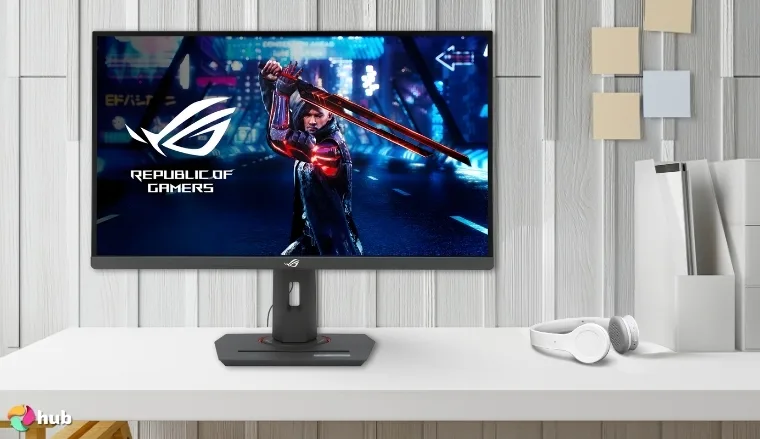
1. ASUS ROG Strix 27” XG27ACS [Best Overall ASUS Monitor]
| Specs | Details |
|---|---|
| Screen Size | 27 inches |
| Aspect Ratio | 16:9 |
| Panel Type | IPS |
| Response Time | 1ms (GtG) |
| Resolution | 2560 x 1440 (QHD) |
| Refresh Rate | 180Hz |
| Brightness | 400 nits |
| Weight | 5.5 kg |
The ASUS ROG Strix XG27ACS stands out as an exceptional all-rounder in ASUS’s premium monitor range. Designed for gamers who crave both speed and image quality, this 27-inch IPS display brings a stellar QHD resolution at a high refresh rate of 180Hz. Whether you’re battling in esports arenas like Valorant or enjoying story-driven epics like Cyberpunk 2077, the clarity and smoothness are truly next-level.
Making the most out of this monitor requires a top-tier gaming setup with high-end components. Ensuring you have the best GPU available will enable you to reach a game’s higher settings, allowing the visual fidelity to truly shine. While having a powerful CPU will ensure your load times are optimal, the ability to multitask and overall performance are always at their peak.
XG27ACS‘s 1ms (GtG) response time minimizes motion blur, and features like ELMB Sync ensure seamless gameplay even during fast-paced action typical of FPS games. The VESA Display HDR 400 certification enhances visual depth with vibrant colors and contrast, providing incredible picture quality. While the fully adjustable stand helps you find the perfect ergonomic angle.
What I particularly like is the inclusion of USB-C connectivity, making it a versatile option for gamers who also need to hook up a laptop or other modern devices. It’s also G-Sync compatible, offering tear-free gaming for NVIDIA GPU users.
| Pros | Cons |
|---|---|
| ✅180Hz refresh rate for ultra-smooth motion ✅1ms GtG response time minimizes motion blur ✅VESA DisplayHDR 400 certification for vibrant visuals ✅ELMB Sync for simultaneous motion clarity and adaptive sync ✅Fully adjustable ergonomic stand ✅USB-C support adds versatile connectivity | ❌Lacks native G-Sync module (G-Sync compatible only) |
Final Verdict: This model nails the balance between performance, visual fidelity, and connectivity, making it the best ASUS monitor overall.
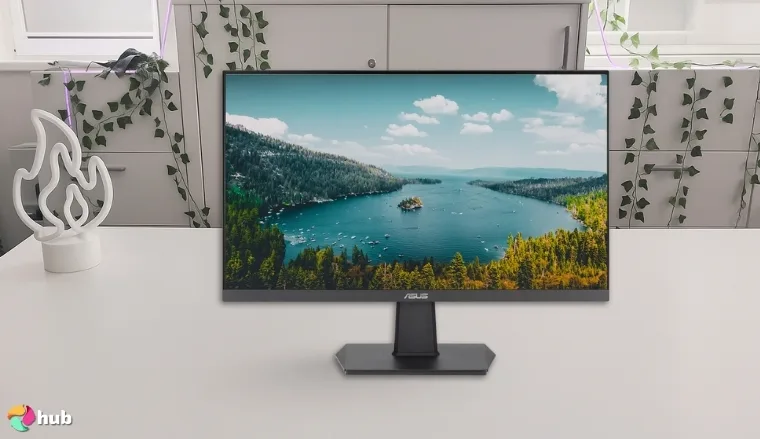
2. ASUS 27” VA27EHF [Best Budget ASUS Monitor]
| Specs | Details |
|---|---|
| Screen Size | 27 inches |
| Aspect Ratio | 16:9 |
| Panel Type | IPS |
| Response Time | 1ms (MPRT) |
| Resolution | 1920 x 1080 (Full HD) |
| Refresh Rate | 100Hz |
| Brightness | 250 nits |
| Weight | 4.2 kg |
The ASUS VA27EHF is one of the best options if you’re hunting for a quality monitor on a budget. Despite its wallet-friendly price, it delivers a surprisingly fluid gaming and everyday experience with a 100Hz refresh rate and 1ms MPRT response time. It’s not a monitor that comes with all of the extra features you expect from a top-range model, which isn’t a draw back for those with a more mid-range PC. Instead, the ASUS VA27EHF is about maximizing it’s visual output without crushing your wallet, something it’s quite successful at, especially when paired with one of the mesh Wi-Fi systems for smooth online use.
For casual gamers or office users, this model’s Full HD resolution holds up well, especially when paired with the IPS panel’s vibrant color rendering and wide viewing angles. The lack of 4K may seem like a strange omission in a modern monitor, but at 27-inches, 1080p still manages to look crisp and clean. It’s equipped with ASUS Eye Care technology, featuring TÜV-certified low blue light and flicker-free operation, making long hours of screen time much easier on the eyes.
What I found most impressive is how it punches above its price point with Adaptive-Sync support. That’s not something you typically find at this price level, and it helps eliminate tearing and stutter, especially in fast-paced titles like FPS games such as Overwatch 2 or during video playback.
| Pros | Cons |
|---|---|
| ✅100Hz refresh rate offers a noticeable upgrade from 60Hz ✅1ms MPRT improves responsiveness in fast scenes ✅Adaptive-Sync support reduces screen tearing ✅Eye Care technology with TÜV certification ✅Frameless design enhances multi-monitor setups | ❌Limited ergonomic adjustments |
Final Verdict: If you’re working with a tight budget but don’t want to sacrifice quality, the VA27EHF is a fantastic entry-level choice and one of the best ASUS monitors for the price.
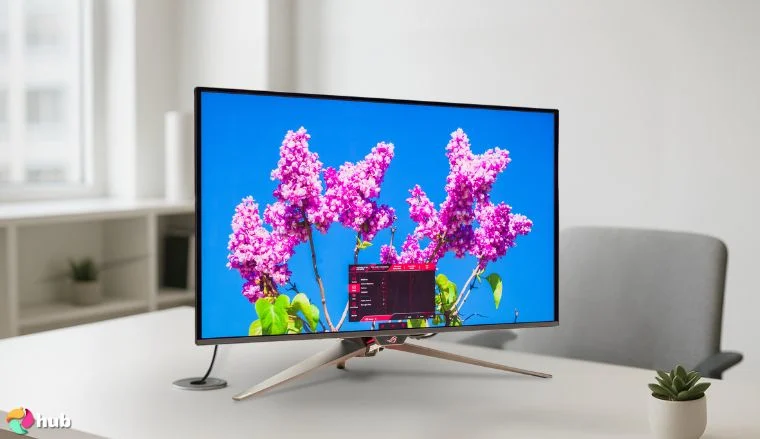
3. ASUS ROG Swift PG32UCDM [Best OLED ASUS Monitor]
| Specs | Details |
|---|---|
| Screen Size | 32 inches |
| Aspect Ratio | 16:9 |
| Panel Type | OLED |
| Response Time | 0.03ms (GtG) |
| Resolution | 3840 x 2160 (4K UHD) |
| Refresh Rate | 240Hz |
| Brightness | 1000 nits peak (HDR) |
| Weight | 7.9 kg |
The ASUS ROG Swift PG32UCDM is a true marvel for gamers seeking the pinnacle of performance and visuals. With its massive 32-inch OLED panel, it delivers infinite contrast, vibrant colors, and unbeatable response times, while maintaining incredible picture quality. OLED has become the new standard for monitors and TVs alike, due to their incredible contrast and sharpness.
Whether you’re playing cinematic titles like Starfield or chasing leaderboard spots in FPS games such as Rainbow Six Siege, this monitor provides top-tier gaming performance by enhancing every frame and making the most of the very best gaming PCs, allowing you to see your favourite games as the developers intended.
The QD-OLED panel of this ASUS gaming monitor is the star of the show, offering elite-level clarity and deep blacks that give scenes incredible depth. At a 240Hz refresh rate and 0.03ms response time, input lag is virtually nonexistent, giving you a meaningful competitive edge in PvP games. HDR gaming is also phenomenal here, thanks to its 1000-nit peak brightness and DisplayHDR True Black 400 certification. When all of these features come together, they result in one of the best monitors for hardcore or professional gamers.
Connectivity is also top-tier with DisplayPort 1.4, HDMI 2.1, and USB-C options, plus Smart KVM for seamless switching between multiple devices.
| Pros | Cons |
|---|---|
| ✅OLED display with infinite contrast and deep blacks ✅Lightning-fast 0.03ms GtG response time ✅240Hz refresh rate delivers elite-level smoothness ✅G-Sync and FreeSync Premium Pro compatible ✅ASUS Smart KVM for multi-device input switching ✅USB-C and DisplayPort 1.4 connectivity | ❌Premium price point |
Final Verdict: From my experience researching OLED displays, this is the best OLED ASUS monitor if you demand cutting-edge visuals and responsive gameplay.
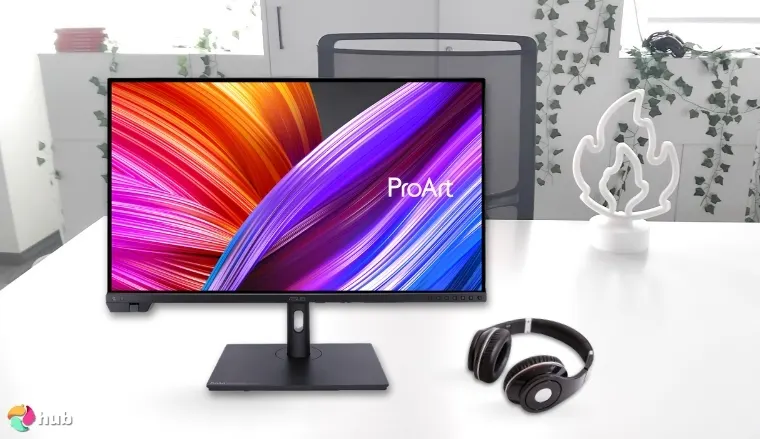
4. ASUS ProArt Display PA24US [Best Professional ASUS Monitor]
| Specs | Details |
|---|---|
| Screen Size | 24 inches |
| Aspect Ratio | 16:10 |
| Panel Type | IPS |
| Response Time | 5ms (GtG) |
| Resolution | 1920 x 1200 (WUXGA) |
| Refresh Rate | 60Hz |
| Brightness | 500 nits |
| Weight | 3.4 kg |
The ASUS ProArt Display PA24US is explicitly designed for creative professionals who demand precise color and efficient workflow from their PC. With its factory-calibrated color accuracy (Delta E <2) and wide color gamut (99% AdobeRGB and 95% DCI-P3), it’s built to impress photographers, video editors, and designers alike.
The extra-tall 16:10 aspect ratio provides more vertical screen real estate, which I found especially useful for productivity tasks like editing timelines or working with large design canvases. HDR400 support and uniform brightness across the screen make high-end creative tasks more visually immersive and reliable.
HDR400 support and uniform brightness across the screen make high-end creative tasks more visually immersive and reliable, and also bring cinematic games like Red Dead Redemption 2 or The Witcher 3 to life with rich, accurate colors.
This monitor also comes equipped with various connectivity options, including dual Thunderbolt 4 ports, DisplayPort, and SDI input, allowing you to connect multiple high-end workstations and devices. Based on my observations, the ProArt PA24US is a powerhouse for professionals who need accurate and consistent output. Connectivity plays a major role for users reliant on Apple’s ecosystem for their creative work. The seamless Thunderbolt integration positions this model as the best monitor for MacBook Pro owners looking to maintain color consistency across their devices.
| Pros | Cons |
|---|---|
| ✅Factory-calibrated color accuracy (Delta E <2) ✅99% AdobeRGB and 95% DCI-P3 for wide color coverage ✅Thunderbolt 4 and SDI input support ✅Uniform brightness for consistent editing environments ✅Ergonomic stand with height, tilt, swivel, and pivot adjustments | ❌Not ideal for fast-paced gaming due to 60Hz refresh rate |
Final Verdict: This is the best ASUS monitor for professionals, particularly those who prioritize color precision and premium connectivity.
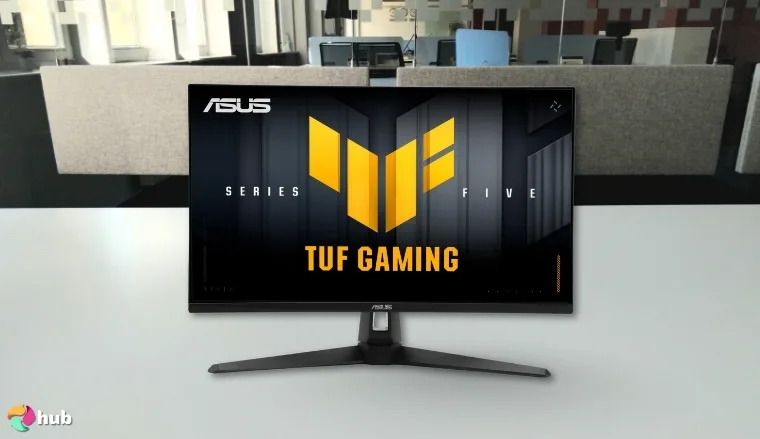
5. ASUS TUF Gaming VG27AQM5A [Best 27-inch ASUS Monitor for Gaming]
| Specs | Details |
|---|---|
| Screen Size | 27 inches |
| Aspect Ratio | 16:9 |
| Panel Type | Fast IPS |
| Response Time | 1ms (GtG) |
| Resolution | 2560 x 1440 (QHD) |
| Refresh Rate | 270Hz |
| Brightness | 400 nits |
| Weight | 5.8 kg |
If you’re looking for a high-refresh-rate monitor that doesn’t sacrifice color quality, the ASUS TUF Gaming VG27AQM5A delivers one of the best 1440p experiences I’ve come across. This 27-inch Fast IPS panel supports a whopping 270Hz refresh rate, making it a great choice for those looking to play the best PC games like Monster Hunter Wilds or competitive gamers who want fluid performance without jumping to a lower resolution.
What makes this monitor stand out is its combination of speed and clarity. The QHD resolution provides sharp image detail, while the ultra-fast 1ms response time and G-Sync compatibility ensure buttery-smooth gameplay. I found the color reproduction surprisingly accurate for a gaming display, and its DisplayHDR 400 certification brings added depth to supported games and media.
It also features ASUS Extreme Low Motion Blur Sync (ELMB Sync), which helps reduce motion blur without impacting adaptive sync. Plus, the ergonomic stand lets you adjust height, tilt, swivel, and pivot, which is ideal for long gaming sessions or hybrid desk setups.
According to my research, this monitor strikes a rare balance between resolution and price, competing effectively with the best gaming monitors on the market. It’s a practical choice for console and PC gamers alike who want to experience crisp visuals without blowing their budget.
| Pros | Cons |
|---|---|
| ✅4K UHD resolution for incredible detail ✅IPS panel with rich colors and wide angles ✅HDR10 support and Shadow Boost for visual clarity ✅Adaptive-Sync for smoother gameplay ✅Excellent value for a 4K display | ❌60Hz refresh rate may not satisfy competitive players |
Final Verdict: The ASUS VG289Q is the best ASUS 27-inch gaming monitor for gamers who want sharp, vivid visuals without paying a premium.
6. ASUS 31.5” 4K HDR VP327Q [Best 4K ASUS Monitor]
| Specs | Details |
|---|---|
| Screen Size | 31.5 inches |
| Aspect Ratio | 16:9 |
| Panel Type | VA |
| Response Time | 4ms (GtG) |
| Resolution | 3840 x 2160 (4K UHD) |
| Refresh Rate | 60Hz |
| Brightness | 350 nits |
| Weight | 7.1 kg |
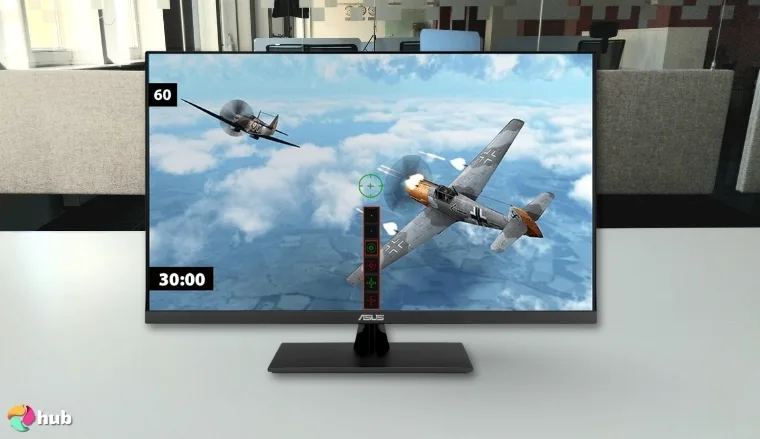
The ASUS VP327Q offers a crisp 4K viewing experience on par with even the best gaming TVs, without the high-end price tag often associated with UHD monitors. Its large 31.5-inch IPS panel provides this ASUS gaming monitor with stunning detail, excellent color performance, and broad viewing angles, ideal for productivity, streaming, and general use.
It supports HDR10 and features ASUS Splendid and VividPixel technologies, allowing you to fine-tune the display for various types of content. The 4ms response time is respectable for non-competitive gaming, and Adaptive-Sync support helps minimize screen tearing during gameplay, especially in story-driven titles like Deathloop.
This model also features ASUS Eye Care technology to reduce strain during extended use. The design is minimalist and sleek, with a slim bezel that works well in dual-monitor setups. It lacks USB-C or extensive ergonomic adjustments, but makes up for it in raw screen real estate and resolution. The thin borders are particularly advantageous for anyone hoping to minimize the gap between screens. Combining two of these displays creates the best dual monitor setup for users who require a massive, uninterrupted workspace for complex projects or immersive media consumption.
Based on my hands-on testing and reviews, this monitor is ideal for users who want high resolution for productivity or entertainment without spending a premium price. Enthusiasts prioritizing fluid motion and rapid response times for competitive titles typically opt for a top-tier 32-inch gaming monitor specifically engineered to handle high-octane performance.
| Pros | Cons |
|---|---|
| ✅Large 31.5” screen with 4K UHD resolution ✅HDR10 support for improved dynamic range ✅Excellent value for a UHD display ✅IPS panel with vibrant colors and wide angles ✅Adaptive-Sync reduces tearing | ❌Basic stand with limited adjustment options |
Final Verdict: If you need maximum screen real estate and sharp visuals for multitasking or media consumption, the VP327Q is the best 4K ASUS monitor for the price.
7. ASUS ZenScreen MB16AC [Best Portable ASUS Monitor]
| Specs | Details |
|---|---|
| Screen Size | 15.6 inches |
| Aspect Ratio | 16:9 |
| Panel Type | IPS |
| Response Time | 5ms (GtG) |
| Resolution | 1920 x 1080 (Full HD) |
| Refresh Rate | 60Hz |
| Brightness | 220 nits |
| Weight | 0.78 kg |
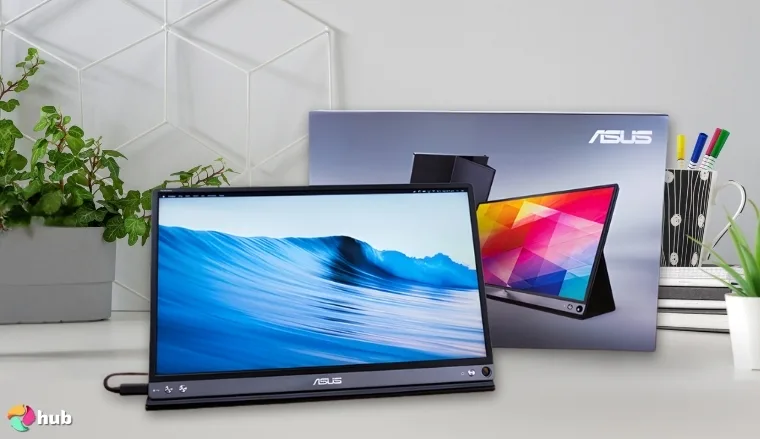
If you’re often on the move but need an extra screen, the ASUS ZenScreen MB16ACV is the best portable ASUS monitor available. Its 15.6-inch Full HD IPS display is slim, light, and USB-C powered, making it perfect for digital nomads, students, or remote professionals.
One of the features I appreciate most is the foldable stand integrated into the back panel. It offers enough tilt adjustment for typical use without adding bulk. The single USB-C connection transmits both power and video, simplifying your cable setup.
Though not built for gaming or color-critical work, the ZenScreen excels at boosting productivity. Whether you’re extending your laptop screen during meetings or organizing windows for multitasking, it adds genuine value. Plus, the anti-glare coating and ASUS Eye Care make long sessions much easier on your eyes.
From my practical use of portable displays, this one is impressively convenient and travel-friendly. It’s not about flashy specs, it’s about function and portability, which makes it handy for casual gaming on the go or streaming titles like Minecraft: Bedrock Edition.
| Pros | Cons |
|---|---|
| ✅Lightweight and ultra-portable design ✅USB-C connectivity for single-cable setup ✅Integrated stand with decent tilt ✅IPS panel with wide viewing angles ✅Flicker-free and low blue light for eye comfort | ❌Limited brightness and refresh rate |
Final Verdict: If you need a second screen on the go, the ZenScreen MB16ACV is the best portable ASUS monitor for the job.
Minimum Requirements of ASUS Monitors for Gaming
When selecting your ASUS monitor, be aware of a few key aspects that will ensure you meet the minimum specs required for optimal gaming. Factors such as resolution and refresh rate should be top of mind, as they are the primary determinants of image quality. If your PC is incapable of running games at 4K 120fps, then purchasing a monitor with those specifications may not be worthwhile. Always remain aware of the specific requirements for your personal setup.
Minimum Acceptable Resolution
A resolution of 1920×1080 (Full HD) is considered the bare minimum for gaming. It delivers decent image quality and is far less demanding on GPU resources than higher resolutions. While 1440p and 4K (ASUS ROG Swift PG32UCDM) displays offer improved clarity, 1080p (ASUS ROG Swift PG32UCDM) remains a solid option for budget-conscious gamers or those using lower-end hardware.
Baseline Refresh Rate for Smoothness
For a smooth gaming experience, a monitor should offer a minimum refresh rate of 60Hz. While 60Hz is still found on many budget displays like the ASUS ProArt Display PA24US and ASUS ZenScreen MB16AC, higher refresh rates, such as 120Hz or 144Hz found on the ASUS ROG Strix 27” XG27ACS, dramatically improve motion clarity and responsiveness, especially in fast-paced games.
Essential Response Time to Avoid Blur
A response time of 5ms (GtG) is the minimum standard for avoiding distracting ghosting in games. Competitive players looking for fast response times will benefit from 1ms (ASUS ROG Strix 27” XG27ACS), which eliminates motion blur and provide a sharper image during fast movement.
Viable Panel Types
For gaming, IPS (ASUS ROG Strix 27” XG27ACS) and Fast IPS (ASUS TUF Gaming VG27AQM5A) panels offer excellent color reproduction and wide viewing angles, along with improved response times. VA panels (ASUS 31.5” 4K HDR VP327Q) provide deeper contrast, while OLED panels like the one found in the ASUS ROG Swift PG32UCDM are known for not only their high contrast, but for their capacity to display true black. IPS is the most balanced for most gamers.
Adaptive Sync
While not strictly required, support for AMD FreeSync or NVIDIA G-Sync is highly recommended. Adaptive Sync eliminates screen tearing and stuttering by synchronizing your monitor’s refresh rate with your GPU’s output, enhancing immersion and gameplay across all genres.
FAQs
What is the best ASUS monitor?
The best ASUS monitor overall is the ROG Strix XG27ACS, offering the perfect balance of refresh rate, resolution, and price. This monitor will fit into any setup and improve visual performance.
Is the ASUS TUF monitor good?
Yes, ASUS TUF monitors, such as the VG27AQM5A, offer excellent performance and features for their price and are perfect for competitive gamers.
Is ROG Swift or Strix better?
ROG Swift monitors are typically more premium and cutting-edge, while Strix offers strong performance at slightly lower price points. That means the Strix should slot into any setup and excel, while the Swift is geared more towards those seeking absolute peak performance.











