



ASUS ROG Swift PG32UCDM review 2026

Eneba Hub contains affiliate links, which means we may earn a small commission if you make a purchase through them—at no extra cost to you. Learn more


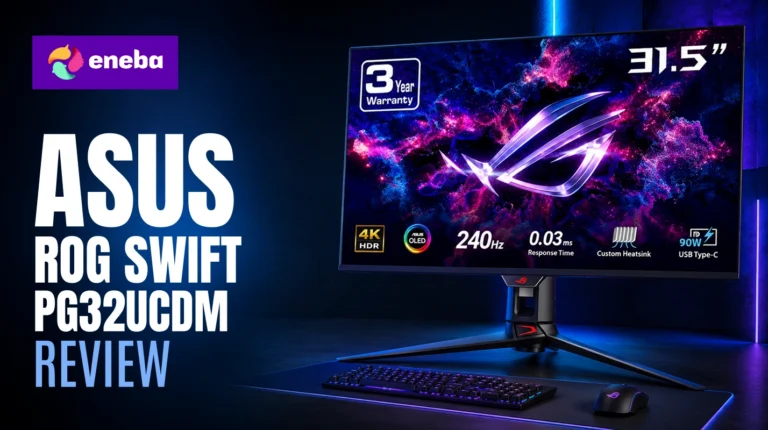
The ASUS ROG Swift PG32UCDM review keeps returning to the same core question: can one monitor at $849 justify itself by combining 4K resolution, QD-OLED panel technology, 240Hz refresh rate, and professional-grade color accuracy in a single 32-inch screen? I spent considerable time evaluating this monitor to find out whether the premium is actually earned.
What sets the PG32UCDM apart from competing OLED monitors is ASUS‘s decision to engineer thermal management into the panel itself – a custom heatsink and graphene film system designed to actively reduce burn-in risk rather than just accepting it as an OLED tradeoff. The monitor also ships with a 3-year warranty that covers burn-in explicitly, which is rare at any price point. At $849, the PG32UCDM sits at the top of the gaming monitor market, but the QD-OLED panel, 240Hz performance, and Dolby Vision support put it in a different category than anything built on IPS or VA technology.
This review covers what actually matters for the $849 investment: how the QD-OLED panel holds up in real gaming and creative use, whether the burn-in concern is a genuine risk or a manageable tradeoff, and how the PG32UCDM compares against the alternatives at lower price points.
Jump to:
ROG Swift PG32UCDM at a Glance
Here is what you are working with before I get into the specifics of each performance area.
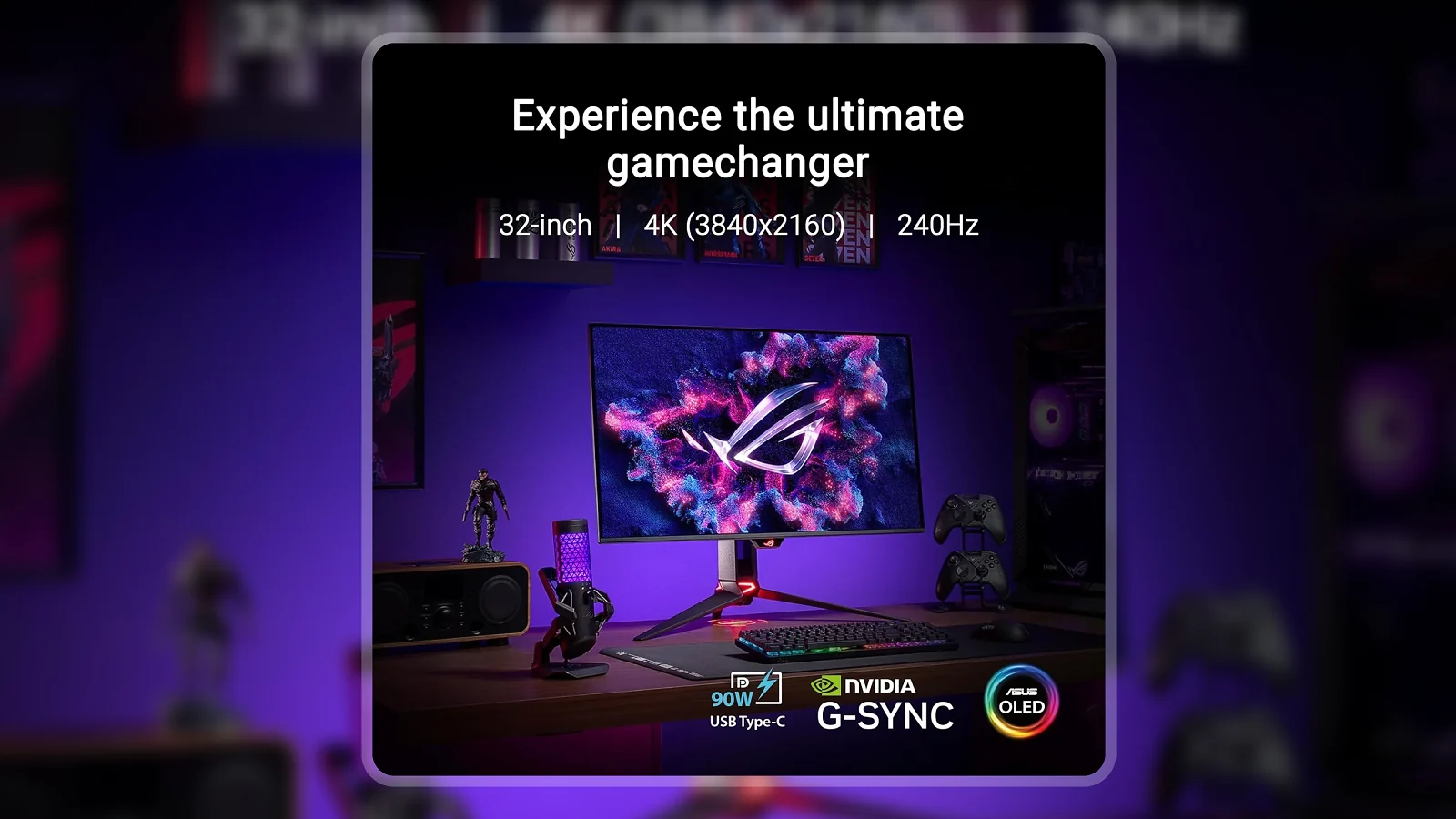
| Specs | Details |
|---|---|
| Screen Size | 32 inches |
| Panel Type | QD-OLED |
| Resolution | 3840 x 2160 (4K UHD) |
| Refresh Rate | 240 Hz |
| Response Time | 0.03ms GTG |
| Contrast Ratio | 1,500,000:1 |
| Peak Brightness | 1000 cd/m2 |
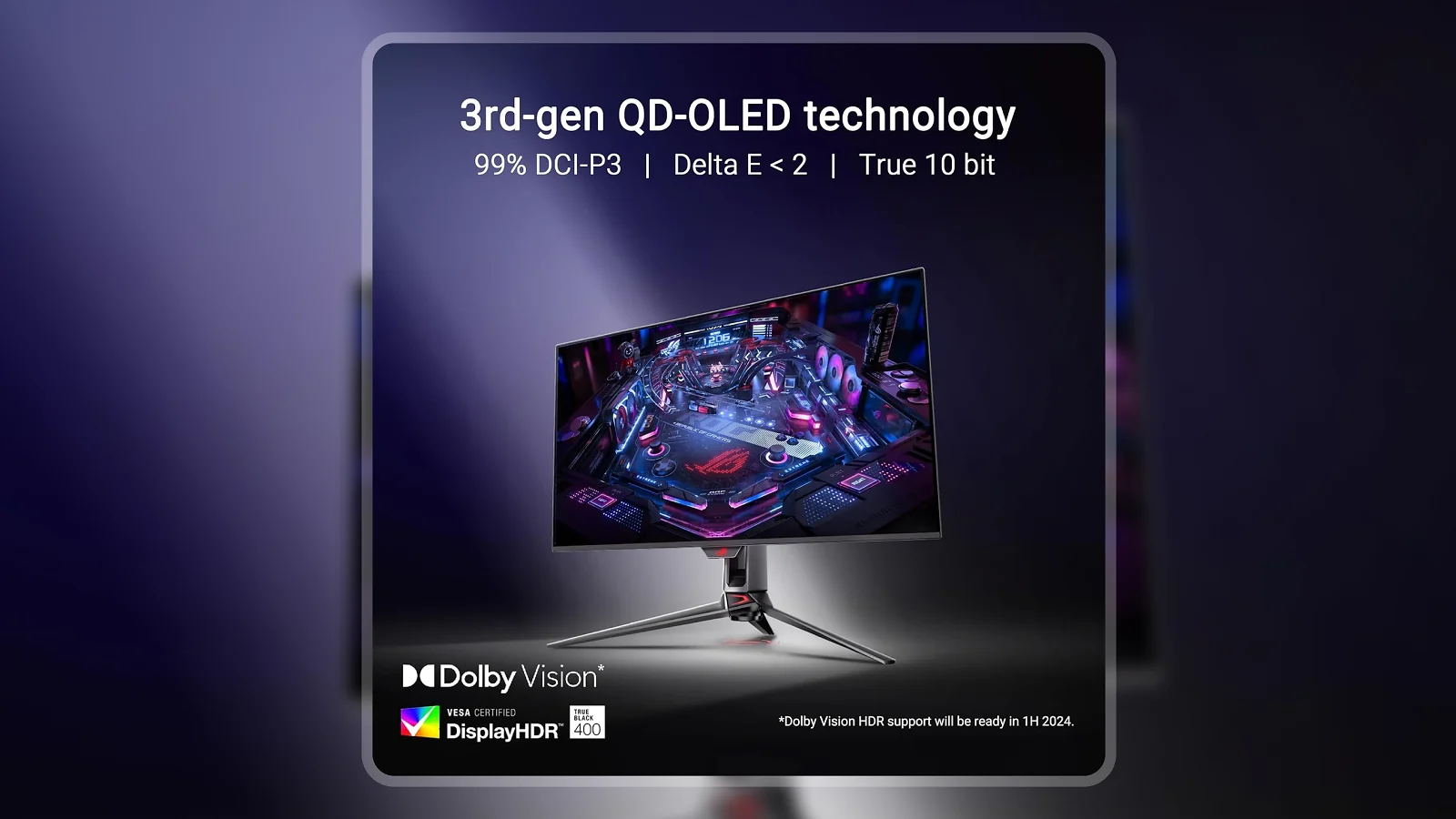
| HDR Certification | VESA DisplayHDR 400 True Black |
| Color Gamut | 99% DCI-P3, True 10-bit |
| Color Accuracy | Delta E < 2 (pre-calibrated) |
| Adaptive Sync | G-SYNC Compatible |
| Ports | 2x HDMI, 1x DisplayPort, 3x USB 3.2, 1x USB-C (90W) |
| Ergonomics | Height, tilt, swivel; VESA 100x100mm |
| Warranty | 3-year with ARR and burn-in coverage |
| Price | $849 |
Key Features and Benefits
The specs table shows what the PG32UCDM has. What follows is what those specs mean for your actual experience at the desk.
- QD-OLED Panel with 1,500,000:1 Contrast – Standard gaming monitors simulate black by dimming a backlight; the PG32UCDM turns pixels off entirely when displaying black, which means space in a space sim looks like actual space and shadows in a horror title carry real depth. The 1.5 million to 1 contrast ratio reflects what QD-OLED technology physically produces when true black meets peak highlight in the same frame.
- 240Hz at Full 4K Resolution – Most 4K monitors top out at 144Hz, and those that exceed that are typically smaller panels or compromise elsewhere. The PG32UCDM hits 240Hz at full 3840×2160, which requires a capable GPU to utilize, but sets the ceiling for what a competitive 4K display can do in 2026. No 4K panel in a 32-inch format currently exceeds 240Hz.
- 0.03ms GTG Response Time – On an IPS panel, 0.03ms would be aspirational. On OLED, it reflects the panel’s actual pixel transition speed – each pixel completes its change before the next frame renders. Ghost trails and motion blur that appear during fast-moving sequences in competitive shooters simply do not show up here.
- 99% DCI-P3 with Delta E < 2 Accuracy – The PG32UCDM ships with professional color accuracy out of the box. DCI-P3 is the color space used in cinema production, and Delta E < 2 is the calibration threshold professional colorists rely on. Photographers and video editors can use this panel without a separate calibration display.
- Custom Heatsink and Graphene Film Burn-in Management – ASUS engineered thermal management directly into the panel design to reduce the QD-OLED‘s burn-in risk over time. Paired with built-in pixel refresh cycles (approximately 5 minutes after every 8 hours of use), the burn-in concern is actively addressed rather than left as an accepted tradeoff.
- 90W USB-C Power Delivery – This port charges a compatible laptop at full speed while simultaneously carrying 4K display signal. Anyone running a modern thin-and-light laptop can use one cable for both data and power, eliminating the need for a separate dock.
- Dolby Vision Support – Dolby Vision is uncommon on PC monitors. Competing OLED displays at similar price points generally do not support it. With Dolby Vision active, compatible streaming content and game titles display with dynamic per-scene brightness and color adjustments – visible particularly in dark scenes and complex HDR sequences.
Performance and Real-World Experience
The PG32UCDM targets serious gamers and content creators, and it performs for both groups without a meaningful compromise between the two.
The step from 144Hz IPS to 240Hz QD-OLED is not an incremental upgrade – long-term owners consistently describe it as a step change in visual quality. Those who made this specific move describe the absence of IPS panel artifacts as something they notice immediately, particularly in fast-paced competitive games where pixel response and refresh rate combine to eliminate trailing artifacts entirely. The PG32UCDM‘s 0.03ms response at 240Hz produces a level of motion clarity that IPS panels at similar refresh rates cannot match.
The HDR behavior deserves specific attention. Windows HDR mode historically washes out SDR content, which is why most PC users keep it disabled. The DisplayHDR 400 True Black implementation on the PG32UCDM handles this differently – the monitor maintains contrast and color richness in non-HDR content while HDR is active, which means you can leave HDR on without paying a usability penalty in everyday Windows use.
For media beyond gaming, the Dolby Vision support and OLED-grade blacks put the picture quality in a different class from standard PC monitors. The streaming experience on this panel rivals dedicated OLED televisions.
On the burn-in question: ASUS builds two active layers of protection into the PG32UCDM – the graphene film and heatsink at the hardware level, and the pixel refresh cycle and OLED Care software at the firmware level. Long-term owners who follow the recommended setup (dark Windows theme, auto-hide taskbar, regular refresh cycles) report no significant burn-in over extended ownership periods.
One limitation worth noting: the QD-OLED panel retains more reflectivity than a traditional matte IPS display. In bright rooms with a window directly behind the user, that reflectivity is noticeable. The PG32UCDM rewards a dim or side-lit environment rather than an open-plan office with afternoon sunlight streaming in.
| Pros | Cons |
|---|---|
| ✅ QD-OLED panel with true infinite blacks and 1,500,000:1 contrast – visually different from any IPS or VA panel ✅ 240Hz at full 4K resolution – the fastest 4K refresh rate available in a 32-inch format ✅ 0.03ms GTG response time with no ghosting or motion blur in fast-paced competitive games ✅ 99% DCI-P3 and Delta E < 2 factory calibration – accurate enough for professional photo and video work out of the box ✅ Dolby Vision support is uncommon in PC monitors at this price and meaningfully better than HDR10-only alternatives ✅ 3-year warranty with explicit burn-in coverage – ASUS backs the panel against the primary OLED concern ✅ 90W USB-C powers a laptop and carries 4K display signal over a single cable | ❌ The QD-OLED panel is more reflective than a standard matte IPS display – a bright room or window directly behind the user produces noticeable reflections, so this monitor rewards a dim or side-lit environment |
The PG32UCDM is the only 32-inch option that simultaneously hits 4K at 240Hz on a QD-OLED panel, includes Dolby Vision, delivers professional-grade Delta E < 2 color accuracy, and backs the panel with a 3-year burn-in warranty. At $849, no competing monitor across IPS, VA, or OLED technology checks all five criteria at once.
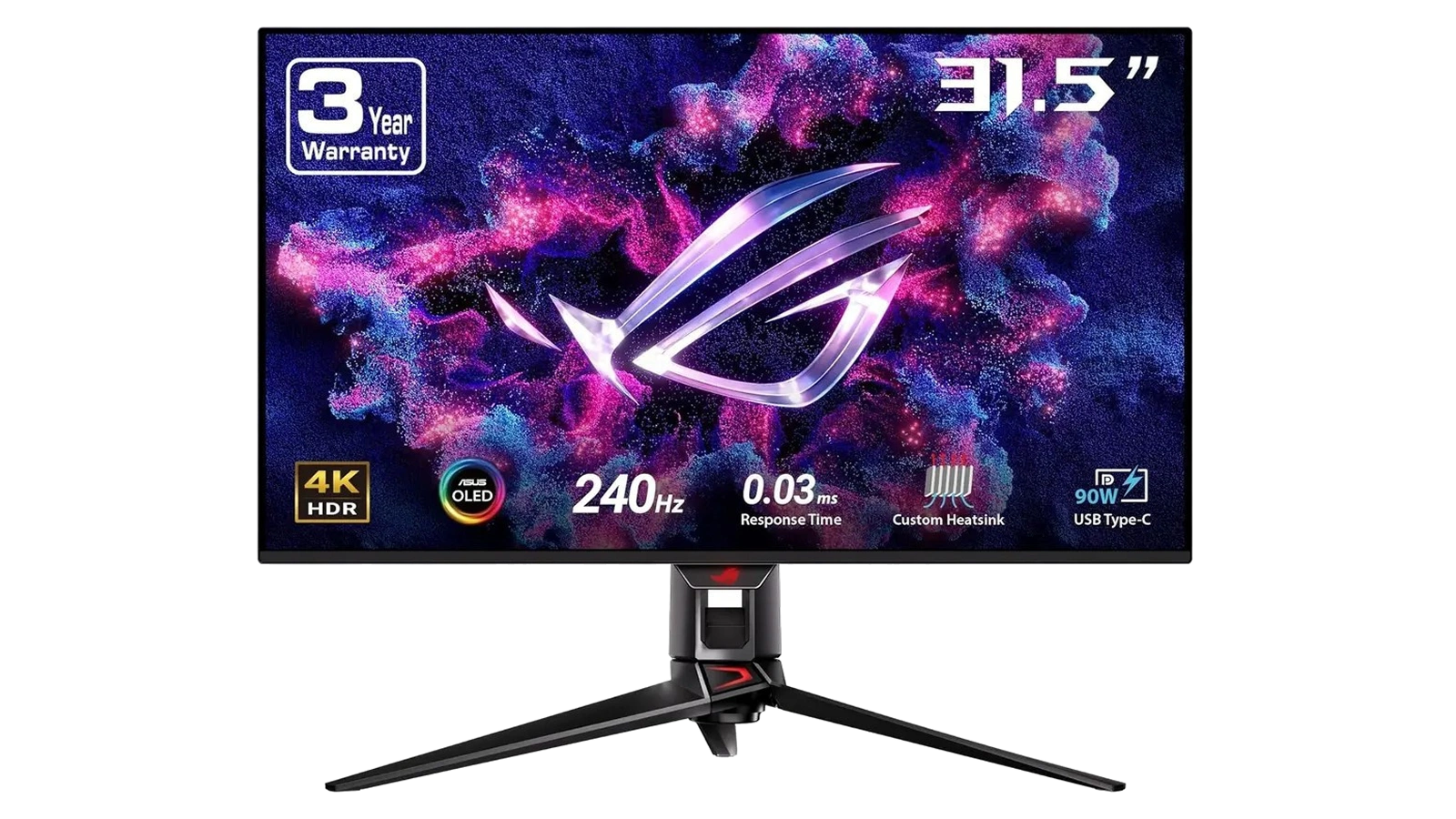
The PG32UCDM earns its top ranking because the spec sheet contains no hidden trade-off. Most monitors ask you to choose – high refresh rate or high resolution, gaming speed or color accuracy, panel quality or price. The ROG Swift PG32UCDM makes those trade-offs unnecessary in a single package.
The jump from a 144Hz IPS panel to 240Hz QD-OLED is not incremental – it is a qualitatively different visual experience. The combination of refresh rate and true OLED pixel response removes every artifact that IPS panels produce in motion. Those who have made this specific upgrade consistently describe it as the largest single display improvement they’ve experienced.
The HDR implementation deserves specific attention. The Windows HDR mode has historically produced washed-out SDR content on standard monitors, which pushes most PC users to disable it entirely. The PG32UCDM‘s DisplayHDR 400 True Black keeps SDR contrast intact while delivering proper HDR highlights – which means HDR can stay on without sacrificing readability in non-HDR applications.
Color Accuracy and HDR Performance
The PG32UCDM‘s color capabilities reach beyond what standard gaming monitors attempt – here is what that means in practice.
The 99% DCI-P3 coverage is not a checkbox spec. It means the PG32UCDM reproduces colors that standard sRGB-limited panels cannot render at all, visible in saturated sunset scenes, skin tones in photorealistic games, and any color-critical creative work where the difference between 95% and 99% gamut coverage shows up clearly.
The native 10-bit panel matters here too. Standard gaming monitors use 8-bit panels with dithering to simulate 10-bit output. The PG32UCDM‘s true 10-bit panel works with over 1 billion distinct color values, compared to 16 million on an 8-bit panel. Gradients in skies, water, and smooth surfaces render without banding – something that becomes increasingly visible at 4K where every pixel is examined more closely.
The quantum dot layer in QD-OLED adds color volume in the highlights over earlier white OLED designs, without sacrificing accuracy in the mid-tones. Saturated HDR scenes can be vivid without the color accuracy degrading in neutral zones – a balance white OLED designs consistently struggle to achieve. For color volume in a PC monitor at this price point, this panel is at the top of what the technology currently delivers.
The Dolby Vision tone mapping works dynamically per scene rather than applying a fixed curve across all content. Compatible streaming titles display closer to the creator’s grading intent than HDR10-only displays can achieve.
For photo and video editors, the optional uniform brightness mode trades peak brightness for consistent luminance across the panel surface – the right choice when color consistency matters more than maximum highlight output.
Gaming Performance and Input Lag
The ROG Swift PG32UCDM is primarily a gaming display, and in that role it performs without a visible ceiling at 4K resolution.
The PG32UCDM sets the speed ceiling for 4K gaming in 2026. At 240Hz, each frame has under 4.2ms to reach the screen before the next follows. Combined with the panel’s 0.03ms pixel response, the total input-to-visual chain is as short as current display technology allows – and owners of fast-paced competitive games consistently report that the difference over a 144Hz display is felt during play, not just measured in benchmarks.
Getting to 240fps at 4K requires hardware to match. An RTX 4080 or 4090 – or AMD RX 7900 XTX class – runs most current titles at this resolution and frame rate. The G-SYNC Compatible certification covers the full variable frame rate range and eliminates screen tearing regardless of frame rate, which means the display performs well even when the GPU falls short of the peak.
IPS monitors at comparable refresh rates still produce pixel transition artifacts in high-contrast motion sequences – visible in tracking shots across bright-and-dark environments. The PG32UCDM‘s OLED panel does not have this problem. The pixel transitions complete before the next frame renders, full stop.
ASUS includes GAMEVISUAL color presets for FPS, Racing, and Strategy titles, accessible through the OSD or DisplayWidget Center software. DYNAMIC SHADOW BOOST brightens shadowed in-game areas without overexposing highlights – a meaningful feature in dark games where enemy positions hide in shadow.
For HDR-enabled titles, the DisplayHDR 400 True Black certification translates directly to deeper shadow detail and more impactful highlights than SDR panels provide. Open-world games and titles with complex lighting – Cyberpunk 2077, Baldur’s Gate 3, exploration titles – show clear visual differences with HDR active on this display.
My Overall Verdict on ASUS ROG Swift PG32UCDM
My ASUS ROG Swift PG32UCDM review conclusion is unambiguous: this is the current ceiling for 4K gaming monitors in the 32-inch format. The Enebameter score of 9.2 out of 10 reflects near-perfect execution – the remaining points sit entirely with the reflectivity tradeoff that comes with any QD-OLED panel.
This monitor is the right choice for serious PC gamers with a high-end GPU, content creators who want one panel for gaming and color-critical work, and anyone upgrading from a 4K IPS display who wants to understand what OLED pixel response actually feels like in fast motion. The 3-year burn-in warranty and active thermal management make the OLED commitment far easier to justify than any competing display at this price.
It is the wrong choice for anyone in a bright office with windows directly behind the screen, anyone whose GPU budget caps at mid-range, or anyone who would be better served by a 1440p OLED at roughly half the price.
In my assessment, this is the standout pick in its class in 2026 – and this ASUS ROG Swift PG32UCDM review confirms the answer clearly: the premium is earned.
Budget Alternative
If the PG32UCDM’s $849 price is out of reach right now, the Z-EDGE AG27QS offers a legitimate entry point into high-refresh gaming without the QD-OLED premium. The 27-inch QHD Fast IPS panel at 275Hz delivers the frame rate headroom that competitive gaming demands, and at a significantly lower price the performance-per-dollar ratio is hard to argue with.
The trade-offs are real and worth understanding before committing. You give up OLED’s infinite blacks, 4K resolution, and Dolby Vision support – and Fast IPS cannot replicate the visual step change that comes with true pixel-off technology. Color accuracy at this price tier stays in IPS territory, which is functional but not in the same class as Delta E < 2 professional calibration. The Z-EDGE AG27QS is a capable competitive gaming monitor; the PG32UCDM is a different category of display entirely.
Complete Your Setup
The ROG Swift PG32UCDM transforms the gaming station, and pairing it with the right keyboard and mouse means the rest of the setup matches the display’s speed.
CHERRY XTRFY K5 Pro TMR Compact Gaming Keyboard
The K5 Pro TMR uses hall-effect magnetic switches that register at the analog level, which means faster and more consistent actuation than traditional mechanical switches. Paired with the PG32UCDM’s 240Hz display, the keyboard and monitor respond together – the input-to-screen latency chain has no weak link.
EPOMAKER Carbonis PAW3950 Wireless Gaming Mouse
The Carbonis uses the PAW3950 optical sensor with a digital display showing live DPI and battery status directly on the mouse body. At the pixel density of a 4K display, tracking accuracy becomes more visible – a precision sensor that matches the monitor’s resolution advantage matters more here than it does on a 1080p screen.
FAQs
Yes, the PG32UCDM earns its $849 price for PC gamers who want 4K, 240Hz, and QD-OLED in one panel – no current IPS or VA monitor at this price matches all three simultaneously. The 3-year burn-in warranty removes the primary hesitation for anyone considering OLED.
PG32UCDM burn-in risk is actively managed through the built-in graphene film cooling system, 8-hour pixel refresh cycles, and ASUS’s OLED Care software tools. Following ASUS’s recommendations – dark desktop theme, auto-hide taskbar, and regular refresh cycles – keeps the panel performing consistently long-term.
The PG32UCDM vs PG32UCDM3 difference is panel generation – the Gen 3 model uses an updated QD-OLED panel with improved peak brightness and additional features. The original PG32UCDM remains competitive in image quality and 240Hz performance at a lower street price.
Yes, the 99% DCI-P3 gamut, Delta E < 2 factory calibration, and native 10-bit panel make it capable for professional color-critical work without a separate calibration display. The optional uniform brightness mode maintains consistent luminance across the panel surface for accurate editing conditions.
My ASUS ROG Swift PG32UCDM review found it handles both without compromise – 240Hz and 0.03ms response serve competitive gaming, while 99% DCI-P3 accuracy, Delta E < 2 calibration, and Dolby Vision serve content creation and media consumption at professional-grade quality.












