What Is a VPN? Simple Answers, Smarter Privacy, Better Gaming

Eneba Hub contains affiliate links, which means we may earn a small commission if you make a purchase through them—at no extra cost to you. Learn more
So, what is a VPN? Simply put, it’s a tool that creates a private, encrypted connection between your device and the internet. Instead of your data traveling directly from your computer to a website, it passes through a secure tunnel that keeps prying eyes out. That’s a good start, but we still need to cover a lot of info before you’re ready to pick your first VPN.
Below, I’ll show you how VPNs actually work, why millions of people use them daily, and what you should look for if you decide to get one.
Jump to:
How Does a VPN Work?
A VPN (Virtual Private Network) works by routing your internet traffic through a remote server operated by your VPN provider. When you connect to a VPN, three things happen simultaneously.
- Your device establishes an encrypted connection to a VPN server. This encryption scrambles your data into unreadable code. Even if someone intercepts your traffic mid-route, all they see is gibberish. Check my guide on the best VPNs for encrypted connection for more info.
- The VPN server assigns you a new IP address. Your real IP address, which reveals your approximate location and can be used to track your online activity, gets hidden. Websites and services see the VPN server’s IP instead of yours.
- Your encrypted data travels from the VPN server to its final destination. The website or service you’re accessing responds to the VPN server, which then sends the data back to you through the same encrypted tunnel.
The entire process happens in milliseconds. Modern VPN protocols like WireGuard add minimal latency, making the experience nearly indistinguishable from browsing without protection.
Think of it like sending a letter through a trusted intermediary. Instead of mailing directly from your home address, you send the letter to a secure facility. That facility rewrites the sender address as its own, forwards the letter, receives the reply, and passes it back to you. The recipient never knows where you actually live. Learn more about online safety and chose one of the top VPNs for dark web.
Why Do People Use VPNs?
VPNs solve several distinct problems. Most users fall into one of these categories:
- Privacy from ISPs and surveillance – Your ISP can see every website you visit, the services you use, and the files you download. In many countries, ISPs sell this data to advertisers or hand it over to government agencies upon request. A VPN encrypts your traffic so your ISP only sees that you’re connected to a VPN server. It has no idea what you’re actually doing.
- Security on public networks – Coffee shop WiFi, hotel networks, and airport hotspots are hunting grounds for hackers. These open networks make it trivially easy to intercept unencrypted traffic. A VPN protects you by encrypting everything before it leaves your device. Even on compromised networks, your data stays secure.
- Accessing geo-restricted content – Streaming services like Netflix, Disney+, and BBC iPlayer show different content libraries, depending on your location. A VPN lets you appear to be in a different country, unlocking shows and movies unavailable in your region. If streaming is your priority, choosing a solid streaming VPN makes a world of difference.
- Bypassing censorship – Some countries heavily restrict internet access, blocking social media platforms, news sites, and communication tools. Travelers and residents in these regions use VPNs to access the open internet.
- Gaming advantages. Gamers use VPNs to protect against DDoS attacks, reduce ping by finding better routing paths, and access region-locked game content. Competitive players especially value the IP protection that prevents opponents from knocking them offline.
VPN Encryption Explained
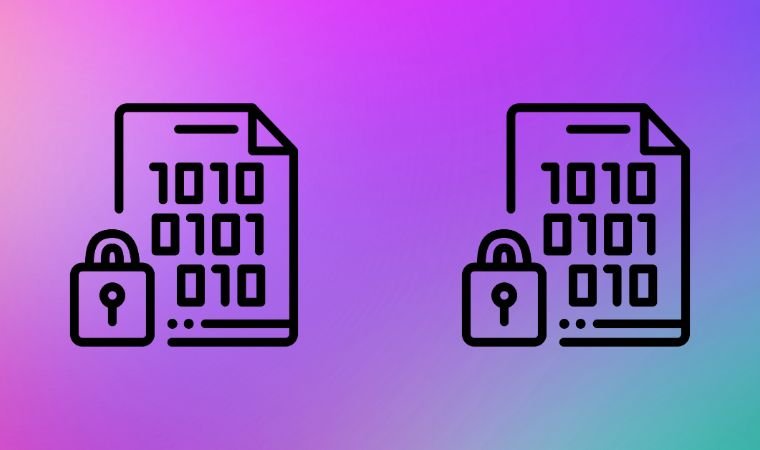
Encryption is what makes a VPN secure. Without it, you’d just be routing traffic through a different server with no protection. Understanding how encryption works helps you appreciate why VPNs are so effective at protecting your data.
What Encryption Actually Does
When you send data through a VPN, the encryption process converts your readable information into scrambled code using complex mathematical algorithms. This scrambled data travels across the internet in an unreadable state. Only your device and the VPN server possess the “keys” needed to decrypt it back into usable information.
Imagine writing a letter, then running it through a machine that replaces every character with a seemingly random symbol based on a secret pattern. Anyone who intercepts the letter sees meaningless gibberish. Only someone with the exact same machine and pattern settings can reverse the process and read the original message.
AES-256: The Gold VPN Standard
Modern VPNs use AES-256 encryption (Advanced Encryption Standard with 256-bit keys). The “256” refers to the key length, which determines how many possible combinations exist to crack the encryption.
A 256-bit key creates 2^256 possible combinations. That’s a number with 78 digits. To put this in perspective: if every computer on Earth worked together trying to crack a single AES-256 key through brute force, it would take longer than the age of the universe to succeed. Current technology simply can’t break it.
AES-256 is the same encryption standard used by governments, military organizations, and financial institutions worldwide. When a VPN advertises “military-grade encryption,” this is what it means.
How the Encryption Process Works
When you connect to a VPN, your device and the VPN server perform a “handshake” to establish the encrypted connection. During this handshake, both sides agree on encryption keys using asymmetric cryptography (where each party has a public and private key pair).
Once the handshake completes, the actual data transfer uses symmetric encryption (where both sides share the same key). Symmetric encryption is faster, which matters for real-time activities like browsing, streaming, and gaming.
Your data gets encrypted on your device before it ever leaves. It travels through your ISP’s network in encrypted form, reaches the VPN server still encrypted, gets decrypted there, and then continues to its destination. Responses follow the reverse path: the VPN server encrypts incoming data before sending it back to you.
VPN Protocols: The Delivery Method
A VPN protocol determines how your device communicates with the VPN server, how encryption gets applied, and how the connection handles disruptions. Think of encryption as the lock on a safe, and the protocol as the entire security system surrounding it.
- WireGuard is the current gold standard. It uses state-of-the-art cryptography, including ChaCha20 for encryption, Poly1305 for authentication, and Curve25519 for key exchange. The entire codebase contains only about 4,000 lines of code, making it easier to audit for vulnerabilities compared to older protocols with tens of thousands of lines. This simplicity also makes it extremely fast. Most top VPN providers now offer WireGuard or their own implementations built on it.
- OpenVPN has been the industry workhorse for over two decades. It uses the OpenSSL library and supports various encryption ciphers, with AES-256-GCM being the most common. OpenVPN is highly configurable and battle-tested, but runs on about 70,000 lines of code, making audits more challenging. It’s slightly slower than WireGuard but remains a solid choice with a proven security track record.
- IKEv2/IPsec (Internet Key Exchange version 2 with IP Security) handles network switches gracefully, making it popular on mobile devices. If your connection jumps between WiFi and cellular, IKEv2 reconnects almost instantly without dropping your session. It uses strong encryption but is less flexible than OpenVPN.
- L2TP/IPsec and PPTP are older protocols you should avoid. L2TP has no known vulnerabilities but offers weaker security than modern alternatives. PPTP has been cracked and should never be used for anything requiring real protection.
WireGuard is generally the best VPN protocol for gaming due to its minimal latency overhead. For general browsing, any modern protocol provides adequate security. Most VPN apps select the optimal protocol automatically, but manual selection is available if you have specific needs.
What a VPN Hides (and What It Doesn’t)

Understanding VPN limitations matters as much as knowing its benefits. A VPN is a powerful privacy tool, but it’s not magic. It has its borders like everything else. Here’s a brief overview of what to expect from your VPN:
| A VPN hides | A VPN does NOT hide |
|---|---|
| Your IP address from websites and attackers | Your activity from the VPN provider (choose one with a verified no-logs policy) |
| Your browsing from your ISP | Cookies and browser fingerprinting websites use to track you |
| Your data on public networks | Info you choose to share yourself (logins, form submissions, social media posts) |
| Your physical location (swaps it with server location) | Data stolen through malware or phishing attacks (you need antivirus software for that) |
If you’re logged into Google while browsing, Google still knows what you’re searching for, VPN or not. The VPN protects the connection, not your account activity. For comprehensive privacy, combine a VPN with private browsing, tracker blockers, and careful attention to which services you log into.
Free VPNs vs. Paid VPNs
Free VPNs exist, but they come with serious tradeoffs. Running a VPN infrastructure costs real money. If you’re not paying, someone else is, usually through your data.
Problems with most free VPNs:
- Data collection and selling to third parties (defeating the purpose entirely)
- Bandwidth caps and speed throttling
- Limited server options
- Weaker encryption or outdated protocols
- Intrusive advertising injected into your browsing
Some free VPNs have been caught selling user bandwidth to botnets, injecting malware, and logging sensitive data despite claiming otherwise. The privacy tool becomes a privacy threat.
Paid VPNs invest subscription revenue into infrastructure, security audits, and customer support. Quality providers undergo independent audits that verify their no-logs claims. They maintain thousands of servers across dozens of countries and update their apps regularly with security patches.
The cost difference is minimal. Premium VPNs run about $2-5 per month on long-term plans. That’s less than a single coffee for complete privacy protection. Services like Surfshark offer unlimited device connections, meaning one subscription covers your entire household.
If you absolutely need a free option, Proton VPN offers a legitimate free tier with no data caps, though server selection is limited. It’s run by the same company behind ProtonMail and has a verified privacy track record.
Choosing the Right VPN

Not all VPNs deliver equal performance. Here’s what actually matters when selecting a provider.
- Speed and performance – VPNs add processing overhead. Bad ones slash your speeds by 50% or more. Good ones retain 85-95% of your original speed on nearby servers. Look for providers using WireGuard-based protocols and operating modern server infrastructure. The fastest VPNs for gaming will avoid huge speed drops, even under heavy load.
- Server network – More servers across more countries means better performance and more options for geo-unblocking. Major providers operate thousands of servers worldwide. Server coverage in your region affects connection quality significantly.
- Privacy policy and audits – Every VPN claims it doesn’t log user activity. Meaningful claims are backed by independent audits from reputable firms. NordVPN, for example, has undergone five independent audits confirming its no-logs policy. Surfshark, ExpressVPN, and Proton VPN have also published audit results.
- Jurisdiction – VPN companies based outside the Five Eyes, Nine Eyes, and Fourteen Eyes intelligence-sharing alliances face less pressure to hand over user data. Panama, the British Virgin Islands, Switzerland, and the Netherlands are popular locations for privacy-focused VPN companies.
- Kill switch. This critical feature blocks all internet traffic if your VPN connection drops unexpectedly. Without it, your real IP address leaks whenever the connection hiccups. Every quality VPN includes a kill switch. Make sure it’s enabled.
- Device compatibility. Check that the VPN supports all your devices. Most major providers offer apps for Windows, Mac, iOS, Android, and Linux. Some also support routers and devices like the Amazon Fire TV Stick. If you need to protect multiple gadgets, the best VPNs for multiple devices allow generous simultaneous connections under one subscription.
How to Set Up a VPN
Setting up a VPN takes about five minutes regardless of your technical skill level.
- Choose a VPN provider. Select a reputable service based on your priorities. NordVPN, Surfshark, and ExpressVPN consistently rank among the top options for most users.
- Create an account and subscribe. Visit the provider’s website, choose a plan, and complete the signup process. Most offer 30-day money-back guarantees if you’re not satisfied.
- Download and install the app. Every major VPN provider offers dedicated apps for popular platforms. Download the version for your device and run the installer.
- Sign in and connect. Open the app, enter your credentials, and click the connect button. Most apps automatically select the fastest available server, though you can choose a specific location if needed.
- Verify your connection. Search “what is my IP” in your browser. The displayed location should match your VPN server’s country, not your actual location. If you see your real location, troubleshoot or try a different server.
For more detailed instructions, check out my full guide on how to set up a VPN.
VPN Myths Debunked

Several misconceptions about VPNs persist despite being inaccurate. So, let’s debunk the most common ones.
- Myth: VPNs make you completely anonymous. Reality: Best VPNs for privacy will do wonders, but don’t provide total anonymity. Your VPN provider can technically see your traffic (choose one with verified no-logs policies). Websites can still track you through cookies, browser fingerprints, and account logins.
- Myth: VPNs are only for illegal activity. Reality: The vast majority of VPN users simply want privacy from data collection, security on public networks, or access to geo-restricted entertainment. VPNs are standard tools for journalists, activists, business travelers, and privacy-conscious individuals worldwide.
- Myth: All VPNs are the same. Reality: Quality varies enormously. Some providers invest in infrastructure, security audits, and customer support. Others cut corners, log data, or use outdated protocols. Research matters.
- Myth: VPNs slow your internet to a crawl. Reality: Modern VPNs with efficient protocols like WireGuard typically reduce speeds by only 10-20% on nearby servers. Many users don’t notice any difference during normal browsing. Significant slowdowns usually indicate a poor provider or connection to a distant server.
- Myth: Incognito mode replaces a VPN. Reality: Incognito mode only prevents your browser from saving local history. Your ISP, network administrator, and websites you visit can still see everything. A VPN encrypts your actual connection.
When You Should Use a VPN
You don’t necessarily need your VPN running 24/7, though some users prefer that approach. At a minimum, enable protection in these situations.
- Public WiFi networks. Coffee shops, hotels, airports, libraries, and any other open network. These are prime targets for hackers intercepting unencrypted traffic.
- Sensitive online activities. Banking, shopping, healthcare portals, or anything involving personal information. The extra encryption layer adds meaningful protection.
- Traveling internationally. Access your home country’s services while abroad. Protect yourself on unfamiliar networks. Bypass censorship in restrictive countries. If you’re traveling to China, for example, a good VPN for China will unblock all the services there.
- Streaming geo-restricted content. Connect to a server in the appropriate country before opening your streaming app.
- Gaming competitively. Protect your IP address from potential attackers, especially if you stream or participate in tournaments.
Start Protecting Your Privacy Today

A VPN is one of the simplest yet most effective tools for improving your online security. The technology has matured significantly, making installation and daily use completely hassle-free.
Modern VPNs connect with a single click, maintain fast speeds, and work across all your devices. The privacy benefits far outweigh the minimal cost and effort involved.
Check out my comprehensive list of the best VPNs to find a provider that matches your needs. Your online privacy is worth the investment.
FAQs
A VPN encrypts your internet connection and routes it through a secure server, hiding your IP address and protecting your data from hackers, ISPs, and surveillance.
Yes, using a VPN is legal in most countries. However, some nations like China, Russia, and the UAE restrict or regulate VPN usage, so check local laws before traveling.
VPNs add some overhead, typically reducing speeds by 10-20% on nearby servers. Quality providers using modern protocols like WireGuard minimize this impact significantly.
Yes, VPNs let you access geo-restricted streaming content by connecting to servers in different countries. Choose a provider known for reliable streaming performance.
No, most free VPNs are not safe. They often log and sell your data, inject ads, or use weak encryption. Paid VPNs with verified no-logs policies offer real protection.