




13 Best Laptops for Engineering Students in 2026

Eneba Hub contains affiliate links, which means we may earn a small commission if you make a purchase through them—at no extra cost to you. Learn more


Looking for the best laptops for engineering students these days can be a struggle. With so many options available on the market, most students will feel overwhelmed with making the right choice.
With laptops coming with a wider range of screen sizes, CPUs, GPUs, RAM, and storage options, picking the right one doesn’t need to be a struggle, which is where my list comes into play. I’ve outlined my 13 best computers for engineering students in this article, covering everything from powerful workstations to lightweight and portable laptops. All you have to do is choose which one works well for you.
Jump to:
My Top Picks for the Best Laptops for Engineering Students
While working on this list, there were 3 models that I found to be the best engineering laptops in their respective categories. I’ve chosen these because they cover a wide range of user cases and students, meaning you have the powerhouses and one affordable option.
- Dell Precision 7770 (2022) – A mobile workstation designed for students who rely on demanding tasks such as simulations and rendering, offering excellent performance and a massive screen at the cost of weight.
- Lenovo Thinkpad P1 (2024) – A high-performance laptop that combines the performance of a workstation and a high-resolution display with portability, making it an excellent choice for those who are looking for a great balance between both aspects.
- Acer Aspire 5 (2019) – One of the best budget-friendly options on this list, offering solid performance that engineering students can rely on, especially for light CAD work or coding, something they’ll get without putting a strain on their budget.
These 3 models, in my opinion, are the best laptops for engineers. Considering not all engineering students need the same type of machine, there’s a potential buyer for each one. But, this is just the tip of the iceberg, as I have 10 more laptops to present to you. So, keep reading to find out which one would be your best pick.
13 Best Laptops for Engineering Students to Consider in 2025
Every student needs a laptop, regardless of whether it’s for light coding work or some CPU and GPU-intensive tasks. Each laptop on this list offers something different, and that something can be crucial for you to choose. So, let’s dive into my list of the 13 best laptops for engineering students.
1. Dell Precision 7770 [Best For Heavy CAD and Simulations]
| Specs | Details |
|---|---|
| CPU | Intel Core i7-12850HX |
| GPU | NVIDIA RTX A4500 16GB GDDR6 |
| RAM | 64GB |
| Display | 17.3 inch FHD (1920 x 1080) Wide View Angle Anti-Glare 60Hz 500- nits 99% DCIP3 Non-Touch |
| Storage | 512GB PCIe M.2 NVMe |
| Battery | 2 to 4 hours under heavier loads |
| Weight | 6.66 lbs |
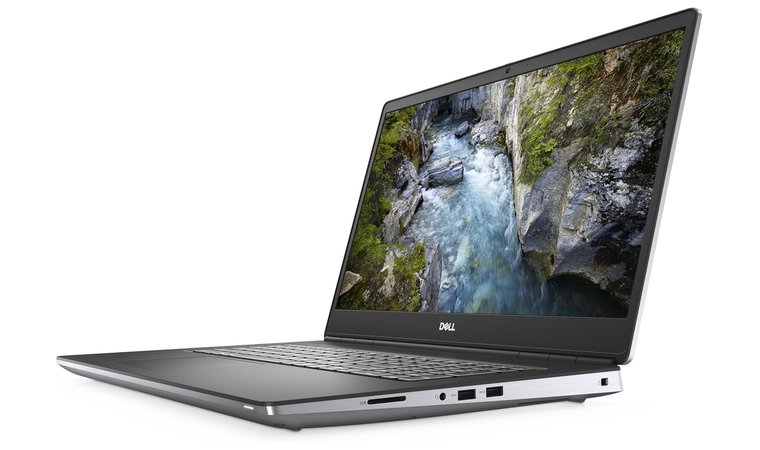
The Dell Precision 7770 is a portable desktop-like machine, making it an ideal choice for engineering students from various niches. Its biggest advantage is the 17.3-inch FullHD screen, helpful for dealing with huge CAD assemblies or multi-window IDEs. Plus, it’s an excellent high-performance gaming laptop comparable to some of the best gaming PCs.
Powering this portable beast is Intel’s 12th-gen CPU, the Intel Core i7-12850HX, which is paired with a dedicated graphics card, and it’s the NVIDIA RTX A4500 16GB GDDR6. This combination will handle any kind of multi-thread task a student may throw at it, and it’s also quite capable in the single-threaded tasks department.
An uncompromising workstation machine, with a massive display, making it perfect for any kind of engineering workload.
To keep all this power cooled, Dell implemented its latest and greatest thermal solutions, meaning the temps will be under control even under prolonged load. This also means that the Precision 7770 can offer higher clocks for longer, so throttling won’t be something you’ll experience too often.
Another core strength of this laptop is its expandability. On one hand, you have 64 GB 4800MHz DDR5 RAM, which is far more than what anyone would need for any kind of engineering situation. In addition to that, it comes with 512GB PCIe M.2 NVMe and offers a few additional slots for allowing you to expand it.
Looking at the ports options, it’s clear that this engineering laptop won’t leave you wanting for more. With plenty of USB ports, support for multiple Thunderbolt lanes, and an Ethernet connector, students can be sure that the Precision 7770 will dock with any lab instrument, external GPU when needed, or even NAS arrays.
| Pros | Cons |
|---|---|
| ✅ 17.3-inch screen ✅ Workstation-class performance ✅ Upgradable components ✅ Plenty of RAM and Storage ✅ Durable chassis | ❌ Not the lightest option on this list |
Everything about this laptop sounds perfect, but it doesn’t come without a drawback. The first one is the size, which is what you should expect from a 17.3-inch model. This also means you’ll need to be prepared for the weight, as this is not the lightest machine on this list. In addition to that, under sustained load, you’ll be looking at a very poor battery life.
Final Verdict: The Dell Precision 7770 is still the best laptop in 2025 for engineering students who are looking for the best possible performance in a somewhat portable package.
2. Lenovo ThinkPad P1 [Best Portable Workstation Power]
| Specs | Details |
|---|---|
| CPU | Intel Core i7-13800H vPro |
| GPU | NVIDIA RTX A1000, 32GB DDR5 |
| RAM | 32 GB or 64 GB |
| Display | 16″ WQXGA (2560 x 1600), IPS, Anti-Glare, Non-Touch, 100%sRGB, 500 nits, 165Hz |
| Storage | 1 TB, 2 TB, or 4 TB NVMe SSD |
| Battery | Up to 10 hours |
| Weight | 4.0 lbs |
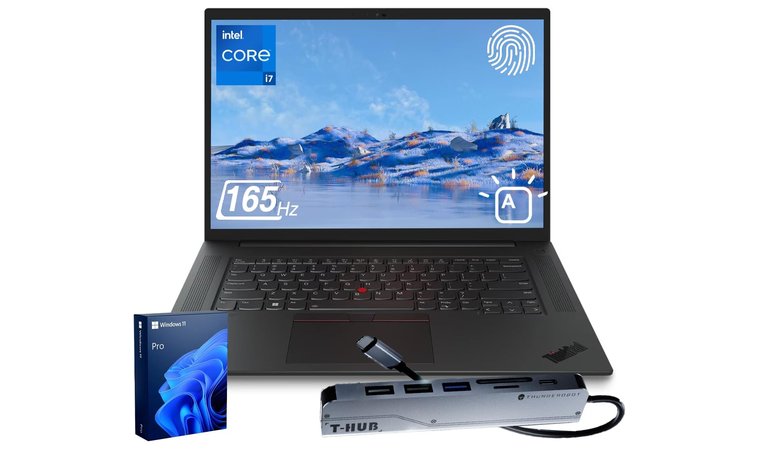
There’s a Thinkpad for every use case, and there’s one for engineering students called the Thinkpad P1. This is the best Lenovo laptop for the job, due to the great balance between a big screen and acceptable weight. It’s a 16-inch model, so it has a smaller screen, but not too small so that you’ll feel limited in your daily activities.
The 16-inch panel is WQXGA and offers 164 Hz, meaning you’re getting a high-resolution display with excellent color accuracy for rendering or reviewing complex schematics. Powering this laptop is the Intel Core i7-13800H, with 3 dedicated graphics card options: RTX A1000, RTX 3500 Ada, or RTX 4080, depending on how much GPU power you want.
Offers an excellent balance between portability and performance, and comes in a package aimed at durability and ruggedness.
A flexible side to this laptop is that you can choose the amount of RAM and storage you want. There are two RAM options: 32 GB and 64 GB 4800 MHz DDR5, and you can combine them with a few NVMe storage options ranging from 1 TB to 8 TB. All of this means you’ll have no limitations if you ever need to run simulations, virtual machines, etc.
Thinkpads are known for their boxy and sturdy design, and the P1 is no different. Plus, the iconic Thinkpad keyboard with the trackpad makes it an excellent choice for late-night debugging sessions or writing reports.
| Pros | Cons |
|---|---|
| ✅ Relatively lightweight workstation ✅ High-performance CPU and GPU ✅ Durable and long-lasting ✅ Decent usage time ✅ Excellent display | ❌ Not the most budget-friendly pick |
The choice of ports is another massive advantage, allowing you to turn this 16-inch laptop into a true workstation with multiple monitors, input peripherals, Ethernet, etc. You do have to keep in mind that this comes with a drawback, and it’s in the form of affordability, so if you’re after something more affordable, you should look elsewhere.
Final Verdict: The Thinkpad P1 is a superb choice for engineering students who don’t want any compromise on power from a relatively small and compact package, which you can also use as a gaming laptop.
3. Acer Aspire 5 [Best For Budget-Friendly Coding]
| Specs | Details |
|---|---|
| CPU | AMD Ryzen 3 3200U |
| GPU | Vega 3 Graphics |
| RAM | 4GB |
| Display | 15.6 inches full HD (1920 x 1080) widescreen LED backlit IPS |
| Storage | 128GB PCIe NVMe SSD |
| Battery | Up to 7.5 hours |
| Weight | 3.64 lbs |
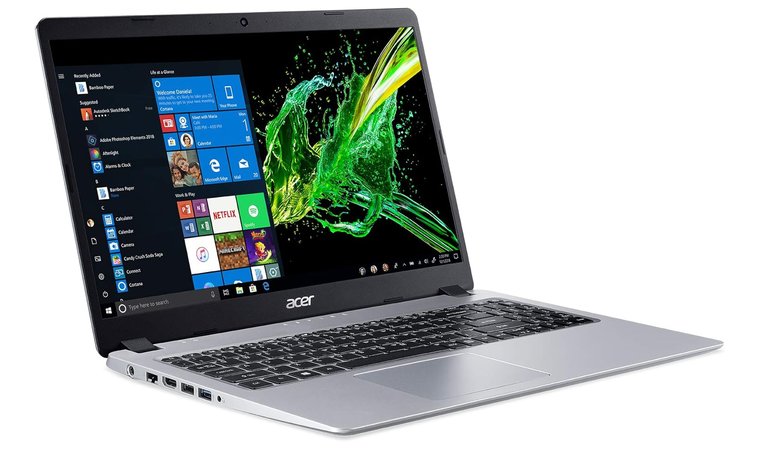
For the third choice, I’m going with something even smaller than the previous one. The Acer Aspire 5 is a great 15.6-inch laptop for computer engineering students who are prepared to make certain compromises in terms of performance in the name of affordability. I wouldn’t crown it as the best laptop for architecture students, but it can deal with lighter tasks.
The 15.6-inch FullHD IPS panel offers a generous screen space and will handle IDE panes, spreadsheets, and schematics with ease. This model is equipped with AMD’s Ryzen 3 3200U CPU, relying on Vega 3 Graphics, so the performance will be modest but good enough for light CAD previews.
The affordable option that can offer solid performance for most light engineering tasks, making it the dependable choice for many students.
One thing to note is that the starting price for this engineering laptop means you will be limited in terms of certain specs, and in this case, that’s the RAM and storage options. You’re getting 4 GB of RAM and 128 GB of storage, which isn’t a lot these days. The good thing is that both slots are accessible, so you can upgrade both down the line.
The Port selection is pretty good for an affordable model, so the Aspire 5 won’t leave you stranded in those crucial times. You get both types of USB ports for input peripherals or lab gear, and you also get an HDMI port for a monitor or a projector.
| Pros | Cons |
|---|---|
| ✅ Affordable ✅ Decent battery life ✅ Solid port options ✅ Good connectivity ✅ Wide range of port options | ❌ The build quality isn’t on par with the premium models |
The thing that makes the Aspire 5 attractive to students, apart from its low starting price, is its portability. It’s a pretty light machine, especially when compared to the previous two, so your shoulders won’t have to carry too much weight.
Final Verdict: The Acer Aspire 5 is the kind of laptop that would be ideal for students looking for something affordable that can handle some light work, and despite some compromises, it’s still a solid choice.
4. Lenovo IdeaPad 3 [Best For Daily Student Productivity]
| Specs | Details |
|---|---|
| CPU | Intel Core i5-1155G7, or Intel Core i5-1335U |
| GPU | Intel Iris Xe Graphics |
| RAM | 16 GB, 24 GB, or 40 GB |
| Display | 15.6″ FHD (1920 x 1080), IPS, Anti-Glare, Touch, 45%NTSC, 300 nits, 60Hz, LED Backlight, Narrow Bezel |
| Storage | 256 GB, 512 GB, 1 TB, or 2 TB PCIe NVMe M.2 SSD |
| Battery | Up to 10 hours |
| Weight | 3.75 lbs |
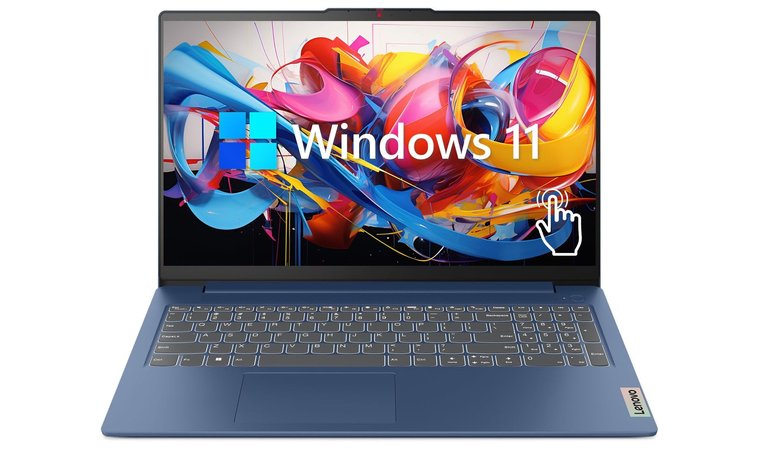
Lenovo’s IdeaPad lineup has been advertised as an affordable way for people to own a Lenovo, and it can work in your favor if you’re an engineering student. The model in question is the IdeaPad 3, which doesn’t break any records with its performance, but it’s affordable, and that’s a plus for some.
It’s a 15.6-inch FullHD display, like my previous pick, and since it’s an IPS, you can expect to get excellent colors and wide viewing angles. One advantage this model has over the previous one is that it has a touchscreen.
Another budget-friendly option, combining a decent set of specs, along with features that many students would be happy to have.
On the performance side of things, you have two options. The more affordable option comes with the Intel Core i5-1155G7, which is decent for some basic CAD projects. If you have a more flexible budget, you should go for the Intel Core i5-1335U option, which offers better performance across the board.
The RAM and storage options are flexible. The one with the newer CPU starts from 8 GB of RAM, and you can go up to 40 GB, while the one with the older processor starts from 16 GB. For storage, the old gen CPU starts from a 256 GB PCIe NVMe SSD, and you can expand it up to 2 TB, while the newer one comes only with 512 GB or 1 TB of storage.
| Pros | Cons |
|---|---|
| ✅ Fairly lightweight for its size ✅ Great balance between price and performance ✅ Multiple configuration options ✅ Great display ✅ Full-sized keyboard | ❌ Doesn’t feel too premium compared to some of the others |
The port selection is pretty standard for a laptop from this category and should suffice for most students. The IdeaPad 3 is not the best laptop for rendering or simulations, but it’s not intended to be, considering the price.
Final Verdict: The Lenovo IdeaPad 3 is a dependable laptop, primarily aimed at computer engineering students looking for something more affordable.
5. Microsoft Surface Laptop Go 2 [Best For Portable Note-Taking]
| Specs | Details |
|---|---|
| CPU | Intel Core i5-1135G7 |
| GPU | Intel Iris Xe graphics |
| RAM | 8 GB |
| Display | 12.4″ PixelSense touchscreen, 1536 × 1024 resolution, 3:2 aspect ratio, 330 nits brightness |
| Storage | 128GB or 256GB NVMe SSD |
| Battery | Up to 13.5 hours |
| Weight | 2.48 lbs |
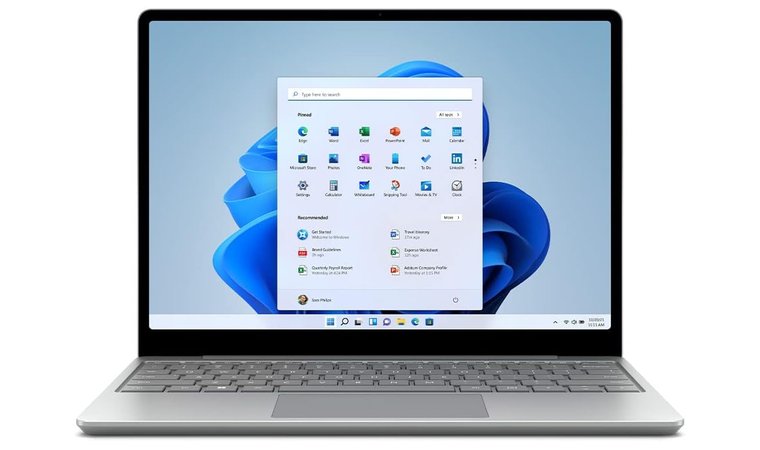
A bigger screen may be good for this use case, but there are situations where you’ll want mobility, which is where the Microsoft Surface Laptop Go 2 comes into play. It’s small, light, and decently powerful, making it one of the best laptops for students in general.
Considering the small footprint, the Surface Laptop Go 2 comes with an Intel Core 11th-gen Intel i5 CPU, which, with the integrated GPU, is a decent machine for something like cloud CI pipelines or connecting to lab machines.
A lightweight, portable option that may not be ideal for heavy workloads, but it is ideal for mobility and excellent runtime.
On the RAM and storage options, you are a bit limited, but that is something you should expect. There are two options, both of which come with 8 GB of RAM, and the only thing you can choose is the storage, which is either 128 GB or 256 GB.
The main selling point of this laptop is the weight, and considering it’s a tad less than 2.5 pounds, you can understand why I included it today. With that said, it is made to be durable, so you should expect a premium and sleek design using some pretty high-grade materials.
| Pros | Cons |
|---|---|
| ✅ Excellent battery life ✅ Portable ✅ Touchscreen ✅ Premium design and build quality ✅ Fast charging | ❌ The RAM options are a bit limited |
Another positive side of this laptop is the battery life. While it’s not overly powerful, it will get you through a full day without reaching for the charger. If you do need to charge it, the fast charging option will get you enough juice fairly quickly.
Final Verdict: Computer engineering students looking for a light and portable laptop with an excellent operating time should consider the Microsoft Surface Laptop Go 2.
6. Apple 2023 MacBook Pro [Best For Software Development]
| Specs | Details |
|---|---|
| CPU | M2 Pro or M2 Max chip |
| GPU | Integrated GPU |
| RAM | 16 GB |
| Display | 16.2-inch Liquid Retina XDR display with a 3456 × 2234 resolution at 254 ppi, mini-LED backlighting, ProMotion adaptive refresh up to 120Hz, 1000 nits sustained brightness (1600 nits peak HDR) |
| Storage | 512 GB, 1 TB, or 8 TB |
| Battery | Up to 22 hours |
| Weight | 4.7 lbs |
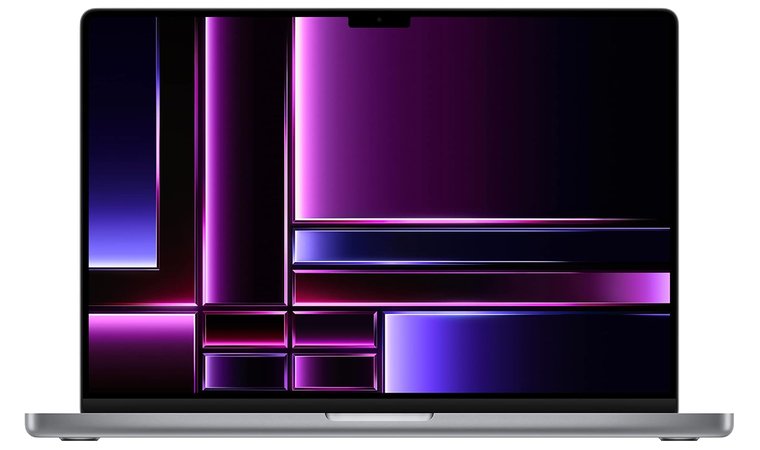
Moving away from the Windows laptops, I have an Apple product, and it’s the 2023 MacBook Pro. Yes, it’s not the latest model, but that’s what makes it great. It’s a slightly more affordable option while still getting excellent performance, making it one of the best laptops for programming on this list.
The 16-inch Liquid Retina display is a dream to work on, something that students working on data visualizations or CAD previews will appreciate. The high pixel density with the size means you won’t be considering an external monitor too often.
A lovely display, combined with a lightweight and elegant design, something that will be very attractive, especially to programming students.
Performance is something that the MacBook Pro doesn’t lack. You get to choose between the M2 Pro or M2 Max, both of which are excellent chips, meaning CPU and GPU power will come in abundance, despite not having a dedicated graphics card.
The RAM and storage options aren’t the most flexible, but most people wouldn’t complain. You get only 16 GB of RAM, so there’s nothing to pick there. As for the storage, you can choose between 512 GB, 1 TB, or 8 TB, depending on your tasks and the kind of engineering you’re into.
| Pros | Cons |
|---|---|
| ✅ Marvelous display ✅ High-performing chips with integrated GPU ✅ Long battery life ✅ Premium build quality ✅ 120 Hz refresh rate | ❌ Not quite the lightest in its class |
Compatibility is a consideration, but most students shouldn’t have a massive problem with that. Pairing this MacBook with campus workstations or a cloud GPU gives you full access to CAD with no limitations. Plus, the impressive runtime means you won’t need a charge throughout your day.
Final Verdict: Despite being an older generation, the 2023 MacBook Pro is still the best laptop for computer engineering students, which, despite some compatibility considerations, is an excellent ultra-thin laptop for students and creative professionals.
7. Dell Inspiron 15 (3000 series) [Best Affordable Large-Screen]
| Specs | Details |
|---|---|
| CPU | Intel Core i5-1135G7 |
| GPU | Intel Iris Xe graphics |
| RAM | 12GB |
| Display | 15.6-inch Full HD 1920×1080 IPS |
| Storage | 256 SSD |
| Battery | Up to 7.5 hours |
| Weight | 3.82 lbs |
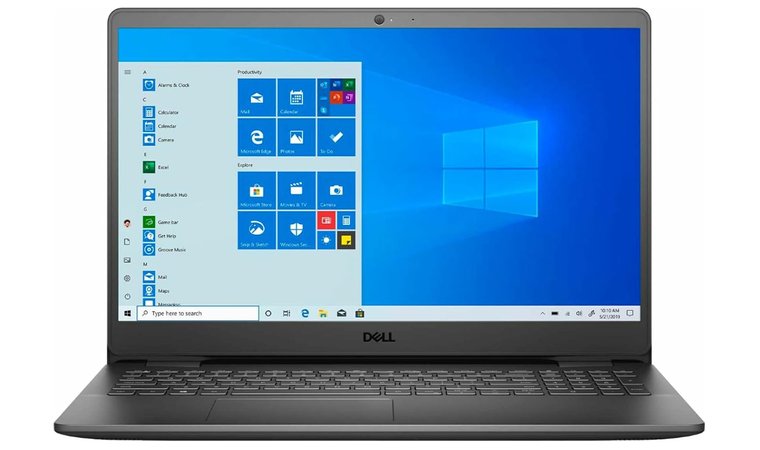
For my next choice, I’m going back to a Windows laptop, and it’s another affordable option. The Dell Inspiron 15 (3000 Series) is the kind of machine a student would consider, even an engineering one, especially if they’re on a stricter budget.
Similar to most similar options on this list, this is a 15.6-inch FullHD IPS display, offering enough real estate for CAD previews, spreadsheets, and similar tasks. With great color accuracy and wide viewing angles, it’s far from the worst pick for this application.
An option offering reliable operating time with acceptable performance, wrapped in a package that will be affordable for most students.
The performance is pretty decent and will cover light work with ease. The Intel Core i5-1135G7 with its integrated Intel Iris Xe GPU will handle previews, compile cycles, or embedded system testing well, and provide efficient operation.
In the RAM and storage department, this student laptop won’t be winning any awards, but it does a bit better than some of its similarly priced rivals. You get 12 GB of RAM and 256 GB of storage, which isn’t a lot, but it’s a pretty decent starting point for many students.
| Pros | Cons |
|---|---|
| ✅ Affordable entry-level laptop ✅ Solid battery life ✅ Large FullHD display ✅ Acceptably portable ✅ Excellent general-purpose option | ❌ Might struggle with certain engineering applications |
The port options are standard for a laptop from this class, so it’s not a downside. You get multiple USB ports, along with an Ethernet jack and an HDMI port. As a result, you can hook it up to lap equipment or use it as a desktop at home with no restrictions.
Final Verdict: The Dell Inspiron 15 (3000 Series) is the kind of laptop that offers a pretty decent performance wrapped in a very affordable package, which is why I’d categorize it as one of the good laptops for engineering students.
8. HP 15.6-inch Laptop [Best For All-Round Student Use]
| Specs | Details |
|---|---|
| CPU | Intel Core i5-1235U |
| GPU | Intel Iris Xe Graphics |
| RAM | 16 GB |
| Display | 15.6-inch FullHD IPS |
| Storage | 512 SSD |
| Battery | Up to 8 to 9 hours |
| Weight | 3.51 lbs |
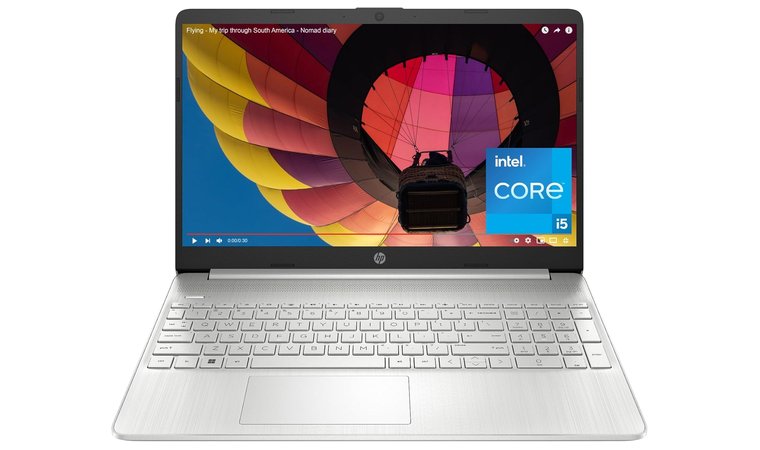
Haven’t mentioned HP yet, so here’s a model from the company’s lineup that would be a great choice for computer engineering students. The 15.6 Inch model is the best HP laptop for budget-conscious buyers.
Featuring a 15.6-inch IPS display means you get enough screen size for various work, such as terminal windows, while referencing a PDF simultaneously. As an IPS panel, you’re getting great colors, excellent brightness, and the thin bezel makes it seem smaller than it actually is.
Despite its size, it’s still a pretty lightweight option, and it also offers decent enough performance for the price.
The Intel Core i5-1235U paired with the Intel Iris Xe Graphics will handle moderate tasks admirably. It will do well when you need to view schematics, 2D CAD previews, or even some light visualization tasks.
To back that up, you have a very generous RAM and storage options, which most students will appreciate at this price point. The laptop comes with 16 GB of RAM and 512 GB of storage, so the need for an immediate upgrade isn’t too pronounced.
| Pros | Cons |
|---|---|
| ✅ Affordable ✅ The performance is quite good considering the price ✅ Pretty good display ✅ Thin and relatively light ✅ Solid runtime | ❌ The build quality isn’t going to win any awards |
The port selection is solid for most engineering applications and will cover your needs if you need to run a presentation or plug in an external monitor and use it as a desktop. Also, the material choices for the laptop are the main reason why it’s lighter than some of its rivals.
Final Verdict: The HP 15.6-Inch laptop is the choice you’ll make if you’re an engineering student, looking for a dependable machine with solid performance that won’t be a strain on your budget.
9. Lenovo Flex 5 [Best 2-in-1 For Sketching and Presentations]
| Specs | Details |
|---|---|
| CPU | AMD Ryzen 5 5500U |
| GPU | AMD Radeon RX Vega 7 |
| RAM | 16GB |
| Display | 14″ WUXGA (1920 x 1200) In-Plane Switching (IPS) Technology Touchscreen Display |
| Storage | 256 GB, 1 TB, or 2 TB SSD |
| Battery | Up to 10.5 hours |
| Weight | 3.42 lbs |
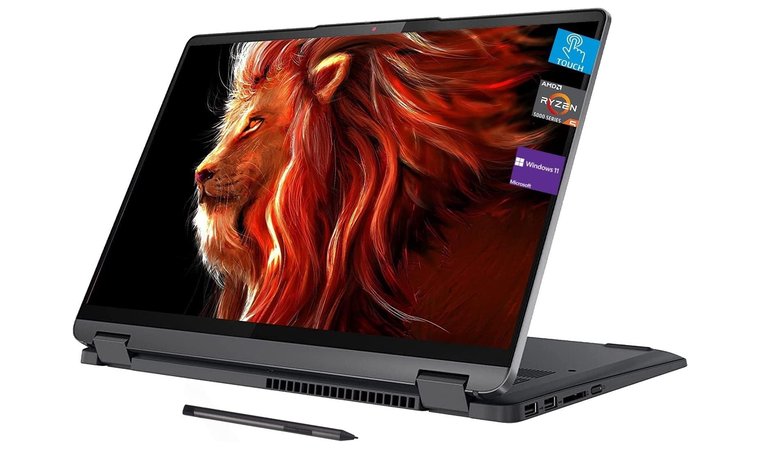
My next Lenovo recommendation is one that’s a bit more flexible in terms of usage. It’s the Flex 5, a laptop from the 2-in-1 series that has been used by many professionals due to its versatility.
Even though it’s slightly smaller than many of the others, here, the 14-inch screen is still pretty good for tasks like sketching, markups, and presentations. The great thing about these kinds of laptops is that you can use them any way you want, depending on the circumstances. The biggest bonus is the pen support, making it much more suited for certain tasks.
A versatile option, offering a convertible design and stylus support, something that would be of great use for students who often need to sketch or do markups.
Powering this 2-in-1 machine is the AMD Ryzen 5 5500U with integrated Radeon graphics, meaning it will handle light work well. The multi-core performance is excellent, meaning you can rely on it for lighter simulations or compilations, so you shouldn’t expect this to be the best laptop for SolidWorks or similar software.
In terms of storage and RAM, you have some flexibility to choose depending on what you’re looking for. All models here come with 16 GB of RAM, so your only option is to spec out the storage. You can choose between 256 GB, 1 TB, or 2 TB, and as you’d expect, all 3 are PCIe SSDs.
| Pros | Cons |
|---|---|
| ✅ 2-in-1 convertible design ✅ Surprisingly light for this type of laptop ✅ Touchscreen and pen input ✅ Affordable for this class and the performance ✅ Supports rapid charge | ❌ Doesn’t feel too premium, especially when compared to other Lenovo models |
Another flexible feature of the Flex 5 is its port options. With multiple USB ports and an HDMI, you can be sure you won’t struggle to plug in lab equipment, input devices, and an external monitor.
Final Verdict: For a mid-range option delivering solid performance and being flexible as is, the Lenovo Flex 5 should be a pretty strong choice for most students.
10. Samsung Galaxy Chromebook Go [Best For Cloud-Based Workflows]
| Specs | Details |
|---|---|
| CPU | Intel Celeron N4500 |
| GPU | Intel UHD Graphics |
| RAM | 4GB |
| Display | 14-inch LED HD |
| Storage | 128GB eMMC + 160GB Docking Station Set |
| Battery | Up to 12 hours |
| Weight | 3.2 lbs |
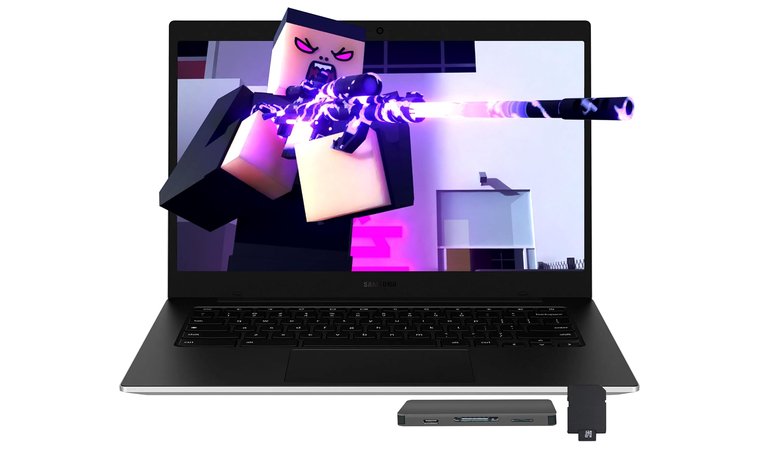
Some students prefer portability over performance, which is where a Chromebook comes into play. The Samsung Galaxy Chromebook Go is just what those students need, and it comes in a very affordable package.
Unlike many competitors, the Galaxy Chromebook Go comes with a 14-inch display, meaning you get a big enough screen for cloud-based work such as remote SSH, Google Workspace, IDEs, or any kind of similar browser-based tools.
The lightest and most portable option for today, offering a solid build quality, a long usage time, all of which comes at a very affordable price.
Under the hood is an Intel Celeron N4500, which many consider to be a very underpowered CPU, but for this application, it’s an excellent choice. Since students will rely on this laptop through web-based tools, they won’t need anything more powerful. The bonus here is that you’re getting an excellent battery runtime.
Chromebooks aren’t known for huge RAM and storage options, and the same goes for the Galaxy Chromebook Go. You get 4 GB of RAM and 128 GB of eMMC storage with the option of another 160 GB through the docking station set. This is more than enough for a laptop whose operating system is based on a browser.
| Pros | Cons |
|---|---|
| ✅ Very light ✅ Excellent battery life ✅ Affordable ✅ USB Type-C charging ✅ Fairly durable | ❌ Limited capabilities and usable only for web-based tools |
Generally speaking, this Chromebook has many downsides when you compare it with the big players on this list. With that said, it makes up for that with portability, long battery life, and lightweight.
Final Verdict: The Samsung Galaxy Chromebook Go isn’t the best engineering laptop by far, but it’s the kind of laptop that replaces raw power with portability and battery life, ideal for cloud-based engineering workflows.
11. Acer Swift 3 Intel Evo [Best For Lightweight Development]
| Specs | Details |
|---|---|
| CPU | Intel Core i7-1165G7 |
| GPU | Intel Iris Xe Graphics |
| RAM | 8 GB |
| Display | 14″ Full HD (1920 x 1080) IPS Widescreen LED-backlit 100% sRGB Display |
| Storage | 256GB NVMe SSD |
| Battery | Up to 16 hours |
| Weight | 2.65 lbs |
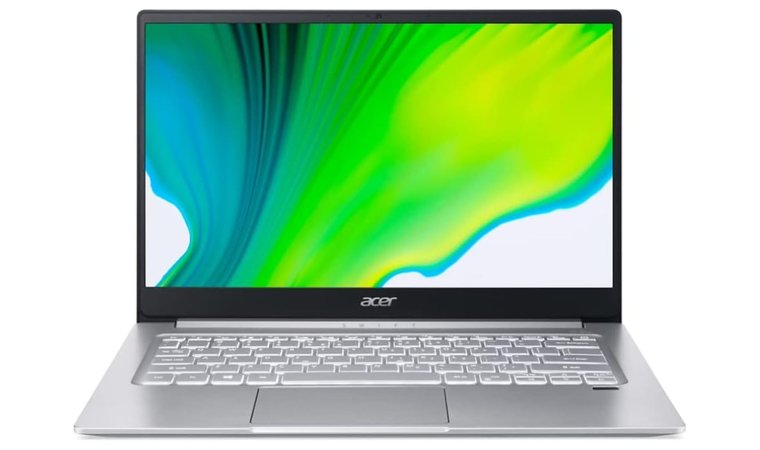
There aren’t too many engineering laptops that can bring a great balance for students, and the Acer Swift 3 Intel Evo is one of them. It’s far from the best laptop for game development or any kind of development for that matter, but it’s a sleek and light option with performance that would satisfy most students’ needs.
This is another 14-inch laptop, so while it’s not the largest here, there’s a good amount of screen space for multitasking or various engineering tasks, such as light rendering or previews. Like most FullHD IPS panels, you’ll be greeted by great colors and wide viewing angles, which is the main advantage here.
A portable and Evo-certified option, offering decent performance for lighter workloads without any massive compromises in other areas.
Powering this laptop is the Intel Core i7-1165G7, which, despite being an older-gen CPU, still performs very well with most tasks. As a result, it would be a great choice for mobile development, data analysis, or similar tasks that don’t require an overly powerful machine.
Considering the price, you shouldn’t expect too much in terms of RAM and storage. The Swift 3 comes with 8 GB of RAM combined with a 256 GB NVMe SSD, which is a solid starting point. Upgradability is on the table, but only if you need more storage.
| Pros | Cons |
|---|---|
| ✅ Surprisingly light and portable ✅ Comes with Intel Evo certification ✅ The battery life can be excellent ✅ Thunderbolt 4 ✅ Excellent balance between price and performance | ❌ Can handle light work |
In terms of features, this laptop has a few that it can boast about. On top of the flexible port options, including a couple of USB and HDMI ports, this option is also aimed at being light, something that many students will appreciate.
Final Verdict: The Acer Swift 3 Intel Evo is the kind of laptop that offers a great balance between solid performance, being lightweight, and offering a good battery life.
12. ASUS Vivobook 15 Laptop [Best For Balanced Specs and Price]
| Specs | Details |
|---|---|
| CPU | AMD Ryzen 3 3250U |
| GPU | Radeon Vega 3 |
| RAM | 16 GB |
| Display | 15.6″ FHD Anti-Glare IPS |
| Storage | 512GB PCIe SSD |
| Battery | Up to 7 hours |
| Weight | 3.9 lbs |
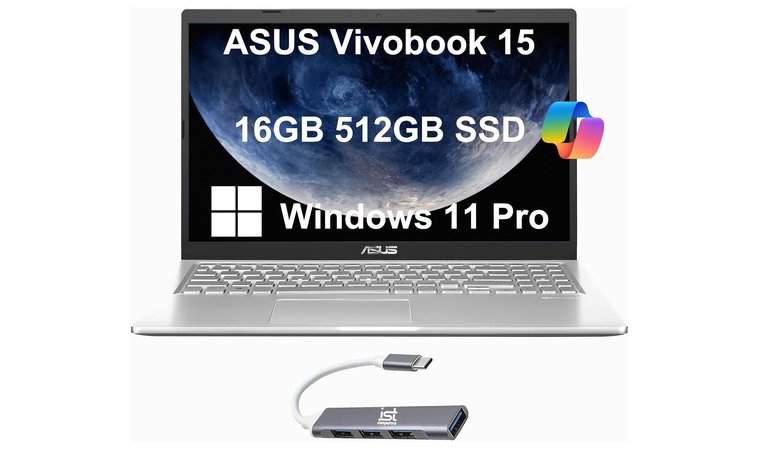
Engineering students who want more than what the previous option has to offer can look at the ASUS Vivobook 15. It’s a slim, relatively light, and feature-rich option that will handle a good number of engineering tasks that an engineering student might need.
As a 15.6-inch laptop with a FullHD IPS panel, you get two things. The first one is plenty of space for multitasking, multi-pane IDEs, or spreadsheets. On the other hand, since it’s an IPS panel, you’re looking at a feature that is crucial, especially for CAD previews.
It’s another affordable option that offers a large screen and acceptable performance, making it the sensible choice, especially for budget-minded students.
Powering this laptop is AMD’s Ryzen 3 3250U with a Radeon Vega 3 GPU, which is a decent choice for working with datasets or engineering software. It will struggle with some more intense tasks, which is to be expected from a laptop in this class and category.
Paired with this CPU are respectable RAM and storage options. The laptop comes with 16 GB of RAM and 512 GB of storage, meaning there’s enough RAM for multitasking, and the SSD is large enough so that you won’t have to consider an upgrade.
| Pros | Cons |
|---|---|
| ✅ Attractive pricing ✅ Lighter than some of its competitors ✅ Flexible port options ✅ Stylish design ✅ 15.6-inch IPS display | ❌ The battery life is average |
Like most 15.6-inch laptops, you’re getting a numerical keyboard, an essential feature for students who work with numbers a lot. In addition to that, like a few other models on this list, it’s backlit, so you can use it in poorly lit conditions.
Final Verdict: The Vivobook 15 is probably the best Asus laptop for a great balance between performance, features, and affordability, something that any student can appreciate.
13. Dell Precision 5570 [Best Compact Workstation]
| Specs | Details |
|---|---|
| CPU | Intel Core i7-12700H |
| GPU | RTX A1000 or RTX A2000 |
| RAM | 32 GB |
| Display | 15.6″ display with 1920 x 1200, IPS |
| Storage | 512 GB SSD |
| Battery | Up to 10 hours |
| Weight | 4.06 lbs |
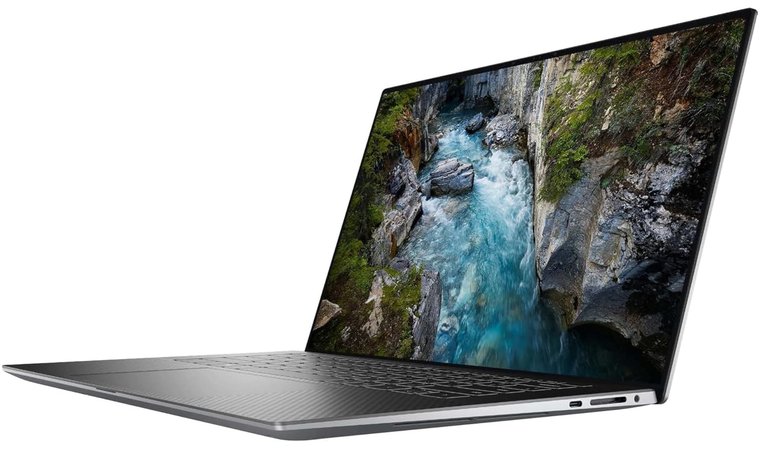
My last pick for today’s list is a bit different from a few of the previous models. It’s the Precision 5570, a high-performance laptop advertised as a compact mobile workstation, prepared to take on any challenge that an engineering student might throw at it. It’s not the best Dell laptop on this list, but it’s up there.
It’s considered compact because it’s a 15.6-inch laptop. This means there’s enough screen space for most engineering tasks. In addition to that, as a FullHD IPS panel, you can be sure that you won’t struggle with detailed drawings or dense schematics, which is why I’d categorize it as the best laptop for Fusion 360 or similar CAD tools.
A powerhouse that can handle any engineering task with ease, packed in a lightweight chassis, offering a solid balance between portability and performance.
Under the hood of the Precision 5570 is the Intel Core i7-12700H paired with an RTX A1000 or RTX A2000, depending on what you’re after. This combination will handle any CPU and GPU-intensive tasks, backed by Dell’s cooling solutions that will keep the temps under control even under sustained load, which also makes it an excellent gaming laptop.
Considering the CPU choice, you won’t be disappointed in the RAM and storage department. The laptop comes with 32 GB of RAM and 512 GB of storage. Some might say that the storage is a bit on the low side, but it’s not a massive drawback. Plus, there’s more than enough RAM for running virtual machines or development environments.
| Pros | Cons |
|---|---|
| ✅ Superb performance ✅ Premium build ✅ Supports fast charging ✅ Flexible GPU options ✅ Not the heaviest in its class | ❌ The price isn’t the most attractive in this category |
This is the kind of workstation where you shouldn’t expect a massive variety of ports. Instead, with the power of Thunderbolt 4, you’re a dock away from plugging everything you need into this beast. Plus, it’s a part of Dell’s premium lineup, meaning the materials and robust build quality will be premium as well.
Final Verdict: The Dell Precision 5570 is the kind of machine you’ll get if you’re an engineering student who needs a dedicated GPU and the performance it can offer.
Key Features to Consider When Picking the Best Laptop for Engineering Students
When it comes to choosing the best laptop for engineering students in 2025, you’ll need to focus on certain specs that can affect the workflows. Even though I mentioned some less powerful machines that are affordable, you’ll still need to keep your use cases in mind and look at the specs and features to determine if it’s the right laptop for you.
Performance (CPU, GPU, and RAM)
Engineering programs used by students require some computing power, meaning you’ll need to keep this in mind. Engineering software like MATLAB or CAD needs a balanced mix of CPU, GPU, and RAM performance, and the best computer for engineering students is the one that can offer that.
Go for a CPU with a good single-core performance, like Intel’s i7 or i9 lineup or AMD’s Ryzen 7 or 9, because tasks like compilation or model manipulation benefit from single-core speeds and offer great multi-core performance for parallel simulations.
A powerful GPU is essential for 3D CAD rendering or machine learning work. This is why something like RTX A series or the RTX consumer GPUs is nice to have.
Depending on the situation, you’ll want to aim for 16 GB of RAM or more, especially for virtual machines, performance testing, or large datasets. 8 GB is acceptable, but only if you’re relying on web tools and a lighter workload.
Display and Graphics
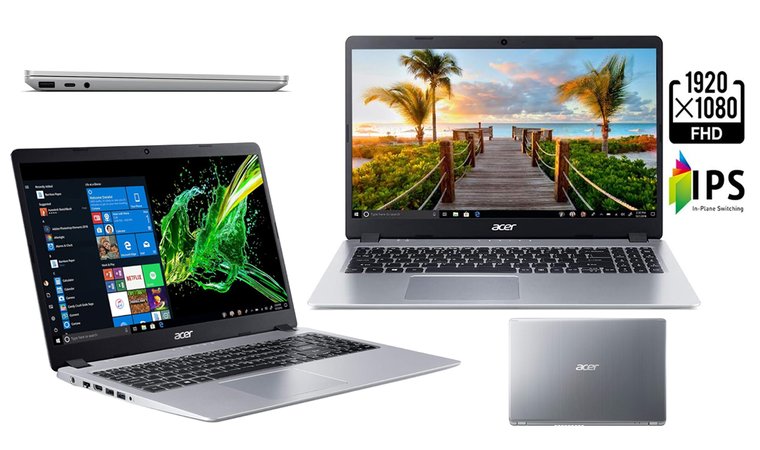
The display is another thing to consider, as it’s just as important as the rest of the specs, and there are several reasons for that.
A FullHD IPS panel is what you should be aiming at to ensure you reduce eye strain and improve accuracy, which is essential for reviewing schematics. You should also consider the brightness and go for at least 300 nits, so that it’s usable in bright conditions.
In terms of size, you’ll want to go for at least 15.6, especially when working with large spreadsheets or previews. For things like debugging or compiling, you could get away with something smaller.
Integrated graphics from Intel and AMD are fine for previews and similar tasks, but if you plan on doing renders or some graphics-intensive tasks, you’ll need a dedicated GPU.
Battery Life and Portability
As a student, you’re looking for a laptop that you can carry around with a good battery life. Finding this balance can be a challenge, but it’s not impossible.
The bigger the screen, the heavier the laptop is, so if you prefer something light, under 4 lbs, you’ll need to aim for the smaller screens. On the other hand, if portability isn’t that important, you can get some of the larger ones, which will weigh more. It’s a compromise you’ll need to make, depending on your requirements.
Battery life is crucial in some cases, and you’ll need to consider that as well. You’ll want to aim for a laptop with a long battery life, to ensure you’re not reaching for the charger too often. This also means you’ll probably need to compromise a bit on performance, because mobile workstations aren’t known for their long battery life.
Storage Requirements
Fast storage is crucial for engineering workflows such as virtual machines, libraries, etc. These engineering tasks rely on fast I/O, meaning you shouldn’t go for anything that doesn’t have an NVMe SSD. There are still laptops with SATA SSDs, which aren’t as fast, something you’ll want to avoid.
The ideal starting point should be 512 GB, which is pretty decent for storing the operating system, dev tools, and a few projects without hitting the limit. For larger datasets, media, or CAD models, you’ll want to aim for at least 1 TB, so that you’re flexible enough with your storage.
I did mention a few laptops with smaller storage in my list, but those are the ones engineering students will get if they rely on web tools mostly. In these situations, you’ll also be relying on cloud storage, so the physical one won’t make a lot of difference.
FAQs
The best laptop for engineering students from the list today is the Dell Precision 7770. It features a 17.3-inch display and is a powerhouse offering everything you’d need. The performance is excellent, and it won’t struggle with any task you may have. Keep in mind that it’s not the lightest option.
MacBooks are good for engineering students who need a laptop for engineering software, offering excellent battery life and portability. The only thing you should consider is CAD compatibility on Mac OS, meaning you’ll need remote or cloud access to a Windows operating system to use them.
The best laptops for mechanical engineering students are the Dell Precision 7770 and the Lenovo ThinkPad P1. The large screen and powerful internals make them ideal for complex assemblies, multi-window layouts, or detailed schematics. As a bonus, you’re getting a great gaming laptop.
The minimum amount of recommended RAM for engineering students is 16 GB, for lighter workloads, not relying heavily on multitasking. 32 GB is preferred, especially for virtual machines or large datasets and simulations. Going over this only gives you more flexibility with your tasks.
Intel Core i7 is better for engineering students because it has more cores and often offers higher turbo frequencies, both of which are essential for simulations of faster compiles. Intel Core i5 is an option if you’re on a tighter budget and you need to use it for lighter workloads.
The best brands of laptops for engineering students are Dell and Lenovo. Dell’s Precision and Inspiron lineup, and Lenovo’s Thinkpad series, offer excellent performance, great build quality, and are the best in the industry. Another good option is Apple’s MacBooks, which are excellent machines.
The best budget laptops for engineering students from today’s list are the Acer Aspire 5, the Lenovo IdeaPad 3, or the ASUS Vivobook 15. While they’re not beasts in terms of performance, but are affordable and can handle lighter engineering tasks, like coding or CAD previews.
Engineering students should get a 2-in-1 laptop if they need a machine where they can do some sketching or need it to take notes. Those who need better performance, thermals, or a gaming laptop should aim for traditional models because they won’t be using the features that a 2-in-1 has to offer.











