



Best Laptop for Architecture: 13 Best Models for Students and Professionals in 2026

Eneba Hub contains affiliate links, which means we may earn a small commission if you make a purchase through them—at no extra cost to you. Learn more


Choosing the best laptop for architecture students or seasoned pros is a major headache because that machine truly dictates your entire workflow. Fortunately, many brands like Dell XPS now offer free student software packages and extended warranty options for your convenience.
For architects, a cheap or simple laptop just won’t cut it. Important software, including Lumion, Revit, Rhino, and AutoCAD (part of the Autodesk product suite), needs a strong machine. If you’re searching for the best laptops for architects, you need machines that handle CAD, 3D modeling, and rendering without compromise.
Now, everyone’s needs are different. Some students just need to get through coursework, while some professionals are managing huge projects and heavy renders. This guide covers options for all budgets. We’ve got laptops that are easy on the wallet but still handle basic designs, solid mid-range machines, and premium workstations that tackle big projects like a champ.
Regardless of whether you’re starting your architecture journey, planning for your future, or already doing skilled work, there’s something here that will fit your workflow without slowing you down.
Jump to:
Our Top Picks for Architecture Laptops
After looking at a bunch of laptops and putting them through some real tests, we’ve narrowed it down to three that really stand out, depending on what you need and how much you want to spend. Each of these can handle heavy applications:
- LG UltraPC 16 (2022): A dependable choice for students, offering a large display and smooth performance for CAD, SketchUp, and light rendering tasks.
- Lenovo ThinkBook 16 (2025): This laptop combines sharp visuals, fast performance, and reliable multitasking, making it ideal for advanced design software.
- Razer Blade 15 (2020): A sleek, high-performance laptop built for professionals managing large models, complex renders, and demanding creative workflows with effortless speed.
Next, we’ll dive deeper into how these machines stack up. We’ll be looking at our best budget choices, solid mid-range workhorses, and the absolute top-tier machines for architectural projects.
Best Laptop for Architecture Students – 13 Best Picks Reviewed and Ranked (Both for Professionals and Students)
Regardless of whether you’re creating 3D models, checking BIM files, or making renderings, the right laptop makes work easier. These options suit drafting, fieldwork, and heavy rendering, helping students and professionals pick the best laptop for architecture based on their workflow, budget, and work habits.
1. ASUS ROG Flow Z13 [Best Laptop for Architecture Students]
Our Score:
| Specs | Details |
|---|---|
| CPU | AMD Ryzen AI MAX+ 395, 16 Zen 5 cores, 5.1 GHz |
| GPU | Integrated AMD |
| RAM | 128GB LPDDR5X quad-channel |
| Display | 13.4” 2.5K (3200×1800) Touchscreen, 180Hz, 100% DCI-P3 |
| Storage | 1TB SSD |
| Battery | ~10 hours light use |
| Weight | 2.65 lbs (≈1.2 kg) |
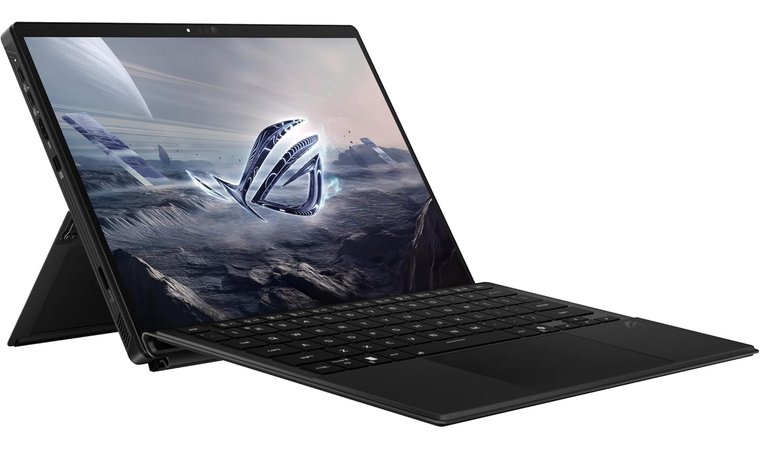
The ASUS ROG Flow Z13 is the ideal laptop for architecture students who need power in the smallest possible form factor. It functions as both a laptop and a tablet, letting you draw, annotate plans, sketch concepts, and mark up PDFs directly on the touchscreen.
Its portability and pen-friendly workflow make it excellent for site visits, client presentations, on-the-go markups, and quick concept sketching. It’s also great for students who pair it with an external monitor and keyboard at their desk to create a full workstation setup when needed.
| Pros | Cons |
|---|---|
| ✅ Extremely portable, works as a 2-in-1. ✅ Pen and touch support are perfect for markups, sketching, and annotation. ✅ Capable processor and mobile RTX graphics handle moderate 3D and visualization. ✅ High-resolution 2.5K display offers sharp detail and strong color accuracy. ✅ Works great with docks and multi-screen setups. ✅ Excellent mobility for on-site work and client meetings. | ❌ Smaller display is less ideal for long, complex sessions, though external workspace support solves this nicely. |
Final Verdict: If you want a lightweight device that runs real CAD/BIM and visualization tools, the ROG Flow Z13 is one of the most versatile solutions available. Its discrete GPU makes it as powerful as a desktop PC, enabling smooth video editing and playing games without lag. Check out the best Asus laptops here.
2. HP ZBook Studio G8 [Best Budget Mobile Laptop]
Our Score:
| Specs | Details |
|---|---|
| CPU | Intel Core i7, 8 cores |
| GPU | NVIDIA T1200 |
| RAM | 32GB DDR4 SDRAM (onboard only) |
| Display | 15.6” FHD (1920×1080) |
| Storage | 1TB SSD |
| Battery | Not specified |
| Weight | 3.9 lbs (≈1.77 kg) |
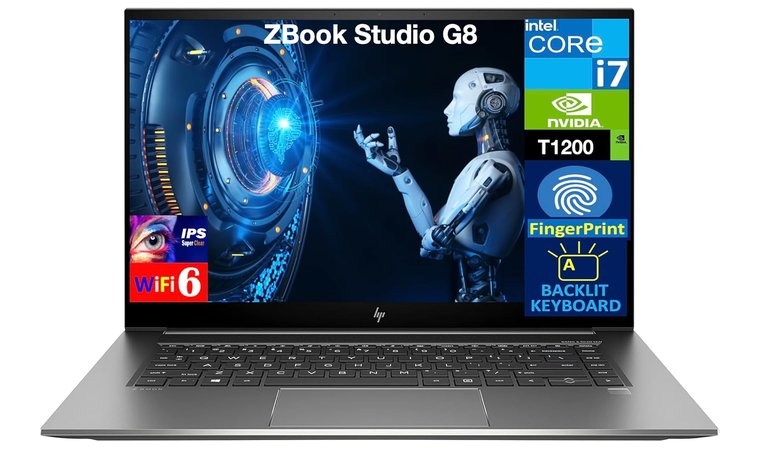
The HP ZBook Studio G8 is designed for architects who need reliable, certification-grade performance for complex CAD, BIM, and rendering workflows. A dedicated graphics card ensures software like Revit, Rhino, and CAD applications run smoothly and consistently.
Unlike typical consumer laptops, the ZBook Studio G8 offers enterprise-grade stability, security features, and excellent thermal management, ensuring it stays fast during long sessions. The OLED and DreamColor display options also provide highly accurate color.
| Pros | Cons |
|---|---|
| ✅ ISV-certified RTX graphics ensure stable, optimized performance in architecture software. ✅ High-accuracy OLED/DreamColor viewports are ideal for material, color, and lighting review. ✅ Strong cooling allows consistent performance during long renders. ✅ Expandable RAM & ROM provide room to grow with larger project workloads. ✅ Enterprise-grade durability and security make it studio-ready. ✅ Premium build and keyboard/trackpad support long design sessions comfortably. | ❌ Battery life not as good as in more expensive laptops |
Final Verdict: If you need a polished, stable, and color-accurate mobile workstation that handles large CAD/BIM designs and rendering without slowdown, the HP ZBook Studio G8 is one of the most reliable affordable choices for architecture students and professionals.
3. Razer Blade 15 [Best Portable Power Laptop]
Our Score:
| Specs | Details |
|---|---|
| CPU | Intel Core i7, 8 cores, 5.1 GHz |
| GPU | NVIDIA GeForce RTX 2070 Max-Q, 8GB dedicated |
| RAM | 16GB DDR4, 2933 MHz |
| Display | 15.6” FHD (1920×1080) |
| Storage | 512GB SSD |
| Battery | 1 Lithium-Ion battery (5-7 hours battery life) |
| Weight | 4.4 lbs (≈2 kg) |
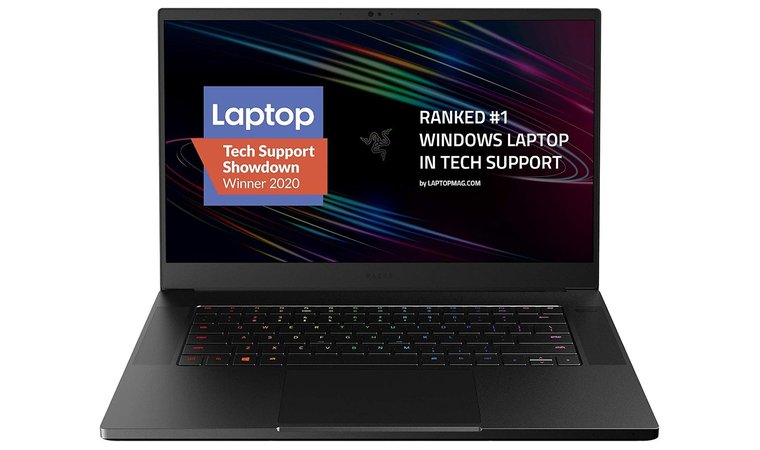
The Razer Blade 15 is a compact yet powerful option for architecture students who need a workstation performance without extra bulk. It handles large Revit/Rhino base models, real-time visualization, and gaming smoothly. Its QHD/4K/OLED viewport options, equipped with its ample screen size, offer accurate color and sharp detail at a competitive price.
What sets it apart is its balance of power and portability. The aluminum chassis is sturdy, the keyboard is comfortable for long studio sessions, and the performance stays consistent like a desktop computer. It’s ideal for students who need strong processing power at a decent price for playing games and video editing.
| Pros | Cons |
|---|---|
| ✅ Compact, premium build makes it easy to travel with. ✅ High-quality viewport options improve material and lighting evaluation. ✅ Strong CPU performance supports 3D work and visualization workflows. ✅ Thunderbolt/USB-C makes connecting to external gadgets simple. ✅ Comfortable keyboard and trackpad for extended work sessions. ✅ Durable build helps it last through years of studio use. ✅ Handles multi-window CAD/BIM layouts smoothly. | ❌ Battery life shortens quickly during heavy usage, though it remains fine for drafting or presentations. |
Final Verdict: If you need a portable laptop that performs like a studio workstation, the Razer Blade 15 delivers strong modeling in a compact, well-built form. It’s ideal for architects who work in multiple locations and need reliable performance on the go.
4. ASUS ZenBook Pro Duo [Best Dual-Screen Laptop]
Our Score:
| Specs | Details |
|---|---|
| CPU | Intel Core i7-10750H, 6 cores, 5 GHz |
| GPU | NVIDIA GeForce RTX 2060, 16GB |
| RAM | 16GB DDR4 |
| Display | 15.6” 4K UHD (3840×2160) |
| Storage | 1TB SSD |
| Battery | 1 Lithium-Ion battery, ~3–4 hours |
| Weight | 5.5 lbs (≈2.5 kg) |
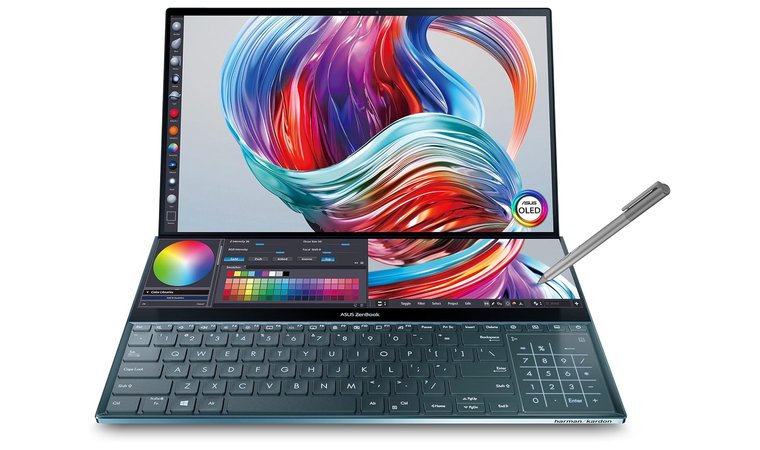
The ASUS ZenBook Pro Duo is ideal for architecture students and professionals who multitask heavily between modeling, references, drawings, and rendering tools. Its signature dual-screen layout, a main OLED display plus the ScreenPad Plus, gives you extra workspace.
Its high-end configurations handle demanding tasks like an expensive desktop computer, while pen support and the adjustable secondary screen angle make sketching, markups, and client discussions more natural and interactive.
| Pros | Cons |
|---|---|
| ✅ Dual-screen setup significantly boosts multitasking and workflow efficiency. ✅ Alongside a perfect screen size, the 4K OLED main viewport provides excellent color, contrast, and clarity. ✅ High-end options handle 3D modeling and rendering smoothly. ✅ Pen support on the secondary screen is great for quick sketches and markups. ✅ Excellent connectivity for studio docking and other gadgets. ✅ Ideal for architects who reference mood boards, drawings, and CAD palettes without constant window switching. | ❌ Slightly heavier and thicker than traditional laptops, though the dual-screen utility compensates for the added weight. |
Final Verdict: If your workflow involves multiple apps, references, and palettes open at once, the ZenBook Pro Duo provides a real productivity advantage. The dual-screen in this computer makes rendering, sketching, and even gaming much smoother and more efficient.
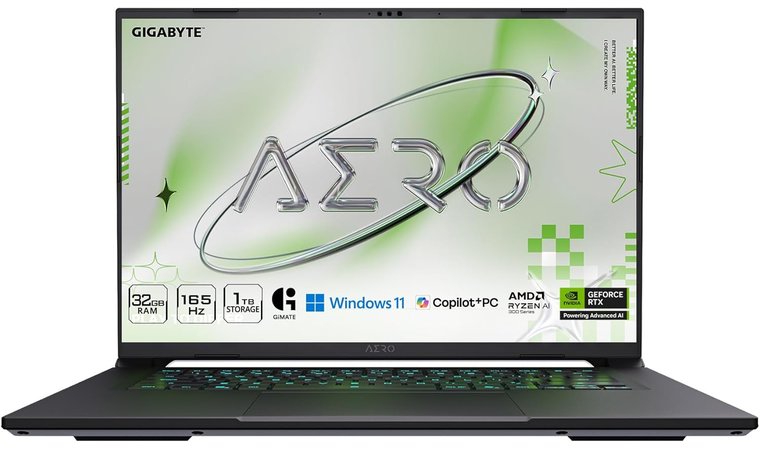
5. GIGABYTE AERO X16 [Best Creator Laptop]
Our Score:
| Specs | Details |
|---|---|
| CPU | AMD Ryzen AI, 12 cores, 5.1 GHz |
| GPU | NVIDIA RTX 5070, 8GB dedicated |
| RAM | 32GB DDR5, 5600 MHz |
| Display | 16” WQXGA (2560×1600) |
| Storage | 1TB SSD |
| Battery | ~14 hours |
| Weight | 4.19 lbs (≈1.9 kg) |
The GIGABYTE AERO X16 is geared toward architects for final presentation renders, material boards, and lighting previews. Its 16-inch 4K/UHD+ or AMOLED display with 100% DCI-P3 coverage ensures that what you see on display closely matches real-world output.
Alongside its display quality, the AERO X16 packs powerful H-series processors and RTX GPUs, enabling smooth viewport navigation, real-time visualization, and faster rendering exports. You can play games on this next-gen system.
| Pros | Cons |
|---|---|
| ✅ AMOLED / 4K display delivers highly accurate color and contrast. ✅ Strong processor and RTX GPU for video editing and gaming. ✅ Excellent for lighting, texture, and material evaluation. ✅ Good thermal control ensures a stable workflow during long sessions. ✅ Multiple high-speed ports support dual/multi-monitor workflows. ✅ Ideal for portfolio development and client-ready presentation visuals. | ❌ Only downside is its higher cost, but justified by top-notch display. |
Final Verdict: If your work relies heavily on color accuracy and high-quality visual output, the AERO X16 is one of the best choices available. It pairs a smooth workflow with a display that’s truly built for architectural visualization.
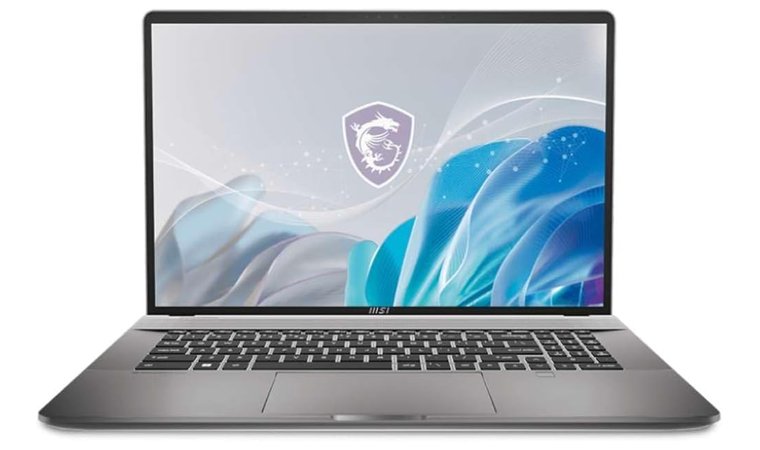
6. MSI Creator Z17 [Best Large Display Laptop]
Our Score:
| Specs | Details |
|---|---|
| CPU | Intel Core i9, 24 cores, 1.6 GHz |
| GPU | NVIDIA GeForce RTX 4070, 8GB dedicated |
| RAM | DDR5 |
| Display | 17” QHD+ (2560×1600) |
| Storage | 4TB SSD |
| Battery | Not specified |
| Weight | 5.49 lbs (≈2.49 kg) |
The MSI Creator Z17 stands out because it works like an expensive desktop PC, at a much lower price. This makes it especially helpful for architects who like to sketch concepts, annotate plans, or work in apps like Photoshop, Concept app, Sketchbook, Morpholio Trace, Revit (when used with detail markup), Rhino SubD sculpting, or when diagramming design ideas directly on screen.
The 17-inch QHD+ display provides ample space for working with large drawings, BIM layouts, and multi-window workflows. Supported RTX GPUs ensure smooth work in Revit, Rhino, ArchiCAD, Lumion, Enscape, Twinmotion, SketchUp, and other architecture pipelines.
| Pros | Cons |
|---|---|
| ✅ Large QHD+ touchscreen is excellent for sketching and concept drafting. ✅ Stylus support (MSI Pen) adds real value for design iterations. ✅ Strong CPU and RTX GPU for BIM and viewport works. ✅ Excellent color accuracy with a 100% DCI-P3 panel. ✅ Ideal for mixed workflows: modeling + drawing + presentation boards. | ❌ Slightly heavier than typical 16-inch work laptops, though the larger screen real estate is highly useful for architecture workflows. |
Final Verdict: If you want a powerful workstation that also supports direct on-screen sketching, the MSI Creator Z17 is one of the best choices. It is perfect for architects who move fluidly between hand-drawn ideation and 3D modeling.
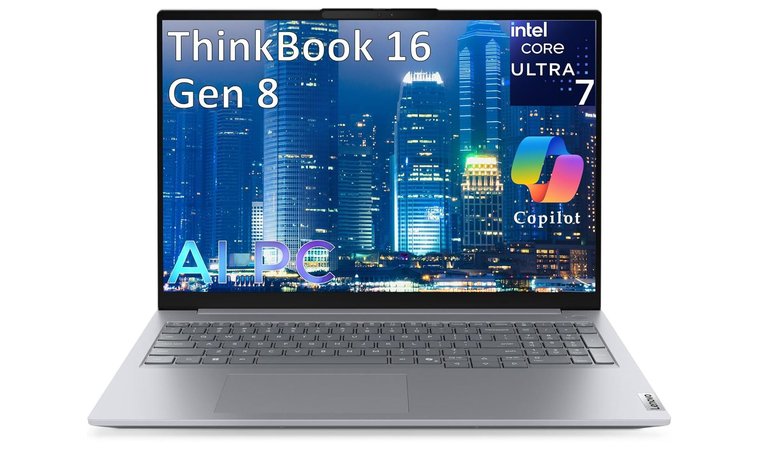
7. Lenovo ThinkBook 16 Gen 8 [Best Daily Driver]
Our Score:
| Specs | Details |
|---|---|
| CPU | Intel Core i5, 1 processor |
| GPU | Intel Iris integrated |
| RAM | DDR5 (size not specified) |
| Display | 14” FHD+ (1920×1200) |
| Storage | 512GB SSD |
| Battery | 1 Lithium-Ion battery |
| Weight | 4.65 lbs (≈2.1 kg) |
The Lenovo ThinkBook 16 Gen 8 is a strong choice for architects who need a reliable, lightweight laptop for site visits, client meetings, and daily drafting work. This system offers a 16:10 display, providing extra vertical workspace.
Unlike other laptops, this Lenovo machine is built on a business-class chassis, making it durable and stable over the long term. This system is ideal for students and firms that move frequently between environments and is considered among the best Lenovo laptops.
| Pros | Cons |
|---|---|
| ✅ Lightweight, slim design makes it easy to carry daily. ✅ 16:10 display provides more space for toolbars ✅ Strong single-core CPU keeps CAD workflows smooth. ✅ Good battery life for site visits and client sessions. ✅ Business-class durability and security features. ✅ Easy docking support via USB-C/Thunderbolt. | ❌ Not ideal for heavy GPU rendering, best used as a CAD, office, and presentation laptop. |
Final Verdict: If you need a reliable, portable laptop for drawing, reviewing plans, and presenting work on the go, the Lenovo ThinkBook 16 Gen 8 is an excellent balance of screen space, portability, and CAD applications.
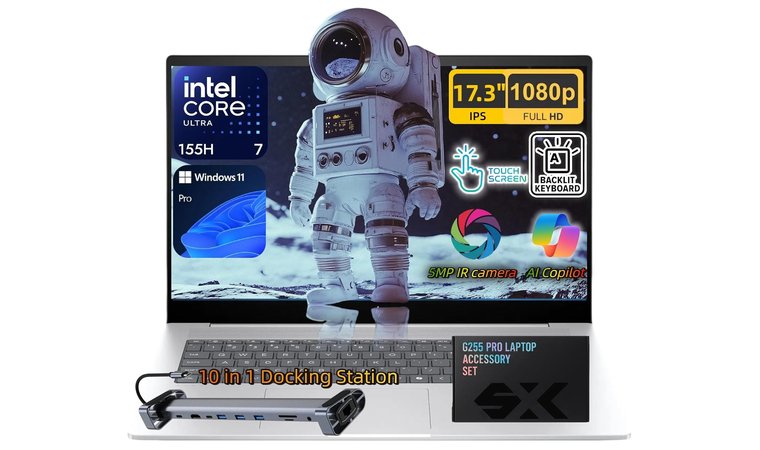
8. HP Envy 17 [Best Architecture Students Laptop]
Our Score:
| Specs | Details |
|---|---|
| CPU | Intel Core Ultra 7, 16 cores, 3.8 GHz |
| GPU | Integrated Intel |
| RAM | DDR5 (size not specified) |
| Display | 17.3” FHD (1920×1080) Touchscreen |
| Storage | 2TB SSD |
| Battery | 6-cell, 83Wh Li-ion polymer |
| Weight | 8 lbs (≈3.63 kg) |
The HP Envy 17 is often a top pick among architecture students because it delivers a large display, comfortable workspace, and strong multitasking capabilities, all without reaching workstation-level pricing. Thanks to its graphics, this system can handle gaming well. Have a look at the best HP laptops, and pick your favorite.
The 17.3-inch display makes a noticeable difference when working in Revit, SketchUp, AutoCAD, and Rhino since you get more space and easier tool palette organization. It’s ideal for architecture students.
| Pros | Cons |
|---|---|
| ✅ Large 17.3-inch display provides ample workspace for CAD tools, layouts, and references. ✅ Strong performance for drafting, modeling, and general coursework. ✅ Memory is upgradeable, allowing the laptop to grow with project requirements over time. ✅ Comfortable keyboard and trackpad suitable for long design sessions. ✅ Optional dedicated graphics enable smoother viewport navigation in 3D applications. ✅ Solid build quality for daily academic and studio use. | ❌ The only downside is its weight. However, the extra screen space significantly improves workflow efficiency. |
Final Verdict: If you want a reliable, big-screen laptop that makes modeling, drafting, and layout workflows easier while staying within a student’s budget, the HP Envy 17 is a strong fit. Its performance and screen space are perfect for architecture students who require high computing power.
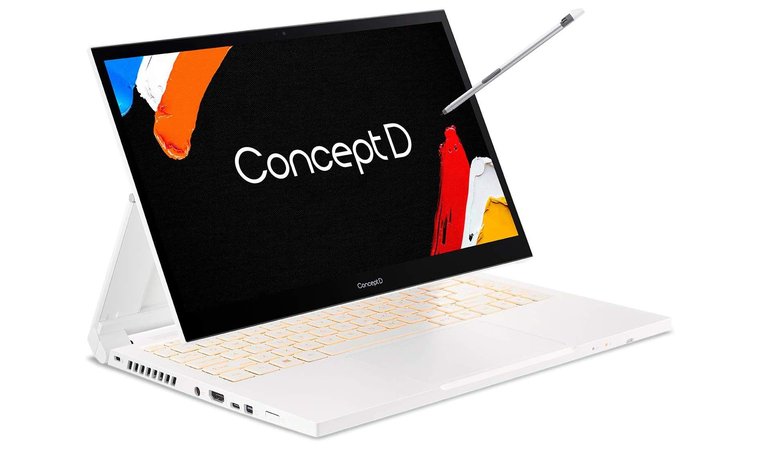
9. Acer ConceptD 3 Ezel [Best Convertible Laptop]
Our Score:
| Specs | Details |
|---|---|
| CPU | Intel Core i7, 6 cores, 5 GHz |
| GPU | NVIDIA GeForce GTX 1650, 4GB dedicated |
| RAM | 16GB DDR4, 2.6 GHz |
| Display | 14” FHD (1920×1080) |
| Storage | 512GB SSD |
| Battery | ~14 hours |
| Weight | 3.81 lbs (≈1.73 kg) |
The Acer ConceptD 3 Ezel stands out because of its convertible Ezel hinge and stylus support, allowing architects to switch between laptop mode, drawing mode, and presentation mode instantly. This makes it an excellent tool for sketching concepts, tracing diagrams, and marking up client presentation files directly on display.
Its Pantone-validated display ensures accurate and consistent color, which is helpful when preparing mood boards, material palettes, render edits, and visual presentations. While it’s not built for heavy, large-scale rendering, the GPU provides enough acceleration for most architectural software.
| Pros | Cons |
|---|---|
| ✅ Convertible Ezel hinge makes sketching and markups natural. ✅ Stylus support improves workflow for concept development. ✅ Pantone-validated display gives reliable color for presentations. ✅ Lightweight and easy to carry across studio, campus, or site. ✅ Good processor and GPU combo for BIM, CAD drafting, and 3D previews. ✅ Great for annotation-based collaboration and client reviews. | ❌ Not ideal for very heavy rendering workloads, though perfectly capable for everyday architectural modeling and visualization tasks. |
Final Verdict: Acer ConceptD 3 Ezel is a great pick for architecture students and those who value direct-on-screen creativity, note-taking efficiency, and portability, without giving up the power needed for everyday design work.
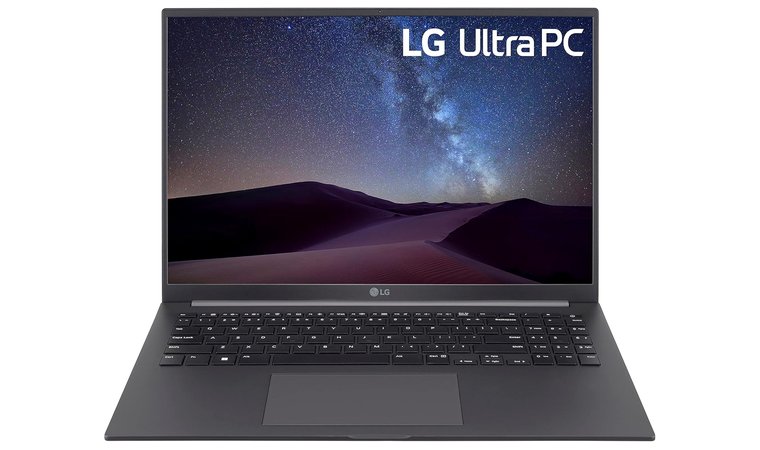
10. LG UltraPC 16 [Best Lightweight Large-Screen Laptop]
Our Score:
| Specs | Details |
|---|---|
| CPU | AMD Ryzen 7 5800U, 8 cores, 4.5 GHz |
| GPU | AMD Radeon Vega 3 integrated, 16GB |
| RAM | 16GB LPDDR4, 4266 MHz |
| Display | 16” WUXGA (1920×1200) |
| Storage | 2TB SSD |
| Battery | ~15 hours, 4 Lithium-Ion included |
| Weight | 3.19 lbs (≈1.45 kg) |
The LG UltraPC 16 is an excellent option for architecture students who want the comfort of a large display without the weight of a bulky workstation laptop. The 16-inch 16:10 IPS panel provides more vertical space for creative work in CAD/BIM applications.
While it isn’t built for heavy rendering or huge Revit/Rhino models, it performs very well for drawing, SketchUp massing, AutoCAD layouts, portfolio work, taking notes, markups, and client presentations. The lightweight body and long battery life make it useful for all architecture experts and students.
| Pros | Cons |
|---|---|
| ✅ Large 16” 16:10 display improves workspace and readability. ✅ Very lightweight for its display size, easy to carry daily. ✅ Long battery life supports long studio or field sessions. ✅ Great for CAD drafting, presentations, research, and notes. ✅ Comfortable keyboard and trackpad for extended work time. ✅ Quiet thermals and efficient performance for everyday workflows. | ❌ Integrated graphics limit heavy 3D or high-end rendering, though drafting and moderate 3D run smoothly. |
Final Verdict: If you want a big display in a lightweight body and your focus is drafting, presentations, and concept modeling rather than heavy rendering, the LG UltraPC 16 is one of the most comfortable and practical laptops you can carry daily.
11. Dell G7 17 [Best Large Display Laptop]
Our Score:

| Specs | Details |
|---|---|
| CPU | Intel Core i7, 1 processor, 4.5 GHz |
| GPU | Dedicated NVIDIA, 6GB |
| RAM | 16GB DDR4, 2666 MHz |
| Display | 17.3” HD (1366×768), Max 1920×1080 |
| Storage | 512GB SSD |
| Battery | 1 Lithium-Ion included |
| Weight | 7.3 lbs (≈3.31 kg) |
The Dell G7 17 is ideal for architects who want a large on-laptop workspace. The 17.3″ screen provides more room for Revit/Rhino viewports, tool palettes, property panels, and timelines, reducing the constant window toggling common on other laptops. Like the Dell XPS series, this is a reliable option for architecture students.
The larger chassis also offers better thermal performance, meaning the laptop maintains stable clock speeds during longer editing or rendering sessions. It’s a practical choice for students or experts who want a larger, more productive canvas at a price lower than high-end machines.
| Pros | Cons |
|---|---|
| ✅ Large 17.3″ display gives more workspace for CAD/BIM layouts. ✅ Strong options handle multi-window designing smoothly. ✅ Better cooling stability than many thin-and-light laptops. ✅ An affordable way to get a big display and good performance. ✅ Good for studio desk setups without needing external monitors. ✅ Upgradeable RAM and ROM for long-term usability. | ❌ Heavier and difficult to carry, but compensates with a bigger display and cooling. |
Final Verdict: If you prioritize workstation stability over ultraportable size, the Dell G7 17 is an excellent pick. It delivers a comfortable, efficient workspace and solid performance for architecture workflows, all at a competitive price. Here’s a detailed guide if you’re searching for the best Dell laptops.
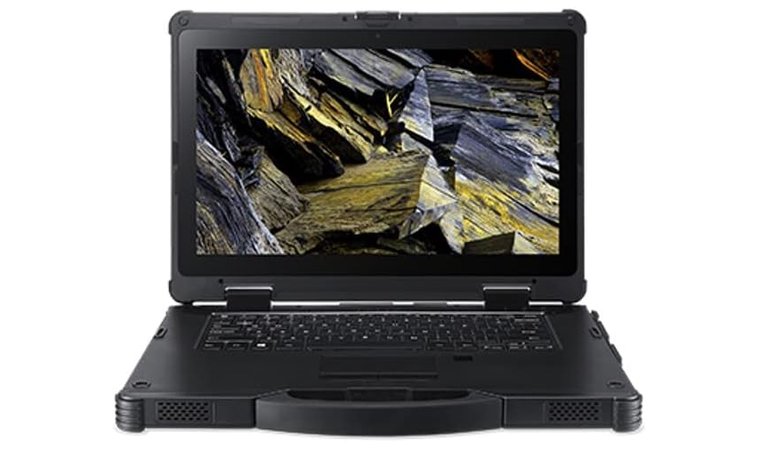
12. Acer Enduro N7 [Best On-Site Architecture Laptop]
Our Score:
| Specs | Details |
|---|---|
| CPU | Intel Core i5-8250U Quad-core, 1.6GHz |
| GPU | Intel UHD Graphics 620 integrated |
| RAM | 8GB DDR4 |
| Display | 14” Full HD (1920×1080) |
| Storage | 256GB SSD |
| Battery | Not specified |
| Weight | 14 × 10.6 × 1.46 inches; weight not specified |
The Acer Enduro N7 is built for architecture students and experts who spend time on construction sites, outdoor surveys, or field inspections. This durable mobile workstation is perfect for note-taking and video editing, offering excellent performance.
Replaceable RAM and ROM also help extend its life, especially for users who need a durable machine that can handle long project days and unpredictable environments.
| Pros | Cons |
|---|---|
| ✅ MIL-STD semi-rugged chassis withstands bumps, dust, and field conditions. ✅ Sunlight-readable display ensures drawings and markups remain visible outdoors. ✅ Hot-swappable dual batteries allow uninterrupted workdays during site inspections. ✅ Replaceable memory makes it easy to maintain and upgrade long-term. ✅ Extra ports (USB, HDMI, card readers) support measuring tools and external equipment. ✅ Designed for field markups, plan reviews, and on-site collaboration without needing to return to the studio. | ❌ Heavier and bulkier than standard ultrabooks, though the durability is the trade-off that makes it field-ready. |
Final Verdict: If you need a laptop you can confidently take from desk to job site, the Acer Enduro N7 delivers durability, visibility, and excellent performance. It’s a strong fit for architects who frequently work outdoors and need durable hardware to manage their creative work.
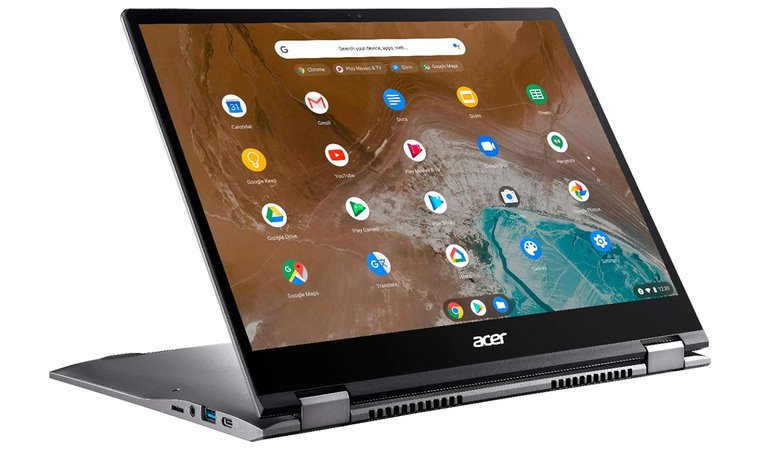
13. Acer Chromebook Spin 713 [Best Premium Chromebook]
Our Score:
| Specs | Details |
|---|---|
| CPU | Intel Core Ultra 7, 16 cores, 2 GHz |
| GPU | Intel Arc 140T integrated |
| RAM | 64GB DDR5 |
| Display | 16” WUXGA (1920×1200) |
| Storage | 1TB SSD (PCIe x4) |
| Battery | Not specified |
| Weight | 4.35 lbs (≈1.97 kg) |
The Acer Chromebook Spin 713 is ideal for architecture students who spend a lot of time researching, drafting initial ideas, taking notes, and working inside browser-based apps like Google Workspace, Conceptboard, and cloud CAD platforms (Onshape, SketchUp for Web, Autodesk Forma). You can also play and fulfill your gaming needs on this system.
Thanks to its lightweight body and long battery life, it’s convenient for lectures, studio walkarounds, and going through web pages.
| Pros | Cons |
|---|---|
| ✅ 3:2 high-resolution display gives more vertical drawing/workspace. ✅ Lightweight machine and easy to carry across campus. ✅ Excellent battery life for all-day studio and class use. ✅ Offers compatibility for cloud workflows and online collaboration boards. ✅ Durable build quality with comfortable keyboard + touch support. ✅ Affordable compared to full workstation laptops. | ❌ Not designed for heavy Revit or GPU rendering, but excellent as a secondary device. |
Final Verdict: The Acer Chromebook Spin 713 is best used as a portable companion device for researching pages, sketching, and presentations. If your school provides lab access for rendering and BIM, this is a highly convenient machine.
Key Features to Consider When Picking the Best Laptop for Architecture
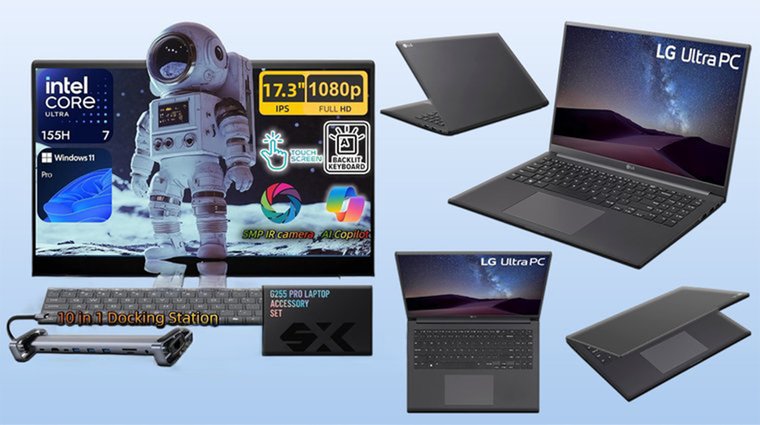
Whether you’re shopping for workstations or school, choosing the right laptops for architecture students ensures smooth performance when running AutoCAD, Revit, SketchUp, and other design tools. This section highlights key features for long-term performance and reliability.
Core Components: CPU & GPU
The processor (CPU) and graphics card (GPU) are the heart of a powerful machine. A strong CPU ensures excellent performance when running demanding software or gaming, while the GPU handles rendering and real-time visualization.
For architecture work, consider CPUs like Intel Core i7/i9 (12th Gen or newer) or AMD Ryzen 7/9. If gaming is a priority, then you’ll have to consider the best gaming PCs.
For the GPU, NVIDIA RTX 4060 or AMD Radeon RX 6000 series cards offer the best balance of performance and efficiency, especially for rendering, ray tracing, and VR walkthroughs. You’ll have to check out the best gaming laptops if you need to play the latest games.
Memory (RAM) & Storage
RAM and storage directly affect the smoothness of your workflow. Architecture projects often involve large types and multiple applications running at once on your PC. 16GB RAM is the minimum recommended, while 32GB is ideal.
A 512GB SSD should be considered the baseline, but 1TB SSD or more is better. SSDs are significantly faster than HDDs, providing quicker load times, faster file access, and improved overall responsiveness in software tools.
Display
A high-quality display is essential for accurate visualization, design detailing, and client presentations. A 15.6-inch or larger display provides ample workspace, helping you comfortably view multiple pages and windows.
Choose a minimum of Full HD (1920×1080) resolution, though many architects prefer 4K or OLED displays for superior sharpness and color accuracy on their PC. Panels like OLED or XDR displays, found in MacBook Pro, offer compatibility with richer contrast and true-to-life colors when working or gaming.
Portability & Build Quality
Architects frequently move between studios, classes, offices, and construction sites. This makes portability and durability essential. A laptop weighing under 2kg makes transportation easy without compromising performance.
A strong build protects your hardware and project files in challenging environments, extending your laptop’s lifespan. Well-built hinges, a reinforced chassis, and a spill-resistant keyboard are worthwhile features for long-term reliability.
Battery Life
Long battery life is especially important for students and professionals who work remotely, travel, or spend time on-site without charging access. Aim for at least 8 hours of real-world use to stay productive throughout the day.
A reliable battery reduces interruptions and keeps your workflow uninterrupted, making it easier to work when plugged-in power isn’t available for your computer.
FAQs
The best laptop for architecture work is the ASUS ROG Flow Z13, which features a powerful AMD Ryzen AI MAX+ processor, 128GB of RAM, and a 13.4″ 2.5K touchscreen with 100% DCI-P3 color accuracy for detailed CAD/BIM work and 3D rendering. Its 2-in-1 design with pen and touch support makes it ideal for sketching, annotating plans, and presenting to clients both on-site and in the studio.
To choose the right laptop for architecture, look for a powerful processor, a dedicated graphics card, a fast SSD, and a display that shows accurate colors and handles CAD applications easily on your PC.
Architects need at least 16GB of RAM in a laptop. If you work on large 3D models or complex rendering projects, 32GB is better for smooth software performance.
The MSI Creator Z17 works best for AutoCAD and SketchUp. It offers compatibility with Autodesk products and many other software.
The graphics card is important for architecture as it handles advanced software, 3D modeling, rendering, and real-time visualization. It provides faster previews, smoother performance, and higher-quality renders.
Architects can use a MacBook for modeling and drafting, but Windows laptops are preferred as they support a wider range of architecture software.











