What Are Magnetic Keyboard Switches? Essential 2025 Guide


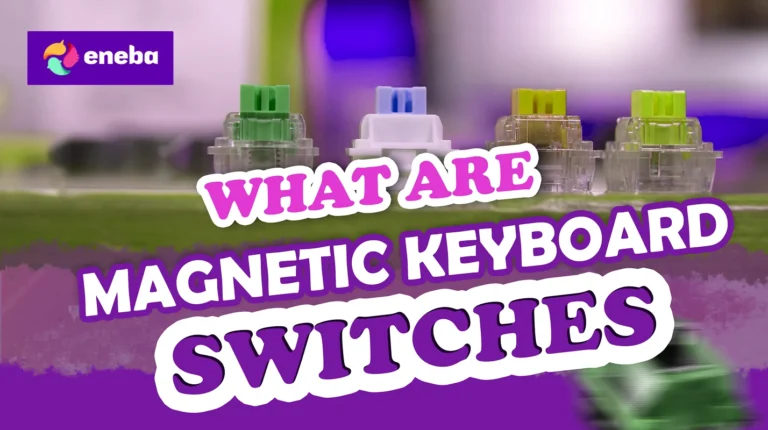
If you’ve been wondering, “What are magnetic keyboard switches?”, you’re looking at one of the biggest innovations in gaming peripherals. Unlike traditional mechanical keyboards that rely on physical contact between metal parts, magnetic switch keyboards use magnets and sensors to detect your keystrokes. This contactless design eliminates wear and tear while bringing lightning-fast response times that can give you a competitive edge.
I’ve researched several magnetic keyboards over the past year, and the difference is noticeable. The smoothness of each keystroke feels fundamentally different from mechanical switches. There’s no tactile bump or audible click, just a fluid motion that registers almost instantly.
Jump to:
How Magnetic Keyboard Switches Actually Work
Magnetic switches operate through the Hall Effect, a physics principle discovered in 1879. Each switch contains a small magnet attached to the key stem. When you press a key, the magnet moves closer to a Hall Effect sensor on the circuit board. This sensor detects changes in the magnetic field and registers the keystroke.
The contactless operation eliminates physical wear entirely. Traditional mechanical switches require two metal pieces to touch before registering. The sensor continuously monitors the magnet’s position throughout the entire key travel, enabling features that mechanical keyboards cannot offer.
Key Advantages of Keyboards with Magnetic Switches
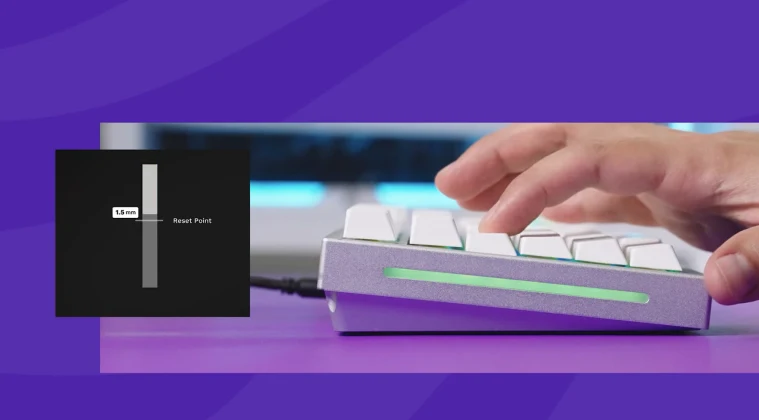
The benefits of magnetic keyboard switches extend far beyond novelty. Durability stands out as the most significant advantage. Without physical contact points that wear down, magnetic switches last over 100 million keypresses, roughly double the lifespan of mechanical switches.
Response time matters immensely in competitive gaming. Magnetic switches achieve actuation in as little as 0.1 milliseconds with polling rates up to 8000Hz. Input lag becomes virtually nonexistent. I’ve noticed this most in fast-paced shooters where split-second reactions determine outcomes.
The smooth, linear feel takes adjustment if you’re coming from tactile switches. There’s no physical feedback, which some typists miss. For gaming, this translates to faster repeated inputs and less finger fatigue during extended sessions.
Adjustable Actuation Points Change Everything
Here’s where magnetic switches keyboard technology truly shines. Unlike mechanical switches with fixed actuation points, magnetic keyboards let you customize exactly how far you need to press each key before it registers. Most models offer adjustment ranges from 0.1mm to 4.0mm.
For movement keys in competitive games, I set mine to around 0.5mm for instant response. For abilities that I don’t want to accidentally trigger, I increase the actuation to 2.5mm or higher. This per-key customization gives you control that traditional keyboards cannot match.
The software typically lets you save different profiles for various games. When I switch from a shooter to a strategy game, I load a completely different actuation setup without changing keyboards.
Understanding Rapid Trigger Technology
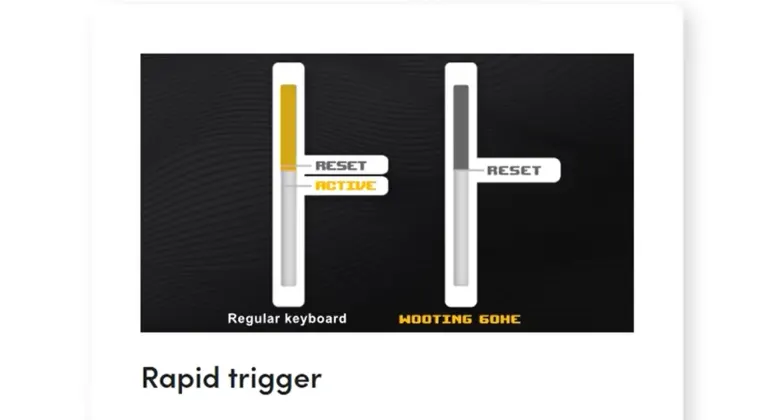
Rapid Trigger represents one of the most game-changing features exclusive to magnetic switches. Traditional mechanical switches require the key to travel back above a reset point before you can press it again. This creates delay between repeated presses.
Rapid Trigger eliminates this reset delay entirely. The key activates the moment you press down and deactivates the instant you start lifting your finger. For games requiring rapid directional changes, this feature provides a measurable advantage.
In rhythm games and titles like Counter-Strike or Valorant, Rapid Trigger lets you execute movements that feel impossible on mechanical keyboards. The keys respond to movements as small as 0.01mm, depending on your keyboard model.
Magnetic Keyboard Switches vs Mechanical: The Real Differences
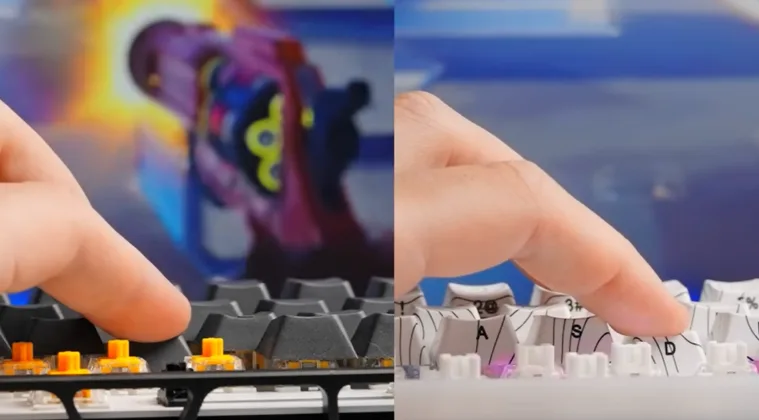
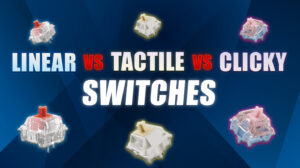
When comparing magnetic switches keyboard options to traditional mechanical keyboards, several fundamental differences emerge beyond just the actuation mechanism. Mechanical keyboards offer variety in switch types, including linear, tactile, and clicky options. Each provides distinct physical feedback. Magnetic switches currently focus primarily on linear operation, though some manufacturers are experimenting with tactile variants.
Sound levels differ significantly. Mechanical keyboards produce characteristic clacking sounds from the physical contact between components. Some users love this auditory feedback. Magnetic switches operate much more quietly since there’s no metal-on-metal contact. The main sound comes from the keycap bottoming out against the keyboard frame.
Customization approaches also vary. Mechanical keyboard enthusiasts can hot-swap switches, try different spring weights, and modify individual components. Magnetic keyboards offer customization through software rather than hardware. You’re adjusting actuation points and response curves instead of physically replacing components.
For competitive gaming, magnetic switches provide advantages that mechanical alternatives struggle to match. For typing enthusiasts who value tactile feedback and sound profiles, mechanical keyboards still hold appeal. Our guide to the best mechanical keyboards explores top mechanical options if you prefer that traditional feel.
Gaming Performance: Do Magnetic Switches Work on Any Keyboard?
One common question is whether magnetic switches work on any keyboard. The short answer is no. Standard mechanical keyboards use a completely different circuit board design that detects electrical connection when switches make contact. Magnetic keyboards require specialized PCBs with Hall Effect sensors integrated into the board itself.
You cannot simply replace mechanical switches with magnetic ones on a traditional keyboard. The entire keyboard must be designed around magnetic switch technology from the beginning. Some newer hybrid models support both mechanical and magnetic switches through specialized dual-compatible PCBs, but these remain relatively rare.
If you’re considering upgrading to magnetic switches, you’ll need to purchase a complete magnetic keyboard. Many manufacturers now offer options across various sizes and layouts. The best gaming keyboards article covers several magnetic options worth considering.
Popular Gaming Keyboards with Magnetic Switches Features
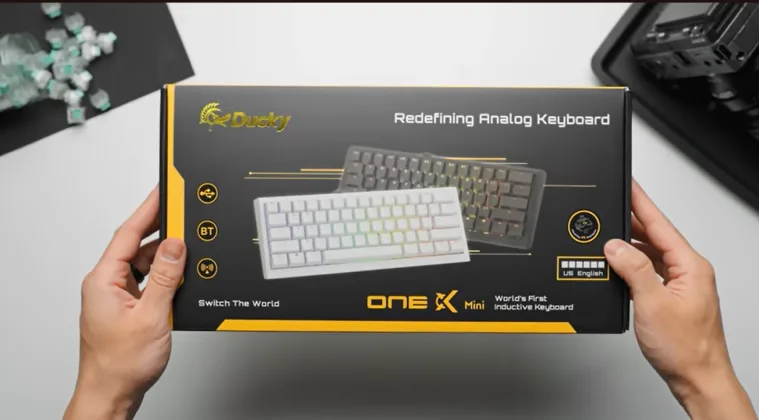
Modern gaming keyboards with magnetic switches models pack impressive feature sets beyond just the switch technology. Dynamic Keystroke functionality lets you program multiple actions to a single key based on how deeply you press it. Light press might trigger walking while a deeper press activates sprinting.
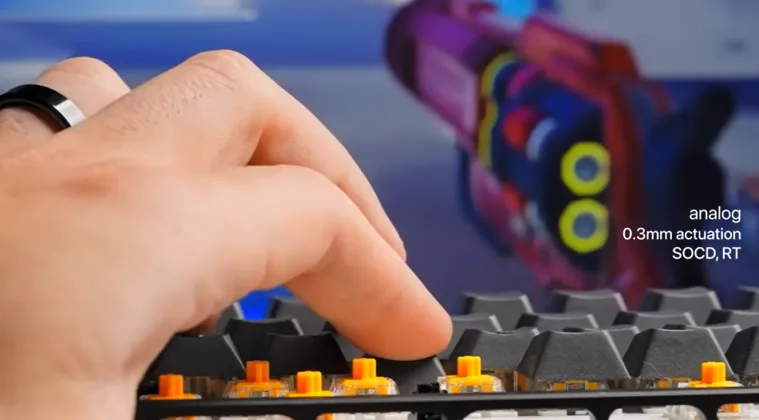
Snap Tap or SOCD (Simultaneous Opposite Cardinal Direction) handling resolves conflicts when pressing opposing directional inputs simultaneously. This proves particularly useful in movement-heavy competitive games. On traditional keyboards, pressing both A and D cancels both inputs. Magnetic keyboards can prioritize the most recent input automatically.
Most models include RGB backlighting with extensive customization options. The lighting typically shines through from the south-facing position, guaranteeing maximum visibility through keycaps. Software suites let you create per-key lighting effects, sync across multiple devices, or react to in-game events.
Build quality has improved dramatically. Early magnetic keyboards felt somewhat experimental. Current models feature aluminum frames, gasket mount designs for improved acoustics, and premium PBT keycaps. The best budget gaming keyboards guide includes some affordable magnetic options for those watching their spending.
Compatibility and Setup Considerations
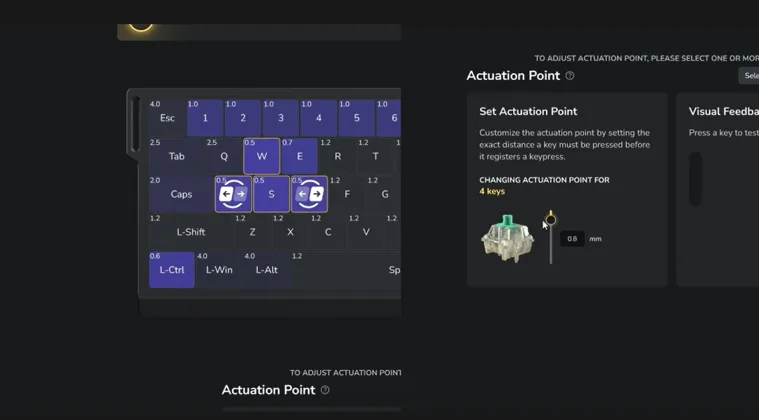
Setting up a magnetic keyboard requires installing manufacturer software to access advanced features. Basic functionality works immediately with plug-and-play support, but customizing actuation points and enabling Rapid Trigger require software. Most manufacturers provide web-based configurators alongside downloadable applications. Settings save to the keyboard’s onboard memory.
Temperature sensitivity affects magnetic switches more than mechanical alternatives. Hall Effect sensors can experience slight calibration drift during shipping. Most keyboards include a calibration function in their software. Running this after receiving a new keyboard ensures optimal accuracy.
Platform support varies by manufacturer. Windows enjoys the broadest compatibility. Mac users often have basic functionality but limited software features. Console gaming presents challenges since most magnetic keyboards require PC software for configuration.
Who Should Consider Magnetic Switches Keyboard?
Competitive gamers represent the primary audience benefiting from magnetic switch technology. If you play fast-paced games where milliseconds matter, the combination of adjustable actuation, Rapid Trigger, and minimal input lag provides tangible advantages. Titles like Valorant, Counter-Strike, Apex Legends, and rhythm games all benefit from these features.
Streamers and content creators who game for extended periods appreciate the reduced finger fatigue from the smooth linear action. The quieter operation also helps with audio recording, producing less keyboard noise in microphone captures compared to loud mechanical switches.
Professional typists might not find magnetic switches as appealing. The lack of tactile feedback makes it harder to develop the muscle memory that touch typists rely on. If you primarily use your keyboard for writing rather than gaming, traditional mechanical options might serve you better.
Budget-conscious buyers should note that magnetic keyboards typically cost more than comparable mechanical models. Entry-level magnetic keyboards start around the same price as mid-range mechanical options. However, the extended lifespan and advanced features can justify the investment for serious gamers. For space-conscious setups, check out the best 60% gaming keyboards guide, which includes compact magnetic options.
Maintenance and Long-Term Ownership
Magnetic keyboard switches models require minimal maintenance compared to mechanical alternatives. The sealed switch design resists dust and moisture better than traditional switches. Occasional cleaning with compressed air keeps debris from accumulating under keycaps.
The contactless design means you won’t encounter common mechanical keyboard issues like key chatter or double-clicking from worn contact points. Switches maintain consistent performance throughout their lifespan.
Keycap compatibility follows standard Cherry MX mounting, so you can replace keycaps with aftermarket options. Switch replacement depends on whether your model supports hot-swapping.
Choosing the Right Magnetic Keyboard for Your Setup
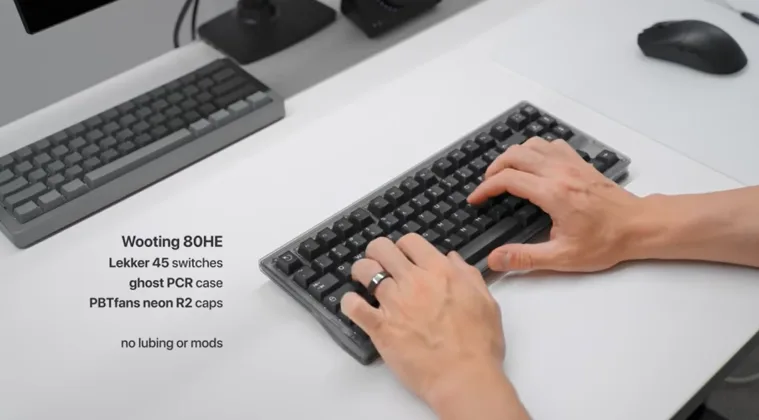
When selecting a magnetic keyboard, several factors deserve consideration beyond just the switch technology. Layout size affects both desk space and available keys. Full-size keyboards include number pads, tenkeyless (TKL) designs drop the numpad for more mouse space, and compact layouts like 75% or 60% minimize footprint further.
Connectivity options include wired, Bluetooth, and 2.4GHz wireless. Wired connections guarantee zero latency but tether you with cables. Wireless options offer freedom of movement but may introduce minimal latency. For competitive gaming, wired or 2.4GHz wireless typically perform best. The best wireless gaming keyboards comparison includes several magnetic models with wireless functionality.
Switch precision varies between models. Budget options often provide 0.1mm actuation adjustment increments, while premium models offer 0.01mm or even 0.005mm precision. For most gamers, 0.1mm increments prove sufficient. Professional players seeking every possible advantage might justify the cost of ultra-precise models.
Software ecosystem quality matters significantly. Some manufacturers provide polished, intuitive interfaces while others offer clunky, confusing software. Read reviews focusing on software experience before committing to a specific brand.
The Future of Gaming with Magnetic Technology
Magnetic switch technology continues evolving rapidly. Manufacturers experiment with tactile feedback mechanisms that could bring the satisfying “bump” of mechanical switches to magnetic designs. Early implementations show promise but haven’t achieved the refinement of traditional tactile switches yet.
Analog input represents another frontier. Some magnetic keyboards already support controller-style analog input, where key travel distance affects in-game movement speed. Hybrid keyboards supporting both mechanical and magnetic switches on the same PCB are becoming more common.
Price points continue improving as manufacturing scales up. What cost premium prices two years ago now appear in mid-range offerings.
Maximize Your Gaming Setup with the Right Peripherals
Understanding what magnetic keyboard switch technology is helps you make informed decisions about upgrading your gaming setup. The combination of durability, speed, and customization addresses real limitations that mechanical keyboards face in competitive environments.
No matter if you’re climbing ranked ladders, streaming gameplay, or simply want the most responsive typing experience possible, magnetic switches provide measurable improvements over traditional designs. The learning curve remains minimal, especially for gamers already familiar with linear mechanical switches.
Ready to upgrade your entire gaming experience? Browse our selection of gaming gift cards and digital game keys on Eneba to complement your new magnetic keyboard. With faster, more precise inputs at your fingertips, you’ll be equipped to perform at your absolute best in any competitive title.
FAQs
Magnetic keyboard switches are switches that use magnets and Hall Effect sensors to detect keypresses instead of physical metal contact. They offer longer lifespan, faster response times, and adjustable actuation points for gaming.
Magnetic switches offer advantages for competitive gaming including faster response times, adjustable actuation points, and longer durability. However, mechanical switches provide more tactile feedback options and remain preferred by typists who value physical feedback.
No, you cannot use magnetic switches on any keyboard. Standard mechanical keyboards lack the specialized PCB with Hall Effect sensors required for magnetic switches. You need a keyboard specifically designed for magnetic switch technology.
Magnetic keyboards have limited console compatibility. Most require PC software for initial configuration of features like Rapid Trigger and actuation points. Basic keyboard functionality may work on consoles, but advanced magnetic switch features typically require Windows software.
Magnetic keyboard switches last over 100 million keypresses due to their contactless design. This lifespan is approximately double that of traditional mechanical switches, which typically rate for 50 to 80 million presses before wear becomes noticeable.