How Many Switches Are in a 75 Keyboard: Complete Guide for Gamers



You’re building your first mechanical keyboard or upgrading your setup. The question hits immediately: how many switches in a 75 keyboard do I actually need? Most 75% keyboards use 84 switches, though some models range from 81 to 87, depending on their layout.
Each switch corresponds to one key. When you press a key, the switch underneath registers that action. If your keyboard has 84 keys, you need 84 switches.
I learned this the hard way. I ordered exactly 84 switches for my first build. Two arrived damaged with no spares. Now I always order 90 switches. The extras cost a few dollars but save you from waiting weeks for replacements if something goes wrong.
Jump to:
Understanding How Many Switches Are in a 75 Keyboard
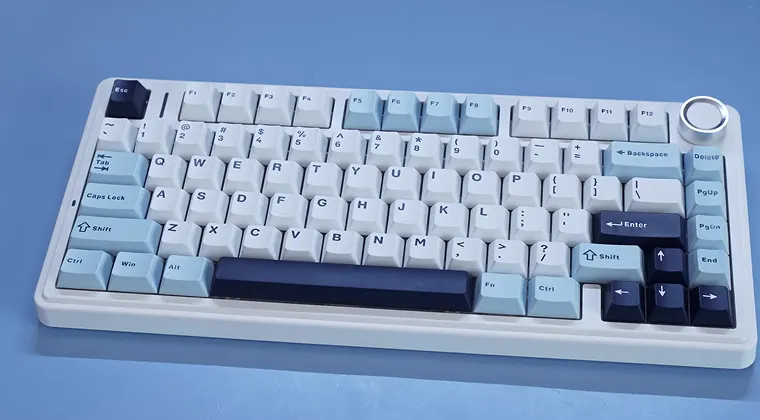
A standard 75% keyboard contains around 84 mechanical switches. Some models might have 81 to 87 switches, depending on the manufacturer and specific design choices. The variation comes from optional features like dedicated media keys, volume knobs, or split spacebar configurations.
Each switch sits directly beneath a keycap and registers your keystrokes. When you press a key, the switch activates and sends the signal to your computer. This one-to-one relationship between keys and switches is what makes mechanical keyboards so satisfying to use.
The exact count can shift slightly based on the layout. Some keyboards include extra macro keys or replace a key position with a rotary encoder knob for volume control. Always check your specific model’s layout diagram before ordering replacement switches.
What Makes the 75 Percent Keyboard Layout Special
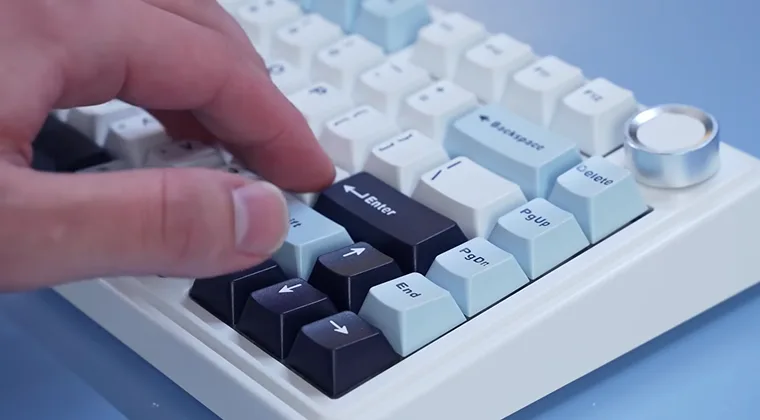
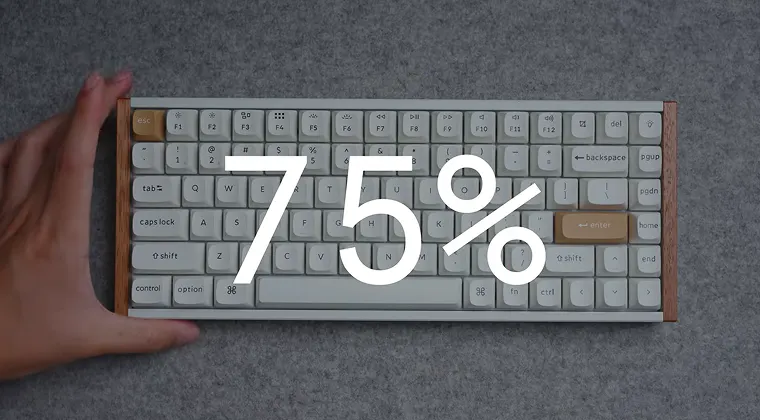
The 75% keyboard layout removes the numeric keypad but keeps the function row and arrow keys. This creates a compact footprint while maintaining the keys most gamers and typists actually use daily. The design originated from enthusiasts who wanted something smaller than tenkeyless keyboards but more functional than 60% layouts.
Keys are arranged closer together with minimal gaps between sections. You get all your alphanumeric keys, F1 through F12 function keys, arrow keys, and essential navigation keys like Home, End, Page Up, and Page Down. The tight spacing is what allows manufacturers to fit so much functionality into such a small package.
I found the transition surprisingly easy. The muscle memory for typing transfers directly because all the main keys stay in their familiar positions. The only real adjustment is reaching slightly less far for certain keys.
Breaking Down the Key Count
Most 75% keyboards include a full set of alphanumeric keys. That’s 26 letters, 10 numbers, and all the punctuation marks you need for regular typing. These alone account for about 47 switches.
The function row adds another 12 switches for F1 through F12. Many games and applications rely heavily on these keys for shortcuts and quick actions. I use F5 constantly for refreshing pages and F12 for developer tools.
Arrow keys contribute four more switches. Navigation keys like Delete, Home, End, Page Up, and Page Down typically add six switches to the count. Modifier keys, including Shift, Control, Alt, and the Windows or Command key, round out the layout.
Some manufacturers get creative with the top right corner. You might find a dedicated Delete key or Insert key positioned there. Others place Print Screen or Pause Break in that area. These small variations explain why some keyboards have 82 keys while others push to 87.
Benefits of the 75% Layout for Gaming
Gaming setups benefit enormously from compact keyboards. I play a lot of first-person shooters, and the extra mouse space makes a real difference. Low-sensitivity players who need to sweep their arm across a large mousepad particularly appreciate the freed-up desk real estate.
The reduced distance between your keyboard and mouse improves ergonomics. Your shoulders stay in a more natural position instead of being spread wide. After long gaming sessions, I noticed less tension in my upper back and shoulders compared to when I used a full-sized keyboard.
All essential gaming keys remain easily accessible. WASD for movement, number keys for weapon switching, function keys for abilities, and arrow keys for navigating menus. If you’re looking for more keyboard options that balance performance and space, check out our guide to the best mechanical keyboards.
Response time stays excellent because mechanical switches deliver consistent actuation. Whether you’re landing headshots in competitive shooters or executing complex combos in fighting games, the 75% layout doesn’t compromise on performance.
Why Typists Choose 75% Keyboards
Professional writers and programmers love 75% keyboards for productivity work. The compact design means less finger travel between commonly used keys. When you’re typing thousands of words per day, those small distances add up to reduced fatigue.
Function keys prove invaluable for software shortcuts. Developers use them constantly for debugging, running code, and navigating between files. Content creators rely on function keys for application-specific commands in editing software.
The layout supports touch typing perfectly. All the keys sit where your fingers expect them. I can type at my full speed on a 75% keyboard without looking down. The learning curve is minimal if you’re already comfortable with standard keyboard layouts.
Navigation keys like Home and End speed up text editing. Jumping to the beginning or end of a line happens instantly. Page Up and Page Down make scrolling through long documents effortless. For a wider range of options, explore our selection of the best gaming keyboards that work great for both work and play.
Comparing 75% to Other Keyboard Sizes
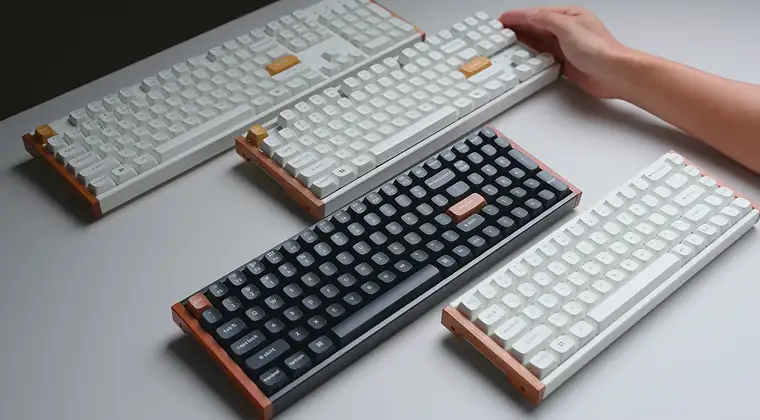
Tenkeyless keyboards remove the number pad but keep wider spacing between key groups. They’re about one to two inches wider than 75% keyboards. The extra space doesn’t add functionality, making 75% the more efficient choice if desk space matters.
60% keyboards cut out the function row and arrow keys entirely. You access those functions through key combinations using an Fn layer. This requires memorizing which key combinations do what. The 75% layout eliminates that mental overhead by keeping dedicated keys for everything important.
65% keyboards add back arrow keys and a few navigation keys compared to 60% layouts. However, they still sacrifice the function row. If you use F keys regularly, the 75% layout serves you better.
Full-sized keyboards include a numeric keypad on the right side. They’re great for data entry, but take up significantly more desk space. Unless you work with spreadsheets all day, the number pad sits unused most of the time.
Choosing the Right Switches for Your 75% Keyboard
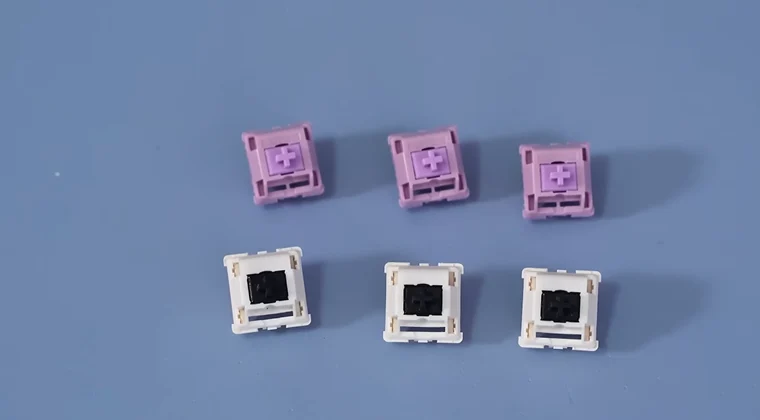
Linear switches provide smooth keypresses with no tactile bump. They’re popular for gaming because they allow rapid key presses without resistance. Common options include Cherry MX Red, Gateron Yellow, and Kailh Box Red switches.
Tactile switches give you a noticeable bump when the key actuates. This feedback helps with typing accuracy without making much noise. Cherry MX Brown switches dominate this category, though Boba U4T and Zealios switches have passionate followings.
Clicky switches produce both a tactile bump and an audible click sound. They’re satisfying to type on but can annoy roommates or coworkers. Cherry MX Blue and Kailh Box White switches fall into this category.
Hot-swappable keyboards let you change switches without soldering. This feature proves invaluable if you want to experiment with different switch types. You can mix and match switches for different keys based on your preferences.
Customization Options for 75% Keyboards
Keycap sets transform your keyboard’s appearance. Custom keycaps come in endless color schemes, materials, and profiles. PBT plastic keycaps feel better and last longer than ABS plastic. Double-shot legends never fade because the lettering goes all the way through the plastic.
Many 75% keyboards support custom cables. Coiled aviator cables add personality to your setup while providing a satisfying aesthetic. USB-C cables offer reversible connections and faster data transfer.
RGB lighting systems let you program per-key illumination. You can create lighting effects that react to your typing or match your favorite game. Some people love the visual flair while others prefer a cleaner look with no backlighting.
Stabilizers affect how larger keys like the spacebar and Enter key feel. Lubricated stabilizers reduce rattle and create a smoother typing experience. This modification takes some effort but makes a noticeable difference in sound and feel.
Building vs Buying Pre-Made
Pre-built 75% keyboards arrive ready to use out of the box. They’re perfect if you want something reliable without the hassle of assembly. Many quality options exist at various price points. Our roundup of best budget gaming keyboards includes several excellent 75% options.
Custom builds let you select every component. You choose the case, switches, keycaps, stabilizers, and even the PCB layout. This level of control creates a truly personalized typing experience. The process takes time and research, but rewards you with a unique keyboard.
Hot-swappable pre-builts split the difference. You get a working keyboard immediately, but can swap switches later without soldering. This approach lets you experiment with different switch types as your preferences evolve.
Building requires basic tools like a screwdriver and a switch puller. Some modifications, like lubing switches, demand patience and careful attention to detail. Watch tutorial videos before attempting your first build to avoid common mistakes.
Maintenance and Care Tips
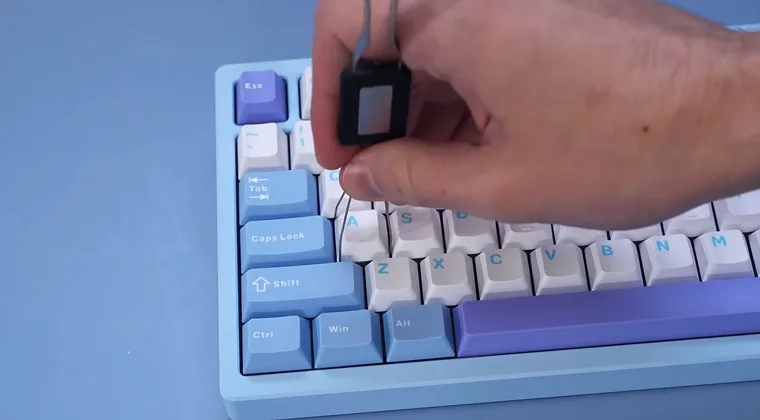
Regular cleaning keeps your keyboard performing well. Turn off your keyboard and remove all keycaps using a keycap puller. Use compressed air to blow out dust and debris from between the switches.
Wash keycaps in warm, soapy water. Let them dry completely before reinstalling them. Never submerge the keyboard itself in water, as this will damage the electronics.
Wipe down the keyboard case with a slightly damp microfiber cloth. Avoid harsh chemicals that might damage the finish. Clean your keyboard every few months or whenever you notice visible dirt buildup.
Check your cable connection if the keys stop working. Loose USB connections cause intermittent problems. Try a different USB port or cable to rule out connection issues before assuming the keyboard has failed.
Common Questions About 75% Keyboards
Many people worry about the adjustment period when switching keyboard sizes. The transition takes just a few days for most users. Your typing speed might dip slightly at first, but quickly recovers as muscle memory adapts.
Compatibility concerns are unnecessary. All 75% keyboards work with Windows, macOS, and Linux. They connect via standard USB or Bluetooth and don’t require special drivers for basic functionality.
Price varies widely based on features and build quality. Budget options start around 50 dollars while premium custom builds can exceed 300 dollars. The sweet spot for most people falls between 80 and 150 dollars.
Finding Your Perfect Setup
Your ideal 75% keyboard depends on personal preferences and use cases. Gamers might prioritize fast linear switches and RGB lighting. Writers might prefer tactile switches and a quiet typing experience. Test different switch types if possible. Many keyboard stores and gaming cafes have switch testers or demo units. The difference between switch types is subtle but important to your daily comfort.
Consider whether you want wireless connectivity. Bluetooth keyboards reduce cable clutter and work great for multi-device setups. Wired keyboards eliminate battery concerns and offer slightly lower latency. Think about your desk space constraints. Measure your available area before committing to a keyboard size. The 75% layout fits comfortably on even small desks while leaving plenty of room for your mouse.
Upgrade Your Gaming Experience
Understanding how many switches are in a 75 keyboard helps you make informed decisions about your setup. The standard 84-switch configuration delivers excellent functionality in a space-saving package. This layout works brilliantly for gaming, typing, and everyday computer use.
The compact design frees up desk space without sacrificing essential keys. You keep your function row, arrow keys, and navigation keys while eliminating the rarely-used number pad. The ergonomic benefits and aesthetic appeal make 75% keyboards increasingly popular among enthusiasts.
Ready to elevate your gaming setup? Browse our marketplace for affordable game keys and gift cards. Whether you’re diving into the latest releases or stocking up on Steam Wallet codes, our gaming gift cards help you save money while building your collection. Pair your new 75% keyboard with your favorite games for the ultimate experience.
FAQs
A 75% keyboard typically has between 81 and 87 keys, depending on the manufacturer. Most standard models include 84 keys, with each key corresponding to one mechanical switch underneath it.
The difference between 75% and tenkeyless keyboards is that 75% keyboards are more compact with tighter key spacing. Both remove the numeric keypad, but 75% keyboards eliminate gaps between sections, making them about one to two inches narrower.
Yes, a 75% keyboard is good for gaming because it provides all essential keys while maximizing desk space for mouse movement. The layout includes arrow keys, function keys, and WASD for complete control without compromise.
Yes, you can use a 75% keyboard for office work effectively. The layout retains all keys needed for productivity, including function keys, arrow keys, and full alphanumeric keys. Only the numeric keypad is missing.
The benefits of hot-swappable switches on 75% keyboards include the ability to change switches without soldering. You can experiment with different types, replace broken switches easily, and customize individual keys for your preferences.