How Many Switches Are There in a 60% Keyboard? A Complete Guide


If you’re planning to build or buy a 60% keyboard, “How many switches in a 60 keyboard do actually need?” becomes one of your first questions. The answer depends on your specific layout choice, but most 60% keyboards use 61 switches across 5 rows. Some variations include extra keys that push the count to 68 switches, depending on manufacturer design and optional features.
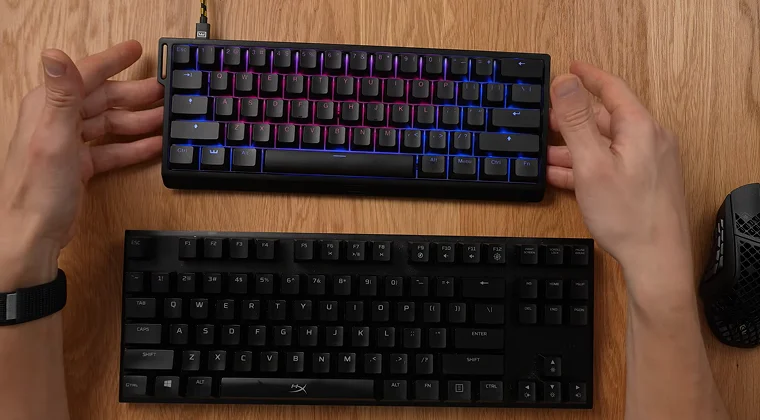
I switched to a 60% keyboard about six months ago for competitive gaming. The compact layout eliminated the numpad, function row, and navigation cluster, freeing up massive desk space for mouse movements. During intense FPS sessions, that extra room makes tracking enemies smoother and more comfortable. The adjustment period took about two weeks, but once muscle memory kicked in, I couldn’t go back to full-size boards.
Jump to:
Understanding Switch Count in 60% Keyboards
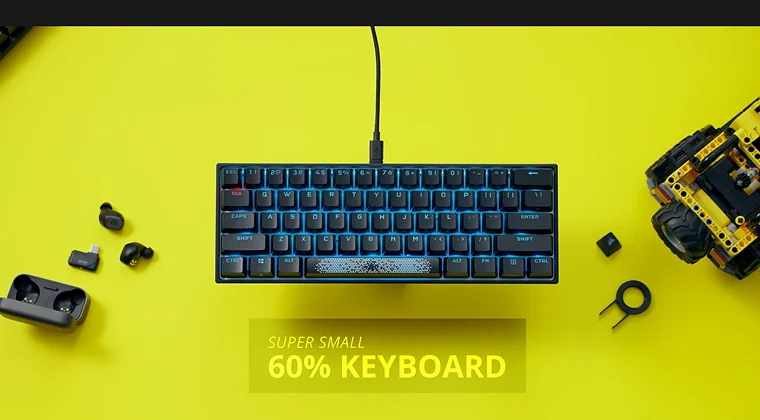
Most 60% keyboards contain between 61-70 mechanical key switches, depending on the specific layout. The standard ANSI-derived layout features 61 switches, but variations exist based on manufacturer choices and optional features.
The top row and second row both have 14 keys, the third row has 13 keys, the fourth row has 12 keys, and the bottom row has 8 keys. This breakdown accounts for the typical 61-key configuration you’ll find in most 60% mechanical keyboards.
Layout variations can push the count higher. Some manufacturers include split spacebar configurations, additional function keys, or modified right shift layouts that incorporate arrow keys. The most common configuration is 61 keys, though you’re best off buying around 65 switches to account for different layouts you might want to try.
ANSI vs ISO: How Layout Affects Switch Count
The type of layout standard significantly impacts how many switches you need. For 60% layouts, ANSI keyboards typically have 61 keys while ISO keyboards have a slightly different count due to their unique key arrangement.
ANSI keyboards feature a large rectangular Enter key and a wider left Shift key. ISO layouts have an L-shaped Enter key and a shorter left Shift key with an additional key next to it. This extra key in ISO layouts accounts for special characters needed in European languages.
For custom builds, ANSI layouts offer more flexibility. The keycap market heavily favors ANSI standards, making it easier to find replacement sets and custom options. ISO keyboards work better for users who frequently type in languages requiring special characters like umlauts or accented letters.
What Keys Does a 60% Keyboard Include?
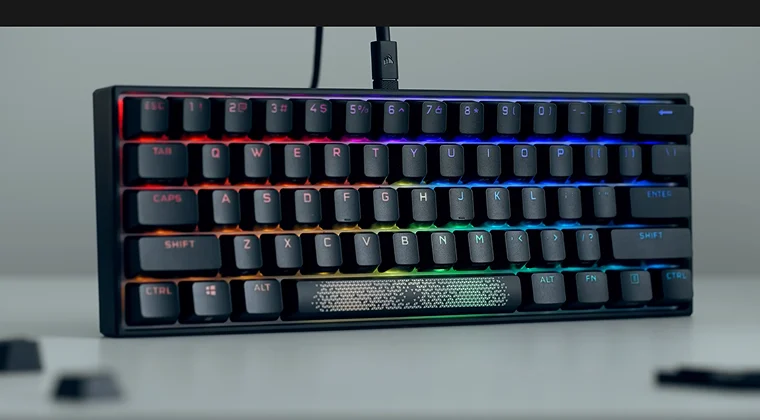
60% mechanical keyboards include the alphanumeric keys in the standard QWERTY layout with letters, numbers, and symbols. The layout prioritizes the essential typing zone while eliminating dedicated function keys, arrow keys, and navigation clusters.
The magic happens through layer functionality. When you hold the Function (Fn) key, your number row transforms into F1-F12 keys, and specific key combinations access arrow navigation. Some keyboards use W, A, S, and D keys as arrow keys when combined with the Fn key.
Missing components include the numpad, which full-size keyboards use for data entry, and the dedicated function row found on larger boards. The escape key moves from the function row to the number row, replacing the backtick key in standard 60% configurations. Some layouts split the backspace key to restore the backtick functionality.
Buying Switches: How Many Should You Purchase?
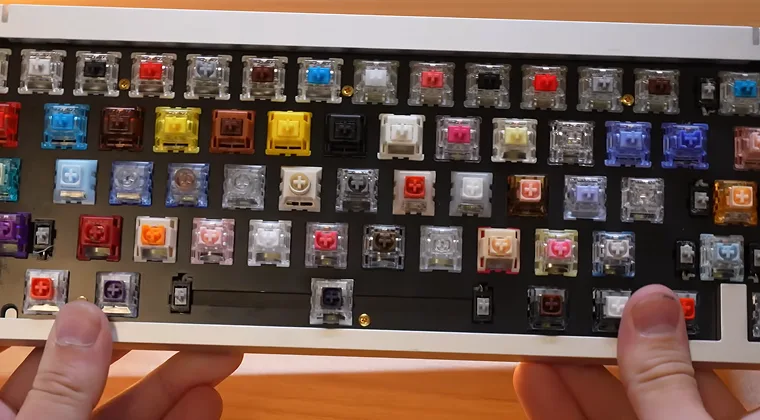
When buying switches for a 60% keyboard, you’re best off purchasing around 65 switches to account for different layouts. This buffer covers layout variations and provides spares for potential defects or future modifications.
Always buy at least 5-10 extra switches. It’s common to have a few duds in a batch with bent pins from the factory, or you might accidentally bend pins during installation. These extras serve as insurance and can save you from paying shipping twice if you need more switches later.
For custom builds, consider buying slightly more if you plan to experiment with different layouts. Split spacebar configurations, arrow key modifications, or testing different switch types in specific positions all benefit from having extra switches on hand.
Benefits of 60% Keyboard Layouts
60% keyboards offer improved typing experience with high-quality mechanical switches that provide tactile feedback and audible click with each keystroke. The compact design brings your hands closer together, reducing shoulder strain during extended typing sessions.
Desk space optimization ranks as the primary advantage. Once you adapt to the layout, the efficiency gains become apparent through reduced hand movement and faster access to all keys. The learning curve typically takes one to two weeks, but the benefits make it worthwhile.
Gaming benefits center on mouse freedom. FPS players appreciate the additional space for low-sensitivity mouse movements. The compact size provides crucial room for precise mouse control in fast-paced games like first-person shooters and battle royale titles. Our guide to best 60 percent gaming keyboards covers top options for competitive gamers.
Portability becomes effortless with these compact boards. The 60% keyboard is easy to throw in a laptop bag or backpack, making it ideal for hybrid work setups or gaming tournaments. I’ve traveled with mine to LAN parties, and it takes up minimal space compared to full-size boards.
Switch Types for 60% Keyboards

Cherry MX mechanical switches are the most popular choice for 60% keyboards, with common options including linear red, tactile brown, and clicky blue switches. Each switch type offers distinct characteristics that affect typing feel and sound.
Linear switches move smoothly from top to bottom without tactile feedback. Red switches require lighter actuation force, making them popular for gaming where rapid keypresses matter. Black switches offer heavier resistance for users who prefer more deliberate keystrokes.
Gateron manufactures Cherry MX-style switches as a budget-friendly alternative. Their linear red, tactile brown, and clicky blue options mimic the feel of Cherry MX switches at lower price points, making them attractive for first-time builders or budget-conscious gamers.
Tactile switches provide a bump during actuation without the audible click of blue switches. Brown switches strike a balance between gaming and typing, offering feedback without disturbing others. Clear switches increase the tactile bump for users who want more pronounced feedback.
Custom Building Considerations
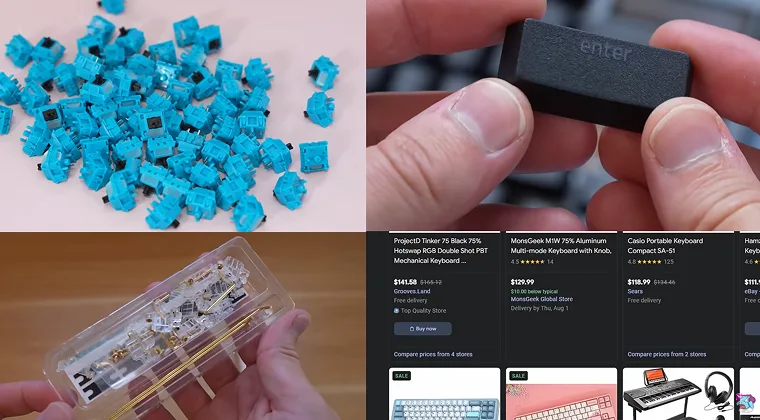
When building a custom 60% keyboard, there are many options for keyboard cases in different materials and colors, plus different types of PCBs that could be unlit or have RGB lighting. Custom builds offer complete control over every aspect of your keyboard.
Hot-swappable PCBs let you change switches without soldering. This feature allows testing different switch types or replacing worn switches easily. Three-pin and five-pin socket compatibility affects which switches you can use, though five-pin switches can be modified to fit three-pin keyboards by clipping the stabilizing legs.
Custom keyboard building can become expensive, with premium cases costing $295 or more. Parts aren’t always readily available, with wait times ranging from a few months to a year. However, the satisfaction of creating a perfectly tuned typing experience justifies the investment for enthusiasts. For those exploring options across different sizes, our article on best mechanical keyboards covers various form factors and build types.
Programmability compensates for missing keys. QMK and VIA firmware allow complete key remapping, macro creation, and multi-layer configurations tailored to your specific needs. This flexibility makes 60% keyboards surprisingly versatile despite their compact size.
What to Keep in Mind Before Choosing a 60% Keyboard
The learning curve presents the biggest obstacle for new users. Missing dedicated keys means memorizing new key combinations for functions you previously accessed directly. Gaming limitations affect MMO games, RPGs, and action/adventure games that often require extensive keybinds that 60% keyboards don’t offer by default.
Workflow compatibility deserves consideration. Programmers who frequently use backticks or special characters need to plan their key mapping carefully. For people who use code formatting on platforms like GitHub, Slack, or Discord, the modified key layout could require adjustment.
Professional requirements vary by role. Data entry specialists or financial analysts who rely heavily on numpads will struggle with 60% layouts. Even advanced touch typists often prefer using a numpad when entering many numbers throughout the day, making full-size keyboards more practical for number-heavy work.
The adaptation period typically lasts one to two weeks for basic competency. Most users report feeling comfortable with basic shortcuts within this timeframe, with full fluency taking four to six weeks. Starting with low-stakes tasks like note-taking or casual gaming helps build muscle memory before tackling important work.
Where to Buy Switches for Your 60% Build
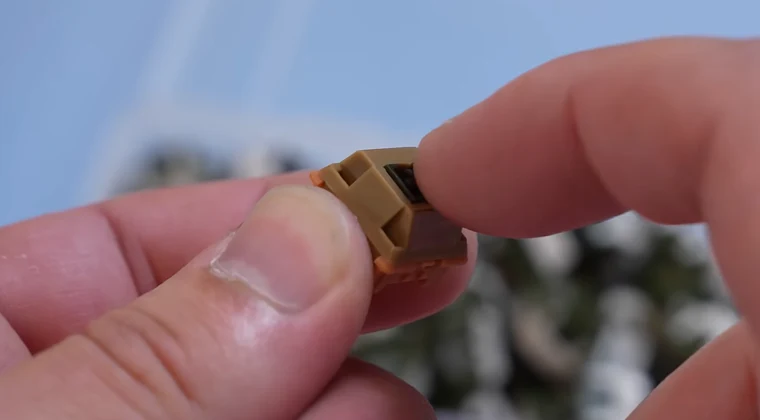
Switch selection depends on your priorities. Matching switches to your use case matters whether that’s competitive gaming, professional typing, or casual use.
Linear switches suit gamers who prioritize speed and smoothness. Tactile switches benefit typists who want feedback without excessive noise. Clicky switches appeal to users who enjoy audible confirmation of every keystroke, though they may disturb others in shared spaces.
Budget considerations affect switch choice significantly. Premium switches from manufacturers like Cherry or Gateron cost more but offer consistent quality and durability. Budget options from brands like Outemu or Kailh provide acceptable performance at lower prices, making them suitable for first builds. Check out our best budget gaming keyboards guide for affordable options.
Testing before committing saves money and frustration. Switch testers let you compare different types side-by-side before ordering full sets. Some retailers offer small sample packs that let you test switches in your actual keyboard before committing to 65+ switches of one type. For those wanting cable-free setups, our guide to best wireless gaming keyboards covers wireless options across different form factors.
FAQs
You typically need 61 switches for the most common layout, though purchasing around 65 switches accounts for layout variations and potential defects.
You can replace switches on hot-swappable 60% keyboards without soldering. Non-hot-swap keyboards require desoldering old switches and soldering new ones.
A 65% keyboard includes dedicated arrow keys and a small navigation cluster which are absent in a 60% layout, offering more versatility without much size increase.
60% mechanical keyboards work well for gaming, especially for FPS and MOBA games that don’t require extensive keybinds, providing extra mouse space for precise movements.
No, the exact number ranges from 61 to 70 depending on specific layout choices and whether additional keys like arrow keys or split spacebars are included.