




Best Laptop for Live Streaming: Say Goodbye Forever to Lag and Frame Drops


Professional and amateur streamers and content creators often seek the best laptop for live streaming. Picking the right one may be jarring, but ultimately vital. You want a streaming laptop that balances performance and graphics, while keeping the price down to earth.
While many laptops seem adequate, they lack essential features for enjoyable streaming. For this reason, I rounded up the best laptops for streaming that have exactly what you need. Beautiful displays, beefy hardware, high refresh rate, ample storage, and attractive prices.
Jump to:
Our Top Laptop Picks for Live Streaming
Your next best laptop for live streaming is right here, waiting patiently. Before I unwrap my full streaming laptop list, here are my top choices:
- Asus ROG Strix G16 (2025) – The #1 option for live streaming, and the best laptop with impressive hardware, robust build quality, a 165 Hz display, and powerful GPUs for streaming, gaming, and everything in between.
- Asus ZenBook 14 Pro OLED (2023) – The OLED heaven at under $1,000 with standout battery life, excellent connectivity, mighty processors, and endless streaming.
- Acer Predator Helios 300 (2021) – An imposing mid-ranger and the best laptop for live streaming with compelling GPU + CPU combos, efficient cooling, and swift hardware encoding, sweetened by modest price and superb value for money.
Hungry for more? I fulfilled my promise and reviewed all of the best laptops for streaming below. Scroll down for the full list and pick your next daily driver today.
The Best Laptop for Live Streaming: 13 Options for All Budgets and Performance Requirements
My best-rated laptops for live streaming excel at different aspects, with each providing ample streaming performance. I included both pro-grade and cheaper options to suit different types of users.
The best laptops for live streaming are below, so let’s get down to business.
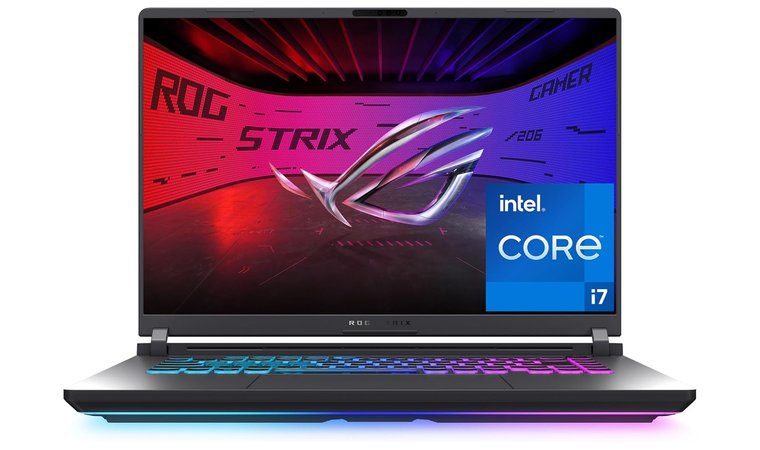
1. Asus ROG Strix G16 [Best Laptop for Live Streaming Overall]
| Specs | Details |
|---|---|
| CPU | Intel Core i7-14650HX |
| GPU | Nvidia GeForce RTX 5060 8 GB DDR5 |
| RAM | 16 GB DDR5 |
| Display | 16 inches, IPS, 1920 x 1200 pixels, 165 Hz |
| Storage | 1 TB SSD |
| Battery | 90 Wh |
| Weight | 2.65 kg |
Asus ROG Strix 16 is among the best-performing gaming laptops. Streaming is another important forte, thanks to high-clock H-series CPUs (i7, i9, or Intel Core Ultra on newer SKUs) that keep OBS and game CPU load responsive.
The ROG Strix 16 comes with a discrete RTX GPU with NVENC hardware encoder for low-CPU streaming and high-quality output. Another perk is speedy DDR5 RAM and NVMe storage, which allows for fast scene switching, recording, and local edits.
This laptop for live streaming is famous for its robust cooling, with vapor chambers and liquid metal on some SKUs. Long streams never throttle, which can also be attributed to its ability to offload encoding to the GPU and attach capture cards and cams, which sustains performance for long sessions.
| Pros | Cons |
|---|---|
| ✅ Pro-grade GPUs for efficient encoding ✅ Robust cooling for consistent performance ✅ It supports external capture cards ✅ Premium build quality ✅ Buttery-smooth 165 Hz display for gaming and streaming | ❌ Not the most lightweight laptop (but the build quality is excellent) |
My Verdict: The Asus ROG Strix 16 is built for streaming, gaming, and all types of multitasking. I recommend it for streamers who don’t want any corners cut in terms of hardware, display, cooling, design, and sturdiness.
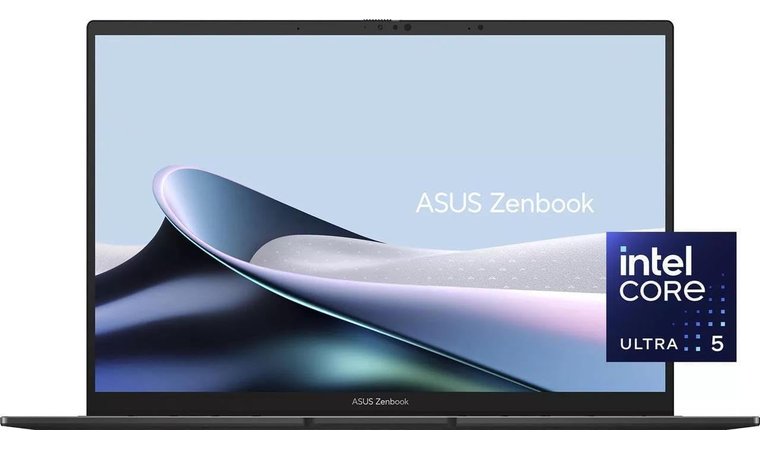
2. Asus ZenBook 14 Pro OLED [Best Streaming Laptop With an OLED Screen]
| Specs | Details |
|---|---|
| CPU | Intel Core Ultra 5 125H |
| GPU | Iris Xe (integrated) |
| RAM | 8 GB |
| Display | 14 inches, OLED, 1920 x 1200 pixels, 120 Hz |
| Storage | 512 GB SSD |
| Battery | 70 Wh |
| Weight | 1.40 kg |
Among the best Asus laptops is the ZenBook 14 Pro OLED, and you already know why. The impressive OLED display offers impeccable color accuracy and stunning visuals for a memorable streaming experience and enjoyable previews. Accompanying its display is a vast array of beastly CPUs.
Asus ZenBook 14 Pro OLED uses H-series CPUs or even high-end mobile processors that handle streaming apps and background tasks like champs. I also appreciate its lengthy battery life, with the option to instantly wake up the laptop for short, on-the-go streaming and live commentary sessions.
The ZenBook 14 Pro OLED features fast USB-C/Thunderbolt ports for capture devices or even external graphics cards. It’s suited to streaming when you need a portable, visually accurate machine for commentary, streaming overlays, and multi-app workflows. Simultaneously, its high-resolution display makes it a standout pick for content consumption and creation.
| Pros | Cons |
|---|---|
| ✅ Stunning OLED screen ✅ Fast CPUs for multitasking ✅ Small, lightweight form factor adds to portability ✅ Good connectivity for external GPUs ✅ Solid battery life for hours of streaming | ❌ Integrated GPU (with sufficient power for live streaming) |
My Verdict: Asus has spoiled me with its bright, vibrant, and sharp OLED display in a small, but mighty form factor with H-series CPUs. Other aspects, like long battery life, Thunderbolt support, and effective multitasking, make the ZenBook 14 Pro OLED a mean live-streaming machine.
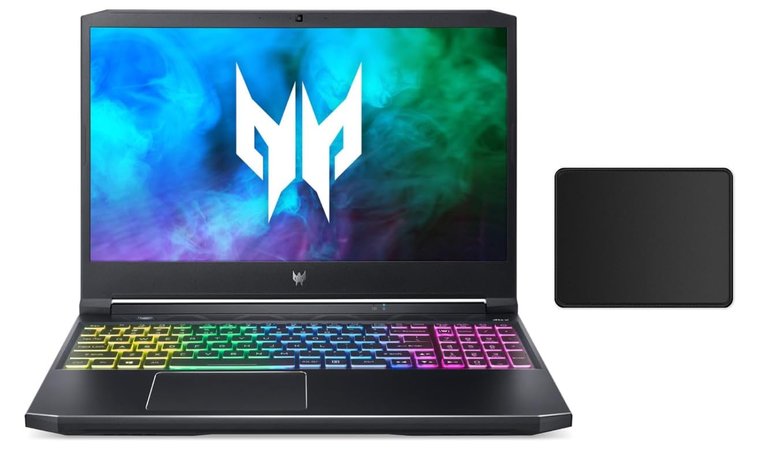
3. Acer Predator Helios 300 [Best Budget Laptop for Streamers]
| Specs | Details |
|---|---|
| CPU | Intel Core i7-11800H |
| GPU | Nvidia GeForce RTX 3070 8 GB DDR5 |
| RAM | 16 GB DDR5 |
| Display | 15.6 inches, IPS, 1920 x 1080 pixels, 144 Hz |
| Storage | 512 GB SSD + 1 TB HDD |
| Battery | 90 Wh |
| Weight | 2.30 kg |
Acer Predator Helios 300 is the best budget laptop for live streaming and a gaming powerhouse. It lacks no power thanks to H-series CPU and RTX GPU combos for impressive output for all intensive tasks. NVENC support guarantees low-impact hardware encoding while gaming, which makes it super versatile.
The Predator Helios 300 sports aggressive cooling, which prevents throttling and allows long gaming and streaming sessions. Meanwhile, the laptop has a tantalizing selection of ports, including HDMI and USB, but also ports for cameras, audio interfaces, and capture cards.
Acer Predator Helios 300 can rival some of the decked-out gaming PC configurations at a similar price. More importantly, it’s suitable for live streaming for its modest price, high-TGP GPU options, and stable thermals for smooth streaming + gaming sessions.
| Pros | Cons |
|---|---|
| ✅ NVENC support for effortless hardware encoding ✅ Efficient cooling for long streaming sessions ✅ High-TGP GPU options for gaming and streaming ✅ Numerous ports for better connectivity ✅ Large battery makes it great for on-the-go streaming | ❌ Slightly heavier (but with a robust, durable body) |
My Verdict: If you’re on a budget, the Acer Predator Helios 300 will surprise you with its H-series CPU and Nvidia RTX GPU combos with NVENC support, freezer-like cooling, and a wide spectrum of ports. It’s easily the best laptop for live streaming at this price point.
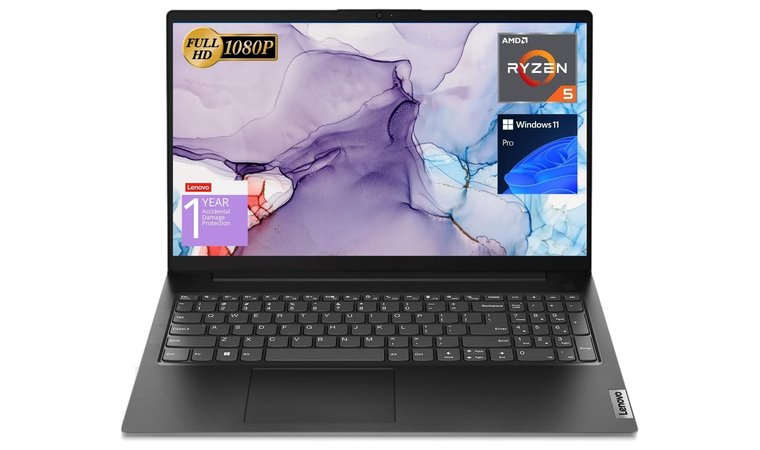
4. Lenovo V15 Laptop [Best Lightweight Laptop for Live Streaming]
| Specs | Details |
|---|---|
| CPU | AMD Ryzen 5 5500U |
| GPU | AMD Radeon Graphics (integrated) |
| RAM | 40 GB DDR4 |
| Display | 15.6 inches, LCD, 1920 x 1080 pixels, 60 Hz |
| Storage | 1 TB SSD |
| Battery | 38 Wh |
| Weight | 1.72 kg |
Lenovo V15 Laptop is an affordable 15.6-inch option with decent CPUs for multitasking. It allows smooth browsing, running OBS and chatting, and even stellar app multitasking for seamless switching between games and other apps.
Its full-size keyboard and numeric pad make it one of the most admired Lenovo laptops for stream chat moderation and notes. Meanwhile, this laptop for live streaming offers an Ethernet + HDMI + USB port combo for reliable wired streaming and external capture.
Lenovo V15 Laptop is a cost-effective choice that can accommodate an external GPU or capture device for those needing more power. Make no mistake; the V15 Laptop is for budget-conscious streamers who want stable, basic streaming capability and hardware flexibility. It’s by no means the best laptop for live streaming overall.
| Pros | Cons |
|---|---|
| ✅ Strong Ryzen 5 CPU for effortless multitasking ✅ Full-size keyboard for chatting and moderation ✅ Ethernet port for more reliable streaming ✅ Supports external GPUs for more power ✅ Sharp, Full HD screen | ❌ Display limited to 60 Hz (but with great pixel-per-inch and color accuracy) ❌ Battery life could be better, but it charges pretty quickly |
My Verdict: The Lenovo V15 Laptop offers a decent-sized screen and a stellar CPU for multitasking, gaming, and live chat moderation. For the price, it offers a respectable live-streaming experience, while its full-size keyboard allows effortless note-taking and chatting. Similarly, it means it’s a great laptop for writers and bloggers.
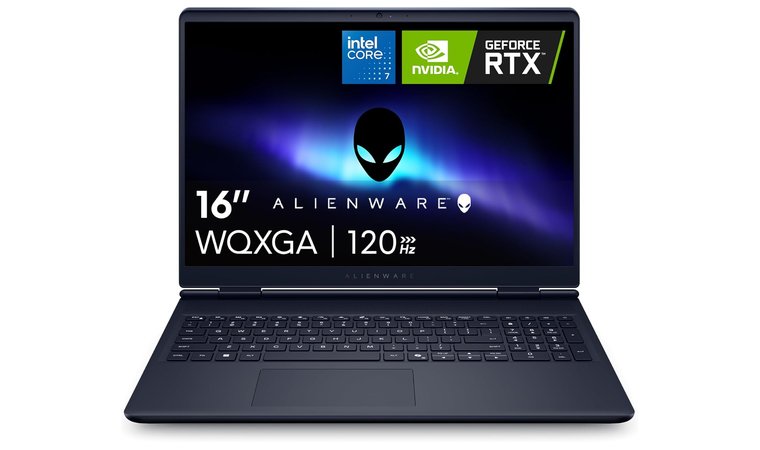
5. Alienware 16 Aurora [Best Laptop for Streaming With Premium Mic & Speakers]
| Specs | Details |
|---|---|
| CPU | Intel Core 7-240H |
| GPU | Nvidia GeForce RTX 5050 8 GB DDR7 |
| RAM | 16 GB DDR5 |
| Display | 16 inches, IPS, 2560 x 1600 pixels, 120 Hz |
| Storage | 1 TB SSD |
| Battery | 96 Wh |
| Weight | 2.49 kg |
Alienware 16 Aurora is a desktop-class laptop for live streaming. By desktop-class, I refer to beefed-up hardware comprised of H-class CPUs and high-TGP RTX GPU options for best-in-class performance. Because of this, it’s among the top laptops for programming and rendering tasks.
However, the Aurora model is also famous for its effective cooling, necessary to chill its high-VRAM GPUs and support high-bitrate local recording, streaming, and multitasking. Adding to its value is the multitude of high-speed ports, such as TB4, HDMI, and USB, usable for capture cards, audio gear, and auxiliary displays.
Alienware 16 Aurora has premium microphones and speakers with low-latency networking on many SKUs for top-notch audio quality. Overall, it’s best for streaming for maximum throughput for demanding games, and simultaneously high-quality recording and encoding.
| Pros | Cons |
|---|---|
| ✅ Desktop-class high-quality streaming ✅ Supports capture cards and audio gear ✅ Built-in mic and speakers offer good audio quality ✅ Powerful GPUs for CPU offloading ✅ 120 Hz refresh rate is great for gamers | ❌ Heavy, but with high-quality materials and beefy cooling ❌ Not the fastest charging (balanced by a large, efficient battery) |
My Verdict: Alienware 16 Aurora is a desktop-class powerhouse with one of the best streaming and gaming laptop hardware configurations on the market. With premium microphones and speakers, a high-res display, and NVENC encoding, it’s for those seeking otherworldly live-streaming performance.
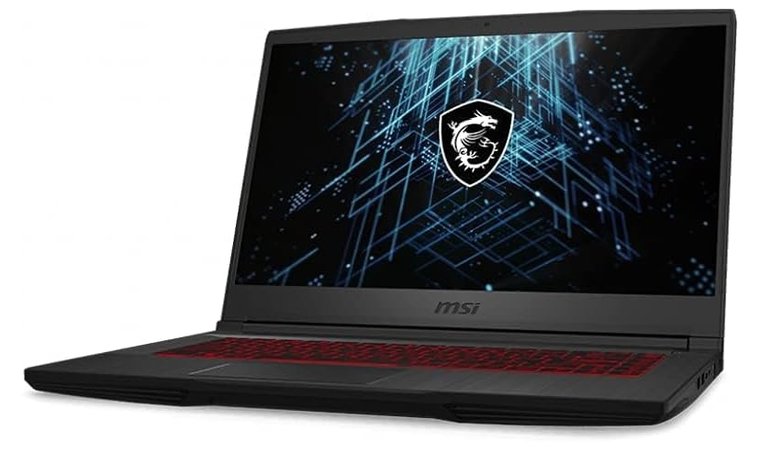
6. MSI GF65 Thin 10UE [Fast Streaming Laptop With an NVENC Encoder]
| Specs | Details |
|---|---|
| CPU | Intel i5-10500H |
| GPU | Nvidia GeForce RTX 3060 8 GB DDR4 |
| RAM | 8 GB DDR4 |
| Display | 15.6 inches, IPS, 1920 x 1080 pixels, 144 Hz |
| Storage | 512 GB SSD |
| Battery | 52.4 Wh |
| Weight | 1.90 kg |
We can ask ourselves, “What is the best laptop brand?”, but MSI is up there with the other big boys. The MSI GF65 is a slim laptop for live streaming with sublime CPU + RTX GPU combos at a competitive price. More importantly, it has a built-in NVENC encoder for hardware offload.
I especially like its lightweight build that improves portability for streaming versatility and the ability to stream events, as you can carry it around easily. Given its slim size, the GF65 model has a decent port array, with USB + HDMI options for an external monitor and pass-through captures.
It’s among the best laptops under $1,000 (under $600, actually) that combine live-streaming and gaming prowess in a compact package. Decent encoder performance comes as standard, so you don’t have to spend a small fortune for this pleasure.
| Pros | Cons |
|---|---|
| ✅ Competitive price ✅ NVENC encoder for hardware offload ✅ Lightweight build for the size ✅ Impressive CPU + GPU combos for gamers ✅ Comfortable keyboard | ❌ 8 GB of RAM (upgradeable to more) ❌ Average, but still sufficient battery life |
My Verdict: The thinnest streaming laptop is a solid option for the money, with a powerful NVENC encoder for hardware offloading and RTX-series graphics cards. USB and HDMI ports add more variety, while generous storage offers ample space for storing files locally.
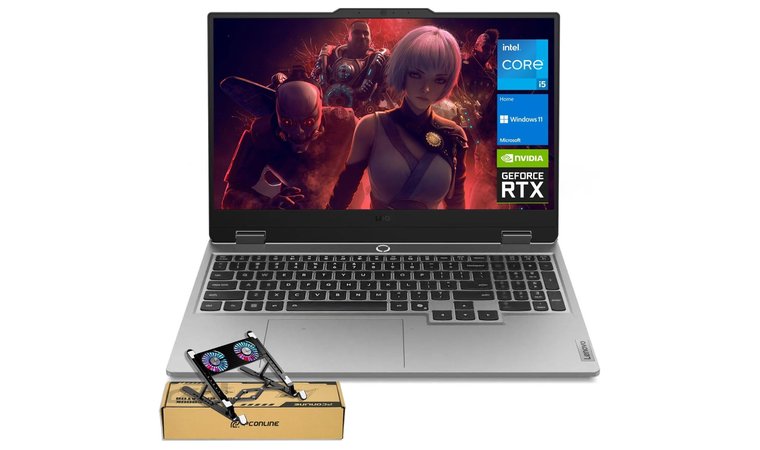
7. Lenovo LOQ 15” [Best Laptop for Smooth Gaming and Live Streaming]
| Specs | Details |
|---|---|
| CPU | AMD Ryzen 7 7435HS |
| GPU | Nvidia GeForce RTX 4060 8 GB DDR6 |
| RAM | 32 GB DDR5 |
| Display | 15.6 inches, IPS, 1920 x 1080 pixels, 144 Hz |
| Storage | 1 TB SSD |
| Battery | 60 Wh |
| Weight | 2.38 kg |
I’ve been personally using the Lenovo LOQ 15” for a while and can attest to its quality. It features gaming-focused specs with AMD Ryzen/Intel H-series CPUs and RTX GPUs for tremendous single-core and GPU encoding performance.
For me, it was one of the most fitting laptops for traveling due to its moderate weight. However, I can’t go on without mentioning its high-refresh IPS panel for smooth game capture and monitoring. A decent thermal design prevents annoying throttling, while upgradeable RAM lets you meet your buffer and recording needs.
As the best laptop for high-quality streaming, the LOQ 15” model has plenty of fast HDMI, Ethernet, and USB-C ports to accommodate streaming rigs. It’s a two-in-one machine with respectable gaming performance and hardware encoding headroom for a surprisingly affordable price.
| Pros | Cons |
|---|---|
| ✅ Stellar CPU and GPU combos for live streaming ✅ Great for high-refresh-rate gaming (144 Hz) ✅ Comfortable keyboard and touchpad ✅ Upgradeable RAM modules for flexibility ✅ IPS panel grants solid color accuracy | ❌ Plasticky build (but still firm and durable) ❌ I’ve seen better laptop cooling, though it’s decent for the price |
My Verdict: Lenovo LOQ 15” is the best laptop for live streaming with an IPS panel, high refresh rate, and persistent cooling for sufficient performance and speeds. It’s simultaneously perfect for gaming thanks to RTX GPUs and H-series CPUs.
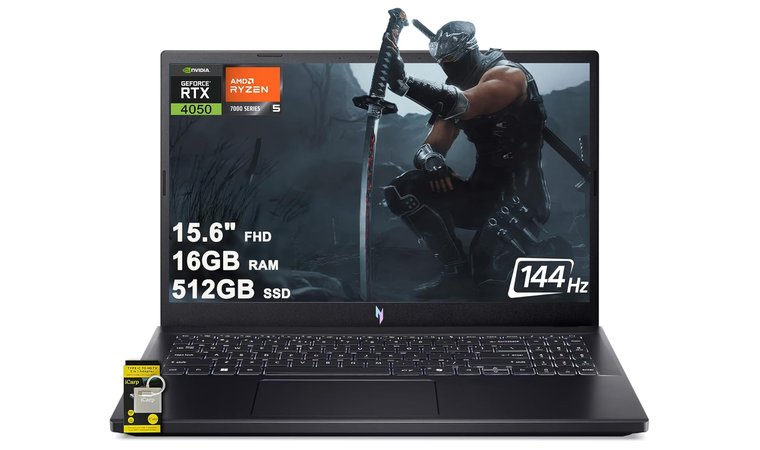
8. Acer Nitro V 15 [Best Streaming and Gaming Laptop With High Refresh Rate]
| Specs | Details |
|---|---|
| CPU | Ryzen 7 7535HS |
| GPU | Nvidia GeForce RTX 4050 6 GB DDR6 |
| RAM | 16 GB DDR5 |
| Display | 15.6 inches, IPS, 1920 x 1080 pixels, 144 Hz |
| Storage | 512 GB SSD |
| Battery | 58 Wh |
| Weight | 2.1 kg |
Acer Nitro V 15 is exactly what you’d expect it to be. Nitro means fast speeds, and it’s no different with the Ryzen 7 or 5-series with RTX 40-series GPUs that murder every gaming and streaming session. Nitro’s 144 Hz display and fast storage result in buttery-smooth gameplay and quick local edits on the fly.
The port selection is impressive, with LAN, HDMI, and USB options for capture card hookups and wired streaming for more reliability. Acer Nitro V 15 isn’t too expensive, which leaves some money to invest in a superb microphone and webcam to amplify your streaming quality.
While Acer Nitro V 15 is a cheaper streaming laptop, it doesn’t sacrifice the experience. You can still enjoy capable Nvidia GPU NVENC encoding and impressive thermals without breaking the bank, so it’s also a good laptop model for students.
| Pros | Cons |
|---|---|
| ✅ Ryzen 7 CPUs, great for streaming and rendering ✅ Sleek, LED-backlit keyboard ✅ Inexpensive for the performance it offers ✅ NVENC encoding, ideal for streamers ✅ Solid thermals for the price | ❌ A bit boring design (but lightweight and sturdy) ❌ 16 GB RAM (enough for basic streaming, but is upgradeable) |
My Verdict: The Acer Nitro V is the best of both worlds as one of the greatest gaming laptops that also works for streaming. You’ll enjoy a diverse selection of GPU and CPU combos, many ports for expansion, and a high-refresh-rate display, all packed in a modestly priced, robust laptop chassis.
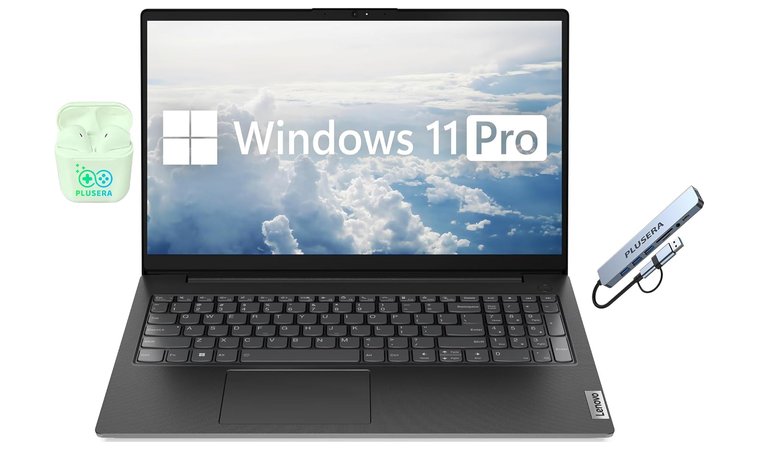
9. Lenovo V15 G4 [Powerful CPU and RAM for Streaming on a Budget]
| Specs | Details |
|---|---|
| CPU | Ryzen 7 6th Gen |
| GPU | AMD Radeon Graphics (integrated) |
| RAM | 24 GB DDR4 |
| Display | 15.6 inches, IPS, 1920 x 1080 pixels, 60 Hz |
| Storage | 1 TB SSD + 512 GB Docking Station Set |
| Battery | 42 Wh |
| Weight | 2.1 kg |
Lenovo V15 G4 may be the best budget laptop for live streaming if you can’t spend over $700. It’s an updated version with current-gen Intel/Ryzen CPUs and integrated graphics. However, these integrated graphics are no slouches, as they handle live-streaming tasks effortlessly.
The V15 G4 model is a business-class laptop with HDMI and Ethernet ports for a wired streaming setup that reduces lag and improves throughput. Additionally, the model is easy to service and upgrade if you want more RAM and storage for high-quality recording sessions.
I love V15 G4’s quiet operation even under grueling loads, such as GPU encoding and long broadcast sessions. The Lenovo V15 G4 is an entry-level laptop for live streaming with expandable RAM and storage, and the ability to connect external capture and audio gear if you need better streaming prowess.
| Pros | Cons |
|---|---|
| ✅ Budget-friendly price ✅ Fresh Intel & Ryzen CPUs offer smooth multitasking ✅ Upgradeable RAM and SSD storage ✅ Great cooling allows it to operate quietly ✅ Generous storage (SSD + Docking Station Set) | ❌ Display is capped at 60 Hz (but it’s an IPS panel) ❌ Integrated GPU (still fast for live streaming) |
My Verdict: Lenovo V15 G4 offers enough raw power to push through lengthy streaming sessions thanks to reliable Intel and Ryzen CPUs, expandable RAM, and generous storage. As a business-class laptop, it operates quietly without overheating for reliable long-term performance.
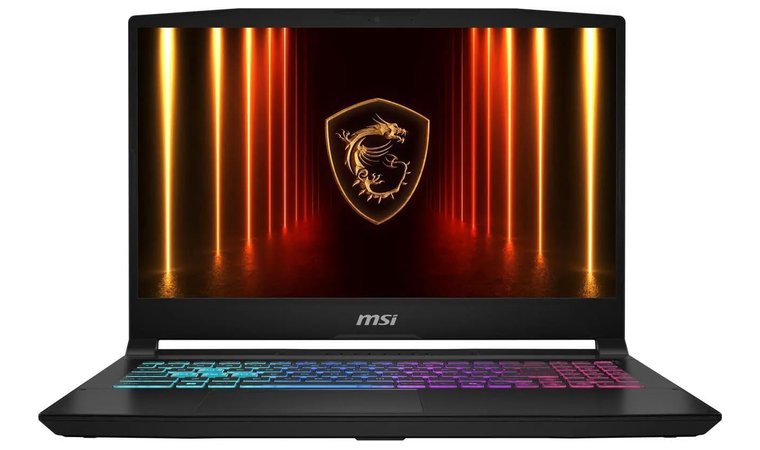
10. MSI Katana 15 HX B14WGK [Best for Pro-Grade CPU + GPU Combos for Live Streaming]
| Specs | Details |
|---|---|
| CPU | Intel i7-14650 HX |
| GPU | Nvidia GeForce RTX 5070 8 GB DDR7 |
| RAM | 16 GB DDR5 |
| Display | 15.6 inches, IPS, 2560 x 1440 pixels, 165 Hz |
| Storage | 1 TB NVMe SSD |
| Battery | 75 Wh |
| Weight | 2.4 kg |
MSI Katana 15 HX has desktop-grade i9 and i7 CPUs with RTX GPUs that some of the greatest laptops of 2025 use for enjoyable streaming and gaming simultaneously. The company has struck gold with this one, especially due to its sharp display with a high refresh rate and low latency.
It enhances both the gameplay and live streaming. MSI Katana 15 HX sports a generous amount of RAM, with sizable NVMe storage to host recordings and streaming assets locally. As expected, its thermal design is an engineering marvel, designed to sustain performance and prevent throttling during marathon sessions.
MSI Katana provides sharp (pun intended) CPU + GPU performance for playing at high settings and even higher framerates, while encoding or recording simultaneously without breaking a sweat.
| Pros | Cons |
|---|---|
| ✅ Some of the most powerful CPU + GPU combos ✅ Fast NVMe SSD storage for hosting recording locally ✅ No throttling due to potent cooling ✅ RTX-series GPUs make it a purebred gaming machine ✅ IPS display with 165 Hz is very bright | ❌ Not very portable due to its weight (due to satisfying build quality) ❌ Charging could be faster (still fast for day-to-day use) |
My Verdict: The all-in-one gaming + streaming combo with flagship CPU and GPU combos that will leave no one indifferent. MSI Katana 15 HX is an all-arounder with top-notch performance and display quality for long streaming, editing, and gaming sessions without a fuss.
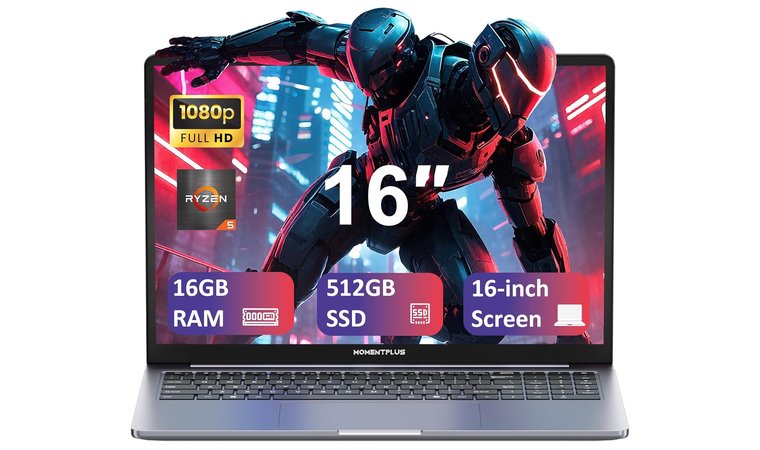
11. Ryzen 5 Laptop [Best Ryzen CPU Laptop Under $300]
| Specs | Details |
|---|---|
| CPU | Ryzen 5 3550H |
| GPU | AMD Radeon Graphics (integrated) |
| RAM | 16 GB DDR4 |
| Display | 16 inches, LCD, 1920 x 1200 pixels, 60 Hz |
| Storage | 512 GB NVMe SSD |
| Battery | 45.6 Wh |
| Weight | 1.72 kg |
The best budget laptop for streaming (under $300) is the Ryzen 5 Laptop, with beefy internals for the price. It offers energy-efficient 6-core/8-thread Ryzen 5 chips with convincing multi-thread CPU performance and good single-core turbo boost for OBS + game hosting.
The Ryzen 5 Laptop’s highlight is lower cost and power draw compared to H-series, allowing for more efficient battery life and less heat during lighter streams. By default, it features integrated AMD graphics, but if you spend more, you can pair it with a discrete RTX 3050 or 4050 GPU for more effective NVENC hardware encoding.
I love this laptop for its good price-to-performance ratio for streaming and running overlays and chat tools. Admittedly, it’s not for professionals, but beginners and enthusiasts will find it satisfying for encoding and multitasking without shelling out a bag of money.
| Pros | Cons |
|---|---|
| ✅ The most affordable option for live streaming ✅ Aptly-powered Ryzen 5 chips ✅ Low power draw for better battery life ✅ Option to pair it with a dedicated GPU (RTX-series) ✅ 16 inches is a sufficient size | ❌ 60 Hz display (but with 1200p resolution and 16:10 aspect ratio) ❌ Not the best build quality (great for the price, though) |
My Verdict: This streaming laptop, at under $300, packs solid internals for OBS and game hosting, with power-efficient Ryzen 5 CPUs, impressive cooling, and the option to include a dedicated graphics card for NVENC hardware encoding. Overall, an amazing value for money.
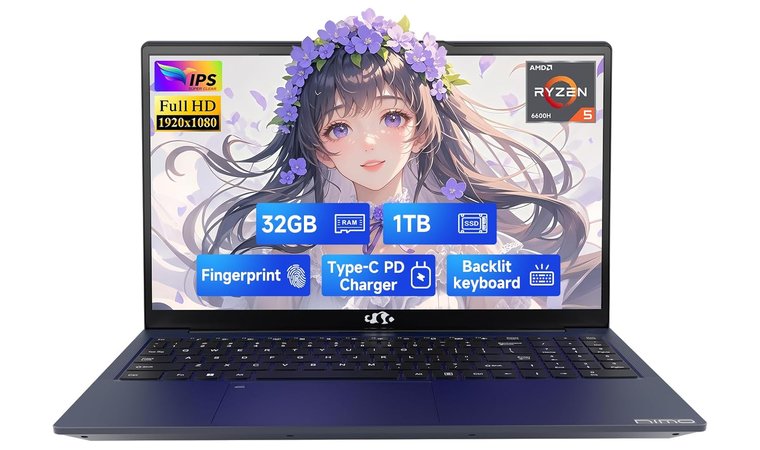
12. NIMO 15.6” [Best for Smooth Streaming & Multitasking]
| Specs | Details |
|---|---|
| CPU | Ryzen 5 6600H |
| GPU | AMD Radeon 660M (integrated) |
| RAM | 32 GB DDR5 |
| Display | 15.6 inches, LCD, 1920 x 1080 pixels, 60 Hz |
| Storage | 1 TB SSD |
| Battery | 53.58 Wh |
| Weight | 1.72 kg |
NIMO 15.6” is a capable mid-ranger with a 15.6-inch display and modern 13th-Gen Intel processors for competent multitasking. As an outstanding laptop for high-school students with a bit more money to spend, it’s also a capable streaming laptop.
You’ll get fast 65W USB-C PD charging and a wide port selection for streaming-based accessories like mics, webcams, and an external monitor. NIMO 15.6” has configurable RAM and SSD storage, allowing for recording space expansion and larger memory for OBS scenes.
Users often praise its lightweight build with sufficient sturdiness and moderate weight for better portability. It’s affordable and suitable for a dedicated streaming machine that you can scale as your needs grow, allowing you to meet your ever-growing live-streaming needs.
| Pros | Cons |
|---|---|
| ✅ Fast 65 W charging ✅ Configurable SSD storage and RAM ✅ Lightweight and portable build ✅ Its cooling prevents thermal throttling ✅ 32 GB DDR5 RAM is more than enough for streamers | ❌ 60 Hz display (though it’s color-accurate and large) ❌ Uninspiring design (focus on performance, rather than visuals) |
My Verdict: NIMO 15.6” is a perfect balance of mid-range hardware, fast charging, and flexibility for live streaming. You’ll enjoy its lightweight body, fast CPU performance, and expandable hardware that follows your pace and meets your every demand.
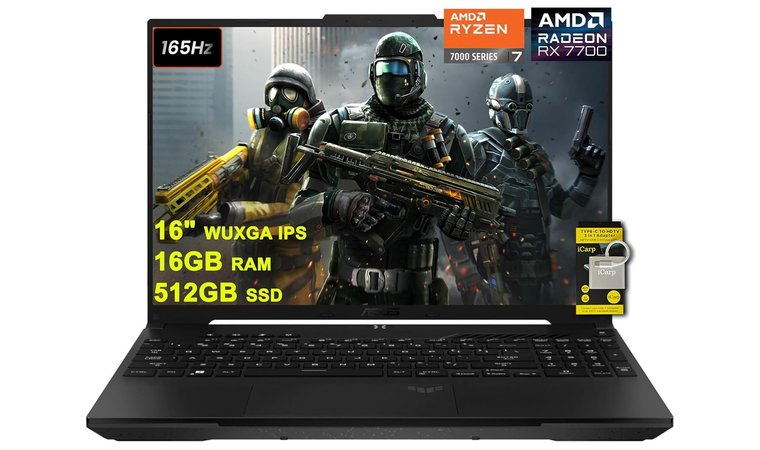
13. Asus TUF Gaming A16 [Best for Strong Multi-Thread Performance]
| Specs | Details |
|---|---|
| CPU | Ryzen 7 7735HS |
| GPU | Nvidia GeForce RTX 4060 8 GB DDR6 |
| RAM | 16 GB DDR5 |
| Display | 16 inches, IPS, 1920 x 1200 pixels, 165 Hz |
| Storage | 512 GB SSD |
| Battery | 45 Wh |
| Weight | 2.23 kg |
ASUS TUF Gaming A16 is among the top Asus laptops for live streaming with Ryzen 7/9 mobile CPUs and dazzling RTX graphics card options on many SKUs. It provides strong multi-thread + NVENC support that gamers and streamers will appreciate.
The TUF Gaming A16 has dual-fan cooling packed in a durable chassis that prevents thermal throttling and gives stable performance for mammoth streaming sessions. The 16-inch, high-res display lets you monitor and moderate live chat sessions and preview streams simultaneously.
You can enhance the experience with its rich port selection that includes USB 4, USB-C, and HDMI for capture cards, mics, webcams, and other peripherals. All in all, the TUF Gaming A16 blends durable build, thermal efficiency, and hardware encoding for reliable live broadcasts and unparalleled gaming sessions.
| Pros | Cons |
|---|---|
| ✅ Admirable performance for multi-thread tasks ✅ Dual-fan cooling for maximum performance ✅ Impressive port selection ✅ RTX GPUs with enabled NVENC encoding ✅ High-res IPS display for color-accurate work | ❌ It could use more storage (you can upgrade it if you wish) ❌ Smaller battery for the size (it charges up quickly) |
My Verdict: The TUF A16 model has all you need for high-quality live-streaming, including beefy cooling, a sturdy chassis, and a large, high-quality display. Its moderate cost and generous storage make it an all the more attractive option that can surpass even the most powerful gaming PCs.
Key Features To Look for When Choosing a Laptop for Live Streaming
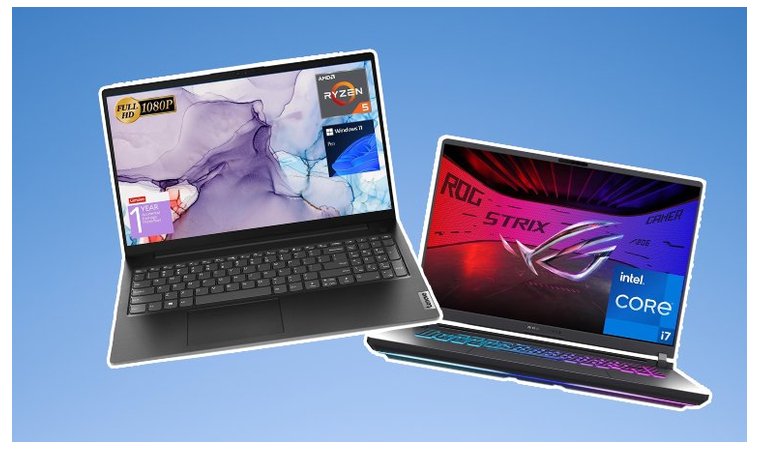
What separates the best laptops for streaming from the rest? It’s a unique combo of CPU, GPU, RAM, storage, display quality, and other aspects that I’ll delve into to help you make the right choice.
1. CPU & GPU Performance for Streaming
Incredibly vital aspects of a streaming and gaming laptop.
I’d say they’re equally important, as the CPU primarily handles background tasks and runs the streaming software, while the GPU renders the game graphics, provides high frame rates, performs hardware encoding, and gives hardware acceleration, reducing the CPU load.
When you shop for a laptop for live streaming, the best CPU options are found within AMD or Intel Core H-series. On the GPU front, you should opt for the freshest RTX-series graphics cards with enough VRAM and TGP, and NVENC support for efficient encoding and CPU offloading.
The best CPU + GPU combo is in my #1 pick, the ROG Strix 16, which features up to Intel Ultra processors and RTX 5-series GPUs with at least 8 GB VRAM. To keep your stream latency-free and steady, consider pairing your setup with one of the best routers for streaming for consistent upload speeds and network reliability.
2. RAM & Storage for Smooth Streaming
RAM isn’t only about the amount of memory you have. It’s also about its type and speed. For high-quality live streaming, I suggest having a minimum of 16 GB and aiming for the latest DDR5 type. DDR5 offers higher bandwidth for faster operation and overall performance.
Storage should be large enough to meet your demands. If you work with files locally and don’t use an external drive or cloud storage, aim for at least 1 TB. You want fast, SSD (NVMe) storage with high read/write speeds for quicker load times and hassle-free multitasking.
While some of my recommended laptops have 512 GB SSD storage, nearly all have expandable SSD and RAM slots if you ever need more.
3. Display Quality
Apart from meaty hardware, the best laptops for streaming often feature high-quality displays. Even if you already use a good HP laptop, you should prioritize high resolutions and refresh rates.
A good size is about 15 to 16 inches, while a high resolution is everything from Full HD and above. As for refresh rate, you want at least 100 Hz, while 144 Hz and above is more than ideal for smooth gaming and live streaming.
I also want to stress the importance of the panel type. The best options are IPS and OLED, as they excel at color accuracy and response times that streamers often require. OLED is more expensive but better overall, while IPS is a tad cheaper, but better than VA and TN options.
4. Portability & Build Quality
Streamers who want to keep working on the fly need a portable laptop. By portable, I refer to its compact build and lightweight. A chunky laptop doesn’t feel great to carry around unless you’re a bodybuilder who lifts heavy stuff for fun.
I selected laptops that range from 14 to 16 inches in size and rarely weigh more than 2.5 kg. At the same time, I emphasized the build quality that surrounds the entire chassis, from hinges to monitors and keyboards.
Proper build quality makes the laptop look and feel fresh even after years of use, carrying around, and lengthy gaming and streaming sessions.
5. Battery Life
Battery life is a universal criterion for every laptop, not just a streaming one. However, battery life vastly depends on the user. Streamers opt for battery-rich laptops with at least 8 solid hours in the tank. This is especially important for those who frequently travel and want to stream from remote locations.
Apart from battery life, the best laptops for streaming must have quick charging. Good examples are some popular Dell laptops with ExpressCharge, but Lenovo’s Rapid Charge and Asus’ 65 to 90 W chargers do an impressive job in this aspect.
Bear in mind that stronger hardware naturally consumes more battery, so during your selection, think about what you value more. Do you strictly need more performance, or are you often on the go and would appreciate longer battery life for remote location streaming?
6. Keyboard and Webcam Quality
Many streamers neglect the keyboard quality, and I think it’s a grave mistake.
A top-quality keyboard with responsive keys is essential for gaming and managing stream tasks simultaneously. People often go for full-size keyboards with a numpad for shortcuts and easier moderation of live chat sessions.
The keyboard’s build quality is also vital. You want clicky, tactile keys that will last you a lifetime. Poor-quality keyboards tend to break down quickly, leaving wobbly keys that feel cheap and become a reason for investing in a new laptop.
Webcam quality is paramount for streamers. You should opt for at least 1080p, preferably higher, for razor-sharp video quality. As someone who watches many Twitch and YouTube streamers, I appreciate sharp video footage that helps me connect with the person I’m following.
My Overall Verdict on the Best Laptop for Live Streaming
Picking the best laptop for streaming boils down to the balance of performance and price. The best laptops for streaming provide just that, with extras like build quality, efficient cooling, customizable hardware, and impeccable display quality.
If you’d rather go for the creme de la creme, these 3 should be on your radar:
- Asus ROG Strix G16 – The best laptop for streaming overall
- Asus ZenBook 14 Pro OLED – The best OLED laptop at an affordable price
- Acer Predator Helios 300 – The best mid-range streaming laptop
Investing in a proper streaming machine takes your streaming sessions to a whole new level. Pick the one that keeps up with your creativity and delivers sufficient power in all aspects.
FAQs
The best laptop for streaming is the Asus ROG Strix 16 with its H-series CPUs and RTX-class GPUs. It offers premium performance, above-average connectivity, powerful cooling, and a sturdy chassis.
You should look for a formidable GPU + CPU combo, a high-res, high-refresh-rate display, and sufficient RAM and storage. Other notable factors include build quality, battery life, portability, keyboard quality, and expandable memory.
The specs necessary for gaming and live streaming include a reliable CPU (Intel Core i7/i9/Ultra or AMD Ryzen 7/9), a high-TGP GPU (Nvidia RTX 4000 or 5000-series), at least 16 GB of DDR5 RAM (preferably 32 GB or more), and at least 1 TB NVMe SSD.
You can live-stream using a MacBook, but a streaming laptop is usually better. MacBooks can stream, but don’t have equally capable GPUs for gaming, while Windows laptops offer all you need for streaming + gaming without performance drops.
GPU performance is very important, particularly for gaming streamers. The GPU handles the game and enables high framerates while simultaneously doing hardware encoding and reducing the CPU load for smoother performance.
The ideal amount of RAM for streaming is 32 GB, while the bare minimum is 16 GB. 32 GB or above is recommended for optimal streaming performance and futureproofing.
Yes, there are many budget-friendly laptops for live streaming, including Acer Predator Helios 300, Lenovo V15 Laptop, Lenovo LOQ 15, Ryzen 5 Laptop, and others. You can find pretty decent streaming laptops in the $500 to $800 range.
To improve your streaming quality with your laptop, use an Ethernet cable, close unnecessary apps, modify your streaming software settings (resolution and bitrate), adjust in-game graphics, and use the right encoder.











