



7 Outstanding MacBooks for Gaming in 2026: Gaming Unlocked

Eneba Hub contains affiliate links, which means we may earn a small commission if you make a purchase through them—at no extra cost to you. Learn more


If you’re on the hunt for the best MacBook for gaming, you’re in the right spot. If you need smooth play, stunning visuals, and a machine that doubles as a great gaming computer, the MacBook lineup delivers.
The gap with PC gaming is also closing. More game developers are bringing popular titles to Mac thanks to Apple’s new gaming porting toolkit. In this guide, we break down the top models for gaming, from budget-friendly Airs to maxed-out Pros.
Jump to:
Our Top Picks for a MacBook for Gaming
We’ve tested many MacBooks, and these three stand out as the best gaming laptops. Each offers unique strengths depending on your playstyle and budget.
- Apple 2024 MacBook Pro with M4 Max – The ultimate machine for serious gamers and creators. It handles AAA titles and multitasking with ease thanks to a powerful 16-core CPU and 40-core GPU. If you want no compromises on performance, this is it.
- Apple 2024 MacBook Pro with M4 – A versatile, compact powerhouse that balances gaming and content creation. With a 10-core CPU and 10-core GPU and a stunning Liquid Retina XDR display, it’s a top pick for gamers who also need productivity.
- Apple 2025 MacBook Air 13-inch with M4 – Lightweight and budget-friendly. This MacBook Air is perfect for casual gamers on the go. It runs most Mac-supported games smoothly and excels at cloud gaming. And it’s fanless.
Whether you’re upgrading from Intel Macs or exploring M series Macs for the first time, these picks cover a range of budgets and needs. Keep reading to see which Macs made the list.
Best MacBook for Gaming: 7 Unbeatable Choices to Date
From portable Air models to high-end MacBook Pros, this list features seven standout MacBooks. Each was selected for its gaming performance, display quality, and portability. Apple focuses heavily on Apple Silicon chips to deliver optimal performance across its Mac models.
Regardless of whether you’re a casual player or a serious gamer, these models offer options to suit your needs. Keep reading to find the best MacBook for gaming that fits your style and budget.
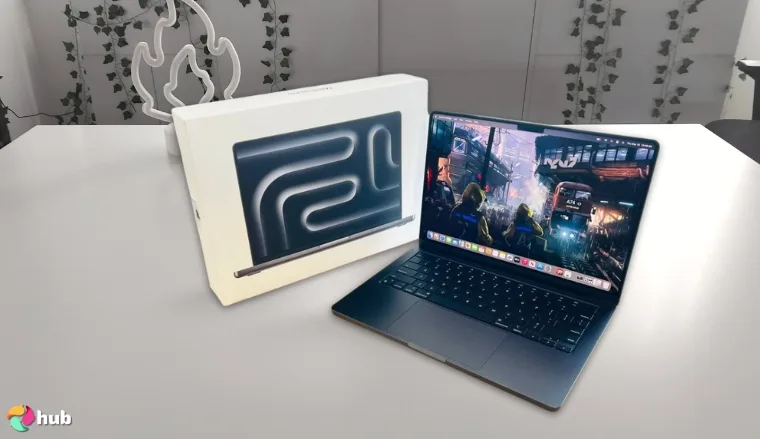
1. Apple 2024 MacBook Pro Laptop (M4 Max) [Best High-End MacBook for Gaming and Demanding Workloads]
| Specs | Details |
|---|---|
| CPU | 14-core M4 Max chip |
| GPU | 32-core integrated GPU |
| RAM | Up to 128GB unified memory |
| Display | 14.2-inch Liquid Retina XDR |
| Storage | Up to 8TB |
| Battery | Up to 24 hours |
The MacBook Pro 16-inch with M4 Max is a beast in a sleek design, powered by Apple Silicon. With up to 128GB RAM, an 8TB SSD, and unmatched GPU power, this is Apple’s closest answer to the ultimate gaming laptop. It’s built for serious gamers, developers, and creators who need top-tier performance.
This gaming MacBook boasts a fast processor, incredible graphics, and optimal performance in every task. Even at ultra settings, it breezes through AAA titles like Grand Theft Auto and Resident Evil Village.
For gamers and creators who want zero compromises, this is the Mac Pro to beat. It delivers maximum CPU, GPU, and memory performance in a portable form factor.
The M4 Max chip also builds on the capabilities of the M3 Max. Ports are plentiful, from Thunderbolt 4 to HDMI. It’s easy to connect amazing gaming monitors for more immersive play.
The M4 Max MacBook Pro isn’t subtle, it’s built to dominate.
| Pros | Cons |
|---|---|
| ✅Most powerful Mac available ✅Handles AAA games, creative apps, and multitasking with ease ✅Ideal for pro workflows and emulation ✅Stays cool and quiet under heavy load ✅Full Apple Intelligence & Game Mode support | ❌Less portable than other Macs but worth it if you need the power |
Final Verdict: The most powerful Mac for gaming, creative software, and multitasking. It’s pricey, but worth it for power users.
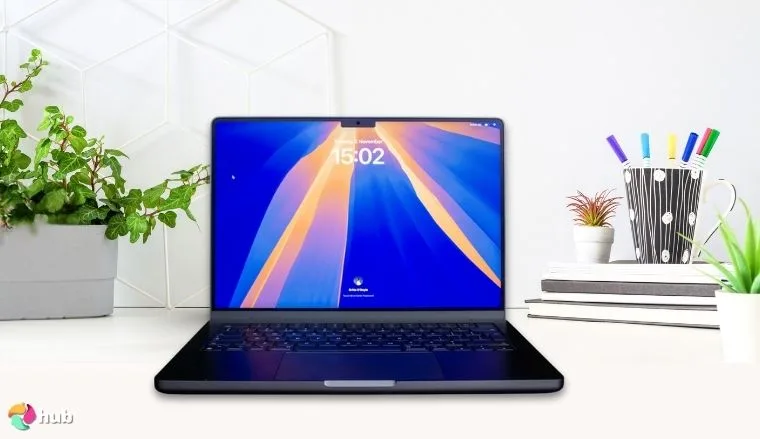
2. Apple 2024 MacBook Pro Laptop (M4) [Best MacBook for Gaming and Content Creation]
| Specs | Details |
|---|---|
| CPU | 10-core M4 chip |
| GPU | 10-core integrated Apple GPU |
| RAM | 36GB unified memory |
| Display | 14.2-inch Liquid Retina XDR |
| Storage | Up to 2TB SSD |
| Battery | Up to 24 hours |
Powerful enough for 4K edits, light enough for travel. This MacBook Pro nails gaming and creative work in one package. It’s a gaming laptop that balances portability with power. It’s lighter and more compact than the MacBook Pro 16-inch, but this gaming MacBook still handles demanding tasks with ease.
Thanks to Apple Silicon and the game porting toolkit, the gap in the Mac vs PC gaming debate is closing fast. It plays a wide range of titles at high settings. It runs indie games, popular AAA titles and older titles exceptionally well. It’s a solid choice for gamers with large libraries.
It’s the most versatile MacBook Pro model for gamers who create and creators who game. You get integrated graphics efficiency, Apple Intelligence, and pro-level display quality. All at a friendlier price than the Max variant.
The XDR display offers impressive color accuracy, so everything from cinematic cutscenes to intricate design work looks stunning. We’re in the golden age of Mac games, and this is the gaming MacBook that can keep up.
| Pros | Cons |
|---|---|
| ✅Sharp XDR display for vivid in-game visuals ✅M4 chip supports multitasking with minimal heat ✅Upgraded SSD options for large game libraries ✅Built-in Apple Intelligence tools ✅Lighter and more powerful than MacBook Air ✅Great for cloud gaming, Apple Arcade, and emulators ✅Long battery life for unplugged gaming and media | ❌Not built for maxed-out AAA graphics, but handles most modern titles well |
Final Verdict: A compact powerhouse that’s just as happy rendering 4K video as it is running the latest Mac-ready games.
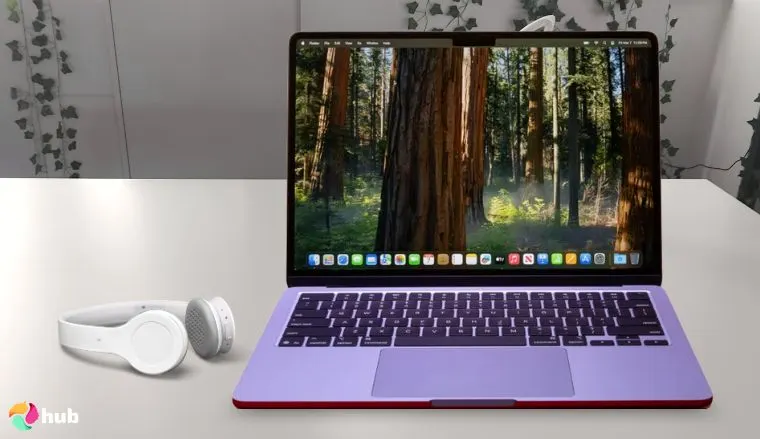
3. Apple 2025 MacBook Air (13-inch, M4) [Best Budget MacBook for Gaming on the Go]
| Specs | Details |
|---|---|
| CPU | 8-core M4 chip |
| GPU | 10-core integrated Apple GPU |
| RAM | 16GB unified memory |
| Display | 13.6-inch Liquid Retina |
| Storage | 512GB SSD |
| Battery | 18 hours |
It’s thin, light, and budget-friendly. If portability and casual gaming are your top priorities, the 2025 MacBook Air is a solid pick. The 13.6-inch Liquid Retina handles graphically demanding games with ease. It’s supercharged by the latest M series chip and has a fanless design. It’s silent and delivers a better performance than older M series Macs.
This MacBook Air balances power, portability, and price. It’s ideal for gamers who want a lightweight laptop for everyday use and light gaming.
The 16GB of memory and 512GB of fast SSD storage mean it can handle the load. That’s enough speed and space on this MacBook Air for titles like Civilization VI and Tomb Raider. As well as older titles, Apple Arcade titles, and cloud gaming.
Mac gaming is at its most affordable. It offers great value and is one of the best MacBook for gamers on the go.
| Pros | Cons |
|---|---|
| ✅Lightweight and easy to carry for gaming anywhere ✅Silent, fanless build means no overheating noise ✅Compatible with Apple Intelligence features ✅Clear, vibrant display ✅Excellent for emulators, cloud gaming, and streaming | ❌Not ideal for demanding 3D games or gaming marathons, but perfect for casual and mid-tier titles at a great value |
Final Verdict: An affordable Mac for casual gaming, media, and productivity. All in a sleek, portable package.
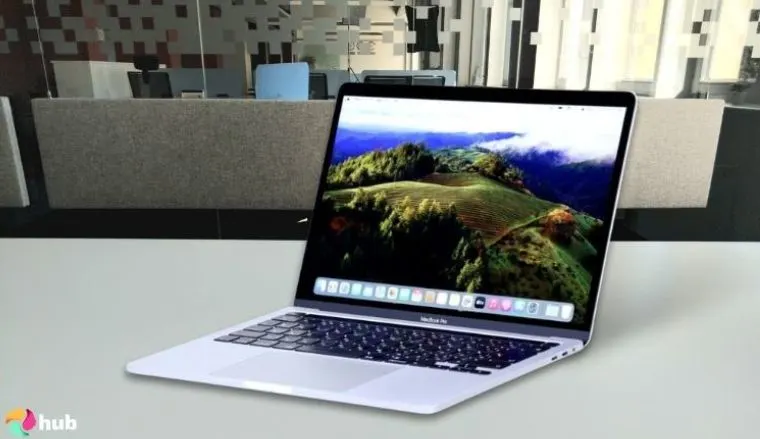
4. Apple 2024 MacBook Pro (M4 Pro) [Best MacBook for Gaming and Creative Work]
| Specs | Details |
|---|---|
| CPU | 12-core M4 Pro chip |
| GPU | 16-core integrated Apple GPU |
| RAM | 24GB unified memory |
| Display | 14.2-inch Liquid Retina XDR |
| Storage | 512GB SSD |
| Battery | Up to 22 hours |
The 2024 MacBook Pro with M4 Pro is the sweet spot for gamers and creators who need real performance without the M4 Max price tag. The multicore CPU and GPU make it fast, smooth, and powerful. It’s capable of titles like Diablo III at high settings, as well as demanding creative tools.
It also runs cooler and quieter than M3 Pros thanks to the M series Macs’ improved thermal efficiency. This Mac Pro delivers better performance than many Windows PCs in its class. While desktops like the Mac Studio offer even more raw power, and the Apple Mac mini is a compact alternative, this MacBook Pro keeps you mobile and competitive.
This Mac Pro gives you serious power without going overboard. It’s great for gamers and creators who want high performance in a more affordable pro model.
While Macs offer great gaming experiences, the best gaming PC setups still lead in raw power and game library. However, this mid-range model offers excellent value. It’s one of the best Macs for balanced gaming and creative work.
| Pros | Cons |
|---|---|
| ✅Handles modern Mac games and creative tools with ease ✅Great for multitasking and heavy workflows ✅Stunning display is perfect for color-accurate games and media ✅Efficient M4 Pro chip keeps it cooler and quieter ✅Strong battery life, even during performance-heavy tasks ✅Good variety of ports: Thunderbolt 4, HDMI, SD card, MagSafe | ❌Higher price than the Air, best suited for users needing extra power |
Final Verdict: A smart pick for gamers who also work in creative fields. The M4 Pro chip gives you all the power you need, without maxing out your budget.
5. Apple 2023 MacBook Pro (M3 Pro) [Best MacBook for Big‑Screen Gaming and Immersive Play]
| Specs | Details |
|---|---|
| CPU | 12-core M3 Pro chip |
| GPU | 18-core integrated Apple GPU |
| RAM | 36GB unified memory |
| Display | 16.2‑inch Liquid Retina XDR with ProMotion |
| Storage | 512GB |
| Battery | Up to 21 hours |
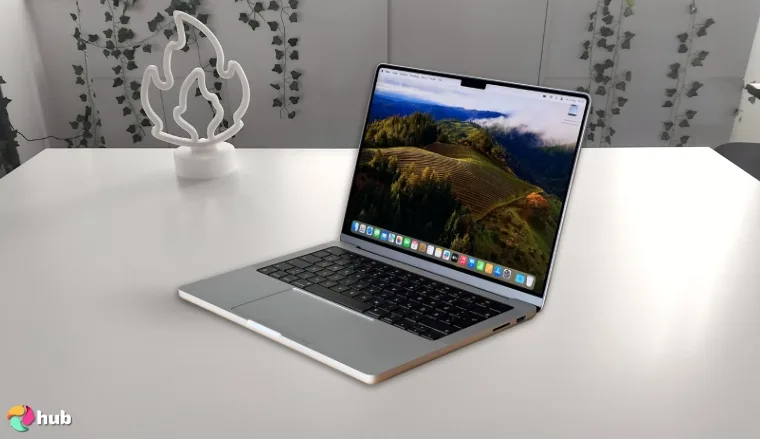
If you like your games on a bigger canvas, the 16.2-inch MacBook Pro with the M3 Pro chip delivers an impressive view. The expansive XDR display gives you space to see every detail, whether you’re in an open-world RPG or editing ultra-wide footage.
Like every Apple device, it’s built with premium materials and attention to detail. This powerful Mac handles modern games and heavy creative work with ease. You also get up to 48GB of memory and up to 1TB SSD, giving you room for large files without slowing down.
It’s the go-to choice for gamers and creatives who want a large, color-accurate display without sacrificing speed or stability. It balances power, portability, and screen size very well.
An improved thermal system means long play sessions stay cool and consistent. It’s a great gaming machine for gamers and creatives alike.
| Pros | Cons |
|---|---|
| ✅ Large, immersive display with smooth ProMotion ✅M3 Pro chip runs modern games and creative software easily ✅Advanced cooling keeps performance steady and quiet ✅Long battery life even during gaming or editing ✅Full port selection supports external monitors and accessories | ❌No external GPUs but powerful internal chips usually cover gamers’ needs. |
Final Verdict: A great pick for immersive gaming, big-screen editing, and long creative sessions. Big on display, big on performance.
6. Apple 2024 MacBook Pro (M4) [Best MacBook for Smooth 16-inch Gaming with M4 Graphics]
| Specs | Details |
|---|---|
| CPU | M3 Pro |
| GPU | 18-core integrated Apple GPU |
| RAM | 36GB unified memory |
| Display | 16.2 Liquid Retina XDR |
| Storage | 512GB SSD |
| Battery | Up to 18 hours |
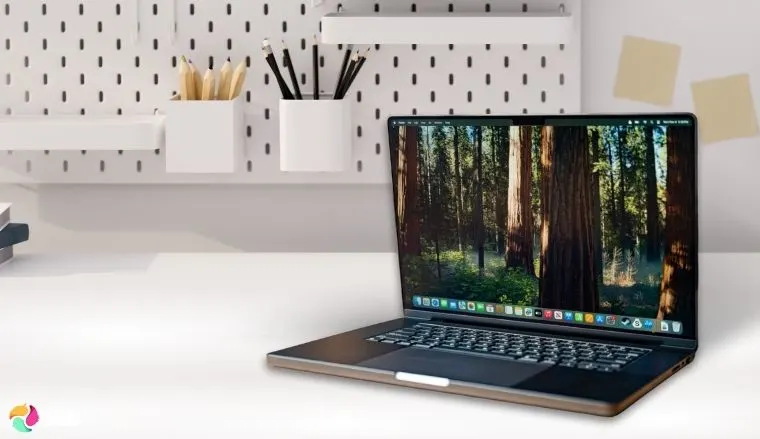
If you want fast, fluid gameplay without lugging around a huge laptop, this MacBook Pro hits the mark. The M4 chip delivers snappy performance. Regardless if you’re playing competitive shooters, streaming, or editing highlight reels.
It’s compact with graphics power that finally makes serious Mac gaming feel smooth. The refresh rate and upgraded GPU give a more responsive, immersive experience than earlier Pro models.
The 120Hz display keeps motion sharp and responsive. It stays quiet under pressure thanks to improved cooling over the M3 Pro version. This Mac also delivers long battery life, quick SSD storage, and all the essential ports for your gaming gear.
| Pros | Cons |
|---|---|
| ✅Improved gaming graphics ✅Ultra-smooth 120Hz visuals ✅Excellent cooling keeps performance steady ✅Long battery life for extended play and streaming ✅macOS optimizations boost responsiveness and compatibility | ❌Smaller game library than Windows laptops, but Apple Silicon and streaming support are improving |
Final Verdict: Portable, powerful, and tuned for a silky-smooth gaming experience. It’s the 14-inch MacBook Pro gamers have been waiting for.
7. Apple 2025 MacBook Air 15-inch (M4) [Best MacBook for Gaming and Streaming]
| Specs | Details |
|---|---|
| CPU | 10-core M4 chip |
| GPU | 10-core integrated GPU |
| RAM | Up to 32GB |
| Display | 15.3-inch Liquid Retina |
| Storage | Up to 2TB |
| Battery | Up to 18 hours |
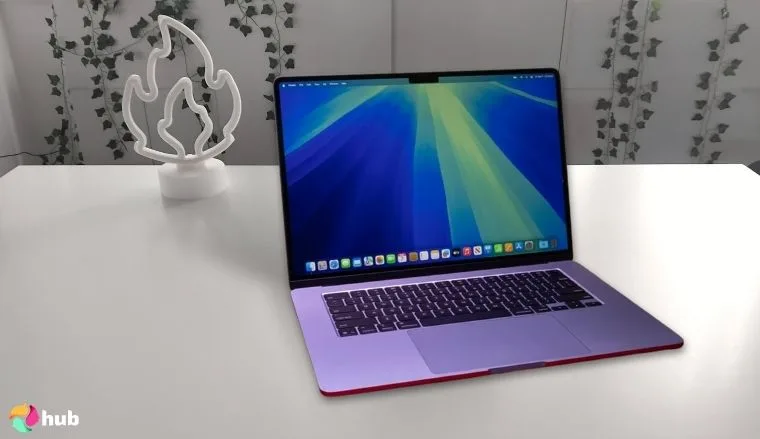
The 2025 MacBook Air is perfect for casual gamers who want a larger screen without giving up portability. Powered by Apple’s latest M4 chip, it delivers smooth performance whether you’re streaming, cloud gaming, or jumping into indie games.
It’s not meant for AAA gaming, but cloud platforms like GeForce NOW and Xbox Cloud Gaming run beautifully. Many popular PC games now run smoothly on Mac, thanks to increased developer support.
It’s one of the best budget gaming laptops on the market for casual players. It delivers immersive gaming while remaining quiet and portable.
The large, vivid display brings your games and media to life with rich color and sharp detail. Its lightweight, fanless design stays silent even during long play sessions. Plus, the added screen space gives you room for multitasking or sharing your screen.
| Pros | Cons |
|---|---|
| ✅ M4 chip handles casual gaming and multitasking with ease ✅Silent, ultra-portable, and fanless ✅Excellent battery life ✅Great for cloud gaming and streaming ✅Slim and powerful | ❌Not ideal for native AAA gaming, but cloud gaming bridges the gap |
Final Verdict: A big, beautiful screen in a slim, silent package. It’s perfect for gaming, streaming, and working wherever you go.
How To Optimize Your MacBook for Gaming?
MacBooks aren’t made for gaming, but that doesn’t mean you can’t get solid performance out of them. When choosing a Mac for gaming, consider whether you need a high-end Mac or an entry level model.
Even Apple’s lighter configurations offer excellent speed thanks to the M series chips and neural engine. These accelerate graphics, Apple Intelligence tasks, and game performance.
If you’re upgrading from an Intel-powered Mac, you’ll see massive gains in both efficiency and frame rates, especially in demanding AAA titles. With a few smart tweaks, you can squeeze out faster performance, reduce lag, and enjoy a smoother gaming experience.
Here are some simple tips to help you get the most out of your Mac:
1. Close Background Apps
Use the Activity Monitor to shut down apps running in the background and eating up your CPU or memory. Apps like Chrome, Zoom, or even Mail can slow things. Keep only the game and essential tools running.
2. Turn Off Low Power Mode
Low Power Mode saves battery, but it chokes performance. Go to System Settings > Battery, and make sure it’s off. If you have a MacBook Pro with M1 or M2 Pro/Max chips, turn on High Power Mode for a big performance boost.
3. Use macOS Game Mode [Sonoma and Later]
If your Mac is running macOS Sonoma or newer, turn on Game Mode. It prioritizes game performance by reducing background activity and improving input response with game controllers.
4. Keep Your System and Games Updated
Stay updated! Running the latest version of macOS and game software ensures your Mac is using the most efficient code. Updates often include important bug fixes, optimisations, and performance boosts.
5. Use an External Display and Cooling Pad
Gaming on a bigger screen can reduce strain and improve visuals. It’s also a more immersive experience. To keep visuals sharp on a MAc, follow how to clean MacBook screen for safe cleaning steps.
Placing your Mac on a cooling pad helps prevent overheating, which can throttle performance.
6. Lower In-Game Graphics Settings
Every frame counts. On high-end Macs, many titles run great at ultra settings, but adjusting graphics on all models can improve your experience. Drop resolution, shadows, and texture quality.
This can be found in most game settings. These changes free up system resources, especially on fanless or base-chip models.
7. Free Up Storage and Enable TRIM
A full drive slows everything down. Delete unused files and move big items to external storage or iCloud. For SSD health, make sure TRIM is enabled. It helps your Mac manage storage more efficiently. You can check this in System Report > SATA/SATA Express > TRIM Support. If you’re not sure where to start, this guide on how to uninstall apps on a Mac walks you through removing unused programs safely to free up valuable space.
Sometimes deleting old data is not enough to accommodate a growing collection of high-performance games and media projects. Adding a top external hard drive for Mac to your setup ensures you have plenty of room for heavy files without compromising the speed or efficiency of your internal drive.
Even if your Mac isn’t built like a gaming PC, these small changes can make a big difference. Whatever you’re into, casual titles, cloud gaming, or indie hits, optimizing your system gives you the best chance for smooth, lag-free gameplay.
FAQs
What is the best MacBook for gaming?
The Apple 2024 MacBook Pro with M4 Max chip is the best, hands down. It offers top-tier CPU and GPU performance. It’s ideal for running demanding AAA games and multitasking with creative apps.
Is a MacBook good for gaming?
Yes, Macs can handle many games well, especially casual, indie, and cloud-based titles. High-end MacBook Pros offer enough power for more demanding games, but Macs generally don’t match gaming PCs in raw gaming performance.
Can a MacBook run games smoothly?
Yes, with the right model and settings, Macs run games smoothly. Optimizing game settings and using macOS features like Game Mode help reduce lag and improve performance for a better experience.
Can MacBooks run FPS games?
Yes, many FPS games run well on Macs, especially popular titles optimized for macOS. Performance depends on your Mac’s specs, but models with M4 Pro or Max chips handle fast-paced shooters smoothly.
Can I play Steam games on Mac?
Yes, Steam supports macOS and offers many games compatible with Macs. However, not all Steam games run on Mac. Check game requirements before purchasing to ensure compatibility and smooth gameplay.











