



9 Best Laptops for Business Students in 2026: Work and Play

Eneba Hub contains affiliate links, which means we may earn a small commission if you make a purchase through them—at no extra cost to you. Learn more

With countless options out there, you’ll probably get stuck reading specs and reviews while searching for the best laptop for business students. You’re spoiled for choice, and it’s so easy to fall into a spiral of indecision.
To help you choose the best one, I’ve compiled this list of 9 powerful and portable laptops that can accompany you as you work towards getting your degree and even beyond.
The ones I’ve chosen are some of the best offerings by reputable brands, and they boast various productivity features that you’re bound to find useful. You can rest easy knowing that these will also last you a long time.
Jump to:
Our Top Picks for Best Laptops for Business Students
While all of the choices here have their own merits, these three stand out as some of the best picks that each offer astounding value for their price:
- Acer Swift Go 14 AI (2024) – A fantastic midrange laptop that can handle your academic workload. It comes packed with a powerful CPU and a fast storage drive that’ll make multitasking easier.
- Acer Aspire (2025) – Boasting a lower-end yet perfectly capable CPU, this budget option is more than enough for your studies. It’s incredibly lightweight and perfect for students who are always on the go.
- Microsoft Surface (2025) – With a fast multi-core processor and 16 GB RAM, this premium laptop can take on any work or school-related task that you throw at it. Its long battery life lets you use it worry-free, even while you’re out all day.
These three are the cream of the crop, but if you want to shop around for more options, keep scrolling to find a wide range of other laptops that excel at varying tasks.
9 Best Laptops for Business Students: Efficient and Powerful
The best laptop for business students is one that can easily fit in your bag as you go from one class to the next. On top of that, you’ll need enough power to handle the work that you’ll be doing.
My list offers a balance of both affordable and premium choices that’ll cover all of those needs, and there will be something for everybody here. I’ll be going over all the details, pros/cons, and more in the following sections, so let’s get started.
1. Acer Swift Go 14 AI [Best Overall Laptop for Business Students]
Our Score:
| Specs | Details |
|---|---|
| CPU | AMD Ryzen 7 8845HS |
| GPU | AMD Radeon 780M |
| RAM | 16 GB |
| Storage | 1TB SSD |
| Display | 14” (1920×1200) touchscreen display |
| Refresh Rate | 60hz |
| Battery | Up to 9.5 hours |
| Weight | 2.76lbs |
| Connectivity | Wi-Fi 6E, Bluetooth 5.3, 2x USB-C, 2x USB-A |
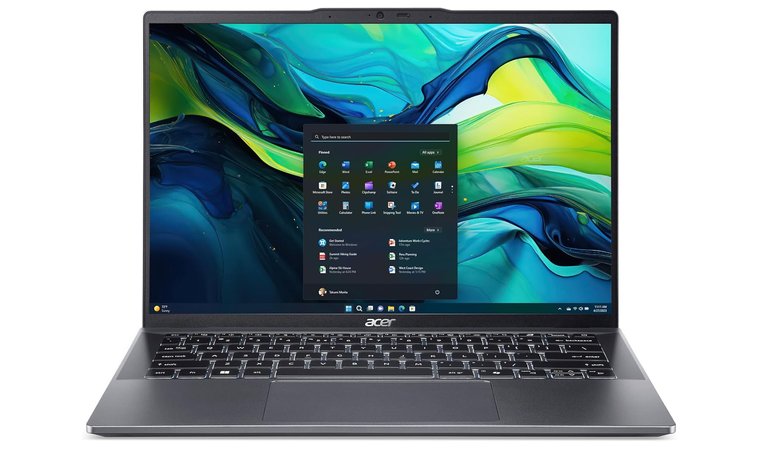
To start things off, the Acer Swift Go 14 AI is one of the best overall choices for students. It packs a fast 1TB SSD and a fairly powerful AMD Ryzen 7 8845HS, which is a great processor for multitasking.
It can handle several applications at once, so you don’t have to worry about your computer slowing down while you have something like Zoom running alongside various office apps. Its integrated Radeon 780M even lets you game on it a bit whenever you want to unwind.
This laptop has a dedicated Copilot key that lets you access an AI-powered assistant at the push of a button, which might be useful if you need to whip up a presentation or summarize some data.
It has a very thin and light aluminum body, so you can slip it in and out of your bag with ease. Coupled with its touchscreen display, it’d feel almost like you’re carrying a particularly strong tablet with you around campus.
Acer has also added some of its own AI-powered features that aim to improve its video and audio output. Need to set up video calls for your group projects or online class presentations? The PurifiedView and PurifiedVoice features will help you maintain clarity throughout them.
| Pros | Cons |
|---|---|
| ✅ Extremely thin and light design, allowing for easy carrying ✅ AI-powered productivity features ✅ Built for multitasking ✅ More than enough ports for your peripherals ✅ Fast, high-capacity storage | ❌ Battery life is a bit on the low end, but it’s enough to last you a whole day |
Final Verdict: The Swift Go 14 AI is the ideal choice for both students and professionals who need something light yet powerful. It even boasts AI features that can help boost your productivity, depending on the work you’re trying to do.
2. Acer Aspire [Best Budget Laptop for Business Students]
Our Score:
| Specs | Details |
|---|---|
| CPU | AMD Ryzen 3 7330U |
| GPU | Integrated Graphics |
| RAM | 16 GB (Up to 64) |
| Storage | 256 GB, 512 GB, or 1TB NVMe SSD |
| Display | 15.6” (1920×1080) |
| Refresh Rate | 60hz |
| Battery | Up to 11 hours |
| Weight | 3.94lbs |
| Connectivity | Wi-Fi 6, Bluetooth, 1x USB-C, 2x USB-A, 1x HDMI port |
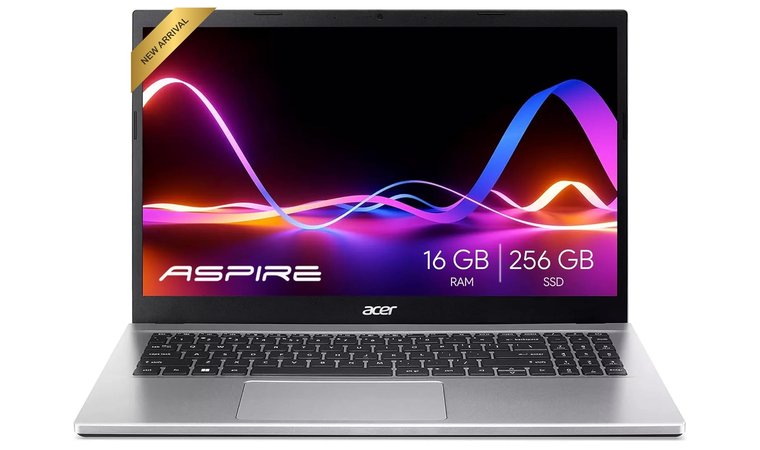
For those on a tight budget, the Acer Aspire is a great laptop that comes with a Ryzen 3 7330U processor and 16 GB of RAM. Paired with an NVMe storage, this laptop can perform well in complex workloads despite having an entry-level CPU. At the very least, it should have no problem with spreadsheets and presentations.
It has a 15.6” full HD display that features sharp colors and details. Its blue light shield helps reduce eye strain, allowing for longer study sessions before fatigue finally sets in.
This model allows for a DisplayPort over USB-C setup, which means that you can connect this to an external display if you have the right cable for it.
If you find yourself making a lot of video calls or attending online classes, rest easy knowing that this has a high-definition webcam with Acer’s temporal noise reduction technology. This lets it maintain relatively clear video quality even if you have dim surroundings.
| Pros | Cons |
|---|---|
| ✅ Lightweight build that doesn’t take up much space ✅ Clear webcam for video calls ✅ Can handle light workloads simultaneously ✅ Expandable storage and RAM ✅ Efficient fan cooling system | ❌ The entry-level processor might struggle with resource-intensive apps |
Final Verdict: The Acer Aspire is an affordable laptop that’s more than capable of taking on school and office work, and it still leaves room for future upgrades as it has slots for additional RAM and storage.
3. Microsoft Surface [Best Premium Choice for Business Students]
Our Score:
| Specs | Details |
|---|---|
| CPU | Snapdragon X Elite |
| GPU | Qualcomm Adreno |
| RAM | 16 GB |
| Storage | 512 GB SSD |
| Display | 15” (2496×1664) touchscreen display |
| Refresh Rate | Up to 120Hz |
| Battery | 15 to 22 hours, depending on use |
| Weight | 3.67lbs |
| Connectivity | Wi-Fi 7, Bluetooth 5.4, 2x USB-C, 1x USB-A |
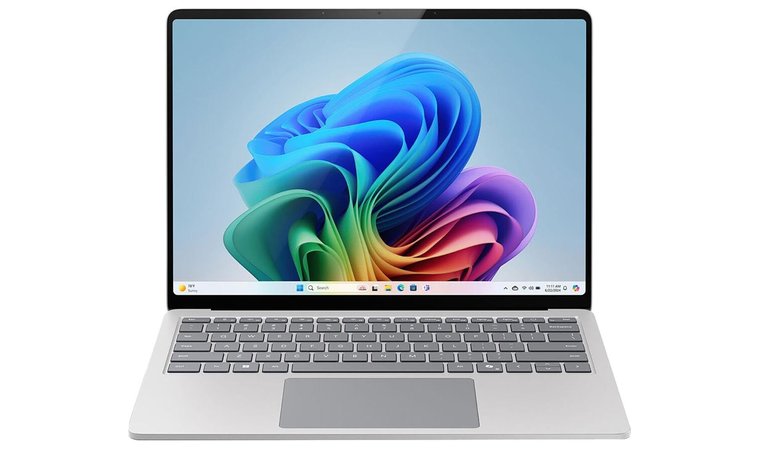
The Microsoft Surface is the priciest choice in this list, but it makes up for it with its high-end features. For starters, its premium build quality makes it feel really nice to work with. The keyboard in particular is pleasant to use, so you’ll have no problem filling out Excel sheets or cramming some last-minute reports.
It sports a Snapdragon X Elite processor, which works extremely well with a lot of productivity apps, especially when compared to other laptops. While it does fall off a bit at stuff that requires a GPU, such as photo editing, this shouldn’t be an issue for business students.
It comes with Copilot+, which includes various AI experiences and features that may be useful in certain business use cases. For example, the real-time audio translation could come in clutch when dealing with foreign partners.
This device’s battery can last a little over 20 hours with one full charge. Regardless of whether you’re still a student or already running a small business, nearly everything you’d be using this for won’t drain it enough to be a problem on any given day.
| Pros | Cons |
|---|---|
| ✅ Sleek design and lightweight ✅ Very responsive keyboard and trackpad ✅ Great battery life ✅ High processing power that’s perfect for running finance software ✅ Vibrant and color-accurate display | ❌ No discrete GPU, so playing games might not be ideal ❌ Base price is higher than competing laptops, but this is justified by its exceptional performance in business uses |
Final Verdict: Boasting one of the most powerful processors in this list, the Microsoft Surface is probably the best business laptop in terms of pure productivity. It can serve you well even after you’ve graduated from business school.
4. Lenovo ThinkPad T14 [Best Professional-Grade Laptop for Future Business Leaders]
Our Score:
| Specs | Details |
|---|---|
| CPU | Ryzen 5 PRO 6650U |
| GPU | Radeon 660M |
| RAM | 16 GB |
| Storage | 512 GB SSD |
| Display | 14” (1920×1200) touchscreen display |
| Refresh Rate | 60hz |
| Battery | 10 hours |
| Weight | 3.10lbs |
| Connectivity | Wi-Fi 6E, Bluetooth 5.1, 2x USB-C, 2x USB-A, 1x HDMI 2.0b, Ethernet port |
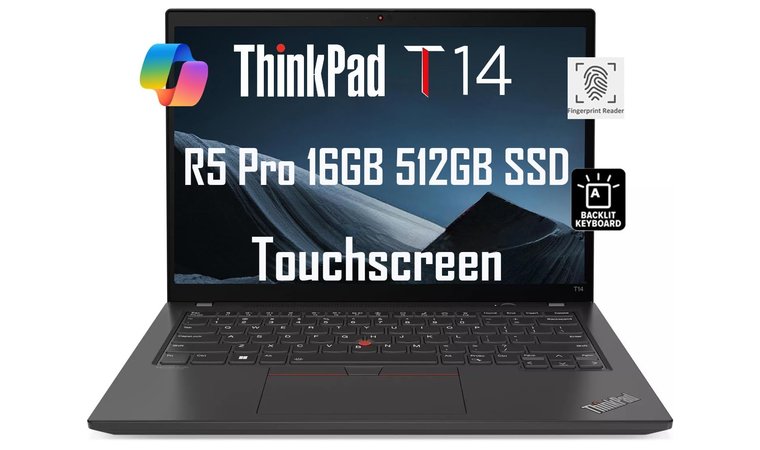
The Lenovo ThinkPad T14 is a business laptop that’s built to last. With an extremely durable body, this thing will last you from freshman year all the way to graduation and beyond.
It features a backlit keyboard with some nice-feeling tactile switches, so you can type on it for hours on end. You’ll also find a fingerprint reader a bit above the keyboard and a shutter for the webcam up top, giving you an extra layer of security and privacy.
The USB-C ports can also be plugged into external displays over DisplayPort, so you can have up to three monitors attached to it.
The ThinkPad usually comes up in conversations about the best Lenovo laptops, or even in general. This version is a great all-arounder that’s fit for business majors and seasoned professionals alike. Its hefty Ryzen 5 PRO 6650U is a surprising addition as it’s the type of processor you’d typically find in gaming laptops.
Great power comes at a cost, as it typically lasts around 10 hours of unplugged use. Luckily, that’s still an impressive amount of time, and it’s long enough to last an entire day out on campus or in the office.
| Pros | Cons |
|---|---|
| ✅ Heavy-duty durability in a lightweight chassis ✅ Security features that even professionals can greatly benefit from ✅ Satisfying tactile keyboard ✅ Upgradeable RAM and storage ✅ Plenty of ports for peripherals and extra monitors | ❌ Although powerful enough for business and personal use, the 6650U might pale in comparison to the latest processors. |
Final Verdict: This laptop is incredibly durable and has enough processing power for moderate multitasking. Apart from the usual finance and accounting software, you can even use it for some light graphic design and video editing.
5. Macbook Air M4 Chip [Best Laptop for Battery Life and Long Study Sessions]
Our Score:
| Specs | Details |
|---|---|
| CPU | Apple M4 |
| GPU | 8-core GPU |
| RAM | 16 GB |
| Storage | 256 GB SSD |
| Display | 13.6” (2560×1664) |
| Refresh Rate | 60hz |
| Battery | Up to 18 hours |
| Weight | 2.73lbs |
| Connectivity | Wi-Fi 6E, Bluetooth 5.3, 2x Thunderbolt 4, 1x headphone jack, 1x MagSafe charging port |
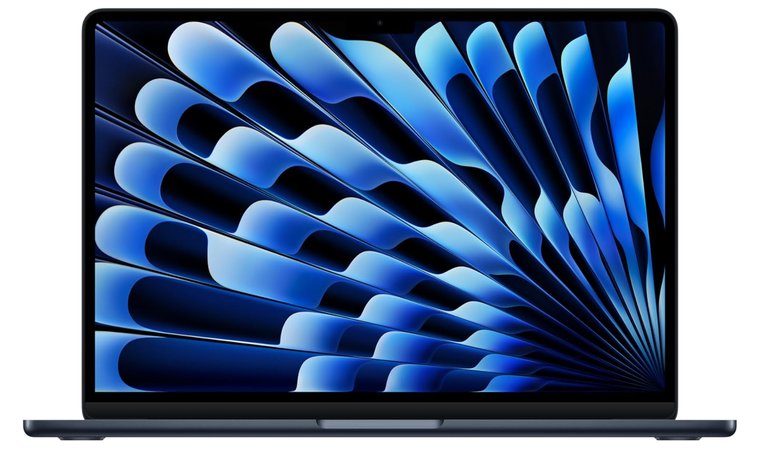
Apple always finds its way into lists like these, and with good reason. The Macbook Air M4 Chip comes with an incredibly fast processor that can handle some fairly heavy multitasking. If used as a college laptop, you won’t have any trouble keeping multiple browser tabs open in the background while working on your reports and presentations.
One of its standout features is its great battery life. For simple tasks like web browsing, working with spreadsheets, or video streaming, it can last around 15 to 18 hours on a full charge. You can carry it with you all day, almost completely worry-free.
Speaking of videos, this Macbook Air has a fantastic display that you can automatically adjust with the True Tone setting, which adjusts the colors and brightness based on your surroundings.
The Macbook Air’s MagSafe cable has a built-in indicator light that will tell you if it’s already fully charged.
As you’d expect, it also integrates well with the rest of the Apple ecosystem. For instance, business majors who own an iPhone/iPad can easily share important project files with fellow college students who have their own Apple devices.
| Pros | Cons |
|---|---|
| ✅ High-resolution display means more screen real estate ✅ Longer battery life than most other laptops ✅ Perfect for college students who own other Apple devices ✅ Compact size for better portability ✅ Fast processor with surprisingly good graphics capabilities | ❌ You might encounter business software that’s incompatible with the Macbook Air, but the most common apps shouldn’t be an issue |
Final Verdict: The Macbook Air is a productivity beast, especially if you already own other Apple products that you can pair it with. If you’re a Mac OS fan, this may be the perfect laptop for you.
6. Asus Vivobook [Best Laptop for Performance and Portability for Business Students]
Our Score:
| Specs | Details |
|---|---|
| CPU | Intel Core i7-1255U |
| GPU | Integrated Graphics |
| RAM | 16 GB |
| Storage | 1TB SSD |
| Display | 14” (1920×1080) |
| Refresh Rate | 60hz |
| Battery | 8 hours |
| Weight | 3.09lbs |
| Connectivity | Wi-Fi 5, Bluetooth 5.1, 3x USB-A, 1x USB-C, 1x HDMI port |
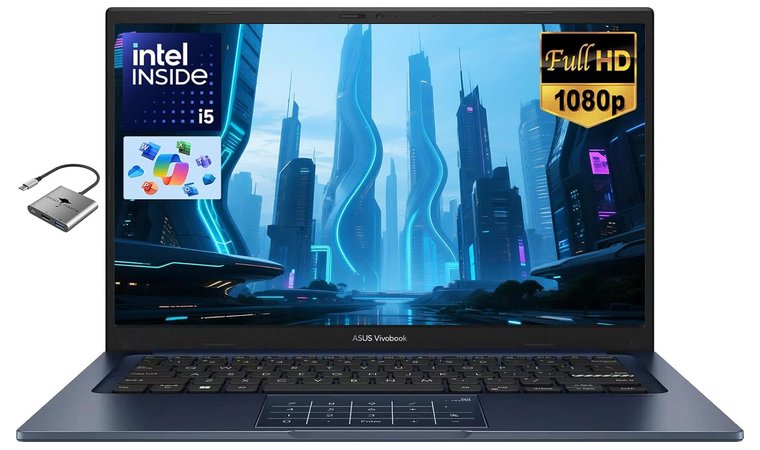
The Vivobook is one of the best Asus laptops you can get for both studying and light creative work. Its Intel Core i7-1255U processor is powerful enough to handle the software that you’ll encounter throughout your time in business school.
The 1TB storage provides you with more than enough room for your files. Since it’s an SSD, it will let your device boot up quickly, and most office apps and browsers should also load without a hitch.
The trackpad has a fingerprint reader that you can use to quickly log in to the device without pressing the power button.
This laptop has a very compact build, making it one of the most portable options in this list. The tradeoff for its light weight and power is its battery life. You have around eight hours to get your work done before you’ll need to find an outlet to charge it.
Its webcam’s built-in microphone has an AI-powered noise reduction system for better audio quality. For professionals and college students who are concerned about their privacy, the camera has a shield that you can use as a cover whenever you don’t need it.
| Pros | Cons |
|---|---|
| ✅ Fast booting and loading for common apps ✅ Relatively high storage right out of the box ✅ Decent for both work and play ✅ Very compact chassis ✅ Clear audio with the built-in microphone | ❌ It has a low-capacity battery, so make sure to charge it back up when you’re done for the day. |
Final Verdict: The Asus Vivobook is a great pick if portability is your top priority. Despite its small size, it’s perfectly usable for schoolwork and even light photo or video editing.
7. Nimo 15.6 [Best Laptop for Study and Entertainment Balance]
Our Score:
| Specs | Details |
|---|---|
| CPU | AMD Ryzen 5 6600H |
| GPU | Radeon 660M |
| RAM | 32 GB |
| Storage | 1TB SSD |
| Display | 15.6” (1920×1080) |
| Refresh Rate | 60hz |
| Battery | 5 hours |
| Weight | 3.8lbs |
| Connectivity | Wi-Fi 6, Bluetooth 5.2, 3x USB-A, 1x USB-C, 1x HDMI port |
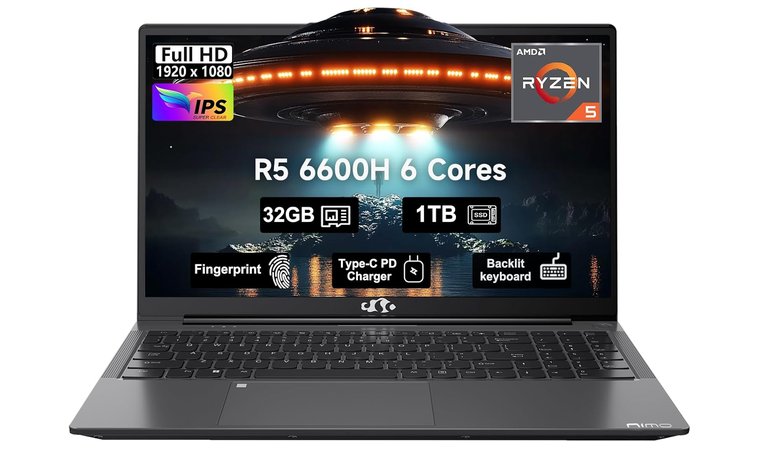
The Nimo 15.6 comes from a lesser-known startup that’s managed to strike the perfect balance between price and performance. The Ryzen 5 6600H is a workhorse, and coupled with 32 GB of RAM, this laptop runs smoothly even with multiple apps active at a time.
Business students who need to multitask should have no problem getting their work done, even with a ton of tabs open. You can easily juggle web browsing, accounting work, and even graphic design all at once.
Similar to the Vivobook, this laptop features a fingerprint sensor that is found on the upper left corner of the trackpad.
For college students who are always pulling all-nighters, this laptop has a backlit keyboard that makes typing at night much easier. Your late-night gaming sessions will also benefit from this.
Finally, its color-accurate IPS display offers clear and vibrant visuals. Paired with built-in surround sound speakers, you’ve got a portable entertainment system for when you find time to kick back and relax.
| Pros | Cons |
|---|---|
| ✅ Fast processor that you’d find in some gaming laptops ✅ Loaded with a lot of RAM and storage ✅ Crystal clear HD display ✅ Can support multiple external displays for better productivity ✅ Great value for its specs | ❌ Battery drains fast while in use, but it’s the tradeoff for having exceptional specs at this price. |
Final Verdict: The Nimo 15.6 is a good midrange college laptop that holds up even in personal use. Most students will find that nearly everything they need can be done with this machine, from heavy schoolwork to a bit of gaming.
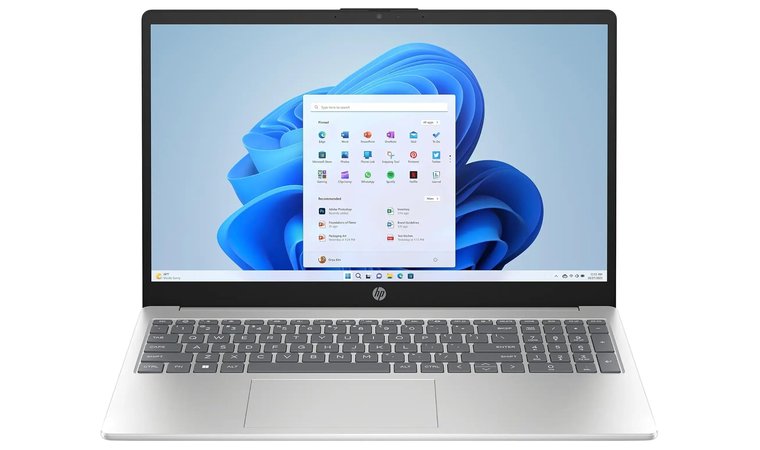
8. HP 15.6″ Business Laptop [Best Reliable All-Rounder for Business Students and Office Apps]
Our Score:
| Specs | Details |
|---|---|
| CPU | Intel Core i3-1215U |
| GPU | Integrated |
| RAM | 16 GB |
| Storage | 1TB NVMe SSD |
| Display | 15.6” (1366×768) |
| Refresh Rate | 60hz |
| Battery | 6 hours |
| Weight | 3.75lbs |
| Connectivity | Wi-Fi, Bluetooth 5, 2x USB-A, 1x USB-C, 1x HDMI port |
For college students who want something designed purely for office and schoolwork with no frills, the HP 15.6” Business Laptop is your best bang for the buck. Sporting an Intel Core i3-1215U and fast storage, it has the processing power needed to smoothly run accounting software and office suites.
Speaking of which, it comes with Office 2024 pre-installed. This means that you immediately have access to business school essentials like Word, Excel, and PowerPoint. It’s also shipped with Windows 11 Pro, making it a great budget option for professionals who need the enhanced security features.
This laptop has a modest 1366×768 resolution display, so you may want to connect an external display to its HDMI port for more screen space.
At 3.75lbs, it’s a bit on the heavier side, even when compared to some higher-end systems. Being a pound or two heavier than others isn’t the end of the world, though, and the slim chassis makes it easy to store in a bag.
| Pros | Cons |
|---|---|
| ✅ Pre-loaded with enterprise software and OS ✅ Has a processor that can easily handle business and student workloads ✅ Slim and portable body ✅ Affordable price ✅ Has one of the fastest storage form factors you can get | ❌ While it has a larger screen than most productivity-focused devices, it only supports a relatively low resolution |
Final Verdict: This HP laptop is an economical option that’s already loaded with the essentials. It’s the ideal pick for individuals who only plan on using it for work and studying.
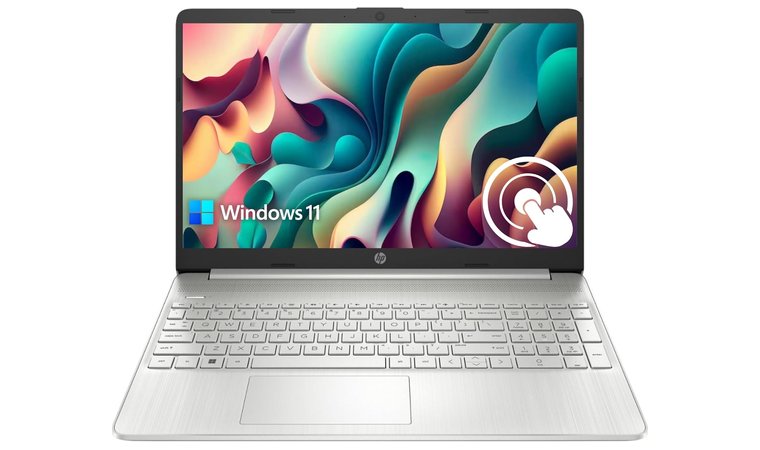
9. HP Pavilion [Best Laptop for Multitasking and Everyday Business Use]
Our Score:
| Specs | Details |
|---|---|
| CPU | Intel Core i3-1115G4 |
| GPU | Integrated |
| RAM | 16 GB |
| Storage | 1TB SSD |
| Display | 15.6” (1366×768) touchscreen display |
| Refresh Rate | 60hz |
| Battery | 10 hours |
| Weight | 3.74lbs |
| Connectivity | Wi-Fi, Bluetooth, 2x USB-A, 1x USB-C, 1x HDMI port |
This HP Pavilion is a lower-end system tailored towards more budget-oriented students and office workers. Powered by an Intel Core i3-1115G4 with integrated graphics, it’s mainly suited for web browsing, clerical work, and media streaming.
It’s a far cry from some of the top HP laptops in the market, but if you don’t plan on doing any gaming or resource-intensive work on it, this will serve you well. With 16 GB of RAM, you can multitask with lighter workloads, like using QuickBooks alongside other office programs.
This laptop has a touchscreen display, which works well if you need to scroll through long sheets of data.
Its 15.6” screen features anti-glare protection, so you’re free to work on spreadsheets and presentations for prolonged periods of time.
It also has a decent keyboard with conspicuously large print. Students who aren’t used to touch typing can comfortably practice with this device.
| Pros | Cons |
|---|---|
| ✅ Entry-level model that performs well for its price ✅ Convenient anti-glare touchscreen display ✅ Relatively long battery life ✅ Great keyboard for inexperienced typists ✅ Plenty of storage for everyday use | ❌ The CPU is too weak for creative uses and gaming, but it’s completely fine for working with documents and presentations |
Final Verdict: Although it’s lacking in other features, like keyboard backlighting, it has all of the essentials for studying and office tasks. The long battery life is also a welcome perk.
What Makes a Laptop Good for Business Students?
The ideal laptop for a business student should be able to run office apps along with commonly used finance and accounting programs. Luckily, these typically don’t require much power to run smoothly, even if you’re also using top VPN for DDoS protection for secure access to online resources.
Read on as I briefly explain the things to watch out for while shopping for a laptop that meets your academic and professional needs.
1. Performance and Storage
It’s easy to get lost in a specs sheet while trying to find a laptop that runs fast enough for your needs, so to make it easier to digest, here are some of the important bits:
- Processor – Keep an eye out for computers with an Intel Core i7 or Ryzen 7, as those are higher-end processors. If you’re on a budget, a lower-end i3/i5 or Ryzen 3/5 will still be powerful enough to handle the usual student workloads.
- RAM – For reliable and smooth performance, aim for a laptop with at least 16 GB RAM. More is better, but 16 is the sweet spot. Anything lower might struggle when you open multiple apps at once.
- Storage – You don’t really need too much space for business use cases, so even a 256GB storage should be enough. Try to get one that’s an SSD rather than an HDD, as those run much faster.
2. Battery Life and Portability
Of course, you’ll want something that’s light and compact. Most productivity-oriented laptops already have slim bodies, so carrying them around shouldn’t be much of an issue. Gaming laptops are often the ones that get too bulky, and these are overkill for most students.
Battery life is another thing to watch out for, as portability isn’t just about size and weight. Consider picking a laptop that’s advertised to last several hours of active use, as you won’t always have an outlet to plug into while you’re out on campus.
3. Build Quality
Since you’re going to be carrying this from one class to the next, you should pick a laptop that has a durable chassis. It doesn’t necessarily have to be heavy, as even a device weighing 2lbs can withstand the inevitable light bumps it’ll endure in your bag.
Build quality refers to more than just the shell. Pay attention to how the keyboard is described while you’re browsing. Look for keywords like “tactile” or “clicky”, as those often feel more responsive and comfortable to type on.
FAQs
The best laptop for business students is the Acer Swift Go 14 AI. It’s a jack of all trades with a powerful processor that can be used for both work and play.
The type of computer that’s best for business majors is a laptop that balances performance and portability. It should run productivity apps smoothly while also being easy to carry around.
The best laptop for finance students is the Macbook Air M4 Chip. It features a powerful CPU that can handle large data sets and finance-specific software.
Yes, a MacBook is good for business students, especially for those with other Apple devices. It’s built to withstand heavy multitasking and has a relatively long battery life.
Lenovo is generally better than HP for business students. Both brands are good for school and office work, but Lenovo models often come with better specs.
Yes, business laptops can be used for coding. Most midrange business laptops have specs that are close to or the same as what developers will be looking for.











