How to Change Region on Xbox Without Messing Up Your Account

Eneba Hub contains affiliate links, which means we may earn a small commission if you make a purchase through them—at no extra cost to you. Learn more


How to change region on Xbox usually comes up after a move to another country. Your Xbox won’t automatically update anything, so your account and console will keep using the region you originally set.
It’s not a problem until you try to use local payment methods, redeem local gift cards, or access the Store for your current country – at that point, learning how to change Xbox region (console, account, or both) helps everything match your new location.
Keep reading to learn how to change region on Xbox and which method works for you.
Jump to:
How to Change Region on Xbox: Console vs Account Region
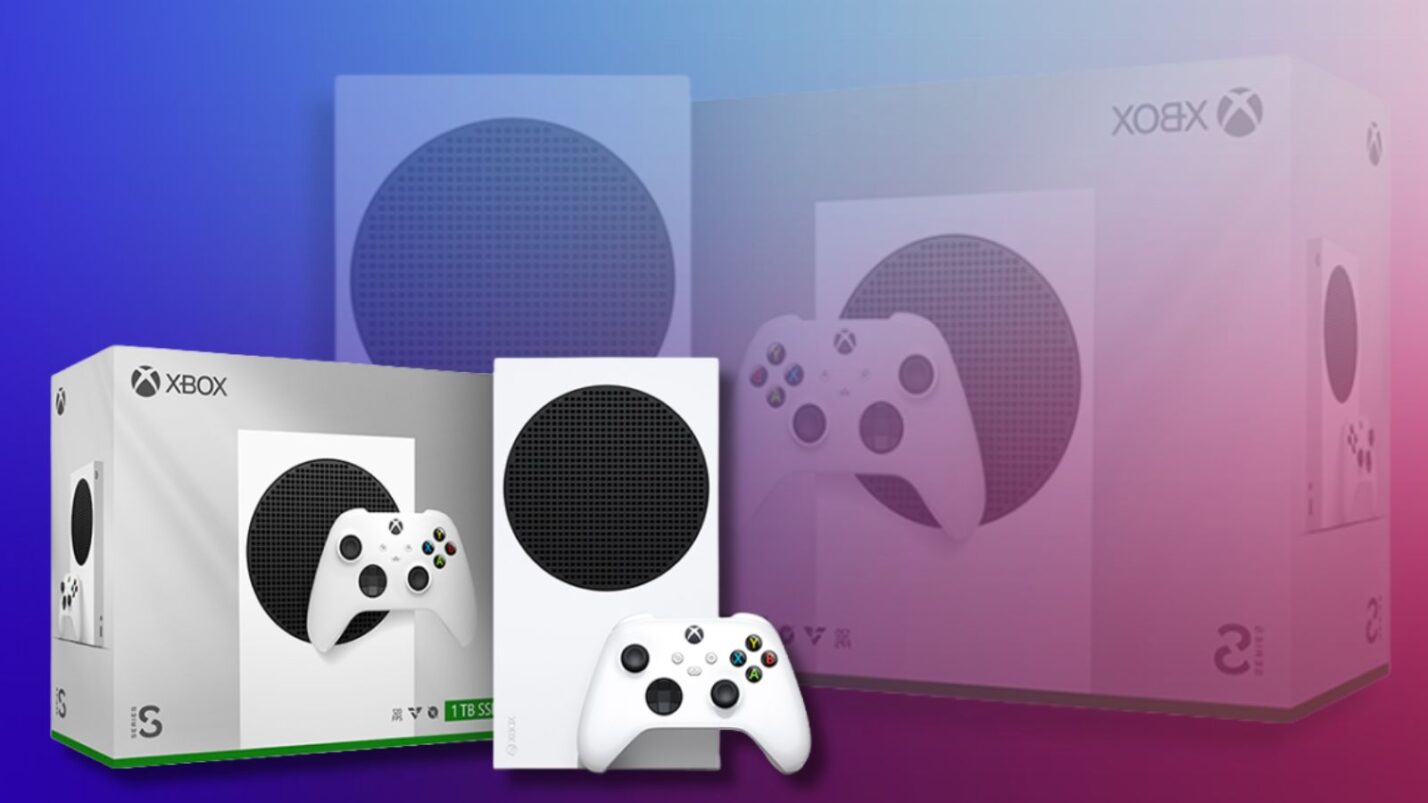
How to change region on Xbox comes down to two options. One affects the console itself and the Xbox Store region. The other changes your Microsoft account country, which impacts billing, subscriptions, and the content you get.
Choosing the wrong one is where most problems start, especially when trying to change Xbox region for store access or payment reasons.
Here’s a quick side-by-side look at how to change Xbox region:
| Option | Console Region Change | Account Region Change |
|---|---|---|
| What it does | Updates region settings on the console only | Changes the country tied to your Microsoft account |
| What changes | Store version, local currency display, language & time | Billing country, payment methods, Game Pass catalog, store availability |
| What does not change | Your account country or billing details | Your owned games stay on your account |
| Impact on purchases | Billing still follows your account region | Affects what you can buy and which payments work |
| Risk level | Low when used normally | Higher if misused (billing and licensing rules apply) |
| Best for | Travelers, students abroad, temporary relocation, language/time adjustments | Permanent relocation, military deployment, long-term move with local payment methods |
| How often you can change it | Anytime (no cooldown) | Once every 3 months |
| Effect on Game Pass | No change to subscription region | Catalog can change; some titles may be unavailable |
| Does it bypass regional pricing? | No | No – valid local billing is still required |
Now that the difference is clear, let’s look at how to change Xbox Store region, how to change location on Xbox, and when you should change Xbox account region instead of just the console setting.
How to Change Location on Xbox (Console Region)
This is the lighter option when learning how to change region on Xbox. It only affects the console, not your Microsoft account. If you’re trying to change Xbox Store region because you’re living somewhere else for a while, this is usually the setting you’re looking for.
Reasons to Change Your Xbox Console Region
If you’re wondering how to change Xbox region without overcomplicating it, here’s the good news: sometimes you don’t need to change Xbox account region at all. You just need your console to match where you are right now.
You need how to change location on Xbox through the console when:
- You moved to another country temporarily
- You’re studying or working abroad
- Your console language or time zone is wrong
- The store layout doesn’t match your location
- You want the Xbox Store region to display your local currency
So, if you find yourself in one of these scenarios, the whole how to change region on Xbox quest boils down to a few clicks.
What Changes and What Doesn’t
When people search how to change location on Xbox, they often expect billing to switch too – but it doesn’t. Only the console region changes. Here’s what updates in practice.
| What Changes | What Doesn’t Change |
|---|---|
| Microsoft Store region on your console | Your Microsoft account country |
| Prices shown in local currency | Billing address or payment methods |
| Region-specific store listings | Game Pass subscription region |
| Console language and time zone | Games you already own |
So if you’re trying to change Xbox region just to fix display or language issues, this does the job. But if you’re looking up how to change Xbox Store region so your billing matches your new country, you’ll need a different setting.
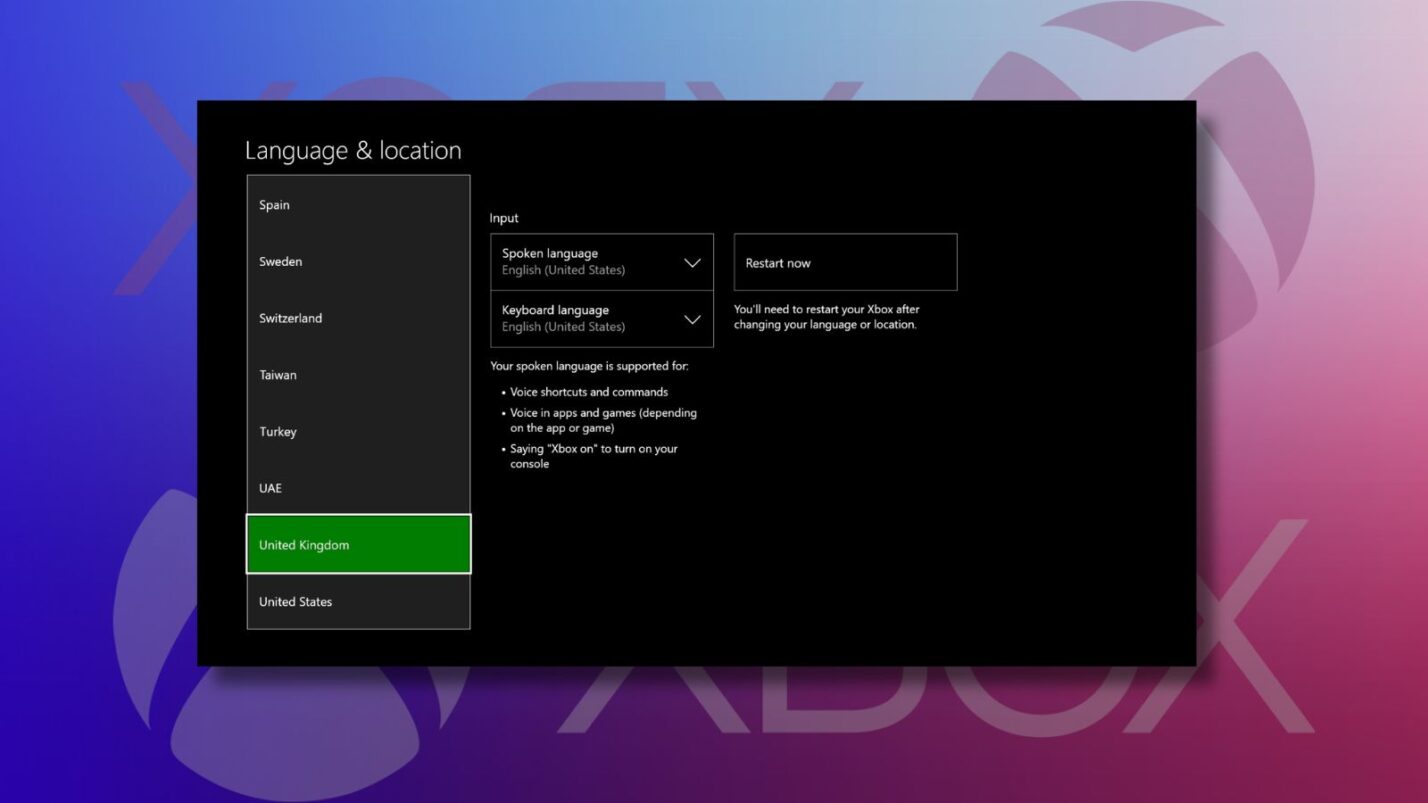
Fast Steps: How to Change Your Xbox Console Region
Here’s how to change location on Xbox through the console:
- Press the Xbox button to open the guide
- Go to Profile & system
- Open Settings
- Select System > Language & location
- Choose your new region
- Select Restart now
After the restart, your console loads with the new regional settings.
Now that you’ve seen how to change location on Xbox right from the console, let’s look at when it actually makes sense to learn how to change Xbox region at the account level instead.
How to Change Xbox Account Region
This is the bigger version of how to change region on Xbox. Changing your account country affects billing, subscriptions, and the Xbox Store tied to your profile. It’s meant for people who’ve actually moved and are looking up how to change Xbox region so their account matches their new country.
Reasons to Change Xbox Account Region
Most people don’t need to change Xbox account region often. It usually makes sense when:
- You’ve permanently moved to another country
- You now use local payment methods that don’t work with your old region
- You’re looking for how to change Xbox Store region so it matches where you live long-term
- Your subscriptions need to be billed in your new country
If you’re only trying to learn how to change region on Xbox for language or display reasons, this is not the setting you want. If you’ve heard you can get the best Xbox exclusives for cheap this way, note it’s not the loophole it once was.
What Changes and What Doesn’t
This creates a lot of confusion when people first try to learn how to change region on Xbox. Changing your account region affects how Microsoft treats your account for billing and store access.
| What Changes | What Doesn’t Change |
|---|---|
| Billing country on your Microsoft account | Your owned games stay on your account |
| Accepted payment methods | Your Xbox console region settings |
| Xbox Store country tied to your account | Your play history and achievements |
| Game Pass catalog (varies by region) | Previously purchased licenses (availability may differ) |
Fast Steps: How to Change Xbox Account Region
Here’s how to change Xbox account region the official way:
- Spend any remaining Microsoft account balance
- Cancel active subscriptions if required
- Go to account.microsoft.com and sign in
- Open Your info
- Select Edit country/region
- Choose your new country
- Add a payment method that matches the new region
- Confirm the change
After this, your account follows the store rules, pricing, and licensing of the new country. Note that you should use this how to change region on Xbox guide only if you absolutely need it (and for legitimate purposes).
Limitations When You Change Xbox Region at the Account Level
The whole how to change region on Xbox journey comes with a few important limitations. Here’s what to expect when you change Xbox region at the account level:
- You can only change your account region once every three months
- Any Microsoft account balance must be used before switching
- Some subscriptions may need to be reactivated
- Parts of the Game Pass catalog can change
- Payment methods must match the new country
If you’re researching how to change Xbox region on your account mainly to chase lower prices, it can backfire. Microsoft has cracked down on region abuse, including gift cards, mismatched payment details, and repeated switching.
Regional Gift Cards and Xbox Region Changes
People used to resort to regional gift cards when first learning how to change region on Xbox, but that’s far less reliable now. Microsoft has tightened checks, and region-mismatched codes or payment patterns can fail or raise flags.
Frequent region changes and messy billing signals – especially alongside repeated redemption problems – can lead to account limits, so anyone researching how to change Xbox Store region should know the risk extends beyond a single game to the entire account.
Can VPNs Help When You Change Xbox Region?
A VPN can’t directly change Xbox region. So, how to change region on Xbox is a question you should answer through official settings. What it can do is change how your internet connection looks.
That means better privacy, safer gaming on public networks, and accessing services you already pay for while traveling. It’s about connection behavior, not teaching you how to change Xbox Store region.
What a VPN Changes (and What It Doesn’t) for Xbox
How to change region on Xbox is not something VPNs can answer. A VPN affects your internet connection, not your Xbox account settings. Here’s a brief overview of the things it can do for you:
| What a VPN Can Change | What a VPN Doesn’t Change |
|---|---|
| Your visible IP address | Your Xbox account country |
| Adds encryption to your connection | Your billing region |
| Can help protect against DDoS attacks | Your Xbox Store region |
| Can help on restrictive or public networks | Game Pass region or catalog |
| Can help access streaming services you already use while traveling | Store pricing or regional purchase rules |
A VPN is about connection privacy and stability, not shifting stores and billing or trying to change Xbox region. So, you can figure out how to change region on Xbox even without a VPN.
Best Way to Set Up a VPN on Xbox
Knowing how to change location on Xbox is only part of the picture – privacy matters too, especially on shared networks. Xbox consoles don’t support VPN apps directly, so you have to route the connection another way. Here are the main methods to set up a VPN if you want extra privacy while gaming.
| Method | Setup Time | Performance | Best For | Notes |
|---|---|---|---|---|
| Router VPN | 30–45 min | Excellent | Long-term setup | Best overall. Covers every device, including Xbox. Needs router access. |
| PC Connection Sharing | 15–20 min | Good | Occasional use | Run VPN on a PC and share the connection. Your PC must stay on. |
| Mobile Hotspot | 5–10 min | Moderate | Quick tests | Easiest to try, but not ideal for big downloads or long sessions. |
If you want a set-it-and-forget-it option, router setup is the most stable for Xbox gaming. You can learn more about it in my guide on how to set up a VPN. None of these methods will answer how to change region on Xbox, but you’ll get plenty of extra safety and privacy.
Best VPNs for Xbox Gamers
Even after you’ve figured out how to change location on Xbox, you might still want a VPN for privacy, DDoS protection, or safer gaming on shared Wi-Fi.
But the truth is, not every VPN plays nicely with console setups. You want one that’s fast, stable, and easy to run through a router or shared connection.
Here are three that consistently work well for Xbox:
| VPN | Why it works well for Xbox |
|---|---|
| NordVPN | Very fast speeds, strong DDoS protection, easy router setup |
| ExpressVPN | Reliable speeds and one of the easiest router setups |
| Surfshark | Affordable, unlimited devices, good performance for casual play |
NordVPN is the best option for Xbox because of its speed and stability during long sessions, especially when set up on a router. Once you’ve figured out how to change Xbox Store region, it’s a practical next step if you want the smoothest experience with minimal lag.
Common Problems and Solutions
Many of these issues show up when people first try to figure out how to change region on Xbox. It all starts with learning the difference between console and account settings.
| Problem | Likely Cause | Solution |
|---|---|---|
| Purchase blocked | Microsoft detected VPN or region mismatch. | Do not attempt to change Xbox region. Use your actual region for purchases. |
| Purchased game won’t download | Game may be region-locked, or the purchase went through but the license didn’t sync. | Sign out, restart your Xbox, sign back in, then check the download queue. |
| Your Xbox VPN causes lag during gaming | You’re connected to a distant server or a slow VPN protocol. | Switch to NordVPN’s NordLynx and connect to the closest server. |
| Game Pass subscription stopped working | Payment method no longer matches account or console region after switching. | Make sure your payment method matches your account region. |
Want to optimize your entire gaming setup? Our complete guide to the best VPN for gaming covers performance tips for multiple platforms.
Final Thoughts on How to Change Region on Xbox
Figuring out how to change Xbox region starts with one simple question: are you changing settings for your console, or for your Microsoft account?
- If you only want your Xbox to match where you are right now (store layout, currency display, language, or time zone), you’re looking for how to change location on Xbox. This is quick, low risk, and doesn’t affect your billing country.
- If you’ve permanently moved and need your billing address, payment methods, subscriptions, and the store tied to your profile to match your new country, you’ll need to change your account region instead.
Most confusion happens when people search how to change Xbox region and assume it changes everything. In reality, the console setting mainly affects what you see, while the account country affects what you can buy and how you’re billed.
FAQs
Yes, if you’re only changing console settings. When you change Xbox region on the console, you’re just adjusting display details like language, time zone, and which Xbox Store region you see. That doesn’t affect your Microsoft account or billing. Problems usually start when people try to change Xbox account region for pricing reasons without actually relocating.
You can change Xbox account region once every three months. This limit exists because account region changes are meant for real relocations, not frequent switching between countries. Console settings are different. If you’re learning how to change location on Xbox just to adjust language or the local Xbox Store region, you can switch that anytime without a cooldown.
No. Whether you change Xbox region on the console or update your account country, your purchased games stay tied to your Microsoft account. That said, when you change Xbox account region, store availability and licensing can vary by country.
No. A VPN isn’t required to change Xbox account region, and it doesn’t replace the official path through your console or account settings. Console changes are done directly on the Xbox, and when you change Xbox account region, Microsoft looks at billing details, not your IP address.
Not always. If you just want to adjust display settings, how to change Xbox Store region isn’t a question you need to ask since it’s handled through console region settings. You only need to change Xbox account region if your billing country and payment methods need to match a new long-term location.
Because both are part of the how to change Xbox region story, but they affect different things. When asking how to change Xbox Store region, you want to know how to adjust what you see on the console, while you should change Xbox account region if you want to affects billing, subscriptions, and store rules tied to your profile.