6 Best Single Board Computer in 2026 – Power in Your Palm

Eneba Hub contains affiliate links, which means we may earn a small commission if you make a purchase through them—at no extra cost to you. Learn more

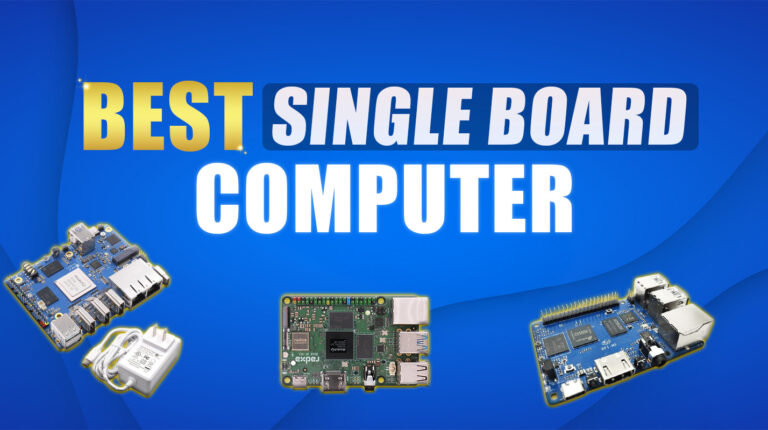
The best single board computer fits desktop-class computing into packages smaller than your phone. Full operating systems run smoothly on these compact boards while drawing minimal power.
I’ve watched these boards evolve from basic hobby projects into legitimate development platforms. They handle 4K video streaming, coordinate smart home systems, run AI inference at the edge, and power countless maker projects.
GPIO pins connect directly to sensors and hardware. Network connectivity comes standard. Processing power rivals entry-level desktops. This guide covers six boards solving real problems for developers, hobbyists, and professionals.
Jump to:
Our Top Picks for Single Board Computer
After working with dozens of single board computers over the years, the gap between “good enough” and “actually great” comes down to three things: performance that matches your project, connectivity that doesn’t force workarounds, and support that doesn’t leave you stuck at 2am debugging. These three boards nail all of them.
- Radxa Rock 5C RK3588S2 (2024) – Eight cores with NVMe support and 4K video decoding make this ideal for developers. Upgradeable to 32GB RAM with Mali-G610 graphics. Efficient 10W power draw handles multitasking and media serving smoothly.
- Orange Pi 5 Plus (2023) – Mini-PC power with 2.5G Ethernet, NVMe storage, and 8K video capability. Built-in NPU accelerates AI workloads while dual HDMI creates flexible display configurations. Strong performance for demanding projects.
- Khadas VIM3 (2019) – Purpose-built for AI inference and media applications with 5.0 TOPS NPU performance. Smooth 4K playback pairs with Cortex-A73 processing efficiency. Low power consumption suits 24/7 operation perfectly.
The full list below covers six boards that actually solve real problems instead of creating new ones. You’ll find detailed specs, real-world use cases, and the specific strengths that make each one worth considering for your next build.
6 Best Single Board Computer Choices for Performance and Value
Finding the right board means matching specs to your actual project needs. Some excel at media serving with hardware video decoding. Others prioritize GPIO access for robotics and control systems.
The boards below cover different priorities without forcing compromises where they matter most. You’ll find the best single board computer that fits your requirements and budget.
1. Radxa Rock 5C RK3588S2 [Best Budget 8K-Capable SBC]
| Specs | Details |
|---|---|
| Cores/Threads | 8 cores (4x Cortex-A76, 4x Cortex-A55) |
| Base/Boost Clock | Up to 2.2 GHz |
| Cache | 8 MB L3 shared (based on RK3588S2 architecture) |
| TDP | Approx. 10W (board-level estimate) |
| Socket | Soldered SoC (non-replaceable) |
| Integrated GPU | ARM Mali-G610 MP4 |
| Cooler | Passive heatsink included, optional fan header available |
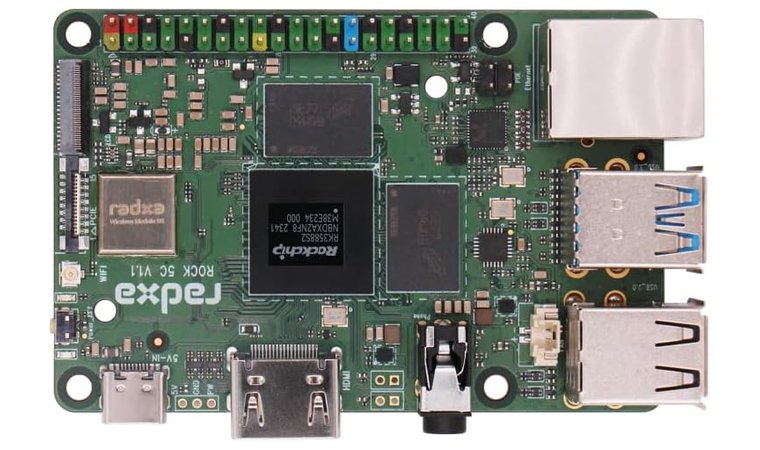
The Radxa Rock 5C RK3588S2 delivers true desktop-class performance in a compact ARM board, making it a standout for developers, tinkerers, and builders who want efficient power at a low cost.
It’s built around the RK3588S2 chip, pairing high-efficiency Cortex-A55 cores with faster A76 cores that handle multitasking and light compiling workloads easily. What sets this chip apart is its support for NVMe storage, USB 3.0, and even 4K video playback, which gives it a surprising level of flexibility for the price.
| Pros | Cons |
|---|---|
| ✅ 4K multimedia support with hardware decoding (HEVC, AV1) ✅ Efficient power draw at ~10W – stays cool with passive cooling ✅ USB 3.0 and NVMe support for fast storage and transfer ✅ Supports WiFi 6 and Gigabit Ethernet for high-speed networking ✅ Upgradeable RAM (up to 32GB) across SKUs for more headroom ✅ Linux-ready for dev tasks, server apps, and IoT deployment ✅ Compact form factor fits easily in small enclosures | ❌ Not x86-compatible, which limits software choices, but perfect for Linux and ARM-native projects |
And with support for up to 32GB LPDDR4x RAM, it’s future-ready for heavier tasks or projects that evolve over time. Multiple RAM and storage configurations allow you to scale cost vs. capability, and the built-in Mali-G610 MP4 GPU makes it great for media-heavy use cases like Plex servers or custom dashboards.
Final Verdict: If you want a favorite CPU cooler that performs well in ARM-native development, lightweight desktop use, or custom builds, the Radxa Rock 5C RK3588S2 is a versatile, power-efficient option that delivers more than you’d expect at this price.
2. Orange Pi 5 Plus [Best High-Performance SBC for Linux & Android]
| Specs | Details |
|---|---|
| Cores/Threads | 8 cores (4x Cortex-A76, 4x Cortex-A55) |
| Base/Boost Clock | 2.4 GHz |
| Cache | Not officially stated (RK3588S variant) |
| TDP | Approx. 10–12W (board-level estimate) |
| Socket | Soldered SoC |
| Integrated GPU | ARM Mali-G610 MP4 with built-in 3D engine |
| Cooler | Passive heatsink support, fan header onboard |
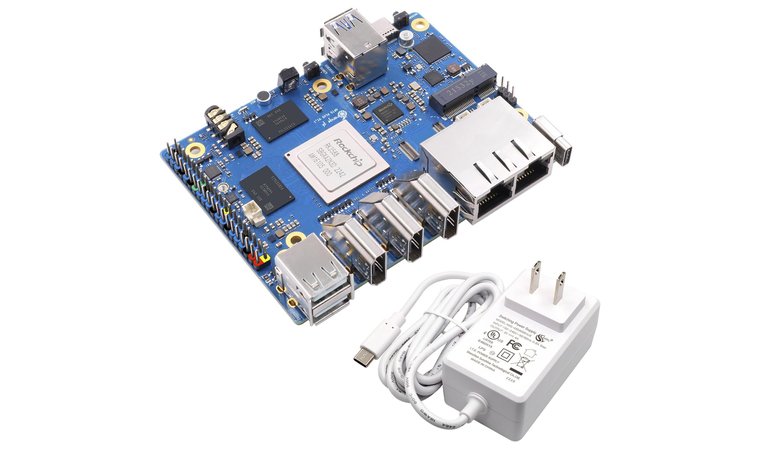
The Orange Pi 5 Plus delivers impressive raw power for its size and price, built around the Rockchip RK3588. With four Cortex-A76 cores backed by four A55 cores, it offers smooth multitasking and one of the best CPUs for software development, coding, media streaming, and light graphical work.
Its support for NVMe M.2 storage, 2.5G Ethernet, and multiple USB 3.0 ports brings it closer to mini-PC territory than most single-board options. It decodes 8K @ 60fps and supports hybrid AI computing with up to 6 TOPS performance on its built-in NPU. The 16GB LPDDR4 RAM variant performs like a true desktop for light-to-moderate workloads, a key reason it earns its spot here.
| Pros | Cons |
|---|---|
| ✅ Strong 8-core CPU with 2.4GHz clock – great for multitasking and builds ✅ Supports NVMe and 2.5G Ethernet – perfect for fast file transfers ✅ 8K video decoding with Mali-G610 GPU – excellent for media center builds ✅ Supports up to 32GB RAM SKUs – flexible for advanced needs ✅ Dual HDMI outputs and Type-C support – good display expansion ✅ AI acceleration (6 TOPS NPU) – handles edge computing and hybrid tasks ✅ Compatible with Linux and Android OS – broad application use | ❌ Passive cooling may struggle under long full-load sessions, but onboard fan header allows easy upgrades |
Multiple storage SKUs and OS support (Android, Debian, Ubuntu) give this board strong adaptability, whether you’re building a lightweight dev rig, streaming box, or all-around embedded workstation.
Final Verdict: The Orange Pi 5 Plus punches above its class, offering performance and features typically seen in more expensive mini PCs. It’s a great choice for budget-conscious builders who want desktop-like flexibility in a compact board.
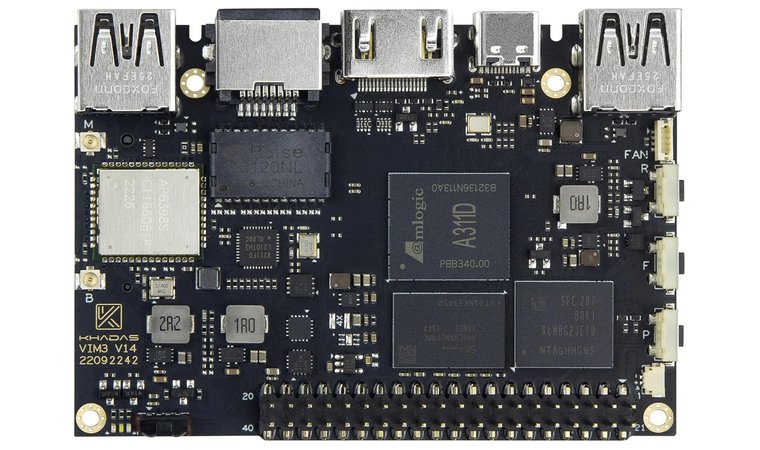
3. Khadas VIM3 [Best SBC for AI & Edge Computing]
| Specs | Details |
|---|---|
| Cores/Threads | 6 cores (4x Cortex-A73 @ 2.2GHz, 2x Cortex-A53 @ 1.8GHz) |
| Base/Boost Clock | 2.2 GHz |
| Cache | 512KB L2 per core, 1536KB shared MAC L2 |
| TDP | Approx. 10W |
| Socket | Soldered SoC |
| Integrated GPU | Mali-G52 MP4 |
| Cooler | Passive heatsink with optional active cooling kit |
Khadas VIM3 strikes an ideal balance between performance, efficiency, and AI acceleration, making it a smart choice for anyone building compact media centers or edge AI projects. Powered by the Amlogic A311D, it offers a combination of Cortex-A73 and Cortex-A53 cores that deliver solid performance in multitasking, streaming, and development tasks.
What truly sets it apart is its onboard Neural Processing Unit (NPU), which runs up to 5.0 TOPS and supports popular frameworks like TensorFlow and Caffe. This allows fast AI inference at the edge without needing a top GPU.
| Pros | Cons |
|---|---|
| ✅ Onboard NPU delivers 5.0 TOPS AI performance – ideal for ML inference at the edge ✅ Smooth 4K media decoding and dual display support – excellent for HTPCs or dashboards ✅ Cortex-A73/A53 combo provides solid multitasking headroom ✅ Reliable passive cooling with optional fan support – handles sustained workloads better ✅ Strong I/O layout with GPIO, USB-C, HDMI, and M.2 (on some SKUs) ✅ Wide software compatibility – Android, Ubuntu, LibreELEC support ✅ Low power consumption – stays cool and stable in 24/7 scenarios | ❌ 4GB RAM limit on base model may feel tight for heavier tasks, but it’s enough for most media and AI uses |
It also handles 4K media playback with ease and includes strong I/O like USB-C, HDMI, GPIO, and camera interface support. Wi-Fi 5, Bluetooth 5.0, and optional M.2 expansion make this board flexible for advanced media or embedded projects.
Final Verdict: The Khadas VIM3 is one of the most capable SBCs in its class, especially for AI workloads and media-rich applications. It’s compact, efficient, and well-supported, perfect for users building smart edge solutions or advanced media players on a tight budget.
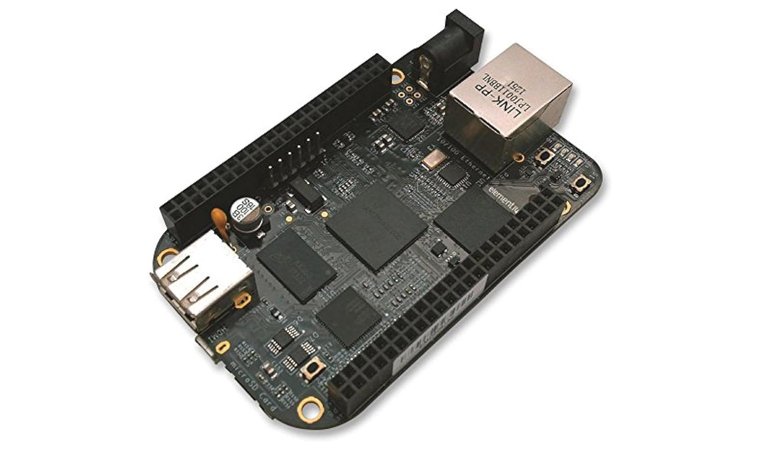
4. Beagleboard (BeagleBone Rev C) [Best Open-Source Development Board for Engineering Projects]
| Specs | Details |
|---|---|
| Cores/Threads | 1 core (ARM Cortex-A8 @ 1.0 GHz) |
| Base/Boost Clock | 1.0 GHz |
| Cache | 256KB L2 cache |
| TDP | Extremely low (~2W typical usage) |
| Socket | Soldered SoC (TI Sitara AM3358) |
| Integrated GPU | PowerVR SGX530 |
| Cooler | Passive (no active cooling needed) |
The BeagleBone Black Rev C is built for reliability and real-world interfacing, not raw performance. Designed around the Texas Instruments AM3358 Sitara SoC, it features an ARM Cortex-A8 core with rich I/O support and onboard flash storage. Its true strength lies in its GPIO access, real-time responsiveness, and compatibility with a wide range of hardware modules.
| Pros | Cons |
|---|---|
| ✅ 40+ GPIOs with real-time I/O support – ideal for direct hardware interfacing ✅ Low power consumption (~2W) – reliable for always-on systems ✅ Small and rugged form factor – easy to mount in enclosures ✅ Built-in 4GB eMMC storage + microSD support – ready to boot out of the box ✅ Supports capes for motor control, displays, sensors – speeds up development ✅ Strong open-source community + wide documentation ✅ Stable for industrial or academic embedded projects | ❌ Single-core performance is outdated, but it handles control tasks with ease and stability |
This board suits robotics, automation, and control systems where precision and low latency matter. Developers use it for CNC control, sensors, signal processing, and industrial automation, where it runs cool, stays stable, and doesn’t need much power or space. Support for Debian Linux, strong documentation, and long-term availability make it ideal for both prototyping and production use.
Final Verdict: The BeagleBone Black Rev C is a go-to CPU board for DIY engineers, educators, and developers working on embedded control systems. It’s simple, well-supported, and perfectly tuned for hardware-level access and real-time tasks.
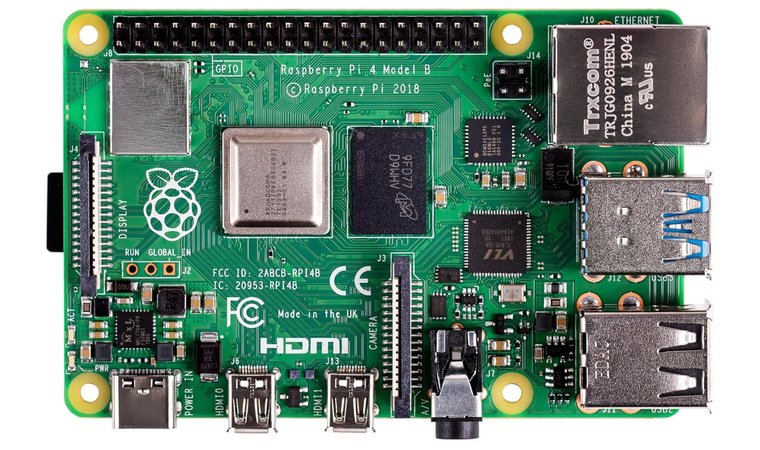
5. Raspberry Pi 4 Model B [Best All-Purpose SBC for Beginners]
| Specs | Details |
|---|---|
| Cores/Threads | 4 cores (ARM Cortex-A72 @ 1.5 GHz) |
| Base/Boost Clock | 1.5 GHz |
| Cache | 1MB L2 shared |
| TDP | Approx. 5–7W typical |
| Socket | Soldered SoC |
| Integrated GPU | Broadcom VideoCore VI |
| Cooler | Passive (heatsinks recommended) |
The Raspberry Pi 4 Model B is the most versatile CPU board in the budget space, offering just enough performance to run light desktops, media servers, or IoT devices at a fraction of the cost of most PCs. With four Cortex-A72 cores and support for up to 8GB of LPDDR4 RAM, it delivers enough power for everyday tasks and home automation.
| Pros | Cons |
|---|---|
| ✅ Quad-core Cortex-A72 processor – solid for multitasking, light desktop use, and servers ✅ Gigabit Ethernet, USB 3.0, and dual HDMI – excellent for networking and media output ✅ 4GB RAM version offers great value – also available in 2GB and 8GB SKUs ✅ Works with many operating systems – Raspberry Pi OS, Ubuntu, and Docker containers ✅ Broad accessory support – hats, displays, cameras, and more ✅ Huge online community – simplifies learning and project building ✅ Low power consumption – perfect for 24/7 or remote installations | ❌ Thermals can build up under load, but a small passive heatsink or fan keeps it stable |
Its dual micro-HDMI outputs, USB 3.0 ports, and Gigabit Ethernet give it connectivity that rivals many entry-level laptops. Raspberry Pi OS, Ubuntu, and other Linux distros run well, and the massive community support means you’ll always find tutorials, forums, and compatible accessories.
Final Verdict: The Raspberry Pi 4 Model B is the gold standard for makers and hobbyists, with a proven mix of performance, support, and low cost. It adapts to nearly any home or DIY project without requiring much space, power, or setup time.
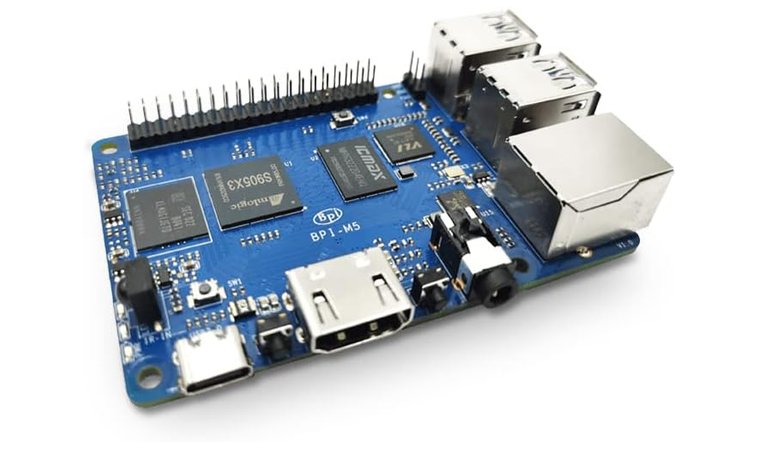
6. Banana Pi [Best Affordable SBC for IoT & Multimedia Projects]
| Specs | Details |
|---|---|
| Cores/Threads | 4 cores (ARM Cortex-A55 @ 2.0 GHz) |
| Base/Boost Clock | 2.0 GHz |
| Cache | Not officially stated (Amlogic S905X3 typical: 1MB L2) |
| TDP | Low power (~5–7W estimated) |
| Socket | Soldered SoC |
| Integrated GPU | Mali-G31 MP2 |
| Cooler | Passive (no fan required) |
Banana Pi M5 offers strong value for new developers, students, and builders, with a flexible mix of hardware features and affordable pricing. Powered by the Amlogic S905X3 processor, it supports 4K video playback, dual display output, and a wide range of Linux-based systems.
| Pros | Cons |
|---|---|
| ✅ ARM Cortex-A55 quad-core CPU – handles multitasking and video playback well ✅ USB 3.0 and HDMI output – good I/O support for peripherals and displays ✅ Gigabit Ethernet and WiFi support – ideal for network-based projects ✅ 16GB onboard eMMC + microSD slot – fast, flexible storage options ✅ Passive thermal design – quiet and power-efficient operation ✅ Supports Android, Debian, Ubuntu, and more – broad software compatibility ✅ Affordable upgrade path – multiple models available for different use cases | ❌ Software support is less polished than Raspberry Pi, but the community keeps expanding with new images and tools |
Its USB 3.0 ports, HDMI output, eMMC storage, and Gigabit Ethernet deliver a desktop-like experience in a compact footprint. You can boot from eMMC or microSD, and the 40-pin GPIO header allows full project control for sensors, motors, or other external hardware. Boards like the M5 are widely used for coding education, smart home devices, and custom network tools.
Final Verdict: The Banana Pi M5 is a great entry-level board for learning Linux, prototyping hardware, or building focused applications like media boxes and network tools. It balances connectivity, performance, and price in a way that fits both first-time tinkerers and experienced developers.
Top Ways to Use a Single Board Computer
Single board computers solve real problems across different fields. Understanding where they excel helps you pick the right board for your specific needs and maximize the value of your build.
1. Gaming and Emulation
Retro gaming enthusiasts use SBCs to build dedicated emulation stations running RetroPie or Lakka. Boards with decent GPUs handle everything from NES to PlayStation 1 smoothly.
You can create portable handheld gaming devices or connect to TVs for classic arcade experiences. Some builders even use them as lightweight Steam Link clients for game streaming from more powerful PCs.
2. IoT and Home Automation
Home automation projects thrive on SBCs running Home Assistant or OpenHAB. They coordinate smart lights, thermostats, security cameras, and sensors through a single controller you actually control.
The low power draw means they run 24/7 while keeping electricity costs minimal. GPIO pins connect directly to relays, sensors, and custom hardware for truly personalized smart home setups.
3. Media and Entertainment
Media server builds rely on SBCs for Plex, Jellyfin, or Kodi installations. Hardware video decoding handles 4K content smoothly while staying silent and cool.
You can attach an external SSD for massive media libraries or stream directly from network storage. Dual HDMI outputs even let you run multiple displays from one compact board.
4. Hobbies and Education
Students and makers use SBCs to learn programming, electronics, and Linux fundamentals. The accessible price point encourages hands-on experimentation and skill building.
Schools deploy them in computer science classes for teaching Python, web development, and hardware interfacing basics.
5. Industrial & Embedded Systems
Professional developers prototype commercial products on SBCs before committing to custom silicon. They control CNC machines, monitor industrial sensors, and manage automated systems reliably.
The real-time I/O capabilities and industrial temperature ratings make them suitable for factory environments and outdoor installations.
Final Thoughts on the Best Single Board Computers
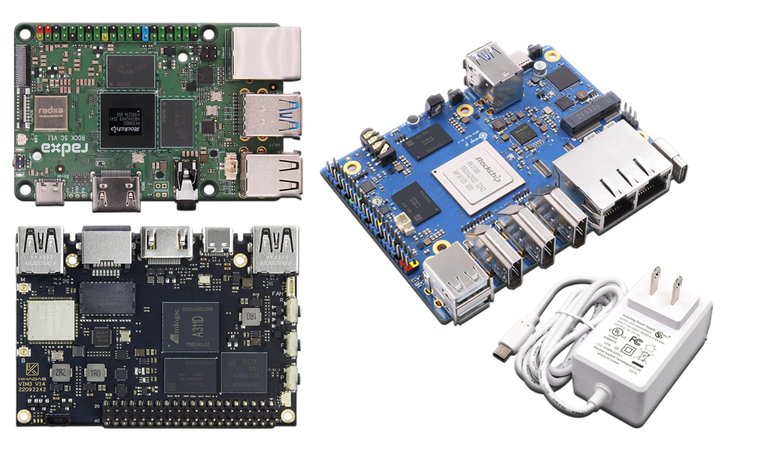
The best starting point for single board computers depends on what you’re building and which features matter most for your specific project.
For developers and tinkerers needing desktop-class performance → Radxa Rock 5C RK3588S2. Eight cores with NVMe support and upgradeable RAM handle development workflows smoothly. The Mali-G610 GPU adds genuine graphics capability while 10W power draw keeps it efficient for always-on projects.
For builders wanting mini-PC flexibility → Orange Pi 5 Plus. Raw processing power meets versatile connectivity with 2.5G Ethernet and dual HDMI outputs. The built-in NPU accelerates AI workloads while 8K video decoding handles demanding media tasks effortlessly.
For AI and media-focused projects → Khadas VIM3. The 5.0 TOPS NPU delivers fast inference at the edge without needing external accelerators. Smooth 4K playback pairs with low power consumption for reliable 24/7 operation in compact spaces.
Pick the board that aligns best with your project goals and workflow.
FAQs
The best single board computer is the Radxa Rock 5C RK3588S2. It offers the strongest overall performance with eight cores, NVMe support, and upgradeable RAM. For AI projects, the Khadas VIM3 delivers dedicated NPU performance.
A single board computer integrates all essential components like CPU, RAM, storage, and I/O ports onto one compact circuit board. Unlike traditional PCs with separate motherboards and expansion cards, SBCs deliver complete computing functionality in palm-sized packages.
No. Laptops use modular designs with replaceable components connected to a motherboard. Single board computers integrate everything onto one non-upgradeable board. Laptops prioritize portability with built-in displays, keyboards, a lot of other features, and specialized applications.
Hard to say. Microcontrollers excel at simple, dedicated control tasks with lower power consumption. Choose SBCs for projects needing Linux, networking, or media processing, and microcontrollers for basic sensor monitoring, motor control, and real-time responses.