



11 Best Mini PC Options for 2026: Compact Power, Big Value

Eneba Hub contains affiliate links, which means we may earn a small commission if you make a purchase through them—at no extra cost to you. Learn more


Recent update
This list is regularly updated to match what’s trending and in-demand among gamers.
The best mini PC I’ve used completely changed how I think about desktop computing. I didn’t expect it to replace my full-sized tower, but it handled everything, work, media, even light gaming, without the noise or bulk.
If you’re in the market for a compact system that offers real performance, this guide covers 11 mini PCs that stand out today. Each represents what I consider the best mini PC 2026 pick in its category.
Some are perfect for students, others fit creative professionals or home users looking to save space without giving up power. Read on to explore the full list. If you need the best mini PC for gaming, work, or creative tasks, this guide has you covered.
Jump to:
Our Top Picks for Mini PCs
After comparing performance, design, and overall value, three models clearly stood out. These represent the best mini PC options across different price points and use cases. Here’s what makes them special.
- Lenovo ThinkCentre neo 50q Gen 4 (2024) – A reliable all-rounder that’s perfect for business or home offices. It offers excellent stability, quiet performance, and thoughtful port selection.
- KAMRUI Essenx E2 (2025) – One of the best entry-level choices for students and casual users. It comes with snappy performance for daily tasks, a sleek design, and surprising connectivity options.
- ASUS ROG NUC (2024) – A serious machine for gamers and power users. This mini PC packs in high-end components and thermal efficiency in a form factor you’d expect to find on a bookshelf.
These three picks reflect the best Mini PCs for different needs and budgets. Each one offers a unique balance of size, speed, and value depending on what you’re looking for. Keep scrolling to see the full breakdown of all eleven models.
11 Best Mini PC Models to Buy in 2026 for Every Use Case
The best mini PCs have evolved into powerful, compact systems that fit nearly any setup: home, office, gaming, or creative work. In this section, we’ll explore eleven standout machines that offer performance without taking up space. Let’s find the best mini PC for your needs.
1. Lenovo ThinkCentre neo 50q Gen 4 [Best Overall Mini PC]
| Specs | Details |
|---|---|
| CPU | Intel Core i5-13420H (8 cores, 12 threads, up to 4.6GHz) |
| GPU / iGPU | Integrated Intel UHD Graphics |
| Memory | 16GB DDR4 RAM |
| Storage | 512GB M.2 PCIe NVMe SSD |
| Ports & Connectivity | 1x USB-C 3.2 Gen 2, 3x USB-A 3.2 Gen 2, 2x USB-A 2.0, 1x HDMI, 2x DisplayPort, Ethernet, Wi‑Fi 6, Bluetooth 5.2 |
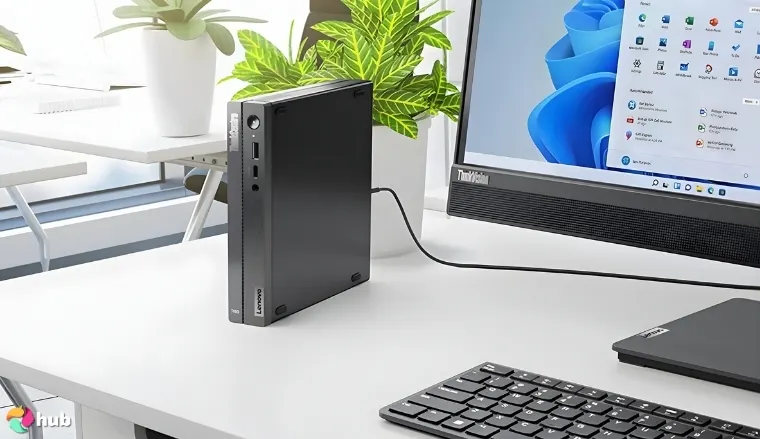
The Lenovo ThinkCentre neo 50q Gen 4 is the best mini PC for all-around use thanks to its balance of performance, size, and stability. It runs on a 13th Gen Intel Core i5, which handles multitasking, productivity tools, and light creative workloads with ease. Its 1L chassis fits discreetly on a desk, shelf, or behind a monitor while keeping thermals under control.
Attach it to the back of your monitor with a VESA bracket to create a clean, efficient workspace and reduce desk clutter.
With support for triple 4K displays (1 HDMI, 2 DisplayPort), this model suits users who depend on extended screen setups. It includes enterprise-grade security features and a TÜV-certified low-noise design. The 16GB RAM and 512GB SSD provide fast, responsive performance right out of the box.
| Pros | Cons |
|---|---|
| ✅ Strong multitasking with 13th Gen Intel Core i5 ✅ Ultra-compact 1L size fits in tight setups ✅ Quiet operation certified for low noise ✅ Supports up to 3 monitors for expanded productivity ✅ Fast connectivity with USB-C, Ethernet, and Wi-Fi 6 ✅ Quick boot and app load times with NVMe SSD ✅ Easy to upgrade for future memory or storage needs | ❌ Not ideal for high-end gaming, but suitable for office, streaming, and everyday creative tools |
Final Verdict: The Lenovo ThinkCentre neo 50q Gen 4 is the best mini computer for users who want a compact, quiet, and highly reliable system for work, learning, or light creative tasks.
2. KAMRUI Essenx E2 [Best Budget Mini PC]
| Specs | Details |
|---|---|
| CPU | AMD Ryzen 4300U (4 cores, 4 threads, up to 3.7GHz) |
| GPU / iGPU | Integrated AMD Radeon Graphics |
| Memory | 16GB DDR4 RAM |
| Storage | 512GB M.2 SSD (expandable via M.2 SATA and 2.5” slot) |
| Ports & Connectivity | 1x USB-C Gen 2, 3x USB-A, 1x HDMI 2.0, 1x DisplayPort 1.4, Ethernet, Wi-Fi, Bluetooth |
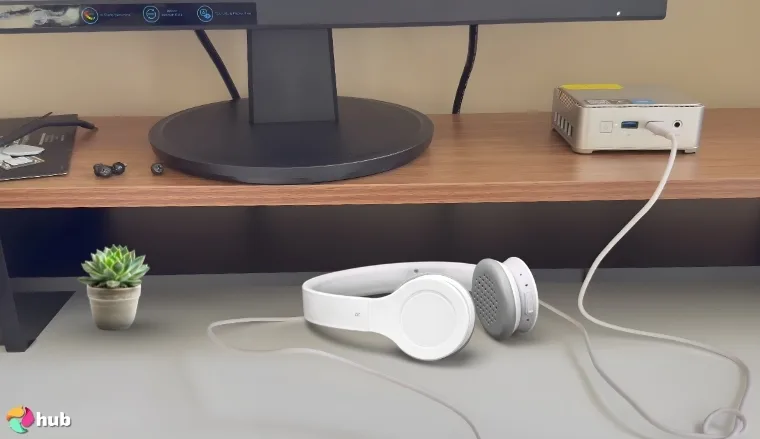
The KAMRUI Essenx E2 is the best budget mini PC for buyers who want reliable, everyday performance at a low cost. Powered by the AMD Ryzen 4300U, this unit handles web browsing, streaming, office software, and schoolwork without lag or overheating. Despite the price, it comes with a full 16GB of RAM and a 512GB SSD.
Use the DisplayPort 1.4 for smoother multi-monitor performance if you’re running video playback or extended desktops.
It supports 4K dual-display setups via HDMI and DisplayPort. With both USB-C Gen 2 and standard USB-A ports, it connects easily to peripherals and external drives. The silver case stays cool thanks to a passive-friendly cooling design that keeps fan noise almost silent even during extended use.
| Pros | Cons |
|---|---|
| ✅ Outstanding value with 16GB RAM and 512GB SSD at a budget price ✅ Dual-channel memory and SSD upgrade slots for future flexibility ✅ Silent thermal profile helps reduce distractions in small or shared spaces ✅ Supports 4K output for work, media, and basic design workflows ✅ USB-C Gen 2 and Gigabit LAN for fast data and stable connections ✅ Compact and portable, ideal for students, travelers, and home setups ✅ Radeon iGPU performs well in browser games and media acceleration | ❌ Not suited for demanding creative apps, though it handles basic editing and multitasking without issues |
Final Verdict: The KAMRUI Essenx E2 is the best mini PC under budget and offers strong specs and surprising versatility for home users, students, and casual gamers.
3. ASUS ROG NUC [Best Mini PC for Gaming]
| Specs | Details |
|---|---|
| CPU | Intel Core Ultra 9 (Series 2, 2.7GHz base, 96MB cache) |
| GPU / iGPU | NVIDIA GeForce RTX 50-Series (Mobile) with DLSS support |
| Memory | Up to 96GB RAM, tool-free upgradeable |
| Storage | User-expandable (M.2 SSD compatible) |
| Ports & Connectivity | USB 3.2 Gen 2, DisplayPort, Wi-Fi, Bluetooth, RGB top-mount controls |
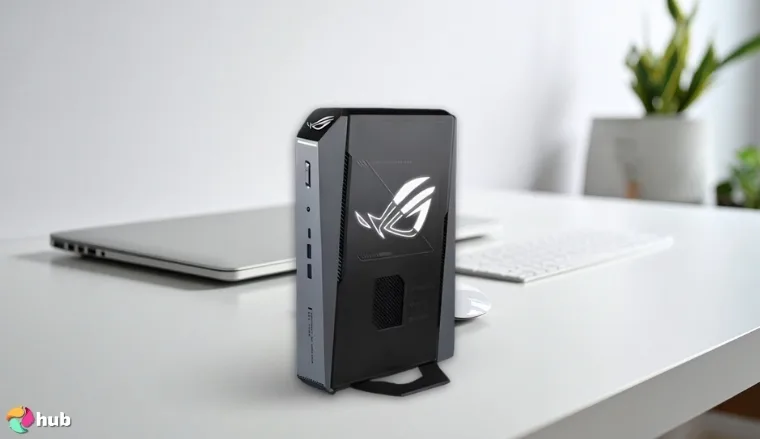
The ASUS ROG NUC is the best mini gaming PC thanks to its ability to offer full desktop-level performance in a compact 3L chassis. It runs on the Intel Core Ultra 9 Series 2 processor and includes an NVIDIA RTX 50-Series GPU, which enables high frame rates in demanding AAA titles and competitive esports games.
Use DLSS settings in supported games to push frame rates higher while reducing strain on the GPU during long sessions.
The dedicated GPU uses DLSS technology to enhance performance and visual quality, which keeps gameplay fluid and responsive. Meanwhile, the advanced QuietFlow cooling system uses three fans and a vapor chamber to maintain stable temps during intense gaming or long hours of high-performance work. With RGB Aura Sync lighting and a sleek, compact design, it fits easily on any desk while still making a statement. This powerhouse redefines what the best mini PC can achieve in gaming.
| Pros | Cons |
|---|---|
| ✅ RTX 50-Series graphics offer smooth gameplay in 1440p and 4K ✅ DLSS support boosts FPS without visual compromises ✅ Advanced cooling keeps temps under control during long gaming sessions ✅ Tool-free upgrade access for RAM and storage ✅ Compact 3L chassis with full-size power ✅ RGB lighting with Aura Sync for a custom look ✅ Intel Ultra 9 CPU offers strong multitasking beyond gaming | ❌ Premium pricing, but justified by performance and upgrade potential |
Final Verdict: The ASUS ROG NUC is the best small desktop computer for serious gamers who want performance, cooling, and visuals in a small form factor.
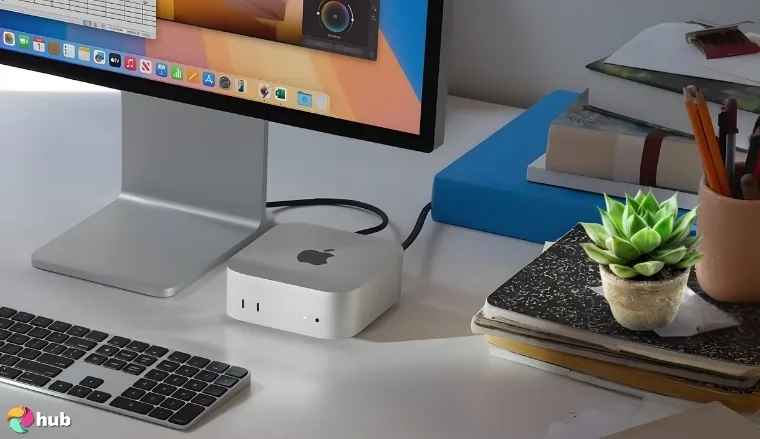
4. Apple Mac Mini M4 [Best Apple Mini PC]
| Specs | Details |
|---|---|
| CPU | Apple M4 chip |
| GPU / iGPU | Apple Integrated Graphics |
| Memory | 16GB unified memory |
| Storage | Not specified (configurable SSD via Apple Store) |
| Ports & Connectivity | Thunderbolt, USB-C, HDMI, Ethernet, headphone jack, macOS ecosystem |
The Apple Mac Mini M4 is the best Apple mini PC for users invested in the macOS ecosystem. At just five inches across, it fits anywhere while offering power that rivals full-sized desktops. The new M4 chip boosts performance significantly across creative, development, and everyday workloads.
Use the front-facing USB-C ports for accessories that require quick access, such as external drives or dock connections.
With industry-leading performance per watt, the M4 offers everything from media creation to multitasking, and it runs smoothly and efficiently. The unit remains nearly silent under pressure, which makes it ideal for professionals working in audio, video, or code. Integration with tools like iPhone Mirroring, iMessage, FaceTime, and iCloud makes it a seamless addition to any Apple user’s workflow.
| Pros | Cons |
|---|---|
| ✅ Apple M4 chip offers exceptional speed, stability, and thermal control ✅ Compact 5×5-inch footprint fits easily into any home or office setup ✅ Whisper-quiet operation with strong thermal optimization ✅ Built-in Apple ecosystem support improves productivity and device syncing ✅ Thunderbolt, HDMI, and Ethernet for high-speed connectivity ✅ macOS optimizations boost app speed, boot times, and energy efficiency ✅ Excellent choice for creatives and developers using macOS-native tools | ❌ Limited gaming support, although performance is strong for casual or cloud-based play |
Final Verdict: The Apple Mac Mini M4 remains the best mini PC choice for Apple ecosystem users. It combines compact size with serious power, perfect for productivity and creative work.
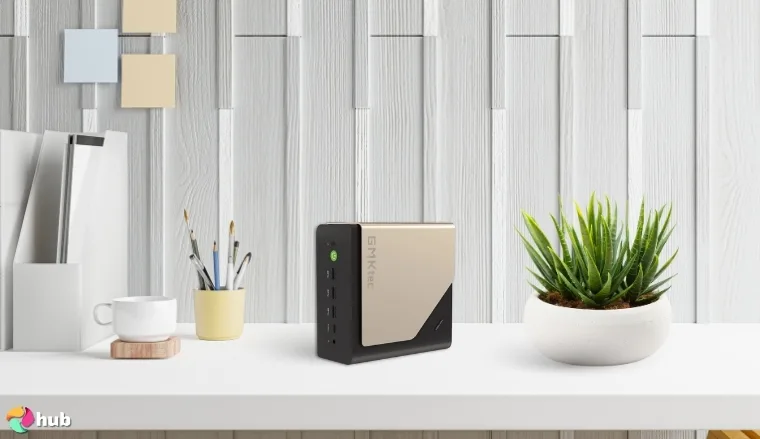
5. GMKtec EVO-T1 [Best Quiet Mini PC with Multi-Monitor Support]
| Specs | Details |
|---|---|
| CPU | Intel Core Ultra 9 285H, 16 cores, up to 5.4GHz turbo |
| GPU / iGPU | Intel Arc 140T GPU (2.35GHz) |
| Memory | 96GB DDR5 RAM (dual channel) |
| Storage | 2TB PCIe 4.0 SSD, expandable to 12TB max |
| Ports & Connectivity | Quad 4K/8K display output, USB-C, HDMI 2.1, DisplayPort 1.4, Wi‑Fi 6, 2.5GbE LAN, Bluetooth 5.2 |
The GMKtec EVO-T1 is the best quiet mini PC for users who need smooth performance and wide monitor support without system noise. It features the high-end Intel Core Ultra 9 285H chip with AI boost capabilities and a turbo clock up to 5.4GHz, paired with the Intel Arc 140T GPU that handles creative apps and modern games with ease.
For maximum display clarity and refresh rate, use HDMI 2.1 or DisplayPort 1.4 with monitors that support 4K@60Hz or 8K output.
This model supports quad-display output in 4K or 8K resolution. For gaming and network-heavy use, the system includes Wi-Fi 6, 2.5GbE LAN, and USB Type-C, along with a top-tier GPU for gaming support, fast file transfers, and high-end performance.
| Pros | Cons |
|---|---|
| ✅ Ultra-quiet cooling system makes it perfect for sound-sensitive environments ✅ Supports up to 4 screens with crisp 4K/8K output ✅ Intel Arc 140T GPU performs well in creative workloads and casual gaming ✅ 2TB PCIe 4.0 SSD with room for major file libraries and expansions ✅ 96GB DDR5 RAM enables heavy multitasking and fast memory handling ✅ Oculink port and 2.5GbE LAN secure fast data transfers and lower network lag ✅ Modern chassis design fits cleanly into office or studio setups | ❌ Larger footprint than most of the best mini PCs, though still compact compared to full desktops |
Final Verdict: The GMKtec EVO-T1 brings what many consider the best mini PC experience for multi-monitor professionals who also need silent operation and reliable performance.
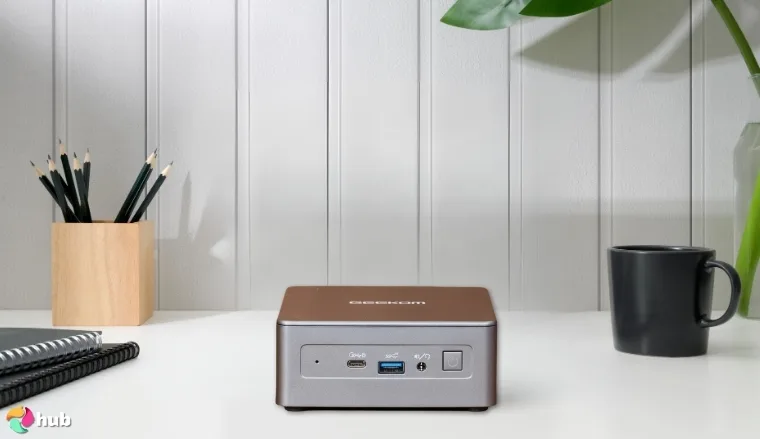
6. GEEKOM G1 [Best Mini PC with Advanced Liquid Cooling]
| Specs | Details |
|---|---|
| CPU | Intel Core i9-13900HK, up to 5.4GHz turbo, 20 threads |
| GPU / iGPU | NVIDIA GeForce RTX 4060 Mobile (8GB GDDR6) |
| Memory | 32GB DDR5 RAM (expandable to 64GB) |
| Storage | 2TB PCIe Gen4 SSD (up to 4TB expandability) |
| Ports & Connectivity | Oculink, USB-C, HDMI 2.0, 2.5GbE LAN, 15 ports total, Wi-Fi 6, Bluetooth 5.2 |
The GEEKOM G1 is the best micro PC with advanced liquid cooling, thanks to its combination of power and thermal precision. At its core is an Intel Core i9-13900HK, paired with an RTX 4060 Mobile GPU, which makes it ideal for gamers, creators, and power users who need consistent performance under load.
To maximize cooling, place the G1 in a well-ventilated space and make full use of its side exhaust design for better airflow.
As a result, the CPU maintains turbo speeds longer than most air-cooled alternatives. The Oculink port adds external GPU support with 32GB/s bandwidth. In terms of connectivity, this model includes 15 total ports across USB-A, USB-C, HDMI, and 2.5GbE LAN, supporting multi-device setups for studios, editors, and hybrid workflows.
| Pros | Cons |
|---|---|
| ✅ Liquid cooling supports sustained high performance with low noise ✅ Intel Core i9 and RTX 4060 enable fast rendering and 4K gaming ✅ 2TB SSD and expandable slots provide excellent media storage ✅ Oculink connectivity adds future-proof GPU expansion options ✅ Compact design fits in tight spaces with minimal thermal buildup ✅ 2.5GbE LAN and Wi-Fi 6 improve latency ✅ Tool-free upgrades make it easy to scale for future needs | ❌ Larger than typical mini PCs, although the cooling and performance make it worthwhile |
Final Verdict: The GEEKOM G1 showcases how the best mini PC can match desktop performance through advanced cooling. It excels in editing, rendering, and gaming tasks while keeping heat and noise under control.
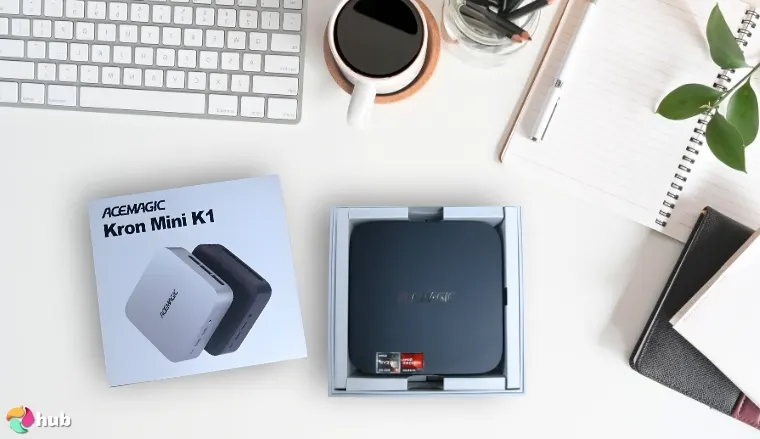
7. ACEMAGICIAN Kron Mini K1 [Best Compact Powerhouse Mini PC]
| Specs | Details |
|---|---|
| CPU | AMD Ryzen 7 7730U, 8 cores / 16 threads, up to 4.5GHz |
| GPU / iGPU | AMD Radeon RX Vega Graphics |
| Memory | 32GB DDR4 RAM, dual-channel, expandable to 64GB |
| Storage | 512GB M.2 SSD, expandable via a second M.2 slot |
| Ports & Connectivity | HDMI, DisplayPort, USB-C, RJ45 LAN, Type-C, Wi-Fi, Bluetooth |
The ACEMAGICIAN Kron Mini K1 earns its title as the best compact powerhouse mini PC by combining fast multitasking performance and an ultra-small footprint. It runs on the AMD Ryzen 7 7730U. The Radeon RX Vega Graphics support smooth 4K video playback and casual gaming without frame drops.
If using three monitors, use HDMI, DisplayPort, and USB-C simultaneously to extend your setup without resolution drops.
Network performance stays stable under pressure thanks to Gigabit LAN, and the modern port selection makes it easy to connect displays, external drives, and peripherals without adapters. The compact case also includes an effective cooling setup that keeps noise low and performance steady during long sessions.
| Pros | Cons |
|---|---|
| ✅ Ryzen 7 CPU handles multitasking, video playback, and moderate workloads efficiently ✅ Radeon RX Vega iGPU offers smooth 4K visuals and playable frame rates ✅ 32GB RAM out of the box, with upgrade headroom to 64GB ✅ Dual M.2 slots for expanded storage flexibility ✅ Triple 4K display output makes it ideal for productivity setups ✅ Compact chassis fits easily into any workspace or media station ✅ Strong connectivity with USB-C, RJ45, and full-size HDMI/DP ports | ❌ Not optimized for high-end games, though it performs well for casual titles and visual tasks |
Final Verdict: The ACEMAGICIAN Kron Mini K1 proves that the best mini PC doesn’t always require the largest footprint. It’s ideal for users who want speed, multitasking, and future upgrade options in a clean, compact setup.
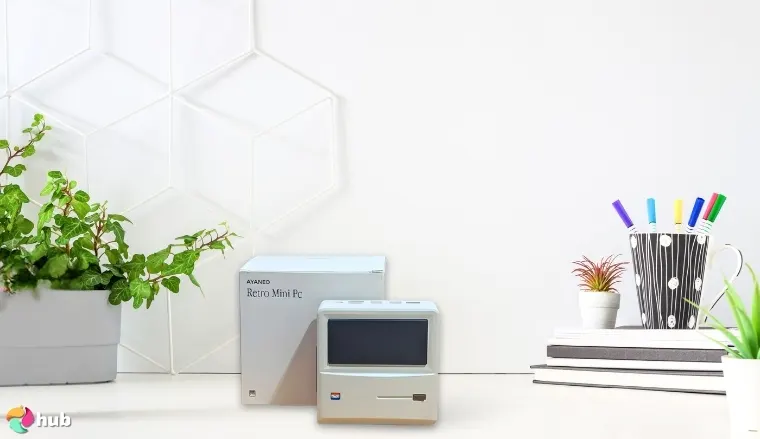
8. AYANEO AM01 Retro [Best Mini PC with Flip Screen]
| Specs | Details |
|---|---|
| CPU | AMD Ryzen 7 5825U, 8 cores / 16 threads, up to 4.5GHz |
| GPU / iGPU | Integrated AMD Radeon Graphics |
| Memory | 32GB DDR4 RAM, dual-channel, expandable to 64GB |
| Storage | 512GB PCIe 3.0 SSD, with 2.5” SATA slot for expansion |
| Ports & Connectivity | USB 3.2 Gen 2, HDMI 2.0, DisplayPort 1.4, RJ45 Ethernet, Wi-Fi 6, Bluetooth 5.2 |
The AYANEO AM01 Retro is the best mini PC with a flip screen, combining standout design with flexible performance. Built with a retro-inspired chassis, it features a small built-in touchscreen display for quick system monitoring, media controls, or productivity widgets.
Use the flip display to monitor temperatures, CPU loads, and clock speeds in real time, without external apps.
Inside, the AMD Ryzen 7 5825U offers strong performance for daily computing, multitasking, and creative tasks. Its compact design pairs with a quiet, high-efficiency cooling module. Users also benefit from fast storage, dual RAM slots, and extra space for expansion via SATA.
| Pros | Cons |
|---|---|
| ✅ Retro design with flip-up screen adds functional personality ✅ Ryzen 7 5825U supports multitasking, creative tools, and media playback ✅ Dual-drive storage support gives room for growing project files ✅ Silent cooling system enables distraction-free use ✅ 32GB RAM secures fast performance across apps and browser tabs ✅ Full-size HDMI and DisplayPort simplify multi-monitor use ✅ Preloaded Windows 11 secures a smooth out-of-the-box setup | ❌ Not suitable for intensive 3D gaming, but performs well in emulation, streaming, and light titles |
Final Verdict: The AYANEO AM01 Retro is the top pick for users who want power, portability, and unique style. It can be considered the best mini PC that combines personality with performance.
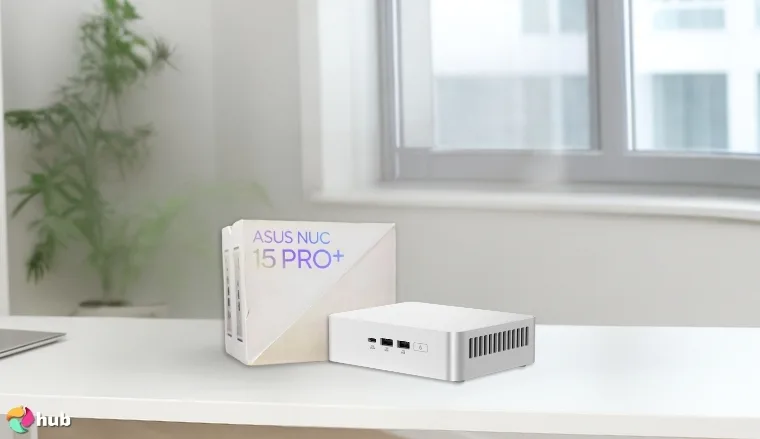
9. ASUS NUC 15 Pro+ [Best AI-Ready Mini PC]
| Specs | Details |
|---|---|
| CPU | Intel Core Ultra 5 225H, Series 2, up to 1.7GHz base clock |
| GPU / iGPU | Intel Arc 130T Graphics |
| Memory | 96GB (upgradeable, tool-free chassis) |
| Storage | Not specified (compatible with M.2 SSD and tool-free slots) |
| Ports & Connectivity | Dual HDMI 2.1, Thunderbolt 4, Wi-Fi 7, Bluetooth 5.4, 0.7L chassis |
The ASUS NUC 15 Pro+ is the best AI-ready mini PC for users preparing for advanced automation and machine-learning workloads. It runs on the new Intel Core Ultra 5 225H processor, supported by Intel Arc 130T graphics.
Pair this mini PC with a Thunderbolt 4 external GPU for AI model rendering or heavier graphical workloads without replacing the whole system.
This compact system supports up to 96GB of memory, enabling smoother execution for AI model testing, coding, and data processing. Thermal design plays a key role. The 0.7L chassis stays unobtrusive in any workspace, yet packs serious power under the hood. When it comes to gaming or remote access, the system maintains low latency through Wi‑Fi 7, Bluetooth 5.4, and dual HDMI outputs.
| Pros | Cons |
|---|---|
| ✅ Intel Arc 130T GPU supports AI, graphics, and low-latency media tasks ✅ Wi‑Fi 7 and Bluetooth 5.4 improve responsiveness across devices ✅ Dual HDMI and Thunderbolt 4 allow for crisp 4K multi-display setups ✅ 0.7L form factor fits into any workspace without compromise ✅ Quiet airflow system keeps fans low even during multi-threaded loads ✅ Tool-free design makes upgrades fast and simple ✅ AI hardware acceleration prepares professionals for future workloads | ❌ No discrete GPU, although AI-enhanced graphics and expansion options make it suitable for most needs |
Final Verdict: The ASUS NUC 15 Pro+ is the best mini PC for professionals working in automation, coding, and AI tasks.
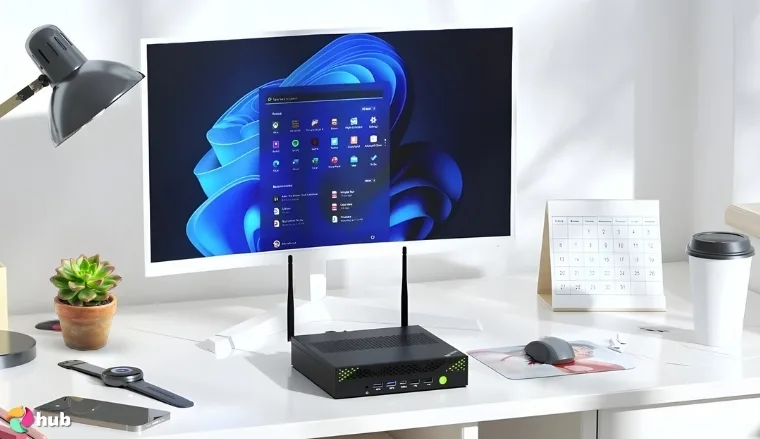
10. GMKtec K10 [Best Mini PC Workstation]
| Specs | Details |
|---|---|
| CPU | Intel Core i9-13900HK, 14 cores, 20 threads, up to 5.4GHz |
| GPU / iGPU | Intel Iris Xe Graphics, up to 1.5GHz |
| Memory | 32GB DDR5 5600MHz, dual-channel, upgradeable |
| Storage | 1TB PCIe 4.0 SSD, expandable up to 12TB via 3x M.2 slots |
| Ports & Connectivity | 2x HDMI 2.0, DisplayPort 1.4, 2.5GbE LAN, USB-C, Wi-Fi 6, Bluetooth 5.2, COM port |
The GMKtec K10 is the best mini PC workstation for users who need real computing power in a small footprint. It features the Intel Core i9-13900HK, a high-performance processor built for serious workloads like video editing, 3D rendering, and virtualization. With 32GB of DDR5 RAM and 1TB of Gen4 SSD storage, the K10 handles demanding applications smoothly while offering up to 12TB expansion capacity for long-term scalability.
For large editing projects or virtualization, use the triple M.2 slots to isolate OS, cache, and project storage for faster performance.
It’s ideal for creators, engineers, and developers thanks to its quad-display support, which allows simultaneous 4K or 8K output via HDMI, DisplayPort, and USB-C. The COM port also adds flexibility for industrial, automation, or POS integrations, a rare bonus in mini PCs. It’s also relevant for users comparing it to a top single-board computer, as it offers significantly more compute power, memory, and upgradeability in a similar form factor.
| Pros | Cons |
|---|---|
| ✅ i9-13900HK CPU handles demanding tasks with ease ✅ 12TB storage expansion supports massive file libraries or VMs ✅ Quad 4K/8K display support boosts multitasking and workflow ✅ COM port makes it viable for industrial and embedded setups ✅ DDR5 RAM at 5600MHz secures fast response across workloads ✅ 2.5GbE LAN + Wi-Fi 6 improve VPN speeds and remote access ✅ Compact chassis fits on any desk while offering workstation power | ❌ No discrete GPU, though integrated Iris Xe is still efficient for creative workflows and media tasks |
Final Verdict: The GMKtec K10 is the best workstation-grade mini PC for professionals who demand power, flexibility, and multi-display capability in a compact form.
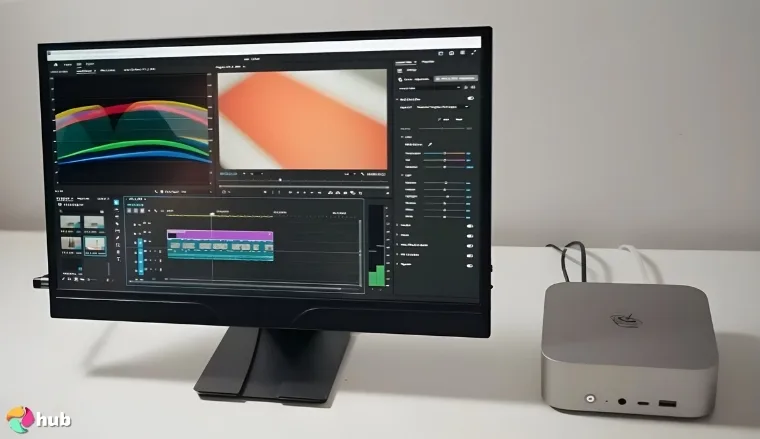
11. Beelink Mini PC SER9 [Best Value & Power Combo]
| Specs | Details |
|---|---|
| CPU | AMD Ryzen 9 5900HX, 8 cores / 16 threads, up to 4.6GHz |
| GPU / iGPU | AMD Radeon Vega 8 Graphics, integrated |
| Memory | 32GB DDR4 RAM, dual-channel |
| Storage | 512GB NVMe SSD, user-expandable |
| Ports & Connectivity | USB 3.2, HDMI, DisplayPort, Ethernet, Wi-Fi, Bluetooth |
The Beelink Mini PC SER9 brings an excellent balance of power, price, and reliability. It is powered by the AMD Ryzen 9 5900HX, a high-performance processor that handles multitasking, creative software, and productivity tools without delay. Combined with 32GB RAM and a fast SSD, this system runs smoothly across professional and casual workloads.
Connect both DisplayPort and HDMI to dual monitors for a clean productivity or entertainment setup that requires no adapters.
Its Radeon Vega 8 Graphics supports fluid performance in light gaming, creative previews, and multitasking, while the compact chassis stays cool and quiet during long sessions. This makes it ideal for remote workers, students, and media users. Multiple USB ports, HDMI, and DisplayPort secure wide monitor compatibility, and it pairs easily with any of the best gaming monitors to create a sharp, low-lag visual experience.
| Pros | Cons |
|---|---|
| ✅ Ryzen 9 CPU offers fast multitasking and stable app performance ✅ Quiet thermal design keeps fan noise low during long work hours ✅ Radeon Vega 8 GPU is ideal for streaming, light gaming, and media playback ✅ 32GB dual-channel memory improves performance in browser-heavy or creative tasks ✅ Expandable storage supports larger project libraries or game installs ✅ Multiple display outputs allow multi-screen setups for work or play ✅ Great price-to-performance ratio in the premium mini PC category | ❌ Not suitable for high-end 3D gaming, though it performs well with less demanding titles and productivity software |
Final Verdict: The Beelink Mini PC SER9 exemplifies what the best mini PC offers when balancing cost and capability. It’s built for multitaskers who want reliable power, quiet operation, and strong everyday performance in one compact machine.
Compared Specs: The Best Mini PCs 2026 Offers
This comparison helps identify the best mini PC specifications for your requirements. Use this data to compare processing power, graphics capabilities, memory configurations, and connectivity options across all the best mini PCs 2026 selections. Each model represents different strengths in the mini PC market.
| Product | CPU | GPU / iGPU | Memory | Storage | Ports & Connectivity |
|---|---|---|---|---|---|
| Lenovo ThinkCentre neo 50q Gen 4 | Intel Core i5-13420H (8 cores, 12 threads, up to 4.6GHz) | Integrated Intel UHD Graphics | 16GB DDR4 RAM | 512GB M.2 PCIe NVMe SSD | 1x USB-C 3.2 Gen 2, 3x USB-A 3.2 Gen 2, 2x USB-A 2.0, 1x HDMI, 2x DisplayPort, Ethernet, Wi‑Fi 6, Bluetooth 5.2 |
| KAMRUI Essenx E2 | AMD Ryzen 4300U (4 cores, 4 threads, up to 3.7GHz) | Integrated AMD Radeon Graphics | 16GB DDR4 RAM | 512GB M.2 SSD (expandable via M.2 SATA and 2.5″ slot) | 1x USB-C Gen 2, 3x USB-A, 1x HDMI 2.0, 1x DisplayPort 1.4, Ethernet, Wi-Fi, Bluetooth |
| ASUS ROG NUC | Intel Core Ultra 9 (Series 2, 2.7GHz base, 96MB cache) | NVIDIA GeForce RTX 50-Series (Mobile) with DLSS support | Up to 96GB RAM, tool-free upgradeable | User-expandable (M.2 SSD compatible) | USB 3.2 Gen 2, DisplayPort, Wi-Fi, Bluetooth, RGB top-mount controls |
| Apple Mac Mini M4 | Apple M4 chip | Apple Integrated Graphics | 16GB unified memory | Not specified (configurable SSD via Apple Store) | Thunderbolt, USB-C, HDMI, Ethernet, headphone jack, macOS ecosystem |
| GMKtec EVO-T1 | Intel Core Ultra 9 285H, 16 cores, up to 5.4GHz turbo | Intel Arc 140T GPU (2.35GHz) | 96GB DDR5 RAM (dual channel) | 2TB PCIe 4.0 SSD, expandable to 12TB max | Quad 4K/8K display output, USB-C, HDMI 2.1, DisplayPort 1.4, Wi‑Fi 6, 2.5GbE LAN, Bluetooth 5.2 |
| GEEKOM G1 | Intel Core i9-13900HK, up to 5.4GHz turbo, 20 threads | NVIDIA GeForce RTX 4060 Mobile (8GB GDDR6) | 32GB DDR5 RAM (expandable to 64GB) | 2TB PCIe Gen4 SSD (up to 4TB expandability) | Oculink, USB-C, HDMI 2.0, 2.5GbE LAN, 15 ports total, Wi-Fi 6, Bluetooth 5.2 |
| ACEMAGICIAN Kron Mini K1 | AMD Ryzen 7 7730U, 8 cores / 16 threads, up to 4.5GHz | AMD Radeon RX Vega Graphics | 32GB DDR4 RAM, dual-channel, expandable to 64GB | 512GB M.2 SSD, expandable via a second M.2 slot | HDMI, DisplayPort, USB-C, RJ45 LAN, Type-C, Wi-Fi, Bluetooth |
| AYANEO AM01 Retro | AMD Ryzen 7 5825U, 8 cores / 16 threads, up to 4.5GHz | Integrated AMD Radeon Graphics | 32GB DDR4 RAM, dual-channel, expandable to 64GB | 512GB PCIe 3.0 SSD, with 2.5″ SATA slot for expansion | USB 3.2 Gen 2, HDMI 2.0, DisplayPort 1.4, RJ45 Ethernet, Wi-Fi 6, Bluetooth 5.2 |
| ASUS NUC 15 Pro+ | Intel Core Ultra 5 225H, Series 2, up to 1.7GHz base clock | Intel Arc 130T Graphics | 96GB (upgradeable, tool-free chassis) | Not specified (compatible with M.2 SSD and tool-free slots) | Dual HDMI 2.1, Thunderbolt 4, Wi-Fi 7, Bluetooth 5.4, 0.7L chassis |
| GMKtec K10 | Intel Core i9-13900HK, 14 cores, 20 threads, up to 5.4GHz | Intel Iris Xe Graphics, up to 1.5GHz | 32GB DDR5 5600MHz, dual-channel, upgradeable | 1TB PCIe 4.0 SSD, expandable up to 12TB via 3x M.2 slots | 2x HDMI 2.0, DisplayPort 1.4, 2.5GbE LAN, USB-C, Wi-Fi 6, Bluetooth 5.2, COM port |
| Beelink Mini PC SER9 | AMD Ryzen 9 5900HX, 8 cores / 16 threads, up to 4.6GHz | AMD Radeon Vega 8 Graphics, integrated | 32GB DDR4 RAM, dual-channel | 512GB NVMe SSD, user-expandable | USB 3.2, HDMI, DisplayPort, Ethernet, Wi-Fi, Bluetooth |
This specs overview shows how the best mini PC 2026 models differ in key areas. Higher-end options like the ASUS ROG NUC offer dedicated graphics for gaming, while budget mini computers like the KAMRUI focus on solid everyday performance. Use these specifications to narrow down which small desktop computer matches your performance needs and budget constraints. For detailed reviews and real-world performance insights, scroll up to read the full breakdown of the best mini PCs.
How To Choose a Good Mini PC
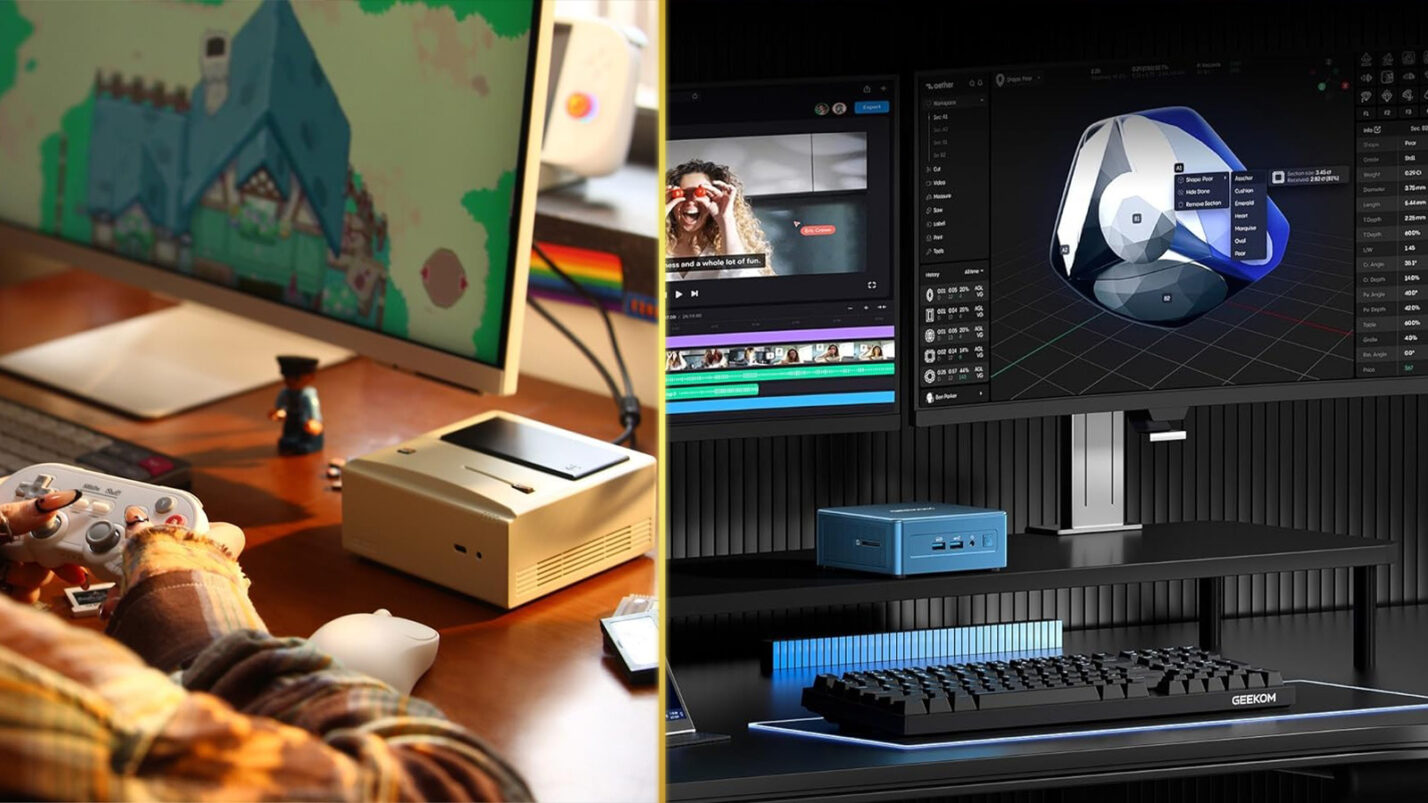
Choosing the best mini PC starts with understanding how you plan to use it. Office work and web browsing demand far less power than gaming, creative editing, or AI-related tasks. A clear use case helps avoid overspending or ending up with hardware that feels slow too soon. The best mini PC for your needs balances performance, size, and budget considerations.
CPU Performance and Why It Matters
The processor determines how fast your system feels day to day. For office tasks, browsing, and light multitasking, an Intel Core i5 or Ryzen 5 is usually enough. Users handling heavier workloads should look for the best CPU available within budget, such as an Intel Core i7 or AMD Ryzen 7. The best mini PC 2026 models offer desktop-class processors in compact form factors.
GPU Capabilities for Graphics and Gaming
Integrated graphics work well for media playback and general use. Creative work, gaming, and AI tasks benefit from a dedicated GPU. Compact systems with the best AMD GPU options offer strong performance while staying power-efficient. The best mini gaming PC will include discrete graphics for serious gaming performance.
RAM, Storage, and Upgrade Options
Most users should aim for 16GB of RAM to keep multitasking smooth. Creative users may need more. Storage should start at 512GB SSD, with upgrade options available for future expansion. Limited internal space makes upgradeability an important detail.
Ports, Cooling, and Daily Use
Port selection affects usability more than size suggests. A good mix of USB‑C, HDMI, DisplayPort, and Ethernet secures smooth connectivity with monitors, input devices, and storage. If you plan to transfer large files or use the best external hard drive for backups or media libraries, make sure your mini desktop computer supports high-speed ports like USB 3.2 Gen 2 or Thunderbolt.
Efficiency, OS Choice, and Budget
Power-efficient systems reduce heat and energy use. Windows offers the widest compatibility, Linux suits developers, and macOS remains limited to Apple hardware. Set a budget based on real needs, not peak specs, to get long-term value. Gamers should prioritize clock speed and thermal stability, as the top CPU for gaming improves frame consistency and responsiveness, especially in CPU‑heavy titles. The best mini PC balances all these factors within your budget constraints.
My Overall Verdict on the Best Mini PC
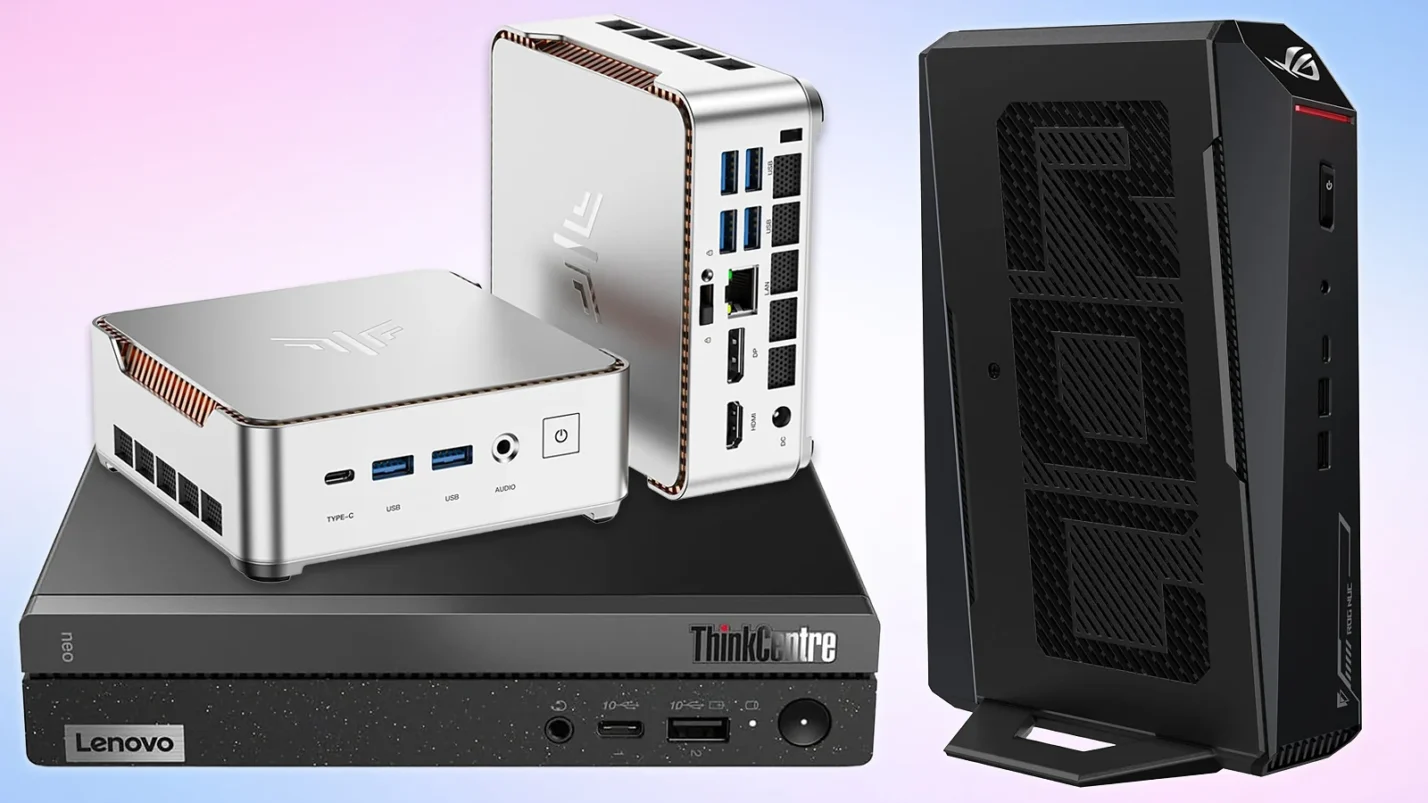
If you’re working in a compact space and need a system that doesn’t compromise on performance, a mini PC is a smart place to start. The best mini PC today depends on who you are and what you need. Here are the top recommendations based on specific user needs:
- Lenovo ThinkCentre neo 50q Gen 4 – Best for productivity, remote work, and low-noise office setups
- KAMRUI Essenx E2 – Best value for students and casual home users who need solid everyday performance
- ASUS ROG NUC – Best choice for gamers and power users who want top-tier specs in a small package
- Apple Mac Mini M4 – Ideal for creatives and Apple users who need M-series power in a compact body
Each of these represents what I consider the best mini PCs 2026 has to offer, but your perfect fit depends on how you work, play, and plan to grow.
FAQs
The best mini PC is the Lenovo ThinkCentre neo 50q Gen 4. It offers excellent performance, quiet operation, and great value for office or home use.
The lifespan of a mini PC is around 5 to 7 years, depending on usage and cooling. Units with upgradeable RAM and storage tend to remain useful longer, especially for general productivity and media.
You should buy a PC if you want more expansion, but a mini PC is better for small desks, quieter workspaces, and modern workloads that don’t require bulky hardware.
For a mini PC with a GPU, you need 16GB RAM. Creative users or gamers may want 32GB for smoother multitasking and better performance in demanding applications.
You connect a mini PC to a monitor, keyboard, and mouse, just like any desktop. You can also add external storage, audio gear, webcams, or other peripherals via USB, HDMI, or Bluetooth.
Integrated graphics work well for office tasks and media playback. The best mini gaming PC 2026 models include dedicated graphics, which are also necessary for video editing and 3D work. Most users find integrated sufficient, but gamers and creators need dedicated GPU power.
Yes, but it depends on the model. Budget mini PCs handle casual games and esports. High-end models like the ASUS ROG NUC can play demanding AAA games at 1440p and 4K.












