


Best Laptops for SolidWorks: 13 Picks for Every Budget

Eneba Hub contains affiliate links, which means we may earn a small commission if you make a purchase through them—at no extra cost to you. Learn more


Finding the best laptop for SolidWorks can be an arduous task. Laptops for SolidWorks should offer sufficient processing power, RAM capacity, graphics card performance, and reliability to handle intricate 3D modeling, rendering, and simulation. Preferably, they shouldn’t cost a small fortune.
If you’re after something similar, my top 13 laptops for SolidWorks for all budgets should scratch that itch. I rounded up the best options in 2026 for both students and seasoned engineers, including budget-friendly SolidWorks laptops and top-of-the-line mobile workstations.
Jump to:
Our Top Picks for the Best Laptops for SolidWorks
Let’s get down to business with the 3 best laptops for SolidWorks. These are my go-to workhorses for maximum computing power, rendering prowess, and overall reliability.
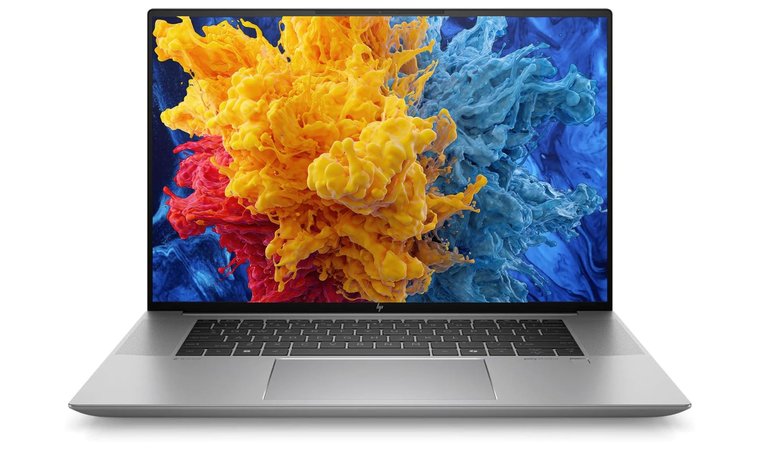
- HP ZBook Studio G11 (2024) – The best high-performance laptop for SolidWorks, combining a 14th Gen Intel i9 processor and RTX Ada GPU for desktop-level power. Its 4K OLED 120 Hz display and ISV certification make it perfect for professionals seeking precision, speed, and portability in one sleek workstation.
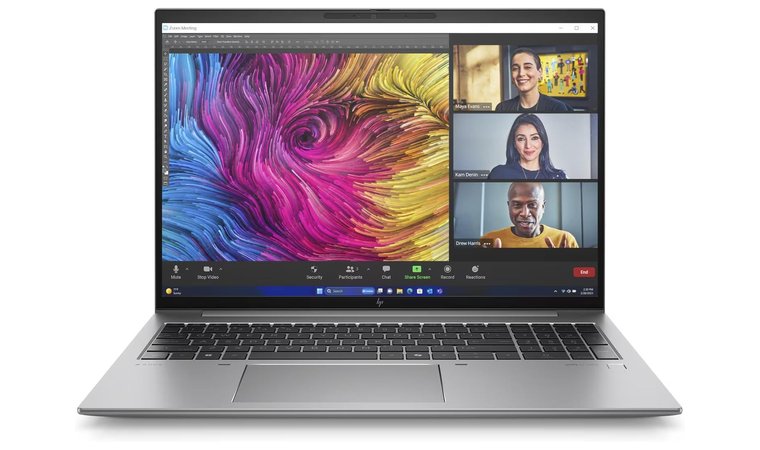
- HP ZBook Firefly 14 G11 (2024) – A juggernaut workstation with impeccable energy efficiency and unrelenting power. It features exceptional single-thread speed, a robust chassis, and support for discrete graphics cards, making it perfect for instantaneous rendering and simulation without stress.
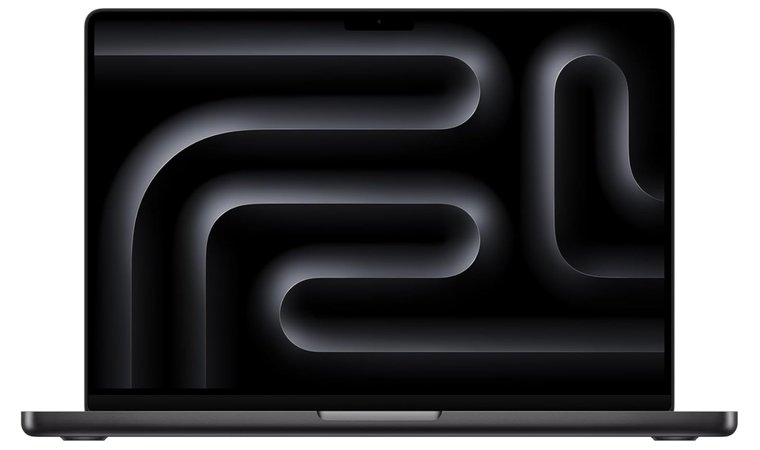
- Apple MacBook Pro (2024)– Apple’s best laptop for SolidWorks, with the world-class M4 Pro chip that boasts industry-leading multi-core performance and GPU acceleration. An outstanding display, durable aluminum build, and 24 GB of DDR5X RAM make this laptop a beast for all 3D modeling tasks.
Ready for your new laptop for SolidWorks? Then scroll down and keep reading to find good laptops for SolidWorks that tick all the right boxes.
13 Best Laptops for SolidWorks: Best Options for 3D Modeling
This is where you’ll find the best laptop for SolidWorks. I included laptops tailored for every type of user, so the selections balance price, performance, and portability. Bear in mind that each pick on the list is the best option for its respective category.
For your convenience, I included their detailed specs, pros, cons, and my final verdict. With my little disclaimer out of the way, I invite you to explore my comprehensive ranking and find which laptop for SolidWorks fits your profession or lifestyle.
1. HP ZBook Studio G11 [Best High-Performance Laptop for 3D Design and Rendering]
Our Score:
| Specs | Details |
|---|---|
| CPU | Intel Core Ultra 7 |
| GPU | NVIDIA RTX 3000 Ada Generation, 8 GB GDDR6 |
| RAM | 64 GB DDR5 |
| Storage | 512 GB SSD |
| Display | 16 inches, 4K, (3840 x 2400) BrightView |
| Refresh Rate | 60 Hz |
| Battery | Li-Ion, 86 Wh |
| Weight | 1.74 kg |
| Connectivity | Bluetooth 5.4, Wi-Fi 6E, 2x Thunderbolt 4, HDMI 2.0, 2x USB-C, combo microphone/headphone jack |
The HP ZBook Studio G11 is a cutting-edge workstation crafted for engineers, designers, and 3D artists who need precision and performance on the go. Powered by Intel’s Core Ultra 7 processor and NVIDIA’s RTX 3000 Ada GPU, it handles demanding SolidWorks assemblies, real-time rendering, and simulation tasks effortlessly. Its vivid 16-inch 4K BrightView display provides stunning clarity and color accuracy, perfect for creative professionals who value detail.
We chose the HP ZBook Studio G11 for its ideal blend of mobility and workstation-class performance. It brings desktop-level power to a sleek, portable chassis while maintaining excellent thermals and quiet operation.
HP’s DreamColor-calibrated 4K panel and powerful Ada-generation GPU make this laptop a dream machine for engineers, animators, and content creators. With long battery life and robust build quality, it’s well-suited for studio work or travel-heavy professionals who need consistent high performance.
| Pros | Cons |
|---|---|
| ✅ Powerful Intel Core Ultra 7 CPU and RTX Ada GPU ✅ 4K BrightView display with superb color accuracy ✅ ISV-certified for SolidWorks and creative apps ✅ Excellent thermal design for sustained performance ✅ Lightweight for a workstation (1.74 kg) ✅ Strong connectivity and modern ports | ❌ Premium pricing compared to other ZBook models ❌ Limited upgrade options for RAM and storage |
My Verdict:
The HP ZBook Studio G11 is the ultimate choice for SolidWorks and other professional 3D applications. It combines luxury-grade visuals, cutting-edge hardware, and portable design into a single workstation built for precision and power.
2. HP ZBook Firefly 14 G11 [Best Budget Laptop for SolidWorks]
Our Score:
| Specs | Details |
|---|---|
| CPU | AMD Ryzen 5 Pro |
| GPU | Nvidia RTX A500, 4 GB GDDR6 |
| RAM | 16 GB |
| Storage | 512 GB SSD |
| Display | 14 inches, Full HD, LCD |
| Refresh Rate | 60 Hz |
| Battery | Li-Po, 56 Wh |
| Weight | 1.4 kg |
| Connectivity | 2x Thunderbolt 4, HDMI, SuperSpeed USB Type-A, Smartcard Reader, WiFi, Bluetooth |
HP ZBook Firefly 14 G11 is a small, 14-inch, ultra-portable mobile workstation with energy-efficient H/U CPUs that still possess exceptional single-thread speed. Among the highlights are business-grade security, sturdy chassis, and an enterprise warranty for pro use.
The ZBook Firefly 14 G11 provides ample connectivity options. You have two Thunderbolt 4 ports and dual-display capability to dock a CAD bench. Meanwhile, you can also configure it with a dedicated graphics card for more power, or settle for the still powerful iGPU on Slim models.
The Firefly 14 G11 is the best small laptop for SolidWorks with impressive internals for 3D modeling and large assemblies.
No doubt, it’s one of the best laptops for students who want to work with SolidWorks on their travels. Its small form factor doesn’t inhibit the power, as the Firefly 14 G11 churns out impressive performance for simple 3D modelling, all the way to large-scale assemblies and complex simulations.
| Pros | Cons |
|---|---|
| ✅ Portable due to smaller size ✅ Sturdy chassis ✅ Enterprise warranty ✅ Great performance for big assemblies ✅ Dual-display capability | ❌ Slim models have an integrated GPU (you can still choose a discrete one) ❌ Slightly larger screen bezels (balanced with a sharp display) |
My Verdict:
HP ZBook Firefly 14 G11 combines portability with an impeccable build quality and unrelenting performance, ideal for fully utilizing the power of SolidWorks. While it’s great for students, it’s also suited to engineers who frequently travel and want to finish their assignments on time.
3. Apple MacBook Pro [Best macOS Laptop for SolidWorks via Virtualization]
Our Score:
| Specs | Details |
|---|---|
| CPU | Apple M4 Pro |
| GPU | 20-core integrated GPU |
| RAM | 24 GB DDR5 |
| Storage | 1 TB SSD |
| Display | 14.2 inches, Liquid Retina XDR, 3024 x 1964 pixels |
| Refresh Rate | 120 Hz |
| Battery | Li-ion, 74 Wh |
| Weight | 1.55 kg |
| Connectivity | MagSafe 3, 3.5 mm headphone jack, 2x Thunderbolt 5, SDXC slot, HDMI, Bluetooth, WiFi, USB 4, DisplayPort |
Apple MacBook Pro is famous for being one of the best MacBook options. However, it’s also the best laptop for SolidWorks that an Apple lover can use. We’re discussing the 2024 model, with the M4 Pro chip, characterized by otherworldly multi-core processing and graphics card acceleration.
The MacBook Pro handles heavy SolidWorks projects like a breeze, thanks to virtualization. Moreover, the MacBook Pro’s Liquid Retina XDR display with 14.2 inches offers eye-piercing brightness and scalpel-sharp visuals for precision-based 3D modeling.
The MacBook M4 Pro is unmistakably the best Apple laptop for SolidWorks, with jaw-dropping CPU and graphics performance and striking display quality for precise model inspection.
On the other hand, users can enjoy 24 GB of DDR5 unified memory with an ultra-fast 1 TB SSD, both allowing for seamless workflow across simulation, rendering, and design review tasks.
| Pros | Cons |
|---|---|
| ✅ One of the most powerful CPUs in the world (M4 Pro) ✅ Sharp Liquid Retina XDR display ✅ Fast DDR5 unified memory ✅ Generous SSD storage ✅ Great for long-lasting rendering and simulation ✅ Excellent battery life (up to 24 hours) | ❌ Not the most affordable (but worth the premium price) ❌ macOS requires virtualization for SolidWorks (but still works well) |
My Verdict:
Apple MacBook Pro is the best laptop for SolidWorks on Apple’s side. It’s a terrific laptop for architecture, engineering, or any other modeling, rendering, and simulation work. Its moderate size can fit both students’ and engineers’ lifestyles and resource demands.
4. Sager NP9560R [Best Gaming-Class Laptop for SolidWorks and 3D Modeling]
Our Score:
| Specs | Details |
|---|---|
| CPU | Intel Ultra 9 275 HX |
| GPU | Nvidia GeForce RTX 5070 Ti, 12 GB GDDR7 |
| RAM | 32 GB DDR5 |
| Storage | 1 TB SSD |
| Display | 16 inches, 2560×1600 pixels, LCD |
| Refresh Rate | 240 Hz |
| Battery | Li-Po, 80 Wh |
| Weight | 2.25 kg |
| Connectivity | Bluetooth, Ethernet, WiFi, 2x USB, 2x Thunderbolt 4, HDMI |
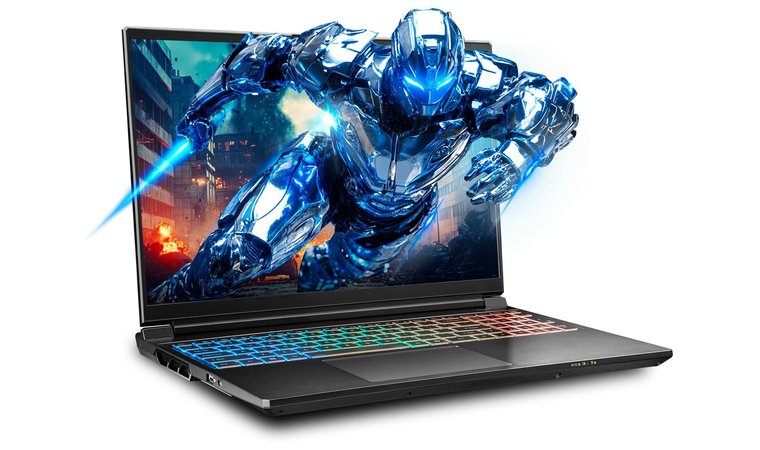
Sager NP9560R boasts high-clock Intel Ultra/H series CPU options for quick single-thread operations, often important for model navigation. The model features several high-TGP Nvidia GPUs, providing desktop-class power in a smaller, laptop chassis, making it a strong choice for professionals who may also rely on a most secure VPNs when working remotely or accessing sensitive project files.
Sager NP9560R handles SolidWorks effortlessly thanks to vapor-chamber cooling, which sustains high clocks during long solves, exports, and complex rendering tasks. The laptop utilizes SSD storage, but also provides two M.2 and SODIMM slots to expand its already gargantuan memory and storage offerings.
An amazing pick for its single-thread speed, high-TGP Nvidia GPUs, and vapor-chamber cooling that guarantees long-lasting, optimal performance.
Overall, Sager NP9560R is built to last and provide sustained performance and high GPU TGP, essential for laborious projects and long simulations.
| Pros | Cons |
|---|---|
| ✅ Extremely high processing and graphical power ✅ Vapor-chamber cooling ✅ Many SODIMM and M.2 slots ✅ Large Li-Po battery for longer SolidWorks sessions ✅ 240 Hz refresh rate feels smooth | ❌ Very heavy (due to high-quality materials) |
My Verdict:
Sager NP9560R is a masterclass in raw power, efficient cooling, and expandable storage and memory, offering flexibility for large-scale SolidWorks projects. It’s one of the most highly-rated laptops for Fusion 360, AutoCAD, and other engineering tasks, where this laptop’s power always impresses.
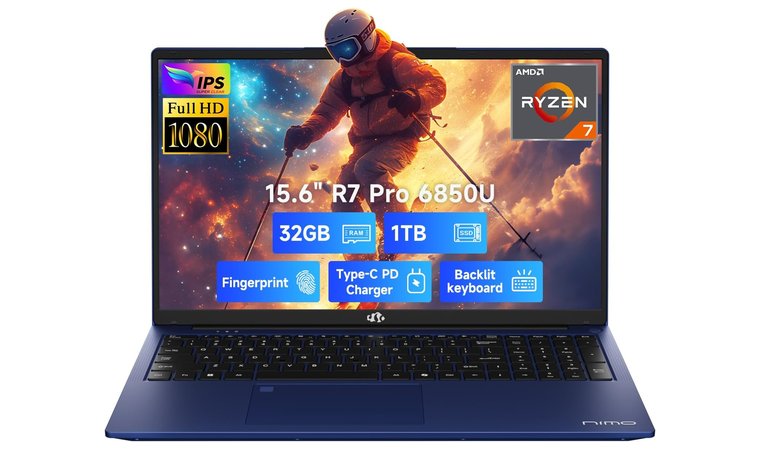
5. NIMO 15.6 [Best Portable Laptop for SolidWorks Students]
Our Score:
| Specs | Details |
|---|---|
| CPU | AMD Ryzen 7 Pro 6850U |
| GPU | AMD Radeon 680M (integrated) |
| RAM | 32 GB DDR5 |
| Storage | 1 TB SSD |
| Display | 15.6 inches, IPS LCD, Full HD |
| Refresh Rate | 60 Hz |
| Battery | Li-Po, 53.58 Wh |
| Weight | 1.7 kg |
| Connectivity | Bluetooth, WiFi, HDMI, 2x USB 3.0, USB Type-A, USB Type-C, Express Card |
NIMO 15.6 is very affordable, with a sleek design, configurable Ryzen/H or mid-range Intel CPUs for solid single-core speed. I really like its upgradeable RAM and NVMe storage, which lets you power up the laptop as you start working on larger projects.
Connectivity-wise, NIMO 15.6 is nimble as a panther, with USB-C and HDMI ports for quick monitor hookups in a CAD bench. Despite its somewhat larger size, NIMO 15.6 is lightweight, at only 1.7 kg, allowing students and engineers to shift from office to home workplace easily.
We chose NIMO 15.6 as an affordable SolidWorks laptop that looks good, offers upgradeable internals, and provides ample connectivity that extends to CAD benches.
Best of all, NIMO 15.6’s upgrades are also cost-effective, so it won’t cost much to up your storage or memory. There’s no option for a discrete GPU, but the AMD Radeon 680M offers sufficient power for rendering and medium-sized simulations.
| Pros | Cons |
|---|---|
| ✅ Configurable processor options ✅ Great single-thread performance (more suitable for SolidWorks) ✅ HDMI and USB-C ports can be used for a CAD bench ✅ Cost-effective upgrades ✅ Portable form factor | ❌ No discrete GPU (its iGPU is powerful enough) ❌ Average battery life (still great for mid-sized projects) |
My Verdict:
I can summarize NIMO 15.6 in three words: portable, lightweight, and affordable. NIMO 15.6 is powerful enough for demanding SolidWorks tasks, featuring upgradeable internals and solid portability for a CAD bench hookup or as a home/office solution.
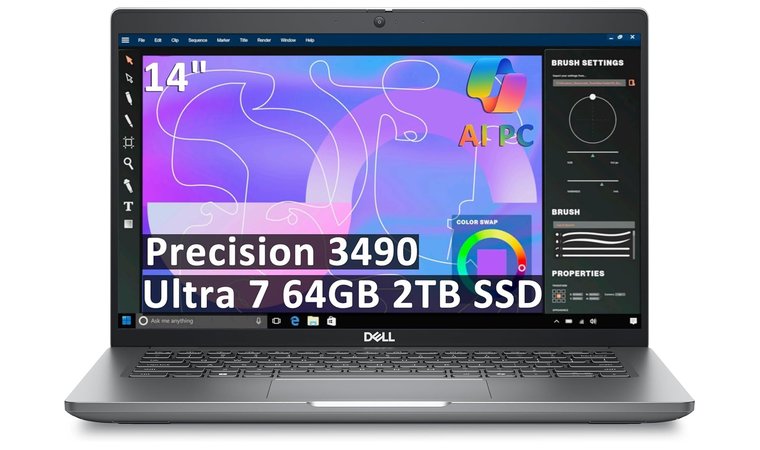
6. Dell Precision 3490 Mobile Workstation [Best Value Mobile Workstation for SolidWorks]
Our Score:
| Specs | Details |
|---|---|
| CPU | Intel® Core™ Ultra 5 125H, vPro® Essentials |
| GPU | NVIDIA RTX 500 Ada 4GB GDDR6 |
| RAM | 8 GB DDR5 |
| Storage | 2TB PCIe NVMe M.2 SSD |
| Display | 14″ FHD, Anti-Glare |
| Weight | ≈ 1.40 kg (3.09 lb) |
| Connectivity | Wi-Fi 6E, 2× Thunderbolt 4, USB-A 3.2 Gen 1, HDMI 2.1, Ethernet, Nano SIM slot, Headphone/mic combo |
The Dell Precision 3490 Mobile Workstation delivers outstanding value for SolidWorks users and engineers who need professional-grade power in a portable form factor. Powered by the Intel® Core™ Ultra 5 125H and NVIDIA RTX 500 Ada GPU, it’s optimized for CAD, simulation, and 3D modeling workflows.
We picked the Precision 3490 for its exceptional balance of performance, mobility, and affordability. This ISV-certified workstation is built to handle SolidWorks and other demanding design software with ease, while offering business-class reliability and serviceability.
Despite its compact 14-inch size, it provides robust thermal performance and an impressive array of connectivity options, including dual Thunderbolt 4 ports and Wi-Fi 6E.
| Pros | Cons |
|---|---|
| ✅ ISV-certified for SolidWorks and CAD/FEA workflows ✅ Workstation-class GPU with stable drivers ✅ Lightweight yet durable MIL-STD-810H build ✅ Excellent port selection and expandability ✅ Strong sustained performance for long rendering tasks | ❌ Limited to FHD display (no 4K option) ❌ Smaller screen may feel tight for multitasking |
Beyond raw performance, the Precision 3490 stands out for its build quality and usability. Its MIL-STD-810H certification guarantees that it can handle travel, lab work, and daily professional use with ease.
The keyboard is comfortable for long typing sessions, and the anti-glare FHD display makes it ideal for extended work in bright environments or classrooms. The compact form factor and lightweight design (≈1.4 kg) make it easy to carry without sacrificing workstation reliability.
My Verdict:
The Dell Precision 3490 is the best-value mobile workstation for engineering students and professionals who need real workstation performance in a portable, budget-friendly package. Ideal for SolidWorks, 3D modeling, and simulation work, it’s the perfect travel companion for serious design work.
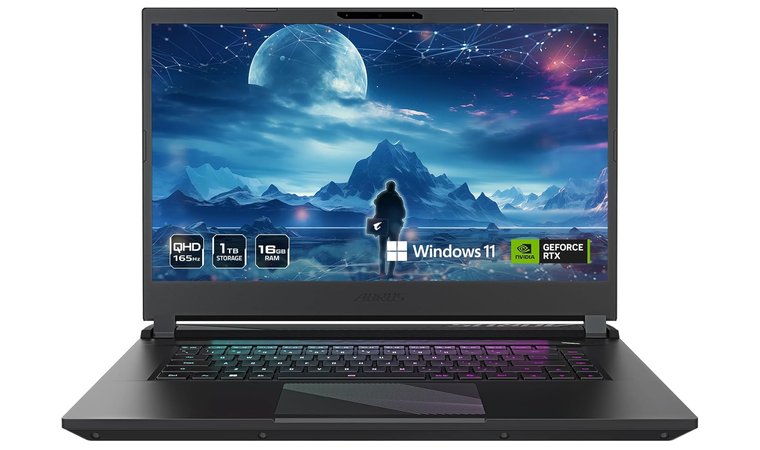
7. GIGABYTE AORUS [Best Creator Laptop for SolidWorks and 3D Visualization]
Our Score:
| Specs | Details |
|---|---|
| CPU | Intel Ultra 7 155H |
| GPU | Nvidia GeForce RTX 4060, 8 GB GDDR6 |
| RAM | 16 GB DDR5 |
| Storage | 1 TB SSD |
| Display | 15 inches, IPS, 2560 x 1440 pixels |
| Refresh Rate | 165 Hz |
| Battery | Li-Po, 99 Wh |
| Weight | 2.39 kg |
| Connectivity | WiFi 6E, Bluetooth 5.2, HDMI 2.1, Mini DP 1.4, Thunderbolt 4, 2x USB Type-A, USB Type-C |
GIGABYTE AORUS features very high-end CPU + GPU combos, letting you choose from i7, i9, or Intel Ultra CPUs and RTX 40/50-series GPUs with high TGP options. Gamers will approve! However, AORUS is also a fantastic SolidWorks laptop with a high-res 2K IPS panel with a 16:10 aspect ratio for detailed model inspection.
GIGABYTE’s advanced cooling system and MUX switch on many SKUs let you disable your iGPU and squeeze the most power out of your discrete GPU. The laptop offers multiple TB4/HDMI outputs for multi-monitor CAD benches.
A perfect option for high-end SolidWorks operations and even gaming. We picked it for its beefy CPU + GPU combo, its MUX switch, and a beautiful IPS display.
You’ll get desktop-class performance, high-TGP GPUs, and excellent I/O to handle giant assemblies, enjoy multi-display setups, and render with minimal compromise.
| Pros | Cons |
|---|---|
| ✅ Impressive CPU + GPU combinations ✅ IPS screen with sharp visuals ✅ MUX switch provides improved GPU performance ✅ Multi-display setup support ✅ 165 Hz refresh rate for smoother operation | ❌ Fairly chunky (large display + premium build) |
My Verdict:
GIGABYTE AORUS has premium hardware, display, and chassis quality, making it among the most impressive laptops for SolidWorks. Customizable CPU and GPU provide many options to suit the laptop to your needs and project sizes without overspending.
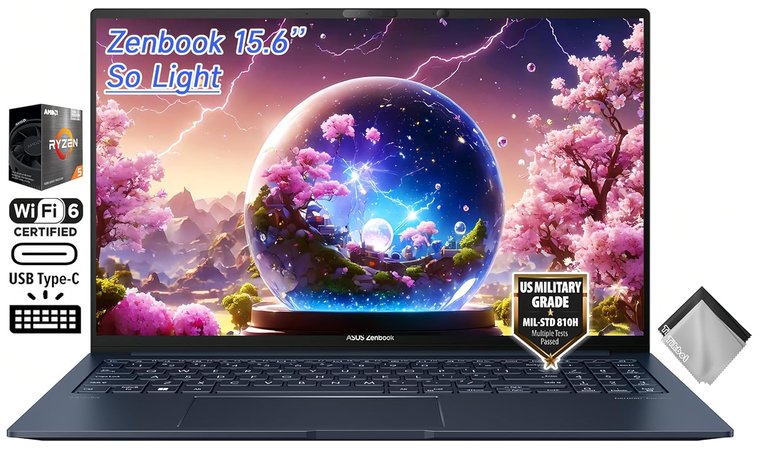
8. ASUS Zenbook 15 [Best Lightweight Laptop for SolidWorks Professionals]
Our Score:
| Specs | Details |
|---|---|
| CPU | AMD Ryzen 5 7535U |
| GPU | AMD Radeon (integrated) |
| RAM | 16 GB DDR5 |
| Storage | 1 TB SSD |
| Display | 15.6 inches, LCD, Full HD |
| Refresh Rate | 60 Hz |
| Battery | Li-ion, 67 Wh |
| Weight | 1.65 kg |
| Connectivity | WiFi 6E, Bluetooth 5.3, 3.5mm headphone jack, 2x USB Type-C, USB Type-A, HDMI 2.1 TMDS |
One of the best ASUS laptops on this list, the Zenbook 15, offers a high-res OLED screen for detailed geometry and excellent contrast on shaded models. You can choose from energy-efficient H-class or Ryzen U/H CPUs with good single-core performance for part editing and sketches.
ASUS Zenbook 15 combines a robust, rigid chassis with superb thermals on its SKUs, offering a perfect balance of power and portability. It has lightning-fast NVMe storage with Thunderbolt/USB-C ports for top-tier connectivity and the ability to use auxiliary displays.
The Zenbook 15 excels at visual clarity with its OLED display, while its rigid chassis and powerful internals provide ample performance for all SolidWorks-related tasks.
Among its most impressive aspects is the high-PPI display, which excels at color accuracy, usable for high-detail renders and inspections.
| Pros | Cons |
|---|---|
| ✅ High-resolution OLED screen ✅ Exemplary single-thread speed ✅ Reliable NVMe storage ✅ Thunderbolt/Type-C port for external displays ✅ Decent battery life | ❌ 60 Hz display feels less smooth, but is still razor-sharp ❌ Integrated GPU (with great performance) |
My Verdict:
ASUS Zenbook 15 is a lightweight, yet powerful laptop for SolidWorks with a standout display, amazing visuals, and a mighty CPU selection. Users will enjoy respectable single-thread performance, generous NVMe storage, and portability for both students and office-based engineers.
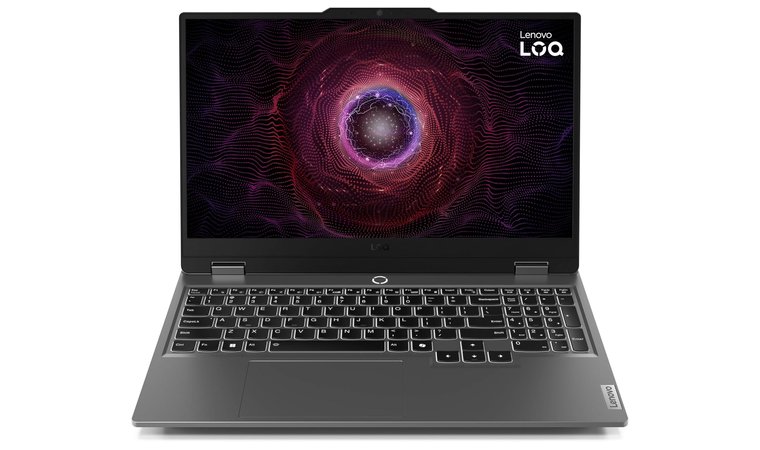
9. Lenovo LOQ 15 [Best Mid-Range Laptop for SolidWorks]
Our Score:
| Specs | Details |
|---|---|
| CPU | AMD Ryzen 7-8845HS |
| GPU | Nvidia GeForce RTX 4060, 8 GB GDDR6 |
| RAM | 16 GB DDR5 |
| Storage | 1 TB SSD |
| Display | 15.6 inches, LCD, Full HD |
| Refresh Rate | 144 Hz |
| Battery | Li-ion, 60 Wh |
| Weight | 2.38 kg |
| Connectivity | Bluetooth 5.2, Wi-Fi 6E, 2x USB Type-C, 2x USB Type-A, DisplayPort, HDMI 2.1, Ethernet, |
Lenovo LOQ 15 is a mid-range laptop for SolidWorks with surprisingly good specs. The LOQ series is known for its gaming-class CPUs, such as Ryzen or Intel H, with a diverse spectrum of Nvidia RTX graphics. This time, we have the 4060 with 8 GB of GDDR6 RAM.
Lenovo LOQ 15 offers a 144 Hz panel for smooth rotation and panning, while efficient cooling prevents the machine from overheating and ultimately throttling. The LOQ 15 features expandable NVMe storage and RAM on many SKUs, making it a standout among great Lenovo laptops usable for SolidWorks and other 3D modeling powerhouses.
A perfect mid-ranger for people on a budget, with a variety of AMD and Intel CPUs, a discrete graphics card, and an ultra-smooth 144 Hz panel.
Across the line, the LOQ series has strong CPU + GPU combos with thermal headroom for long-lasting power distribution and smooth model navigation at a lower cost than most professional-grade workstations.
| Pros | Cons |
|---|---|
| ✅ Incredible value for money ✅ 144 Hz silky-smooth display ✅ Efficient cooling prevents throttling ✅ Wide variety of GPU and CPU options ✅ Large, 1 TB SSD storage | ❌ Greater size and weight impact portability but mean better durability |
My Verdict:
Lenovo LOQ 15 is an impressive mid-ranger to squeeze the most out of your SolidWorks projects. Pairing a high-end CPU with RTX-level graphics is the right move, giving the LOQ 15 a competitive edge over its similarly priced competition.
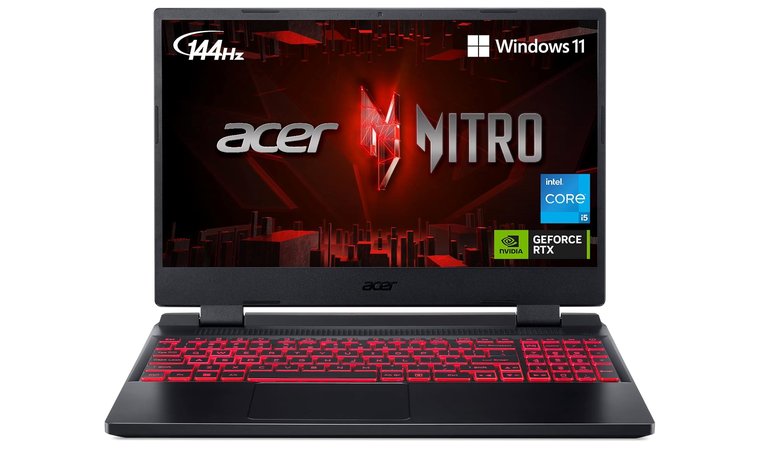
10. Acer Nitro 5 [Best Entry-Level Laptop for SolidWorks Users]
Our Score:
| Specs | Details |
|---|---|
| CPU | Intel Core i5-12500H |
| GPU | Nvidia GeForce RTX 3050 Ti, 4 GB GDDR6 |
| RAM | 16 GB DDR4 |
| Storage | 512 GB SSD |
| Display | 15.6 inches, IPS, Full HD |
| Refresh Rate | 144 Hz |
| Battery | Li-ion, 57.5 Wh |
| Weight | 2.5 kg |
| Connectivity | Bluetooth, HDMI, WiFi 6, 2x USB Type-C, 2x USB Type-A, Thunderbolt 4, Ethernet |
Acer Nitro 5 is an entry-level option and one of the finest laptops for high-school students. It’s widely available and represents a good-value gaming platform with H-series CPUs and RTX GPUs in many SKUs. For the price, the Nitro 5’s cooling is efficient, allowing for sustained GPU clocks.
This affordable laptop for SolidWorks even has a few M.2 slots and upgradeable RAM. Furthermore, the port selections allow for external monitor hookups, while the RTX 3050 Ti graphics card enables sharp visuals when using the Ultra HD resolution.
We picked the Nitro 5 for its expandable storage and RAM, with reliable CPU and GPU options to power through even the most complex SolidWorks simulations.
Considering its modest price, Acer Nitro 5 packs a high-TGP GPU, modifiable internals, and sufficient portability for students and junior engineers who want reliable performance without spending a fortune.
| Pros | Cons |
|---|---|
| ✅ Affordable entry-level option ✅ Sustained high GPU clocks ✅ M.2 slots for storage expansion ✅ High-TGP GPU ✅ Quality IPS display | ❌ Very heavy (due to superb cooling and durable materials) ❌ Not the best quality hinge (still great for the price) |
My Verdict:
I like Acer Nitro 5 for its versatility at a relatively low price. While it won’t move mountains with its hardware, it’s more than sufficient for hassle-free SolidWorks modeling, rendering, and simulations, with sustained CPU and GPU clocks.
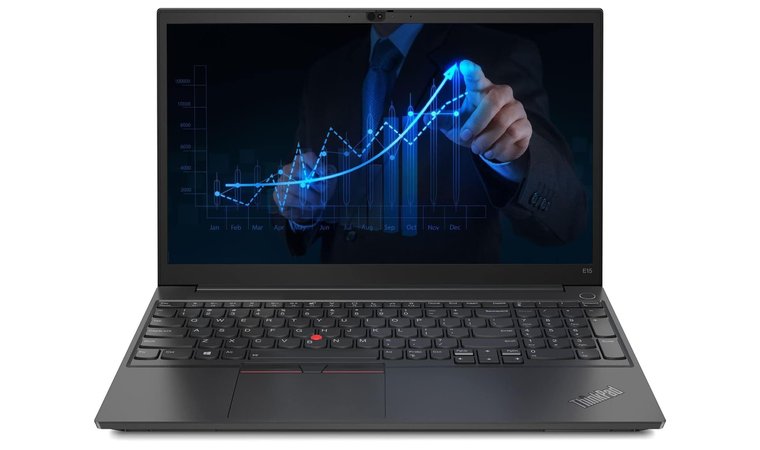
11. Lenovo ThinkPad E15 [Best Business-Class Laptop for SolidWorks Engineers]
Our Score:
| Specs | Details |
|---|---|
| CPU | Intel Core i5-1135G7 |
| GPU | Iris Xe (integrated) |
| RAM | 16 GB DDR4 |
| Storage | 512 GB SSD |
| Display | 15.6 inches, LCD, Full HD |
| Refresh Rate | 60 Hz |
| Battery | Li-ion, 45 Wh |
| Weight | 1.7 kg |
| Connectivity | Ethernet, Bluetooth 5.2, WiFi 6, Thunderbolt 4, USB 3.2, USB 2.0, HDMI 1.4b, 3.5 mm headphone jack |
Lenovo ThinkPad E15 is a business-class option, which translates to reliability and comfort for long modeling and documentation sessions. You can configure this laptop for SolidWorks with a 12th or 13th-generation Intel or AMD Ryzen CPU and upgrade your RAM or SSD storage.
The Iris Xe integrated graphics are highly commendable, as well. The ThinkPad E15 has all the ports you need, including Ethernet for stable transfers and USB-C for docks. Lenovo’s build quality is impeccable, while an extended warranty grants easy repairs and multi-year use.
An impressive business-class option for long-term comfort, many connectivity options, and top-notch build quality to last you a lifetime.
It’s an everyday workhorse born for CAD tasks, thanks to sustained single-thread performance and expandability that surpasses most office laptops for SolidWorks at the same price.
| Pros | Cons |
|---|---|
| ✅ Comfortable keyboard for longer use ✅ Efficient Intel Xe graphics ✅ Ethernet port for better internet connections ✅ Extended warranty grants easier repairs ✅ Mighty single-thread performance | ❌ Not the best battery life (but more than 10 hours) ❌ It could use more storage (512 GB is still enough for many) |
My Verdict:
The ThinkPad 15 model offers a highly customizable setup with a powerful processor, fast SSD storage, and premium-grade business quality. It’s one of the best laptops for students and engineers looking to use SolidWorks without worries about the lack of computing power.
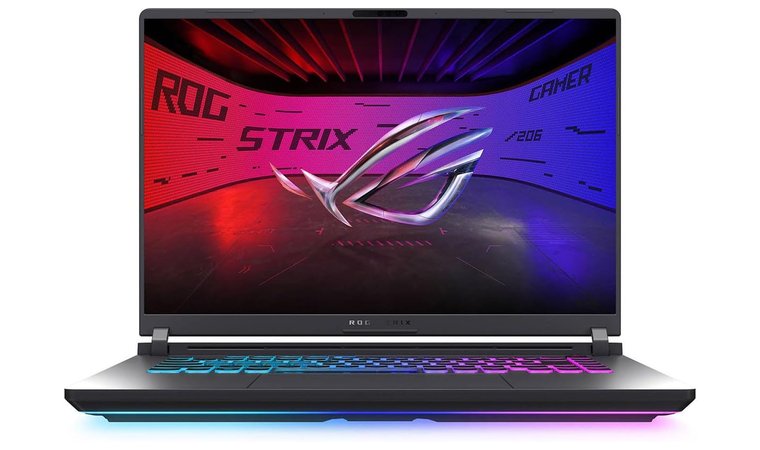
12. ASUS ROG Strix G16 [Best Performance Laptop for SolidWorks and Simulation Work]
Our Score:
| Specs | Details |
|---|---|
| CPU | Intel Core i5-13450HX |
| GPU | Nvidia GeForce RTX 5050, 8 GB GDDR5 |
| RAM | 16 GB DDR5 |
| Storage | 1 TB SSD |
| Display | 16 inches, LED, 1920 x 1200 pixels |
| Refresh Rate | 165 Hz |
| Battery | Li-ion, 90 Wh |
| Weight | 4.58 kg |
| Connectivity | Wi-Fi 7, Ethernet, 2x Thunderbolt 5, 3x USB Type-A, HDMI 2.1, 3.5 mm headphone jack |
ASUS ROG Strix 16 offers Ryzen H/X and Intel H/X processors with immense power to push through the most demanding SolidWorks projects. The newest RTX 5th Gen graphics cards with high-res WUXGA/QHD panels and a MUX switch provide ample graphical prowess for all tasks.
ASUS didn’t neglect customization, as it allows you to spec up the laptop with up to 64+ GB of RAM and include multiple NVMe disks to store large projects. As a famous gaming laptop, the ROG Strix 16 prioritizes GPU performance, critical for real-time rendering.
The ROG Strix 16 has flashy hardware, a high-res screen, and expandable NVMe and RAM, making it a standout option for SolidWorks (and gaming) performance seekers.
A gaming laptop also includes top-class thermal and GPU headroom for sustained rendering performance and large-assembly interaction boosted by GPU acceleration.
| Pros | Cons |
|---|---|
| ✅ Powerful AMD and Intel processors ✅ High-res WUXGA/QHD panels ✅ MUX switch for superb graphics card performance ✅ NVMe disk slots for storage expansion ✅ Above-average thermal headroom for sustained high clocks | ❌ Incredibly heavy, at over 4.50 kg (due to powerful hardware) ❌ Pricier, but worth the extra solely for performance |
My Verdict:
ASUS ROG Strix 16 is the best laptop for SolidWorks for students and engineers who value a discrete GPU and upgradeability. It’s an all-in-one performance beast suited for high-demand 3D modeling, gaming, and everything else you throw at it.
13. Microsoft Surface Laptop Studio [Best Touchscreen Laptop for SolidWorks and Design Presentations]
Our Score:
| Specs | Details |
|---|---|
| CPU | Intel Core i5-11300H |
| GPU | Iris Xe (integrated) |
| RAM | 16 GB DDR4 |
| Storage | 256 GB SSD |
| Display | 14.4 inches, 2400 x 1600 pixels, LCD |
| Refresh Rate | 120 Hz |
| Battery | Li-ion, 56.3 Wh |
| Weight | 1.82 kg |
| Connectivity | WiFi, 2x Thunderbolt 4, 3.5 mm headphone jack, 1 x Surface Connect port |
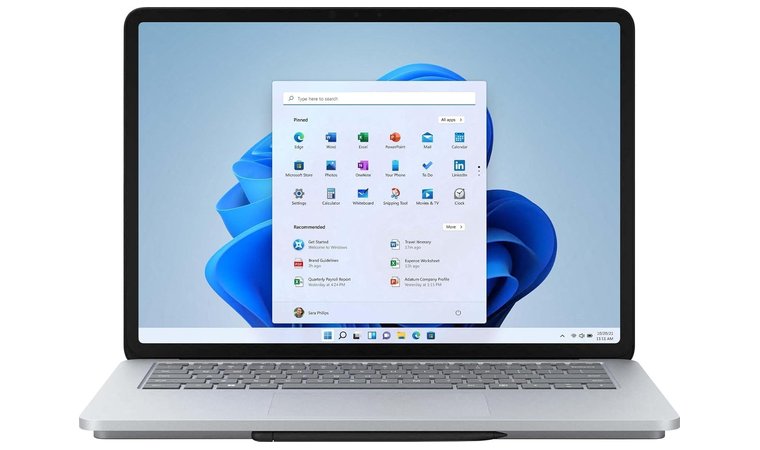
The Surface Laptop Studio is easily among the greatest Microsoft laptops you can use for SolidWorks. Its innovative hinge and pen support for sketching directly onto models result in an experience like no other.
This is supported by impressive single-thread CPU performance and an Iris Xe integrated GPU, which you can upgrade to a discrete GPU for moderate CAD software work. The 2400 x 1600 pixels resolution provides stellar fidelity, while the 120 Hz refresh rate gives buttery-smooth operation.
We chose it for its flexible hinge and a pen that makes sketching directly onto a 3D model a breeze. Paired with respectable internals, this laptop for SolidWorks is highly versatile.
Microsoft Surface Laptop Studio’s combination of a pen and a touchscreen display gives it a lightweight feel. It’s portable and pairable with an external GPU, monitor, or a dock for heavier assemblies.
| Pros | Cons |
|---|---|
| ✅ Hinge and pen support ✅ High-quality 2400 x 1600 pixels LCD ✅ Touchscreen support ✅ Pairable with an external GPU for more power ✅ Lightweight build | ❌ Integrated GPU (with stellar performance) ❌ Battery life could use an overhaul (you can still get over 10 hours) |
My Verdict:
Microsoft Surface Laptop Studio is a unique laptop for SolidWorks with touchscreen capabilities backed by a hinged display and pen support. It’s great for product quality control and helpful sketches directly on models, which senior engineers and students will find very convenient.
What Makes a Laptop Good for SolidWorks?
SolidWorks demands high computational power and professional-grade GPUs for efficient operation. However, here’s a full spectrum of characteristics that a good laptop for SolidWorks should have:
- Processor (CPU): This software is CPU-intensive, and single-core performance is particularly valuable for modeling and simulation. The best laptop for SolidWorks usually comes with an Intel Core i7/i9, AMD Ryzen 7/9, or Apple M4 Pro processor with a multi-core architecture for complex assemblies.
- Graphics Card (GPU): Nvidia RTX and Quadro GPUs are essential here, particularly for hardware-accelerated rendering and smooth viewport performance. Certified GPUs found in these laptops are built for maximum compatibility and stability with SolidWorks.
- RAM: A good laptop for SolidWorks should have at least 16 GB, and ideally 32 GB or more RAM for large assemblies and simulations.
- Storage: SSD or NVMe storage is a must for swift model loading, saving, and boot speeds. Storage should be both sizeable and fast to accommodate large CAD files.
- Display: SolidWorks laptops’ ideal screen size starts at about 15 inches, with at least a Full HD or 4K resolution. All best-ranked options tick that box, adding immaculate color reproduction and anti-glare coating for visual clarity.
- Thermal Management: Effective cooling is one of the vital features, as it helps sustain the high performance during rendering and simulation, without overheating, which otherwise leads to throttling.
- Build Quality: Premium laptops for SolidWorks possess a sturdy build, using premium materials for long-term reliability and workstation-grade durability.
FAQs
The best laptop for SolidWorks is the HP ZBook Studio G11. This powerful mobile workstation features an Intel Core i9 processor and NVIDIA RTX Ada GPU, delivering exceptional performance for 3D modeling, rendering, and simulation in SolidWorks, AutoCAD, and other CAD software.
Yes, SolidWorks software can run on laptops provided they have enough power. The best laptops for SolidWorks offer plenty, allowing for smooth operation for basic and advanced modeling and rendering work.
Yes, 16 GB RAM is sufficient to run SolidWorks, but it’s the bare minimum recommended by the software provider. 32 GB is optimal for complex simulations, running multiple simultaneous apps, and large-scale assemblies.
It is recommended to use Windows Pro or Enterprise for SolidWorks. The Home version isn’t supported and will lead to frequent crashes. SolidWorks recommends Windows Pro 64-bit to get the most out of its software.
Due to high system demands, the best processors for SolidWorks range from i7 to i9 and Xeon on Intel’s side or from Ryzen 7 to Threadripper on AMD’s side. Apple’s M-series chips are also phenomenal due to their high core count and clock speed.
To know if your laptop can run SolidWorks, check the minimum system requirements on the official site. The laptop should have at least 16 GB of RAM, 2 GB of VRAM, and a 64-bit CPU for basic operations, and more for complex tasks.











