



Best Laptop for High School Students: 13 Smart Picks for Every Budget in 2026

Eneba Hub contains affiliate links, which means we may earn a small commission if you make a purchase through them—at no extra cost to you. Learn more

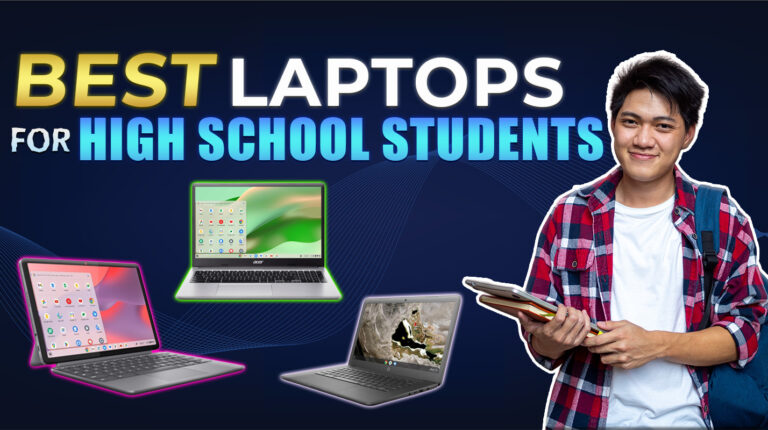
The best laptop for high school students should make schoolwork easier, not more frustrating. A good device helps you stay on top of homework, research, and group projects without slowing down. Back in high school, I used a slow, bulky laptop that made even basic tasks harder. I’ve tested and researched better options so you don’t have to.
This guide covers 13 laptops for students who need speed, battery life, and portability. You’ll find the best laptops for students overall, as well as the best budget laptop for students that still gets the job done right.
Jump to:
Our Top Picks for High School Laptops
Not every student needs the same laptop, but a few models stand out across the board for their performance, portability, and value. These top three picks strike the right balance between speed, ease of use, and budget-friendliness.
- Lenovo Chromebook Duet (2020 Model): This 2-in-1 Chromebook is the best laptop for high school students that combines a detachable touchscreen and full keyboard in a compact, affordable package that’s perfect for note-taking and online classes.
- Acer Chromebook 315 (2019 Model): With its large 15.6″ screen and excellent battery life, this Chromebook is a great choice for students who multitask across tabs, assignments, and streaming.
- HP Chromebook 14a (2020 Model): Lightweight and stylish, this laptop offers solid day-to-day performance with a reliable display and snappy ChromeOS experience for the classroom or home.
Scroll down to explore all 13 laptops and find the one that fits your student life best.
Best Laptop for High School Students – 13 Reliable, Affordable Models, Built for School Life
These 13 laptops cover everything a student needs, from all-day battery life to lightweight designs and smooth classroom performance. Each one offers strong value, which makes it easier to choose the best laptop for high school students without the guesswork.
1. Lenovo Chromebook Duet [Best Portable 2‑in‑1 for High School Students]
| Specs | Details |
|---|---|
| CPU | MediaTek Kompanio 828 (2.6 GHz) |
| GPU | Integrated ARM Graphics |
| RAM | 4 GB LPDDR4X |
| Storage | 64 GB SSD |
| Display | 10.95″ WUXGA (1920 × 1200) IPS Touchscreen |
| Battery Life | Up to 10 hours |
| Weight | 1.12 lbs (0.5 kg) |
| Operating System | Chrome OS |
| Connectivity | USB‑C, Wi‑Fi 802.11n |
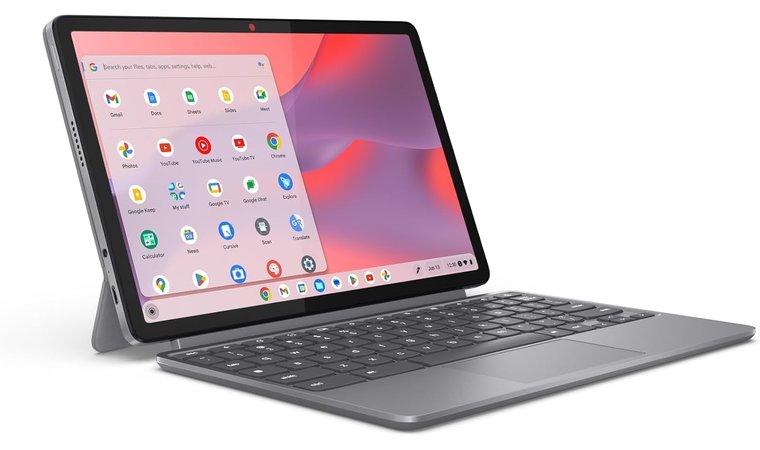
The Lenovo Chromebook Duet is a compact, affordable 2‑in‑1 that fits perfectly into a high school student’s backpack. Its detachable keyboard transforms it from tablet to laptop in seconds, which makes it ideal for switching between note‑taking and homework.
The bright 10.95‑inch WUXGA display delivers clear text and color‑accurate visuals, perfect for reading PDFs or researching online. Chrome OS runs smoothly, with instant access to Google Classroom, Docs, and Drive. Despite its size, the Duet’s sturdy build and responsive performance make it one of the best laptops for students on a tight budget.
| Pros | Cons |
|---|---|
| ✅ Lightweight 2‑in‑1 design for mobility ✅ Bright 10.95″ WUXGA IPS screen for clear visuals ✅ Reliable Chrome OS with automatic updates ✅ All‑day long battery life for school projects ✅ Excellent for Google Classroom and cloud apps ✅ Ideal for students needing a compact device | ❌ Limited 64 GB internal storage, but cloud integration helps |
Final Verdict: This is the best Lenovo laptop for students that offers outstanding portability and long battery life for any high school student who wants a simple and dependable device for classes, assignments, and entertainment.
2. Acer Chromebook 315 [Best Budget 15.6-Inch Laptop for Students]
| Specs | Details |
|---|---|
| CPU | Intel Celeron N4500 Dual‑Core (Up to 2.8 GHz) |
| GPU | Intel UHD Graphics (Integrated) |
| RAM | 4 GB LPDDR4X |
| Storage | 64 GB SSD eMMC |
| Display | 15.6″ Full HD (1920 × 1080) IPS Display |
| Battery Life | Up to 10 hours |
| Weight | 3.53 lbs (1.6 kg) |
| Operating System | Chrome OS |
| Connectivity | 2 × USB‑C, 2 × USB‑A, Wi‑Fi 6, Bluetooth 5.1 |
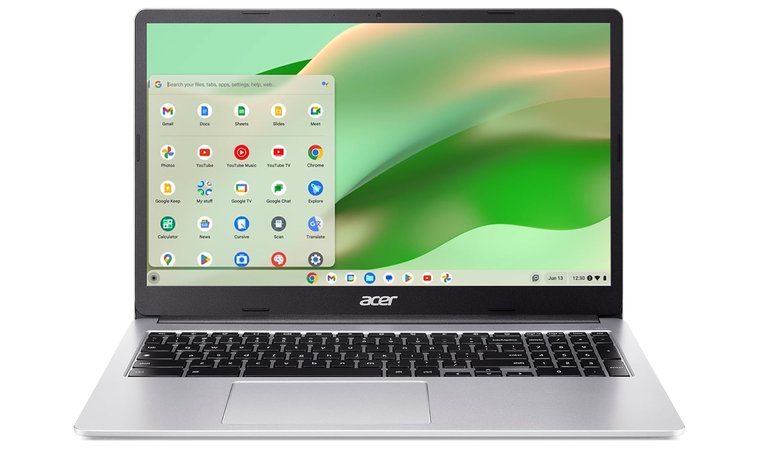
The Acer Chromebook 315 provides an excellent mix of screen size, performance, and affordability for students who want a larger workspace without spending much. Its 15.6‑inch Full HD IPS display delivers clear, vivid visuals – perfect for split‑screen study sessions or watching lectures.
Chrome OS runs smoothly, offering quick access to Docs, Sheets, and Drive with built‑in virus protection and automatic updates. The full‑size keyboard includes a numeric keypad that helps high school and college students complete assignments efficiently. Despite its low price, it offers solid battery life and enough power to handle research, video calls, and streaming.
| Pros | Cons |
|---|---|
| ✅ Large 15.6″ Full HD display provides comfortable viewing and smooth multitasking for classwork and research. ✅ Chrome OS runs fast and keeps security tight, perfect for high school students using online tools. ✅ Numeric keypad improves productivity for math, science, and data entry tasks. ✅ Multiple USB ports and SD slot allow easy connection of flash drives and external accessories. ✅ Lightweight design makes it easy to carry, while the low price keeps it affordable for students on a budget. ✅ Up to 10 hours of battery life powers students through long school days without needing a charger. | ❌Celeron chip can’t handle heavy tasks, but it works well for Google Docs, YouTube, and standard homework. |
Final Verdict: The Acer Chromebook 315 stands out as one of the best student laptops for those who need a spacious display and amazing battery life on a budget. It’s ideal for note‑taking, presentations, and streaming – all in a sleek, portable package built for everyday schoolwork.
3. HP Chromebook 14a [Best Student Laptop with Solid Battery Life]
| Specs | Details |
|---|---|
| CPU | AMD A4-9120C (1.6 GHz) |
| GPU | AMD Radeon R4 (Integrated) |
| RAM | 4 GB DDR4 |
| Storage | 32 GB eMMC |
| Display | 14” HD (1366 x 768) |
| Battery Life | Up to 10 hours |
| Weight | 4.4 lbs |
| Operating System | Chrome OS |
| Connectivity | USB-A, USB-C, Wi-Fi 802.11ac |
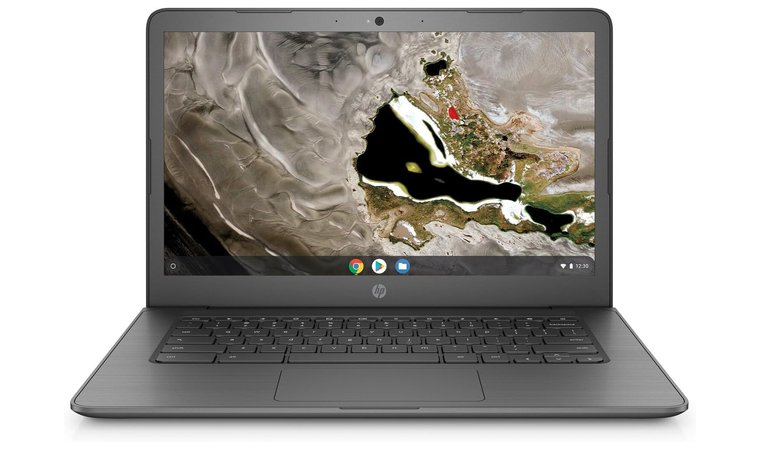
The HP Chromebook 14a offers a 14-inch HD display and a clean, functional design that’s ideal for students moving between home and classroom. Its AMD A4 processor and 4GB RAM handle everyday school tasks like Google Docs, Classroom, and video calls without slowing down.
Chrome OS ensures quick start-up and long-term performance, making this a reliable daily device. The rugged build holds up in backpacks, while USB-C and USB-A ports make it flexible for accessories. With up to 10 hours of solid battery life, it lasts through a full school day with room to spare.
| Pros | Cons |
|---|---|
| ✅ 14-inch screen balances visibility and portability ✅ Chrome OS runs fast and supports automatic updates ✅ AMD Radeon graphics for clear video and presentations ✅ Lightweight and affordable for students on a budget ✅ Reliable connectivity with dual USB ports and fast Wi-Fi ✅ Battery lasts all day, ideal for long study sessions ✅ One of the best laptops for college students and younger learners alike | ❌ 32 GB storage is basic, but cloud storage through Chrome OS fills the gap |
Final Verdict: The HP Chromebook 14a stands out as the best student laptop for those needing solid everyday performance, a clean interface, and amazing battery life that supports both high school and college students through their daily schoolwork.
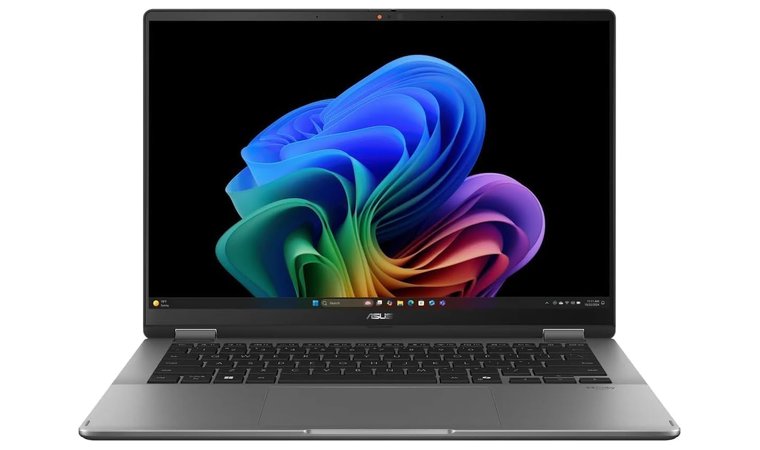
4. ASUS VivoBook Flip 14 [Best Convertible for Study + Creativity]
| Specs | Details |
|---|---|
| CPU | Intel Core Ultra 7 8-Core (2.2 GHz) |
| GPU | Intel Arc (Integrated Graphics) |
| RAM | 16 GB LPDDR5X |
| Storage | 1 TB PCIe 4.0 SSD |
| Display | 14” OLED (1920 × 1200), 60Hz, 500 nits, 100% DCI-P3 |
| Battery Life | Estimated 8–10 hours (based on OLED usage) |
| Weight | 5.21 lbs (2.36 kg) |
| Operating System | Windows 11 Home |
| Connectivity | Wi-Fi 7, Bluetooth 5.4 |
The ASUS VivoBook Flip 14 stands out as one of the best laptops for students who need flexibility, power, and strong display performance in a single machine. The 14” OLED screen with vivid color accuracy supports not just note-taking but video editing, media presentations, and creative sketching. The 360° hinge allows full tablet mode, perfect for reading, annotating PDFs, or showing your work in class. The combination of Intel Core Ultra 7 and 16GB RAM handles multitasking smoothly.
With a massive 1 TB of SSD storage space, this convertible gives you enough room for coursework, videos, and games. It’s rare to see this much power paired with decent battery life, but the Flip 14 delivers. For college students balancing work and creativity, it’s a powerful hybrid that checks nearly every box.
| Pros | Cons |
|---|---|
| ✅ 360° hinge with 14” OLED touchscreen is ideal for presentations and pen input ✅ Powerful 8-core CPU and 16GB RAM easily support video editing and multitasking ✅ 1TB SSD gives excellent storage space for large files and creative apps ✅ Backlit keyboard helps with late-night studying ✅ Compatible with a stylus for sketching or handwritten notes ✅ Wi-Fi 7 ensures ultra-fast wireless connections ✅ Handles light playing games and media tasks without lag | ❌ Heavier than most ultraportables, but the performance trade-off makes it worthwhile |
Final Verdict: The ASUS VivoBook Flip 14 is ideal for students who want power, versatility, and decent battery life in one elegant convertible. With enough muscle for video editing and casual gaming, it’s the best laptop for university students.
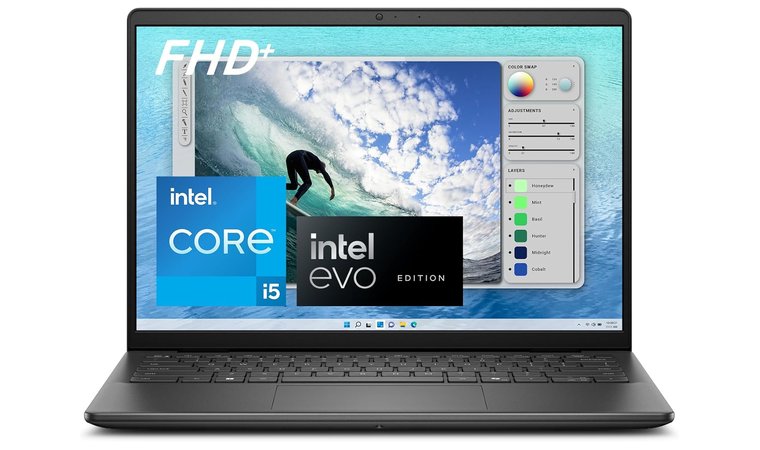
5. Dell Inspiron 14 5440 [Best All-Round Student Laptop for Reliability & Performance]
| Specs | Details |
|---|---|
| CPU | Intel Core i5 (3.4 GHz) |
| GPU | Intel UHD Graphics (Integrated) |
| RAM | 8 GB DDR5 |
| Storage | 512 GB SSD |
| Display | 14” FHD+ (1920 x 1200) Anti-Glare |
| Battery Life | Up to 10 hours |
| Weight | 3.68 lbs (1.67 kg) |
| Operating System | Windows 11 Home |
| Connectivity | USB 3.0, HDMI, Wi-Fi 6 (802.11ax), Bluetooth 5.2 |
The Dell Inspiron 14 is a good laptop for college that combines smooth multitasking and extended performance with premium build quality. With its 14-inch FHD+ screen and anti-glare coating, it makes reading, writing, and streaming far more comfortable than typical budget models.
Dell’s ComfortView Plus reduces blue light while keeping image clarity, and might just be the best laptop for students who spend long hours studying. The 512 GB SSD and 8 GB of DDR5 RAM ensure fast boot times and reliable performance when switching between schoolwork and creative tasks.
Thermal design keeps it cool even during heavy use. Built-in Dolby Atmos and a responsive keyboard elevate this model beyond just a basic student machine. Paired with Dell’s warranty support and security features, it’s a lighter laptop that still delivers real power for school.
| Pros | Cons |
|---|---|
| ✅ Crisp 14” FHD+ screen with ComfortView for eye comfort ✅ Strong multitasking power with Core i5 and DDR5 RAM ✅ Fast 512 GB SSD handles schoolwork and apps easily ✅ Dell’s platform module adds extra security for files ✅ Wi-Fi 6 and USB/HDMI ports add modern flexibility ✅ Great audio and webcam setup for online classes ✅ Backed by Dell’s reliable warranty and service | ❌ A bit heavier than Chromebooks, but worth it for the upgrade in power and screen quality |
Final Verdict: The Dell Inspiron 14 earns its place as one of the best school laptops thanks to its blend of performance, build quality, and Dell’s support system. It’s perfect for college students who want a reliable device that goes beyond the basics without breaking the bank.
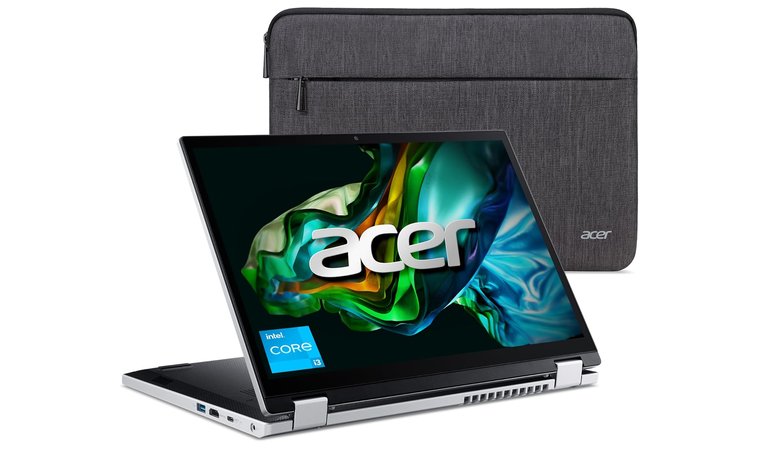
6. Acer Aspire 3 Spin [Best Convertible with the Best Battery Life for Students]
| Specs | Details |
|---|---|
| CPU | Intel Core i3 (3.8 GHz) |
| GPU | Intel UHD Graphics (Integrated) |
| RAM | 8 GB LPDDR5 |
| Storage | 128 GB NVMe SSD |
| Display | 14″ WUXGA (1920 × 1200) IPS Touchscreen |
| Battery Life | Up to 10 hours |
| Weight | 3.4 lbs (1.54 kg) |
| Operating System | Windows 11 S |
| Connectivity | USB-C, USB-A, HDMI, Wi-Fi 6 |
The Acer Aspire 3 Spin is a versatile and best deal for students built for performance and comfort. Its 14-inch WUXGA touchscreen with a 16:10 aspect ratio ensures crisp visuals, while the 360° hinge lets students switch seamlessly between laptop, tent, and tablet modes for studying or presenting. Powered by the Intel Core i3 processor and 8 GB of LPDDR5 RAM, it offers smooth multitasking and fast response for everyday schoolwork, research, and note-taking.
The Aspire 3 Spin delivers the best battery life in its class, lasting up to 10 hours of active use, perfect for long school days. Its lightweight design and USB-C ports make it an ideal pick for modern classrooms where connectivity and portability matter. This model combines great battery life with premium usability at an affordable price, ideal for students who want both endurance and flexibility.
| Pros | Cons |
|---|---|
| ✅ 360° convertible design for easy laptop and tablet use ✅ Bright WUXGA touchscreen ideal for presentations and notes ✅ Fast Core i3 processor with LPDDR5 RAM ensures smooth multitasking ✅ USB C ports allow faster data transfer and modern connectivity ✅ Lightweight design supports portability between classes | ❌ Pen sold separately on some models |
Final Verdict: The Acer Aspire 3 Spin combines flexible performance, best battery life, and a comfortable touchscreen design that fits perfectly into any school routine. It’s an excellent choice for students who want a durable and efficient laptop for daily learning, creativity, and classroom productivity.
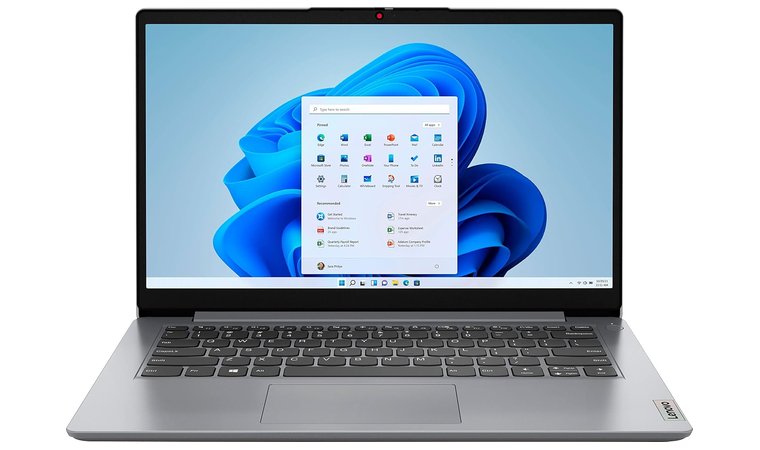
7. Lenovo IdeaPad 1 14 [Best Windows Laptop for Students]
| Specs | Details |
|---|---|
| CPU | Intel Celeron N4020 (2.8 GHz) |
| GPU | Intel UHD Graphics (Integrated) |
| RAM | 4 GB DDR4 |
| Storage | 128 GB SSD |
| Display | 14″ HD (1366 × 768) Anti-Glare |
| Battery Life | Up to 9 hours |
| Weight | 3 lbs (1.36 kg) |
| Operating System | Windows 11 Home |
| Connectivity | USB-A, HDMI, microSD, Bluetooth 4.1, Wi-Fi 802.11ac |
The Lenovo IdeaPad 1 14 is an ideal student laptop for learners who need dependable performance at an affordable price. Powered by the Intel Celeron N4020 processor, it runs Windows 11 smoothly for writing essays, attending virtual classes, or browsing research material. Its 14-inch anti-glare HD display keeps visuals comfortable during long study sessions, and the lightweight 3-pound body makes it easy to carry between classes.
The comfortable keyboard and compact build make this model a reliable choice for students who type frequently or need a laptop for simple multitasking. Dolby Audio enhances sound clarity for video lessons and online meetings. With a full set of USB ports, HDMI, and microSD support, the IdeaPad 1 14 offers solid connectivity for drives, projectors, and external displays without needing extra adapters.
| Pros | Cons |
|---|---|
| ✅ Compact 14-inch display ideal for portability and class use ✅ Smooth performance on Windows 11 for school apps and web browsing ✅ Lightweight design, easy to carry throughout the school day ✅ Comfortable keyboard suited for essays and extended typing ✅ Multiple ports for connecting accessories and external displays ✅ Battery life lasting up to 9 hours for a full school schedule | ❌ 4 GB RAM limits heavy multitasking, but is still efficient for basic academic work |
Final Verdict: The Lenovo IdeaPad 1 14 stands out as one of the best budget laptops for students who need a reliable Windows device for daily tasks. Its slim design, comfortable typing experience, and solid connectivity make it a smart pick for high school users focused on productivity and portability.
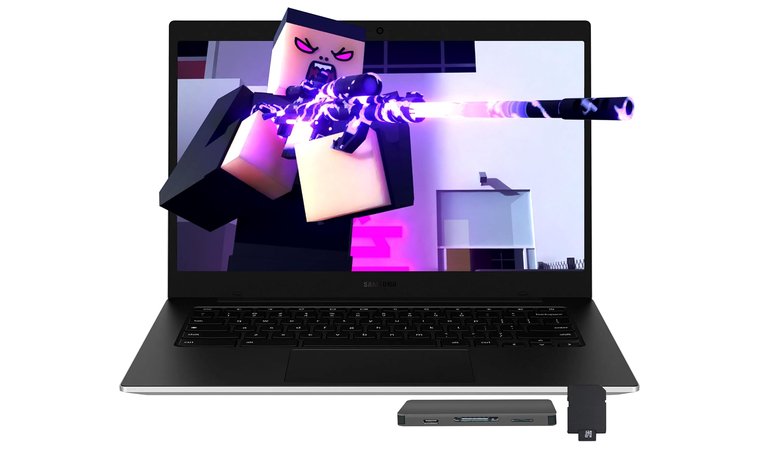
8. Samsung Galaxy Chromebook Go [Best Lightweight Chromebook for Remote Learning]
| Specs | Details |
|---|---|
| CPU | Intel Celeron N4500 (1.1 GHz) |
| GPU | Intel UHD Graphics (Integrated) |
| RAM | 4 GB LPDDR4X |
| Storage | 128 GB eMMC +160GB Docking Station Set |
| Display | 14″ HD (1366 × 768) LED |
| Battery Life | Up to 12 hours |
| Weight | 3.2 lbs (1.45 kg) |
| Operating System | Chrome OS |
| Connectivity | USB-C, USB-A, microSD, Wi-Fi 6, Bluetooth 5.1 |
The Samsung Galaxy Chromebook Go delivers premium Chromebook quality in a compact and durable design ideal for students. It features a 14-inch LED HD display that provides clear visuals for reading, browsing, and virtual lessons. The spill-resistant keyboard makes it classroom-safe, while its 3.2-pound weight ensures easy portability between home and school.
Powered by the Intel Celeron N4500 processor and 4 GB LPDDR4X RAM, it offers fast and efficient performance for online research, Google Classroom, and daily assignments. The long battery life keeps students productive through full school days, while ChromeOS simplifies access to Google apps, ensuring seamless collaboration through Docs, Meet, and Drive.
| Pros | Cons |
|---|---|
| ✅ Lightweight 14-inch design makes it easy to carry to classes or libraries ✅ Spill-resistant keyboard adds protection during long study hours ✅ Long battery life allows uninterrupted remote learning sessions ✅ Wi-Fi 6 and USB-C ports enable fast data transfer and reliable connectivity ✅ Google ecosystem integration supports productivity and collaboration | ❌ HD resolution only, though colors remain crisp for most school tasks |
Final Verdict: The Samsung Galaxy Chromebook Go is the best choice for students who want a lightweight, durable, and reliable Chromebook. Its long battery life, fast Wi-Fi connectivity, and strong build make it perfect for remote learning, homework, and everyday use in and out of the classroom.
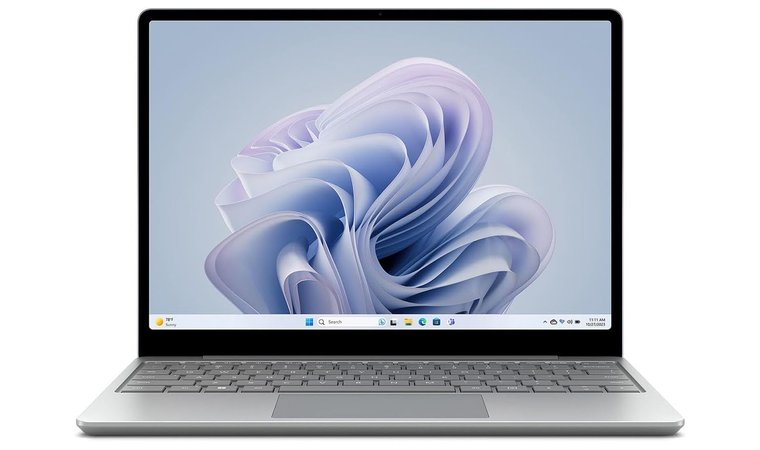
9. Microsoft Surface Laptop Go 3 [Best Compact Windows Laptop for Portability]
| Specs | Details |
|---|---|
| CPU | Intel Core i5 (3.0 GHz) |
| GPU | Intel Iris Xe Graphics |
| RAM | 8 GB LPDDR5 |
| Storage | 128 GB SSD |
| Display | 12.4″ PixelSense (1536 × 1024) Touchscreen |
| Battery Life | Up to 15 hours |
| Weight | 2.49 lbs (1.13 kg) |
| Operating System | Windows 11 Home |
| Connectivity | USB-C, USB-A, Wi-Fi, Bluetooth |
The Microsoft Surface Laptop Go 3 combines portability, performance, and elegance in one of the lightest Windows laptops available. Its 12.4-inch PixelSense touchscreen delivers sharp visuals with smooth touch and stylus input, ideal for taking notes, sketching diagrams, or giving presentations. The Intel Core i5 processor and 8 GB of RAM ensure smooth multitasking and quick response in daily schoolwork and productivity apps.
The laptop’s 15-hour battery life supports long study days without needing constant recharging, while the solid aluminum chassis feels premium and durable. Students can enjoy the full Windows experience, including Microsoft Office and other classroom-required software, all in a device that fits easily in a backpack.
| Pros | Cons |
|---|---|
| ✅ Lightweight 2.49 lb design ideal for constant portability ✅ PixelSense touchscreen provides crisp color accuracy and stylus support ✅ Powerful Core i5 processor runs Windows applications smoothly ✅ 15-hour battery life enables full-day productivity ✅ Premium metal build ensures durability for long-term use ✅ Fast boot and resume for seamless workflow during school tasks | ❌ Smaller 12.4″ screen may not suit multitask-heavy users |
Final Verdict: The Microsoft Surface Laptop Go 3 is perfect for students who value portability without sacrificing performance. Its long battery life, premium touchscreen, and reliable Windows compatibility make it an excellent compact choice for productivity, creativity, and on-the-go learning.
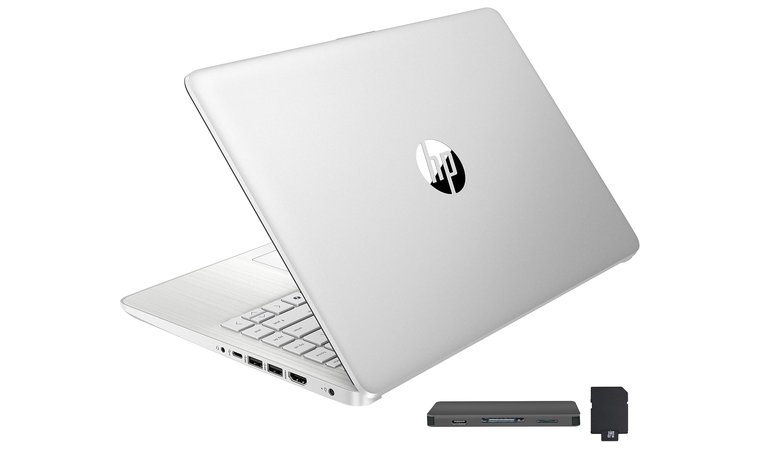
10. HP Stream 14 [Best Budget Windows Laptop for Students]
| Specs | Details |
|---|---|
| CPU | Intel Celeron N150 |
| GPU | Intel UHD Graphics |
| RAM | 16 GB DDR4 |
| Storage | 288GB Storage |
| Display | 14″ HD BrightView (1366 × 768) |
| Battery Life | Up to 11 hours |
| Weight | 3.24 lbs |
| Operating System | Windows 11 S |
| Connectivity | USB-C, HDMI, USB-A, Wi-Fi 802.11ac |
The HP Stream 14 is one of the most affordable laptops for programming, offering reliable performance for homework, research, and online learning. It combines simplicity, portability, and long battery life with the familiar Windows experience, making it ideal for schoolwork and everyday browsing. Its lightweight frame and colorful finish appeal to students who need a dependable daily device without spending much.
The 14-inch HD BrightView display delivers clear visuals for reading and video playback, while Windows 11 S mode ensures a secure, hassle-free environment for school tasks. Combined with its low price and practical performance, it stands as a top pick for students on a tight budget.
| Pros | Cons |
|---|---|
| ✅ Extremely affordable for a new Windows laptop ✅ Lightweight build is easy to carry between classes ✅ Bundled Office/365 offers enhance productivity ✅ Smooth performance for basic school apps ✅ Long battery life supports a full day of study | ❌ Limited to Windows S mode (can be switched to full Windows) |
Final Verdict: The HP Stream 14 offers excellent value for money, dependable battery life, and an easy-to-use Windows setup, making it one of the best budget laptops for students who need a reliable, low-cost companion for schoolwork and assignments.
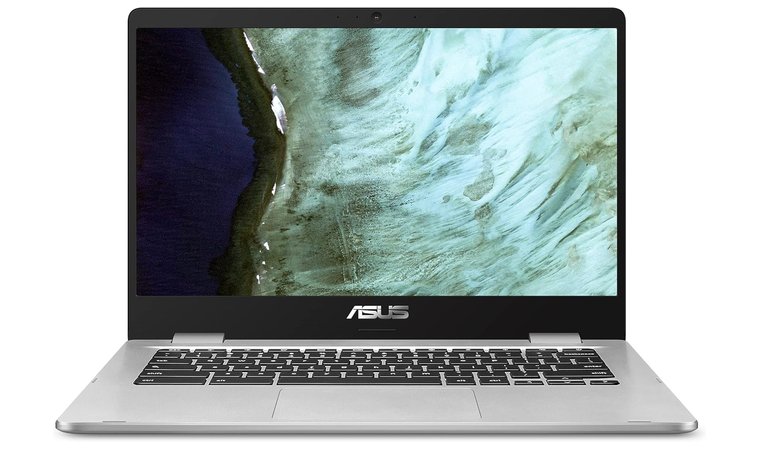
11. ASUS Chromebook C423 [Best 14″ Chromebook for High School Students]
| Specs | Details |
|---|---|
| CPU | Intel Celeron N3350 (2M Cache, up to 2.4 GHz) |
| GPU | Intel HD Graphics 500 (Integrated) |
| RAM | 4 GB LPDDR4 |
| Storage | 64 GB eMMC |
| Display | 14.0″ Full HD (1920 x 1080) Anti-Glare NanoEdge |
| Battery Life | Up to 10 hours |
| Weight | 2.95 lbs (1.34 kg) |
| Operating System | Chrome OS |
| Connectivity | USB-C, USB 3.2 Type-A, Wi-Fi 5, Bluetooth 4.2 |
This is one of the best ASUS laptop models that offers a bigger screen experience without weighing down a school backpack. With a 14-inch Full HD display, slim NanoEdge bezels, and an anti-glare finish, it offers excellent visibility for studying indoors or outdoors. It’s a durable, no-fuss machine built for Google Workspace, perfect for students using Docs, Classroom, and Slides daily.
Chrome OS runs fast and smooth thanks to the dual-core Celeron processor and optimized memory. Boot-up takes seconds, and automatic updates keep the device secure with zero maintenance. For students needing more space, the microSD card slot expands storage with ease, making this one of the best laptops for engineering students needing a larger screen.
| Pros | Cons |
|---|---|
| ✅ Full HD 14″ display with anti-glare finish for distraction-free viewing ✅ Fast boot-up and app loading with Chrome OS ✅ Dual USB-C and USB-A ports for better connectivity ✅ MicroSD slot adds storage flexibility for files and media ✅ Quiet keyboard and full-sized layout make long essays easier ✅ All-day battery life (up to 10 hours) supports full school schedules | ❌ Heavier and bulkier than other compact laptops, but still backpack-friendly for high school students |
Final Verdict: The ASUS Chromebook C423 is a great choice for students who prefer a larger screen and a traditional laptop feel. Its combination of clarity, comfort, and Chrome OS simplicity makes it ideal for daily schoolwork, especially in environments where screen space and typing comfort matter.
12. Acer Chromebook Spin 311 [Best Rugged Convertible for Classrooms]
| Specs | Details |
|---|---|
| CPU | Intel Celeron N4000 (2.6 GHz) |
| GPU | Integrated Intel Graphics |
| RAM | 4 GB LPDDR4 |
| Storage | 64 GB eMMC |
| Display | 11.6” HD (1366 × 768) IPS Touchscreen |
| Battery Life | Up to 10 hours |
| Weight | 2.62 lbs (1.19 kg) |
| Operating System | Chrome OS |
| Connectivity | 802.11ac Wi-Fi, Bluetooth, 4x USB Ports |
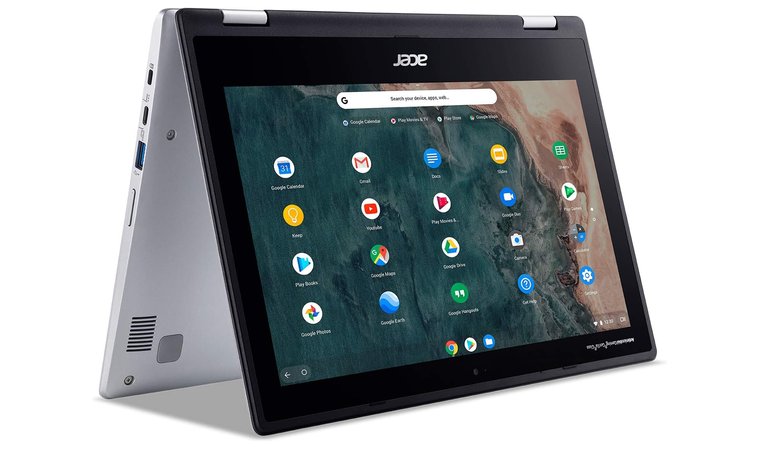
The Acer Chromebook Spin 311 is a tough, compact 2-in-1 built to handle the demands of high school life. Its rugged frame, smooth 360° hinge, and spill-resistant keyboard make it a top choice for students who want reliability without the bulk. With four modes – laptop, tablet, tent, and display – it adapts to study, stream, or sketch.
The 11.6-inch HD touchscreen is reinforced with Antimicrobial Corning Gorilla Glass, protecting against scratches and classroom chaos. Chrome OS auto-updates in the background, so the Spin 311 stays secure and snappy for years. Despite its small size, this Chromebook is ideal for Google Docs, Classroom, Slides, and all the essentials, which makes it one of the best laptops for nursing students who need a durable all-rounder.
| Pros | Cons |
|---|---|
| ✅ Compact and lightweight for easy portability ✅ Durable Gorilla Glass touchscreen for long-term classroom use ✅ Versatile 2-in-1 hinge with multiple usage modes ✅ Smooth Chrome OS with automatic updates ✅ Strong battery life for full school days | ❌ Heavier than some smaller Chromebooks, but built tough |
Final Verdict: The Acer Chromebook Spin 311 is the perfect mix of toughness and flexibility. For students needing a reliable, portable device that adapts to every class setting, it’s a smart, future-proof choice.
13. Lenovo V14 [Best Durable Windows Laptop for High School Students]
| Specs | Details |
|---|---|
| CPU | AMD Ryzen 5 5500U (up to 4.0 GHz, 6 cores, 12 threads) |
| GPU | Integrated AMD Radeon Graphics |
| RAM | 16 GB DDR4 |
| Storage | 512 GB PCIe SSD |
| Display | 14″ FHD (1920×1080) Anti-Glare, TÜV Low Blue Light |
| Battery Life | ~6–8 hours (varies by workload) |
| Weight | 3.75 lbs (1.7 kg) |
| Operating System | Windows 11 Pro |
| Connectivity | USB-A, USB-C, HDMI, Ethernet, Wi-Fi 5, Bluetooth 5.1 |
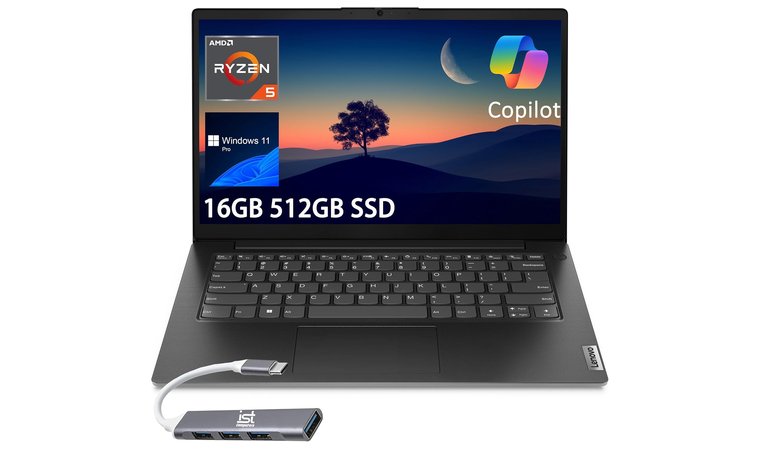
The Lenovo V14 is a no-nonsense, reliable Windows laptop that offers a solid foundation for schoolwork and digital learning. Built with a sturdy chassis that passes MIL-STD-810H tests, this top Lenovo laptop is designed to handle daily student use and minor drops or spills. Its powerful Ryzen 5 processor and 16 GB RAM provide fast multitasking for school applications like Microsoft Office, Chrome, Zoom, and more – without slowing down.
The 14-inch anti-glare screen is great for long study sessions, and the included privacy webcam shutter adds a layer of safety during online classes. Unlike most budget laptops, the V14 comes with a large 512 GB SSD, giving students plenty of room for school files, apps, and offline content. It also supports RAM and storage upgrades, which means it can evolve as academic needs increase.
| Pros | Cons |
|---|---|
| ✅ Sturdy build quality with MIL-STD-810H durability ✅ Powerful Ryzen 5 CPU with 16 GB RAM for fast multitasking ✅ Generous 512 GB SSD storage ✅ Anti-glare FHD screen with TÜV Low Blue Light certification ✅ Excellent port selection including USB-C, HDMI, and Ethernet | ❌ Heavier and bulkier than standard laptops, but highly durable |
Final Verdict: The Lenovo V14 delivers durability, performance, and upgrade flexibility – perfect for students who need a dependable Windows laptop that can handle real workloads now and grow with them later.
Key Features to Look for in a Laptop for High School Students
When you pick the right laptop for high school, it means balancing performance, portability, and price. Students need a machine that can handle schoolwork smoothly – whether that’s writing essays, attending online classes, or managing research across multiple tabs. But they also need something lightweight enough to carry between home and school, with a battery that won’t quit halfway through the day.
CPU, RAM, and Storage
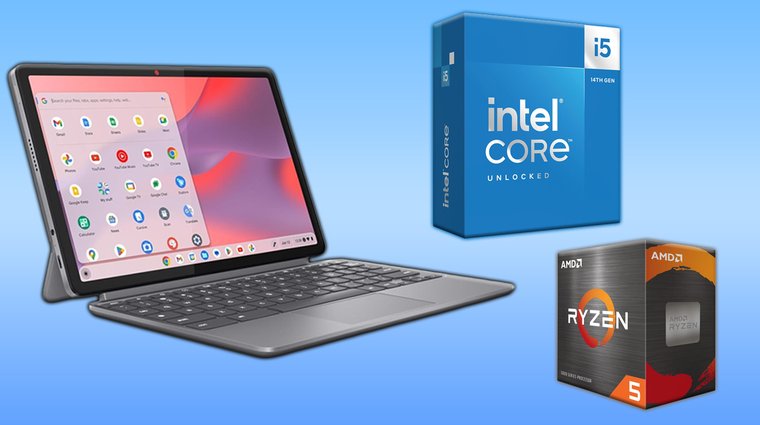
At the core of any student laptop are three specs: CPU, RAM, and storage. For everyday school tasks – browsing, documents, video calls – Intel Core i5 or AMD Ryzen 5 processors strike a great balance between speed and battery efficiency. Avoid entry-level CPUs like Intel Celeron or AMD Athlon unless the budget is extremely tight.
8GB of RAM is the bare minimum for multitasking, but 16GB offers noticeable speed boosts when switching between tabs or running apps like Google Docs, Zoom, or Photoshop. As for storage, a 256GB SSD is fine for light users, but a 512GB SSD is better for storing school files, downloaded lectures, and offline entertainment – while also offering faster boot and load times.
If budget allows, prioritize higher RAM and SSD capacity over less impactful upgrades like touchscreen capability or backlit keyboards.
Display Essentials
A student’s laptop screen is their daily workspace, so screen quality matters more than you might think. A minimum of 14 inches strikes the best balance between portability and visibility, giving enough space to view split-screen documents or slideshows without feeling cramped.
Resolution should be at least Full HD (1920×1080). Lower-resolution screens make text and spreadsheets harder to read and can cause eye strain over long sessions. Good brightness – 250 nits or more – helps students study comfortably in both indoor classrooms and bright spots like the school cafeteria. Anti-glare coatings are another helpful feature to reduce reflections and improve visibility across environments.
Battery Life
Battery life is a make-or-break feature for students who spend all day at school. A laptop that can’t last through a full class schedule without needing a charge isn’t going to cut it. The ideal battery life range is 8 to 10 hours, covering everything from homeroom to homework without needing a power outlet.
For students who move between classes or study in common areas, long battery life means fewer disruptions. Models with efficient processors (like AMD Ryzen 5 or Intel i5) tend to offer a better balance between power and endurance. Also, look for fast charging support – many laptops now offer a 50% charge in under 45 minutes, which can be a lifesaver between periods.
FAQs
The best laptop for high school students is the Lenovo Chromebook Duet, combining ChromeOS simplicity, great battery life, and a detachable keyboard in a lightweight design perfect for notes, homework, and all-day use.
Yes, if flexibility matters. A touchscreen 2-in-1 like the ASUS VivoBook Flip or Acer Chromebook Spin 311 is great for digital notes, interactive assignments, and switching between laptop and tablet modes.
The best laptop for online classes and virtual learning is the HP Chromebook 14a. It offers a bright screen, solid webcam, ChromeOS integration, and strong battery life for uninterrupted Zoom sessions and cloud-based schoolwork.
No, you don’t need a gaming laptop for high school. Unless you’re enrolled in a program requiring 3D graphics or gaming-specific software, a standard laptop like the Lenovo V14 or Acer Aspire 3 Spin will easily handle everyday academic needs.
Yes, 2-in-1 laptops are good for high school students. Models like the Acer Chromebook Spin 311 and ASUS VivoBook Flip allow students to switch between typing, writing, and viewing modes – great for class presentations, note-taking, and hybrid study setups.
The best laptop for a non-tech person is the Samsung Galaxy Chromebook 2. It’s easy to use, starts fast, has a clear display, and keeps things simple with automatic updates and Google app support.
Yes, refurbished laptops are a good option for high school students, but only if bought from a trusted seller. Refurbished models like the Microsoft Surface Go or HP Stream 14 offer strong value, especially for students needing budget-friendly performance for web-based work and assignments.











