What Is a Short-Throw Projector: How to game in Small Spaces


A short-throw projector creates massive 100-inch images from just 3 to 8 feet away from your wall or screen. This technology transformed how gamers approach big-screen setups when space is limited.
I’ve tested short-throw projectors extensively in small gaming spaces where traditional projectors simply don’t fit. The difference is dramatic. Where you’d need a dedicated theater room for standard projectors, short-throws work in your living room. Without mounting anything on your ceiling or rearranging the furniture.
This guide breaks down everything about short-throw projectors for gaming setups. I’m covering technical specifications, real-world throw distances, setup reqs, performance, and specific considerations for gamers.
Jump to:
Understanding Short-Throw Projector Technology
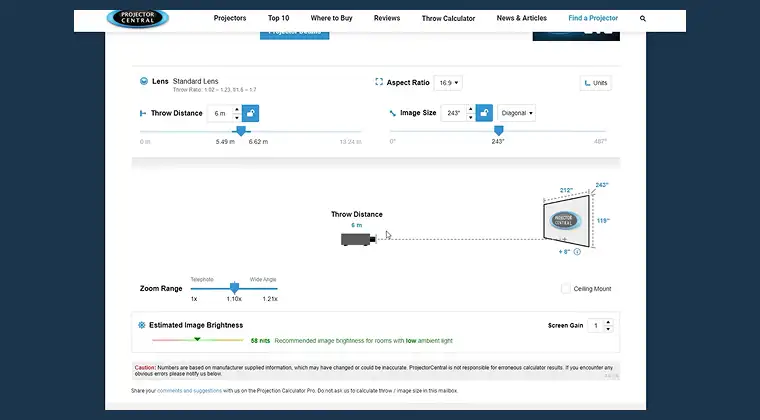
Short-throw projectors are all about throw ratio – the distance from the lens divided by the image width. Simple math. A 0.5:1 ratio means you get a 10-foot-wide image from just 5 feet back.
Most short-throws sit between 0.4:1 and 1.0:1, which is why they pump out big screens from close range. A 0.7:1 ratio gets you a 100-inch image from around 5 feet. Standard projectors? They usually need 1.5:1 or higher, forcing 8-12 feet of space.
They pull this off with wide-angle lens systems that bend light aggressively. More complex glass, higher precision, and yeah, a higher price tag compared to regular models. For more info, check our full guide on how projectors work.
Short-throw vs Standard Throw vs Ultra short-throw Projectors
Projectors get grouped by throw ratio. Basically how far back they need to sit to hit a certain screen size.
| Projector Type | Throw Ratio | 100″ Distance | Best For |
|---|---|---|---|
| Ultra short-throw | 0.25:1 to 0.5:1 | 1-4 ft | Tight rooms, living spaces, zero-effort installs |
| short-throw | 0.4:1 to 1.0:1 | 3-8 ft | Small bedrooms, apartments, compact gaming rooms |
| Standard Throw | 1.5:1 to 2.5:1 | 10-15 ft | Medium rooms, dedicated home theaters, basements |
| Long Throw | 2.5:1+ | 15+ ft | Large spaces, auditoriums, commercial venues |
Ultra short-throw (UST) projectors are the extreme close-range option. They use angled optics and mirrors to fire the image upward from just inches away. Most sit on a TV stand right under the screen. Some models like Samsung’s LSP9T push a wild 0.189:1 throw ratio, hitting 100 inches from under 10 inches out.
Standard-throw projectors still dominate because they’re cheaper to build and shine in rooms with proper distance. If you’ve got 10-15 feet to play with, they deliver great image quality without the premium price tag.
Short-throw models like the BenQ X3100i hit 100 inches at around 8.2 feet, which makes them perfect for apartments or gaming rooms without the space for a full theater layout.
How Short-Throw Technology Benefits Gaming Setups
Short-throw projectors fix problems standard models just can’t. The biggest win is space. I’ve dropped short-throws into 10×12 bedrooms where a normal projector simply wouldn’t fit. The BenQ X500i, for example, hits a 100-inch screen from around 5-6 feet thanks to its 0.69-0.83:1 throw ratio. That means it can live on a small table or media stand without ceiling mounts or major room reworks.
Shadow control is another huge upgrade. Standard projectors fire light from behind you, so every victory pose turns into a silhouette on the wall. Short-throws sit closer to the screen, so the light comes from in front of you. Shadows basically disappear, and the immersion goes way up.
Eye comfort gets a bump too. Because the beam isn’t blasting past your head, glare drops dramatically. I’ve logged 6-hour Elden Ring, Baldur’s Gate 3, and Final Fantasy XVI sessions on short-throws without the strain I used to get from long-distance setups.
And the placement flexibility? Massive quality-of-life boost. Short-throws don’t care about exact room layouts – I’ve used them in three different apartments, on coffee tables, desks, and tiny stands, and they’ve adapted every single time. It makes big-screen gaming possible in spaces that aren’t built for traditional projectors.
Key Specifications for Gaming Short-Throw Projectors
When you’re picking a short-throw projector for gaming, a few specs matter way more than the marketing fluff.
- Throw ratio is the big one. It decides how close the projector can sit to your screen. Always check the exact numbers. The BenQ X500i runs a 0.69-0.83:1 ratio with 1.2x zoom, which means it can pump out a 95-inch image from about 4.7 feet. Measure your room first and get the best projector for your needs.
- Input lag is everything for fast games. You want snappy response, not a projector that feels like it’s buffering your inputs. The X500i hits 4.16ms at 1080p and 16ms at 4K, which is fast enough for shooters, fighters, and anything that punishes hesitation. A lot of home theater projectors float past 50ms, and trust me, you feel it immediately.
- Resolution matters once you cross the 80-inch line. At that size, 1080p starts showing its limits. For clear text, detailed worlds, and clean foliage in games like Cyberpunk 2077, RDR2, or Flight Simulator, 4K is the way to go.
- Brightness decides how well the image survives ambient light. Most short-throws sit between 2,000 and 3,000 ANSI lumens. The X500i puts out 2,200, which is great for a dim room but struggles against sunny windows. If you play during the day, aim for 2,500+ lumens or block the light.
Here’s a brief overview of the important stuff you should keep in mind.
| Spec | What It Means | What Gamers Should Look For | Example: BenQ X500i |
|---|---|---|---|
| Throw ratio | Distance required for your screen size | Make sure it fits your room layout | 0.69-0.83:1 (95″ at ~4.7 ft, 1.2x zoom) |
| Input lag | Responsiveness for controllers/mice | Under 20ms is solid; under 10ms is ideal | 4.16ms (1080p)/16ms (4K) |
| Resolution | Overall clarity, especially on big screens | 4K for anything 80″+ | 4K (3840×2160) |
| Brightness | Handling ambient light | 2,500+ lumens for daytime rooms | 2,200 ANSI lumens |
Setting Up a short-throw Projector for Gaming
Short-throw projectors are easy to set up, but a few details make a huge difference in gaming quality.
- Start by dialing in placement. Use the throw ratio to figure out exactly where the projector needs to sit. A 100-inch 16:9 screen is 87.2 inches wide. With a 0.7:1 ratio, you’re looking at roughly 61 inches (about 5.1 feet) from lens to screen. Most brands have online calculators, so plug your screen size in and get the exact distance.
- Make sure your wall or screen is smooth. Short-throw lenses hit the surface at sharper angles, so any texture shows up instantly. I tested the X500i on smooth drywall and a textured wall – the textured one looked grainy and washed out. If your wall isn’t perfect, use a proper screen.
- Use lens shift when you can. Some short-throws offer vertical lens shift, letting you move the image up or down without physically tilting the projector. Super helpful if it’s sitting on a desk or media stand that’s lower (or higher) than ideal. The BenQ X500i gives you 40-60% vertical shift, which is a lot of freedom.
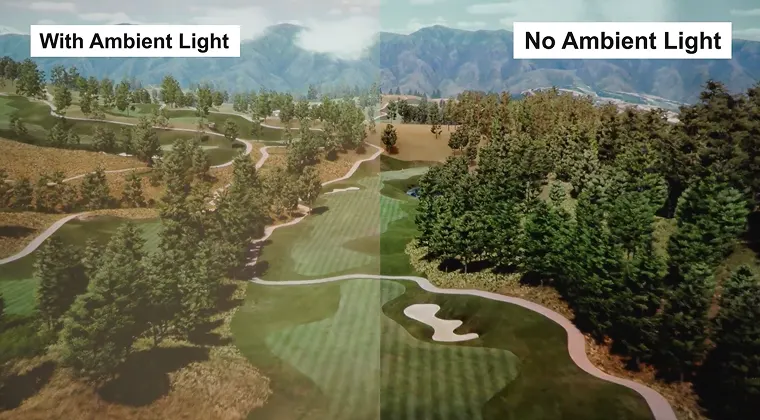
- Control the lighting. Even bright short-throws lose battles with sunlight. Close the curtains, keep room lights dim, and add a small bias light behind your seating if you want deeper blacks and cleaner color. Horror games like RE4, Silent Hill 2, and Alan Wake 2 look way better this way.
- Screens help more than people think. Walls are fine, but gaming screens deliver tighter color, better contrast, and zero texture issues. If you want the best picture, grab a proper projector screen. ALR screens are especially good for ultra short-throw setups fighting ambient light.
If you’re new to this, I recommend checking our guide on how to use a projector for more info.
Short-throw Projectors vs Gaming Monitors
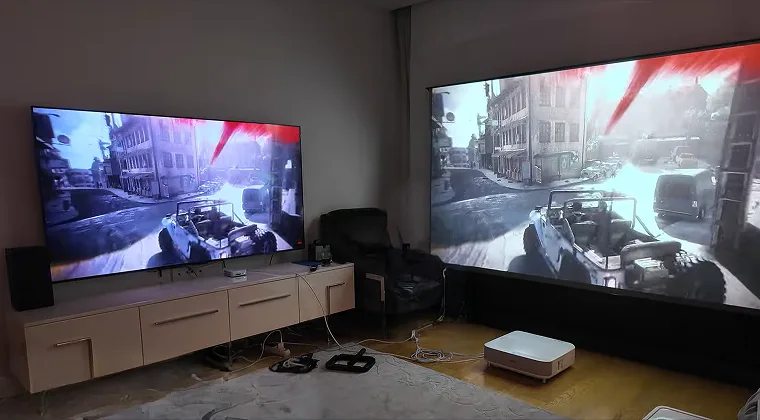
Short-throw projectors and gaming monitors serve totally different purposes, so knowing where each shines makes life way easier.
Gaming Monitors Are Built for Pure Speed
If you play anything competitive, monitors win instantly. A 240Hz panel with sub-1ms response times is something projectors simply can’t touch. For Counter-Strike 2, Valorant, Rainbow Six Siege – the whole sweaty lineup – a monitor gives you real advantages. If that’s your lane, check our full guide on the best gaming monitors and grab something fast.
Short-Throw Projectors Take Over When You Want Immersion
For single-player worlds, scale changes everything. Firing up God of War Ragnarök, Horizon Forbidden West, or Tears of the Kingdom on a 100-inch display feels cinematic in a way a 27-inch or even 55-inch screen just can’t replicate. It stops feeling like “playing a game” and starts feeling like stepping into one.
Pricing Also Tilts in Favor of Projectors Once You Go Big
A legit 65-inch gaming monitor will run you $1,500-$3,000. The BenQ X500i costs around $1,700 and throws a 100-inch image, which is roughly 2.4x the screen area for similar money. The bigger you go, the stronger the value gets, while TVs and monitors skyrocket in price.
Common Short-Throw Projector Limitations for Gaming
Even the best short-throw projectors come with a few quirks you should know before buying.
- Edge distortion is more noticeable. Short-throw lenses bend light aggressively, which can introduce slight warping in the corners. Most models offer keystone correction, but using it costs you sharpness. Whenever possible, physically align the projector. It always looks better than digital fixes.
- Ambient light hits them harder. Because the lens spreads light so wide, brightness drops fast in daylight. During my afternoon tests with the X500i, blackout curtains weren’t optional, they were mandatory.
- Zoom range is limited. Short-throws don’t have the generous zoom of standard projectors. The X500i gives you 1.2x, which is fine but not flexible. Standard-throw models often offer 2x or more, letting you fine-tune the image without physically moving the projector.
- Pricing is higher for similar specs. Short-throw lenses are harder to manufacture, and the price reflects it. Expect a 20-40% markup over standard-throw projectors with the same brightness, resolution, and features.
Real-World Gaming Performance Examples
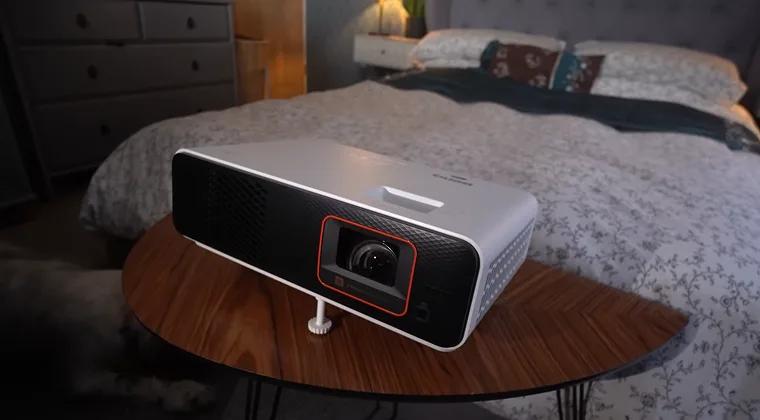
Short-throw projectors behave differently, depending on the game you throw at them, so I tested a wide spread to see where they shine (and where they don’t).
Final Fantasy VII Rebirth Looked Incredible on the BenQ X500i
The 4K image brought out every texture – Midgar’s neon grime, Costa del Sol’s beaches, all of it. At 100 inches, the scale almost feels like cheating. Combat stayed responsive too, even at 16ms in 4K. Zero complaints for single-player RPGs. If you want to replicate my experience, take a look at our list of the best 4K projectors and pick up something nice for your gaming room.
Racing Games Are a Perfect Match
Great racing games like Gran Turismo 7 felt completely different on a big projection. The huge image boosts peripheral vision, especially in cockpit view, and the immersion blows any 27-inch monitor out of the water. Sure, a monitor is faster, but in non-competitive racing, the scale wins every time.
Shooters Expose the Limits
Call of Duty: Modern Warfare III was fun casually, but there’s no pretending – a 240Hz monitor still feels tighter and more dialed-in. The X500i’s 4.16ms at 1080p is excellent “for a projector,” but it’s not beating an esports panel for ranked play in popular FPS games.
Strategy Games Absolutely Thrive
Top strategy games like Civilization VI, Crusader Kings III, anything turn-based or map-heavy feels fantastic on a huge screen. Text stays readable, UI elements spread out nicely, and because you’re not relying on split-second reflexes, input lag disappears as a concern completely.
Is a Short-throw Projector Right for Your Gaming Setup?
A few key factors decide if short-throw projection actually fits your space and playstyle.
- Room size is the deal-breaker. Measure the distance from your projector spot to your screen wall. If you’ve got under 8 feet to work with, short-throw or ultra-short-throw is the only way to hit 100 inches. Standard projectors simply don’t have the space to breathe in small rooms.
- Your gaming style matters. If you live in competitive shooters and chase every millisecond, stick with a monitor. If you love big single-player worlds and want immersion over raw response time, short-throw projection delivers the kind of scale no monitor can touch.
- Budget sets your ceiling. Expect around $1,500 for a good short-throw gaming projector like the BenQ X500i. Ultra-short-throw models start closer to $2,500 and go past $5,000 at the high end. Don’t forget possible extras: a proper screen and blackout gear.
- Light control makes or breaks the image. If you can’t darken the room, even bright projectors struggle. Night-time gamers get the best experience by far. Test your lighting before committing.
Conclusion: Transform Small Spaces Into Gaming Theaters
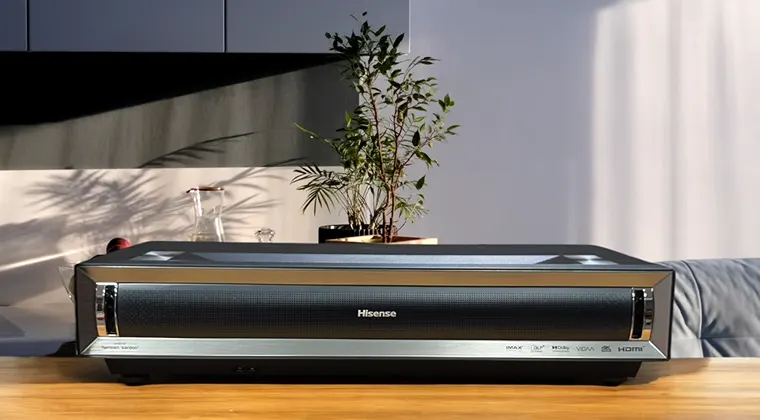
Short-throw projectors finally fixed the space problem that kept big-screen gaming out of apartments, small bedrooms, and tight living rooms. Getting a true 100-inch image from a coffee-table distance changes everything – no ceiling mounts, no dedicated theater rooms, no “I need a basement for this” nonsense.
All the specs and testing above show exactly where this tech shines and where it hits its limits. Short-throws are incredible for single-player immersion, offer killer value compared to oversized TVs, and work in rooms where standard projectors physically can’t. They’re not built for competitive play, and they definitely need a dark room to look their best. But when the conditions line up, the experience is unmatched.
Your space, your budget, and the types of games you love decide if short-throw projection makes sense. If you want cinematic worlds – The Witcher 3, Red Dead Redemption 2, Starfield – on a wall that a standard projector can’t reach, this tech delivers in ways monitors never will.
Ready to load up that massive screen? Eneba Marketplace has digital game keys for PlayStation, Xbox, PC, and Nintendo, so you can fill your new display with the good stuff without overspending.
FAQs
A short-throw projector has a throw ratio between 0.4:1 and 1.0:1, creating 100-inch images from approximately 3 to 8 feet away. Projectors with ratios above 1.0:1 are standard throw, while ratios below 0.4:1 classify as ultra short-throw.
Yes, as long as the projector has low input lag and enough brightness, short-throws are great for gaming. Models like the BenQ X500i hit 4.16ms at 1080p, which is fast enough for action games, shooters, and pretty much anything outside high-level competitive play.
It depends on the throw ratio. A common 0.7:1 ratio lands a 100-inch image from around 5 feet. Always check the manufacturer’s projection calculator. Every model is a little different.
Short-throws use 0.4:1 to 1.0:1 ratios and sit 3–8 feet from the screen. Ultra short-throws stay under 0.4:1 and sit just inches to 3 feet away. UST models use angled, mirror-based optics, while short-throws rely on wide-angle straight lenses.
They don’t need them, but screens definitely look better. Short-throws exaggerate wall texture, so smooth surfaces win every time. If you’re dealing with ambient light, ALR screens give a noticeable boost in contrast and clarity.