Satisfactory Tips: A Beginner’s Guide to Building Efficient Factories


Satisfactory is a first‑person factory‑building game where you crash land on an alien world with nothing but a basic hub and a handful of machines. It mixes exploration, survival, and logistics in a sprawling open world. New players often find the early hours confusing because there are so many moving parts: you gather ores, smelt ingots, craft components, lay conveyor belts, and juggle power poles. These Satisfactory tips distill lessons from my own playthroughs to help you start strong and build smarter. Follow all the strategies below to automate the basics, manage electricity, design tidy production lines, explore effectively, and grow your factory without feeling overwhelmed.
Jump to:
Understanding the Early Game: Satisfactory Tips for Beginners
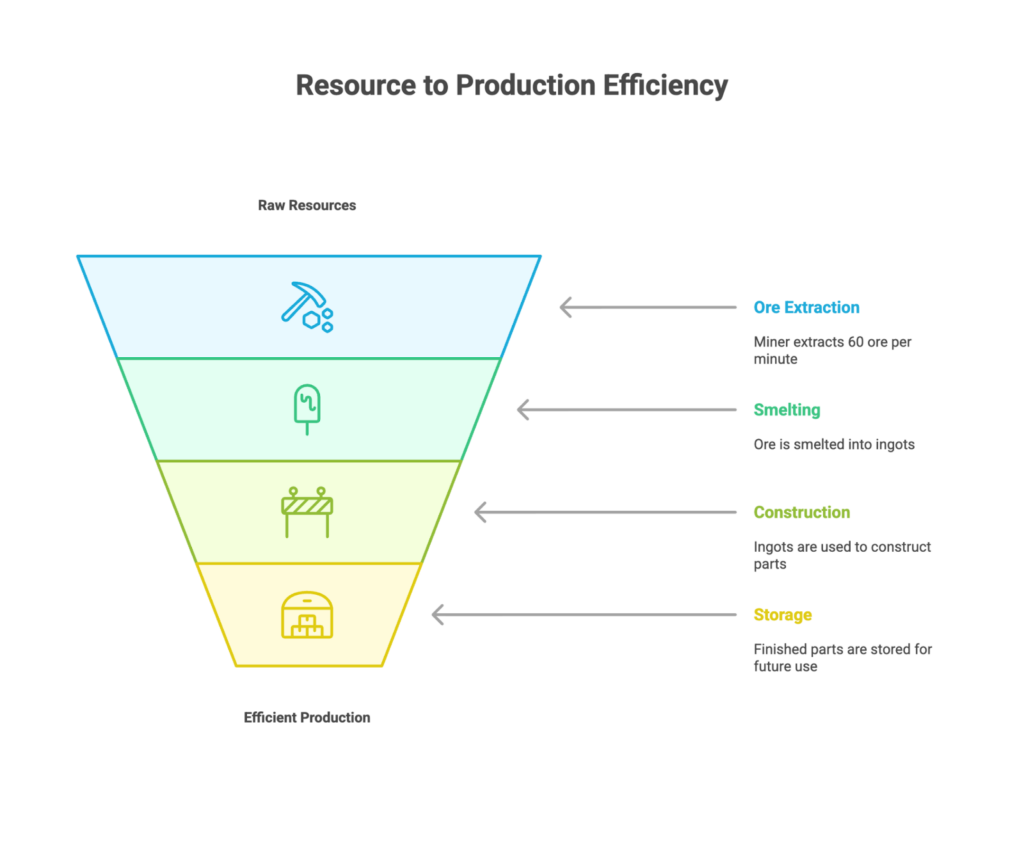
The first few tiers are all about learning to gather resources and set up small production lines. Focus on a few core materials and automate them as soon as possible so you aren’t crafting everything by hand. Iron, copper, and limestone are your lifeblood: iron becomes plates, rods, and screws; copper becomes wire and cable; limestone becomes concrete. A Miner Mk.1 produces 60 ore per minute, which is enough to feed two smelters. Each smelter outputs ingots that can supply two constructors. These simple ratios ensure your machines run continuously without starving.
Set up a basic chain on each of your starting nodes: place a miner on the deposit, run a belt to a pair of smelters, then split the output into two constructors. Route the finished parts into storage containers so you have a buffer for future milestones. Don’t rush through tiers; use the early milestones like Logistics and Obstacle Clearing to unlock splitters, mergers, and the chainsaw. These upgrades make it easier to expand your base and gather biomass.
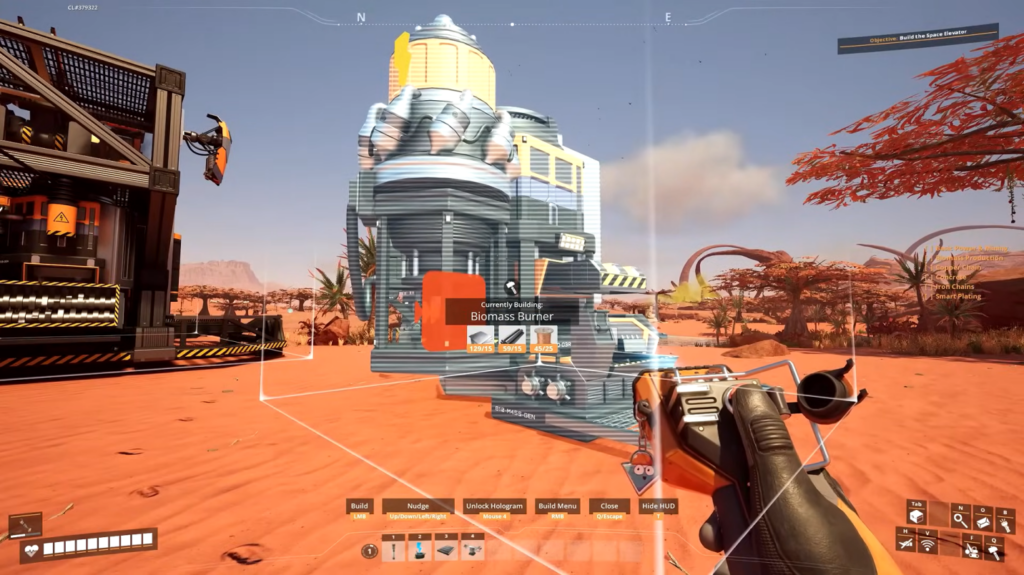
Give yourself space right from the beginning. Snap foundation tiles around your hub to create a flat building surface and leave gaps between production lines. Machines get bigger as you progress, and it’s frustrating to dismantle half your base just to insert a splitter. Keep your biomass burners off to the side, connected to a single power pole, so you can add generators without cluttering your factory. Taking a few minutes to plan your layout will save hours later on.
Satisfactory belongs to a broader family of automation sims. If you’re interested in seeing how other games tackle similar mechanics, our article on games like Factorio explores titles that share Satisfactory’s obsession with efficiency and may inspire new factory designs. It’s a great read when you need a break from belting iron plates.
Power Management and Energy Sources
Machines require electricity, and without enough power, everything grinds to a halt. In the beginning, you rely on biomass burners that convert leaves and wood into energy. Group your burners together and connect them to one power pole; that way, you can see total consumption and capacity at a glance. Use a constructor to convert leaves into biomass and then biomass into solid biofuel. Automating this fuel chain means you spend less time chopping trees and more time building.
Biomass is a stopgap. Once you unlock the Coal Power milestone, it’s time to transition to automated generators. Search for a coal deposit near water, build a large foundation platform, place a row of coal generators, and feed them with belts from one or two miners. Install water extractors and connect pipes to the generators. Prime the system with biomass burners until the coal loop is running; then dismantle your burners and enjoy continuous electricity. Coal generators output 75 megawatts each and run indefinitely as long as coal and water flow.
As your grid grows, organize power lines by area. Each power pole has a limited number of connections; build additional poles rather than daisy‑chaining long strings. Later, train tracks can transmit electricity between distant bases. Overclock machines with power shards crafted from glowing slugs to increase output when a single machine bottlenecks your line, but remember that overclocking increases power draw. Managing electricity well keeps your factory humming without unexpected shutdowns.
Factory Layout and Logistics
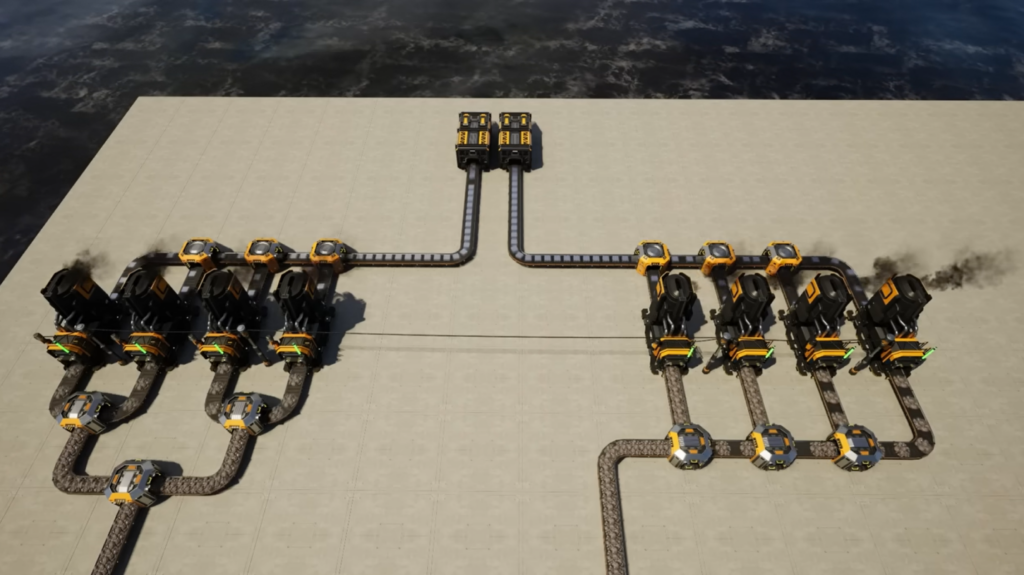
The heart of Satisfactory is turning raw resources into increasingly complex parts. Conveyor belts, splitters, and mergers direct this flow. Belt marks determine throughput (Mk.1 belts handle 60 items per minute, Mk.2 belts handle 120, and so on). Keep belts as straight as possible for clarity. Use the build mode toggle (R key) to snap belts at right angles; this neatness helps when you need to debug your lines later.
Splitters divide one belt into three outputs, while mergers combine three inputs into one belt. Use them to balance production: if a constructor consumes 30 ingots per minute, feed it from a splitter that receives 60 ingots per minute so each branch gets sufficient resources. Manifold designs, one belt feeding multiple machines in sequence, are simple to build but can starve the farthest machines if throughput is too low. When scaling up, use splitters at intervals to ensure even distribution.
Vertical building saves space and makes your base easier to navigate. Stackable conveyor poles allow belts to travel at different heights, creating bus lines that ferry materials across your factory without clogging walkways. Foundations and lifts let you organize production floors: smelters on the ground, constructors above, assemblers higher still. Copy building settings by sampling a machine with the middle mouse button and pasting them onto others. This trick speeds up mass construction and keeps your factory consistent.
Exploration, Upgrades, and Mobility
Satisfactory’s world is gorgeous and dangerous. Exploring pays dividends because it yields power slugs for overclocking and hard drives that unlock alternate recipes. Look for glowing green, yellow, or purple slugs on cliffs and in caves; use ramps or foundations to reach them safely. Crashed drop pods contain hard drives; supply the required items to open them and analyze the drives at the MAM (Molecular Analysis Machine) to discover recipes that reduce resource costs.
Research milestones unlock quality‑of‑life upgrades. Obstacle Clearing grants the chainsaw, which collects large amounts of wood and leaves and expands your inventory. Blade Runners are wearable exoskeletons that increase movement speed and jump height (indispensable in large factories). The jetpack, unlocked later, uses solid biofuel to lift you into the air and is worth rushing because it makes vertical building safer and prevents fall damage. Movement tools like ziplines (which let you ride along power lines) and hypertubes (fast travel tubes) shorten travel times across your base.
Exploring other creative worlds can broaden your perspective on building games. Our roundup of games like Minecraft for creative and survival fun highlights sandbox titles that emphasize exploration and construction. Reading about these games might inspire you to experiment with new layouts or resource flows in Satisfactory.
Community Resources and Co‑op
You’re not alone in your quest for efficiency. The Satisfactory community offers calculators and tools that make planning easier. Websites like Satisfactory Calculator and Satisfactory Tools allow you to enter desired outputs and receive recommended machine counts, belt speeds, and even blueprints. These tools are optional but invaluable when designing massive refineries or nuclear power plants.
If you’re curious about the future of the factory‑building genre, our article covers an upcoming game that removes fixed recipes and encourages creativity. It’s a reminder that automation sims are evolving, and there’s always something new to try. Joining the community, regardless of whether on forums, Discord servers, or in co‑op sessions, can provide tips, inspiration, and camaraderie.
The game reaches its best potential in co-op. Building with friends splits the workload: one player mines and smelts, another constructs machines, and another explores for slugs and hard drives. Co‑op accelerates milestone progression because multiple people can gather resources simultaneously. It’s also more fun to marvel at a sprawling factory when you’ve built it together. Many players share their designs and experiences online, so don’t hesitate to watch videos or read guides for fresh ideas.
Finishing Touches and Continued Growth
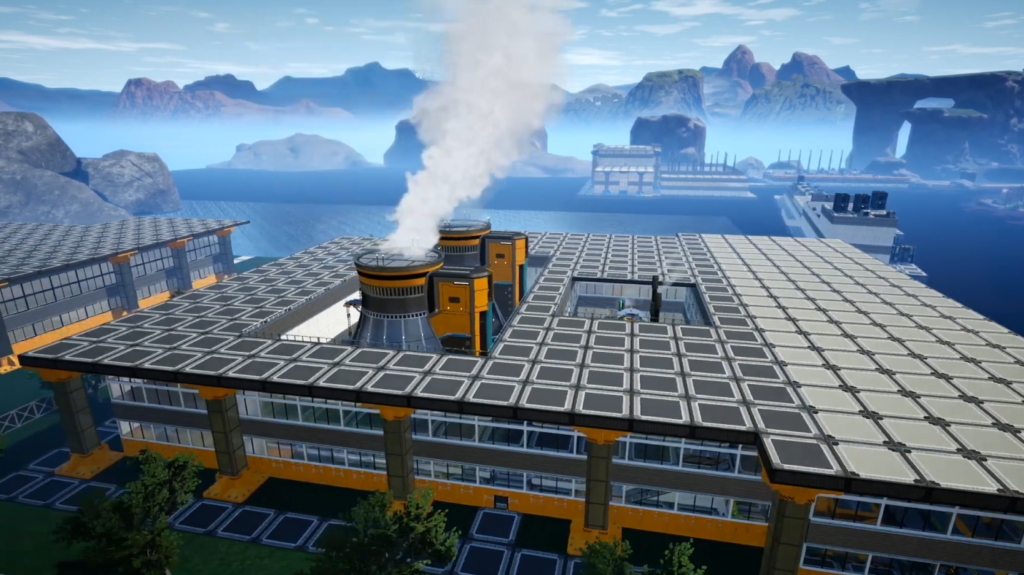
As you advance through later tiers, you’ll unlock oil processing, aluminum, nuclear power, and particle accelerators. These systems are more complex but rest on the same foundations: balanced production, reliable power, and tidy logistics. A few final pointers will keep your factory efficient:
- Stay organized. Label storage containers and group similar production lines together. A clear layout makes it easy to troubleshoot bottlenecks or expand a section.
- Upgrade selectively. Don’t upgrade every belt and machine as soon as you unlock higher marks. Target upgrades where lines back up or machines starve. Overclock machines with power shards to alleviate bottlenecks instead of overhauling an entire chain.
- Leave room to expand. Keep gaps between lines and floors so you can add assemblers, splitters, or pipes without ripping out existing work. Consider building “bus” lines that carry major resources along the edge of your factory for easy access.
- Experiment and iterate. You’ll rebuild parts of your base multiple times. Each redesign teaches you something new about throughput, spacing, or flow. Enjoy the process; there’s no single right way to play.
- Save often. The game auto‑saves, but manual saves let you roll back if an ambitious redesign causes power outages or resource shortages.
If you haven’t tried Satisfactory yet or want to share it with a friend, check out the Satisfactory Steam Key on our marketplace. Purchasing through Eneba supports our editorial work and gets you a digital copy of the game at a competitive price. Armed with these Satisfactory tips, you’ll be ready to start your next factory‑building journey.
FAQs
How do I set up power lines in Satisfactory?
To set up power lines in Satisfactory, equip the power line tool from your hotbar, click on a generator or power pole, then click on the machine or pole you want to supply. Lines connect any two power nodes and transfer electricity; remember that each pole has a limited number of connections. Organizing lines by production area keeps your grid easy to manage and reduces cable clutter.
What should I focus on in the early game of Satisfactory?
When focusing on the early game of Satisfactory, prioritize automating iron, copper, and concrete production while unlocking splitters, mergers, and the chainsaw. Establish a simple factory that produces iron plates, rods, screws, wire, cable, and concrete so you have a steady supply of parts to complete milestones and expand. Avoid crafting everything by hand, but don’t rush through milestones without stabilizing your production.
Can I move my factory in Satisfactory after building it?
Yes, you can move your factory in Satisfactory by dismantling structures with the dismantle mode on your build gun. All dismantled parts return to your inventory, allowing you to rebuild elsewhere. Holding the Ctrl key enables mass dismantle to remove multiple buildings at once, which is handy when relocating large sections of your base.
How do I overclock machines in Satisfactory?
To overclock machines in Satisfactory, you first need power shards, which are crafted from power slugs found in the world. Insert a shard into the overclock slot in a machine’s menu and adjust the clock speed slider up to 250 percent. Overclocking increases production but also raises power consumption, so make sure your grid has enough capacity before pushing machines beyond their base speed.
Why is my power grid overloading in Satisfactory?
The reason why your power grid is overloading in Satisfactory is that your total consumption exceeds your power generation. When machines draw more megawatts than your burners or generators provide, the system trips and everything shuts down. Add additional generators, reduce overclocking, or temporarily disable non‑essential machines to rebalance your grid and prevent further overloads.