



11 Best Nintendo Switch Accessories in 2026

Eneba Hub contains affiliate links, which means we may earn a small commission if you make a purchase through them—at no extra cost to you. As an Amazon Associate we earn from qualifying purchases. Learn more

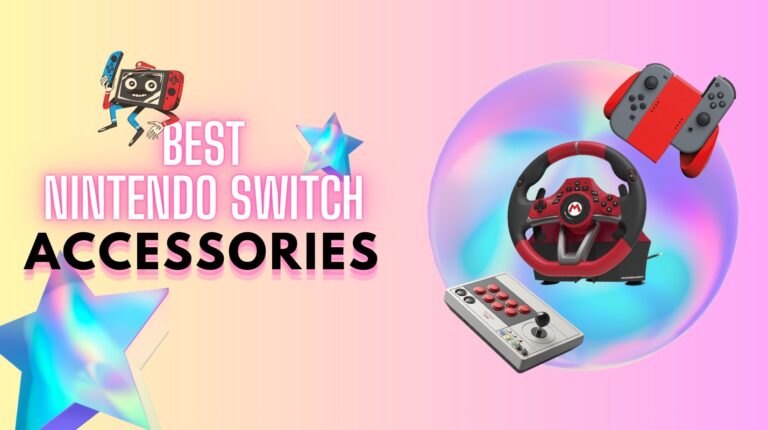
If you care about your gaming experience, finding the best Nintendo Switch accessories is not a side quest. It’s the main mission. As a fellow switch user, I’ve spent a lot of time weighing options, looking beyond a products’ hype and into players’ insights. With this experience in my backlog, I made this ranking of the worthiest accessories to par with your Switch.
When you pick the right setup, your Switch stops feeling like just another handheld. It starts feeling like your personal gaming console, tailored exactly to how you play. Faster load times. Longer sessions without battery panic. Sharper reactions when it matters most.
This guide is for players who want their setup to feel complete, without wasting money on junk. If you can picture yourself pulling off cleaner drifts in Mario Kart or marathoning Zelda without a single low-battery warning, you’re exactly where you should be. Let’s build your perfect Switch setup.
Jump to:
Our Top Picks for Nintendo Switch Accessories
Picking the best Nintendo Switch accessories can be overwhelming when every ad claims to be “essential.” I’m cutting through the noise with five picks that actually make a real difference. These are the ones I would hand to a new Switch owner without thinking twice. I picked them based on performance, durability, and the kind of gamer satisfaction you only get after hours of real play.
- 8Bitdo Arcade Stick – Best for turning your Switch into an arcade machine you actually want to brag about.
- Mario Kart Racing Wheel Pro Deluxe – Best way to turn casual Mario Kart nights into full-blown, trash-talking tournaments.
- Silicon Power SDXC – Best memory card upgrade that saves you from the heartbreak of “Storage Full” popping up mid-download.
- Anker Power Bank – Best pocket-sized lifesaver for marathon gaming when wall outlets are nowhere in sight.
- Mosaholl 3 in 1 Docking Station – Best backup dock that won’t make you cry if it gets thrown into a backpack.
Keep reading to dive into ALL the real winners. I break down everything: the good, the bad, and the “why didn’t I buy this sooner” moments.
11 Best Nintendo Switch Accessories Roundup
Below are the 11 best Nintendo Switch accessories you actually need to know about in 2025. I cover what matters most: build quality, gaming performance, hidden pain points, and more.
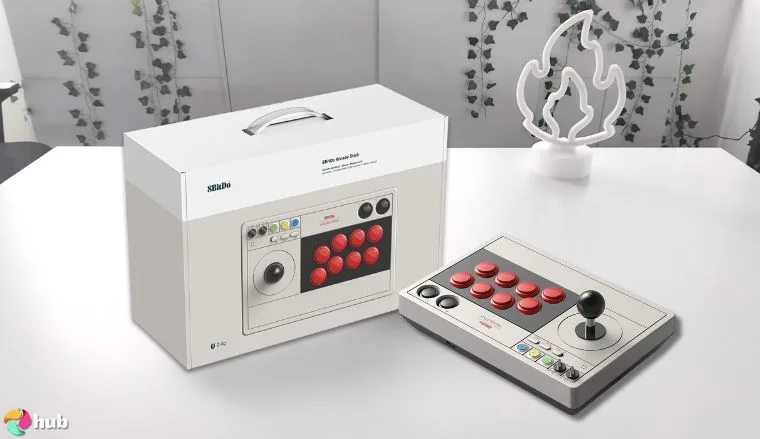
1. 8Bitdo Arcade Stick [Best Nintendo Switch Fight Stick]
| Accessory Type | Fight Stick |
| Compatibility | Nintendo Switch, Switch Lite, PC |
| Key Function | Arcade-Style Precision Gaming |
| Connectivity | Wireless (Bluetooth), Wired (USB-C) |
| Build Material | Reinforced Plastic with Metal Base |
| Size/Weight | 2.2 lbs / 998 g |
| Special Feature | Motion Control, Button Remapping |
If you have ever dreamed about bringing the arcade to your living room, the 8Bitdo Arcade Stick makes it real. This beauty combines old-school tactile feel with modern tech to create one of the best accessories you can get for your Nintendo Switch or PC.
The first thing you’ll notice is the authentic weight and click of the stick and buttons. There’s no mushy feedback here. It feels like a machine built for serious duels. Doesn’t matter if you’re hammering out combos or trying to perfect a parry. Setting it up to play Switch was effortless, whether in docked mode, handheld mode (with a little creativity), or even connecting to a Switch Lite.
If you want something closer to a traditional controller, it might not be for you. But if you are serious about fighters or retro games, it leaves the Joy-Con alternative experience in the dust. The 8Bitdo Arcade Stick even supports motion control, letting you stay competitive in games that normally expect a standard controller. Battery life is solid. You can push hours without worrying about losing charge mid-match.
Arguably, the best part might be that It pairs smoothly with other accessories like travel cases, making it an easy fit for any switch accessory setup. Compared to the original Switch dock experience, it adds real depth to how you play games.
| Pros | Cons |
|---|---|
| ✅ Ultra-responsive stick and button feedback ✅ Supports motion controls for Switch gaming ✅ Strong wireless and wired performance ✅ Easily switches between platforms ✅ Excellent battery life for long sessions ✅ Highly customizable button layouts | ❌ Bulkier than a Switch pro controller for casual gaming |
Final Verdict: If you want a fight stick that feels like it belongs in a real arcade, the 8Bitdo Arcade Stick is the one. For players who live for precision and tactile mastery, this is a game-changer.
An alternative option? For a lighter setup, the PowerA Enhanced Wireless Controller brings great control without the arcade stick bulk.
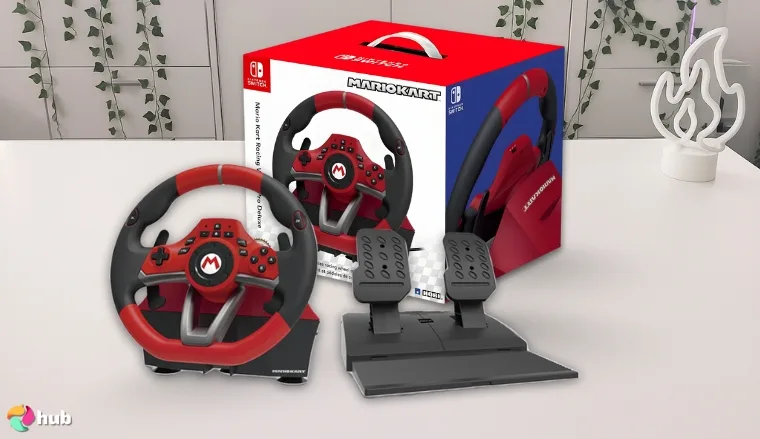
2. Mario Kart Racing Wheel Pro Deluxe [Best Racing Wheel for Nintendo Switch]
| Accessory Type | Racing Wheel |
| Compatibility | Nintendo Switch, Switch OLED, PC |
| Key Function | Realistic Racing Simulation |
| Connectivity | Wired (USB) |
| Build Material | Reinforced Plastic, Rubberized Grip |
| Size/Weight | 4.1 lbs / 1.86 kg |
| Special Feature | Turbo Function, Adjustable Sensitivity |
The Mario Kart Racing Wheel Pro Deluxe is a no-brainer if you’re serious about making your Mario Kart races feel real. Built officially for the Nintendo Switch, it’s packed with premium features designed for hardcore players and casual racers alike.
Gripping the rubberized extra grip steering wheel instantly pulls you into the action. Drifting around corners feels natural, thanks to sharp motion control responses that blow away a basic Switch pro controller. The customizable turbo function means you can map buttons for faster input: a serious edge when pulling tricky moves across rainbow-colored tracks.
During long gaming sessions, the comfortable design keeps hand fatigue low even after countless hours. For families, it’s an awesome pickup because younger kids find it easy to use. You can have family gaming sessions whenever, and you’ll be making it even more fun. Want to see more of the best racing wheels? Check the link out.
Even though it’s technically designed for Switch, it also pairs well with other devices like PCs with minimal setup. If you’re building out your whole system of best accessories, this is a centerpiece worth getting.
| Pros | Cons |
|---|---|
| ✅ Fantastic steering feel with rubberized grips ✅ Excellent turbo function for faster moves ✅ Works with multiple Switch models and PC ✅ Long-lasting comfort during marathon races ✅ Adds real arcade realism | ❌ Larger size can crowd smaller gaming areas |
Final Verdict: If you want to elevate your racing experience from good to unforgettable, the Mario Kart Racing Wheel Pro Deluxe is the best choice. It’s the must-have racing wheel for true Mario Kart fans.
An alternative unique accessory would be the 8Bitdo Arcade Stick, especially if you prioritize fighting games and retro picks.
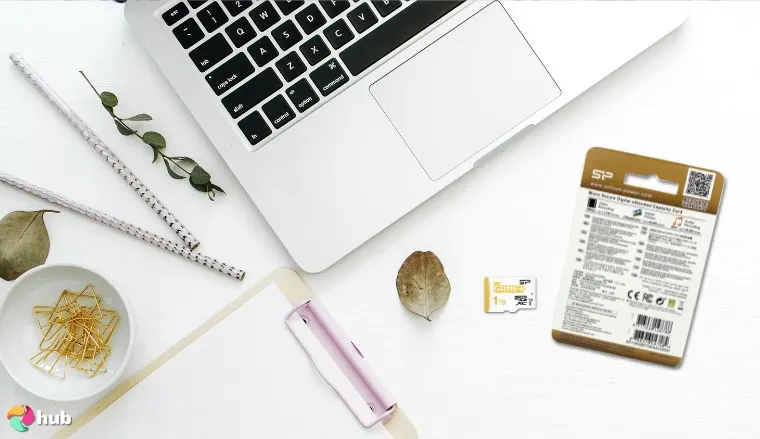
3. Silicon Power SDXC [Best Nintendo Switch Memory Card]
| Accessory Type | Memory Card |
| Compatibility | Nintendo Switch, Switch OLED, Switch Lite |
| Key Function | Expand Storage Space |
| Connectivity | MicroSD Interface |
| Build Material | Industrial-Grade Flash Memory |
| Size/Weight | 0.02 lbs / 9 g |
| Special Feature | High-Speed Data Transfer (UHS-1) |
Running out of internal storage on your Switch happens fast, especially once you dive into bigger titles. That’s why the Silicon Power SDXC card is an essential upgrade if you want enough space for every download, update, and save file without ever stressing about what to delete.
Installation couldn’t be easier. You simply insert the card and instantly unlock more storage capacity. In your own setup, adding one will feel like opening up a whole second library of games. You can stack games stored without even noticing a slowdown, and it’s a far better solution than constantly managing the stock storage space.
While bigger solutions like an external SSD for gaming work beautifully for PC or dock setups, a microSD is perfect for handheld play. Lightweight, fast, and reliable! It’s exactly what you need on the go. Pairing expanded storage with a Switch pro controller and the console’s best accessories turns your Switch into a true all-terrain gaming beast.
It’s an invisible upgrade that totally changes the way you use your console. So, stop stressing about not having enough storage space, and start gaming the right way.
| Pros | Cons |
|---|---|
| ✅ Instantly boosts Switch storage space ✅ High transfer speeds for fast game loads ✅ Great value for size options (128GB–512GB) ✅ Reliable even with heavy data use ✅ Easy plug-and-play setup ✅ Ideal for digital download-heavy gamers | ❌ Cannot store save backup |
Final Verdict: If you’re ready to stop playing Tetris with your Switch’s memory, the Silicon Power SDXC card is your best move. It’s fast and lets you enjoy your entire collection without compromise.
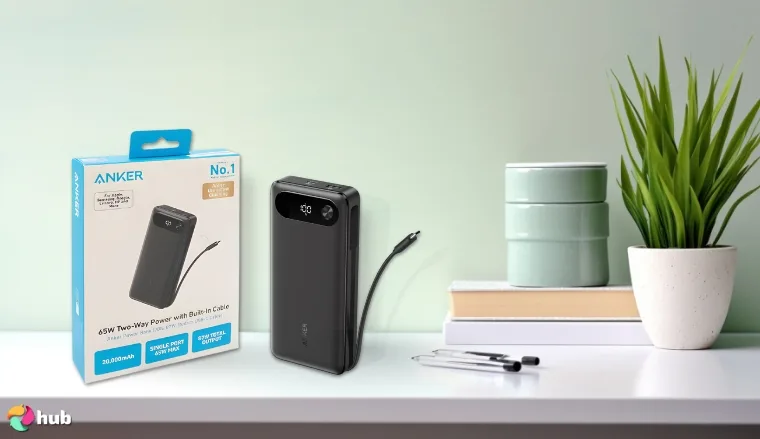
4. Anker Power Bank [Best Nintendo Switch Power Bank]
| Accessory Type | Power Bank |
| Compatibility | Nintendo Switch, Switch OLED, Switch Lite |
| Key Function | Portable Charging |
| Connectivity | USB-C Output |
| Build Material | Aluminum Alloy and ABS Plastic |
| Size/Weight | 0.7 lbs / 318 g |
| Special Feature | High-Speed Charging, Pass-Through Charging |
If you ever lost a boss fight because your Switch ran out of juice, you already know why a reliable power bank matters. The Anker Power Bank fixes that problem permanently. It’s compact enough to fit into a carry case, strong enough to recharge your console from dead to full, and fast enough to keep pace during active gaming.
I used it during long flights and public transport commutes. Unlike a basic wall charger or charging dock stuck at home, this accessory moves with you. Even better, it supports pass-through charging! You can charge the bank itself while charging your Switch at the same time. For gamers who play marathon sessions, that alone is a lifesaver.
Setting up a charging station with an Anker and other essentials turns your Switch setup into a mobile powerhouse. No worries about hunting for an outlet halfway through a gaming binge. Just plug in and keep playing.
| Pros | Cons |
|---|---|
| ✅ Lightweight but high-capacity battery ✅ Fast charging speed compatible with Switch ✅ Slim enough to fit inside most carry cases ✅ Has pass-through charge for double power ✅ Durable build designed for travel ✅ Reliable brand trusted for electronics | ❌ Needs the right USB-C cable for best results |
Final Verdict: The Anker Power Bank is a must-have if you take your Switch on the double-go. It keeps your sessions alive wherever you are: planes, buses, cafes, it doesn’t matter. Freedom from outlets is pure freedom to play longer!
Want to buy a charger instead? The MARSDOCK 45W Charger is a good alternative if you want a sturdy charger over a power bank.
5. Mosaholl 3 in 1 [Best Nintendo Switch Dock Station]
| Accessory Type | Dock Station |
| Compatibility | Nintendo Switch, Switch OLED |
| Key Function | Charging and Display Dock |
| Connectivity | HDMI Output, USB-C Input |
| Build Material | Durable Plastic and Aluminum Alloy |
| Size/Weight | 0.6 lbs / 272 g |
| Special Feature | 3-in-1 Multiport Docking |
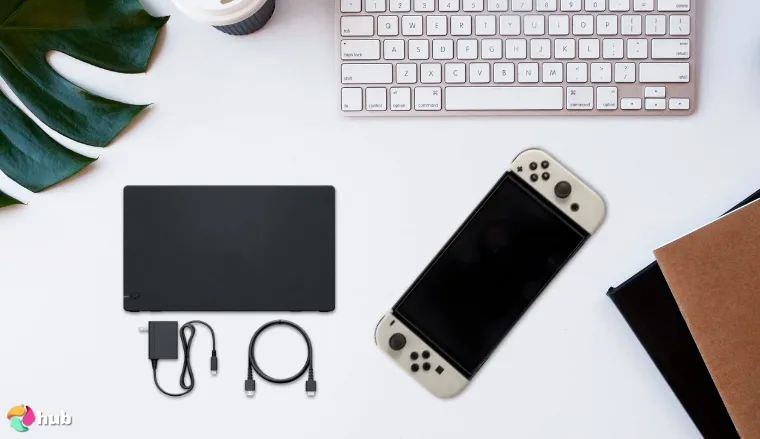
Upgrading your whole system is easy when you add the Mosaholl 3 in 1 Dock Station to your Switch setup. It’s compact, powerful, and honestly feels like something Nintendo should have included in the box from the very beginning. You will instantly love how clean and organized your setup will look without the bulky standard dock getting in the way.
Unlike the stock option, this sleek little powerhouse is small enough to slip into any mesh pocket in a travel bag. It still packs a serious punch though, delivering great 1080p output to your TV without a hitch. Setup takes less than a minute. You just plug the USB-C cable into the Switch, hook up the HDMI cable to your TV, and boom. Now you’re ready to dive back into Hyrule or throw hands in Smash Bros.
What surprised me most is how cool and steady it stays even during marathon sessions. You won’t need to worry about the Mosaholl Dock overheating or crashing. This baby is built to take it. You can be deep into a gaming session and it’ll stay cool as a cat. It’s reassuring to know that your console stays protected while you focus on winning.
Its featherlight design makes travel easy, but even at home, it could become the centerpiece of your gaming corner. It charges your Switch safely, keeps the display sharp, and frees up a lot of space around the TV. If you’re serious about building a portable yet powerful Switch setup, this dock absolutely deserves a place in your gaming setup.
| Pros | Cons |
|---|---|
| ✅ Compact and travel-friendly ✅ No overheating even during long sessions ✅ Clear 1080p output to TV screens ✅ Simple plug-and-play setup ✅ Works with multiple Switch models ✅ Feels sturdy despite lightweight size | ❌ Lacks an Ethernet port for wired internet |
Final Verdict: If you’re building out your whole system to handle gaming at home and on the road, the Mosaholl 3 in 1 Dock Station is a smart investment. It outperforms the basic dock without the bulk.
6. PowerA Enhanced [Best Nintendo Switch Controller]
| Accessory Type | Wireless Controller |
| Compatibility | Nintendo Switch, Switch OLED, PC |
| Key Function | Enhanced Precision Gaming |
| Connectivity | Wireless (Bluetooth), Wired (USB-C) |
| Build Material | Textured Plastic Shell |
| Size/Weight | 0.7 lbs / 317 g |
| Special Feature | Programmable Buttons, Motion Controls |
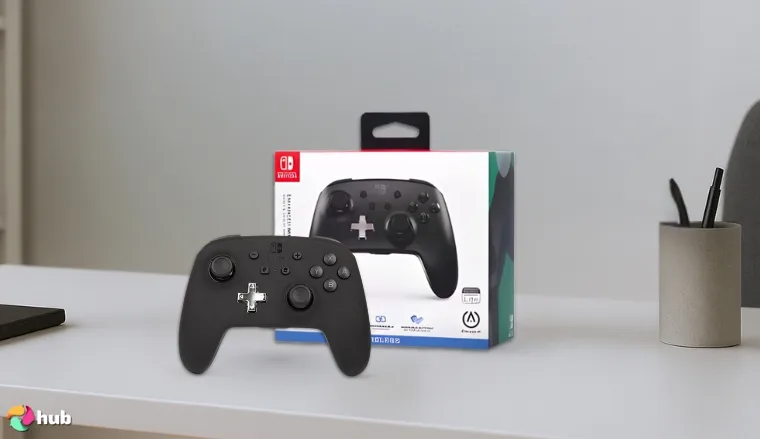
There’s a good reason why the PowerA Enhanced Wireless Controller stands out among Switch players. It replaces your standard Joy Cons AND it feels better. Plus, this controller plays smoother and adds programmable buttons that give you a real edge in fast-paced Switch games.
Right out of the plastic case, the controller feels sturdy, with an intuitive button layout that gives it a pro controller vibe without the steep price. The wrist strap options add an extra layer of security for younger players or energetic Mario Party fans.
What sold me, though, was how it flexes between wired connection and wireless. When battery life dips, just plug it into a dock or charging station and keep playing without missing a beat. It’s easily one of the best Nintendo Switch controller options on the market today, and it pairs well with spare controllers or other accessories for multiplayer setups.
| Pros | Cons |
|---|---|
| ✅ Ergonomic grip and textured shell ✅ Supports wireless and wired connection ✅ Programmable rear buttons for custom setups ✅ Cheaper than Nintendo’s official pro controller ✅ Ideal balance for solo or group gaming ✅ Long battery life for uninterrupted play | ❌ No NFC scanning for Amiibo users |
Final Verdict: If you want a true upgrade from your standard Joy Cons without shelling out premium prices, the PowerA Enhanced Wireless Controller is your best bet.
Want an alternative controller? Try the 8Bitdo Arcade Stick if you like retro gaming and fighter games.
7. FASTSNAIL Grips [Best Nintendo Switch Grip]
| Accessory Type | Grip Attachment |
| Compatibility | Nintendo Switch, Switch OLED |
| Key Function | Enhanced Handheld Comfort |
| Connectivity | Clip-on Installation |
| Build Material | Soft-touch Plastic |
| Size/Weight | 0.2 lbs / 90 g |
| Special Feature | Ergonomic Anti-Slip Design |
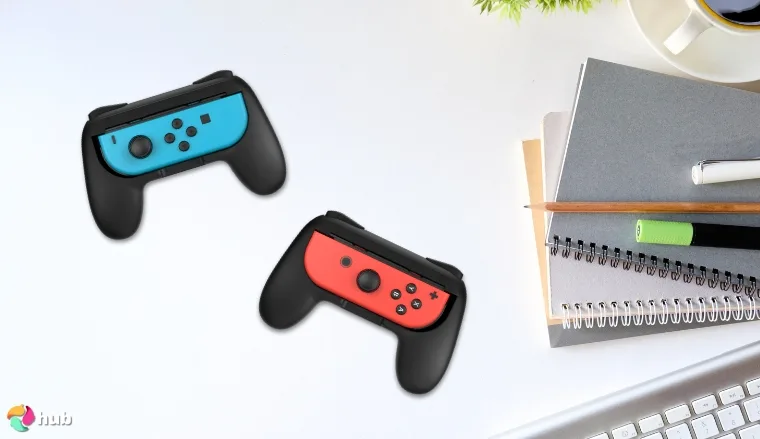
Long handheld sessions can go from fun to frustrating fast, especially if you’re stuck using the standard Joy-Cons. The moment you clip on the FASTSNAIL Grips, it will feel like the handheld experience finally caught up to what it should have been all along.
From the very first snap onto your Switch, the change was undeniable. No more awkward finger cramps, no more losing your grip mid-boss fight. Instead, the grips mold perfectly into your hands, creating a natural, comfortable curve that feels much closer to a real controller. And all of this without adding unnecessary bulk or weight. It makes handheld marathons not just tolerable, but genuinely enjoyable.
What really impressed me is the anti-slip material FASTSNAIL uses. Even when a match gets heated, your hands stay locked in, relaxed and steady. There’s no fighting against sweaty palms or constant adjusting. There’s just smooth, focused gaming from start to finish. These grips turn every session into something smoother and way more satisfying.
It’s wild how such a simple upgrade can make a console you already love feel brand new again. For anyone who plays their Switch on the move, the FASTSNAIL Grips are THE accessories you should be prioritizing for comfort and convenience.
| Pros | Cons |
|---|---|
| ✅ Instantly improves handheld comfort ✅ Anti-slip soft touch material ✅ Ultra-lightweight, easy to pack ✅ Snap-on installation in seconds ✅ Compatible with multiple Switch models ✅ Excellent for kids and adults alike | ❌ Adds slight bulk, making some small cases tighter |
Final Verdict: If you’re serious about handheld mode and tired of sore hands, the FASTSNAIL Grips are an easy win. Affordable, simple, and game-changing for portable play.
Want an alternative pair of grips? Try the PowerA Joy Con Comfort Grips, they’re equally comfy but more fit for casual gaming.
8. MARSDOCK 45W Charger [Best Nintendo Switch Charger]
| Accessory Type | Charger |
| Compatibility | Nintendo Switch, OLED, Lite |
| Key Function | Fast Charging |
| Connectivity | USB-C |
| Build Material | Plastic Frame |
| Size/Weight | 0.3 lbs / 140 g |
| Special Feature | Overcharge Protection |
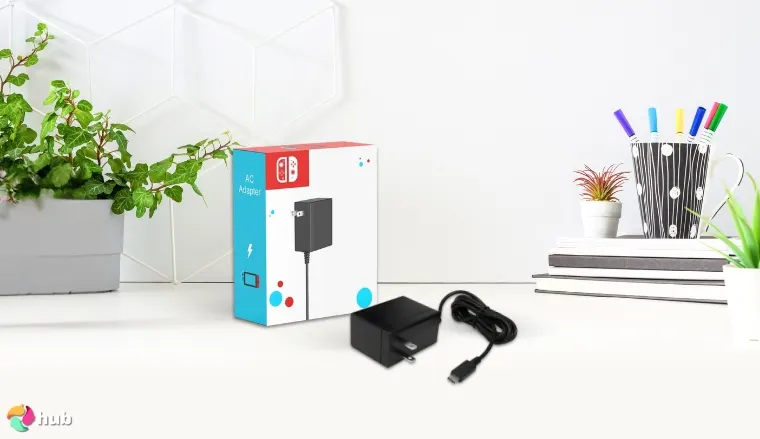
Few accessories earn a permanent spot in your gaming bag, but the MARSDOCK 45 W charger does. It revives your Nintendo Switch so quickly and safely that you can plunge into marathon quests: be it an all-night Hyrule run or a Smash tournament. All without glancing at the battery icon.
The Switch accepts a 15 V / 2.6 A Power-Delivery profile, roughly 18 W in real-world draw, yet its bundled brick, rated 39 W, still needs nearly three hours for a full recharge. MARSDOCK pumps out a full 45 W through its five-foot USB-C cable, rocketing the battery to 50 % in about an hour and finishing before you can take a nap break. That headroom lets the console hold charge while driving TV mode or juicing a Pro Controller at the same time.
Despite its muscle, the charger is smaller than many phone chargers, so it vanishes beside the Switch and is extra handy to carry around.It also speaks the PD 3.0 language for universal fast charging, meaning one plug tops up your phone and tablet as well. If the Switch is your daily companion, this pocket powerhouse is the smartest upgrade you can make.
| Pros | Cons |
|---|---|
| ✅ Fast 45W charging output ✅ Durable plastic frame build ✅ Built-in overcharge protection ✅ Lightweight and portable design ✅ Includes quality USB-C cable ✅ Compatible with Switch, OLED, Lite | ❌ Doesn’t support docked TV mode directly |
Final Verdict: The MARSDOCK 45W charger truly raises the bar for portable gaming reliability.
An alternative product would be the Anker Power Bank, if you want to invest in something other than a charger and if you want a device that will keep your devices filled up while you’re on the go.
9. PowerA Joy Con Comfort Grips [Best Nintendo Switch Joy-Con Grip]
| Accessory Type | Joy-Con Grip |
| Compatibility | Nintendo Switch |
| Key Function | Improved Controller Comfort |
| Connectivity | N/A |
| Build Material | Textured Plastic |
| Size/Weight | 0.4 lbs / 181 g |
| Special Feature | Ergonomic Design |
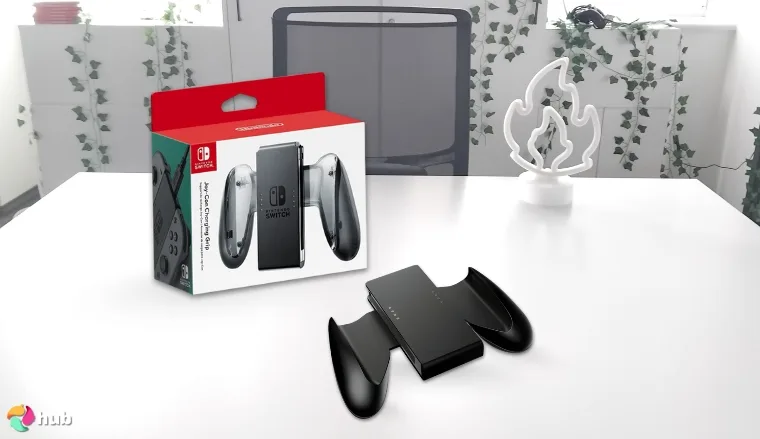
You’ll never realize how much better couch co-op sessions could be until you upgrade your gear. Enter the PowerA Joy Con Comfort Grips. Right away, you’ll notice how much more substantial the Joy-Cons feel. It’s almost like using a full-size controller but without losing the seamless motion control features.
The grip transforms even small hands into powerhouse gaming machines, making fast-paced battles so much more comfortable compared to using bare Joy-Cons. While testing it alongside accessories like the Hori Split Pad Pro and the Nitro Deck, the PowerA Comfort Grips held their own surprisingly well, especially for casual play sessions.
You can even store it in a mesh pocket inside your travel bag without worrying about damage. Whether you’re battling it out online with your wireless headset and craving good sound quality, or just playing local matches on a TV via an HDMI cable, these grips add real comfort and control. Plus, the enhanced D pad mimicry feels excellent during retro games.
| Pros | Cons |
|---|---|
| ✅ Comfortable ergonomic design ✅ Retains full motion control support ✅ Fits easily into a mesh pocket for travel ✅ Works well with TV play via HDMI cable ✅ Solid build despite lightweight feel ✅ Compliments setups using Hori Split Pad Pro and Nitro Deck | ❌ Not ideal for competitive high-intensity gaming |
Final Verdict: If you’re upgrading your multiplayer setup, these PowerA Joy Con Comfort Grips are must-try products that will definitely make playing better.
If you want alternative grips better suited for high-intensity gaming, the FASTSNAIL grips are your top choices.
10. Game Traveler RDS [Best Nintendo Switch Case]
| Accessory Type | Carrying Case |
| Compatibility | Nintendo Switch, OLED, Lite |
| Key Function | Console Protection |
| Connectivity | N/A |
| Build Material | Hard Shell |
| Size/Weight | 1.1 lbs / 499 g |
| Special Feature | Adjustable Viewing Stand |
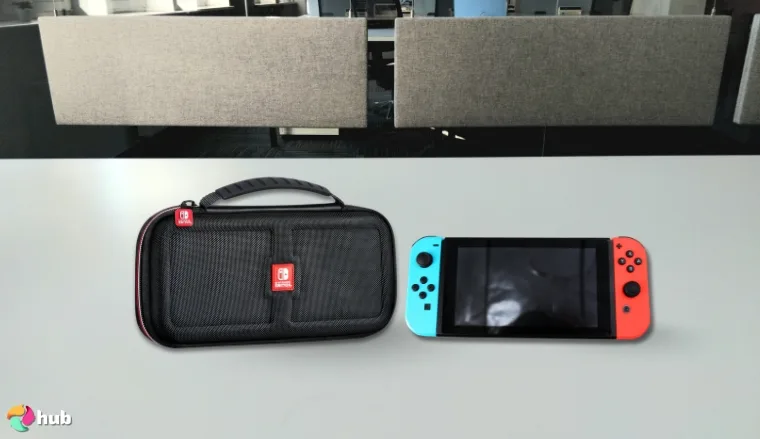
When I first picked up the Game Traveler RDS Deluxe Travel Case, I was immediately impressed by its sturdy yet lightweight design. The hard shell exterior offers excellent protection for my Nintendo Switch, safeguarding it from the rigors of travel, accidental drops, and even the occasional mishap involving pets.
Inside, the case includes slots for game cards, keeping my favorite titles organized without the need for additional accessories. This thoughtful design allows me to confidently place my console in any bag, knowing it’s well-protected and ready for use whenever I am.
One feature I particularly appreciate is the adjustable viewing stand integrated into the case. It’s perfect for impromptu multiplayer sessions on the go, providing a stable platform for gaming without the need for additional stands or supports. The stand also enhances the gaming experience when using a wireless headset, offering better sound quality and immersion.
Its combination of robust protection and user-friendly features makes it an essential accessory for any Nintendo Switch owner.
| Pros | Cons |
|---|---|
| ✅ Rugged hard shell exterior ✅ Built-in adjustable stand ✅ Spacious interior fits accessories ✅ Padded compartments prevent scratches ✅ Compact enough for any backpack ✅ Strong zipper durability over time | ❌ Limited storage space for bigger controllers |
Final Verdict: The Game Traveler RDS Deluxe Travel Case brings travel security and quick setup convenience together beautifully.
11. NEW’C 3 Pack [Best Nintendo Switch Screen Protector]
| Accessory Type | Screen Protector |
| Compatibility | Nintendo Switch, OLED, Lite |
| Key Function | Screen Protection |
| Connectivity | N/A |
| Build Material | Tempered Glass |
| Size/Weight | 0.1 lbs / 45 g |
| Special Feature | Anti-Scratch Coating |
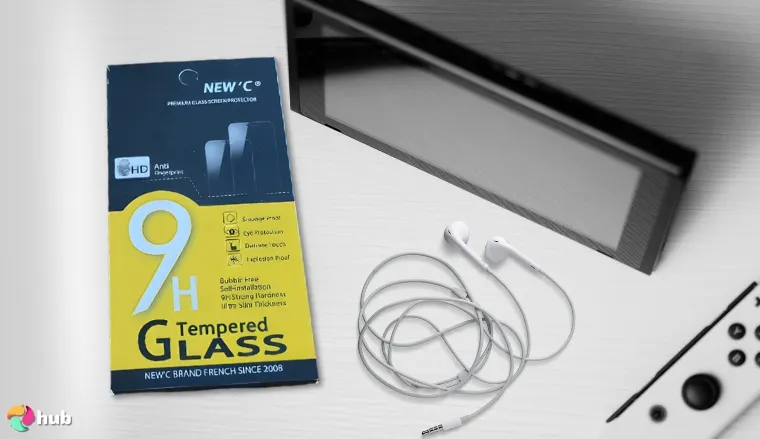
After dealing with a few minor scratches on your old Switch, you realize it’s time to enhance your screen protection. The NEW’C 3 Pack of tempered glass screen protectors offers a robust solution. Each protector installs easily without bubbles, maintaining crystal-clear clarity, so you won’t even notice it’s there during intense gaming sessions.
Compared to flimsy film protectors, these tempered glass shields are thick enough to defend against drops while staying ultra-responsive to touch inputs. Whether you’re connecting to a TV via an HDMI cable or switching back to handheld mode, the screen remains flawless. Plus, with three protectors included, you always have backups ready. It’s an essential upgrade for anyone serious about protecting their investment while keeping visuals sharp and colors vivid.
The NEW’C protectors are crafted from high-quality 0.33mm tempered glass with a 9H hardness rating. The oleophobic coating resists fingerprints and smudges, keeping your screen clean and clear. Installation is straightforward, thanks to the solid silicon adhesive that enables a firm attachment without affecting touch sensitivity.
| Pros | Cons |
|---|---|
| ✅ Crystal-clear display clarity ✅ Strong tempered glass build ✅ Easy bubble-free installation ✅ Three protectors in one package ✅ Anti-scratch and anti-fingerprint coatings | ❌ Slightly thicker feel if you’re extremely sensitive to screen changes |
Final Verdict: If you want serious display protection without headaches, the NEW’C 3 Pack set is the way to go.
How To Choose Nintendo Switch Accessories?
Choosing the right Nintendo Switch accessories is the smartest way to level up your experience without wasting money. Here’s what I’ve learned after years of upgrading my setup and fixing mistakes along the way.
1. Consider Your Playstyle
Think about how you actually use your Switch before buying anything. If you treat it like a handheld gaming PC, lightweight gear and travel cases matter more. If you mainly dock at home, invest in accessories built for couch gaming. Matching accessories to your habits saves you money and makes playing more comfortable.
2. Prioritize Protection
If you only buy one thing early: make it protection. A cracked screen or busted joy-con kills the fun instantly. Solid cases, screen protectors, and bags are essential.
Smart protection includes:
- Hard-shell carrying cases
- Tempered glass screen protectors
- Joy-con covers and thumbstick caps
Skip it once, and you’ll regret it fast.
3. Enhance Comfort for Handheld Mode
Handheld gaming feels great at first, until your hands cramp after an hour. Good comfort accessories let you play longer without discomfort. Grips, ergonomic cases, and lightweight controllers should be part of every mobile setup.
Look for:
- Ergonomic grips to reduce wrist strain
- Lightweight designs for long sessions
- Anti-slip textures for sweaty hands
Gaming should feel effortless, not like a workout.
4. Expand Storage
Games like Zelda: Tears of the Kingdom chew through storage space fast. Upgrading with a high-speed microSD card saves you from constantly deleting games or save data. Trust me, you’ll hit the limit way faster than you expect if you only rely on internal memory.
5. Optimize Docked Mode
If you dock often, make it a full experience. Upgrading your dock, using faster HDMI cables, and adding cooling fans can make docked gaming smoother and safer for your Switch. Playing docked should feel like switching to a premium console setup, not just stretching a handheld to fit a TV.
6. Improve Audio
The Switch’s onboard speakers do the job, but not well enough for serious gaming. Investing in better gaming accessories such as headsets or speakers that have better in-game quality bringing out richer sound, deeper bass, and more realistic effects. Whether you are sneaking in Metroid Dread or blasting through Splatoon, better sound makes every moment sharper.
7. Think About Multiplayer
If you love party games or couch co-op, plan ahead. Nothing kills a game night faster than realizing you’re short on controllers. So, if you love popular multiplayer Switch games, you should:
- Grab extra controllers
- Invest in a good party game wheel or dance pad
- Pick up wired chargers for longer play sessions
Good multiplayer setups mean less arguing and more playing.
8. Consider a Playstand
Playstands seem small until you actually need one. Having a sturdy stand means you can prop your Switch on cramped desks, flights, and cafés without awkward angles. If you game on the move, this tiny accessory becomes a must.
9. Check Compatibility
Some third-party accessories work half as well as promised. Always double-check compatibility with your Switch version (especially if you own a Switch Lite or OLED model). Saving a few bucks now is not worth system glitches later.
10. Read Reviews
Never trust a product description alone. Reading user reviews shows you real issues like battery life drops, awkward fits, or durability concerns that marketing pages conveniently skip. A five-minute review dive can save you a lot of frustration and returns.
11. Personalize Your Setup
Your Switch should look and feel like yours. Custom shells, themed controllers, LED docks all add personality without hurting performance. For more inspiration on personalizing your setup, you can explore gaming setup ideas that make even small spaces feel epic.
FAQs
What are the best Nintendo Switch accessories?
The best Nintendo Switch accessories are those that improve comfort and performance. Items like ergonomic grips, high-speed microSD cards, sturdy cases, and Pro Controllers can dramatically enhance your gameplay. They can even extend the life of your Switch.
What should come with a Nintendo Switch?
A Nintendo Switch should come with two Joy-Cons, a dock, HDMI cable, power adapter, and Joy-Con grip. These basics allow you to play in handheld mode, docked mode, and with motion controls. They are right out of the box and you won’t need extra accessories.
What do I need to set up my Nintendo Switch?
To set up your Nintendo Switch, you need the console itself. Next, you’ll need Joy-Cons, a dock, power adapter, and HDMI cable. Optional accessories like a protective case or a microSD card are highly recommended to protect your system and expand your storage right from the start.
What is a Joy-Con Grip?
A Joy-Con Grip is an accessory that combines both Joy-Cons into a single controller-like device. It improves comfort for players who prefer a more traditional controller shape, especially during longer gaming sessions or multiplayer games that require precise control.
Which is better, Joy-Con or Pro Controller?
The Pro Controller is better for players who want traditional, comfortable controls. On the other hand, Joy-Cons are more flexible for multiplayer and motion gaming. The Pro Controller is the smarter choice if you prioritize precision and long game sessions.
Does the Nintendo Switch need an SD card?
Yes, if you plan to download multiple games, an SD card is essential for the Nintendo Switch. The console’s internal storage fills up quickly, and a high-speed microSD card prevents the need to constantly delete and reinstall games to free up space.