



9 Best Laptops for Writing: Ideal for Authors and Creators

Eneba Hub contains affiliate links, which means we may earn a small commission if you make a purchase through them—at no extra cost to you. Learn more


Every writer has their rituals. Maybe it is the morning coffee or the playlist that somehow makes deadlines feel manageable. I have learned that none of those habits matter when the laptop slows you down. The best laptop for writing is the one that makes writing feel effortless. A comfortable keyboard, a clear and calm screen, and a battery that lasts through long sessions are what truly protect your focus.
This guide features 9 laptops that genuinely support the writing process, chosen for comfort, reliability, and ease. With the right tool, getting words out feels a lot more natural.
Jump to:
Our Top Picks for the Best Laptops for Writing
Here is the short list I trust based on comfort, clarity, and battery performance. These three cover most writers: students on a budget, professionals on the move, and authors who type for hours.
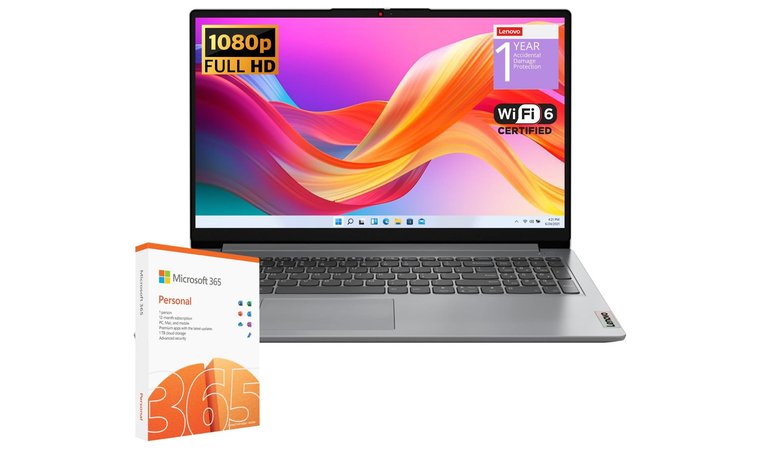
- Lenovo IdeaPad 1 – The smartest buy for most people. Comfortable keyboard, quiet thermals, and a battery that lasts through classes or café sessions. It keeps pace with essays, research tabs, and light edits without the price jump.
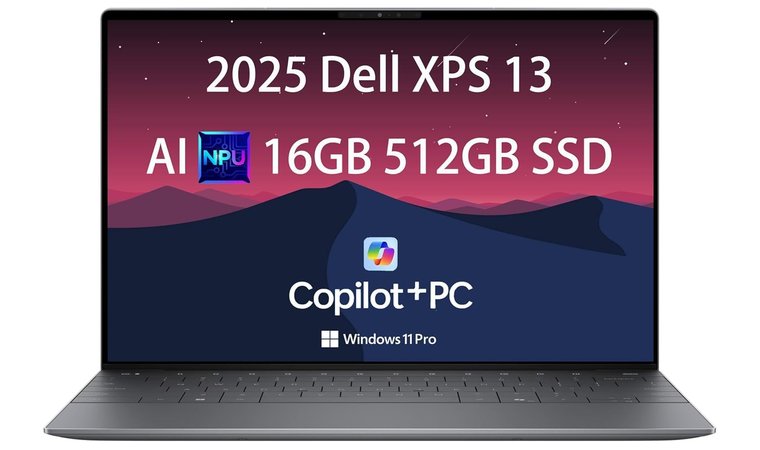
- NewDell XPS 13 – My premium ultraportable choice for journalists and creators who write everywhere. Sharp 13.4-inch screen, precise keyboard and trackpad, instant wake, and a sturdy chassis that travels well.
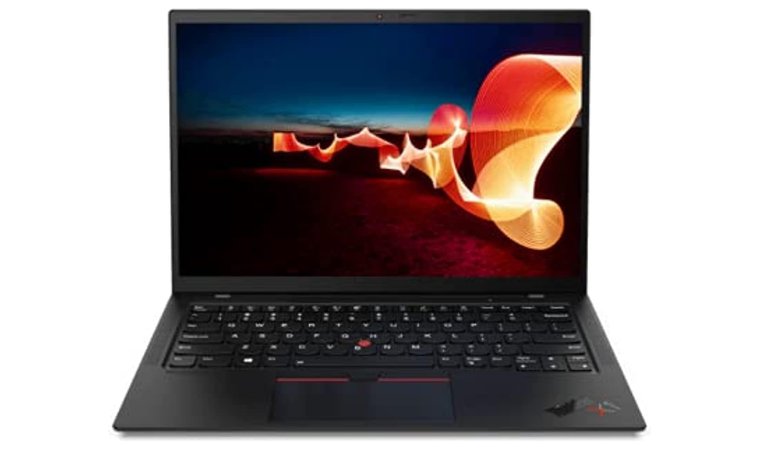
- Lenovo ThinkPad X1 Carbon – The best keyboard I have used for long drafts. Light, durable, and paired with a tall 16:10 display that makes editing calmer and faster. Ideal for marathon writing days.
Want a wider range for niche needs like 2-in-1 note-taking or big-screen editing? Keep scrolling to see the full list and find your exact match for the best laptop for writers.
The Best Laptops for Writing: Reliable Choices for Everyday Work
You do not need a status symbol. You need a keyboard that does not slow you down, a screen you can stare at for hours, and a battery that survives a full shift. This shortlist gets you there, so you can write more and tweak less with the best laptop for writing for your routine.
1. Lenovo IdeaPad 1 [Best Ultra-Budget Pick]
| Specs | Details |
|---|---|
| CPU | Intel (N-series/Core i3) or AMD Ryzen 3, SKU-dependent |
| GPU | Integrated Intel UHD / AMD Radeon |
| RAM | 8 GB recommended for smoother multitasking |
| Display | 14 to 15.6-inch Full HD, matte finish for fewer distractions |
| Storage | 256 GB NVMe SSD common; some SKUs upgradeable |
| Battery | Up to a school day with light writing workloads |
| Weight | 1.4 to 1.6 kg |
| Ports | USB-A, USB-C, HDMI, audio jack (varies by model) |
| OS | Windows 11 Home |
If your writing budget is tight, this is where you stop overthinking and start typing. The Lenovo IdeaPad 1 covers the essentials: a quiet, comfortable keyboard, a glare-friendly screen, and a battery that does not tap out in the middle of a paragraph. It is built for essays, drafts, and heavy browsing without the drama.
Lightweight chassis and a quiet keyboard that helps you stay focused anywhere.
Performance is modest, and that is the point. Stick to Docs, Word, research tabs, and the occasional light photo edit. The 8 GB RAM and SSD combo is the safe play for keeping your browser from wheezing during deadline hour.
| PROS | CONS |
|---|---|
| ✅ I appreciate how the lightweight build makes it easy to carry between classes and cafés. ✅ The keyboard feels comfortable for long writing sessions, which helps keep momentum steady. ✅ The matte Full HD screen cuts down on glare, especially when I write near bright windows. ✅ The SSD makes boot times and app launches feel surprisingly quick at this price. ✅ Battery life holds up well for everyday writing, so you are not rushing for an outlet. | ❌ Performance is tuned for writing and everyday tasks rather than heavy creative suites, which is usually all most writers actually need. |
You also get Windows compatibility without the setup headache, so your note apps, grammar tools, and cloud storage behave as expected. For students and bloggers who need a dependable daily driver, it punches above its price.
Final Verdict
The Lenovo IdeaPad 1 is a sensible starter that keeps words flowing without draining your wallet. If you want the best laptop for writers on a true budget, this pick gets the work done with minimal fuss.
2. NewDell XPS 13 [Best Premium Ultraportable]
| Specs | Details |
|---|---|
| CPU | Intel Core i7 U-series (SKU dependent) |
| GPU | Integrated Intel Iris Xe |
| RAM | 16 GB recommended for heavy multitasking |
| Display | 13.4″ FHD+ or higher-PPI panel, slim bezels |
| Storage | 512 GB NVMe SSD (configurable) |
| Battery | All-day use with document work and browsing |
| Weight | 1.2 kg; easy to carry anywhere |
| Ports | 2× USB-C/Thunderbolt, audio via adapter |
| OS | Windows 11 |
If your writing happens on trains, in boardrooms, and anywhere a deadline finds you, the XPS 13 earns its place. The premium chassis is rock solid, the keyboard feels clear and responsive without being loud, and the trackpad accuracy keeps edits fast and frustration low.
It offers a precise keyboard and a responsive trackpad that support long writing sessions without slowing you down.
The high PPI display makes long reads easier and reduces eye strain during marathon editing. It’s quite cooling, helps you stay focused in shared spaces, and the compact footprint fits easily into small bags without adding weight to your day.
| PROS | CONS |
|---|---|
| ✅ The crisp, high-resolution display makes long reads easier on the eyes. ✅ I love how the keyboard and trackpad feel precise, which reduces editing mistakes. ✅ Its slim, sturdy frame slips into any bag without feeling fragile. ✅ Fast wake and strong performance help when inspiration hits at random times. ✅ Battery life comfortably covers full writing days away from a desk. | ❌ Port selection leans on USB-C, although a small hub easily covers any extra peripherals you rely on. |
Boot and resume are near-instant, which matters when ideas show up unannounced. Battery life is dependable for a full day of docs, research tabs, and calls. Ports are minimal, but two USB-C/Thunderbolt lanes cover charging and a quick dock when you are at a desk.
Final Verdict
The NewDell XPS 13 is a dependable, professional workhorse that puts comfort and clarity first. If you want a compact machine that keeps long sessions comfortable and helps you stay in flow, this stands out in the premium ultraportable tier.
3. Lenovo Thinkpad X1 Carbon [Best Keyboard for Marathon Writing]
| Specs | Details |
|---|---|
| CPU | Intel Core i5 or i7 U/P series, generation dependent |
| GPU | Integrated Intel Iris Xe |
| RAM | 16 GB recommended, up to 32 GB on select SKUs |
| Display | 14″ 16:10 FHD+, 2.2K, 2.8K, or OLED, anti-glare options |
| Storage | 512 GB NVMe SSD common, up to 1 TB |
| Battery | Full workday on writing and browsing workloads |
| Weight | 1.1 to 1.2 kg, ultra-portable |
| Ports | USB-A, 2× USB-C/Thunderbolt 4, HDMI, audio jack |
| OS | Windows 11 Home or Pro |
Drawing from my experience, this is the laptop I reach for when a 4,000-word draft is due and excuses are not an option. The Lenovo Thinkpad X1 Carbon keyboard has real travel and precise feedback, so typing stays fast and accurate even after hours of revisions. The 14-inch 16:10 display gives more vertical space for documents, and the matte options keep glare in check during long reading sessions.
Legendary ThinkPad key feel reduces fatigue and keeps speed consistent during long drafts.
Battery life is dependable for heavy writing days, and the carbon fibre chassis handles constant travel without flex. Performance is more than enough for research tabs, Grammarly, and light photo edits.
| PROS | CONS |
|---|---|
| ✅ The keyboard has the best feedback I have tested, which noticeably reduces fatigue. ✅ The tall 16:10 screen shows more lines of text, helping you edit faster. ✅ The carbon fiber build is light yet feels solid enough for constant travel. ✅ Battery life easily supports full draft days without charger anxiety. ✅ Thunderbolt and HDMI ports make docking and presentations effortless. | ❌ The price sits above typical mid-range options, yet the comfort and durability often turn it into a long-term staple rather than a short-term purchase. |
Docking is easy thanks to Thunderbolt and HDMI, which matters when you move between cafés and a desk setup. The quiet fans help maintain focus during long sessions, and the lightweight build makes it comfortable to carry even when your bag is already full.
Final Verdict
My research indicates that the Lenovo Thinkpad X1 Carbon is the most comfortable long-form writing machine in this lineup. If you prioritize a great keyboard, a readable screen, and all-day endurance, it becomes an easy front-runner for serious writers.
4. Google Pixelbook Go [Best Lightweight Chromebook for Writing]
| Specs | Details |
|---|---|
| CPU | Intel Core m3/ i5 i7 (generation varies by SKU) |
| GPU | Integrated Intel UHD |
| RAM | 8 GB or 16 GB |
| Display | 13.3″ Full HD (some SKUs 4K), anti-glare |
| Storage | 64–256 GB eMMC/SSD |
| Battery | Up to a full day of docs and browsing |
| Weight | 1.06 kg |
| Ports | 2× USB-C, 3.5 mm audio |
| OS | ChromeOS with automatic updates |
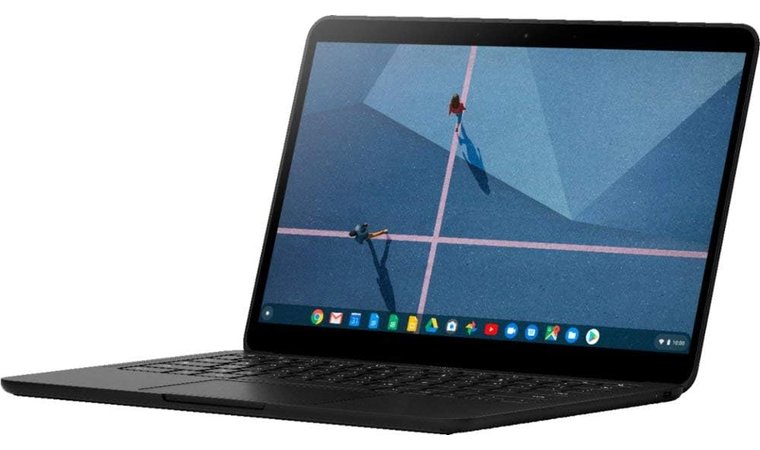
Many writers gravitate toward the Pixelbook Go because it feels designed to stay out of the way. It starts up quickly, stays surprisingly quiet, and the Hush Keys provide a gentle, precise feel that makes long typing sessions easier without attracting attention in cafés or classrooms. ChromeOS removes a lot of the clutter that usually interrupts the writing flow, so you get straight into drafting instead of managing settings.
Hush Keys offer confident feedback with near-silent sound for public spaces.
What stands out is how well the bright 13.3-inch display pairs with its long battery life. It comfortably handles Docs, Notion, Grammarly, and general browsing without slowing down, which is ideal for a laptop for writers who spend hours moving between research and drafting. The instant wake feature also works well for capturing ideas the moment they form. Charging through either USB-C port is convenient, especially when every outlet in the room is already taken.
The smooth performance also ensures you can run several of the top AI writing tools for content creators alongside your main manuscript without experiencing the lag that often plagues thinner devices.
| PROS | CONS |
|---|---|
| ✅ The Hush Keys offer a quiet, satisfying typing feel that is perfect for public spaces. ✅ Instant boot and wake make quick writing bursts much easier. ✅ The lightweight body is ideal for writers who move around a lot. ✅ I love how the battery lasts through full days of browsing and drafting. ✅ ChromeOS keeps things simple, so you focus more on writing and less on upkeep. | ❌ Offline pro apps are more limited than on Windows, but browser-based writers rarely feel held back in real use. |
For writers who rely mostly on browser-based tools and lightweight processing power, this machine feels like it was built for clean, uninterrupted work with ultra-long battery life. Its quiet keyboard and featherweight build feel similar to models grouped under best laptops 2025, especially for writers who prefer simple tools that stay out of the way.
Final Verdict
Based on my observations, the Google Pixelbook Go is a superb pick for writers who value silence, speed, and simplicity. If most of your tools live in the browser, it becomes an effortless choice that helps you stay in flow.
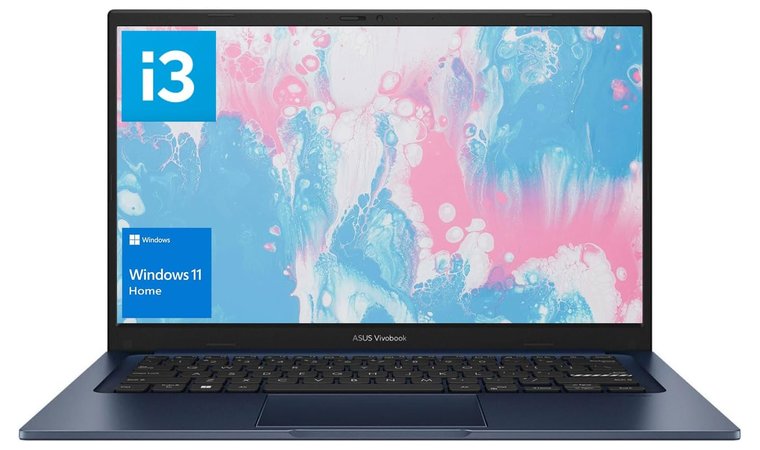
5. ASUS Vivobook 14 [Best Value 14-inch Writer’s Laptop]
| Specs | Details |
|---|---|
| CPU | Intel Core i3/i5 or AMD Ryzen 5, SKU dependent |
| GPU | Integrated Intel UHD/Iris Xe or AMD Radeon |
| RAM | 8 to 16 GB (aim for 16 GB for heavier multitasking) |
| Display | 14″ Full HD, anti-glare |
| Storage | 256–512 GB NVMe SSD |
| Battery | Built for a full class day of writing and browsing |
| Weight | 1.4 to 1.5 kg |
| Ports | USB-A, USB-C, HDMI, audio jack (varies by model) |
| OS | Windows 11 |
Many people who prefer a light, practical writing setup tend to gravitate toward the ASUS Vivobook 14 because it feels like a straightforward tool that gets out of your way. The keyboard offers a steady sense of tactile feedback, the kind you notice when you are deep in edits and need your keys to feel consistent rather than mushy. The 14-inch Full HD display stays clear even in bright corners of a coffee shop, and the compact frame makes it a genuinely portable laptop without squeezing the workspace too tightly.
Modern CPUs, fast SSDs, and a comfortable keyboard at an accessible price.
The SSD and modern processors help the Vivobook handle everyday tasks smoothly, especially when juggling research tabs, Microsoft Office, and multiple drafts. What stands out during deeper research is how much flexibility the Vivobook line provides. ASUS laptops offer many configurations, which means you can prioritize RAM for heavier multitasking or storage if you keep large folders of articles, drafts, or reference material.
| PROS | CONS |
|---|---|
| ✅ The keyboard feels consistent and comfortable during long writing stretches. ✅ The anti-glare screen helps keep text clear whether I work indoors or outdoors. ✅ Fast NVMe storage keeps documents, browser tabs, and apps snappy. ✅ Multiple configurations let you choose RAM or storage based on your writing style. ✅ The light chassis makes it a practical everyday carry. | ❌ Speakers and webcam feel more practical than premium, though they remain perfectly adequate for calls and reference clips. |
For budget-focused shoppers, the mix of speed, portability, and comfort gives the Vivobook a noticeable edge over similarly priced options. Its slim build and well-rounded performance match what most students expect from a reliable device they can use every day.
Final Verdict
If you want something that works as a reliable laptop for writers without drifting into premium pricing, the Vivobook 14 often feels like the sensible middle ground.
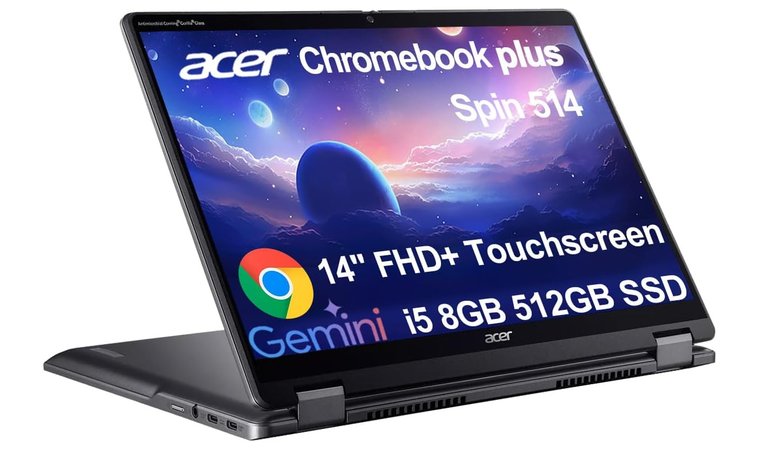
6. Acer Chromebook Plus Spin [Best 2-in-1 for Web-First Writers]
| Specs | Details |
|---|---|
| CPU | Intel Core i3/i5 or AMD (SKU dependent) |
| GPU | Integrated graphics |
| RAM | 8 to 16 GB |
| Display | 14″–16″ touchscreen, 1920×1200 or higher, 16:10 |
| Storage | 128–256 GB (eMMC/SSD depending on model) |
| Battery | Full day of writing and browsing |
| Weight | 1.4 to 1.7 kg |
| Ports | USB-C, USB-A, audio jack (varies by model) |
| OS | ChromeOS with automatic updates |
The Pixelbook Go consistently shows up in research as a machine that stays out of the way, giving writers a clean, uninterrupted space to think and type. It boots quickly, stays quiet, and the Hush Keys offer sharp tactile feedback without drawing attention, which makes it ideal for cafés, libraries, and lecture halls. ChromeOS keeps the setup simple and the workflow focused. The long battery life and low-maintenance experience match what many teachers and students appreciate in a dependable everyday laptop.
Instant resume and quick boot keep you in the flow when ideas show up.
I have found that the combination of a bright 13.3-inch panel and strong battery life makes it a reliable travel companion. Docs, Notion, Grammarly, word processing, and other web editors all run smoothly, and an instant resume means your cursor is ready when the sentence finally lands. Its steady performance in everyday tools also reflects what many look for in the best laptop for word processing, especially when clarity and endurance matter on the go. If your workflow lives in the browser, this machine feels purpose-built for clean, focused drafting. It is also easy to charge from a power bank through either USB-C port, which saves you when outlets are taken.
| PROS | CONS |
|---|---|
| ✅ The convertible touchscreen makes reading drafts and making notes incredibly natural. ✅ ChromeOS boots fast and stays responsive even with many research tabs open. ✅ The all-day battery helps you write from morning to night without worry. ✅ The keyboard feels firm and quiet, ideal for long sessions in shared spaces. ✅ It’s lightweight, durable build handles daily travel with ease. | ❌ Android and Linux apps are present but not the main strength, which is fine if your writing already lives in cloud tools. |
Battery life is the quiet hero here. I routinely get through a full day of docs and web work without hunting for an outlet. Performance is best when you choose 8 GB RAM or higher. If you live in cloud editors, this convertible form factor earns its keep fast.
Final Verdict
Based on my observations, the Acer Chromebook Plus Spin is a terrific pick for writers who spend most of their time in the browser and want a flexible 2-in-1 that is always ready.
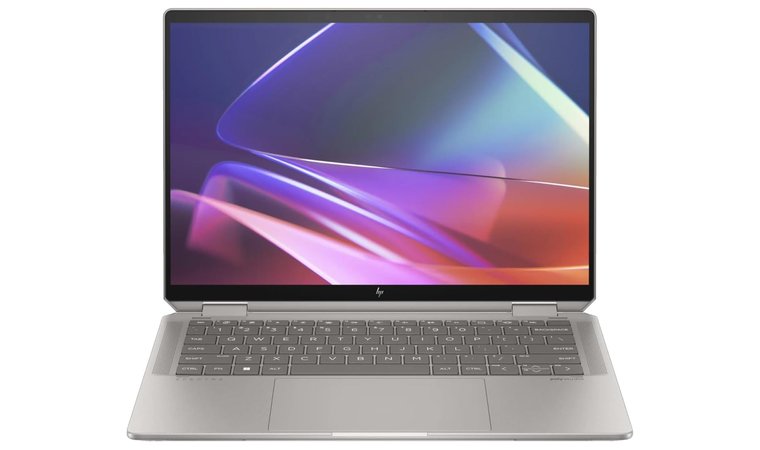
7. HP Spectre x360 [Best Premium 2-in-1 for Writers]
| Specs | Details |
|---|---|
| CPU | Intel Core i5/i7 U or P series, model dependent |
| GPU | Integrated Intel Iris Xe |
| RAM | 16 GB recommended for heavy multitasking |
| Display | 3.5 to 14-inch high-resolution or OLED touchscreen, 3:2 or 16:10 |
| Storage | 512 GB–1 TB NVMe SSD |
| Battery | Full workday with fast charging |
| Weight | 1.3 to 1.5 kg |
| Ports | 2× Thunderbolt 4 USB-C, 1× USB-A, HDMI on some SKUs |
| OS | Windows 11 |
After reviewing how the HP Spectre x360 performs in everyday writing scenarios, it becomes clear why so many writers find it steady and comfortable for extended drafting hours. The keyboard is crisp without being loud, the glass trackpad is precise, and the OLED option is a gift for reading and line edits. Flip to tablet mode for proofs, mark up with a pen, then snap back to a sturdy laptop for deep writing.
Converts to a tablet for reading and annotation, then back to a silent, stable writer’s laptop.
Battery life comfortably lasts through a full day of documents and research, and fast charging helps when a quick outline turns into a long study session. The solid build quality and dependable endurance line up well with what many home workers value in a reliable everyday laptop, offering a good mix of comfort and capability for extended use.
| PROS | CONS |
|---|---|
| ✅ The keyboard feels crisp and comfortable, especially during long edits. ✅ The OLED and high-resolution screen options make reading and proofreading a pleasure. ✅ Pen support makes annotating drafts surprisingly intuitive. ✅ Battery life stays strong through full writing days and charges quickly when needed. ✅ The premium build and compact size make it easy to carry for work on the move. | ❌ Pricing sits above many mid-range machines, yet the comfort and 2 in 1 flexibility tend to earn its keep for daily writers. |
Performance is more than enough for Word, Notion, dozens of tabs, and light image work. The chassis feels premium yet portable, and the port mix covers a desk setup with a single USB-C dock.
Final Verdict
My research indicates the HP Spectre x360 is a top choice if you value comfort, a beautiful display, and pen-ready flexibility. For many professionals, it earns a place among the best laptops for writing contenders.
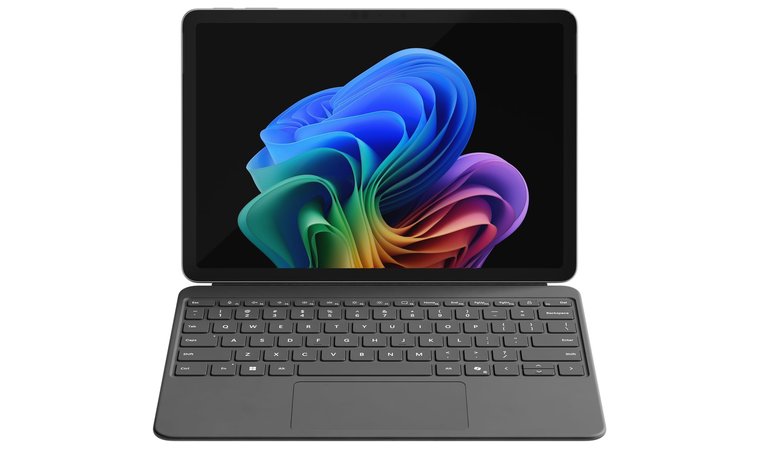
8. Microsoft Surface Pro 11 [Best Tablet-First Writer’s Machine]
| Specs | Details |
|---|---|
| CPU | Qualcomm Snapdragon X (model varies by SKU) |
| GPU | Integrated |
| RAM | 16 to 32 GB |
| Display | 13″ high-resolution 3:2, adaptive refresh |
| Storage | 256 GB–1 TB SSD |
| Battery | Full workday for docs, research, and calls |
| Weight | 0.9 kg tablet only; 1.2 kg with keyboard |
| Ports | 2× USB-C, Surface Connect; Wi-Fi, BT |
| OS | Windows 11 on ARM |
From everything I’ve gathered about its day-to-day performance, the Surface Pro 11 feels thoughtfully designed for the way writers tackle long stretches of work. Detach for reading and markups, then snap on the keyboard, and it feels like a focused ultrabook. The 3:2 display shows more lines of text, which makes editing calmer and faster.
Tablet for reading and annotation, laptop for deep drafting with a great keyboard.
The keyboard is firm, the trackpad is precise, and instant-wake means your cursor is ready when the sentence lands. Battery life is steady across long drafting days, and the webcam and mics are crisp for interviews and webinars. Although tablet-first, its boosted performance touches some of the lighter capabilities common in a gaming laptop, particularly for writers who multitask across creative tools.
| PROS | CONS |
|---|---|
| ✅ The detachable keyboard gives you flexibility to write in laptop or tablet mode. ✅ The tall 3:2 display shows more lines of text, making deep editing less tiring. ✅ I really like how quickly it wakes, which keeps momentum alive during writing bursts. ✅ Pen support is excellent for brainstorming, outlining, and margin notes. ✅ Lightweight design makes it easy to carry for writers who move around all day. | ❌ A few older Windows apps may need checking for ARM support, but mainstream writing tools already run smoothly in my experience. |
App support on Windows on ARM is strong for mainstream writing stacks. If you rely on niche legacy tools, check compatibility; for Docs, Word, Notion, Grammarly, and light image work, performance stays smooth.
Final Verdict
Based on my observations, the Microsoft Surface Pro 11 is a premium pick for writers who want a tablet-first device that turns into a serious laptop on demand. If you value portability, pen notes, and a taller screen, it deserves a place on any shortlist for serious writers.
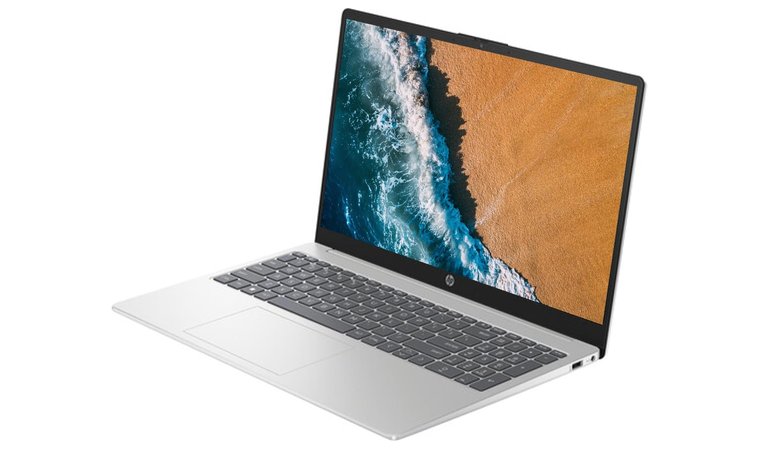
9. HP Portable Laptop [Best Student-Friendly All-Rounder]
| Specs | Details |
|---|---|
| CPU | Intel Core i3/i5 or AMD Ryzen 5 (varies by SKU) |
| GPU | Integrated Intel UHD/Iris Xe or AMD Radeon |
| RAM | 8 to 16 GB (go 16 GB for heavy research tabs) |
| Display | 14 to 15.6-inch Full HD, anti-glare on many models |
| Storage | 256–512 GB NVMe SSD |
| Battery | Designed for a full class or office day |
| Weight | 1.4 to 1.7 kg depending on size |
| Ports | USB-A, USB-C, HDMI, audio jack (model-dependent) |
| OS | Windows 11 |
Among HP’s mid-range portables, this family is built for real life: classes, cafés, and long browser sessions that would make weaker machines slow to a crawl. Keyboards feel comfortably spaced, the trackpads are roomy, and the webcams and mics hold up well during seminars or quick interviews. The flexible pricing and steady day-to-day performance match what many students look for when choosing a dependable laptop for writing, research, and remote classes.
The 16 GB RAM configuration keeps multitasking smooth for years, and adjusting storage afterward gives writers the flexibility to match their workflow without overspending.
Performance scales with configuration, which is the point. If you live in Google Docs and WordPress, the entry Core i3 or Ryzen 5 is fine; its overall balance matches what many users appreciate in the best HP laptops when they want solid everyday speed without overspending.
| PROS | CONS |
|---|---|
| ✅ The spacious keyboard layout makes long essays and reports less tiring. ✅ I like the large trackpad, which makes fine cursor adjustments smoother. ✅ The webcam and mic quality are reliable for remote classes and interviews. ✅ Full HD screens with anti-glare options help reduce eye strain. ✅ Battery life is steady enough to get through long writing blocks. | ❌ Audio and screen quality depend on the exact SKU, so a quick spec check helps you land the version that suits you best. |
If your day includes 40 tabs, Grammarly, and light Canva edits, step up to 16 GB RAM and a bigger SSD. Battery life holds steady through a writing day, and the chassis stays quiet under normal loads.
Final Verdict
If you want flexible configurations, dependable inputs, and pricing that works for students and freelancers alike, an HP portable laptop is an easy recommendation. It provides the comfort and stamina that make it a practical pick for heavy writing workloads.
Key Features to Look for in the Best Laptops for Writers
Writing lives or dies on small details. A laptop for writers should keep you focused, comfortable, and actually moving through the writing process instead of troubleshooting your device. Prioritize the keyboard, long battery life, screen quality, and build. Get these right and your draft flows. Get them wrong and you will be fixing typos, hunting chargers, and questioning your life choices.
Keyboard Comfort & Typing Experience
If the keyboard fights you, your draft suffers. Key travel and tactile feedback decide your speed and accuracy. You want keys that feel stable, with a gentle bounce and clear actuation, so you know each press has registered without bottoming out.
Spacing matters just as much as travel. Cramped layouts slow corrections and create fatigue. A good palm rest keeps wrists neutral and reduces strain during long edits. Backlighting helps in dim rooms without lighting up the whole neighbourhood. Many ergonomic-focused designs, similar to an Asus laptop, show how key travel and feedback can influence long-term writing comfort.
I look for consistent keycaps, a firm deck with no flex, and a trackpad that respects precision edits. Your ideal keyboard disappears while you work. That is my standard for a great keyboard on any device marketed as both a laptop and a writing tool.
Battery Life for Long Writing Sessions
Deadlines rarely match outlet locations. A writer’s machine must have great battery life. Ten to twelve hours of light word processing is realistic on modern chips if you avoid max brightness. Fast charging is your safety net when you only have fifteen minutes before the next meeting.
Efficient platforms resume instantly, which means quick thoughts become saved sentences instead of ideas lost to the void. I stress test with Wi Fi on, several tabs open, and background sync. If it survives a commute, a café session, and a late edit without anxiety, it passes.
True impressive battery life gives you freedom. It lets you choose where you write, not where the nearest plug lives. Some models known for lasting endurance, such as a typical Lenovo laptop, demonstrate how a strong battery supports long writing blocks away from power outlets.
Display Quality: Size & Clarity for Writing
Clarity beats colour punch for pure writing. A sharp Full HD panel or higher keeps text crisp and reduces eye strain during long sessions with your preferred writing software. A 16:10 or 3:2 aspect ratio shows more lines of text, meaning less scrolling and faster editing.
Matte finishes handle bright rooms; glossy looks pretty, but reflects every ceiling light you never asked for. I prefer 13 to 14 inches for travel, or 15 to 16 inches if you park at a desk. If you choose OLED, enable a reading mode to soften blue light.
A good display should encourage you to keep reading. If your eyes feel tired after twenty minutes, blame the panel, not your sleep schedule.
Portability & Build Quality
A writer’s laptop travels. Weight and stiffness decide whether it joins you at the café or stays permanently glued to your desk. Aim for a chassis that opens with one hand, a hinge that stays put, and a deck that does not flex under firm typing. Light but durable builds, similar to many Dell laptop designs, make it easier to write comfortably in cafés, classrooms, or co-working spaces.
Ports should fit your reality: USB-C for power and docking, HDMI for projectors still stuck in 2016. And crucially, the machine should stay cool and quiet during long drafting. I knock on the palm rest, lift from a corner, and listen under load. If it feels solid and stays quiet, it earns a place in my bag.
Whether you choose a premium laptop or a budget laptop (or even a convincingly cheap laptop), comfort and consistency make the biggest difference for your writing life.
FAQs
Lenovo IdeaPad 1 is the best laptop for writing a book. It combines a comfortable keyboard, long battery life, and a light design that makes long sessions easier. It’s quiet, dependable, and affordable – exactly what you need to stay focused on the story, not the setup.
Lenovo is the most popular brand among writers thanks to its consistent build quality and typing comfort. The Lenovo IdeaPad 1 is a go-to for students and hobbyists, while professionals often move up to the ThinkPad X1 Carbon for even longer writing sessions.
The Lenovo IdeaPad 1 is the best device for writing a book. It offers a comfortable keyboard, a glare-friendly Full HD display, and long battery life that easily covers word processing, research tabs, and everyday drafting without interruptions.
Comfort and consistency matter more than raw specs. A smooth keyboard, a non-glare display, quiet performance, and at least 8 GB RAM make a world of difference when writing every day.
No, 13-inch laptops work perfectly fine for writing. They stay lightweight and comfortable for the writing process, especially when paired with a 16:10 or 3:2 display that shows more text at once.
Lenovo IdeaPad 1 is the best laptop for writers on a budget. It offers reliable performance, a full HD display, and a comfortable typing experience without the premium price tag. It’s a smart pick for students, freelancers, and anyone who writes on the go.











