



13 Best Laptops for Music Production in 2026



The best laptop for music production can completely transform your workflow, with faster load times, smoother mixing, and fewer interruptions when layering tracks or using heavy plugins. I’ve tested dozens of setups over the years, from budget models to studio-ready machines, and I know what makes a real difference.
This guide covers 13 laptops I trust for recording, mixing, mastering, and live sets. Each one is matched to real production needs, whether you’re working from home or on the road. No sales talk, just honest, useful recommendations for producers who need their gear to keep up.
Jump to:
Our Top Picks for Music Production Laptops
These three laptops stood out in our review process for their balance of performance, portability, and value. Each one fits a different type of music producer, from entry-level users to more experienced audio engineers. Here are our top recommendations before we dive into the full list:
- ASUS 14″ FHD Laptop (2024) – Lightweight, responsive, and affordable, this model is ideal for beginners working with lighter DAWs like FL Studio or GarageBand.
- Lenovo IdeaPad 15.6” FHD Touchscreen Laptop (2022) – A great mid-range option with a large screen, responsive touchscreen, and enough processing power to handle multitasking across DAWs and sample libraries.
- Acer Aspire Premium Laptop (2024) – With a sharp design and balanced specs, this laptop handles most production needs well. Its SSD ensures quick boot times, and the audio playback quality is better than you’d expect at this price.
Keep scrolling to explore the full breakdown of all 13 laptops, including high-end workstations, compact options, and budget-friendly models for every production style.
13 Best Laptops for Music Production – Power & Speed
This section covers every laptop we recommend, from entry-level devices that can handle basic beat-making to high-performance machines built for mastering full albums. Each model has been selected based on real-world performance, storage, reliability, and compatibility with popular DAWs. It doesn’t matter if you’re recording at home or editing on the move; you’ll find the ultimate laptop for music production right here.
1. ASUS 14″ FHD Laptop [Best Budget Laptop for Lightweight Music Production and Mobile Tracking]
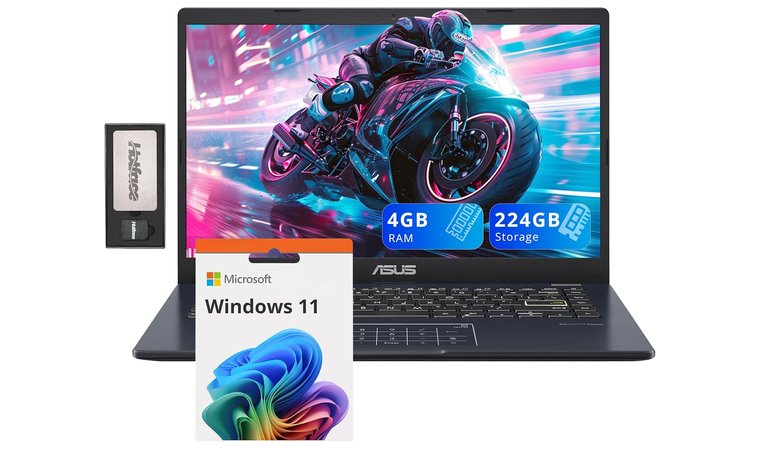
| Specs | Details |
|---|---|
| CPU | Intel Pentium Silver N6000 (1.1 GHz, 4 cores) |
| GPU | Intel UHD Graphics (Integrated) |
| RAM | 4 GB DDR4 |
| Storage | 64 GB eMMC + 160 GB docking expansion |
| Display | 14″ Full HD IPS (1920 x 1080) |
| Battery | Up to 8 hours |
| Weight | 2.87 lbs (1.3 kg) |
| Ports | USB-A 3.2, USB-A 2.0, USB-C, HDMI, microSD |
| OS | Windows 11 |
The ASUS 14″ FHD Laptop is unquestionably the best laptop for music production. It’s a great fit for beginner producers or mobile users looking for a compact and affordable machine for light music work. The 14-inch Full HD display provides good visibility for DAW timelines, plugins, and editing windows in a portable frame.
Its Intel Pentium Silver processor and 4 GB RAM are best suited for simple setups, ideal for those working with low-track-count projects, sketching ideas on the go, or recording dry vocals in location sessions.
| Pros | Cons |
|---|---|
| ✅ Full HD display provides a crisp workspace for audio editing ✅ Lightweight and slim, perfect for travel or mobile tracking ✅ Includes docking station with 160 GB extra storage and additional ports ✅ Outrageous performance with entry-level DAWs and minimal plugins ✅ Battery lasts through extended sessions away from power ✅ Affordable price makes it accessible for beginners | ❌ Limited RAM and CPU make it unsuitable for heavy projects, but it handles basic tasks well with the right setup |
Despite its lower specs, the laptop performs consistently when used with lightweight DAWs such as Cakewalk, BandLab, or Audacity, especially when paired with an external audio interface.
The included docking station expands storage and ports, allowing for flexible audio file management and easier connectivity with MIDI keyboards or USB mics. Plus, its nearly 9-hour great battery life means you can work untethered during long commutes or field sessions.
Final Verdict: The ASUS 14″ FHD Laptop gives new music producers and mobile users a solid starting point. Its compact build, clear display, and included expansion tools make it ideal for sketching tracks or handling light editing while traveling.
2. Lenovo IdeaPad 15.6” FHD Touchscreen Laptop [Best Touchscreen Laptop for Music Producers Who Want More Control and Workspace]
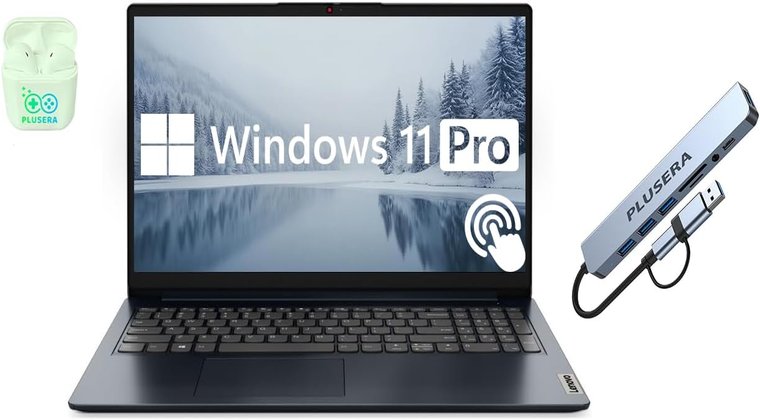
| Specs | Details |
|---|---|
| CPU | Intel Core i5 (10 cores, up to 4.4 GHz) |
| GPU | Intel Iris Xe Graphics (Integrated) |
| RAM | 40 GB DDR4 |
| Storage | 2 TB PCIe SSD |
| Display | 15.6″ FHD Touchscreen (1920 x 1080, LED Backlit) |
| Battery | Up to 10 hours |
| Weight | 4.6 lbs (2.1 kg) |
| Ports | 2 x USB-A, 2 x USB-C, HDMI, SD Card, Combo Audio |
| OS | Windows 11 Pro |
The Lenovo IdeaPad 15.6” Touchscreen stands out for producers who want a large, clear workspace and the added benefit of tactile interaction. The 15.6-inch Full HD touchscreen makes timeline editing and plugin tweaking feel more intuitive, especially in DAWs like FL Studio or Ableton Live. With 40 GB of DDR4 RAM and a 2 TB SSD, this model can handle heavy sessions, multiple VSTs, and large sample libraries without lag.
| Pros | Cons |
|---|---|
| ✅ Large 15.6″ touchscreen speeds up workflow and improves visibility ✅ 40 GB RAM easily handles large sessions and plugin-heavy mixes ✅ 2 TB SSD provides fast load times and plenty of project storage ✅ Multiple ports (USB-C, HDMI, SD) for easy studio integration ✅ High core-count CPU manages heavy multitasking across DAWs ✅ Solid battery life allows for extended work sessions unplugged | ❌ Heavier than some options, but the performance tradeoff is worth it for studio use |
The 10-core Intel Core i5 processor runs both single-threaded and multi-threaded tasks smoothly, making it great for recording, mixing, and bouncing projects without operating system slowdowns. With strong I/O, USB-C, USB-A, HDMI, SD card slot, it connects well with audio interfaces, controllers, and external drives.
The build is solid, and the Windows 11 Pro OS keeps performance stable during longer sessions. This is a reliable pick for serious home studio work or mobile setups that need power and flexibility.
Final Verdict: This best Lenovo laptop is ideal for producers who want more screen space and hands-on control. Its power, RAM, and storage make it capable of handling full-scale production work without freezing or delay.
3. Acer Aspire Premium Laptop [Best Mid-Range Laptop for Long Studio Sessions and Smooth Project Workflows]
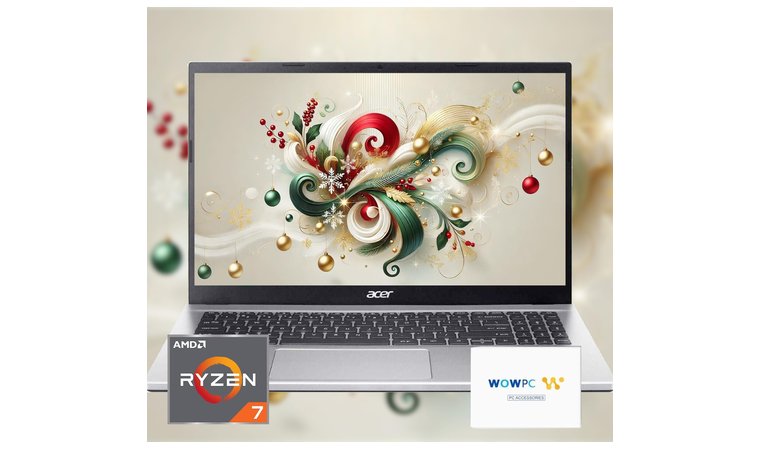
| Specs | Details |
|---|---|
| CPU | AMD Ryzen 7 5700U (8 cores, up to 4.3 GHz) |
| GPU | AMD Radeon Graphics (Integrated) |
| RAM | 32 GB DDR4 |
| Storage | 1 TB PCIe NVMe SSD |
| Display | 15.6″ FHD (1920 x 1080, LED Backlit) |
| Battery | Up to 9 hours |
| Weight | 5 lbs (2.27 kg) |
| Ports | 2 x USB-A 3.0, 1 x USB-A 2.0, 1 x USB-C, HDMI |
| OS | Windows 11 Home |
The Acer Aspire Premium Laptop offers impressive specs for its price, making it a great fit for producers who need power without going ultra high-end. With a Ryzen 7 5700U processor and 32 GB RAM, it handles multitasking across DAWs, synths, and plugins effortlessly. The 1 TB NVMe SSD gives you fast load times for sessions, samples, and libraries, especially useful in dense project environments.
Thanks to a well-balanced fan profile, this laptop stays reasonably quiet during light tracking, which is helpful for home vocal recordings or acoustic takes. The keyboard and touchpad feel responsive, and the screen stays sharp during long editing sessions.
| Pros | Cons |
|---|---|
| ✅ Ryzen 7 CPU and 32 GB RAM handle demanding plugins and multitasking ✅ 1 TB NVMe SSD provides quick access to samples and project files ✅ Quiet fan behavior during lighter loads, ideal for tracking sessions ✅ Full-size keyboard and clear 15.6″ display help reduce eye strain ✅ Includes USB-C and multiple USB-A ports for gear connectivity ✅ Upgradeable RAM on many models gives long-term flexibility ✅ Strong performance at a mid-range price point | ❌ Slightly heavier than average, but the solid build quality makes it worth carrying |
For external gear, you get enough USB-A and USB-C ports to run MIDI keyboards, audio interfaces, and control surfaces without needing a hub. The Aspire is also a solid pick for those who may want to upgrade memory or storage later on.
Final Verdict: The Acer Aspire Premium gives music producers a solid, upgradeable platform that works well in home studios and live setups. It combines power, speed, and comfort, without pushing into overpriced territory.
4. Microsoft Surface Pro 11 [Best Ultra-Portable Music Production Laptop with Pen + Touchscreen Control]
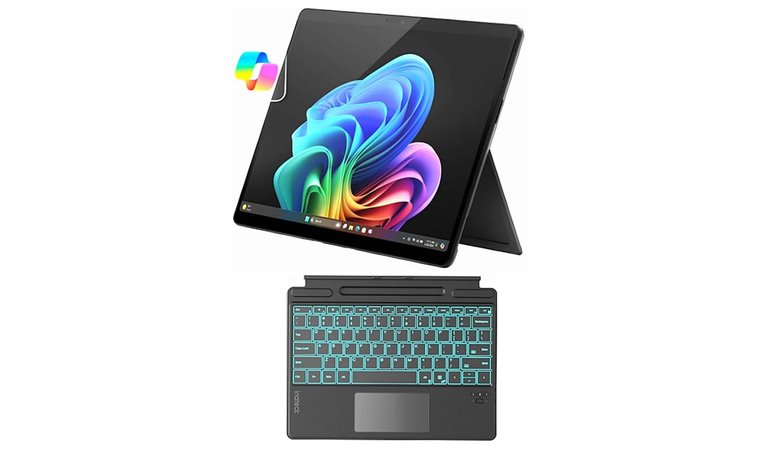
| Specs | Details |
|---|---|
| CPU | Snapdragon X Plus (10 cores, up to 3.4 GHz) |
| GPU | Integrated Qualcomm Adreno Graphics |
| RAM | 16 GB LPDDR5 |
| Storage | 512 GB SSD |
| Display | 13″ PixelSense Touchscreen (2880 x 1920) |
| Battery | Up to 9–10 hours |
| Weight | Approx. 1.9 lbs (tablet only) |
| Ports | USB-C (Thunderbolt on select SKUs) |
| OS | Windows 11 Home |
The Surface Pro 11 is a strong option for music producers who prioritize portability, silence, and workflow flexibility. The lightweight 2-in-1 form factor makes it ideal for sketching out ideas, editing MIDI, or tracking demos on the move. Paired with its 13” high-resolution PixelSense touchscreen, producers can scrub audio or tweak plugins directly using their fingers or the Surface Pen.
Despite its small size, the Snapdragon X Plus 10-core processor offers reliable single-core performance for real-time monitoring and recording, especially in lighter DAW sessions as the best laptop for travel, particularly when paired with a most secure VPN for working safely on public networks.
| Pros | Cons |
|---|---|
| ✅ 2-in-1 design is perfect for sketching ideas or editing arrangements on the fly ✅ Responsive touchscreen with pen support allows for detailed DAW control ✅ Instant-on and low idle noise are useful for quiet recording environments ✅ 16 GB LPDDR5 RAM and 512 GB SSD offer smooth plugin performance and storage ✅ USB-C with optional Thunderbolt makes it compatible with modern gear ✅ Extremely light and travel-friendly, great for mobile sessions or DJ sets | ❌ Limited I/O without dock, but expansion options are available and easy to carry |
Battery life holds up well during travel, and instant wake helps when jumping quickly back into a project. USB-C support (and Thunderbolt on select models) allows for clean integration with modern audio interfaces and MIDI controllers, while fanless operation keeps things quiet during acoustic tracking or voiceovers
Final Verdict: The Microsoft Surface Pro 11 is ideal for producers who need a silent, touch-driven, and travel-ready machine. It’s especially useful for composers, beatmakers, or mix engineers working on the go or in minimalist setups.
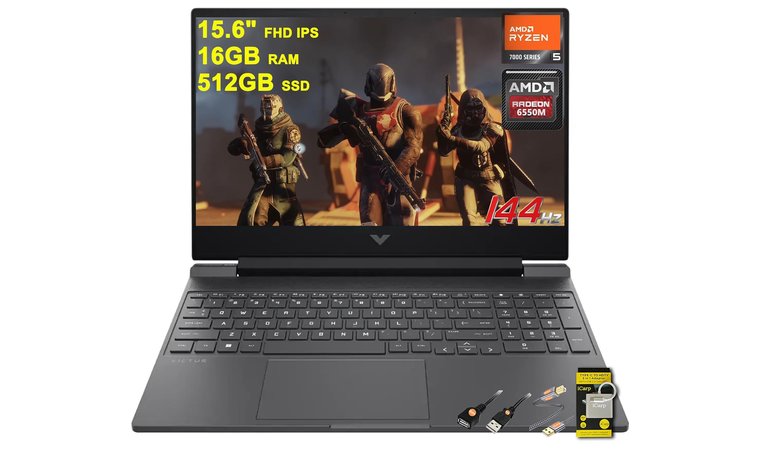
5. HP Victus 15 [Best Budget Powerhouse Laptop for Plugin-Heavy Projects and Studio Expansion]
| Specs | Details |
|---|---|
| CPU | AMD Ryzen 5 7535HS (6 cores, up to 3.3 GHz) |
| GPU | AMD Radeon RX 6550M (Dedicated) |
| RAM | 16 GB DDR5 |
| Storage | 512 GB SSD |
| Display | 15.6″ FHD IPS (1920 x 1080, 144Hz, Anti-Glare) |
| Battery | Up to 7–8 hours |
| Weight | 5.06 lbs (2.3 kg) |
| Ports | USB-C, 2 x USB-A, HDMI 2.1, RJ45, SD Reader |
| OS | Windows 11 Home |
The HP Victus 15 is a strong entry-level workstation for music producers who need high CPU performance at a lower price. Its Ryzen 5 H-series processor and DDR5 RAM deliver solid speed for running multiple plugin chains, bouncing audio, or working with sample-heavy sessions. It’s ideal for those who want a responsive system without overspending.
The dedicated Radeon RX 6550M GPU on this top HP laptop isn’t critical for music production, but it helps offload graphical work when running DAWs with animated UIs or using video-based tools. Cooling is handled well with a gaming-style thermal design, which keeps performance steady during long renders or heavy virtual instrument usage.
| Pros | Cons |
|---|---|
| ✅ Ryzen 5 H-series chip provides great single- and multi-core performance ✅ 16 GB DDR5 RAM handles complex DAW sessions with ease ✅ Dedicated GPU assists UI rendering and light media tasks ✅ Multiple ports including Ethernet and HDMI make studio connections simple ✅ Cooling system holds up during longer exports and bounces ✅ Good value for the power, ideal for producers building out a home setup | ❌ A bit heavier than others in this range, but the performance justifies the bulk |
Connectivity is excellent, with Ethernet, full-size HDMI, USB-C, and SD card support, all of which simplify studio setups and reduce the need for dongles. Many Victus models also come with dual M.2 slots and upgrade-friendly internals, great for long-term use.
Final Verdict: The HP Victus 15 delivers serious CPU muscle for producers on a budget. It’s upgradeable, stable, and fully equipped for modern production tasks with room to grow as your sessions get more complex.
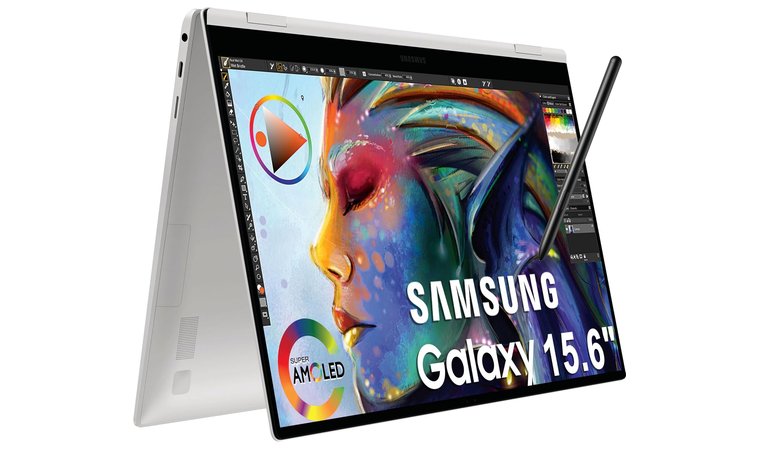
6. Samsung Galaxy Book Pro 360 [Best Quiet Laptop for Mobile Producers Who Value Display and Portability]
| Specs | Details |
|---|---|
| CPU | Intel Core i7-1260P (12 cores, up to 2.1 GHz base) |
| GPU | Intel Iris Xe Graphics (Integrated) |
| RAM | 16 GB LPDDR5 |
| Storage | 1 TB SSD |
| Display | 15.6″ FHD AMOLED Touchscreen (1920 x 1080) |
| Battery | Up to 20–21 hours (manufacturer estimate) |
| Weight | 3.11 lbs (1.41 kg) |
| Ports | 2 x USB-C, 1 x Thunderbolt 4, microSD, HDMI |
| OS | Windows 11 Pro |
The Samsung Galaxy Book2 Pro 360 stands out for mobile music producers who need a quiet, lightweight system with excellent battery life. Its super-slim 2-in-1 design makes it an ideal laptop for writing or editing ideas in quiet spaces. The 15.6” AMOLED touchscreen is bright and color-accurate, making it easier to fine-tune plugin GUIs and mix visually in compact environments.
| Pros | Cons |
|---|---|
| ✅ AMOLED touchscreen delivers clear plugin visuals and waveform detail ✅ Lightweight and ultra-thin, ideal for mobile setups or travel ✅ Thunderbolt 4 provides seamless interface and drive connections ✅ 1 TB SSD ensures quick boot and session load times ✅ Fan profile remains low-noise during most production tasks ✅ Long battery life supports unplugged work for hours | ❌ Limited traditional USB-A ports, but adapters or hubs solve the issue easily |
The Intel Core i7 CPU handles most production tasks smoothly, and the 1 TB NVMe SSD ensures your projects and samples load fast. With Thunderbolt 4 support, you can connect low-latency audio interfaces and high-speed external drives without lag.
Despite its power, the gaming laptop runs quietly and stays cool, even during extended sessions. The S Pen support adds bonus creative control when editing arrangements or automating parameters directly in the DAW.
Final Verdict: The Galaxy Book2 Pro 360 is a strong pick for making music and for producers who travel or work in shared spaces. It’s fast, quiet, and visually sharp, great for long sessions without a charger or distractions.
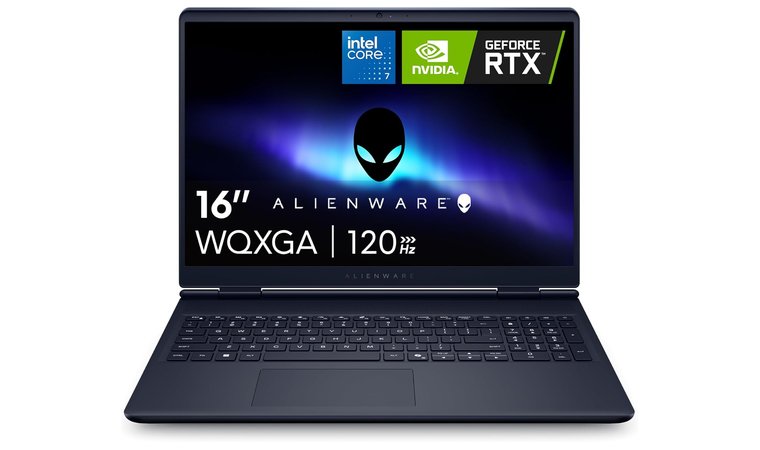
7. Alienware 16 Aurora [Best High-End Laptop for Power Users and Large-Scale Music Production]
| Specs | Details |
|---|---|
| CPU | Intel Core i7 (10 cores, 1.8 GHz base) |
| GPU | NVIDIA GeForce RTX 5050 (8 GB Dedicated) |
| RAM | 16 GB DDR5 (5600 MHz) |
| Storage | 1 TB NVMe SSD |
| Display | 16″ WQXGA (2560 x 1600, 120Hz, Anti-Glare) |
| Battery | AC use recommended for best performance |
| Weight | 5.49 lbs (2.49 kg) |
| Ports | 4 x USB-A, USB-C, HDMI, Ethernet, Thunderbolt |
| OS | Windows 11 Home |
The Alienware 16 Aurora is a production workhorse built for large, layered sessions, intense plugin chains, and heavy rendering workloads, the same as a top gaming PC. Its Intel Core i7 CPU with 10 cores, combined with the RTX 5050 GPU, provides enough muscle to handle mixing, mastering, and real-time effects without lag. Producers who work with orchestral templates or film scoring tools will appreciate the headroom this system offers.
| Pros | Cons |
|---|---|
| ✅ Desktop-class CPU and GPU handle advanced audio processing and video scoring ✅ 120Hz high-resolution screen provides more clarity for complex DAW work ✅ Robust cooling ensures stability during long, CPU-intensive sessions ✅ 1 TB NVMe SSD delivers quick access to projects and samples ✅ Plenty of high-speed I/O including Thunderbolt, USB-C, and Ethernet ✅ Strong multitasking performance for producers running plugins, video, and VSTs together | ❌ Bulkier than most options, but worth it for those prioritizing power over portability |
The large WQXGA display is sharp and smooth at 120Hz, giving you better visual feedback in DAWs and video timelines as the best laptop for streaming. 16 GB of fast DDR5 RAM, upgradeable in many configurations, handles huge sample libraries with ease, while the Cryo-Chamber cooling system keeps performance consistent during long exports.
Final Verdict: The Alienware 16 Aurora is built for serious producers who need workstation-level power in a laptop form. It’s ideal for intensive studio work, post-production, or full album mixes where stability, speed, and multitasking matter most.
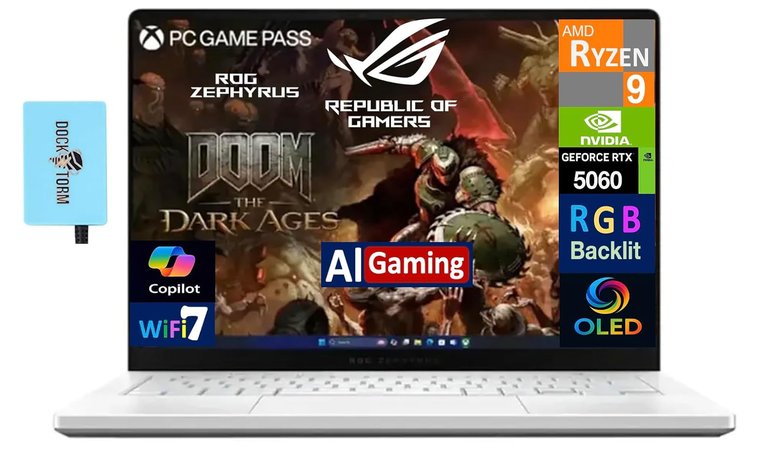
8. ASUS ROG Zephyrus G14 [Best Compact Powerhouse for On-the-Go Music Production with Heavy Virtual Instrument Use]
| Specs | Details |
|---|---|
| CPU | AMD Ryzen 9 7940HS (8 cores, up to 4.0 GHz) |
| GPU | NVIDIA GeForce RTX 5060 (8 GB GDDR7, Dedicated) |
| RAM | 16 GB DDR5 (Onboard) |
| Storage | 1 TB PCIe NVMe SSD |
| Display | 14” OLED 2.8K (2880 x 1800), 120Hz Refresh Rate |
| Battery | Up to 8–9 hours |
| Weight | 7.5 lbs (3.4 kg) |
| Ports | USB-C, USB-A, HDMI, MicroSD, Headphone Combo Jack |
| OS | Windows 11 Pro |
The ASUS ROG Zephyrus G14 combines power and portability in a way few production laptops can. It runs on Ryzen 9 silicon, which delivers excellent cores-per-watt efficiency, making it highly capable for producers running multiple VST instruments or large Kontakt libraries. With 16 GB of fast RAM and 1 TB of NVMe SSD storage, it handles sessions that would stall even the best laptops in this size category.
| Pros | Cons |
|---|---|
| ✅ Ryzen 9 processor balances performance and efficiency for long sessions ✅ Compact size fits in bags easily without giving up power ✅ 1 TB SSD keeps load times fast and sessions responsive ✅ OLED 120Hz display makes editing and plugin work visually clear ✅ Discrete GPU helps with DAW UI responsiveness and light media work ✅ Runs quietly during light tasks, great for quieter tracking setups ✅ Upgradeable RAM on some SKUs extends the laptop’s lifespan | ❌ Slightly heavier for a 14″ unit, but the performance-per-inch is excellent |
Despite its small form factor, the Zephyrus includes a discrete RTX 5060 GPU, giving a smoother experience when using GPU-accelerated DAW UIs or scoring to picture. The OLED 2.8K display offers sharp visuals for timeline edits and plugin tweaking. Thermals are kept in check even during intense work thanks to its well-designed cooling system, which doesn’t get noisy at idle or under light load.
Final Verdict: This top ASUS laptop is a go-to choice for producers needing high performance in a compact chassis. It’s especially strong for virtual instrument work, field sessions, or hybrid studio setups where speed, clarity, and efficiency matter most.
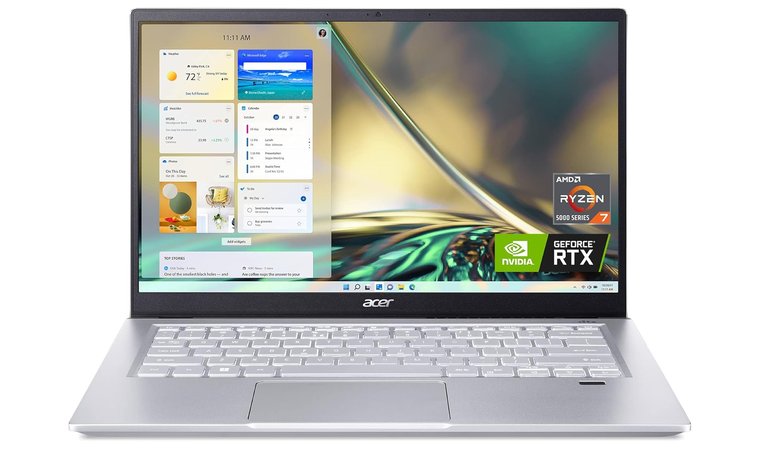
9. Acer Swift X [Best Lightweight Music Production Laptop with Discrete GPU and Quiet Operation]
| Specs | Details |
|---|---|
| CPU | AMD Ryzen 7 5825U (8 cores, up to 2.0 GHz base) |
| GPU | NVIDIA GeForce RTX 3050 (4 GB GDDR6, Dedicated) |
| RAM | 16 GB LPDDR4X |
| Storage | 512 GB NVMe SSD |
| Display | 14” FHD IPS (1920 x 1080, 100% sRGB, 300 nits) |
| Battery | Up to 13 hours |
| Weight | 3.06 lbs (1.39 kg) |
| Ports | 3 x USB-A/USB-C, HDMI, MicroSD, Audio Combo Jack |
| OS | Windows 11 Home |
The Acer Swift X is a portable and efficient laptop that brings a lot of value to solo artists, DJs, and mobile producers, and it is the best laptop for photo editing on a budget. With a dedicated RTX 3050 GPU, it provides improved plugin redraws, snappy DAW navigation, and a smoother overall UI experience when working in large projects or scoring video. Its Ryzen 7 processor and 16 GB LPDDR4X RAM handle most music production tasks without lag, from live mixing to VST layering.
| Pros | Cons |
|---|---|
| ✅ Thin and light, great for producers who move between locations ✅ RTX 3050 GPU helps with GUI responsiveness and light scoring tasks ✅ 16 GB RAM and NVMe SSD support smooth real-time performance ✅ Quiet operation under typical music production loads ✅ Upgradeable memory and storage (on some models) extends usability ✅ Good color-accurate screen with 100% sRGB and 300-nit brightness ✅ USB-C, HDMI, and SD card reader included for easy gear connection | ❌ Lacks Thunderbolt, but USB-C still works well for most modern interfaces |
The 14-inch display offers good brightness and full sRGB color coverage, which helps with precise visual mixing or automation work. The quiet thermal profile keeps things cool and low-noise, especially useful when recording vocals or acoustic instruments. On many SKUs, you can expand RAM and add more internal storage, ideal for growing sample collections.
Final Verdict: The Acer Swift X is a smart choice for music producers who need something light, quiet, and capable. It performs well for daily production, mixes, and light scoring, without weighing you down or breaking your budget.
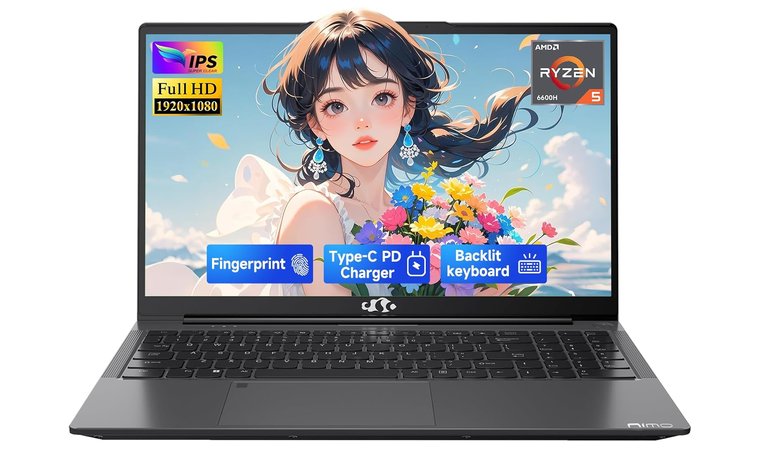
10. NIMO Laptop (NIMO N153) [Best Budget-Friendly Laptop for Music Production Beginners or Live Setup Use]
| Specs | Details |
|---|---|
| CPU | AMD Ryzen 5 6600H (6 cores, up to 4.5 GHz) |
| GPU | AMD Radeon 660M (Dedicated) |
| RAM | 16 GB DDR5 |
| Storage | 512 GB SSD |
| Display | 15.6″ FHD (1920 x 1080), LED-backlit |
| Battery | Up to 9 hours |
| Weight | 3.75 lbs (1.7 kg) |
| Ports | 4 x USB-A, 1 x USB 2.0, HDMI, Audio Jack |
| OS | Windows 11 |
The NIMO N153 is a strong contender for entry-level producers looking for the best laptop for music production under a limited budget. Its Ryzen 5 6600H processor delivers solid multi-core performance, making it capable of handling multiple plugin instances in DAWs like FL Studio, Reaper, or Cakewalk. With 16 GB of DDR5 RAM and a 512 GB SSD, it performs well for basic editing, arranging, and mixing, especially when working with smaller project files.
| Pros | Cons |
|---|---|
| ✅ Ryzen 5 CPU handles lightweight to moderate plugin loads without freezing ✅ 16 GB DDR5 RAM and SSD keep workflow snappy in most music production tasks ✅ Multiple USB ports support full live rig setups without expansion hubs ✅ Dedicated GPU aids visual performance in DAWs and music scoring ✅ Upgrade-ready design with common M.2 and RAM accessibility ✅ Works well as a backup or touring laptop due to its compact, portable build ✅ Affordable option that still delivers capable audio workflow | ❌ Screen isn’t as vibrant as higher-end models, but still clear for DAW navigation |
This music production laptop also includes a dedicated GPU, which helps offload minor visual tasks, keeping your CPU focused on audio processing. With four USB ports, connecting MIDI controllers, audio interfaces, or USB mics doesn’t require extra hubs. The overall chassis feels practical, and many SKUs come with upgradeable memory and M.2 slots, great for long-term flexibility.
Final Verdict: The NIMO N153 is one of the most practical budget picks for music production and a top laptop for photography. If you’re starting out or need a dedicated music production laptop for live gigs, it offers excellent value with enough performance to get real work done.
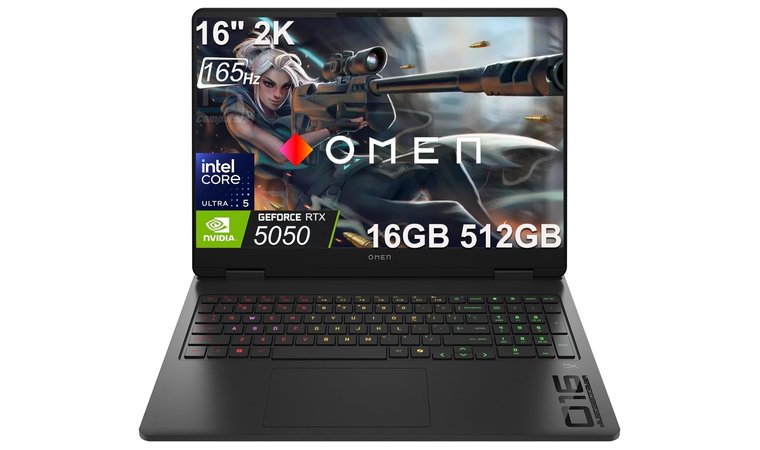
11. HP OMEN 16 Slim [Best High-Performance Studio Laptop for Large Sessions and Upgrade Flexibility]
| Specs | Details |
|---|---|
| CPU | Intel Core i5-225H (14 cores, up to 4.9 GHz boost) |
| GPU | NVIDIA GeForce RTX 5050 (8 GB GDDR7, Dedicated) |
| RAM | 64 GB DDR5 (4800 MHz) |
| Storage | 512 GB SSD (Upgradeable via M.2 slots) |
| Display | 16” WUXGA (1920 x 1200), 165Hz, 100% sRGB |
| Battery | Up to 9 hours |
| Weight | 5.4 lbs (2.45 kg) |
| Ports | 4 x USB-A/USB-C, HDMI 2.1, RJ45, Headphone Combo |
| OS | Windows 11 Home |
The HP OMEN 16 Slim offers studio-level horsepower in a quality laptop for working from home that’s built for demanding production work. Its 14-core Intel processor delivers great single-core speed, which is essential for low-latency processing in DAWs like Pro Tools, Ableton Live, or Cubase. You also get a massive 64 GB of DDR5 RAM, ideal for orchestral templates, large VST libraries, and simultaneous multi-track editing.
| Pros | Cons |
|---|---|
| ✅ Intel H-series chip with excellent boost clocks for low-latency audio work ✅ Massive 64 GB DDR5 RAM handles large project files and scoring workloads ✅ Quiet thermal management with custom fan controls for recording sessions ✅ Bright 100% sRGB display helps with editing and plugin GUIs ✅ Expandable M.2 slots for more sample storage and OS separation ✅ Robust I/O includes Ethernet and HDMI 2.1 for reliable studio connectivity ✅ Strong value for performance in a home studio environment | ❌ Heavier than average laptops, but well worth it for Windows users needing full studio specs |
The 165Hz 16” WUXGA display makes arranging and mixing a more visual, responsive experience, while the RTX 5050 GPU offloads graphics during video scoring or plugin-heavy sessions. There’s strong thermal support thanks to OMEN’s internal cooling system, and fan profiles can be adjusted when recording quieter takes.
Final Verdict: The HP OMEN 16 Slim is a serious workstation for music production. It’s built for power, upgradeability, and reliability, making it one of the most complete studio-ready options in this guide.
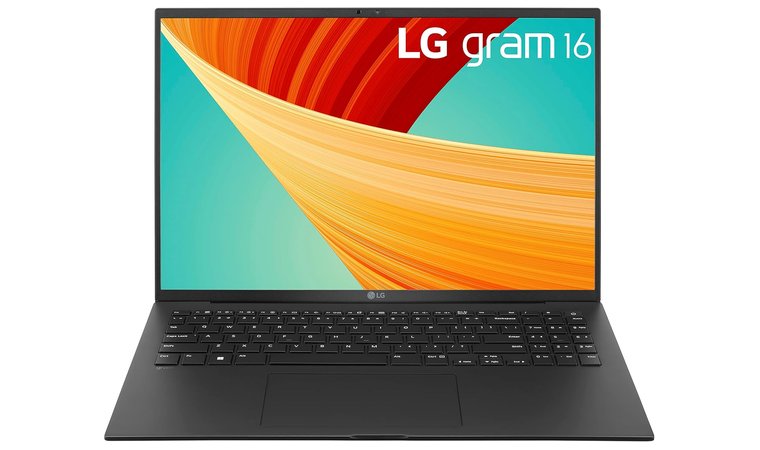
12. LG Gram 16 [Best Lightweight Laptop for Music Producers Who Need Screen Space Without the Bulk]
| Specs | Details |
|---|---|
| Brand | LG |
| Model Name | 16Z90R-K.AAB7U1 |
| Screen Size | 16 Inches |
| Resolution | 2560 x 1600 (WQXGA, 99% DCI-P3) |
| Processor | Intel Core i7 13th Gen (2.2 GHz, 1 Processor) |
| RAM | 16 GB LPDDR5 (6000 MHz) |
| Storage | 512 GB NVMe PCIe Gen 4 SSD |
| GPU | Intel Iris Xe (Integrated) |
| OS | Windows 11 Home |
| Battery | 80Wh (Up to 20 hours estimated) |
| Weight | 2.64 lbs (1.2 kg) |
| Ports | USB-C, USB-A, HDMI, microSD (Thunderbolt on some SKUs) |
The LG Gram 16 is built for producers who need a large workspace but refuse to carry a bulky device. At just 2.64 lbs, it’s one of the lightest 16-inch laptops on the market, yet it offers ample screen real estate for DAW timelines, mixer windows, and plugin chains. The WQXGA resolution (2560 x 1600) and non-reflective IPS panel make it ideal for editing music and video in well-lit environments.
| Pros | Cons |
|---|---|
| ✅ Large 16″ display (2560×1600) with vivid color and matte finish helps with DAW layouts ✅ Extremely lightweight (2.64 lbs) for its screen size, perfect for mobile work ✅ Fast LPDDR5 RAM and Gen 4 SSD allow quick boot, load, and bounce times ✅ 80Wh battery supports long unplugged sessions in cafes or field studios ✅ Quiet operation makes it suitable for recording near open mics ✅ Intel Unison adds convenience when working between devices | ❌ Integrated graphics only, which limits visual performance, but audio users won’t feel the impact |
Backed by 16 GB of fast LPDDR5 RAM and an NVMe Gen 4 SSD, this laptop ensures fast load times and responsive project handling for light-to-mid audio sessions. It runs quietly thanks to efficient cooling and low thermal output, making it a great laptop for students, on-location vocal or acoustic recording.
Final Verdict: The LG Gram 16 is a smart pick for mobile producers who need a big screen without big weight. Its combination of portability, battery life, and screen clarity make it a powerful travel companion for editing, mixing, or composing on the move.
13. ASUS ROG Strix G16 (2025) [Best High-Performance Laptop for Power Users and Heavy DAW Projects]
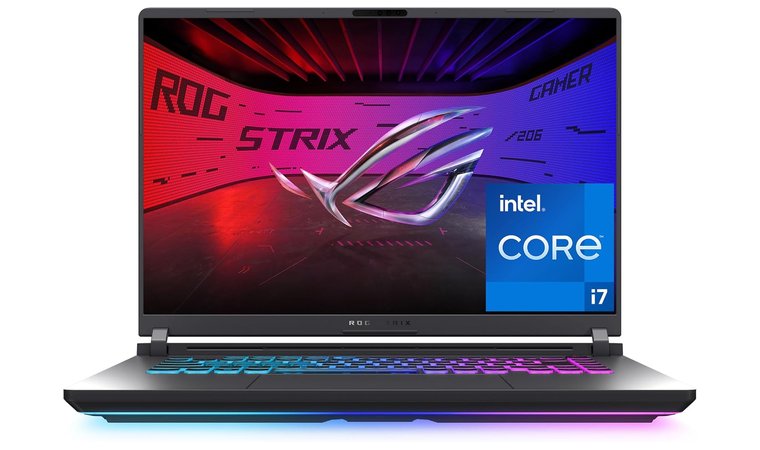
| Specs | Details |
|---|---|
| Brand | ASUS |
| Model Name | ROG Strix G16 (G614JMR-AS74) |
| Screen Size | 16 Inches |
| Resolution | 1920 x 1200 (165Hz FHD+, Anti-glare) |
| Processor | Intel Core i7-14650HX (16 cores, up to 5.2 GHz) |
| RAM | 16 GB DDR5 (5600 MHz, expandable) |
| Storage | 1 TB PCIe Gen 4 SSD |
| GPU | NVIDIA GeForce RTX 5060 (8 GB GDDR6 Dedicated) |
| OS | Windows 11 Home |
| Battery Life | Up to 2 hours (under load) |
| Weight | 5.83 lbs (2.64 kg) |
| Ports | USB-C, 3x USB-A, HDMI 2.1, Ethernet, Combo Audio Jack |
The ASUS ROG Strix G16 (2025) brings desktop-level performance to mobile production setups. With Intel’s latest HX-series CPU reaching turbo speeds up to 5.2 GHz, this laptop handles low-latency real-time monitoring, multi-track editing, and complex plugin chains effortlessly. The 16-core architecture gives it an edge in multi-threaded audio rendering, ideal for film composers, mix engineers, and electronic producers running dozens of VSTs.
| Pros | Cons |
|---|---|
| ✅ HX-series CPU (up to 5.2 GHz) delivers elite single-core speed for low-latency DAW work ✅ 16 cores and 32 threads handle intensive projects with multiple plugins and buses ✅ Advanced ROG cooling system keeps thermals stable during long mix or export sessions ✅ DDR5-5600 MHz RAM and 1 TB Gen 4 SSD ensure smooth performance and fast loading ✅ 165Hz 16-inch display offers exceptional smoothness and detail for precise editing ✅ Full suite of I/O ports, including USB-C and HDMI 2.1, supports complex studio setups | ❌ Short battery life (around 2 hours at full load), but expected for its class-leading performance |
The ROG Nebula 165Hz display ensures fast visual response and clarity during waveform editing, while DDR5-5600 MHz RAM and PCIe Gen 4 SSD storage minimize bottlenecks in heavy sessions. ASUS’s Tri-Fan cooling system and Conductonaut liquid metal thermal compound maintain stability under long render or export workloads, ensuring sustained performance without throttling.
Final Verdict: The ASUS ROG Strix G16 (2025) is a true powerhouse for professional producers who need uncompromised CPU and GPU performance.
Key Features to Look for When Choosing a Laptop for Music Production
When looking for the best laptop for producing music, it’s not just about raw specs, it’s about how well each component supports real-time creativity. From fast processors to high-quality sound output, these key features can make or break your workflow when you record music, edit tracks, or run demanding music software.
1. CPU Performance for Efficient Audio Processing
The CPU is the heart of any music production setup. When you’re running DAWs like Ableton Live, Logic Pro, or FL Studio, your processor must handle real-time audio rendering, virtual instruments, and multiple effect chains without lag.
That’s why the best laptops for music production feature multi-core CPUs, often with high turbo clock speeds. A strong CPU ensures that you can stack plugins, use automation, and run intensive tasks, like bouncing tracks or applying real-time EQ, without crashes or slowdowns. A 12th or 13th Gen Intel Core i7 or an AMD Ryzen 9 is a good benchmark for modern producers.
2. Graphics Performance for Visual Clarity and Smooth Editing
While producing music doesn’t typically rely on a high-end GPU, a decent graphics card does play a role, especially if you’re handling video editing projects or working in software with visual plugins, spectrum analyzers, or virtual instruments that benefit from smooth rendering.
Integrated Intel Iris or AMD Radeon graphics can handle basic workloads, but if you’re also managing music videos or creative visuals, a dedicated GPU like NVIDIA RTX 4050 or higher brings added clarity and performance. Visual responsiveness contributes to an overall smoother experience.
3. Sufficient RAM and Fast SSD Storage for Seamless Workflow
To produce music efficiently, you need enough memory and fast storage. At minimum, 16GB of RAM is essential, especially when managing large sample libraries, orchestral arrangements, or multiple applications (e.g., your DAW, web browser, and sample browser).
For Windows users, 32GB+ is ideal. Pair that with a Solid State Drive (SSD), ideally NVMe PCIe Gen 4, and you’ll benefit from quick project load times, near-instant software launches, and seamless file transfers. An SSD makes a huge difference when navigating large audio libraries and plugin folders.
4. Long Battery Life for Extended Music Production Sessions
One underrated factor when choosing the best laptop for music creation is battery life. For mobile setups, buskers, or traveling producers, a laptop with 8–10 hours of battery ensures that you can record music or edit tracks on location without worrying about finding an outlet. Even in studio environments, long battery life is a productivity booster, it gives you the freedom to move, collaborate, or set up in different spots without carrying a charger.
5. High-Quality Audio Output and Sound Cards for Precise Monitoring
Clean, accurate sound is non-negotiable in music production. The best laptops often include high-definition sound chips or even dedicated sound cards, ensuring accurate output levels and minimal latency.
For those who monitor through headphones or studio monitors, clean D/A (digital-to-analog) conversion is vital for correctly balancing a mix. Even though external audio interfaces are standard in pro setups, having a laptop with strong internal audio helps with on-the-go tracking, quick reference checks, and latency-free monitoring when gear isn’t available. This is critical when fine-tuning mixes or running real-time music software effects.
FAQs
The best laptop for music production is ASUS 14” FHD with high RAM and SSD combos. Look for models with powerful CPUs, quiet cooling systems, and enough ports for audio gear. If you’re handling large projects or editing videos alongside music, prioritize both CPU and GPU performance.
Yes, especially if you’re using professional music software with multiple tracks, effects, or VSTs. While you can start with a basic setup, a powerful laptop with a modern multi-core CPU and at least 16GB of RAM ensures smoother real-time playback, faster exports, and fewer crashes.
For reliable music production, look for a laptop with an Intel Core i7 or AMD Ryzen 7 H-series processor, at least 16GB of RAM, a 512GB (preferably 1TB) SSD, an optional but useful GPU for visual plugins or video editing, and a practical set of ports.
You need 16GB of RAM for music production. It allows you to run your DAW, use multiple plugins, and manage samples without lag. If you work with film scoring, orchestral templates, or run many applications simultaneously, 32GB is ideal.
The best CPUs for music production are high-performance, multi-core processors with strong single-core speed. Intel Core i7/i9 (12th or 13th Gen H-series) and AMD Ryzen 7/9 are excellent for music production, especially when using real-time effects or heavy plugin chains.
Absolutely. An SSD drastically improves file access times, boot speed, and software loading, all crucial when you’re working with large audio files or moving between projects. A 1TB NVMe SSD is ideal for fast read/write speeds, allowing you to open music software and libraries instantly.











