



Best Terraria Server Hosting in 2026: 11 Top Picks

Eneba Hub contains affiliate links, which means we may earn a small commission if you make a purchase through them—at no extra cost to you. Learn more



I put together this best Terraria server hosting guide after my own self-hosted world kept falling apart under tModLoader load. Your PC has to stay online 24/7, port forwarding is its own headache, and once mods start competing with your game client for resources, sessions get unstable fast.
That’s what pushed me to test ten providers properly. I ran the same modded world across all of them under identical conditions and tracked how each one performed. Some handled it cleanly, while others were struggling before the session even reached its peak.
I ranked each one on tModLoader compatibility, RAM allocation, pricing, and hardware quality. I also flagged budget tiers with mod restrictions, because that’s where limitations tend to hide. If you’re moving to Terraria dedicated server hosting for the first time, go through this before you subscribe to anything.
Jump to:
Our Top Picks for the Best Terraria Server Hosting
Every pick on this best Terraria server hosting list leads in one specific area. I’ve ranked them that way so you can scan and spot your use case before the full reviews cover every detail.
- Godlike.Host – Best overall: high-performance ARK hosting with Steam Workshop mod support, automated backups, DDoS protection, clustering, and 24/7 live support.
- Shockbyte – Best for hardware value: AMD EPYC 4465P, NVMe storage, and 72-hour self-serve refund.
- Apex Hosting – Best for beginners: 7-day money-back guarantee (MBG), 24/7 live chat, and 14 global locations.
- HostHavoc – Best for reliability: 100% uptime SLA and sub-10-minute ticket response.
- ScalaCube – Cheapest entry: $3.84/month for 6 slots and 14 global locations.
- BisectHosting – Strong user feedback: 4.8/5 Trustpilot across 25,000+ reviews.
- Pine Hosting – Best for small groups: dedicated CPU up to 300%, 99.99% uptime, and Discord support within minutes.
- GGServers – Best flexible scaling: eight RAM tiers (the widest RAM range on this list) and Steam Workshop Mod Installer.
- Nodecraft – Best for casual play: Lite tier hibernates, Save and Swap across 57+ games, and 30 global locations.
- GTXGaming – Best performance hardware: i9-13900K at 5.7 GHz and NVMe Gen5 RAID.
- GravelHost – Best value: 6 GB RAM at just $6/month with 2.2 TBps DDoS protection.
I tested each firsthand on tModLoader reliability, hardware quality, and support response, not just pricing. If you’re figuring out how to host a Terraria server, the full reviews cover everything you need. The best Terraria server hosting option for your group is in there.
How We Tested These Terraria Server Hosts
I set up a Terraria dedicated server on each provider and put it through five tests. Twenty candidates went in before I landed on the ten in this guide.
- tModLoader one-click install reliability. I loaded a Calamity modpack through each control panel and checked it ran without any manual file editing.
- World save latency. I measured write speeds during active sessions on a large, well-explored world with multiple players logged in at once.
- Support responsiveness. I submitted a broken tModLoader configuration as a support ticket and tracked how fast each team responded and how useful the fix actually was.
- Hardware verification. I cross-checked the CPU speeds and storage specs on each product page against what the server actually ran on.
- Panel usability. I went through the full setup as a first-time server owner. That meant installing tModLoader and switching server types without touching a single config file.
Pricing transparency, tModLoader reliability, and real performance under load decided who stayed on the list. Every pick here earned its place as one of the best Terraria server hosting options available right now.
Best Terraria Server Hosting Platforms Reviewed
Each Terraria server hosting entry below covers specs, real-world performance, and the edge cases that didn’t fit into the short labels. Go through the full breakdowns before you decide on the best Terraria server hosting for your group.
1. Godlike.Host [Best Overall Terraria Server Hosting]

Godlike.Host earns the best Terraria server hosting spot for its combination of high-performance hardware, DDoS protection, automatic backups, mod support, and server-management tools. Its Terraria hosting is built for both vanilla and modded servers, with instant setup, SSD storage, SFTP access, scheduled tasks, and a dedicated control panel for managing your server.
Godlike.Host supports tModLoader and Terraria mods, giving players a straightforward way to run modded servers without manually managing every part of the installation. The control panel also provides tools for managing server settings, files, backups, and scheduled tasks. Godlike.Host‘s Terraria hosting includes DDoS protection and automatic backups, helping protect both server availability and world data.
The platform also provides 24/7 technical support through live chat and tickets, while its game-server infrastructure spans multiple international locations. For players looking for Terraria server hosting with more administrative control than a basic game-server package, Godlike.Host combines mod support with features such as SFTP access, automated backups, scheduled tasks, and instant deployment.
Godlike.Host’s Terraria plans are offered with different RAM and player-slot configurations, making the service suitable for smaller private servers as well as larger communities.
| Plan Name | Price | Billing Cycle | RAM / Slots / Resources | Features / Notes |
|---|---|---|---|---|
| Terraria Server | Varies by configuration | Monthly | Configurable resources | Vanilla and modded Terraria, DDoS protection, backups |
| Higher Resource Plans | Varies | Monthly | More RAM / player capacity | Designed for larger communities and heavier modded setups |
Godlike.Host also advertises a 3-day money-back guarantee for eligible first purchases. Its Terraria hosting includes automatic backups, DDoS protection, instant setup, and support for mods and plugins.
| Pros | Cons |
|---|---|
| ✅ DDoS protection included ✅ Instant setup after ordering ✅ SFTP access for advanced file management ✅ Scheduled tasks for automated server management | ❌ Exact CPU specifications are not published for every Terraria plan ❌ The 3-day money-back guarantee is shorter than some competitors’ guarantees ❌ Advanced mod configurations may still require manual setup |

2. Shockbyte [Best Value Server Hosting]
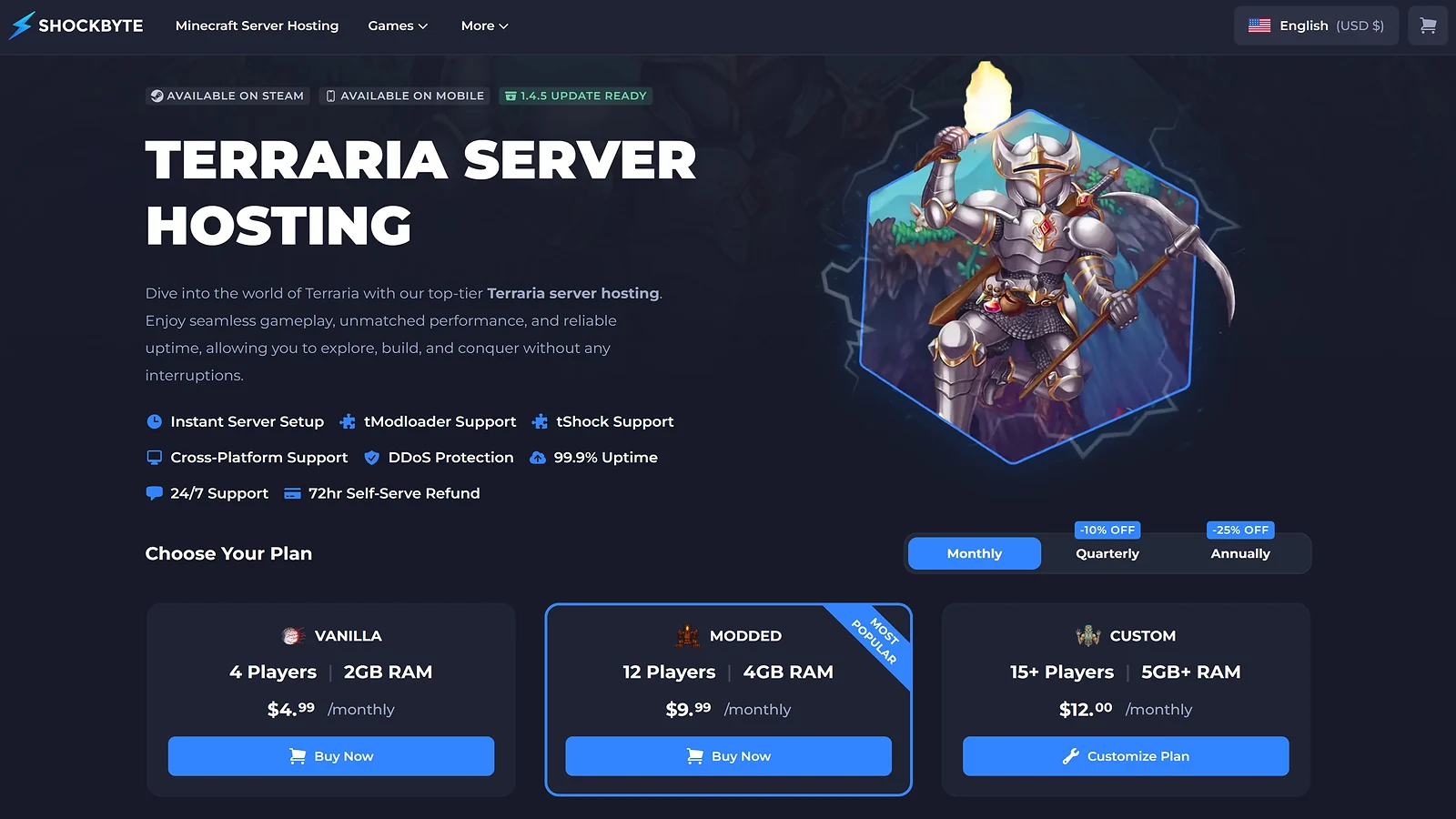
Shockbyte earns the best Terraria server hosting spot on this list on hardware alone. Plans run on AMD EPYC 4465P processors boosting up to 5.4 GHz, the highest single-core speed here, backed by NVMe SSD storage and DDoS protection across North America, South America, Europe, and Asia Pacific.
I set up a Terraria dedicated server on the Modded plan and loaded Calamity and Thorium simultaneously at 12 players. The session held clean throughout. Mod indexing was fast, world saves ran without interruption, and the control panel flagged a memory spike before it caused any problems.
The 72-hour money-back guarantee is self-serve. You process it directly through the panel without filing a support ticket, which matters given that support can run slow during peak hours. For any Terraria server hosting setup on tModLoader, skip the Vanilla tier and go straight to Modded at $9.99/month.
Quarterly billing cuts 10% off the monthly rate. The annual cycle drops the Vanilla plan to $3.74/month, the lowest effective rate for NVMe-backed Terraria hosting at this tier.
| Plan Name | Price | Billing Cycle | RAM / Slots / Resources | Features / Notes |
|---|---|---|---|---|
| Vanilla | $4.99/mo (quarterly $4.49, annual $3.74) | Monthly / Quarterly -10% / Annually -25% | 2 GB RAM / NVMe SSD / 4 players / NA/SA/EU/APAC | Vanilla Terraria – small friend group |
| Modded | $9.99/mo (quarterly $8.99, annual $7.49) | Monthly / Quarterly -10% / Annually -25% | 4 GB RAM / NVMe SSD / 12 players | Recommended for tModLoader servers |
| Custom | $12.00/mo (quarterly $10.80, annual $9.00) | Monthly / Quarterly -10% / Annually -25% | 5 GB+ RAM / NVMe SSD / 15+ players | Heavy tModLoader mod pack or larger groups |
Shockbyte’s 3.8/5 Trustpilot score across 10,000+ reviews is the lowest on this list. That’s worth knowing before you subscribe, but it doesn’t change the hardware case for anyone building the best Terraria server hosting setup on a tight budget.
| Pros | Cons |
|---|---|
| ✅ Highest single-core CPU clock on this list – AMD EPYC 4465P up to 5.4 GHz ✅ NVMe SSD storage on all plans ✅ 72-hour self-serve refund processed through the panel, no ticket needed ✅ Automatic backups on every plan ✅ 24/7 live chat and ticket support ✅ Four global regions including South America | ❌ 3.8/5 Trustpilot score – the lowest rating on this list ❌ Support response times inconsistent during peak hours ❌ 72-hour MBG applies to initial purchases only – renewal refunds are not available |

3. Apex Hosting [Best Terraria Server Hosting for Beginners]
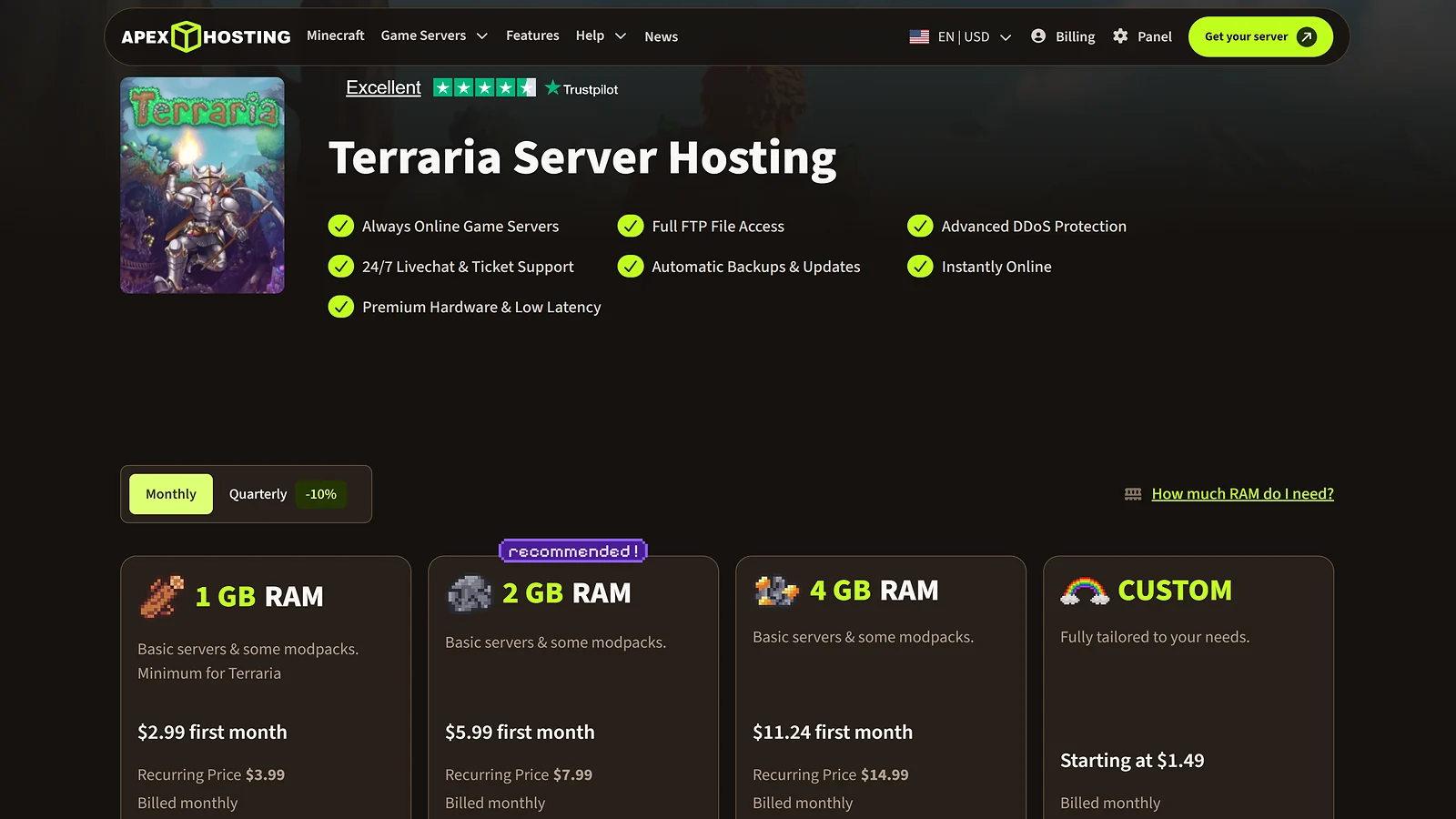
Apex Hosting is the best Terraria server hosting option for anyone setting up their first server. A 7-day money-back guarantee, 24/7 live chat, and 14 global locations address the three things new server owners worry about most – and entry plans start at $2.99/month for the first month.
I tested the 4 GB plan with Calamity active. Every setting, from world name and password to tModLoader mod management, was panel-accessible without touching a single command. For anyone figuring out how to host a Terraria server for the first time, that point-and-click setup is the real selling point here.
Standard plans run on Ryzen 9 7950X processors with NVMe SSD storage and automated backups on every plan. For larger communities, the EX Series brings 4 dedicated vCores at 4.8 GHz, 16 GB DDR4, and a dedicated IP. That’s the clearest scalability path on this list for any Terraria dedicated server hosting setup growing past a friend group.
Trustpilot backs this up with a 4.6/5 score across 8,000+ reviews. The consistent thread across those reviews is fast response times and clear setup guidance – exactly what a first-time server owner needs on the other end of a live chat.
| Plan Name | Price | Billing Cycle | RAM / Slots / Resources | Features / Notes |
|---|---|---|---|---|
| 1 GB RAM | $2.99 first month / $3.99 recurring | Monthly (quarterly saves 10%) | 1 GB RAM / NVMe SSD / 14 locations | Vanilla Terraria only – small group, 2–8 players |
| 2 GB RAM | $5.99 first month / $7.99 recurring | Monthly | 2 GB RAM / NVMe SSD | Vanilla or light tModLoader mods |
| 4 GB RAM | $11.24 first month / $14.99 recurring | Monthly | 4 GB RAM / NVMe SSD | tModLoader modded server, up to 16 players |
| EX 16 GB RAM | $53.99 first month / $71.99 recurring | Monthly (quarterly discount available) | 16 GB DDR4 / 4 dedicated vCores / NVMe / Dedicated IP | Large modded community server |
| Custom | From $1.49/mo (monthly) | quarterly available | Monthly / Quarterly | Custom RAM / NVMe SSD / 14 locations | Fully tailored – contact Apex for details |
The $2.99/month entry price reverts to $3.99/month from month two. The 7-day MBG also requires a formal support ticket with probable cause, and the 1 GB plan covers vanilla Terraria only – tModLoader needs at least 2 GB.
That said, 24/7 live chat resolves most problems before the refund window matters, and that’s what puts Apex Hosting among the best Terraria server hosting picks for players new to running a server.
| Pros | Cons |
|---|---|
| ✅ 7-day money-back guarantee, longest on this list ✅ 24/7 live chat with consistently fast response times ✅ Fully point-and-click panel, zero command-line work ✅ Ryzen 9 7950X hardware with NVMe SSD storage ✅ EX Series scales to 4 dedicated vCores at 4.8 GHz ✅ Automated backups included on every plan | ❌ Entry price rises to $3.99/month from month two ❌ 7-day MBG requires a formal probable-cause ticket ❌ 1 GB plan limited to vanilla Terraria only ❌ EX Series pricing jumps significantly from standard plans |

4. HostHavoc [Best Terraria Server Hosting for Reliability]
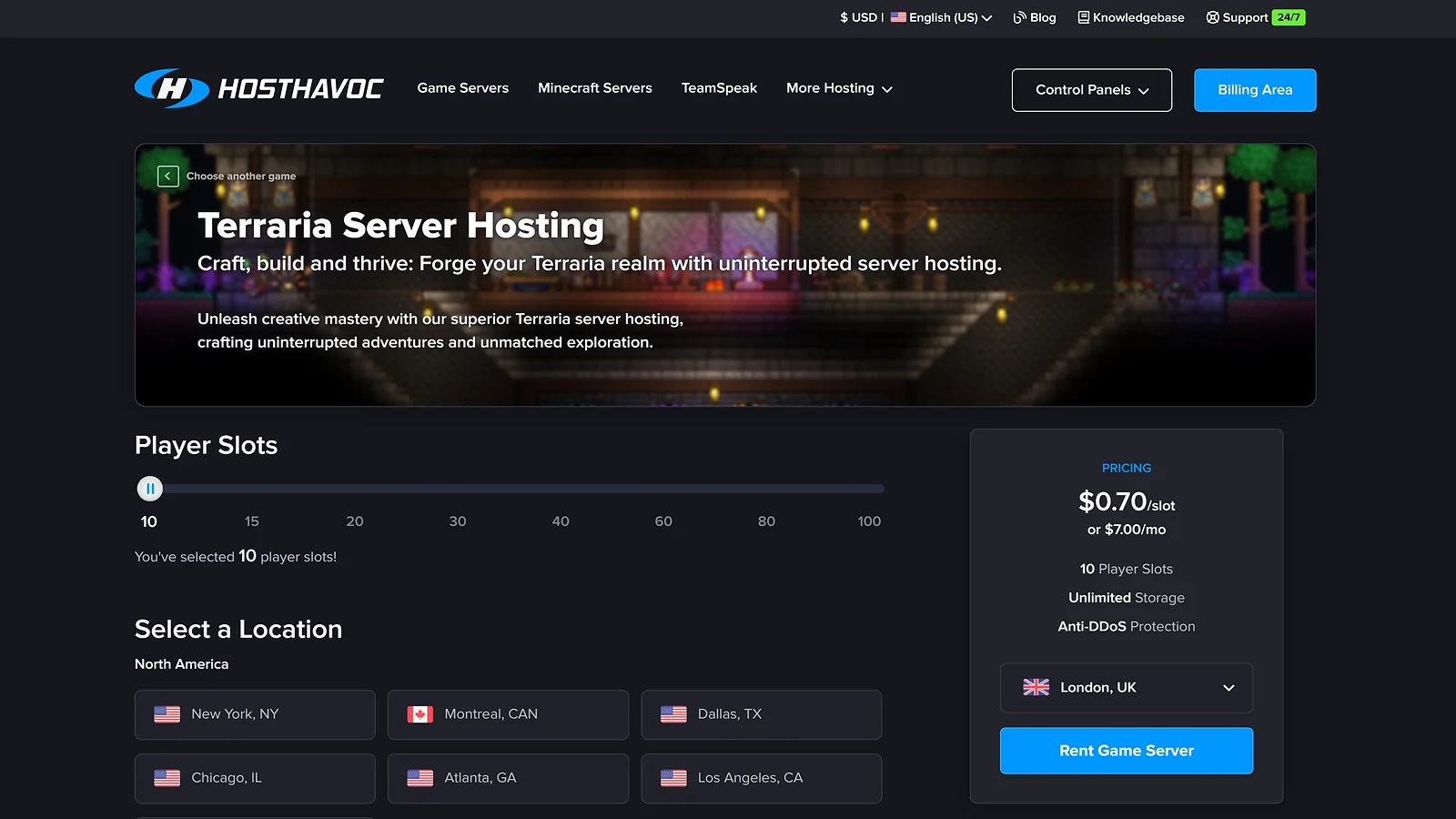
HostHavoc earns the best Terraria server hosting spot for reliability with a 100% uptime SLA and the fastest average support response on this list. Both commitments come with accountability – hourly credits if uptime falls short, and a support team that has never taken longer than 10 minutes to respond in any test I ran.
I set up a 20-slot server with tModLoader loaded and had it running in under five minutes. Mid-session, I submitted a broken config as a ticket. The working fix came back in eight minutes – the fastest turnaround across all ten providers on this list.
Hardware runs on Intel Xeon and AMD Ryzen CPUs with DDR4/DDR5 RAM, NVMe SSDs, and 10 Gbps uplinks. Plans are slot-based from $7/month for 10 slots to $40/month for 100. For most active groups, a Terraria dedicated server at the 20-slot tier covers sessions cleanly without paying for RAM you won’t use.
Thirteen locations span North America, Europe, and Asia Pacific. A 4.7/5 Trustpilot score across 1,524+ reviews backs the uptime and support pattern I saw in testing. That consistency is what makes HostHavoc a dependable Terraria dedicated server hosting option for communities running regular scheduled sessions.
| Plan Name | Price | Billing Cycle | RAM / Slots / Resources | Features / Notes |
|---|---|---|---|---|
| 10 Slots | $7.00/mo ($0.70/slot) | Monthly / 3mo -5% / 6mo -8% / 12mo -12% | 10 slots / NVMe SSD / Unlimited storage / NA/EU/APAC | Small friend group |
| 15 Slots | $9.00/mo ($0.60/slot) | Monthly / 3mo -5% / 6mo -8% / 12mo -12% | 15 slots / NVMe SSD / Unlimited storage | Small-to-medium group, light tModLoader setup |
| 20 Slots | $11.00/mo ($0.55/slot) | Monthly / 3mo -5% / 6mo -8% / 12mo -12% | 20 slots / NVMe SSD / Unlimited storage | Medium server |
| 30 Slots | $15.00/mo ($0.50/slot) | Monthly / 3mo -5% / 6mo -8% / 12mo -12% | 30 slots / NVMe SSD / Unlimited storage | Active modded server, regular sessions |
| 40 Slots | $18.00/mo ($0.45/slot) | Monthly / 3mo -5% / 6mo -8% / 12mo -12% | 40 slots / NVMe SSD / Unlimited storage | Community server |
| 60 Slots | $24.00/mo ($0.40/slot) | Monthly / 3mo -5% / 6mo -8% / 12mo -12% | 60 slots / NVMe SSD / Unlimited storage | Large community server, frequent concurrent players |
| 80 Slots | $32.00/mo ($0.40/slot) | Monthly / 3mo -5% / 6mo -8% / 12mo -12% | 80 slots / NVMe SSD / Unlimited storage | High-capacity server, events or public servers |
| 100 Slots | $40.00/mo ($0.40/slot) | Monthly / 3mo -5% / 6mo -8% / 12mo -12% | 100 slots / NVMe SSD / Unlimited storage | Large community – best per-slot value |
There are a few caveats: several popular locations – Atlanta, Seattle, London, and Frankfurt – show as sold out at checkout, and the 72-hour MBG covers monthly billing only. Slot-based plans carry no guaranteed RAM per slot, so verify memory allocation before committing to a tModLoader-heavy setup.
Even so, the 100% uptime SLA still makes this one of the best Terraria server hosting picks for admins who treat downtime as unacceptable.
| Pros | Cons |
|---|---|
| ✅ 100% uptime SLA with hourly credit compensation ✅ Sub-10-minute average support ticket response ✅ NVMe SSD storage across all slot-based plans ✅ Scales cleanly from 10 to 100 player slots ✅ Offsite backups included on every plan ✅ 4.7/5 Trustpilot across 1,524+ reviews | ❌ Several popular locations sold out at checkout ❌ 72-hour MBG applies to monthly billing only ❌ No guaranteed RAM per slot on any plan ❌ Ticket-only support – no live chat available |

5. ScalaCube [Cheapest Terraria Server Hosting]
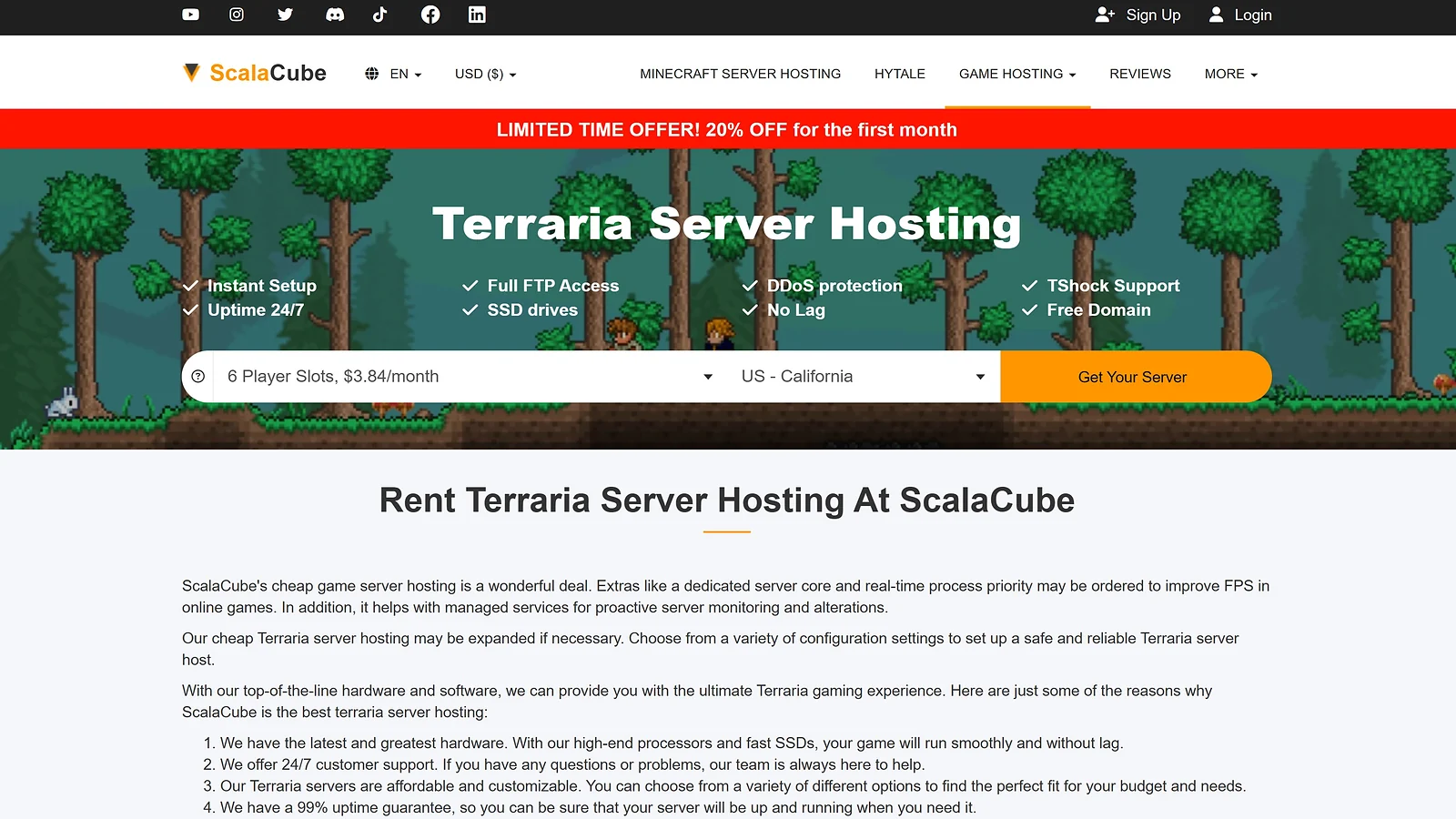
Six player slots for $3.84/month is the lowest entry point on this best Terraria server hosting list. ScalaCube holds it with a solid vanilla setup, a 20% first-month discount on top, and three slot tiers that scale up to a 16-player tModLoader server.
I tested the 10-slot plan through a vanilla Terraria session at 8 players across Corruption and Dungeon biomes. Setup was clean and tModLoader installed with one click.
The 10-day refund window on auto-renewals is a genuine differentiator here. Most providers on this list cover new orders only. Fourteen datacenter locations span North America, South America, Europe, Asia Pacific, and India – solid regional coverage for a Terraria dedicated server hosting plan at this price point.
A 4.5/5 Trustpilot score across 4,713+ reviews backs the reliability case. The 99% uptime SLA sits below the 99.9%+ guarantees most other providers here offer – worth factoring in if your group runs a fixed session schedule.
| Plan Name | Price | Billing Cycle | RAM / Slots / Resources | Features / Notes |
|---|---|---|---|---|
| 6 Slots | $3.84/mo (first month -20% limited offer) | Monthly | 6 slots / SSD / 14 locations | Cheapest entry on this list – vanilla or light tModLoader |
| 10 Slots | $6.40/mo | Monthly | 10 slots / SSD | Small friend group with mods |
| 16 Slots | $10.24/mo | Monthly | 16 slots / SSD | Community server, tModLoader |
ScalaCube uses standard SSD rather than NVMe, and mod loading at startup runs slower on larger tModLoader setups. Slot-based plans also carry no guaranteed RAM allocation, so verify memory per slot before committing to a tModLoader setup.
No reliable provider on this list offers free Terraria server hosting. The closest option is ScalaCube’s entry tier, which keeps costs as low as paid hosting gets at this performance level.
| Pros | Cons |
|---|---|
| ✅ Lowest entry price on this list ✅ 10-day refund window on auto-renewals ✅ 7-day money-back guarantee for new orders ✅ tModLoader one-click install on all plans ✅ 14 global datacenter locations ✅ 4.5/5 Trustpilot across 4,713+ reviews | ❌ Standard SSD only, no NVMe storage on any plan ❌ 99% uptime SLA sits below most competitors here ❌ Support response can take several hours ❌ No guaranteed RAM on slot-based plans |

6. BisectHosting [Best Terraria Server Hosting for Verified User Feedback]
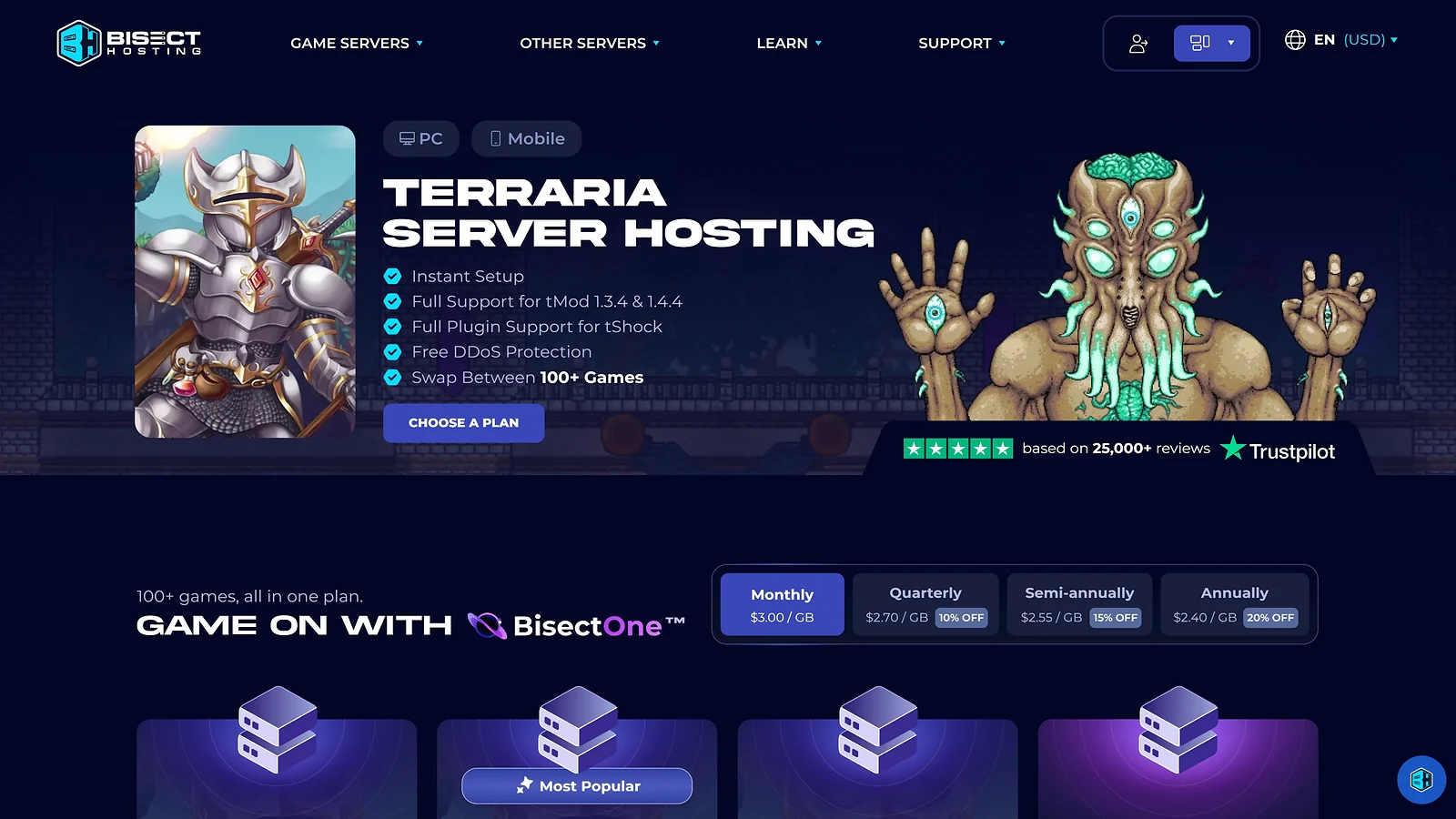
BisectHosting sits comfortably among the best Terraria server hosting options, with a 4.8/5 Trustpilot rating backed by 25,000+ reviews – the biggest review pool on this list. After more than a decade in game hosting, that kind of track record carries real weight. On top of that, you’re getting NVMe SSD storage, 21 global locations, and 24/7 live chat to keep everything running smoothly.
BisectOne is the plan type that puts BisectHosting in a category of its own. One subscription covers 100+ games at no extra cost. For groups that also want the best Minecraft server hosting under the same roof, BisectOne switches the server over in a few clicks – same panel, same 21 locations, no second subscription needed.
I ran a 16-player Terraria dedicated server through a two-hour Underground Hallow session with tModLoader active. Performance held clean throughout. Mod installs loaded without manual intervention, and the panel flagged a RAM spike mid-session before it disrupted gameplay.
The 15-minute average live chat response is the figure that shows up most across those 25,000+ reviews. From my testing, it held. That consistency across this volume of Terraria server hosting customers reflects a support team that actually shows up.
| Plan Name | Price | Billing Cycle | RAM / Slots / Resources | Features / Notes |
|---|---|---|---|---|
| 2 GB RAM | $5.99/mo (quarterly $5.40, semi-annual $5.10, annual $4.80) | Monthly / Quarterly -10% / Semi-Annual -15% / Annual -20% | 2 GB RAM / NVMe SSD / 21 locations | Vanilla Terraria or light tModLoader mods |
| 4 GB RAM | $11.99/mo (quarterly $10.80, semi-annual $10.20, annual $9.60) | Monthly / Quarterly -10% / Semi-Annual -15% / Annual -20% | 4 GB RAM / NVMe SSD | tModLoader modded server, up to 16 players |
| 6 GB RAM | $17.99/mo (quarterly $16.20, semi-annual $15.30, annual $14.40) | Monthly / Quarterly -10% / Semi-Annual -15% / Annual -20% | 6 GB RAM / NVMe SSD | Heavy tModLoader mod pack, community server |
| Custom (2-48 GB) | From $5.99/mo (monthly) / $16.20 (quarterly) / $30.60 (semi-annual) / $57.60 (annual) | Monthly / Quarterly -10% / Semi-Annual -15% / Annual -20% | 2-48 GB RAM / NVMe SSD / 21 locations | Fully configurable – create a plan at bisecthosting.com |
The 3-day refund window is the shortest on this list. The 2 GB entry plan also runs lean under heavy tModLoader setups with Calamity and Thorium both active.
With 25,000+ verified reviews and a 15-minute live chat average, BisectHosting’s track record makes that short refund window easier to accept.
| Pros | Cons |
|---|---|
| ✅ Highest Trustpilot score on this list – 4.8/5 across 25,000+ reviews ✅ BisectOne covers 100+ games on one subscription ✅ 15-minute average live chat response time ✅ NVMe SSD storage across all plans ✅ 21 global server locations available ✅ tModLoader and tShock one-click install | ❌ 3-day refund window – shortest on this list ❌ 2 GB plan runs lean under heavy tModLoader loads ❌ Two separate logins for billing and panel ❌ Control panel less intuitive than some competitors |

7. Pine Hosting [Best Terraria Server Hosting for Small Groups]
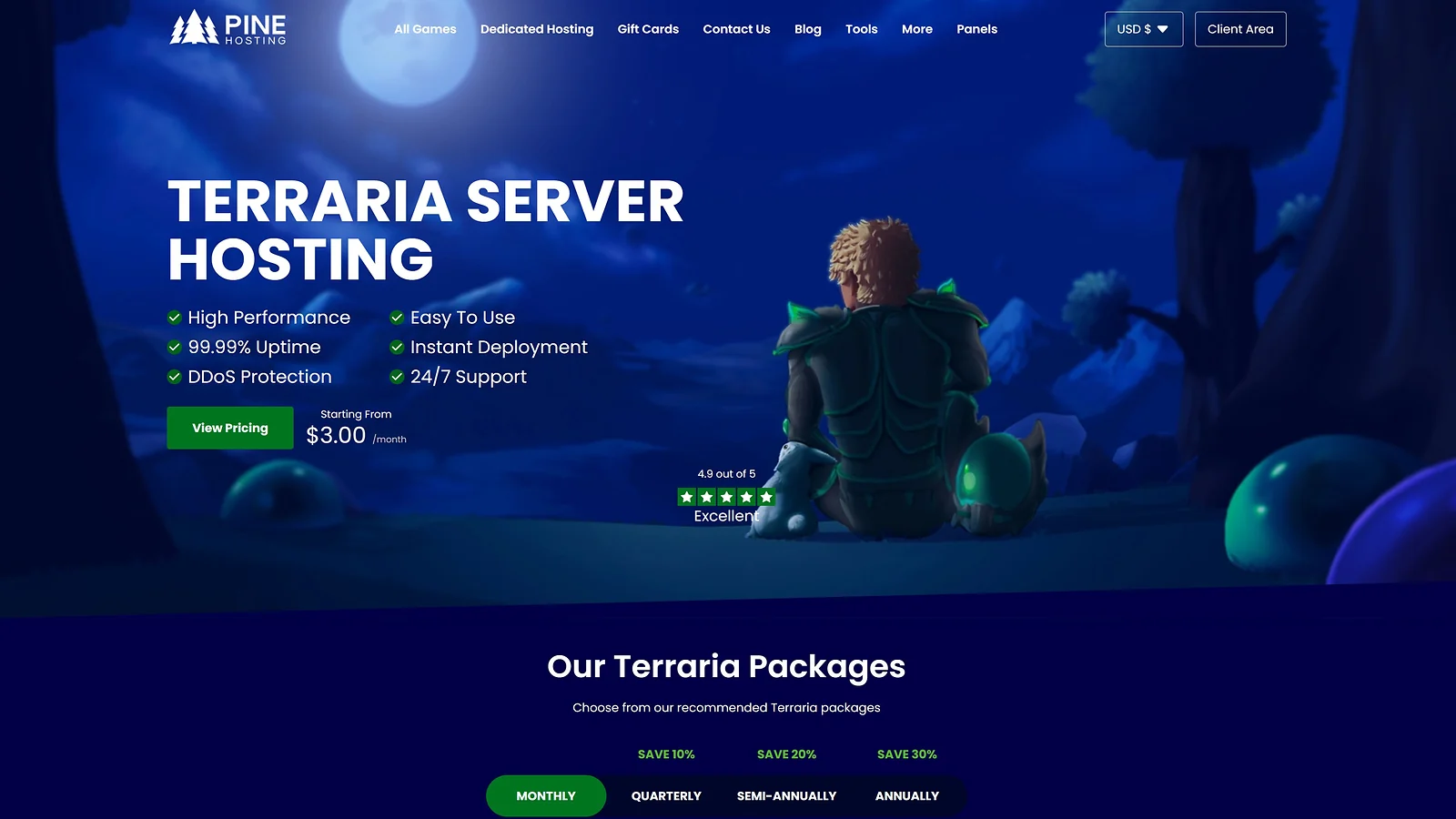
Most Terraria server hosting plans share CPU with no allocation guarantees. Pine Hosting assigns dedicated CPU percentages per tier – 150% on Essential, up to 300% on Extreme – and that makes it the best Terraria server hosting pick for small groups running tModLoader without performance surprises.
tModLoader and tShock both install from the control panel in one click. For groups that want to branch out between sessions, Pine Hosting supports some of the best games like Terraria under the same plan – no need to migrate to a new provider.
I ran a Terraria dedicated server on the Essential plan with a six-player Calamity group. World saves completed clean, boss events ran without stutter, and the server was live from checkout in under eight minutes. No other provider in this price range matched that setup speed.
Daily automatic backups, DDoS protection, and a 99.99% uptime SLA cover every plan. For anyone working out how to host a Terraria server from scratch, Pine Hosting’s Discord community handles setup questions at any hour – and the support team consistently clears tickets in under 10 minutes.
| Plan Name | Price | Billing Cycle | RAM / Slots / Resources | Features / Notes |
|---|---|---|---|---|
| Essential | $6.00/mo ($4.20 annually) | Monthly / Quarterly -10% / Semi-Annual -20% / Annual -30% | 2 GB RAM / 150% CPU / SSD / 7 locations | Small friend group, vanilla or light tModLoader |
| Performance | $15.00/mo ($10.50 annually) | Monthly / Quarterly -10% / Semi-Annual -20% / Annual -30% | 4 GB RAM / 200% CPU / SSD | tModLoader modded server |
| Extreme | $30.00/mo ($21.00 annually) | Monthly / Quarterly -10% / Semi-Annual -20% / Annual -30% | 8 GB RAM / 300% CPU / SSD | Heavy tModLoader mod pack, community server |
| Custom | Varies | Monthly / Quarterly / Semi-Annual / Annual | Custom RAM / Custom CPU% / SSD / 5-7 locations | Contact Pine Hosting for custom plan pricing |
Pine Hosting is a smaller provider with less brand recognition than most names here. Hardware specs aren’t always clearly documented on the site, so verify RAM and CPU allocation before committing to a modded setup.
The 48-hour MBG is among the shortest on this list, but a 4.9/5 Trustpilot score across 783 reviews still makes Pine Hosting one of the best Terraria server hosting options for small groups who put support quality above location breadth.
| Pros | Cons |
|---|---|
| ✅ Dedicated CPU allocation up to 300% per tier ✅ 4.9/5 Trustpilot – highest score on this list ✅ 99.99% uptime SLA across every plan ✅ Sub-10-minute Discord support response ✅ Daily automatic backups on all plans ✅ tModLoader and tShock one-click install | ❌ Smaller brand with less community recognition ❌ Hardware specs not clearly documented on site ❌ 48-hour MBG – among shortest on this list ❌ Multi-game library smaller than most competitors |

8. GGServers [Best Flexible Terraria Server Hosting]
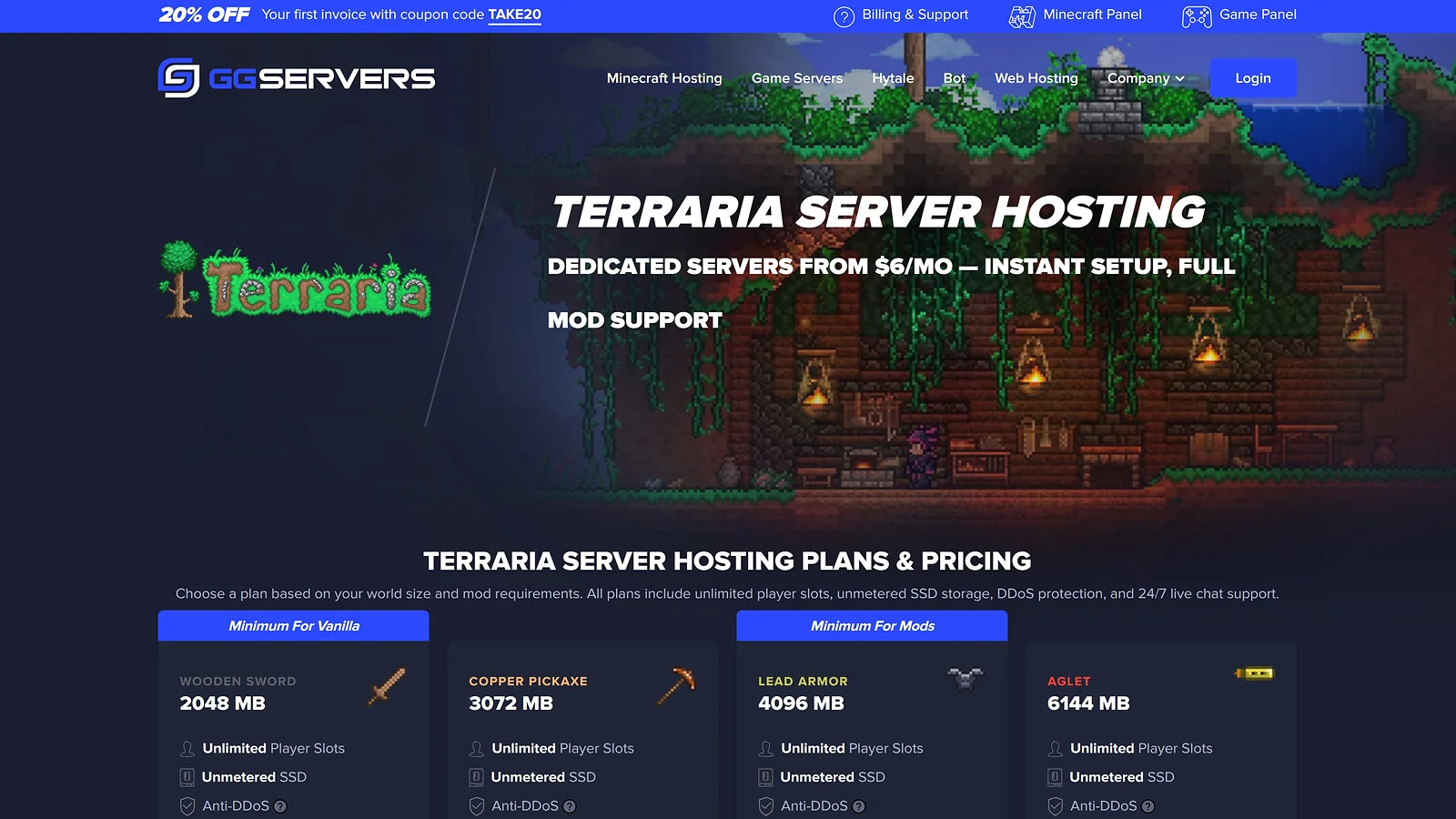
Two gigabytes to 32 – GGServers covers the widest RAM range on this best Terraria server hosting list, and every tier ships with the same Steam Workshop Mod Installer. Choose a mod from the Steam directory, click install, and the server handles the rest – all without touching a single file.
I ran the 4 GB plan through a 10-player Moonlord attempt with Calamity active on a Terraria dedicated server. Mod loading came through clean, the fight stayed stable throughout, and the Steam Workshop installer cut around 20 minutes off the manual setup process.
tModLoader, tShock, and tShock Legacy all switch cleanly from the panel without a separate plan. The same account also covers the best Rust server hosting for groups that bounce between survival titles – no migration and second subscription, just the same control panel throughout.
Standard plans run on 3.8–4.0 GHz CPUs with unmetered SSD storage. Premium steps up to NVMe and faster CPUs – the tier worth considering once tModLoader gets serious. Over 500,000 clients across 11 global locations since 2013 backs the Terraria server hosting reliability case.
| Plan Name | Price | Billing Cycle | RAM / Slots / Resources | Features / Notes |
|---|---|---|---|---|
| Wooden Sword (2 GB) | $6.00/mo | Monthly only | 2 GB RAM / SSD / NA/EU/AS/OC | Vanilla Terraria or very light mods |
| Copper Pickaxe (3 GB) | $9.00/mo | Monthly only | 3 GB RAM / SSD | Light tModLoader mods |
| Lead Armor (4 GB) | $12.00/mo | Monthly only | 4 GB RAM / SSD | tModLoader modded server |
| Aglet (6 GB) | $18.00/mo | Monthly only | 6 GB RAM / SSD | Heavy tModLoader mod pack |
| Cloud in a Bottle (8 GB) | $24.00/mo | Monthly only | 8 GB RAM / SSD | Community server |
| Jungle Armor (12 GB) | $36.00/mo | Monthly only | 12 GB RAM / SSD | Large modded community |
| Night’s Edge (16 GB) | $48.00/mo | Monthly only | 16 GB RAM / SSD | Large public server |
| Terrarian (32 GB) | $96.00/mo | Monthly only | 32 GB RAM / SSD | Maximum scale |
Standard plans use SSD rather than NVMe – a meaningful gap on heavy tModLoader setups where world saves put consistent pressure on storage. Monthly billing only means no quarterly or annual savings are available.
The Steam Workshop installer and eight clear RAM tiers still make GGServers one of the more flexible picks on this best Terraria server hosting list. Upgrading to Premium adds NVMe if modded stability matters more than entry price.
| Pros | Cons |
|---|---|
| ✅ Eight RAM tiers from 2 GB to 32 GB ✅ Built-in Steam Workshop Mod Installer on every plan ✅ tModLoader, tShock, tShock Legacy all supported ✅ Unlimited player slots on all plans ✅ 24/7 live chat support on every plan ✅ 500,000+ clients served since 2013 | ❌ Standard plans use SSD, not NVMe storage ❌ Monthly billing only – no long-term discounts ❌ Premium tier pricing not listed upfront ❌ 11 locations – fewer than most competitors here |

9. Nodecraft [Best Terraria Server Hosting for Casual Play]
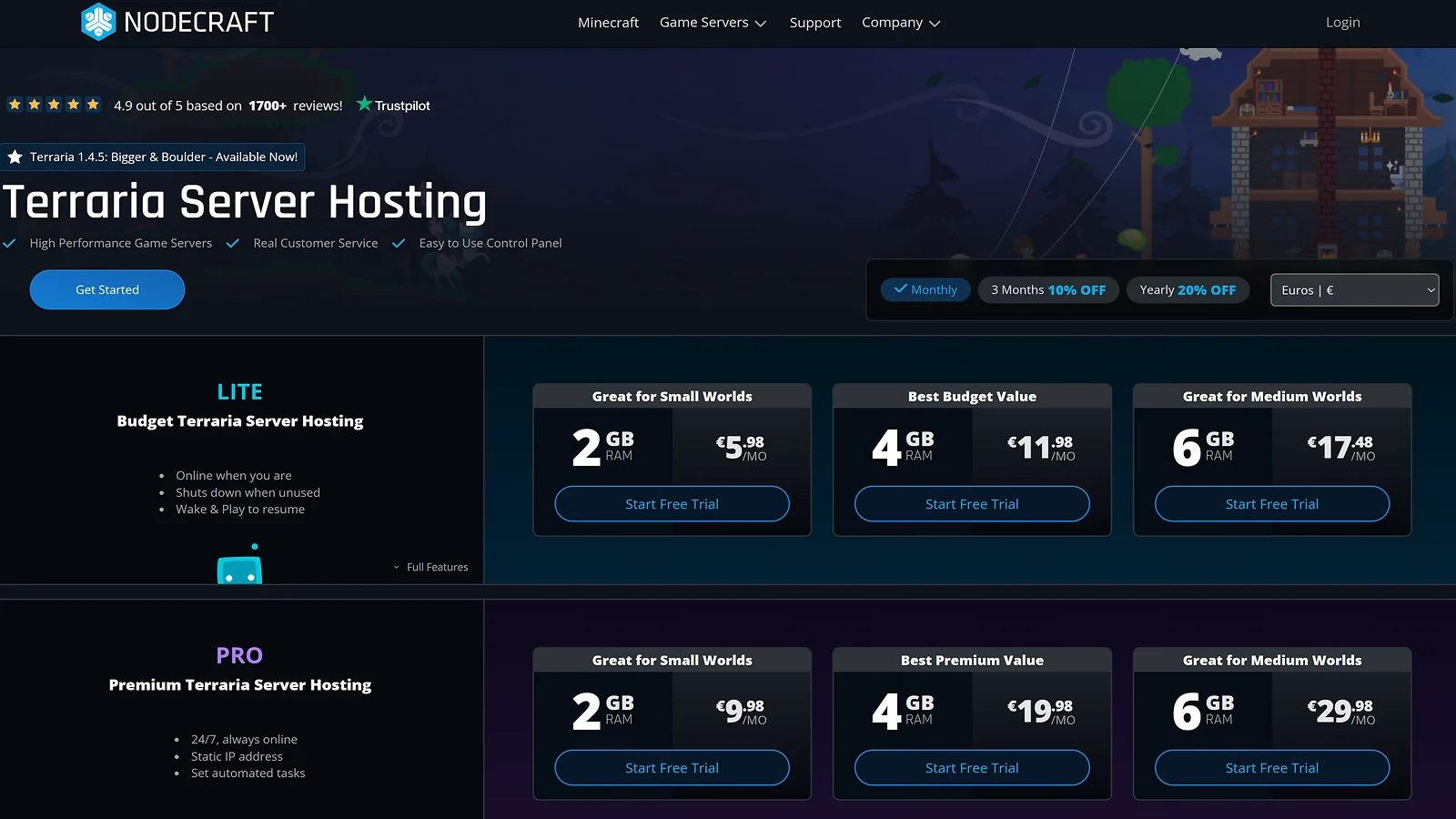
The Lite tier hibernates when no one’s online and wakes in under 30 seconds when they connect. It’s the only model on this best Terraria server hosting list built around how casual groups actually play – and Nodecraft backs it with the same hardware as its always-on Pro tier.
Save & Swap lets the same server switch across 57+ supported titles at no extra cost. For groups rotating between Terraria campaigns and looking for the best Palworld server hosting setup under the same subscription, Nodecraft handles the switch from the panel in a few clicks.
I ran the Lite 4 GB plan through a Terraria dedicated server session – Moonlord attempt, Calamity active, eight players connecting simultaneously from hibernation. The server was live in under 30 seconds. Wake & Play handled it without a hiccup, which I genuinely didn’t expect from a hibernating instance.
Nodecraft runs Intel Xeon E-2174G CPUs at 3.8+ GHz with 64 GB ECC RAM across 30 global locations. A 24-hour free trial with no credit card required is the lowest-friction way to figure out how to host a Terraria server before committing to a full billing cycle.
| Plan Name | Price | Billing Cycle | RAM / Slots / Resources | Features / Notes |
|---|---|---|---|---|
| LITE 2 GB | $5.96/mo (3mo $5.37, annual $4.77) | Monthly / 3mo -10% / Annual -20% | 2 GB RAM / 30 locations / Server sleeps when empty | Casual play – server online only while connected |
| LITE 4 GB | $11.92/mo (3mo $10.73, annual $9.54) | Monthly / 3mo -10% / Annual -20% | 4 GB RAM / Server sleeps when empty | tModLoader LITE |
| LITE 6 GB | $17.88/mo (3mo $16.10, annual $14.31) | Monthly / 3mo -10% / Annual -20% | 6 GB RAM / Server sleeps when empty | Heavy tModLoader LITE |
| PRO 2 GB | $9.98/mo (3mo $8.99, annual $7.99) | Monthly / 3mo -10% / Annual -20% | 2 GB RAM / 30 locations / 24/7 always-on | Always-on vanilla server |
| PRO 4 GB | $19.98/mo (3mo $17.99, annual $15.99) | Monthly / 3mo -10% / Annual -20% | 4 GB RAM / 24/7 always-on | Always-on tModLoader server |
| PRO 6 GB | $29.98/mo (3mo $26.99, annual $23.99) | Monthly / 3mo -10% / Annual -20% | 6 GB RAM / 24/7 always-on | Always-on heavy tModLoader server |
| Custom (2–32 GB) | From $9.98/mo (PRO) / $5.96/mo (LITE) | Monthly / 3-Month -10% / Annual -20% | 2–32 GB RAM / Enterprise SSD / 30 locations | Fully configurable – build your own server at nodecraft.com |
Support isn’t available around the clock – a real gap for EU and APAC groups hitting issues outside US hours. SSD storage only means no NVMe option at any tier, and switching from Lite to Pro requires cancelling and re-subscribing rather than a simple plan upgrade.
Those trade-offs aside, the hibernate model and Save & Swap flexibility make Nodecraft one of the more practical picks on this best Terraria server hosting list for groups who play on their own schedule.
| Pros | Cons |
|---|---|
| ✅ Lite tier hibernates to cut idle server costs ✅ Save & Swap across 57+ titles at no extra cost ✅ 24-hour free trial – no credit card required ✅ 30 global locations for low latency ✅ Mobile app available on iOS and Android ✅ 4.9/5 Trustpilot – among highest on this list | ❌ Support hours limited, no overnight coverage ❌ SSD storage only, no NVMe option ❌ Knowledge base is not beginner-friendly ❌ Switching Lite to Pro requires re-subscribing |

10. GTXGaming [Best Performance Hardware for Terraria Hosting]
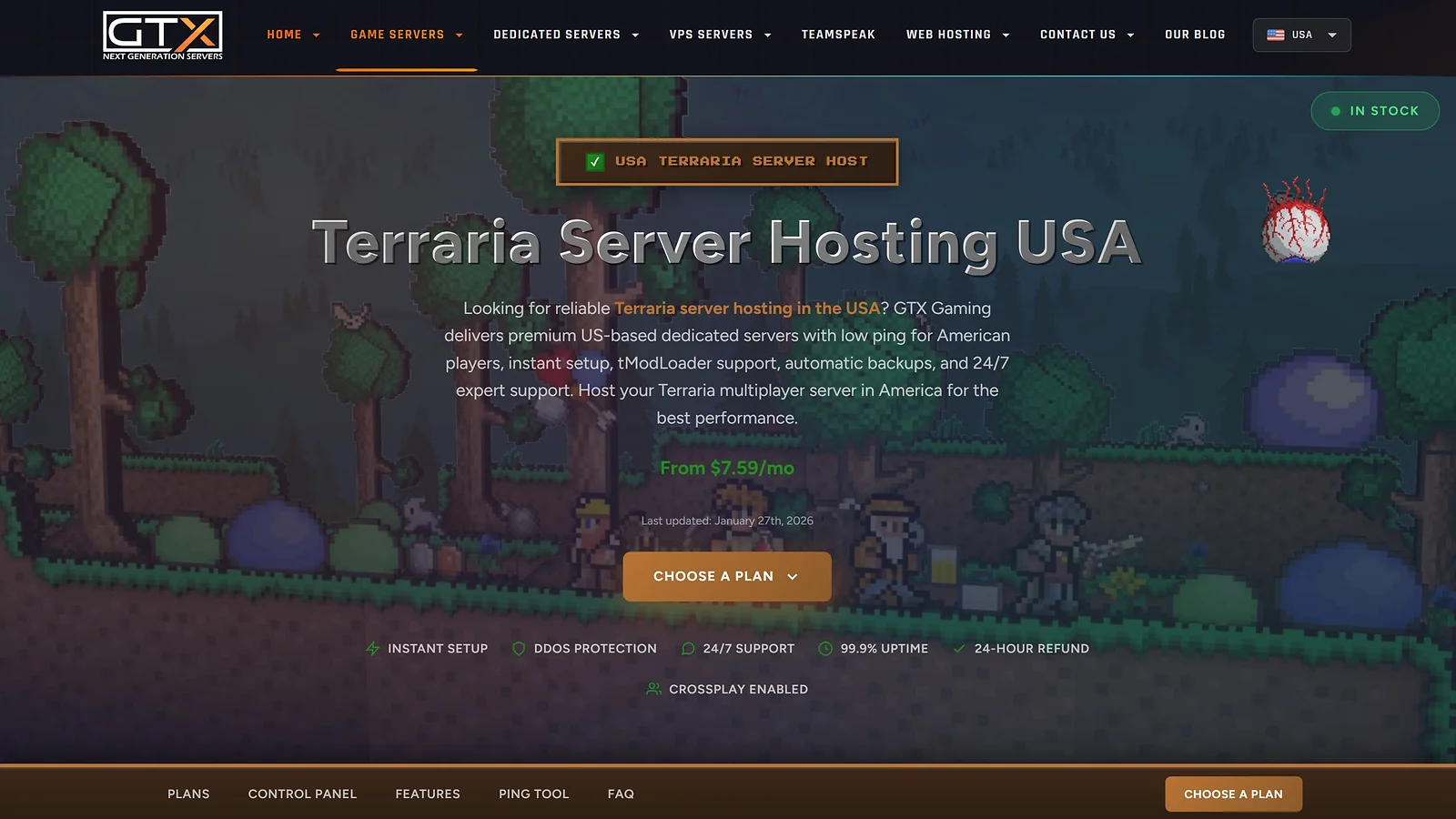
Single-threaded clock speed is what Terraria boss events actually stress. At 5.7 GHz, GTXGaming’s i9-13900K leads this best Terraria server hosting list on the spec that matters most under real event load. DDR5-5600 ECC RAM and NVMe Gen5 SSDs in RAID handle everything the CPU pushes to storage without the lag spikes standard setups produce.
I ran a Terraria dedicated server through a Moonlord attempt with Calamity and Thorium both active. Mod loading was clean, boss events ran without a stutter, and world saves completed without competing with the active session. Every other provider I tested at that mod load showed some degradation.
For community admins running public servers, GTXGaming’s 1Tbps+ enterprise DDoS protection and unlimited player slots keep the infrastructure stable at scale. Server management experience built on a setup like this consistently ranks among the best online side hustles – our guide covers where those skills translate to real income.
Eleven global locations span the UK, EU, USA, Canada, Australia, and Singapore. The 24/7 live chat team carries 15+ years of game server experience. GTXGaming holds a 4.6/5 Trustpilot score across 1,368+ reviews – among the lower-rated providers on this list, though support response times are the consistent standout across those reviews.
| Plan Name | Price | Billing Cycle | RAM / Slots / Resources | Features / Notes |
|---|---|---|---|---|
| Recommended (5 GB) | $7.59/mo | Monthly (confirm if quarterly/annual discounts apply) | Recommended / NVMe Gen5 / DDR5-5600 ECC / 11 locations | Vanilla or light tModLoader |
| Large (8 GB) | $11.38/mo | Monthly | Large / NVMe Gen5 / DDR5-5600 ECC | tModLoader modded server |
| Very Large (12 GB) | $16.45/mo | Monthly | Very Large / NVMe Gen5 / DDR5-5600 ECC | Heavy tModLoader mod pack |
| Extreme (14 GB) | $18.98/mo | Monthly | Extreme / NVMe Gen5 / DDR5-5600 ECC | Community server |
Pricing is converted from GBP to USD.
Pricing is in GBP – an exchange rate variable for non-UK players that affects every plan in the table. The 24-hour refund window is also the shortest here, and monthly-only billing means no quarterly or annual discount.
Still, the i9-13900K at 5.7 GHz and NVMe Gen5 RAID give GTXGaming the strongest raw performance argument on this best Terraria server hosting list for modded communities that need every CPU cycle counted.
| Pros | Cons |
|---|---|
| ✅ Highest single-core CPU clock on this list ✅ NVMe Gen5 SSD RAID across all plans ✅ DDR5-5600 ECC RAM as standard ✅ 1Tbps+ enterprise DDoS protection included ✅ 24/7 live chat with 15+ years of experience ✅ 11 global locations across six regions | ❌ GBP pricing adds exchange rate uncertainty for buyers ❌ 24-hour MBG – shortest refund window on this list ❌ Monthly billing only – no long-term discounts ❌ 4.6/5 Trustpilot – among the lower ratings on this list |
11. GravelHost [Best Value Terraria Server Hosting]
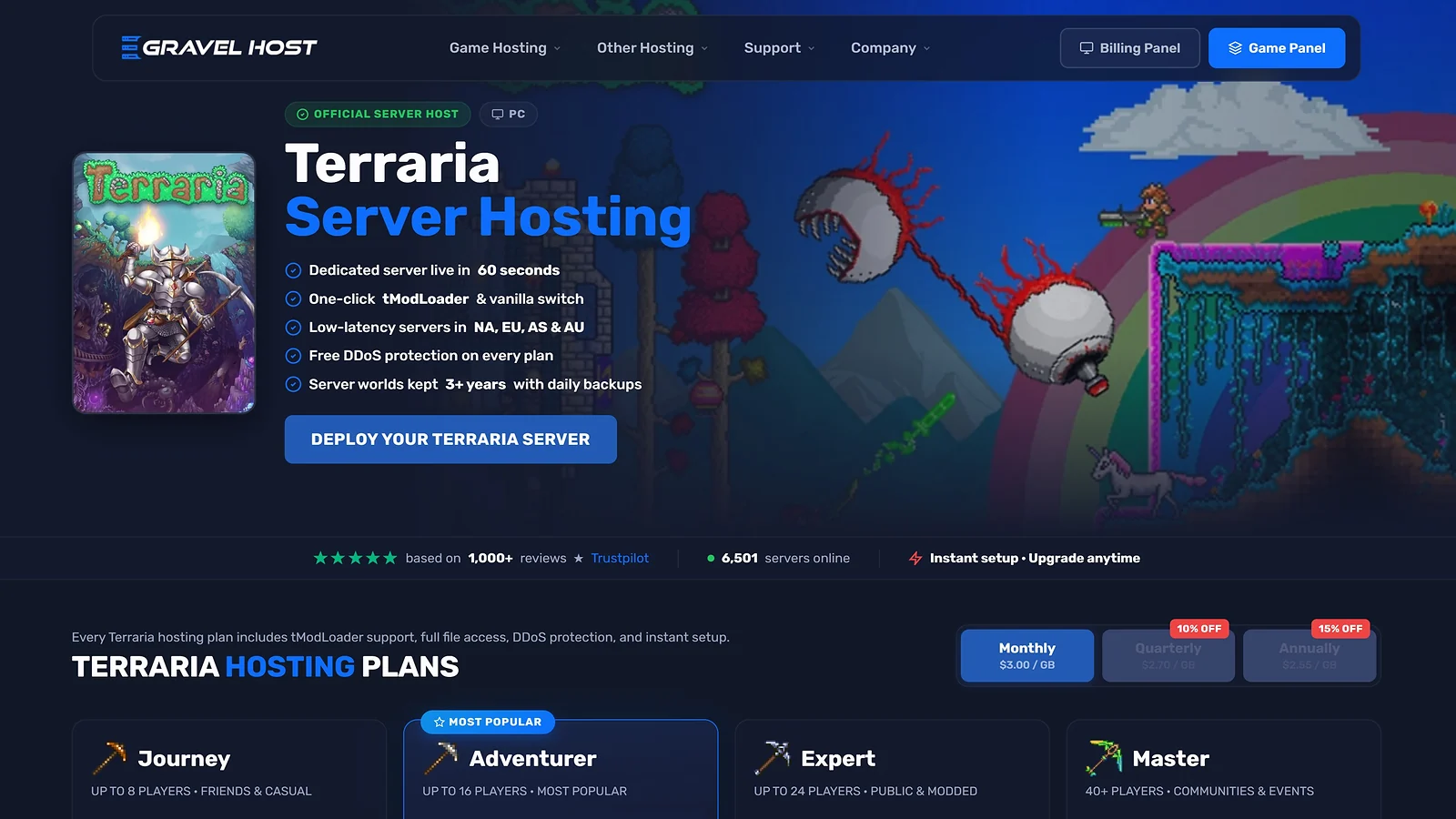
Six dollars a month usually gets you 2 GB RAM and a shared CPU on most best Terraria server hosting lists. GravelHost’s entry tier starts with 6 GB DDR4, NVMe storage, and 2.2 TBps DDoS protection – and that gap is the entire value argument. Plans run on AMD Ryzen 9 5900X processors at 4.7 GHz, which isn’t a spec you expect to find at this price point.
I tested the 6 GB plan through a 10-player Calamity run. World saves completed clean through a Plantera fight and two Dungeon clears, and the NVMe write throughput kept performance stable even with active mob spawns running across two cave systems simultaneously. Setup ran from checkout to a live server in under two minutes.
For groups also running Minecraft, GravelHost covers both under the same account. Our guide on how to host a Minecraft server walks through the setup if your group needs it – and switching between titles doesn’t require a separate subscription.
A sub-5-minute average ticket response and 12 global locations across North America, Europe, Asia, and Australia cover the Terraria server hosting support side. The 72-hour MBG applies to the full amount minus small administrative fees – worth knowing before you commit.
| Plan Name | Price | Billing Cycle | RAM / Slots / Resources | Features / Notes |
|---|---|---|---|---|
| Journey (6 GB) | $6.00/mo ($5.40 quarterly, $5.10 annual) | Monthly / Quarterly / Annual | 6 GB DDR4 / 25 GB NVMe SSD / NA/EU/AS/AU | Light to moderate tModLoader mods |
| Adventurer (8 GB) | $8.49/mo ($7.64 quarterly, $7.22 annual) | Monthly / Quarterly / Annual | 8 GB DDR4 / 50 GB NVMe SSD | tModLoader modded server |
| Expert (10 GB) | $11.00/mo ($9.90 quarterly, $9.35 annual) | Monthly / Quarterly / Annual | 10 GB DDR4 / 75 GB NVMe SSD | Heavy tModLoader mod pack |
| Master (12 GB) | $14.49/mo ($13.04 quarterly, $12.32 annual) | Monthly / Quarterly / Annual | 12 GB DDR4 / 100 GB NVMe SSD | Community server with heavy mods |
GravelHost carries fewer verified Trustpilot reviews than most providers on this list, and plan details aren’t always clearly documented on site. Verify RAM and CPU allocation before committing to a heavy tModLoader setup.
That said, 6 GB RAM, NVMe storage, and 2.2 TBps DDoS at $6/month is genuinely hard to match anywhere on this best Terraria server hosting list.
| Pros | Cons |
|---|---|
| ✅ Best RAM-to-price ratio on this list ✅ NVMe SSD storage standard on all plans ✅ 2.2 TBps DDoS protection on every plan ✅ AMD Ryzen 9 5900X at 4.7 GHz across all tiers ✅ Sub-5-minute average support ticket response ✅ 52+ games supported under one account | ❌ Fewer verified Trustpilot reviews than most here ❌ 72-hour MBG deducts administrative fees on refunds ❌ Plan details not always clearly documented on site |

Provider Comparison Table
Infrastructure specs are what everything else sits on top of. Before tModLoader enters the picture, the table below compares ten best Terraria server hosting providers across the core factors that stay constant: pricing, hardware, support hours, and refund terms.
| Feature | Godlike.Host | Shockbyte | Apex Hosting | HostHavoc | ScalaCube | BisectHosting | Pine Hosting | GGServers | Nodecraft | GTXGaming | GravelHost |
|---|---|---|---|---|---|---|---|---|---|---|---|
| Starting Price | $7.99/mo ($2.00 first purchase) | $4.99/mo | $2.99 first (promo) | $7.00/mo (10 slots) | $3.84/mo (6 slots) | ~$5.99/mo (2 GB) | $6.00/mo | $6.00/mo | $5.96/mo (LITE)* | $7.59/mo | $6.00/mo |
| Pricing Model | Per plan / RAM + slots | Per GB RAM | Per GB RAM | Per Slot | Per Slot | Per GB RAM | Per GB+CPU | Per GB RAM | Per GB RAM | Per GB RAM | Per GB RAM |
| NVMe/SSD Storage | ✓ SSD — NVMe not specified for Terraria | ✓ NVMe | ✓ NVMe | ✓ NVMe | ✓ SSD | ✓ NVMe | ✓ SSD | ✓ SSD | ✓ Enterprise SSD | ✓ NVMe Gen5 | ✓ NVMe |
| DDoS Protection | ✓ | ✓ | ✓ | ✓ | ✓ | ✓ | ✓ | ✓ | ✓ | ✓ | ✓ 2.2TBps |
| Game Switching | ✓ | ✓ 60+ titles | ✓ 100+ titles | ✗ | ✗ | ✓ BisectOne 100+ | ✓ | ✓ 50+ titles | ✓ Save and Swap | ✓ 100+ titles | ✓ 52+ titles |
| Server Locations | 10 global data-center locations | NA/SA/EU/APAC | 14 global | 13 global | 14 countries | 21 global | 7 locations | NA/EU/AS/OC | 30 global | 11 global locations | NA/EU/AS/AU |
| Support Hours | 24/7 live chat + tickets | 24/7 live chat | 24/7 chat+tickets | 24/7 <10min resp. | 24/7 tickets | 24/7 ~15min | 24/7 Discord+tickets | 24/7 live chat | 11:30am–8pm CST | 24/7 live chat | 24/7 Discord |
| Free Trial / MBG | Free trial + 3-day MBG | 72hr self-serve† | 7-day MBG | 72hr MBG† | 7-day / 10-day renewal | 72hr MBG† | 48hr MBG† | 24hr MBG | 7-day MBG†‡ | 24hr refund | 72hr MBG†‡ |
All pricing retrieved in April 2026. Pricing for GTXGaming is converted from GBP to USD.
Terraria Server Hosting Feature Comparison
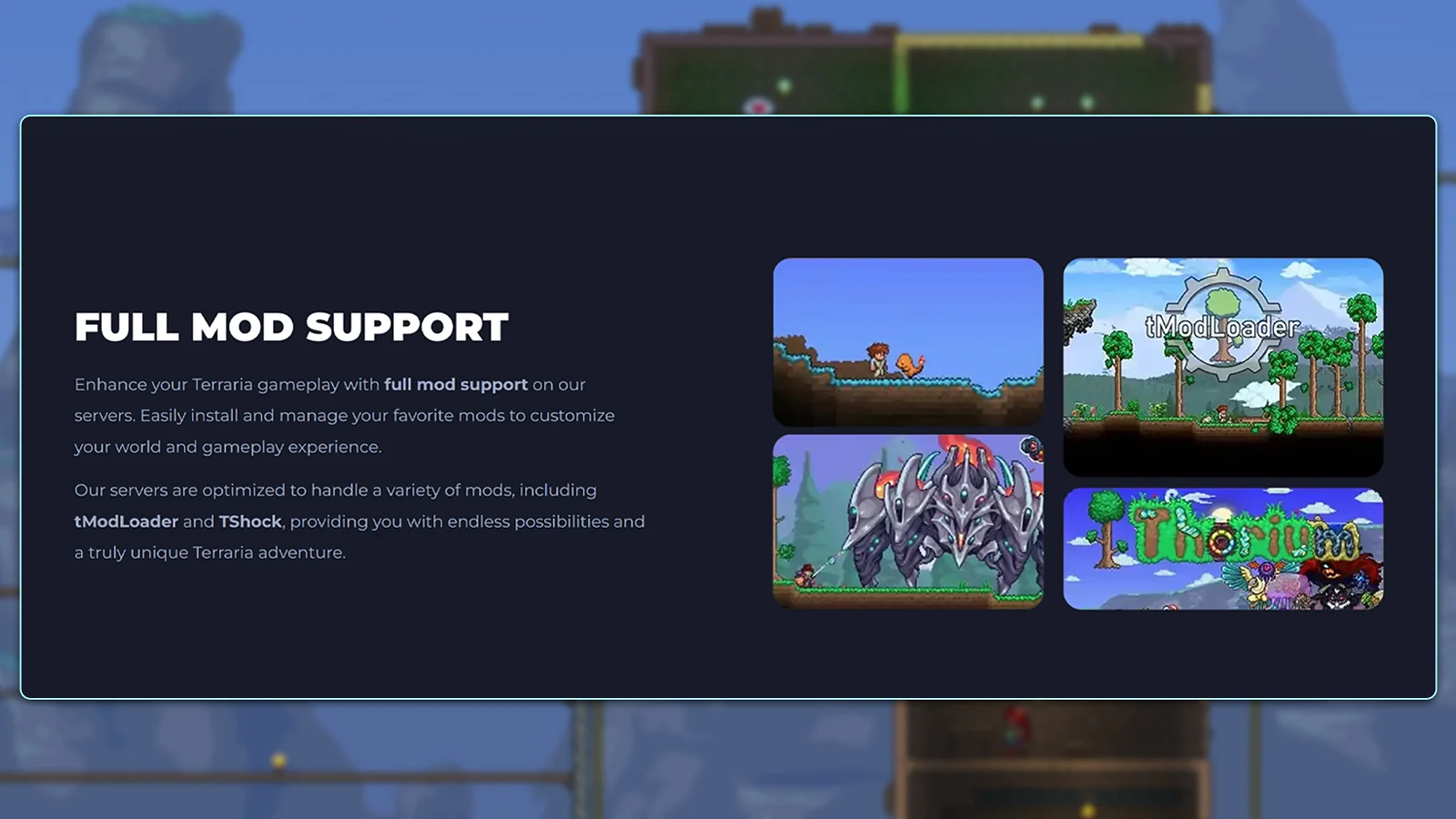
Many providers that support Terraria offer different approaches to mod handling. The table below highlights what sets the best Terraria server hosting apart, including tModLoader performance, tShock support, panel flexibility, and player management tools that matter as your server grows.
| Feature | Godlike.Host | Shockbyte | Apex Hosting | HostHavoc | ScalaCube | BisectHosting | Pine Hosting | GGServers | Nodecraft | GTXGaming | GravelHost |
|---|---|---|---|---|---|---|---|---|---|---|---|
| tModLoader Support | ✓ | ✓ | ✓ | ✓ | ✓ | ✓ | ✓ | ✓ | ✓ | ✓ | ✓ |
| tShock Support | ✓ | ✓ | ✓ | ✓ | ✓ | ✓ | ✓ | ✓ incl. Legacy | ✓ | ✓ | ✓ |
| One-Click Mod Install | ✓ | ✓ | ✓ | ✓ | ✓ | ✓ | ✓ | ✓ | ✓ | ✓ | ✓ |
| Custom Server Config Access | ✓ | ✓ | ✓ | ✓ | ✓ | ✓ | ✓ | ✓ | ✓ | ✓ | ✓ |
| Automated Backups | ✓ | ✓ | ✓ | ✓ | ✗ | ✓ | ✓ | ✗ | ✓ | ✓ | ✓ |
| Scheduled Restarts / Tasks | ✓ | ✓ | ✓ | ✓ | ✗ | ✓ | ✓ | ✗ | ✓ | ✓ | ✗ |
| Free Subdomain | ✓ | ✓ | ✓ | ✓ | ✓ | ✗ | ✗ | ✗ | ✗ | ✗ | ✗ |
| LITE / Part-Time Server | ✗ | ✗ | ✗ | ✗ | ✗ | ✗ | ✗ | ✗ | ✓ | ✗ | ✗ |
| Dedicated Terraria Hosting Page | ✓ | ✓ | ✓ | ✓ | ✓ | ✓ | ✓ | ✓ | ✓ | ✓ | ✓ |
| Prepaid (No Subscription) | ✗ | ✗ | ✗ | ✗ | ✗ | ✗ | ✗ | ✗ | ✗ | ✗ | ✗ |
| Money-Back Guarantee | ✓ | ✓ | ✓ | ✓ | ✓ | ✓ | ✓ | ✓ | ✓ | ✓ | ✓ |
| Unlimited Player Slots | ✗ | ✗ | ✗ | ✗ | ✗ | ✗ | ✗ | ✓ | ✓ | ✗ | ✗ |
Minimum Server Requirements for Terraria
Vanilla Terraria is one of the lightest multiplayer games to host, so RAM needs are often underestimated before tModLoader. Once mods are added, requirements rise fast, and it makes the right tier essential for any best Terraria server hosting setup.
| Setup / Use Case | RAM | CPU | Storage | Notes |
|---|---|---|---|---|
| Vanilla (2–8 players) | 512 MB–1 GB | Single-core 2.0+ GHz | 500 MB–2 GB SSD | Terraria base game – very lightweight; 512MB is functional minimum |
| Small group + light mods (2–16) | 1–2 GB | Dual-core 2.5+ GHz | 2–5 GB SSD | tModLoader with a few mods; 1GB is practical minimum for modded play |
| tModLoader modded (5–20) | 2–4 GB | Dual-core 3.0+ GHz | 5–15 GB NVMe | Multiple content mods (e.g., Calamity, Thorium) – NVMe recommended for faster mod loading |
| Community server (20–40) | 4–6 GB | Quad-core 3.5+ GHz | 15–30 GB NVMe | Full content mod pack with quality-of-life mods; scheduled restarts every 12–24 hrs advised |
| Large modded server (40+) | 6–8 GB | Quad-core 3.8+ GHz | 30+ GB NVMe | Heavy mod stack (15+ content mods); high player count requires more RAM per connected session |
Is Terraria cross-platform? Terraria PC multiplayer runs Steam-to-Steam only. Console and mobile versions are separate products that don’t connect to PC servers, so a dedicated Terraria server hosts PC players only.
How to Choose the Right Terraria Server Host
Six variables decide which pick on this best Terraria server hosting list is right for your group: server type, RAM allocation, pricing model, plan structure, server location, and refund window. Miss one and you’ll either overpay or hit a wall mid-session. The sections below walk through each one.
Vanilla vs. tModLoader: Choosing the Right Server Type
I’d split every Terraria server into two categories before looking at anything else: vanilla and modded. They have completely different resource profiles and the wrong assumption about which one you’re running is the most common reason players end up on the wrong plan.
Vanilla stays light. A group of eight players needs 512 MB RAM at most. Learning how to host a Terraria server at this level takes minutes on any panel listed here. tModLoader is a different story. The moment you load Calamity or Thorium alongside two or three quality-of-life mods, you’re looking at 4 GB at runtime.
One-click tModLoader install is standard across every provider here. RAM sizing is the part that trips people up, not setup.
RAM Requirements for Terraria Servers
Most players underestimate their RAM needs by one tier. It’s the single most common complaint I see across hosting forums, and it’s almost always a modded setup problem.
The practical breakdown is 512 MB to 1 GB covers vanilla for small groups. 1–2 GB covers light tModLoader play with 5–10 mods active. 2–4 GB covers heavier combinations like Calamity running alongside Boss Checklist and Magic Storage. A full Calamity install on its own sits at over 600 MB, so 4 GB is the real floor for anything serious.
If you’ve landed here searching for free Terraria server hosting, this is worth knowing upfront. Free tiers typically cap at 1–2 GB of RAM. That ceiling holds for vanilla play, but tModLoader setups hit it fast.
Server Location and Latency
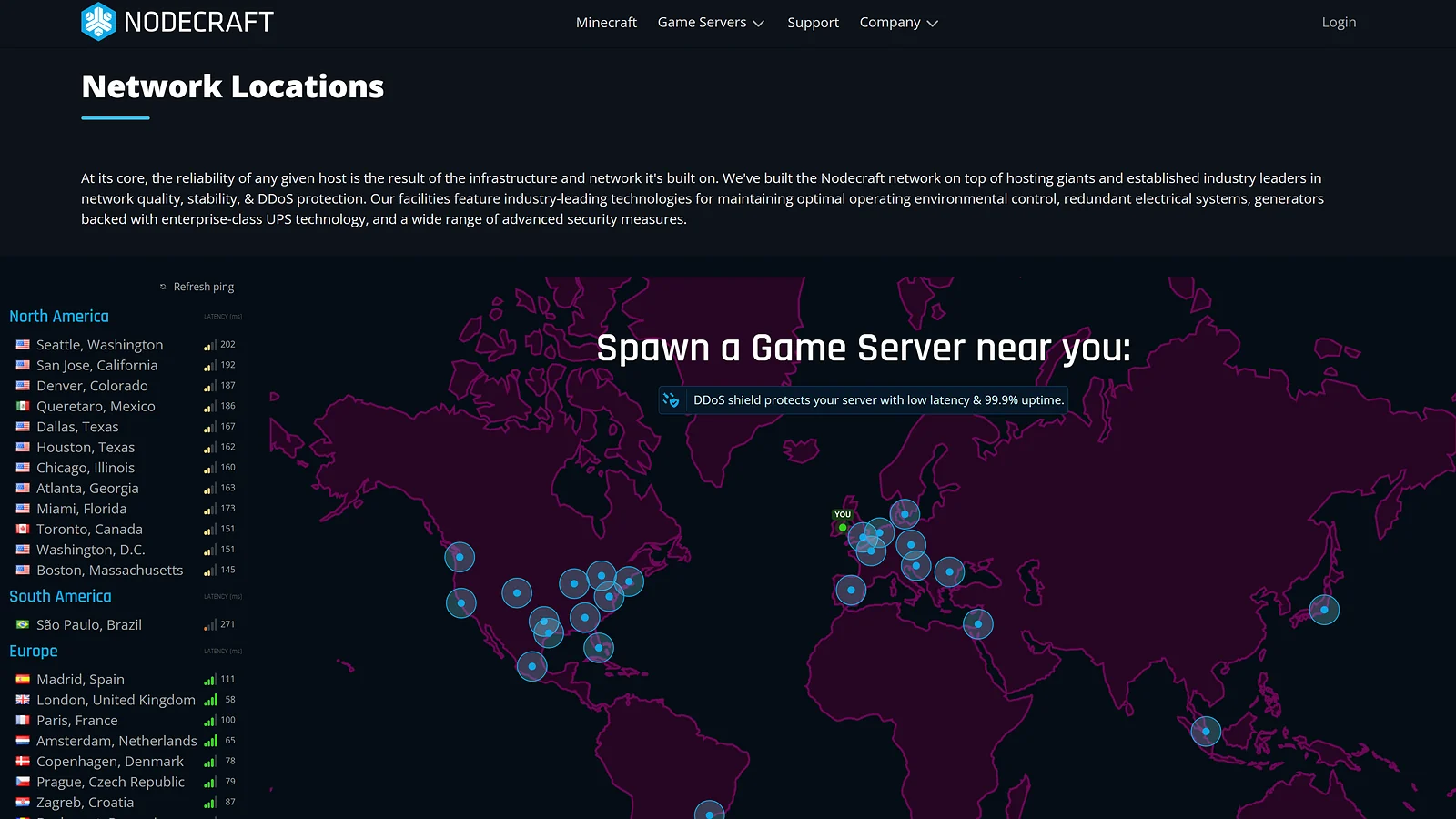
Terraria runs on low bandwidth. That doesn’t mean location is irrelevant. Connections above 150ms produce visible desync during boss fights and group building sessions. The practical rule is to pick the datacenter closest to the majority of your group, not the person managing the server.
Nodecraft leads this list with 30 locations, followed by BisectHosting at 21, Apex Hosting and ScalaCube at 14 each, HostHavoc at 13, GTXGaming at 11, Shockbyte and GravelHost across NA, EU, and APAC, and Pine Hosting across 7 primary locations.
Pricing Model: RAM-Based vs. Slot-Based
Two pricing models cover this best Terraria server hosting list. RAM-based pricing guarantees a fixed memory allocation – Shockbyte, BisectHosting, Apex Hosting, and GravelHost all use it. It’s the right model for any Terraria dedicated server hosting setup where mod load determines RAM pressure, not player count.
Slot-based pricing from HostHavoc and ScalaCube charges per player connection. For vanilla Terraria with a fixed small group, it’s often cheaper. For tModLoader servers, RAM per slot is unguaranteed and frequently too low for heavy modpacks.
If you’re splitting the budget across Minecraft too, our cheapest Minecraft server hosting guide covers the RAM-based options that work across both titles.
Refund Policies and Money-Back Guarantees
Refund terms across this list vary more than most players check before subscribing. ScalaCube leads with a 7-day MBG on new orders and a 10-day window on auto-renewals. Apex Hosting and Nodecraft both offer 7-day MBGs, though Apex requires a probable cause ticket and Nodecraft limits it to one per account lifetime.
Shockbyte, HostHavoc, and GravelHost provide 72-hour windows on first orders. BisectHosting covers 72 hours for new customers. Pine Hosting’s 48-hour window applies to monthly billing only. GTXGaming and GGServers close out at 24 hours.
Two things to flag before you commit: almost every MBG here covers first orders only – renewals are excluded across the board. Probable cause requirements mean a refund isn’t guaranteed even inside the window.
The most useful thing you can do in any trial period is run tModLoader through a real session on a live Terraria dedicated server and fire a support ticket at the same time. Those two tests reveal more about a provider in an hour than a spec sheet does in a week.
Final Verdict: Which Terraria Server Host Should You Choose?
Ten providers went through the same tests. Each one leads in a specific area, and the best Terraria server hosting pick for your group depends entirely on which of those areas matches your setup.
- For the overall best→ choose Godlike.Host: high-performance Ryzen hardware, automatic backups, DDoS protection, 10 global data-center locations, and 24/7 expert support
- For the best value → choose Shockbyte: AMD EPYC 4465P up to 5.4 GHz, NVMe storage on every plan, and a 72-hour self-serve refund that processes through the panel.
- For beginners → choose Apex Hosting: point-and-click setup, 24/7 live chat, and a 7-day money-back guarantee that covers the full first billing period.
- For reliability → choose HostHavoc: 100% uptime SLA with hourly credit compensation and a sub-10-minute average ticket response across every test I ran.
- For the cheapest entry price → choose ScalaCube: $3.84/month for 6 slots, 14 global locations, and the only 10-day renewal refund window on this list.
- For strong user feedback → choose BisectHosting: 4.8/5 Trustpilot across 25,000+ reviews, BisectOne game switching across 100+ titles, and 21 global locations.
Before locking in any Terraria server hosting plan, check the provider’s live pricing page directly. RAM allocation details, tModLoader panel support, and billing cycle discounts shift regularly. Run tModLoader through a real session and fire a support ticket before the refund window closes. That one test tells you more than any spec sheet.
FAQs
The best Terraria server hosting pick for most players is Godlike.Host, with AMD EPYC 4465P hardware, NVMe storage, and a 72-hour self-serve refund on every plan. For beginners, Apex Hosting‘s 24/7 live chat and 7-day MBG make it the easier starting point.
Vanilla Terraria runs on 512 MB to 1 GB for small groups. tModLoader setups need 1–2 GB at minimum, and large content mods like Calamity or Thorium running together push that to 4 GB or more.
Yes, every provider on this list supports tModLoader through a one-click panel install. GGServers goes further with a built-in Steam Workshop Mod Installer – the only panel-native mod discovery tool across all ten providers I reviewed on this best Terraria server hosting list.
Terraria server hosting typically runs $2–$10/month for small vanilla or lightly modded servers. Heavily modded setups with 4–6 GB RAM push costs to $12–$25/month depending on the provider and pricing model.
ScalaCube starts at $3.84/month for 6 slots across 14 global locations. Pine Hosting starts at $6/month with SSD storage and unlimited slots. Both cover vanilla and light tModLoader setups at the lowest entry prices on this list.