How To Add Robux Gift Cards on Roblox: Complete Platform Guide

Eneba Hub contains affiliate links, which means we may earn a small commission if you make a purchase through them—at no extra cost to you. Learn more
Learning how to add Robux gift cards changed my entire Roblox experience after years of playing without premium currency. Gift cards are the easiest way to load up your account without linking credit cards or navigating payment processors, which gives you instant access to avatar items and game passes.
I’m going to walk you through the exact redemption process on every platform so you can start spending within minutes of scratching that code.
The process isn’t complicated once you know the steps, but I’ve definitely seen plenty of players struggle with platform-specific quirks. Some folks get confused trying to redeem codes on their iPhone or iPad, while others run into issues on console. I’ll cover all these scenarios so you can get your Robux loaded and start shopping in the avatar store without any headaches.
Jump to:
How To Add a Robux Gift Card: What It Is and How It Works
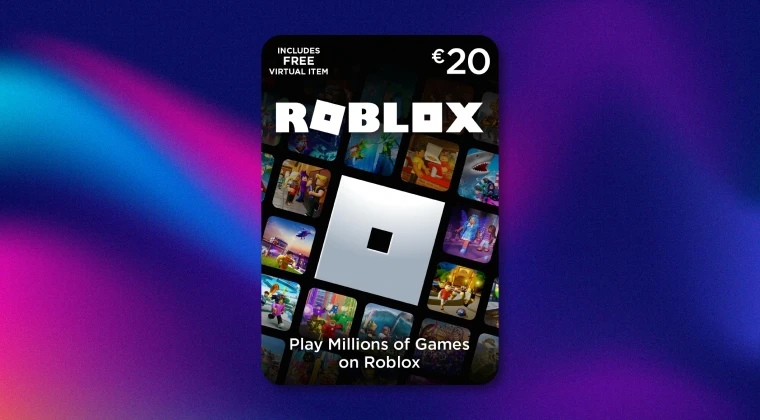
Robux gift cards are prepaid cards that let you add currency directly to your Roblox account. What is Robux? Think of them like loading money onto a debit card, except this money only works in the Roblox ecosystem.
You can grab these cards in physical form at retail stores like Target, Walmart, or GameStop. Digital versions are available through online retailers like Amazon or directly from Roblox. For more options you can always check best sites to buy Robux online. It’s also possible to get digital versions through play-to-earn apps, such as Snakzy; play enough games on this and you’ll be able to trade-in the app’s coins via an Eneba wallet for all sorts of gift cards.
The cards come in different denominations, typically ranging from $10 to $100. Each card value translates to a specific amount of Robux. For example, a $10 card usually gives you 800 Robux, while a $25 card nets you around 2,000 Robux. The conversion rate isn’t always perfectly linear, but that’s the general ballpark.
Once you scratch off the code (for physical cards) or receive your digital code via email, you just need to enter it through the redemption system. The Robux shows up in your account almost immediately, ready to spend on avatar items, game passes, or whatever else catches your eye in the catalog.
How To Add Robux Gift Card on Different Platforms
PC/Website
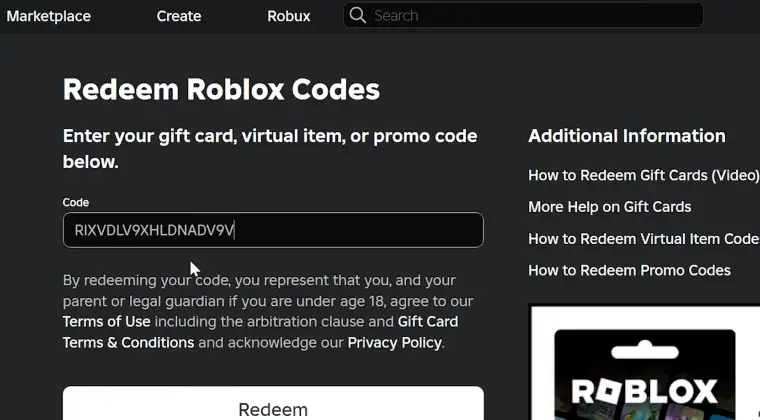
When I first learned how to add Roblox gift card, this was my go-to method because it’s straightforward. I open my browser on my laptop that I use to play Roblox and head to the Roblox website. After logging into my account, I click the gift card icon in the navigation menu or go directly to roblox.com/redeem.
The redemption page has a single text box where I enter the PIN code from my gift card. I make sure to type it exactly as it appears, with no extra spaces. After entering the code, I click the Redeem button. The system processes it within seconds, and I get a confirmation message showing how much Robux was added to my account.
If you’re having trouble finding the redemption page, look for the gear icon in the upper right corner, click Settings, and you’ll see a link to the redemption page in the menu. The whole process takes maybe 30 seconds once you know where to look.
Mobile App (iOS & Android)
Learning how to add Robux gift card on phone is slightly different but still pretty simple. When you want to add Robux gift card on app, just open the Roblox app on your iPhone or Android device and tap the three dots icon in the bottom right corner. This opens the More menu.
From there, scroll down and tap on the gift card redemption option. Some app versions label it differently, but it’s usually called “Redeem Roblox Card” or something similar. The app will take youu to a page with a text field where you can enter your code.
One thing I’ve noticed is that the mobile keyboard can sometimes autocorrect parts of the code, which causes errors. I always double-check before hitting submit. After the code goes through, the Robux balance updates immediately, and I can start using it right away.
The process works identically whether you want to learn how to add Robux gift card on iPad.
Console (Xbox/PlayStation)
Console redemption is where things get a bit trickier. If you play Roblox on Xbox or PlayStation, you can’t actually redeem Robux gift cards directly through the console interface. The game doesn’t have that feature built into the console version.
What I do instead is use my phone or computer to redeem the code through the website or mobile app method I described earlier. Once the Robux is in my account, it’s available across all platforms where I play. So I redeem on my phone, then when I log into Roblox on my PS5, the Robux is already there waiting for me.
This cross-platform currency system is actually pretty convenient once you get used to it. The important thing to remember is that knowing how to redeem Roblox gift card on console requires a detour through another device first.
For more ways to enhance your Roblox experience, check out the best games like Roblox if you’re looking to branch out into similar gaming experiences.
Troubleshooting Common Issues
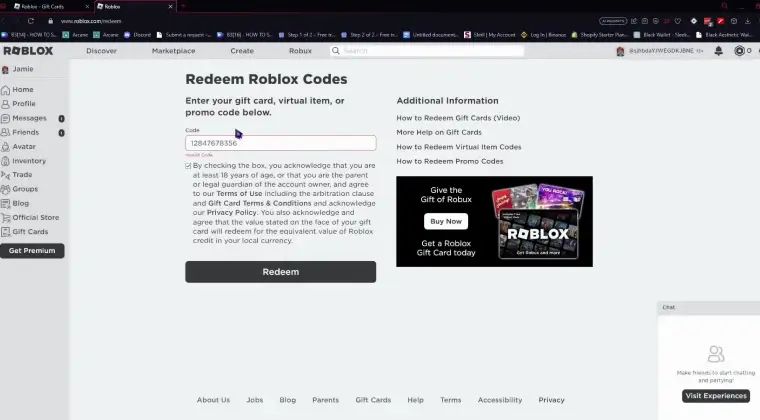
I’ve run into a few problems over the years, and most have simple fixes. The most common issue is entering an invalid code. This usually happens because of typos, so I always copy and paste when possible, or carefully retype each character.
Sometimes the code just won’t work even when it’s entered correctly. This can mean the card wasn’t activated properly at the store. If this happens, I contact the retailer where I bought it with my receipt. They can usually activate it or replace it.
Another issue I’ve seen is when people try to redeem a card on the wrong type of account. If you’re under 13 and have a restricted account, some gift card features might not work properly. You might need a parent to help adjust account settings.
Internet connectivity problems can also interrupt the redemption process. If the page times out or doesn’t respond, I close everything, make sure my connection is stable, and try again. The code doesn’t get used up unless you see a successful confirmation message.
Understanding the Value of Robux
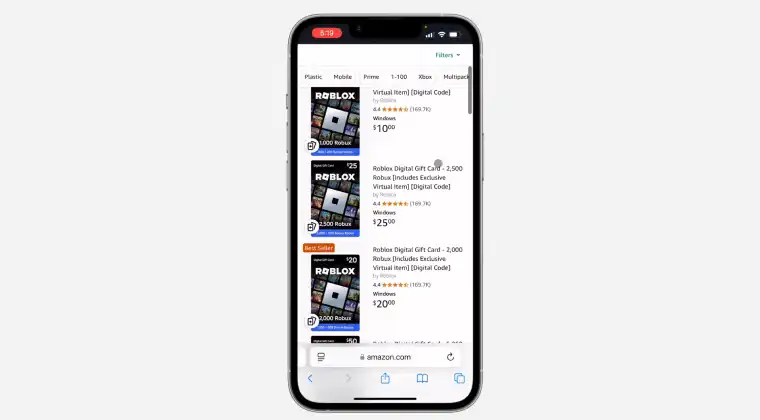
The conversion rate between real money and Robux is something I had to figure out when I first started:
| Price | Value |
|---|---|
| $10 | 800 Robux |
| $25 | 2,000 Robux |
| $50 | 4,500 Robux |
| $100 | 10,000 Robux |
The pricing structure gives you slightly better value as you buy larger denominations. I’ve found that buying bigger cards when they’re on sale during holiday promotions gives me the most bang for my buck.
To check your current Robux balance, just look at the counter in the upper right corner of any Roblox page or app screen. It updates in real-time whenever you spend or receive Robux. Who Has the Most Robux in Roblox? shows some pretty insane account balances if you’re curious about the high rollers.
How To Buy Robux Using the Cash App?
Cash App isn’t a direct payment method for Robux purchases on the Roblox platform itself. However, you can use Cash App to buy Robux gift cards from third-party retailers that accept it. Websites like Eneba fall into the list of best sites to buy Robux gift cards and lets you purchase digital Roblox gift cards using various payment methods.
The process involves selecting the gift card denomination I want, proceeding to checkout, and choosing Cash App as my payment method if the retailer supports it. After the payment processes, I receive the digital code via email, which I can then redeem through the standard redemption process.
This indirect method works fine, but I always make sure I’m buying from legitimate retailers to avoid scam codes. Stick with well-known platforms and check reviews before purchasing.
Free Robux Gift Cards: What You Need to Know
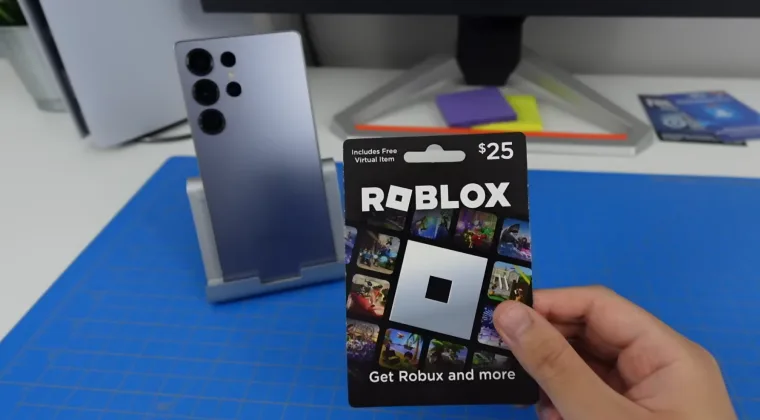
I get asked about free Robux gift card options constantly. Here’s the reality I’ve learned: legitimate free Robux is incredibly rare, and most “free Robux” offers are scams.
Roblox occasionally runs official promotions through partnerships with brands or events. These are announced on their official website and social media channels. I’ve scored some free items through these promos, but actual Robux giveaways are uncommon.
The vast majority of websites and YouTube videos promising unlimited free Robux are trying to steal your account information or get you to complete sketchy surveys. I never enter my password on third-party sites or download “Robux generators.” These violate Roblox‘s terms of service and can get your account banned permanently.
If you’re looking for a safe way to earn rewards, I recommend checking out Snakzy. You can play games, earn coins, and exchange them for Eneba wallet money, which can then be used to buy official gift cards for your favorite platforms.
Play games and get paid with Snakzy.

If you want Robux without spending money directly, your best bet is to create games or items that other players purchase. Developers can earn Robux through the Developer Exchange program. It takes work, but it’s the legitimate way to earn currency through the platform.
My Final Thoughts on How To Add Robux Gift Cards
Knowing how to redeem Robux gift card across different platforms has saved me countless frustrations over the years. The process is essentially the same when you’re on a phone or a tablet for Roblox. The key is understanding the platform-specific quirks and having a backup plan when issues pop up.
I always keep a few gift card codes saved in my email for quick access when I need them. The redemption system works reliably once you know the steps, and having Robux ready to go means I never miss out on limited-time catalog items or game passes I want.
FAQs
You can’t redeem codes directly on a console. Use the website or mobile app to enter your code, and the Robux will appear on your account across all platforms where you play.
No, Robux gift cards are single-use only. Once you enter the code and the Robux is added to your account, that code becomes invalid and can’t be redeemed again by anyone.
If your Robux gift card isn’t working, check that you’ve entered the code correctly with no typos or extra spaces. If the code still doesn’t work, contact the retailer where you purchased it with your receipt. The card may not have been activated at purchase.
There’s no specific limit on how much Robux you can have in your account or how many gift cards you can redeem. I’ve redeemed multiple cards in one session without issues.
Direct Robux transfers between accounts aren’t possible. The currency stays in the account where it was redeemed. The only way to move value is through trading items or game passes, which involves fees.